
Internal Linking and SEO: Links, Orphans and Clusters
A beautiful building with no signs
Imagine a multi-storey building with many beautiful rooms. But inside there's not a single sign — no "elevators this way", no floor map, no arrow to the meeting room. Visitors wander, get lost, can't find the room they need, and leave frustrated. The rooms are just as beautiful, but with no signposts connecting them, the whole building becomes hard to use — and the finest rooms in the back corners go undiscovered.
Your website is such a building. Each page is a room; internal links are the signposting system connecting the rooms — guiding visitors (and Google) from one room to another, showing which rooms matter, leaving none forgotten. Without them, visitors get lost and Google misses pages; with good ones, the whole building is easy to navigate, and strength flows evenly to the rooms you want to stand out.
This guide shows how to build that signage: what an internal link is and the three things it does, anchor text and "strength flow", how it ties to topic clusters, doing it right vs wrong, orphan pages and deep linking, the audit process, and the pass standard.
What is an internal link? A link from one page to another within your own website (unlike a backlink, which is from an external site). It's internal signage: guiding readers deeper, passing "strength" between pages, and helping Google understand the structure & which pages matter.
Three things internal links do for you
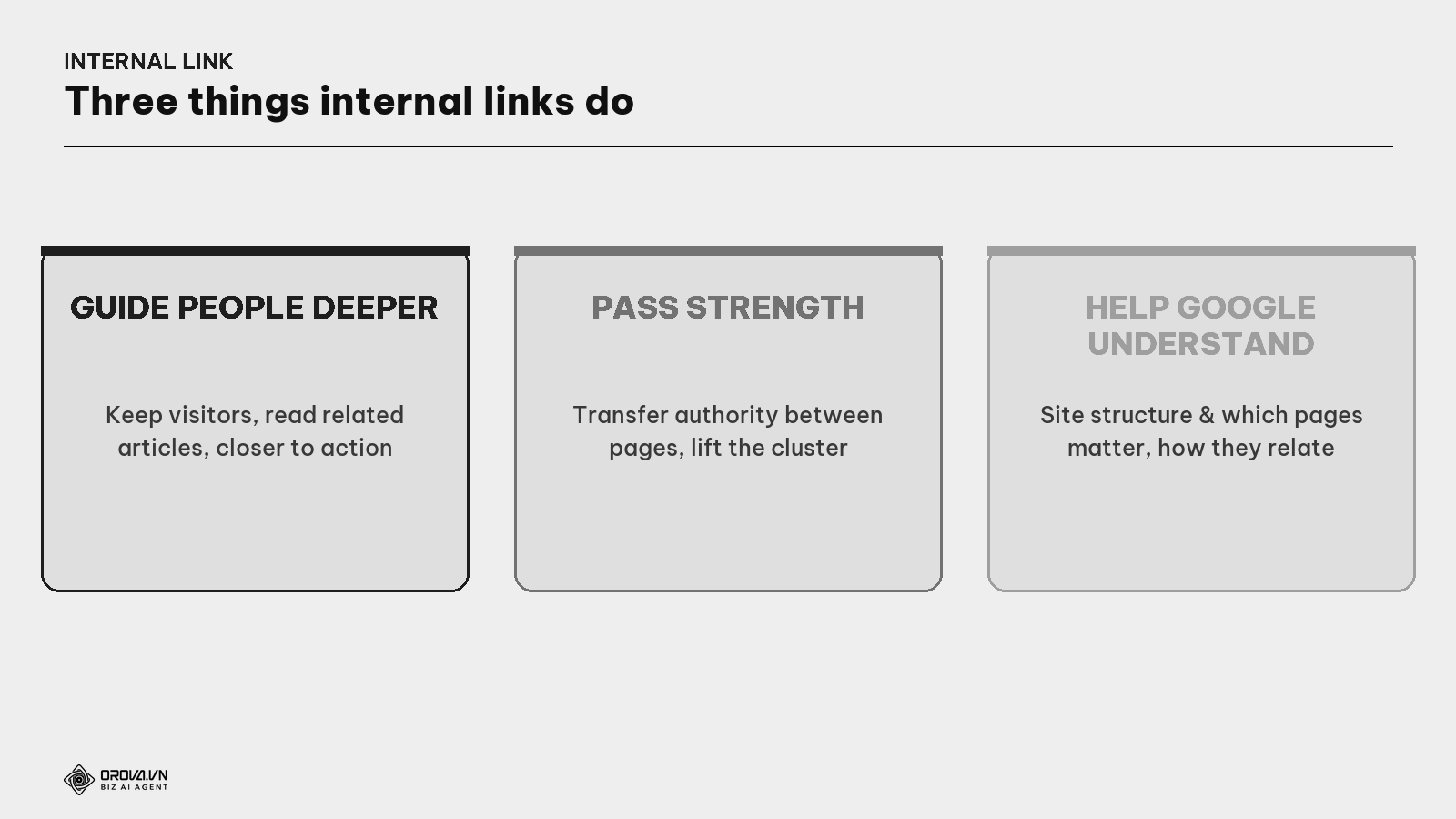
- Guide readers deeper. Internal links invite readers to related articles — keeping them longer, viewing more pages, closer to action.
- Pass strength between pages. A strong page (many backlinks) can share strength with others via internal links, lifting the whole cluster.
- Help Google understand structure. How you link internally tells Google which pages are important (linked to often) and how pages relate.
What is link equity / "link juice"? The "strength/authority" one page passes to another via a link. Internal links let you steer that flow: linking from strong pages to a page you want to rank, so strength doesn't get stuck in one place but spreads where needed.
Anchor text: what the sign says
What is anchor text? The clickable text of an internal link. It's the words on the signpost — telling both readers and Google what the target page is about. An anchor that describes the target accurately (e.g., "keyword research") is far better than "click here".
The internal anchor rule: describe the target accurately, natural within the sentence, and varied (don't repeat the exact same phrase). A good anchor both tells readers where they'll go and helps Google understand the target page's topic.
Tie it to topic clusters: pillar and "reciprocating" sub-articles
Internal linking is strongest when it follows the topic cluster structure (see the Topic Cluster guide).
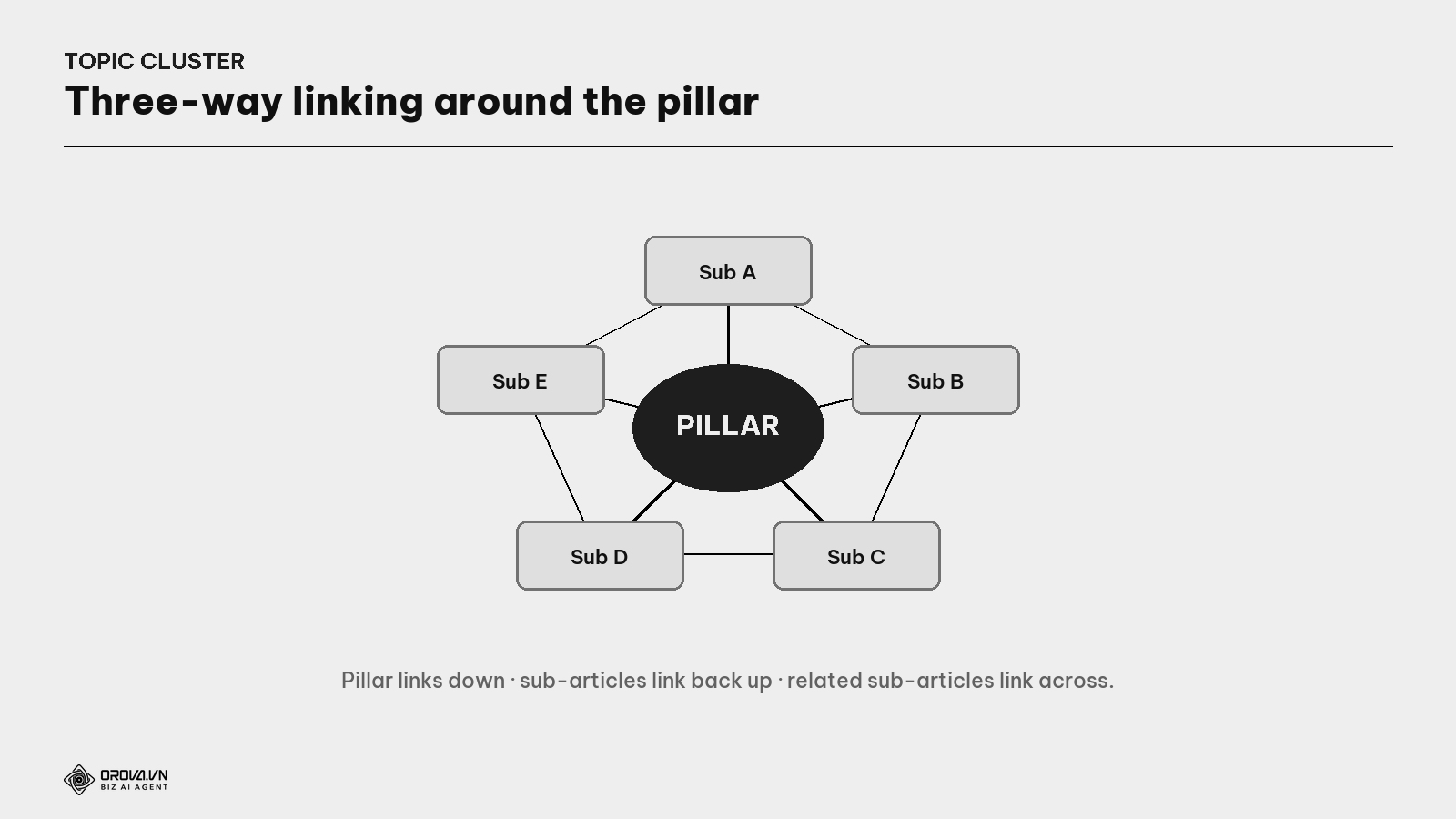
What is three-way linking? Within a cluster, three link directions are needed: (1) the pillar links down to each sub-article; (2) each sub-article links back up to the pillar; (3) related sub-articles link across to each other. With all three, Google reads the cluster as one in-depth block, and strength flows evenly.
This is the "glue" turning scattered articles into a real cluster — and why internal linking goes hand in hand with topic clusters.
Doing it right vs wrong
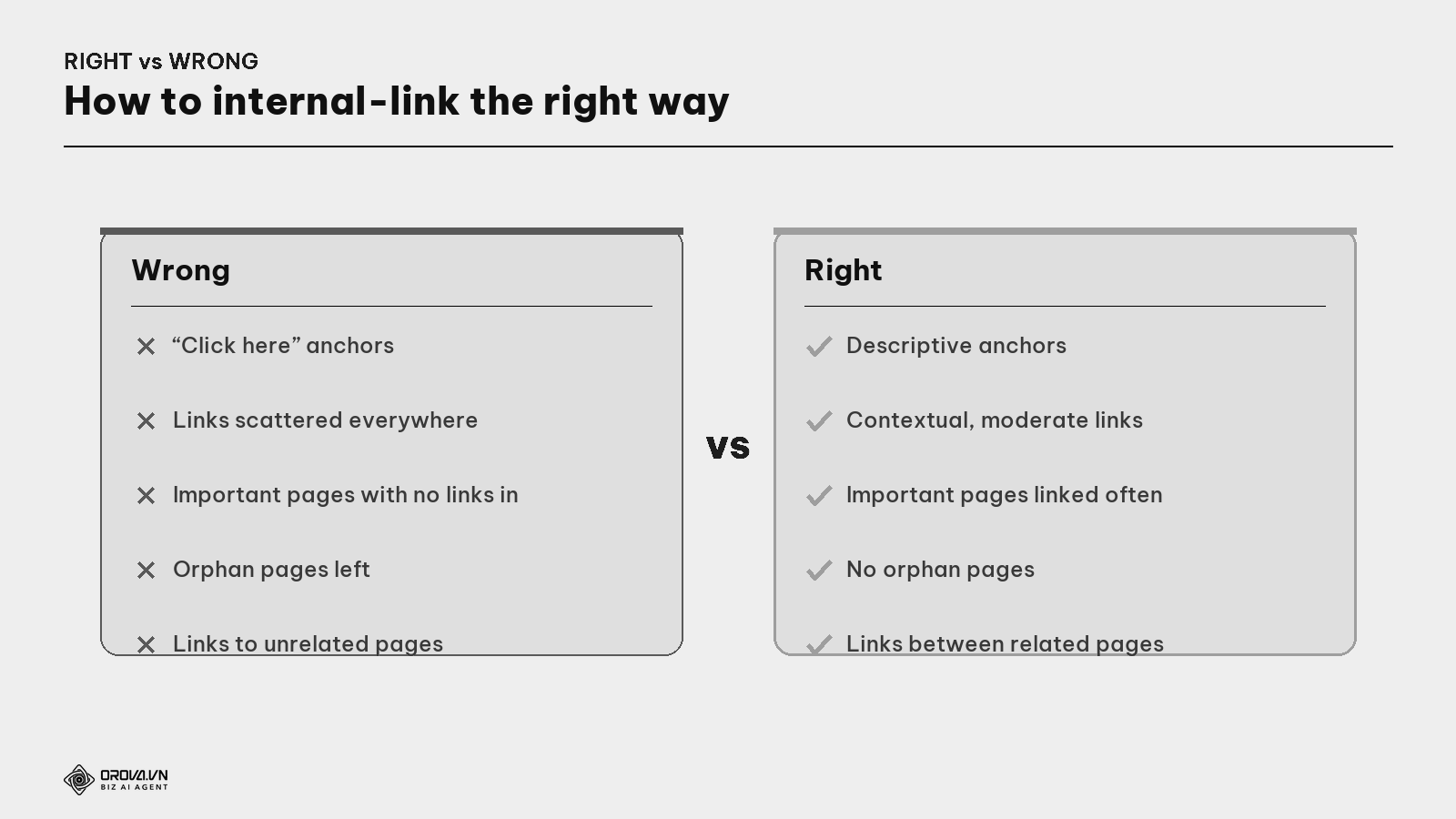
- Wrong: generic "click here" anchors; stuffing links everywhere; leaving important pages with no links pointing in; ignoring orphan pages; linking to unrelated pages.
- Right: anchors describing the content accurately; contextual and moderate links; important pages linked from many pages; no orphans; links between genuinely related pages.
What is an orphan page? A page with no internal links pointing to it — like a room with no door to the hallway. Google struggles to find it, users can't reach it. Every important page must have at least one link leading in (see the Site Architecture guide).
Deep linking & steering strength
What is deep linking? Linking to deep inner pages (detail articles, specific products) rather than just the home or category page. Many sites pile all links onto the home page, starving deep articles of strength. Deep linking lets strength flow to where it's needed to rank.
A strength-steering tip: from your strongest page (often the one with the most backlinks), point a few internal links to the pages you want to rank — like opening a channel so the water of authority flows to a dry field.
The internal link audit process
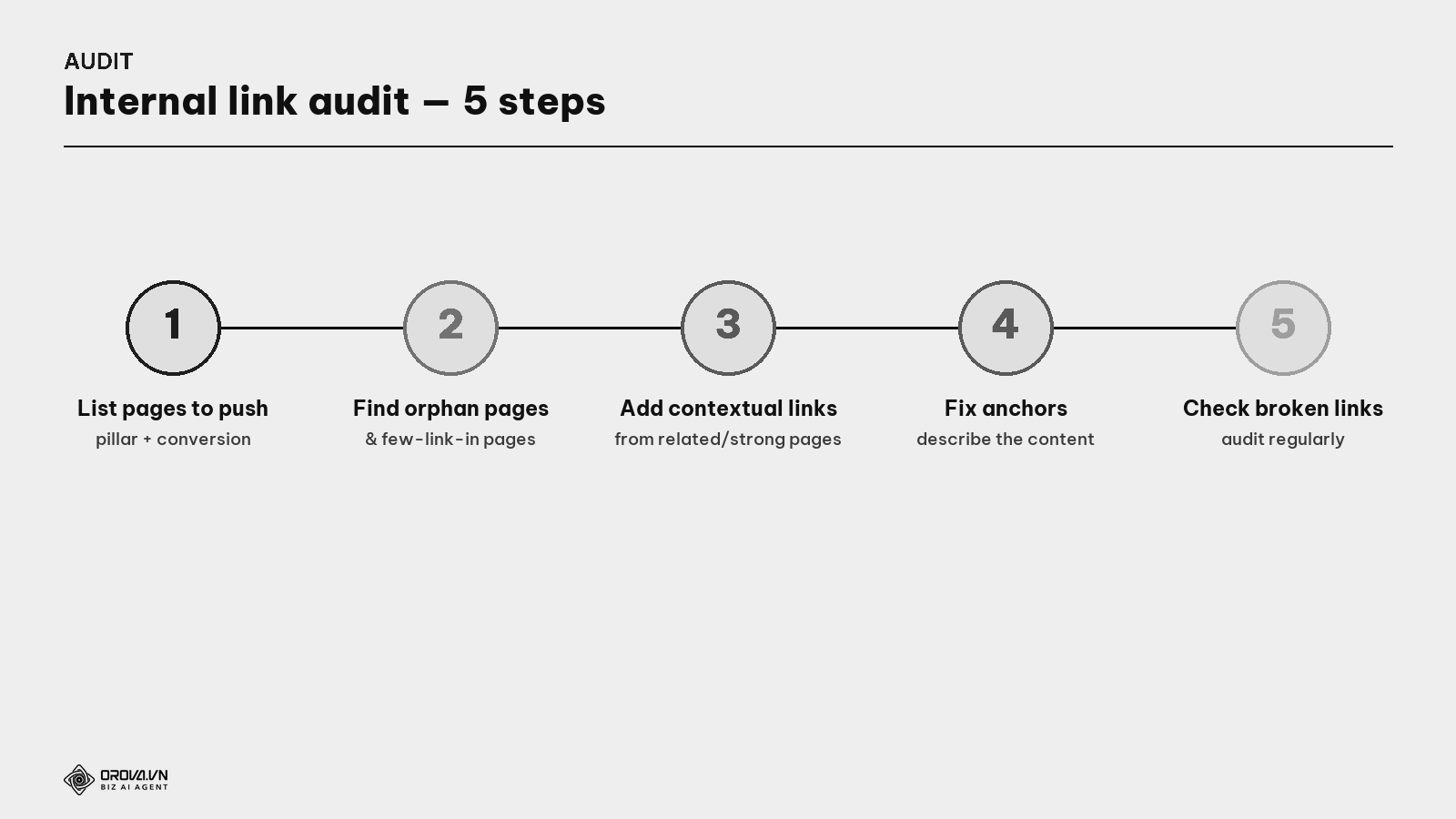
- List important pages you want to rank (pillar pages, conversion pages).
- Find orphan pages & pages with few links in (with a crawl tool / Search Console).
- Add contextual internal links from related articles and strong pages to those pages.
- Fix anchors from generic ("click here") to ones describing the content accurately.
- Check broken links and repeat the audit regularly (e.g., quarterly, or after publishing a new cluster).
Placing anchors & links skillfully
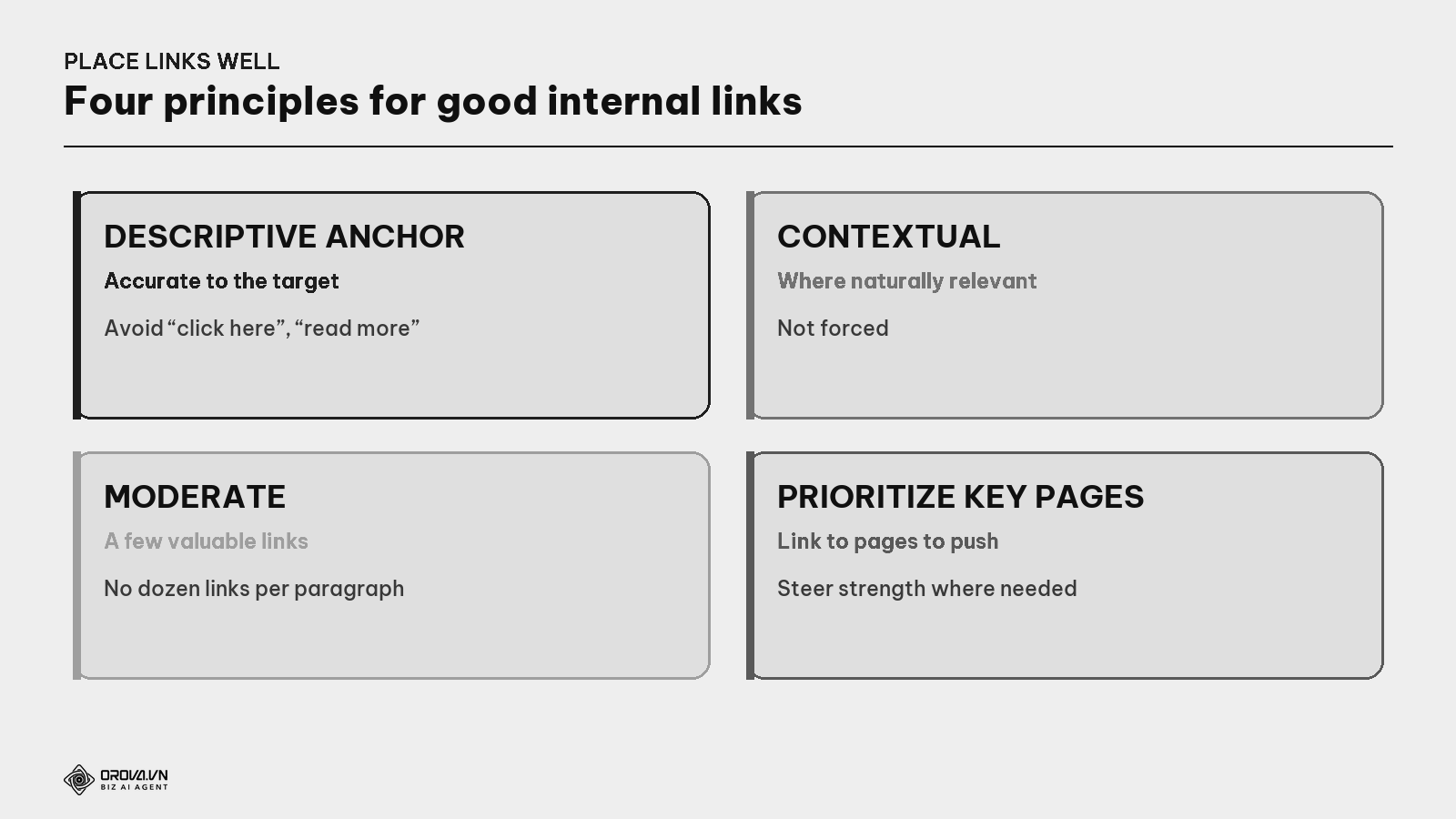
- Descriptive anchor — the sign must name the right room; avoid bare "click here", "read more".
- Contextual — place links where they're naturally relevant in the reading flow, not forced.
- Moderate — a few valuable links beat a dozen per paragraph (which dilute and clutter).
- Prioritize important pages — point more links to the pages you want to rank.
"Pass" standard
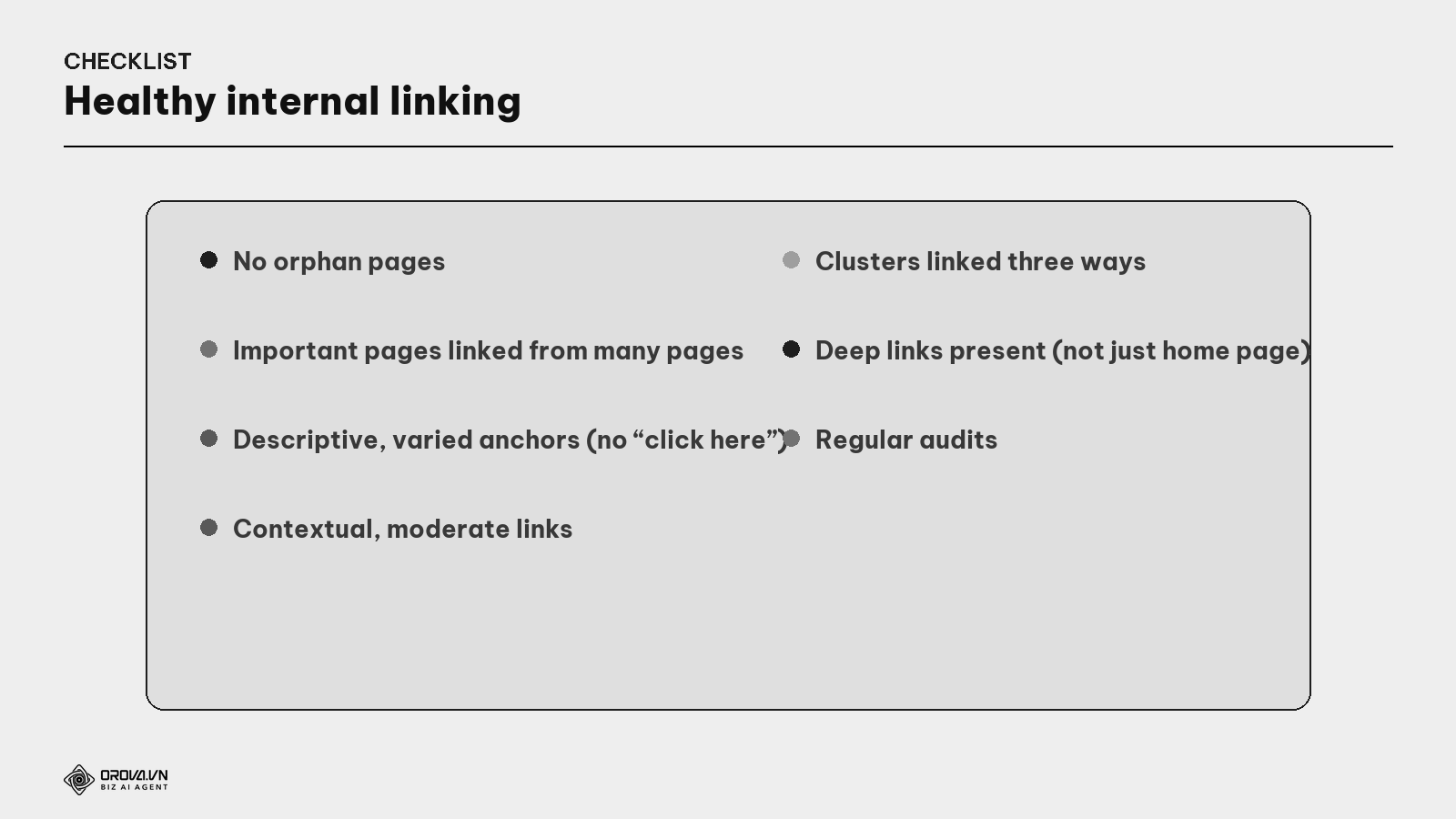
"Pass" standard: the website has no orphan pages; important pages are linked from many related pages; anchor text describes the content accurately and varies (no "click here"); links are contextual and moderate; clusters are linked three ways; there are deep links to detail articles (not all piled on the home page); and you audit regularly. At this level, your "building" has clear signage — visitors go deeper easily, no room is forgotten, and strength flows where you want it.
Benefit: internal linking is one of the cheapest SEO moves you fully control — no one to ask, just arrange links on your own site. It keeps visitors longer (good for conversion), steers strength to important pages (boosts rankings), and helps Google understand & index the whole site. Few SEO jobs deliver such high impact at such low cost as arranging the internal signposts right.
FAQ
How do internal links differ from backlinks? Internal links are links between pages within your own website; backlinks are links from other websites to you. Backlinks build authority from outside; internal links steer authority and users inside the site. Both matter, but internal links are fully in your control.
How many internal links should an article have? No hard number — place them moderate and contextual. A few valuable links to genuinely related pages beat a dozen per paragraph. Prioritize quality and relevance over quantity.
Is "click here" anchor a problem? Best avoided. A generic anchor tells neither readers nor Google what the target is about. Use an anchor describing the content accurately (e.g., "keyword research") so it's both useful and helps Google understand the target's topic.
How harmful are orphan pages? A page with no internal links pointing in is very hard for Google to find and index, and users can't reach it. Ensure every important page has at least one link leading in — this is the first internal-link audit to do.
Do internal links help rankings? Yes, indirectly but really. They pass strength to important pages, help Google understand which to prioritize, and keep users longer. Pointing internal links correctly to a weak page often improves its ranking.
Should I link a lot to the home page? The home page usually already has many natural links (from the menu). Don't pile everything onto it; deep link to detail articles and conversion pages starved of strength — that's where internal links make the biggest difference.
How often should I audit internal links? Regularly (e.g., quarterly) and after each new cluster published — because new articles need links in, and may link to/support older ones. Every content addition is a chance to improve the internal link network.
Back to the building with no signs
Remember the building full of beautiful rooms with not a single sign? Visitors got lost, couldn't find the room they needed, and the fine corner rooms went unvisited. The problem wasn't the rooms — it was the missing signage connecting them.
Internal linking is that signposting system for your website. You can have hundreds of great content pages, but if you don't connect them with clear signs — descriptive anchors, contextual links, three-way clusters, no forgotten rooms — visitors get lost and Google misses pages. Hang the signs right: guide visitors deeper, pass strength to important rooms, show which room connects to which. Do that, and your content building isn't just beautiful room by room but easy to navigate and worth staying in — and that's the difference between a pile of scattered pages and a website that truly works.
This article is part of Orova's complete SEO guide series. It's a deep-dive within the cluster — see "Topic Clusters", "Site Architecture & URL", and "Link Building" for the full picture. Get started with Orova at orova.vn/en/seo.
Sources
Google Search Central (internal links, anchor text, helping Google understand site structure) · Ahrefs & Moz (internal linking, link equity, orphan pages) · Search Engine Journal (internal linking tactics & topic clusters).
Let Orova SEO handle the repetitive part
Keyword research, drafting, refreshing old posts and rank tracking — running automatically on your own site.
Explore Orova SEO