
Technical SEO Explained: Crawl, Index & SEO-Killing Errors 2026
The best restaurant on the street — with the road blocked
Imagine you open a restaurant with the best food on the street. Great chef, fresh ingredients, a wonderful menu. But the road in is barricaded, the sign has fallen off, the door is jammed, and inside it's pitch dark. Customers who want in can't get in; those who do can't find their way to a table. However good the food, it's meaningless if no one reaches the table.
Your website is the same. You can write the best content in your field — but if Google can't reach it, can't read it, can't understand it, that content is invisible. Technical SEO is clearing the road, fixing the sign, opening the door, turning on the lights so Google (and users) can fully access your content. It doesn't make content better — it ensures good content gets seen.
This guide covers all that "infrastructure": what technical SEO is, the three questions Google asks of each page, the pillars (crawl, index, sitemap, robots, speed, mobile, HTTPS, structure), the technical errors that most often kill SEO, the self-audit process, and the testing tools.
What is technical SEO? The part of SEO that handles a website's technical infrastructure so search engines can access, read, understand, and index content easily — and so users get a good experience (fast, mobile-friendly, secure). Unlike content SEO (the content) and off-page SEO (backlinks), technical SEO handles the "road in and the frame" of the site.
The three questions Google asks of your page
Before a page can rank, it must pass three "gates" — this is the whole spirit of technical SEO.
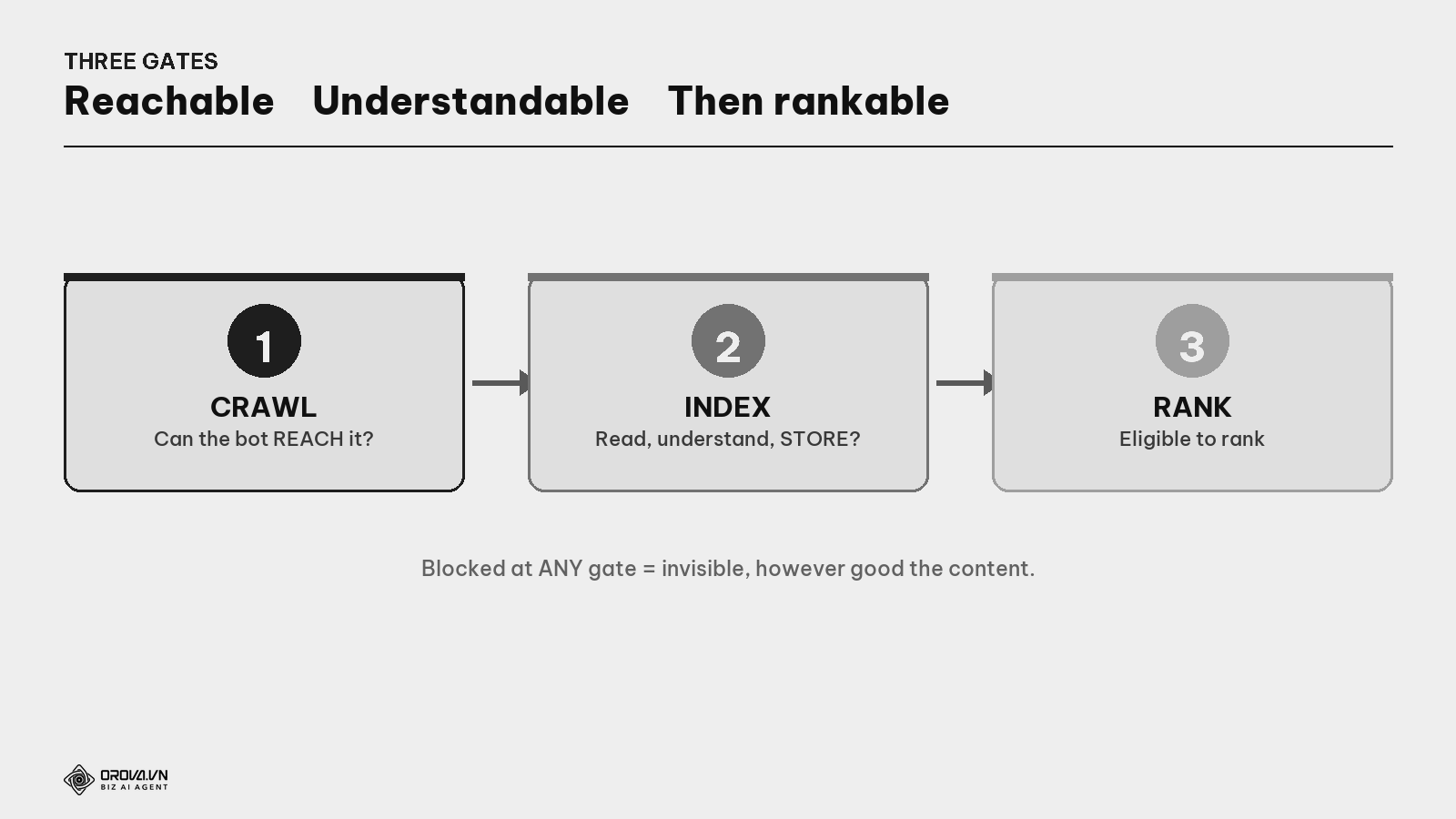
What is crawling? Google's "bot" (Googlebot) following links to find and download your page. If the page is blocked or no link points to it, Google never finds it — like a barricaded road.
What is indexing? Google reading, understanding, and storing the page in its giant database. Only indexed pages can appear in results. A page that's crawled but not indexed is still invisible.
So the core point: good content is useless if Google can't reach or index it. Technical SEO removes every obstacle at the first two gates, so the third (ranking — driven by content & authority) gets its chance.
The pillars of technical SEO
Technical SEO spans many areas. Here are the main pillars, each a part of the "road".
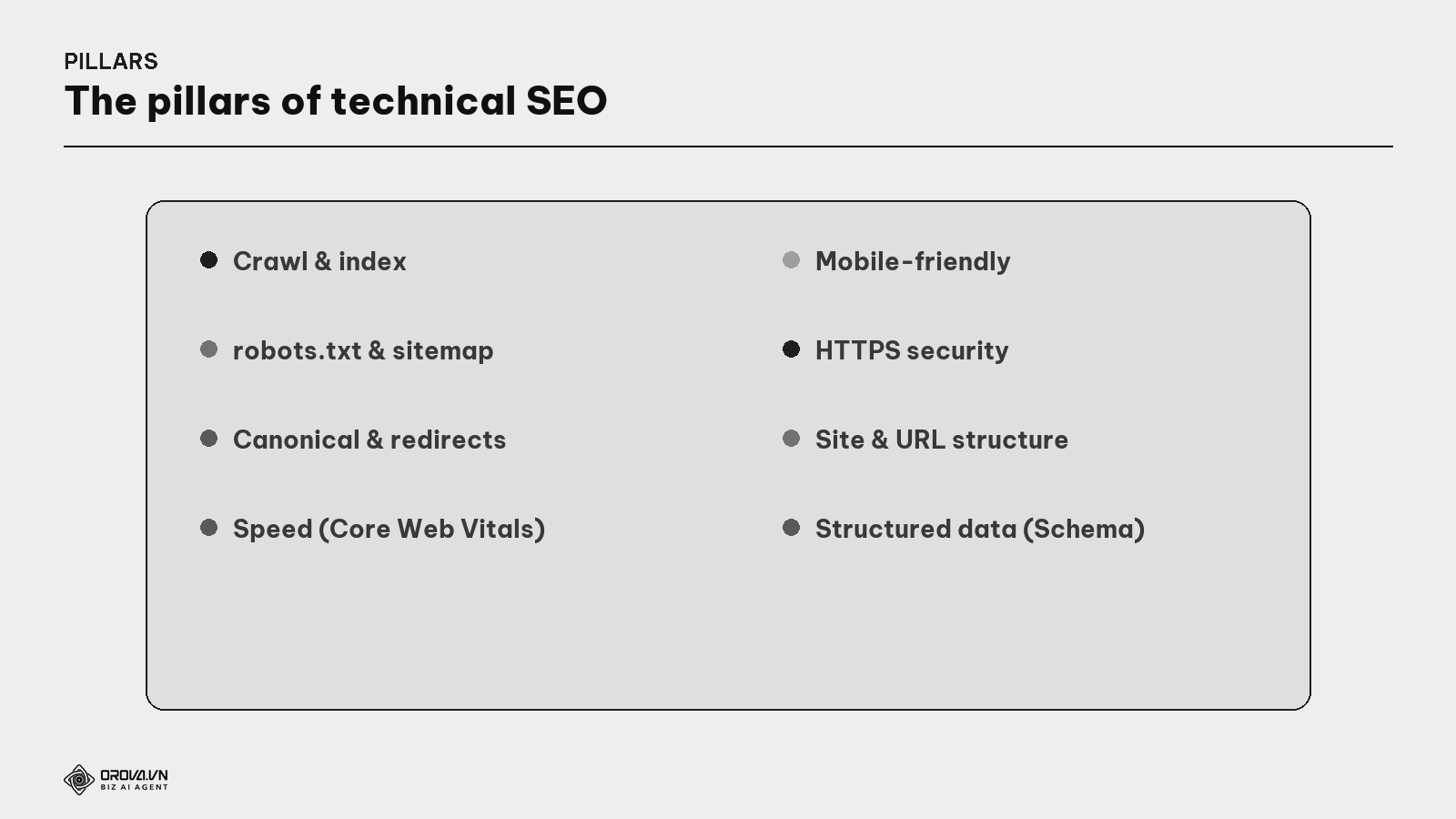
robots.txt & sitemap — directing the bots.
What is robots.txt? A small file at the site root that tells bots which areas they may/may not enter. A misconfiguration (accidentally blocking the whole site) is one of the most damaging technical SEO errors.
What is a sitemap? A file listing all important pages so Google can find them all, especially on big sites. Like handing a visitor a map instead of making them wander.
Canonical & redirects — avoid confusion & lost strength.
What is canonical? A hidden line telling Google "among these similar pages, this is the MASTER". Prevents duplicate content from diluting strength (see the Cannibalization guide).
What is a 301 redirect? A command saying "this page permanently moved to that one", transferring authority to the new page and avoiding 404 errors (page not found) when you change/delete URLs.
Speed, mobile, security — user experience.
What are Core Web Vitals? A set of metrics Google uses to measure real speed experience (fast load, stable, responsive). It's a ranking factor — its own deep-dive (see the Core Web Vitals guide).
What is mobile-first? Google evaluates a site mainly via its mobile version. A site hard to use on a phone suffers — most users now arrive on mobile.
What is HTTPS? A "security certificate" that encrypts data between the browser and the website (the padlock icon). A site without HTTPS is seen as less trustworthy and gets flagged by browsers.
Site structure & structured data. A clean URL/folder structure (see the Site Architecture guide) and Schema help Google understand more deeply (see the Schema guide).
The technical errors that most often kill SEO
Many sites lose rankings not for bad content, but for one silent technical error. Spotting them early saves you.
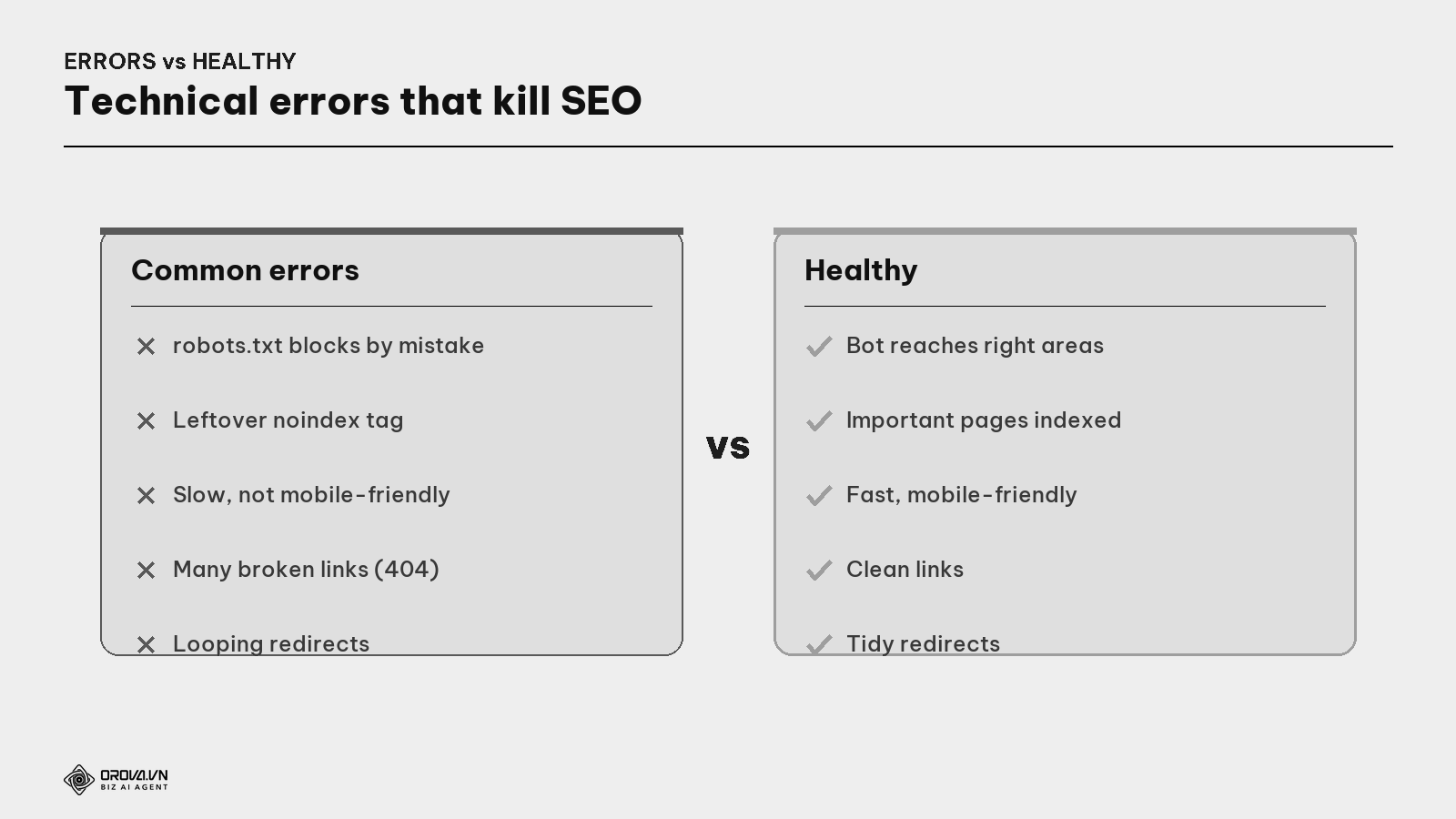
- Blocking by mistake in robots.txt — accidentally banning Google from the whole site.
- Leftover
noindextag — a "don't index this" command left from development, making the page vanish from results. - Too slow / not mobile-friendly — drives users away and lowers the experience score.
- Many broken links (404) — wastes "crawl budget" and worsens the experience.
What is crawl budget? The amount of effort Google spends crawling your site each round. A big site with lots of junk/error pages wastes this budget on dead ends, so important pages get visited more slowly.
- Looping redirect chains — A→B→C slows things and leaks strength.
- Duplicate content with no canonical — Google gets confused which is the master.
The technical self-audit process
What is a technical audit? A technical health review of the whole site — checking crawl, index, speed, mobile, broken links, redirects... to find and fix obstacles. Do it regularly (e.g., quarterly) and after every major change.
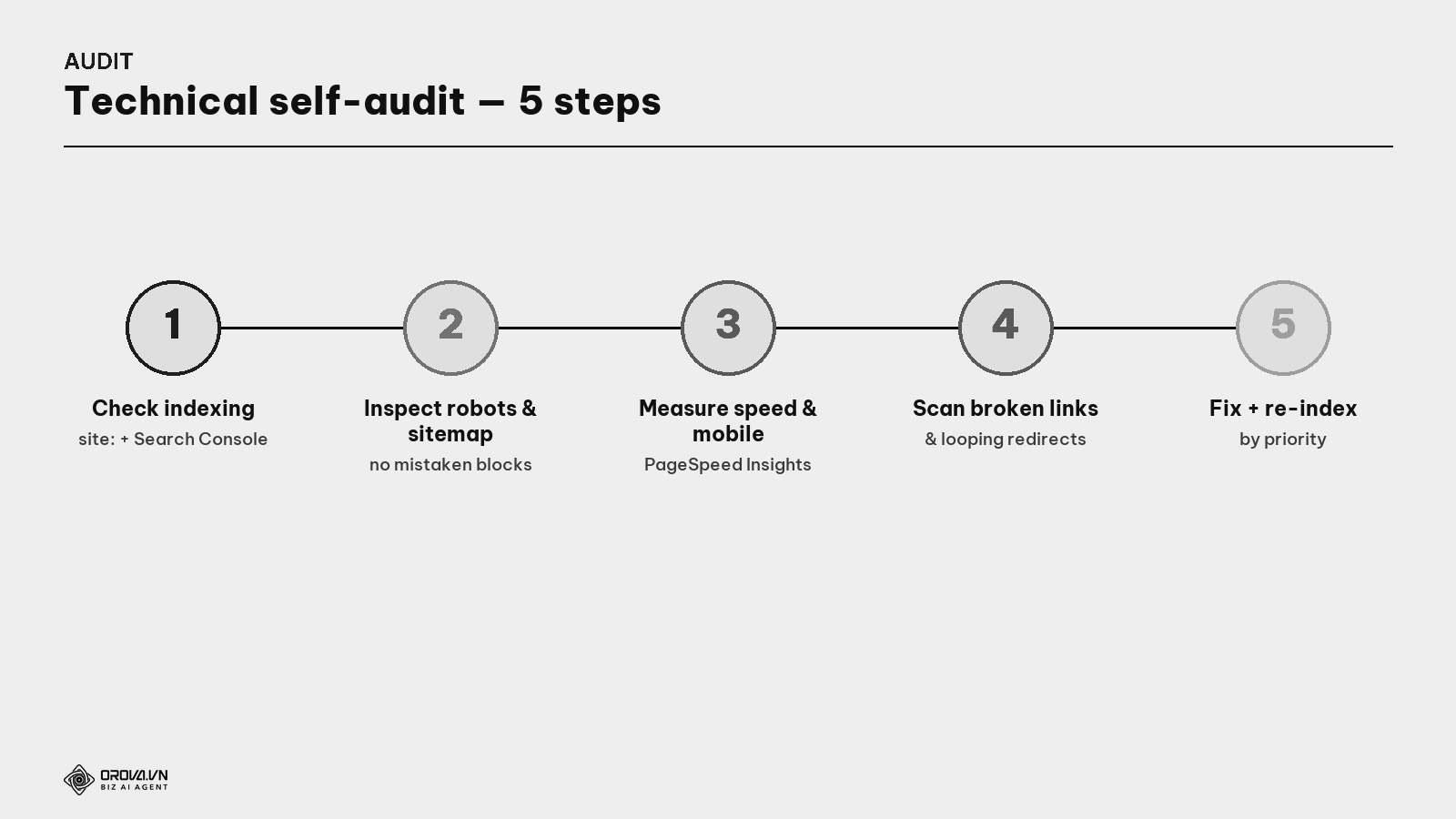
- Check indexing — type
site:yourdomain.comon Google to see how many pages are indexed; use Search Console to see which are excluded and why. - Inspect robots.txt & sitemap — make sure nothing's blocked by mistake and the sitemap lists the right important pages.
- Measure speed & mobile-friendliness — use PageSpeed Insights (see the Core Web Vitals guide).
- Scan broken links & redirect chains — clear 404s, shorten looping redirects.
- Fix by priority (index-blocking errors first) then request re-indexing in Search Console.
Technical testing tools
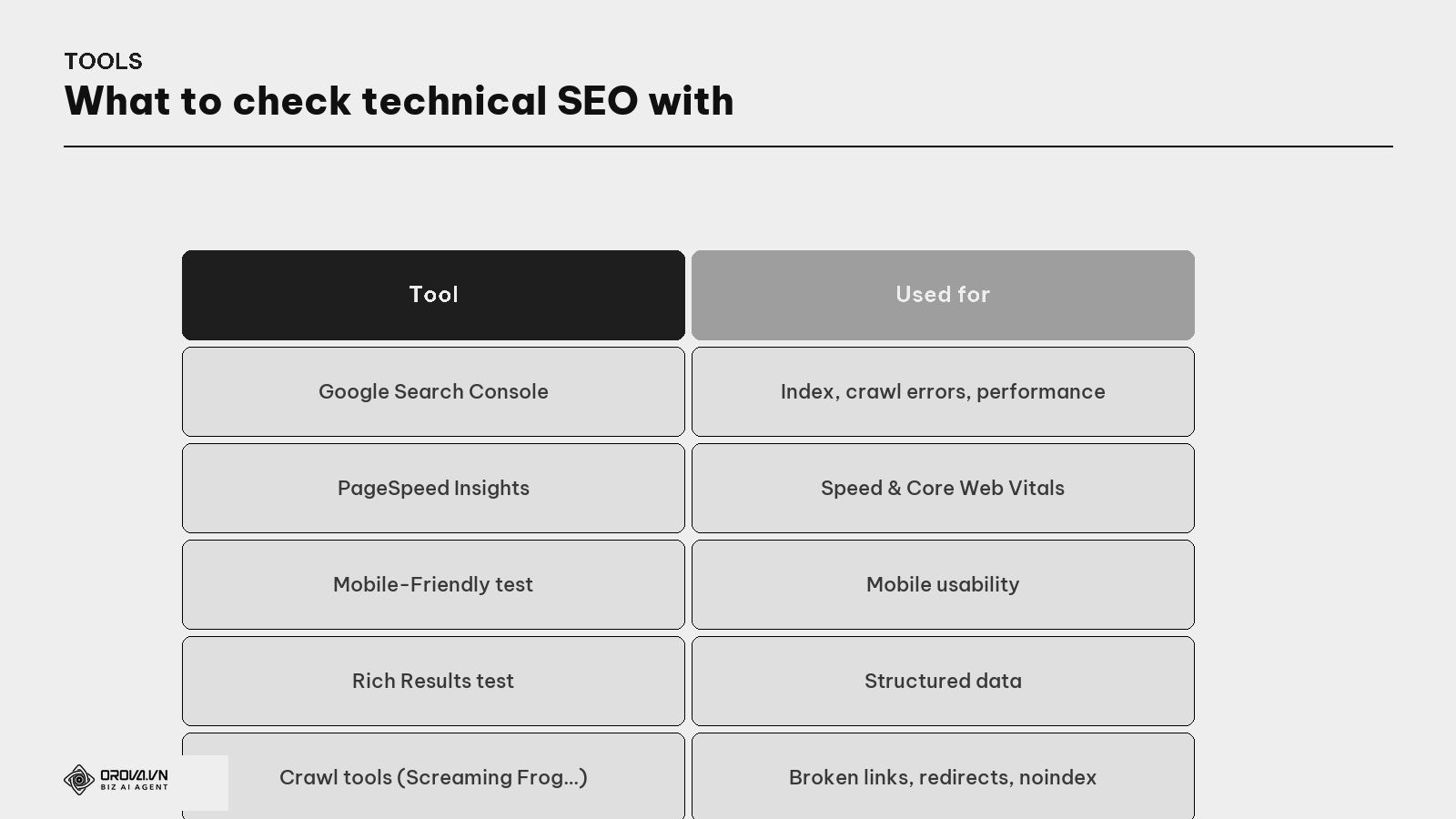
You don't need all of them; for beginners, Google Search Console + PageSpeed Insights (both free) catch most issues. Only big sites need a dedicated crawl tool to scan at scale.
"Pass" standard
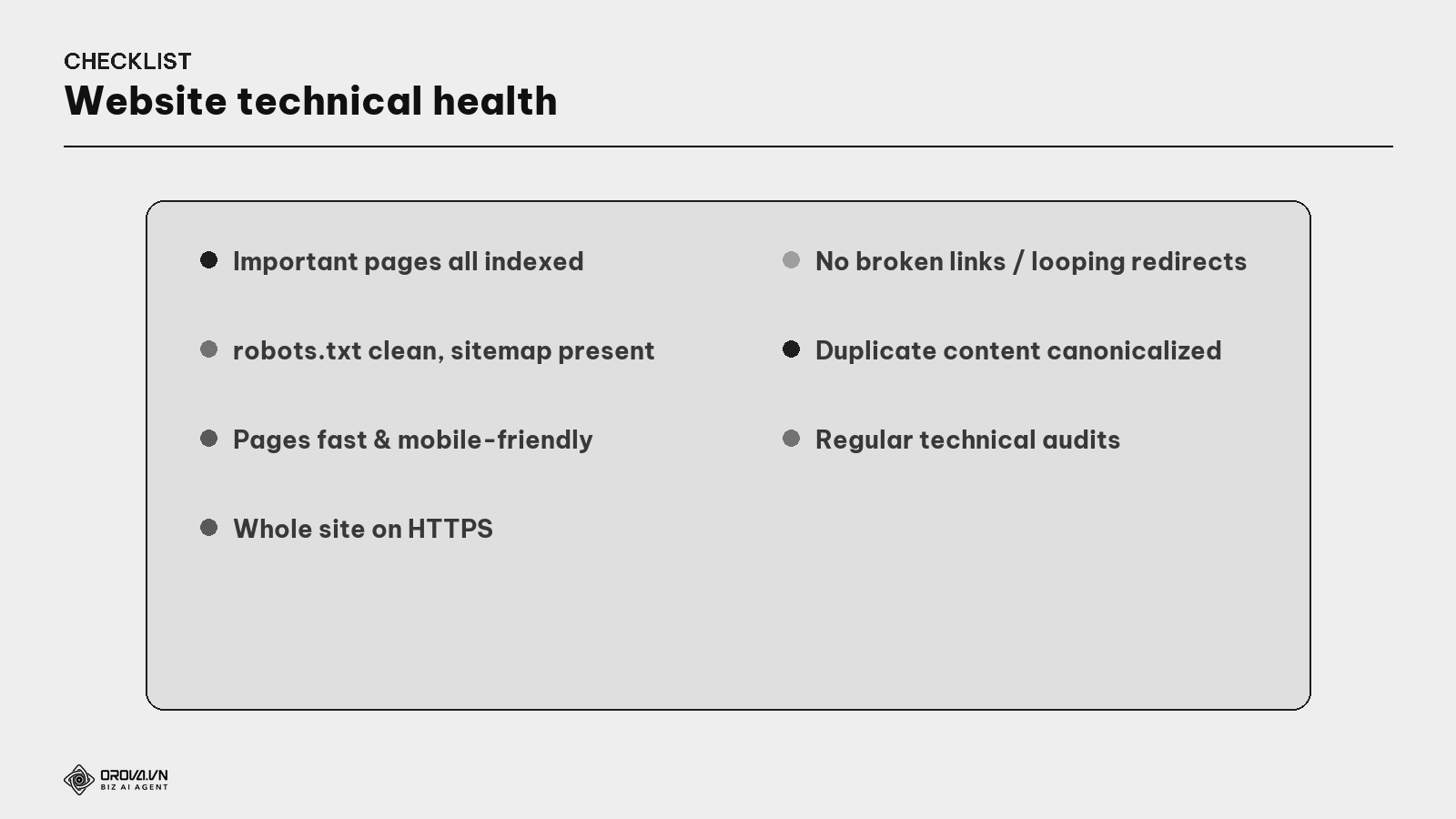
"Pass" standard: every important page is indexed by Google; robots.txt doesn't block by mistake and a correct sitemap exists; pages load fast and work well on mobile; the whole site runs HTTPS; no broken links or looping redirect chains remain; duplicate content has canonicals; and you audit technically on a schedule. At this level, the "road" to your content is clear — Google can reach, read, and understand it, and your good content finally gets its chance to rank.
Benefit: technical SEO is the foundation — it doesn't pull you to the top by itself, but without it all content and backlink effort is wasted. Fixing one index-blocking error can revive a whole site after a single re-index. It's the "unglamorous" part worth doing first: clear the road before inviting guests in.
FAQ
How does technical SEO differ from content SEO? Content SEO handles content (keywords, intent, article quality); technical SEO handles the infrastructure so that content can be reached, read, and understood by Google (crawl, index, speed, mobile...). You need both: content is the food, technical is the road into the restaurant.
I'm not technical — can I do it? Most basics are doable via Google Search Console + PageSpeed Insights (both free, with guidance): check indexing, measure speed, find errors. Deeper issues (editing robots.txt, redirects) may need a developer — but knowing enough to spot them matters most.
How often should I run a technical audit? Quarterly, and always after a major change (redesign, platform migration, URL structure change) — that's when index-blocking errors are most easily introduced.
Which technical SEO error is most dangerous?
Errors that block Google from reaching or indexing: a mistaken robots.txt block, a leftover noindex tag. They make pages vanish entirely despite good content — so check these first.
Is HTTPS really needed for SEO? Yes. HTTPS is a light ranking factor and important for trust; browsers also flag "not secure" on pages without it, driving users away. Today HTTPS is essentially mandatory.
Do small sites need to worry about crawl budget? Almost never. Crawl budget only becomes an issue for very large sites (tens of thousands of pages or more). Small sites just need to avoid mistaken blocks and have a sitemap — Google will crawl enough.
How do I know if a page is indexed?
Quickest: type site:yourdomain.com/page-path on Google — if it shows, it's indexed. More precisely: use the URL Inspection tool in Google Search Console, which shows index status and the reason if excluded.
Back to the restaurant with the blocked road
Remember the best-food-on-the-street restaurant with the barricaded road, jammed door, and lights off? The problem wasn't the food — it was that no one could reach a table. Just clear the barricade, fix the sign, open the door, turn on the lights, and the crowd pours in to enjoy the food that was always there.
Technical SEO is that road-clearing for your website. Your good content is the food; but if Google can't reach, read, or understand it, no one tastes it. Make sure the road is clear: bots can enter, important pages get indexed, the site is fast, mobile-friendly, secure, links clean. Finish this unglamorous "infrastructure" work, and all your content and authority effort finally pays off — guests (and Google) at last reach the table.
This article is part of Orova's complete SEO guide series. It's a deep-dive within the cluster — see "Core Web Vitals & Speed", "Site Architecture & URL", "Schema / Structured Data", and "GA4 + Search Console" for the full picture. Get started with Orova at orova.vn/en/seo.
Sources
Google Search Central (crawl, index, robots.txt, sitemap, canonical, HTTPS, mobile-first) · Google Search Console Help (checking indexing & errors) · Ahrefs & Screaming Frog (technical SEO audits).
Let Orova SEO handle the repetitive part
Keyword research, drafting, refreshing old posts and rank tracking — running automatically on your own site.
Explore Orova SEO