
SEO Audit: What It Checks and How to Run One
You open your analytics dashboard on a normal Tuesday and your stomach drops. Traffic is down, and you have no idea why. Was it something you did? A Google update? A page that broke? Your mind starts running through every possible explanation at once, and none of them feel certain.
Most business owners react by making changes fast — rewriting titles, adding pages, tweaking things that were never broken — hoping something sticks. The problem is that a drop in traffic can come from many different causes, and each one needs a different fix. It's worth knowing that some of the decline you're seeing might not even be about your site at all: SparkToro found that 68% of US Google searches in the first four months of 2026 ended without a click, up from 60% in 2024. Without a proper seo audit (a structured check of what's actually happening on your site and in search results), you end up guessing, wasting time on fixes that don't match the real problem, and sometimes making things worse.
This guide walks you through a calm, step-by-step way to figure out what actually happened — whether the drop is real or just a reporting glitch, what usually causes it, and how to tell the difference between a small dip and a real problem. By the end, you'll know exactly how to check your own situation and which fix applies to your case, instead of reacting on guesswork.
What an SEO Audit Actually Checks
An SEO audit is a structured look at why a site is or is not getting search traffic. It covers four areas, and skipping any one of them is how problems hide.
Can Google reach the pages? Blocked files, broken links, pages nothing links to, redirect chains. Can Google index them? Pages marked no-index by mistake, duplicate versions competing with each other, canonical tags pointing the wrong way. Is the page experience acceptable? Load speed, layout jumping around, whether it works on a phone. Is the content worth ranking? Thin pages, several pages fighting over the same keyword, articles two years out of date.
Free tools that do most of it: Google Search Console for indexing and performance, PageSpeed Insights for speed, and Screaming Frog (free up to 500 pages) for crawling. A small site takes an afternoon; a large one takes a week.
If you came here because traffic dropped suddenly, the audit below is ordered by likelihood — start at the top, not with whatever is easiest to fix.
A warning light comes on mid-drive
Imagine you're driving when a warning light suddenly glows red on the dashboard. The worst reaction is panic — slamming the brakes, or tearing the engine apart before knowing what's wrong. A good driver's right reaction: stay calm, diagnose what the light means (low oil? overheating? a faulty sensor?), then fix the right thing. Same light — the one who diagnoses first saves the car; the one who panics and fixes blindly makes it worse.
When your SEO traffic drops suddenly, that's the red warning light. The worst reaction is panic — rewriting wildly, removing pages, changing everything at once before knowing why it dropped. The right reaction: stay calm, diagnose (did it really drop? algorithm, technical, or seasonal?), then recover by the actual cause. Diagnose wrong and you fix the wrong thing, making it worse; diagnose right and it usually recovers.
This guide shows the process of a good "SEO mechanic": what a traffic drop is and why not to panic, how to confirm a real drop, the common causes, a diagnostic tree, the GSC/GA4 process, and how to recover by each cause.
What is a traffic drop? A significant fall in search traffic versus before. There are many kinds — a Google algorithm update, a technical error, deindexing, seasonality, or just normal fluctuation. Each needs a different cure, so diagnosing the right kind is the most important step.
Don't panic: drops have many kinds, each with its own cure
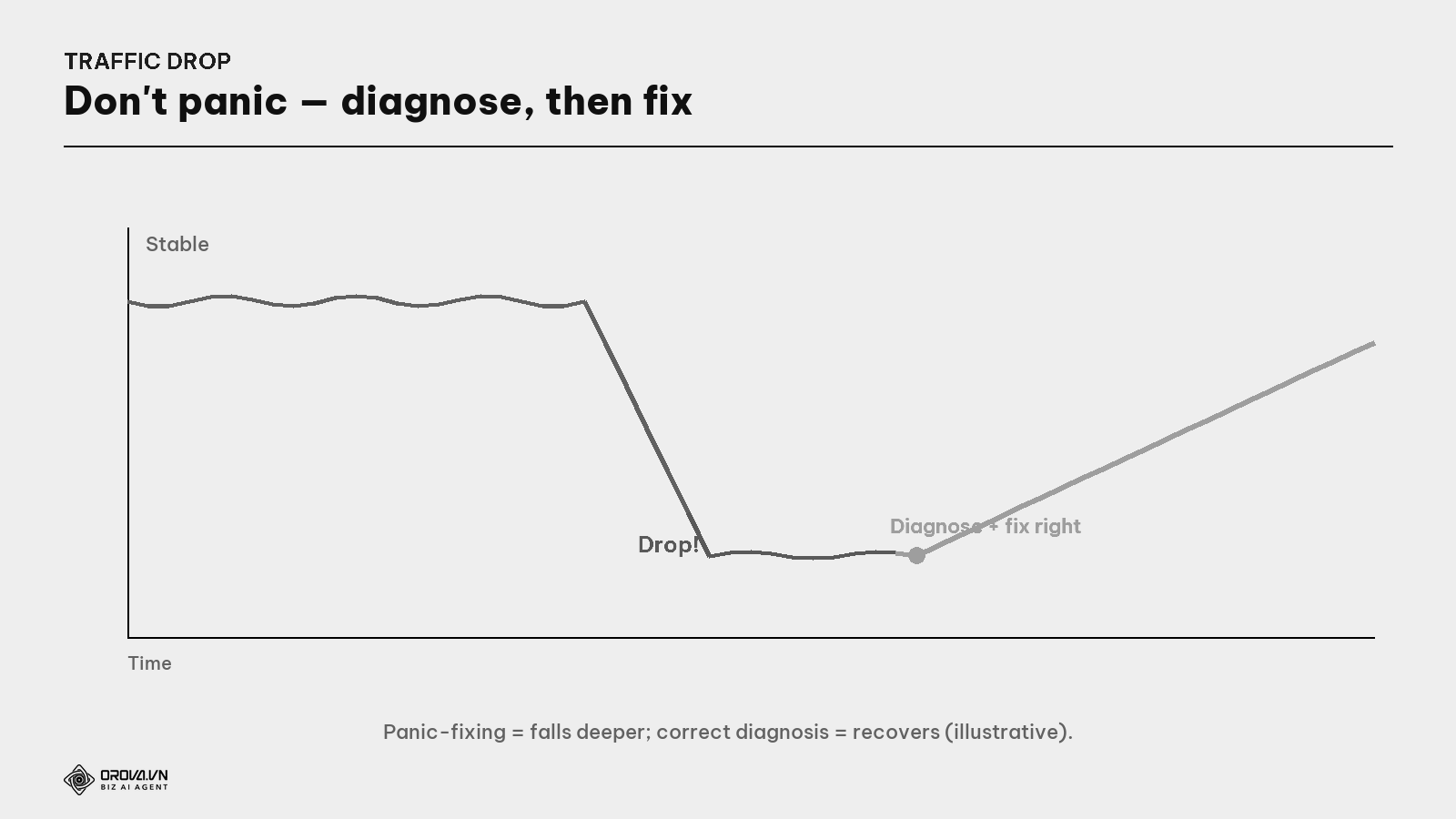
The deadly mistake is fixing many things at once before knowing the cause — afterward you can't tell what helped, what hurt, and you may accidentally make it worse. Like tearing out the whole engine when you only needed to replace one sensor. Rule number one: diagnose first, fix later — and fix one thing at a time.
Step 1: Confirm it's a real drop
Before hunting the cause, make sure this is a real drop, not a false alarm.
What is seasonality? When traffic rises and falls in a natural cycle — e.g., gift sales drop after the holidays, travel drops in the rainy season. This isn't a "disease" but a normal rhythm. Compare with the same period last year (not just last month) to rule out seasonality.
Rule out the "false alarms": (1) normal fluctuation — traffic bouncing a few % daily is normal, don't panic over one day; (2) seasonality — compare year-on-year; (3) measurement errors — check the GA4 tag still runs, bot/spam filtering is on. Only when these are ruled out and traffic still clearly drops by trend is it a real drop needing diagnosis.
Common causes of traffic drops
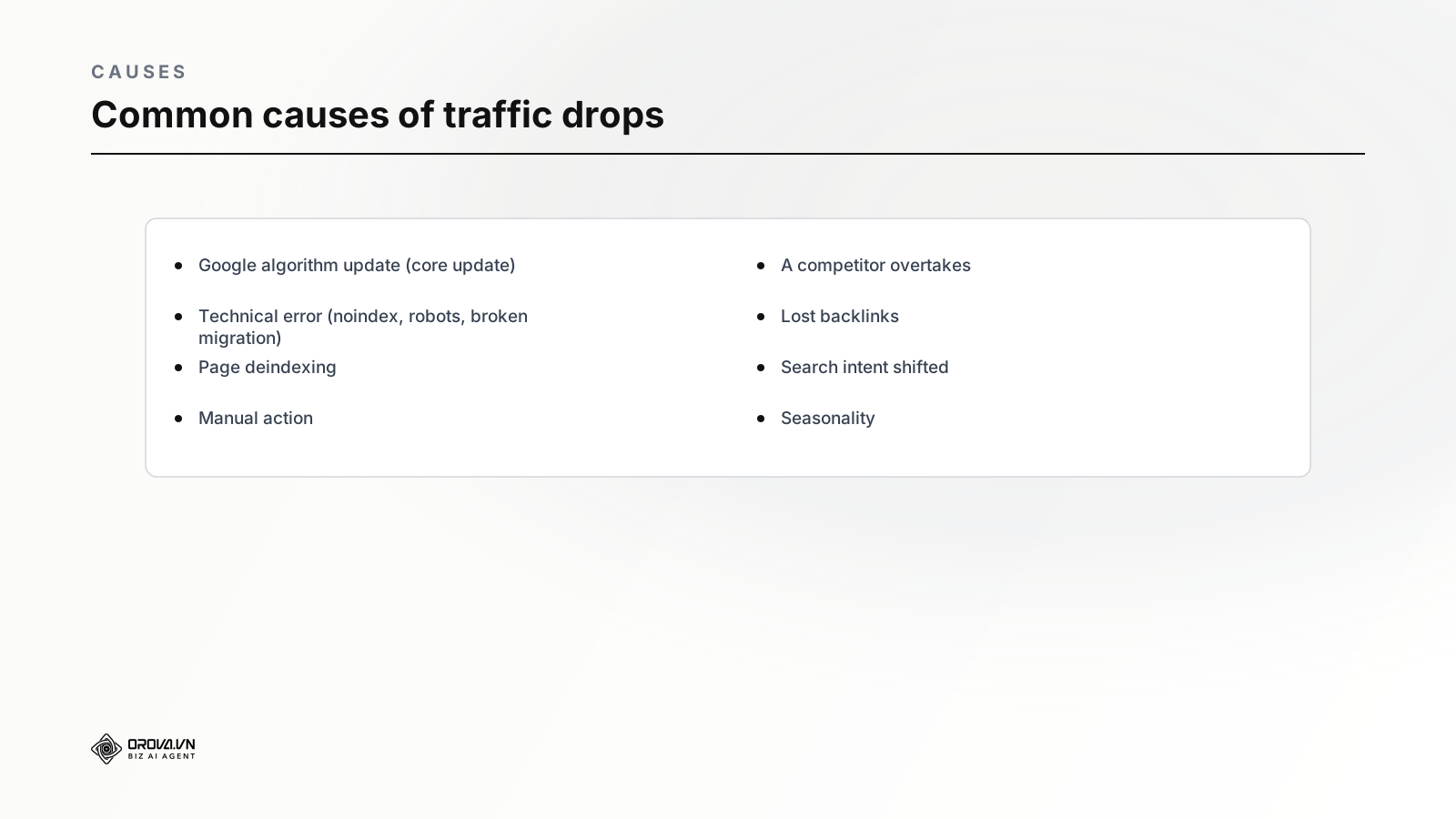
- Google algorithm update — a core update re-evaluates and ranks you differently.
- Technical error — a leftover
noindex, a mistaken robots.txt block, breakage on a redesign/migration (see the Technical SEO guide). - Deindexing — important pages drop out of Google's database.
- Manual action — Google penalizes a violation (bad links, spam content).
- A competitor overtakes — someone just made a better piece for the same keyword (see the Keyword Gap guide).
- Lost backlinks — some authoritative links to you got removed.
- Search intent shifted — what people want for that keyword has changed (see the Search Intent guide).
- Seasonality — a natural rhythm, not a disease.
The diagnostic tree: which kind of drop?
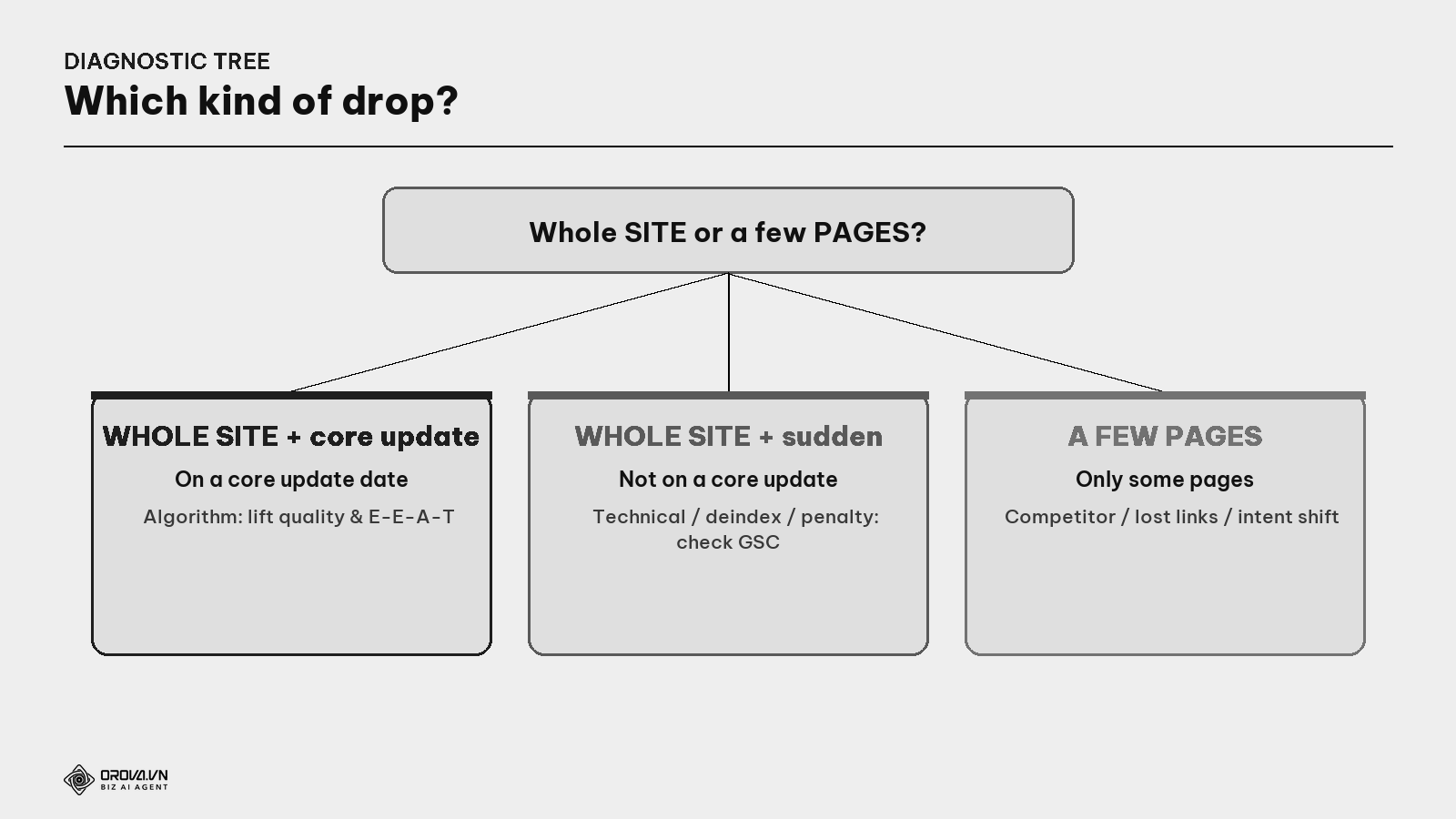
What is a core update? The major updates Google announces, re-evaluating quality broadly. If traffic drops across the whole site, right on the day a core update rolls out, the cause is likely the algorithm — the cure is improving overall quality & E-E-A-T, not fixing a single error.
The most important sorting question: whole site or just a few pages?
- Whole site, coincides with a core update → algorithm cause → improve overall quality (E-E-A-T, helpful content).
- Whole site, sudden, not on a core update → suspect technical/deindex/manual action → check GSC immediately (Indexing report, Manual Actions).
- Just a few pages → suspect a competitor overtaking, lost links, or shifted intent → inspect each page in GSC.
A few diagnostic terms to know
What is a manual action? When a Google human (not the algorithm) penalizes your site for a clear violation (buying links, spam content). It shows in the Search Console "Manual Actions" report — always check here first when traffic drops suddenly, because it tells you straight whether you're penalized.
What is deindexing? When a page drops out of Google's database (no longer in results). Common causes: a leftover
noindex, a robots.txt block, or a server error. Check withsite:and the URL Inspection tool in GSC (see the Technical SEO guide).What are GSC & GA4 (in diagnosis)? GSC tells you which keywords/pages dropped, whether you're penalized/deindexed; GA4 tells you which channel dropped (only organic or all channels — if all channels drop, it may be a measurement/website fault, not just SEO). These two are your "diagnostic machines" (see the GA4 + GSC guide).
The GSC/GA4 diagnostic process
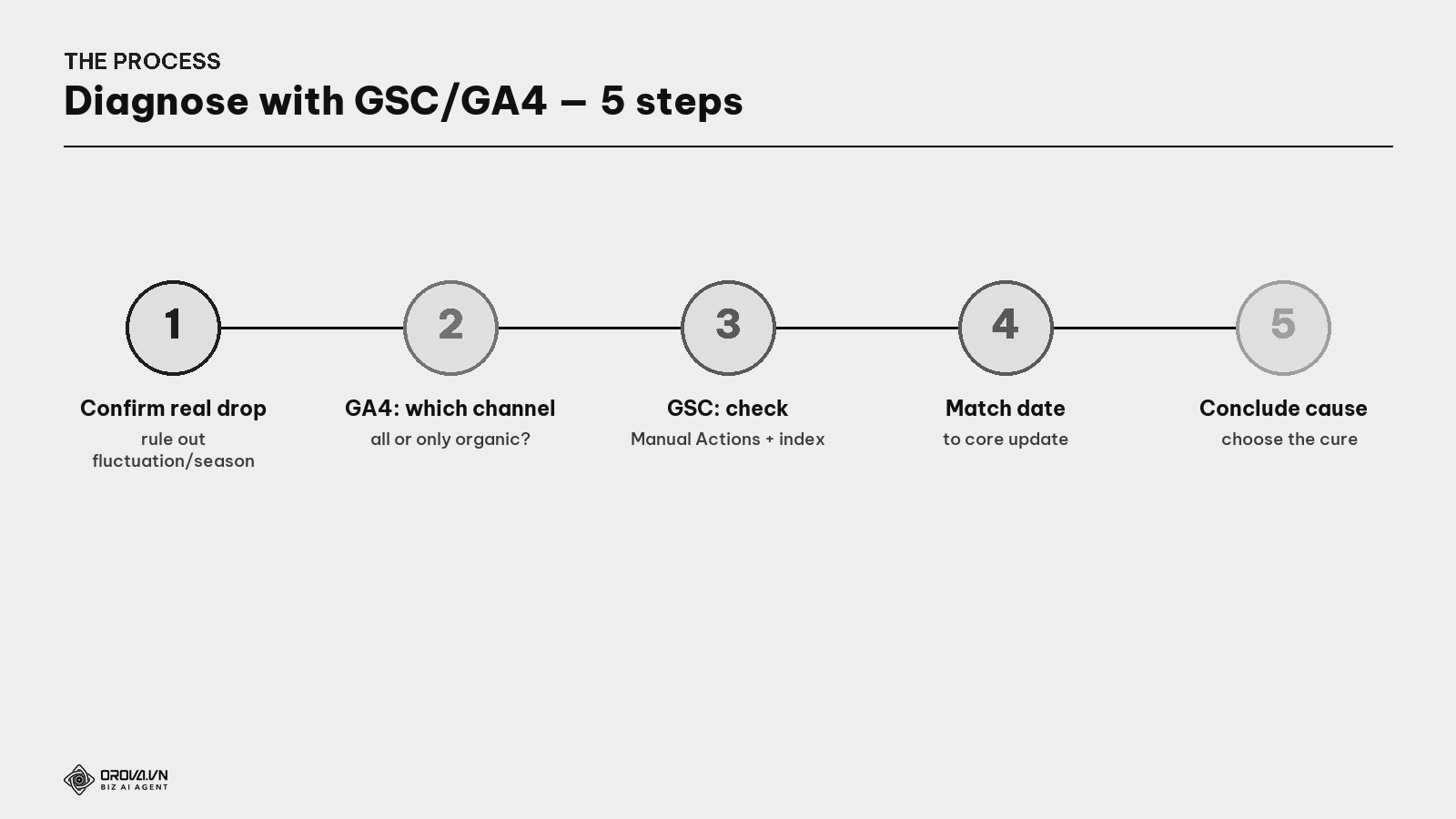
- Confirm a real drop — rule out daily fluctuation, seasonality (compare year-on-year), measurement errors.
- GA4: all channels or only organic? — if all channels drop, suspect a website/measurement fault, not just SEO; if only organic, it's an SEO issue.
- GSC: check Manual Actions (penalized?) + Index (deindexed?) + which pages/keywords dropped.
- Match the drop date to Google's core update calendar.
- Conclude the cause then choose the matching cure (table below).
How to recover by cause
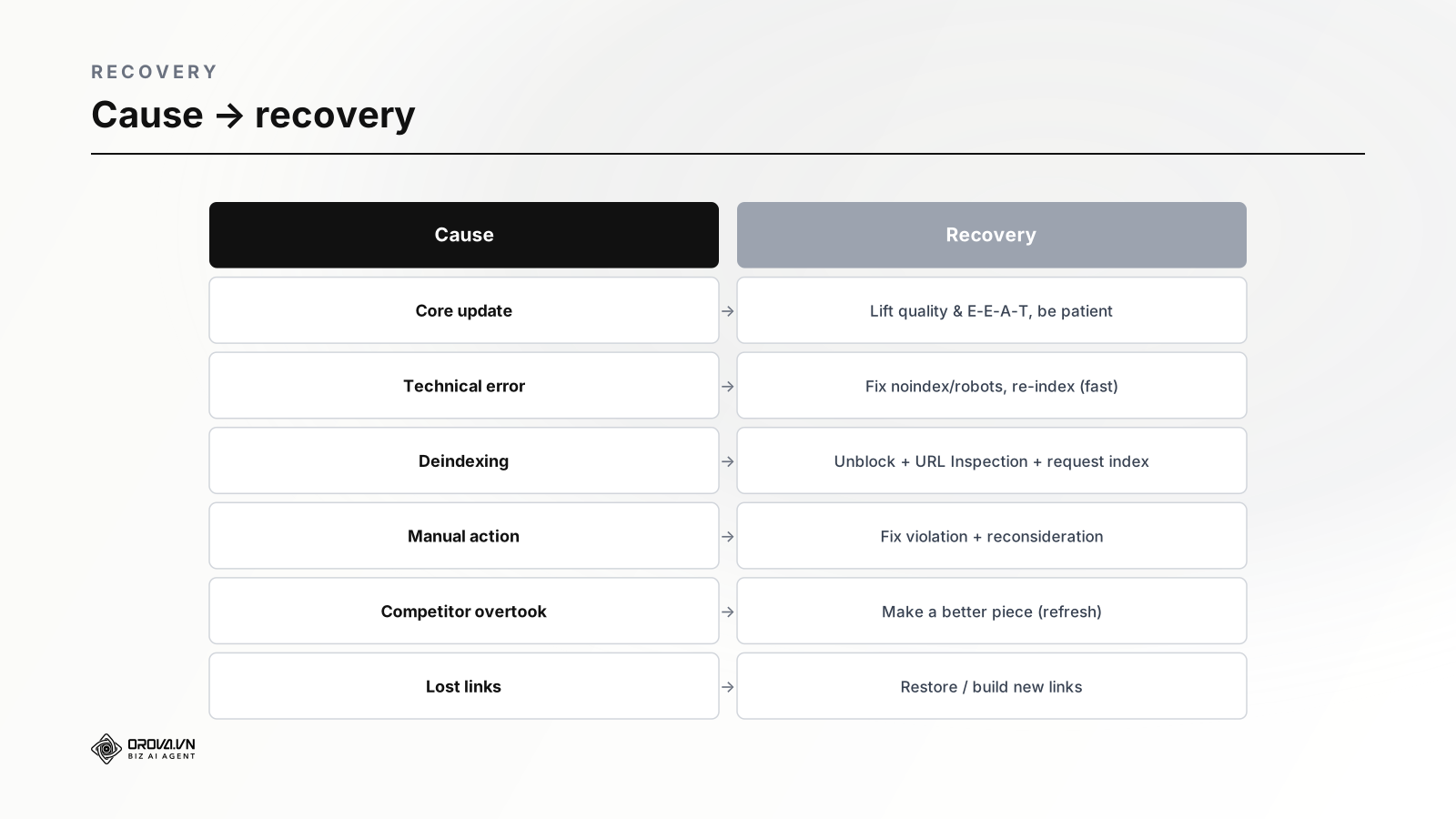
- Algorithm (core update): improve overall quality & E-E-A-T, clear thin content (see the Content Refresh & E-E-A-T guides). Recovery usually needs time until the next update — be patient, don't panic-fix.
- Technical error: fix
noindex/robots.txt, resolve the error, then request re-indexing in GSC. This kind usually recovers fast after the fix. - Deindexing: unblock, use URL Inspection + Request Indexing.
- Manual action: fix the violation (e.g., remove/disavow bad links — see the Link Building guide), then submit a reconsideration request.
- Competitor overtook / intent shifted: make a piece better than what's there now (refresh, match the new intent).
- Lost backlinks: find the lost links, restore them or build new ones to replace.
"Pass" standard
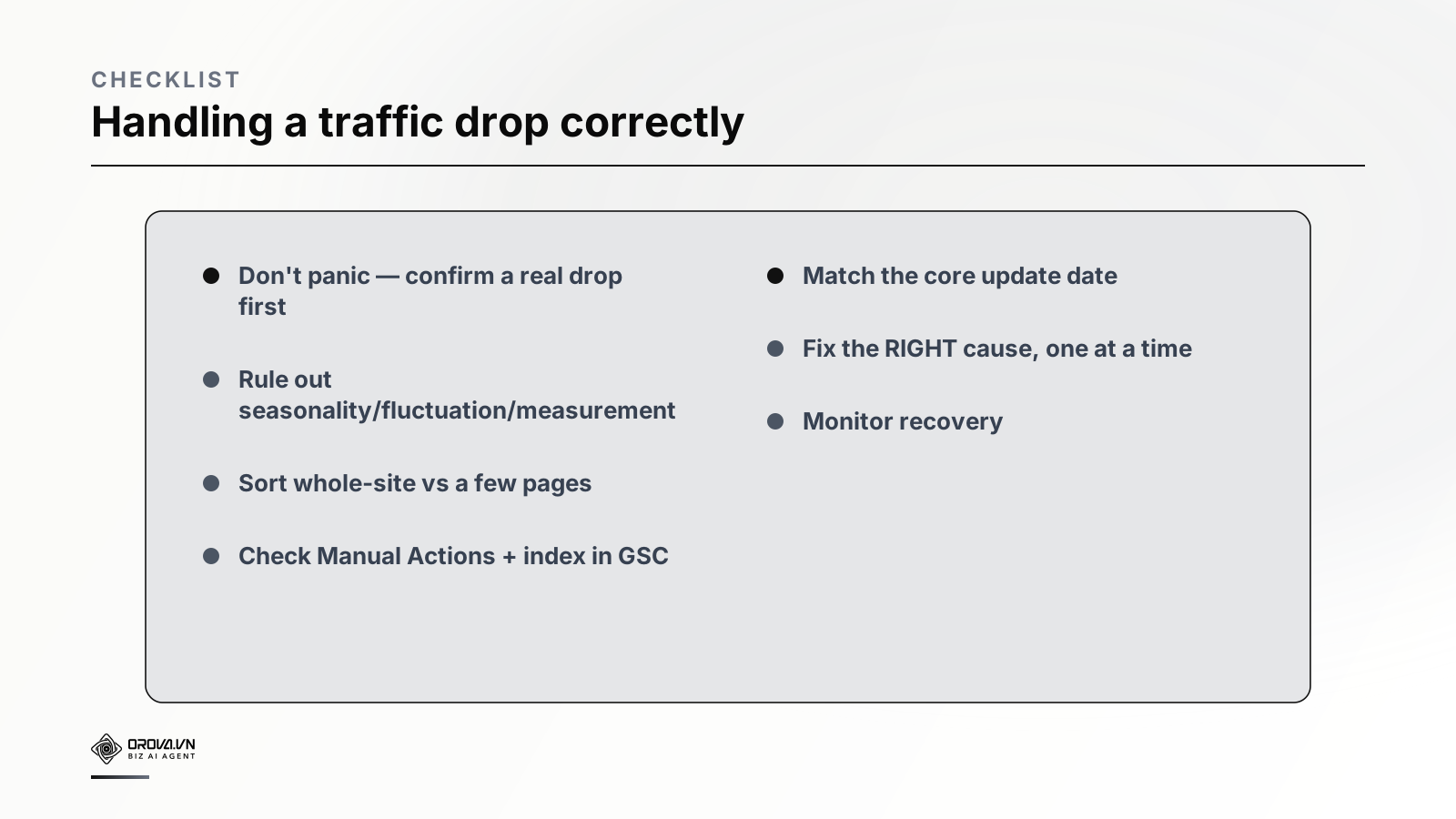
"Pass" standard: when traffic drops, you don't panic-fix; you confirm a real drop (rule out seasonality/fluctuation/measurement); sort whole-site vs a-few-pages; check Manual Actions + index in GSC; match the date to the core update calendar; then fix the right cause, one thing at a time and monitor recovery. At this level, every time the "red light" comes on, you handle it like a good mechanic — diagnose the right disease, prescribe the right medicine — instead of panicking and making it worse.
Benefit: a calm diagnostic process saves you from two costly outcomes: panic-fixing (dropping deeper) and neglect from not knowing what to do (prolonged traffic loss). Knowing how to sort causes lets you focus effort right — technical errors recover fast after a fix, while core updates need patient quality improvement. Traffic drops will happen to every website; those with a process recover, those who panic lose for good.
FAQ
Should I worry about a small traffic dip? A few-percent daily fluctuation is normal — don't panic over one day. Only worry when it drops clearly by trend (over weeks) after ruling out seasonality and measurement errors. Watch trends, not single points.
How do I tell a core update drop from a technical error? Match the drop date to Google's core update calendar, and look at scope: core updates usually affect the whole site right around the rollout; technical errors are usually sudden with traces in GSC's Index/Manual Actions reports.
How do I recover from a core update hit? There's no quick-fix button. Improve overall quality & E-E-A-T, clear thin content, make the site genuinely more useful — then patiently wait for the next update to re-evaluate. Panic-fixing individual articles usually doesn't help with core updates.
Where do I check for a manual action? In Google Search Console, the "Manual Actions" section. If there is one, it states the violation. This is the first thing to check on a sudden drop, because it directly answers whether you're penalized.
What does a drop across all channels (not just organic) mean? Usually a website or measurement problem (broken GA4 tag, site error, a botched domain change) rather than SEO alone. Check GA4 to see if all channels fell together — if so, fix the root at the website/measurement level first.
How long until traffic recovers after a fix? Depends on the cause: technical errors/deindexing usually recover fast (days–weeks after requesting re-indexing); manual actions need Google's reconsideration; core updates can need the next update (weeks–months). Set expectations by cause.
Should I remove/rewrite en masse the moment I see a drop? No. This is exactly the "tear out the whole engine" trap. Diagnose first, then fix the right cause, one thing at a time so you know what works. Fixing many things at once means you never learn what helped or hurt.
Back to the red warning light
Remember the warning light glowing red mid-drive? The one who panics — slamming brakes or tearing out the engine — makes it worse; the good driver calmly diagnoses the right problem and fixes the right thing, and the car runs again. The difference isn't the light — it's how you react.
A traffic drop is a warning light too, and it will come on for every website sooner or later. Don't panic-rewrite, remove pages, change everything at once — that's how you make it worse. Be a good SEO mechanic: confirm a real drop, sort the cause with GSC and GA4, match the core update date, then fix the right disease, one thing at a time, and monitor recovery. Do that, and every red light isn't a crisis — just a diagnosis you know how to handle. Diagnose calmly and correctly, and your traffic car rolls on again.
This article is part of Orova's complete SEO guide series. It's a deep-dive within the cluster — see "Technical SEO", "Content Refresh & Pruning", "E-E-A-T", "GA4 + Google Search Console", and "Link Building" for the full picture. Get started with Orova at orova.vn/en/seo.
Sources
Google Search Central (core updates, debugging traffic drops, Manual Actions, indexing) · Google Search Console Help (Performance, Index, Manual Actions reports) · Ahrefs & Search Engine Journal (diagnosing & recovering traffic).
When You'd Rather Not Do This Yourself
Going through all these checks by hand — comparing dates, checking pages, ruling out causes one by one — takes real time and focus, especially when you're not sure what you're looking for. It's easy to spend hours confirming something that turns out to be a false alarm, or worse, miss the real cause because you stopped checking too early.
Orova SEO is built to handle this kind of diagnostic work automatically, scanning your site and traffic patterns to flag what's likely behind a drop so you don't have to dig through reports yourself. If you'd rather get a clear answer without doing the manual digging, feel free to give it a try.
Let Orova SEO handle the repetitive part
Keyword research, drafting, refreshing old posts and rank tracking — running automatically on your own site.
Explore Orova SEO