
How to Use Google Search Console for SEO Success
You publish a blog post, tweak a page title, or launch a new product page — and then what? You have no idea if Google even noticed. Traffic goes up or down and you're left guessing whether it was your last change, a random fluke, or something broken on your site that you can't see. This is exactly the blind spot Google Search Console for SEO is meant to fix, yet most business owners either ignore the tool or open it once and close the tab, confused by the graphs.
Most people try to judge SEO by gut feeling: checking rankings by hand, refreshing the site to "see if it looks fine," or just watching sales numbers and hoping search is the reason they moved. That approach is slow, and it does not tell you what Google actually thinks of your site — whether pages are indexed, why clicks dropped, or if there's a technical issue quietly blocking visitors before they ever land on your site. It matters more than ever now that 68% of US Google searches ended without a click in the first four months of 2026, up from 60% in 2024, according to SparkToro — which makes knowing exactly which of your pages still earn clicks (and which don't) far more valuable than guessing.
This article clears that up. You'll learn what Google Search Console actually shows you, how it's different from Google Analytics (a common point of confusion), and which reports are actually worth checking on a regular basis. By the end, you'll know exactly where to look when something changes, and how to use both tools together instead of guessing.
One camera outside the door, one inside the shop
Imagine you own a shop and want to truly understand customers. You need two cameras. One outside the door — seeing who walks by, who stops to look at the sign, who comes in, and how many just glance and leave. One inside the shop — seeing where they go, what they look at, how long they stay, whether they buy. Without the outside camera, you don't know why few people come in. Without the inside camera, you don't know what they do once inside. Only with both do you see the whole journey from "walking by" to "buying".
SEO needs exactly those two cameras, and both are free from Google: Google Search Console (GSC) is the outside-the-door camera — showing how you appear in search results (who sees you, who clicks). Google Analytics 4 (GA4) is the inside camera — showing what people do after entering your website (what they view, how long they stay, whether they convert). Use one alone and you see half the story; use both and you see it all.
This guide shows how to install and read both cameras: what GSC and GA4 are, which questions each answers, the core terms of each, the reports to watch, and how to combine them to see the whole journey.
What are GA4 & Google Search Console? Two free Google tools for measuring SEO. GSC measures the before-the-visit part (impressions, clicks, rankings, keywords, indexing errors). GA4 measures the after-the-visit part (visits, behavior, conversions). Together they give the full picture from search to action.
Google Search Console: the camera outside the door
What is Google Search Console (GSC)? A free Google tool for site owners, showing how you appear in Google search results: for which keywords, at what position, with how many impressions and clicks. It also reports technical issues: which pages are indexed, which have errors.
The core numbers of the "outside-the-door camera":
What are impressions, clicks, position? Impressions = how many times your page appears in results. Clicks = how many times people click it. Position = your average ranking when shown. These three are "who sees the sign, who walks in, whether the sign is in an easy-to-see spot".
What is Coverage / Index? A report showing which of your pages Google has stored in its database (indexed) and which are excluded + why. It's where you catch an important page accidentally not indexed — a silent SEO killer (see the Technical SEO guide).
GSC answers the outside-the-door questions: which keywords you appear for, whether your title attracts clicks (CTR), which pages are slipping, whether any page can't get into the index.
Google Analytics 4: the camera inside the shop
What is Google Analytics 4 (GA4)? A free Google tool measuring user behavior on your website: how many people visit, from which channel, which pages they view, how long they stay, and whether they take a valuable action (convert). It's the "inside camera" — seeing what visitors do once in.
The core terms of the "inside camera":
What are session & event? A session = one visit to the website (one person can have many sessions). An event = a recorded action (page view, scroll, button click, purchase). GA4 measures everything as events — unlike the old Analytics (Universal Analytics) which measured pageviews.
What are conversion & engagement? A conversion = a valuable event you mark as a goal (left a lead, bought...). Engagement = how much users actually use the page (stay long, scroll, interact) rather than bounce immediately. This is how GA4 measures "do visitors genuinely care".
GA4 answers the inside questions: which channel visitors come from, which pages they view most, how long they stay, which pages lead to conversions, and how much organic contributes in leads/revenue.
GSC vs GA4: which camera sees what
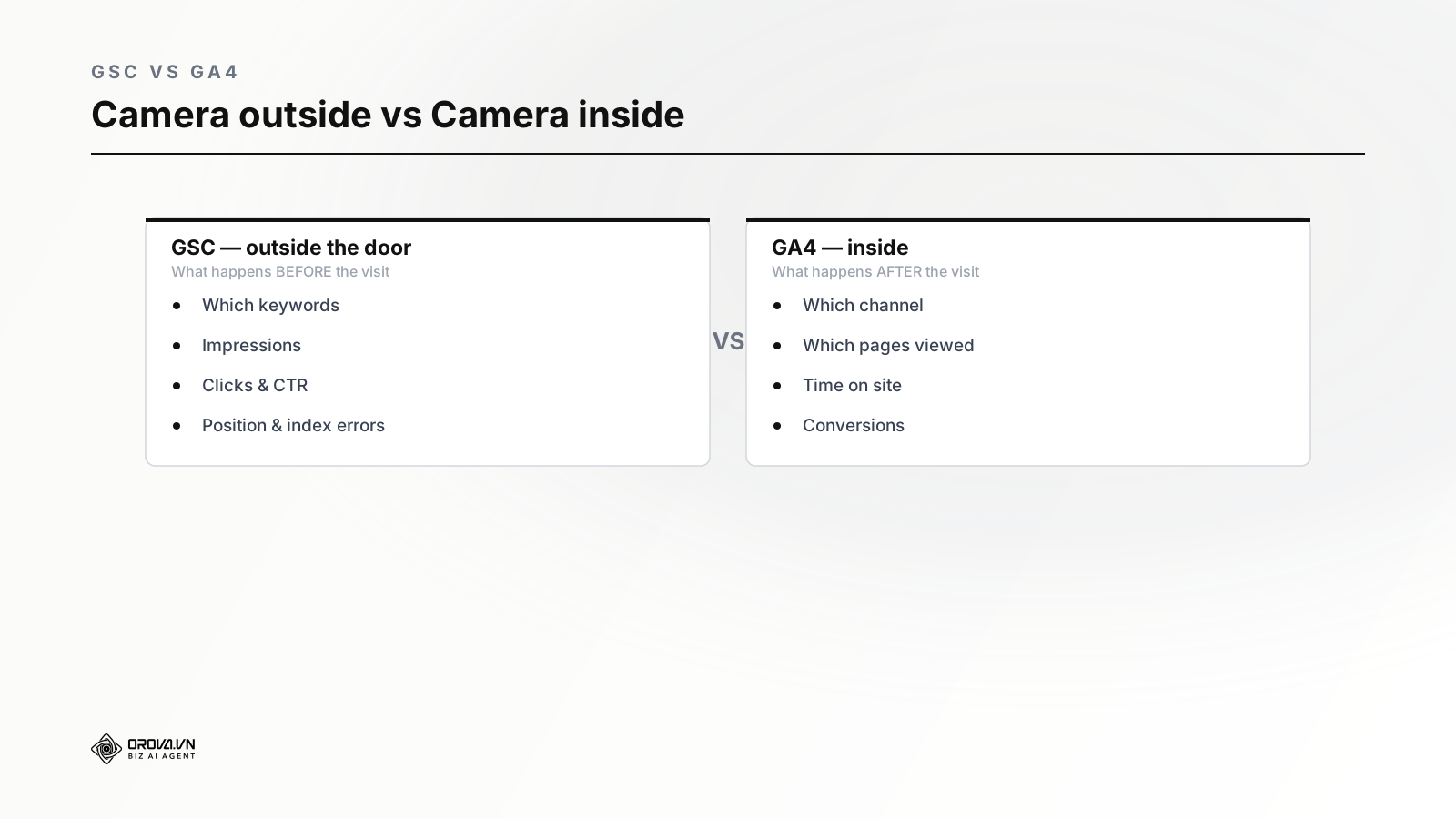
The core difference: GSC looks at the part on Google's results (you don't control behavior there, only observe); GA4 looks at the part on your website (after the click). One outside the door, one inside — the boundary is the click on the result.
Which questions each tool answers
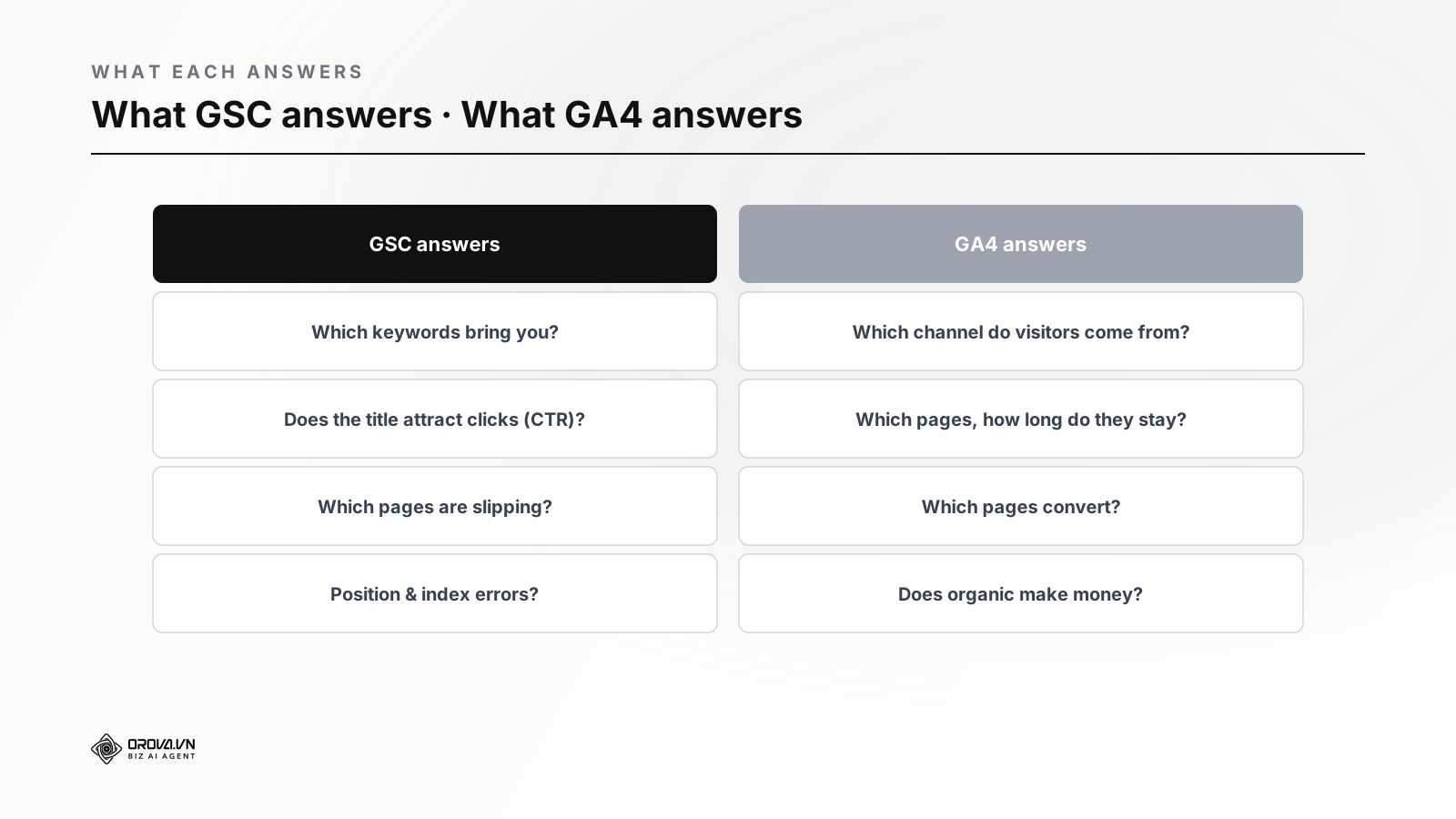
- GSC answers: Which keywords bring you? Do titles/descriptions attract clicks (low CTR = needs fixing)? Which pages are slipping? Are important pages indexed?
- GA4 answers: Which channel do visitors come from (organic, ads, social...)? Which pages do they view, how long do they stay? Which pages lead to conversions? How much does organic contribute in leads/revenue?
Asking the wrong tool means looking in the wrong place: to know "why few people click", check GSC; to know "why they enter but don't buy", check GA4.
GSC reports to watch regularly
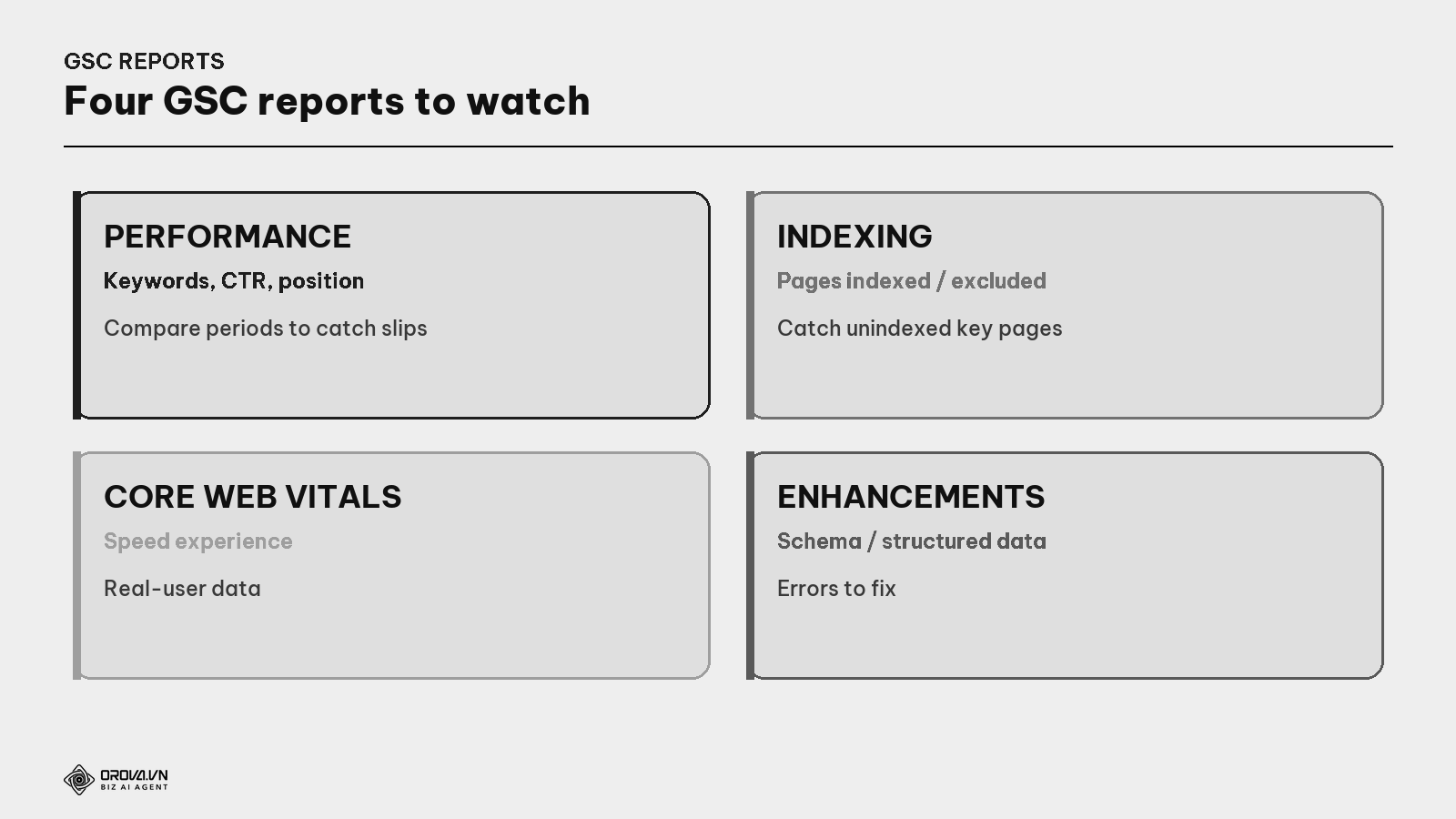
- Performance — keywords, clicks, impressions, CTR, position; compare two periods to catch slipping pages (see the Content Refresh guide).
- Indexing — which pages are indexed, which excluded and why.
- Core Web Vitals — the real-user speed experience report (see the Core Web Vitals guide).
- Enhancements — schema/structured data status and errors to fix (see the Schema guide).
GA4 reports to watch regularly
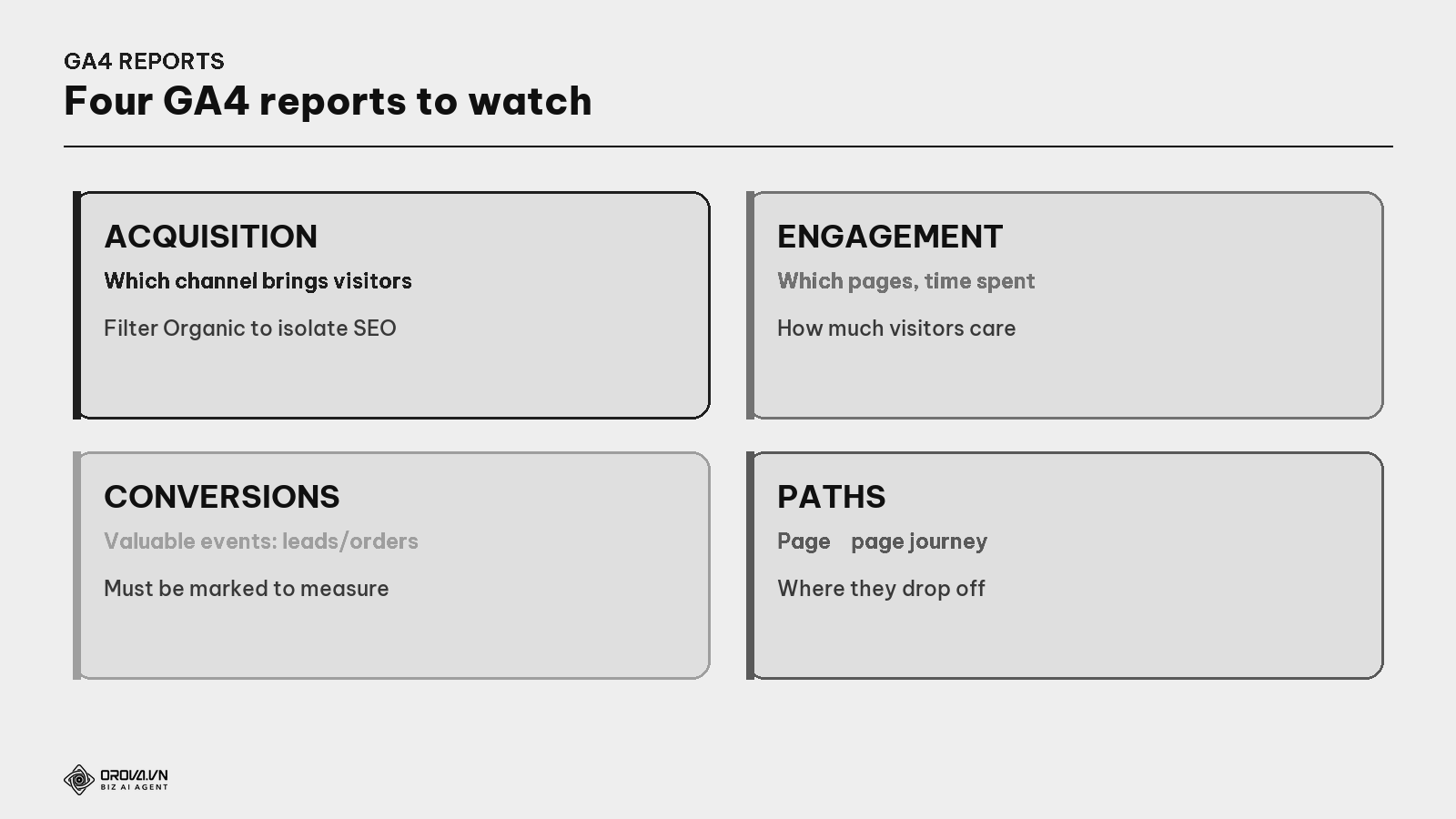
- Acquisition — which channel visitors come from; filter "Organic Search" to isolate SEO.
- Engagement — which pages are viewed most, engagement level, time spent.
- Conversions — the valuable events you marked (leads, orders) and which channel brings them.
- Paths / flow — which pages visitors move between, where they drop off.
Important note: you must mark conversions for GA4 to measure leads/orders. By default GA4 only measures views; you need to set up conversion events (e.g., form submit, purchase) to know how many real results organic produces (see the Measuring SEO & ROI guide).
How to use both tools together
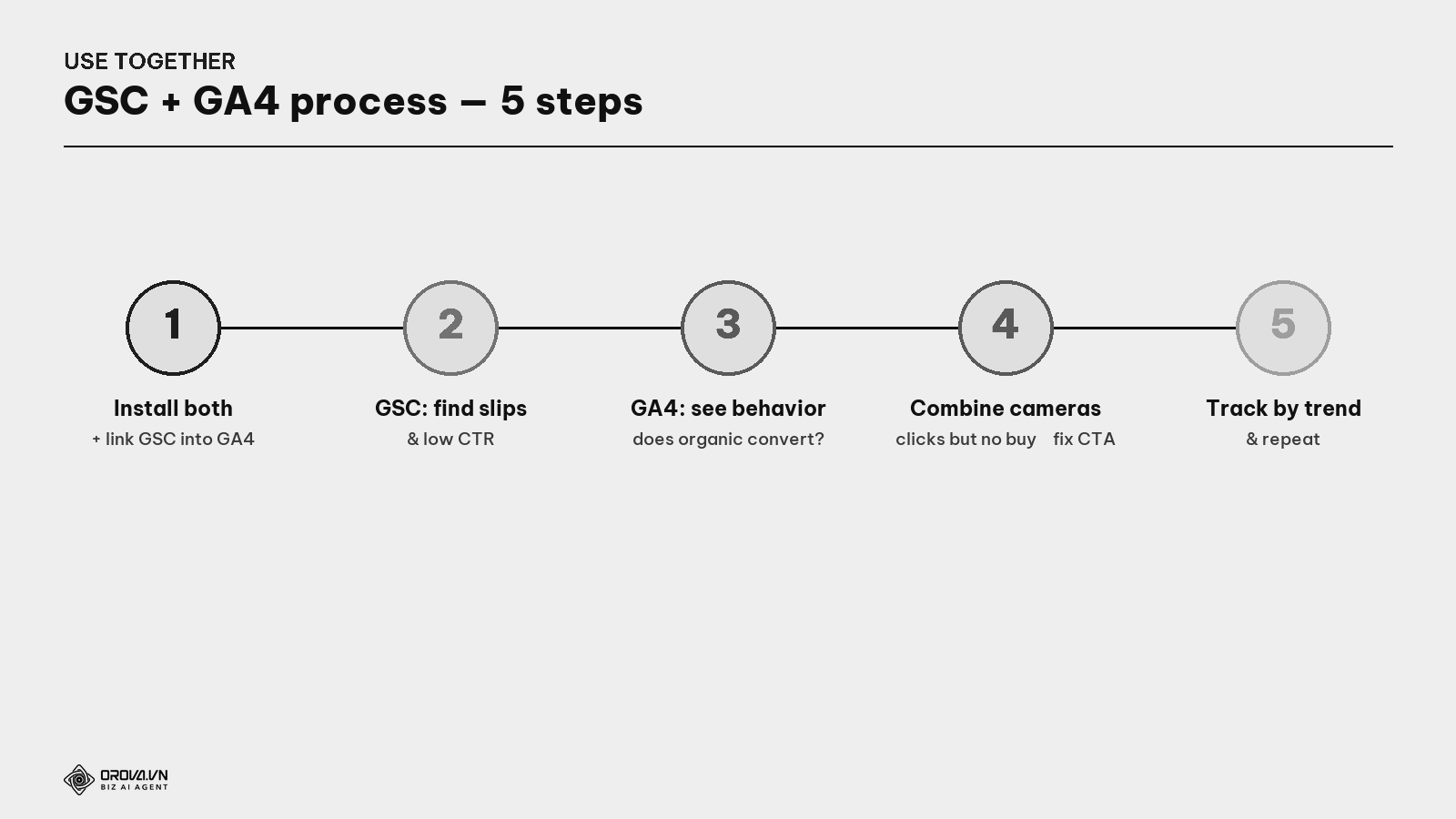
- Install both and link GSC into GA4 (GA4 can import GSC keyword data).
- GSC — find slipping keywords/pages and pages with low CTR (high impressions but few clicks).
- GA4 — see what organic visitors do: do they stay long, do they convert.
- Combine the two cameras — e.g.: a page that attracts clicks (good GSC) but no one converts (poor GA4) → the problem is content/CTA, not search-result SEO.
- Track by trend and repeat regularly.
"Pass" standard
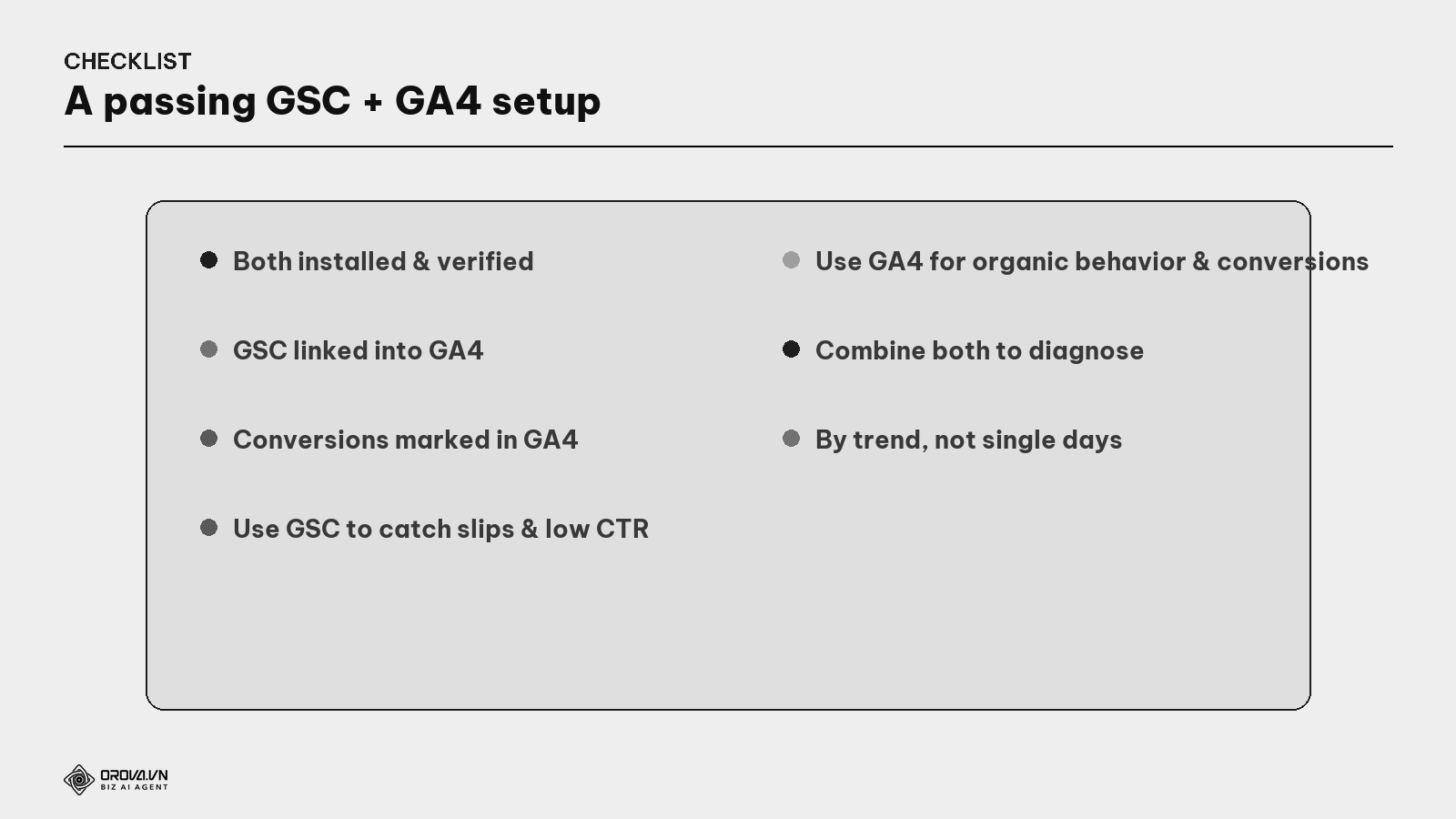
"Pass" standard: you've installed and verified both GSC and GA4; linked GSC into GA4; marked conversions in GA4 (otherwise you can't measure leads/orders); use GSC to catch slipping pages & low CTR; use GA4 to measure organic behavior & conversions; know how to combine the two cameras to diagnose the right spot; and look at trends rather than panicking over single days. At this level, you see the whole customer journey — from "walking past the result" to "entering and acting" — and know exactly which link is weak to fix.
Benefit: these two tools are free yet give you almost everything to drive SEO with real data instead of guessing. More important than having numbers is knowing how to combine them to diagnose: GSC shows the "outside-the-door" link broken (few clicks), GA4 shows the "inside" link broken (enter but don't buy). Knowing which camera reports which fault, you fix the right spot instead of fumbling — that's the difference between SEO by feel and SEO by evidence.
FAQ
How do GSC and GA4 differ? GSC measures the part on search results (impressions, clicks, rankings, keywords, indexing) — before the visit. GA4 measures the part on the website (behavior, conversions) — after the visit. One camera outside the door, one inside; you need both for the whole journey.
Why don't GSC and GA4 numbers match? Normal — they measure different things in different ways. GSC counts clicks on Google's results; GA4 counts real sessions on the site (with bot filtering, different timing, and some people click but don't finish loading). Don't expect the two to match exactly.
I'm not technical — can I use them? Yes. Basic setup has step-by-step guides; the core reports (GSC Performance, GA4 Acquisition/Conversions) are fairly intuitive. The part to mind is marking conversions in GA4 — get a developer if it's complex.
Do I need to link GSC into GA4? You should. Linked, GA4 imports GSC keyword data, letting you see "which keywords" and "behavior after entering" in one place — handy for combining the two cameras.
Can I use only GA4 (skip GSC)? Not advisable. GA4 doesn't tell you which keywords you appear for on Google or your rankings — that's GSC-only. Without GSC, you're blind to the "outside-the-door" part and don't know why few people enter.
GA4 shows no organic conversions — why? Usually because conversion events aren't marked. By default GA4 only measures views; you must set up events (form submit, purchase) as conversions to measure them. This is the most commonly forgotten step.
How often should I check these two tools? By trend — review monthly to make decisions, and check GSC after major changes (title changes, publishing a cluster). Avoid obsessing over single-day swings; SEO naturally fluctuates, and trends of weeks reflect reality.
Back to the two cameras
Remember the shop needing two cameras? One outside the door seeing who walks by and who enters; one inside seeing what visitors do. Missing one, you see only half the story — and don't know which link is losing customers.
GSC and GA4 are exactly those two cameras for your SEO, and free at that. Don't do SEO by feel when two cameras are ready. Install both, mark conversions, then read them together: GSC tells you if the outside is okay (do people see and click), GA4 tells you if the inside is okay (do they buy after entering). When a link is weak, you instantly know which camera reports it — and fix the right spot. That's how you see the whole customer journey, from a glance at a search result to a real order.
This article is part of Orova's complete SEO guide series. It's a deep-dive within the cluster — see "Measuring SEO & ROI", "SEO KPIs & Dashboards for Leaders", "Technical SEO", and "Core Web Vitals" for the full picture. Get started with Orova at orova.vn/en/seo.
Sources
Google Search Console Help (Performance, Indexing, Enhancements reports) · Google Analytics 4 Help (events, conversions, acquisition) · Google (linking GSC into GA4).
Let Someone Else Watch the Dashboards
Reading these reports properly takes real time — checking Search Console every week, cross-referencing it with Analytics, spotting the one page that quietly lost visibility, and figuring out what to do about it. Most business owners don't have hours to spare for this every week, and doing it inconsistently means problems sit unnoticed for a long time.
This is the kind of ongoing monitoring Orova SEO is built to handle — keeping an eye on these signals for you and flagging what actually needs your attention, instead of you logging in and staring at graphs. If that sounds like it would save you time, feel free to check it out.
Let Orova SEO handle the repetitive part
Keyword research, drafting, refreshing old posts and rank tracking — running automatically on your own site.
Explore Orova SEO