
How Google Works: The 4 Gates That Get Your Page to the Top
The world's largest library and the invisible librarian
Imagine Google as the largest library on the planet — holding nearly every web page that ever existed. But a giant library is useless without a great librarian: someone who roams everywhere finding new books, reads and sorts each one, shelves it in the right place, then — when a visitor asks — instantly pulls out the best book and puts it in their hands. However good a book is, if the librarian hasn't found it, or doesn't store it, or shelves it where no one can reach — then to readers, it doesn't exist.
Your website is a "book" in that library, and the invisible librarian is Google. Countless heartfelt articles sit on page 5, page 10 — or appear nowhere at all — not because they're badly written, but because they're stuck at some step in the librarian's process. Understand how the librarian works, and you can self-diagnose 80% of "why my page won't rank" — and more importantly, know where to fix it.
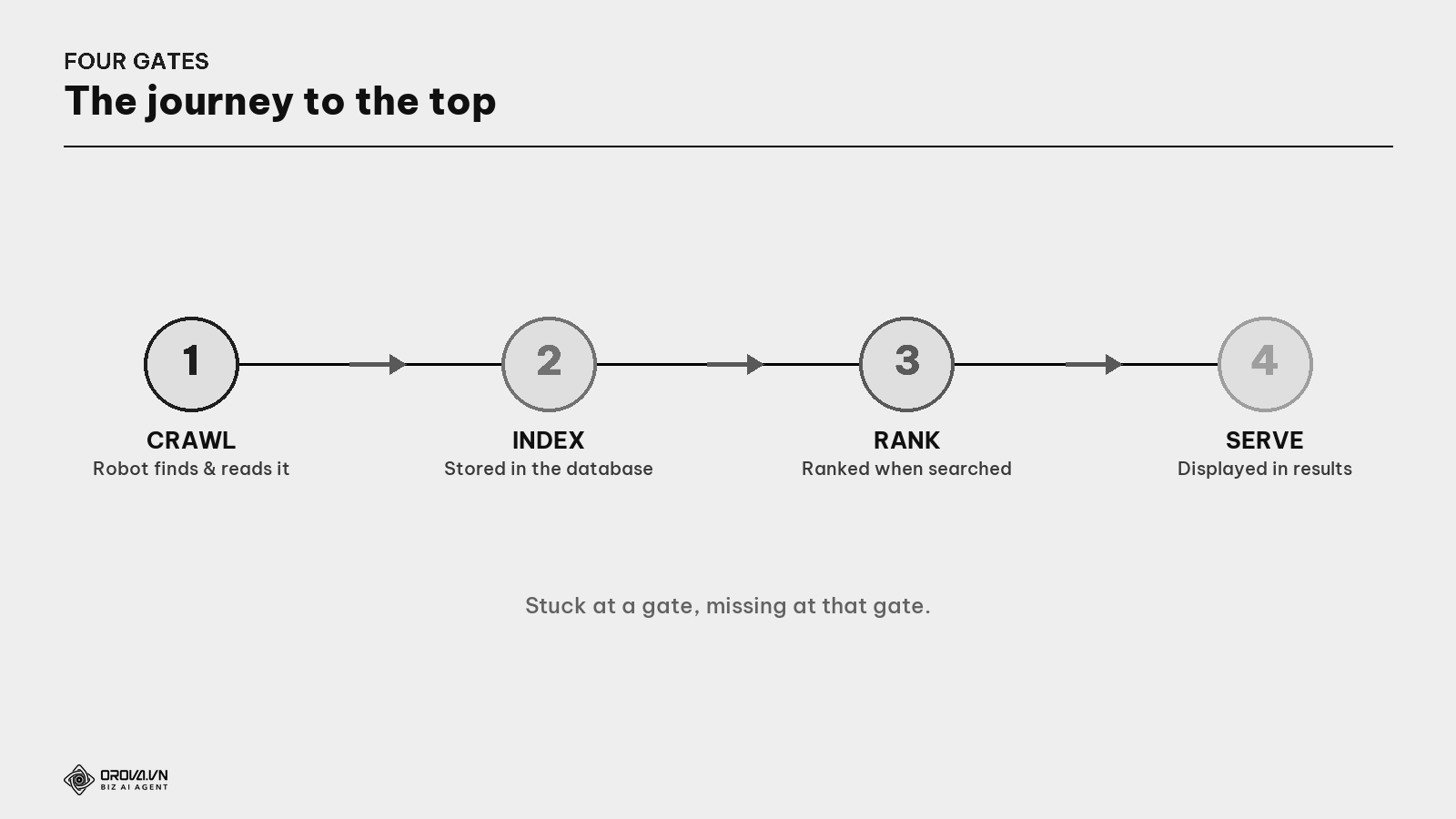
The Google librarian does four things, in order, with every page: (1) Find it (Crawl) → (2) Store it (Index) → (3) Rank it (Rank) → (4) Serve it (Serve). These are four gates every page must pass. Stuck at a gate, "missing" at that gate. This article dissects each gate, with how to self-check and fix.
What are the four gates? A page wanting visitors from Google must pass, in order: Crawl (found & read by the robot) → Index (stored in the database) → Rank (ranked when someone searches) → Serve (displayed on the results page). Stuck at any gate, dead at that gate.
Gate 1 — Find (Crawl): does the librarian "reach" your page?
The librarian doesn't magically know your book exists. They have to go find it. Google does this with automated robots roaming the internet.
What are Googlebot & crawl? Googlebot is Google's "robot" that roams the web. Crawl is it following links to discover and read each page's content. "Has Google crawled my page?" = "has the robot visited and read it?". If the robot has never crawled it, then to Google, the page doesn't exist.
How Google finds a new page: it already knows some pages (from prior crawls, from the sitemap you submitted); crawling those, it sees links pointing elsewhere and follows them to discover new pages. So a crucial point: a page with no links pointing to it (from another page or a sitemap) is almost never found by Google. New articles need links from the home/category pages and presence in the sitemap.
What is a sitemap? A file listing all the pages on your website, submitted to Google so it knows the way in — like handing the librarian your book catalog. Usually at
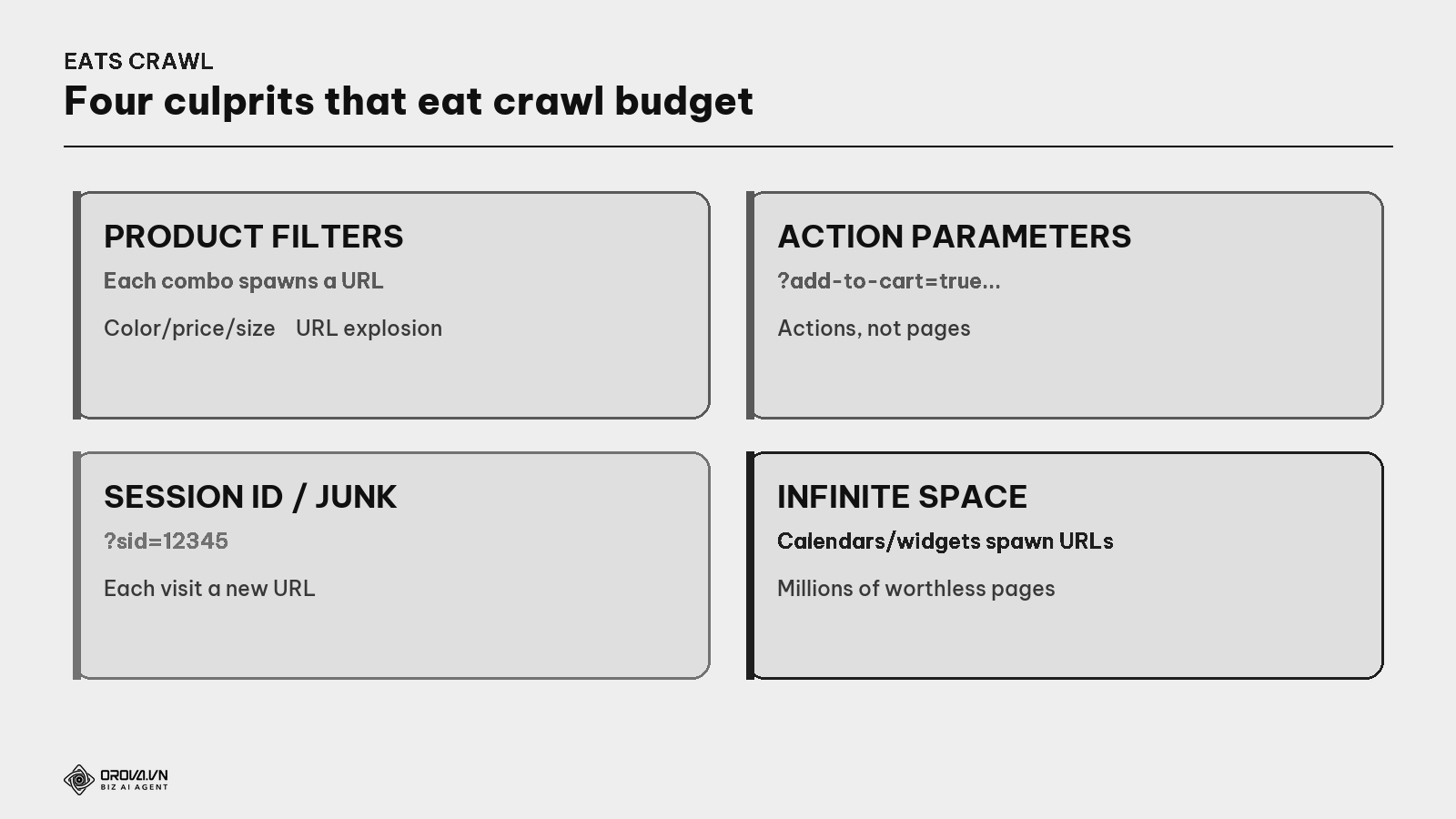
yourdomain.com/sitemap.xml.What is crawl budget? The amount of effort Google spends crawling a site each round, set by how much load the site can take and how much Google wants to crawl. Good news: small sites (a few hundred pages) barely need to worry — Google crawls them all easily. Only very large sites (tens of thousands of pages) need to optimize so the robot doesn't waste time on worthless pages.
For large sites, most crawl issues come from "structural traps" generating masses of useless URLs.
Self-check & fix Gate 1:
- Check if the robot is blocked: open
yourdomain.com/robots.txt. SeeingDisallow: /means you're banning Google from the whole site — the #1 fatal error, often a developer forgetting to remove it when moving from staging to live. - Submit the sitemap: Google Search Console → Sitemaps → paste
sitemap.xml→ Submit. - Add internal links to new articles from the home/category pages so the robot reaches them fast.
"Pass" standard at Gate 1: no mistaken block in robots.txt; the sitemap submitted and Google reports "Success"; important pages all have at least one internal link pointing in.
Gate 2 — Store (Index): read, but kept?
This gate disappoints many, because it's counterintuitive: the librarian reading your book does NOT mean they'll store it. After reading, Google still decides whether it's worth keeping.
What is the index? The storage of pages Google has read and decided to keep. "Indexed" = in the database, eligible to appear when someone searches. "Not indexed" = Google knows the page exists but hasn't stored it → searching won't find it.
What is render? Google "building" the page like a browser to see the real content. If a site is built so content only appears after JavaScript runs, Google sometimes reads it before the content shows → thinks the page is blank. This is a little-known technical trap that keeps pages out of the index despite having content.
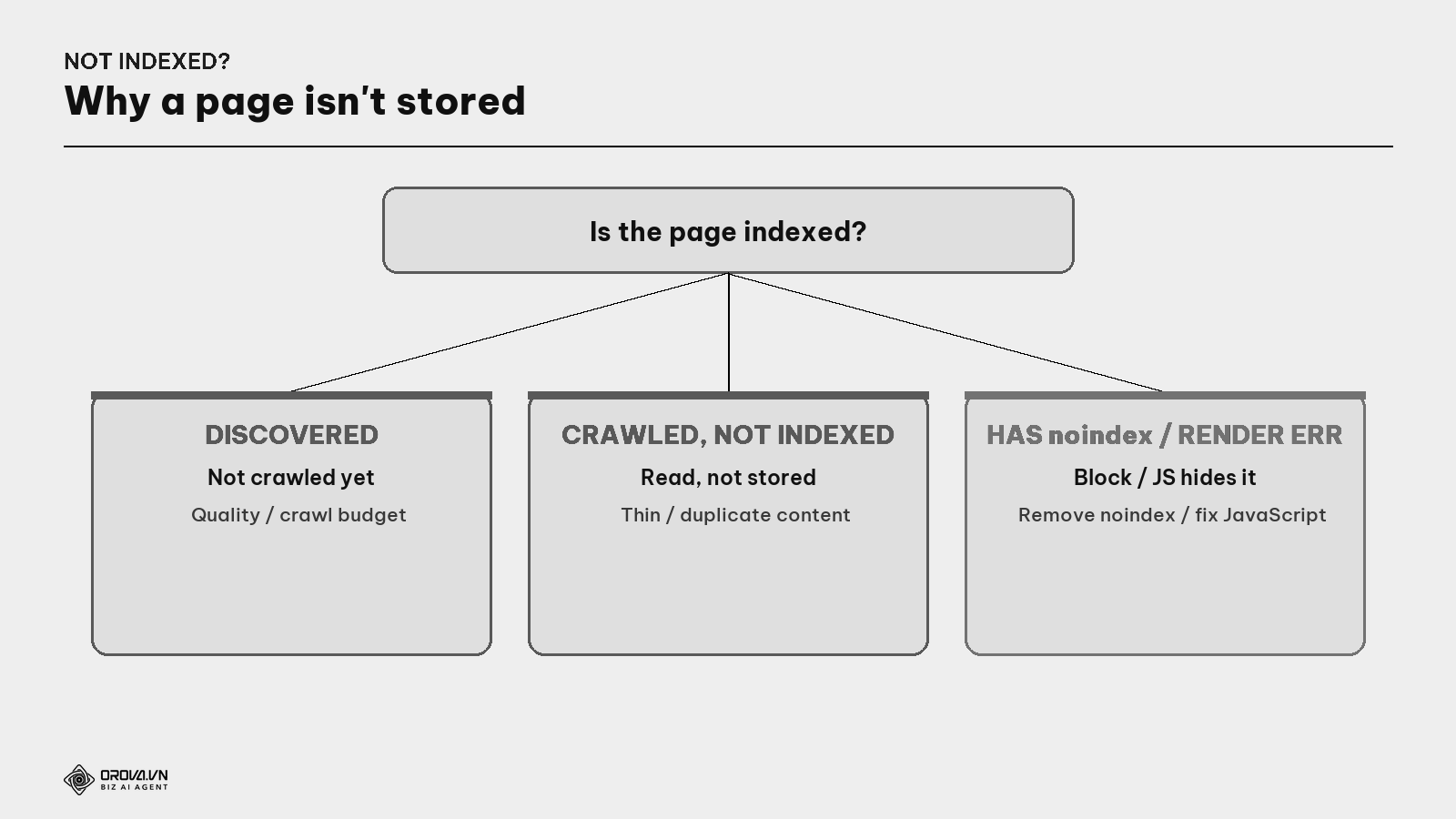
In Google Search Console, the "Pages" report lists which pages are indexed, which aren't, and why. Common reasons a page is refused into the index:
- Thin content — too few words, no real value.
- Duplicate — many near-identical pages → Google keeps only one.
- Tagged
noindex— a "don't store this" command, sometimes left over from building. - "Crawled – currently not indexed" — Google read it but decided not to store, almost always a signal the content is seen as thin/duplicate/low-value.
What are canonical & noindex? Canonical is a hidden line telling Google "among similar pages, the master is this one" — pooling authority in one place, saving you from duplication. noindex is the opposite: "don't store this page" — useful for pages you don't want on Google, but harmful if left by mistake on an important page.
Check whether a page is in the index: (1) search site:yourdomain.com/path — if it shows, it's indexed; (2) use the URL Inspection tool in GSC to see whether it's indexed, the canonical Google chose, and any errors; (3) click "Test Live URL" to see a screenshot of the page as Google sees it (catches the JavaScript trap); (4) "Request Indexing" to ask it be stored if the page is fine but not yet saved.
"Pass" standard at Gate 2: in the "Pages" report, the indexed count matches the number of real articles you want public; no important page stuck at "Crawled – currently not indexed".
Gate 3 — Rank: among thousands in the kho, why pick you?
When someone asks, the librarian pulls the matching books from storage and orders them — who first, who next. This is the most "secret" part.
What are the algorithm & a query? A query is the phrase someone types into search. The algorithm is the set of rules Google uses to score and order pages for each query. No one knows the exact formula (and it changes constantly), but every signal boils down to three big questions.
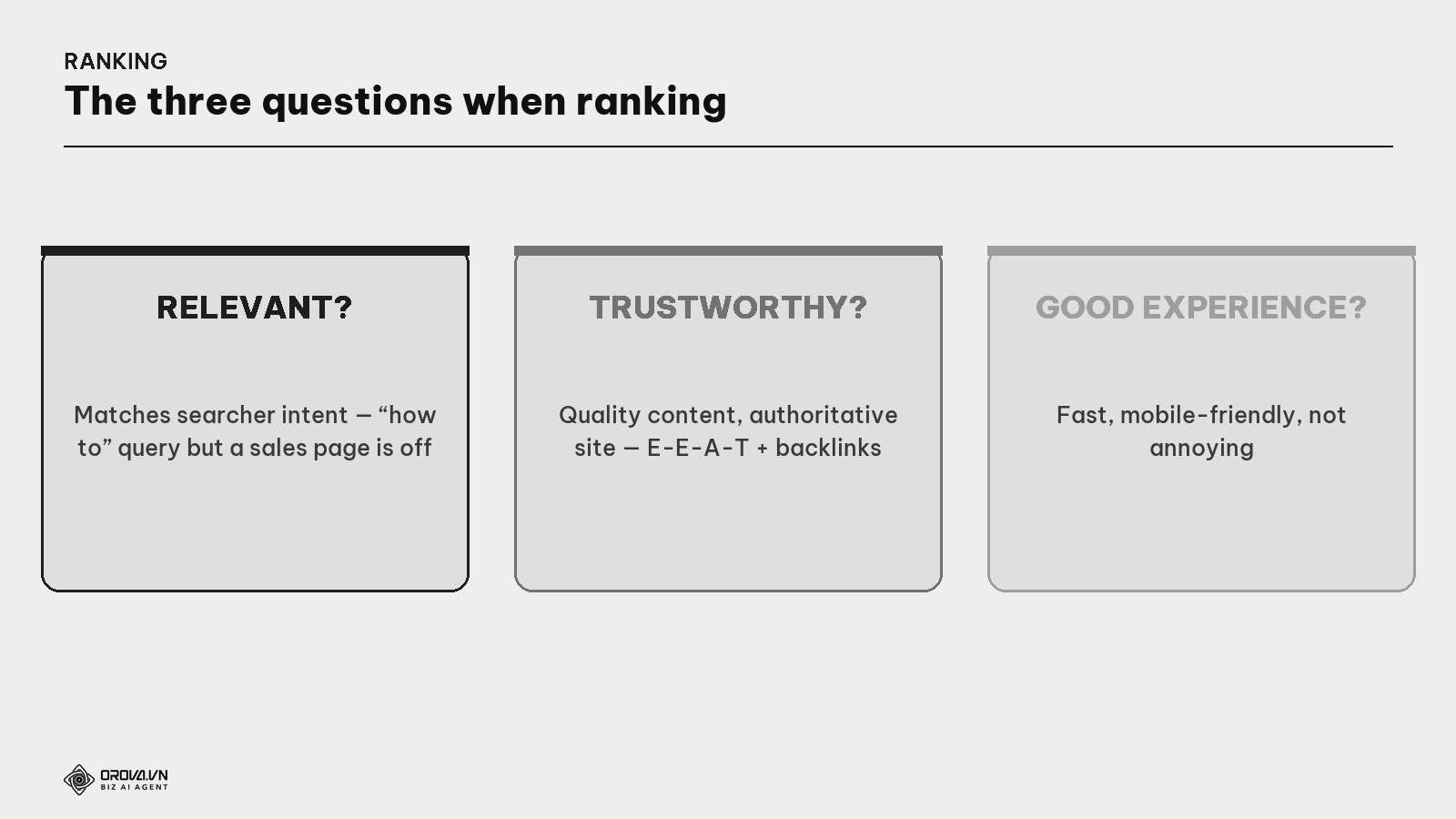
- Relevant? Does the page match the searcher's intent (searching "how to make X" but getting a page selling X is off — see the Search Intent guide).
- Trustworthy? Quality content, an authoritative website (E-E-A-T + backlinks — see those guides).
- Good experience? Fast loading, usable on mobile, not annoying (see the Core Web Vitals guide).
Don't try to memorize hundreds of "ranking factors" online — most are guesses. What's certainly true: the page that best answers the need, from the most trustworthy source, with the best experience, wins.
"Pass" standard at Gate 3: the page reaches the top 20–30 for its target keyword within a few months. Not cracking the top 30 is usually not a subtle ranking error but content that isn't good enough or is off-intent — go back to the content step.
Gate 4 — Serve: even high rankings can go "hungry"
This gate has newly become vital, and it's where old-school SEO stumbles. Once, reaching #1 (through Gate 3) almost guaranteed visitors. Not anymore.
What are the SERP & rich results? The SERP (Search Engine Results Page) is the search results page. Today Google doesn't "return 10 links" but assembles a whole page of: an AI-written answer (AI Overviews) on top, a quick-answer box (Featured Snippet), a "People Also Ask" block, images, videos... — collectively rich results — and only below all that come the traditional blue links.
The result: you can sit at #1 on Gate 3 yet lose most of the clicks at Gate 4 — because an AI snippet answered the question above you. Reaching the top isn't enough; you must be chosen into the prominent parts.
"Pass" standard at Gate 4: aim not just to "rank" but to be excerpted into prominent parts — landing the quick-answer box, cited in the AI snippet. Tip: answer real questions concisely, clearly, structured (a 40–60 word block, a list, or a table — see the Schema & Featured Snippet guide).
Understanding Google right vs wrong
Many bad SEO decisions stem from misunderstanding the librarian.
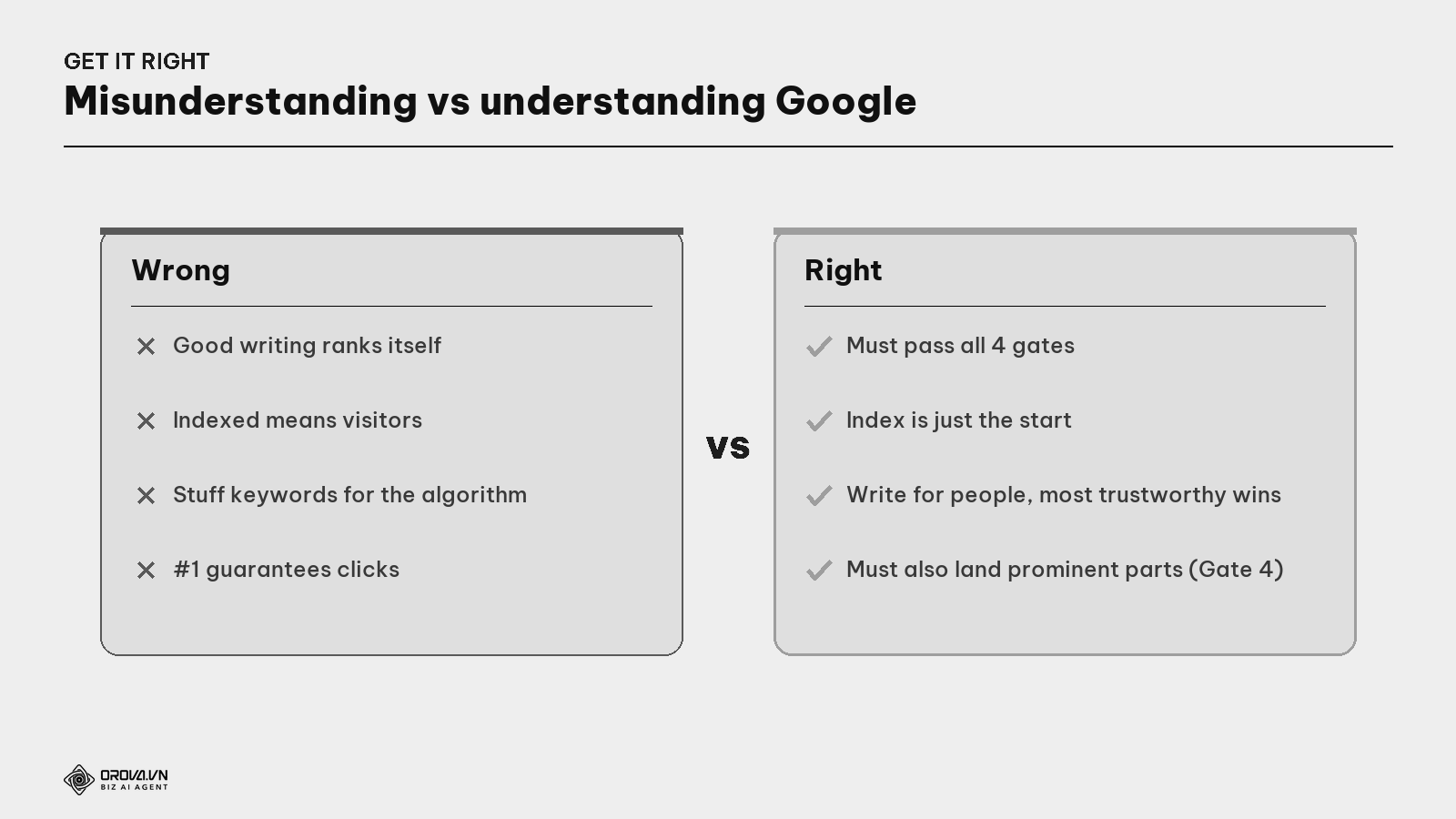
- Wrong: "good writing ranks itself" → Right: good writing still passes all 4 gates; stuck at one, missing.
- Wrong: "indexed means visitors" → Right: indexing is just the starting line, not the finish.
- Wrong: "stuff keywords to please the algorithm" → Right: write for people; the most trustworthy, useful page wins.
- Wrong: "#1 guarantees clicks" → Right: you must also land the prominent parts at Gate 4 to keep clicks.
Putting it together: the "why won't my page rank" diagnostic tree
This is the most valuable part — next time a page gets no visitors, don't guess. Go bottom-up through the four gates.
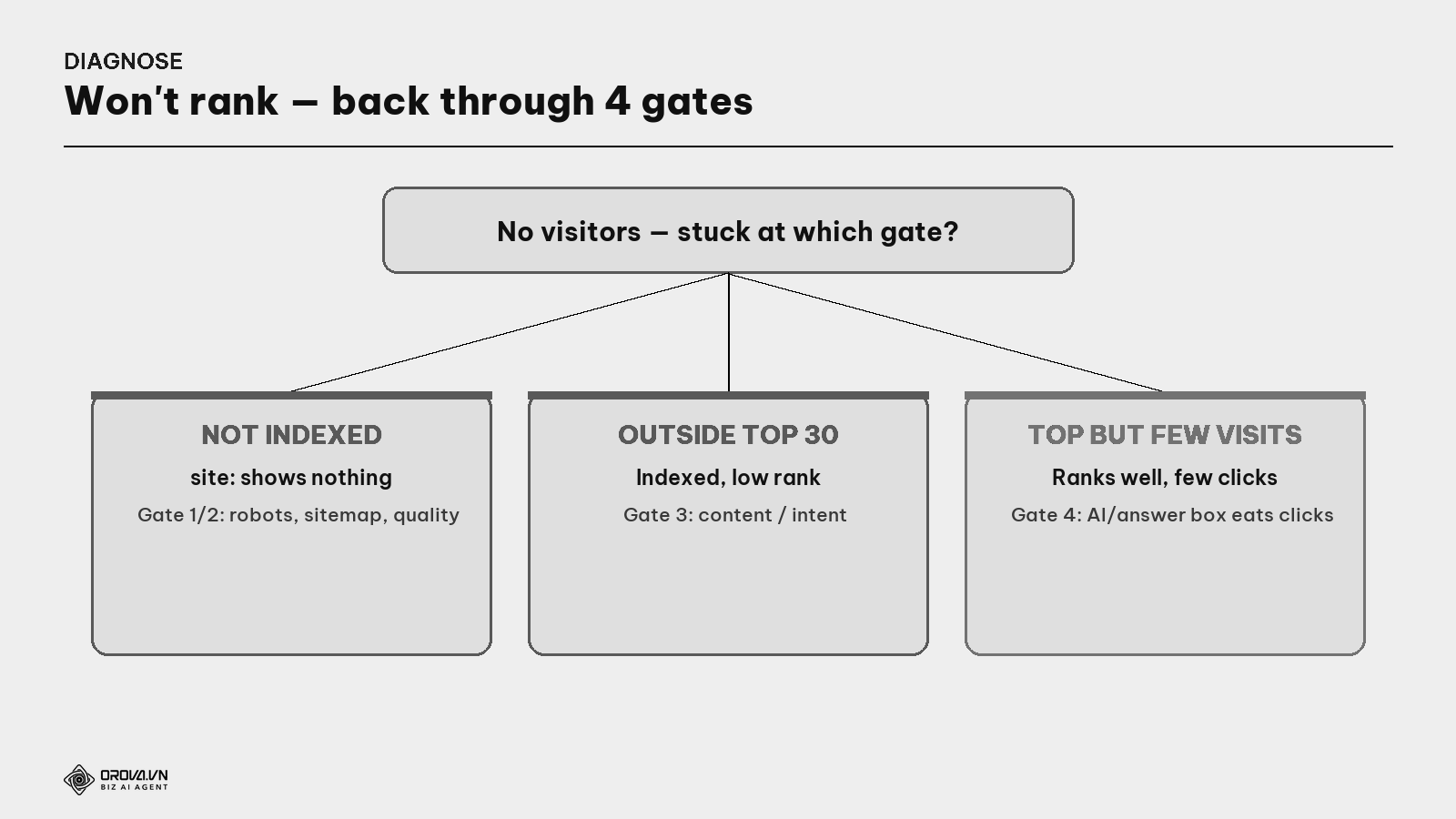
- Is the page indexed? (search
site:or use URL Inspection.) No → stuck at Gates 1/2: check robots.txt, sitemap, content quality. - Indexed — ranking where? (see Search Console.) Outside top 30 → a Gate 3 issue: content not good enough or off-intent.
- Ranks well but still few visitors? → suspect Gate 4: an AI snippet or answer box is "eating" the clicks — check the real results page for that keyword.
Benefit: hit the right gate, fix the right spot. That's the difference between someone flailing "changing everything but not ranking" and someone fixing the real problem in an afternoon. Understanding the librarian's 4-gate process is the foundation that gives every other SEO task (keywords, content, technical, links) its right place in the big picture.
FAQ
How long until Google indexes a new article? From hours to weeks, depending on site authority and crawl budget. To speed it: submit the sitemap + add internal links + use "Request Indexing" in Search Console.
Do I need to worry about crawl budget? If your site is under a few thousand pages, barely. Crawl budget is only a big issue for very large sites (e-commerce, news with tens of thousands of pages).
Google indexed my page but I still get no visitors — why? Indexing is just a necessary condition. Visitors depend on Gate 3 (ranking) and Gate 4 (serving). Indexing is the starting line, not the finish.
How do I fix "Crawled – currently not indexed"? This is Google saying "read it, but not worth keeping yet". Fix: improve content quality (deeper, more original), merge thin/duplicate pages, ensure the page answers one clear need.
How often does Googlebot revisit my page? Depends on freshness and authority: frequently-updated, high-authority pages get visited more; rarely-changed pages less. Genuine content updates + a sitemap with last-modified dates help Google revisit sooner.
Does Google ignore JavaScript content? Not exactly — Google does render JavaScript, but sometimes reads before content appears → thinks the page is blank. Use "Test Live URL" in GSC to see the page as Google sees it; if content is missing, address it technically (server-side rendering).
Once I understand the 4 gates, what's next? Use it as a diagnostic map: whenever a page won't rank, go back through the 4 gates to find the broken step. Then go deep on each via the topic guides (keywords & intent for Gate 3, technical SEO for Gates 1/2, Schema for Gate 4).
Back to the giant library
Remember the largest library on the planet and its invisible librarian? However good a book is, it's meaningless if the librarian hasn't found it, doesn't store it, shelves it where no one can reach, or lets another book cover it when a visitor asks. The book (content) is only half; the other half is completing the librarian's whole process.
That's the four gates Crawl – Index – Rank – Serve. Don't just obsess over writing well then wonder "why won't anyone see it" — make sure your book gets found (Gate 1), stored (Gate 2), shelved where it's most visible for the right question (Gate 3), and placed in their hands amid an ever-more-crowded results page (Gate 4). Understand how the librarian works, and you stop doing SEO by tricks and luck — you work with the world's largest library, so your good book reaches exactly the reader who needs it.
This article is part of Orova's complete SEO guide series. It's a foundational piece — see the overview "SEO in 2026", and "Technical SEO", "Search Intent", "E-E-A-T", "Schema & Structured Data" to go deep on each gate. Get started with Orova at orova.vn/en/seo.
Sources
Google Search Central (How Search Works; Crawl Budget Management; Fix JavaScript Problems; render) · Google Search Console Help (URL Inspection; Pages report) · Search Engine Land (crawl budget, URL inspection, SERP features & AI Overviews).
Run your business with AI Agents
Orova is the always-on Biz AI Agent — it plans, runs, and optimizes the work for you. Save time, unlock productivity.
Try it free