
Core Web Vitals in Plain English

Somewhere in a Google office, a committee decided that the best way to explain "your website feels slow and annoying" was to invent three metrics with names like rejected Star Wars droids: LCP, INP, and CLS. They called the bundle Core Web Vitals, attached it to search rankings, and then released a stream of documentation written, apparently, for an audience of browser engineers who already understood the concepts and just needed the acronyms confirmed.
The result is that millions of perfectly competent marketers now nod gravely when someone says "our INP regressed" while internally thinking the same thing you are thinking right now, which is: I have no idea what that means and I am afraid to ask. This article is the explanation you were promised and never received. No jargon survives unaccompanied. By the end you will understand all three Core Web Vitals well enough to explain them to your boss, your developer, and the part of your own brain that has been faking it in meetings.
What Core Web Vitals actually measure
Strip away the acronyms and Core Web Vitals are measuring three very human frustrations. The frustration of staring at a blank screen waiting for a page to show up. The frustration of clicking something and having nothing happen for an uncomfortable beat. And the frustration of reaching for a button only to have the page jump and make you tap an ad for car insurance instead.
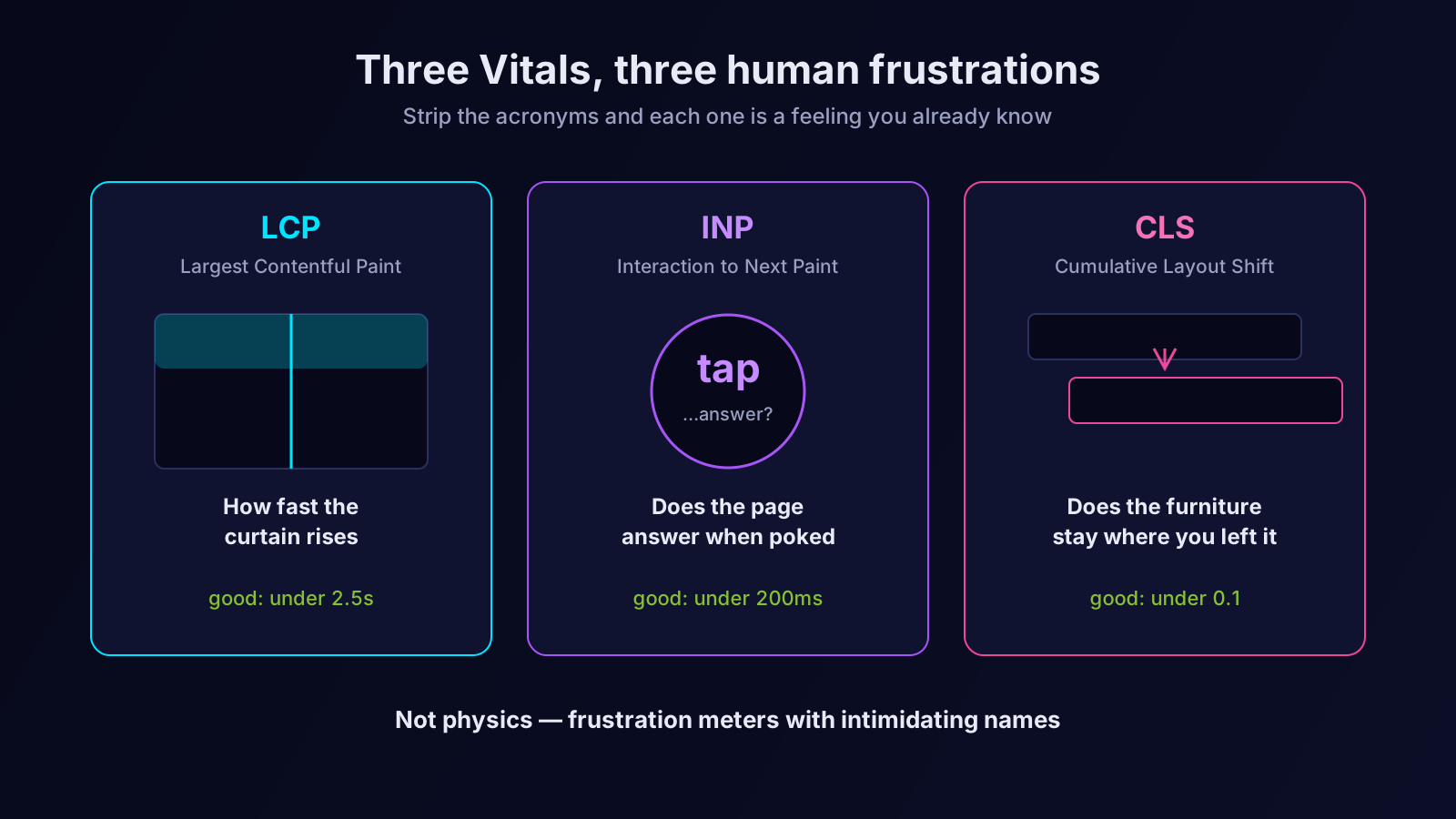
That is genuinely all this is. Google did not invent three abstract numbers for fun. They took the three most common ways a website makes a visitor quietly furious, and they built a measurement for each. If you keep that framing in mind — these are frustration meters, not physics — the rest of this is straightforward. Now let us meet the droids.
LCP: how long until the page looks done
LCP stands for Largest Contentful Paint, a phrase that sounds like a technique from an art-school critique. Ignore the words. What LCP measures is simple: how long does it take, after someone clicks your link, for the biggest visible thing on the page to finish loading? Usually that biggest thing is a hero image or a large block of headline text — the element that makes a visitor's brain register "ah, the page has arrived."
Think of it as the curtain-up moment in a theatre. The audience has bought tickets and sat down. LCP is the gap between the lights dimming and the curtain actually rising. A short gap and the audience settles in happily. A long gap and they start checking their phones, which on the internet means checking a competitor's website.
Google's rough verdict: under 2.5 seconds is good, 2.5 to 4 seconds is "needs improvement" (the polite phrasing of a disappointed parent), and over 4 seconds is poor. The usual culprits behind a bad LCP are heavy, uncompressed hero images, slow server response times, and render-blocking files the browser has to download before it can paint anything. The fixes are equally unglamorous: compress the image, speed up the server, stop blocking the render. LCP is not mysterious. It is just the curtain being slow.
INP: does the page respond when you poke it
INP stands for Interaction to Next Paint, and it replaced an older metric called FID in 2024, which is mostly relevant because it means half the blog posts you will find about this are now wrong. INP measures responsiveness: when a visitor interacts with your page — taps a button, opens a menu, ticks a checkbox — how long until the page visibly reacts?
The analogy here is a conversation. You ask someone a question. A good conversationalist answers right away. A bad one stares at you for three full seconds first, and in those three seconds you begin to wonder whether they heard you, whether you should ask again, and whether you would like to leave. A page with poor INP is that awkward conversational partner. The visitor clicks, nothing happens, they click again, now two things are queued, and the experience curdles.
Under 200 milliseconds is good, 200 to 500 is needs improvement, over 500 is poor. INP problems are almost always caused by heavy JavaScript hogging the browser's main thread — the browser is so busy running scripts that it cannot spare a moment to acknowledge the human poking at it. The fix involves doing less JavaScript work, or breaking the work into smaller pieces so the browser can come up for air between them. You do not need to know how to do that yourself. You need to know that "INP is bad" translates to "the page is too busy to notice the visitor," because that translation is what lets you have a useful conversation with whoever does the fixing.
CLS: does the page hold still
CLS stands for Cumulative Layout Shift, and it is the one everybody has experienced and nobody knew had a name. You are reading an article. You go to tap a link. At the exact instant your finger descends, an image finishes loading higher up the page, everything below it lurches downward, and you tap a banner ad instead. That lurch is a layout shift. CLS adds up all the lurches across a page visit into a single score of how much the page misbehaved.
The analogy: CLS is whether the furniture stays where you left it. Imagine sitting down on a chair that slides six inches to the left as you commit your weight to it. You would not trust that chair. You would not trust that room. A page with bad CLS is a room full of sliding furniture, and visitors learn very quickly not to trust it.
CLS is scored differently from the other two — it is a unitless ratio, not a time. Under 0.1 is good, 0.1 to 0.25 is needs improvement, over 0.25 is poor. The causes are wonderfully specific: images and ad slots without dimensions reserved in advance, web fonts that swap and resize text, and content injected at the top of the page after everything below it has already settled. The fixes are equally specific — reserve space for images and ads before they load, handle font loading so text does not jump, and stop shoving things into the layout late. Of the three Vitals, CLS is often the cheapest to fix, because the fixes are concrete checklist items rather than vague performance work.
Why Google bothered to make these a ranking factor
A fair question: why does a search engine care how twitchy your layout is? Because Google's entire business depends on sending people to pages they are glad they landed on. Every time Google delivers a result that loads slowly, ignores taps, and reshuffles itself like a nervous magician, the searcher's trust erodes — not in your website, but in Google for recommending it.
So Core Web Vitals are, from Google's side, self-interest dressed as helpfulness. They are a proxy for "will this page make the searcher regret clicking our result." That framing also tells you exactly how much weight to give them, which brings us to the necessary reality check.
How much do they actually matter for ranking
Here is the part the breathless blog posts skip. Core Web Vitals are a ranking factor, but a modest, tie-breaker-grade one. Google has been consistent and public about this: they are a real signal, and they are nowhere near as powerful as relevance, content quality, and links. A page with poor Vitals and genuinely the best answer to the query will still rank. A page with flawless Vitals and a thin, unhelpful answer will not.
The honest way to think about it: passing Core Web Vitals will rarely vault you up the rankings on its own, but failing them badly can quietly hold you back, especially when you are competing against pages that are otherwise your equal. They are the polish on a piece of furniture. Polish never rescues a badly built table, but on a well-built one it is the difference between "fine" and "I'll take it." (For the wider picture of where speed sits among ranking signals, our companion piece, site speed is a ranking factor — but not the way you think, is worth a read.)
The larger reason to care is not Google at all. It is conversion. A page that loads fast, responds instantly, and holds still converts better than one that does not — and it does so regardless of where it ranks. Even if Google scrapped Core Web Vitals tomorrow, the work would still pay for itself, because the metrics are measuring real friction between your visitor and the thing you want them to do.
Field data versus lab data — the distinction that trips everyone up
One more thing, because it causes endless confusion. When you check your Core Web Vitals you will encounter two flavours of measurement, and they often disagree, and that disagreement makes people think their tools are broken.
Lab data comes from a tool running a simulated page load on a standardised pretend device under controlled conditions — clean, repeatable, and useful for diagnosis. Field data comes from real visitors on real devices on real networks, collected quietly over the preceding month or so. It is messy, it includes the visitor on a decade-old phone in a basement with one bar of signal, and it is the data Google actually uses for ranking.
So when your lab tool reports a glowing LCP but your field data reports a mediocre one, both are correct. The lab measured an ideal load; the field measured your actual audience, ten-year-old phones and all. The rule is simple: diagnose with lab data because it is clean and repeatable, but judge yourself by field data because that is what reflects reality and what Google scores. Chasing a perfect lab number while your field data sulks is optimising the rehearsal instead of the performance.
What to actually do on Monday morning
You now understand Core Web Vitals better than most people who say the acronyms with confidence, so here is how to convert that into action without spiralling into a six-month performance project.
First, look at your field data — Google Search Console has a Core Web Vitals report that groups your URLs into good, needs improvement, and poor. This tells you whether you have a problem and roughly where. Second, if you do have a problem, run a diagnostic tool on a representative slow page to see which of the three Vitals is failing and why; the tool will hand you a specific list of causes. Third, translate that list into plain language and hand it to whoever maintains the site: "the hero image is too heavy" or "we need to reserve space for the ad slots." You are now the most useful person in that conversation, because you can connect the metric to the human frustration to the concrete fix.
And resist the urge to chase a perfect score. The goal is to move out of the "poor" bucket and comfortably into "good," not to obsess over the last few milliseconds. Diminishing returns set in fast, and your effort is almost always better spent on the content itself — which, ranking factors aside, is still the thing that wins.
Where an SEO AI agent fits
The genuinely tedious part of Core Web Vitals is not understanding them — you have just done that — it is the monitoring. Vitals drift. A new image gets uploaded, a tracking script gets added, a font gets swapped, and three weeks later your field data has quietly slipped from good to needs improvement and nobody noticed because nobody was looking. The metrics are not hard. Watching them, every page, continuously, forever, is the part humans abandon.
That is the watching-and-flagging work an SEO AI agent is built for. Orova keeps an eye on your site's technical health, including Core Web Vitals, surfaces the pages that have drifted into trouble, and translates the findings into plain-language fixes you can act on or hand off — so a regression becomes a notification you receive rather than a mystery you discover months later when rankings dip. You stay focused on content and strategy; the agent does the patient, repetitive monitoring that keeps the three droids in line. If you want to understand the bigger shift behind tools like this, our overview of what an SEO AI agent is covers it.
Core Web Vitals were never as complicated as their names made them sound. LCP: how fast the curtain rises. INP: whether the page answers when poked. CLS: whether the furniture stays put. Three frustration meters with intimidating acronyms. You can stop nodding nervously in meetings now — you actually know what they mean.
Let an AI Agent handle your SEO
Orova plans, writes, optimizes, and tracks rankings on its own — you just read the results.
Try it free