
Google Search Console: The 5 Reports You Should Live In
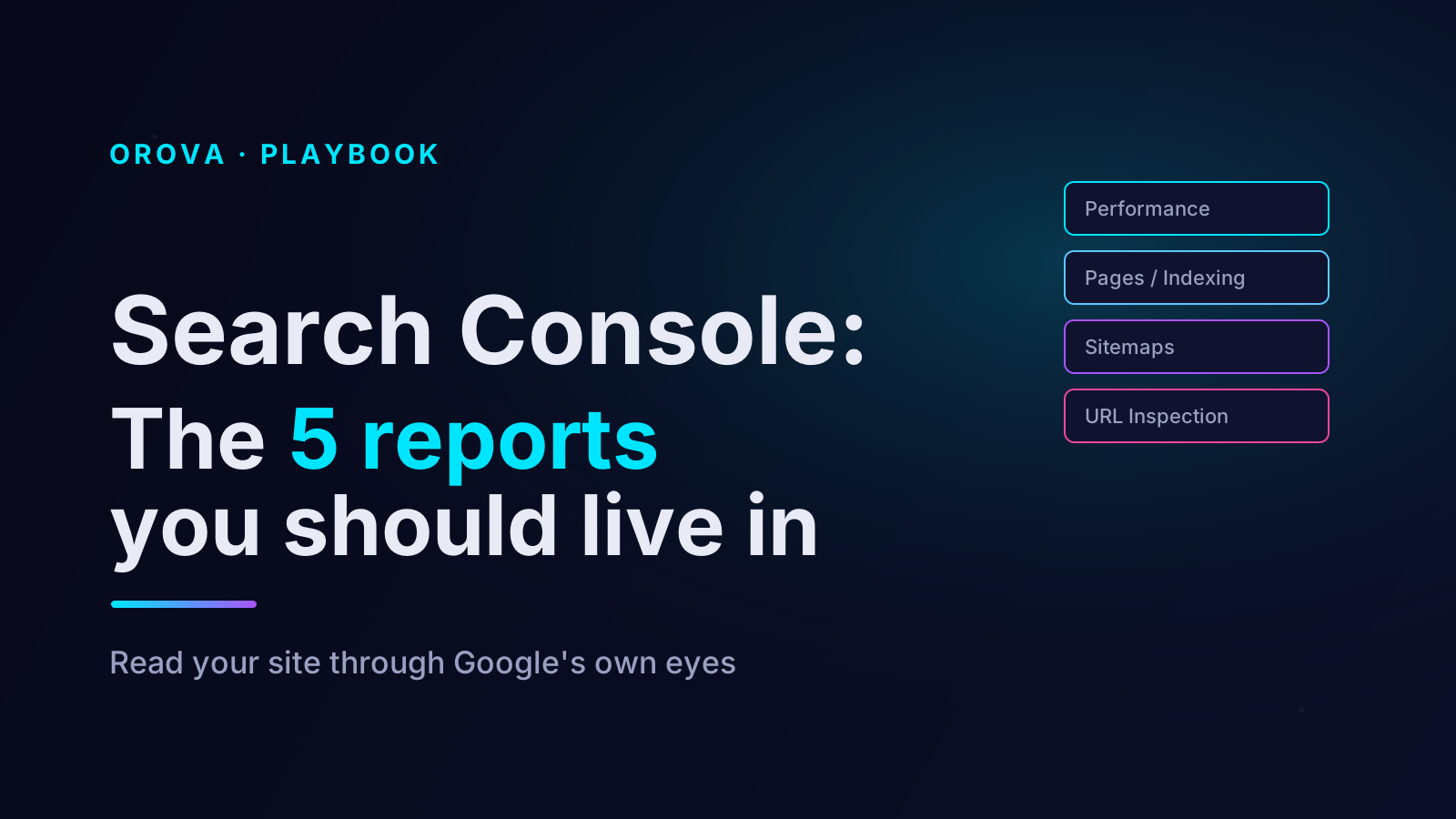
Google Search Console is the only tool that shows you your site through Google's own eyes — not an estimate, not a third-party crawl, but the actual record of how Google found, understood, and presented your pages in search results. It is free, it is authoritative, and it is almost universally underused. Most teams open it once a month, glance at a single number, and close the tab. That is a waste of the most direct feedback channel you will ever have with the search engine you depend on.
The problem is not that Search Console is hard. The problem is that it is wide. It has dozens of screens, and a newcomer cannot tell which ones repay daily attention and which ones matter only when something breaks. This article fixes that. It names the five reports an SEO should genuinely live in — what each one tells you, the specific questions to ask of it, and the mistakes that quietly mislead people who read it carelessly.
Why Search Console deserves your attention before any other tool
Before the five reports, it is worth being clear about why this tool sits above the rest. Every other SEO platform you pay for is, in one way or another, modelling Google. They crawl the web, they sample search results, they estimate volumes and difficulty, and they infer what Google is probably doing. Those estimates are useful, but they are estimates.
Search Console is not modelling anything. It is Google reporting on Google. When it tells you a page received a certain number of impressions for a certain query, that is not a guess — it is a measurement. When it tells you a page is excluded from the index, that is not an inference — it is a decision Google has already made and is now explaining to you. No paid tool can match that, because no paid tool has access to Google's own logs. This is why the discipline of living in a handful of Search Console reports beats the discipline of staring at a third-party dashboard. You are reading the source, not a translation of it.
Report one: the Performance report
If you only ever opened one Search Console screen, this would be it. The Performance report is the record of every query that showed your site in results, every page that appeared, and what happened next — impressions, clicks, average position, and click-through rate.
The reason to live here is that it answers the questions that actually matter. Which queries is Google already associating with your site? Which pages are pulling their weight and which are invisible? Where are you ranking just well enough to appear but not well enough to be clicked? That last pattern — high impressions, low clicks, an average position hovering around the bottom of page one or the top of page two — is the single most valuable signal in the whole tool. It marks pages Google already considers relevant enough to show, which means a focused improvement can move them into territory that earns real traffic. You are not starting from zero on those pages. You are finishing something Google already started.
The discipline with the Performance report is to resist reading the headline numbers in isolation. Total clicks going up is pleasant but tells you almost nothing about what to do next. The value is in the breakdowns: filter by page, filter by query, compare date ranges, and look for the specific movements. A query that gained position. A page that lost it. A new query appearing for the first time. Those specifics are decisions waiting to be made. The totals are just weather.
Report two: the Pages report (indexing)
The Performance report tells you what is happening with pages that appear in search. The Pages report — found under Indexing — tells you something more fundamental: which of your pages are in Google's index at all, and which are not.
This matters because a page that is not indexed cannot rank for anything. It does not matter how good the content is or how carefully you chose the keyword; if the page is not in the index, it is invisible. The Pages report splits your URLs into "indexed" and "not indexed," and for the not-indexed group it gives you the reason: excluded by a noindex tag, blocked by robots.txt, marked as a duplicate, crawled but not indexed, discovered but not yet crawled, and so on.
Each reason points to a different action. "Crawled — currently not indexed" often means Google saw the page and judged it not worth keeping — a quality signal worth taking seriously. "Discovered — currently not indexed" frequently points to crawl-capacity issues on large sites. "Duplicate without user-selected canonical" means Google found several near-identical pages and picked one itself. You do not need to panic over every exclusion — plenty of pages are excluded for perfectly correct reasons — but you do need to read the list, because buried in it are pages you intended to rank that Google has quietly declined to index. Those are real losses, and you would never see them in the Performance report, because a page that is not indexed simply never appears there.
Report three: the Sitemaps report
The Sitemaps report is small and unglamorous, which is exactly why people skip it — and skipping it is a mistake. A sitemap is the list of URLs you are formally asking Google to crawl. The Sitemaps report tells you whether Google has fetched that list successfully and how many of the URLs in it ended up indexed.
The value here is a simple comparison. You submitted a sitemap with a known number of URLs. The report tells you how many of those Google actually indexed. If you submitted a thousand URLs and the indexed count sits at four hundred, that gap is a problem you would otherwise not have noticed. It might be quality, it might be crawl budget, it might be a technical error producing pages Google refuses to keep — but the gap itself is the alarm. Without checking the Sitemaps report you are flying blind on the most basic question in SEO: are the pages I published actually in the search engine?
Report four: the Enhancements and Experience reports
Grouped here are the reports Search Console generates about specific qualities of your pages rather than their search performance — Core Web Vitals, mobile usability where shown, and the structured-data reports such as breadcrumbs, FAQ, product, and review markup.
These are not daily reports. You do not need to refresh Core Web Vitals every morning. But they earn a place on the list because they are the only reliable, Google-sourced verification that the technical and structured-data work you did actually registered. You added FAQ schema to a template — did Google parse it without errors, or is it silently failing on a syntax mistake? You shipped a performance fix — did Core Web Vitals move from "needs improvement" toward "good," or did nothing change? The Enhancements reports answer those questions with Google's own validation rather than your assumption. The right cadence is to check them after you ship something relevant, and to check them when the Performance report shows a movement you cannot otherwise explain.
Report five: the URL Inspection tool
The first four reports describe your site in aggregate. The URL Inspection tool does the opposite: it tells you everything Google knows about one specific page. Paste a URL and you learn whether it is indexed, when it was last crawled, which canonical Google chose, whether it is mobile-friendly, whether the structured data was detected, and — through the live test — what Google sees when it fetches the page right now.
This is the report you reach for when you have a specific question rather than a general overview. A page you expected to rank is nowhere — inspect it, and find it is not indexed. A page behaves strangely — inspect it, and discover Google chose a different canonical than you intended. You shipped an important update and want it recognised quickly — inspect the URL and request indexing. The URL Inspection tool is also the fastest way to settle an argument: instead of speculating about why a page is not performing, you ask Google directly, and Google tells you.
How to actually use the five together
The five reports are not five separate habits. They form one workflow, and the workflow has a rhythm.
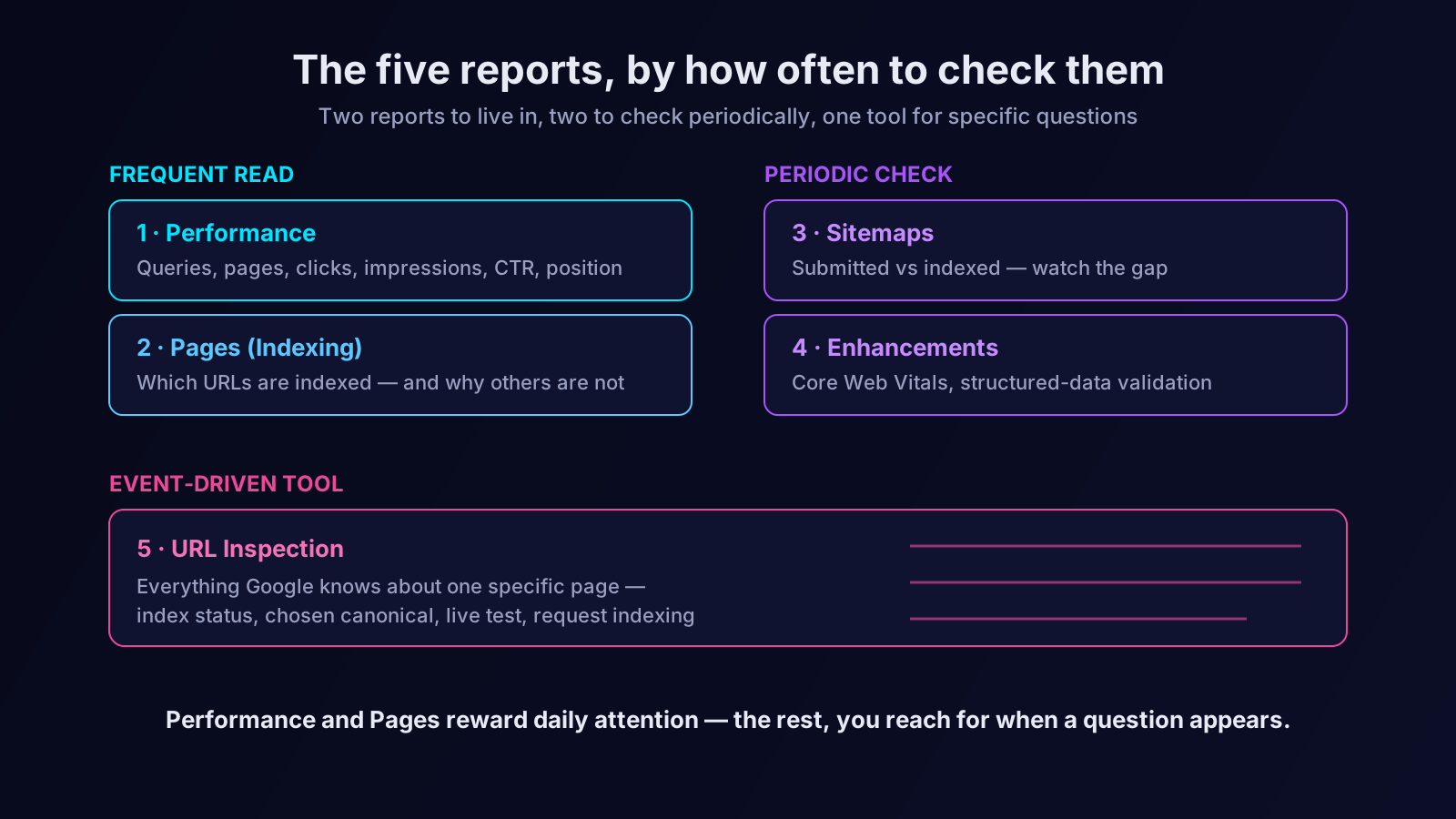
The Performance report is your regular read — weekly for most sites, more often if you publish frequently or have just shipped something. You are scanning for movement: pages climbing, pages slipping, queries appearing, the high-impression-low-click pages that mark your best near-term opportunities. This connects naturally to the practical content workflow described in our guide on turning keywords into a content plan — the Performance report is where that plan meets reality.
The Pages and Sitemaps reports are your periodic health check — monthly is enough for a stable site. You are confirming that what you published is indexed and watching the index-versus-submitted gap for any sudden widening.
The Enhancements reports and the URL Inspection tool are event-driven. You open them when something prompts you: a deployment, an unexplained movement in Performance, a page that should be ranking and is not. They are tools, not dashboards.
Run that rhythm and Search Console stops being a tab you forget about and becomes the spine of your SEO practice — the place where you notice problems while they are still small and spot opportunities while they are still cheap.
The mistakes that make Search Console mislead you
Search Console is honest, but it can still mislead a careless reader, and three mistakes are worth naming.
The first is reading position as a single number. The "average position" in the Performance report is exactly that — an average across many queries, many pages, many locations, and many days. A site-wide average position is nearly meaningless; a query-specific, page-specific position over a defined date range is a real measurement. Always drill down before you trust a position figure.
The second is forgetting the data is sampled and delayed. Search Console does not show today's data, and for very low-volume queries it may not show data at all to protect user privacy. If a page had three impressions, it may simply not appear. Absence in Search Console is not always proof that nothing happened — it can mean the volume was below the reporting threshold.
The third is treating every index exclusion as an emergency. The Pages report will always list excluded URLs, and for most sites that is entirely correct — tag pages, filtered URLs, paginated archives, and intentional noindex pages all belong in the excluded group. The skill is not eliminating exclusions. It is reading the list well enough to separate the pages excluded on purpose from the pages excluded by accident. Only the second group is a problem.
From reading reports to acting on them
Knowing which five reports matter is the first half of the discipline. The harder half is the one that defeats most teams: actually reading them on a rhythm, joining the signals across reports, and converting what you see into action before the opportunity cools. A high-impression-low-click page in the Performance report is worthless unless someone notices it, decides it is worth improving, and does the work. An index exclusion is harmless until you read the reason and fix the cause.
That ongoing, cross-report attention is exactly where an SEO AI agent earns its place. Orova monitors your Search Console data continuously rather than once a month — flagging the pages that slipped, the queries that newly appeared, the index gap that widened, the structured-data error that crept in after a deploy — and translating those signals into a prioritised list of things to actually do. The five reports in this article are the right things to watch. An agent simply makes sure they are watched every day, and that what they reveal turns into action instead of a screenshot nobody opens. For more on how that changes the work, see our explainer on what an SEO AI agent is.
Search Console is the most honest tool you own. Learn the five reports that repay attention, build a rhythm around them, and you will spend far less time guessing about your SEO — and far more time fixing things you can actually see.
Let an AI Agent handle your SEO
Orova plans, writes, optimizes, and tracks rankings on its own — you just read the results.
Try it free