
Your First Week With an AI Ads Agent: A Practical Setup Guide
The single biggest mistake teams make when they bring in an AI ads agent is the same one they make when they hire a new media buyer: they hand over the keys on day one. They connect every account, flip every campaign to "auto," and then spend the next three weeks anxiously refreshing dashboards waiting for something to break. It usually does. Not because the agent is bad at its job, but because trust was never built — it was assumed.
The first week with an AI ads agent is not about results. It is about calibration. You are teaching the system the shape of your account, and the system is teaching you what it can and cannot be trusted to do alone. By the end of seven days, a well-run onboarding leaves you with connected accounts, a clear set of guardrails, a handful of approved low-risk changes that actually moved a number, and — critically — a documented sense of where the agent's judgment matches yours and where it doesn't. That last part is what lets you sleep at night when you eventually let it run on its own.
This is a practical, day-by-day guide based on how onboarding actually goes when it goes well. The structure is simple: connect, observe, set limits, approve small things, then automate. Resist the urge to compress it. A week feels slow when you are impatient for the agent to "do something," but the teams that rush this stage are the same ones who rip the agent out in month two because "it spent the budget weird once." The slow week is the cheap insurance.
Before day one: what you actually need ready
You can save yourself a full day of friction by sorting out access before you start the clock. AI ads agents connect through the official advertising APIs — Google Ads API, the Meta Marketing API, and the TikTok Business API — which means the agent inherits whatever permissions the connecting user has. If you connect with a personal account that only has read access to one of three ad accounts, the agent will only be able to see and touch that one account, and you will spend day one confused about why two-thirds of your spend is invisible.
Get these things in order first:
- Admin or full-management access to each ad account you want the agent to work on. On Google that means the account, not just a view. On Meta, an admin role in Business Manager on the relevant ad accounts. On TikTok, an account that can both read reporting and edit campaigns.
- A clear list of which accounts are in scope. Most teams have a graveyard of old test accounts and a couple of accounts that belong to a client or another brand. Decide explicitly what the agent should and should not see. Connecting an account is the moment you grant data consent, so be deliberate about it.
- Two or three concrete questions you want answered in week one. "Which campaigns are wasting money?" "Are my TikTok bids set sensibly?" "Where am I leaving conversions on the table on Google?" Vague onboarding produces vague output. Specific questions give you something to grade the agent against.
- Agreement on who approves. If three people need to sign off on a budget change today, that bottleneck does not disappear because an AI proposed the change. Decide who holds the approval button before the first recommendation lands.
If you have not already worked through the underlying question of whether you are comfortable with software touching your spend at all, read our deeper discussion on whether you should let AI spend your budget before you start — it frames the trust question this whole week is designed to answer.
Day 1: connect the accounts and let it read
Day one is connection day, and almost nothing else. The temptation is to immediately start asking the agent to optimize things. Don't. The agent has never seen your account. It needs a full read pass — ideally over at least the last 30 to 90 days of history — before any recommendation it makes is worth the pixels it's printed on.
Connecting Google, Meta, and TikTok
Each platform has its own OAuth flow, and each will show you a consent screen listing the scopes the agent requests. Read them. A reputable agent asks for the minimum it needs: reporting access to pull performance, and management access to make changes once you authorize them. You are looking for two things on that screen — that the scopes match what the product claims, and that you are connecting the right account, not your personal one by accident. The number of "the agent can't see my data" support tickets that trace back to someone connecting the wrong Google login is genuinely remarkable.
Connect all three platforms even if you only plan to use the agent on one at first. There is real value in cross-channel context — knowing that a product is cheap to acquire on TikTok but expensive on Google changes how you read a Google CPA in isolation. But if you only run on Meta today, connecting only Meta is perfectly fine. Scope it to your reality.
What "observing" looks like
Once connected, the agent begins its first read. Depending on account size this can take anywhere from a few minutes to a couple of hours, because pulling 90 days of campaign, ad set, and keyword-level data across three platforms is a lot of API calls, and the platforms rate-limit those calls deliberately. Be patient. A good agent will tell you it is still ingesting rather than serving you half-baked conclusions from partial data.
By end of day one you should expect: every in-scope account showing up, spend totals that match what you see in the native platform dashboards (always sanity-check this — if the agent's reported spend is off from Meta Ads Manager, stop and find out why before trusting anything else), and a first high-level summary of where your money is going. You are not approving anything today. You are confirming the agent sees what you see.
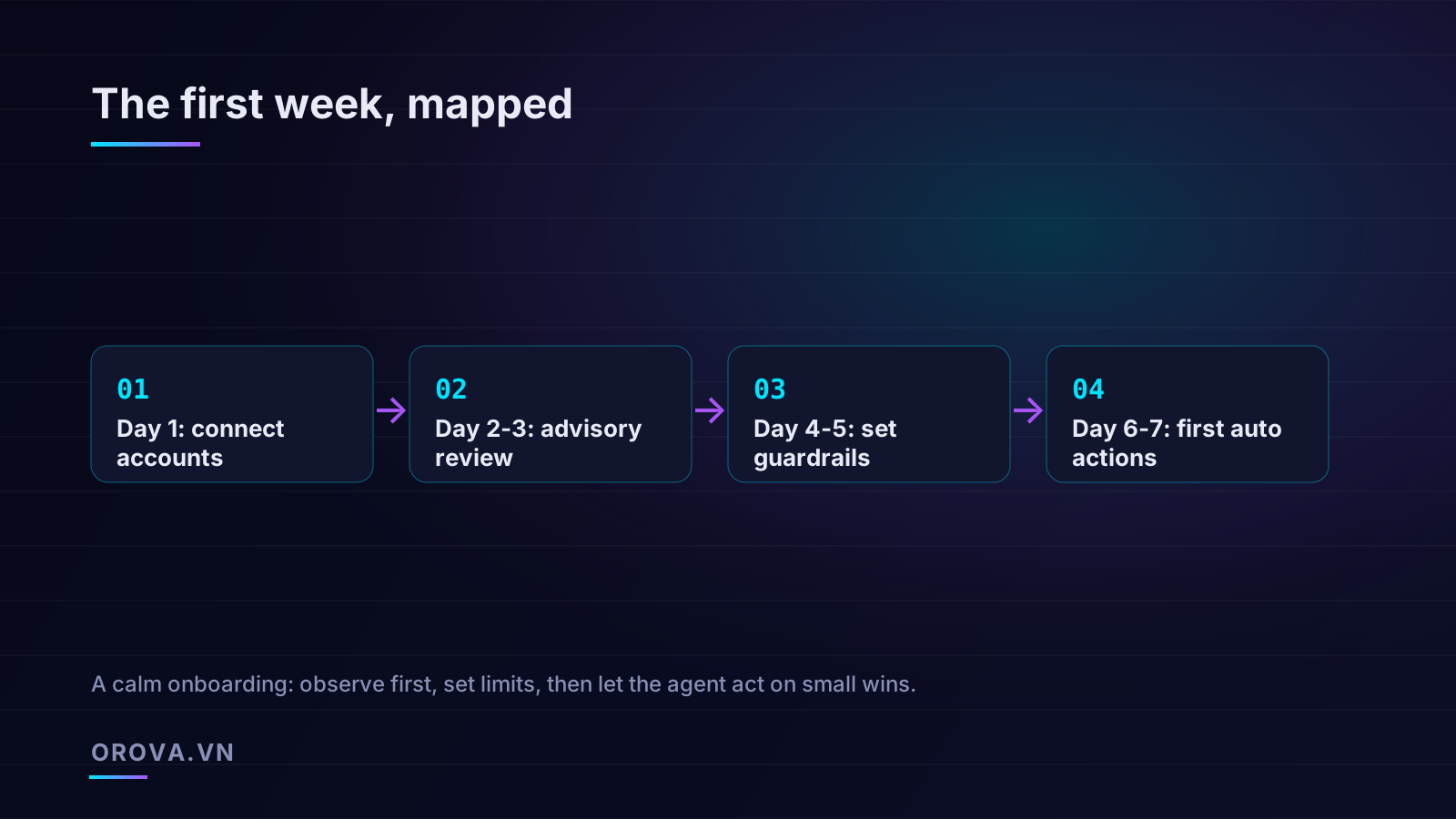
Days 2-3: advisory mode and the first recommendations
Now the agent has read your account, and this is where it earns or loses your respect. Keep it strictly in advisory mode — it recommends, you decide, nothing executes automatically. These two days are a structured interview. You are evaluating the quality of its judgment before you let it act on that judgment.
Reading the first batch critically
The first recommendations usually cluster into a few categories: budget reallocation ("move spend from this underperforming campaign to this efficient one"), bid adjustments, pausing obvious losers, audience or keyword suggestions, and creative or ad-level callouts. For each one, ask three questions:
- Is the reasoning sound? A good recommendation comes with its evidence. "Pause this ad set: it has spent 1.4M VND over 14 days with zero conversions while the campaign average CPA is 95K" is a defensible call. "Pause this ad set" with no number behind it is a coin flip dressed up as advice. If the agent cannot show its work, treat the recommendation as a prompt to investigate, not a directive to follow.
- Does it account for context the data can't see? The agent does not know you launched that "underperforming" campaign three days ago specifically to seed a retargeting pool, or that the "wasteful" branded campaign exists for defensive reasons your CMO cares about. This is exactly why advisory mode matters in week one: it surfaces the gaps between what the data says and what you know.
- Would I have caught this myself? If the agent flags something obvious, fine. If it surfaces a genuine inefficiency you had missed — a dayparting pattern, a placement bleeding money, an audience overlap — that is the moment the tool starts paying for itself. Note these. They are evidence for widening autonomy later.
Grading, not just reading
Keep a simple tally over these two days: of the recommendations the agent made, how many were correct, how many were defensible-but-context-blind, and how many were flat wrong? A useful agent in a normal account tends to land most of its calls solidly, get a handful right that you would have missed, and propose a few that you reject for reasons it couldn't have known. If almost everything is wrong, you have either a data problem (re-check that spend reconciliation from day one) or a tool that isn't ready for your account. Either way, you've learned it in advisory mode for the price of reading some suggestions, not for the price of a blown budget.
Days 4-5: guardrails and spend caps
You now know roughly how good the agent's judgment is. Days four and five are about defining the box it gets to operate in. Guardrails are not a sign of distrust — they are what makes delegation possible at all. You give a new media buyer a budget and a brief, not unlimited authority. Same logic.
The guardrails that actually matter
Good guardrails are specific, numeric, and enforced by the system rather than by your vigilance. The set worth configuring in week one:
- Daily and total spend caps per account and ideally per campaign. This is the single most important guardrail. It is the answer to the 3 a.m. fear of "what if it spends everything." If the agent physically cannot push a campaign above your stated ceiling, that fear evaporates.
- Maximum change size per action. A rule like "no single budget change greater than 20% in one step" prevents the agent from doubling a campaign's spend overnight even if its model thinks that's optimal. Big moves get broken into reviewable increments.
- Maximum changes per day. Capping the agent to, say, ten actions a day stops it from thrashing your account with constant micro-adjustments that confuse the platforms' own learning phases and make results impossible to attribute.
- Protected campaigns. Mark anything the agent must never touch — your defensive brand campaign, a campaign tied to a specific promotion, a client account with strict rules. Off-limits means off-limits.
- CPA / ROAS floors. Tell the agent the efficiency lines it must respect. "Don't scale a campaign whose CPA is above 120K" turns a vague goal into an enforceable rule.
Why caps beat constant supervision
The whole point of caps is that they let you stop watching. Supervision is expensive and it doesn't scale — you cannot personally review every micro-decision across three platforms and dozens of campaigns, which is the entire reason you brought in an agent. A well-set spend cap does the watching for you, mechanically, 24 hours a day. It is the difference between trusting a person because you're staring over their shoulder and trusting a process because the process has limits built in. Spend an hour getting these right and you buy yourself months of calm.
Days 6-7: the first approved actions
By the back half of the week you have judged the agent's recommendations and fenced in its authority. Now you let it do something — small, low-risk, and fully logged. This is the human-in-the-loop stage, and it is where the abstract trust you've been building becomes concrete.
Choosing the right first actions
Pick recommendations that are easy to reverse and hard to regret. Good first approvals:
- Pausing a clear, sustained loser. An ad that's spent real money over two weeks with zero conversions. The downside of pausing it is essentially nil, and you can un-pause in one click if you're wrong.
- A modest budget shift between two existing campaigns — within your per-action change cap — from a weak performer to a strong one.
- A small bid adjustment on a campaign that's leaving volume on the table at a CPA well under your floor.
Avoid letting the first approved actions be anything dramatic: launching new campaigns, large budget swings, or wholesale audience overhauls. Those can wait. Week one is about accumulating small, verified wins, not swinging for a home run.
The approval flow and the audit log
When you approve an action, two things should happen. The change should execute through the platform API exactly as described — and you should verify, in the native platform, that it did. If the agent says it shifted a budget from 50K to 60K, open Ads Manager and confirm the budget reads 60K. This reconciliation habit, built in week one, is what keeps you honest about whether the agent does what it says.
Second, the action should land in an audit log: what changed, when, why, who approved it, and what it was before. The audit trail is not bureaucratic overhead. It is the thing that makes an autonomous agent governable. When someone asks in a month "why did our Google budget jump on the 14th," you want a one-line answer with the reasoning attached, not a shrug. A reversible action plus a complete log is the foundation everything else in this article rests on.
Watching the small wins
Over the final day or two of the week, watch what your first approved changes did. Did pausing that ad actually leave the campaign's overall conversions intact while cutting waste? Did the budget shift improve blended efficiency? These small results are your real onboarding metric. Not "did the agent do something impressive," but "did the things I let it do make my account a little better, predictably, with no surprises." That predictability is worth more than any single big win.
Assigning assistants and setting a run schedule
As the first week closes, you can start shaping how the agent operates ongoing. Two settings matter most.
Per-campaign or per-account assistants
Rather than one monolithic agent making decisions across everything, most mature setups assign the agent to specific campaigns or accounts with tailored goals. Your prospecting campaigns might be optimized for volume within a CPA cap; your retargeting for efficiency; your brand campaign left in advisory-only or protected entirely. Assigning focused mandates means the agent optimizes toward the right objective in each context instead of applying one blunt rule everywhere. It also keeps the audit trail readable, because each change is tied to a clear goal.
The run schedule
Decide how often the agent works. A common rhythm is a daily run — the agent reads fresh data each morning, generates recommendations or executes within-guardrail actions, and reports. Daily is usually the right cadence: frequent enough to catch problems quickly, infrequent enough to respect the platforms' learning phases and avoid the thrashing that constant tinkering causes. You can run more aggressively during a big launch and dial it back during steady-state periods. The point is that the schedule is deliberate, not a default you never looked at.
Graduating to auto-execute
Here is the part people get backwards. Auto-execute is not a switch you flip at the end of week one. It is a privilege you extend gradually, category by category, as the agent earns it.
The sane path looks like this. Start with the lowest-risk action types on auto — pausing sustained zero-conversion ads, for instance, within your caps. Leave everything else in advisory. Watch the auto-executed actions for a couple of weeks. If every one of them was a call you would have made yourself, widen the circle: let budget reallocations within your change cap auto-execute too. Watch again. Then bid adjustments. Each promotion follows the same rule — the agent gets autonomy over a category only after it has a track record of being right in that category, with the audit log as the evidence.
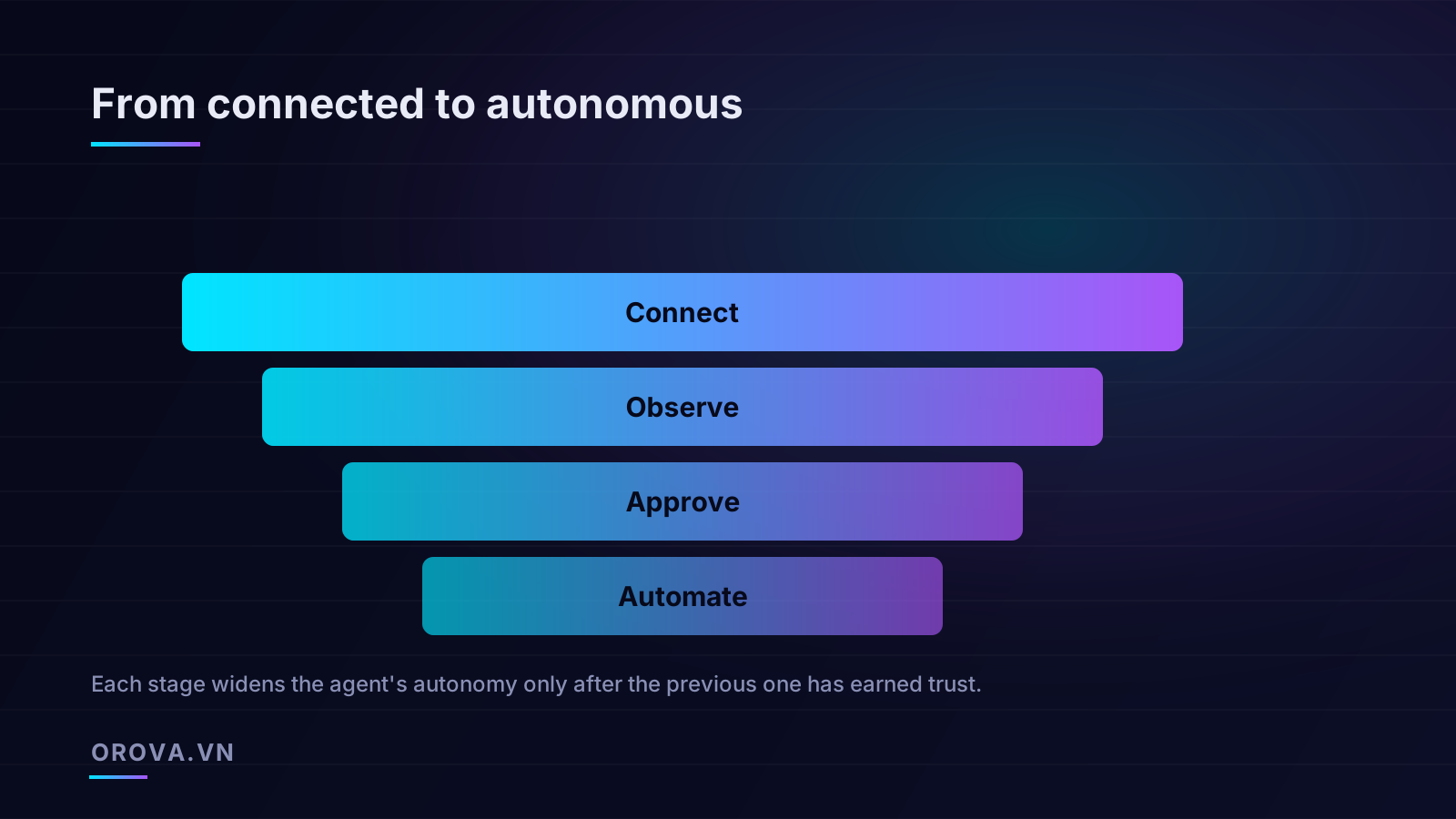
This staged approach maps cleanly onto the trust funnel that runs through this whole week: connect, observe, approve, automate. You never skip a stage. The agent that is fully autonomous on your budget management in month three is the same agent that was making advisory-only suggestions in week one — the only thing that changed is the accumulated evidence that it deserves the autonomy. Some teams keep certain action types in human-approval mode forever, and that is a perfectly legitimate choice. Human-in-the-loop is not training wheels you're supposed to outgrow; it's a control you keep wherever the stakes justify it.
Signs you're ready to widen autonomy
- The agent's auto-executed actions over the last two to four weeks have all been ones you'd endorse on review.
- Your spend caps have never been the thing that stopped a bad action — meaning the agent's own judgment is staying inside the lines on its own.
- The audit log reads like a competent buyer's work log, with sound reasoning behind each move.
- You've stopped reconciling every single change against the native platform because the agent has been accurate every time you checked.
Signs you should slow down
- You keep rejecting a particular category of recommendation — the agent hasn't earned that category yet.
- Reported changes don't match what you see in the platform. Stop and fix this before anything else; accurate execution is non-negotiable.
- The agent proposes actions it can't justify with evidence. Keep it advisory until the reasoning sharpens up.
A realistic picture of week one
It's worth being honest about what this week is and isn't. It is not the week your account transforms. Your CPA will not halve by Friday. What you should have at the end of seven days is far more valuable than a quick win: connected accounts whose data you trust, a set of guardrails that let you stop hovering, a handful of small approved changes that nudged your numbers the right way, and a clear, evidence-based read on where the agent's judgment is reliable and where it still needs your eyes.
That foundation is what makes the following months pay off. The teams that get durable value from an AI ads agent are not the ones who automated fastest — they're the ones who built trust deliberately, kept good guardrails, and read the audit log. The slow first week is the reason the fast months that follow don't blow up in your face. Treat the agent like a promising new hire: give it scope, watch its early work closely, expand its remit as it proves itself, and keep the records that let you explain every decision later. Do that, and by the time it's running large parts of your account autonomously, you'll know exactly why you trust it.
If you're ready to run this playbook for real, Orova Ads is built for exactly this kind of careful onboarding: it's an AI agent that manages your paid campaigns across Google, Meta, and TikTok — reading your data daily, recommending optimizations, and executing changes to budgets, bids, on/off states, and audiences with human-in-the-loop approval and a full audit log at every step. Connect your accounts, start in advisory mode, set your guardrails, and let it earn your trust one small win at a time.
Let an AI Agent handle your SEO
Orova plans, writes, optimizes, and tracks rankings on its own — you just read the results.
Try it free