
Content Audit: Refresh, Prune, Grow Traffic Without New Posts
A content audit is a systematic review of everything already published on your site, page by page, to decide what to update, what to delete and what to leave alone. You pull the performance data, sort each URL into one of those three piles, and work the list. It is maintenance, not creation — and on most sites it grows traffic faster and cheaper than writing anything new.
Most teams never run one. They keep publishing, the archive keeps growing, and nobody goes back to check whether the articles that used to bring traffic still do. They usually do not. Rankings slip quietly, thin old posts accumulate, and the site gets heavier without getting stronger.
This guide walks a content audit end to end: why old articles slip, the three decisions every URL gets (Refresh, Prune, or Keep), how to find what needs tending using Google Search Console, and the standard a refreshed article has to pass before you republish it.
The garden nobody tends
Picture a garden. The first year you plant it, and it blooms and fruits beautifully. But if you then leave it alone — no pruning dead branches, no pulling weeds, no feeding — a few years later it's ragged: good plants choked by weeds, less fruit, a few dead plants still standing and sapping nutrients. Not because the plants were bad, but because nobody tended them. A good gardener knows: tending the old garden usually fruits faster and cheaper than planting new.
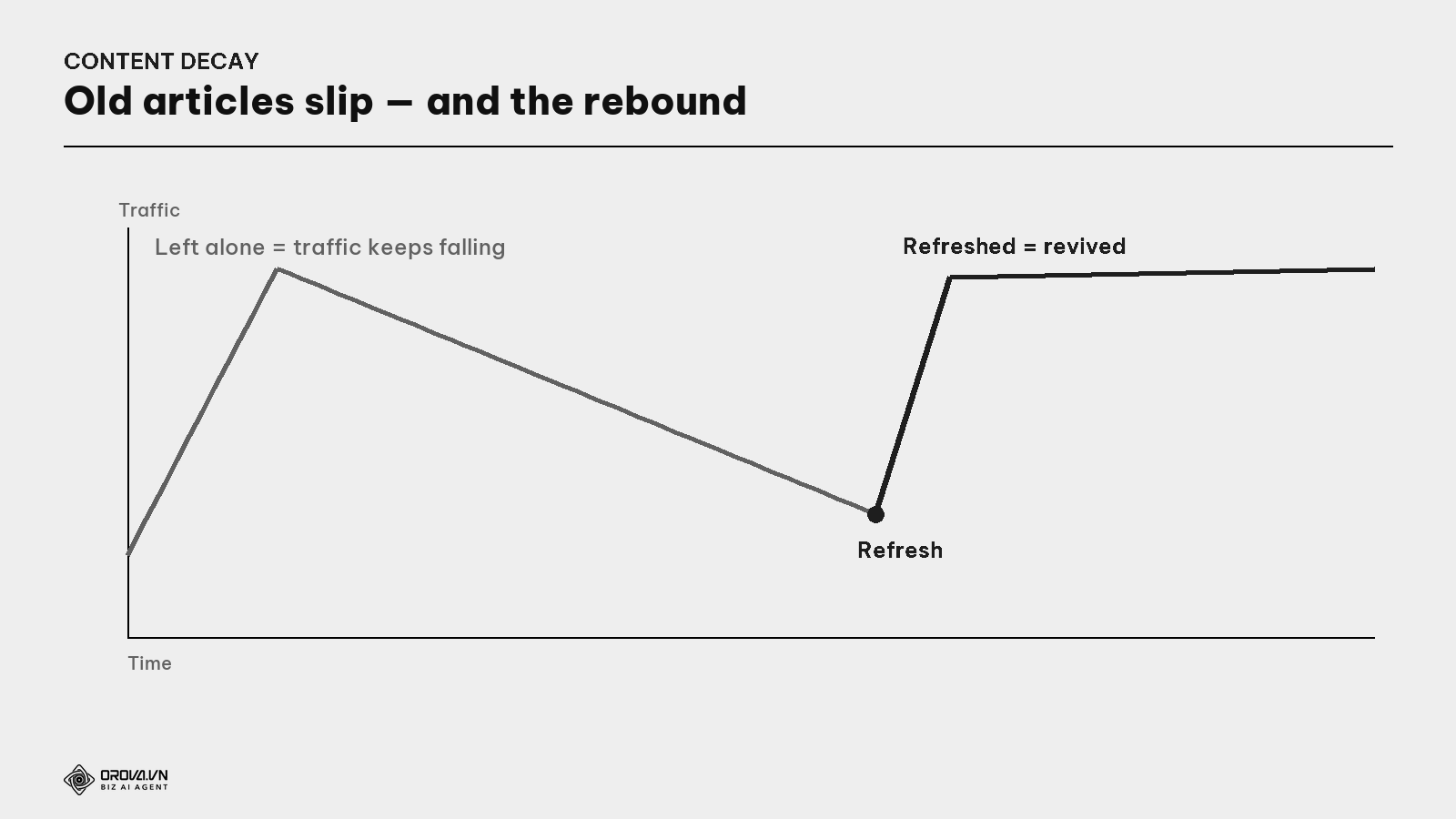
Website content is the same. An article that once ranked and brought steady traffic quietly slips over time. You did nothing wrong — yet traffic keeps falling. Meanwhile, old low-quality posts (weeds) pile up and drag the whole site down. This is called content decay. And great news: tending the old garden — updating slipping articles, clearing junk — can grow traffic without writing any new articles.
This guide covers those gardening jobs: Refresh, Prune, and Keep (monitor) — when to use which, how to use Google Search Console to find what needs tending, and why this is one of the cheapest, fastest moves in SEO.
What is content decay? An article losing rankings and traffic over time, even though it once ranked. Not a penalty — it's been passed by newer competitors, gone stale, or Google found something fresher/better. Decay is normal and inevitable for all content; left alone, traffic just keeps dropping.
Why old articles slip
Understand the cause to fix it. An article usually slips because:
- A better new competitor. Someone wrote a deeper, fresher piece for the same keyword and overtook you (see the Keyword Gap guide).
- Stale information. Old data, old examples, mentions of dead tools. Google favors fresh content for many queries.
- Shifted search intent. What people want for that keyword has changed since you wrote it (see the Search Intent guide).
- A Google algorithm update. A Core Update can re-evaluate and rank you differently.
Three gardening jobs: Refresh, Prune, and Keep
For each old article you have three choices. Knowing which is an art.
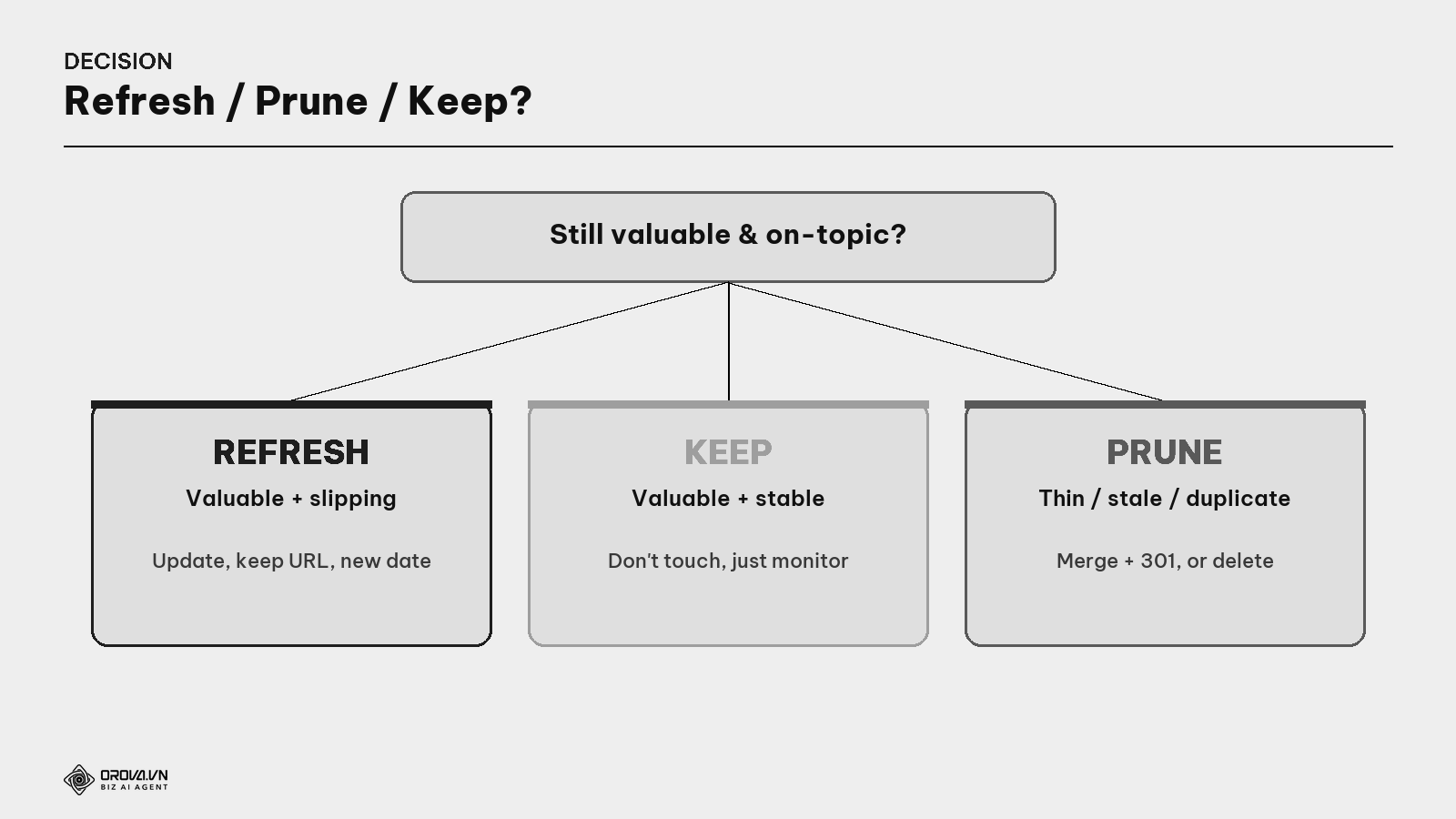
Refresh — for articles still valuable but slipping.
What is a refresh? Updating an existing article instead of writing a new one: add new info/data, fill missing sections, fix stale parts, improve the title/headings, update the date. The article keeps its URL, so it inherits all the authority it's built — which is why it climbs back fast.
Prune — for low-quality, unread articles dragging the site down.
What is content pruning? "Prune" means to trim branches. It's clearing out junk articles (thin, stale, duplicate, no traffic) — by deleting, merging into a better article, or redirecting. Counterintuitive, but removing junk often lifts the whole site — because Google judges whole-site quality, so fewer "weeds" lets the "good plants" shine (related: Helpful Content in the AI Content guide).
Keep + monitor — for articles stable at the top. Don't fix what's working; just watch to catch when it starts slipping.
How to distinguish and handle each
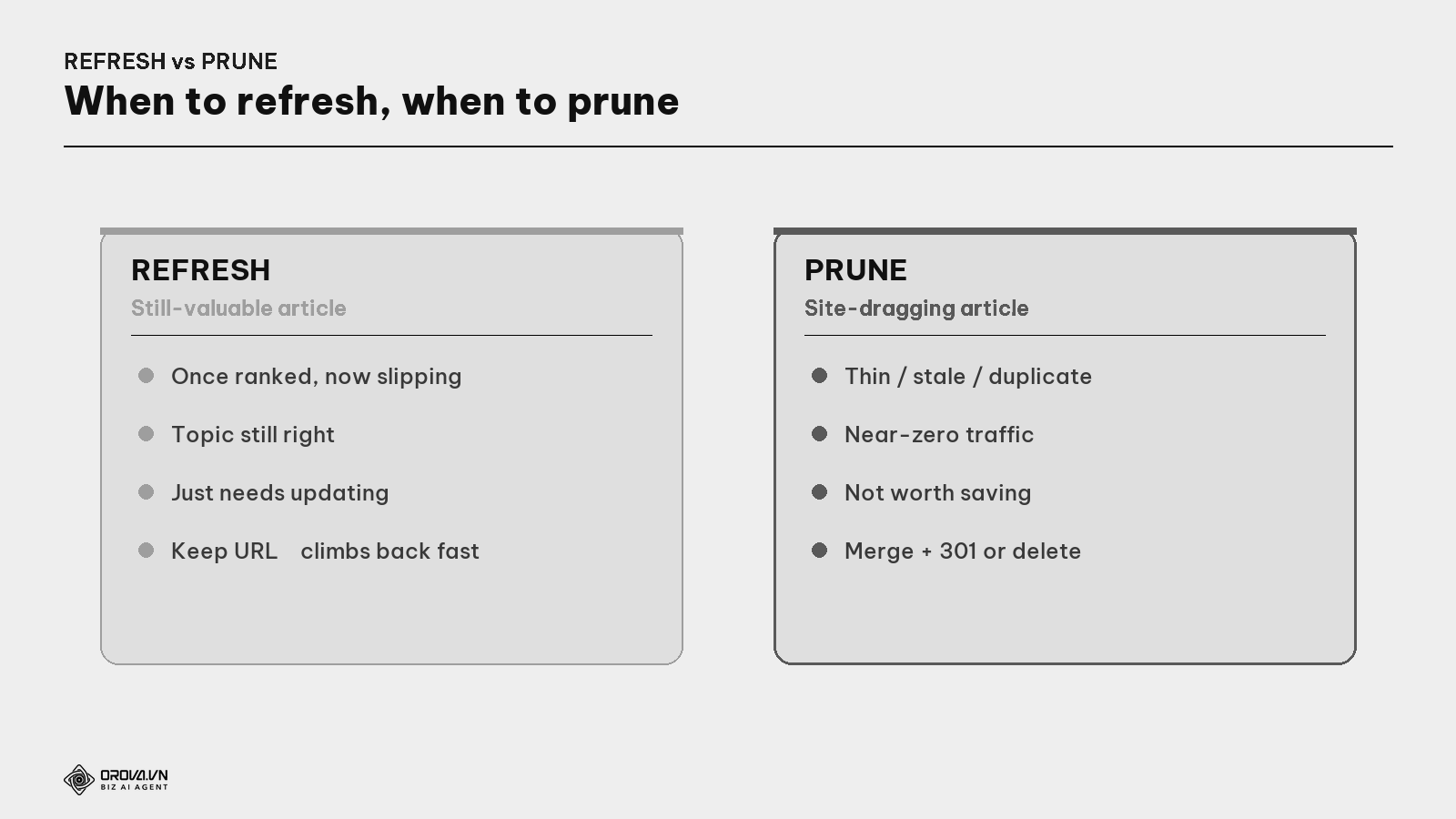
When to Refresh: an article that once had ranking/traffic but is slipping, topic still valuable. How: update the content (add new sections, fix stale parts, go deeper than the current top), keep the URL, change the updated date, request re-indexing in Search Console.
When to Prune: an article with near-zero traffic, thin/stale/duplicate, not worth saving. Three ways to prune:
- Merge into a better article + a 301 (keep the residual authority).
- 301 redirect to a related article (if not merging content).
- Delete outright (only for truly worthless, zero-traffic articles).
What is a 301 redirect? A command saying "this page permanently moved to that one" — it transfers the old page's authority to the new one, and visitors of the old link auto-arrive at the new. Use it when merging/pruning to keep strength and avoid 404 errors.
The content audit process: find what needs tending with Google Search Console
You don't have to guess which articles are slipping — Google Search Console (GSC) points right at them.
What is Google Search Console? A free Google tool for site owners, showing which keywords each article ranks for, at what position, with how many impressions/clicks — and the trend over time. It's where decay shows up.
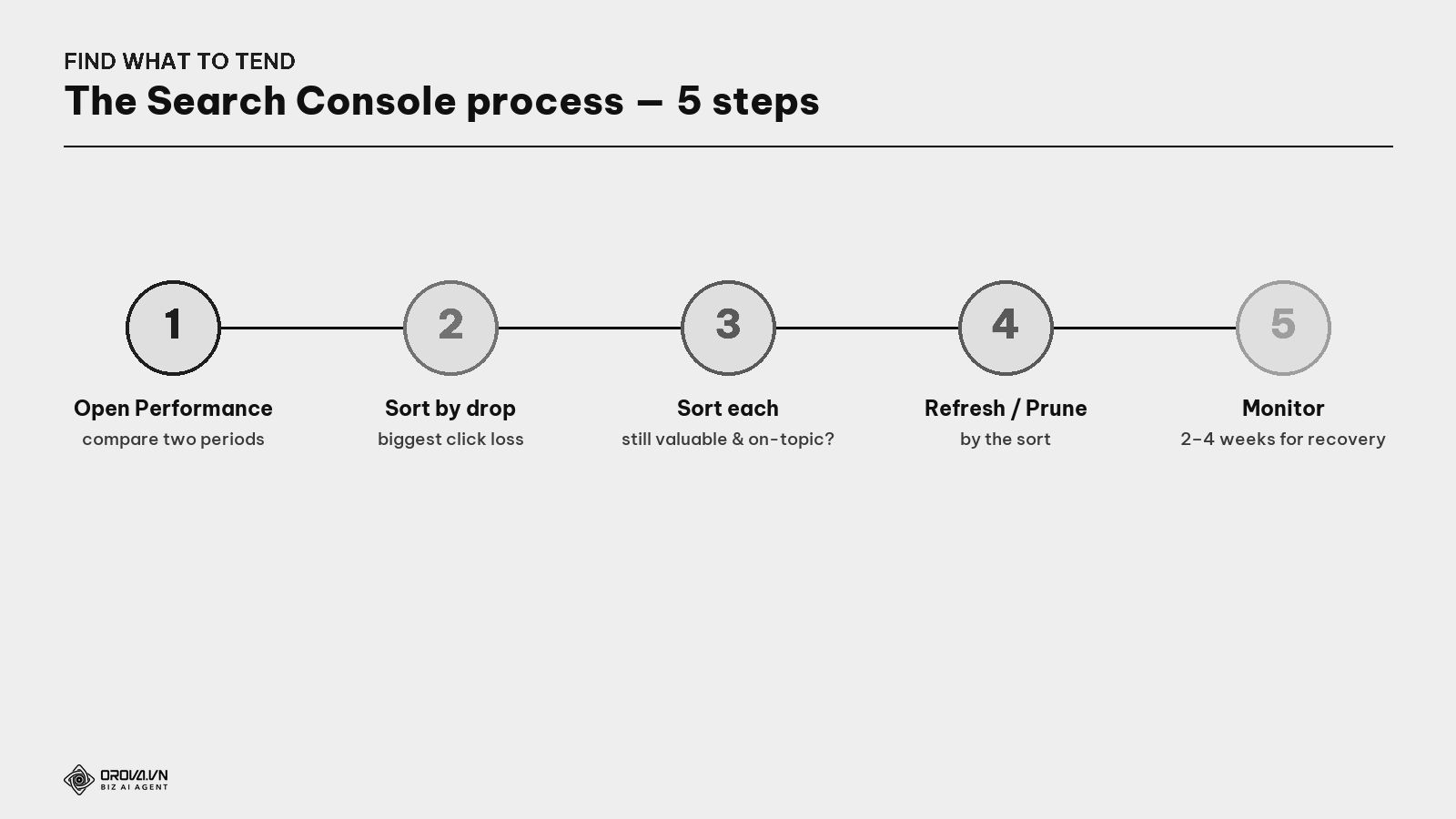
- Open the Performance report, compare two periods (e.g., this 3 months vs the prior 3).
- Sort by "biggest drop in clicks" — those are your decaying articles.
- Sort each slipping article: still valuable & on-topic? Yes → Refresh. No → Prune.
- Execute by the sort.
- Monitor for 2–4 weeks to see whether rankings/traffic recover, and adjust.
Grow traffic without new articles: "historical optimization"
This is what makes refresh/prune a powerful lever.
What is historical optimization? A strategy of improving existing articles (rather than just writing new ones) to grow traffic — the approach HubSpot famously used. Because old articles already have authority & indexing, upgrading them usually delivers results faster than writing new ones from scratch.
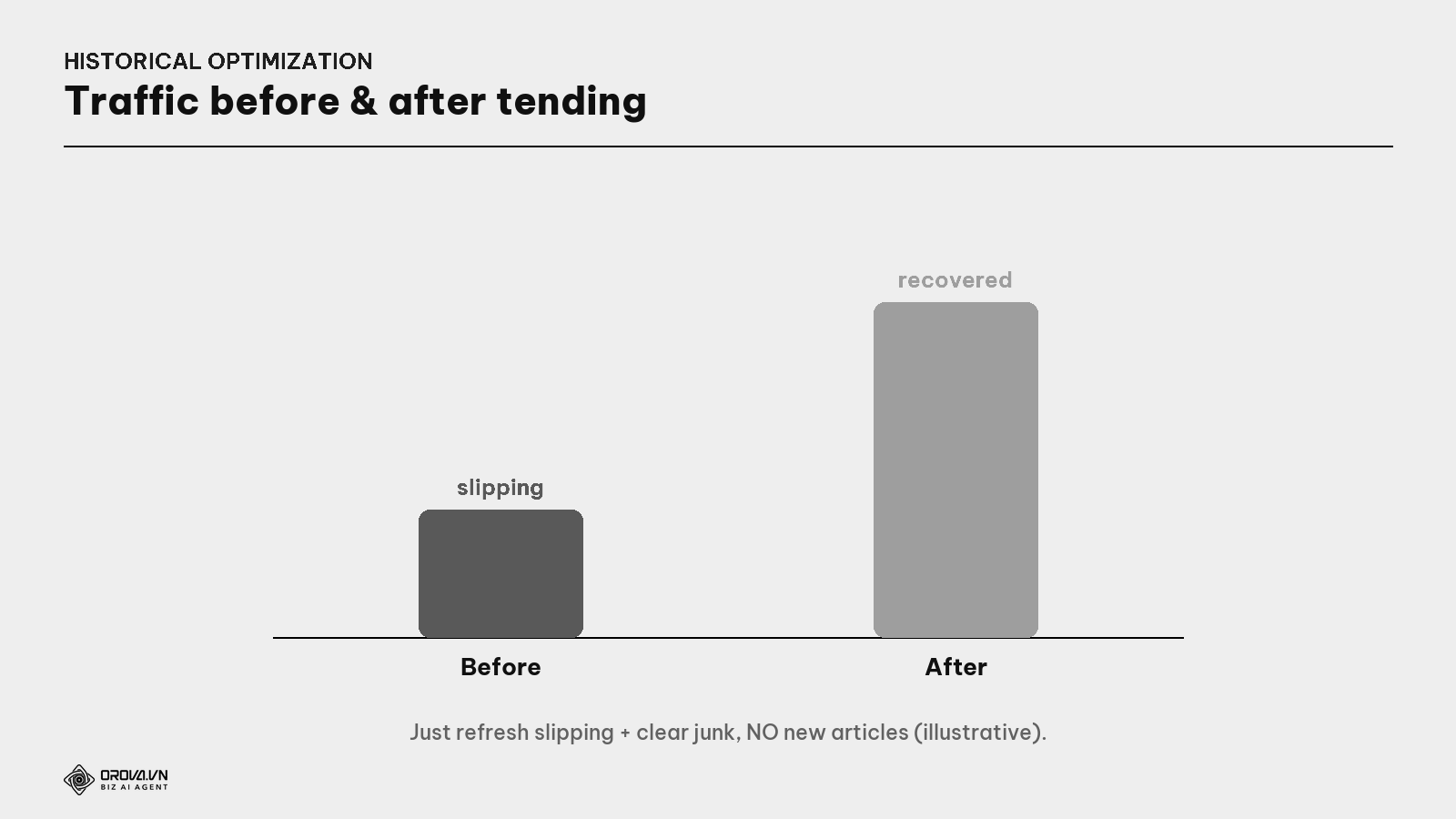
Many teams have doubled traffic without writing a single new article — just by refreshing slipping pieces and clearing junk. Leveraging existing assets (already-indexed, already somewhat authoritative articles) is always cheaper and faster than building from zero.
"Pass" standard
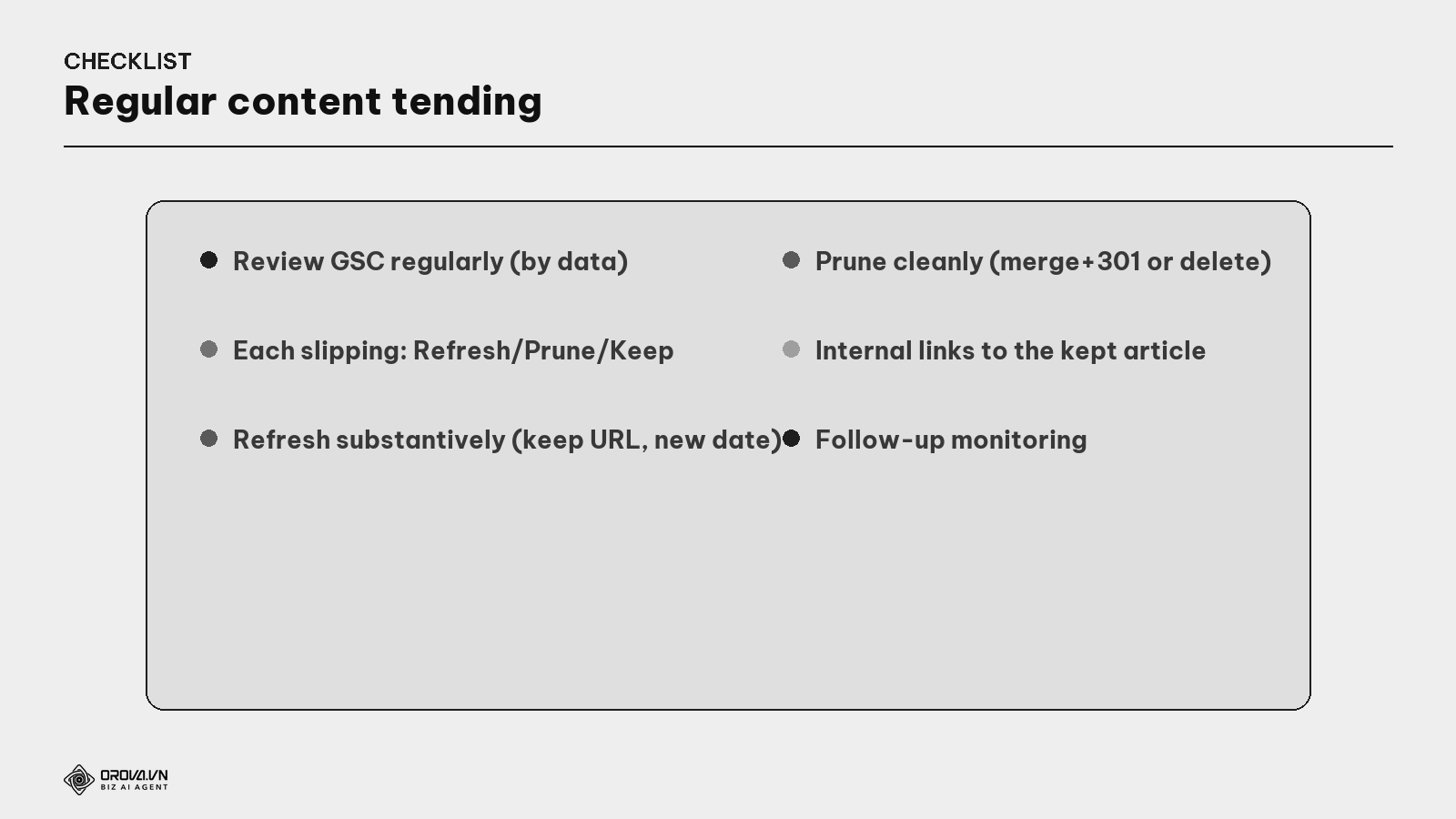
"Pass" standard: you review GSC regularly (e.g., quarterly), with a data-based list of slipping articles — no guessing; each slipping article gets a clear Refresh/Prune/Keep decision by criteria; Refreshed articles get a substantive update (real new value, keep the URL, change the date — not just a few word tweaks); Pruned articles are handled cleanly (merge+301 or delete), internal links now point to the kept article; and there's follow-up monitoring to measure impact. At this level, your website is a tended garden — good plants stay green, weeds get pulled, traffic grows even from long-ago articles.
Benefit: this is one of the cheapest, fastest moves in SEO. You need no new ideas, no writing from scratch — just tend your existing assets. A proper refresh can recover rankings in weeks; clearing junk strengthens the whole site. While rivals chase new articles, you harvest more traffic from what you already wrote.
FAQ
Is a refresh different from a full rewrite? A refresh updates the old article (keep the URL, keep what's good, add/fix what's needed). A full rewrite is rarely necessary; the strength of a refresh is keeping the URL to inherit built-up authority.
Does deleting articles lose traffic? Only delete articles with near-zero traffic and no value. For ones with some value, merge into a better article + a 301 rather than deleting outright, to keep the authority. Removing the right junk usually boosts whole-site strength.
How often should I refresh an article? Depends on the topic: fast-changing topics (tech, SEO) every 6–12 months; slow ones less often. The key is to let GSC tell you which articles are slipping, then prioritize those.
Is pruning risky? Yes, if done carelessly (deleting an article that still has traffic, forgetting the 301). Always check GSC data before deleting, and prefer merge+301 over outright deletion for anything with residual value.
Refresh or Prune — which first? Usually Refresh first (fast results, low risk): lift "near-top but slipping" articles. Prune in parallel to clear junk dragging the site. They complement: refresh feeds the good plants, prune pulls the weeds.
Can I just change the updated date without changing content? No — that's "faking it", Google isn't fooled and may read it as a bad signal. Only change the date when you actually update with valuable content. A refresh must be a real update, not just a changed date number.
How do I know a refresh worked? Monitor in GSC 2–4 weeks after: did the article's rankings/clicks recover? If yes, scale that approach to other slipping articles; if not, re-check for intent mismatch or other issues (see the Diagnosing Traffic Drops guide).
Back to the garden
Remember the neglected garden? The plants didn't go bad on their own — they withered because nobody pruned dead branches, pulled weeds, fed the soil. A good gardener doesn't just plant new; they tend the old garden — and usually harvest faster, cheaper, than someone busy planting more.
Your website is a garden too. Don't just chase new articles while neglecting slipping old ones and letting junk pile up. Review regularly with Search Console, refresh the withering plants, pull the weeds dragging the whole garden down. Do that, and you grow traffic from the assets you already have — no new ideas, no writing from scratch — and watch the whole garden green again. That's the difference between a planter and a gardener.
This article is part of Orova's complete SEO guide series. It's a deep-dive within the cluster — see "Keyword Gap", "Search Intent", "Diagnosing & Recovering Traffic Drops", and "GA4 + Search Console" for the full picture. Get started with Orova at orova.vn/en/seo.
Sources
Google Search Console Help (Performance report, comparing periods) · HubSpot (historical optimization) · Ahrefs (content decay & updating content) · Search Engine Journal (content pruning).
Let Orova SEO handle the repetitive part
Keyword research, drafting, refreshing old posts and rank tracking — running automatically on your own site.
Explore Orova SEO