
JSON LD Schema Examples for Google Rich Results
You published a great page, but Google keeps showing your competitor's listing with stars, prices, or a photo, while yours is just a plain blue link. You didn't do anything wrong with your content, but search engines simply can't tell what your page is about without extra hints. That missing hint is exactly what schema org json ld is meant to provide, and without it, your best pages often look the least clickable in search results.
The usual fix people try is guessing at "SEO tricks" or hiring someone to hand-code technical markup they don't fully understand themselves. This is slow, easy to get wrong, and hard to check without special tools, so many business owners just give up and leave it undone. The result is a website that works hard on content but gets skipped over for rich, eye-catching listings that competitors somehow have, and the stakes are only getting higher: SparkToro found that 68% of US Google searches in the first four months of 2026 ended without a click at all.
This article breaks it down in plain terms: what these labels actually do, which types matter for a normal business site, and how to add and check them without needing a developer's brain. By the end, you'll understand exactly what to put on your pages, why it helps clicks and trust, and how to confirm it's actually working before you move on.
The unlabeled box in a giant warehouse
Imagine a vast warehouse. One box is clearly labeled: "Ground coffee — 500g — best by 2027 — 4.8 stars". Another has no label, just a sealed box. When someone needs to quickly find "in-date, well-rated coffee", the worker spots the labeled box instantly — the label says it all — while the unlabeled one must be opened and guessed at, costing time and easily missed. Same product, but the labeled one gets found and chosen faster.
Google reads your web page the same way. It tries to guess what the page is about from the content — but guessing can be wrong or incomplete. Structured data is the label you put on the page, telling Google directly: "this is an article, author X, published Y" or "this is a product, price Z, 4.8 stars". With that label, Google not only understands more confidently, but can display your page more attractively in results — stars, price, image, foldable questions — called rich results.
This guide shows how to add that label: what structured data and Schema.org are, what JSON-LD (Google's recommended format) looks like with real code examples, what rich results are, the common schema types, the add-and-test process, and how to avoid penalties.
What is structured data? A machine-readable label you attach to a page, describing the content with a standard vocabulary so Google understands precisely what kind of page it is and what it contains (author, date, price, stars, questions...). It doesn't change how the page looks to users — it talks to machines.
Schema.org & rich results: the standard label and the reward
What is Schema.org? A shared standard vocabulary (created by Google, Microsoft, Yahoo, Yandex together) for describing all content types: Article, Product, Recipe, FAQPage... Using it means labeling in a "language" every search engine understands.
What are rich results? Search results decorated thanks to structured data — showing review stars, price, images, foldable questions, cooking steps... instead of just a plain title + description. Rich results stand out more, catch the eye more, and so usually get clicked more.
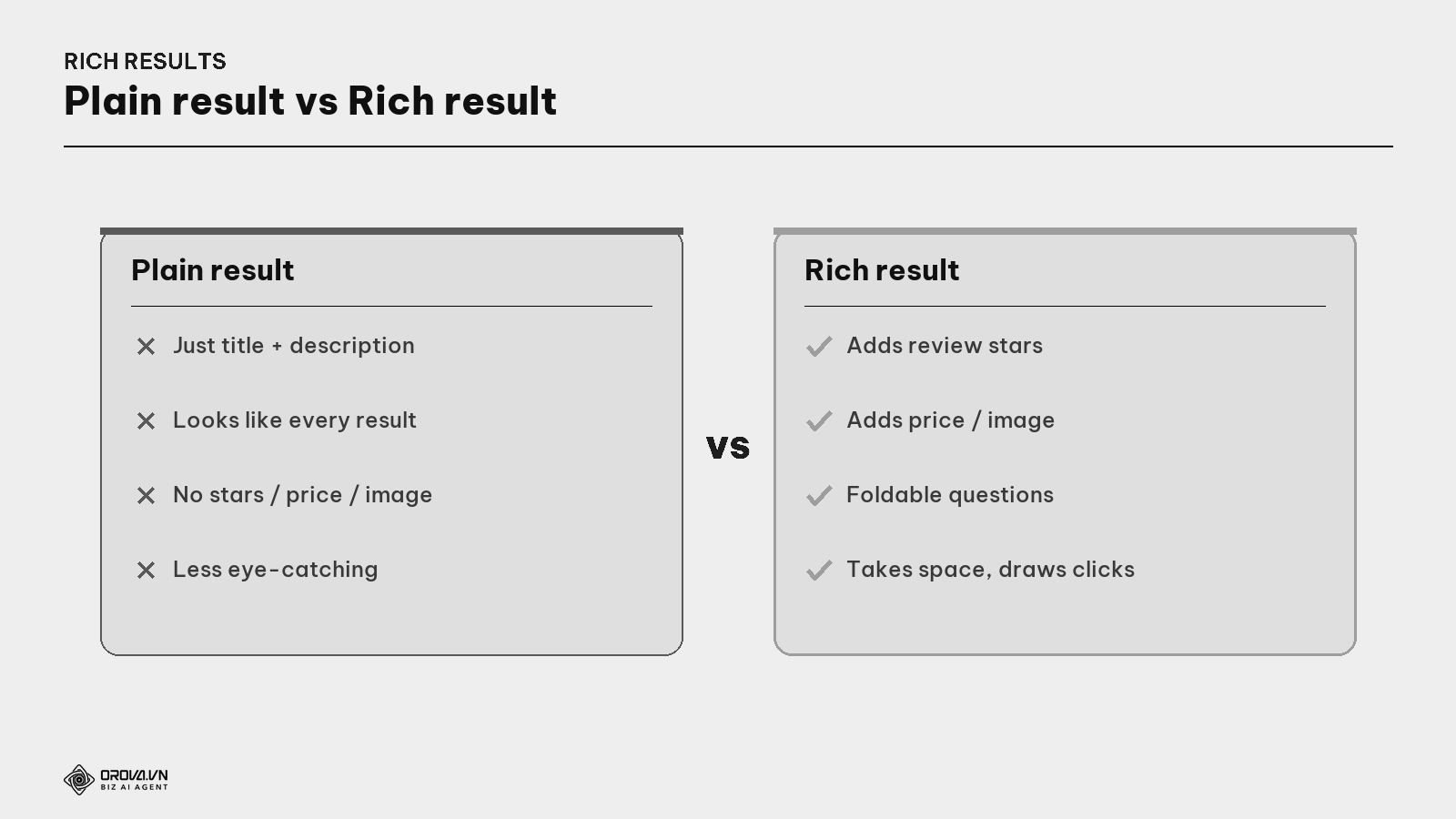
Important note: adding structured data does not guarantee a rich result (Google decides whether to show it), but it's a necessary condition — no label means certainly no rich result.
JSON-LD: Google's recommended format
There are a few ways to write structured data, but Google recommends JSON-LD for being clean and easy to manage.
What is JSON-LD? A format for writing structured data as a code block placed in the page (usually in
<head>), separate from the visible content. It's easy to add/edit without touching the layout — which is why Google recommends it over older methods mixed into the HTML.
Example of a label for an article (Article) — this block tells Google "this is an article, its title, author, date":
{
  "@context": "https://schema.org",
  "@type": "Article",
  "headline": "Schema & Structured Data, the Complete Guide",
  "author": { "@type": "Person", "name": "Orova" },
  "datePublished": "2026-07-10",
  "image": "https://orova.vn/uploads/blog/seo2026b20en-cover-v2.png",
  "publisher": {
    "@type": "Organization",
    "name": "Orova",
    "logo": { "@type": "ImageObject", "url": "https://orova.vn/logo-512.png" }
  }
}
And a label for an FAQ section (FAQPage) — which Google often shows as foldable questions right on the result:
{
  "@context": "https://schema.org",
  "@type": "FAQPage",
  "mainEntity": [{
    "@type": "Question",
    "name": "Does structured data help rankings?",
    "acceptedAnswer": {
      "@type": "Answer",
      "text": "Not directly, but it enables rich results and raises click-through rate."
    }
  }]
}
You don't need to memorize the syntax — many platforms (WordPress + plugin, or systems like Orova) generate JSON-LD automatically. What matters is understanding what it does and testing that it's correct.
Common schema types worth knowing
Each content type has its own "label". Here are the most-used ones.
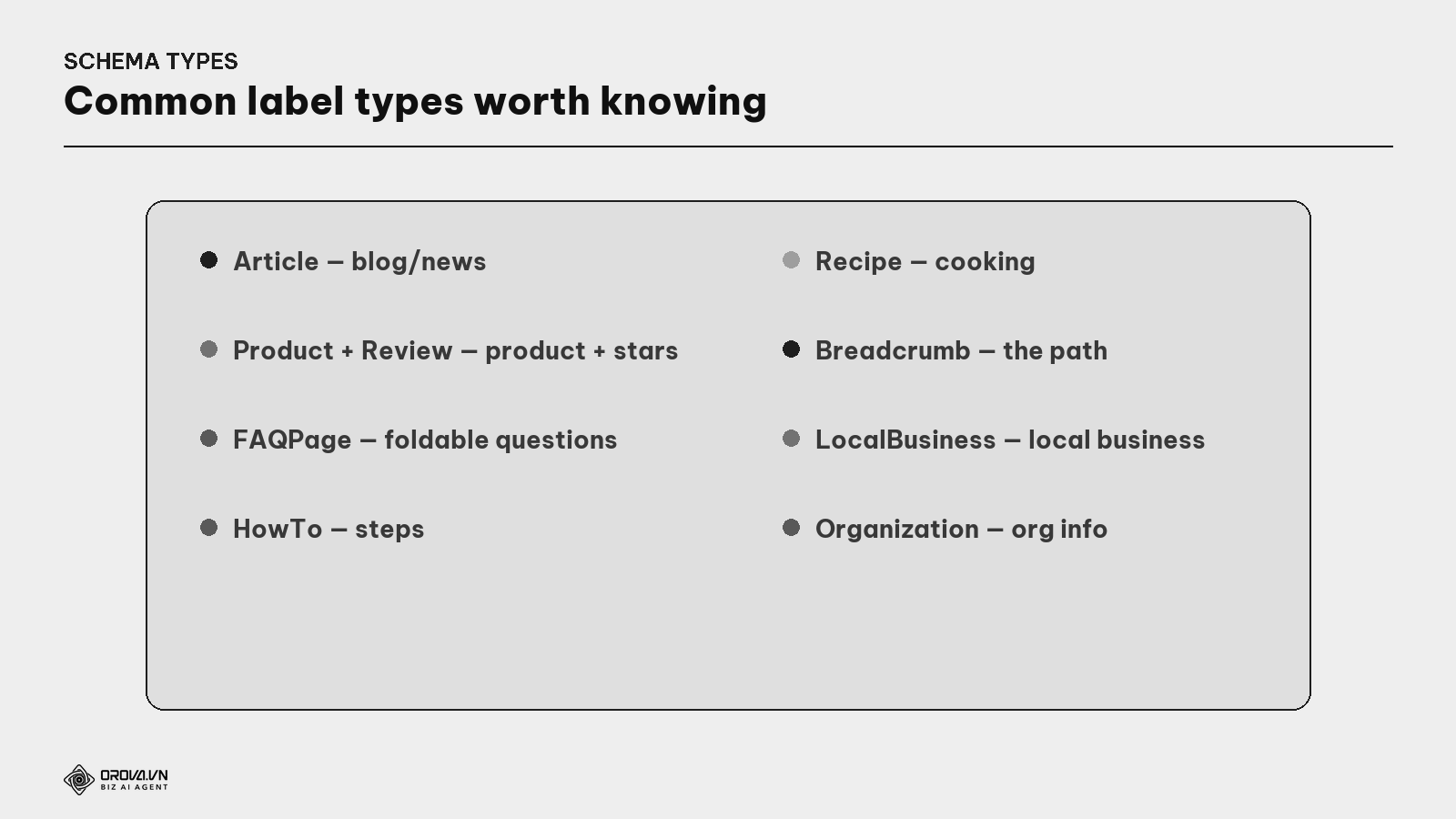
- Article — for blog/news: title, author, date, image.
- Product + Review/AggregateRating — for product pages: price, availability, review stars (very eye-catching).
- FAQPage — for Q&A sections: shows foldable questions right on the result.
- HowTo — for step-by-step guides.
- Recipe — for recipes: time, calories, stars.
- Breadcrumb — shows the structural path nicely on the result (see the Site Architecture guide).
- LocalBusiness / Organization — for business info, address, opening hours.
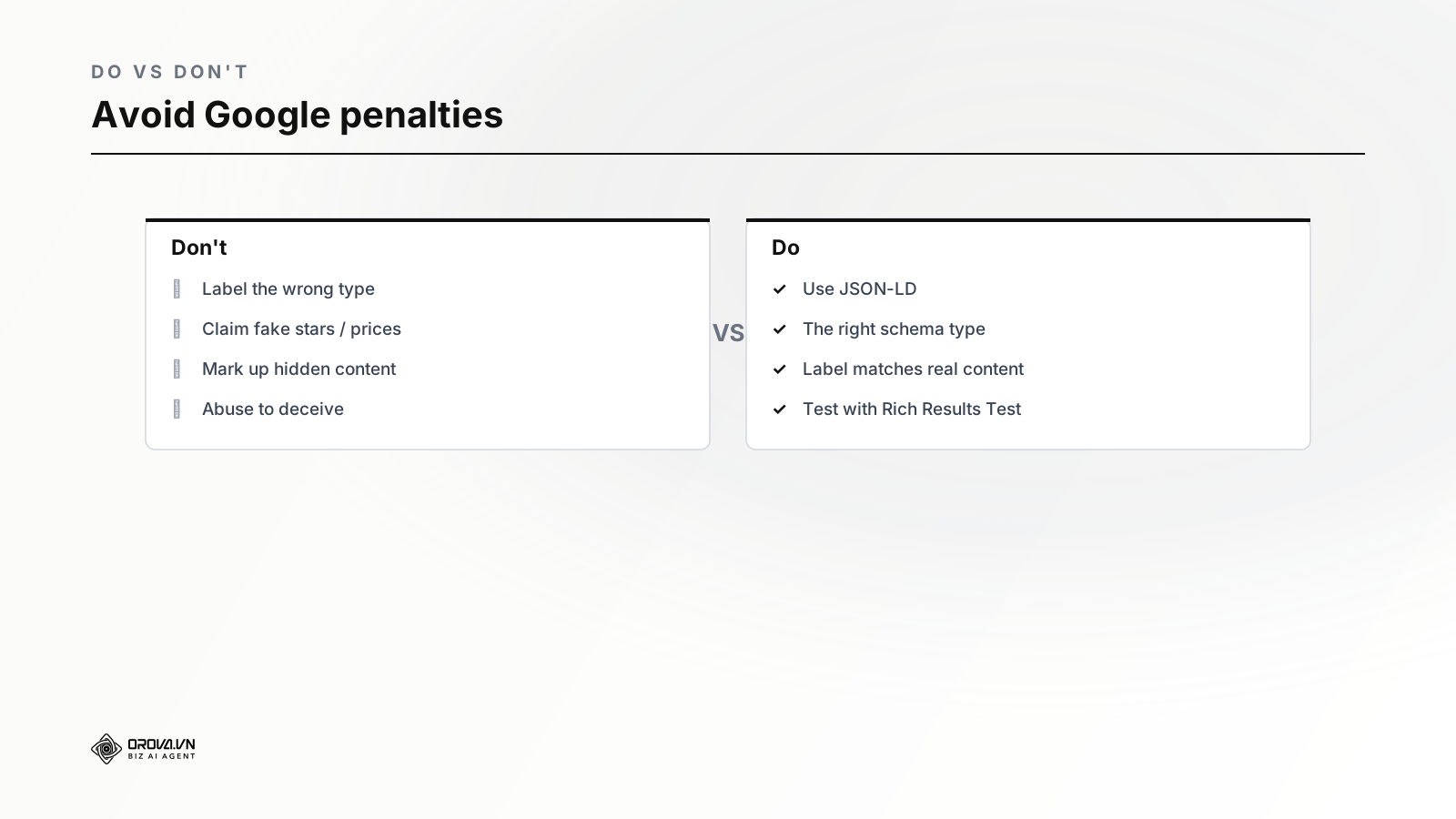
Choose the type that matches the page content — labeling the wrong type (e.g., Recipe on a non-recipe page) is a violation and can be penalized.
The real benefits of structured data
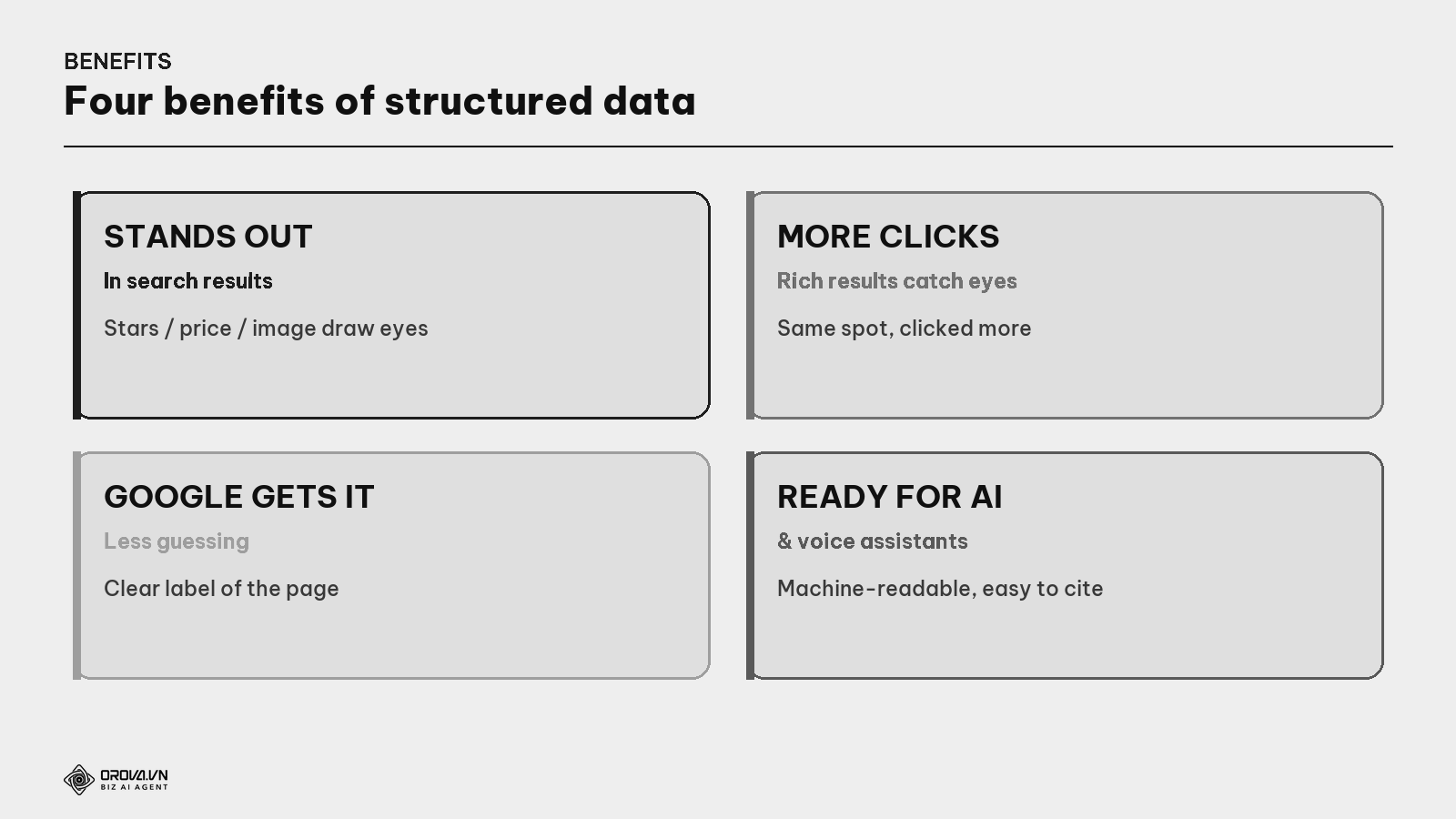
- Stands out in results — stars, price, image take space and catch more eyes than a plain result.
- Raises click-through — rich results usually get clicked more even at the same position.
- Google understands confidently — a clear label helps Google avoid misjudging what the page is about.
- Ready for AI & voice assistants — machine-readable data helps AI systems and voice search cite your page.
Note: structured data is NOT a direct ranking factor. Labeling won't push you to the top by itself. But it creates rich results → more clicks → and higher clicks with a good experience indirectly help SEO. Treat it as "boosting appeal in results", not "a ranking pill".
The add-and-test process
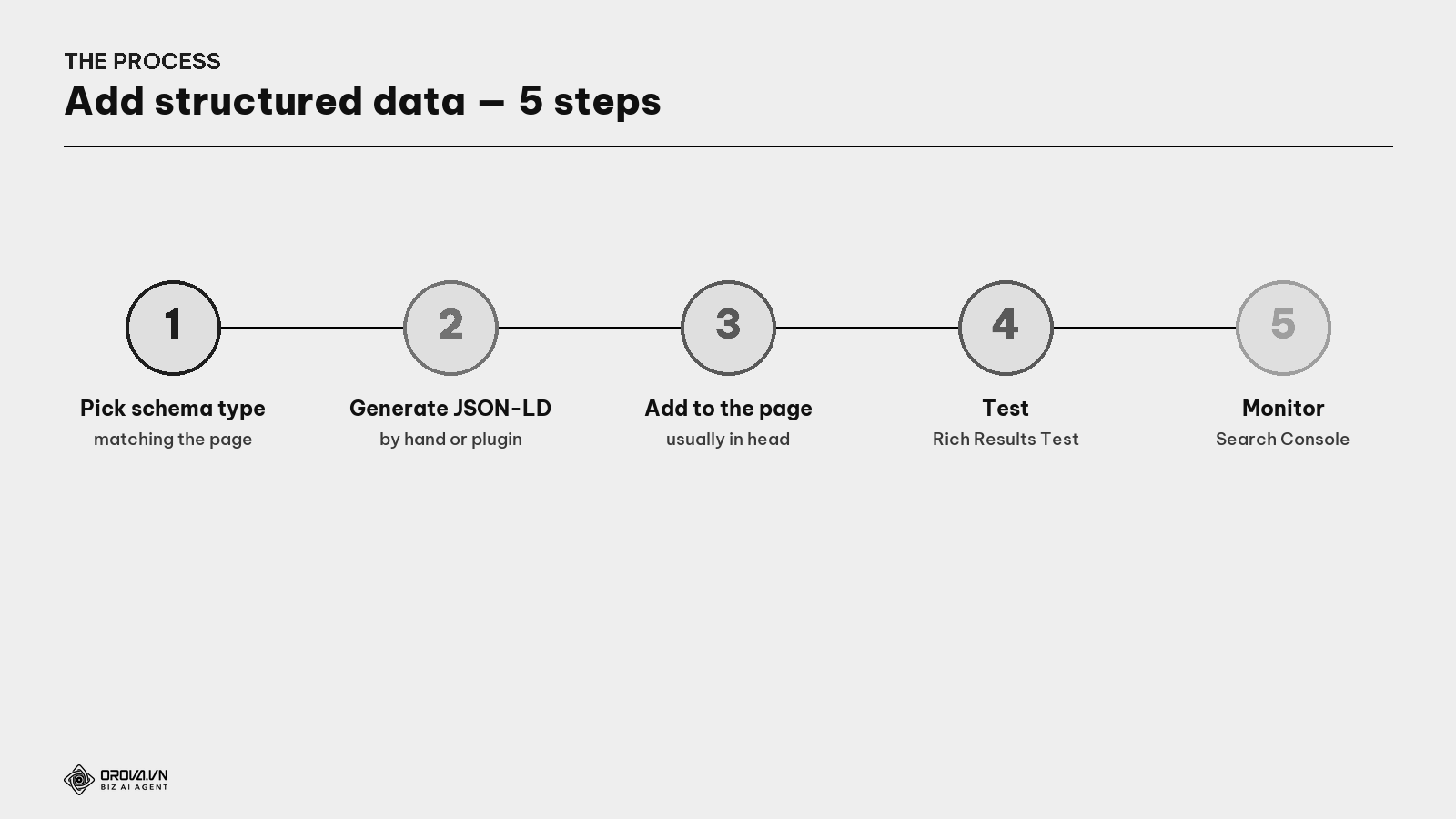
- Pick the schema type matching the page content (Article for posts, Product for products...).
- Generate JSON-LD — write it, use a generator, or let the platform create it.
- Add it to the page (usually in
<head>). - Test with Google's Rich Results Test and a Schema validator — make sure there are no errors.
- Monitor in Search Console — the "Enhancements" report shows which schema types are recognized and any errors.
What is the Rich Results Test? Google's free tool: paste a URL or code snippet, and it tells you whether your structured data is valid and eligible for rich results. Always check with this tool after labeling.
"Pass" standard
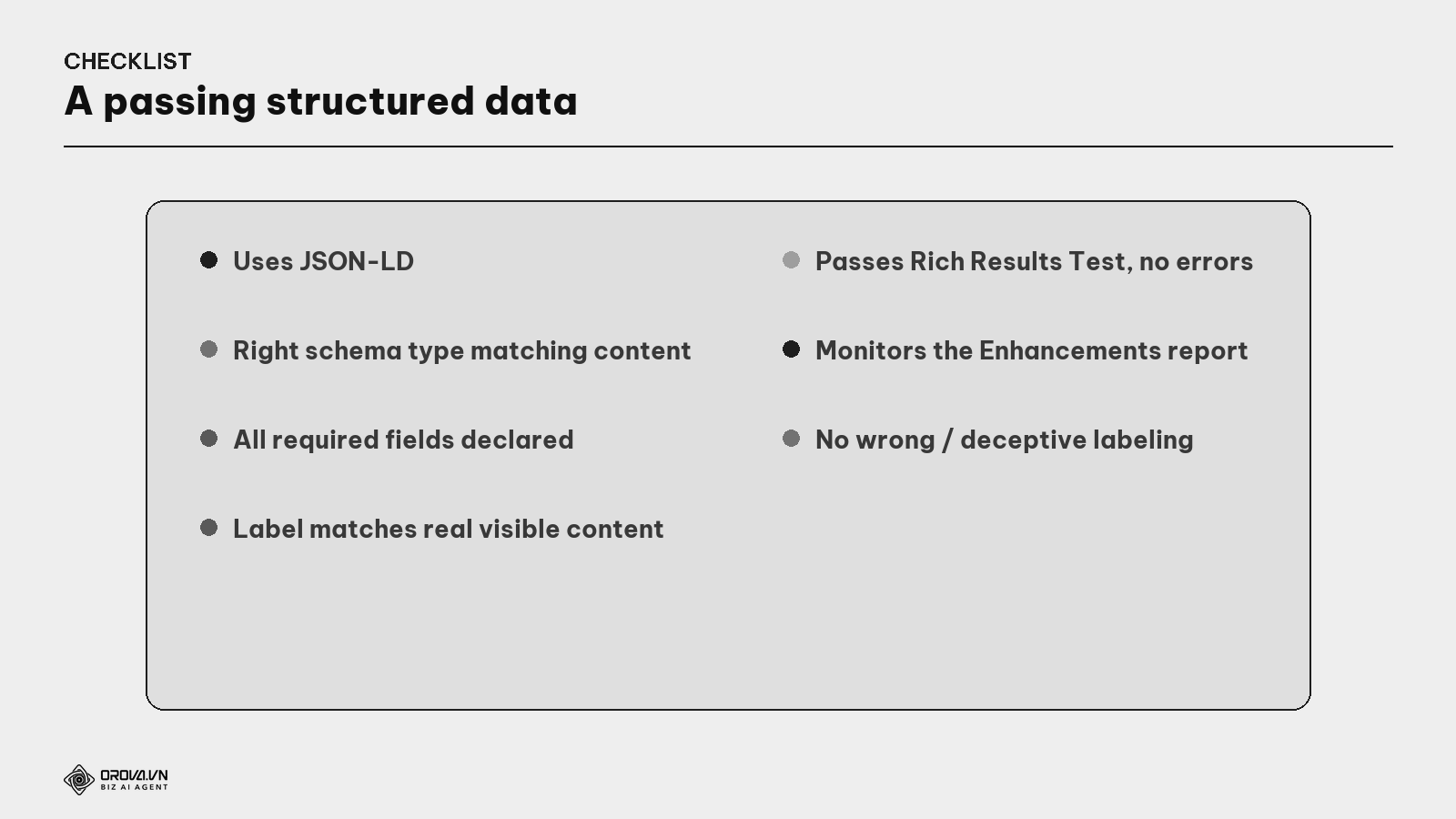
"Pass" standard: important pages have structured data in JSON-LD; the right schema type matches the content; all required fields declared; the label matches the real content users see (don't claim stars/prices not on the page); passes the Rich Results Test with no errors; and you monitor the Enhancements report in Search Console. At this level, your "boxes" all have standard labels — Google understands confidently, and your page gets a chance to appear richly in results.
Benefit: structured data is a "cheap" way to make your page stand out more in results without ranking higher. At the same position, a result with stars/price/foldable questions draws clicks far more than a plain one. It's also a future investment: as search becomes increasingly AI- and voice-assistant-driven, machine-readable data helps your page get cited. Label right once, benefit long after.
FAQ
Does structured data help rankings? Not directly. It's not a ranking factor, but it creates rich results → higher click-through → indirectly good for SEO. Treat it as boosting appeal in results, not a ranking pill.
Does adding schema guarantee a rich result? No. Schema is a necessary condition, but Google decides whether to show it, depending on content type, page quality, and the query. No schema means certainly none; with schema you only get the chance.
I can't code — how do I add schema? Most platforms support it automatically: WordPress plugins (Rank Math, Yoast) generate JSON-LD; many systems (like Orova) add it for articles. You just pick the right type and test with the Rich Results Test.
JSON-LD or another method? Use JSON-LD — Google recommends it for being clean, separate from content, and easy to add/edit. Older methods (Microdata, RDFa) mixed into HTML are harder to maintain.
Can I claim review stars when the page has no real reviews? Absolutely not. Claiming stars/prices/info not on the page violates Google's guidelines and can trigger a manual penalty (rich result removed, even page demoted). The label must always match the real content users see.
Which schema type should I prioritize first? Depends on the site: blogs prioritize Article + FAQPage; commerce prioritizes Product + Review; local businesses prioritize LocalBusiness. Breadcrumb is good on every site. Start with the type matching your main content.
How do I know if my schema has errors? Use the Rich Results Test (one URL/snippet) and monitor the "Enhancements" report in Google Search Console — it lists recognized schema types, warnings, and errors site-wide for you to fix.
Back to the unlabeled box
Remember the two boxes in the warehouse? Both coffee, but the one clearly labeled "500g, best by 2027, 4.8 stars" gets found and chosen instantly, while the sealed unlabeled one gets passed over. The difference isn't the product — it's the label that lets people understand and trust quickly.
Structured data is that label for each web page. Your good content is fine merchandise; but without a label, Google has to guess — and you miss the chance to show stars, price, and foldable questions standing out in results. Label it to the standard: pick the right type, match the real content, test with the Rich Results Test. Do that, and your content "box" is no longer a sealed box in the warehouse — it has a clear label for Google to understand confidently and users to choose quickly. In a warehouse as huge as the whole internet, a clear label is what gets you found first.
This article is part of Orova's complete SEO guide series. It's a deep-dive within the cluster — see "Technical SEO", "Site Architecture & URL", and "GA4 + Search Console" for the full picture. Get started with Orova at orova.vn/en/seo.
Sources
Google Search Central (structured data, JSON-LD, eligible rich result types, guidelines & violations) · Schema.org (the standard vocabulary) · Google Rich Results Test & the Enhancements report in Search Console.
Skip the manual setup, let the tool handle it
Doing this by hand means learning a new format, picking the right type for every page, writing the code correctly, then testing each page one by one to make sure nothing is broken. Even for a small site, that adds up to hours of careful, repetitive work that most business owners would rather spend on customers.
Orova SEO can generate and apply this structured data for you automatically, so your pages are ready for rich results without you touching any code. If you'd rather spend your time running the business than debugging markup, it's worth taking a look.
Let Orova SEO handle the repetitive part
Keyword research, drafting, refreshing old posts and rank tracking — running automatically on your own site.
Explore Orova SEO