
Google Ads Bid Simulators: How to Read Them and When to Trust the Curve

A retail advertiser once raised a target CPA campaign from a $40 goal to $55 because conversions had stalled. Within two weeks spend jumped 38 percent, conversion volume rose 9 percent, and the cost per acquisition climbed past $61 — worse than where it started. The frustrating part is that Google Ads had already told them what would happen. The bid simulator attached to that campaign showed the curve flattening hard somewhere around a $46 target. Push past that point and you pay materially more for each marginal conversion. The advertiser never opened the simulator. They guessed, and the guess cost them roughly $7,000 in wasted spend before the account manager caught it.
Bid simulators are one of the most underused tools in the entire Google Ads interface. They sit quietly behind a small graph icon next to your bid columns, and most practitioners scroll right past them. That is a mistake. A simulator is the closest thing Google gives you to a forecast of consequences: a model of what happens to clicks, conversions, cost, and impression share if you change a target or a budget. Used well, it turns blind bid adjustments into sized, evidence-based moves. Used carelessly — or ignored entirely — it leaves you doing exactly what that retailer did: yanking levers and hoping.
This article explains what each type of simulator actually estimates, how to read the diminishing-returns curve that underpins all of them, where the data goes stale and stops being trustworthy, and how an automation layer should use simulator output to size changes instead of overcorrecting. By the end you will know when to trust the curve and, just as importantly, when to walk away from it.
What a bid simulator actually is
A Google Ads bid simulator is a what-if model. It takes the auction data Google collected over a recent window — typically the trailing seven days — and replays those auctions under different bidding assumptions. The question it answers is narrow but valuable: "given the queries, competitors, and user behavior we just observed, how would your results have changed if your bid or target had been different?"
That framing matters because it sets the boundaries of what a simulator can and cannot tell you. It is a hindsight replay, not a crystal ball. It assumes the near future looks like the recent past — same demand, same competitors, same seasonality. When that assumption holds, simulators are remarkably accurate. When it breaks, the curve becomes a liability. We will return to that distinction in detail.
The family of simulators
There is not one simulator; there are several, and they attach to different levels of your account depending on how you bid.
- Keyword and ad group bid simulators apply to manual CPC and enhanced CPC. They estimate how raising or lowering a specific keyword or ad group bid changes weekly clicks, cost, impressions, and conversions. These are the original simulators and the most granular.
- Target CPA simulators apply to Smart Bidding campaigns optimizing for a cost-per-acquisition goal. Instead of a bid, you move the tCPA target up or down and the simulator shows the trade-off between a lower target (fewer, cheaper conversions) and a higher one (more conversions at higher cost).
- Target ROAS simulators are the mirror image for value-based bidding. Lower your ROAS target and the simulator projects more conversion value at lower efficiency; raise it and you get less volume at tighter returns.
- Budget simulators answer a different question: if your campaign is constrained by budget, how many additional conversions and how much extra value would more daily budget unlock? This is the tool to reach for when a campaign shows "limited by budget" status.
Each of these tells a slightly different story, but they share the same underlying shape, and that shape is the single most important concept in this entire topic.
The diminishing-returns curve
Every simulator output is, at heart, a curve of diminishing returns. As you spend more — whether by raising a bid, loosening a target, or adding budget — you capture more conversions, but each additional conversion costs more than the last. The relationship is not linear. It bends.
Picture the conversion curve plotted against cost. At low spend the line rises steeply: small increases in budget or bid buy you a lot of incremental conversions because you are still picking up the cheapest, highest-intent auctions you were previously losing. As spend climbs, the line flattens. You start winning auctions you were already half-winning, paying premiums to outbid competitors on marginal queries, and reaching users with weaker intent. Eventually the curve goes nearly horizontal: you can pour in more money and barely move conversion volume at all.
The whole discipline of reading a simulator comes down to one question: where does this curve stop being steep and start being flat? That inflection point is where smart scaling stops and waste begins.
Practitioners call that inflection the "knee" of the curve. To the left of the knee, each dollar works hard. At the knee, you are extracting most of the available efficient volume. To the right of the knee, you are buying expensive marginal conversions that drag your average cost up. The retailer in the opening example pushed their target well past the knee. The simulator's curve had already gone nearly flat; they were paying 50 percent more per click to win 9 percent more conversions.
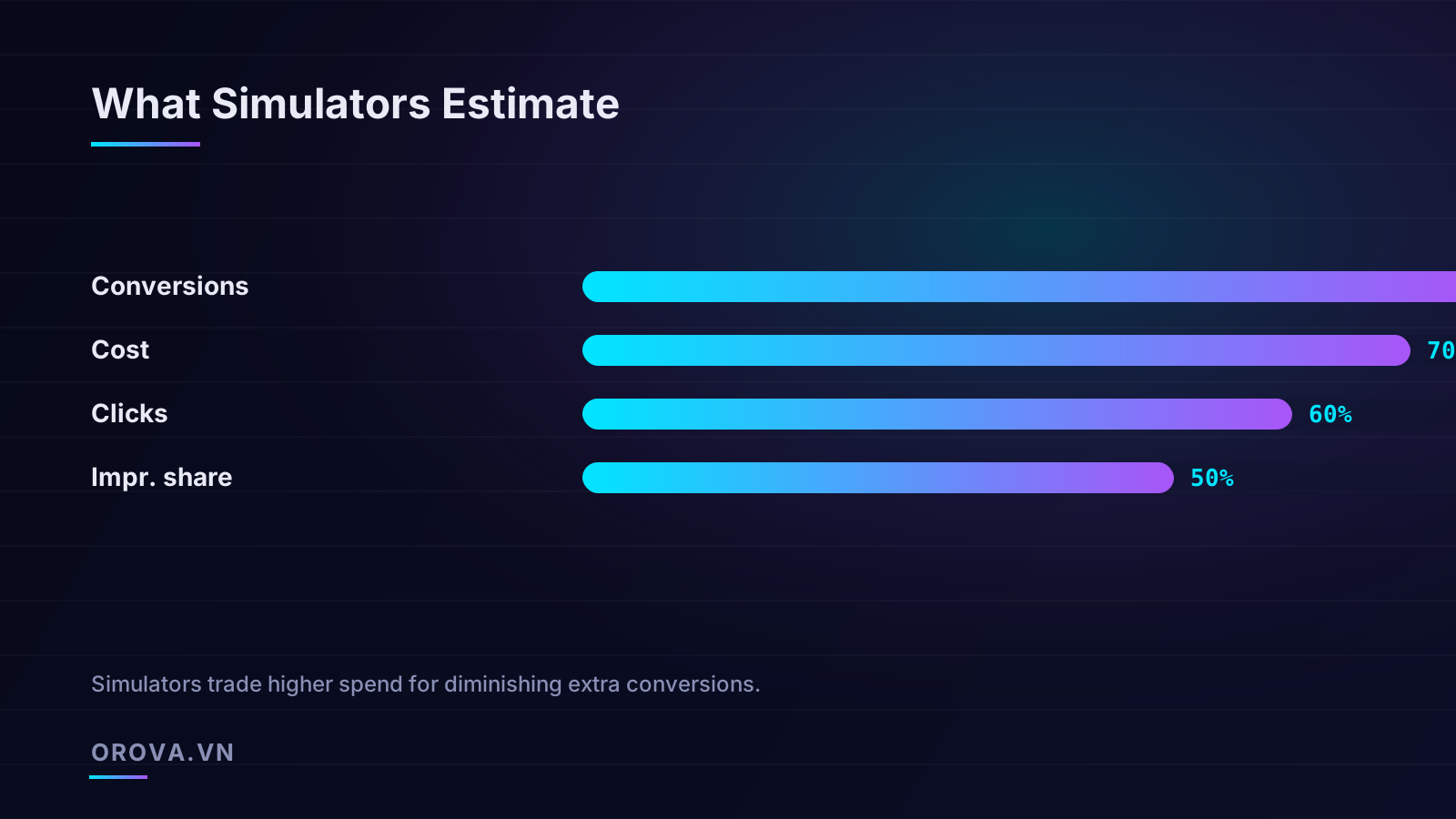
Reading the four estimates together
A simulator does not give you a single number. It typically projects four things at each point on the curve, and the relationship between them is where the insight lives.
- Conversions — the headline metric most people fixate on. It usually rises with spend but with that diminishing slope.
- Cost — total weekly spend at that setting. Watch how fast it climbs relative to conversions. When cost is rising faster than conversions, you are past the knee.
- Clicks — useful as a sanity check. If clicks balloon but conversions barely move, the extra traffic is low quality, which is a strong signal to stop scaling.
- Impression share — how much of the available auction you are capturing. As this approaches its ceiling, there is simply less inventory left to buy, and the curve will flatten regardless of how high you bid.
The practical move is to compute the implied marginal cost per conversion between two points on the curve, not the average. If raising your tCPA from $40 to $45 adds 20 conversions for $700 of extra spend, the marginal cost of those conversions is $35 each — perfectly fine. If the next step from $45 to $50 adds only 6 conversions for $600, the marginal cost jumps to $100 each. The average might still look acceptable, but the margin tells you the second step is a bad trade. Always evaluate the increment, never the total.
How each simulator type behaves in practice
Target CPA simulators
The tCPA simulator is probably the one you will use most, because Smart Bidding now dominates most accounts. Moving the target left lowers your acquisition cost but throttles volume; moving it right does the opposite. The simulator's value is showing you the exact volume you sacrifice for efficiency and vice versa.
A common, costly mistake is treating the tCPA as a dial you turn for more volume without checking the curve first. Smart Bidding will obey a higher target, but if the curve has already flattened, all you have done is authorize the system to pay more for the same conversions it was already getting. The simulator exists precisely to prevent that. Before raising a target, open it and confirm there is still meaningful slope at the point you are moving to.
Target ROAS simulators
For value-based bidding, the tROAS simulator plots conversion value and efficiency against your target. The logic inverts: lowering the ROAS target loosens the system and buys more total value at lower efficiency, while raising it tightens the screws and trims volume to protect margin. E-commerce advertisers running seasonal pushes lean on this constantly — during a promotion you may deliberately accept a lower ROAS target to capture volume, then ratchet it back up afterward. The simulator quantifies exactly how much value each notch of efficiency costs you, so the decision is numerical rather than instinctive.
Budget simulators
Budget simulators are the right tool when a campaign carries the "limited by budget" label. That label means Smart Bidding is being prevented from chasing conversions it judges worthwhile — you are leaving demand on the table. The budget simulator projects how many additional conversions and how much extra value a higher daily budget would capture. Frequently this is the single highest-leverage move in an account, because removing an artificial cap on an efficient campaign is far safer than loosening targets. If the simulator shows strong incremental conversions for modest extra budget and your blended targets are healthy, lifting the cap is usually the easy yes. This interaction between budget caps and bidding targets is one of the trickier dynamics to manage well, and it is closely related to how automated campaign types allocate spend, a topic we cover in our walkthrough of how Performance Max actually distributes budget across inventory.
Keyword bid simulators
If you still run manual or enhanced CPC on any keywords, the keyword-level simulator remains useful for surgical decisions. It shows how a single keyword's bid change ripples into clicks, cost, and conversions for that term alone. This granularity is its strength and its weakness — it ignores how shifting one keyword reallocates the auction dynamics of its neighbors. Treat keyword simulators as directional for individual high-value terms, not as a portfolio-wide planning tool.
Where simulators stop being trustworthy
Here is the part most articles skip, and it is the part that separates practitioners who use simulators well from those who get burned by them. A simulator is only as good as the assumption that the near future resembles the recent past. Several conditions break that assumption, and when they do, the curve becomes misleading or simply wrong.
Data freshness and the trailing window
Simulators are built on a recent data window, usually the last seven days. That makes them blind to anything that changed inside or just after that window. If a major competitor launched an aggressive campaign yesterday, the simulator does not know. If your landing page broke for two days last week and depressed conversion rate, that contamination is baked into the curve. Always check the date range the simulator declares — it is shown in the tooltip — and ask whether that window was representative. A simulator built on an anomalous week will confidently project an anomalous future.
Low-volume campaigns
Simulators need volume to be statistically meaningful. A campaign generating three conversions a week does not give the model enough signal to draw a reliable curve, and Google will often refuse to show a simulator at all or show one with enormous uncertainty. If your weekly conversion count is in the single digits, treat any simulator output as a loose hint, not a forecast. The curve is essentially noise dressed up as a line.
Recent structural changes
If you changed your bidding strategy, restructured ad groups, swapped landing pages, or significantly edited creative in the last week or two, the simulator is partly modeling a configuration that no longer exists. Smart Bidding also needs a learning period after major changes, during which performance is unstable by design. Reading a simulator mid-learning is like timing a runner who is still tying their shoes.
Seasonality and demand shifts
The simulator assumes demand stability. Around holidays, sales events, product launches, or sudden news-driven interest, demand can shift faster than the trailing window captures. A simulator built on a quiet week before Black Friday will badly underestimate what budget can achieve during the event itself. This is precisely when human judgment must override the curve. Google even provides seasonality adjustments for exactly these moments, which is a tacit admission that the standard model does not handle them.
Trust the simulator most when conditions are stable and volume is healthy. Trust it least when something recently changed or is about to. The curve is a model of a normal week, and not every week is normal.
A disciplined process for using simulators
Knowing the theory is one thing; building it into a repeatable routine is another. Here is a sequence that keeps simulator-driven decisions honest.
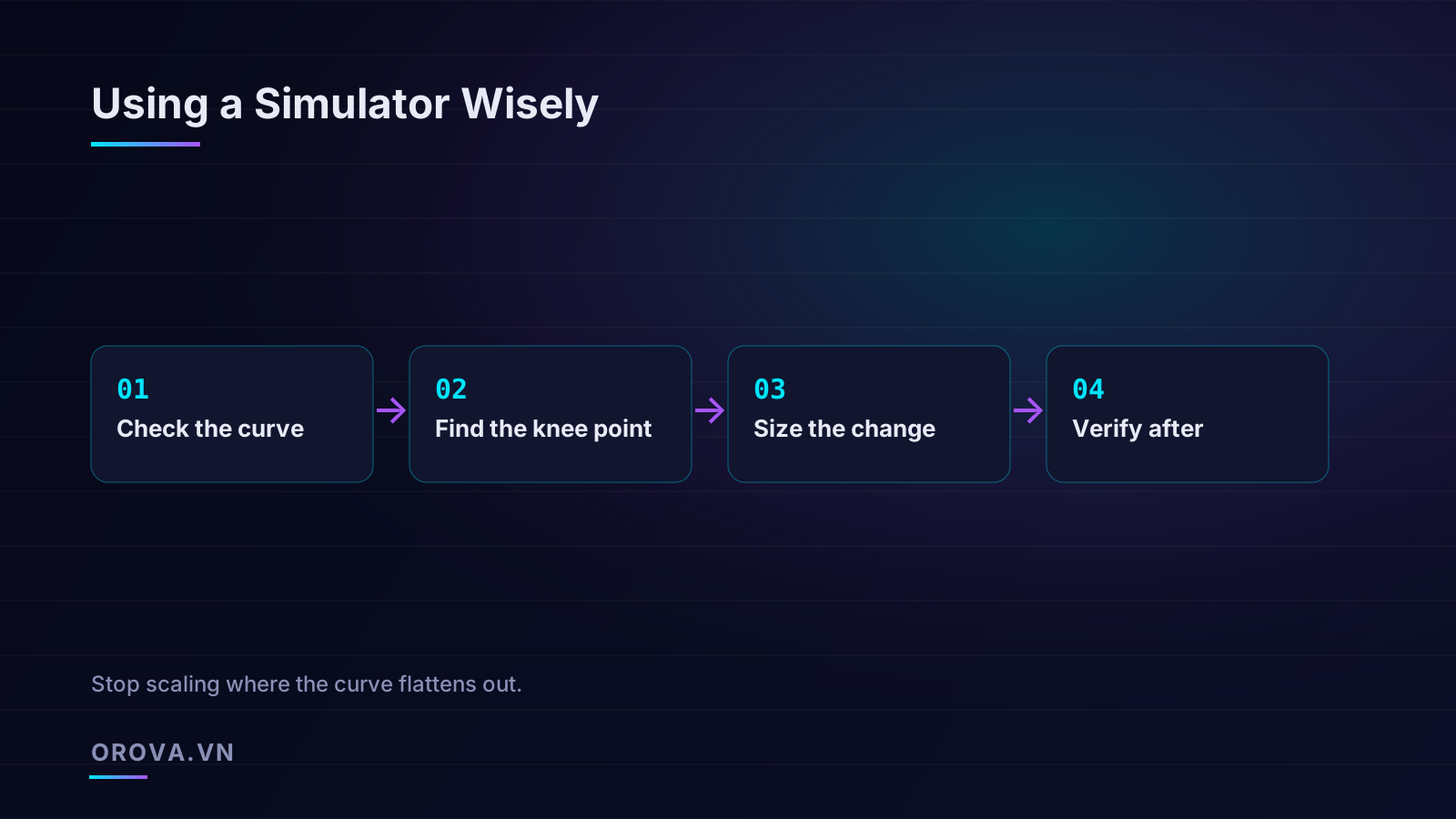
- Check the curve before touching anything. Open the simulator and confirm it is built on a representative window with enough volume. If the window was anomalous or conversions are too sparse, stop here and do not rely on it.
- Find the knee point. Walk along the curve computing marginal cost per conversion between adjacent points. The knee is where that marginal cost jumps sharply. That point — not the maximum the simulator shows — is your scaling ceiling for efficient growth.
- Size the change to land before or at the knee. If your efficiency targets allow, move toward the knee but not past it. Make one change at a time so you can attribute results cleanly. Resist the urge to take the biggest step the curve offers.
- Verify after the fact. A week or two later, compare actual results against what the simulator predicted. Did the extra spend deliver the projected conversions? Systematic gaps between forecast and reality tell you how much to discount future simulator output for that account. This feedback loop is what turns a tool into expertise.
Common mistakes to avoid
- Reading the average instead of the margin. The total cost per conversion can look fine while the marginal conversions you are buying are wildly expensive. Always evaluate the increment.
- Scaling to the end of the curve. Simulators show you the full range, including the flat, wasteful tail. The fact that the tool plots a point at maximum spend is not a recommendation to go there.
- Changing several things at once. Adjust budget and target and creative in the same week and you will never know which move caused which result, rendering the verify step meaningless.
- Ignoring the date range. A simulator built on a broken or atypical week will mislead you with total confidence. The tooltip tells you the window; read it.
- Trusting a low-volume curve. Single-digit weekly conversions do not produce a meaningful simulation. Treat sparse curves as hints, not forecasts.
Worked example: sizing a target change
Theory is easier to trust when you see the arithmetic, so here is a concrete walkthrough using realistic numbers from a lead-generation campaign currently running on a $40 tCPA. The simulator, built on a healthy week with roughly 90 conversions, shows the following projected weekly results at different targets.
- At a $40 target: 90 conversions, $3,600 cost — an average of $40 each.
- At a $45 target: 108 conversions, $4,500 cost.
- At a $50 target: 116 conversions, $5,350 cost.
- At a $55 target: 120 conversions, $6,150 cost.
The averages look superficially reasonable across the whole range, which is exactly the trap. Now compute the margin between each step. Moving from $40 to $45 adds 18 conversions for $900 of extra spend — $50 per incremental conversion. Moving from $45 to $50 adds 8 conversions for $850 — that is $106 each. Moving from $50 to $55 adds just 4 conversions for $800, or $200 per incremental conversion.
The knee of this curve sits clearly between the $45 and $50 targets. The first step buys efficient volume; the second step is already marginal; the third is pure waste. A disciplined operator moves this campaign to roughly $45, captures the cheap incremental conversions, and stops. The operator who reads only the averages and chases the $55 target pays $200 for conversions that should cost $40 — and that is precisely how the retailer in our opening lost $7,000. The numbers were always there. Only the marginal reading exposes the trap.
Cross-checking the curve against your own targets
The knee tells you where efficiency collapses, but it does not automatically tell you where to set your target — that depends on your own economics. If your true breakeven cost per acquisition is $48 because of strong customer lifetime value, then accepting conversions up to roughly that marginal cost is justified even though the average looks higher than the steep part of the curve. Conversely, if your margins are thin and breakeven is $42, you should stop well before the knee. The simulator describes the auction; your unit economics decide which point on it you can afford. Always overlay the two. A curve read in isolation answers "what can I buy," but only your margins answer "what should I buy."
How automation should use simulators
Everything above is a manual discipline, and it is genuinely hard to keep up across dozens of campaigns and hundreds of ad groups, checking every curve before every change. This is exactly the kind of work that benefits from automation — not the reckless kind that blindly raises targets, but the kind that reads the curve the way a careful practitioner would and sizes moves accordingly.
A well-built automation layer treats the simulator as an input, not an afterthought. Before it proposes raising a budget or loosening a target, it pulls the relevant simulator, checks that the underlying window is representative and the volume is sufficient, locates the knee of the curve, and sizes its recommended change to land before the point of diminishing returns. Instead of "raise tCPA by 15 percent," it reasons "the curve flattens past $46, so move from $40 to $44 to capture the efficient volume and stop there." That is the difference between automation that respects the economics and automation that just spends.
The verify step matters even more under automation. An agent that records what the simulator predicted and then measures what actually happened can learn how reliable simulator forecasts are for each specific account, and discount them appropriately over time. It can also catch the conditions that break simulators — a sudden demand spike, a recent restructure, a learning period — and hold off on simulator-driven moves until things stabilize. The goal is not to remove human judgment but to apply this disciplined reading at a scale and frequency no person can sustain manually, while keeping a human in the loop to approve the moves and audit the reasoning.
Simulators reward patience and punish guesswork. Read the curve, find the knee, size the change, verify the result — and you will stop overpaying for conversions you were already winning.
Orova Ads is an AI agent that manages your paid campaigns across Google, Meta, and TikTok the way a careful practitioner would: it reads your account data every day, consults bid and budget simulators to size changes before the curve flattens, and recommends optimizations to budgets, bids, on/off states, and audiences — executing them with your approval and a full audit log of every move. If you want simulator-grade discipline applied to every campaign, every day, see how it works at orova.vn/ads.
Let an AI Agent handle your SEO
Orova plans, writes, optimizes, and tracks rankings on its own — you just read the results.
Try it free