
TikTok Pixel and Events API: Feeding the Algorithm Clean Conversion Signal
A direct-to-consumer skincare brand we audited last quarter was spending roughly $4,200 a day on TikTok and reporting a 1.8 return on ad spend in TikTok Ads Manager. Their Shopify dashboard told a different story: blended ROAS for the same period was closer to 3.1. The gap was not fraud, creative fatigue, or a measurement philosophy debate. It was missing data. TikTok's browser pixel was firing on roughly 62% of completed purchases. The other 38% were being eaten by ad blockers, iOS privacy settings, single-page checkout flows that navigated faster than the script could load, and a content security policy that quietly blocked the pixel on the thank-you page. The bidding algorithm was optimizing toward the version of reality it could see, and that version was wrong by more than a third.
This is the core problem the TikTok Events API exists to solve. Smart bidding on any platform is a feedback loop: you tell the system what a conversion is, the system finds more people likely to convert, and the quality of every future decision depends on the completeness and accuracy of the conversions you reported. Feed it 62% of your sales and it will confidently optimize toward a distorted picture of who your customers are. The browser pixel alone is no longer a reliable way to close that loop, and the server-side Events API is how you recover the signal it loses.
This guide walks through exactly how the pixel and the Events API differ, how server-side and browser events get deduplicated so you do not double-count, what event match quality actually measures and why it controls how much that signal is worth, and why getting all of this right is a non-negotiable prerequisite before you let any automated system touch your bids.
Why the browser pixel is no longer enough
The TikTok Pixel is a snippet of JavaScript you place on your site. When a visitor lands on a page or completes an action, the pixel fires an event from their browser directly to TikTok. For years this was the standard way to track conversions, and conceptually it is simple: the user's own browser reports what they did.
The problem is that the browser is a hostile environment for tracking, and it has gotten more hostile every year. Several forces converge to suppress pixel events:
- Ad blockers and tracking blockers. A meaningful share of users run extensions or browsers that block known tracking domains outright. The pixel request never leaves their machine. Depending on your audience, this alone can suppress 10 to 25% of events.
- iOS and Safari privacy controls. Intelligent Tracking Prevention, App Tracking Transparency, and the broader move toward privacy-by-default mean that third-party scripts are throttled, cookies are capped to short lifespans, and cross-site identifiers are limited. On mobile, where most TikTok traffic lives, this matters enormously.
- Page load and navigation timing. Modern checkouts are fast. If your purchase confirmation renders before the pixel script finishes loading, or if a single-page app swaps the view without a full page load, the conversion event can simply never fire.
- Network failures and content security policies. Flaky connections, aggressive CSP headers, and tag manager misconfigurations all quietly drop events. These failures are invisible in the dashboard because you cannot count what was never sent.
None of these failures show up as an error. They show up as a slow, persistent undercount that you only notice when you compare TikTok's reported conversions against your own backend numbers. By the time you notice, the bidding model has already been training on incomplete data for weeks.
The browser pixel does not lie. It just goes silent for a large and growing fraction of your customers, and silence reads as "no conversion" to an algorithm that has no other way to know.
What the Events API actually is
The Events API (sometimes called server-side events, server-to-server tracking, or by its older name the conversions API) is a way for your own server to send conversion events to TikTok directly, over a secure server-to-server connection, without relying on the user's browser at all. When someone completes a purchase, your backend already knows about it: the order is in your database, the payment cleared, the confirmation email is queued. The Events API lets that same backend tell TikTok, "this person bought, here is what we know about them, here is the order value."
Because the event originates from your server rather than the user's browser, it sidesteps almost everything that suppresses the pixel. Ad blockers cannot block a request that never touches the browser. Safari's privacy controls do not apply to your server's outbound API call. A fast checkout or a single-page app does not matter because the event is tied to a backend order record, not a page load. The server-side event is, in almost every dimension, more reliable than the browser event.
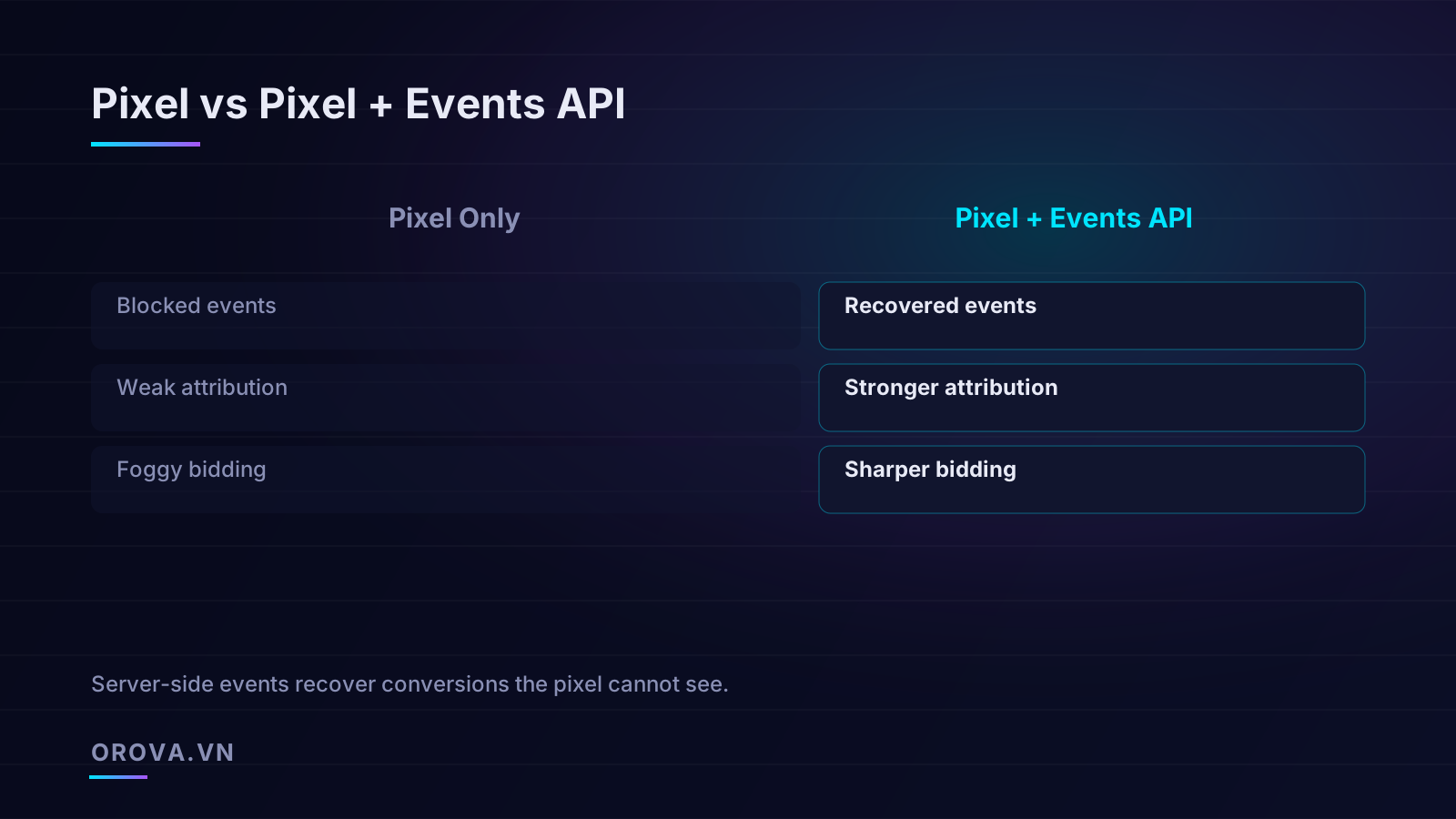
This does not mean you throw away the pixel. The pixel still captures rich browser context such as the user agent, the click identifier from the ad, and cookie-based identifiers that help with matching. The recommended architecture is to run both: the pixel for browser-side richness and the Events API for reliability and recovery. The two streams are then merged and deduplicated on TikTok's side so that a single purchase is counted exactly once, with the best available combination of signal from both sources.
Deduplication: counting each conversion exactly once
The first objection most marketers raise when they hear "send the event twice, once from the browser and once from the server" is the obvious one: won't that double my conversions and ruin my ROAS math? The answer is no, provided you implement deduplication correctly. Deduplication is the mechanism that lets TikTok receive the same purchase from both the pixel and the Events API, recognize them as the same event, and count it only once.
Deduplication works by matching on two fields that you must send identically from both sources:
- Event ID. This is a unique identifier you generate for each conversion event, for example the order ID or a UUID tied to the transaction. You send the exact same event ID from the pixel and from the Events API. When TikTok sees two events with the same event ID arrive within the deduplication window, it knows they describe the same real-world action.
- Event name. The standard event type, such as CompletePayment or Purchase, must also match. Deduplication only happens within the same event name, so a ViewContent and a CompletePayment with the same ID would not be merged.
The mental model worth internalizing is this: the two events are not competing, they are insurance for each other. If the browser pixel fires successfully, great, the event is counted. If the browser pixel is blocked, the server-side event still arrives and the conversion is recovered. If both fire, deduplication collapses them into one. You get the union of what both channels can capture, with no double-counting.
The two failure modes of deduplication
In practice almost every deduplication problem comes from one of two mistakes, and both are worth checking explicitly before you trust your numbers.
- Mismatched event IDs. If your browser generates one ID and your server generates a different one for the same purchase, TikTok cannot match them and will count the conversion twice. This is the most common cause of inflated conversion numbers after an Events API rollout. The fix is to generate the event ID in one place, typically on the server when the order is created, and pass that same value into the pixel payload rendered on the confirmation page.
- Missing event IDs entirely. If either source omits the event ID, deduplication cannot run for that event and you are back to double-counting. Validate that every event from both streams carries the ID before you scale spend.
A practical way to verify deduplication is working is to watch the deduplication rate in TikTok Events Manager after you turn on the Events API. You should see a healthy share of events flagged as deduplicated, which confirms that the same conversions are arriving on both channels and being merged. If the deduplication rate is near zero while both sources are clearly active, your event IDs are not matching and you have a configuration bug, not a measurement win.
Event match quality: not all signal is worth the same
Sending an event is only half the job. For that event to be useful to the bidding algorithm, TikTok has to be able to attribute it to a real user it can recognize. This is where event match quality comes in, and it is the single most underrated lever in server-side tracking.
When you send a conversion through the Events API, you include identifying information about the customer, but because of privacy requirements that information is hashed before it leaves your server. TikTok then matches the hashed values against its own user base to figure out which person converted. The more matching parameters you send, and the cleaner they are, the higher the probability of a successful match, and the more credit and learning value that conversion carries.
The parameters that drive match quality include:
- Email address (hashed). Usually the single strongest matching signal because people use the same email across services.
- Phone number (hashed, in a normalized international format). A close second, especially for mobile-heavy TikTok audiences.
- The TikTok click identifier (ttclid). Captured from the ad click and passed through to the conversion. This directly ties the conversion back to a specific ad interaction and is enormously valuable for attribution.
- IP address and user agent. Contextual signals that help confirm a match, especially when stronger identifiers are absent.
- External ID, such as a hashed customer or account ID, which helps connect repeat purchasers across sessions.
The difference between a poorly matched event and a richly matched one is not subtle. An event sent with only an IP address might match a fraction of the time, contributing weak, noisy signal. The same event sent with a hashed email, a hashed phone number, and the click identifier will match the vast majority of the time and give the optimization model a confident, attributable data point. You are sending the same purchase either way; the difference is whether the algorithm can actually use it.
Normalization is where match quality quietly dies
The most common reason match quality underperforms is sloppy data normalization before hashing. Hashing is exact: if your server hashes " John@Example.com " with a stray space and capital letters, and TikTok hashes john@example.com, the two hashes will not match even though they represent the same person. Before hashing, you must:
- Trim whitespace and convert email addresses to lowercase.
- Strip phone numbers down to digits and format them with the country code, removing spaces, dashes, and parentheses.
- Apply the platform's specified hashing algorithm consistently, so that your normalization rules exactly mirror what TikTok expects on its side.
Treat match quality as a metric you actively manage, not a number you glance at once. TikTok exposes an event match quality score in Events Manager. If yours is low, the highest-leverage fixes are almost always adding the click identifier, adding hashed email and phone, and fixing normalization, in roughly that order of impact.
Why clean signal must come before automation
Everything above is the foundation. The reason it matters so much right now is that bidding has become almost entirely automated. Whether you use TikTok's native smart bidding or a third-party optimization layer, the system is making thousands of micro-decisions a day about who to show your ads to and how much to pay. Every one of those decisions is downstream of the conversion data you report.
Consider what happens when the signal is dirty. If 38% of your purchases are invisible, the algorithm sees a population of converters that systematically excludes whoever tends to block the pixel, which often skews toward privacy-conscious, higher-income, mobile-first users. It then optimizes toward the segment it can see, which is the opposite of what you want. Bids get pulled toward cheaper, lower-quality inventory because that is where the visible conversions appear to cluster. The model is not broken; it is faithfully optimizing toward a biased sample.
Now consider the same campaign with the Events API recovering that missing 38%. The algorithm sees the full converter population, including the segments the pixel was blind to. Attribution gets sharper because more conversions carry the click identifier and high match quality. Smart bidding has a cleaner target function, so it allocates budget toward genuinely valuable audiences rather than artifacts of measurement bias. This is the difference between an automated system that compounds your advantage and one that quietly compounds a measurement error.
Automation amplifies whatever you feed it. Clean signal makes automation a multiplier; dirty signal makes it a faster way to reach the wrong conclusion.
The sequence that actually works
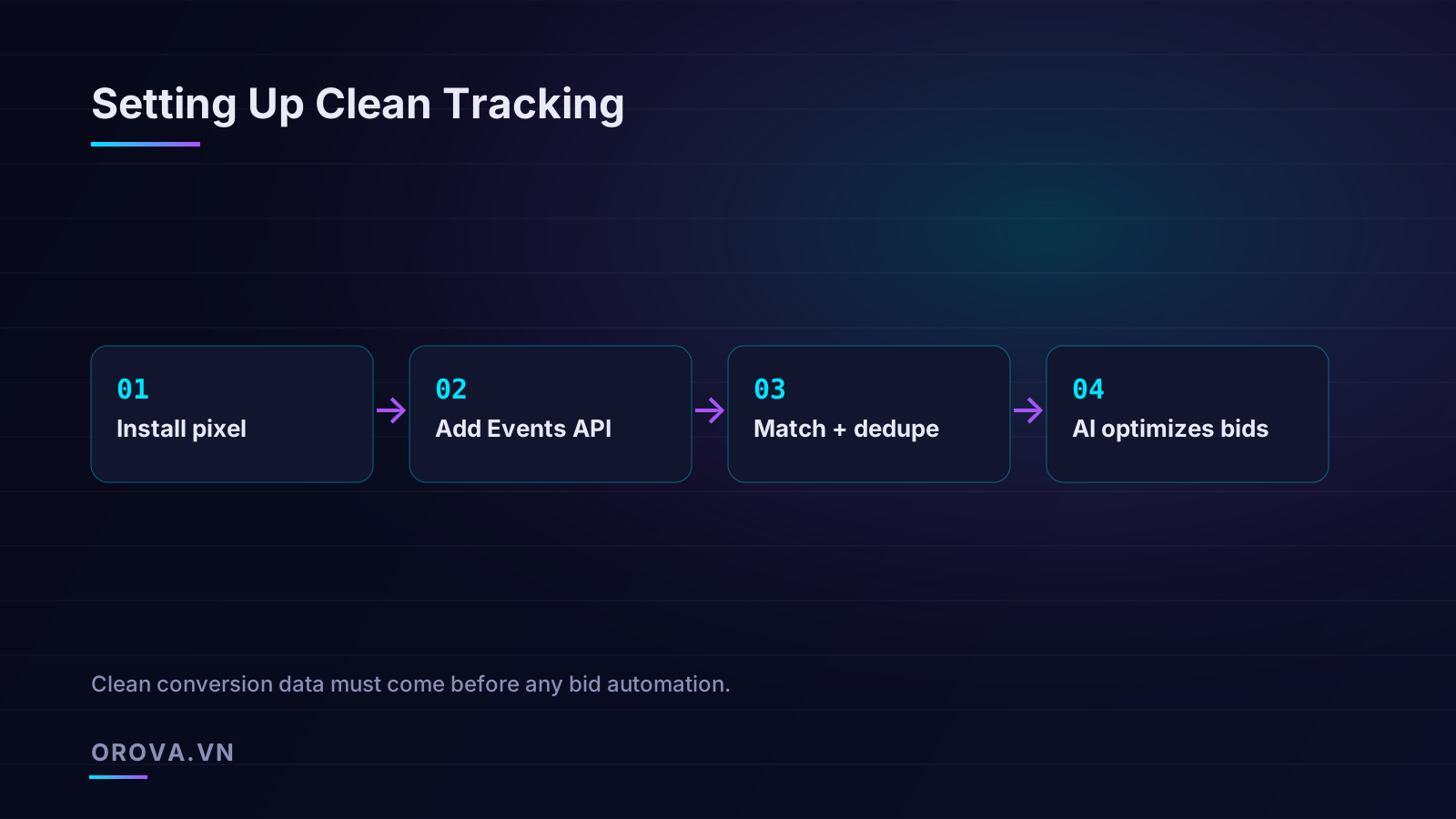
There is a correct order of operations here, and skipping ahead is the most common way teams waste money. The dependency chain is strict:
- Install and validate the pixel. Confirm your core events fire correctly on the right pages with the right values. Do not move on until the basics are clean.
- Add the Events API. Send the same core conversion events server-side, with the same event IDs and rich match parameters.
- Verify deduplication and match quality. Confirm in Events Manager that duplicates are being merged and that match quality is high. This is the gate. Do not let bidding automation run hard until this passes.
- Then automate bids. Only once the data foundation is solid does it make sense to hand bid and budget decisions to an automated system, because only then is the system optimizing toward reality.
Teams that reverse this order, that crank up automated bidding on top of a leaky pixel, end up blaming the algorithm for outcomes the data caused. The platform is doing exactly what it was told; it was just told the wrong thing.
A practical implementation and validation checklist
To turn this into something you can act on, here is the working checklist we use when standing up or auditing TikTok server-side tracking. None of these steps is glamorous, but each one closes a specific leak.
- Single source of truth for event IDs. Generate the event ID once, server-side, at order creation. Pass it into both the pixel payload and the Events API call. Never let two systems mint their own IDs for the same event.
- Mirror your core events on both channels. At minimum, send your primary conversion event (purchase or lead) through both the pixel and the Events API. High-funnel events can follow once the core loop is verified.
- Maximize match parameters. Always include the hashed email and hashed phone where you have them, plus the TikTok click identifier captured at the ad click and persisted through to conversion. Add external ID and IP/user agent for additional matching strength.
- Normalize before hashing, every time. Lowercase and trim emails, normalize phone numbers to international digit-only format, and apply the exact hashing scheme TikTok specifies. A single normalization bug silently halves your match rate.
- Watch the deduplication rate. After turning on the Events API, confirm a healthy deduplication rate in Events Manager. Near-zero deduplication with both sources active means your IDs are not matching.
- Track event match quality as a KPI. Review the score regularly and treat drops as incidents. Match quality erosion usually signals a normalization regression or a dropped parameter after a site change.
- Reconcile against your backend weekly. Compare TikTok-reported conversions and revenue against your own order database. The gap should shrink dramatically after the Events API goes live. A persistent large gap means events are still being lost somewhere.
- Re-validate after every site or checkout change. Theme updates, checkout redesigns, and tag manager edits are the most common causes of tracking regressions. Add tracking validation to your release checklist.
Where this fits in a broader TikTok strategy
Clean measurement is the foundation, but it is not the whole building. Once your conversion signal is trustworthy, the next leverage point is creative volume and quality, because TikTok's algorithm rewards fresh, native-feeling content far more than most platforms. We cover that side of the equation in our companion piece on TikTok ads optimization and Spark Ads creative velocity, which pairs naturally with the tracking work described here: clean signal tells the algorithm what worked, and creative velocity gives it more good options to choose from.
It is worth being honest about the maintenance burden. Server-side tracking is not a one-time setup. Match quality drifts, site changes break events, and parameters get dropped during seemingly unrelated deployments. The brands that sustain strong performance are the ones that treat the tracking pipeline as living infrastructure, monitored continuously rather than configured once and forgotten. If you want the underlying logic of how automated bidding consumes this signal, our overview of how an AI agent manages paid campaigns across platforms explains why the data foundation is the part that determines everything downstream.
The bottom line on TikTok signal quality
The skincare brand from the opening recovered its missing 38% within two weeks of deploying the Events API with proper deduplication and high match quality. The reported ROAS in TikTok Ads Manager rose from 1.8 toward the 3.1 their backend had been showing all along, not because they sold more in those two weeks, but because the platform could finally see the sales they were already making. With accurate signal in place, smart bidding stopped optimizing toward a biased sample and started finding the customers who actually converted, and over the following month real performance improved on top of the corrected reporting.
The lesson generalizes well beyond one brand. The browser pixel is a leaky measurement instrument in a privacy-first world, and the leaks are invisible until you go looking for them. The Events API plugs those leaks by reporting conversions from your own server, where the data is complete and reliable. Deduplication keeps your counts honest, match quality determines how much each event is worth, and the entire stack has to be solid before automated bidding can do anything useful. Get the order right, validate ruthlessly, and treat the tracking pipeline as infrastructure rather than a checkbox.
Want clean signal to actually pay off in better performance? Orova Ads is an AI agent that autonomously manages your paid campaigns across Google, Meta, and TikTok. It reads your conversion data every day, recommends bid, budget, audience, and on/off optimizations, and executes the approved ones for you with human-in-the-loop approval and a full audit log of every change. Once your TikTok Events API foundation is clean, Orova Ads turns that trustworthy signal into continuous, accountable optimization so the work you put into tracking shows up where it counts.
Let an AI Agent handle your SEO
Orova plans, writes, optimizes, and tracks rankings on its own — you just read the results.
Try it free