
Audit Logs and Rollback: How to Undo Any Change Your AI Agent Makes
At 3:47 a.m. on a Tuesday, an AI agent managing a retail account raised the daily budget on a top-performing campaign from $200 to $340 because conversion volume had spiked the day before. By 9 a.m., the marketing lead noticed spend was running hot and wanted to know exactly what happened: who changed it, when, by how much, on what evidence, and — most urgently — how to put it back if the spike turned out to be a fluke. The difference between a tool you can trust with your ad budget and one you can't comes down to whether that entire story is sitting in a log, in plain language, with a button next to it that says "revert."
That is what audit logs and rollback are really about. They are not compliance paperwork. They are the mechanism that lets you hand routine decisions to an automated system without handing over your ability to understand or undo those decisions. An AI agent that edits budgets, bids, audiences, and on/off states is making dozens of consequential changes a week across Google, Meta, and TikTok. If you can't see each one and reverse the ones you disagree with, you don't have an assistant — you have a black box spending your money. This article lays out what a complete audit trail should capture, how rollback works for each type of change, where rollback genuinely cannot reach, and how to build a review habit that keeps you in control without slowing the agent down.
Why audit logs are the foundation of trusting an AI agent
Trust in automation is not a feeling; it is a function of verifiability. You trust the cruise control in your car because you can override it instantly with the brake, and you can see the speed it's holding. You trust an autopilot because every input it makes is recorded and reviewable. The same logic applies to an agent managing paid media. The agent will be right most of the time — that's the point of using it — but "most of the time" is not "always," and the value of a log is precisely in the minority of cases where the agent's judgment and yours diverge.
There is also a practical, human dimension. Marketing teams answer to finance, to clients, and to their own performance reviews. When spend moves, someone asks why. "The AI did it" is not an acceptable answer in any of those conversations. A proper audit log turns that dead-end into a sentence you can actually say out loud: "On the 14th the agent shifted $80/day from the prospecting campaign to retargeting because retargeting CPA had been 40% lower for six consecutive days, and here's the before-and-after." That is a defensible, professional answer, and it only exists if the system wrote it down at the moment it acted.
What separates a log from a real audit trail
Many platforms have a "change history" tab. Most of them are nearly useless because they record the mechanical fact of a change without the context that makes it interpretable. "Budget changed from 200 to 340" tells you what happened but not why, not by whom, and not under what rule. A genuine audit trail is the difference between a security camera that only records motion and one that records who walked in, what they were carrying, where they went, and when they left. The first proves something moved. The second lets you reconstruct the event.
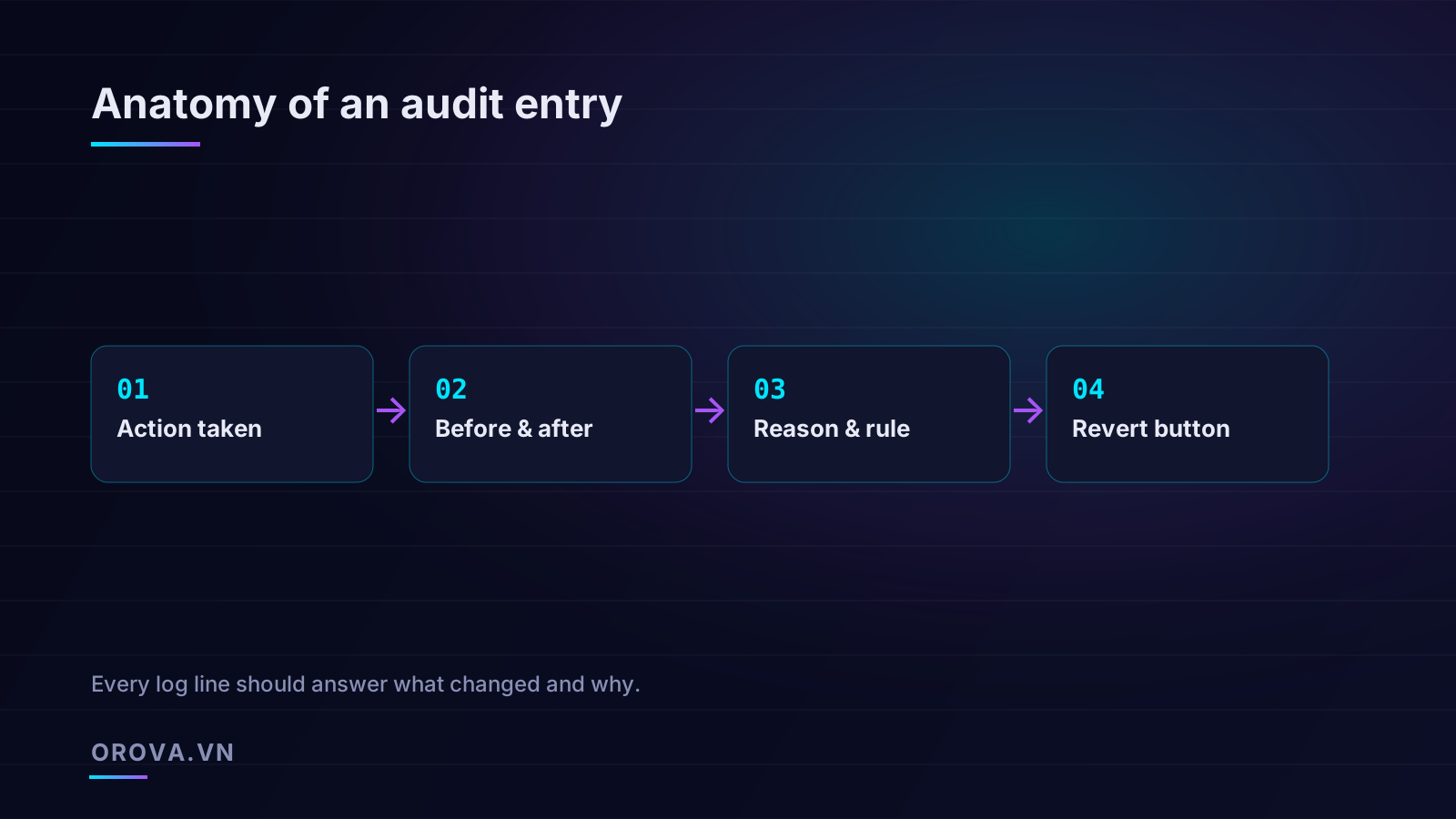
A real audit entry answers four questions completely, and it answers them in a way a non-engineer can read:
- What changed — the specific object (this campaign, this ad set, this keyword) and the exact field and value.
- The before and after — the previous state and the new state, side by side, so you never have to reconstruct the old value from memory or a spreadsheet.
- Who, when, and why — whether the agent or a human acted, the precise timestamp, and the reasoning, including the rule or signal that triggered it.
- How to undo it — a direct path back to the prior state, or an honest flag that this particular change can't be cleanly reversed.
Miss any one of those and the log degrades. Without the "before," you can't undo with confidence. Without the "why," you can't tell a smart move from a mistake. Without the "who," you can't separate the agent's actions from your own teammates'. The four elements only work as a set.
Anatomy of a complete audit entry
Let's get concrete about what each line should contain. Imagine the agent pauses an underperforming ad. A throwaway log says: "Ad 88213 paused, 2:14 PM." A complete entry reads more like a short, structured incident report.
The action taken
State the operation in unambiguous terms tied to a real object: "Paused ad 'Spring Sale — Carousel A' (ID 88213) in ad set 'Lookalike 2% — Purchasers'." The object name matters as much as the ID. Six weeks later, "ID 88213" means nothing to you, but "Spring Sale — Carousel A" lets you place the change in your mental map of the account without opening three other tabs.
The before and after state
This is the single most important field and the one most commonly skipped. For a status toggle it's trivial — Active → Paused. For a budget it's a number pair — $200 → $340. For an audience change it can be richer — "Added interest 'home office furniture'; removed 'remote work'." The before-state is what makes rollback possible at all. You cannot revert to a value the system never recorded. A system that captures "after" but not "before" can show you what your account looks like now but cannot put it back the way it was, which means it can't truly support rollback no matter what the button says.
The reason and the rule
Every automated change should carry its rationale and the trigger behind it. The reason is the human-readable story: "Ad's cost per result was 2.3x the ad set average over the trailing 7 days with 40+ conversions of data, indicating statistically meaningful underperformance." The rule is the policy that fired: "Auto-pause assets exceeding 2x ad-set CPA after 30+ conversions." Recording both lets you do two different things. From the reason, you judge whether this specific decision was sound. From the rule, you decide whether the policy itself needs tuning — because if the same rule keeps producing pauses you reverse, the problem isn't the individual action, it's the threshold.
The revert control
The fourth element is the button that closes the loop. A log you can read but not act on forces you to leave the audit view, find the object in the native platform, remember the old value, and re-enter it by hand — exactly the friction that makes people stop reviewing at all. The revert control should sit on the entry itself and restore the recorded before-state in one action, with its own confirmation and its own new log line (reverting is itself a change worth recording). When the four elements live together — action, before/after, reason/rule, and revert — a single line tells the whole story and offers the remedy in the same breath.
Who, what, when, why: attribution that holds up
In any account touched by more than one actor — and that's nearly all of them once you add an agent to a human team — attribution is what keeps the history coherent. You need to know not just that a budget moved but whether the agent moved it, whether a teammate moved it, or whether someone approved a recommendation the agent proposed. These are different events with different implications, and collapsing them into "budget changed" throws away the information you most need during a review.
Separating agent actions from human actions
The cleanest systems tag every entry with its actor and keep the two streams legible side by side. When you scan a week of history, you should be able to filter to "show me only what the agent did" and "show me only what people did," then look at the intersection — the cases where a human overrode or approved the agent. That intersection is the most valuable view in the whole log, because it's where the working relationship between you and the automation actually plays out. If you frequently override the agent on a particular campaign, that's a signal worth acting on. If you almost never do, that's evidence you can safely widen the agent's autonomy there.
Why "why" beats "what" for everyday review
Here's a counterintuitive truth about reviewing automated changes at scale: the reason field is more useful than the action field for day-to-day work. The action tells you a number changed. The reason tells you whether to care. When you're scanning forty entries from overnight, you are not auditing every digit — you're triaging. You read the reasons, and the moment one doesn't make sense ("lowered bid on our best keyword because of a one-day CTR dip"), you stop and inspect. A log organized around reasons lets you review forty changes in three minutes and catch the one that's wrong, instead of reading forty rows of numbers and catching nothing. We go deeper on how to read and pressure-test an agent's reasoning in our guide to auditing the decisions an AI ad agent makes, which pairs naturally with the rollback mechanics covered here.
Rollback by change type: what undoes cleanly and what doesn't
Here is where honesty matters most, and where a lot of marketing software quietly overpromises. "One-click rollback" is true for many changes and false for some. A trustworthy agent doesn't pretend everything is equally reversible; it tells you, at the moment you click revert, what category you're dealing with. The platforms themselves impose these limits, not the agent — but the agent's job is to surface them clearly rather than let you assume an undo is perfect when it isn't.
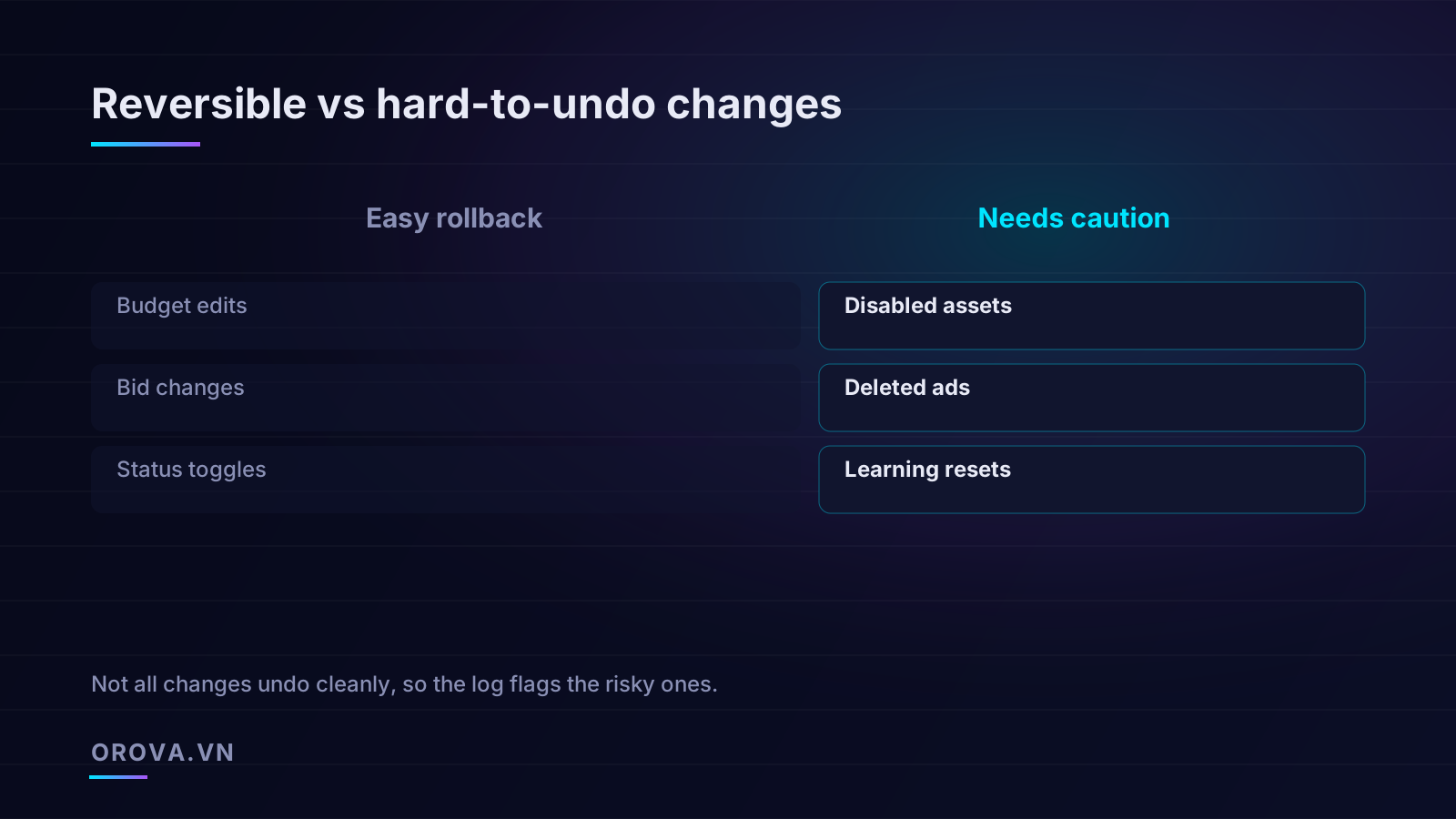
The easy cases: budgets, bids, and status toggles
Three of the most common automated changes are also the most reversible, which is fortunate because they're the workhorses of daily optimization.
- Budget edits. A daily or lifetime budget is just a number. If the agent moved a campaign from $200 to $340 and the result disappointed, setting it back to $200 restores the prior state exactly. The money already spent is gone, of course — rollback is not a refund — but the configuration is fully recoverable.
- Bid and bid-strategy changes. Bid caps, target CPA, target ROAS, and manual bid values are all settings you can write back to their previous values. The one nuance is that bid strategies inform the platform's learning, so reverting the number is clean while the algorithm's recent behavior takes a little time to settle. The setting reverts instantly; the system's response is gradual.
- Status toggles. Pausing and unpausing a campaign, ad set, or ad is the most symmetric operation there is. Paused something the agent shouldn't have? Set it back to active and it resumes. Active → Paused → Active leaves the object's configuration untouched.
For this whole class, the before-state in the log is sufficient to restore the world as it was. The revert button can do exactly what it promises, and you can use it without a second thought.
The hard cases: deletions, disabled assets, and learning resets
Other changes leave marks that a configuration write can't erase. The agent should flag these distinctly so you treat them with appropriate caution.
- Deleted ads and removed assets. Deletion is the classic irreversible operation. Once an ad, ad set, or campaign is deleted on a platform, it usually cannot be restored to its original object — and even a recreated copy is a new entity. It loses its history, its accumulated learning, and its performance lineage. This is why a careful agent pauses rather than deletes by default: a pause is reversible, a deletion is not. If a delete is ever warranted, it should require explicit human approval, never happen autonomously.
- Disabled assets and structural removals. Removing an asset from a responsive ad, dropping a sitelink, or stripping an audience can sometimes be re-added, but the platform may treat the re-added version as new — meaning it has to re-enter the learning phase rather than resuming with its prior performance signal. The configuration looks restored, but the underlying performance state doesn't come back with it.
- Learning resets. This is the subtlest trap. Certain edits — significant budget swings, conversion-event changes, major audience shifts — push a campaign back into the learning phase, during which performance is volatile and unrepresentative. Even if you revert the triggering change, you cannot un-trigger the reset. The campaign still has to re-stabilize. The setting is reversible; the consequence of having changed it is not.
How a careful agent works around irreversibility
The right response to these limits is not to avoid automation; it's to design the agent's defaults around reversibility. A well-built agent prefers the reversible version of any decision. When it wants to stop an underperforming ad, it pauses rather than deletes. When it wants to reduce exposure to a weak audience, it lowers the audience's bid or budget share before it removes the audience entirely. When a change would obviously trigger a learning reset, it either batches the change to minimize how often the reset is paid, or it routes the decision to a human with a clear note: "This will reset the learning phase — approve only if you accept a few days of volatility."
This is also where human-in-the-loop approval earns its place. The cheap, reversible, high-frequency changes — budgets, bids, toggles — can run autonomously with confidence because rollback is a genuine safety net. The expensive, hard-to-undo, low-frequency changes — deletions, structural edits, anything that resets learning — should pause for a human nod. The audit log is what makes this two-speed approach safe: the autonomous lane is fast because you can always reverse it, and the approval lane is careful because you can't.
Building a review habit that keeps you in control
An audit log only protects you if someone reads it. The good news is that with a well-structured trail, "reading it" takes minutes, not hours. The goal is not to inspect every change — that defeats the purpose of automation — but to scan efficiently and intervene precisely.
A practical daily and weekly rhythm
Most teams settle into a cadence that looks roughly like this:
- Daily, five minutes: Filter the log to the last 24 hours of agent actions. Read the reasons, not the numbers. Skim for anything that surprises you. If nothing does, you're done. If something does, open it, check the before/after, and revert if you disagree.
- Weekly, fifteen minutes: Look at the human-override view — every place a person reversed or changed an agent action. Patterns here tell you whether a rule needs tuning. Three reverts of the same auto-pause rule in a week means the threshold is too aggressive, not that the agent is broken.
- Monthly, thirty minutes: Review the hard-to-undo changes specifically. Even with approval gates, it's worth confirming that deletions and structural edits were warranted and that no campaign got stuck in a learning loop from repeated big swings.
What to do when you find a change you don't like
The workflow should be boring, which is exactly what you want from a safety mechanism. Spot the entry, read the before-state, decide if the prior value was better, and if so, click revert. The reversion writes its own log line — "Reverted budget 340 → 200, manual, reason: spike was a one-day anomaly" — so your correction is itself part of the record. Over time those reversion notes become training material for tuning the agent's rules, closing the loop from "the agent acted" to "I corrected it" to "the rule got better."
Red flags in any agent's audit system
If you're evaluating a tool, a few absences should give you pause:
- No before-state recorded — rollback is impossible without it, no matter what the marketing says.
- No reason field — you can see what changed but never judge whether it was right.
- No actor attribution — you can't separate the agent's work from your team's.
- A "revert" that recreates rather than restores — for deletions especially, recreation is not restoration and the log should say so honestly.
- Silence about irreversibility — a system that claims everything is one-click undoable is either misinformed about the platforms or hoping you are.
The bottom line: control is a feature, not a formality
Automation in paid media is no longer optional at scale — the volume of decisions across Google, Meta, and TikTok exceeds what any human can manage by hand, and that's precisely why agents exist. But automation without a complete, readable audit trail and honest rollback is a bet you can't supervise. The whole proposition flips when every change records what it did, what the world looked like before, who did it and why, and how to put it back. Then the agent becomes what it should be: a tireless operator handling the routine work, fully visible to you, fully reversible where reversal is possible, and honest about the few places where it isn't. You keep the judgment; the agent keeps the pace. That balance — speed paired with verifiability — is what makes handing over your ad account to software a decision you can defend to your finance team, your clients, and yourself.
If you want an AI agent that operates this way by default, take a look at Orova Ads. It autonomously manages your paid campaigns across Google, Meta, and TikTok — reading performance data daily, recommending optimizations, and executing budget, bid, status, and audience changes — but it does it with human-in-the-loop approval and a complete audit log behind every action, so you can trace exactly what changed and why, and undo it whenever you choose.
Let an AI Agent handle your SEO
Orova plans, writes, optimizes, and tracks rankings on its own — you just read the results.
Try it free