
Keyword Cannibalization: Detect & Fix Pages Fighting Each Other
Two great salespeople rushing the same customer
Imagine you open a shop and hire two great salespeople. They're supposed to split the customers. But because you forgot to assign roles, every time a customer walks in, both rush over, give the same pitch, talk over each other. The confused customer doesn't know who to listen to and walks away. Two good people, but by fighting over one spot they sell nothing — and what should've been one person doing well became two people making a mess.
On a website, the same happens when you have multiple articles targeting one keyword. You think "more articles on this topic means more strength", but the reverse is true: the articles compete with each other, Google gets confused about which to rank, splits the strength across several, and the result is none of them rank. Instead of one strong article on top, you have three weak ones languishing on page two.
This phenomenon has a name: keyword cannibalization — your pages "eating" each other, also called the silent traffic killer. Silent because it throws no error; you keep publishing, you think you're "covering" the topic, but rankings stay stuck and you don't know why.
This article dissects it fully: what cannibalization is and why it silently kills traffic, how to detect it with free tools, the "one keyword, one page" rule, how to build a keyword map to prevent it, four ways to fix it once it's happened, and how to tell "eating each other" (bad) from "covering a topic" (good).
What is keyword cannibalization? When two or more pages on your own website target one keyword / one intent. Because they're alike, Google doesn't know which to rank, so it splits the authority signals across the lot — weakening each. "Cannibalization" literally means eating one's own kind: your articles are eating each other.
Why it silently kills traffic
To grasp the harm, recall how Google ranks: for each keyword, Google picks one best representative page from your site to show. When you have several similar pages targeting one keyword, three bad things happen:
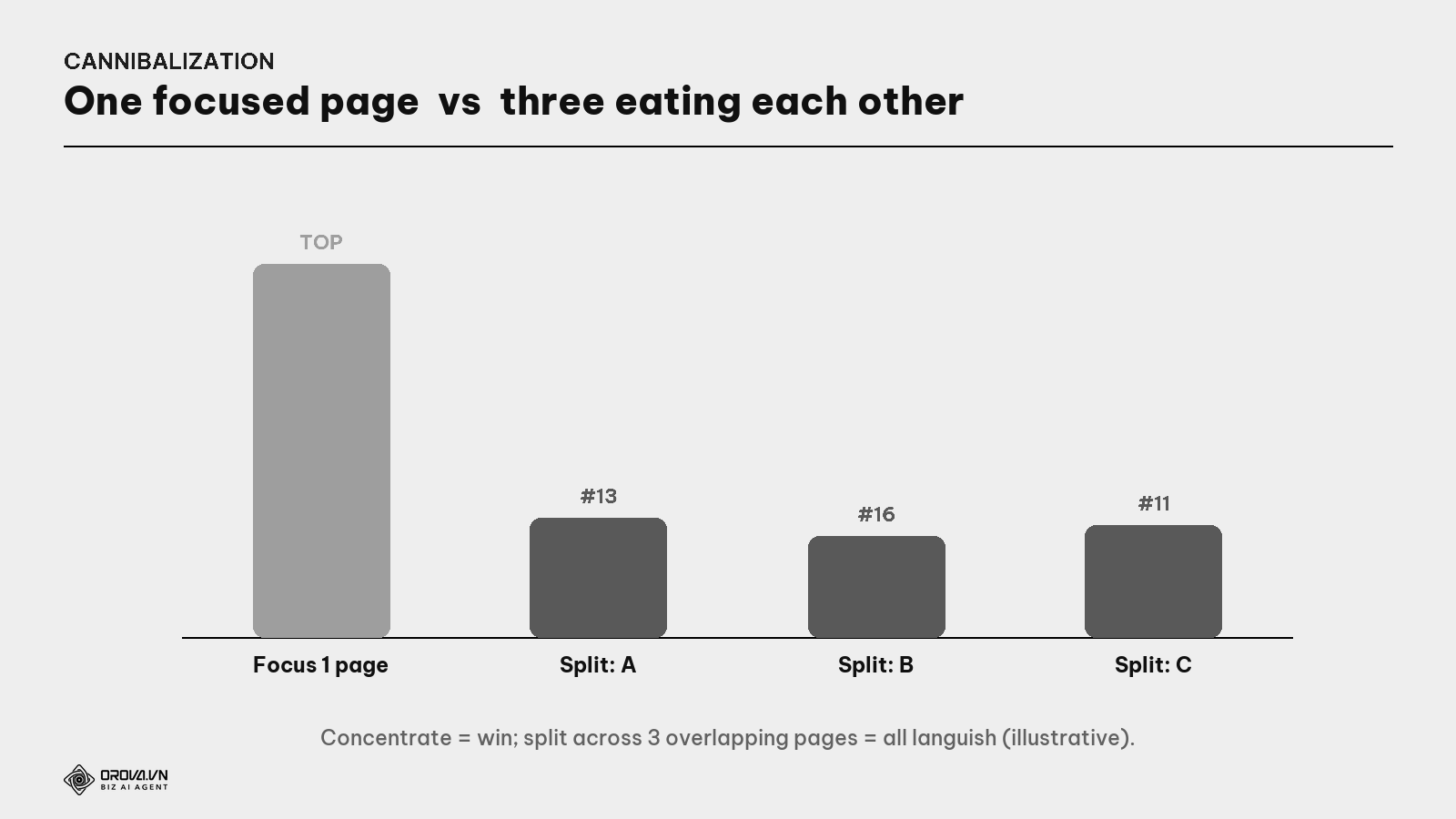
- Google is confused which page to pick. It swaps back and forth — today page A, tomorrow page B — so none stably climbs.
- Strength gets split. Backlinks, authority, internal links... that should pool into one page to power it up get spread across several. Each gets a fraction → all weak.
- Visitors and clicks split too. If both rank (rare), they share the clicks instead of one page capturing them all.
What is link equity? The "strength"/authority a page receives via backlinks and internal links. When cannibalizing, this strength is split across overlapping pages instead of pooled into one — so no page is strong enough to win.
In short: in SEO, one excellent article beats three mediocre ones. Pooling strength always beats spreading it thin.
What cannibalization looks like in practice
Some typical symptoms to recognize:
- Odd ranking fluctuation. A keyword bounces up and down (position 8 → 14 → 9 → 16) — a sign Google is wavering between your pages.
- The "wrong page" ranks. Google ranks an article you didn't want for that keyword (e.g., an old blog post ranks instead of the product page).
- Multiple of your URLs show for one keyword (see how to check below).
- A new article makes an old keyword drop — the new one "ate" the old one's spot.
How is cannibalization DIFFERENT from covering a topic? Covering a topic (many articles, each a different intent) is good — that's a topic cluster (see the Topic Cluster guide). Cannibalization is many articles of the same intent — that's the bad kind. The line is intent, not article count (see the distinction section below).
How to detect it: catch the culprit with Google Search Console
Good news: you don't need expensive tools. Google Search Console (GSC) — Google's free tool — shows you enough.
What is Google Search Console? Google's free tool for site owners, showing which keywords you appear for, at what position, which page gets the clicks. It's the mirror on yourself — and where cannibalization's traces surface.
The process:
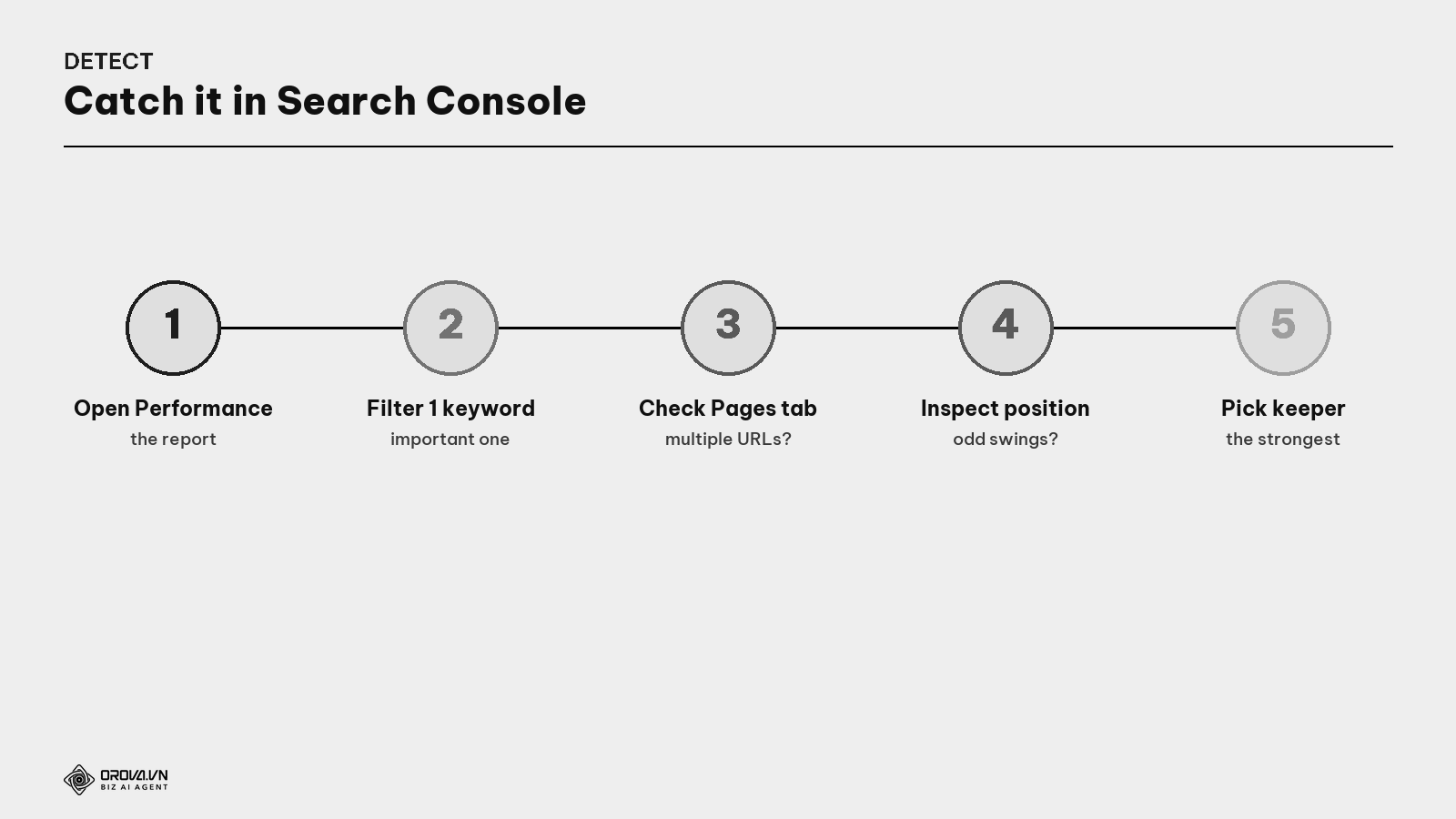
- Open the Performance report.
- Filter by an important keyword (click that query).
- Check the "Pages" tab. If multiple different URLs of yours appear for that keyword → a clear sign.
- Inspect average position for abnormal fluctuation.
- Quick check with
site:— typesite:yourdomain.com keywordon Google; if multiple of your articles all address that exact term → likely cannibalized.
Quick how-to: repeat steps 1–4 for 10–20 main keywords. You'll quickly get a list of where you're stepping on your own toes to fix.
The golden rule: one keyword — one page
Prevention beats cure. The foundational rule: each main keyword / intent is assigned to exactly ONE page. Before writing a new article, ask: "Do I already have an article targeting this keyword/intent?" If yes — don't write a new one, make the old one stronger.
This does not mean you can only write one article per big topic. You still write many — but each targets a different intent, no overlap. For the topic "espresso machine":
- "What is an espresso machine, what types" → one article (learn intent).
- "Top 5 espresso machines for a small cafe" → another (compare intent).
- "Buy Delonghi X" → a product page (buy intent).
Three articles, three intents, no stepping on toes. Cannibalization only happens when two articles target the same intent.
Keyword mapping: the map that prevents self-eating
The strongest prevention tool is a simple table: keyword mapping.
What is keyword mapping? A table assigning each main keyword to exactly one page. Each row: keyword → owner page → intent. Looking at it, you instantly know which keyword has an "owner" and which is free — and you never accidentally create two pages for one keyword.
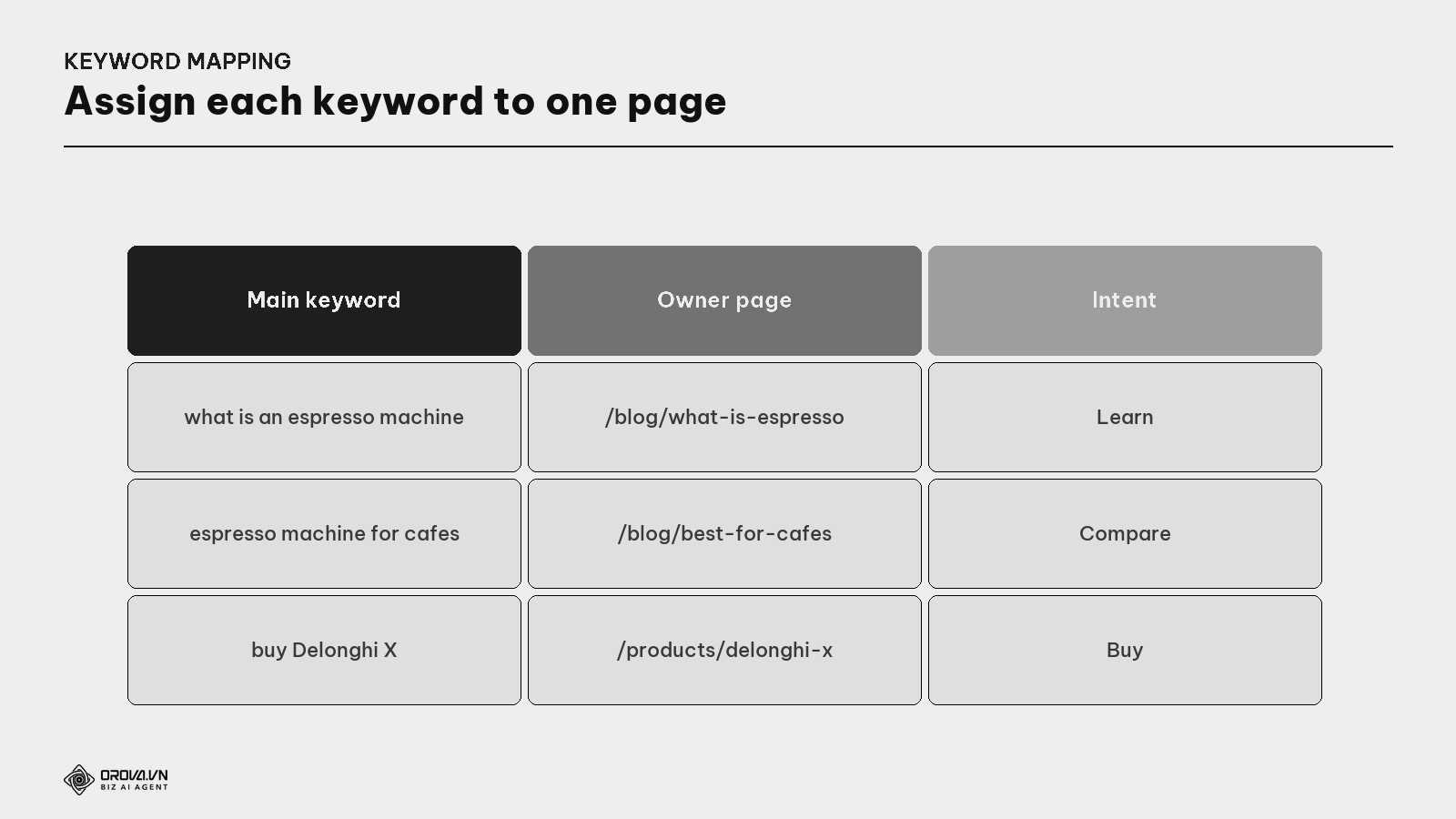
Each time you plan a new article, open this table and check. Keyword already owned → enrich the existing page. Not owned → add a new row. That simple, but it stops most cannibalization before it's born.
Already cannibalized? Four ways to fix it
If you find articles stepping on each other, don't panic. Four fixes, by situation.
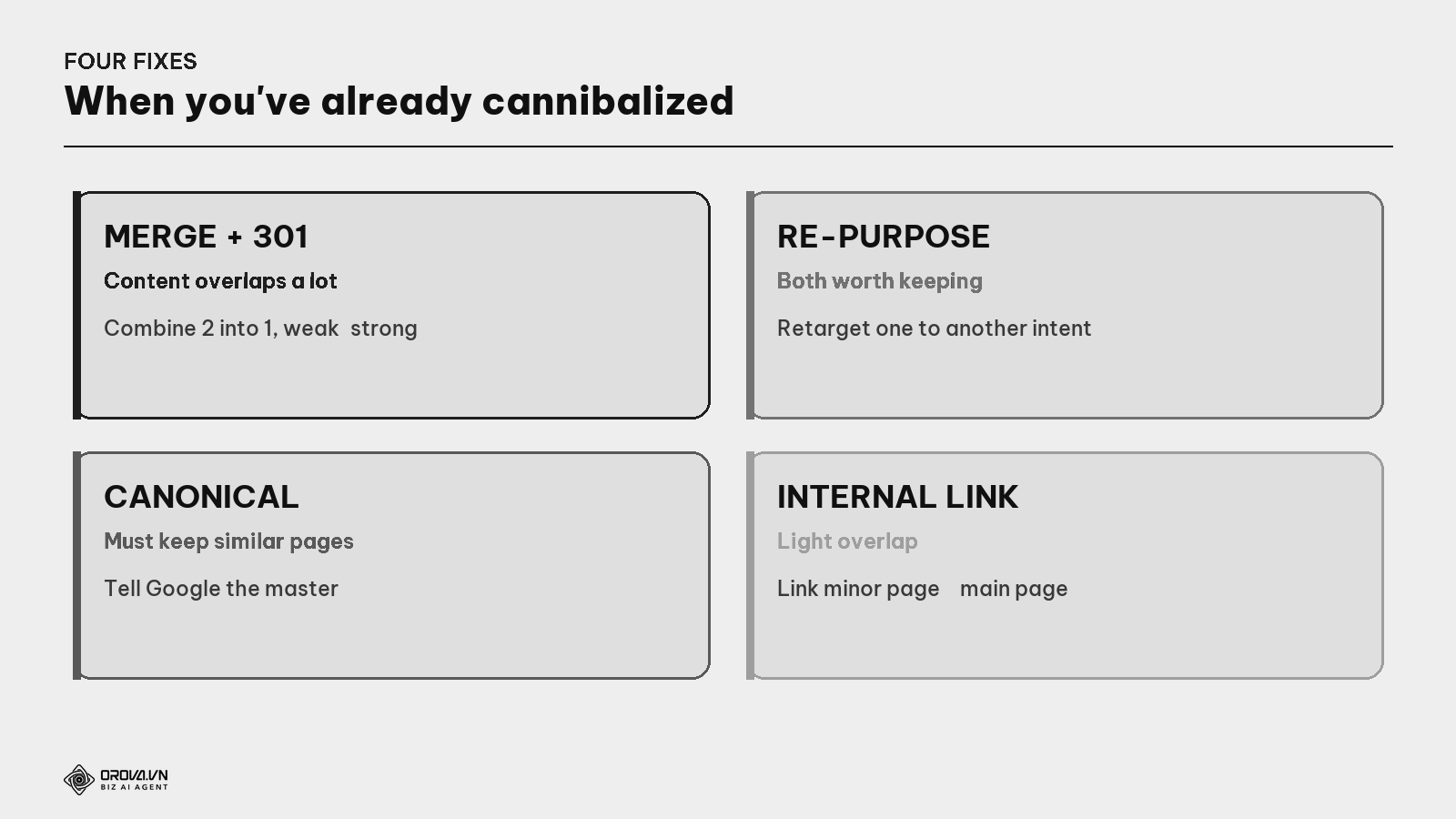
1. Merge + 301 redirect (when content overlaps a lot).
What is a 301 redirect? A command saying "this page has permanently moved to that one". Setting a 301 from a weak article to a strong one transfers all the weak one's authority to the strong one, and visitors of the old link auto-arrive at the new. It "merges" two into one with nothing lost.
2. Re-purpose (when both are worth keeping but overlap in intent). Keep both, but retarget one to a different intent so they don't compete (e.g., one "for beginners", one "for experts").
3. Canonical tag (when you must keep near-identical pages).
What is a canonical tag? A hidden line telling Google "among these similar pages, the master is this one". Google pools authority into the master and ignores the rest. Use it when you must keep several similar pages (common on e-commerce).
4. Internal link (when overlap is light). Link from the minor pages to the main one with the right anchor — helping Google understand which is the "main page" for that term.
The distinction: eating each other (bad) vs covering a topic (good)
This is where over-caution backfires — people don't dare write multiple articles on a topic for fear of cannibalizing. Be clear:
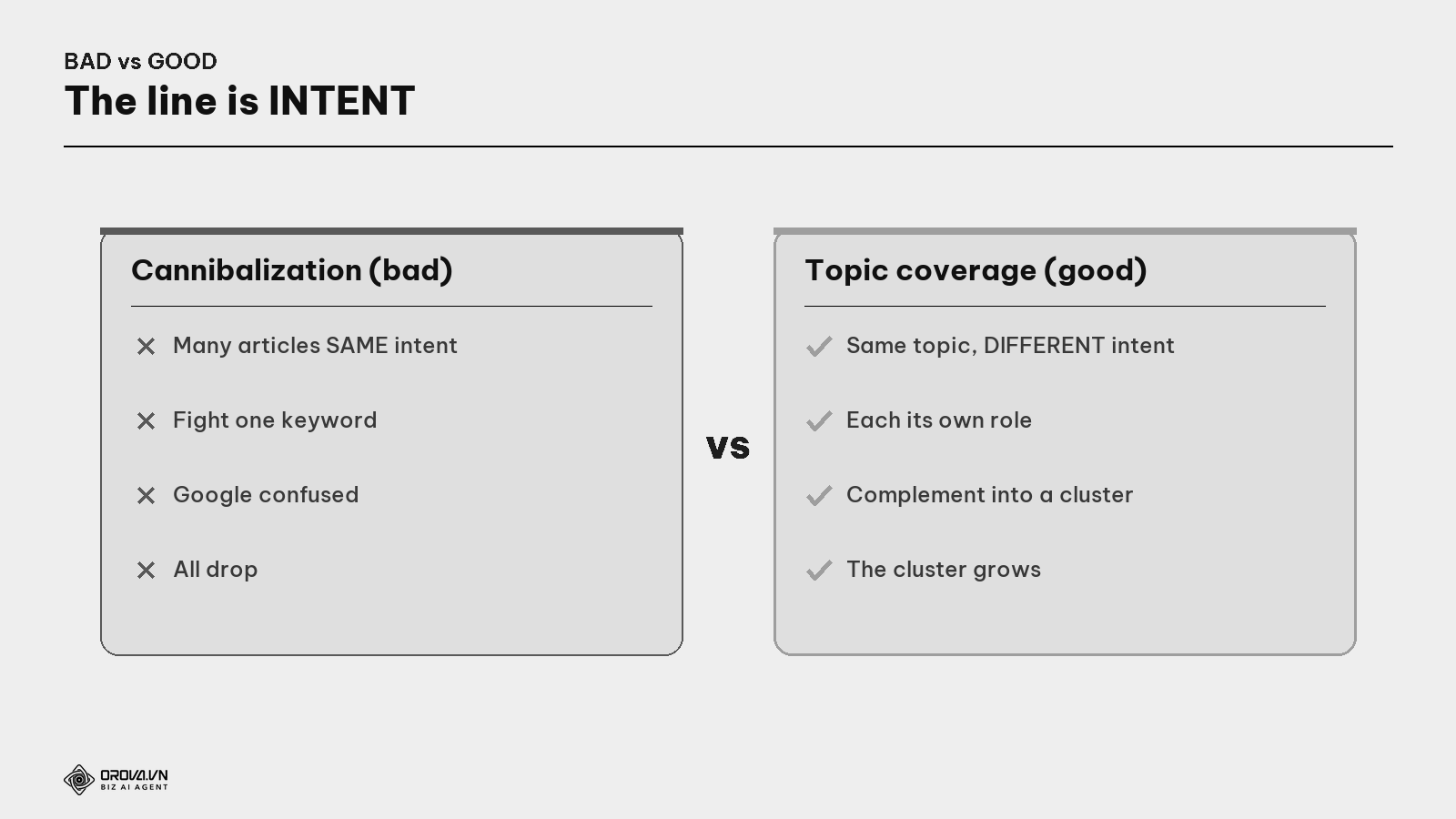
- Bad (cannibalization): three articles all targeting "best espresso machine" → fight each other.
- Good (topic cluster): one "what is", one "top 5", one "buy" page → each its own intent, complementing into a cluster (see the Topic Cluster guide).
Rule to remember: don't fear writing many articles on one topic — only fear writing many on one intent.
The overall process & "pass" standard
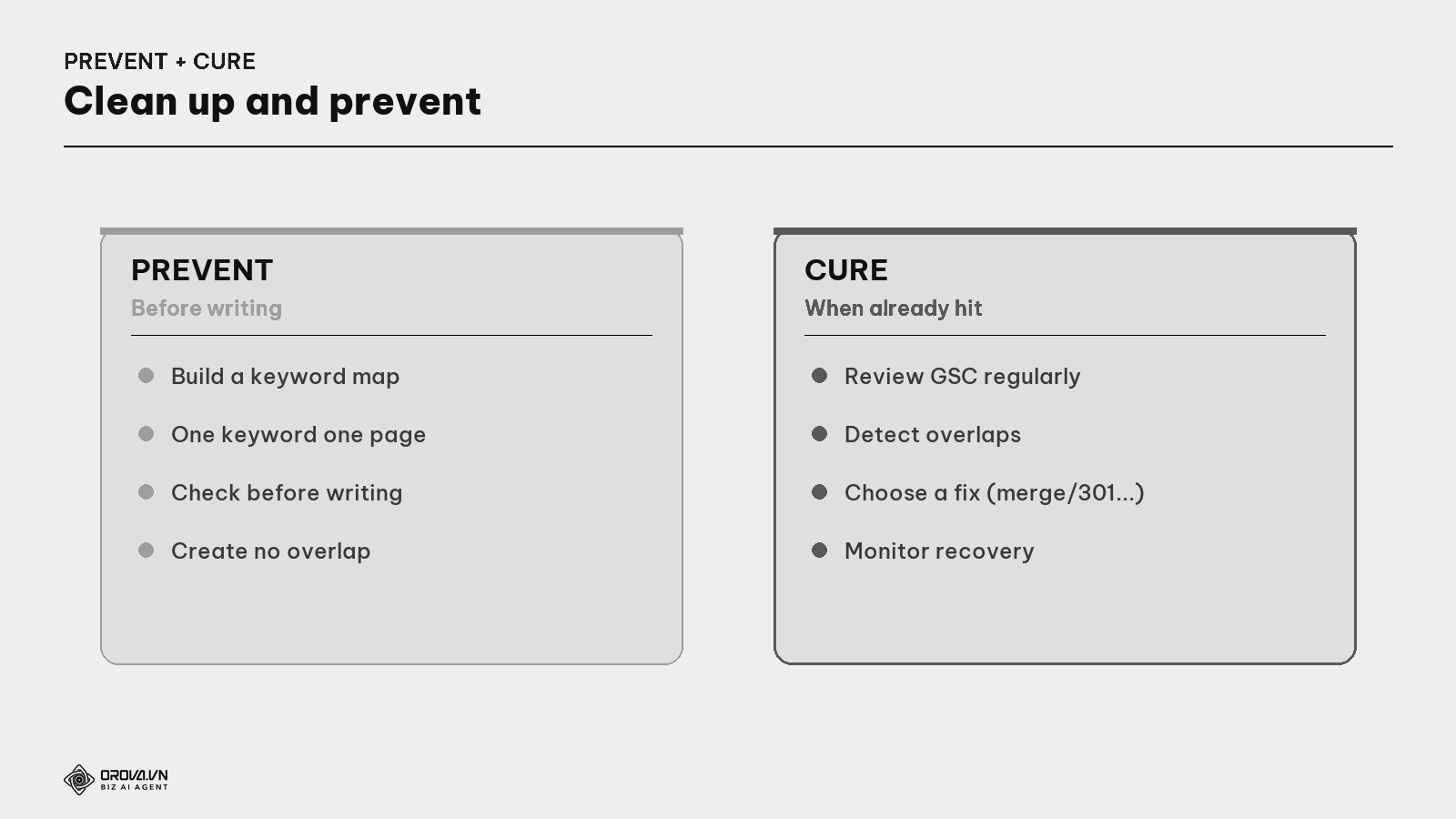
The process:
- Build a keyword map — one keyword per page, with intent.
- Check before writing a new article — avoid creating overlaps.
- Review GSC periodically (e.g., quarterly) — catch toe-stepping.
- For each cannibalized cluster: identify the strongest article to keep; pick a fix (merge+301 is most common); update internal links to the kept article.
- Monitor for a few weeks to see rankings stabilize and rise.
"Pass" standard: you have a keyword map (each keyword assigned to one page); you always check before writing a new article; you've reviewed ≥10–20 main keywords in GSC with no keyword having multiple of your URLs trading rank; previously cannibalized clusters are fixed (merge/301/canonical/re-purpose); and rankings are stabilizing upward. At this level, your site's strength is pooled not spread — one of the cheapest, fastest ranking boosts few people notice.
Benefit: cleaning up cannibalization often gives fast, clear results — because you're pooling several weak pages into one strong page instead of letting them cancel each other out. Many sites see rankings climb within weeks of the right merge. It's an unglamorous "housekeeping" job worth doing before pouring more effort into new articles.
FAQ
Is writing many articles on one topic always cannibalization? No. Cannibalization only happens when multiple articles target the same intent. Many articles on a big topic, each with a different intent, is perfectly fine — that's the topic cluster model (see the Topic Cluster guide).
Does merging articles lose rankings? Done right (merge the good content + set a 301 from old to new + update internal links), it usually raises rankings, because strength is pooled. The risk only comes from forgetting the 301 or sloppily merging into diluted content.
How often should I check for cannibalization? For a site publishing regularly, review quarterly, and always check before writing a new article on an existing topic. A keyword map makes this much lighter.
How do canonical and 301 differ? A 301 permanently moves users and authority to the new page (old page disappears). A canonical keeps both pages live but tells Google which is the master to count. Use a 301 to drop the weak one entirely; use canonical when you must keep several near-identical pages.
How do I know which article to keep when merging? Pick the strongest: most backlinks, most traffic, or the best intent/format match for the keyword. Merge the others' good content into it, then 301 the others to it.
Can a product page and a blog post targeting one term cannibalize? Possibly, if both share intent. Usually let the product page target the buy intent and the blog post the learn/compare intent — split the intent so they complement rather than compete.
I'm afraid of cannibalizing so I don't write much — is that right? Wrong direction. Don't fear writing many articles on one topic — fear writing many on one intent. Cover the topic deeply with different-intent articles (into a cluster); as long as each intent has one page, you're safe.
Back to the two salespeople fighting over a customer
Remember the two great salespeople both rushing one customer? The problem wasn't ability — it was that no one assigned roles. Just have the owner say "you handle type-A questions, you handle type-B", and both sell, and the shop runs smoothly.
Keyword mapping is that "role assignment" for your website. Each keyword/intent has exactly one page in charge, no one stepping on anyone. Instead of letting many articles eat each other and all sink, you pool strength for each intent into one strong article — and let different-intent articles complement into a cluster. Do that, and your "content team" stops fighting over one spot; each does its own job, all pulling the website up together.
This article is part of Orova's complete SEO guide series. It's a deep-dive within the cluster — see "Keyword Research", "Search Intent", "Topic Clusters", and "Internal Linking" for the full picture. Get started with Orova at orova.vn/en/seo.
Sources
Google Search Central (how Google picks the representative page, canonical tags, 301s) · Google Search Console Help (Performance report for keyword/URL inspection) · Ahrefs & Semrush (detecting & fixing keyword cannibalization, keyword mapping).
Let Orova SEO handle the repetitive part
Keyword research, drafting, refreshing old posts and rank tracking — running automatically on your own site.
Explore Orova SEO