
Google Shopping Feed Health: The Data Quality That Makes or Breaks ROAS
A retailer once asked me why their Performance Max campaign was spending 70% of its budget on twelve products out of an eight-hundred-item catalog. The answer was not in the bidding settings or the asset groups. It was in the feed. Roughly 340 of their products were sitting in Google Merchant Center with a quiet "Disapproved" or "Pending" status, and another 200 had titles so generic that the auction never matched them to a meaningful query. Smart Bidding was not failing them. It was doing exactly what it was told to do with the only inventory it could actually serve.
This is the part of paid shopping that nobody enjoys talking about. Bidding strategies, creative testing, and audience signals get all the attention because they feel like marketing. Feed health feels like plumbing. But the feed is the literal fuel for both Standard Shopping and Performance Max, and no algorithm — Google's or your own AI layer — can outrun bad data. If a product is disapproved, it serves zero impressions. If its title is weak, it serves to the wrong searches. If its price or availability is stale, you pay for clicks that bounce or, worse, get penalized for misrepresentation. Google Shopping feed optimization is the highest-leverage, lowest-glamour work in retail PPC, and it is almost always under-invested relative to its impact on ROAS.
This guide walks through the parts of feed quality that actually move returns: title construction, the attributes Google quietly rewards, a disciplined disapproval triage process, GTIN and availability accuracy, and — most importantly — how feed quality sets a hard ceiling on what any bidding system can achieve. By the end you should be able to look at a Merchant Center diagnostics tab and know which problems are costing you money today versus which are cosmetic.
Why the feed is the real campaign
In search advertising you write the ad. In Shopping, Google writes the ad for you, assembling it on the fly from your feed: the image, the title, the price, the merchant name, sometimes the review stars. You do not get to override that assembly in real time. The only lever you have is the quality of the data you submit ahead of time. That inversion is the single most important mental shift for anyone moving from Search to Shopping. Your "ad copy" is your feed, and you are editing it once a day at most, not in an auction.
This matters even more now that Performance Max has absorbed most retail spend. PMax does not show you search terms by default, does not let you write headlines that override product titles, and decides on its own which products to push. The campaign becomes a black box sitting on top of your feed. The feed is the one surface you fully control. If you want to influence what PMax does — and you do — you do it by shaping the data underneath it, not by fiddling with the campaign settings.
The funnel that feed problems silently shrink
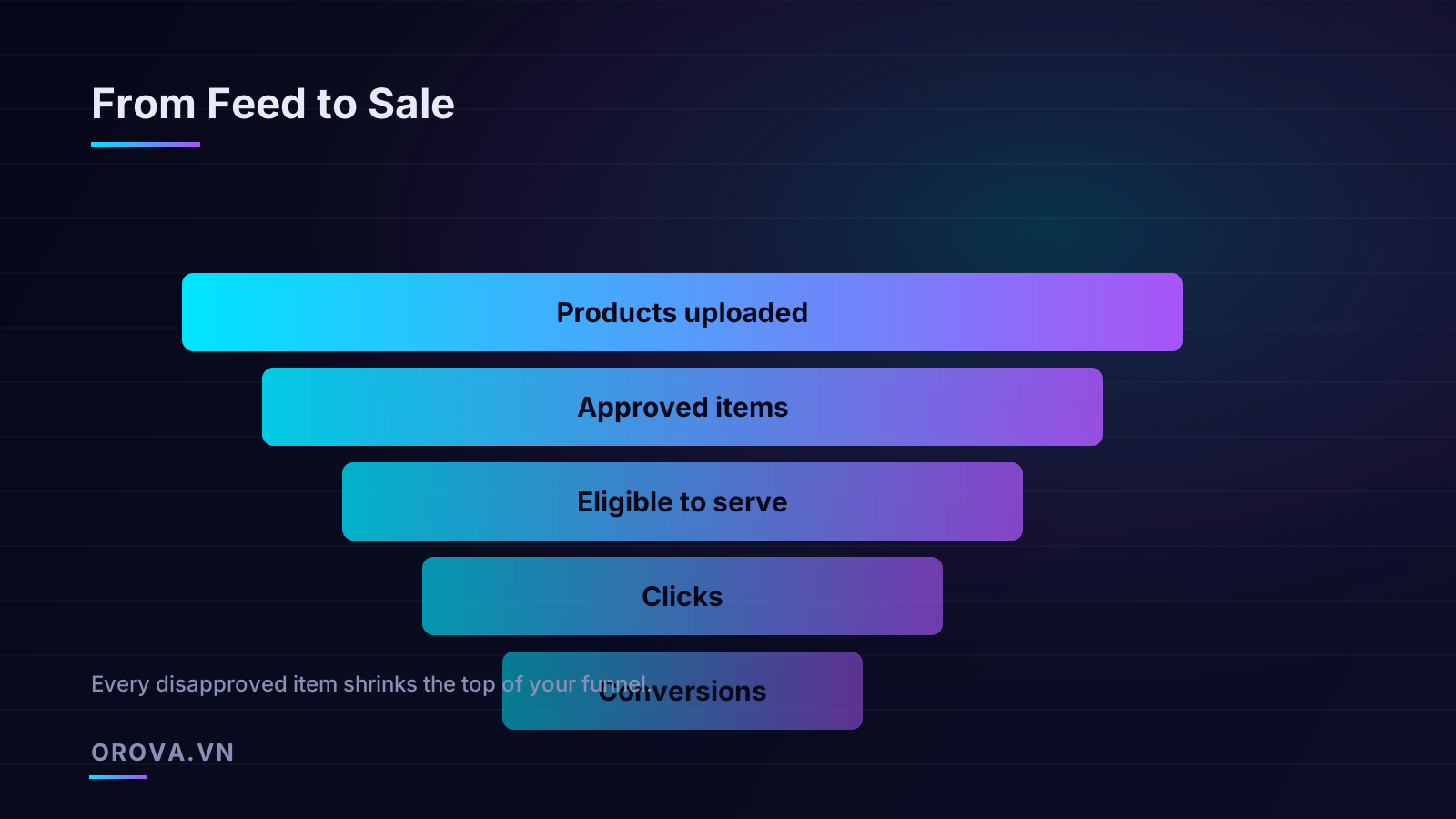
Think of every product in your catalog moving through a funnel before it can ever earn a sale. It has to be uploaded, then approved, then eligible to serve (in stock, priced, within policy), then it has to win enough auctions to get clicks, and only then can it convert. Feed defects don't just hurt at the bottom — they cut off the top. A disapproved product never enters the funnel at all. A product missing a key attribute may be approved but barely eligible. The compounding effect is that a catalog with "only" 30% feed problems can be operating at half its potential reach without anyone noticing, because the dashboard only reports on the products that did serve.
The practical consequence: when ROAS is disappointing, check feed coverage before you touch bids. Pull the percentage of products that are approved and active versus your total catalog. If that number is below 90%, you have a data problem masquerading as a performance problem, and lowering your target ROAS or raising budgets will only pour more money through the same narrow opening.
Title optimization: the highest-impact lever
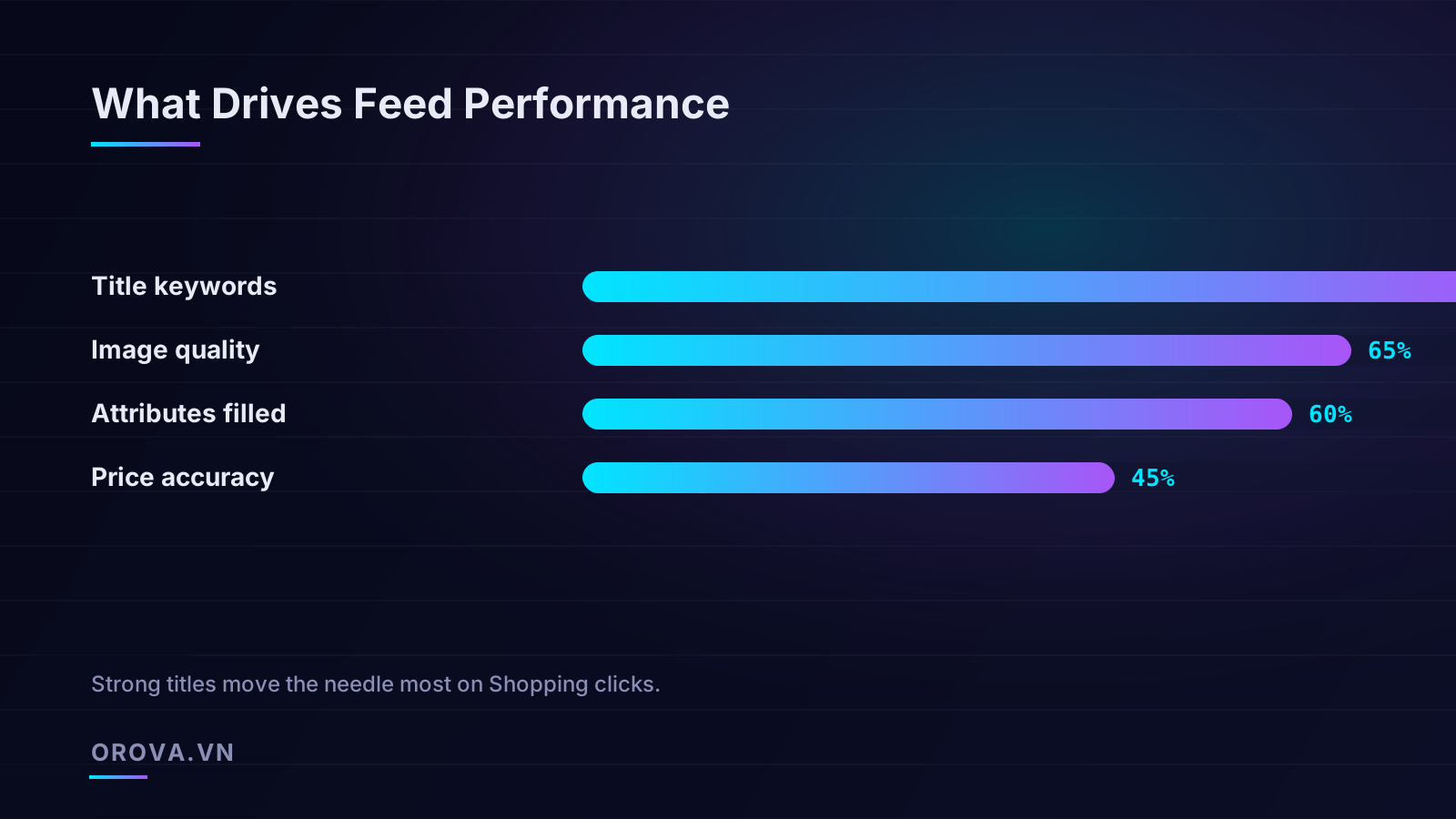
If you do one thing to your feed this quarter, rewrite your titles. Product titles are the strongest matching signal Google has for connecting a query to your product, and they are also the most-truncated, most-ignored field in most catalogs. The default title pulled from an e-commerce platform is usually whatever the merchandising team typed for the product page — "Classic Tee" or "Running Shoe Pro" — which tells the auction almost nothing.
The goal is a title that reads like the search a buyer would actually type, front-loaded with the words that matter. Google primarily reads the first 70 characters in many surfaces, and the truncation point in the visible ad is often earlier, so order is not optional. Put the differentiating, high-intent terms first and the nice-to-haves last.
A structure that works across categories
There is no single perfect formula, but the pattern that holds up across most verticals is: Brand + Product Type + Key Attributes (size, color, material, model) + Use Case. The exact order shifts by category. Apparel buyers search by brand and type; electronics buyers search by model number; consumables buyers search by quantity and ingredient.
- Weak: "Wireless Headphones" — generic, no brand, no model, no differentiator.
- Better: "Sony WH-1000XM5 Wireless Noise Cancelling Headphones, Black, Over-Ear Bluetooth" — brand, model, key feature, color, form factor, all in the first 70 characters.
- Weak: "Cotton T-Shirt" for apparel.
- Better: "Levi's Men's Crewneck T-Shirt, 100% Organic Cotton, Heather Grey, Slim Fit, Size L".
Notice that the better titles are not keyword stuffed; they are descriptive. Stuffing duplicate keywords ("Headphones Headphones Best Headphones") can trigger disapprovals for promotional or repetitive text and will not help matching. The discipline is to include every attribute a real buyer would search by, exactly once, in priority order.
How to find which titles to fix first
You cannot rewrite eight hundred titles by hand in a week, and you shouldn't. Prioritize by potential. Pull a report of products with high impressions but low click-through rate — those are showing for the wrong searches, often a title problem. Then pull products with strong margin but near-zero impressions — those may be getting filtered out by weak matching. Fix the high-margin, low-visibility set first; that is where a title rewrite converts directly into incremental revenue.
A useful gut check: read the title out loud and ask whether someone who has never seen your product would type those exact words into a search box. If not, it is a product-page title, not a feed title.
The attributes Google quietly rewards
Beyond the title, Merchant Center accepts dozens of attributes, and the difference between a thin feed and a complete one is often a 20-30% swing in eligibility for richer placements. Some attributes are required, some are required by category, and some are technically optional but heavily favored by the system. Treating "optional" as "skip it" is the most common reason a catalog underperforms while passing all the red-error checks.
Required and category-required attributes
The non-negotiables are the ones that cause hard disapprovals if missing or wrong: id, title, description, link, image_link, availability, price, brand, and a product identifier (GTIN, MPN, or the identifier_exists flag). On top of those, certain categories require more. Apparel feeds in most markets require gender, age_group, color, size, and size_type. Skipping these in apparel doesn't just lower quality — it gets the product disapproved outright.
The "optional" attributes that act like ranking signals
These are where complete feeds pull ahead. None of them are strictly required, but each one expands where and how your product can show:
- product_type and google_product_category: Your own category taxonomy plus Google's. These drive how the system understands and groups your products, which affects matching and which surfaces you appear on. A precise google_product_category reduces mis-matched impressions.
- description: Often treated as filler, but Google reads it for matching context. Write 500-1000 characters of genuine product detail, not marketing slogans. Lead with the facts a buyer needs.
- additional_image_link: Multiple images make products eligible for richer formats and reassure buyers. A product with only one low-resolution image is leaving conversion rate on the table.
- product_highlight and product_detail: Structured bullet points and spec pairs that can appear in the product viewer. Underused and genuinely helpful for considered purchases.
- sale_price and sale_price_effective_date: Enables the strikethrough price annotation, which measurably lifts CTR during promotions — but only if the dates are accurate.
- shipping and tax: Accurate shipping data lets Google show shipping info and can win the "free shipping" annotation, a real CTR driver in competitive categories.
The pattern across all of these: the more honest, structured data you give the system, the more contexts it can place you in and the more accurately it matches you to intent. An AI bidding layer — Google's or your own — can only optimize against the signals it has. A sparse feed starves it of signals and forces it to bid on guesswork.
Disapproval triage: a process, not a panic
Every account accumulates disapprovals. The mistake is treating them as a wall of red to clear in one heroic session, then ignoring them until they pile up again. Disapprovals need a recurring triage process, the same way a support team triages tickets: categorize, prioritize by impact, fix the systemic causes, and monitor.
Step one: categorize by cause
Open the Merchant Center diagnostics and group disapprovals by reason. They almost always fall into a handful of buckets:
- Policy violations: Prohibited or restricted products, misrepresentation, missing required policy pages (returns, contact). These are the most serious and can risk account-level suspension.
- Data quality errors: Mismatched price or availability between feed and landing page, broken image links, invalid GTINs. These are usually fixable at the feed or site level.
- Missing required attributes: Category-required fields left blank. Mechanical to fix once you identify the gap.
- Editorial / content issues: Promotional text in titles ("Free shipping!", "Best price!"), all-caps, or excessive punctuation.
Step two: prioritize by revenue at risk
Not all disapprovals are equal. A disapproved best-seller costs you far more than fifty disapproved long-tail SKUs that rarely sold. Sort the disapproved list by historical revenue or, if you have no history, by margin and price. Fix the top of that list first. This is also the most defensible way to justify the time spent: "these 30 disapproved products represent 40% of last quarter's Shopping revenue" is a sentence that gets prioritized.
Step three: fix systemic causes, not symptoms
If a hundred products are disapproved for the same reason — say, a price mismatch because your feed updates nightly but your site runs flash sales hourly — fixing each product individually is wasted effort. The fix is to increase feed refresh frequency or implement automatic item updates so Google reads price and availability changes directly from your site. Always ask whether a cluster of disapprovals shares a root cause before you start editing rows.
The price and availability mismatch case is worth dwelling on because it is both common and dangerous. Google crawls your landing pages and compares them to your feed. If the feed says $49.99 and the page says $39.99, the product gets disapproved for misrepresentation, and repeated mismatches damage account trust. Enabling automatic item updates lets Google reconcile these in near-real time, which is essentially mandatory for any store that changes prices frequently.
GTIN and availability: the accuracy that builds trust
Two fields deserve special attention because errors in them are silent and cumulative: product identifiers (GTIN) and availability.
GTINs do more than identify
The Global Trade Item Number — the number under the barcode — is how Google matches your product to its catalog of known products. A correct GTIN lets Google know exactly what you are selling, which improves matching, enables comparison features, and can qualify you for additional placements. An incorrect or invalid GTIN is worse than a missing one: it can cause disapprovals and tells the system you are selling something you are not.
If you genuinely have products without GTINs — custom, handmade, or vintage items — do not invent them. Set identifier_exists to false and provide a strong brand and MPN instead. The mistake to avoid is borrowing a similar product's GTIN or generating fake ones; both create matching chaos and disapproval risk. Validate your GTINs with a check-digit routine before upload; a single transposed digit invalidates the whole code.
Availability is a trust signal, not a checkbox
Marking an out-of-stock item as "in stock" is one of the fastest ways to erode account trust and waste budget. Buyers click, find an unavailable product, and bounce — Google notices the poor landing-page experience. Conversely, products correctly marked out of stock are paused from serving, protecting your spend. The discipline here is synchronization: your inventory system and your feed must agree, ideally through automatic item updates or a frequent API sync rather than a once-daily file.
For stores with fast-moving inventory, the gap between a nightly feed and real stock levels is where money leaks. If you sell out of a popular item at 10 a.m. and your feed doesn't update until midnight, you spend fourteen hours paying for clicks on a product nobody can buy. Real-time or near-real-time availability is not a nice-to-have for those catalogs; it is the difference between profitable and not.
How feed quality sets the ceiling on bidding
Here is the connection that ties everything together and that most advertisers underestimate. Smart Bidding — whether Google's Target ROAS, Maximize Conversion Value, or an external AI agent — is an optimization engine. It learns from conversion data and adjusts bids to find more of what works. But it can only optimize within the space your feed allows. The feed defines the boundaries of the playing field; bidding plays within them.
Concretely, this plays out in three ways:
- Coverage caps reach. If 30% of your catalog is disapproved, no bidding strategy can serve those products. The algorithm optimizes the 70% it can see, and you will never know what the missing 30% would have earned. Raising budgets just intensifies competition on the visible slice.
- Weak titles starve matching. Smart Bidding can bid aggressively, but if the title doesn't connect the product to high-intent queries, the auction never offers the impression to bid on. You can't bid on an auction you were never entered into.
- Thin data slows learning. Bidding algorithms need conversion signal to learn. A feed that produces low-quality clicks (wrong matches from vague titles, bounces from stale prices) feeds noisy data into the model, lengthening the learning period and lowering the ceiling on what it converges to.
This is exactly why Performance Max performance varies so wildly between accounts running identical settings. The settings are the same; the feeds are not. If you want to understand how PMax decides which products to push and why feed signals matter so much inside it, our walkthrough on how Performance Max actually works goes deeper into the mechanics. The short version: feed quality is the input variable that explains most of the variance, and it is the one you most directly control.
The right sequence: fix the feed, then push the bids
The operational lesson is about ordering. The temptation when ROAS is low is to immediately lower the target ROAS, raise budgets, or restructure campaigns. Do the feed audit first. The sequence that consistently works:
- Audit coverage — what percentage of the catalog is approved and active. Fix disapprovals until you clear 90%+.
- Rewrite titles for high-margin, low-visibility products. Let them accumulate impressions.
- Fill in the high-value optional attributes — descriptions, additional images, product types, shipping.
- Synchronize price and availability with automatic item updates.
- Only then tune bidding targets and budgets, because now the algorithm has a clean, complete surface to optimize.
Skip the first four steps and step five is optimizing against a broken foundation. You will hit a ceiling, conclude that the channel "doesn't work for us," and move budget elsewhere — when the real problem was 340 products quietly sitting in the disapproved tab.
Building a feed health routine
Feed quality is not a one-time project; catalogs change daily as products are added, prices shift, and stock moves. The advertisers who win at Shopping treat feed health as an ongoing operational discipline with a cadence:
- Daily: Check for new disapprovals and account-level issues. Catch policy problems before they escalate to suspension.
- Weekly: Review the coverage percentage and the impressions-to-clicks ratio for signs of title or matching problems. Spot new products with thin data.
- Monthly: Run a full attribute completeness audit. Identify the next batch of titles to rewrite by margin and visibility. Review which products PMax is starving and ask whether feed gaps explain it.
- Quarterly: Revisit your title strategy against current search trends and seasonal terms. Audit GTIN validity across the catalog.
The reason this cadence matters is that feed defects compound silently. A single disapproved product is invisible in your reporting; a hundred of them is a structural drag on ROAS that never shows up as an obvious error. The routine surfaces the slow leaks before they become floods.
What "good" looks like
As a rough benchmark for a healthy retail feed: approval rate above 95%, every product carrying brand and a valid identifier, category-required attributes 100% filled, descriptions over 500 characters, at least three images per product, and price/availability synced via automatic updates. Hitting those marks doesn't guarantee great ROAS, but missing them guarantees you are leaving returns on the table — and no amount of bidding cleverness will recover them.
The mindset shift worth internalizing is this: in Shopping, your feed is your campaign. The bidding, the budgets, the campaign structure all sit on top of it and inherit its quality. Invest in the data layer first, and everything you build on top performs better. Neglect it, and you are optimizing a leak.
Keeping a large feed clean and audited every day is exactly the kind of relentless, unglamorous work that AI does well and humans burn out on. Orova Ads is an AI agent that manages your paid campaigns across Google, Meta, and TikTok — reading your data daily, flagging disapprovals and weak titles, recommending the fixes that matter most for ROAS, and executing budget, bid, and targeting changes for you, all with human-in-the-loop approval and a full audit log so you stay in control. Let it watch the feed so you can focus on the strategy.
Let an AI Agent handle your SEO
Orova plans, writes, optimizes, and tracks rankings on its own — you just read the results.
Try it free