
Search Themes in Performance Max: How to Guide the Algorithm Without Keywords
The first time most advertisers open a Performance Max campaign, they go looking for the keyword field. It isn't there. There's no match-type dropdown, no negative keyword box at the campaign level, no bid adjustment by query. For people who built their careers writing tightly themed ad groups with single-keyword precision, this feels less like a campaign type and more like a black box that someone forgot to wire a steering wheel onto.
Search themes are the closest thing Performance Max gives you to that steering wheel — and the most misunderstood feature in the whole product. They are not keywords. They will not behave like keywords. If you treat them like a keyword list, you will get worse results, not better ones. But used correctly, they are a genuinely useful way to tell Google's algorithm, "I know something about my customers that my landing page and product feed don't fully capture yet, so go look over here while you learn." This article is about using them correctly: what they actually do under the hood, where the hard limits are, how they interact with the keywords already living in your account, and the specific ways people sabotage their own campaigns by over-stuffing them.
What search themes actually are
A search theme is a phrase you give Performance Max to indicate the kind of search query you want the campaign to compete for. You might enter "wide-fit running shoes," "same-day flower delivery Chicago," or "B2B invoice automation software." Performance Max takes that phrase as an input signal — one of many — and uses it to inform which auctions on the Search and Shopping inventory it enters, and with what level of confidence.
The critical word there is signal. Google has been deliberate, almost insistent, in its language: search themes are not targeting in the traditional sense. They sit alongside your other signals — the assets you upload, the audience signals you attach to an asset group, the product feed, the conversion data flowing back from your site — and the system blends all of them to decide where to show your ads. A keyword in a standard Search campaign is a gate: with exact match, your ad is eligible only for close variants of that query. A search theme is a hint. It tells the algorithm where to start looking, then lets the machine learning expand, contract, and reprioritize based on what actually converts.
This distinction matters because it changes how you should evaluate them. With a keyword, you ask "did this exact term get the impressions and clicks I expected?" With a search theme, the right question is "did adding this theme shift the campaign's query mix toward higher-intent traffic, and did that improve outcomes?" You're judging a nudge, not a switch.
Why Google built them this way
Performance Max exists to find conversions across all of Google's inventory — Search, Shopping, Display, YouTube, Gmail, Discover, Maps — using automation that can react faster and at greater scale than any human team. The trade-off is control. Early Performance Max gave advertisers almost no way to influence which search queries it pursued, and that was a real problem: a new product launch, a seasonal push, or a market the brand was just entering would have no historical conversion data for the algorithm to lean on, so the campaign would quietly under-invest in exactly the queries the advertiser cared about most.
Search themes were the answer. They let you front-load knowledge the system hasn't earned yet. If you're launching a vegan protein powder and you know your buyers search "plant-based protein for athletes," you can hand that intelligence to the campaign on day one instead of waiting weeks for it to stumble onto the pattern. The system still decides whether to act on it, but you've pointed the flashlight.
The 25-per-asset-group limit, and why it's a ceiling not a target
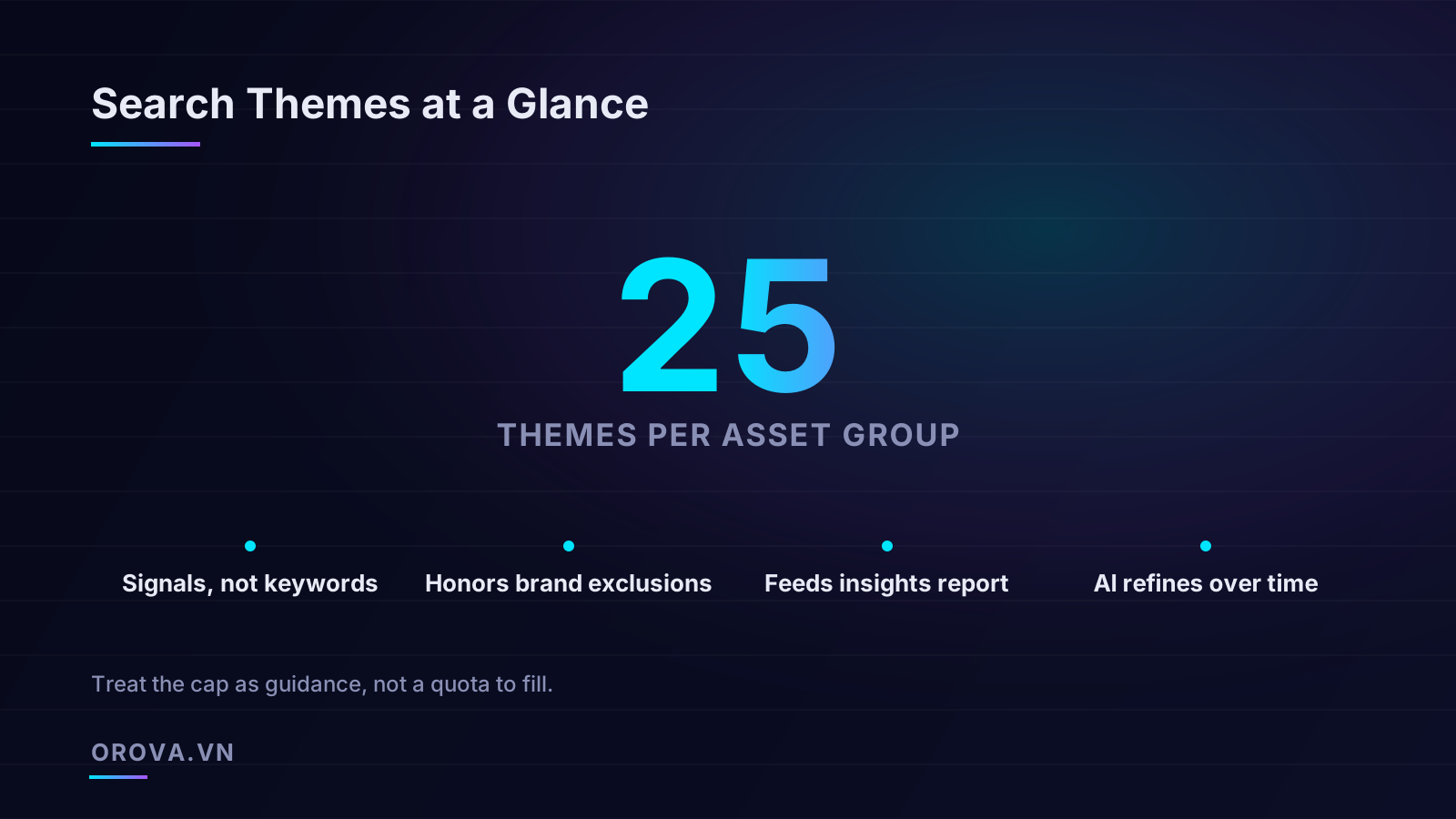
You can add up to 25 search themes per asset group. This number trips people up constantly, almost always because they read it as a quota. It is not. It is a ceiling — and one of the most common mistakes I see is advertisers treating those 25 slots like a to-do list they have to complete.
Here's the reasoning. Every theme you add dilutes the others. If you give the campaign 25 themes spanning informational queries, comparison queries, branded terms, and broad category terms, you've handed it a sprawling, contradictory map. The algorithm tries to honor all of them, spreads spend thin, and the signal-to-noise ratio collapses. Three or four sharp, high-intent themes will almost always steer a campaign more effectively than a wall of 25 loosely related phrases, because each one carries more weight and clearer meaning.
Think of it the way you'd think about audience signals: more is not better, relevant is better. The asset group is built around a coherent theme already — a product line, a service category, an offer. Your search themes should reinforce that coherence, not fight it. If you find yourself needing more than a handful of distinct themes to describe an asset group, that's usually a sign the asset group itself is trying to do too much and should be split.
What "high-intent" means in practice
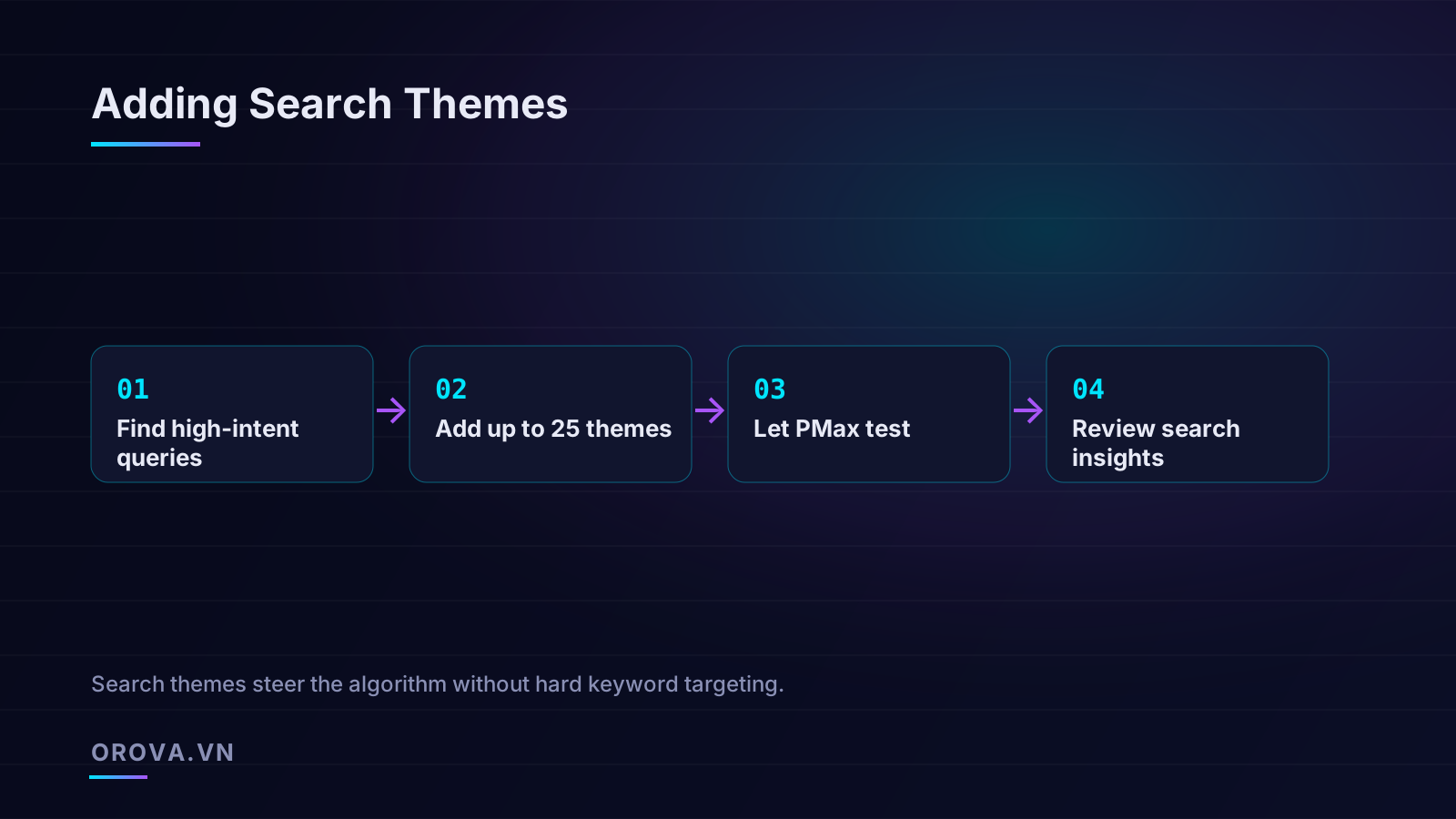
The phrase "find high-intent queries" sounds obvious until you have to actually do it. High intent does not mean high volume, and it does not mean the term you wish people searched. It means the queries that, in your real data, precede a purchase or a qualified lead.
The best source is your own Search campaigns. Pull the search terms report from your existing Search or Shopping activity and sort by conversions, then by conversion rate. The terms that show up there with genuine buying intent — "buy X online," "X near me," "X with free shipping," specific model numbers, "X vs Y" comparisons that skew toward a decision — are your candidate themes. You already paid to learn which queries convert; reuse that intelligence rather than guessing.
If you're launching something genuinely new with no history, look at adjacent products, competitor positioning, and the language your customers use in reviews and support tickets. The goal is to capture the way buyers describe the problem at the moment they're ready to solve it, not the way your marketing team describes the product.
How search themes overlap with your existing keywords
This is where things get operationally tricky, and where careful account management earns its keep. Performance Max does not run in a vacuum. Most advertisers run it alongside standard Search campaigns, and Google has specific rules about how the two coexist.
The governing principle: exact-match keywords in your Search campaigns take priority over Performance Max for identical queries. If a user searches a term that exactly matches a keyword in your standard Search campaign, that Search campaign is eligible to serve, and Performance Max steps aside for that auction. This is deliberate — it lets you keep precise control over your most valuable, proven queries while Performance Max handles the broader, fuzzier landscape around them.
But this priority rule applies to actual keywords in your Search campaigns, not to your Performance Max search themes. A search theme that overlaps with one of your Search exact-match keywords does not override anything; it simply tells Performance Max where it would compete if the query isn't already claimed by your exact-match Search keyword. So if you have an exact-match Search keyword "ergonomic office chair" and you also add it as a Performance Max search theme, the query will route to your Search campaign, and the redundant theme does little for you.
Practical implications for a blended account
- Don't waste themes on terms your Search campaigns already own. If your Search exact-match keywords already cover your highest-intent, highest-converting queries with priority, adding those same phrases as Performance Max themes is redundant. Spend your theme slots on the queries Performance Max would otherwise miss — the longer-tail, the newly emerging, the categories your Search campaigns don't cover.
- Use search themes to expand, not to duplicate. The strongest pattern is a tight Search campaign holding your proven money queries with exact match, and Performance Max with themes pointing it at the discovery layer around those queries.
- Watch for brand cannibalization. If you don't exclude brand terms, Performance Max will happily soak up cheap branded conversions and make itself look like a hero while it's really just intercepting people who were going to find you anyway. More on exclusions below.
If you want the broader architecture of how Performance Max fits with the rest of your account before you start layering in themes, our deeper walkthrough on how Performance Max works and where it fits in a modern account covers the asset group structure, signals, and reporting that everything here builds on.
Brand exclusions and the safety rails themes respect
One genuinely reassuring fact about search themes: they honor your account-level brand exclusions and negative keyword lists. If you've told Performance Max to exclude your own brand terms — or competitor brands, or any phrases on an applied negative list — your search themes will not override those exclusions. A theme is a steering signal that operates inside the guardrails you've set, not a way to sneak around them.
This matters because the most common (and justified) criticism of Performance Max is that it loves to spend on cheap branded queries that would have converted anyway. Brand exclusions fix that, and the fact that themes respect them means you can steer aggressively toward non-brand, high-intent territory without worrying that a clumsily worded theme will accidentally pull the campaign back onto your own name.
A search theme tells Performance Max where you want it to look. A brand exclusion tells it where it must not. The exclusion always wins — which is exactly the relationship you want between intention and policy.
The practical takeaway: set your brand exclusions first, then add themes. With the rails in place, you can use themes confidently to push the campaign toward incremental, non-brand demand, knowing the system won't quietly drift back to the easy branded conversions.
The pitfalls of over-stuffing
If there's one failure mode that defines bad search-theme usage, it's over-stuffing: cramming the slots full of marginally relevant phrases in the belief that more coverage equals more reach. It almost always backfires, and it's worth being specific about why.
Dilution of the signal
Every theme competes for the campaign's attention. When you add a fifth, tenth, and twentieth theme of declining relevance, you're not adding precision — you're adding noise. The algorithm weighs all your signals together, and a long list of weak themes drowns out the two or three strong ones that actually describe your best customers. The result is a campaign that chases a wider, lower-quality query mix and spends your budget across traffic that converts worse.
Conflicting intent
Themes that pull in different directions confuse the system. If one asset group's themes mix "free X template," "X software pricing," and "what is X," you've combined a freebie-seeker query, a bottom-funnel buyer query, and a top-funnel researcher query into one bucket. The campaign can't optimize cleanly toward conversions when its own steering signals contradict each other. Coherent intent within an asset group beats broad coverage every time.
Masking what's working
Over-stuffing makes diagnosis harder. When a lean campaign with four sharp themes underperforms, you can reason about it. When a campaign carries 25 themes across three asset groups, you've got 75 inputs and almost no way to attribute outcomes to any one of them. You've traded clarity for the illusion of thoroughness.
Chasing volume instead of value
The temptation to fill all 25 slots usually comes from a volume mindset — "I don't want to miss any traffic." But Performance Max is already an expansion engine; its entire job is to find conversions you didn't explicitly ask for. You don't need to manually broaden it. Your themes should do the opposite: focus it. Let the automation handle breadth; use themes to enforce quality.
A workflow that actually works
Here is a sequence I'd recommend for adding and managing search themes, written to be repeatable rather than clever.
- Set your exclusions first. Apply brand exclusions and any negative keyword lists at the account or campaign level before you touch themes. Establish the guardrails, then steer.
- Mine your real data for high-intent queries. Pull search terms reports from existing Search and Shopping campaigns. Identify the phrases that genuinely precede conversions, not the ones with the prettiest volume numbers.
- Pick three to five themes per asset group, maximum to start. Choose phrases that reinforce the asset group's core intent. Resist the urge to fill all 25 slots. You can always add more later; pulling back a diluted campaign is harder.
- Let it run and gather data. Themes need time. The algorithm tests them against real auctions and conversion outcomes. Don't judge after three days — give it at least a couple of weeks and enough conversion volume to be meaningful.
- Read the search insights report. This is where you close the loop. The insights report shows which query categories Performance Max is actually competing in and converting on. Compare that to the themes you set. Are the themes steering it where you intended? Are there high-converting query clusters you didn't anticipate that you could add as new themes? Are some themes clearly attracting junk?
- Refine, don't reload. Adjust based on evidence. Add a theme for a high-intent cluster the data surfaced. Remove a theme that's pulling in low-quality traffic. Make small, deliberate moves and re-measure. This is steering, not set-and-forget.
What the search insights report tells you
The search insights report is the single most underused asset in Performance Max management. Because the campaign hides the granular search terms data advertisers are used to, many people assume there's no visibility at all and stop looking. That's a mistake. The insights report groups the queries your campaign served on into themed categories, shows how each category is trending, and ties them to conversion performance.
Used alongside your search themes, it becomes a feedback loop: you set a hypothesis (these themes describe my best customers), the campaign acts on it, and the insights report tells you whether the hypothesis held. Over a few cycles you converge on a tight set of themes that genuinely reflect where your money converts — which is the whole point.
Common questions that come up once you start
A handful of questions surface again and again once advertisers move past the theory and start managing themes in live accounts. They're worth addressing directly, because the official guidance is often vaguer than people need.
Should I use single words or full phrases?
Full phrases, almost always. A single word like "shoes" is too broad to carry useful intent — it could mean a shopper, a researcher, a kid looking for laces. A phrase like "waterproof trail running shoes" encodes the product category, a key attribute, and the use case, which gives the algorithm something specific to work with. Aim for the natural way a ready-to-buy customer would phrase their need, typically three to five words. You're describing an intent, not tagging a topic.
Do themes work for languages and regions I'm not natively targeting?
Write your themes in the language of the market you're serving, matching how customers there actually search. A theme is interpreted in the context of the campaign's location and language settings, so an English theme in a campaign targeting a non-English market will be far less effective than one written the way local buyers type. If you run the same product across several markets, build separate asset groups (or campaigns) with locally written themes rather than translating one set mechanically.
How long before I should judge a theme?
Give it enough time to accumulate meaningful conversion data — typically two to four weeks for most accounts, longer for low-volume ones. The algorithm needs auctions and outcomes to learn from a theme, and judging it after a few days tells you nothing except that the learning period isn't over. The bigger your conversion volume, the faster you'll get a reliable read. If you make a change, reset your mental clock; every adjustment restarts the learning to some degree.
Can a theme hurt a campaign?
Yes, indirectly. A poorly chosen theme that attracts low-intent or off-target traffic will pull spend toward queries that convert badly, dragging down the campaign's efficiency and muddying the signal the algorithm learns from. This is why the "fewer, sharper" principle isn't just tidiness — a bad theme actively misdirects the machine learning. When you spot a theme correlating with junk traffic in the insights report, remove it promptly rather than leaving it to keep teaching the system the wrong lesson.
A simple mental model to keep you honest
If you remember nothing else, hold onto this framing. Performance Max is a driver who knows the whole city and never gets tired, but doesn't know where you specifically want to go. Your assets and feed tell the driver what you're selling. Your audience signals describe who tends to buy. Your brand exclusions are the streets they're forbidden to enter. And your search themes are you, in the passenger seat, saying "head toward the business district, that's where my customers are this time of day."
You're not gripping the wheel — that would defeat the purpose of hiring a driver who's faster and more tireless than you. But you're also not silent in the back seat hoping for the best. You're giving clear, occasional, well-timed directions and then letting the driver do what they do well. Over-stuffing themes is like shouting twenty contradictory directions at once; the driver freezes or compromises and you end up nowhere useful. A few confident instructions, revised as the traffic changes, get you there.
That posture — directive but not controlling, evidence-driven, revisited regularly — is the entire discipline of managing search themes. It's also, not coincidentally, the discipline of managing modern automated campaigns in general. The tools have changed; the job of knowing your customer better than the algorithm does, and feeding that knowledge in at the right moment, has not.
Where automation changes the math
Everything above is doable by hand, and a disciplined account manager will do it well. But there's an honest limitation: the refinement loop — mine the data, set themes, wait, read insights, adjust — is slow and easy to neglect. Most accounts set themes once at launch and never revisit them, which means the campaign is being steered by assumptions that may have gone stale months ago. Query behavior shifts, seasons turn, competitors enter, and a static set of themes quietly drifts out of alignment with reality.
This is exactly the kind of work that benefits from an always-on agent rather than a quarterly audit. The data is structured, the signals are observable, the actions are bounded, and the feedback is measurable — the right conditions for automation that watches the search insights report continuously, notices when a high-converting query cluster emerges that no theme is capturing, and proposes the adjustment before a human would have gotten around to checking. The judgment about whether to act stays with you; the tireless monitoring doesn't have to.
That's the gap Orova Ads is built to close. It's an AI agent that manages your paid campaigns across Google, Meta, and TikTok — reading performance data every day, surfacing the optimizations that matter (budgets, bids, on/off decisions, audiences, and yes, the search-theme refinements this article walks through), and executing them only after you approve, with a full audit log of every change. You stay in control of the strategy; the agent handles the relentless, unglamorous work of keeping it tuned. If you've ever set search themes at launch and never looked at them again, that's precisely the habit it's designed to fix — see how it works at orova.vn/ads.
Let an AI Agent handle your SEO
Orova plans, writes, optimizes, and tracks rankings on its own — you just read the results.
Try it free