
What is a learning management system? A practical 2026 guide

A learning management system (LMS) is software that lets an organization create, deliver, track and report on training from one place. Picture the situation that usually leads people to look for one: you have a growing team, a massive stack of outdated PDF manuals, and a chaotic onboarding process that relies entirely on shadowing senior staff. Every time a new employee joins, productivity plummets as your best people stop working to explain the exact same procedures over and over again. You know you need a centralized way to train your workforce, track their progress, and ensure strict compliance. Historically, companies tried solving this by simply dumping documents into a shared Google Drive or corporate intranet. The problem? You cannot track who actually read the material, you cannot test their comprehension, and you certainly cannot prove regulatory compliance during a strict audit. A shared folder is merely a repository, not an active educational environment. This is exactly where a modern learning management system steps in to transform your operations. This comprehensive guide will dismantle the technical jargon, expose the massive hidden costs vendors rarely discuss, and provide you with a concrete, actionable roadmap to digitize your training operations successfully.
What is a Learning Management System (LMS)?
A learning management system is a software application used to create, deliver, track, and report on educational courses and training programs. It acts as the digital infrastructure for corporate learning, differing from simple file storage by offering structured curriculums, automated assessments, and detailed analytics on user progress and comprehension.
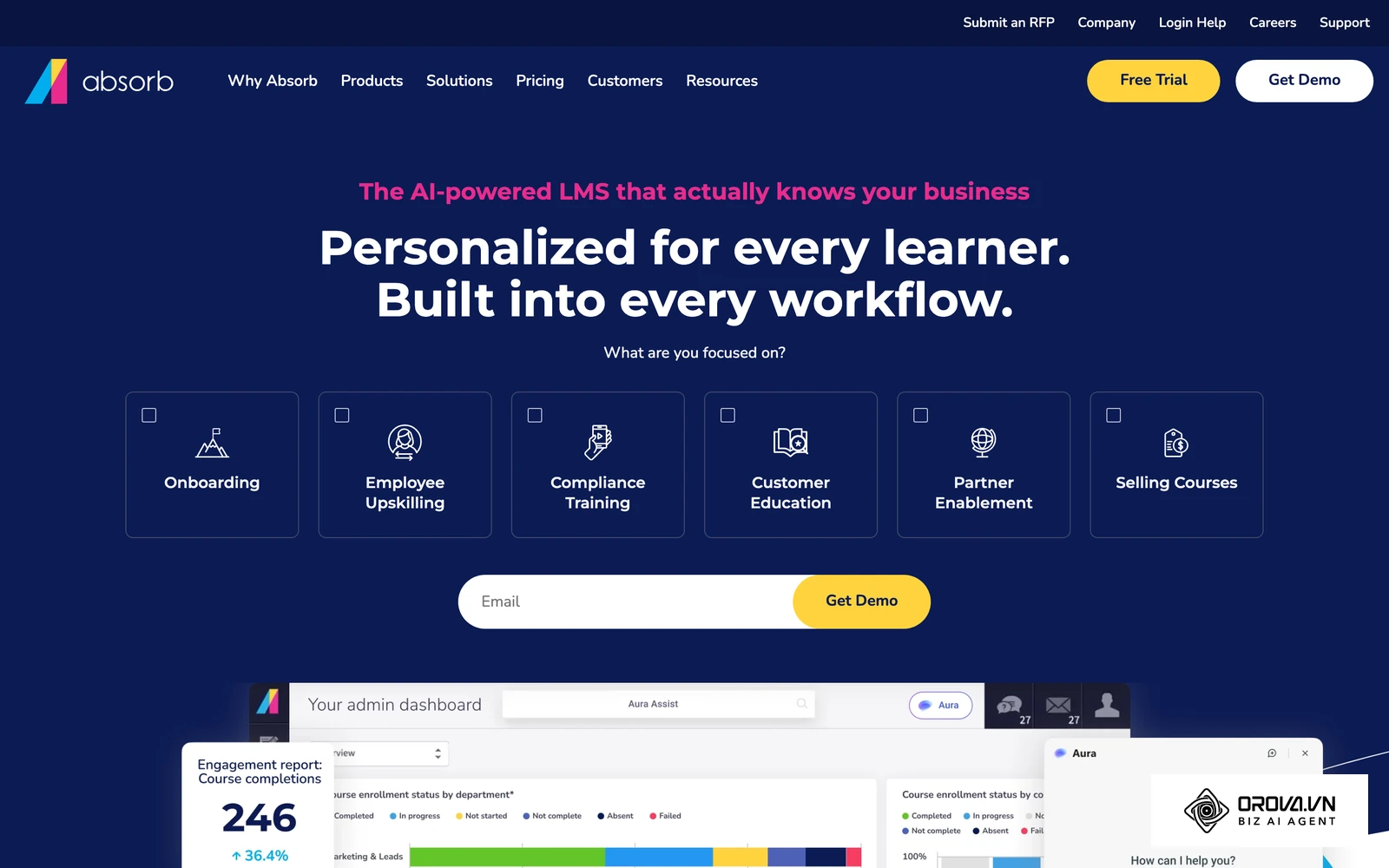
The term originally took root in the higher education sector during the late 1990s as large universities desperately sought to bring complex classroom administration into the online world. It rapidly expanded into the corporate sector as enterprise businesses realized the immense value of digitizing compliance and skill development at scale. Well-known examples today include the open-source Moodle, Canvas from Instructure, and commercial platforms such as TalentLMS, Docebo, Absorb LMS and iSpring LMS.
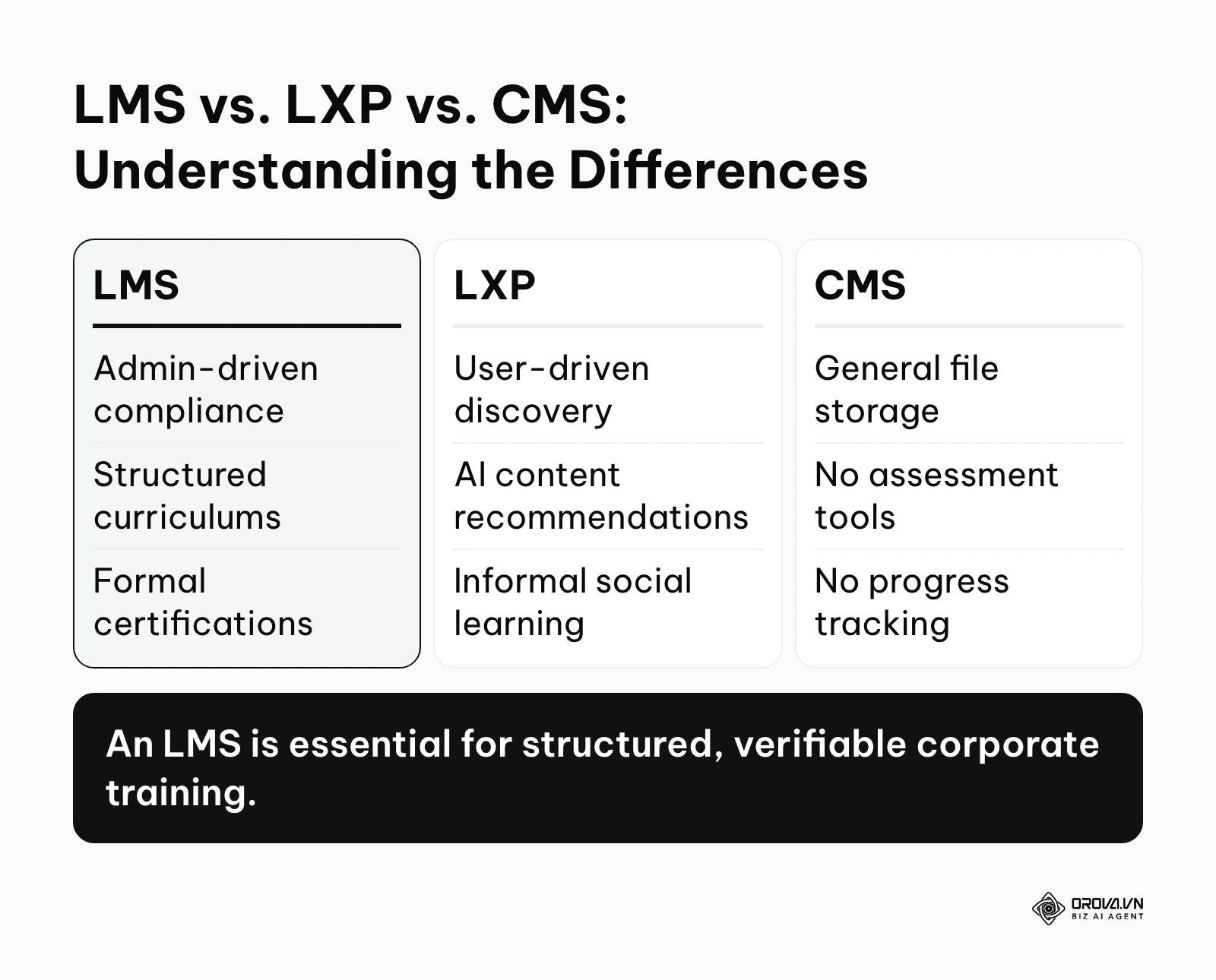
To fully grasp the concept, it helps to understand how it differs from other digital platforms that are frequently confused in the marketplace:
| Concept | Key Difference in Functionality | Example Use Case |
|---|---|---|
| LMS (Learning Management System) | Admin-driven. Focuses on mandatory compliance, structured top-down learning paths, and formal certifications. | Assigning mandatory annual fire safety training to all factory workers. |
| LXP (Learning Experience Platform) | User-driven. Functions like a streaming service, using AI to recommend diverse, informal content based on personal interests. | An employee browsing independent leadership podcasts to prepare for a promotion. |
| CMS (Content Management System) | File-driven. A static repository for storing and managing documents without any assessment or progress tracking capabilities. | Storing the official PDF version of the employee handbook on the intranet. |
Real-life example: Think of a learning management system exactly like a digital university campus designed specifically and exclusively for your company. Just as a physical campus features administrative offices for enrollment, lecture halls for delivering content, and secure examination rooms for testing knowledge, the software provides all these distinct functions seamlessly within a single, secure online interface.
The Meaning and Purpose Behind a Learning Management System
The fundamental purpose of this technology is to replace chaotic, unmeasurable, and highly expensive manual training interventions with a standardized, scalable, and fully auditable digital process. It exists primarily to solve massive operational bottlenecks for Human Resources directors, Learning and Development (L&D) managers, and Chief Compliance Officers. When an organization scales past a certain threshold, relying on tribal knowledge—where critical company procedures are stored only in the minds of a few veteran employees—becomes an existential threat to the business.
In the broader operational picture of a modern enterprise, this platform sits precisely between the talent acquisition phase and the ongoing performance management cycle. Once your applicant tracking system successfully hires a candidate, the learning platform immediately takes over to execute standardized onboarding. It ensures that on day one, the new hire receives the exact same high-quality instruction regarding company culture, software tools, and job-specific procedures as someone hired three years prior.
If a leadership team ignores the necessity of this infrastructure, they face severe, compounding consequences. Without centralized tracking, companies routinely fail compliance audits, leading to crippling financial penalties from regulatory bodies. Furthermore, unstructured onboarding tends to feed employee churn. New hires who feel unsupported and confused during their first thirty days are more likely to abandon the company, forcing the business to absorb massive rehiring costs repeatedly.
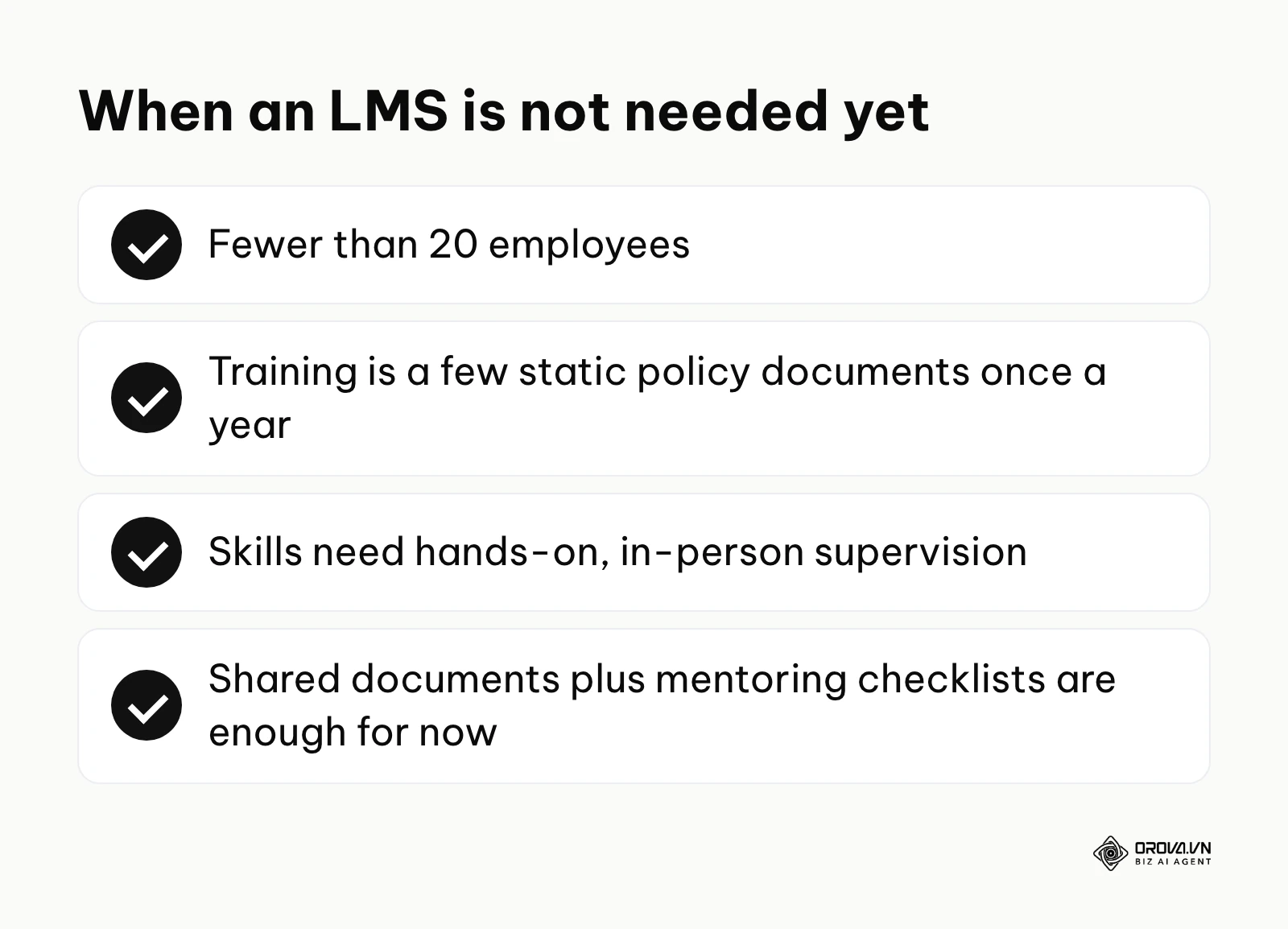
When is a learning management system not needed? If your organization has fewer than 20 employees and training consists merely of reading a few static policy documents once a year, an enterprise system is overkill. Similarly, if your training requires entirely physical, hands-on supervision—like heavy machinery operation where digital theory offers little value—the investment is premature. In these scenarios, utilizing basic document sharing platforms combined with documented in-person mentoring checklists provides a much more cost-effective and practical alternative until your workforce scales significantly.
The Tangible Value and Benefits of a Learning Management System
The true value of digitizing your educational infrastructure extends far beyond simply modernizing your tech stack. We must dissect these benefits into two distinct layers: the macro financial value it brings to the broader enterprise, and the micro operational benefits experienced by the individual employees utilizing the platform daily.
Business Value: Mitigating Risk and Maximizing Efficiency
At the enterprise level, the primary driver for adoption is aggressive cost reduction and uncompromising risk mitigation. Traditional offline training is wildly expensive. When you calculate the compounding costs of booking physical venues, printing massive technical manuals, reimbursing instructor travel expenses, and absorbing the lost productive hours while employees travel to training sites, the financial drain is staggering. A centralized digital platform eliminates these recurring logistical expenses entirely.
Furthermore, the system provides an impenetrable shield during legal or regulatory audits. Instead of frantically searching through filing cabinets for smudged sign-in sheets, compliance officers can generate a definitive digital report in seconds, proving exactly when an employee completed mandatory safety training and verifying their exact assessment score.
Example scenario: Reducing compliance risk in a regional healthcare network.
- Context: A 300-employee regional healthcare provider was struggling to maintain auditable records for mandatory HIPAA compliance training, previously relying entirely on fragile paper sign-in sheets managed by individual shift supervisors.
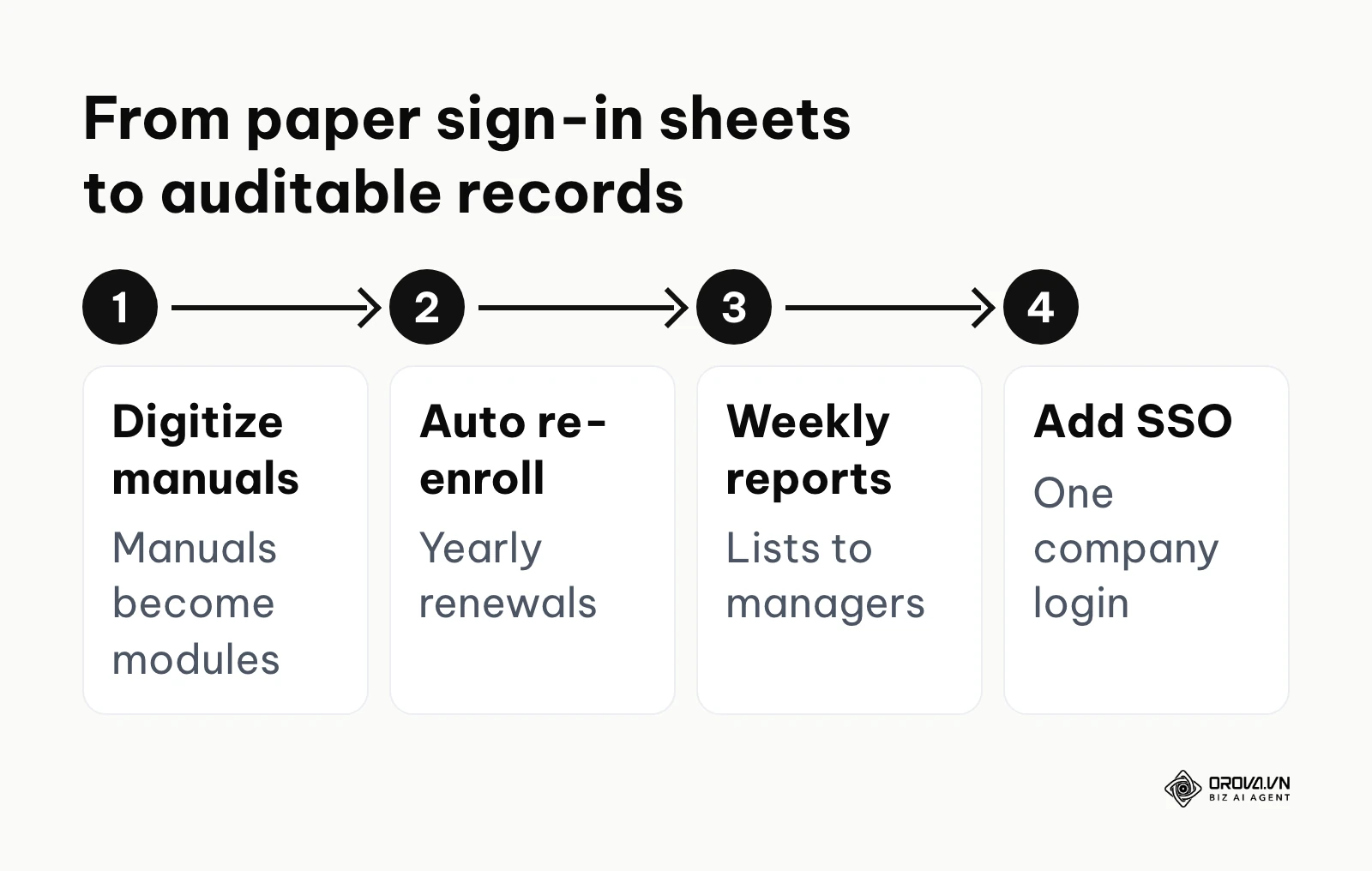
- Steps taken: The HR director deployed a centralized system, digitized their core compliance manuals into interactive modules, configured automated recurring enrollments for annual recertification, and set up dynamic reports that automatically emailed non-compliant user lists directly to department heads every Friday.
- Hurdles and solutions: Initially, older staff members actively resisted the digital interface, frequently forgetting passwords and locking their accounts. The IT team resolved this permanently by integrating Single Sign-On (SSO) with their existing active directory, completely removing the need for separate, confusing logins.
- Visible results: Within six months, the organization eliminated the chaotic paper trails entirely, brought on-time completion of mandatory certifications close to the full team, and successfully passed a rigorous state regulatory audit without any document retrieval delays.
Direct User Benefits: Autonomy and Clear Pathways
For the direct users—your employees—the platform dramatically reduces the friction and anxiety associated with starting a new role or learning a complex new skill. Traditional training often forces everyone into a room for an eight-hour lecture, moving too slowly for experienced hires and too fast for complete beginners.
A digital system provides total learner autonomy. Employees can consume material at their exact preferred pace, rewinding complex technical demonstrations or pausing a module to handle an urgent client call. It also provides transparent, gamified pathways. For instance, a junior marketer assigned a structured pathway on foundational seo search engine optimization concepts can access interactive modules, clearly seeing exactly what courses stand between their current position and a senior promotion. This clarity directly boosts morale and engagement.
| Benefit Category | Measured By Which Metric | Expected Timeline for Results |
|---|---|---|
| Reduced Onboarding Time | Time-to-first-competency (Days) | Visible within 30 to 60 days of launch |
| Lower Training Costs | Cost-per-learner ($) | Visible by the end of the first fiscal quarter |
| Improved Compliance | On-time completion rate (%) | Visible immediately upon the first deadline |
| Increased Retention | First-year employee turnover rate (%) | Visible after 12 full months of operation |
Building courses is usually the slowest part of launching an LMS. Orova Training uses AI to draft lessons, slides, podcasts in 30 voices, narrated videos with subtitles and flashcards, then lets you assign courses to people or groups and track each learner's progress.
How a Learning Management System Works: Deep Dive into Components and Strategies
Understanding the mechanics of these platforms requires looking past the glossy marketing dashboards and examining the rigorous architectural components, the massive hidden operational costs, and the critical integrations that make the system viable for an enterprise.
Core Architectural Components and Data Flow
At its technical core, the platform operates on three foundational layers. First is the Backend Database Layer. This is the vault where all user profiles, historical completion records, and assessment scores are securely encrypted and stored. It is designed to handle massive concurrent queries, such as when thousands of employees log in simultaneously on the deadline day for compliance training.
Second is the Content Delivery Engine. This component acts as the digital projector. When a user clicks on a course, this engine fetches the video, interactive slide, or SCORM package from the server and renders it seamlessly in the browser. The delivery engine must handle bandwidth scaling gracefully, lowering video resolution automatically if an employee is accessing the portal from a weak mobile connection on a factory floor.
Finally, the Assessment and Reporting Engine processes the user's interaction. It tracks mouse clicks, records time spent on specific slides, grades multiple-choice assessments instantly using pre-defined logic, and writes that outcome permanently back to the database layer. The most common breaking point in this architecture occurs when organizations attempt to upload massive, unoptimized video files directly into the delivery engine, causing severe buffering and triggering widespread user frustration.
The Hidden Costs of Operation: Total Cost of Ownership (TCO)
Most software vendors eagerly highlight their attractive per-user monthly subscription fees, but the total cost of ownership (TCO) extends far beyond the basic software license. Understanding these hidden costs is critical to avoid devastating budget overruns.
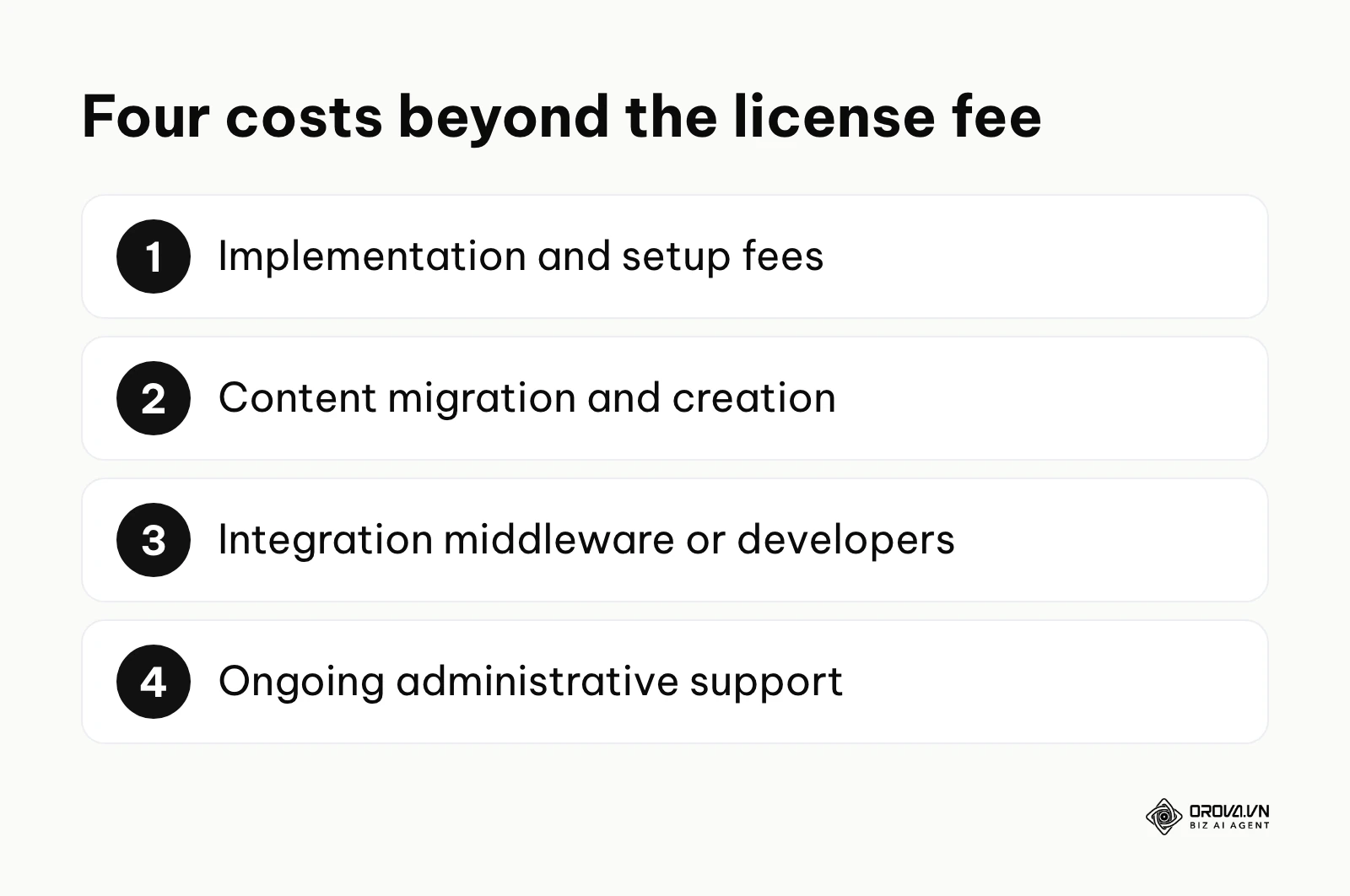
- Implementation and Setup Fees: Purchasing the license does not mean the system is ready to use. Vendors often charge exorbitant one-time implementation fees to configure your specific organizational hierarchy, design custom branded portals, and map out your initial reporting structures.
- Content Migration and Creation: This is typically the largest hidden expense. If you have terabytes of old training videos and legacy SCORM packages sitting on an old server, migrating that data requires dedicated, expensive IT hours. Furthermore, if you are migrating from offline training, you must factor in the cost of hiring instructional designers or utilizing specialized software to actually build the new interactive courses.
- Deep Integration Middleware: As we will explore next, a platform must talk to your other tools. Often, the native API provided by the vendor does not perfectly connect to your highly customized internal CRM without requiring you to purchase expensive middleware solutions (like Zapier or Workato) or hire external developers.
- Ongoing Administrative Support: An enterprise system absolutely does not run itself. It requires a dedicated internal administrator to manage complex user groups, troubleshoot daily login issues, manually adjust grading errors, and generate monthly compliance reports for the executive team.
When evaluating platforms, you must build a comprehensive TCO model that accounts for these four hidden pillars over a strict three-year horizon, not just the year-one subscription price.
Deep Integrations: Creating a Seamless Corporate Ecosystem
Modern buyers do not use software in isolation. The platform must weave seamlessly into your existing technological ecosystem to eliminate the brutal inefficiency of manual data entry. Here are the five critical integrations you must mandate:
- Human Resources Information Systems (HRIS): This is non-negotiable. When a new employee is marked as "Hired" in your HRIS (like Workday or BambooHR), a secure API trigger must automatically create a user profile in the learning platform. It should instantly assign the mandatory 30-day onboarding curriculum based on their specific job role code. This eliminates the traditional delay where IT and HR manually exchange spreadsheets.
- Single Sign-On (SSO): Utilizing protocols like SAML or OAuth, SSO ensures employees use their standard company email and password to access the training portal. Without SSO, password fatigue will absolutely destroy your adoption rates.
- Customer Relationship Management (CRM): For sales teams, integrating with a CRM (like Salesforce) allows you to automatically assign product training modules when a sales rep struggles to close specific types of deals, directly linking education to revenue performance.
- Webinar and Virtual Classroom Tools: The system should directly integrate with Zoom or Microsoft Teams to automatically track attendance for live sessions and post the recorded video back into the course structure without manual uploading.
- Communication Hubs: Pushing automated course reminders, deadline alerts, and congratulatory badges directly into specific Slack channels or Microsoft Teams spaces dramatically increases visibility and engagement.
The 30-Day Transition Roadmap: Moving from Offline to Online
Procuring the software is easy; transitioning your workforce's behavior is incredibly difficult. You need a structured, phased roadmap to ensure a successful launch.
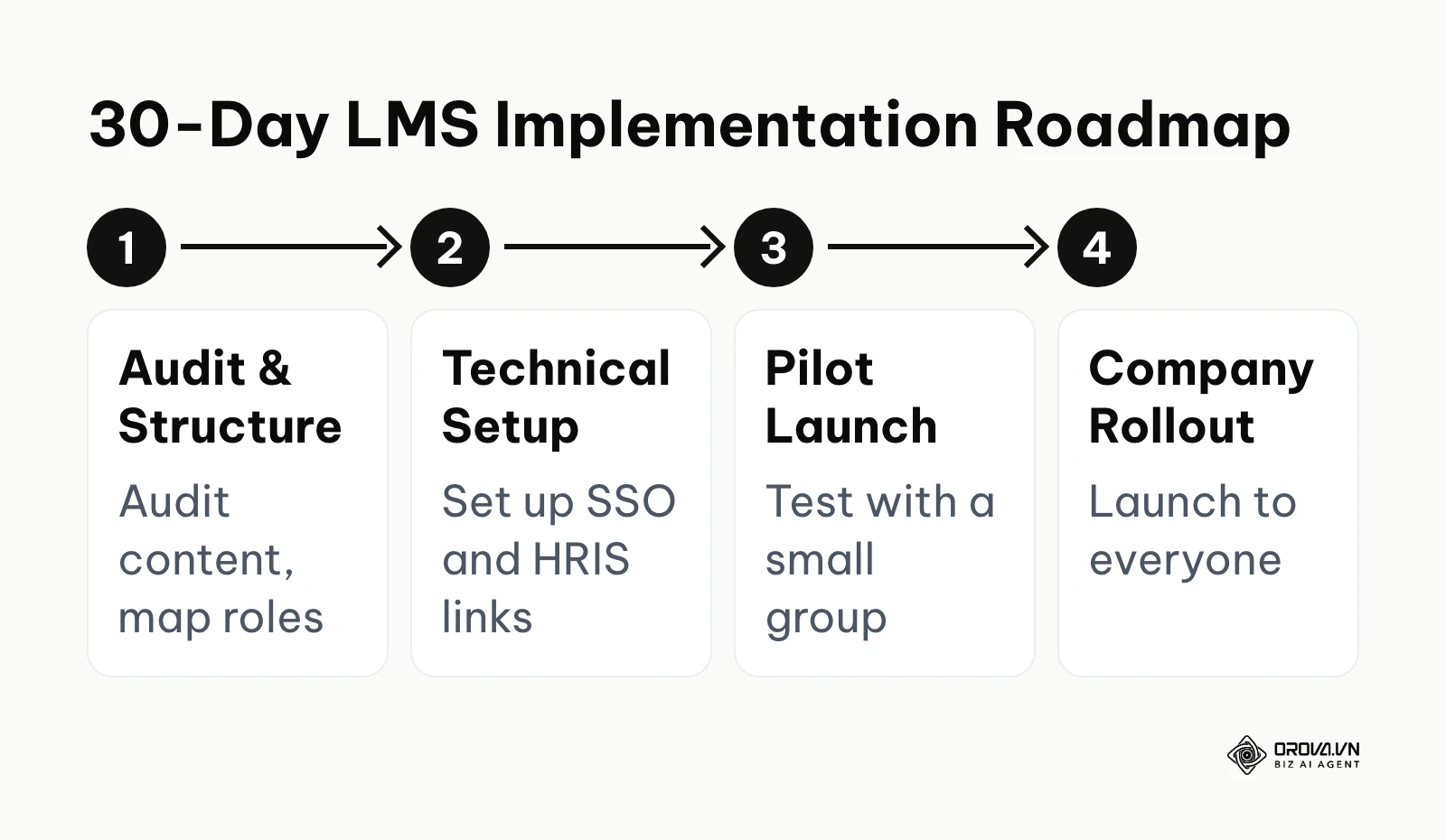
Days 1-7: The Ruthless Content Audit and Structural Mapping Do not blindly digitize everything. Audit your existing materials. Discard outdated PDF manuals and identify the core processes that actually drive value. During this week, you must also meticulously map out your organizational hierarchy (Departments, Roles, Managers) to ensure the software's permission structure mirrors your company accurately.
Days 8-14: Technical Setup and Foundational Content Creation This is when your IT team configures the vital HRIS and SSO integrations. Simultaneously, your trainers should begin building the initial courses. For example, if you are training a marketing team on modern seo content writing standards, ensure the curriculum is broken down into digestible, ten-minute interactive blocks rather than a single, grueling three-hour lecture.
Days 15-21: The Closed Pilot Launch Never launch to the entire company at once. Select a small, tech-savvy department to act as your pilot group. Assign them specific pathways and ruthlessly monitor their progress. Gather their qualitative feedback on navigation difficulties, confusing quiz questions, and mobile accessibility issues.
Days 22-30: Refinement and Global Rollout Use the pilot data to fix broken links and adjust quiz difficulty. When launching globally, treat it like an internal marketing campaign. Secure executive sponsorship; have the CEO send the official launch announcement emphasizing why this new system is vital for the company's future.
Example scenario: Digitizing legacy retail training across multiple branches.
- Context: A mid-sized retail chain with 15 locations desperately needed to standardize its customer service training, which was previously handled inconsistently by individual, overworked store managers using outdated printouts.
- Steps taken: The central operations team conducted a severe content audit, breaking down massive operational manuals into bite-sized 5-minute video modules. They launched a closed pilot program in three top-performing stores, gathered critical feedback via the platform's survey tool, and subsequently rolled out the refined curriculum nationwide.
- Hurdles and solutions: The primary hurdle was a total lack of dedicated training computers on the busy shop floor. They bypassed this constraint entirely by selecting a heavily mobile-responsive platform and implementing a secure "Bring Your Own Device" (BYOD) policy, allowing access only during designated paid shift hours.
- Visible results: Store managers reclaimed approximately five hours per week previously wasted on repetitive onboarding lectures, while the central office gained real-time, granular visibility into the compliance rates of every single floor employee across the state.
Vendor Selection: The 20-Question Critical Checklist
Before signing any multi-year enterprise contract, you must interrogate the vendor aggressively. Use this checklist during your procurement phase:
- Does the platform natively support Single Sign-On (SSO) with our existing identity provider?
- Are there hidden setup or implementation fees beyond the monthly user licenses?
- Can the system automatically provision and deactivate users based on our HRIS data?
- Which content standards does the system import and export (SCORM 1.2, SCORM 2004, xAPI), so our courses are not locked into one vendor?
- How exactly does the pricing model scale if we suddenly add 500 seasonal contractors?
- Is there a powerful built-in authoring tool, or must we purchase third-party software to create content?
- What specific level of customer support is guaranteed (e.g., 24/7 phone, dedicated success manager)?
- Can we easily create customizable, automated learning pathways based on specific job roles?
- Does the platform offer native mobile applications with secure offline viewing capabilities?
- How granular are the reporting and analytics dashboards for mid-level managers?
- Can we natively schedule and track live instructor-led training (ILT) alongside digital courses?
- Does the system support gamification features like digital badges, points, and live leaderboards?
- Is the platform architecture strictly multi-tenant so we can spin up separate external client portals?
- How are major software updates handled, and do they cause mandatory system downtime?
- What are the strict storage limits for hosting our high-definition internal video files?
- Can the platform issue automated, verifiable PDF certificates immediately upon completion?
- Does the system allow for dedicated manager dashboards to monitor team progress instantly?
- Are there robust, secure e-commerce capabilities for potentially selling our courses externally?
- How exactly does the platform ensure data privacy and strict compliance with regulations like GDPR?
- Will our internal engineering team have full access to an open API for custom development?
Calculating and Proving ROI to Executive Leadership
To secure a significant budget approval from the C-suite, you must translate educational outcomes into hard financial metrics. You must prove the software generates or saves money.
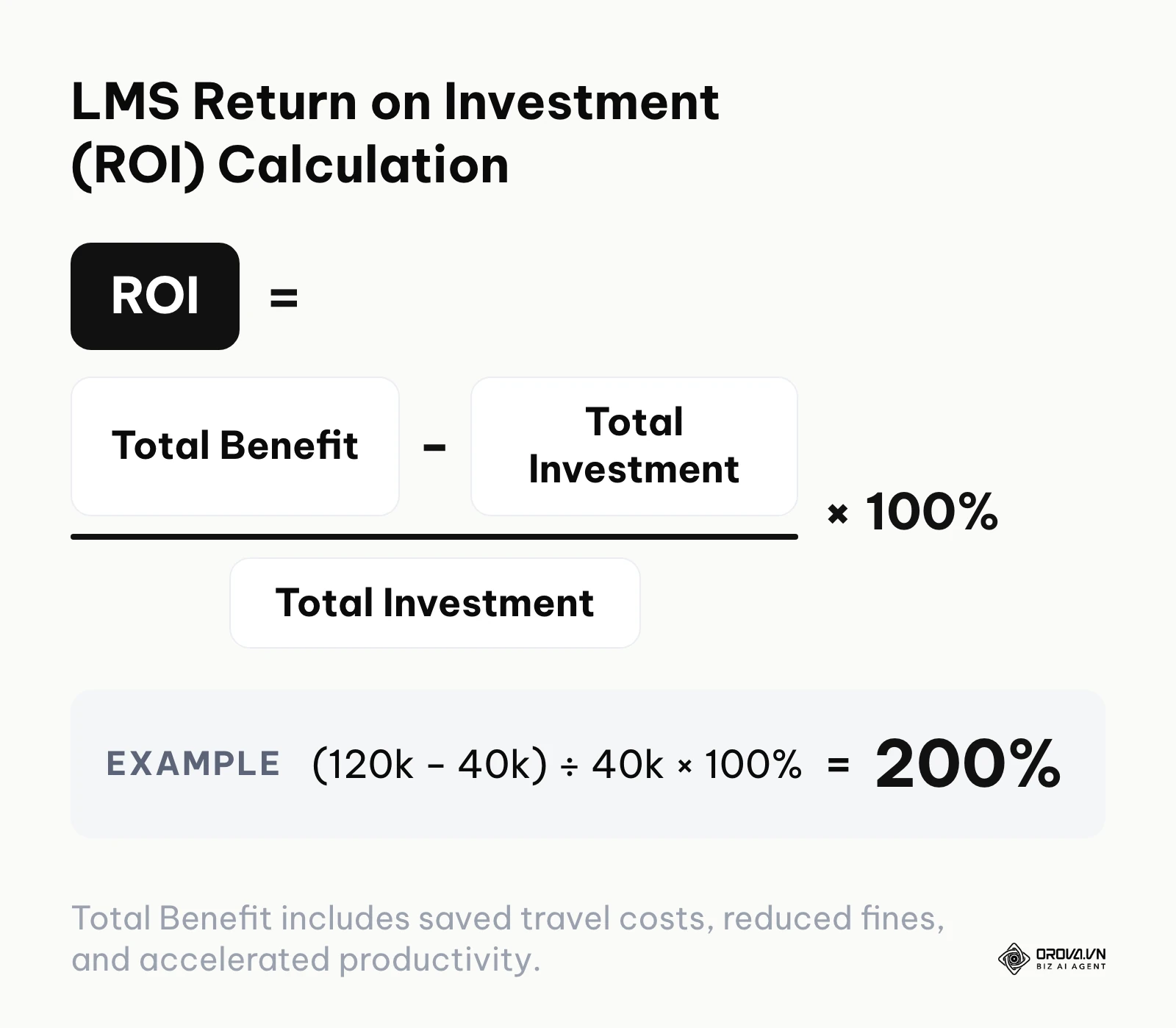
The fundamental ROI formula for enterprise training software is: ROI = ((Total Financial Benefit - Total Investment) / Total Investment) x 100.
For example, if the total benefit over the evaluation period comes to 120,000 against a total investment of 40,000 (in whatever currency you budget in), the ROI is (120,000 − 40,000) ÷ 40,000 × 100 = 200%.
Calculating the 'Total Investment' is straightforward using your TCO model. However, calculating the 'Total Benefit' requires quantifying metrics that are often mistakenly viewed as purely qualitative.
First, calculate the exact, undeniable cost of your traditional offline training model: venue rentals, printed materials, and the staggering amount of productive hours lost when senior employees stop working to teach beginners. Compare this to the automated digital model. Furthermore, factor in the reduction of regulatory compliance fines and any decrease in employee churn (better-trained employees tend to stay longer). Finally, calculate accelerated time-to-competency. If a new sales representative reaches their full revenue quota capacity three weeks faster because of targeted digital onboarding, that accelerated revenue generation is a direct, measurable financial benefit that must be forcefully included in the numerator of your ROI calculation.
What to Do to Start and Adapt to a Learning Management System
The transition strategy depends entirely on your specific role and organizational scale.
For Small Business Owners (Under 50 Employees)
- Centralize documentation first: Before buying complex software, gather all your scattered training materials from Google Drive, email threads, and loose papers into one highly organized spreadsheet mapping out the core onboarding journey.
- Prioritize simplicity: You do not need complex API integrations yet. Focus on finding a highly intuitive, lightweight platform that allows you to easily upload videos and create simple multiple-choice quizzes to verify basic comprehension.
- Record everything: Stop repeating yourself. The next time you explain a critical software process to a new hire, record your screen using a tool like Zoom or Loom, and make that raw video the very first asset in your new digital library.
For Corporate L&D Managers
- Secure IT alignment early: Do not evaluate software in a vacuum. Bring your IT director into the conversation on day one to ensure the platform meets your strict corporate security standards and SSO requirements.
- Map the HRIS data flow: Carefully document exactly how employee data will flow from your primary HR system into the learning platform. Define the specific rules for auto-enrolling users based on department codes.
- Develop a content governance policy: Establish strict rules detailing who is allowed to create and publish courses. Without governance, your platform will quickly become a chaotic dumping ground for outdated, irrelevant material.
- Identify key performance indicators: Define exactly how you will measure success before launch. Choose three hard metrics (e.g., onboarding completion time, certification rate) to report back to the executive board.
Example scenario: Consolidating fragmented software tools in a tech startup.
- Context: A rapidly growing software company had critical training data scattered across Google Drive, random Slack channels, and isolated Zoom recordings, making it impossible to track engineering onboarding progress.
- Steps taken: The newly hired L&D manager mapped out the critical developer onboarding journey, selected an API-first learning platform, integrated it directly with their HR software to automate user provisioning, and consolidated all existing video assets into structured, trackable pathways.
- Hurdles and solutions: Senior engineers complained loudly that the mandatory compliance modules were too slow and restrictive. The manager expertly adjusted the settings to allow video speed manipulation up to 2x and implemented rigorous pre-assessments, allowing experienced developers to completely test out of fundamental courses.
- Visible results: The company dramatically shortened the time-to-first-commit for new engineers from four weeks to two, and the L&D department could finally provide the executive team with precise data on how training engagement directly correlated with subsequent performance reviews.
For Training Agencies and Consultants
- Demand multi-tenant architecture: If you sell training to multiple corporate clients, you must select a platform that allows you to create completely isolated, custom-branded sub-portals for every single client from a single master administrative account.
- Focus on robust e-commerce: Ensure the platform integrates seamlessly with payment gateways like Stripe or PayPal, allowing you to easily sell individual course licenses or recurring monthly subscriptions.
- Automate client reporting: Configure the system to automatically send weekly progress reports directly to your clients' HR managers, proving the immense value and completion rates of the courses they purchased from you.
Common Pitfalls When Adopting an LMS
Even with massive budgets, enterprise deployments routinely fail due to predictable structural errors.
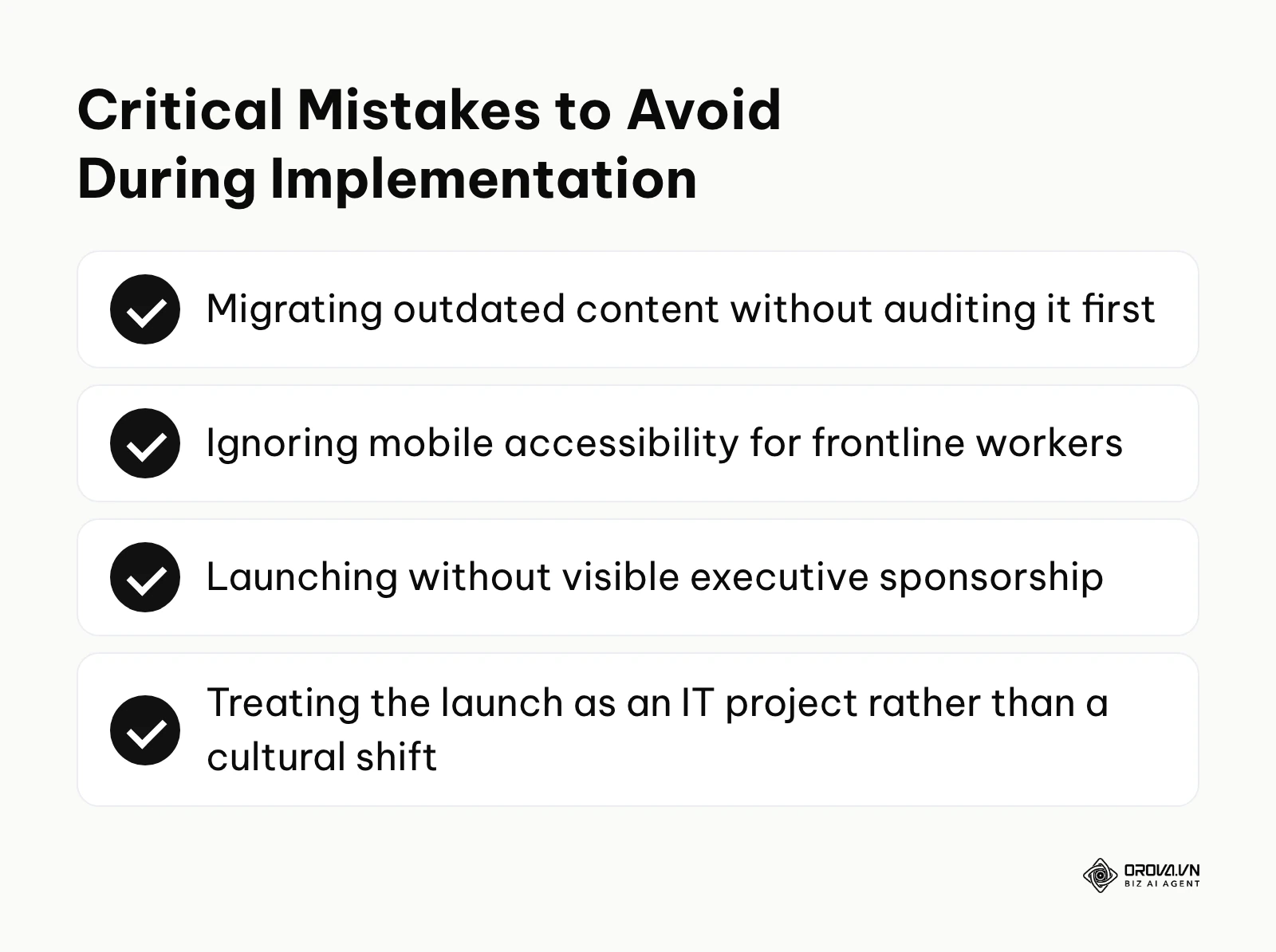
| Common Mistake | Consequence | How to Avoid It |
|---|---|---|
| The "Lift and Shift" Approach | Migrating outdated, bloated content directly into the new system frustrates users and ruins adoption rates instantly. | Conduct a ruthless content audit. Rewrite and condense legacy material before uploading it to the new platform. |
| Ignoring Mobile Accessibility | Frontline workers without dedicated desks simply cannot complete training, destroying compliance rates. | Demand a platform with a dedicated, responsive mobile application featuring secure offline viewing capabilities. |
| Operating in an IT Silo | Treating the launch purely as a technical software installation rather than a massive cultural shift leads to employee apathy. | Secure highly visible executive sponsorship and run an aggressive internal marketing campaign leading up to launch day. |
Want to test a structured training program before committing a budget? With Orova Training you can run online quizzes graded by AI, host live ranked quiz rooms, and auto-issue certificates with a public verification code. It is free until July 7, 2027.
Where learning management systems are heading in the next few years: the author's take
As of 2026, the landscape of corporate education is shifting rapidly from static compliance tracking to dynamic, highly personalized skill development. Based on current technological trajectories, I anticipate several major transformations in how these platforms operate.
The Hyper-Personalization of Learning Pathways via AI
Currently, most systems deliver the exact same linear course to every employee regardless of their prior knowledge or experience level. I believe that within the next two to three years, artificial intelligence will completely dismantle this inefficient, one-size-fits-all approach. Platforms will dynamically assess a learner's proficiency in real time during a module and adjust the curriculum on the fly, skipping known concepts entirely and generating deeper, customized explanations for struggled areas. You should prepare for this inevitable shift by changing your focus from creating rigid, massive courses to developing granular, modular content blocks that an AI engine can intelligently assemble.
The Convergence of Work and Learning
We are already seeing early signs of training tools moving directly into the daily operational workflow rather than living exclusively in a separate destination portal. I suspect that standalone learning portals will eventually become secondary administrative hubs, while the actual learning is delivered through integrated micro-learning prompts inside daily communication tools like Slack or Microsoft Teams. To prepare your organization, you must begin evaluating how your current training materials can be broken down into five-minute, highly searchable assets that employees can access the exact moment they encounter a problem on the job.
The Shift from Output to Business Impact Metrics
Historically, the success of a corporate training program was measured by completion rates and time spent logged into the platform. My read is that executive leadership will increasingly push back on these vanity metrics in favor of demanding direct performance correlations. Platforms will increasingly require complex API connections to CRM and HR data to show whether a specific sales module actually moved quarterly results. However, I must note that this prediction could be significantly delayed if organizations fail to clean and structure their internal performance data adequately before attempting these integrations.
Frequently Asked Questions About Learning Management Systems
What is the difference between Cloud-based and On-premise deployments?
Cloud-based platforms are hosted entirely on the vendor's servers, accessed via a web browser, and usually paid for through a monthly subscription model, requiring minimal internal IT maintenance. On-premise systems are installed directly on your company's own physical servers behind your corporate firewall, offering absolute control over data security but requiring massive upfront investments and a dedicated IT team for ongoing maintenance and updates.
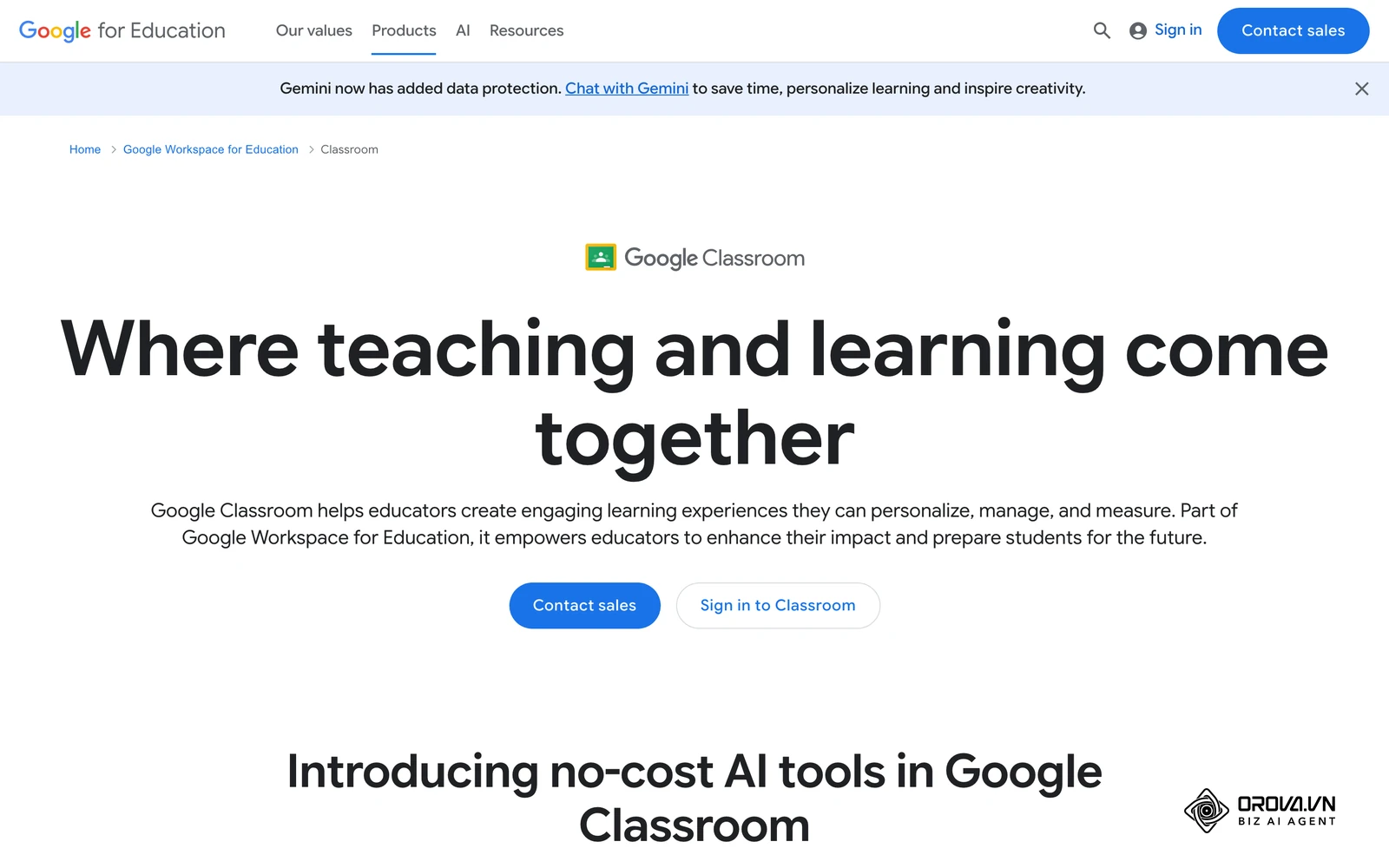
Can a small business use Google Classroom instead of a dedicated enterprise platform?
Yes, but only for highly rudimentary needs. Google Classroom is excellent for basic document distribution and simple quizzes, but it completely lacks the robust compliance tracking, automated HRIS user provisioning, SCORM compatibility, and advanced reporting necessary to satisfy strict corporate regulatory audits or manage complex organizational hierarchies.
How long does it actually take to implement a new platform?
Depending heavily on your organizational complexity, a basic implementation for a mid-sized business typically takes between four to eight weeks from signing the contract to launching the pilot. However, massive enterprise deployments involving complex legacy data migration and custom API integrations can easily stretch from six to twelve months before full global rollout.
Do we still need a traditional LMS when we have generative AI tools?
Yes, absolutely. While generative AI is revolutionary for instantly creating course content, generating quiz questions, or summarizing long manuals, it does not provide the secure, auditable tracking infrastructure required by enterprise businesses. You still need a centralized database to legally prove that an employee completed a specific compliance module on a specific date, which is a function standard AI chatbots cannot perform.
Where to Start With Your Learning Management System?
Determining your very first step depends entirely on your current organizational maturity. Do not rush to book vendor demonstrations until you have diagnosed your internal reality.
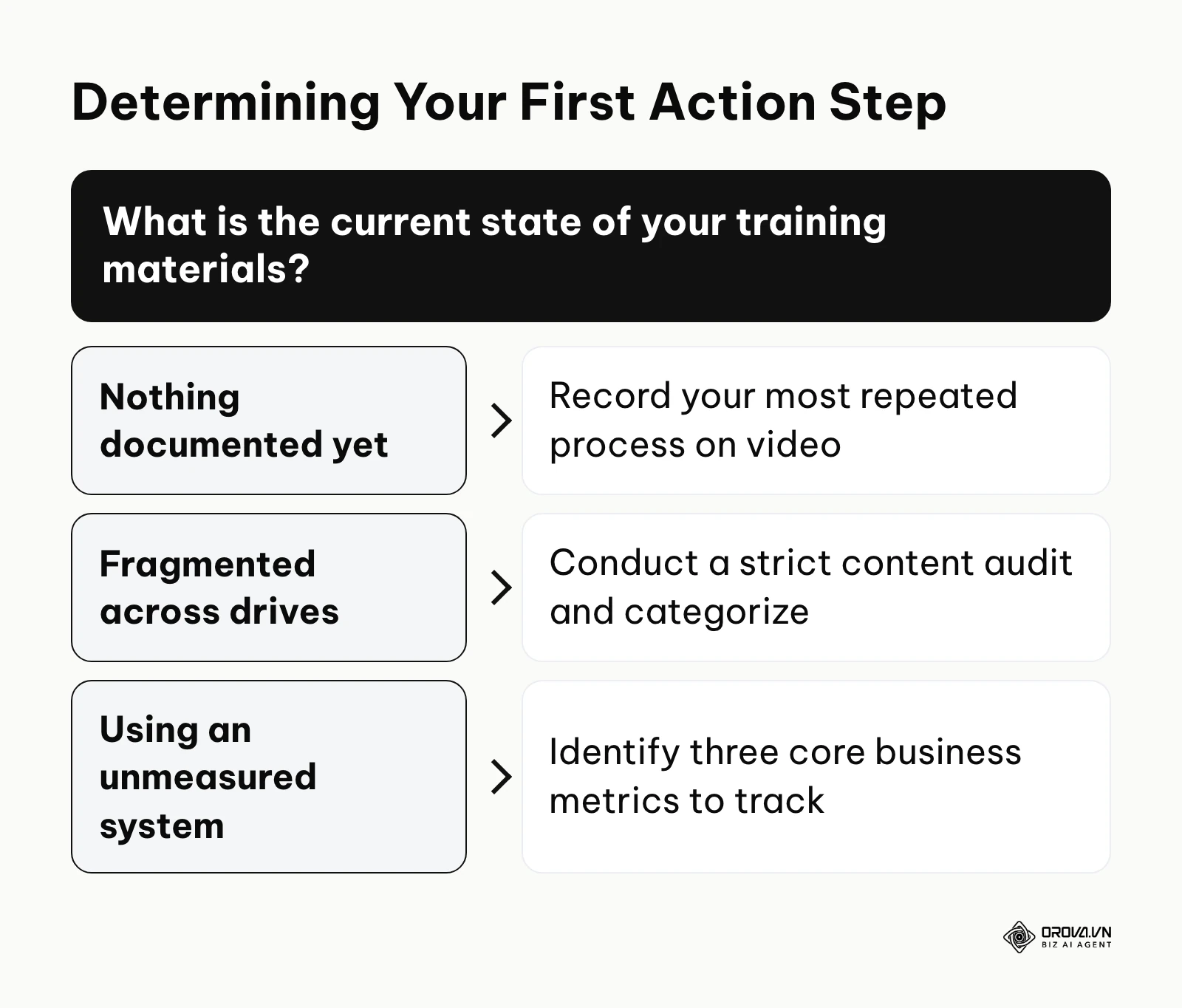
If you currently have nothing documented: Do not start by researching enterprise software features. Your immediate first step, which you can execute this afternoon, is to identify the single most critical, repetitive process in your business and record a subject matter expert performing it on a screen-share. Build a raw library of these crucial operational videos first. Software is useless if you have absolutely no content to put inside it.
If your materials are currently fragmented across drives: If your training exists but is scattered chaotically across Google Drive, email threads, and forgotten intranet pages, your first step is a ruthless content audit. Create a single master spreadsheet. Categorize every existing document, flag outdated policies for immediate deletion, and map the remaining viable content to specific job roles. You must structure your data logically before you can effectively migrate it to a new platform.
If you are using an unmeasured legacy system: If you already have a platform but leadership views it as a costly failure, your first step is not to buy replacement software immediately. Instead, schedule a meeting with your department heads to identify three core business metrics—such as reducing support ticket resolution time or accelerating sales quotas. You must define exactly how training will impact these specific metrics before attempting another expensive deployment.
By understanding the architectural requirements, hidden costs, and integration strategies detailed in this guide, you are now fully equipped to leverage a modern learning management system to drive undeniable business value.
About the author

Builder of Orova
Nguyễn Đỗ Trọng Ân has 8 years of experience in marketing, including 6 years managing market development across Asia. He builds Orova, a Biz AI Agent that never sleeps: it plans, runs and optimizes work for businesses.
Run your business with AI Agents
Orova is the always-on Biz AI Agent — it plans, runs, and optimizes the work for you.
Save time, unlock productivity.