
What is recruitment automation? A practical guide for smarter hiring

Imagine staring at an inbox flooded with over 400 applications for a single open role. You know your ideal candidate is in there, but manually opening every file, cross-checking qualifications, and sending endless emails just to find a mutually agreeable interview time feels like an impossible mountain to climb. The traditional method of hiring, without recruitment automation, relies heavily on human effort for administrative tasks, which inevitably leads to bottlenecks, delayed responses, and lost talent.
This is where technology steps in. Recruitment automation allows you to hand over the repetitive, high-volume administrative work to software, giving you the freedom to focus on what truly matters: building relationships with people. This guide details everything you need to know about setting up these systems. You will discover practical workflows, ready-to-use email templates, and step-by-step methods to transform your hiring engine into a seamless, efficient operation.
What is recruitment automation?
Recruitment automation is the use of software and artificial intelligence to execute repetitive hiring tasks automatically, freeing up human resources professionals. It is primarily used to source candidates, screen resumes, and schedule interviews, differing from traditional Applicant Tracking Systems by actively performing tasks rather than just storing data.
The origin of this concept dates back to the late 1990s when early resume parser tools began extracting basic contact information from digital documents. Over the decades, it evolved from simple keyword matching to sophisticated AI-driven workflows that can orchestrate the entire top-of-funnel hiring process.
To understand it better, let us look at how it differs from other common HR terms:
| Concept | How it differs from recruitment automation | Example |
|---|---|---|
| Applicant Tracking System (ATS) | ATS is primarily a database for storing applicant records, whereas automation actively moves data and triggers actions. | Greenhouse, Workable |
| Human Resources Information System (HRIS) | HRIS manages post-hire employee data like payroll, while recruitment automation strictly focuses on the pre-hire phase. | BambooHR, Workday |
| Candidate Relationship Management (CRM) | CRM focuses on building long-term talent pools, whereas automation executes the immediate transactional steps of a specific job opening. | Gem, Beamery |
Think of recruitment automation like setting up an advanced out-of-office email autoresponder. Instead of manually replying to everyone who emails you while you are on vacation, the system does it based on predetermined rules. In hiring, the system automatically sends a calendar link to someone whose resume matches 80% of your required skills, entirely without your intervention.
Manual vs. automated hiring
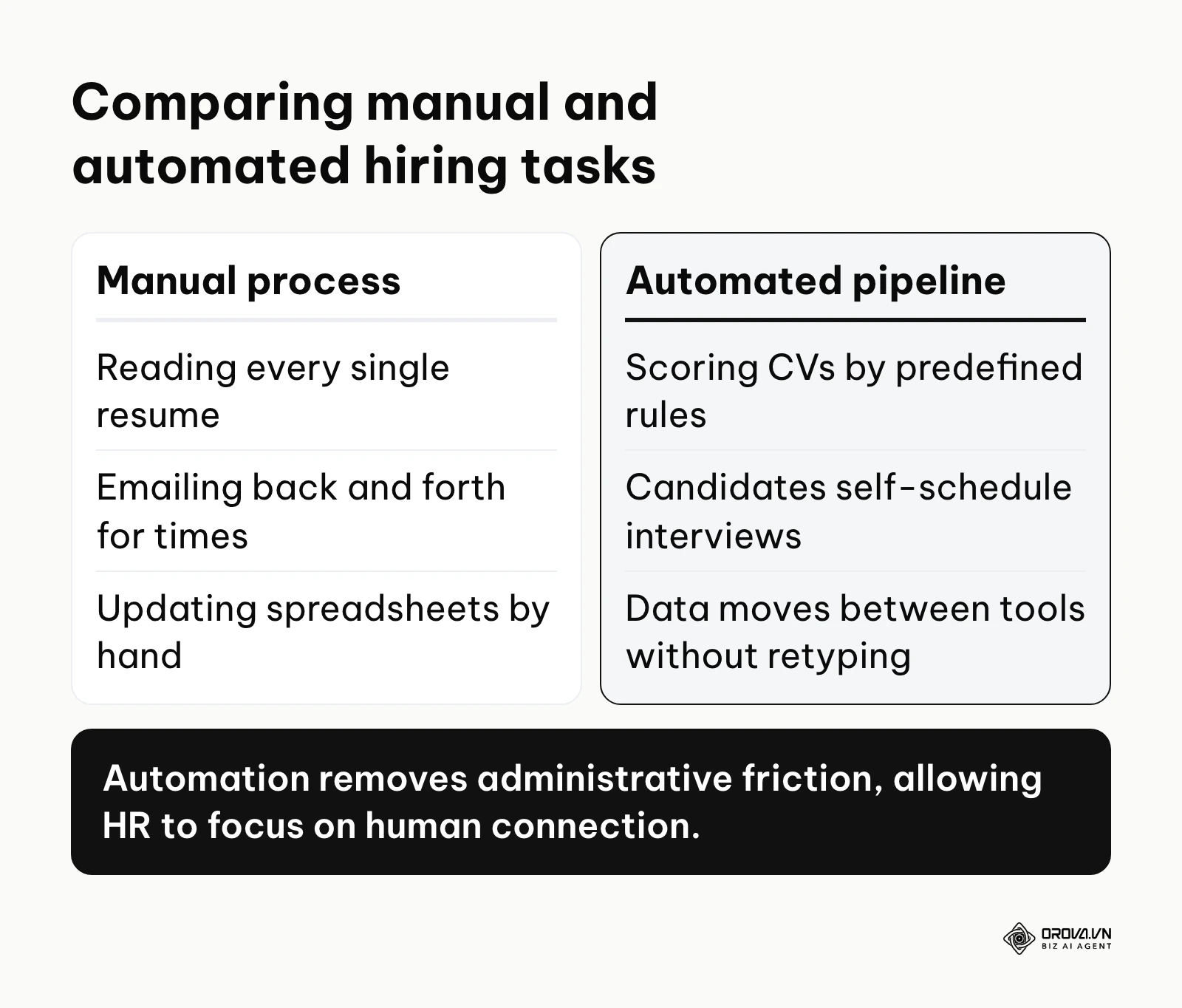
Understanding the paradigm shift requires looking at the daily tasks of a recruiter. In a manual setup, a recruiter reads every single resume, emails back and forth to agree on interview times and updates spreadsheets by hand. In an automated pipeline, CVs are scored by predefined rules, candidates self-schedule interviews, and data moves between tools without retyping. The diagram below illustrates the fundamental difference between the old and new ways of operating.
Why recruitment automation matters
Recruitment automation matters because it eliminates the administrative bottleneck of manual hiring, allowing companies to secure top talent faster before competitors do. The modern talent acquisition landscape is incredibly competitive. Candidates expect swift responses, and top talent is often off the market quickly. If a company relies entirely on manual processes, HR teams become overwhelmed by administrative burdens. They spend countless hours doing copy-paste tasks, updating spreadsheets, and chasing hiring managers for feedback. Recruitment automation exists to serve both the business by securing better talent faster and the HR professionals by eliminating soul-crushing repetitive work.
Where recruitment automation fits in the big picture
To fully grasp its significance, you must see the entire candidate journey. Automation acts as the invisible engine connecting the initial awareness phase to the final offer stage. The flowchart below outlines exactly where these automated systems operate within your broader strategy.
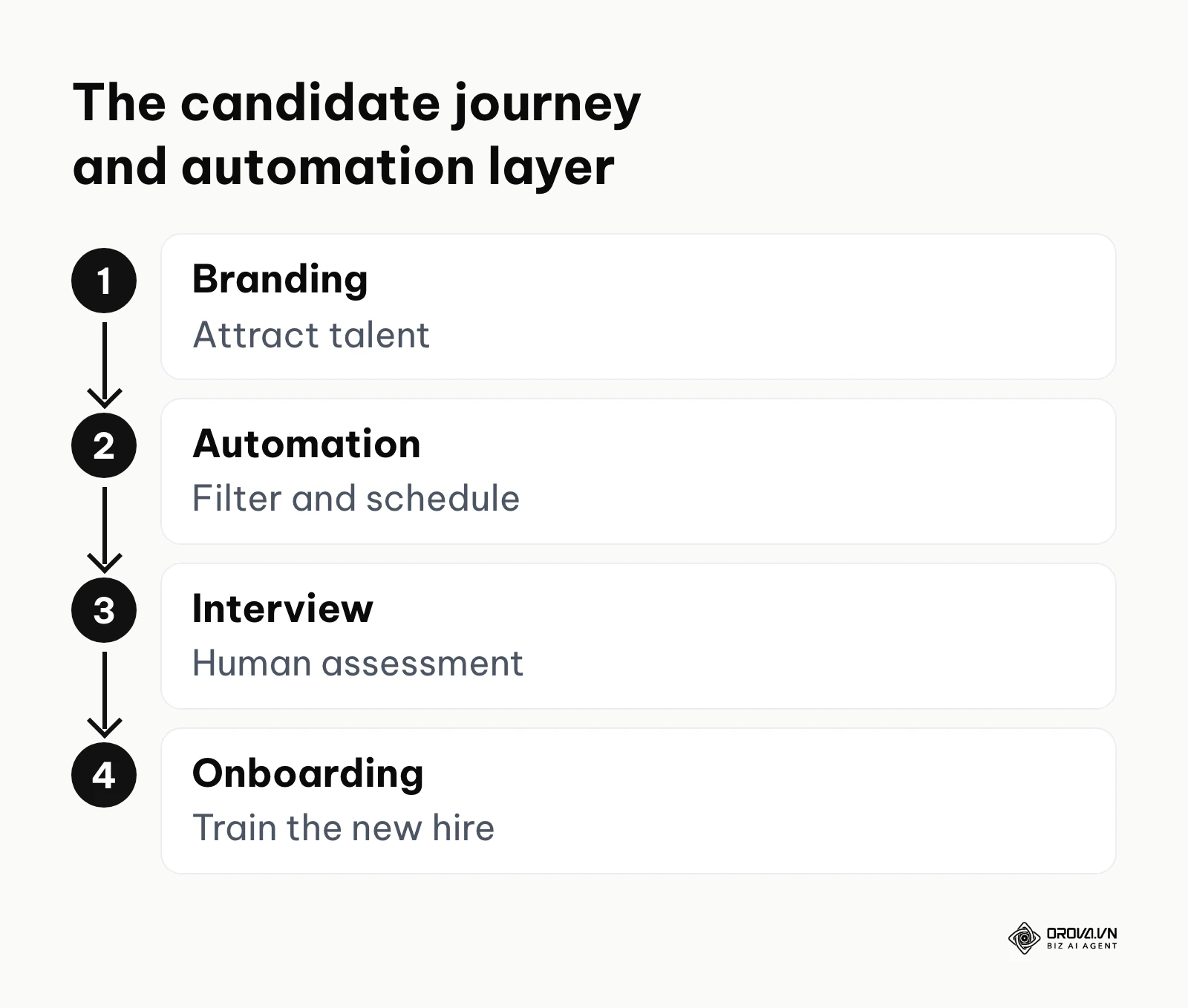
When properly implemented, these tools sit directly between your employer branding efforts and your onboarding procedures like new hire training. They take the raw input of interested applicants and systematically filter, engage, and organize them until only the most qualified individuals reach the human interview stage.
If a company chooses to ignore these technological advancements, the consequences are severe. Your cost per hire will skyrocket due to the sheer amount of manual labor required. Moreover, you risk severely damaging your employer brand. When candidates apply and hear nothing back for weeks because a recruiter is buried in paperwork, they leave negative reviews and share their poor experiences online. In today's hyper-connected world, a slow hiring process is a glaring red flag to top-tier professionals.
Recruitment automation is not a universal cure. There are specific scenarios where implementing it is a waste of resources. If you are a micro-business hiring fewer than five people a year, setup costs outweigh the benefits; a simple spreadsheet suffices. Second, hiring C-level executives requires highly personalized networking, not automated screening. Finally, for creative roles where evaluating a visual portfolio is entirely subjective, AI parsing often fails. In these exact cases, you should bypass automation and rely heavily on direct human judgment and personalized conversations instead.
Values and benefits of recruitment automation
The primary values of recruitment automation are reducing operational hiring costs and significantly lowering the time-to-hire metric. The advantages of digitizing your hiring pipeline operate on multiple levels. It is essential to separate the high-level business value from the day-to-day benefits experienced by the HR team.
At the business level, the primary value is financial efficiency. By reducing the time it takes to fill a role, companies minimize the productivity loss associated with vacant positions. Additionally, a standardized automated process significantly reduces compliance risks. When every candidate goes through the exact same automated screening and data collection steps, it becomes much easier to prove fair hiring practices during an audit.
For the HR professionals operating the system, the benefits are intensely practical. The most significant relief is the eradication of scheduling ping-pong. Recruiters no longer have to send five emails just to find a 30-minute window for an interview. This mental bandwidth can then be redirected toward strategic planning, building relationships with hiring managers, and truly engaging with final-stage candidates to ensure culture fit.
| Benefit | Measured by metric | Seen after how long |
|---|---|---|
| Reduced administrative load | Hours spent on data entry and scheduling | 1 to 2 weeks |
| Faster hiring cycle | Time-to-hire (days from job post to offer) | 1 to 3 months |
| Higher quality pipeline | Candidate conversion rate to final round | 3 to 6 months |
| Lower acquisition cost | Cost per hire in dollars | 6 to 12 months |
The impact on time-to-hire
To understand how these benefits materialize in the real world, we must look at the timeline of an open requisition. The example below shows how the days required to move a candidate through the pipeline can shrink.
Illustrative Example: Context: A mid-sized tech company HR manager was struggling with a massive time-to-hire of 65 days for senior developers. Steps: She implemented an automated scheduling tool and a basic resume parser to filter out applicants without the required programming languages. Stumbling block: The calendar sync tool kept double-booking interviews over internal team meetings, causing frustration. She fixed this by adjusting the software settings to block out specific busy tags on the company calendar. Visible results: Candidates moved from application to first interview within 48 hours, and the engineering team hit their product release deadlines on time.
Measuring the ROI of recruitment automation
One of the biggest challenges for HR leaders is proving the financial return on investment when purchasing new software. Industry surveys generally associate well-used automation with lower operational hiring costs. However, you need concrete numbers to get executive buy-in.
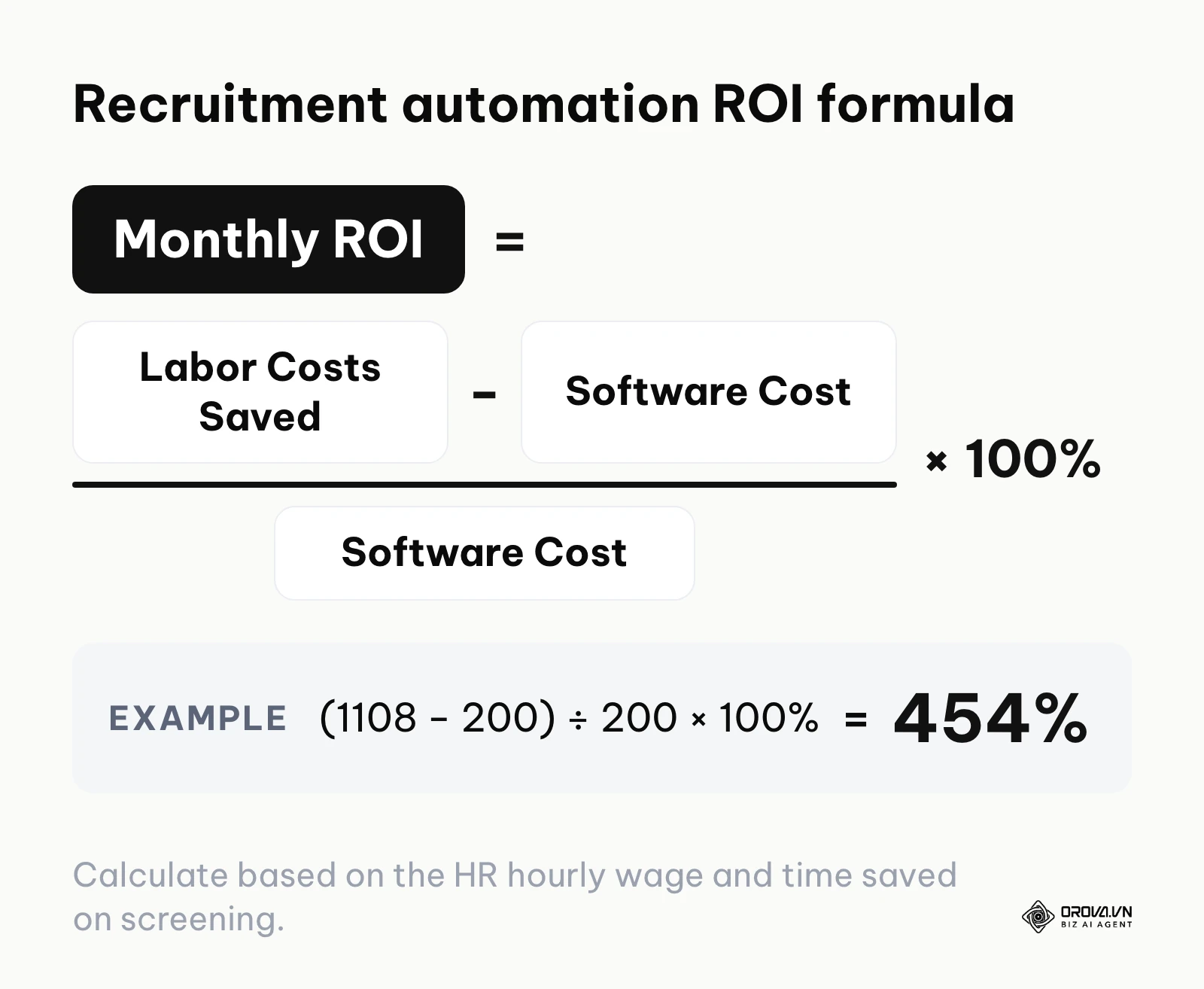
To make this actionable, here is a benchmark ROI calculator framework you can easily recreate in your own spreadsheet software to prove the value to your stakeholders:
| Metric | Current Manual Process | Automated Process (Estimated) | Savings per month |
|---|---|---|---|
| Applications received | 500 | 500 | 0 |
| Minutes spent screening one CV | 3 minutes | 0.5 minutes | 2.5 mins per CV |
| Total hours screening | 25 hours | 4.2 hours | 20.8 hours saved |
| Minutes spent scheduling one call | 15 minutes | 2 minutes | 13 mins per call |
| Total interviews scheduled | 50 | 50 | 0 |
| Total hours scheduling | 12.5 hours | 1.7 hours | 10.8 hours saved |
| HR hourly wage rate | 35 dollars per hour | 35 dollars per hour | 0 |
| Total monthly labor cost | 1,312 dollars | 204 dollars | 1,108 dollars saved |
By plugging in your own numbers, you can justify a software subscription that costs 200 dollars a month if it reliably saves you over 1,000 dollars in labor costs. With the figures above, the monthly ROI is (1,108 − 200) ÷ 200 × 100%, or about 454%.
Are you wasting hours reading hundreds of CVs manually? Orova Recruit scores CVs against the criteria you set for each role, quotes the evidence from each CV and suggests tailored interview questions. Sign up and try a faster pipeline today, no credit card required.
How recruitment automation works
Recruitment automation works by breaking down the hiring pipeline into distinct, sequential components and using software rules to move candidate data seamlessly between them. To demystify the technology, we must break it down into its core components. A fully functioning automated hiring engine consists of several distinct stages, each handling a specific part of the candidate journey. Let us dissect these components in detail.
Sourcing and outreach
This component acts as your proactive talent scout. Instead of waiting for people to apply, automation tools scour databases, professional networks, and use social listening tools to find individuals matching your criteria.
- What it does: It runs boolean searches at scale, identifies passive candidates, and automatically adds them to your talent pool.
- Input: Specific job titles, required skills, location, and years of experience defined by the recruiter.
- Output: A curated list of potential candidates complete with contact information and professional profiles.
- Where it often breaks: The system frequently struggles with outdated profiles. If a candidate has not updated their social profile in three years, the tool might overlook them or pull incorrect contact details.
Illustrative Example: Context: A regional retail chain talent lead needed to hire 30 store managers rapidly ahead of the holiday season. Steps: She set up an automated sourcing sequence to target individuals with retail management in their current title within a 20-mile radius. Stumbling block: The automated connection messages sounded too robotic, resulting in a shockingly low 5% acceptance rate. She quickly rewrote the outreach template to mention specific local store challenges and explicitly stated why their background stood out. Visible results: The team secured fully booked interview slates for all 30 locations without manually messaging a single person.
Resume screening and parsing
Once applications flood in, this component acts as the first line of defense. It reads, extracts, and evaluates the vast amounts of data within the CVs.
- What it does: It converts unstructured data from PDFs and Word documents into structured database fields and scores the candidate against the job description.
- Input: Candidate resumes and the predefined criteria including keywords, education, and hard skills.
- Output: A ranked list of applicants, often highlighting the exact sentences in the resume that match the core requirements.
- Where it often breaks: Complex resume formatting, such as multi-column layouts, heavy graphics, or unusual fonts, can confuse the parser, causing highly qualified candidates to be erroneously rejected simply because the machine could not read the file correctly.
The risk of AI bias in hiring and how to prevent it
While screening tools are incredibly powerful, they carry a massive risk in the form of AI bias. If an algorithm is trained on historical hiring data that favored a specific demographic, the automation will silently replicate and scale that discrimination at a terrifying speed. The checklist below outlines crucial steps to audit your system for fairness.
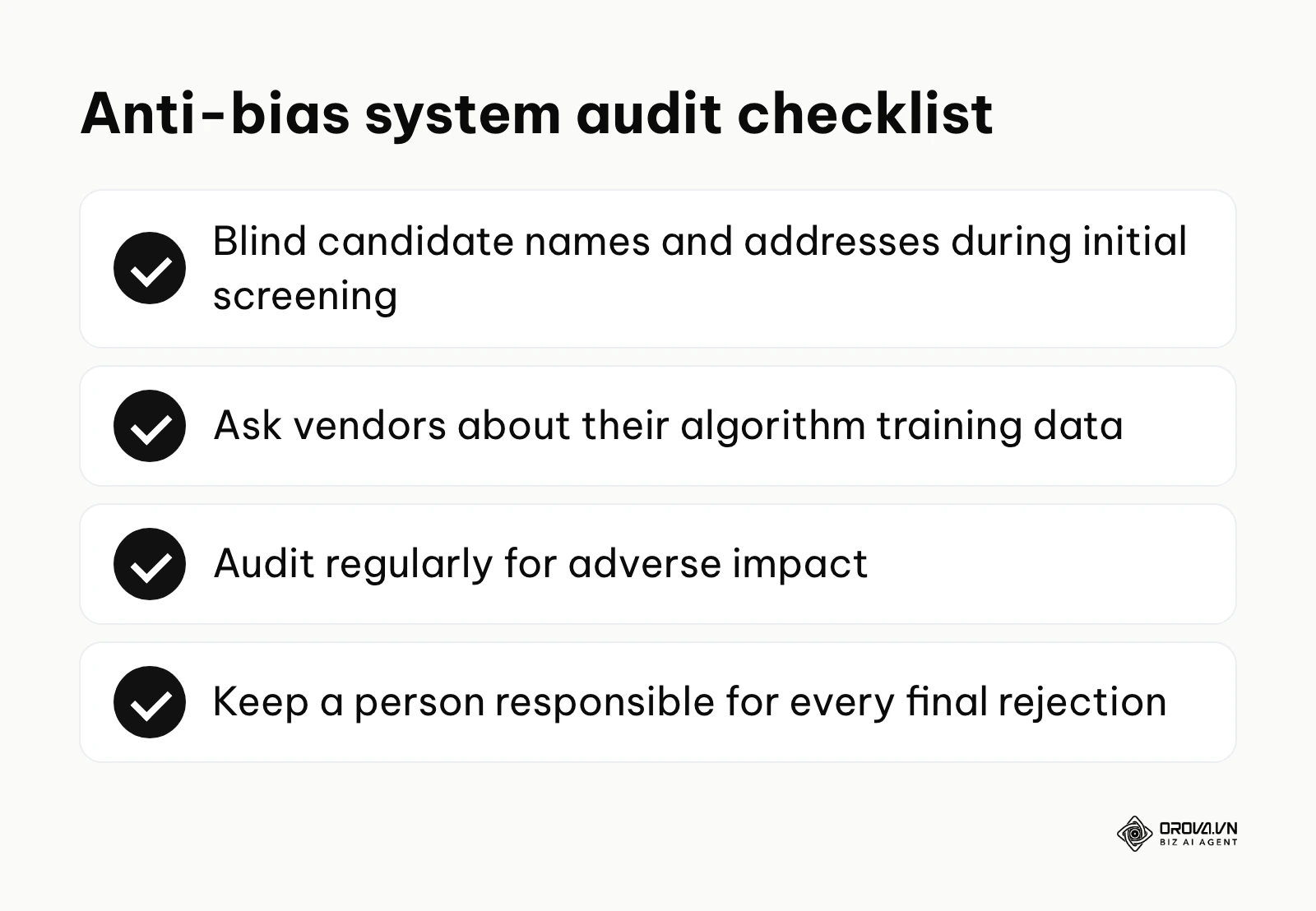
To prevent bias, you must proactively question your software vendors. Ask them specifically what datasets were used to train their algorithms and how frequently they audit their system for adverse impact against minority groups. Furthermore, you should configure your automation to blind certain identifying information during the initial screening, such as candidate names, graduation years, and home addresses, to ensure decisions are based purely on skills and verifiable experience. Finally, keep a person responsible for every final rejection, so the software only recommends and never decides alone.
Interview scheduling
This is often cited as the most loved feature by exhausted HR professionals.
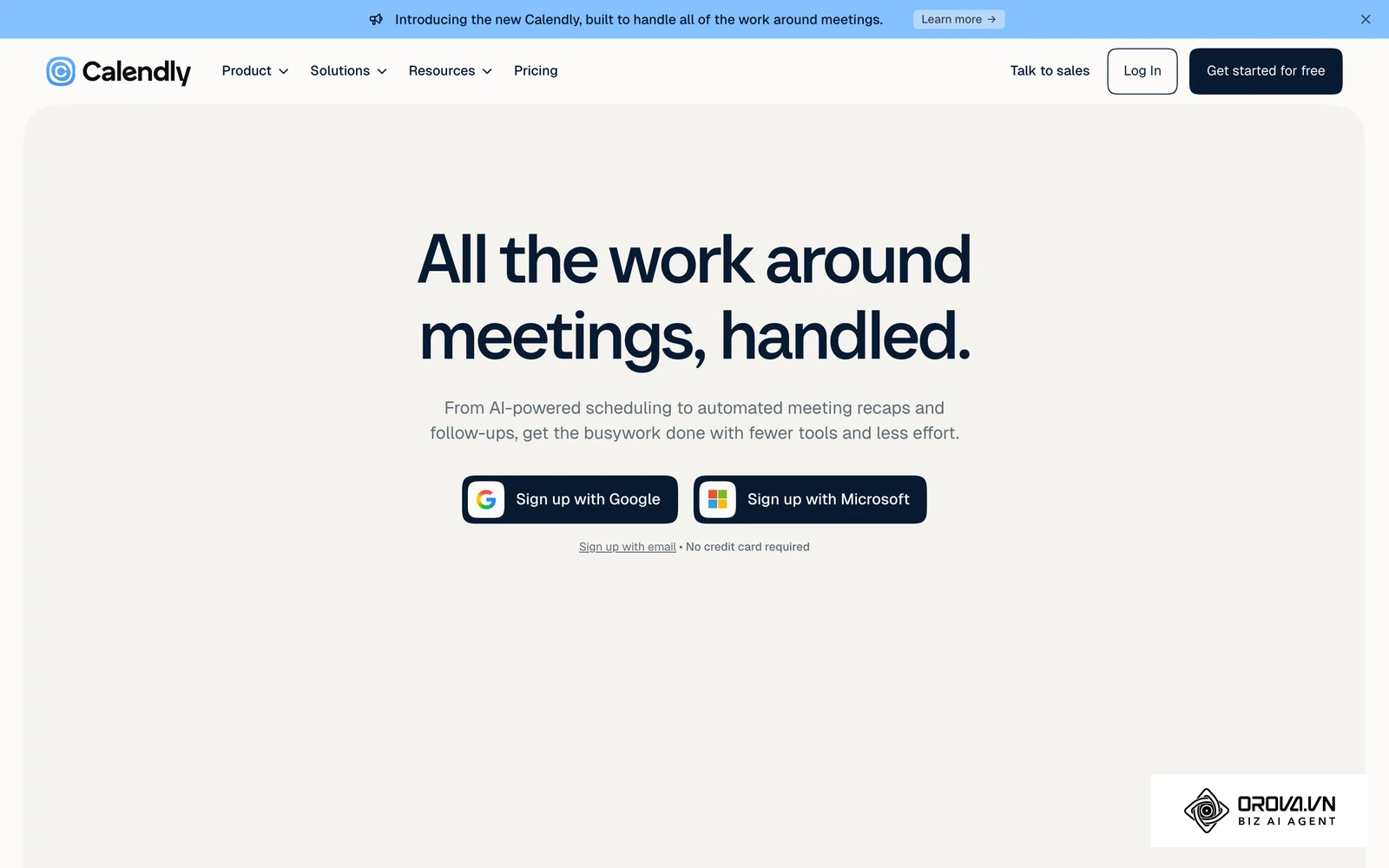
- What it does: It completely eliminates the back-and-forth emails by syncing directly with the interviewers calendars and allowing candidates to pick a slot that works for them.
- Input: The hiring manager's calendar availability, designated working hours, and the desired length of the interview session.
- Output: A confirmed calendar invite sent instantly to both parties, complete with automatically generated video conferencing links.
- Where it often breaks: Time zone mismatches cause the most pain here. If the system defaults to the company headquarters time zone while the candidate is located in another country, it leads to missed interviews, confusion, and deep frustration.
Candidate nurturing
Automation absolutely does not stop once a candidate is in the pipeline; it works tirelessly to keep them engaged.
- What it does: It sends timed, automated communications to keep candidates informed about their application status, share company culture materials, or remind them of upcoming tasks.
- Input: Triggers based on candidate stage changes, such as moving a card to the final round column, and predefined email templates.
- Output: Timely, highly personalized emails or text messages delivered consistently without any recruiter intervention.
- Where it often breaks: Over-automation is a real danger. Sending too many generic, templated emails can easily make the candidate feel like they are just a number in a cold machine.
5 recruitment automation email templates
To solve the prevalent problem of robotic communication, here are five highly effective templates you can copy and paste directly into your workflow engine. Ensure your system inserts the dynamic variables correctly.
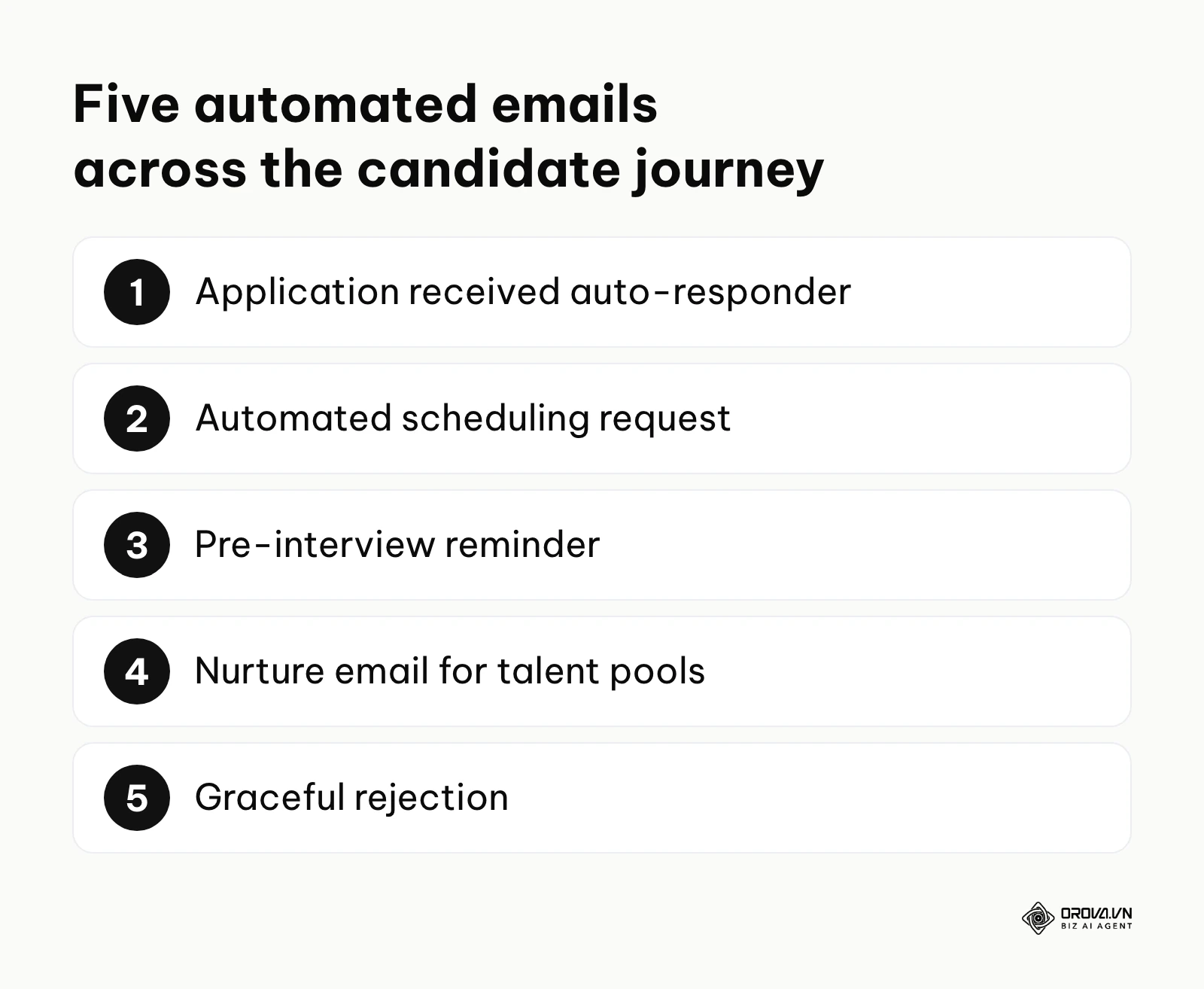
1. The "Application Received" Auto-Responder
Subject: We got it! Your application for [Job Title] at [Company Name]
Hi [Candidate Name],
Thanks for taking the time to apply for the [Job Title] role. Our team is currently reviewing your application. Because we receive a high volume of resumes, it usually takes us about [Number] days to get back to you with the next steps.
While you wait, check out this recent blog post about a day in the life of our team: [Link].
Best,
The [Company Name] Hiring Team
2. The Automated Scheduling Request
Subject: Next steps: Let's chat about the [Job Title] role!
Hi [Candidate Name],
We were very impressed with your background and would love to schedule a brief introductory call.
To make this easy, please click the link below to select a time that works best for you. This calendar is synced in real-time with my availability.
[Insert Scheduling Link]
I look forward to speaking with you!
Best,
[Recruiter Name]
3. The Pre-Interview Reminder
Subject: Reminder: Your upcoming interview with [Company Name]
Hi [Candidate Name],
Just a quick reminder about our interview tomorrow at [Time] for the [Job Title] position.
You can join the video call using this link: [Zoom/Meet Link].
We recommend testing your audio and video a few minutes beforehand. If anything urgent comes up, please reply directly to this email.
See you soon!
4. The Nurture Email for Talent Pools
Subject: What's new at [Company Name]?
Hi [Candidate Name],
It has been a while since we last connected! We loved your profile previously and wanted to keep you in the loop. We just launched a major new project [Brief detail], and our team is growing again.
We currently have a few openings that might align with your skills: [Link to Careers Page].
If you are open to new opportunities, let me know, and we can set up a casual chat.
Cheers,
[Recruiter Name]
5. The Graceful Rejection
Subject: Update on your application for [Job Title]
Hi [Candidate Name],
Thank you again for your interest in [Company Name] and for taking the time to apply. After reviewing your profile alongside the specific requirements for this cohort, we have decided to move forward with other candidates who have a bit more experience in [Specific Skill].
We genuinely appreciate your effort and would love to keep your resume on file for future roles that might be a better fit.
We wish you the absolute best in your job search.
Sincerely,
The [Company Name] Team
A practical recruitment automation workflow for SMEs
For small and medium enterprises, buying a massive enterprise software suite is often entirely out of the budget. However, you can build a highly effective automated engine using affordable, off-the-shelf tools. The flowchart below maps out exactly how these distinct tools connect seamlessly.
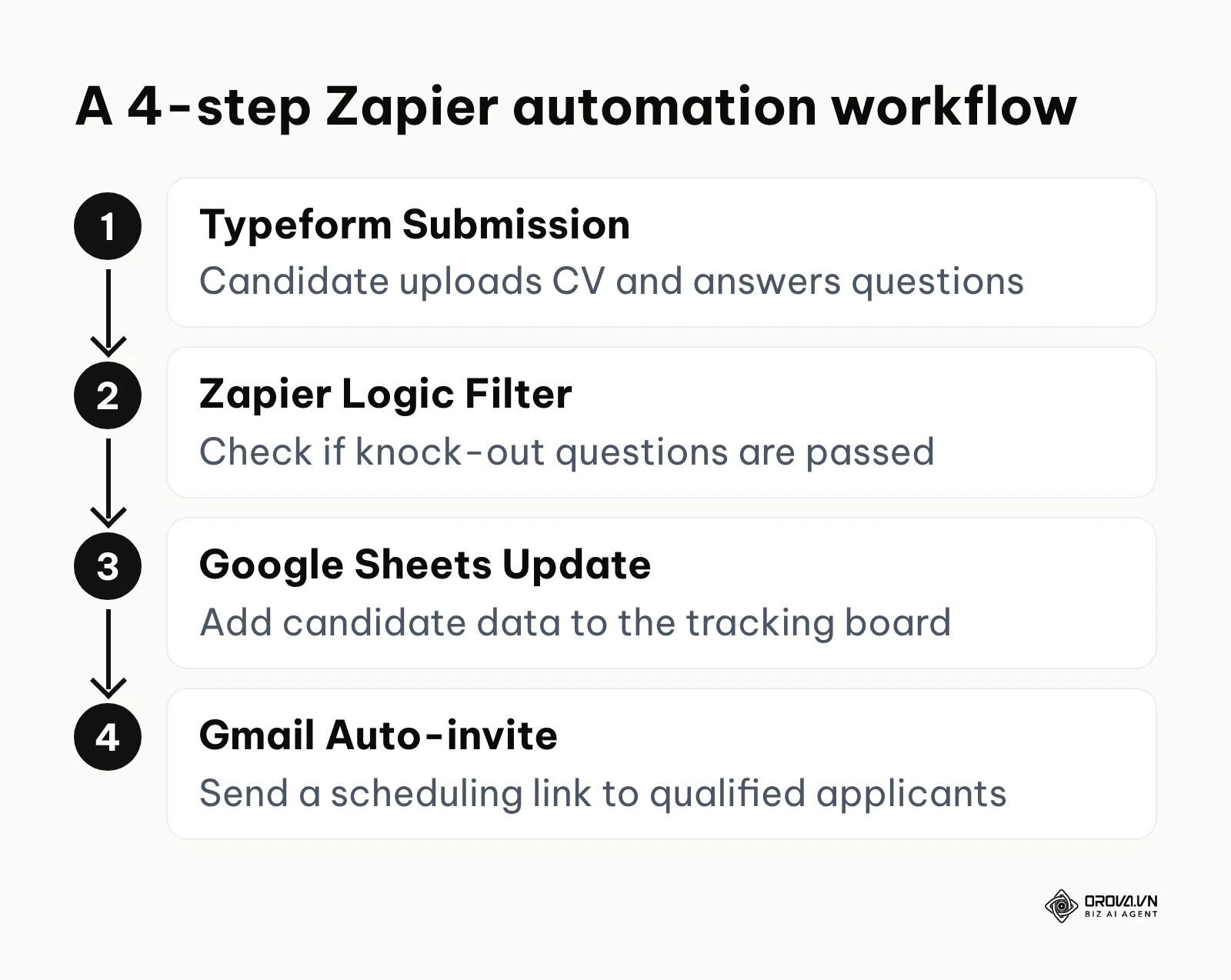
Here is exactly how you can set it up today:
- The Collection Point: Use a simple form builder like Typeform embedded on your careers page. When candidates apply, they upload their resume and must answer three crucial knock-out questions to proceed.
- The Connector: Use an integration platform like Zapier. Create a logic rule that triggers every time a new form submission is received.
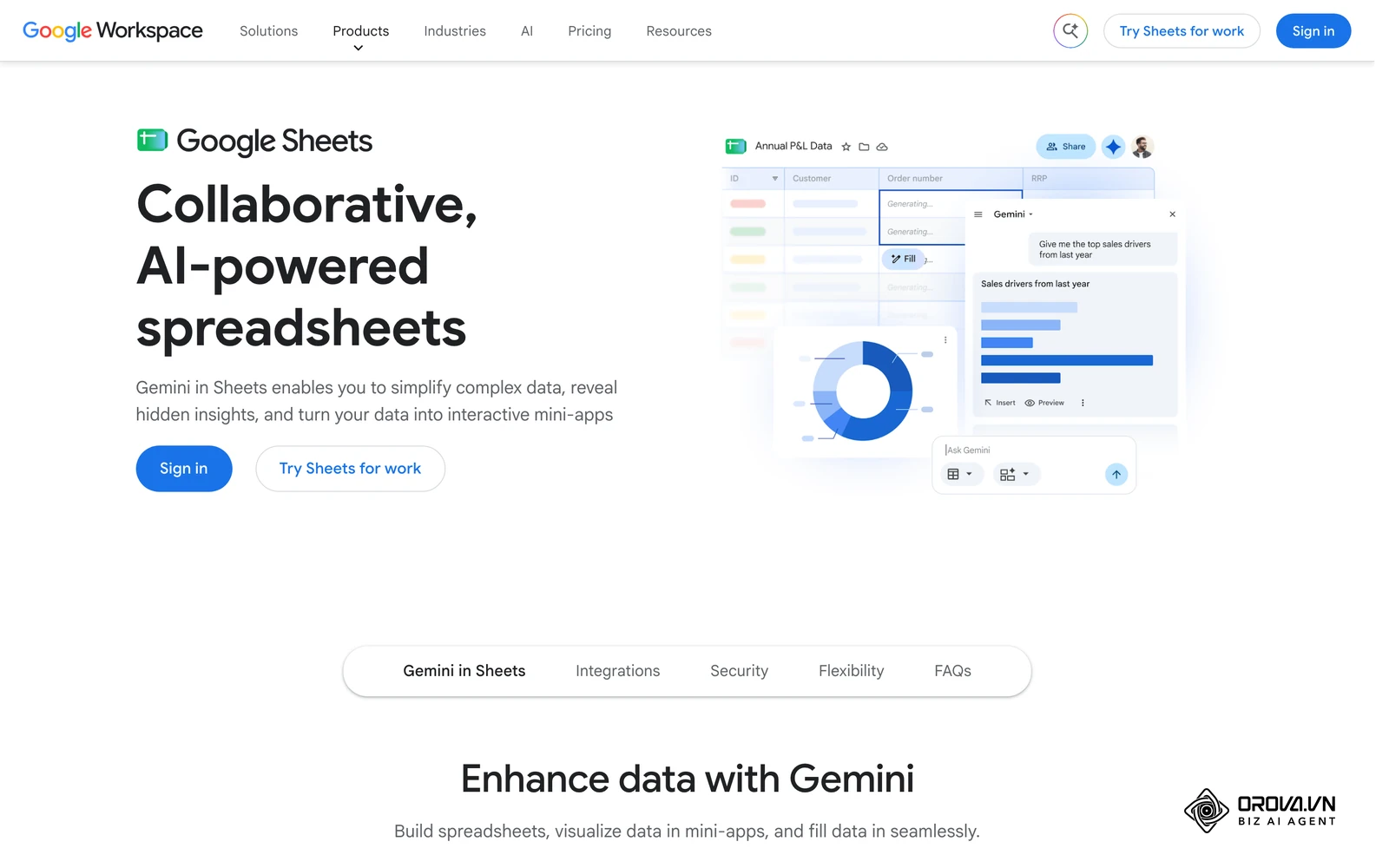
- The Database: Connect the logic rule to a basic Google Sheet or a low-cost tracking board. If the candidate answers correctly to the knock-out questions, their data is automatically added as a new row.
- The Action: Add a final step in your logic builder. If the candidate passed the initial criteria, automatically trigger an email via Gmail containing a scheduling link for them to book a screening call immediately.
Illustrative Example: Context: A boutique marketing agency operations manager was drowning in manual data entry every time they hired a freelance designer. Steps: She decided to build a custom workflow connecting a web form directly to their project management board. Stumbling block: Resumes uploaded as attachments were constantly getting lost in the data transfer, resulting in broken links. She fixed this by adding a cloud storage step in the automation, routing the files directly to a designated drive folder and pasting the clean URL into the task card. Visible results: The team enjoyed a perfectly organized board where every new applicant automatically generated a card complete with their portfolio link, contact details, and a pre-formatted evaluation checklist.
Types of recruitment automation
Not all systems are created equal. Depending on your specific business needs, you will encounter fundamentally different categories of software.
| Type of Automation | Characteristics | Best suitable for |
|---|---|---|
| Rules-Based Automation | Follows strict logic. Has no learning capability. Highly predictable and easy to build. | SMEs, straightforward roles, scheduling tasks. |
| AI-Driven Automation | Uses natural language processing to evaluate context and adapt its decisions over time. | Enterprises, high-volume screening, complex matching. |
| Programmatic Advertising | Automatically buys and places job ads across the web based on budget and real-time performance. | High-growth startups, companies hiring hundreds of identical roles. |
Ready to speed up your hiring workflow? With Orova Recruit, you can score CVs against your criteria, schedule interviews and send step-by-step candidate emails from your company mailbox. It is free until July 7, 2027, and no credit card is needed to get started.
What to do to get started or adapt
To successfully adapt to automated hiring, business leaders and HR professionals must first standardize their manual processes before selecting any software tools. Transitioning to an automated framework requires serious behavioral changes across the entire organization. The approach varies drastically depending on your specific daily role.
For small business owners
If you are running the entire company, your main goal is to buy back your time without blowing your limited budget.
- Map out your exact hiring steps on a whiteboard to identify the single biggest time-sink.
- Implement a free or low-cost scheduling tool immediately; this is always the quickest win.
- Standardize your job descriptions strictly so that any future software can easily parse the required skills.
- Set up a basic automated response for all applicants setting clear expectations about your response times.
For HR managers
As the leader of the talent department, your intense focus must be on system architecture and team adoption.
- Audit your current software to see what automation features you already pay for but are currently ignoring.
- Run a quiet pilot program using automation on just one high-volume role before rolling it out company-wide.
- Train your recruiting team extensively on how to write effective automated email sequences that do not sound robotic.
- Establish clear performance metrics to measure the true success of the new tools.
For recruitment agency leaders
Agencies live and die by their absolute speed and the quality of their candidate pipeline.
- Invest heavily in automated sourcing and database nurturing sequences to keep passive candidates warm year-round.
- Automate the formatting of candidate resumes before sending them to clients, saving endless hours of administrative formatting.
- Create strict rules regarding data privacy compliance within your automated systems to protect your agency.
- Continually test your automated outreach messages to maximize your response rates.
10-step checklist to standardize your hiring process
Before you automate, you absolutely must standardize. Automating a chaotic process just results in faster chaos. The checklist below gives you a clear roadmap to prepare your foundation.
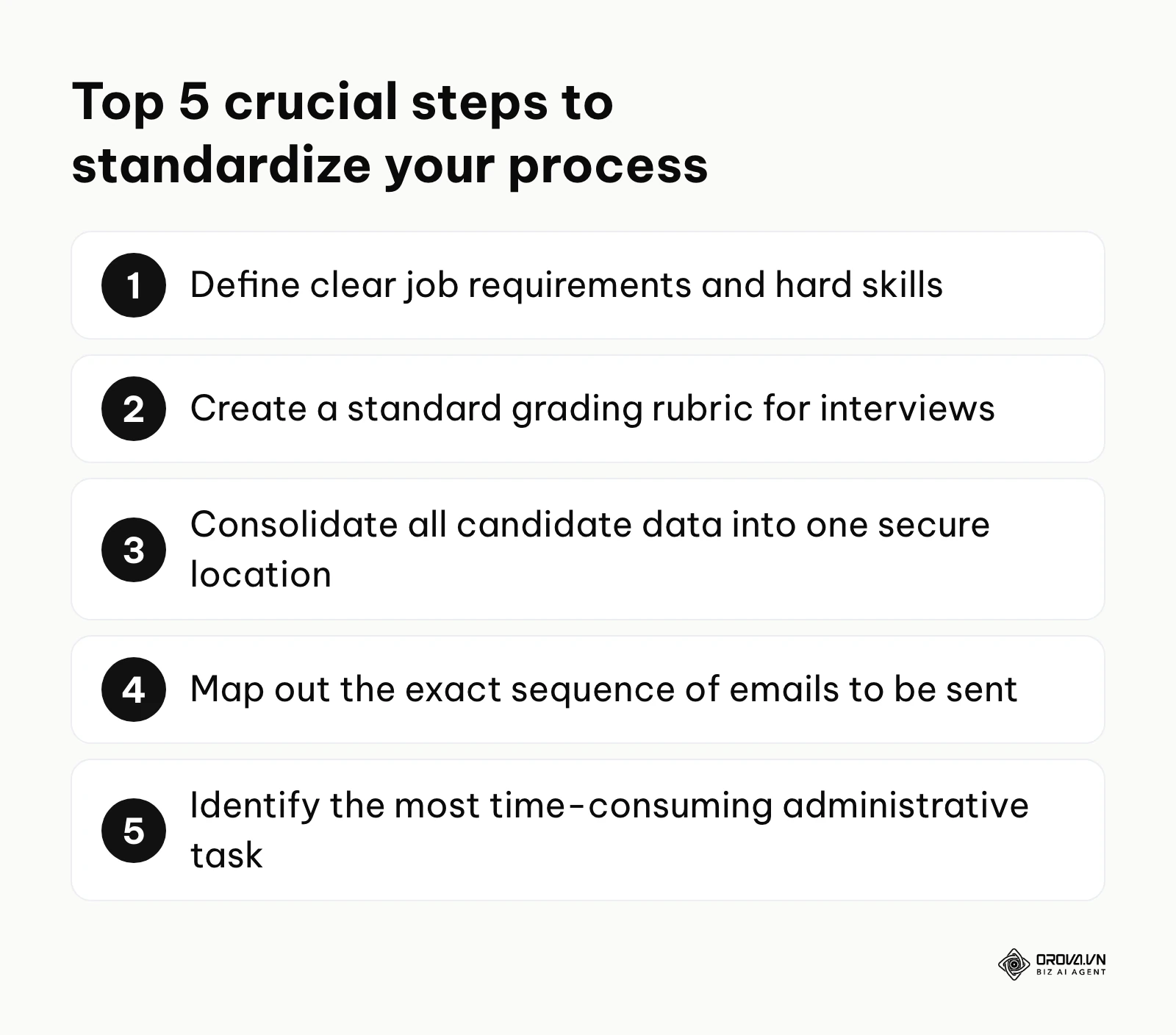
- Define clear job requirements: Document the exact hard skills required for every single role.
- Create a standard grading rubric: Ensure all interviewers evaluate candidates on the exact same scale.
- Consolidate all candidate data: Move all resumes into one secure, centralized location.
- Map out the email sequence: Write down every single communication touchpoint from application to offer.
- Identify the administrative bottleneck: Pinpoint the one manual task that consumes the most hours.
- Train your hiring managers: Ensure they know exactly how to input their feedback consistently.
- Set response time limits: Agree on a maximum number of days to respond to candidates.
- Audit your current job postings: Remove vague language that confuses parsing software.
- Establish your budget: Know exactly how much you can spend on new tools monthly.
- Designate a system administrator: Assign one person to own the technical setup and maintenance.
Even with a solid plan, many companies stumble during the initial implementation. Here are the severe pitfalls to watch out for:
| Common Mistakes | Consequences | How to avoid |
|---|---|---|
| Automating the final interview | Candidates feel undervalued and reject the offer. | Keep the final stages strictly human-to-human. |
| Ignoring the candidate experience | Increased drop-off rates mid-application. | Apply for your own jobs regularly to test the automated flow. |
| Over-relying on keyword matching | Rejecting highly capable candidates who use different terminology. | Use semantic search tools that understand context, not just exact words. |
Orova is a Biz AI Agent, and its Orova Recruit module lets you set criteria for each role, score CVs against them with quoted evidence, and send step-by-step candidate emails from your company mailbox, while a person still makes every hiring decision.
Where recruitment automation is heading in the next few years: the author's take
The landscape of HR technology is shifting rapidly. As of 2026, we are moving past basic workflow automation and entering an era of deep intelligence. Based on current market signals, here is where I believe recruitment automation is heading over the next two to three years.
Agentic AI will conduct initial live interviews
Right now, we see AI being used to schedule calls and perhaps ask text-based screening questions. However, I believe that within the next three years, agentic AI voice assistants will conduct the initial 15-minute phone screens. These agents will not just read a boring script; they will dynamically adjust their questions based on the candidate's real-time spoken answers, probe deeper into specific technical experiences, and provide the human recruiter with a detailed summary and sentiment analysis. HR teams should start preparing by defining exactly what core competencies require human judgment versus those a machine can reliably evaluate.
Hyper-personalization at scale
Currently, automated emails often feel slightly stiff, even with dynamic name inserts. I lean toward a future where the automation engine dynamically rewrites the entire outreach message based on the candidate's public digital footprint. If the system detects a candidate frequently posts about open-source software, the automated email will uniquely highlight your company's open-source contributions. To prepare for this, companies need to drastically improve their content libraries so the AI has enough material to draw from for personalization.
A massive shift from CVs to automated skill verification
We are already seeing the extreme limitations of the traditional resume. People exaggerate their experience, and strange formats break parsers constantly. I strongly suspect that recruitment automation will shift its entire focus from reading documents to orchestrating automated skill tests. Instead of parsing a CV for the word Python, the system will automatically drop the candidate into a secure coding sandbox, evaluate their code in real-time, and only push them to a recruiter if they pass. The potential flaw in this prediction is candidate pushback; if these automated tests take too long, top talent will simply refuse to take them, forcing companies to reconsider their strict funnels. To prepare, keep any skill test short and tied directly to the real work of the role.
Frequently asked questions about recruitment automation
Is recruitment automation still needed when we have AI?
Absolutely. AI provides the intelligence, but automation provides the operational infrastructure. Think of AI as the brain that decides which candidate is best, while automation is the nervous system that actually sends the emails and updates the calendar. Without automation, you would have to manually execute every brilliant decision the AI makes.
How much does it cost to set up and run for a small business?
For a small business, the foundational costs can be incredibly low if you use existing platforms. Basic workflows combining free forms and email can cost very little in subscription fees. Dedicated platforms with built-in automation cost more, and pricing varies widely by vendor and plan. The primary investment is your initial setup time, not necessarily the software itself.
How long does it take to implement and get it running smoothly?
If you are using a lightweight tool to automate a single task, you can set it up in a single afternoon. However, for a comprehensive system that handles sourcing, parsing, and multi-stage communication, expect a 4 to 8-week implementation phase. This period includes configuring the rules, integrating with your email servers, and thoroughly testing the candidate experience to ensure nothing breaks.
How do I know if my current process is ready to be automated?
Your process is truly ready when it is strictly documented, highly consistent, and easily measurable. If every hiring manager in your company uses a completely different set of questions and a different method for storing resumes, automation will quickly fail. You must have a standardized, agreed-upon pipeline before you introduce any technology to speed it up.
Will automation ruin the candidate experience?
It usually improves it drastically, provided it is configured correctly. Candidates despise being ignored, and an automated system guarantees they receive timely updates, transparent communication, and extremely easy scheduling options. The experience is only ruined if you use automation to replace the final, critical human interactions that define your company culture.
Where to start?
The sheer volume of tools and strategies can be paralyzing. The best approach is not to overhaul your entire department overnight, but to take one highly targeted action based on where you currently stand. The decision matrix below will help you identify your exact starting point.
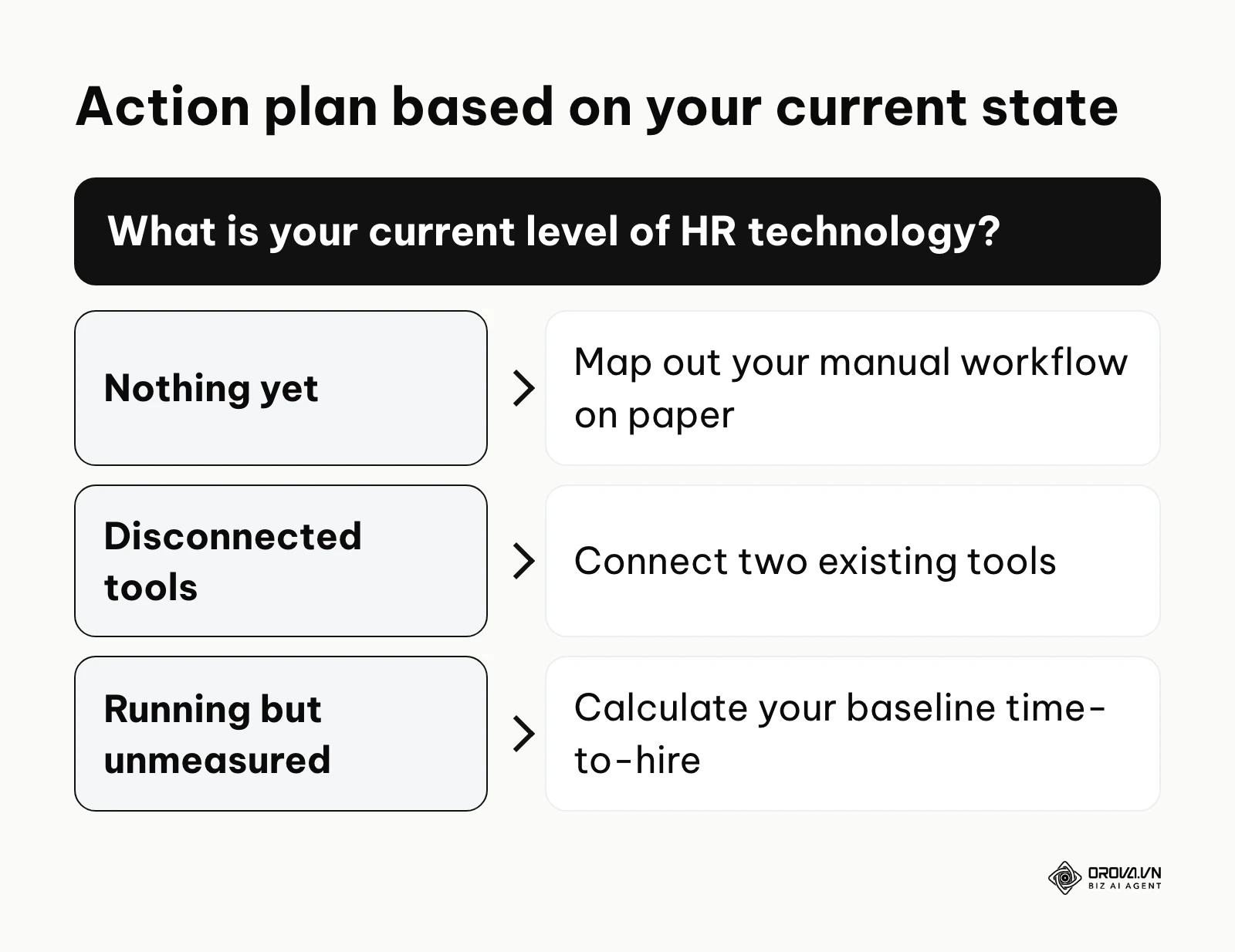
If you are starting from zero and have nothing yet, your very first step should be to map out your current manual workflow on a physical whiteboard. Do not buy any software. Spend one afternoon documenting exactly what happens from the moment a job requisition is approved to the moment an offer letter is signed. Identify the single step that consumes the most manual hours.
If you have some tools but they are disconnected, meaning you use a calendar app here, an email inbox there, and a standalone spreadsheet somewhere else, your first step is integration. Spend a few hours exploring integration platforms to connect just two of those existing tools. For instance, link your application web form directly to your spreadsheet to instantly eliminate manual data entry.
If you have a system running but have done it without measuring, you must establish a baseline today. You cannot improve what you do not measure. In your next working session, pull the raw data on your average time-to-hire and cost-per-hire for the last three months. Use this baseline to determine if your current automation is actually generating a solid return on investment, or just creating a completely different type of administrative clutter.
About the author

Builder of Orova
Nguyễn Đỗ Trọng Ân has 8 years of experience in marketing, including 6 years managing market development across Asia. He builds Orova, a Biz AI Agent that never sleeps: it plans, runs and optimizes work for businesses.
Run your business with AI Agents
Orova is the always-on Biz AI Agent — it plans, runs, and optimizes the work for you.
Save time, unlock productivity.