
What are pillar pages? A practical guide to topic clusters

Pillar pages are long, in-depth hub pages that cover one broad topic and link out to shorter, more specific articles on the same subject. If you have published dozens of blog posts and organic traffic is still flat, the problem is often structure, not volume: isolated articles on random keywords make your site look like a messy archive rather than an authoritative resource. Search engines struggle to see your expertise when information is scattered, and readers leave when they cannot find a logical path deeper into a subject. Topic clusters and pillar pages fix this by grouping related content into one connected network. This guide explains what a pillar page is, then goes beyond basic theory with practical frameworks for content consolidation, long-form UI/UX design, and GA4 measurement.
What are pillar pages?
Pillar pages are comprehensive, overarching pieces of content that cover a core topic in depth and link out to related, more specific cluster articles. They serve as the central hub of a topic cluster strategy, helping search engines understand topical authority while providing users with a structured, easily navigable resource.
The pillar-and-cluster model was popularized by HubSpot in the late 2010s as search behavior shifted toward broader, conversational queries. Marketers realized that publishing high volumes of disconnected content was leading to keyword cannibalization, where multiple pages on the same site competed against each other in search results. The solution was to organize this content hierarchically.
To understand exactly how this format differs from other common web pages, review the distinctions below:
| Concept | Difference from Pillar Page | Example |
|---|---|---|
| Landing Page | Focused heavily on direct conversion (sales or leads) and usually hides navigation to prevent the user from exiting the funnel. | A page offering a 14-day free trial of a specific SEO software tool. |
| Standard Blog Post | Highly specific, targets a narrow long-tail keyword, and is relatively short (typically 800 to 1500 words). | An article titled "How to fix a 404 error in WordPress". |
| Category Page | An automated, dynamically generated archive simply listing recent blog posts without any overarching original, long-form content. | The standard /blog/category/seo/ index page on a website. |
Think of a pillar page as the sturdy trunk of a large oak tree. The thick branches extending from it represent your cluster articles, which dive into specific subtopics. The leaves are the highly specific long-tail keywords embedded within those articles. Without a strong trunk firmly planted in the ground, the branches have nothing to connect them to the root source, and the entire structure falls apart.
The Strategic Purpose of Pillar Pages in SEO
The strategic purpose of pillar pages in SEO is to organize fragmented website content into a logical hierarchy that search engines can easily crawl and understand. They solve the critical problem of keyword cannibalization by centralizing your authority on a specific subject into one powerful, link-rich hub.
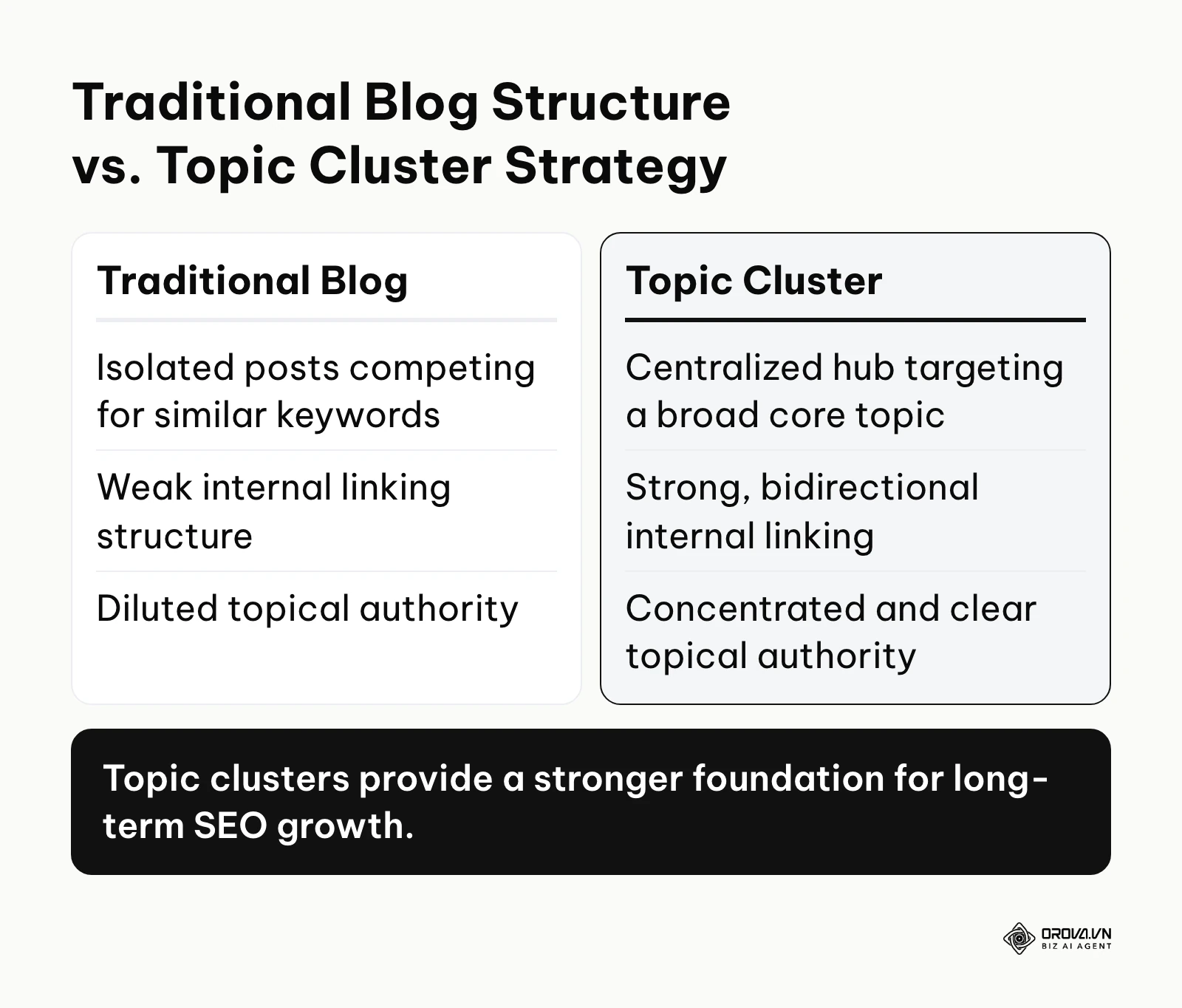
Historically, content creators approached blogging like keeping a diary. They published whatever topic came to mind on any given Tuesday. Over years, this resulted in hundreds of posts that superficially touched on similar themes but never explored them deeply in a unified way. For a business, this fragmentation is a massive liability. When a potential customer searches for a broad, high-value term like "marketing automation", they do not want to piece together ten different 500-word blog posts from your archives. They want a definitive, authoritative guide.
This strategy primarily serves B2B companies, SaaS platforms, and service providers who need to educate their audience before a complex sale can occur. By structuring your site with a hub and spoke model, you give search engine crawlers a clear path between the main pillar and the supporting cluster pages, and internal links help pass link equity (ranking power) between them. When one cluster article earns a high-quality backlink, part of that value can flow through the internal link to the pillar page and, from there, support the other connected articles.
If you choose to ignore this architectural strategy, you risk losing visibility to competitors who present a more organized front. Your older content will become orphaned, meaning it exists on your server but receives no internal links, rendering it virtually invisible to search engines. On larger sites, crawlers may spend time on low-value pages instead of your best content, and your overall visibility can stall because search engines cannot clearly tell which topics you are an expert in.
When you don't need a pillar page yet: If your website is brand new with less than twenty existing articles, or if your business model relies entirely on viral social media traffic rather than organic search, investing weeks into a massive pillar structure is premature. A local bakery simply trying to rank for a specific neighborhood does not need a five-thousand-word hub on the global history of baking. In these scenarios, you should focus strictly on building foundational service pages and answering highly specific, transactional customer questions first before attempting to build a complex informational cluster.
Value and Benefits of a Topic Cluster Strategy
The primary value of a topic cluster strategy is its dual ability to drive measurable business revenue while simultaneously drastically reducing the friction of daily content operations. By focusing on interconnected hubs, companies lower acquisition costs and content creators eliminate the guesswork of content planning.
Business Value: Reducing Customer Acquisition Costs
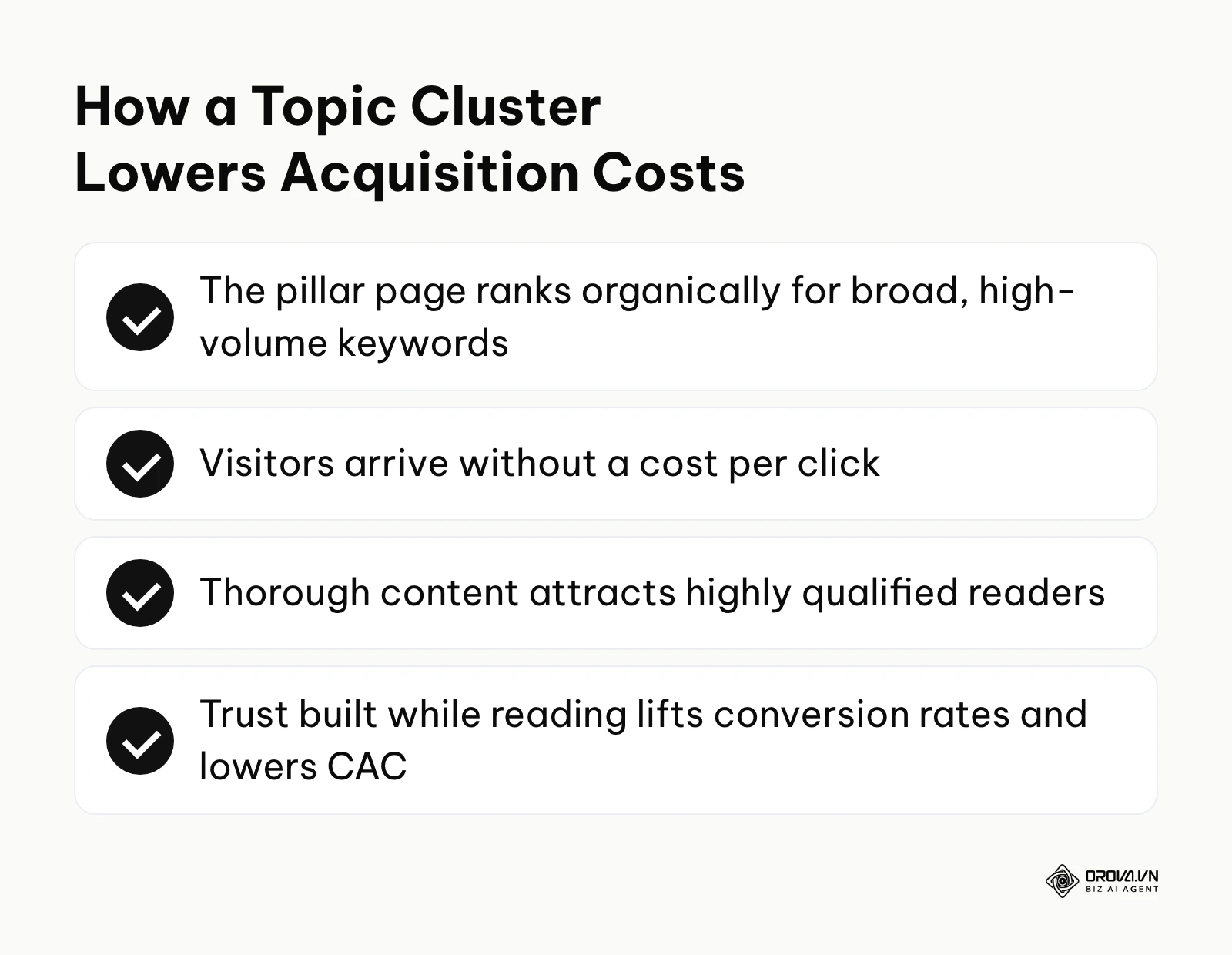
Acquiring leads through paid advertising becomes more expensive every year. A well-executed topic cluster acts as a long-term, compounding asset. Instead of paying for every single click, an authoritative pillar page ranks organically for high-volume keywords, bringing in steady visitors without a cost per click. Because the content is incredibly thorough, the visitors who do arrive are highly qualified. They spend significant time reading your expertise, which builds brand trust. This organic trust directly translates into higher conversion rates when they eventually request a demo or sign up for a service, effectively driving down your overall Customer Acquisition Cost (CAC).
Business Value: Shortening the Sales Cycle
B2B sales cycles are notoriously long, often requiring multiple touchpoints and extensive education. Pillar pages accelerate this process by answering all of a prospect's high-level questions in one centralized location. When a sales representative engages with a prospect who has already read your definitive guide on the industry, that prospect is already educated on the terminology, the common pitfalls, and the strategic frameworks you advocate. The sales conversation shifts immediately from basic education to specific implementation, significantly shortening the time it takes to close a deal.
Implementer Value: Streamlined Content Production
For the marketing managers and writers doing the actual work, the topic cluster model eliminates the dreaded "what should we write about this week" syndrome. Planning a cluster requires upfront research, but once the architecture is set, it provides a clear roadmap for months of content creation. You know exactly what the core hub is, and you have a defined list of specific cluster articles that need to be drafted to support it. This structure allows teams to batch their research, work with subject matter experts more efficiently, and maintain a consistent publishing cadence without creative burnout.
Implementer Value: Simplified Internal Linking
One of the most tedious tasks in SEO is managing internal links across hundreds of random blog posts (see our guide to internal and external linking strategies for SEO for the wider picture). The hub and spoke model simplifies this mechanically. The rule is absolute: every new cluster article must link back to the main pillar page, and the pillar page must link out to every cluster article. This takes the guesswork out of technical optimization. Content editors no longer need to spend hours searching through old archives to find relevant anchor text; the internal linking map is already defined by the cluster structure itself.
| Benefit | Measured by metric | Where to check |
|---|---|---|
| Reduced Acquisition Costs | Organic traffic volume, Cost Per Lead (CPL) | GA4 traffic reports and your CRM |
| Shortened Sales Cycle | Time from first touch to closed won, Lead quality score | CRM deal history |
| Streamlined Production | Hours spent researching topics, Content output rate | Editorial calendar and team timesheets |
| Simplified Linking | Indexed pages count, orphaned pages | Search Console page indexing report |
Discover Orova.vn – a Biz AI Agent platform with OROVA SEO, a complete solution for every website. The system supports search engine optimization from A to Z with features including keyword research, writing new SEO-ready articles, optimizing existing content, rank tracking, plus competitor analysis and in-depth technical analysis. Sign up today to experience OROVA SEO completely free (offer valid through July 7, 2027).
How It Works: The Anatomy of a Perfect Pillar Page
Building a perfect pillar page requires a systematic approach that combines deep keyword research, technical content consolidation, user-centric interface design, and precise data tracking. This methodology transforms a basic long-form article into a high-performing organic growth engine.
Types of Pillar Pages
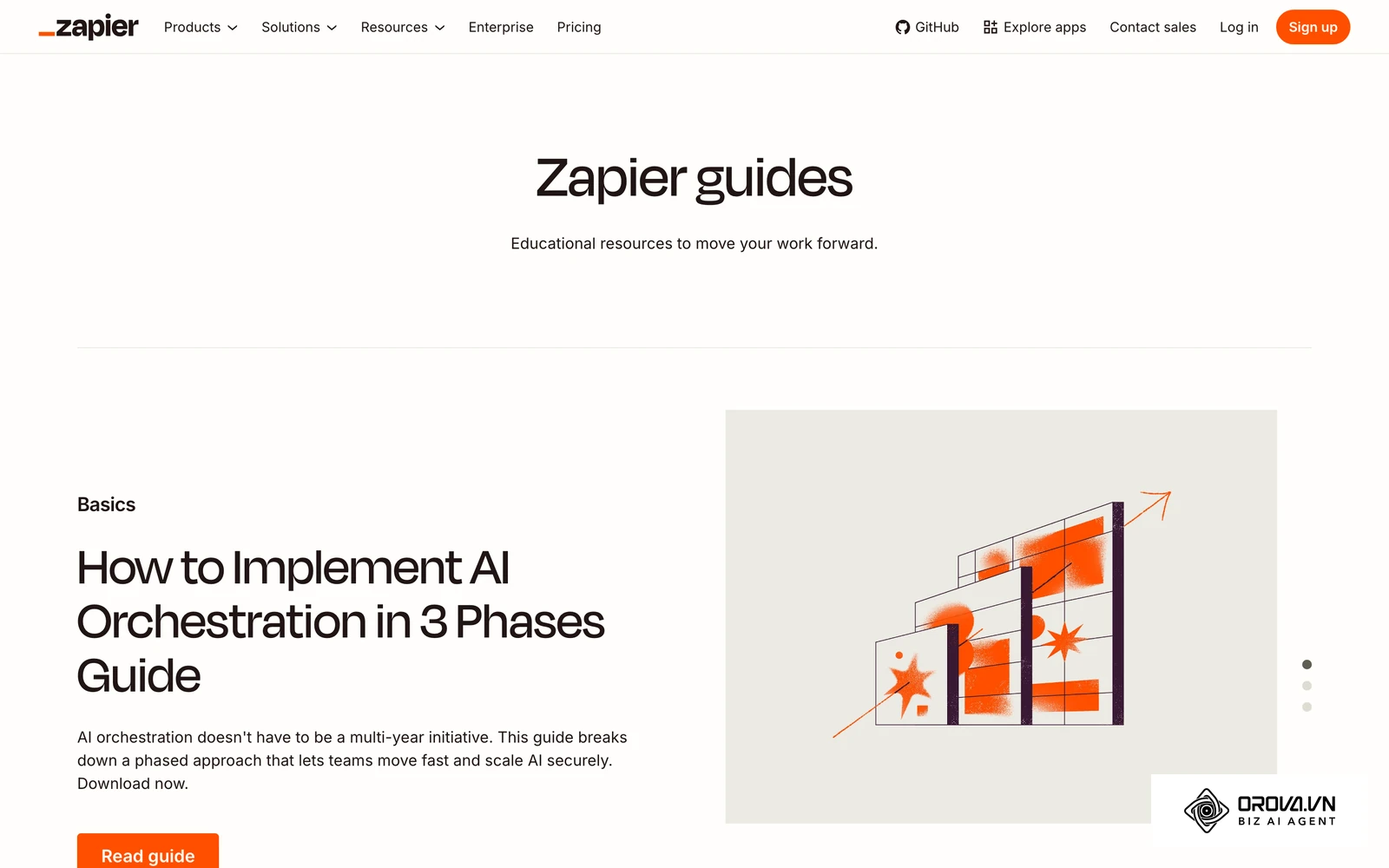
Before writing a single word, you must decide what format best serves your audience's intent. Not all overarching guides look the same. Choosing the wrong format will result in a disconnect between what the user expects and what you deliver.
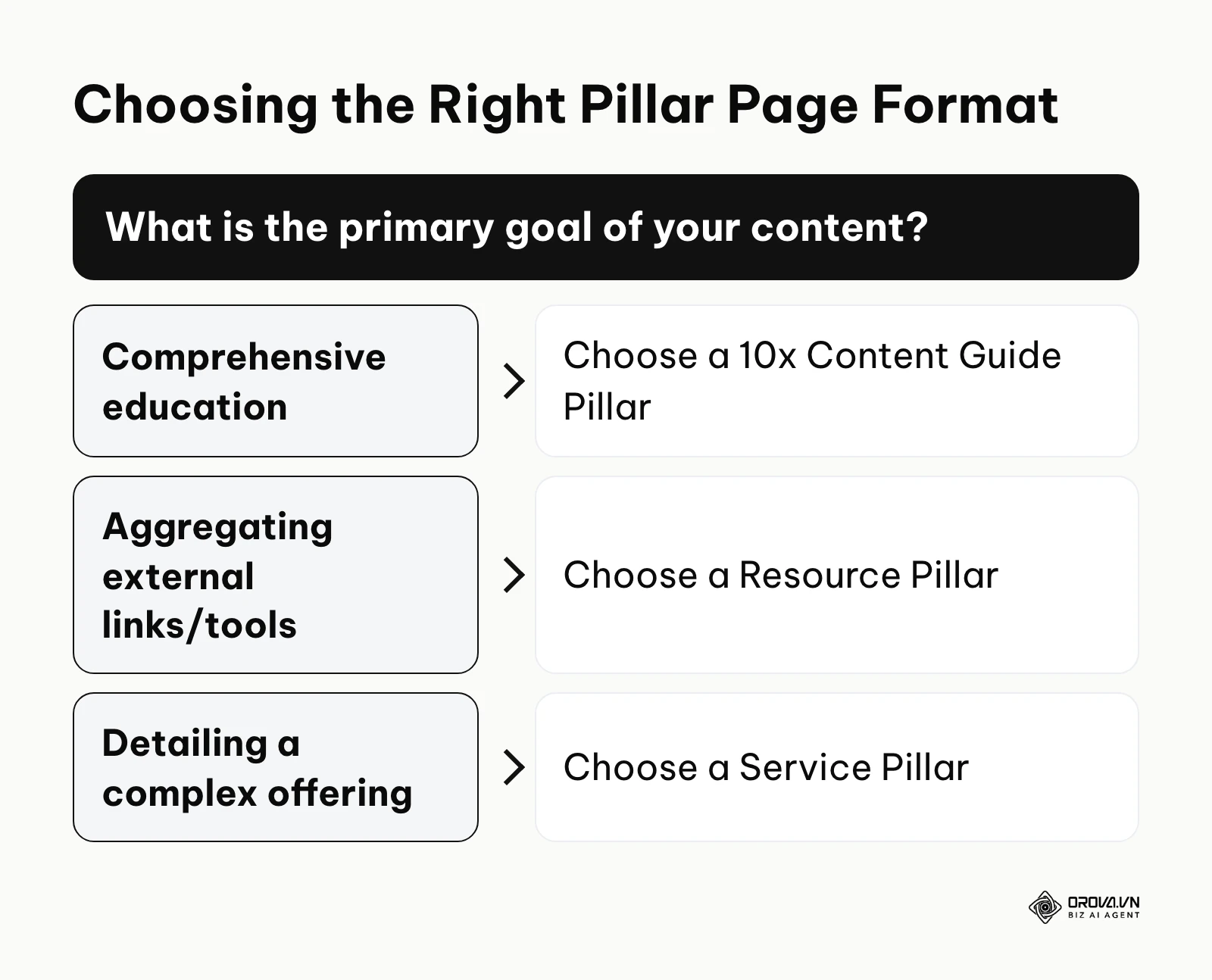
The first format is the educational guide, designed to explain a complex concept comprehensively. The second is the resource hub, designed to organize tools or external links. The third is the service hub, which outlines a broad offering for an agency or localized business.
| Type | Characteristics | Best for |
|---|---|---|
| 10x Content Guide | In-depth, educational, formatted like an ebook on a single web page. | Establishing deep thought leadership on complex industry concepts. |
| Resource Pillar | Aggregates and categorizes external and internal links with brief descriptions. | Industries with heavy toolsets, templates, or statistics. |
| Service Pillar | Explains a broad service offering while linking to specific sub-service pages. | B2B agencies, consultants, and localized service providers. |
Step 1: Defining the Core Topic and the Minimum Viable Cluster (MVC)
The foundation of your strategy begins with selecting the right core topic. This involves deep keyword research to find a term that is broad enough to support multiple subtopics, but not so broad that it becomes impossible to rank for.
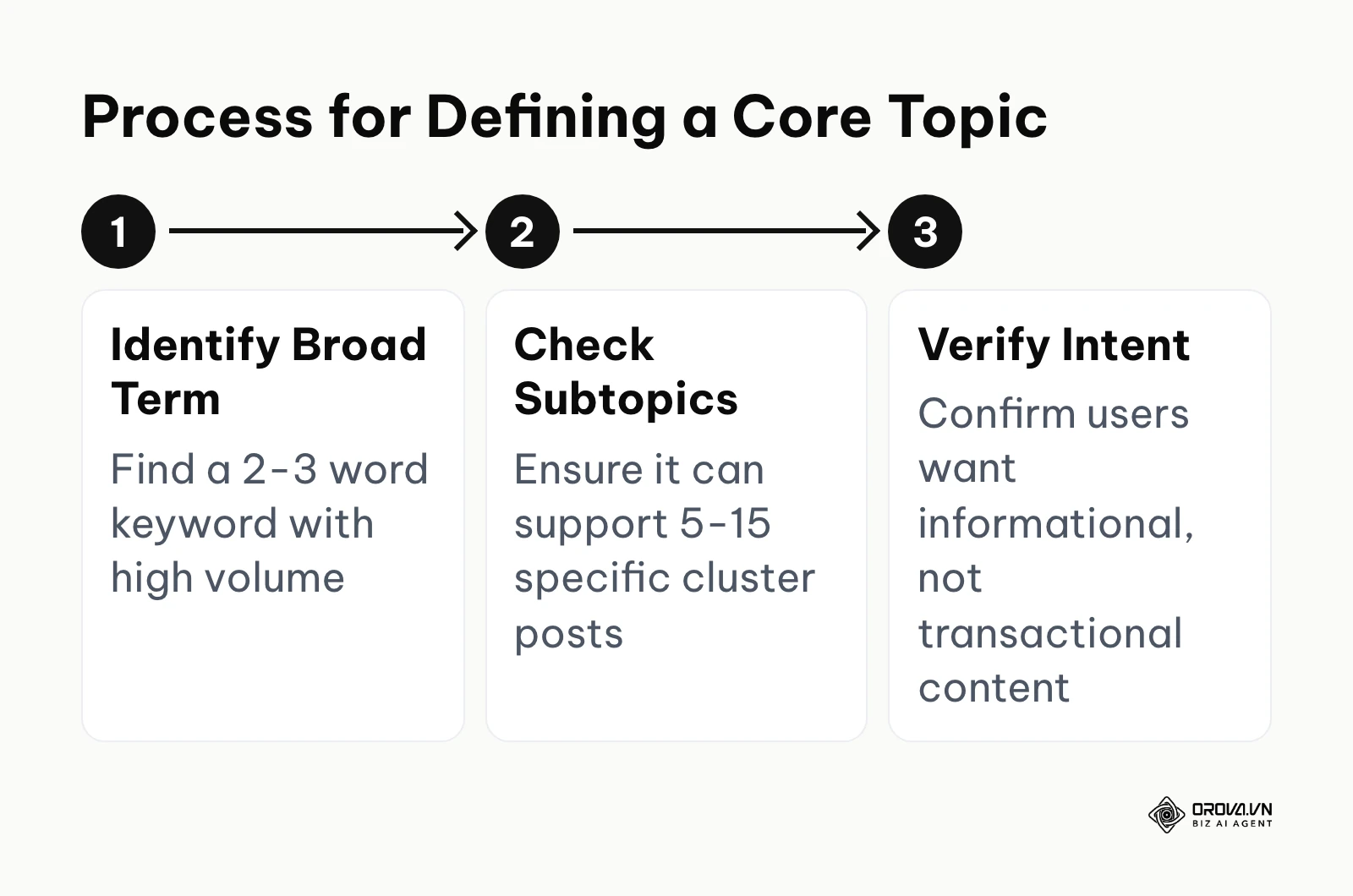
- What to do: Identify a 2-3 word keyword with substantial search volume. This will be the title of your pillar page. Then, identify 5-15 highly specific, long-tail keywords that relate directly to that core term. These will become your supporting cluster articles.
- Input: Keyword research tools, customer support logs, and sales team feedback.
- Output: A finalized core keyword, a working title for the pillar, and a definitive list of cluster article topics.
- Common failure point: Choosing a core topic that is too narrow. If your core topic is "how to tie a red shoelace", you will struggle to find 10 unique cluster topics to support it.
A critical question marketers often ask is: how many cluster articles do I need before I can launch? We refer to this as the Minimum Viable Cluster (MVC). To launch effectively, you should aim to publish the main pillar page alongside a minimum of 3 to 5 supporting cluster articles simultaneously. Launching a pillar page with zero supporting clusters defeats the entire architectural purpose. Planning this rollout requires a structured approach, which is why utilizing a proper content calendar is essential to coordinate writers, designers, and editors to hit the MVC launch date together.
Step 2: Content Auditing and Consolidation (Recycling Old Content)
Most established websites do not need to write a pillar page completely from scratch. They already have the raw material scattered across their blog. The most efficient strategy is content consolidation.
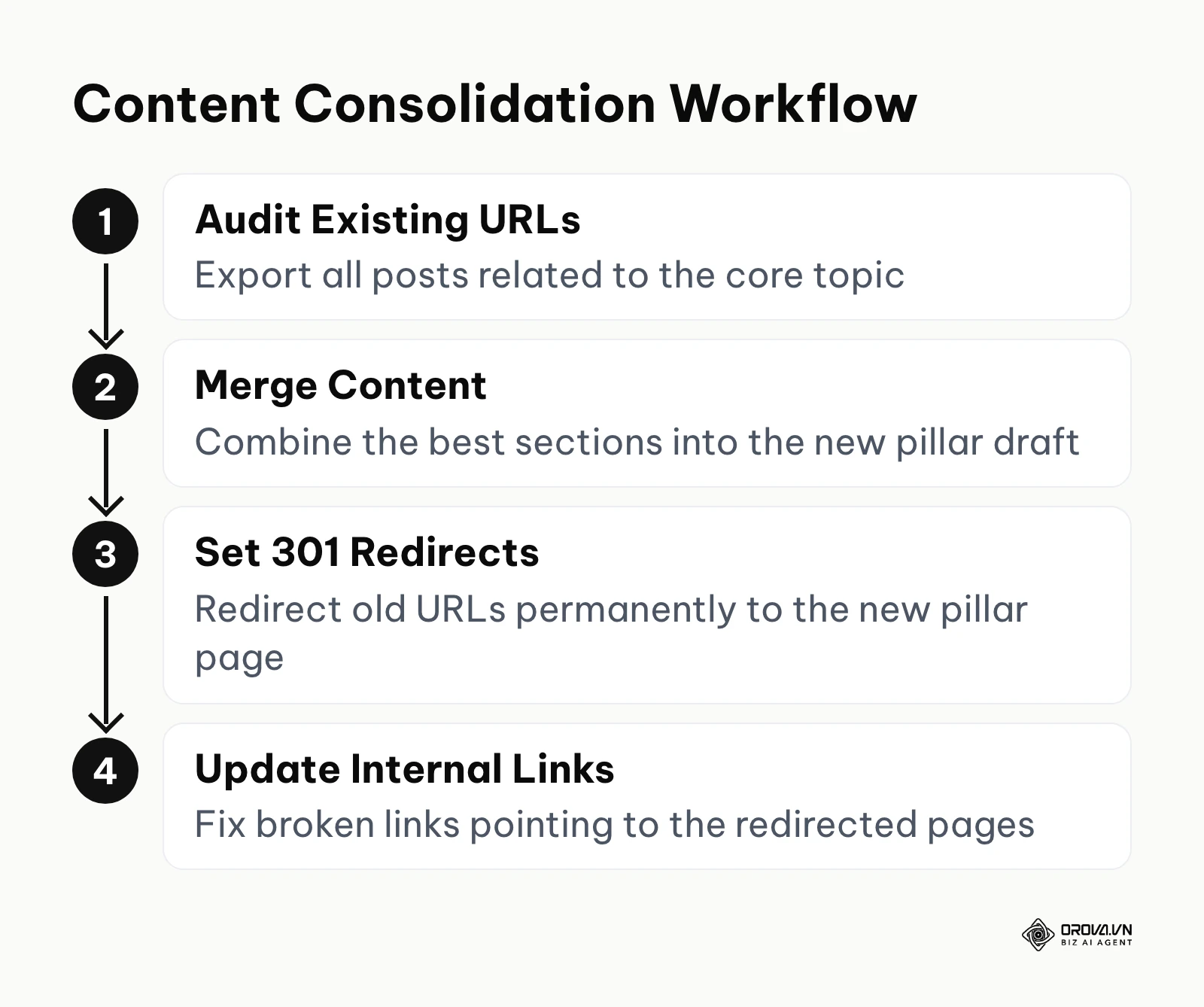
- What to do: Export a list of all your existing blog posts. Identify articles that share the same theme as your chosen core topic. Extract the best paragraphs, statistics, and insights from these thin, isolated posts and weave them together into one massive, comprehensive pillar draft.
- Input: Google Analytics performance data, XML sitemap, and an SEO crawler.
- Output: A new consolidated 4,000-word draft and a strict URL redirect mapping document.
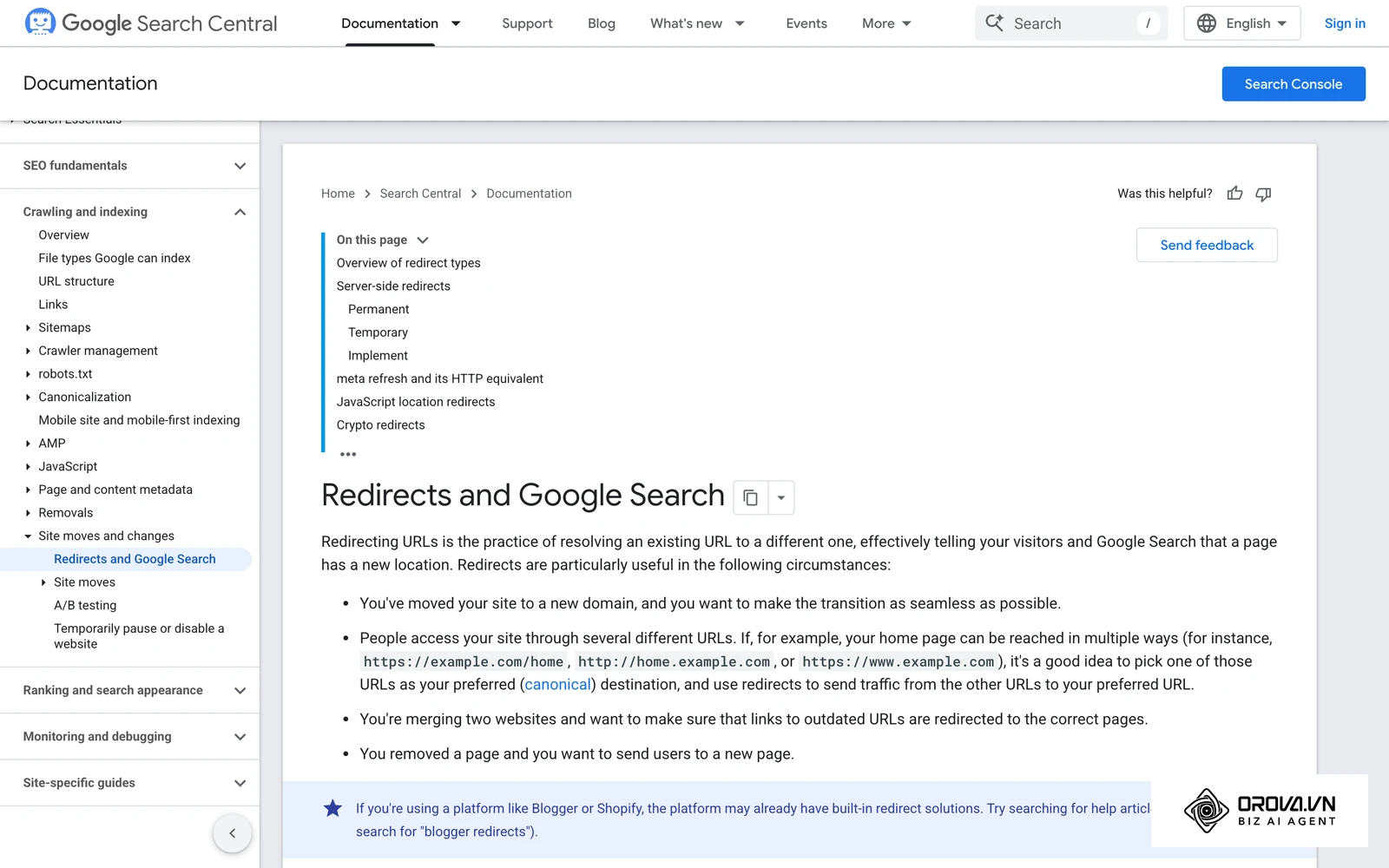
- Common failure point: Deleting old URLs without implementing proper 301 redirects, which leaves visitors and crawlers on 404 errors and throws away the link equity those pages had earned.
If an old post still deserves to stay live (for example, it serves a different audience), keep it and point a canonical tag or a clear internal link to the pillar instead of redirecting it.
Illustrative example: Consider a marketing manager at a mid-sized B2B software company dealing with 200 thin, low-traffic blog posts. First, the manager audited organic traffic and grouped 15 scattered posts about "payroll management". Next, they consolidated the best points into a single 4,000-word pillar page and implemented 301 redirects for the old URLs. The stumbling block occurred when a redirect loop in the server file caused crawling errors. They fixed this by clearing the old rewrite rules and setting up explicit 1-to-1 redirects, utilizing foundational technical SEO best practices. Once the redirects were clean, the consolidated page began ranking for the core keyword instead of the 15 thin posts competing with each other.
Step 3: Structuring the Topic Cluster Strategy with AI
Once you understand the manual process of defining topics, you can leverage artificial intelligence to accelerate the outlining phase. AI is exceptionally good at understanding semantic relationships between entities, making it the perfect tool for mindmapping a cluster architecture.
- What to do: Feed a highly specific prompt into an AI model to generate a structured outline of your hub and spoke model.
- Input: Your confirmed core topic and your target audience persona.
- Output: A markdown table mapping out the exact URLs, working titles, and keyword targets for the entire cluster.
- Common failure point: Blindly accepting the AI's output without manually verifying the search intent or keyword volume of the suggested cluster topics.
AI Prompt Template for Topic Clusters:
Act as an expert SEO strategist. My core topic is [Insert Broad Topic]. I want to build a topic cluster around this. First, confirm if this topic is broad enough to act as a pillar page. If yes, generate a list of 8 highly specific, long-tail cluster topics that directly support this core topic. For each cluster topic, provide the primary keyword, search intent (informational/transactional), and a suggested working title. Output the result in a markdown table format for easy tracking.
To manage the execution of this strategy, you must maintain a strict tracking document. Below is a foundational Topic Cluster Tracker template you can adapt for your own operations.
| Status | Content Type | Target Keyword | Working Title | URL Slug | Word Count Target |
|---|---|---|---|---|---|
| Published | Pillar | content marketing | The Ultimate Guide to Content Marketing | /content-marketing | 4500 |
| Drafting | Cluster | content calendar | How to Build a Content Calendar | /content-calendar | 1500 |
| Planned | Cluster | content ideation | 10 Content Ideation Strategies | /content-ideation | 1200 |
Step 4: UI/UX Design for Super-Long Content
Writing 5,000 words is only half the battle. If you present that text as an unformatted, giant block of words, your readers will experience massive cognitive overload and abandon the page immediately. Designing for long-form reading requires specific user interface interventions.
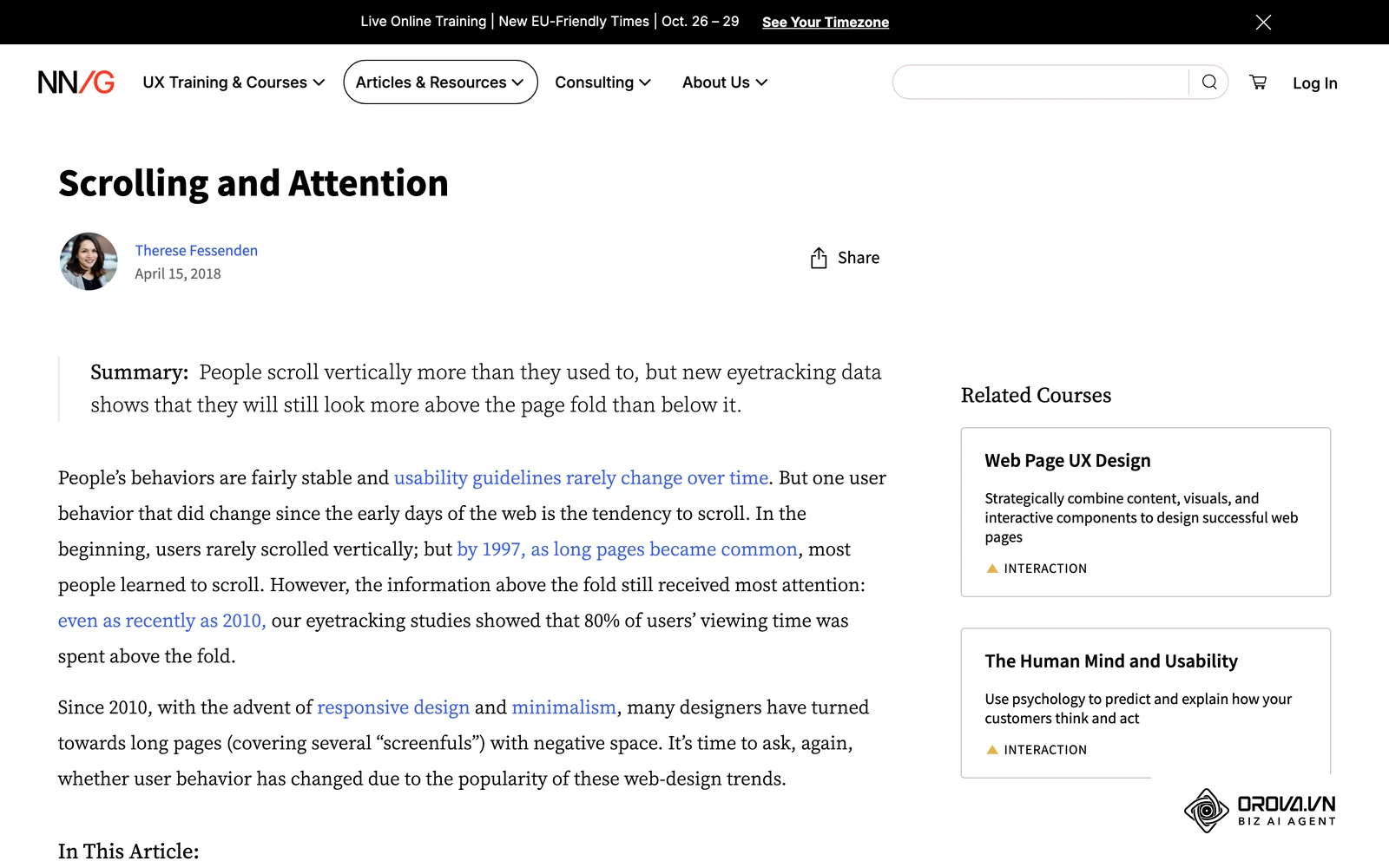
- What to do: Break up the text visually. Implement navigation aids that allow the user to jump to the sections they care about most.
- Input: The finalized text document and your brand's design system guidelines.
- Output: A highly engaging, scannable web page that keeps users on the site for several minutes.
- Common failure point: Overloading the page with heavy javascript elements that destroy page load speed, severely hurting your Core Web Vitals.
Illustrative example: An agency designer was tasked with formatting a massive 5,000-word pillar page for a healthcare client. First, they drafted the content into HTML. Second, they implemented a sticky table of contents on the left sidebar and added a reading progress bar at the top of the viewport. The stumbling block was a severe drop in mobile engagement because the sticky menu covered a large part of the mobile screen, frustrating users trying to scroll. They fixed this by hiding the sticky menu behind a floating hamburger button specifically for viewport widths under 768px. After the change, mobile readers could scroll freely and engagement on small screens recovered.
To ensure your design is fully optimized, you must adhere to strict on page SEO and UX guidelines. Use the following 20-point checklist before publishing:
- Implement a sticky table of contents (TOC) for desktop viewports.
- Build a collapsible hamburger TOC specifically for mobile devices.
- Add a thin reading progress bar at the top edge of the screen.
- Include a floating "Back to top" button that appears after the first scroll.
- Utilize high-contrast typography (dark grey text on a very light background) for long reading sessions.
- Restrict maximum line length to 70-80 characters to prevent eye fatigue.
- Place a concise executive summary box at the very top of the page.
- Clearly define H2 and H3 hierarchy with distinct font sizes and weights.
- Ensure ample whitespace (padding and margin) between major sections.
- Insert custom graphics, charts, or diagrams to break up text walls every 400 words.
- Use visually distinct pull quotes or blockquotes for key takeaways.
- Build clickable jump links within the text to reference other specific sections.
- Design visually distinct internal link cards instead of relying solely on inline text links.
- Offer a dark mode toggle if your audience commonly reads at night.
- Display an estimated reading time indicator near the author's name.
- Include a detailed author bio with credentials to support the experience and expertise signals described in Google's E-E-A-T guidance.
- Use accordion toggles for frequently asked questions at the bottom to save vertical space.
- Provide a downloadable PDF option for offline reading, acting as a lead magnet.
- Compress and optimize all image sizes to maintain fast loading speeds.
- Apply subtle scroll-triggered layout animations to maintain attention without causing distraction.
Google's guidance on helpful, people-first content rewards pages that fully satisfy what the searcher came for, but that depth only pays off when the page is also easy to use.
Step 5: Measuring Pillar Page Performance in GA4
Publishing the page is not the final step. You must prove that this massive investment of time and resources is actually generating a return. Standard metrics like simple pageviews are not enough to evaluate a highly complex cluster architecture.
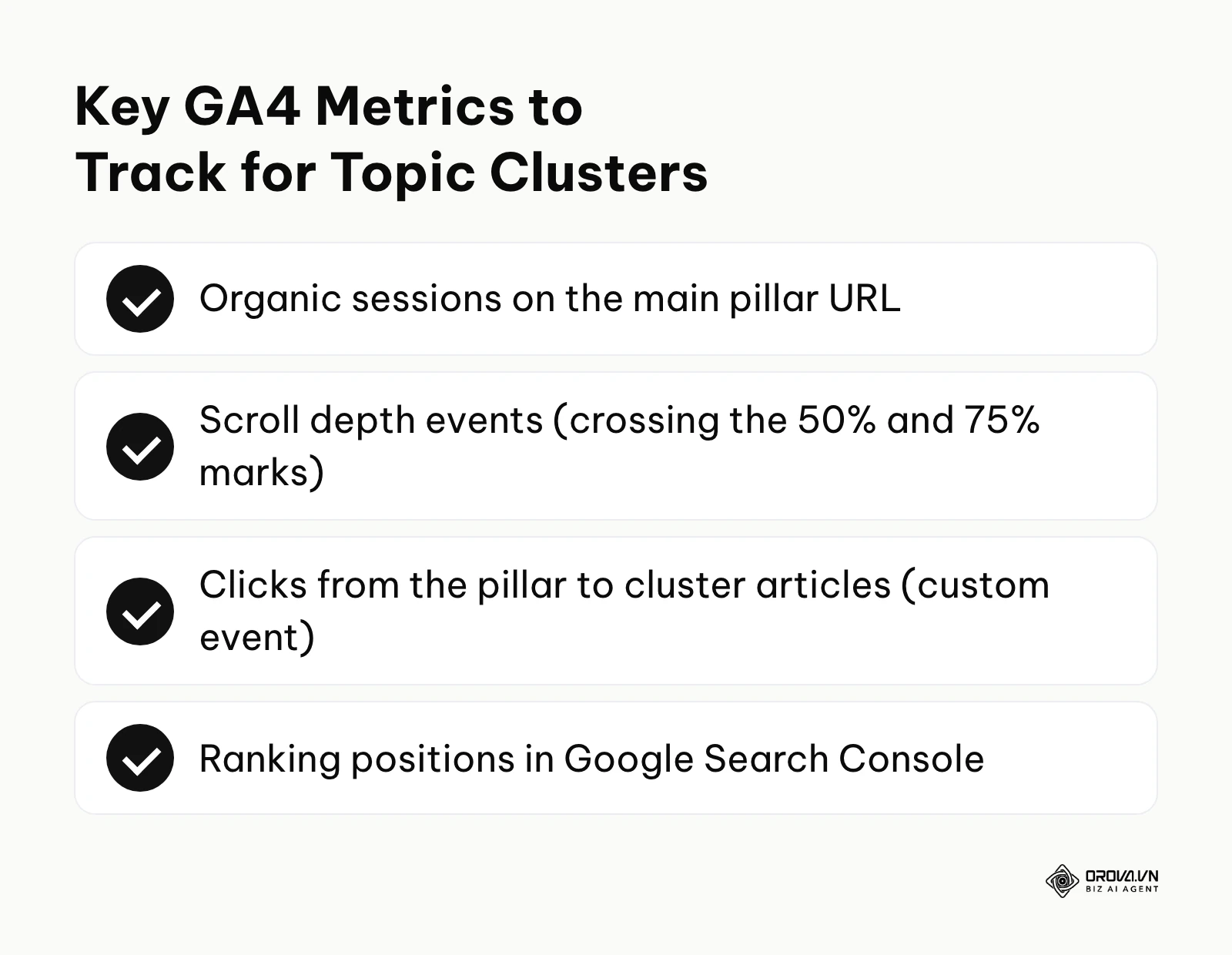
- What to do: Configure advanced tracking to monitor how users actually interact with the long-form content.
- Input: A configured Google Tag Manager container and administrative access to a GA4 property.
- Output: Custom exploration reports showing scroll depth milestones and outbound internal clicks.
- Common failure point: Relying on the old Universal Analytics definition of "bounce rate", which is fundamentally flawed for long-form reading where a user might read for 10 minutes and leave satisfied without clicking a second page.
Illustrative example: A technical SEO specialist needed to prove the ROI of a newly launched topic cluster. First, they configured a custom event in Google Analytics 4 to track clicks on specific internal links leading to cluster pages. Second, because GA4's built-in enhanced measurement only records a scroll event when a visitor reaches about 90% of the page, they added custom scroll-depth triggers in Google Tag Manager to see how far users actually read. The stumbling block was discovering that despite many readers passing 75% scroll depth, almost nobody was clicking the internal links; the text links were buried deep within thick paragraphs. They fixed this by extracting the links and redesigning them as highly visible "Related Reading" cards placed cleanly between sections. Clicks from the pillar to the cluster articles rose noticeably, sending far more readers into the rest of the cluster.
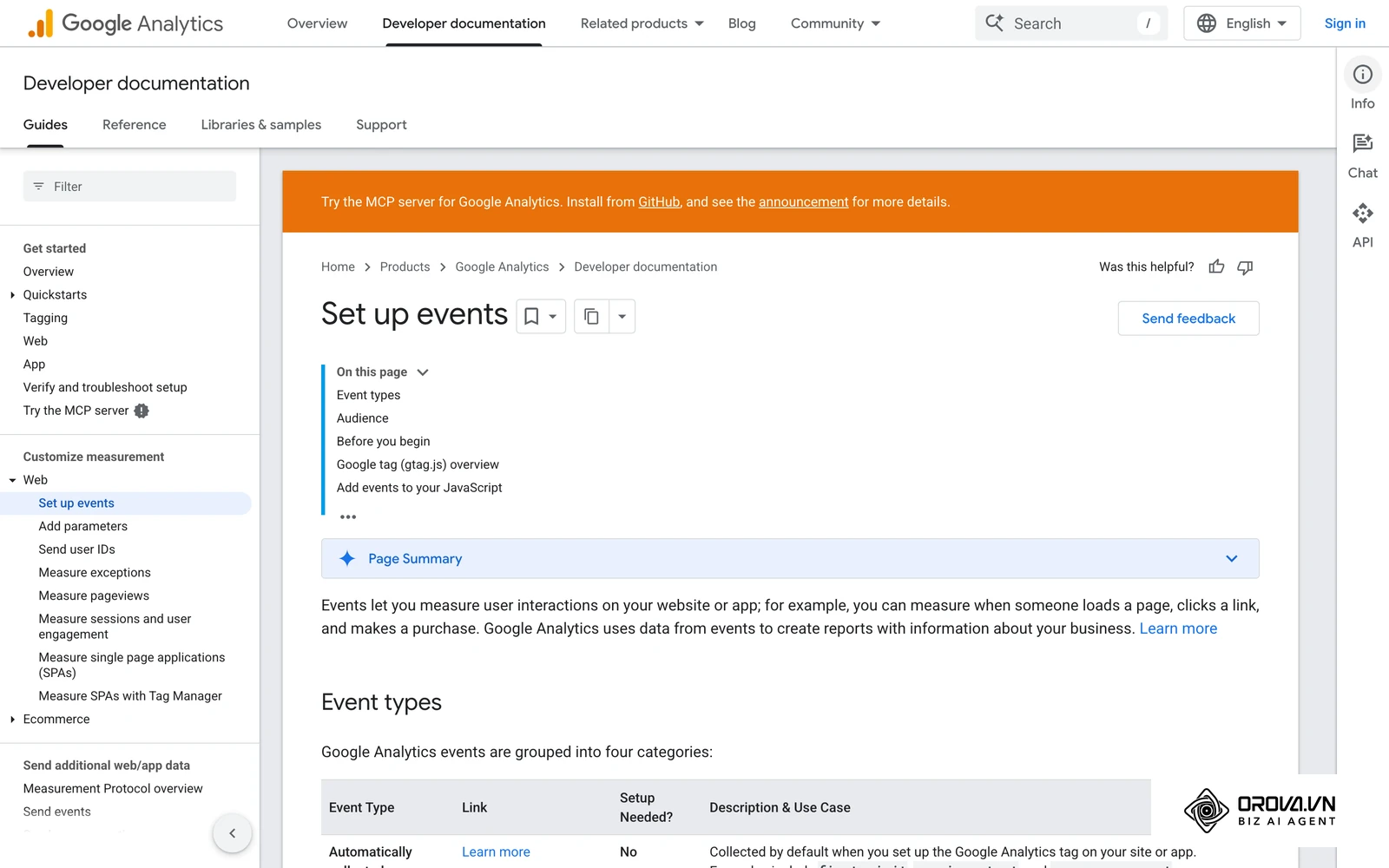
GA4's enhanced measurement tracks outbound clicks to other domains, not clicks between your own pages, so a custom event is needed to see which internal links drive the most engagement. Use Google Search Console for SEO alongside GA4 to get a complete picture of both your ranking positions and user behavior post-click.
With OROVA.VN and the OROVA SEO module, you put an end to the exhausting days of manual work for good. Instead of struggling for hours to write articles and compile reports, the entire process is now optimized and completed in just 5 minutes.
How to Start and Adapt to Pillar Pages
Adapting to a pillar page strategy requires shifting your team's mindset from publishing isolated articles to building interconnected knowledge networks. Whether you are a small business owner, an in-house marketer, or an agency professional, the first step is auditing what you already have and defining strict workflows.
For In-House Marketing Teams
In-house teams often struggle with legacy content bloat and misaligned department goals. Your priority is consolidation and internal alignment.
- Run a comprehensive content audit to identify all existing posts related to a core product theme.
- Pitch the consolidation strategy to leadership by framing it as a conversion rate optimization play, not just an SEO tactic.
- Map out a 90-day editorial calendar focusing exclusively on completing one Minimum Viable Cluster (1 pillar, 4 clusters).
- Assign specific subject matter experts within the company to review the technical accuracy of the core pillar.
For B2B SaaS Founders
Founders have limited time and need maximum leverage from every marketing asset they produce. Your priority is establishing deep industry authority quickly.
- Identify the single biggest strategic problem your software solves for your best customers. This is your core topic.
- Outline the pillar page yourself, ensuring it contains your unique proprietary viewpoints and industry hot takes.
- Delegate the drafting of the supporting cluster articles (the "how-to" guides) to freelance writers or AI-assisted workflows.
- Repurpose the finalized pillar page into a downloadable lead magnet, a webinar presentation, and a 10-part email sequence.
For SEO Agency Professionals
Agencies must prove ROI to clients who are used to seeing weekly blog posts. Your priority is managing expectations and demonstrating structural value.
- Educate the client on why you are pausing the publication of generic 500-word posts for the next month.
- Present a visual mindmap of the proposed topic cluster to clearly illustrate the hub and spoke architecture.
- Execute the 301 redirect mapping meticulously to ensure the client loses zero historical traffic during the transition.
- Set up custom GA4 dashboards specifically tracking internal link flow to prove the strategy is working.
| Common mistake | Consequence | How to avoid |
|---|---|---|
| Choosing a core topic that is too narrow. | You will not have enough material to write 5-10 distinct cluster articles, stalling the strategy. | Ensure the core keyword has high search volume and multiple distinct facets. |
| Forgetting to implement bidirectional links. | The SEO authority will not flow between the pillar and the clusters, hurting overall rankings. | Always link the cluster article back to the pillar, and the pillar out to the cluster. |
| Gating the entire pillar page behind a form. | Search engine bots cannot crawl the content, resulting in zero organic search traffic. | Offer the text freely on the page, but provide a beautifully formatted PDF version for lead capture. |
Where pillar pages are heading in the next few years: the author's take
My view is that pillar pages are moving away from generic encyclopedic content toward more opinionated, interactive hubs. Search engines increasingly reward firsthand experience, and that pushes marketers to rethink how they present long-form information to human readers.
AI summaries will push pillars to take a stance
Today, AI-driven search features already summarize standard informational content and show the answer directly in the results. I believe that over the next two to three years, generic, Wikipedia-style pillar pages will bring in much less traffic than they used to. To survive, pillar pages must become highly opinionated and based on unique proprietary data. AI algorithms can summarize established facts, but they cannot synthesize a specific company's unique operational experience or controversial industry viewpoints. You should prepare by injecting primary research, customer case studies, and strong editorial stances into your content hubs today. However, this prediction could be entirely wrong if search algorithms eventually decide to heavily penalize opinionated content in favor of strict, neutral, encyclopedic formats across the board.
Micro-interactions will complement passive reading
Currently, most pillar pages are fundamentally static walls of text, albeit with some nice formatting. I predict that the future of long-form SEO content will rely heavily on micro-interactions. We will see embedded ROI calculators, interactive diagnostic assessments, and dynamic data visualizations that change in real-time based on user input. I lean towards this conclusion because many readers now expect software-like experiences, even from written articles. You must start budgeting for development and design resources, not just writers, when planning a major pillar page initiative.
Topic clusters will merge with product knowledge bases
Today, top-of-funnel marketing blogs and post-sale technical support documentation are usually completely separate silos managed by different teams. I think these two areas will gradually merge. Pillar pages will act as the ultimate bridge, educating the cold prospect while simultaneously offering deep technical solutions typically reserved for existing customers. My read is that this will happen because many B2B buyers now do much of their research before speaking to a sales representative, and they expect transparency upfront. You should start aligning your content marketing and customer success teams immediately to build unified information architectures.
Frequently Asked Questions About Pillar Pages
Frequently asked questions about pillar pages usually revolve around their relevance in the age of artificial intelligence, ideal word counts, and strategies for lead generation. Understanding these nuances is critical for executing a modern SEO campaign effectively.
Are pillar pages still needed when we have AI search?
Yes. While AI can quickly answer simple queries, complex B2B purchasing decisions still require deep trust and verifiable expertise. A well-structured pillar page acts as a verifiable source of truth that AI answers can cite, positioning your brand as the primary authority rather than just another scraped data point.
How long should a pillar page be?
There is no strict minimum word count, but comprehensively covering a core topic usually requires between 3,000 and 5,000 words. The focus should always be on depth of information and answering every possible user intent, rather than just hitting a vanity metric for word count.
Should I gate my pillar page to generate leads?
You should never gate the primary HTML content of the page, because search engine crawlers cannot index content hidden behind a form. Instead, you should use conversion rate optimization tactics by offering the content freely on the page while simultaneously providing a highly formatted, downloadable PDF version in exchange for an email address.
Can a product page act as a pillar page?
Yes, if properly designed. A service or product pillar page outlines the broad value proposition of the offering and links out to highly specific feature pages or use-case articles. This works exceptionally well for complex SaaS platforms that have dozens of different modules.
How many cluster articles are needed for a pillar?
A Minimum Viable Cluster (MVC) requires the central pillar page and at least 3 to 5 supporting cluster articles published concurrently. Over time, a robust cluster may grow to include 15 to 30 highly specific long-tail articles all linking back to the central hub.
Where to Start?
The best place to start building your pillar page strategy depends entirely on the current volume and quality of your existing website content. You must evaluate whether you are beginning from scratch, dealing with fragmented archives, or simply failing to measure an existing cluster. Do not attempt to do everything at once; focus on the single highest-leverage action available to you today.
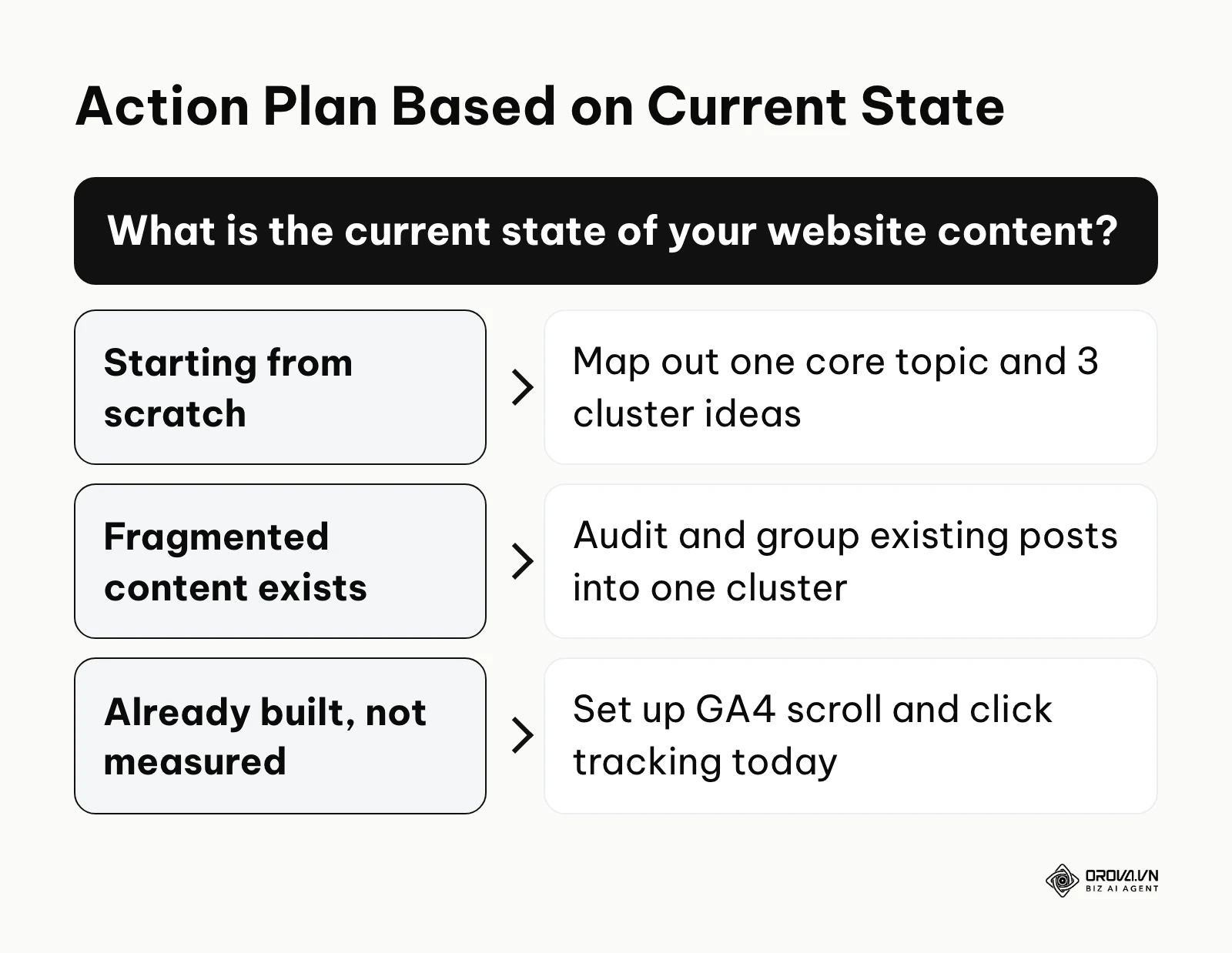
If you are starting completely from scratch with a brand new website, your first step is to open a spreadsheet and map out exactly one core topic and three highly specific long-tail cluster ideas. Do not write a single word until you have verified that the search intent for your core topic is informational and that the search volume justifies the massive effort required to build the hub.
If you already have hundreds of fragmented, underperforming blog posts, your immediate action is an aggressive content audit. Export your URLs, identify a common theme that spans at least ten existing articles, and begin planning how to merge their best components into a single, authoritative document using safe 301 redirects to preserve historical value.
If you have already built a cluster but are blind to its performance, your task for this afternoon is strictly technical. Log into Google Analytics 4 and configure custom events to track scroll depth at the 50% and 75% marks, and set up explicit tracking for the internal links that connect your pillar pages to your cluster articles. Measuring the actual flow of traffic is the only way to prove the strategy is working.
About the author

Builder of Orova
Nguyễn Đỗ Trọng Ân has 8 years of experience in marketing, including 6 years managing market development across Asia. He builds Orova, a Biz AI Agent that never sleeps: it plans, runs and optimizes work for businesses.
Run your business with AI Agents
Orova is the always-on Biz AI Agent — it plans, runs, and optimizes the work for you.
Save time, unlock productivity.