
What Is Technical SEO? A Practical Guide to Crawling, Rendering and Indexing

You launch a good-looking website, publish solid content, and wait for the traffic to arrive. Months pass, and your analytics dashboard stays flat. Technical SEO is the work that makes sure search engines can actually crawl, render, and index the pages you publish, so your content gets a fair chance to rank. The old view was that great content ranks itself as long as you use the right keywords. That assumption ignores how search engines operate: bots need a clear map, a fast server, and a logical path through your site. This guide explains what technical SEO covers, how the crawl, render, and index pipeline works, and which fixes deserve your time first, in an era where AI crawlers matter alongside traditional ones.
What is Technical SEO in the AI Search Era?
Technical SEO is the process of optimizing a website's infrastructure so search engines can crawl, render, interpret, and index its pages. It improves visibility without changing the visible content, which is what separates it from on-page SEO, where the focus is the text, keywords, and media the reader sees.
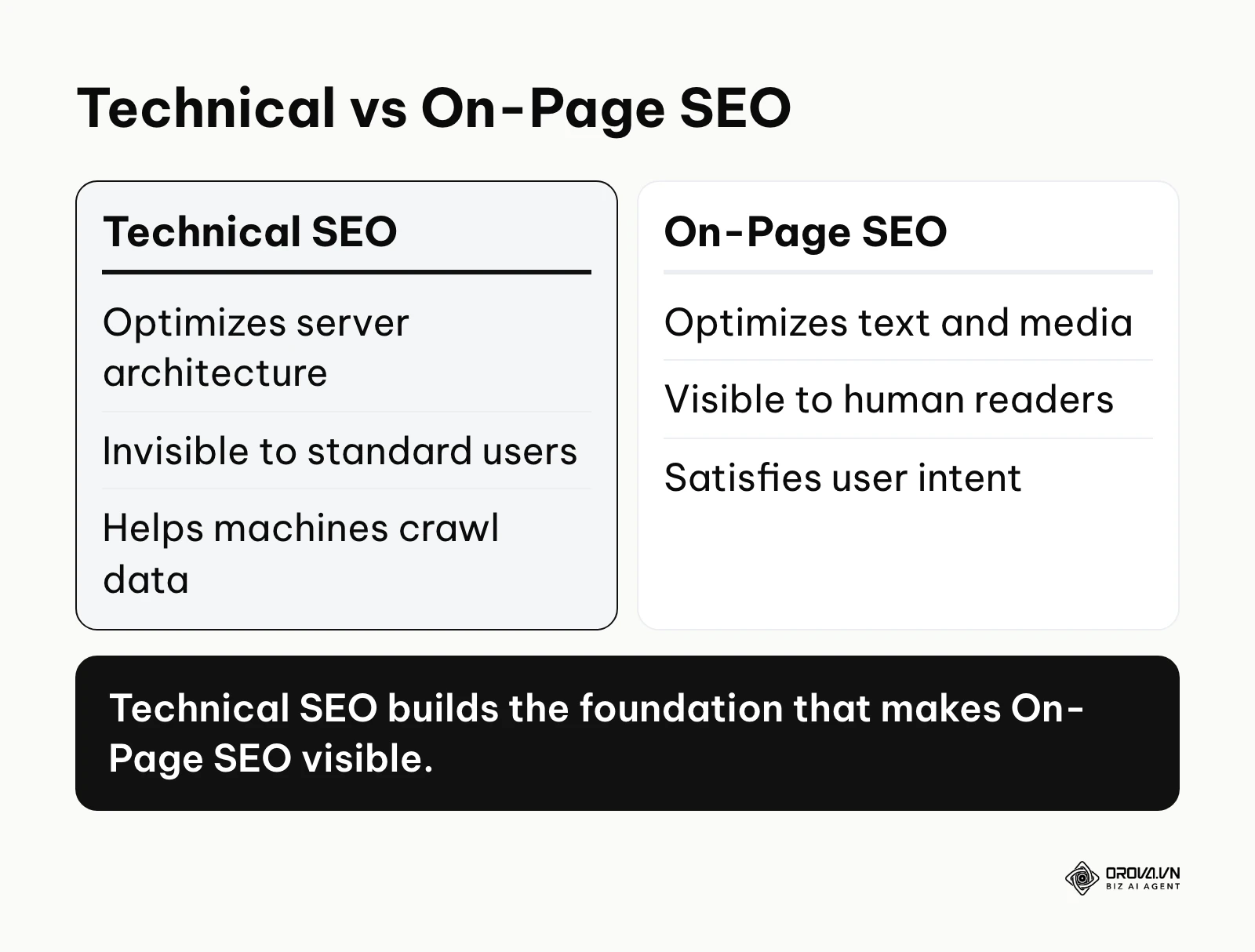
The discipline grew up alongside search engines themselves. Early on, webmasters submitted URLs by hand and tweaked server settings so crawlers could find isolated pages. Today it covers server log analysis, JavaScript rendering, site architecture, page experience, and structured data for answer engines. The goal is the same as it always was: the underlying code should be a frictionless path between search algorithms and your content.
To see where it fits, it helps to separate it from the other branches of SEO:
| Concept | Where it differs | Example |
|---|---|---|
| Technical SEO | Focuses on server architecture, code, and indexing logic. | Fixing a broken XML sitemap or compressing images. |
| On-Page SEO | Focuses on the visible text, headings, and media. | Writing a clear introduction that matches search intent. |
| Off-Page SEO | Focuses on external signals and reputation. | Earning mentions and links from industry blogs. |
Example scenario: Imagine a large public library. On-page SEO is the quality and relevance of the books on the shelves. Off-page SEO is how many people in town recommend those books. Technical SEO is the catalog system, the sturdiness of the shelves, and the lighting in the aisles. If the lights are out and the catalog is missing, it does not matter how good the books are; nobody can find or read them.
The Purpose of Technical SEO: Why Code Quality Drives Revenue
Technical SEO exists to solve one basic problem: content that search engines cannot reach or understand. Search engines work with finite computing resources. They will not spend endless effort untangling messy code, following redirect loops, or rendering very heavy JavaScript just to read one article. The purpose of technical optimization is to make reading your site cheap, fast, and accurate for these systems.
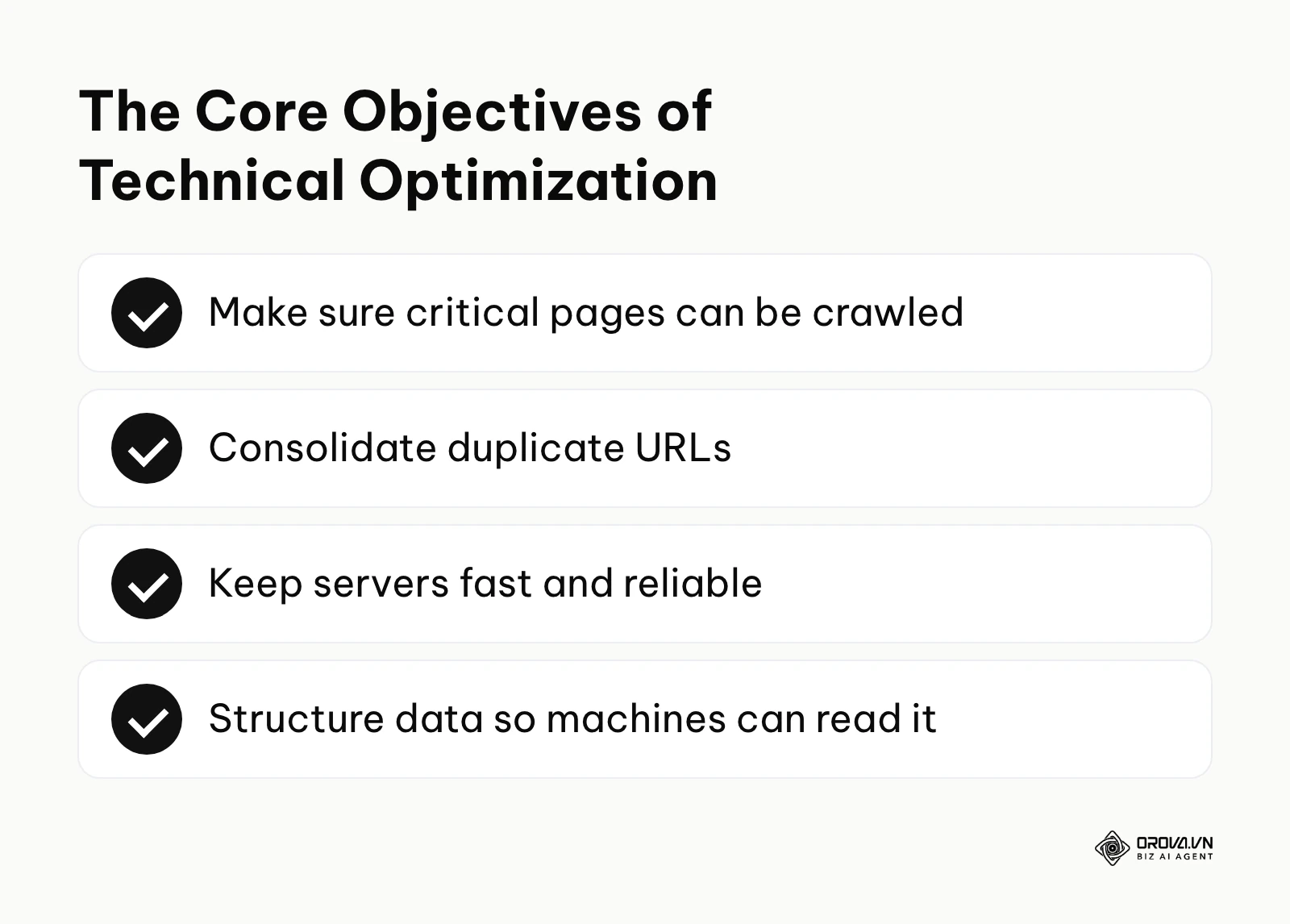
The practice serves two audiences. First, it serves search engine bots by giving them a clear, unambiguous blueprint of the website. Second, it serves developers and marketers by lining up the technical architecture with business acquisition goals. In the broader picture of digital marketing, technical SEO sits at the foundation. It comes before content creation, link building, and conversion rate optimization. If you build a house on a cracked foundation, the interior decoration will not save it.
If you ignore technical SEO, you risk losing visibility you have already paid for. Pages you spent hours writing may never enter Google's index. Duplicate versions of the same page may compete with each other and split your ranking signals. And as AI search features grow, pages that crawlers cannot read cleanly are less likely to be picked up and cited in AI-generated answers.
When you do not need technical SEO yet: If you are running a one-page temporary event site or a portal that sits entirely behind a login, investing heavily in search architecture is wasteful. Similarly, if your acquisition relies purely on paid social ads and you have fewer than ten static pages, complex server-side rendering setups are unnecessary. Cover the basics (HTTPS, a mobile-friendly layout, no accidental blocking) and put the rest of your effort into copywriting and campaign optimization until organic search becomes a realistic long-term channel for your business.
The Tangible Benefits of Technical SEO for Business and Marketers
When you ask management for developer time, you need to explain the value in their terms. It helps to separate it into two layers: the business value in revenue, time, and risk, and the day-to-day benefits for the people doing the work.
Maximizing Content ROI
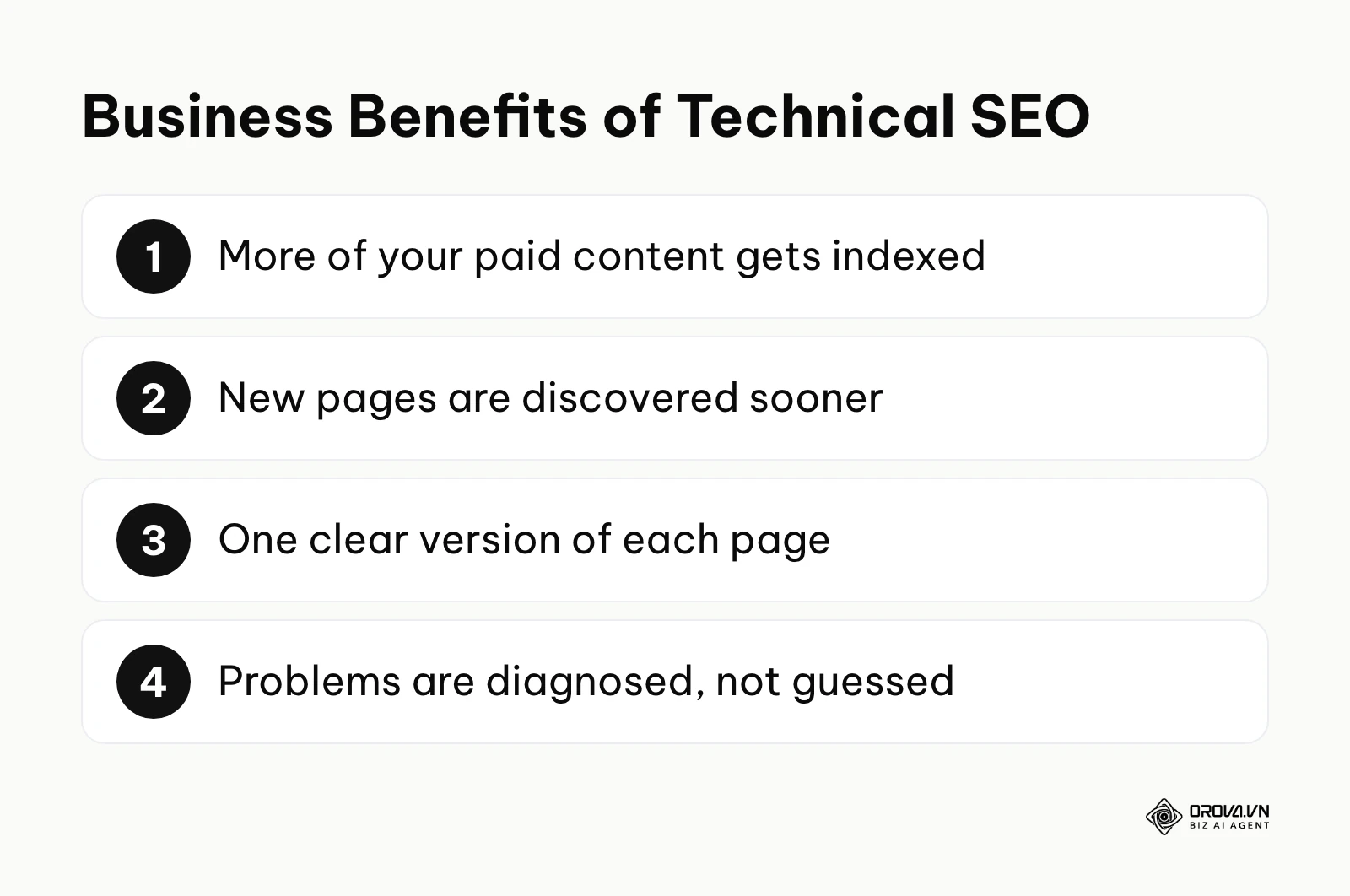
For business owners, the main value is financial efficiency. You are already paying writers, designers, and subject matter experts to produce content. If technical barriers keep a large share of that content out of the index, that share of your content budget is effectively wasted. Technical SEO gives every piece of content a fair chance to earn organic traffic.
Illustrative example: a company publishes fifty articles a month, but because new posts are only reachable through deep pagination and the templates are bloated, only some of them get crawled and indexed. After the team links new articles from category hubs and keeps the XML sitemap clean and up to date, crawlers find the new pages much faster and far more of them make it into the index. The editorial budget did not change; the return on it did.
Accelerating Indexing Workflows
Time matters in digital marketing, especially for news sites, e-commerce stores launching new products, and event pages. Technical SEO shortens the delay between publishing a page and the moment search engines discover it.
Illustrative example: a retailer launches a seasonal product line, and the new category pages sit undiscovered for a long stretch because they are only linked from a buried archive. After the team links the new categories from the main navigation, lists them in the XML sitemap with accurate last-modified dates, and checks that robots.txt is not blocking them, the pages are discovered noticeably sooner. Note what this does and does not do: a sitemap and good links help discovery, but they do not guarantee indexing. Google still decides whether and when each page goes into the index.
Reducing Ranking Risk
Risk management is an overlooked part of search marketing. Poor technical setups, such as generating thousands of thin parameter URLs or serving the same site on both HTTP and HTTPS, scatter your signals and waste crawling. Duplicate content of this kind is rarely a penalty in itself, but it does make search engines guess which version to show, and they do not always guess the one you want.
Illustrative example: a financial services company unknowingly serves every page on both the HTTP and HTTPS versions of its domain. After it adds site-wide 301 redirects to HTTPS, enables HTTP Strict Transport Security, and updates internal links to the secure URLs, search engines see one clear version of each page. HTTPS also matters on its own: it protects visitors, and browsers warn people away from insecure pages.
Empowering the SEO Specialist
For the marketing team and SEO specialists, technical optimization brings control and clarity. Instead of guessing why a page underperforms, specialists can use log files, crawl reports, and rendering tests to find the exact point of failure.
Illustrative example: an SEO specialist keeps tweaking keywords on a page that will not rank, unaware that a JavaScript error stops the main content from loading for search engines. Once the specialist checks the rendered HTML, the rendering problem is obvious, a ticket goes to the developers with clear reproduction steps, and the root cause gets fixed instead of the symptoms.
| Benefit | What to measure | Where to check |
|---|---|---|
| Better indexing | Share of important pages that are indexed | Page indexing report in Google Search Console |
| Faster discovery | How often bots request new and updated URLs | Server logs or the Crawl stats report |
| Lower risk | Stability of organic traffic after site changes | Search Console performance data and analytics |
Discover Orova.vn – a Biz AI Agent platform with OROVA SEO, a complete solution for every website. The system supports search engine optimization from A to Z with features including keyword research, writing new SEO-ready articles, optimizing existing content, rank tracking, plus competitor analysis and in-depth technical analysis. Sign up today to experience OROVA SEO completely free (offer valid through July 7, 2027).
How Technical SEO Works: Crawling, Rendering, and Architecture
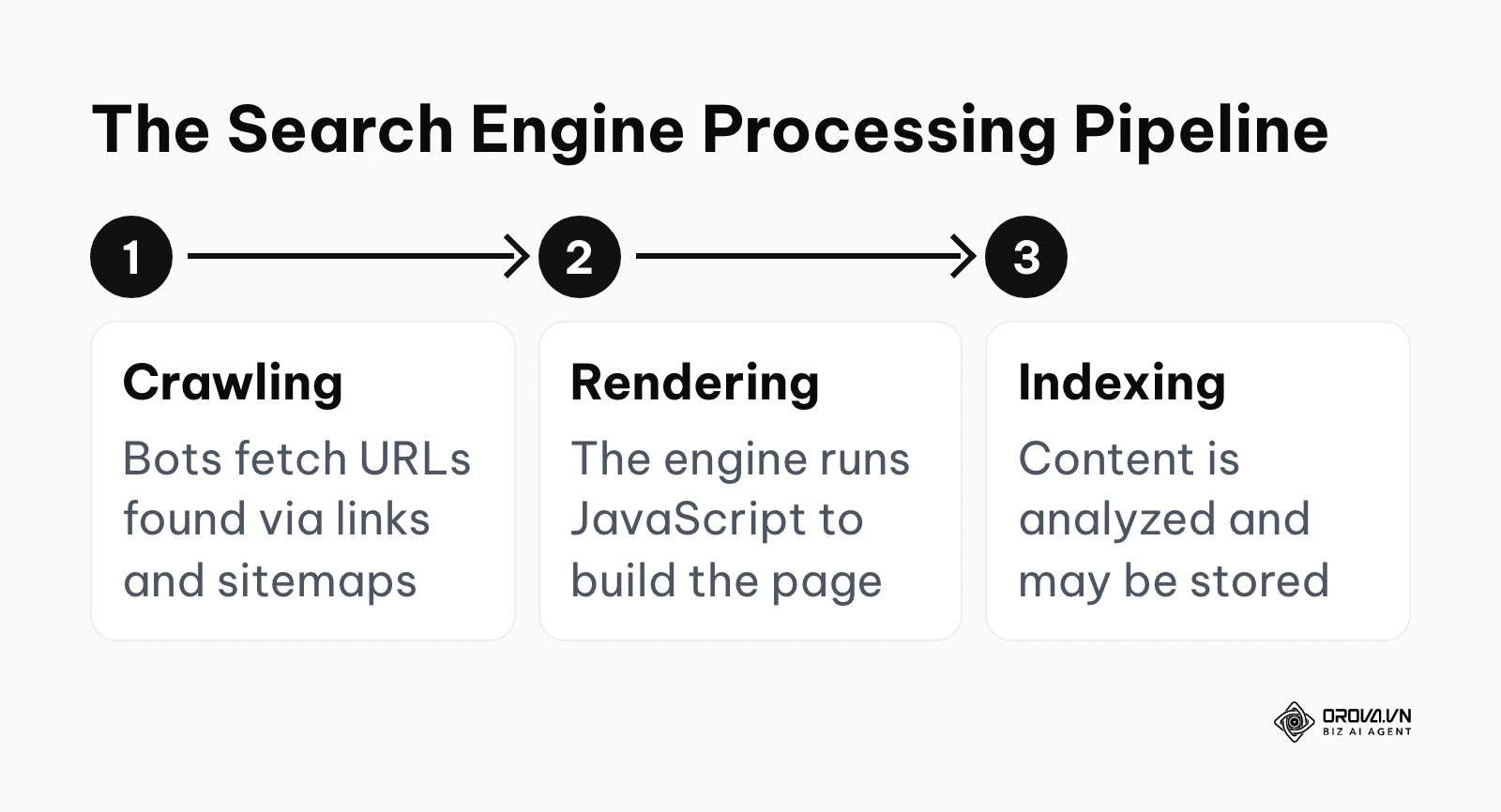
To master this discipline, you need to understand what happens when a search engine meets your website. The process runs as a pipeline of three distinct stages: crawling (fetching the URL), rendering (running the page's code to see the final content), and indexing (analyzing that content and deciding whether to store it). A failure at any stage stops the page from appearing in search, which is why it pays to diagnose which stage is broken before fixing anything.
The Crawl Phase: Managing Server Logs and Crawl Budget
Crawling is the first step. A crawler such as Googlebot discovers URLs through links and XML sitemaps, then requests them from your server. The main control file for this phase is robots.txt, which tells crawlers which paths they may and may not fetch. The output is a set of raw HTML documents downloaded by the search engine.
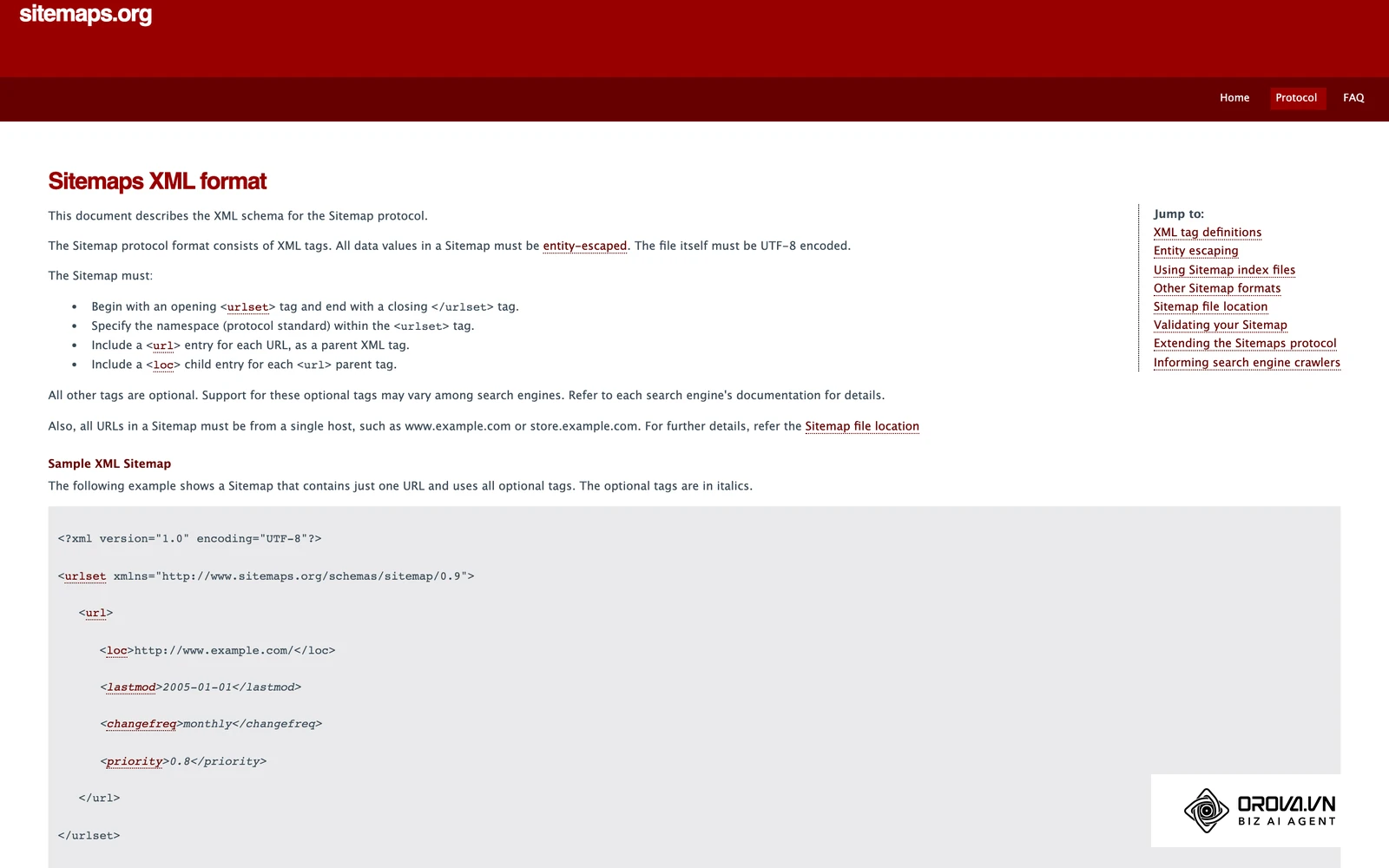
One point trips up many site owners: robots.txt controls crawling, not indexing. A URL blocked in robots.txt can still appear in search results, usually without a description, if other pages link to it. To keep a page out of the index, use a noindex directive and leave the page crawlable so the bot can actually see that directive. Our guide on what robots.txt is and how to write it covers the syntax and common mistakes in detail.
What HTTP Status Codes Tell Crawlers
The HTTP status codes your server returns are the other half of this phase, and each one sends a specific signal:
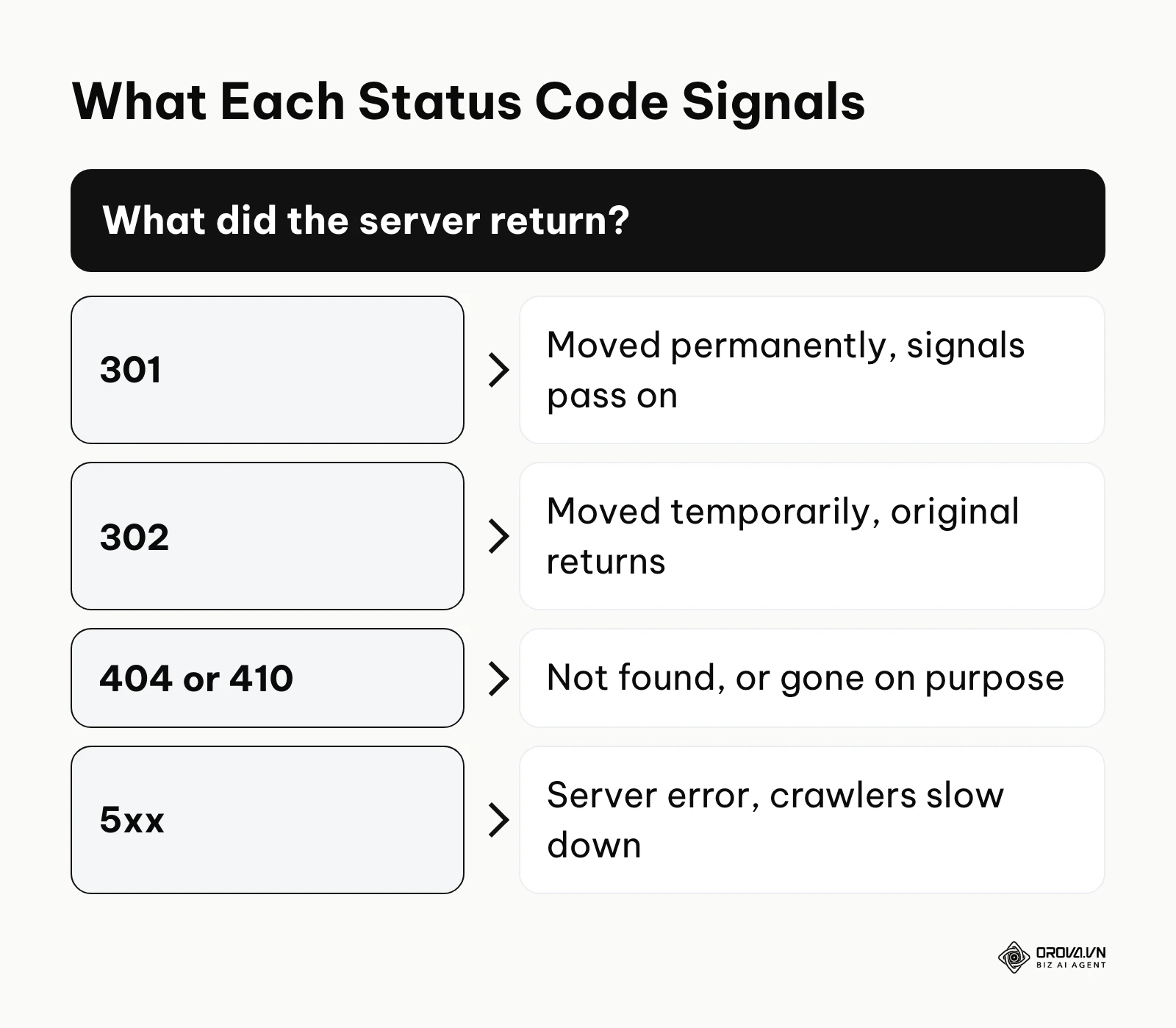
- 301: the page has moved permanently; signals should pass to the new URL.
- 302: the move is temporary; the original URL is expected to come back.
- 404: the page was not found.
- 410: the page is gone on purpose and will not return.
- 5xx: the server failed; repeated server errors make crawlers slow down and come back later.
When Crawl Budget Actually Matters
Another frequently discussed topic is crawl budget: the number of URLs a search engine is willing and able to crawl on your site in a given period. Be honest about whether this applies to you. Google's own guidance says crawl budget is mainly a concern for very large sites, roughly a million or more unique pages, or sites with tens of thousands of pages that change daily. If your site has a few hundred or a few thousand pages, crawlers can usually cover it without trouble, and your time is better spent elsewhere.
Where crawl budget does matter is large e-commerce catalogs with faceted navigation. Facets let users filter products by color, size, price, and brand, and each combination can create a new URL. Left unchecked, this produces a near-endless set of URLs, often called a spider trap.
Illustrative example: an e-commerce manager running a 50,000 product catalog with millions of possible filter URLs noticed new products were slow to appear in search.
- Actions taken: The team analyzed raw server logs and found that most Googlebot requests went to sorting and color-filter parameter URLs with no search demand. They disallowed crawling of those parameter patterns in robots.txt and stopped linking to those combinations internally.
- Stumbling block: The new rules accidentally blocked the core pagination URLs as well, so deeper products stopped being crawled. They fixed it by explicitly allowing the ?page= parameter in robots.txt.
- Result: Log analysis showed bots spending their requests on real category and product pages, and newly launched items were picked up noticeably faster.
To work through server logs efficiently, many marketers use large language models. Remove IP addresses and any personal data before you paste anything. Here are prompts you can adapt:
- "Analyze this snippet of server log data. Extract all Googlebot hits and group them by HTTP status code. Identify any clusters of 404 or 500 errors."
- "Review this list of crawled URLs extracted from my logs. Identify the URL query parameters that receive the most crawler requests and suggest robots.txt directives to manage them."
The Render Phase: Debugging JavaScript Frameworks
Once the raw HTML is downloaded, the search engine renders the page. Historically, websites delivered complete HTML from the server. Today, many sites rely on JavaScript frameworks such as React, Vue, or Next.js. In this phase, the search engine runs the page's JavaScript to build the Document Object Model, the final state of the page a user would see. The input is the raw code, and the output is the rendered page.
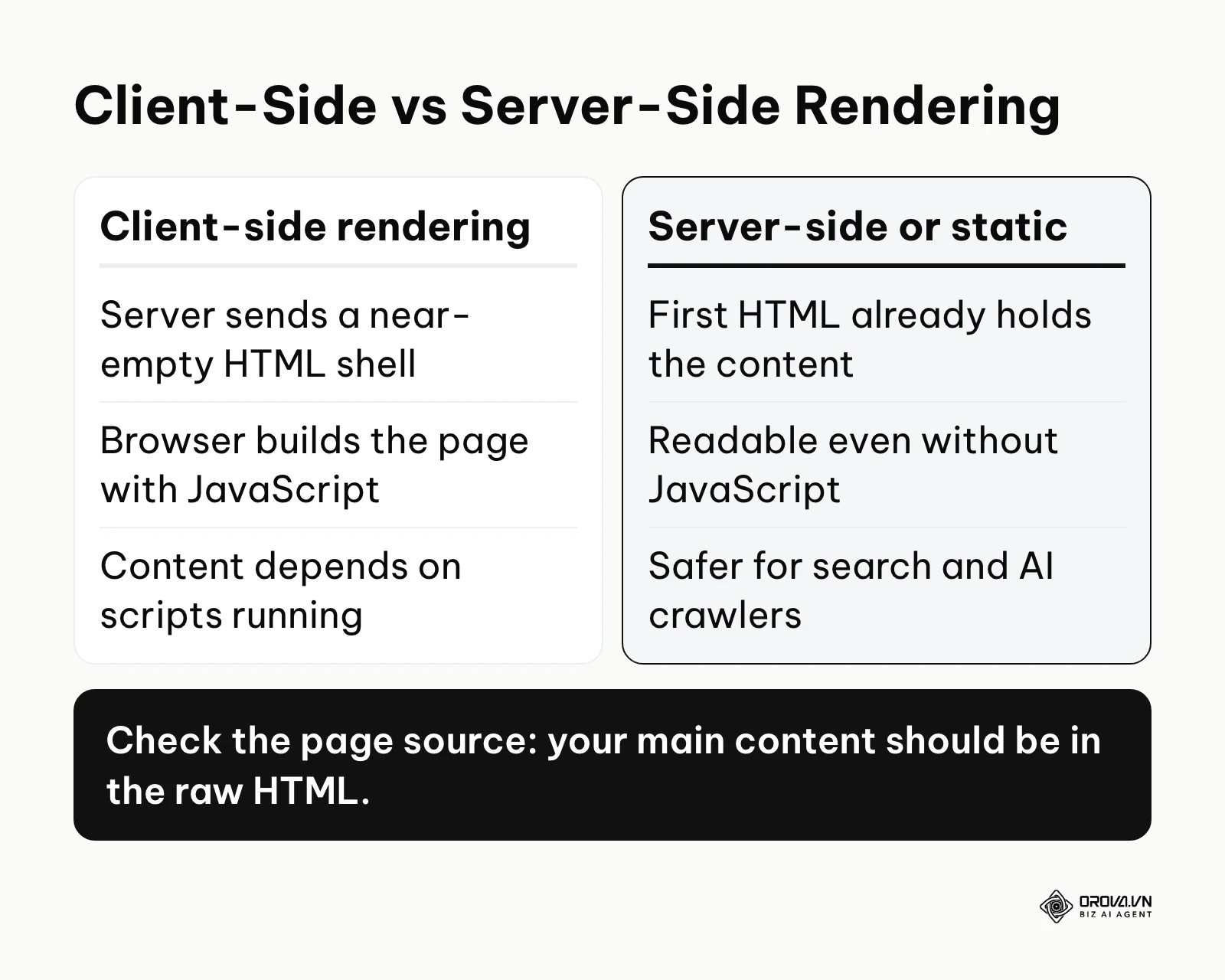
The main risk appears when a site relies entirely on client-side rendering. With client-side rendering, the server sends a nearly empty HTML file plus a large JavaScript bundle, and the browser builds the page. Google does render JavaScript with an up-to-date version of Chromium, but rendering can be queued and delayed, and it fails when scripts throw errors, time out, or depend on resources blocked in robots.txt. When that happens, Google may only see the near-empty HTML shell. Other crawlers, including many AI crawlers, may not run JavaScript at all.
To reduce this risk, technical SEOs recommend server-side rendering or static site generation. Server-side rendering runs the JavaScript on the server, so the first HTML document already contains the content. Static site generation builds the HTML pages at deploy time, producing fast, fully readable files. A quick test: open the page source (not the inspector) and check that your main content and links are in the raw HTML.
The Index Phase: Canonicalization and Consolidation
After rendering, the search engine decides whether the content is worth storing. This is indexing. The search engine parses the text, works out what the page is about, and may add it to the index. The input is the rendered page; the output is an entry in the index. Ranking is a separate step that happens later, when someone searches. Being indexed only makes a page eligible to rank.
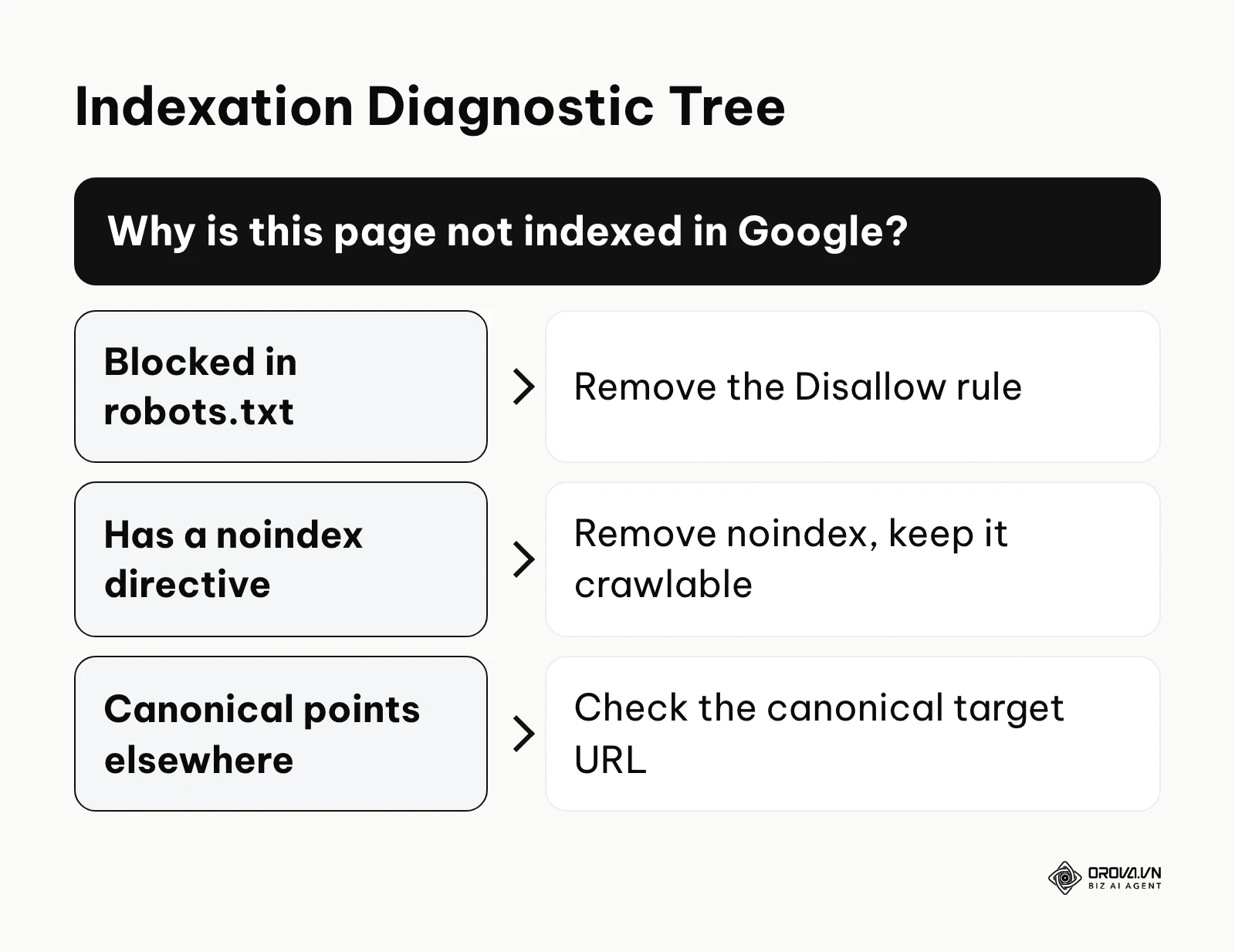
A key part of this phase is canonicalization. Websites naturally produce duplicate content. For example, a product might be reachable through both a category path and a brand path. To consolidate them, technical SEOs use the rel="canonical" tag to indicate which version should be treated as the main copy. Keep in mind that a canonical tag is a strong hint, not a command. Google weighs it together with redirects, internal links, sitemaps, and HTTPS, and it may pick a different canonical if your signals disagree.
Common failures include canonical tags that point to URLs returning 404 errors, canonical chains where page A points to B and B points to C, and conflicting signals where the XML sitemap lists one URL while the canonical tag on that page points to another. Also remember that listing a URL in your sitemap does not guarantee it will be indexed; the sitemap is a discovery aid, not an indexing request that must be honored.
The Data Structure Phase: Optimizing for AI Overviews
As answer engines and AI Overviews grow, the structure of your data matters more. AI systems that summarize the web need to extract facts reliably, and clear structure makes that easier.
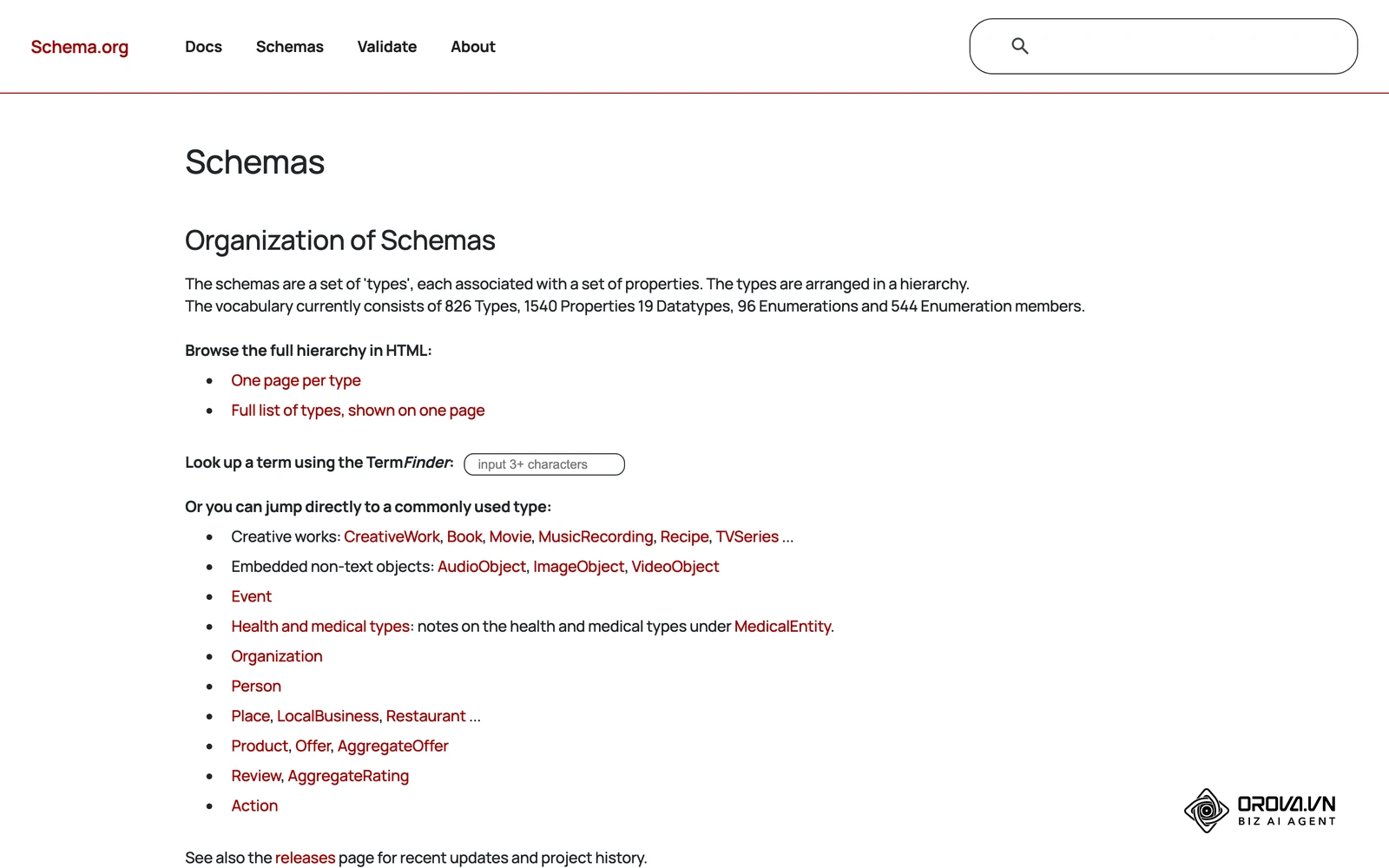
In practice, this means marking up pages with standardized vocabularies, most commonly Schema.org structured data in JSON-LD format. Structured data lets you state explicitly that a piece of text is a product price, an author's name, or an article's publish date. Use it to describe what is genuinely on the page, and keep in mind that eligibility for specific rich results changes over time, so check current search engine documentation before building a strategy around one result type.
Beyond structured data, semantic HTML matters. A clear outline built with proper <header>, <article>, <section>, heading, and <table> elements helps both accessibility tools and automated agents understand how the content is organized.
Illustrative example: a content lead at a B2B SaaS company wanted the product's feature comparisons to be easier for search and AI systems to read.
- Actions taken: The team restructured articles with a strict heading hierarchy, added Article structured data, and rebuilt the comparison sections as real HTML tables.
- Stumbling block: The original comparison tables were built from CSS grid layouts inside generic <div> tags, so the row and column relationships existed only visually. The team rewrote them using standard <table>, <th>, and <td> elements.
- Result: The comparison content became much easier for machines to parse, and the team began seeing its tables quoted more cleanly in search features.
| Audit Type | Characteristic | Suits who |
|---|---|---|
| Log File Analysis | Examines server hits and bot behavior | Very large sites with real crawl budget issues |
| Rendering Audit | Tests DOM construction and JS execution | Single-page applications built with React or Vue |
| Architecture Audit | Maps internal links and taxonomy | E-commerce sites with deep category trees |
How to Adapt Your Technical SEO Strategy
How you adapt depends on your role and the size of the site you manage. A prioritization matrix keeps you focused: score each issue on Impact (1 to 5) and Effort (1 to 5). High impact and low effort gets done immediately. Low impact and high effort goes to the bottom of the list. As a rule, fix anything that stops pages from being crawled or indexed before you chase small speed gains.
The Small Business Owner
For a small business owner with a standard WordPress site, log file analysis is usually unnecessary.
- Set up a reliable caching plugin to improve server response times.
- Check that the site generates a clean XML sitemap and submit it in Google Search Console. If you have not set it up yet, follow our guide to using Google Search Console for SEO.
- Make sure the site works and reads well on mobile devices, since Google uses mobile-first indexing.
- Serve the whole domain over HTTPS and redirect every HTTP URL to its HTTPS version.
The In-House Marketing Lead
An in-house lead managing a larger, custom-built platform has to bridge marketing and development.
- Monitor Core Web Vitals routinely: Largest Contentful Paint (loading), Interaction to Next Paint (responsiveness, which replaced First Input Delay in March 2024), and Cumulative Layout Shift (visual stability).
- Audit the faceted navigation and draft explicit robots.txt rules for parameter combinations with no search value.
- Push for server-side rendering or static generation if the site relies on heavy client-side JavaScript. Dynamic rendering is a stopgap that Google no longer recommends as a long-term solution.
- Deploy JSON-LD structured data across product and article templates.
The Agency Consultant
An agency consultant has to provide insights the client's internal team cannot easily produce.
- For very large sites, request raw server logs and identify where crawlers spend requests on legacy or low-value URLs.
- Map the internal linking architecture to find orphaned pages that receive no internal links. A clear internal and external linking strategy makes this map much easier to fix.
- Consolidate duplicate content across language or country versions. Hreflang annotations must be reciprocal: if page A lists page B as an alternate, page B must link back to page A, or search engines may ignore the pair. Our guide to international SEO walks through the full setup.
- Check regularly that staging environments are not indexable by public search engines.
| Common Mistake | Consequence | How to Avoid |
|---|---|---|
| Blocking CSS/JS in robots.txt | Search engines cannot render the page correctly. | Always allow crawling of the files needed to render pages. |
| Long redirect chains | Crawling slows down and signals get diluted. | Point internal links straight to the final URL. |
| Inconsistent canonicals | Search engines choose their own canonical. | Make sitemaps, internal links, and canonicals agree. |
With OROVA.VN and the OROVA SEO module, you put an end to the exhausting days of manual work for good. Instead of struggling for hours to write articles and compile reports, the entire process is now optimized and completed in just 5 minutes.
Where technical SEO is heading in the next few years: the author's take
Here are three shifts I am watching, and what I would do about each one now.
From Passive Crawling Toward Push-Based Discovery
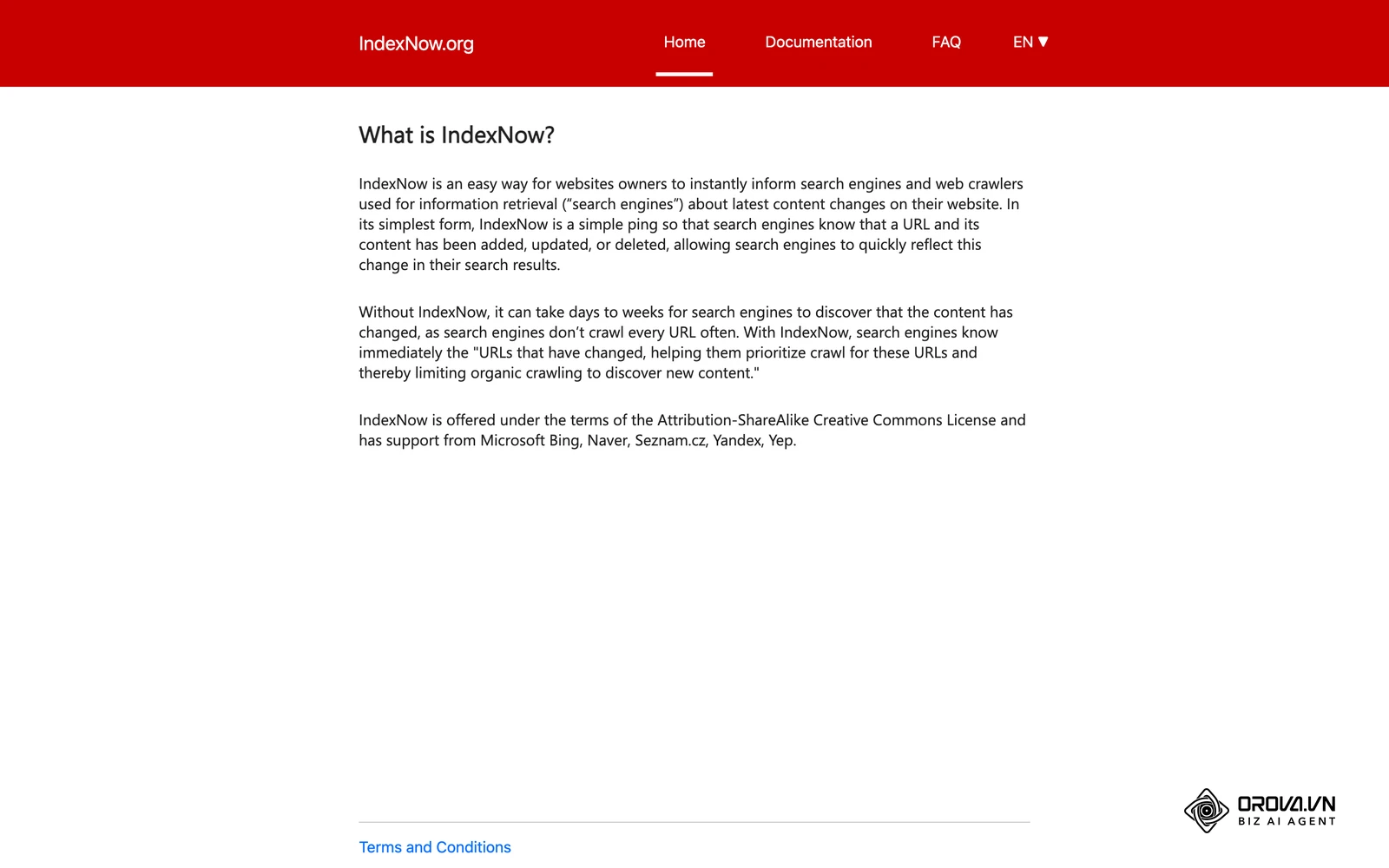
The signal today is that some search engines already accept direct notifications from websites. IndexNow, supported by Bing and several other engines, lets a site ping engines the moment a URL changes, while Google still relies mainly on crawling and sitemaps. My read is that over the next two to three years, push-style discovery will become a more common complement to crawling, not a full replacement. Crawling is too fundamental to disappear. What I would prepare: make sure your CMS can generate accurate sitemaps with honest last-modified dates, and that your publishing workflow could send change notifications without a rebuild.
Clean Semantic HTML Will Matter More for AI Answers
Today, AI systems that summarize pages have to work out structure from whatever markup they are given, and visually driven layouts built from generic div tags make that harder. I think that in the next few years, clean, semantic HTML and well-described structured data will carry more weight in whether a page gets quoted in AI answers than many teams expect. I would not claim it will outweigh links or content quality, but it is cheap to get right. What I would prepare: treat valid, semantic markup as a core requirement in your development standards rather than an accessibility afterthought.
More Technical Fixes Will Happen at the Edge
Historically, technical fixes needed backend developers and long release cycles. Edge platforms such as Cloudflare Workers already let teams change redirects, HTTP headers, and even inject structured data at the CDN layer. I suspect this approach will become a normal part of the technical SEO toolkit for teams that cannot ship backend changes quickly. It brings risk too, because changes made at the edge are easy to forget. What I would prepare: learn how your CDN handles rules and headers, and keep every edge change documented next to your regular code.
Frequently Asked Questions about Technical SEO
Is technical SEO still needed with AI?
Yes, arguably more than before. AI search features and answer engines still depend on crawlers to discover and read pages. If your site blocks crawlers, traps them in redirect loops, or hides text behind JavaScript that does not render, those systems have less of your content to work with, and they will draw their answers from sources they can read.
How do I convince developers to fix SEO bugs?
Developers work on logic and priorities. Translate technical SEO bugs into business impact and give clear reproduction steps. Do not just say "fix the canonicals." Say, "This issue keeps 400 product pages out of the index, which affects revenue from those categories. Here is the template causing the conflict, and here is the documentation on how to resolve it."
What are the absolute must-dos for a new site under 100 pages?
For a small new site, you do not need log analysis or crawl budget work. Make sure the site works well on mobile, serves every page over HTTPS, does not block search engines in robots.txt, and has a clean XML sitemap submitted in Google Search Console. The sitemap will not guarantee indexing, but it gives search engines a clear list of the pages you care about.
How does a Headless CMS impact technical optimization?
A headless CMS separates the content database from the front end that displays it. That matters for technical SEO because the front end is usually built with a JavaScript framework. Make sure your deployment uses static site generation or server-side rendering; otherwise the setup may serve near-empty HTML that search engines and AI crawlers struggle to read.
Does website speed actually influence rankings directly?
Speed is part of the picture. Google uses Core Web Vitals (LCP, INP, and CLS) as part of its page experience signals, but their weight is modest. A very fast site with weak content will not rank, while moving from poor to good scores can help in close competition and usually improves user retention and conversions once visitors arrive. You can check your scores for free in PageSpeed Insights.
Where to Start with Technical SEO?
Knowing where to begin is often the hardest part. Do not try to work through a fifty-point checklist on day one. Your first step depends on where you are today.
If you are starting from scratch with nothing in place: Your first step is to verify your domain in Google Search Console. You cannot fix what you cannot see. One afternoon setting up this free Google tool gives you indexing status and error reports straight from Google, so you work from facts rather than third-party guesses.
If you have fragmented efforts but no cohesive structure: Your first step is to crawl your own website with a desktop crawler such as Screaming Frog SEO Spider or Sitebulb. Sort the results by HTTP status code. Your immediate goal is to find internal links that point to 404 pages or pass through 301 redirect chains, and update them to point straight to the final URL. This restores a clean path for both users and bots. A routine SEO audit helps you catch these barriers before they affect revenue.
If you have implemented fixes but are not measuring results: Your first step is to pick one specific technical change and compare crawler behavior before and after it. If you recently blocked a parameter in robots.txt, check in your logs or the Crawl stats report that Googlebot actually stopped requesting those URLs. Moving from blind implementation to verified results is what turns technical SEO from a checklist into a reliable growth practice.
About the author

Builder of Orova
Nguyễn Đỗ Trọng Ân has 8 years of experience in marketing, including 6 years managing market development across Asia. He builds Orova, a Biz AI Agent that never sleeps: it plans, runs and optimizes work for businesses.
Run your business with AI Agents
Orova is the always-on Biz AI Agent — it plans, runs, and optimizes the work for you.
Save time, unlock productivity.