
What is robots txt? Syntax, CMS templates and AI bot rules

You launch a massive e-commerce store with thousands of product variations. You submit your sitemap, expecting search engines to crawl your beautifully crafted category pages. Weeks later, you check your analytics and realize the automated bots spent their entire crawl budget scanning useless shopping cart URLs and faceted search filters. Your critical money pages remain undiscovered, and your server bandwidth is heavily taxed by relentless, unprofitable crawling. A short plain-text file called robots txt (robots.txt) is the tool built to prevent exactly this: it tells crawlers which parts of your site they may request and which to skip.
The traditional understanding often stops at merely uploading a configuration file and hoping for the best, assuming algorithms will naturally figure out what is important. However, this passive approach is no longer sufficient in an era of complex dynamic websites and aggressive AI scraping. You must proactively direct traffic. This comprehensive guide will explain what robots txt is, how to structure its syntax effectively, provide actionable copy-paste templates for major CMS platforms, and show you exactly how to defend your proprietary content against unauthorized data scrapers while maximizing your overall organic search visibility.
What is robots txt?
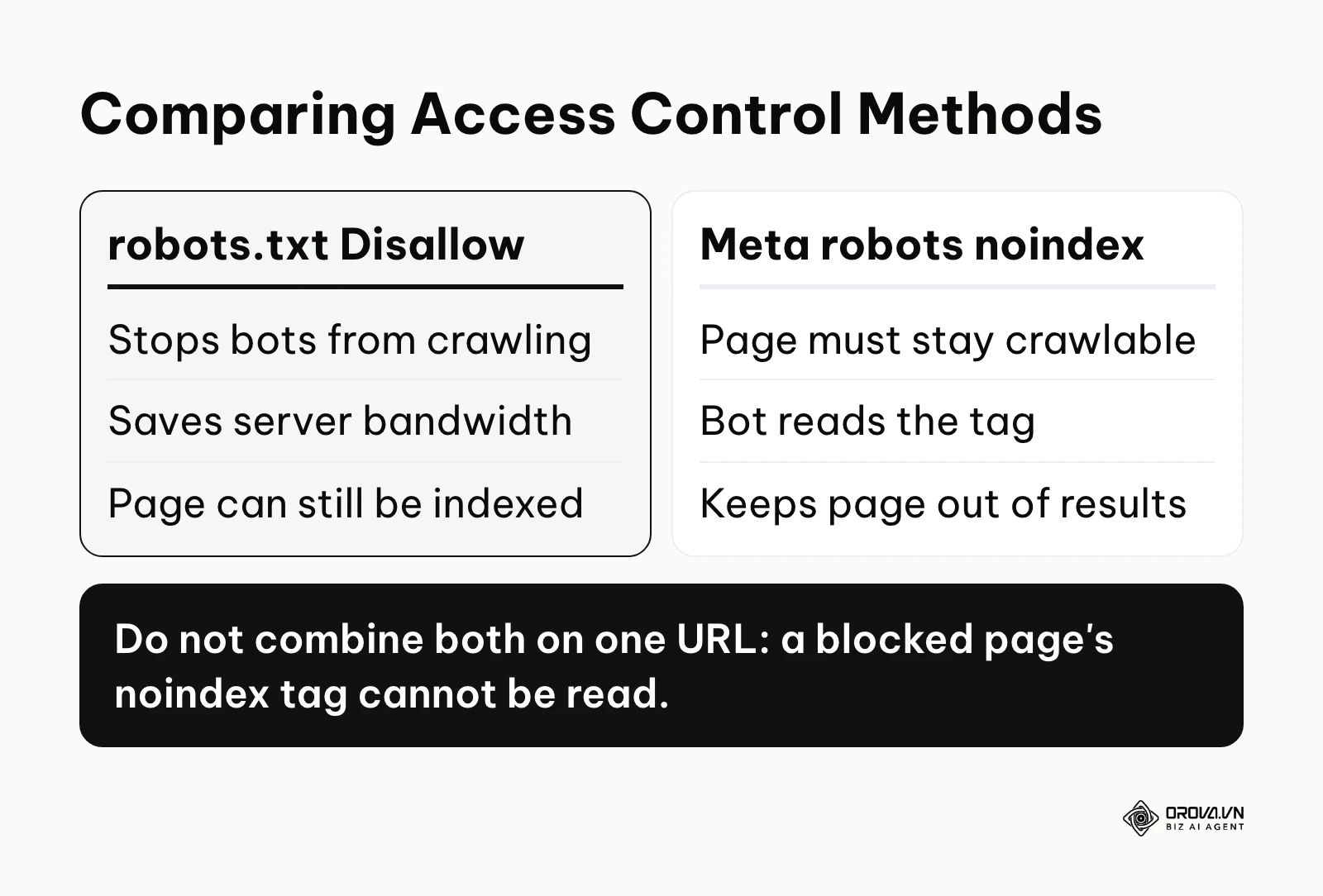
Robots txt is a simple text file placed in the root directory of your website to instruct search engine crawlers which pages or files they can or cannot request from your server. It controls crawling, not indexing: it manages crawl budget and server load, while the meta robots noindex tag is what keeps a page out of search results. A page blocked in robots.txt can still be indexed if other pages link to it.
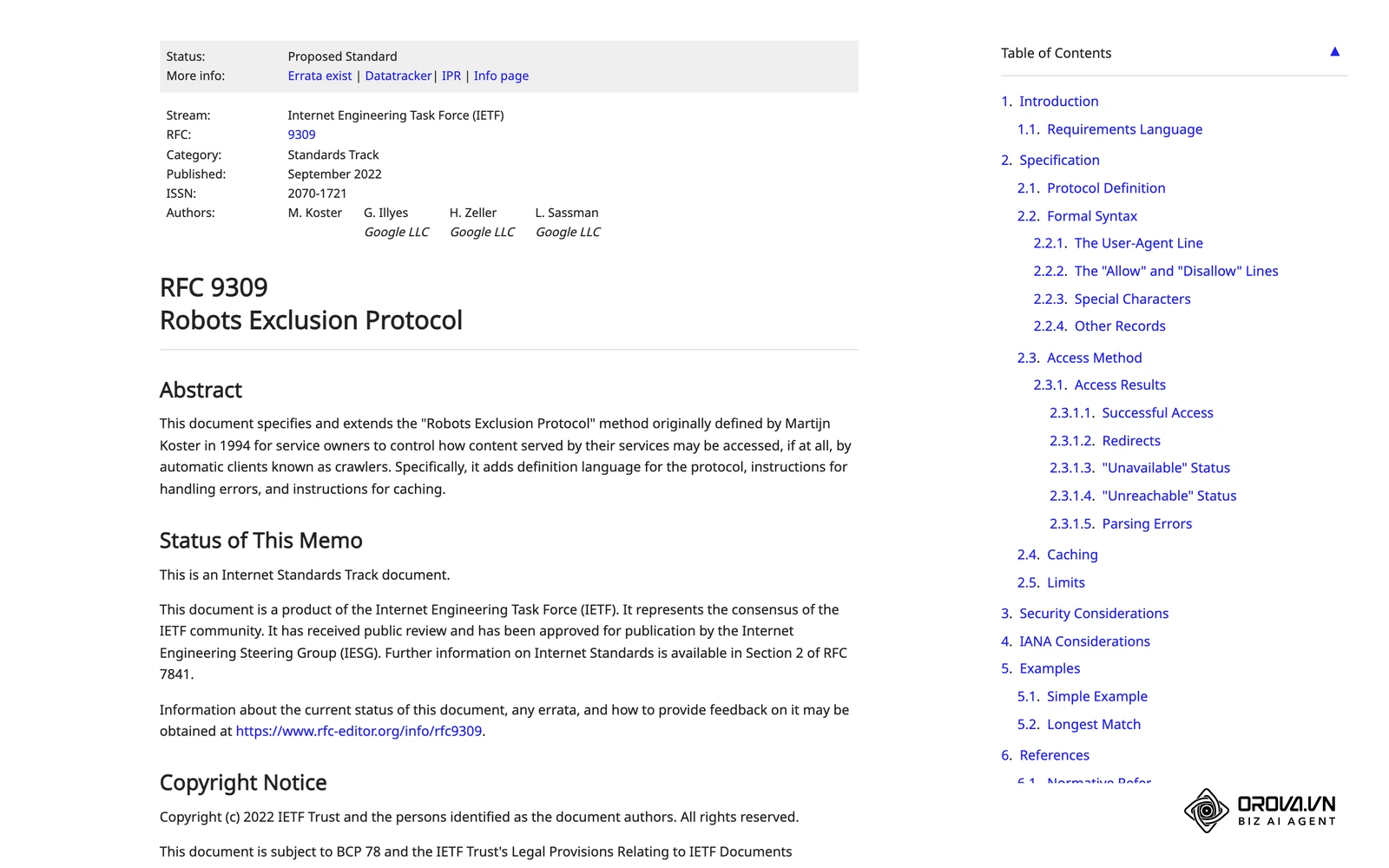
The standard originated from the formalization by the Internet Engineering Task Force (IETF) in their RFC 9309: Robots Exclusion Protocol document published in 2022, which codified decades of informal web practices. Prior to this official RFC, webmasters relied on a loose consensus established in the mid-1990s to communicate with automated agents.
It is crucial to understand how this protocol differs from other common access control methods, as confusing them can lead to severe visibility issues or security breaches.
| Concept | How it differs | Practical Example |
|---|---|---|
| Meta noindex tag | Blocks a page from appearing in search results, while the text file only blocks crawling. | A discontinued product page you don't want users to find on Google. |
| Password protection | Requires user authentication to access the file, providing real security. | A staging server or employee intranet portal. |
| Canonical tag | Suggests the preferred version of duplicate pages, rather than blocking access entirely. | Multiple URL parameters pointing to the exact same article. |
Think of this file as the sign at the entrance of a public museum. It tells the general public (search bots) which galleries are open for viewing and which doors are marked 'Staff Only'. However, if a door is unlocked, someone might still peek inside; it is a polite request, not a physical lock. Compliance is voluntary: reputable crawlers follow it, but nothing technically forces a bot to obey.
The Strategic Purpose of robots txt in SEO
This file exists to solve a fundamental problem of scale on the internet: computing resources are finite. Every time a bot visits your website, it consumes your server's processing power, memory, and bandwidth. Simultaneously, search engines allocate a specific "crawl budget" to your domain—a limited number of requests they are willing to make during a given timeframe. Understanding how bots access your site is a foundational pillar of search engine optimization.
The strategic purpose is to act as a traffic controller. It sits at the very top of the website hierarchy. Before a compliant bot requests any HTML document, image, or CSS file, it first looks for the exclusion rules at the root domain. By reading these instructions first, the bot knows exactly which labyrinthine paths to avoid.
If you ignore this configuration entirely, the consequences can be quietly devastating. Search engines might get trapped in infinite spaces, such as dynamically generated calendar pages that stretch years into the future, or faceted navigation filters that create millions of useless URL combinations. When the bot wastes its budget on these low-value pages, it abandons your site before discovering your newly published, high-converting articles.
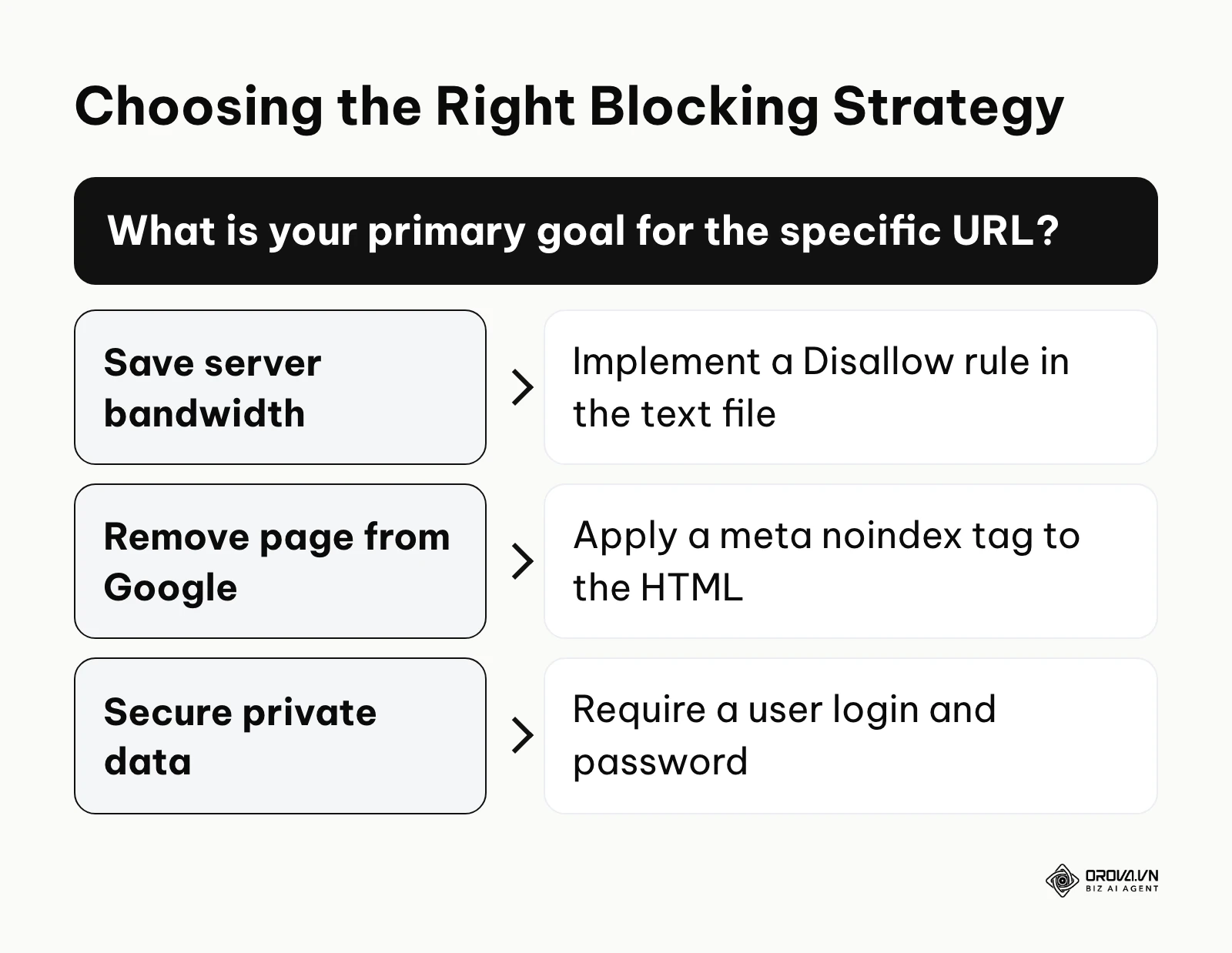
When you have a small static website with a few hundred pages, using a robots txt to aggressively sculpt crawl budget is often unnecessary. Search engines can easily crawl a site of this size without running out of resources. Additionally, if your primary goal is to completely remove a confidential page from Google's search results, relying on this file is a mistake. In these specific scenarios, you should instead focus on a clear site architecture and utilize the meta robots noindex tag directly on the HTML pages you want to keep out of the public index, and leave those pages crawlable so search engines can actually read the tag. Truly confidential content needs a login, not a robots rule.
Core Benefits and Business Value of robots txt
Implementing a strict exclusion strategy provides distinct advantages across two layers: it delivers measurable business value through cost reduction and risk mitigation, and it offers direct operational benefits for the technical teams managing the website infrastructure.
For the business, preventing rampant crawling directly lowers cloud hosting fees by reducing unnecessary data transfer. It also mitigates the risk of sensitive staging environments or internal search data leaking into the public domain and harming the brand's reputation.
Maximizing Crawl Efficiency and Server Performance
The most immediate benefit operators experience is a dramatic stabilization of server loads. When automated scripts hit heavy database-driven pages (like internal search queries), CPU usage spikes. Blocking these paths ensures the server remains fast for human users.
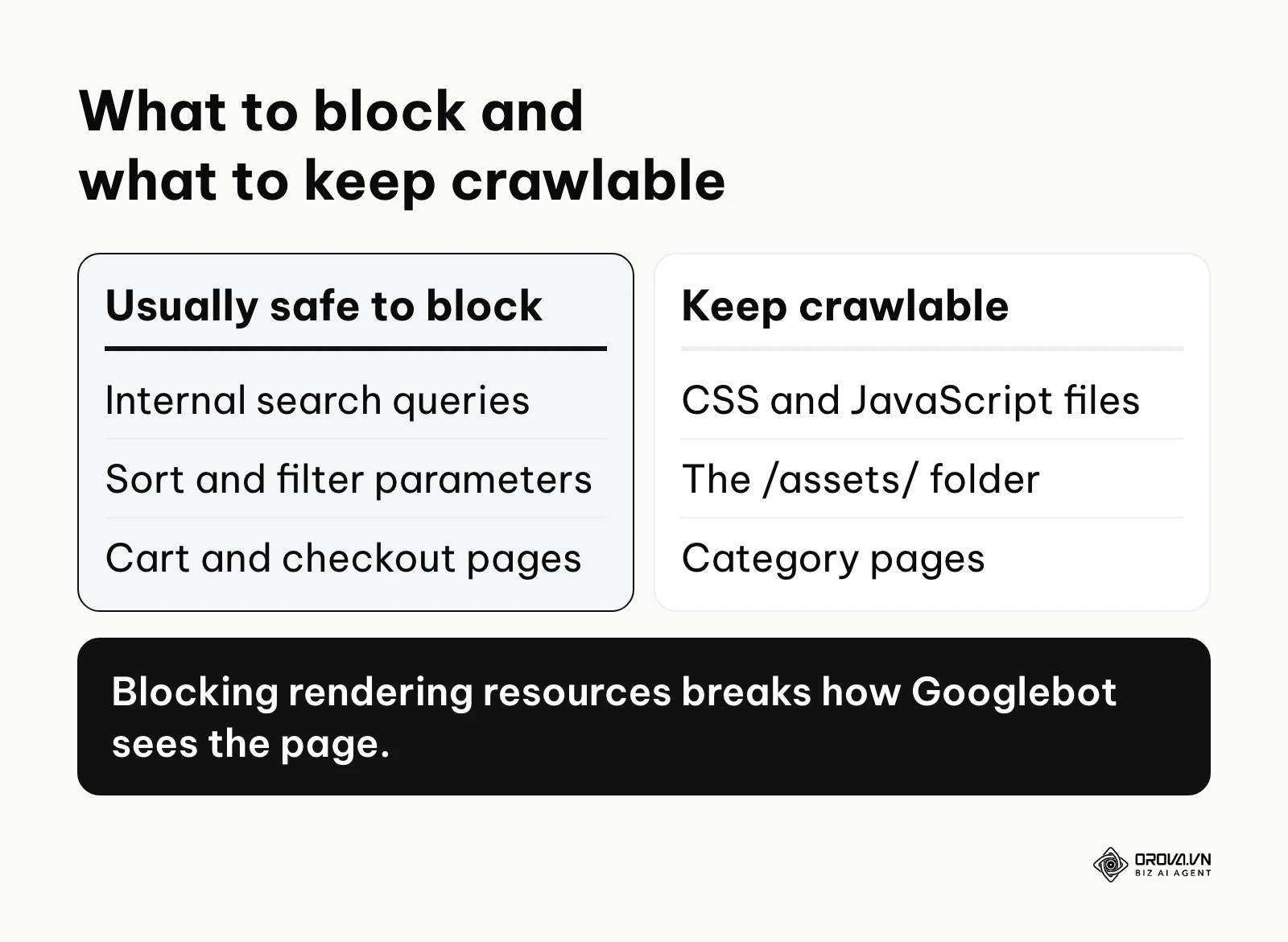
Illustrative example: Consider a mid-sized e-commerce business acting as a regional distributor with a massive faceted navigation system. The SEO manager noticed server costs spiking every weekend and organic traffic stagnating. They implemented a set of strict disallow rules targeting parameter URLs (like ?sort=price or ?color=red) in the root file. However, they stumbled when they accidentally blocked the /assets/ folder, breaking the page rendering for Googlebot. They quickly used a URL inspection tool to identify the missing CSS, removed the asset block, and resubmitted the file. As a visible result, server bandwidth usage dropped noticeably the following month, and Google began indexing the high-margin category pages that were previously ignored due to budget exhaustion.
Preventing Duplicate Content and Parameter Chaos
Dynamic websites often generate multiple URLs that display the exact same content. While canonical tags help consolidate ranking signals, allowing bots to crawl thousands of duplicate variations is highly inefficient. Directives allow teams to cut off access to these duplicates entirely, ensuring a cleaner, more focused indexation profile.
| Benefit | Measured by which metric | When to check |
|---|---|---|
| Reduced server load | Bandwidth usage (GB) / CPU utilization in server logs | Within days of the change |
| Faster discovery of new content | Time to first index for new URLs | After a few weeks |
| Cleaner index profile | Number of "Crawled - currently not indexed" URLs in GSC | After several weeks |
Discover Orova.vn – a Biz AI Agent platform with OROVA SEO, a complete solution for every website. The system supports search engine optimization from A to Z with features including keyword research, writing new SEO-ready articles, optimizing existing content, rank tracking, plus competitor analysis and in-depth technical analysis. Sign up today to experience OROVA SEO completely free (offer valid through July 7, 2027).
How robots txt Works: Syntax, Components, and CMS Templates
The mechanics of crawler exclusion rely on a very specific, plain-text syntax. The file must be hosted precisely at the root of the domain (e.g., https://example.com/robots.txt). If it is placed in a subdirectory, search engines will completely ignore it. Each protocol and subdomain needs its own file, so https://shop.example.com/robots.txt is separate from the main domain's file. Rules are organized in groups: each group starts with one or more User-agent lines followed by its Disallow and Allow rules.
According to the Google Search Central documentation in their Introduction to robots.txt guide updated in 2024, this file is strictly a mechanism to manage crawl traffic, not a reliable tool to hide web pages from search results. This distinction dictates how we structure the commands.
The Anatomy of a Directive: User-agent
The foundation of any rule block is the User-agent declaration. This tells the server which specific bot the following rules apply to. Every bot operating on the web identifies itself with a unique string.
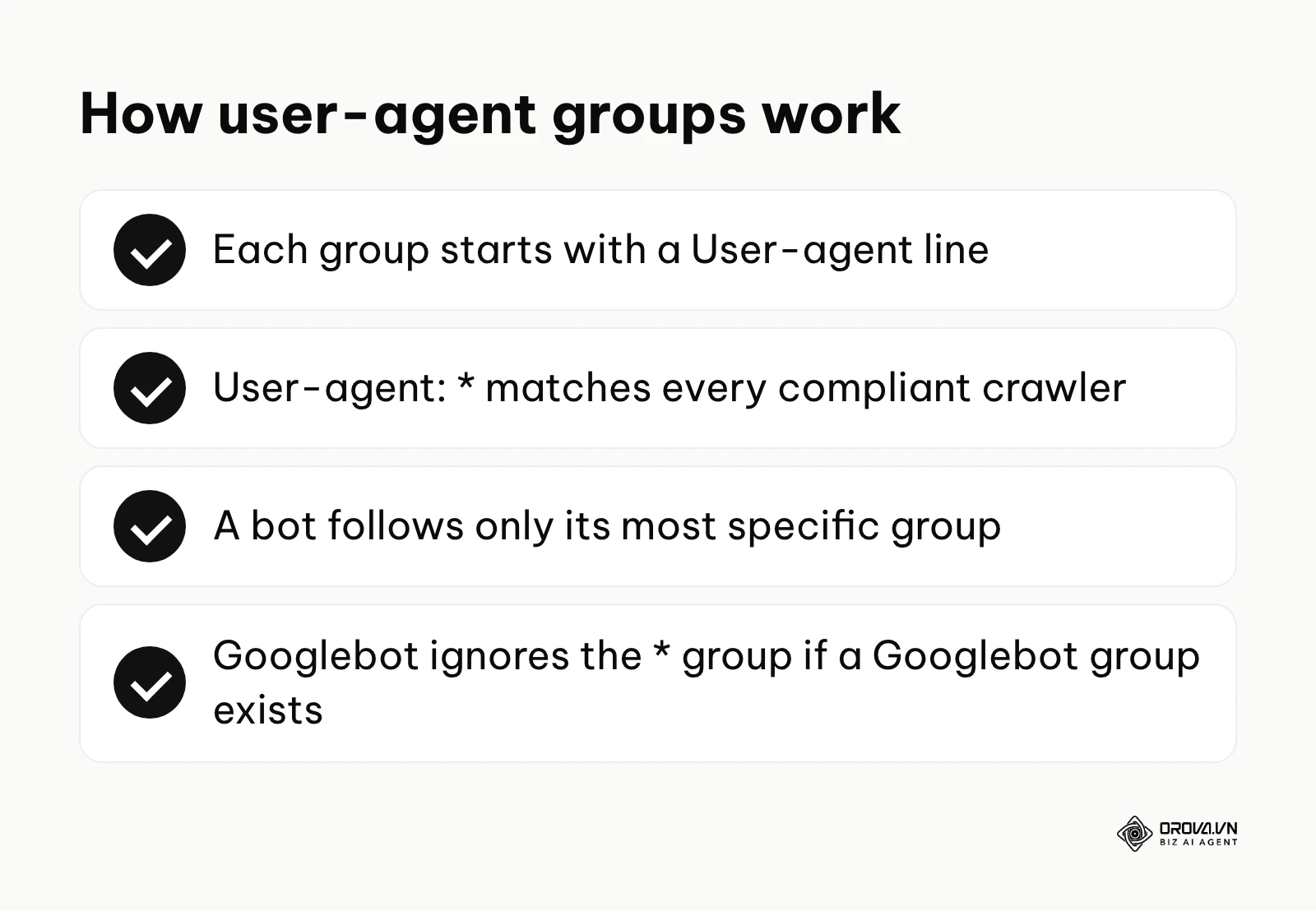
For example, Google's primary crawler identifies as Googlebot, while Bing uses Bingbot. If you want a set of rules to apply to every single compliant crawler on the internet, you use the asterisk wildcard: User-agent: *.
It is important to note that a bot will only follow the single most specific group of instructions it matches. If you define a block for * and a separate block for Googlebot, Google will completely ignore the * block and only obey the rules explicitly addressed to it.
Establishing Boundaries: Disallow and Allow
Once the agent is defined, you provide the path rules using Disallow and Allow directives.
The Disallow command tells the specified bot that it should not access a particular URL path. This path always starts with a forward slash /, representing the root of the site. For instance, Disallow: /admin/ blocks access to the entire admin directory and anything inside it.
The Allow command is primarily used to override a broader Disallow rule. If you block an entire directory but want to ensure a specific file within it is crawled (like a vital script), you use Allow. For example:
Disallow: /wp-admin/
Allow: /wp-admin/admin-ajax.php
Google resolves conflicts by picking the most specific rule, meaning the one with the longest matching path. That is why /wp-admin/admin-ajax.php stays crawlable above. When an Allow and a Disallow rule match with equal length, Google uses the least restrictive one (Allow); other engines may handle edge cases slightly differently. Paths are case-sensitive, and only two wildcards are supported: * (any sequence of characters) and $ (end of the URL). Regular expressions do not work.
One directive you should never put in this file is Noindex:. Google stopped supporting unofficial rules like Noindex in robots.txt in 2019, so a line like Noindex: /old-page/ is simply ignored.
Guiding the Bot: Sitemap Declarations
Beyond access rules, this file serves as the perfect location to broadcast the location of your XML sitemap. By adding Sitemap: https://example.com/sitemap.xml anywhere in the document (usually at the very bottom), you provide a direct map to your most important pages. The URL must be absolute, and the Sitemap line is not tied to any user-agent group.
This is valuable because it works across engines; you don't need to manually submit your sitemap to every search engine in existence. Any crawler that supports the Sitemap line learns where your structured URL list lives the moment it reads the file.
Advanced Directives and Crawl-delay
Google ignores the Crawl-delay directive completely; Googlebot adjusts its crawl rate automatically based on how your server responds. Some other crawlers, such as Bingbot, do honor it. The value asks the bot to wait a number of seconds between requests, so Crawl-delay: 5 requests a five-second pause, which can help small sites on shared hosting. If Googlebot itself is overloading your server, temporarily returning 503 or 429 status codes is the method Google documents for slowing it down.
User-agent: Bingbot
Crawl-delay: 5
Ready-to-Use robots.txt examples for Popular CMS Platforms
Understanding how to create a robots.txt file is easiest when you start with a proven foundation. Many users simply want to know the best configuration for their specific platform to avoid causing catastrophic indexing issues. Checking a new file against your key URLs is easier with the right SEO tools before you make it live.
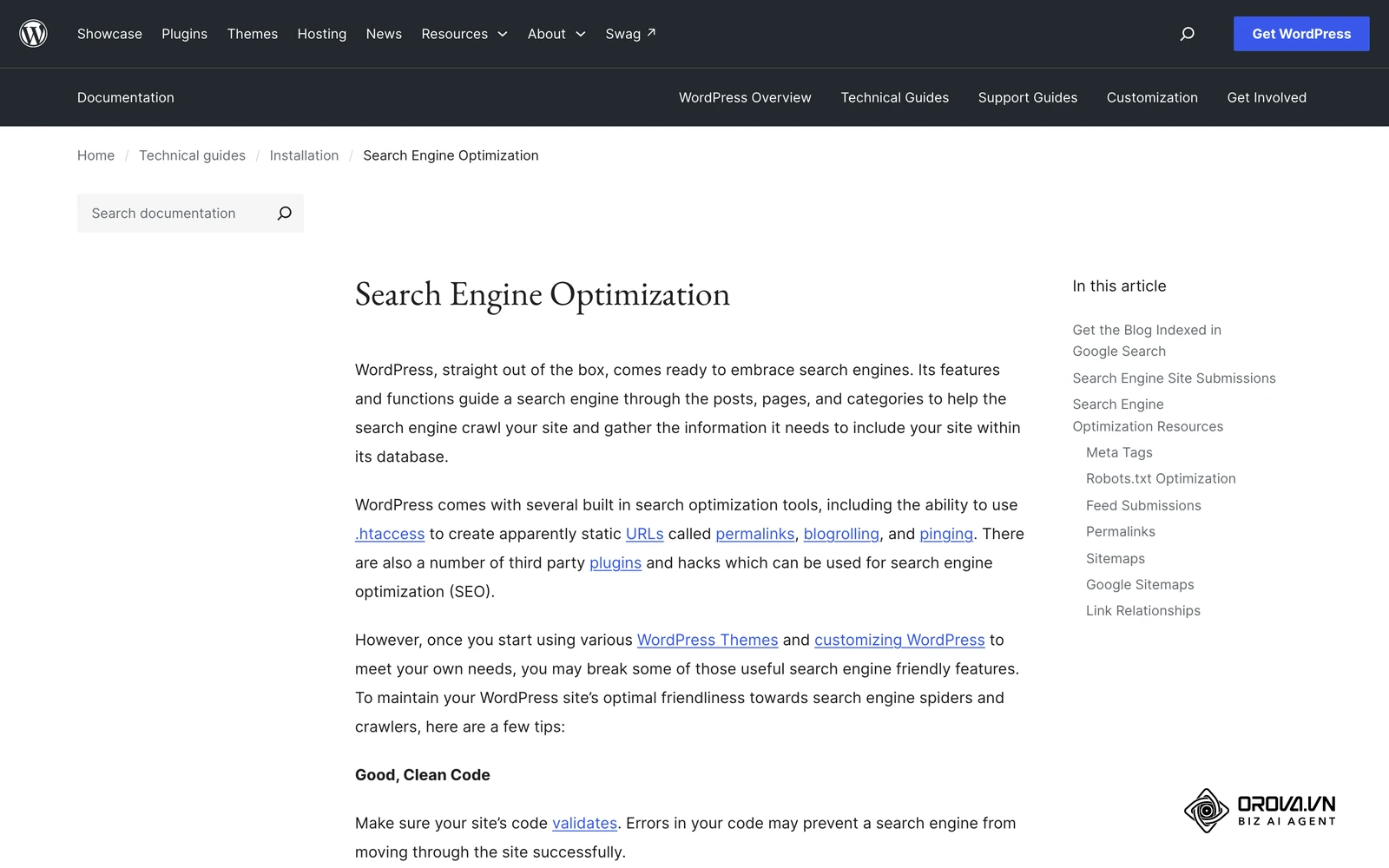
Here are starting templates for the most common Content Management Systems. Treat them as a baseline and adjust the paths to your own URL structure.
WordPress starting template: By default, WordPress generates a virtual file, and SEO plugins or a physical file in the root let you customize it. Block the admin area but allow the AJAX endpoint that front-end features rely on. Avoid blanket rules such as Disallow: /?: WordPress loads CSS and JavaScript with ?ver= query strings, so blocking every parameter can stop Google from rendering your pages.
User-agent: *
Disallow: /wp-admin/
Allow: /wp-admin/admin-ajax.php
Disallow: /?s=
Disallow: /search/

Sitemap: https://example.com/wp-sitemap.xml
If an SEO plugin generates your sitemap, replace the last line with the sitemap URL the plugin shows you.
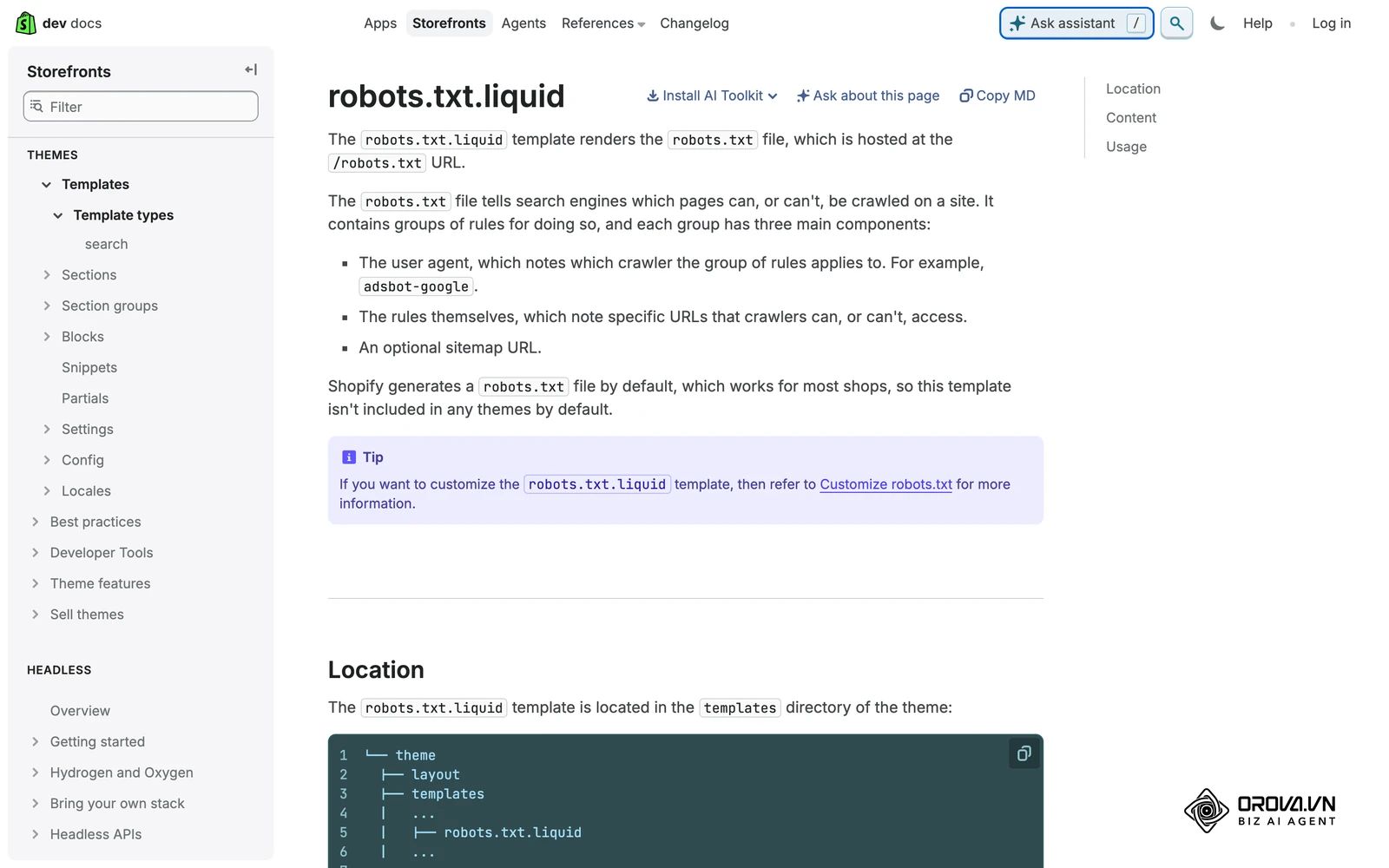
Shopify default rules: Shopify generates a robots.txt for every store and lets you customize it through the robots.txt.liquid theme template. The default file already blocks checkout, cart and internal search, which is why most stores should add rules to it rather than replace it. The core of those defaults looks like this:
User-agent: *
Disallow: /admin
Disallow: /cart
Disallow: /orders
Disallow: /checkout
Disallow: /search
Disallow: /collections/*+*
Sitemap: https://example.com/sitemap.xml
Magento (Adobe Commerce) starting template: Magento sites generate large amounts of parameter-driven duplicate content, so a stricter exclusion strategy is common. The Disallow: /? line blocks every URL with a query string, and the longer Allow: /?p= rule keeps paginated category pages crawlable. Check that none of your CSS, JavaScript or image URLs use query strings before deploying it.
User-agent: *
Disallow: /index.php/
Disallow: /*?
Allow: /*?p=
Disallow: /checkout/
Disallow: /customer/
Disallow: /catalogsearch/
Sitemap: https://example.com/sitemap.xml
Protecting Your Content: Blocking AI Bots in 2026
The landscape of automated crawling has shifted dramatically. If you invest heavily in seo content writing, protecting it from unauthorized AI scraping is crucial. Large language models constantly scour the web for training data. If you wish to opt out of having your proprietary content used to train AI models, you need to name their user-agents explicitly.
As outlined by OpenAI in their GPTBot Documentation released in 2023, webmasters must explicitly declare the GPTBot user-agent in their exclusion rules to prevent their content from being ingested for language model training.
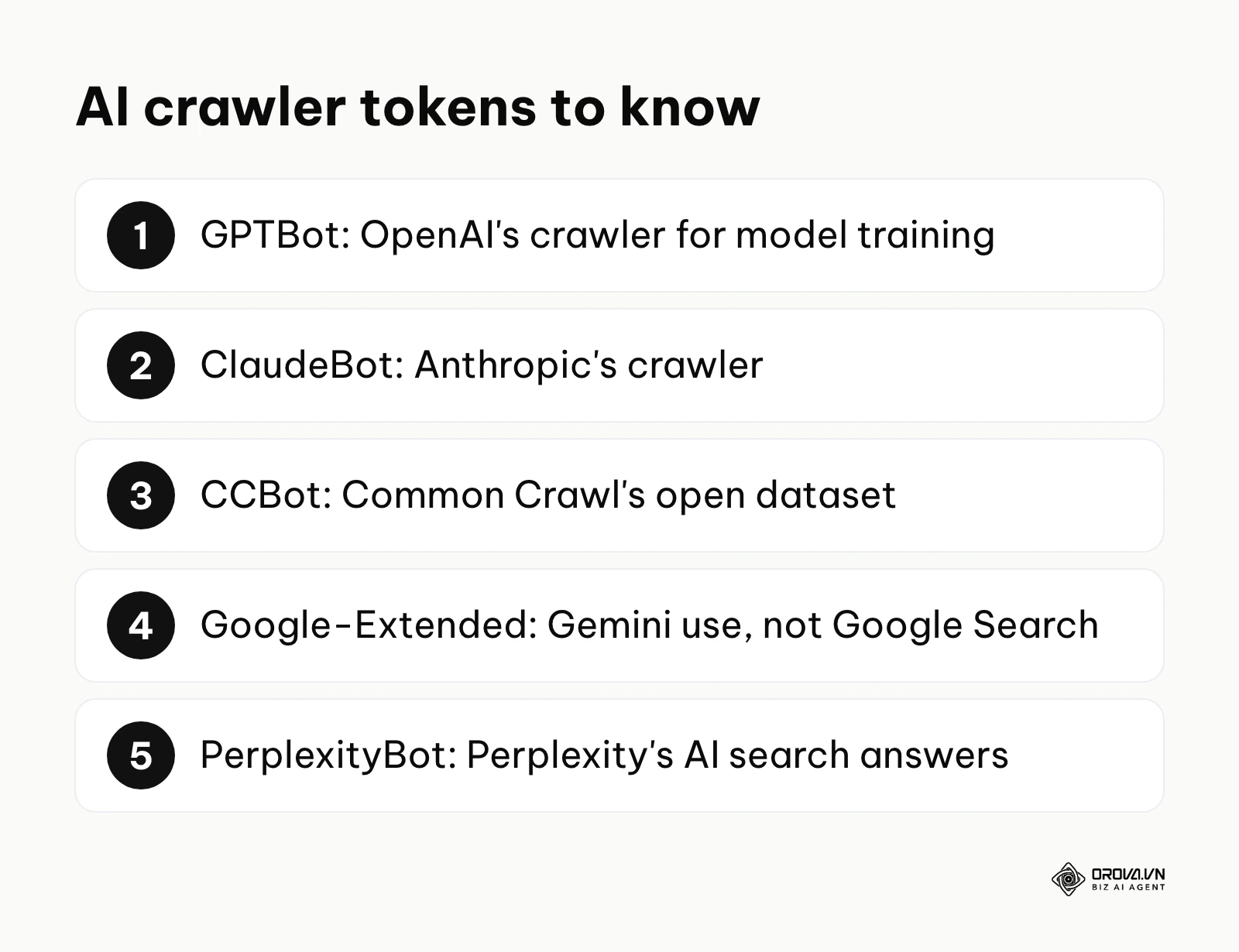
The main AI crawler tokens to know are:
- GPTBot: OpenAI's crawler for model training.
- ClaudeBot: Anthropic's crawler.
- CCBot: Common Crawl, whose open dataset is widely used to train AI models.
- Google-Extended: not a separate crawler but a control token. Blocking it tells Google not to use your content for Gemini models; it does not affect Googlebot or your rankings in Google Search.
- PerplexityBot: Perplexity's crawler for its AI search answers. Blocking it can also keep your pages out of those answers, so weigh traffic against control.
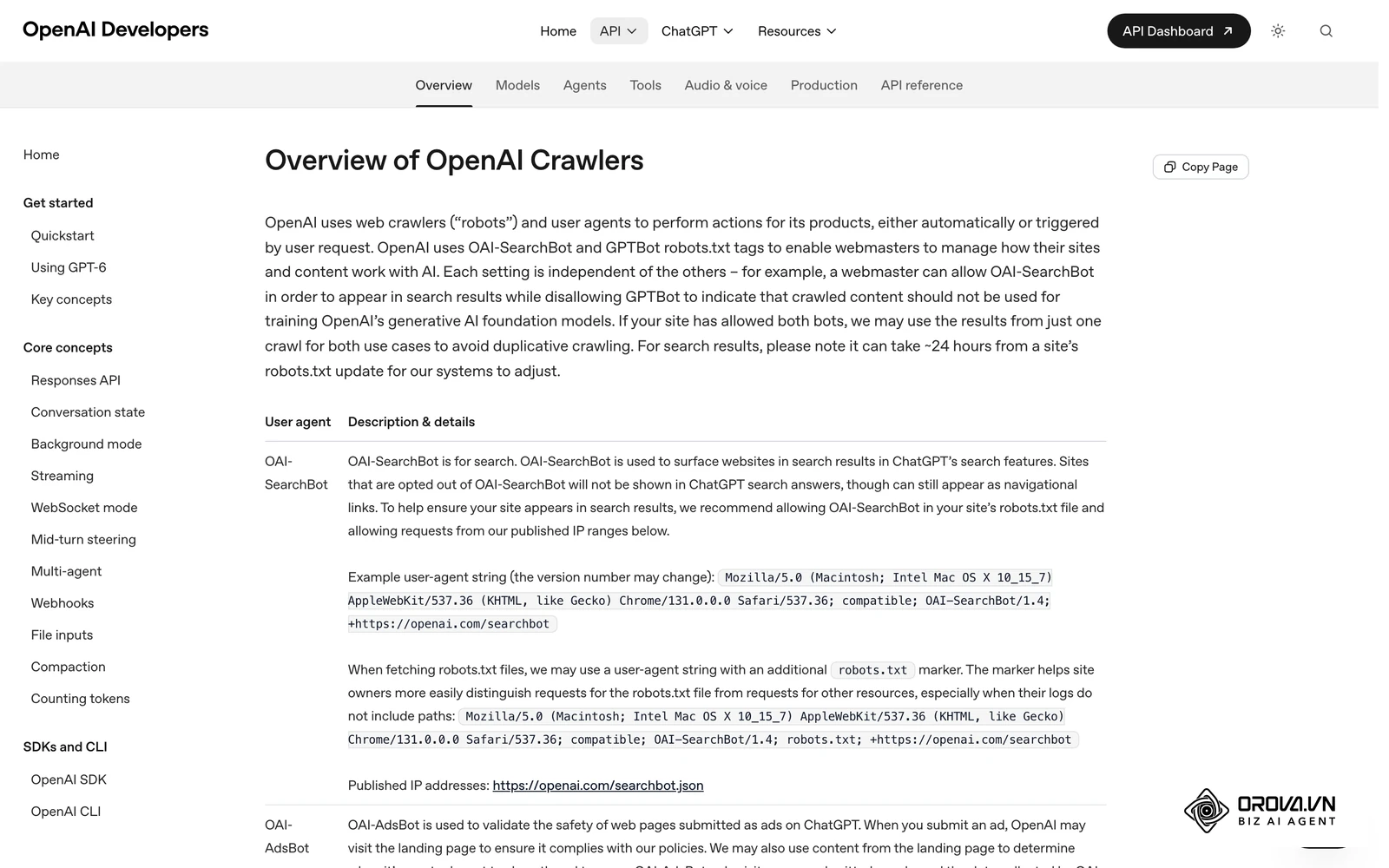
Use this template block to opt out of the main AI training crawlers while leaving search engines untouched:
User-agent: GPTBot
Disallow: /

User-agent: ClaudeBot
Disallow: /

User-agent: CCBot
Disallow: /

User-agent: Google-Extended
Disallow: /
Remember that robots.txt is a voluntary standard. The companies above say their crawlers respect it, but a scraper that ignores the file can only be stopped at the server, firewall or CDN level.
Illustrative example: A specialized legal news publisher found their proprietary articles being heavily referenced by AI chatbots without driving any referral traffic back to their site. The technical lead decided to block AI training crawlers. They initially added a disallow rule for GPTBot only. But server logs showed heavy automated traffic continuing from other agents. Analyzing the user-agent strings, they found CCBot and ClaudeBot among the busiest visitors and added both to the root file. The visible result was a clear drop in requests from those agents. Traffic from bots that ignored the file remained, so the team added rate limiting at their CDN for those.
Diagnosing and Fixing Google Search Console Errors
One of the most confusing hurdles webmasters face involves robots.txt best practices when resolving errors in Google Search Console (GSC). The most notorious warning is "Indexed, though blocked by robots.txt".
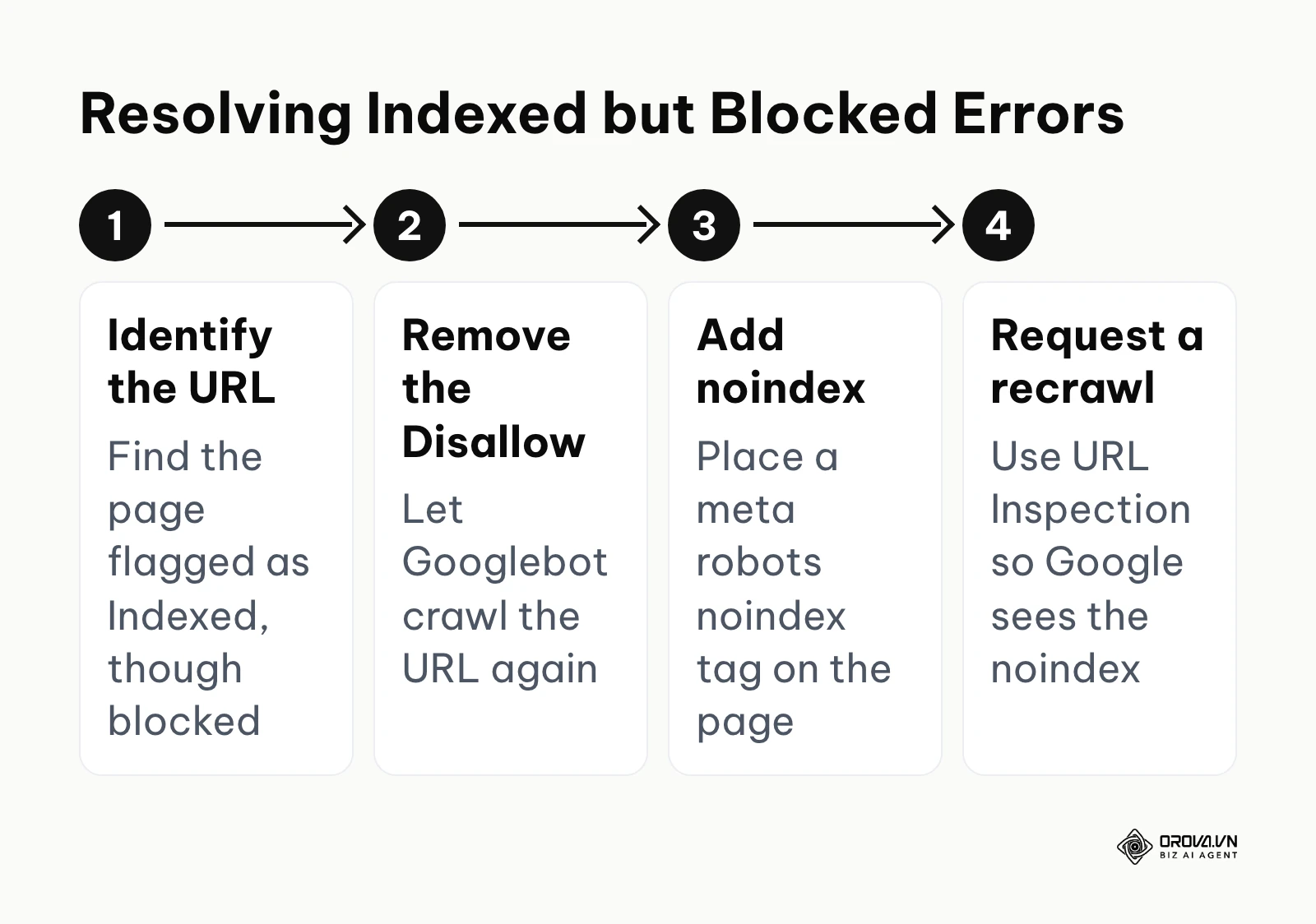
This error means Google found a link to a page on your site, but when it tried to crawl it to see what the page was about, your exclusion rules stopped it. Because Google couldn't read the page, but saw links pointing to it, it indexed the URL anyway, usually displaying a terrible snippet like "No information is available for this page".
To fix this, you must understand a counterintuitive rule: you cannot read a noindex tag on a page you are forbidden from visiting.
To resolve the error, decide first whether the page should be in search at all. If it should, simply remove the Disallow rule. If it should not, remove the Disallow rule so Googlebot can access the URL, then place a meta robots noindex tag (or an X-Robots-Tag: noindex HTTP header) on that page. Finally, use the URL Inspection tool to request a recrawl. The bot visits the page, reads the noindex instruction, and drops the URL from the search results. Keep the page crawlable afterwards; if you block it again, Google can no longer see the tag.
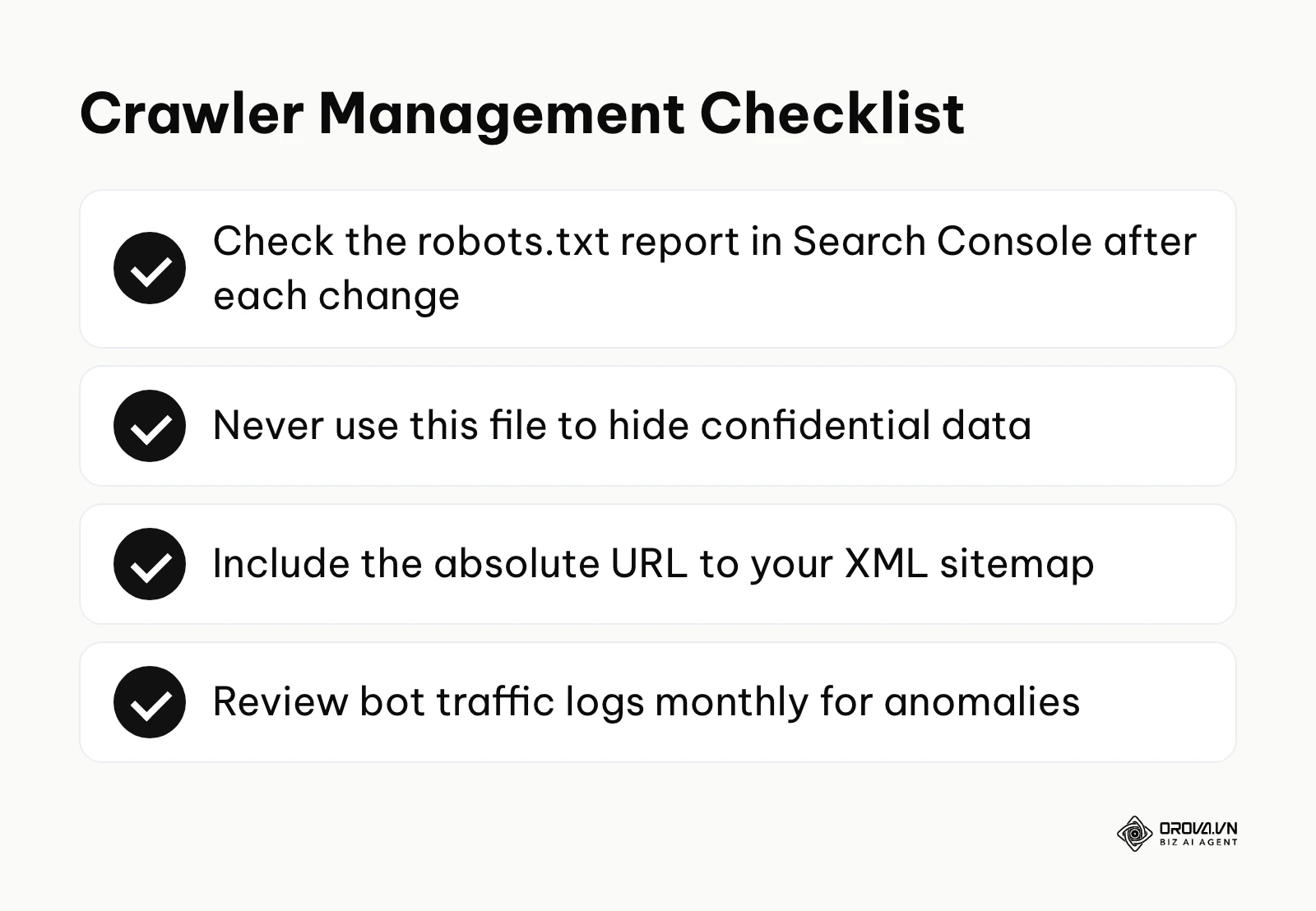
Search Console's robots.txt report (which replaced the old robots.txt Tester tool in late 2023) shows which robots.txt files Google found for your site, when they were last crawled, and any parsing warnings or errors. Use it together with URL Inspection, which tells you whether a specific URL is blocked.
| CMS Environment | Common Blocking Method | Ideal Use Case |
|---|---|---|
| Native WordPress | Virtual file by default (editable via SEO plugins or a physical file) | Simple blogs without complex parameters |
| Headless CMS | Placed in the public/static folder | Modern JavaScript applications (Next.js, Nuxt) |
| Enterprise Custom | Managed via Edge/CDN workers | High-traffic sites needing conditional bot routing |
Adapting to Modern Crawling: Best Practices for Teams
Crawler management is not a set-it-and-forget-it task. As your website architecture evolves, your access rules must adapt. Different roles within an organization approach this configuration with different priorities.
For Small Business Owners
As a small business owner, your goal is safety and simplicity. You should prioritize:
- Verifying the file actually exists by typing yourdomain.com/robots.txt into your browser.
- Ensuring you are not accidentally blocking the entire site with a rogue Disallow: / command.
- Adding the absolute URL to your XML sitemap at the very bottom of the document.
For In-House SEO Managers
In-house managers must balance crawl budget optimization with technical stability. You should focus on:
- Auditing server log files monthly to identify which sections of the site bots are obsessing over unnecessarily.
- Crafting specific wildcard rules to block parameter-heavy faceted navigation.
- Protecting staging environments with a password or IP allowlist; a Disallow: / file alone will not reliably keep test content out of the index.
For Agency Professionals
When conducting a comprehensive seo audit, checking this file is always step one. Agencies must execute:
- A full extraction and backup of the client's existing rules before a site migration.
- Checking wildcard paths (* and $) against real URLs before deployment, then confirming in Search Console's robots.txt report that Google fetched the new file without errors.
- Educating developers on the difference between blocking crawling and blocking indexing to prevent catastrophic launch errors.
| Common Mistake | Consequence | How to Avoid It |
|---|---|---|
| Using Disallow: / on a live site | Crawling stops; pages lose their snippets and gradually drop out of search | Always double-check rules after migrating from a staging environment. |
| Adding Noindex: lines to robots.txt | Ignored by Google since 2019, so pages stay indexed | Use a meta robots noindex tag on a crawlable page instead. |
| Blocking CSS and JS files | Search engines cannot render the page properly, hurting rankings | Ensure Allow rules are in place for /assets/ or /wp-includes/. |
| Trying to hide sensitive data | Hackers can read the file to find exactly where secret data lives | Use server-side password authentication for private directories. |
Illustrative example: A B2B software agency took over a client's website that had recently migrated from an old platform. The account manager saw hundreds of warnings in Google Search Console stating 'Indexed, though blocked by robots.txt' regarding old pagination URLs. They initially tried to just disallow the entire old /archive/ directory to make the errors disappear faster. The stumble occurred when they realized those URLs were still appearing in search results with a generic 'No information is available' snippet, hurting the brand's professional image. They shifted strategy, removed the disallow rule from the text file, and instead applied a meta noindex tag directly to the archive page templates. The visible result was that over the following weeks, the problematic URLs fell out of the Google index, and the "Indexed, though blocked by robots.txt" warnings cleared from Search Console.
With OROVA.VN and the OROVA SEO module, you put an end to the exhausting days of manual work for good. Instead of struggling for hours to write articles and compile reports, the entire process is now optimized and completed in just 5 minutes.
Where robots txt is heading in the next few years: the author's take
Based on the rapid evolution of search technologies as of 2026, I believe the way we manage bot access is on the verge of a significant transformation. The traditional text file has served us well for three decades, but the modern web demands more granularity. Here are my three main predictions for the future of crawler directives.
AI Scraping Will Force Stricter Default Policies
Today, we are seeing an explosion of undocumented AI bots aggressively scraping the web to feed large language models. I argue that in the next two to three years, the default stance for webmasters will shift from "allow all" to "deny all". Instead of listing the bots they want to block, administrators will explicitly list only the search engines they want to allow. Website owners should prepare now by mapping out exactly which bots provide actual business value (like driving organic traffic) and treating all other automated visitors as hostile resource drains.
The Fragmentation of Crawler Directives
Currently, a single text file manages everything from Googlebot to a random university research scraper. I anticipate that we will soon see a fragmentation where platforms adopt specialized protocols for different types of agents. We might see the rise of an ai-robots.txt specifically designed to handle data licensing flags and copyright constraints for generative AI, separate from traditional search engine indexing rules.
Real-Time Protocol Updates and API Integrations
At present, Google generally caches your robots.txt file for up to 24 hours, meaning emergency changes take time to propagate. I lean towards a future where this static text file is supplemented or replaced by real-time API pinging. Content Management Systems will likely integrate directly with search engine APIs to push access changes instantly, ensuring that server resources can be dynamically throttled during massive traffic spikes or inventory updates without relying on outdated cached instructions.
Frequently Asked Questions about robots txt
Is robots txt still needed when AI search engines exist?
Yes, it is more critical than ever. While AI models process information differently to generate answers, they still rely on automated crawlers (like GPTBot) and control tokens (like Google-Extended) to decide what data they may use. This file is the standard way to state your preferences to these AI companies, though compliance remains voluntary.
Do I need to declare my sitemap here if it's already in Google Search Console?
While submitting it in GSC is excellent for Google, declaring the XML sitemap URL in your exclusion file ensures that every other legitimate search engine (like Bing, Yahoo, DuckDuckGo, and specialized industry crawlers) can easily discover your site structure without you needing to create accounts on dozens of different webmaster platforms.
Can this file remove my page from Google search results?
No, it cannot reliably remove a page. If a URL is blocked from crawling but has external links pointing to it from other websites, Google may still index the URL based purely on the anchor text of those external links, without ever actually knowing the content of your page. To keep a page out of results, use a meta robots noindex tag and leave the page crawlable so Google can read it. For urgent cases, Search Console's Removals tool hides a URL temporarily.
What happens if I accidentally block my whole site?
If you deploy Disallow: / globally, search engines will stop crawling your site immediately. Over the next few days or weeks, as their cached versions expire, your web pages will begin dropping out of the search results entirely. If caught quickly, removing the directive will restore crawling, but regaining your previous rankings can take substantial time.
How long does it take for Google to see my changes?
Google generally caches the file for up to 24 hours. Therefore, if you make a change, it may take up to a day for Google to pick up the new rules. If you are fixing a critical error, the robots.txt report in Search Console lets you request a recrawl of the file itself, and the URL Inspection tool lets you request a recrawl of specific pages.
Where to start?
Navigating the complexities of crawler management can be daunting, but taking immediate action is better than striving for perfection. A properly configured crawler directive is the backbone of any holistic seo strategy. Depending on your current situation, here is the exact first step you should take today.
If you have nothing set up: Your first priority is simply to establish a safe baseline. Open a plain text editor, type User-agent: * on the first line, and Disallow: (leaving the path blank) on the second line. Save this file as robots.txt and upload it to your website's root directory. This explicitly tells all well-behaved bots that they have full access, ensuring you aren't accidentally blocking anything while you spend time learning more advanced techniques.
If you already have a file but it is disjointed: You need to consolidate and test your existing rules before making changes. Log into Google Search Console and open the robots.txt report (found under Settings) to confirm Google fetched your current file without errors. Then run your most important URLs (like the homepage and key product categories) through the URL Inspection tool to confirm none of them are blocked by robots.txt. This will immediately highlight any conflicting directives that might be silently harming your visibility.
If you have implemented rules but are not measuring the impact: Your immediate task is to review your raw server log files for the past seven days. Look specifically for the HTTP status codes returned to Googlebot. If you see a high volume of requests hitting URLs that you thought were securely blocked by your configuration, you know your syntax is incorrect or being overridden, requiring immediate adjustment to your exclusion paths.
About the author

Builder of Orova
Nguyễn Đỗ Trọng Ân has 8 years of experience in marketing, including 6 years managing market development across Asia. He builds Orova, a Biz AI Agent that never sleeps: it plans, runs and optimizes work for businesses.
Run your business with AI Agents
Orova is the always-on Biz AI Agent — it plans, runs, and optimizes the work for you.
Save time, unlock productivity.