
Best seo tools for building an organic search tech stack
The best seo tools for organic search optimization include all-in-one platforms like Semrush and Ahrefs, primary Google diagnostics like Google Search Console, and technical crawlers like Screaming Frog. These software solutions help digital marketers uncover high-value search queries, track keyword rankings, audit site architecture, and analyze competitor backlinks across desktop and mobile search. Selecting the right combination of free and paid software ensures consistent organic visibility while preventing redundant subscription costs.
Navigating this terrain manually across hundreds or thousands of URLs is practically impossible. That is where dedicated SEO tools enter the equation.
Whether you are a solo entrepreneur building your first niche affiliate site on a shoestring budget, an in-house marketer scaling organic traffic for an enterprise SaaS brand, or an agency director managing dozens of client retainers, selecting the right software stack makes the difference between continuous organic growth and wasted budget.
This comprehensive guide breaks down the best free and paid SEO tools across every major optimization discipline, detailing core capabilities, real-world strengths, drawbacks, pricing models, and practical recommendations for constructing an effective organic search tech stack.
Quick Comparison: Top SEO Tools at a Glance
| Tool | Category | Primary Strength | Pricing Model | Starting Price |
|---|---|---|---|---|
| Semrush | All-in-One Suite | Competitor intelligence, PPC/SEO synergy, keyword tracking | Paid (7-day trial) | $139.95/mo |
| Ahrefs | All-in-One Suite | Backlink index depth, live SERP analysis, web audits | Paid / Free Webmaster Tools | $129/mo |
| Google Search Console | Core Technical / Reporting | Direct first-party Google search performance data | 100% Free | $0 |
| Google Analytics 4 | Web Analytics / Conversion | User engagement paths, organic event tracking | 100% Free | $0 |
| Screaming Frog | Technical Crawler | Desktop site architecture diagnostics and audits | Freemium (500 URLs free) | £199/year |
| Surfer SEO | Content Optimization | Natural language processing (NLP) content scoring | Paid | $89/mo |
| Moz Pro | All-in-One Suite | Domain Authority (DA) tracking, beginner ease of use | Paid (30-day trial) | $99/mo |
| SE Ranking | All-in-One Suite | Cost-effective rank tracking, agency client management | Paid (14-day trial) | $55/mo |
| Ubersuggest | Entry-Level SEO | Simple keyword discovery and competitor snapshots | Freemium / Lifetime tier | $29/mo (or $290 lifetime) |
| Mangools (KWFinder) | Keyword Research | Long-tail keyword identification and difficulty scoring | Paid (10-day trial) | $29/mo |
Category 1: All-in-One SEO Platforms
All-in-one platforms serve as the central operating system for modern digital marketing teams. They aggregate keyword databases, backlink crawlers, daily rank trackers, and technical health monitoring into a single unified dashboard.
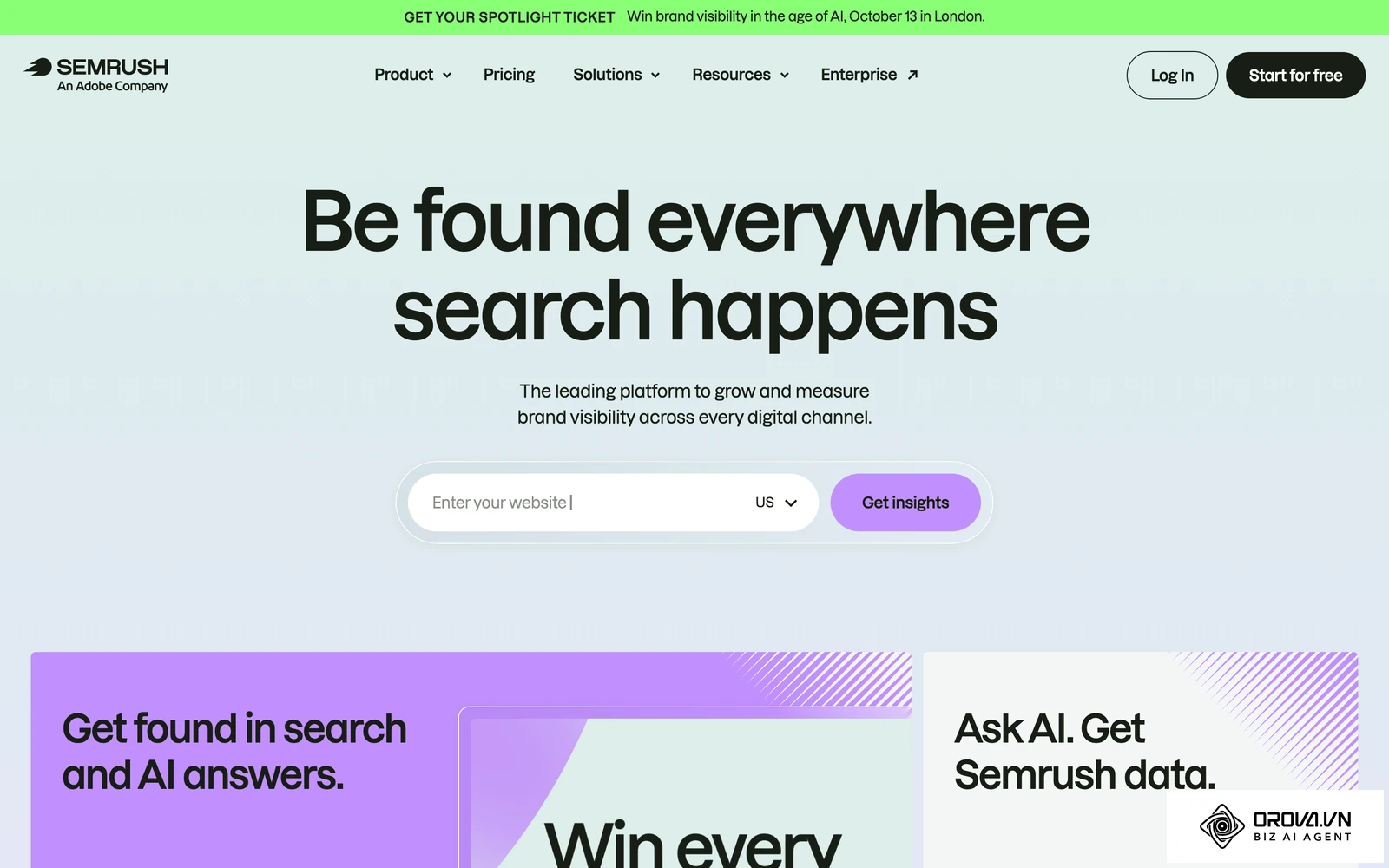
1. Semrush
Semrush is widely regarded as an industry standard for cross-channel competitive intelligence, search advertising data, and technical site management.
+-----------------------------------------------------------------------+
|                              SEMRUSH                                  |
|  [Keyword Magic Tool] -> [Domain Overview] -> [Site Health Tracker]   |
|  Database: 25B+ Keywords | 43T+ Backlinks | 808M+ Domain Profiles     |
+-----------------------------------------------------------------------+
Core Focus: Comprehensive competitive intelligence, holistic SEO workflows, and paid search visibility.
Key Features:
- Keyword Magic Tool: A database exceeding 25 billion keywords with advanced filtering options for search intent (informational, commercial, navigational, transactional).
- Domain Overview & Organic Research: Unpacks historical organic traffic trends, keyword distribution changes, and competitor overlap maps.
- Site Audit: Runs 140+ diagnostic checks covering internal link structure, HTTPS implementation, crawlability, AMP, and Core Web Vitals.
- Position Tracking: Tracks localized rankings down to the zip-code level across desktop, mobile, and tablet devices.
Pros:
- Unmatched competitive data covering both paid search (Google Ads) and organic search.
- Robust reporting suite with automated, white-label PDF generation for agencies.
- Extensive integrations with Google Search Console, GA4, and Zapier.
Cons:
- Interface can feel cluttered due to the sheer density of tools and sub-menus.
- Additional user seats are costly (starting at $45 to $80 per additional seat depending on plan tier).
Pricing:
- Pro: $139.95/month (5 projects, 500 tracked keywords, 100,000 crawled pages/month).
- Guru: $249.95/month (15 projects, 1,500 tracked keywords, historical data access, content marketing toolkit).
- Business: $499.95/month (40 projects, 5,000 tracked keywords, API access, share of voice metrics).
2. Ahrefs
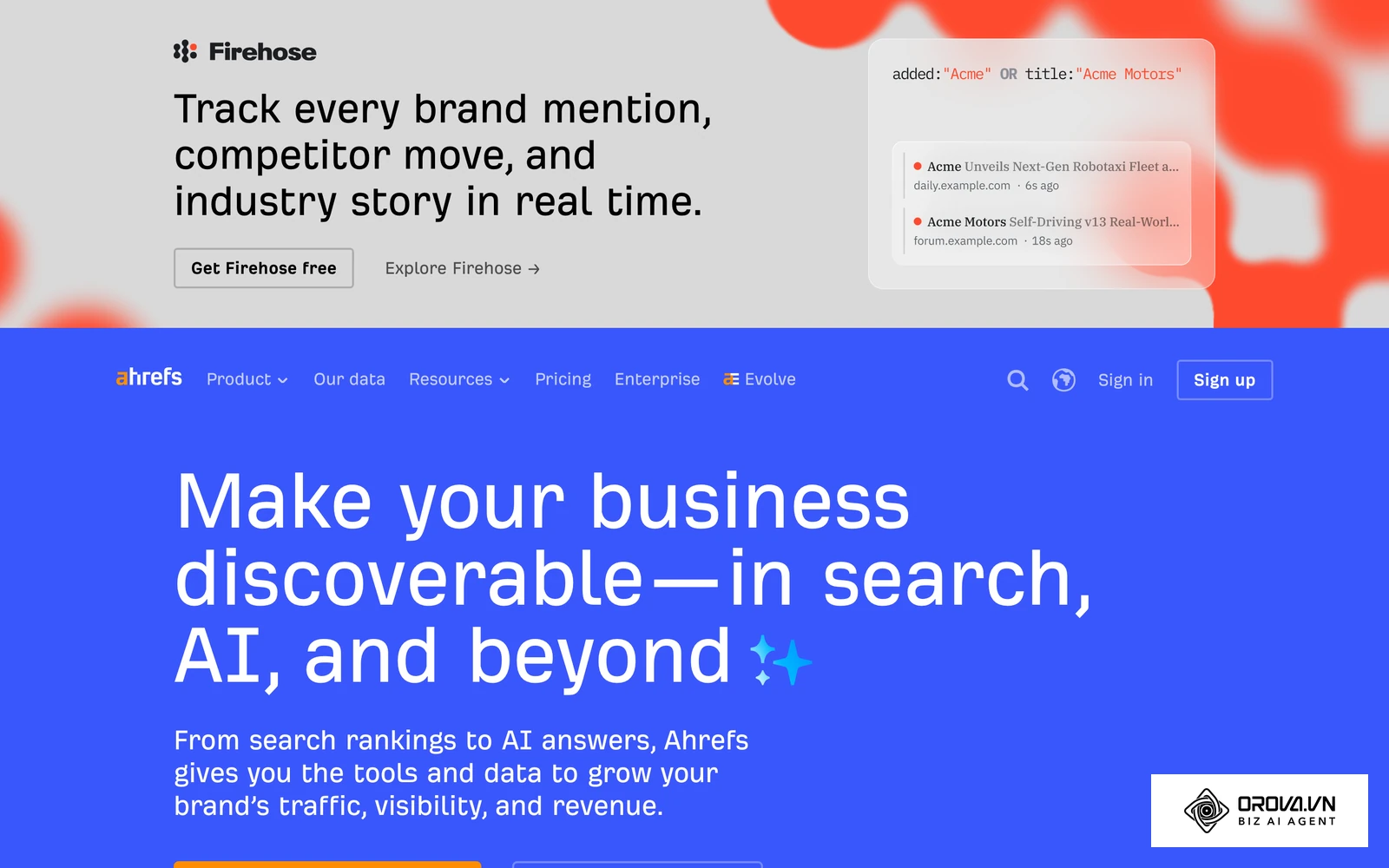
Ahrefs started as a dedicated backlink crawler and has grown into one of the most respected web intelligence databases in the world, renowned for the reliability of its web index.
Core Focus: Backlink authority analysis, deep-tier SERP examination, and content performance research.
Key Features:
- Site Explorer: Unpacks backlink profiles via live, historical, and recent data indexes, including anchor text distributions and link loss velocity.
- Keywords Explorer: Yields click metrics, return rates, parent topic identification, and search volume estimates across multiple platforms (Google, YouTube, Amazon, Bing, Yandex).
- Content Explorer: Discovers high-performing content based on social shares, referring domains, and organic traffic value across billions of indexed web pages.
- Ahrefs Webmaster Tools (AWT): A free tier granting site owners access to Site Explorer and Site Audit for verified domains.
Pros:
- Industry-leading backlink freshness, classification accuracy, and link-type filtering.
- Practical metric formulations (e.g., Parent Topic and Click Per Search metrics).
- Intuitive, clean user interface with responsive filtering.
Cons:
- Strict consumption-based credit system that limits reports per plan.
- No native phone support; user seat expansion costs add up quickly.
Pricing:
- Lite: $129/month (Essential data access, 1 power user, 500 tracked keywords).
- Standard: $249/month (6 months history, Site Audit access, batch analysis, SERP updates).
- Advanced: $449/month (2 years history, Webmaster API, Google Looker Studio connector).
- Enterprise: Starting at $14,990/year (Custom data allowances, single sign-on, dedicated account manager).
3. Moz Pro
Moz Pro is an established presence in digital marketing, credited with creating foundational industry metrics like Domain Authority (DA) and Page Authority (PA).
Core Focus: Core SEO metrics tracking, link equity research, and accessible search performance workflows.
Key Features:
- Link Explorer: Generates metrics including Domain Authority, Page Authority, and the proprietary Spam Score to evaluate link risk.
- Keyword Explorer: Generates keyword lists and clusters with Difficulty, Opportunity, and Priority ratings.
- On-Demand Crawl: Diagnoses broken links, missing metadata tags, duplicate content flags, and crawl errors.
Pros:
- Lower learning curve than Semrush or Ahrefs, making it suitable for beginners.
- Spam Score provides a practical shorthand for backlink health.
- Active community forum and educational learning ecosystem (Moz Academy).
Cons:
- Keyword and link database update cycles can trail Semrush and Ahrefs.
- Limited depth for competitive paid search (PPC) intelligence.
Pricing:
- Standard: $99/month (3 campaigns, 300 keyword rankings, basic crawl limits).
- Medium: $179/month (10 campaigns, 1,500 keyword rankings, full keyword research access).
- Large: $299/month (25 campaigns, 3,000 rankings, advanced reporting).
- Premium: $599/month (Large agency limits, high-volume crawling).
4. SE Ranking
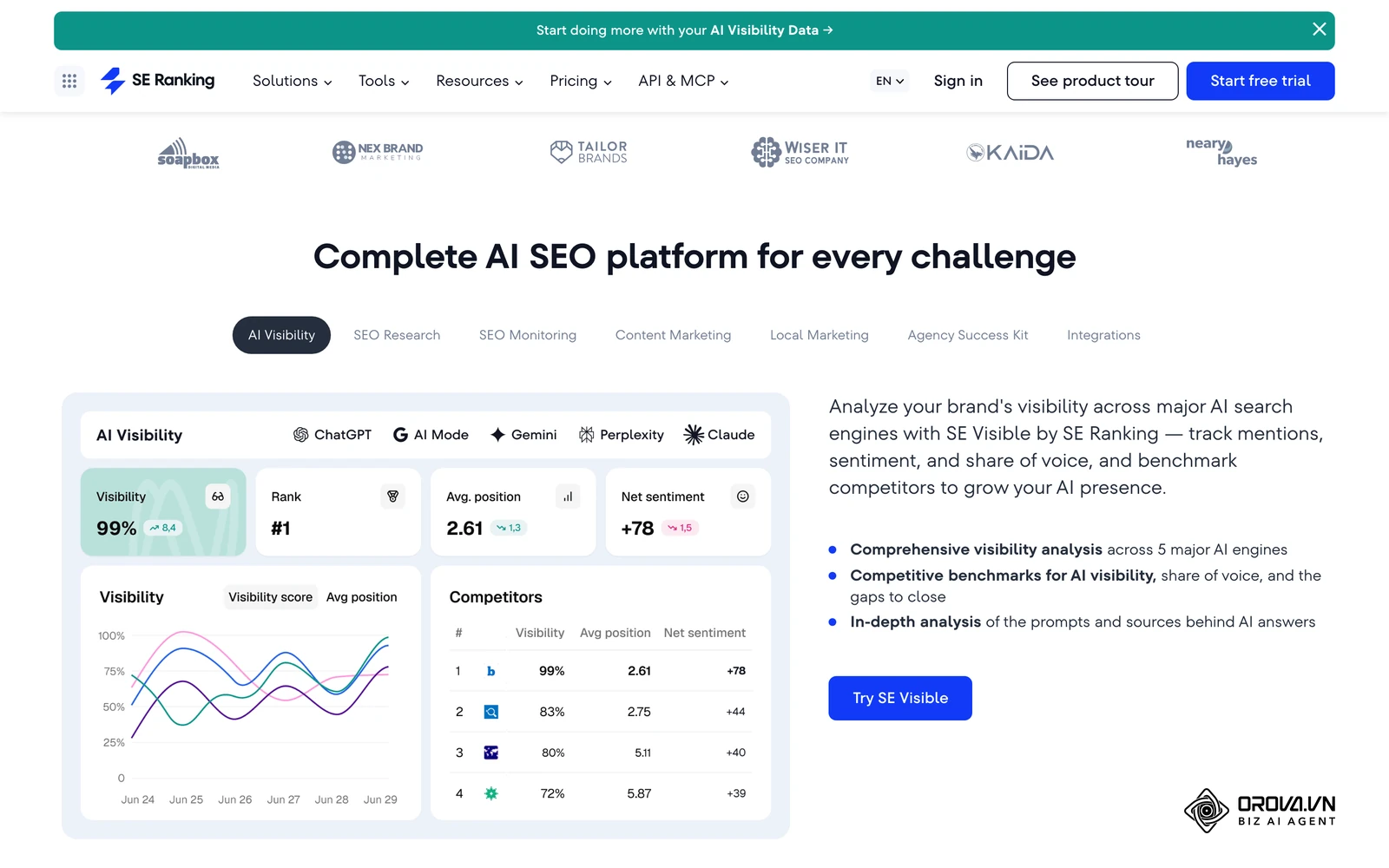
SE Ranking has emerged as an attractive, full-featured alternative to the market incumbents, offering enterprise-grade features at lower price points.
Core Focus: Value-driven all-in-one SEO management, customizable daily rank tracking, and scalable agency reporting.
Key Features:
- Accurate Keyword Tracker: Monitors keyword positions daily across Google, Bing, and YouTube for chosen geographic coordinates.
- Website Audit: Scans web assets against 120+ technical checkpoints with clear, prioritized issue categorization.
- Page Changes Monitor: Tracks changes to competitors' title tags, headings, content copy, and robots directives.
- Agency Pack: White-label reporting, custom domain client portals, and granular permission controls.
Pros:
- Exceptional balance of features to price.
- Clean, modern UX with minimal navigational clutter.
- Flexible pricing tiers based on rank-tracking frequency and project counts.
Cons:
- Backlink and historical keyword databases are smaller than Semrush or Ahrefs.
- Third-party data integration options are somewhat more restricted.
Pricing:
- Essential: $55/month (Up to 10 projects, 750 tracked keywords, 40,000 audited pages).
- Pro: $109/month (Unlimited projects, 2,000 tracked keywords, historical data).
- Business: $239/month (High-volume crawling, API access, full agency customization).
Category 2: Essential Free & Native Google Tools
No third-party tool can match the accuracy of first-party search and user data straight from Google. The following free tools form the foundational baseline of every effective technical and performance monitoring strategy.
       +---------------------------------------------+
       |           FIRST-PARTY GOOGLE STACK          |
       +---------------------------------------------+
                              |
       +----------------------+----------------------+
       |                                             |
       v                                             v
[Google Search Console]                     [Google Analytics 4]
 - Indexation & Coverage                     - Traffic Acquisition
 - Impressions & Clicks                      - User Conversion Paths
 - Core Web Vitals Diagnostics               - Engagement & Retention
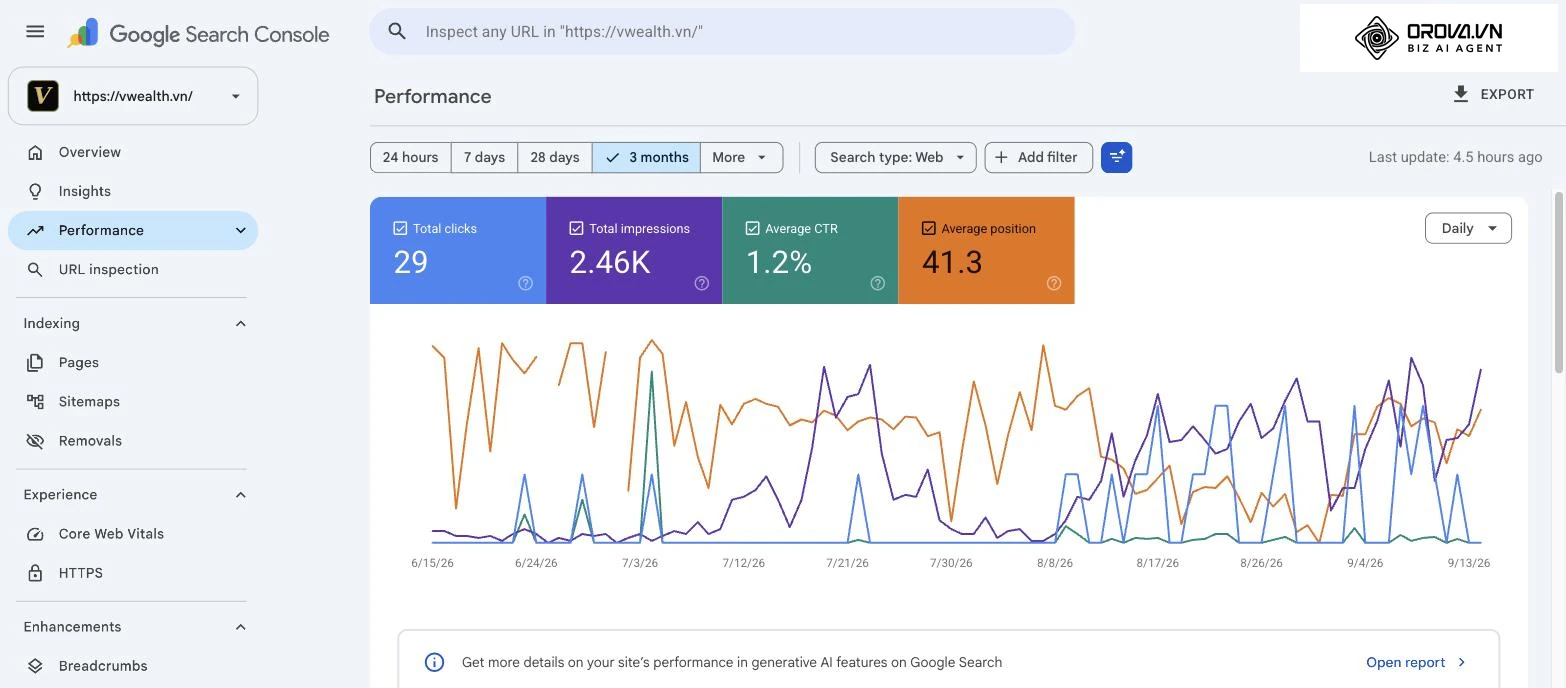
5. Google Search Console (GSC)
Google Search Console is the definitive authority on how Google crawls, indexes, and serves a website's pages.
Core Focus: First-party search engine indexation diagnostics, real SERP performance data, and security alerts.
Key Features:
- Performance Reports: Exact search impressions, clicks, click-through rates (CTR), and average positions for actual user queries across web, image, video, and Google News channels.
- URL Inspection Tool: Real-time diagnostics showing indexation state, canonical declaration (Google-selected vs. user-declared), structured data validation, and live DOM rendering.
- Page Indexing Report: Identifies why pages remain unindexed (e.g., Crawled - currently not indexed, Discovered - currently not indexed, soft 404s, or noindex exclusions).
- Core Web Vitals Report: Surfaces real-world field data (Chrome User Experience Report - CrUX) for Largest Contentful Paint (LCP), Interaction to Next Paint (INP), and Cumulative Layout Shift (CLS).
Pros:
- 100% accurate first-party search data directly from Google.
- Instant submission protocol for new URLs and updated XML sitemaps.
- Critical security notifications regarding malware infections, hacking events, or manual penalties.
Cons:
- Performance dashboard caps export rows at 1,000 through the web UI (requiring BigQuery exports or API scripts for enterprise scale).
- Does not provide competitor intelligence.
Pricing: Free.
6. Google Analytics 4 (GA4)
While Google Search Console tracks user actions before they reach your site, Google Analytics 4 tracks what users do after they arrive.
Core Focus: Behavioral tracking, event-based measurement, and organic search conversion attribution.
Key Features:
- Event-Driven Data Architecture: Unifies web and app behaviors into discrete events (scroll depth, outbound clicks, file downloads, form submissions).
- Search Console Linkage: Ingests GSC landing page and search query metrics directly into GA4 acquisition reports.
- Conversion Funnels & Path Exploration: Maps organic landing paths to revenue-generating events and macro conversions.
Pros:
- Deep integration across the broader Google ecosystem (Google Ads, BigQuery, Looker Studio).
- Granular segmentation for evaluating organic traffic quality against paid channels.
Cons:
- Steep learning curve compared to legacy Universal Analytics.
- Data thresholding and privacy-safe modeling can obscure small-sample data sets.
Pricing: Free (Enterprise GA360 tier available for high-volume corporate infrastructure).
The Ultimate Guide to the Best Keyword Research Tools for SEO Dominance
7. Google Trends
Google Trends tracks real-time and historical search intent trajectories, making it indispensable for seasonal planning and market demand forecasting.
Core Focus: Macro search pattern analysis, topic interest shifts, and regional demand comparisons.
Key Features:
- Relative Interest Indexing: Visualizes search query demand trajectories on a normalized scale of 0 to 100 over custom time windows.
- Breakout Search Queries: Identifies rising terms experiencing rapid short-term traffic growth (over 5,000%).
- Geographic Breakdown: Maps localized demand across countries, states, and metropolitan regions.
Pros:
- Uncovers emerging trends well before standard monthly third-party keyword databases update.
- Essential for managing seasonal inventories and timely editorial schedules.
Cons:
- Displays relative search volume indexes rather than absolute numerical figures.
Pricing: Free.
8. Google PageSpeed Insights & Lighthouse
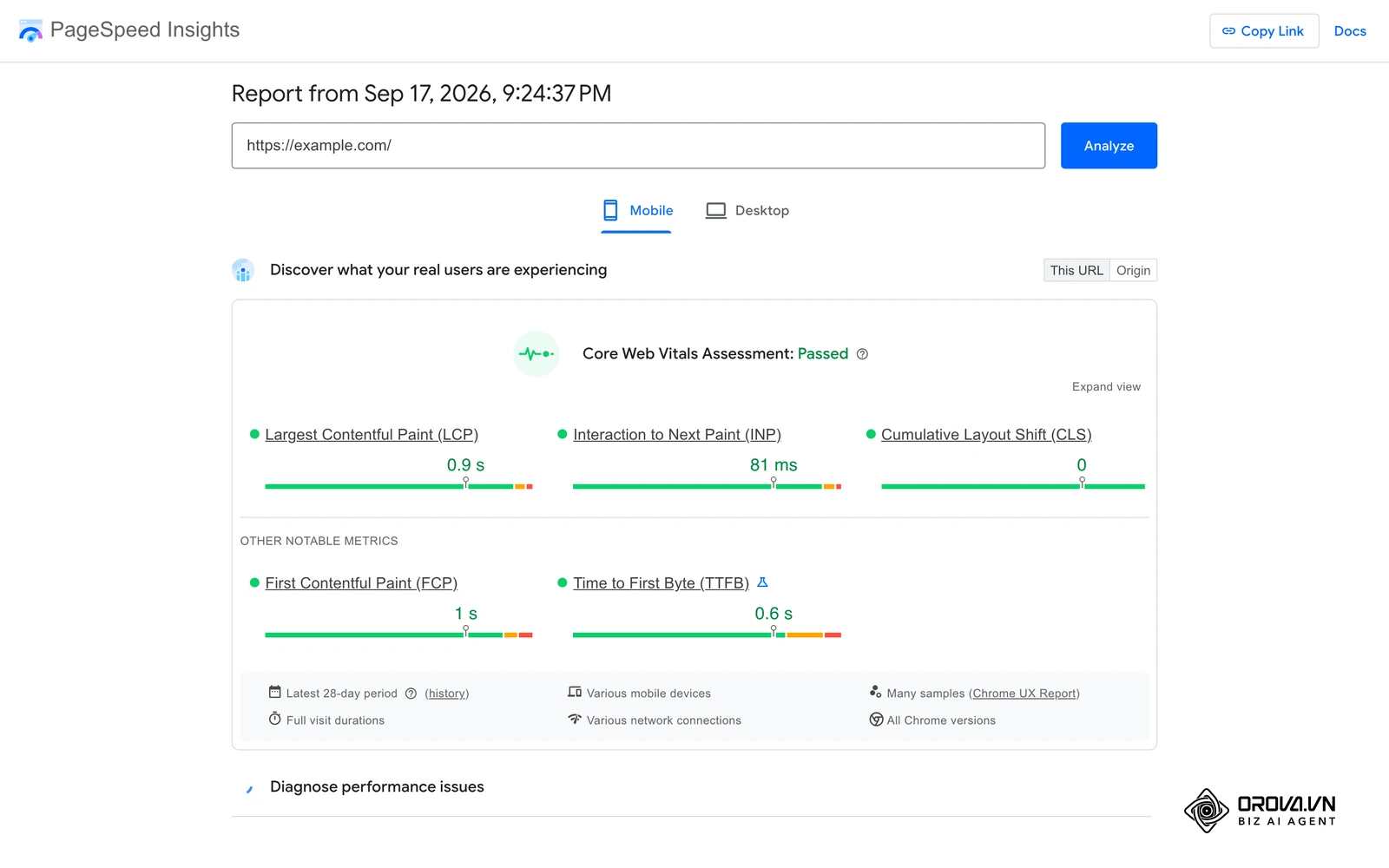
PageSpeed Insights (PSI) tests front-end performance, identifying technical speed bottlenecks that directly affect user experience and Core Web Vitals rankings.
Core Focus: Front-end performance evaluation, Core Web Vitals auditing, and code efficiency optimization.
Key Features:
- Field vs. Lab Data Analysis: Compares historical 28-day CrUX field telemetry with instant synthetic Lighthouse lab simulations.
- Code Optimization Directives: Highlights specific resources causing render delays, unused CSS/JavaScript payloads, and unoptimized visual media.
- Diagnostic Thresholds: Evaluates web documents on accessibility, SEO technical basics, and security best practices.
Pros:
- Clear, actionable diagnostics mapped directly to official search quality guidelines.
- Evaluates desktop and mobile experiences independently.
Cons:
- Lab scores can fluctuate across individual runs due to network conditions.
Pricing: Free.
Discover Orova.vn – a Biz AI Agent platform with OROVA SEO, a complete solution for every website. The system supports search engine optimization from A to Z with features including keyword research, writing new SEO-ready articles, optimizing existing content, rank tracking, plus competitor analysis and in-depth technical analysis. Sign up today to experience OROVA SEO completely free (offer valid through July 7, 2027).
Category 3: Dedicated Keyword Research Tools
All-in-one platforms include keyword modules, but standalone tools often offer unique query grouping, semantic discovery, and long-tail identification options.
       [Seed Query]
            |
            +---> [Mangools / KWFinder]  -> Precise Search Volume & True Difficulty
            |
            +---> [AnswerThePublic]      -> Natural Language Questions (Who/What/How)
            |
            +---> [KeywordTool.io]       -> Autocomplete Harvesting (Google/Amazon/YT)
9. KWFinder (by Mangools)
KWFinder provides a focused, approachable interface designed to uncover accessible long-tail keywords with actionable difficulty scores.
Core Focus: Long-tail keyword research, localized search trends, and intuitive difficulty calculation.
Key Features:
- Keyword Difficulty (KD) Metric: Calculates accurate ranking difficulty scores based on the top 10 ranking domains' link equity.
- Search Engine Results Page Snapshot: Pulls real-time SERP overviews displaying DA, PA, backlink tallies, and estimated social signals.
- Search Volume Trends: Visualizes 12-month historical demand patterns for individual terms to flag seasonal volatility.
Pros:
- Clear, uncluttered interface that lets users evaluate keywords quickly.
- Cost-effective entry tier that includes the broader Mangools suite (SERPChecker, LinkMiner, SiteProfiler).
Cons:
- Smaller overall keyword index compared to Semrush or Ahrefs.
- Not optimized for large-scale bulk keyword operations.
Pricing:
- Entry: $29/month (25 keyword searches/day).
- Basic: $49/month (100 keyword lookups/day, 200 keyword suggestions per search).
- Premium: $69/month (500 keyword lookups/day, simultaneous logins).
- Agency: $129/month (1,200 lookups/day, unlimited concurrent team seats).
10. AnswerThePublic
AnswerThePublic maps search engine autocomplete data into visual branches organized around human interrogatives: who, what, where, when, why, which, and how.
Core Focus: Conversational search analysis, question-led content ideation, and search intent discovery.
Key Features:
- Visual Search Query Wheels: Maps search queries into category rings covering questions, prepositions, comparisons, and alphabetized variants.
- Listening Alerts: Tracks emerging consumer question formulations across designated topics over time.
- Multi-Platform Scraping: Mines autocomplete data across Google, Bing, YouTube, Amazon, and TikTok.
Pros:
- Surpasses traditional keyword discovery by uncovering natural, conversational questions.
- Ideal for building FAQ content, product support resources, and informational blog outlines.
Cons:
- Search volume metrics require an upgraded tier.
- Can return duplicate variations on broad topic inputs.
Pricing:
- Individual: $9/month (1 user, 100 searches per day).
- Pro: $99/month (3 users, unlimited daily searches).
- Expert: $199/month (Unlimited team seats, long-term search alerts).
11. KeywordTool.io
KeywordTool.io bypasses standard Google Keyword Planner volume approximations by scraping localized autocomplete predictions across multiple search and e-commerce platforms.
Core Focus: Cross-platform autocomplete scraping across Google, YouTube, Amazon, eBay, App Store, and Pinterest.
Key Features:
- Multi-Engine Autocomplete Harvesting: Extracts hundreds of suggested terms directly from real-time search engine suggestions.
- Hashtag Discovery: Generates relevant social media search hashtags for cross-channel discovery campaigns.
Pros:
- Surfaces high-intent e-commerce and marketplace search queries that traditional Google-focused tools miss.
- Generates thousands of long-tail variations from a single seed term.
Cons:
- Free tier hides search volume, trend data, and CPC estimates behind a paywall.
Pricing:
- Pro Basic: $89/month (Search volume data, competitor keyword analysis).
- Pro Plus: $99/month (Adds CPC metrics, Google Ads competitive data).
- Pro Business: $199/month (50,000 keyword searches per day, API access).
Category 4: Technical SEO Crawlers & Auditing Software
Technical crawlers run automated checks across a website's infrastructure, finding broken links, canonicalization conflicts, redirect chains, indexation blocks, and schema errors before they harm organic rankings.
+--------------------------------------------------------------------------+
|                     TECHNICAL SEO CRAWLER WORKFLOW                       |
|                                                                          |
|  [Root Domain Entry]                                                     |
|         │                                                                |
|         ▼                                                                |
|  [HTML Parser / Headless Browser Engine]                                 |
|         │                                                                |
|         ├──► HTTP Status Codes (200, 301, 302, 404, 500)                 |
|         ├──► Directives Audit (robots.txt, noindex, canonical tags)      |
|         ├──► On-Page Assets (H1/H2, titles, meta tags, schema markup)    |
|         └──► Rendering Pipeline (JavaScript DOM vs. Raw Server HTML)     |
+--------------------------------------------------------------------------+
12. Screaming Frog SEO Spider
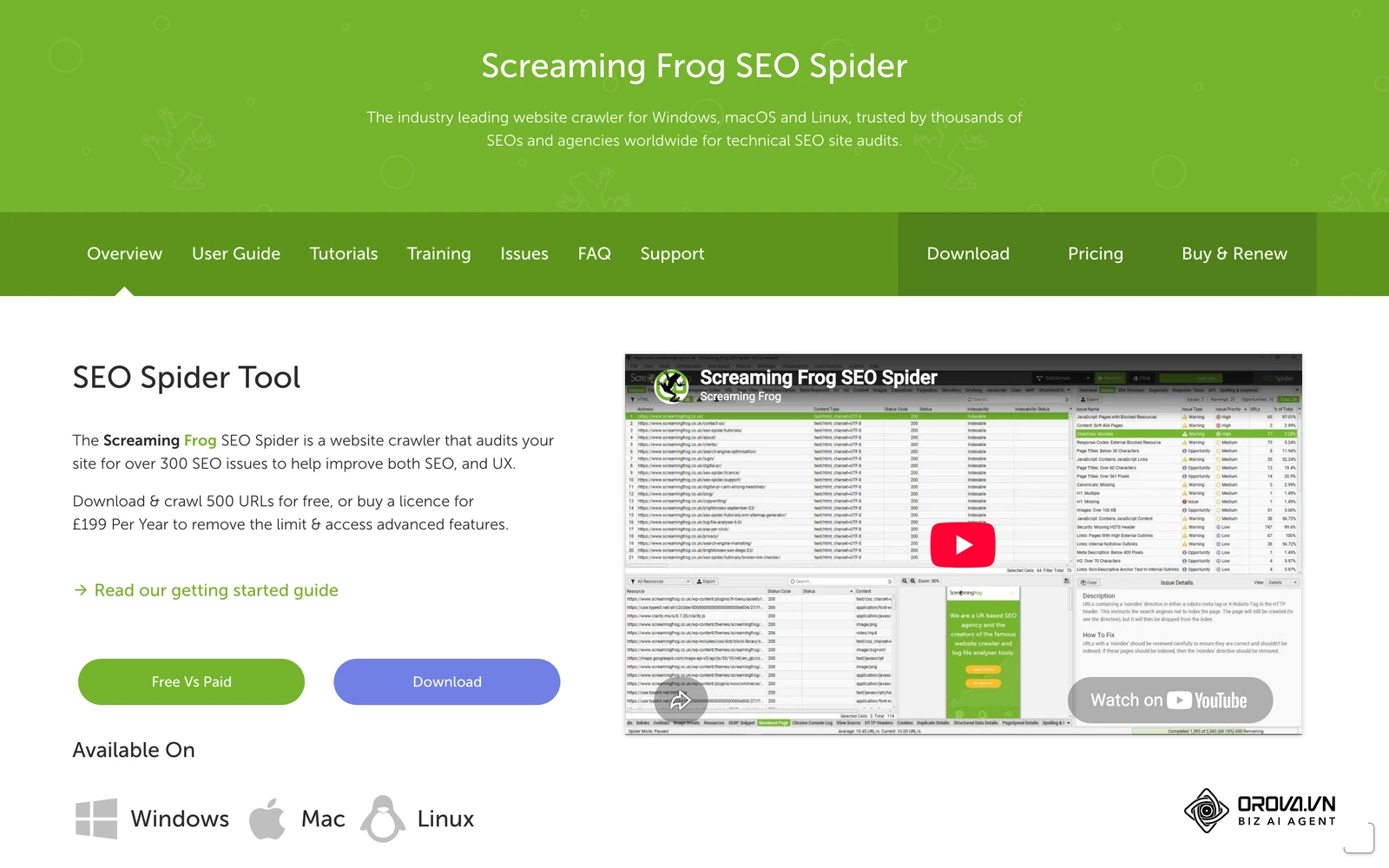
Screaming Frog is the most widely used desktop technical crawler in SEO, known for its flexibility in deep site audits.
Core Focus: Local client-side technical crawling, indexation diagnostics, and custom data extraction.
Key Features:
- Full Rendering Engine: Uses a built-in headless Chromium browser to crawl and evaluate client-side JavaScript frameworks (React, Angular, Vue).
- Custom Extraction: Uses XPath, CSS Selectors, and regular expressions to pull custom values (e.g., author names, SKU codes, stock levels) directly from page code.
- Data Pipeline Integrations: Connects with Google Search Console, Google Analytics 4, PageSpeed Insights, and Ahrefs APIs to combine crawl data with performance and backlink metrics.
- Visual Architecture Mapping: Generates interactive tree diagrams and force-directed crawl networks to evaluate internal page hierarchy and click depth.
Pros:
- Industry standard for technical site audits.
- High-capacity desktop crawler with no artificial limits on URLs per domain beyond local machine RAM.
- Fully usable free tier for small sites (up to 500 URLs).
Cons:
- Runs locally, requiring sufficient computer hardware for large, multi-million page sites.
- Interface is functional and data-dense, which can be intimidating for beginners.
Pricing:
- Free Version: $0 (Crawl ceiling capped at 500 URLs; no JavaScript rendering or API access).
- Paid License: $259/year (Unlimited URL crawls, custom extraction, JS rendering, scheduled crawls).
13. Sitebulb
Sitebulb bridges raw data dumps and executive summaries by transforming complex technical crawler output into clear, prioritized visual recommendations.
Core Focus: Visual technical auditing, intuitive issue prioritization, and automated audit explanations.
Key Features:
- Diagnostic "Hints": Classifies technical issues by severity (Critical, High, Medium, Low), complete with plain-language explanations of why each issue matters and how to fix it.
- Interactive Crawl Paths: Visually maps crawl paths, internal PageRank distributions, and click-depth layers.
- JavaScript Performance Auditing: Identifies code execution delays, script memory bloat, and rendering differences between raw HTML and DOM states.
Pros:
- Produces visual audit reports that are easy to share with non-technical stakeholders.
- Reduces the time needed to review raw crawl data by clearly flagging priorities.
Cons:
- Desktop application requiring local system resources (though a cloud-hosted version is available for enterprise teams).
Pricing:
- Lite: $13.50/month (1 user, up to 10,000 URLs per audit).
- Pro: $35/month (Unlimited URLs per project, JavaScript rendering, API access).
- Cloud Hosted: Starting at $245/month (Server-hosted cloud infrastructure, team collaboration).
14. Lumar (Formerly Deepcrawl)
Lumar is a cloud-native website intelligence platform built for enterprise brands running large, dynamic web properties.
Core Focus: Enterprise-scale cloud crawling, continuous integration safeguards, and performance governance.
Key Features:
- Continuous Monitoring Automation: Automates continuous crawling to catch staging code regressions before they reach production servers.
- Ultra-Fast Cloud Scraping: Crawls massive, multi-million-URL ecommerce platforms without slowing down local machines.
- Centralized Data Lake: Feeds raw technical performance data straight into enterprise business intelligence dashboards via custom API connectors.
Pros:
- Built to handle large enterprise websites with millions of URLs.
- Protects code pipelines by alerting teams when deployment builds violate SEO rules.
Cons:
- Enterprise-tier pricing puts it out of reach for small businesses and solo practitioners.
Pricing: Custom enterprise quotes (typically runs several thousand dollars per year based on monthly URL crawl volume).
Category 5: On-Page & Content Optimization Tools
These tools evaluate target terms against the highest-ranking pages on the SERP, using natural language processing (NLP) to show which related topics, entities, and structural patterns search engines expect to find.
Target Keyword Entry
        │
        ▼
[Analyze Top 20 Live SERP Competitors]
        │
        ├── Semantic Entities (Google NLP API extraction)
        ├── Structural Patterns (Word count, H2/H3 distribution, image density)
        └── Topical Breadth (Missing supporting concepts)
        │
        ▼
[Live Real-time Content Optimization Editor]
15. Surfer SEO
Surfer SEO is a popular content optimization platform that uses data from top-ranking SERP competitors to guide content writing and on-page improvements.
Core Focus: Semantic on-page optimization, content scoring, and NLP entity analysis.
Key Features:
- Content Editor: Provides real-time optimization guidance, generating target ranges for word count, headings, paragraphs, images, and relevant semantic entities.
- SERP Analyzer: Evaluates 500+ on-page signals across the top-performing competitor URLs for any target query.
- Audit Tool: Reviews published URLs against current top-ranking pages to spot missing entities, structural issues, and internal link opportunities.
Pros:
- Integrates smoothly with Google Docs, WordPress, and Jasper AI.
- Clear, single metric (Content Score: 0–100) simplifies writer guidance and workflows.
- Strong localization support across multiple languages.
Cons:
- Relying too strictly on entity suggestions can lead to repetitive, formulaic writing.
- Credit-based pricing structure limits monthly article evaluations.
Pricing:
- Essential: $89/month (Write and optimize up to 30 articles monthly).
- Advanced: $179/month (Write and optimize up to 100 articles monthly).
- Max: $299/month (Custom limits, personalized onboarding, full API access).
16. Clearscope
Clearscope is an established enterprise-grade content optimization platform, valued for the quality of its recommendations and clean, accessible interface.
Core Focus: Enterprise content intelligence, semantic relevance, and natural language optimization.
Key Features:
- Google NLP Integration: Uses natural language processing models to extract the exact topics, entities, and terms that search engines associate with your primary topic.
- Content Grading: Assigns a clear letter grade (from F to A++) reflecting the depth, relevance, and semantic coverage of a piece of content.
- Content Inventory: Tracks published content performance over time, alerting you when an older piece needs an update to stay competitive.
Pros:
- Uncluttered, straightforward interface focused on clear recommendations.
- High entity extraction accuracy that avoids irrelevant suggestions.
- Includes unlimited user seats on all standard subscription plans.
Cons:
- Higher price point makes it an investment best suited for funded startups, agencies, and enterprise teams.
Pricing:
- Essentials: $189/month (Includes 20 monthly content reports, Google Docs/WordPress integrations).
- Business: $399/month (Includes 50 monthly reports, content monitoring, custom roles).
- Enterprise: Custom quotes (Custom limits, SSO, dedicated account management).
17. Frase.io
Frase simplifies the research and writing workflow by combining competitive SERP analysis with AI-assisted brief creation and drafting.
Core Focus: Fast content brief creation, competitive outline generation, and AI-assisted drafting.
Key Features:
- Automated Content Briefs: Scrapes top search competitors in seconds to build structured outlines covering headings, questions, and core statistics.
- Question Research Module: Pulls real-world questions from Google Autocomplete, People Also Ask (PAA) boxes, Reddit, and Quora.
- Integrated AI Generation: Writes and rephrases draft sections using integrated AI language models.
Pros:
- Drastically speeds up content brief and outline creation.
- Accessible starting price for freelancers and independent niche publishers.
Cons:
- AI writing outputs require active human editing and fact-checking.
- Entity extraction database is smaller than Clearscope's.
Pricing:
- Solo: $15/month (1 user, 4 article write/optimize credits per month).
- Basic: $45/month (1 user, 30 article credits per month).
- Team: $115/month (3 team seats, unlimited document writing credits).
Category 6: Backlink Analysis & Outreach Platforms
Backlinks remain one of search engines' core ranking factors for assessing external authority and trust. Dedicated link-building tools help teams identify opportunities, monitor lost links, verify contact information, and manage outreach campaigns at scale.
18. Majestic SEO
Majestic maps the web's link graph independently, using proprietary link-quality metrics that many link builders rely on to evaluate domain authority.
Core Focus: In-depth backlink profile analysis, link equity mapping, and topical authority scoring.
Key Features:
- Trust Flow (TF) & Citation Flow (CF): Trust Flow measures link quality based on proximity to trusted seed sites; Citation Flow measures raw link volume. The resulting ratio reveals whether a profile is authoritative or spam-heavy.
- Topical Trust Flow: Shows which specific industry categories give a domain its backlink authority.
- Historic Index: Accesses a long-term, multi-year index of historical web links.
Pros:
- Deep, reliable link graph with years of historical data.
- The TF/CF ratio provides a fast, dependable shorthand for link quality.
Cons:
- The platform focuses exclusively on links—there are no keyword research or technical crawl modules.
- The user interface has a dated, functional design.
Pricing:
- Lite: $49.99/month (1 million analysis units, Fresh Index access).
- Pro: $99.99/month (Full Historic Index, raw data export, custom reports).
- API: Starting at $399.99/month (Direct API access for custom applications).
19. Pitchbox
Pitchbox is an outreach and link-building CRM designed specifically for digital agencies, in-house PR departments, and enterprise link-building teams.
Core Focus: Streamlined link outreach, influencer discovery, and automated relationship management.
Key Features:
- Prospecting Engine: Discovers outreach opportunities based on target keywords, competitor backlinks, and product review channels.
- Automated Email Sequences: Sends personalized, multi-stage outreach and follow-up emails while protecting sender reputation.
- Direct SEO Tool Integrations: Pulls live metrics from Moz, Majestic, Ahrefs, and Semrush directly into your prospecting dashboard.
Pros:
- Highly effective CRM designed specifically for link-building workflows.
- Eliminates manual prospect sorting by pulling third-party metrics directly into the tool.
Cons:
- Premium price point makes it an agency or enterprise investment.
Pricing: Custom enterprise quotes (generally starting around $500/month depending on outreach scale and seats).
20. Hunter.io
Finding the right decision-maker's email address is often the most time-consuming part of link outreach. Hunter.io automates domain verification and contact discovery.
Core Focus: Professional email discovery, domain contact mapping, and inbox deliverability verification.
Key Features:
- Domain Search: Lists verified email addresses associated with any target corporate domain name.
- Email Verifier: Confirms whether an individual email address is active and safe to email, reducing bounce rates.
- Chrome Extension: Lets you look up contact details directly while browsing prospective partner websites.
Pros:
- High verification accuracy that helps protect your domain's email deliverability.
- Free monthly tier suitable for low-volume outreach campaigns.
Cons:
- Focuses primarily on corporate domains; personal email discovery is limited.
Pricing:
- Free: $0 (Includes 25 monthly searches and 50 email verifications).
- Starter: $49/month (500 monthly searches, 1,000 verifications).
- Growth: $149/month (5,000 monthly searches, 10,000 verifications).
- Business: $499/month (Large-scale prospecting, dedicated support).
With OROVA.VN and the OROVA SEO module, you put an end to the exhausting days of manual work for good. The software provides AI SEO writing, publishing, and optimization within a unified workflow.
Category 7: Essential WordPress SEO Plugins
For websites built on WordPress, an SEO plugin handles critical on-page and technical foundations: generating dynamic XML sitemaps, managing redirect rules, configuring canonical tags, and outputting clean Schema.org structured data.
21. Yoast SEO
Yoast SEO is one of the most widely used WordPress plugins, providing dependable technical foundations and content optimization guidance for millions of sites.
Core Focus: WordPress technical setup, on-page content checks, and dynamic XML sitemap generation.
Key Features:
- Readability and Focus Keyword Checks: Uses an intuitive "traffic light" scoring system (Green/Orange/Red) to evaluate content readability and keyword placement.
- Technical Automation: Automatically handles canonical URL tags, robots meta directives, and dynamic XML sitemap generation.
- Structured Data Integration: Outputs clean Schema.org markup to help search engines understand your site, organization, and authors.
Pros:
- Extremely stable and well-tested across WordPress core updates.
- Straightforward setup wizard that gets beginners running quickly with safe defaults.
Cons:
- The analysis checks can encourage formulaic, repetitive writing if followed too rigidly.
- The free tier includes noticeable in-dashboard upsell notices.
Pricing:
- Free Core Plugin: $0 (Standard on-page checks, sitemap generation, canonical controls).
- Yoast Premium: $99/year (Adds internal linking suggestions, automatic redirect management, 24/7 support).
22. Rank Math SEO
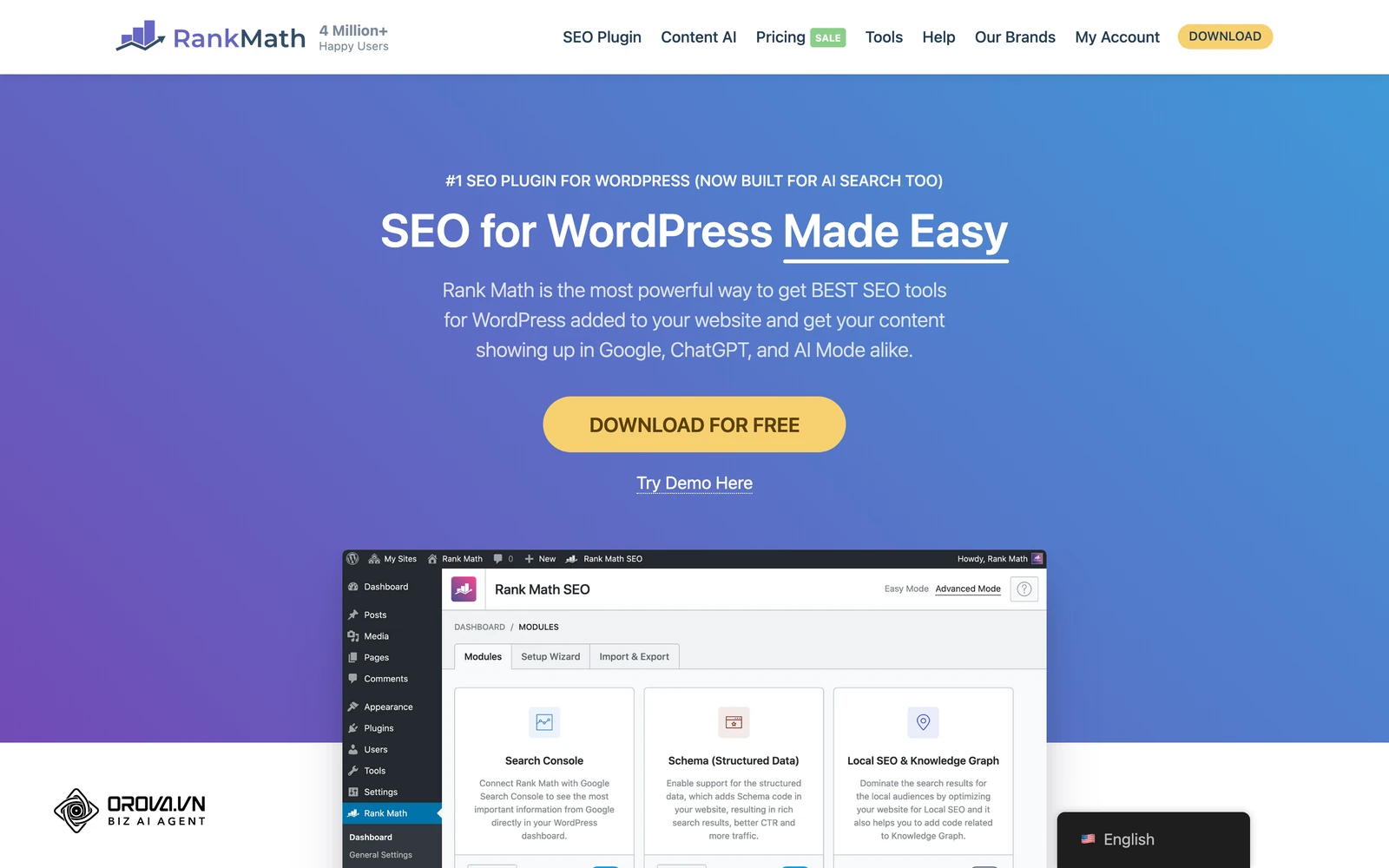
Rank Math has grown rapidly by offering a rich set of built-in features in its free version that typically require paid upgrades in other plugins.
Core Focus: Modern WordPress SEO management, built-in structured data schema building, and lightweight performance.
Key Features:
- Advanced Schema Generator: Lets you build and assign custom, multi-layered Schema.org structured markup (Articles, Recipes, Software, FAQs, Local Business) with no custom code.
- Built-in Redirects & 404 Monitor: Captures broken URLs and lets you set up 301/302 redirects right from the WordPress admin panel.
- Google Search Console Integration: Displays your search impressions, average rankings, and keyword positions inside your site's dashboard.
Pros:
- Feature-rich free version that replaces several standalone utility plugins.
- Modular design lets you turn off features you don't need to keep things fast.
Cons:
- The wide range of settings requires careful attention during initial setup.
Pricing:
- Free Core Plugin: $0 (Rich schema tools, redirect manager, 404 tracker included).
- Pro: $6.99/month billed annually (Tracks up to 1,000 keywords, valid for unlimited personal sites).
- Business: $24.99/month billed annually (Supports 200 client sites, tracks 20,000 keywords).
How to Build the Right SEO Stack for Your Budget
Investing in every specialized tool available quickly leads to subscription bloat without necessarily improving organic performance. The key is matching your software stack to your team's current maturity, operational budget, and business model.
+-------------------------------------------------------------------------------+
|                        RECOMMENDED STACK BY TIERS                             |
+-------------------------------------------------------------------------------+
| [TIER 1: $0/mo]                                                               |
|  - Google Search Console + Google Analytics 4 + Screaming Frog (Free)         |
|  - Best for: Bootstrapped founders, new bloggers, side projects               |
+-------------------------------------------------------------------------------+
| [TIER 2: $100 - $250/mo]                                                      |
|  - Core Suite: Semrush (Pro) OR Ahrefs (Lite) + Native Google Tools           |
|  - Optimization: Surfer SEO OR Screaming Frog Paid License                    |
|  - Best for: Freelancers, boutique consultants, growing startups              |
+-------------------------------------------------------------------------------+
| [TIER 3: $500+/mo (Agency & Enterprise)]                                      |
|  - Core Suite: Semrush (Guru) + Ahrefs (Standard)                             |
|  - Deep Tech: Screaming Frog / Sitebulb + Clearscope                          |
|  - Outreach: Pitchbox + Hunter.io                                             |
|  - Best for: Multi-client agencies, high-traffic SaaS, enterprise ecommerce   |
+-------------------------------------------------------------------------------+
Stack 1: The Bootstrapped Startup Stack ($0/Month)
For new websites, self-funded startups, or local businesses building their initial presence:
- Performance & Technical Core: Google Search Console + Google Analytics 4
- Site Auditing: Screaming Frog (Free version, up to 500 URLs)
- Keyword Discovery: Google Keyword Planner + AnswerThePublic (Free tier) + Google Trends
- On-Page & Architecture: Rank Math SEO (Free WordPress edition)
Strategy: Maximize first-party data from Google Search Console. Use Google's search result features (autocomplete, People Also Ask, and related searches) to map search intent without ongoing subscription costs.
Stack 2: The Freelancer & Growth Stack ($100 – $250/Month)
For solo consultants, niche site owners, or in-house marketers at growing startups:
- All-in-One Engine: Semrush (Pro tier at ~$140/mo) OR Ahrefs (Lite tier at ~$129/mo)
- Site Health & Audits: First-party Google Tools + Screaming Frog Free / Ahrefs Webmaster Tools
- Content Optimization: Frase Basic (~$45/mo) or Surfer SEO Essential (~$89/mo)
Strategy: Use an all-in-one platform for competitive research, keyword tracking, and backlink monitoring. Pair it with an NLP-based content tool to create well-optimized content that ranks reliably.
Stack 3: The Full Agency & Enterprise Stack ($500 – $1,200+/Month)
For digital marketing agencies, multi-client teams, and high-traffic online stores:
- Primary Search Platforms: Semrush (Guru/Business) combined with Ahrefs (Standard/Advanced)
- Technical Crawling & Quality Assurance: Screaming Frog Paid License (£199/yr) + Sitebulb Pro
- Content Strategy: Clearscope (Business Tier) or Surfer SEO (Max Tier)
- Link Outreach & PR: Pitchbox or BuzzStream integrated with Hunter.io
- Reporting: Google Looker Studio connected via paid partner connectors (Supermetrics or native Semrush/Ahrefs connectors)
Strategy: This stack provides enterprise-grade data across all disciplines: thorough crawl automation, robust competitive research, scalable client reporting, and structured link-building workflows.
Best Practices: Getting Real ROI from Your SEO Tools
Software subscriptions on their own won't drive organic growth. Tools simply process and surface data—turning that data into revenue requires a clear, consistent operational workflow.
1. Watch Out for Feature Overlap
Many platforms now offer overlapping capabilities. Semrush, Ahrefs, and Moz all provide keyword research, backlink analysis, and technical auditing. Before adding a new single-purpose tool, make sure you're fully using the platforms you already pay for. Keep your stack lean to avoid paying twice for the same insights.
2. Learn to Interpret Metric Differences
It's normal for different platforms to show different search volumes, difficulty ratings, or backlink counts for the exact same URL:
[Target Keyword: "crm software"]
 ├── Semrush Search Volume: 74,000  | KD: 89%
 ├── Ahrefs Search Volume:  61,000  | KD: 94
 └── Moz Search Volume:     52,000  | Difficulty: 82
These differences happen because each platform uses its own data sources, clickstream models, crawl frequencies, and estimation methods. Pick one core tool as your team's primary baseline for day-to-day work, and treat third-party numbers as helpful directional estimates rather than absolute counts.
3. Build Standard Operating Procedures (SOPs)
Data only delivers value when it's tied to regular, repeatable actions. Connect your software outputs directly to weekly and monthly team tasks:
- Weekly Tasks: Review Google Search Console for unexpected impression drops or indexing errors; track primary keyword positions in your rank tracker.
- Monthly Tasks: Run a full crawl in Screaming Frog or your platform's site audit tool to catch broken redirects, missing canonical tags, or performance regressions; review backlink velocity to spot lost link equity.
- Quarterly Tasks: Run a content audit using Google Search Console and your content tools to find decaying pages that need an update or consolidation.
Frequently Asked Questions (FAQ)
Can I run a successful SEO strategy using only free tools?
Yes. Google provides its core reporting tools—Google Search Console, Google Analytics 4, PageSpeed Insights, and Google Trends—completely free of charge. Combined with the free versions of Screaming Frog (up to 500 URLs) and free WordPress plugins like Rank Math, you have everything required to address technical health, indexation, and on-page optimization. Paid tools speed up competitive research and simplify large-scale workflows, but they aren't an absolute barrier to ranking.
Why do Semrush and Ahrefs report different search volume metrics?
Neither Semrush nor Ahrefs has direct, real-time access to Google's internal search server logs. Instead, both platforms build their databases by combining anonymized third-party clickstream data, historical Google Keyword Planner metrics, and proprietary statistical models. Because each company uses different data suppliers and proprietary algorithms, their volume estimates naturally differ.
Is Ahrefs or Semrush better for an agency?
Both platforms can power a successful agency, but they shine in slightly different areas. Semrush is often favored by full-service digital marketing agencies because it covers both organic SEO and paid advertising (Google Ads and competitive PPC data), alongside white-label PDF client reporting. Ahrefs is frequently preferred by dedicated SEO and content teams for its deep backlink index, intuitive interface, and detailed SERP analysis features.
Do on-page content optimization tools guarantee first-page rankings?
No. Content optimization tools use natural language processing to suggest relevant topics, entities, and structural patterns based on the pages currently ranking on page one. However, rankings depend on many interrelated factors: your site's overall domain authority, current backlink equity, technical indexation, user search intent satisfaction, and brand credibility. Achieving a high content score simply ensures your page covers the topic thoroughly; it doesn't guarantee a top ranking on its own.
How often should I run an automated technical SEO audit?
For most active business websites, a full monthly crawl is sufficient to identify broken links, redirect chains, or accidental indexation changes. For large, dynamic sites—like ecommerce stores with frequent inventory changes or SaaS platforms running continuous developer deployments—weekly automated crawls or staging-environment monitoring (via tools like Lumar or Sitebulb) help catch technical issues before they hurt search visibility.
Action Plan: 5 Steps to Streamlining Your SEO Tech Stack
- Audit Your Current Subscriptions: Review your monthly software expenses and cancel underused single-purpose tools whose features are already covered by your main platforms.
- Set Up Your Native Google Baseline: Make sure Google Search Console and GA4 are properly configured, linked to one another, and accessible to your core marketing team.
- Pick Your Primary Suite: Choose one central all-in-one platform (Semrush, Ahrefs, Moz, or SE Ranking) to serve as your primary source for keyword, backlink, and rank-tracking data.
- Schedule Regular Technical Audits: Set up recurring crawls using Screaming Frog or your platform's built-in auditor so technical issues get flagged and resolved on a predictable schedule.
- Focus on Workflows Over Features: Ensure every tool in your stack is tied to a clear, regular team process that directly supports your broader organic traffic and revenue goals.
About the author

Builder of Orova
Nguyễn Đỗ Trọng Ân has 8 years of experience in marketing, including 6 years managing market development across Asia. He builds Orova, a Biz AI Agent that never sleeps: it plans, runs and optimizes work for businesses.
Run your business with AI Agents
Orova is the always-on Biz AI Agent — it plans, runs, and optimizes the work for you.
Save time, unlock productivity.