
What is CRM? Meaning, types and how teams use it

CRM (customer relationship management) is the practice, and the software, that a business uses to keep every customer, conversation and deal in one shared place. A CRM system stores contact details, records each call, meeting and message, and shows where every potential sale stands, so anyone on the team can pick up a relationship without starting from zero. If you are asking what is CRM because your leads live in inboxes, notebooks and a spreadsheet nobody fully trusts, the short answer is: it is your team's single customer record.
This guide explains what a CRM actually does day to day, the main types, how it differs from an ERP or a spreadsheet, the signs that you need one (and when you do not yet), and how to roll one out without burying your team in data entry.
What Is CRM? A Plain-English Definition
The term covers two things. As a business strategy, customer relationship management means organizing how you attract, sell to and keep customers. As software, a CRM is the tool that makes that strategy workable: a shared database of people and companies, plus the sales pipeline, tasks and reports built on top of it.
The core idea is that customer relationships belong to the company rather than to individuals. When customer history sits in one salesperson's inbox, it leaves when that person leaves. In a CRM, every note, quote and follow-up date is attached to the customer record, so a colleague can open it and see the whole story.
A simple analogy is a clinic's patient file. Whichever doctor or receptionist picks up the phone, they open the same file and see past visits, treatments and the next appointment. A CRM does the same for customers: one profile, one timeline, visible to the people who need it.
CRM is often confused with other business software. The table below shows where it fits.
| Software | Main job | How it differs from a CRM | Everyday example |
|---|---|---|---|
| CRM | Track customers, conversations and deals through the sales process | Not applicable: this is the reference point | A rep reads past notes before calling a prospect about a quote |
| ERP (enterprise resource planning) | Run back-office operations: inventory, purchasing, production, accounting | Works mostly after the sale; manages resources, not relationships | A warehouse checks stock before an order ships |
| Marketing automation | Send campaigns and email sequences to many contacts at once | One-to-many messages; usually does not track who owns each deal | A seasonal promotion goes out to a whole subscriber list |
| Help desk | Handle support tickets after purchase | Focuses on solving issues, not on moving new deals forward | An agent answers a customer's question about an invoice |
| Spreadsheet | Flexible rows and columns for any data | No activity history, reminders, permissions or pipeline view by default | A freelancer lists clients and phone numbers in a sheet |
In practice the lines blur: many CRMs include basic email sequences, and many ERPs include a contact list. The useful question is where your team spends its day. If the work is talking to customers and moving deals forward, that is CRM territory.
What Does a CRM Actually Do?
Strip away the feature lists and a CRM does one job: it follows a customer from first contact to paid order and beyond, keeping a record at every step. The flow below shows the typical path.
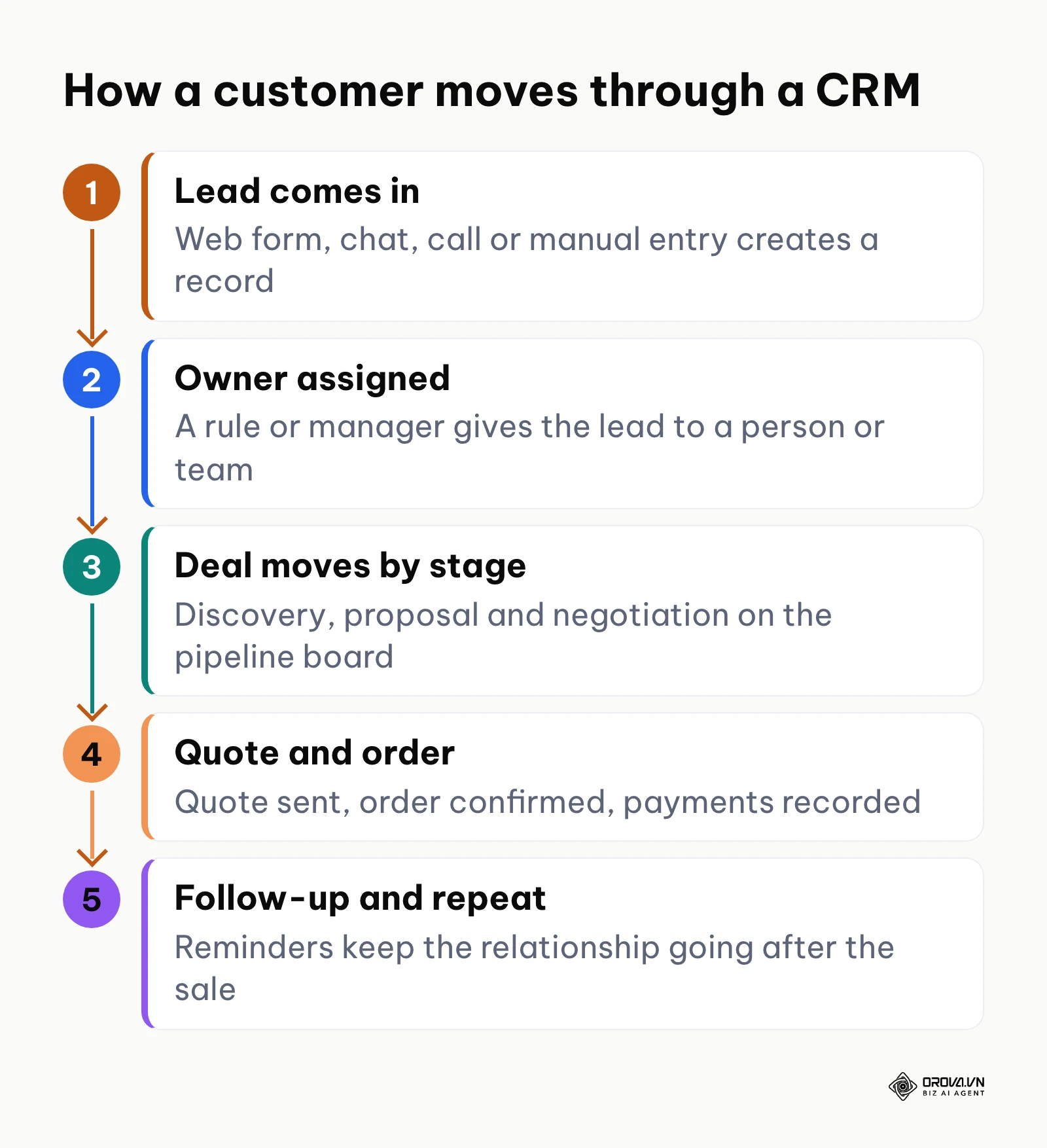
Most CRMs are built from the same four building blocks: contact records, a pipeline, tasks and reports.
Contact records and the activity timeline
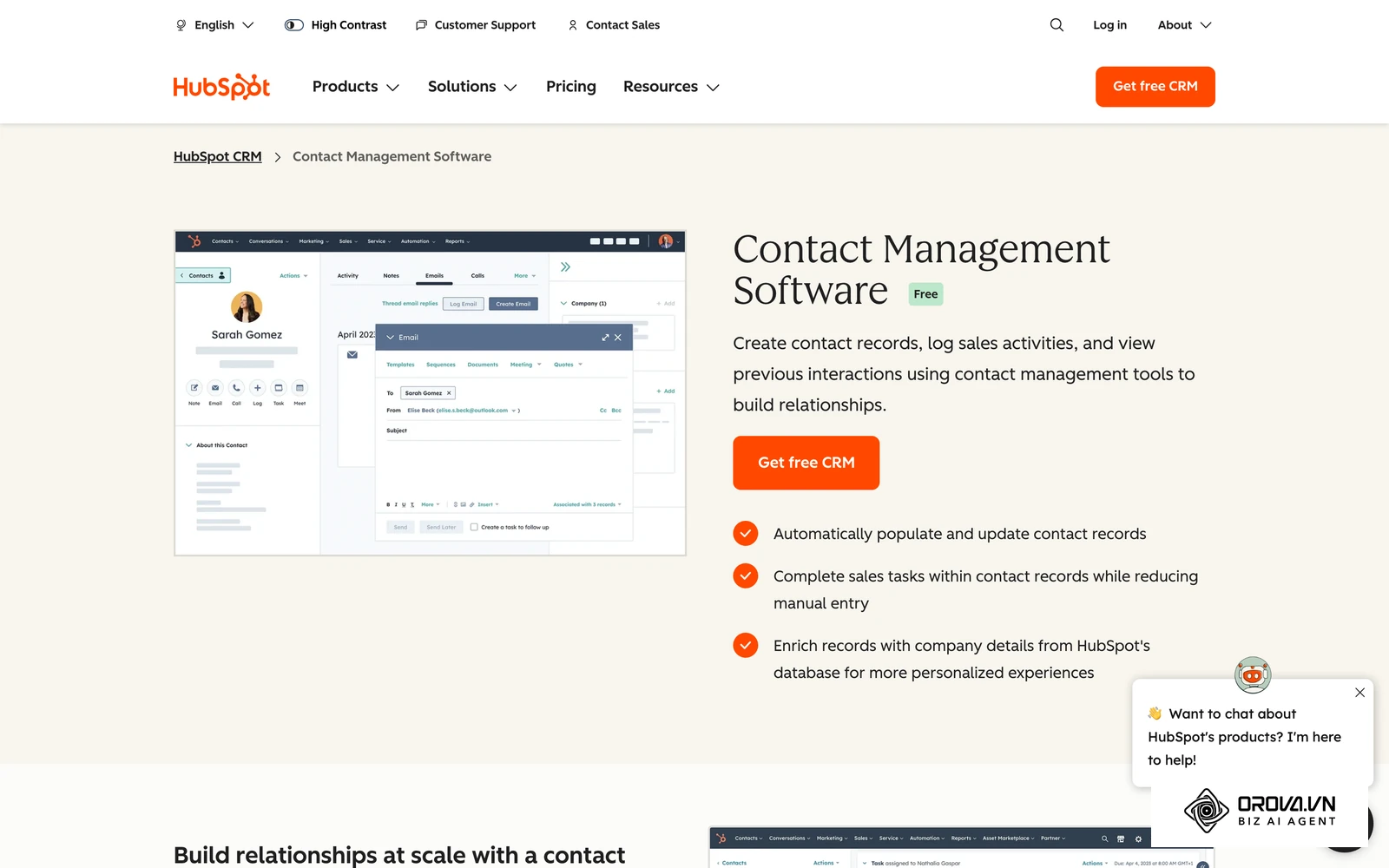
Every person and company gets a profile: name, phone, email, company, lead source, owner and any custom fields your business needs. Under the profile sits a timeline that logs notes, calls, meetings, emails, files and reminders in date order. Good CRMs also catch duplicates, so two reps do not unknowingly call the same buyer.
The common failure point is free-text chaos. If every rep types the industry or lead source differently, reports become useless. Use dropdowns and fixed field types for anything you plan to filter or count.
The sales pipeline
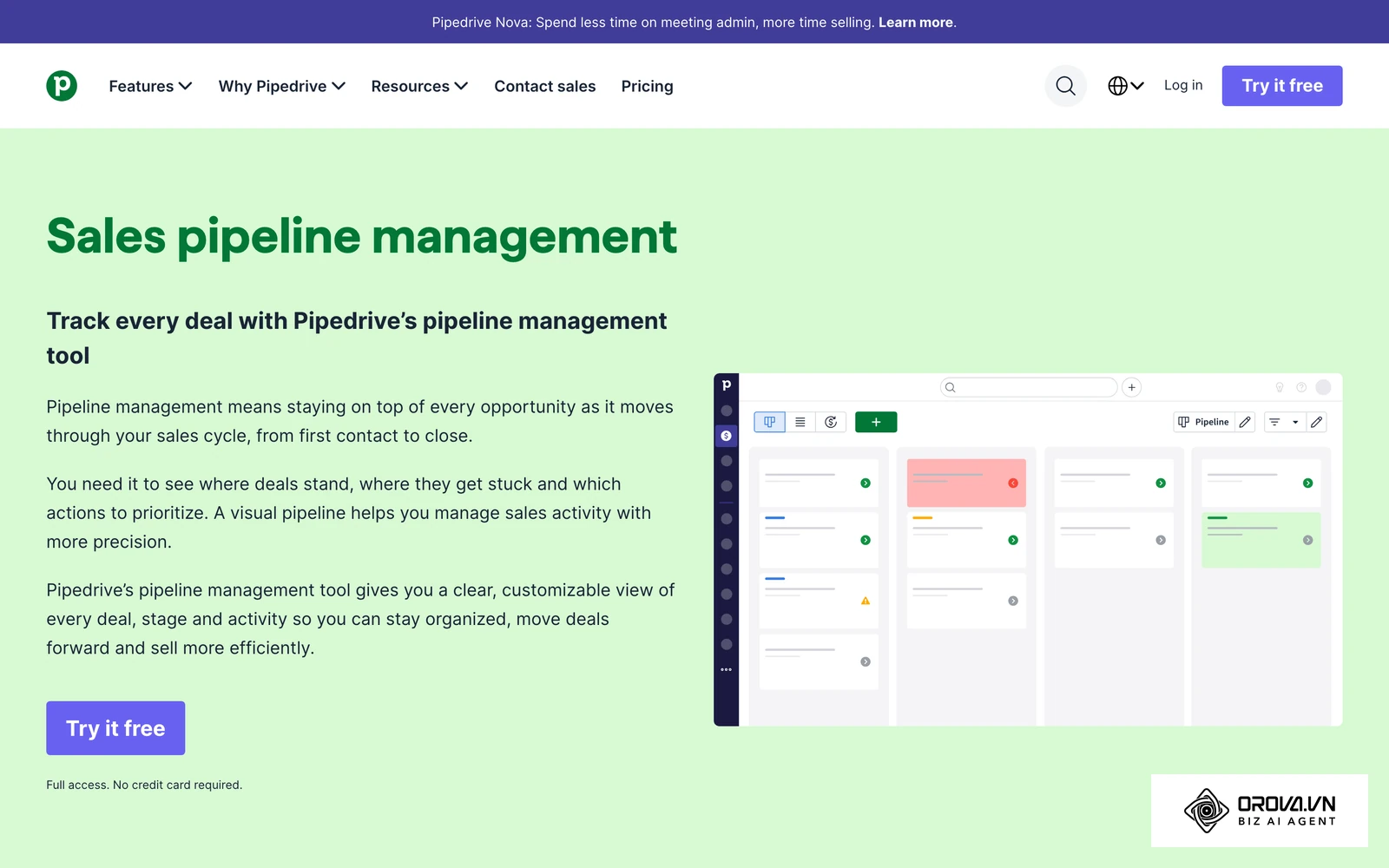
A pipeline is the list of stages a deal passes through, usually shown as a board with one column per stage and one card per deal. Moving a card from "Proposal" to "Negotiation" updates the forecast. Managers see at a glance where deals pile up, and reps see what needs attention today.
Tasks, reminders and follow-ups
A CRM turns "I'll call them next week" into a dated task with a reminder. A daily list of due and overdue follow-ups is one of the most underrated features: many deals do not die because a buyer said no; they die because nobody followed up.
Reports and targets
Because every deal has a stage, a value and an owner, a CRM can show leads by source, conversion between stages, reasons deals were lost, revenue by period and progress against each person's or team's target. A weighted forecast multiplies each deal's value by the likelihood of its stage, for example counting a deal in "Proposal" at half its value. If managers want these numbers delivered on a schedule instead of opening the CRM, an automated sales report can pull them out each week.
A typical five-stage sales pipeline
Pipelines differ by business, but many B2B teams start with something close to the five stages below. The column that matters most is the exit rule: the condition a deal must meet before it moves on. Without exit rules, cards drift forward on optimism and the forecast stops meaning anything.
| Stage | Goal | Exit rule before moving on |
|---|---|---|
| 1. New lead | Check the contact is real and relevant | Valid phone or email; clear product interest |
| 2. Discovery | Understand the problem, budget and decision maker | Pain point noted; decision maker identified; rough timeline agreed |
| 3. Proposal | Send a quote or proposal | Quote sent with an expiry date; buyer confirmed receipt |
| 4. Negotiation | Agree on price, terms and payment schedule | Open questions resolved; payment terms agreed |
| 5. Won or lost | Close the deal and hand over, or record why it was lost | Signed order or contract attached, or a loss reason recorded |
Small teams can start with three stages (for example Contacted, Proposal sent, Won or lost) and add more only when one stage starts hiding too many different situations.
The Three Main Types of CRM
Textbooks group CRM systems into three types. Most modern tools blend all three, but the labels help you see what a product emphasizes.
| Type | What it focuses on | Typical capabilities | Who leans on it |
|---|---|---|---|
| Operational CRM | Day-to-day selling and follow-up | Contact records, pipeline board, lead assignment, tasks, quotes | Sales teams, agencies, service businesses |
| Analytical CRM | Understanding customer data | Conversion reports, customer lifetime value, churn and cohort analysis | Larger companies and retailers with a lot of data |
| Collaborative CRM | Sharing customer context across teams | Shared records across sales, support, finance and delivery | Companies where several departments serve the same client |
There are also industry CRMs built around one workflow. Real estate, healthcare and recruiting each have their own; a recruitment CRM, for instance, manages relationships with candidates and hiring clients rather than buyers. For most small and mid-sized sales teams, an operational CRM with solid reporting covers the bulk of what they need.
If customer notes are scattered across inboxes and follow-ups keep slipping, a shared customer record is the first fix. Orova CRM gives your team one customer book with a drag-and-drop pipeline, assignment rules for new leads and automatic reclaim of neglected customers to a shared pool.
Why Teams Use a CRM: The Real Benefits
The benefits fall into two groups: what the company gains and what each salesperson gains.
For the company, the biggest gain is continuity. When customer history lives in a shared system, staff turnover stops wiping out relationships. A new hire can read past conversations and pricing discussions and continue where the previous owner stopped. The second gain is a forecast you can plan around, because pipeline value is visible by stage rather than estimated from memory.
For salespeople, a well-configured CRM removes work rather than adding it. Instead of rebuilding a to-do list from scattered emails, a rep starts the day with due follow-ups, overdue tasks and new leads in one list. Click-to-call and click-to-email buttons save copying numbers between apps.
| Benefit | What to measure | How to check it |
|---|---|---|
| Fewer forgotten leads | Share of new leads contacted within your target time | Compare lead creation time with the first logged activity |
| Shorter sales cycle | Average days from new lead to won deal | Compare deals closed before and after adoption |
| More reliable forecast | Gap between forecast and actual revenue | Review it every month or quarter |
| Faster onboarding | Time for a new rep to close a first deal | Compare hires who inherited a full history with those who did not |
| Better retention | Share of customers who renew or reorder | Track follow-up tasks set before renewal dates |
Hypothetical example: what slow follow-up costs
Hypothetical example. A small consultancy receives 100 inbound enquiries a month, and an average won deal is worth 2,000 in its local currency. When enquiries are answered within the hour, suppose 1 in 10 becomes a deal: 10 deals, or 20,000 in monthly revenue. If enquiries sit in a shared inbox for a day and only 1 in 25 converts, the team wins 4 deals, or 8,000. The 12,000 gap is not lost to a competitor's better product; it is lost to slow replies. The numbers are invented for illustration, but the pattern explains why lead assignment and reminders are usually the first features a team sets up.
Lead ownership and automatic reclaim
Whatever channels feed your B2B lead generation, the leads only turn into revenue if someone acts on them quickly. A frequent problem in growing teams is lead hoarding: a rep is assigned a lead, does not contact it, and nobody notices. Many CRMs address this with assignment rules plus a follow-up deadline. The timeline below shows how such a rule usually works.
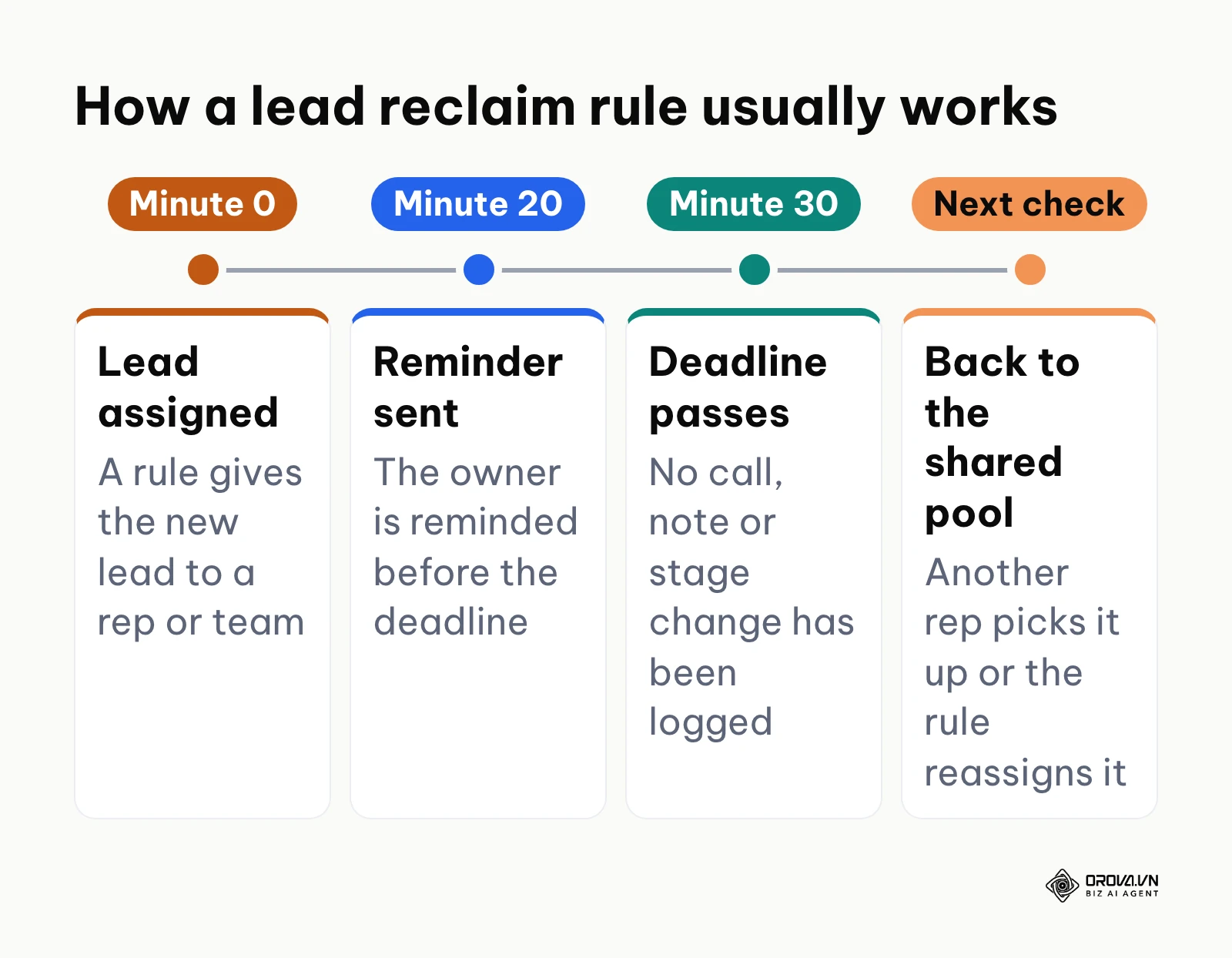
- A new lead arrives and an assignment rule gives it to a person or team based on source, region or product.
- A deadline starts, for example 30 minutes for a new web enquiry.
- The owner gets a reminder before the deadline.
- If no activity is logged in time, the lead returns to a shared pool where another rep can pick it up, or the rule reassigns it.
The right deadline depends on your sales cycle. Several hours may be fine for complex B2B deals; for inbound enquiries from buyers who are contacting several suppliers, minutes matter. Some CRMs let you set a different deadline for each pipeline stage.
Who sees what: view and edit permissions
As a team grows, an open customer database becomes a risk. Reps can see each other's deals, and anyone can export the full list on their last day. A mature CRM separates who can view a record from who can edit it, and follows your org chart.
| Role | Can view | Can edit | Sensitive actions (export, bulk delete) |
|---|---|---|---|
| Sales rep | Own customers | Own customers | No |
| Team lead | Own team and sub-teams | Own team, or view only | Usually no |
| Sales director | Whole department | Whole department | Case by case |
| Owner or admin | Everything | Everything | Yes |
Restricting export and bulk actions to admins is one of the simplest ways to stop a departing employee from walking out with your customer list.
CRM vs Spreadsheet: When Is a Spreadsheet Enough?
Almost every team starts in a spreadsheet, and that is fine. A sheet is free, flexible and familiar. It starts to break when several people edit it at once, when leads arrive faster than you can remember them, or when you need to know who did what and when.
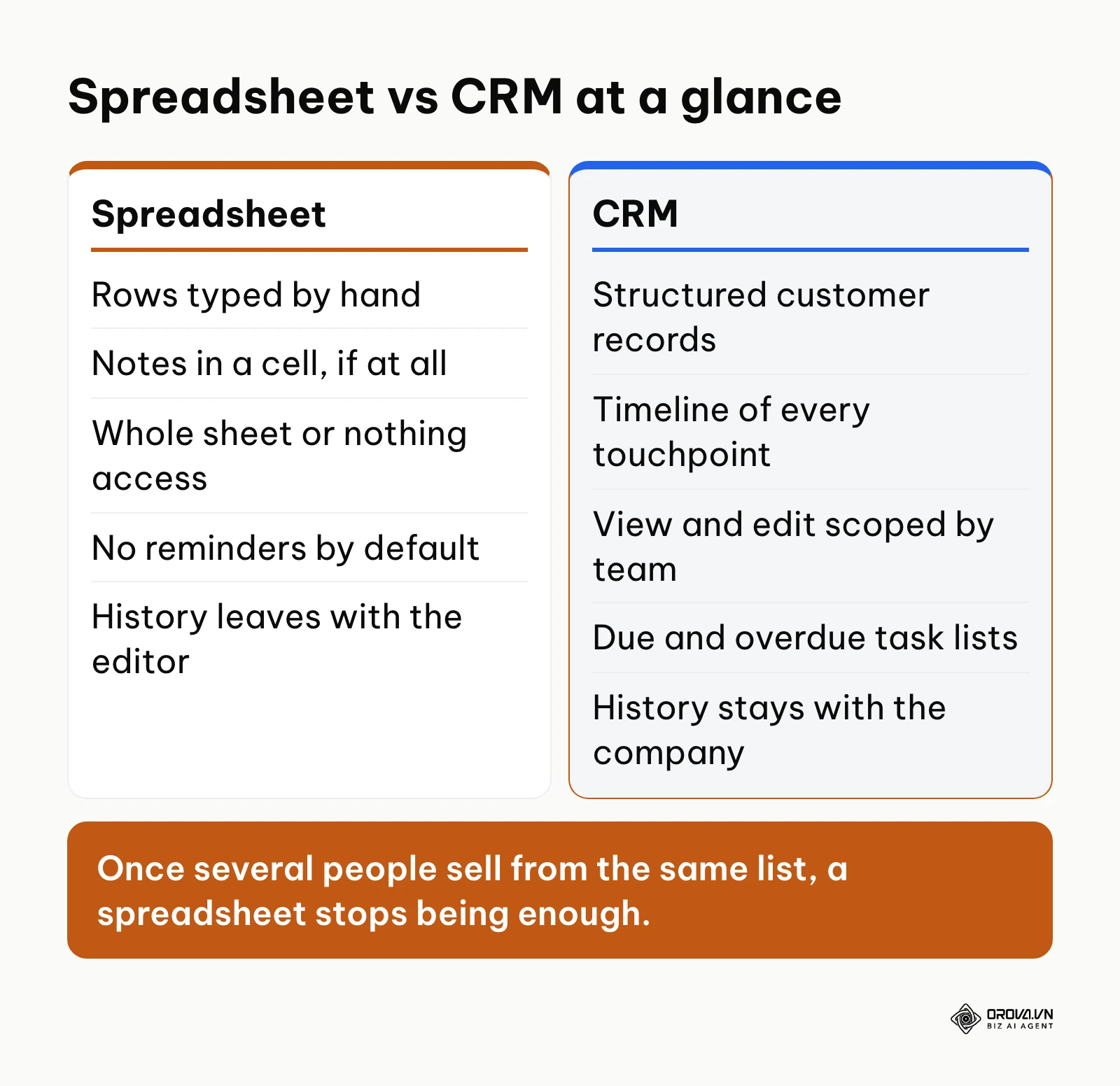
The ten-point comparison below shows where the gap opens.
| Criterion | Spreadsheet | CRM | Risk reduced |
|---|---|---|---|
| 1. Duplicates | Duplicate rows pile up unnoticed | Duplicate check and merge | Two reps calling the same buyer |
| 2. Activity history | Notes typed into a cell, if at all | Timeline of calls, emails, notes and files | Context lost when someone leaves |
| 3. Access control | Whole sheet or nothing | View and edit scoped by role and team | Customer list copied or changed by anyone |
| 4. Reminders | None by default | Due and overdue tasks with notifications | Forgotten follow-ups |
| 5. Lead ownership | Assigned by hand | Assignment rules and reclaim deadlines | Leads sitting untouched |
| 6. Pipeline view | A status column | Drag-and-drop board by stage | No clear view of bottlenecks |
| 7. Quotes | Separate documents | Quotes created from the deal using templates | Wrong prices or outdated terms |
| 8. Payments | Formulas to track deposits | Payments recorded against each order | Missed instalments |
| 9. Attachments | Links scattered across drives | Files attached to the customer record | Contracts nobody can find |
| 10. Data quality | Any text in any cell | Typed fields such as dates, numbers and dropdowns | Reports that do not add up |
When you do not need a CRM yet
A CRM is not always the right first step. A well-structured spreadsheet is enough if:
- you sell alone and handle only a handful of active conversations a week;
- you sell low-priced products through an online checkout with no sales conversation;
- you serve a few long-term clients you already talk to every day.
Move to a CRM when leads start arriving faster than you can remember them, or when you hire your first salesperson. If you are at that point and comparing tools, our CRM for small business guide lines up the popular options side by side.
Want to see how pipelines, permissions and targets work together in practice? Orova CRM lets you scope who views and edits each customer by department, set targets per team and per person, and create quotes and record instalment payments on each order. It is self-service and free until July 7, 2027.
How to Get Started With a CRM
Rollouts fail more often because of habits than because of software. Whatever tool you pick, the first weeks look similar.
- Clean your existing list. Collect contacts from inboxes, phones and sheets into one file with consistent columns: name, company, phone, email, source, owner, stage and deal value. Remove obvious duplicates before importing.
- Start with a short pipeline. Three to five stages with clear exit rules beat an eight-stage funnel nobody follows.
- Keep required fields to a minimum. Ask for contact basics at the start and deeper details only at later stages.
- Set ownership rules and follow-up deadlines. Decide who gets which leads and how fast they must respond.
- Make the CRM the only source of truth. Run weekly pipeline reviews from the CRM screen, not from a side sheet.
- Add targets and reports last. Once the data is reliable, set monthly or quarterly targets and review progress.
Teams with field sales or milestone billing have two extra steps: plan visit routes with check-ins tied to the customer record, and record payments in instalments against each order.
| Common mistake | What happens | How to avoid it |
|---|---|---|
| Too many required fields | Reps stop updating the CRM | Require only contact basics early on |
| Private side spreadsheets | Managers see half the pipeline | Count only deals that are logged in the CRM |
| No pipeline clean-up | Dead deals inflate the forecast | Review and close stale deals every week |
| Everyone can export | The customer list leaves with departing staff | Limit export and bulk actions to admins |
| CRM cut off from lead sources | Leads are retyped by hand, or lost | Send web form and chat leads straight into the CRM |
Where Orova CRM fits
Orova CRM is one example of an operational CRM built around this workflow. It gives a team one customer book with a drag-and-drop pipeline, assignment rules for incoming leads, and automatic reclaim of neglected customers to a shared pool, with deadlines set per stage in minutes. View and edit scopes follow your department tree, targets can be set per department and per person, and quotes, invoices and instalment payments sit alongside each order. It is self-service and free until July 7, 2027.
CRM Trends in the Coming Years: Author's Perspective
I see three shifts that are likely to change how teams choose and use a CRM over the next two to three years.
Less typing, more capture
Manual data entry is still the main reason reps resent their CRM. I think more of the logging will move into the background, with calls, emails and meetings turned into suggested notes and field updates that a person confirms. Teams can prepare now by keeping their fields well defined, because automatic capture only works when the system knows where each piece of information belongs.
Selling and getting paid in one place
For years the CRM stopped at "won", and billing lived in a separate tool. In my view, smaller companies will increasingly want quotes, orders and payment tracking attached to the same customer record as the deal. If your team retypes deal data into an invoicing app, standardizing quote templates and payment terms inside the CRM is a sensible first step.
Access for the whole team, not just a few seats
When CRM access is limited to a few licensed users, support, delivery and finance work without customer context. I expect more buyers to favor tools that let everyone who touches a customer see the record. Long contracts may slow this shift, so it is worth checking how a tool charges as your team grows before you commit.
Frequently Asked Questions about CRM
What does CRM stand for?
CRM stands for customer relationship management. It refers both to the strategy of managing customer relationships and to the software used to do it.
What is the difference between a CRM and an ERP?
A CRM manages customers and the sales process: contacts, conversations, deals and quotes. An ERP manages internal operations such as inventory, purchasing, production and accounting. Many companies use both, with the CRM handing won orders over to the ERP.
Is a CRM still needed if we use AI tools?
Yes. AI tools need clean, structured customer data to be useful, and a CRM is where that data lives. Without it, any assistant works from scattered and outdated information.
How long does it take a small team to set up a CRM?
With a clean contact list and a simple pipeline, a small team can be working in a CRM within a few days. Most delays come from designing too many custom fields, not from the software itself.
Can a CRM stop salespeople taking the customer list when they leave?
It reduces the risk. With role-based permissions, reps see only their own customers, and export or bulk actions can be limited to admins.
Is a CRM useful if deals close within a day?
Yes. Short sales cycles still need fast lead assignment, reminders and a record of who contacted whom, and without a shared system, duplicate outreach becomes more likely.
Where Should You Start?
The best first step depends on where you are today.
- Customer details scattered across inboxes and phones: spend an afternoon putting every active contact into one list with consistent columns. That list becomes your import file.
- Data spread across several disconnected tools: map where leads come in and where quotes and invoices are made, agree on three to five pipeline stages, and import your clean list into one CRM.
- A pipeline already running but little visibility: add exit rules to each stage, set a follow-up deadline for new leads, and review targets each month from the CRM rather than from a side sheet.
Whichever group you are in, the answer to what is CRM comes down to this: one shared record of every customer, kept up to date by the whole team.
About the author

Builder of Orova
Nguyễn Đỗ Trọng Ân has 8 years of experience in marketing, including 6 years managing market development across Asia. He builds Orova, a Biz AI Agent that never sleeps: it plans, runs and optimizes work for businesses.
Run your business with AI Agents
Orova is the always-on Biz AI Agent — it plans, runs, and optimizes the work for you.
Save time, unlock productivity.