
Recruitment CRM Systems vs. ATS: A TCO and Scoring Guide

The talent acquisition landscape has fundamentally shifted. If you are still relying on messy spreadsheets or passively waiting for applicants to apply through an outdated Applicant Tracking System, you are losing top talent to competitors who proactively build relationships. Today, evaluating recruitment crm systems is no longer an optional luxury for large enterprises; it is a critical survival mechanism for any scaling business. The problem is that the market is flooded with vendors making identical promises.
If you search for advice, you will find endless listicles that simply repeat marketing brochures, ignoring the painful realities of data migration, hidden implementation fees, and the massive operational differences between internal HR teams and external staffing agencies. The short answer: if your problem is nurturing passive candidates before a job opens, you need a recruitment CRM; if your problem is moving active applicants through stages, you need an ATS. In-house teams usually shortlist tools such as Gem, Beamery, Avature, Symphony Talent or Yello, while agencies look at Bullhorn, Recruit CRM, Loxo, Vincere, JobAdder or Manatal. This guide compares them on Total Cost of Ownership (TCO), integration depth and implementation effort, then gives you a scoring matrix to rank vendors against your own data.
What are recruitment CRM systems?
Recruitment CRM systems (Candidate Relationship Management) are specialized software platforms designed to build and nurture long-term relationships with passive candidates before they ever formally apply for a job. While an applicant tracking system manages the workflow of an active applicant, a CRM focuses on proactive sourcing, email nurture campaigns, talent pooling, and tracking engagement. Teams with a warm pipeline can shorten time-to-fill for critical roles because they are not starting every search from scratch. You need this tool if your bottleneck is top-of-funnel sourcing; you probably do not need it if you only hire entry-level roles that already attract a large volume of inbound applications.
| Question | Recruitment CRM | ATS |
|---|---|---|
| Who is in it? | Passive candidates, talent pools, past silver medalists | Active applicants for an open job |
| When does it start? | Before a job requisition exists | When a candidate applies or is submitted |
| Main job | Nurture relationships and track engagement | Move applicants through stages to an offer |
| Typical metrics | Reply rate, pool growth, hires from pools | Time-to-fill, stage conversion, offer acceptance |
| Example | Re-engaging last year's finalists for a new role | Scheduling interviews for this week's applicants |
Recruitment CRM Systems Summary
Before weighing any of these tools as part of a broader recruitment automation plan, it helps to have a high-level map of the market. The table below categorizes 11 prominent tools based on their primary use case, core value proposition, and the organizational scale they best serve.
| Name | Group | Main Task | Value for Users | Best for Scale |
|---|---|---|---|---|
| Beamery | In-House HR | Talent Lifecycle Management | Keeps talent profiles current with AI enrichment | Large Enterprise |
| Gem | In-House HR | Outreach & Analytics | ATS syncing and pipeline visibility | Mid-Market to Enterprise |
| Symphony Talent | In-House HR | Employer Branding | Unifies career sites with email marketing | Enterprise |
| Avature | In-House HR | Workflow Customization | Adapts to highly complex, global compliance rules | Global Enterprise |
| Yello | In-House HR | Campus Recruiting | Offline data capture at physical career fairs | Enterprise & Government |
| Bullhorn | Agency | Operations Hub | Massive integration marketplace for agencies | Large Agencies |
| Recruit CRM | Agency | Dual ATS/CRM | Simple interface with a short learning curve | Boutique to Mid-Size Agencies |
| Loxo | Agency | Sourcing Automation | Built-in contact database reduces external tool costs | Mid-Size Agencies |
| Vincere | Agency | Sales & Perm Placement | Deep analytics for consultant performance | Mid-Size Agencies |
| JobAdder | Agency | Simplified Workflow | Straightforward job, candidate and client management | Small to Mid-Size Agencies |
| Manatal | Agency | AI Recommendations | Fast candidate matching for open client requisitions | Small Agencies |
Top CRM Systems for In-House HR Teams
In-house HR teams have a very specific mandate: protect the employer brand, ensure an exceptional candidate experience, and align hiring with internal capacity planning. They do not need client billing features or sales pipelines. Their ideal CRM must integrate deeply with a central HRIS and facilitate smooth handoffs to the broader hiring process.
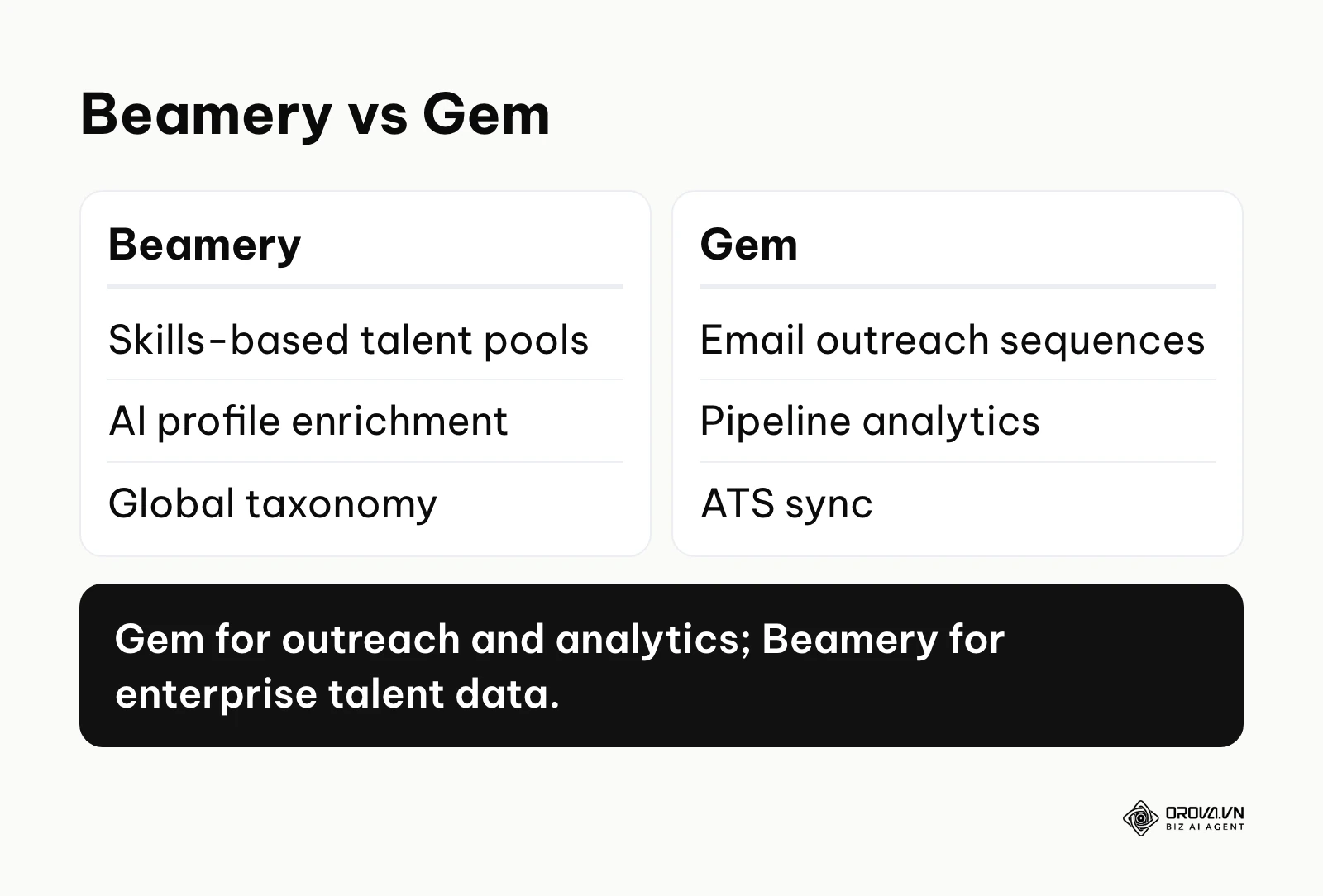
Beamery
What it does: Beamery operates as a highly sophisticated graph database. Instead of merely storing flat rows of candidates, it maps the complex relationships between candidates, skills, past roles, and your current employees. Its AI engine infers skills a candidate might possess based on their job title progression and the companies they have worked for, dynamically updating talent pools without manual data entry. The real value for users: The primary value is combating data decay. In many systems, a resume from two years ago is badly out of date. Beamery enriches these profiles with updated public data, helping recruiters notice if a past silver-medalist candidate just received a promotion and might be ready for a senior internal role. It shifts the entire team from reactive searching to proactive relationship management. Who it fits best: Large enterprises that have dedicated sourcing teams, complex global compliance requirements, and the capacity for a longer implementation project. How to start using it:
- Sit down with stakeholders to define a strict, standardized global taxonomy of skills and job families before importing a single record.
- Connect the platform to your primary ATS using native API connectors to ensure statuses flow bidirectionally.
- Build rule-based dynamic pools (e.g., automatically pooling candidates who reached the final interview stage but were not hired).
Gem
What it does: Gem was initially built as a pure sourcing extension for tech recruiters but has evolved into a comprehensive outreach and analytics platform. Through a browser extension, recruiters can save candidate profiles they find on the web, look up contact details, and add candidates to multi-step email sequences. The real value for users: Gem's analytics help teams find pipeline bottlenecks, with visibility into open rates, reply rates, and stage conversion. Its sync with ATS platforms such as Greenhouse means recruiters spend less time logging activities by hand. Who it fits best: Mid-market to enterprise technology companies where sourcing passive engineering and product talent is the primary challenge. How to start using it:
- Install the browser extension and configure it to recognize your specific ATS instance.
- Design standardized email templates for initial outreach, follow-ups, and breakup emails.
- Set up a dashboard to track the conversion rates of individual sourcers across different technical roles.
Illustration: A 500-person tech company needed to hire 50 senior engineers. The team struggled with outreach tracking, and several recruiters sometimes emailed the same person. They connected Gem to their ATS and set up a 3-stage email sequence, but candidate replies were not syncing back to the ATS, so recruiters checked inboxes by hand. They fixed this by enabling strict bi-directional sync in Gem's admin panel and mapping the "replied" status directly to their ATS stages. The visible result was a unified dashboard showing which candidates had replied, reducing the time recruiters spent cross-checking systems every morning and eliminating duplicate outreach entirely.
Symphony Talent
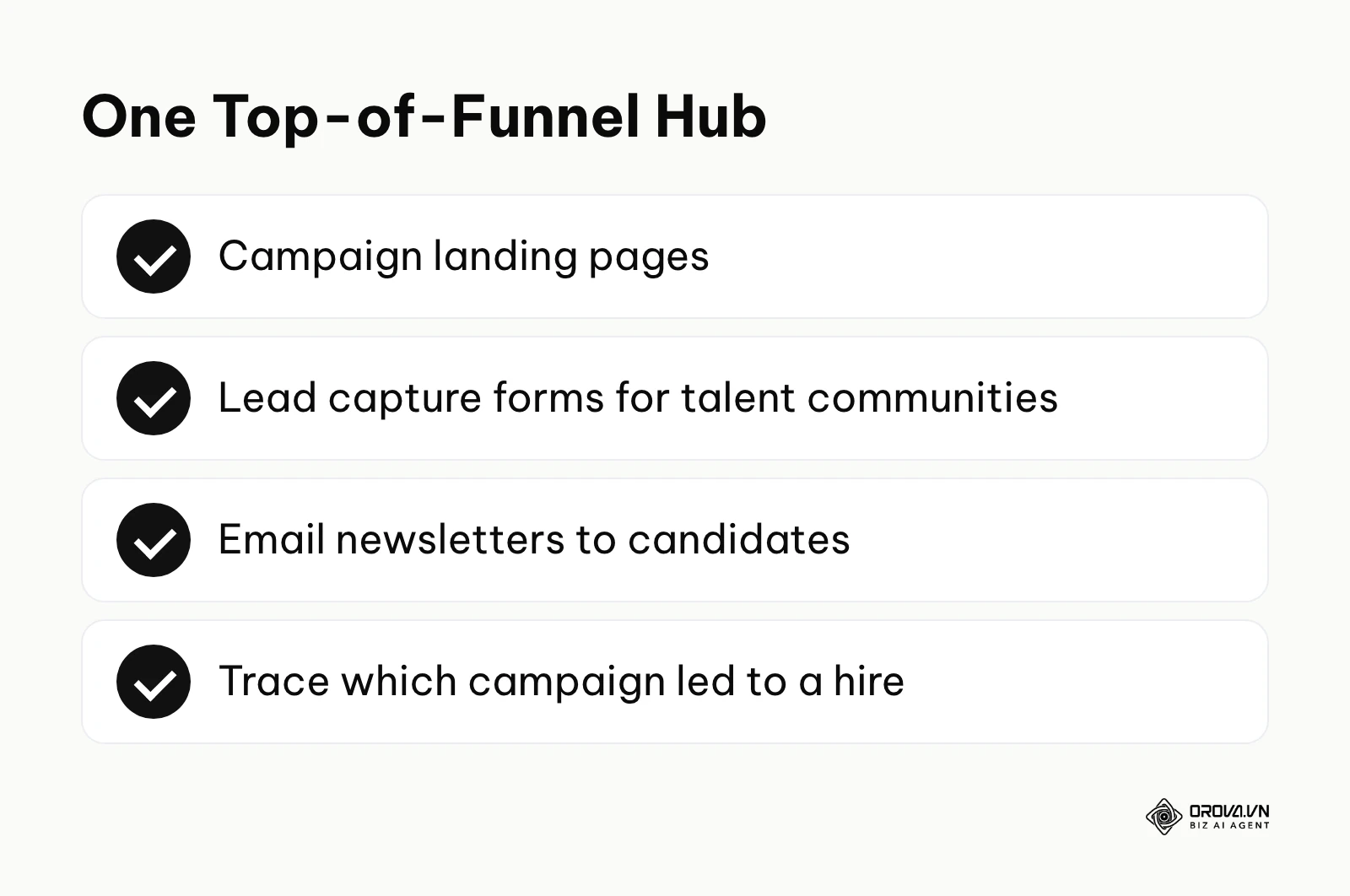
What it does: Symphony Talent (which acquired SmashFly) blends a traditional CRM with robust programmatic advertising and career site management. It allows talent teams to build targeted landing pages for specific campaigns, run digital ads to drive traffic to those pages, and capture leads directly into the CRM database. The real value for users: It centralizes employer branding efforts. Instead of stitching together a separate career site, newsletter tool, and ATS, Symphony Talent brings the top of the funnel into one place. Recruiters can trace which campaign led to a hire, proving the ROI of recruitment marketing spend. Who it fits best: Large organizations with dedicated recruitment marketing teams that manage massive employer branding budgets and run complex digital campaigns. How to start using it:
- Audit your existing career site content and move your core messaging into the platform's page builder.
- Set up lead capture forms tailored to specific talent communities (e.g., "Join our Women in Tech network").
- Launch a small programmatic ad campaign targeting a specific geographic region to test the data flow.
Avature
What it does: Avature is a highly customizable platform that lets enterprise teams build bespoke workflows, custom data objects, and automation rules that more rigid tools may not support. The real value for users: Flexibility. If a global bank needs a specific data compliance workflow for hiring in Germany that differs drastically from its process in Brazil, Avature can be configured to handle both without requiring a separate software instance. Who it fits best: Global enterprises with complex, multi-national hiring compliance rules and a dedicated internal IT team to manage the system's administration. How to start using it:
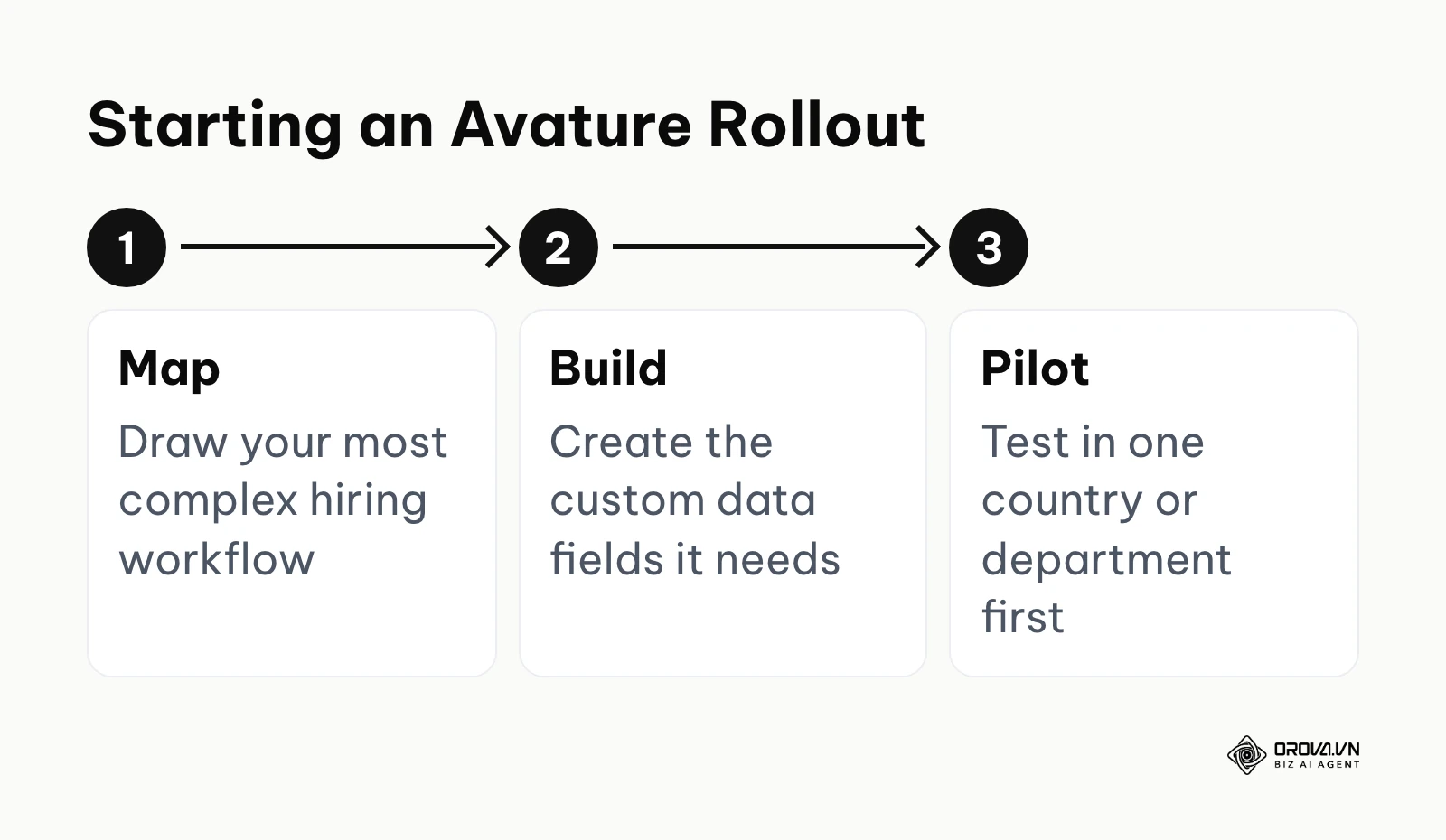
- Map out your most complex hiring workflow on a whiteboard, noting every single decision branch and compliance requirement.
- Work closely with Avature's implementation consultants to build the custom data fields required to support that workflow.
- Run a localized pilot in one country or department before attempting a global rollout.
Yello
What it does: Yello focuses heavily on campus recruiting, diversity events, and high-volume early talent acquisition. It provides event management capabilities, allowing recruiters to capture candidate data at physical career fairs using mobile tablets offline. The data syncs to the cloud once a connection is re-established. The real value for users: Far fewer paper resumes at physical events. Instead of flying back from a university with a messy stack of paper, recruiters leave the event with candidates already digitally captured, scored, and placed into automated follow-up email campaigns. Who it fits best: Enterprises, government contractors, and large consulting firms that hire hundreds of entry-level employees annually through campus programs. How to start using it:
- Build specific digital intake forms for an upcoming career fair, ensuring fields map to your ATS.
- Train your on-site recruiters on how to capture data in offline mode to avoid convention center internet connectivity issues.
- Configure automatic routing rules so candidates are immediately sent to the correct hiring manager's dashboard based on their major.
Spending days reading CVs by hand? Orova Recruit scores up to 500 CVs per position against the criteria you set, reading Word, PDF and scanned files, and quotes sentences from each CV as evidence so you can see why a candidate ranks where they do.
Top CRM Systems for Staffing & Recruiting Agencies
Unlike in-house teams, agencies are fundamentally sales organizations. Their CRM must manage two entirely different pipelines simultaneously: candidate placement and client acquisition (business development). They need features for tracking billable hours, managing client contracts, and submitting formatted resumes to hiring managers through secure portals.
Bullhorn
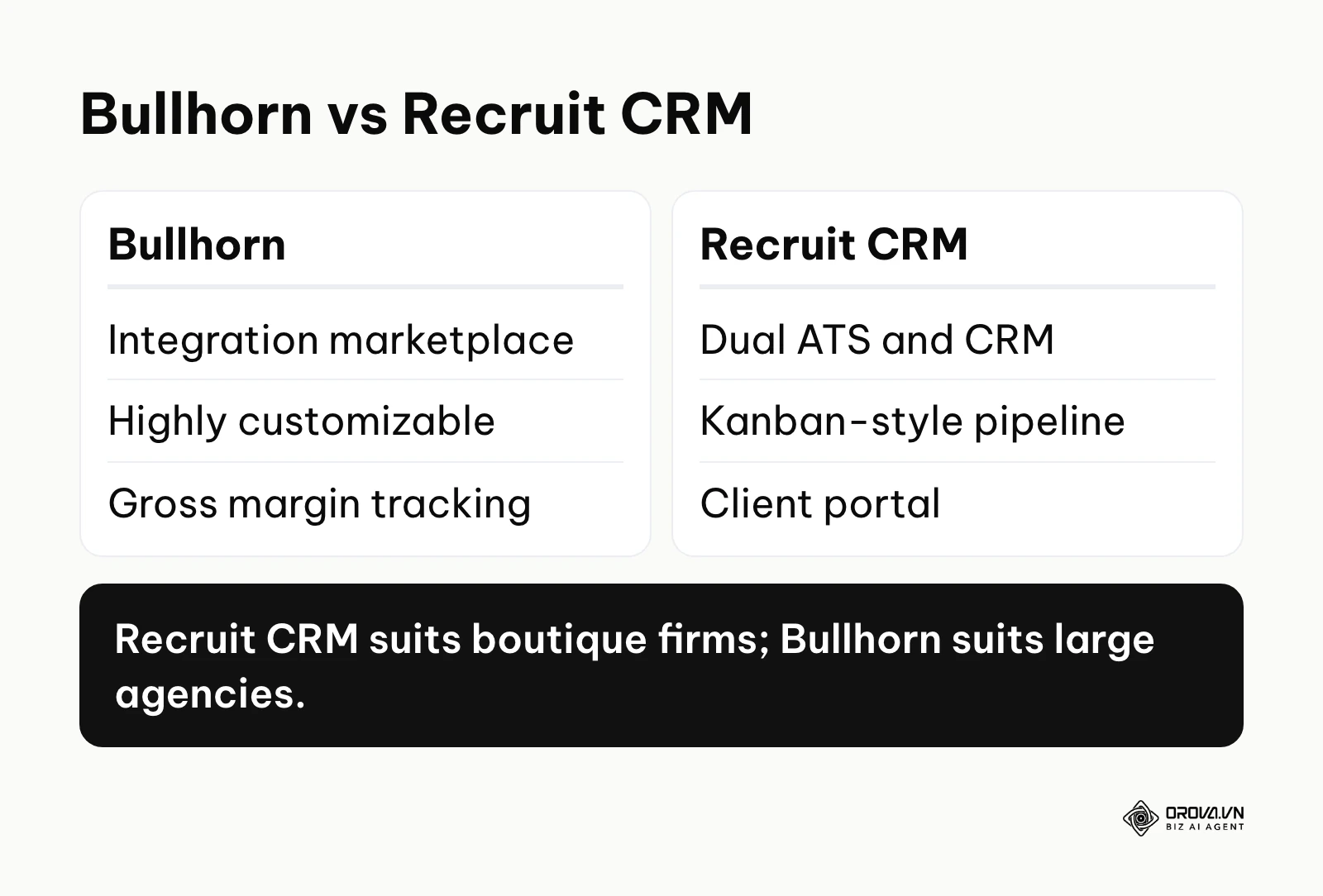
What it does: Bullhorn is one of the best-known platforms in the agency space. It is a robust, highly customizable platform that manages the entire lifecycle of an agency, from business development and candidate sourcing to time tracking and gross margin calculations. The real value for users: The ecosystem. Bullhorn runs a large marketplace of third-party integration partners, so if you want a text messaging tool, background check provider, or VoIP phone system, there is a good chance a pre-built integration already exists. Who it fits best: Large staffing agencies and multinational recruiting firms that require deep customization and have the budget for a complex implementation. How to start using it:
- Audit your current business development processes and map them directly into Bullhorn's sales pipeline stages.
- Evaluate the Bullhorn Marketplace to select your preferred VoIP and text messaging partners for seamless communication tracking.
- Configure your gross margin calculation rules within the system to ensure accurate financial reporting.
Recruit CRM
What it does: Recruit CRM is a modern, intuitive platform built specifically to serve as a dual ATS and CRM for agencies. It focuses heavily on user experience, offering a Kanban-board style interface for moving candidates through stages and a built-in Chrome extension for sourcing from LinkedIn. The real value for users: Speed of adoption. Because the interface is simple, recruiters can get productive quickly, reducing the change management friction typically associated with new software rollouts. It also offers client portal features for secure resume submittals. Who it fits best: Boutique agencies and mid-sized executive search firms looking for a modern alternative to legacy systems. How to start using it:
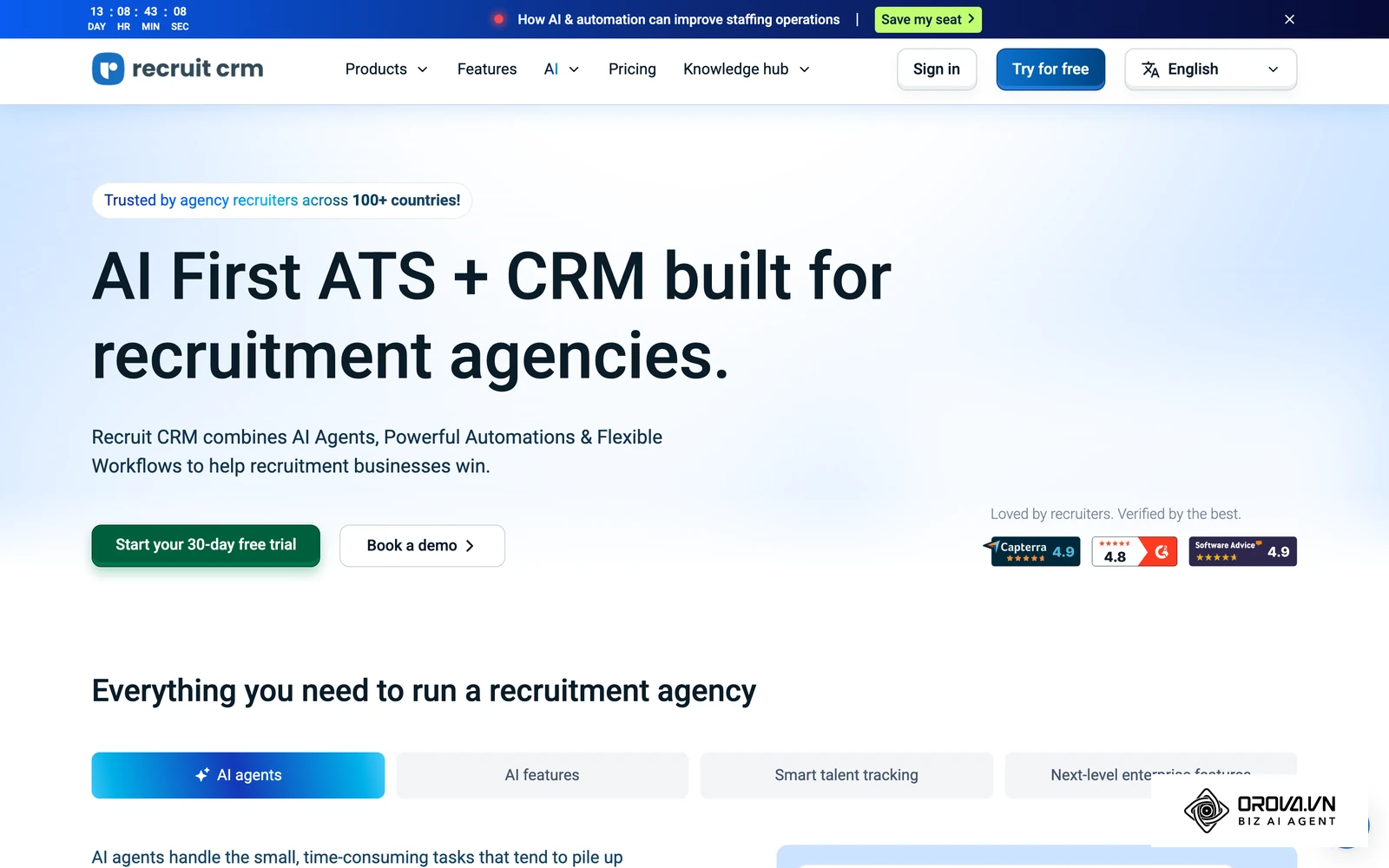
- Import your active client list and active candidate pipeline using their provided CSV templates.
- Install the Chrome extension and test sourcing a candidate directly into a live job requisition.
- Set up a branded client portal to securely share a candidate shortlist with your top client.
Illustration: A boutique executive search agency with 15 recruiters wanted to automate candidate submittals to clients to look more professional. The agency director mapped their client roster into Recruit CRM. They created a branded portal link for each client to review candidates. Initially, clients ignored the links because the automated notification emails landed in spam folders due to generic sending domains. They resolved this by authenticating their own sending domain with SPF and DKIM records, following the CRM's email setup instructions. The tangible outcome was clients directly leaving feedback on candidate profiles within the secure portal, completely eliminating messy, unsecured email threads containing sensitive resumes.
Loxo
What it does: Loxo differentiates itself by combining a CRM, an ATS, and a built-in contact database into a single platform. It uses AI to support sourcing, identifying potential matches for a job and surfacing contact information. The real value for users: It can reduce the need for separate data enrichment tools. Agencies can run their entire sourcing, outreach, and placement workflow without ever leaving the Loxo environment. Who it fits best: Mid-size agencies that want an all-in-one platform to cut down on their software subscription bloat. How to start using it:
- Cancel redundant subscriptions to standalone email finding tools or secondary data providers.
- Create a new job requisition and run Loxo's AI sourcing engine to generate an initial list of 100 potential matches.
- Launch a multi-channel outreach campaign (email, text message, LinkedIn) directly from the platform.
Vincere
What it does: Vincere is built with a heavy focus on the commercial realities of running a recruitment agency. It provides distinct modules for permanent placement, contract staffing, and executive search, alongside deep analytics dashboards that track individual consultant performance and forecasted revenue. The real value for users: Gamification and financial visibility. Vincere's dashboards help agency owners to see exactly which consultants are hitting their KPIs, where deals are stalling in the pipeline, and what the projected cash flow looks like for the upcoming quarter. Who it fits best: Growth-focused mid-size agencies that manage a mix of permanent and contract placements and rely heavily on data-driven management. How to start using it:
- Configure the distinct workflows for your perm desk versus your contract desk, as they require different compliance steps.
- Set up the performance dashboards and establish baseline KPIs for your consultants.
- Train your team on using the built-in analytics to forecast their own monthly commission.
JobAdder
What it does: JobAdder is designed to keep agency recruiting simple. It provides a straightforward platform for managing jobs, candidates, and client communications. The real value for users: Ease of use and mobile accessibility. JobAdder offers a mobile app, allowing recruiters to review CVs, contact candidates, and manage client feedback while on the move, which is critical in fast-paced agency environments. Who it fits best: Small to mid-size agencies that want a reliable, straightforward tool without features they will never use. How to start using it:
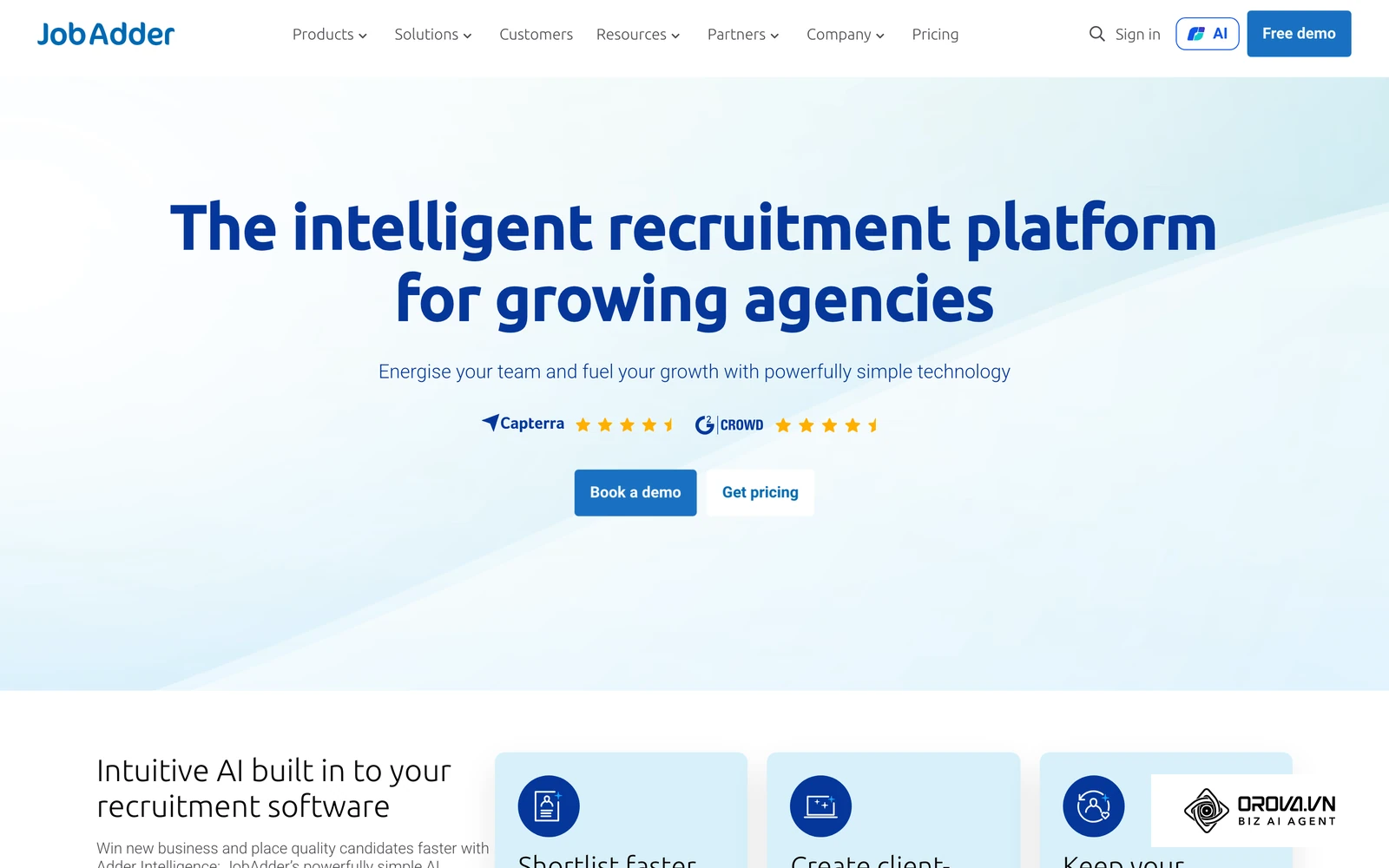
- Download the mobile application and ensure all recruiters log in on their devices.
- Customize your job boards and career page integrations to ensure inbound flow is captured correctly.
- Build simple, standardized email templates for client submittals to ensure brand consistency.
Manatal
What it does: Manatal is a lightweight, AI-driven ATS and CRM that focuses on resume parsing and recommending the best candidates from your existing database for new job requisitions. It includes a social media enrichment feature that automatically pulls in candidates' public profiles. The real value for users: Fast database mining. When a new client gives you a job brief, Manatal's recommendation engine immediately scans your historical database to surface candidates you already know, reducing the time spent sourcing externally. Who it fits best: Small agencies and independent recruiters who need a lightweight, modern tool to manage their growing database. How to start using it:
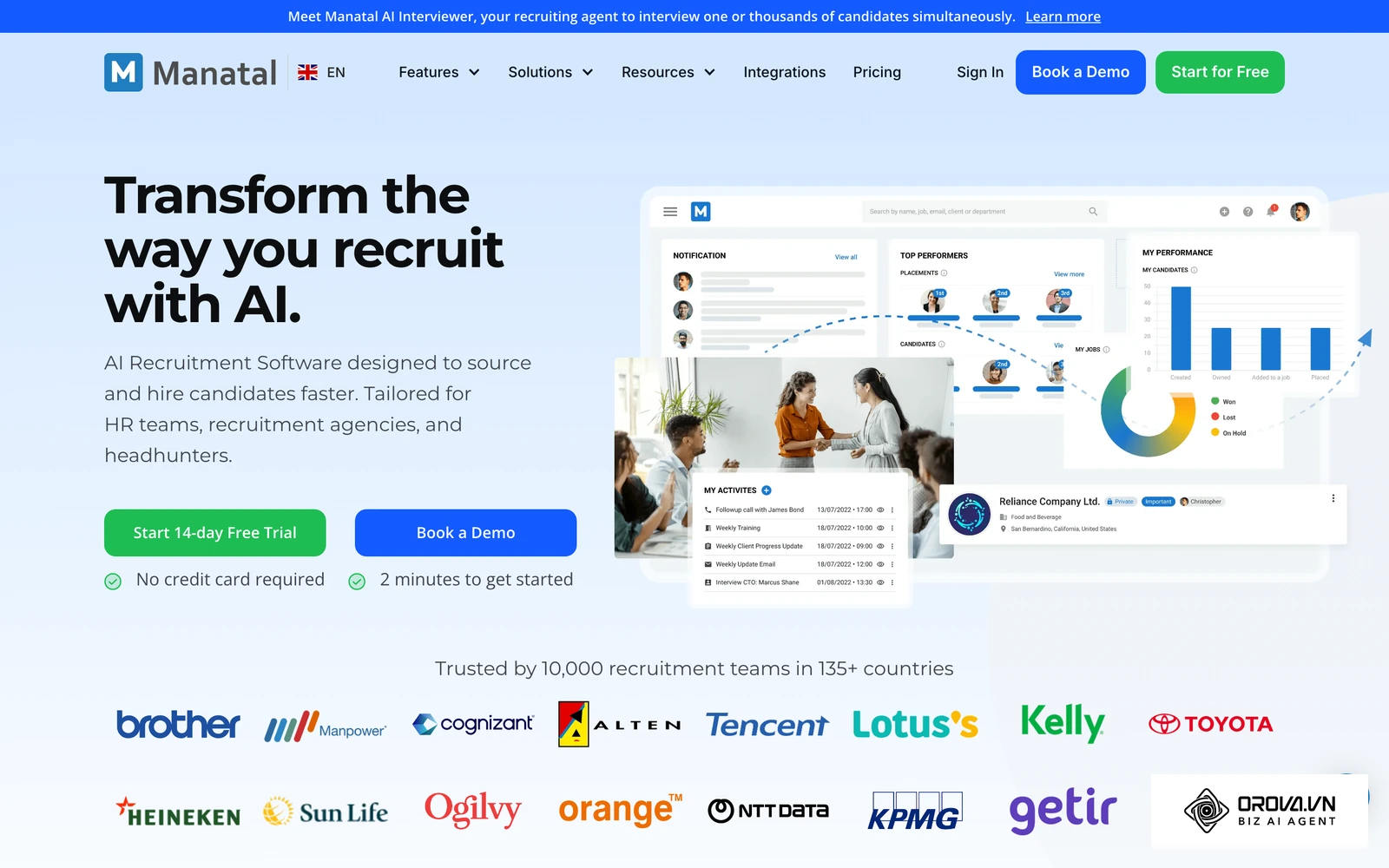
- Import your historical resume database and let the AI parser index the skills and experience.
- Create a new test job requisition and review the system's internal candidate recommendations.
- Configure the career page widget and embed it on your agency's website to capture inbound talent.
How a Recruitment CRM Connects to Your ATS: Native vs. Zapier
A CRM loses much of its value if it cannot exchange data reliably with your Applicant Tracking System. When evaluating the best recruitment crm for agencies or in-house teams, you must scrutinize the integration layer. Vendors often claim they "integrate with everything," but the reality of how that data flows dictates your operational efficiency.
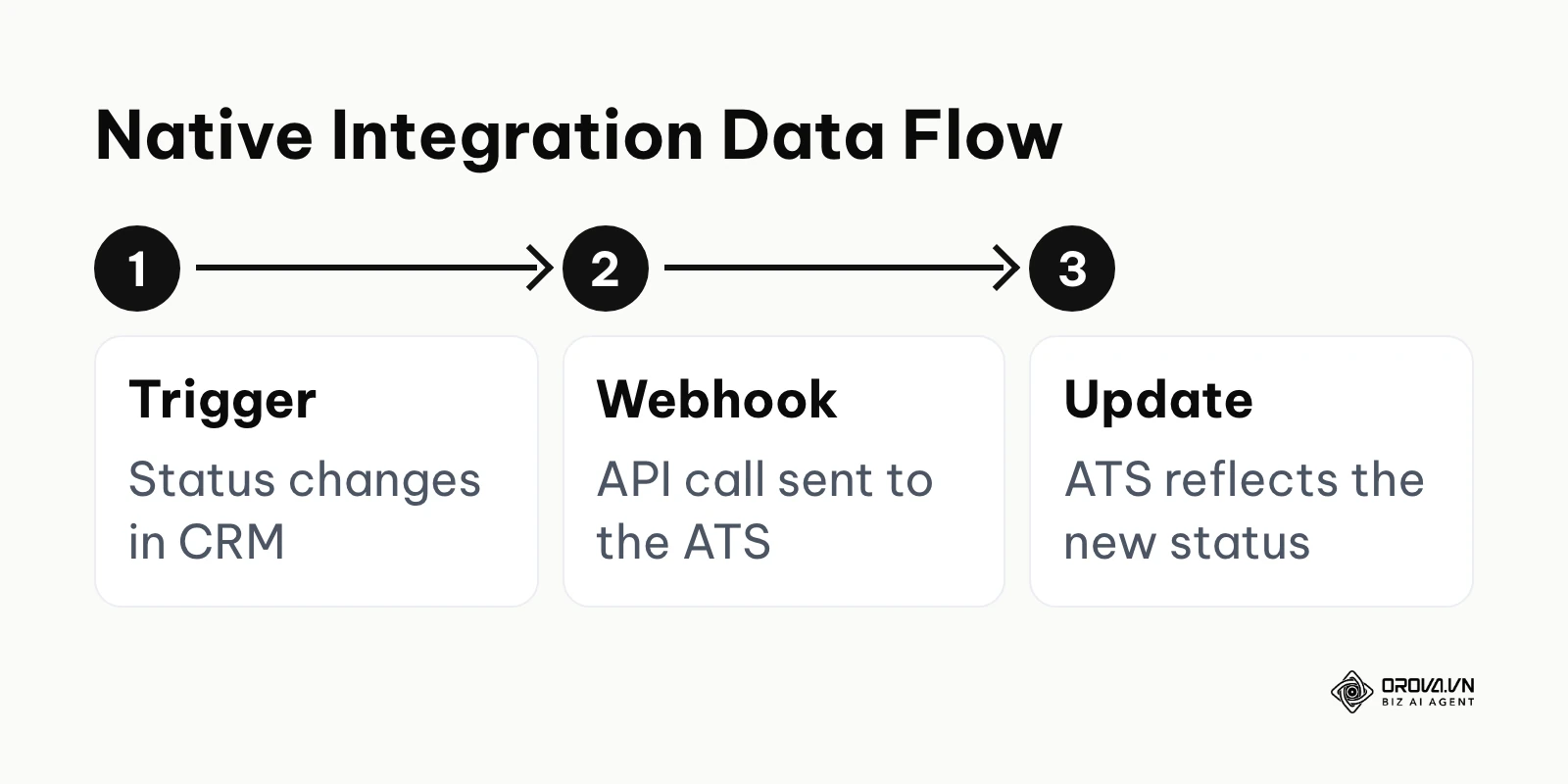
There are primarily two ways systems communicate: Native API integrations (built and maintained by the vendors) and third-party middleware integrations (like Zapier).
Native Integrations: These are hard-coded connections built specifically between two platforms (e.g., Gem and Greenhouse). They typically rely on webhooks, meaning when a candidate's status changes in the CRM, a signal is pushed to the ATS almost immediately. Well-built native integrations can map custom fields and handle high data volumes, although rate limits still apply.
Zapier / Middleware Integrations: When a native integration does not exist, you must use Zapier to bridge the gap. While flexible, many triggers rely on polling (checking for updates on a schedule that depends on your plan), which creates delays. Zapier also bills by "tasks" (the number of actions performed), so syncing thousands of candidate notes in a high-volume agency can become a significant cost line.
| Feature | Native API Integration | Zapier Middleware |
|---|---|---|
| Data Sync Speed | Near-instant (webhook driven) | Often delayed (scheduled polling) |
| Custom Field Mapping | Deep, reliable mapping | Often limited to standard fields |
| Cost | Often included in license | Billed per task, grows with volume |
| Maintenance | Managed by the vendor | Managed by your internal IT team |
| Error Handling | Built-in retry logic | Zaps can break silently if APIs change |
If your CRM and ATS do not have a native integration, you will inevitably experience data silos. You should view middleware as a temporary patch, not a long-term architectural strategy.
Total Cost of Ownership & Hidden Pricing Traps
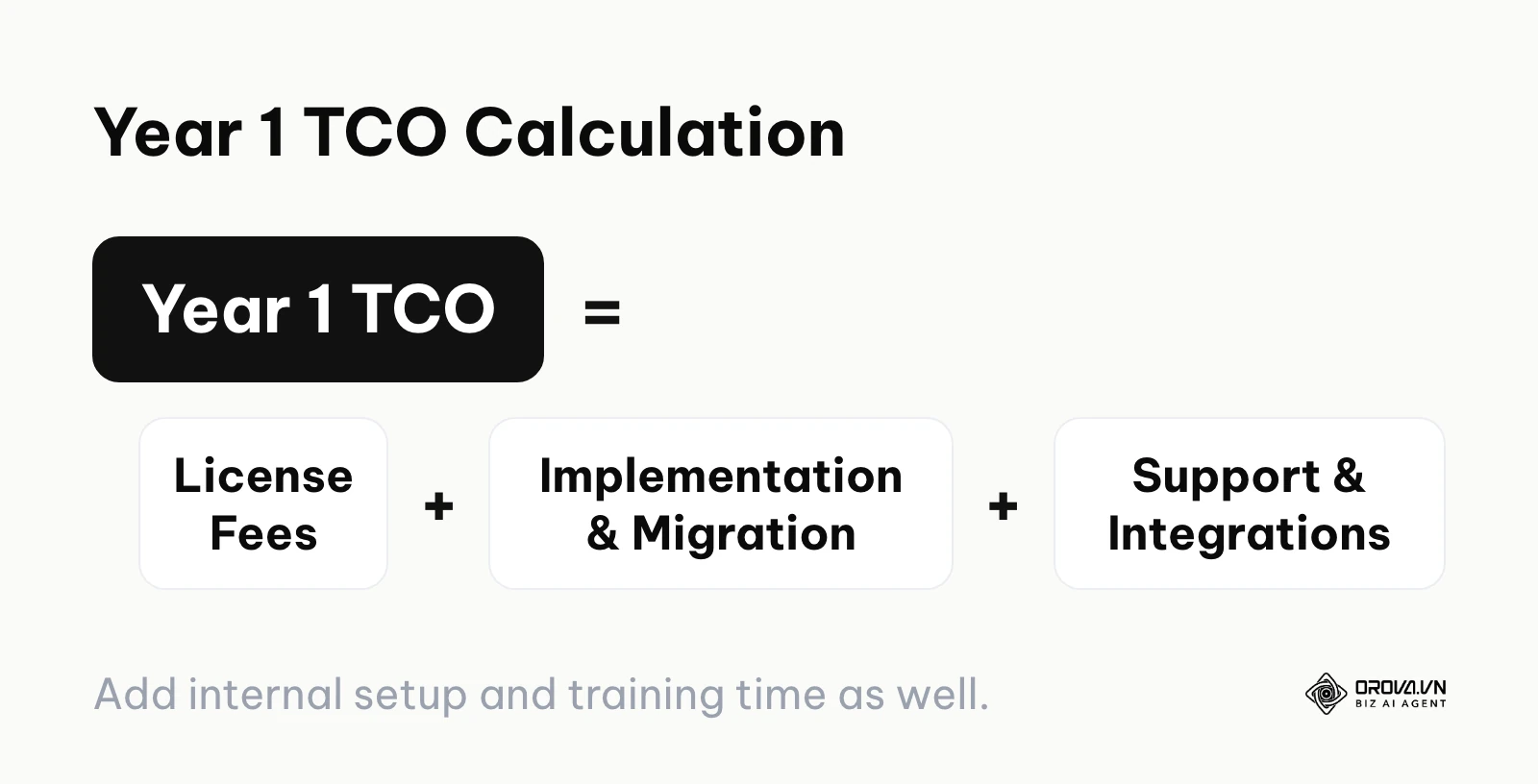
When investigating recruitment crm pricing, buyers often focus entirely on the per-seat license fee. This is a fatal mistake. The true Total Cost of Ownership (TCO) in the first year is often well above the quoted license price. If you do not calculate TCO up front, the software can drain cash flow long before it delivers a measurable return.
1. The Implementation Fee Trap: Enterprise CRMs do not just turn on. They require weeks of configuration, taxonomy mapping, and workflow design. Vendors often charge a separate implementation fee, and it can be a meaningful share of the first-year license. Always negotiate this fee based on the complexity of your actual deployment.
2. The Data Storage "Tax": Many CRMs limit the number of candidate profiles you can store or the number of active jobs you can manage in their base tier. As your database grows, you are forced into premium storage tiers. Ask vendors exactly what happens when you cross the 100,000 candidate mark.
3. API Rate Limit Fees: If you plan to connect your CRM to custom internal dashboards or heavily use third-party tools, you will consume API calls. Some vendors strictly throttle these calls and charge exorbitant fees to increase your daily limit.
4. Premium Support Tolls: The base price often includes standard email support with slower response targets. If your system goes down during a massive hiring sprint, you will wish you had phone support. Vendors often hold Service Level Agreements (SLAs) and dedicated account managers behind a "Premium Support" paywall.
To calculate your actual Year 1 TCO, add up every line in the worksheet below, using the vendor's written quote and your own internal time estimates. Fill one column per vendor so the totals are comparable.
| Cost line | What to ask the vendor | Vendor A (your figure) | Vendor B (your figure) |
|---|---|---|---|
| License fees | Per seat or usage-based? Minimum seats? Annual increase cap? | ||
| Implementation | Fixed fee or hourly? What is included? | ||
| Data migration | Who cleans and maps the data? Is a sandbox included? | ||
| Support tier | What response time comes with the base plan? | ||
| Integration middleware | Is a native ATS integration included, or do we need Zapier? | ||
| Internal time | How many hours will recruiters and IT spend on setup and training? | ||
| Year 1 TCO | Sum of all lines above |
Question the vendor on every line before signing the contract.
The Buyer's Decision Matrix: Score Your Own Fit
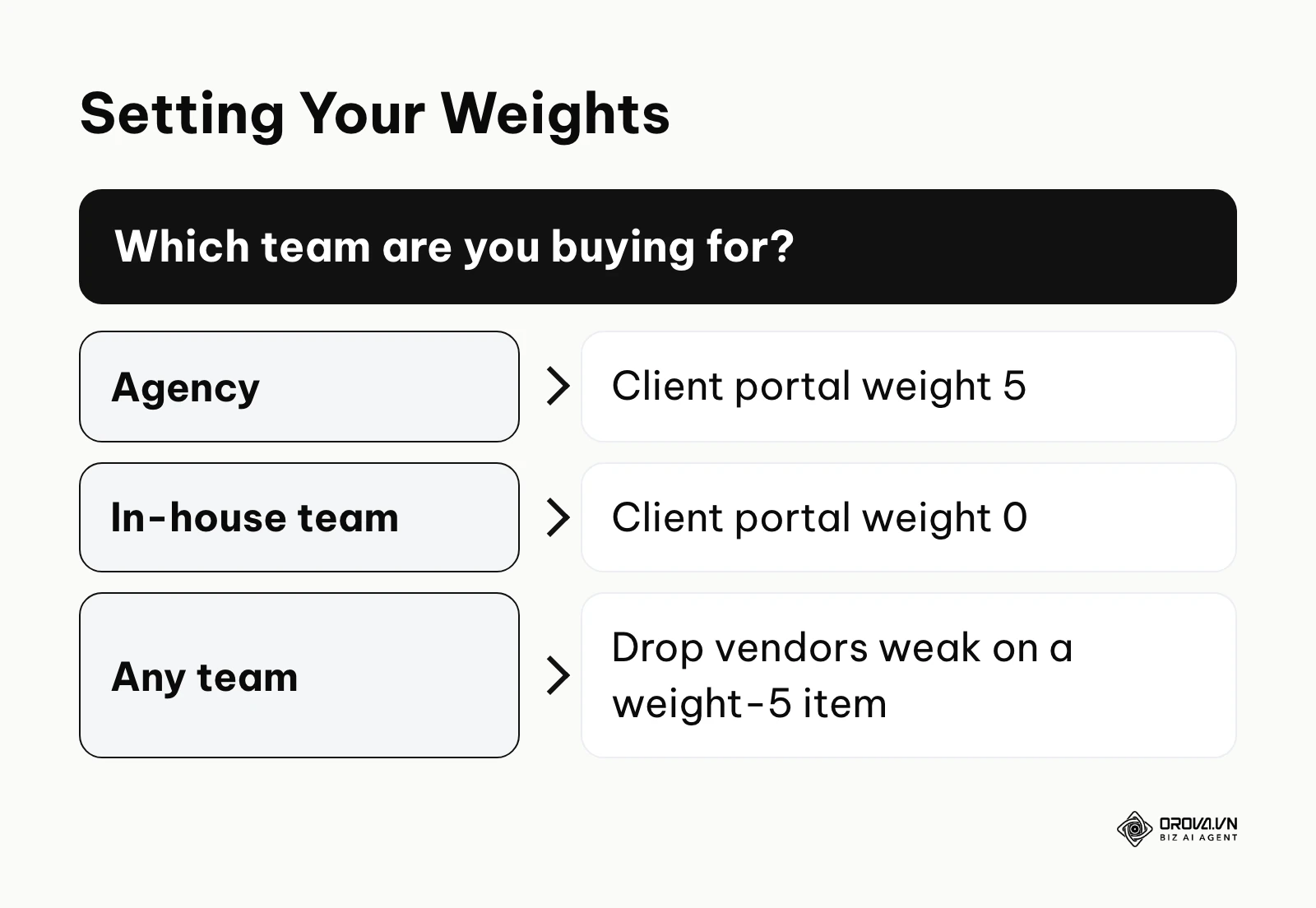
Do not rely on subjective listicles to choose your software. Instead, use a quantifiable Decision Matrix. Create a spreadsheet with your core requirements on the Y-axis and the vendor names on the X-axis. Assign a weight (0-5) to each requirement based on its importance to your business model.
Example Matrix Criteria to Score (1-10):
- ATS Sync Reliability (Weight 5): Does it sync bidirectionally without middleware?
- Ease of Adoption (Weight 4): Will recruiters actually use it, or will they revert to spreadsheets?
- Workflow Automation (Weight 4): Can we build complex "if/then" triggers without writing code?
- Reporting Depth (Weight 3): Can it report on conversion rates by specific demographic or source?
- Client Portal (Weight 5 for Agencies, 0 for In-house): Does it offer a secure, branded submittal process?
Multiply the vendor's score by the weight of each criterion, then add the results to get a total score. If a vendor scores poorly on a weight-5 criterion, eliminate it, regardless of how impressive its AI features look in a demo.
| Criterion | Weight (0-5) | Vendor A score (1-10) | Vendor A weighted | Vendor B score (1-10) | Vendor B weighted |
|---|---|---|---|---|---|
| ATS sync reliability | 5 | 8 | 40 | 6 | 30 |
| Ease of adoption | 4 | 6 | 24 | 9 | 36 |
| Workflow automation | 4 | 7 | 28 | 7 | 28 |
| Reporting depth | 3 | 9 | 27 | 5 | 15 |
| Client portal (in-house team) | 0 | 4 | 0 | 8 | 0 |
| Total | 119 | 109 |
In this illustrative example, Vendor A wins on total score even though Vendor B is easier to adopt. Replace the weights and scores with your own.
Ready to speed up your hiring? Orova Recruit helps you write the job description, generates interview questions from the JD and CV, captures voice or text interview notes, schedules interviews and sends candidate emails from your company mailbox. Free until July 7, 2027.
Data Migration: 5 Fatal Mistakes & Your Preparation Checklist
Moving data from a legacy database to a new recruitment CRM is the single highest point of failure in any software rollout. If you migrate garbage data, your new expensive CRM will simply become a faster garbage processing machine.
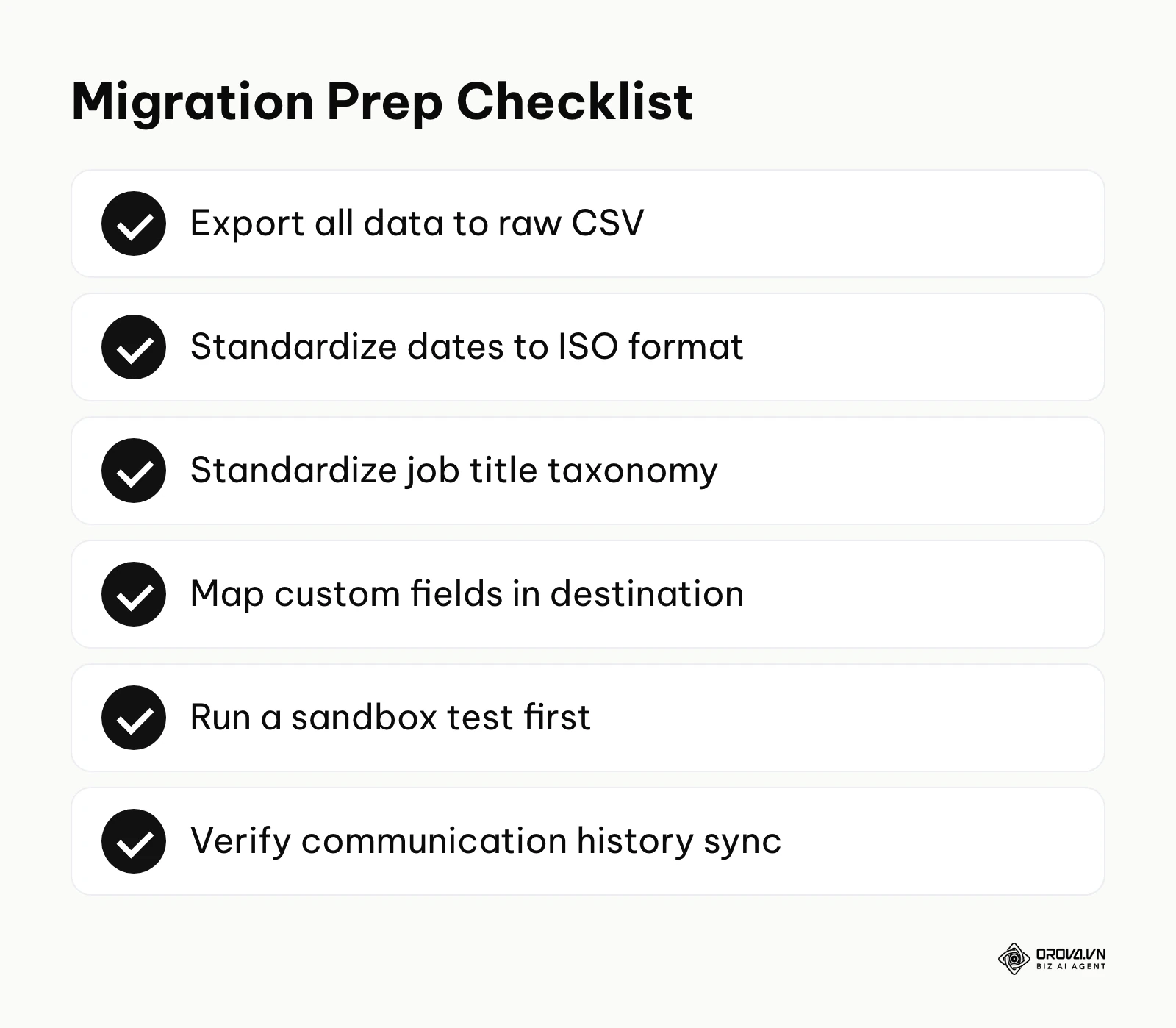
The 5 Fatal Mistakes:
- Moving dirty data without a cleanup phase: Transferring duplicate profiles, dead email addresses, and outdated resumes destroys the value of the new system.
- Ignoring custom field mapping limits: Assuming that your highly specific legacy fields (e.g., "Willing to relocate to Ohio") will automatically map to the new system without manual configuration.
- Not backing up communication histories: Losing the historical context of past emails, interview notes, and salary negotiations with passive candidates.
- Failing to standardize taxonomy: Importing candidates with 15 different variations of "Software Engineer" (e.g., "Dev", "SDE", "Programmer") ruins the AI's ability to search effectively.
- Doing a massive "Big Bang" migration: Attempting to move 500,000 records over a single weekend without running a sandbox test first.
Illustration: A mid-sized healthcare staffing firm migrated from a legacy server-based database to a modern cloud CRM. The operations lead exported 100,000 candidate records as raw CSV files. They directly imported them into the new system without cleaning the data first. The system immediately choked because date formats were inconsistent (mixed MM/DD/YYYY and DD/MM/YYYY) and custom state license fields were completely missing in the new environment. They had to halt the rollout, pull the team offline, use a spreadsheet tool to standardize all date columns to an ISO format, and manually create the corresponding custom fields in the new CRM. The final result was a delayed but successfully populated database where recruiters could immediately and accurately filter candidates by state license expiration dates.
10 Hard Questions to Ask Vendor Sales
When you sit down with a software sales representative, they will steer the conversation toward their flashiest features. You must take control of the narrative and ask hard, operational questions.
- What is the guaranteed uptime API SLA, and what are the financial penalties if you miss it?
- How exactly is data storage priced after we exceed the initial tier?
- Can we export 100% of our data, including notes and activity logs, for free if we decide to leave in two years?
- Is your "native integration" built and maintained by your engineering team, or by the ATS vendor?
- What specific features shown in today's demo are currently on the roadmap versus live in production?
- How do you handle email deliverability and domain reputation when sending mass campaigns through your servers?
- What is the average response time for standard support tickets, not just critical system outages?
- Are there any hard caps on the number of automated workflows or API calls we can run daily?
- Does your AI model train on our proprietary candidate data to benefit other customers?
- What does the implementation process look like week-by-week, and who exactly will be our dedicated project manager?
Minimum Tech Stack Recommendations by Scale
Overbuying software is just as damaging as underbuying. You do not need an enterprise graph database if you have two recruiters. Below is a realistic baseline for what your tech stack should look like based on your organizational scale.
| Scale | Minimum Recommended Stack | Common Trap to Avoid |
|---|---|---|
| Solo Agency / Freelancer | Lightweight ATS/CRM hybrid (e.g., Manatal) + LinkedIn Sales Navigator | Buying separate sourcing, CRM, and ATS tools. |
| Small Team (3-10 Recruiters) | Dedicated Agency CRM (e.g., Recruit CRM) + Basic Automation | Overcomplicating workflows with Zapier patches. |
| Mid-Market In-House | ATS + Focused Sourcing CRM (e.g., Gem) + CV Screening Tool | Failing to align the CRM with the core HRIS. |
| Large Enterprise | Enterprise CRM (e.g., Beamery) + Full Suite ATS (Workday) + Programmatic Ads | Underestimating the time required for data migration. |
Where Recruitment CRM Systems Are Heading in the Next Few Years: The Author's Take
These are opinions, not forecasts backed by data. Based on what vendors are shipping today, here are three shifts I expect over the next two to three years.
AI moves from sourcing to deep relationship nurturing
Currently, most AI in recruitment is focused on the top of the funnel—scraping profiles and guessing email addresses. My read is that over the next two to three years, more of the focus will shift to mid-funnel relationship nurturing. AI agents may handle longer, multi-touch conversations with passive candidates, adjusting the tone and content of emails to each candidate's career progression, with recruiters stepping in when a candidate is ready to talk. You should prepare by ensuring your current database has deep, qualitative data, not just contact info.
The merge of CRM and internal mobility platforms
As external talent becomes more expensive to acquire, I think enterprise CRMs will move closer to internal talent marketplaces. The CRM of the next few years will not only look outward; it will also track the skills of current employees. When a senior role opens up, it could suggest a mix of external passive candidates and internal employees who look ready for a promotion. You should start demanding that your CRM vendors articulate their internal mobility roadmap today.
Pricing models shifting from per-seat to usage-based
Many recruiting tools still charge per recruiter seat. As automation takes over manual tasks, teams can process the same volume of work with fewer seats. I suspect more vendors will move toward usage-based pricing, charging based on the number of automated workflows executed, the volume of AI API calls, or the number of successful placements facilitated by the platform. You must audit your current software contracts to ensure you are not locked into long-term seat-based pricing as your team structure evolves.
Frequently Asked Questions about Recruitment CRM Systems
What is the difference between an ATS and a recruitment CRM?
An Applicant Tracking System (ATS) manages the workflow of active candidates who have already applied for a job, moving them from screening to offer. A recruitment CRM manages passive candidates, allowing you to build talent pools, run marketing campaigns, and track engagement before a requisition even exists.
How long does it take to implement a new CRM?
For a small agency using a lightweight hybrid tool, implementation can take less than a week. For a mid-market in-house team integrating with an existing ATS, expect several weeks. For global enterprises deploying highly configurable systems like Avature or Beamery, implementation can run for several months because of taxonomy mapping and compliance reviews.
What role does AI play in modern recruitment CRMs?
As of 2026, AI is heavily utilized for three primary tasks: parsing and standardizing messy resume data, inferring a candidate's future skills based on their career trajectory, and automating the timing and personalization of outreach emails to increase reply rates.
How do I measure the ROI of a recruitment CRM after 6 months?
Do not look at superficial metrics like email open rates. To measure true ROI, track the reduction in time-to-fill for hard-to-hire roles, the decrease in external agency spend, and the percentage of new hires sourced directly from your CRM's pre-existing talent pools versus inbound applications.
Which CRM is best for complex no-code workflows?
For in-house teams, Avature provides the deepest level of workflow customization without requiring developer resources. For agencies, Bullhorn offers extensive automation options, though they may require some initial setup assistance from an integration partner.
Where to Start?
Staring at a massive software implementation project can induce paralysis. Do not try to boil the ocean. Depending on your current situation, here is the exact first step you should take this week.
If your data is currently scattered across spreadsheets: Stop looking at software demos immediately. Your first step is to consolidate your data. Spend one afternoon exporting every spreadsheet, standardizing the column headers (Name, Email, Phone, Current Role, Source), and compiling them into a single master CSV file. You cannot evaluate a vendor's data ingestion capabilities if you do not know what your data looks like.
If you are struggling with high-volume screening bottlenecks: Do not buy a massive enterprise CRM to solve a screening problem. Focus on targeted automation. Select one high-volume role that is currently causing your team pain. Document the exact pass/fail criteria for that role. This allows you to evaluate tools designed for rapid assessment rather than broad marketing. Orova Recruit, for example, scores CVs against the criteria you set for a position and quotes sentences from each CV as evidence; it is a screening tool, not a CRM.
If you are an agency losing track of client submittals: Your priority is workflow visibility, not AI sourcing. Sit down with your top biller and map out exactly how they currently submit candidates to clients. Note every email, PDF attachment, and phone call. Use this map as your absolute baseline requirement when evaluating agency-specific CRM platforms; if the software makes this specific workflow harder, walk away.
About the author

Builder of Orova
Nguyễn Đỗ Trọng Ân has 8 years of experience in marketing, including 6 years managing market development across Asia. He builds Orova, a Biz AI Agent that never sleeps: it plans, runs and optimizes work for businesses.
Run your business with AI Agents
Orova is the always-on Biz AI Agent — it plans, runs, and optimizes the work for you.
Save time, unlock productivity.