
10 eLearning Authoring Tools Compared: Hidden Costs and Real Learning Curves

You are heavily investing in your company's training program, but buying the wrong software will stall your progress before it even begins. Many managers purchase expensive elearning authoring tools expecting a magical, one-click course creation experience. Instead, they hit a brick wall of complex interfaces, hidden hosting fees, and mobile compatibility nightmares. Your team ends up abandoning the new system and falling back to sharing messy PDF files over email.
This guide strips away the marketing jargon to show you the reality of the current market. We will bypass the standard feature lists to examine the true total cost of ownership, the realistic hours required for training your staff, and how well these platforms actually perform on older mobile devices. Below, you will find 10 elearning authoring tools grouped by how they actually work, so you can match the software to your team's technical skills and your real budget constraints.
What Are eLearning Authoring Tools?
An eLearning authoring tool is a specialized software application used to build interactive digital training courses. These platforms allow you to combine text, images, video, and quizzes into a unified package. You need this software to produce standardized files that a learning management system can read, track, and score.
You should adopt an authoring platform when you need to deploy trackable compliance training, onboard new employees at scale, or monetize educational content. You should avoid buying a heavy authoring tool if your training consists entirely of one-off live webinars or if you only need to store passive reading materials in a shared company folder.
The Hidden Costs: Total Cost of Ownership for a Small Team
The base price listed on a software vendor's website rarely reflects what you will actually spend in your first year. To understand the true financial impact, you must calculate the Total Cost of Ownership (TCO). Many legacy platforms lock you into ecosystem traps that quietly drain your training budget.
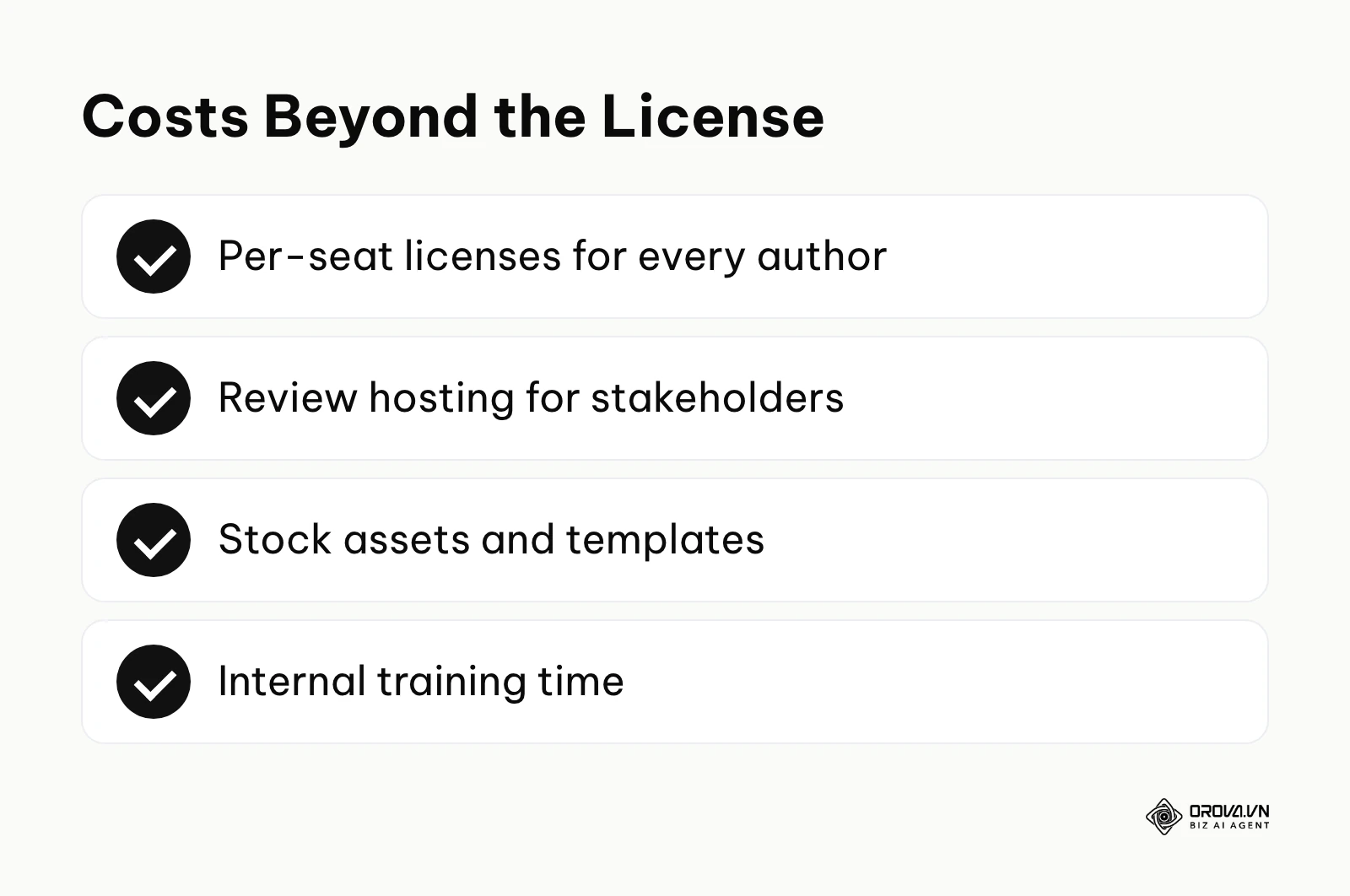
When you purchase traditional desktop authoring software, you are only buying the right to install the application. You must often pay separately for external cloud environments to host the courses while your stakeholders review them. Furthermore, if the platform lacks built-in media libraries, you will need premium subscriptions for stock photos, vector graphics, and audio tracks. Finally, the most significant hidden cost is the internal labor hours required to train your staff on how to use the complex software.
| Cost Category | What to check with a traditional desktop tool | What to check with a cloud-native tool |
|---|---|---|
| Licenses | Per-seat licenses for every author | Per-seat or per-team plans; check whether reviewers need a seat |
| Review hosting | Often a separate service or add-on | Usually built into the platform |
| Stock assets and templates | May need third-party libraries | Often bundled; confirm what is included |
| Internal training time | Many hours before authors are productive | Fewer hours for simple block-based courses |
Here is what the license line actually costs. We read each vendor's official pricing page in October 2026 (US dollars, billed annually, before tax); vendors change plans often, so recheck the page before you sign.
| Tool and plan | Published price | What the price covers | Source |
|---|---|---|---|
| Articulate 360 AI | 1,749 dollars per seat / year | Storyline, Rise, review publishing, media library | articulate.com/360/pricing |
| Articulate Frontline | From 500 dollars / year, unlimited seats | AI-guided course creation for non-designers | articulate.com/360/pricing |
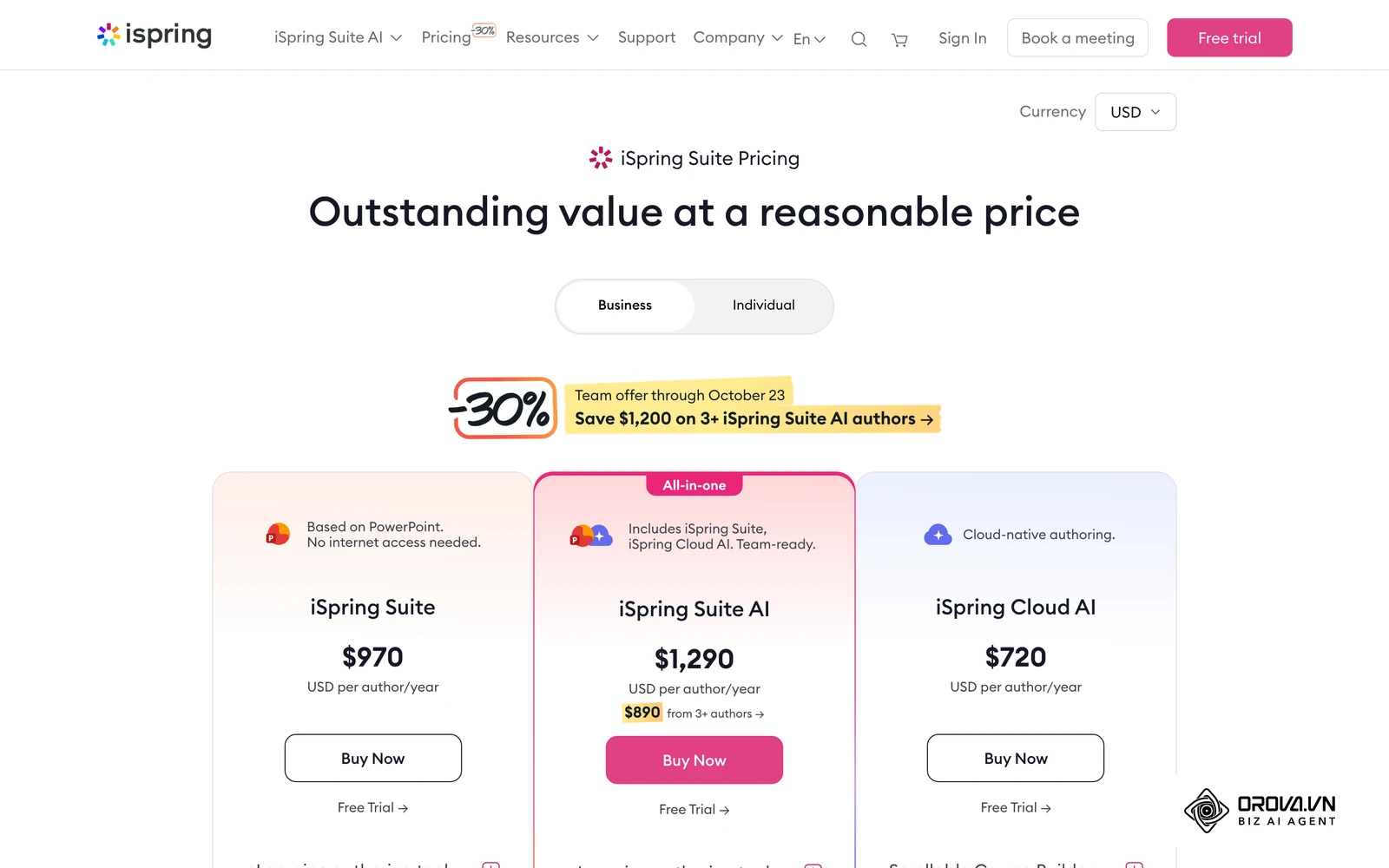
| iSpring Suite | 970 dollars per author / year | PowerPoint add-in, offline authoring | ispringsolutions.com/ispring-suite/pricing |
| iSpring Suite AI | 1,290 dollars per author / year | iSpring Suite plus iSpring Cloud AI | ispringsolutions.com/ispring-suite/pricing |
| iSpring Cloud AI | 720 dollars per author / year | Browser-based authoring | ispringsolutions.com/ispring-suite/pricing |
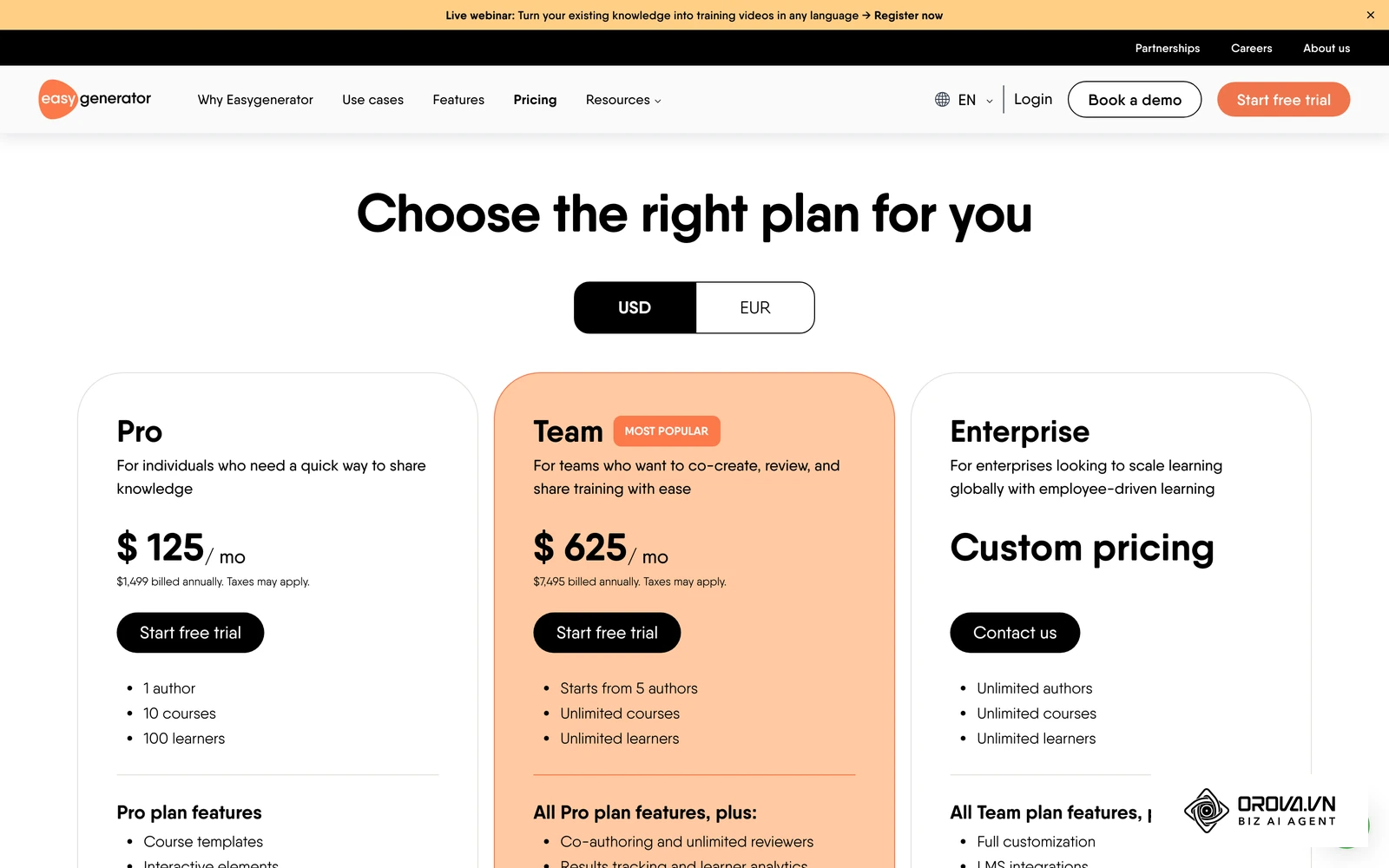
| Easygenerator Pro | 1,499 dollars / year | 1 author, 10 courses, 100 learners | easygenerator.com/en/pricing |
| Easygenerator Team | 7,495 dollars / year | From 5 authors, unlimited courses and learners | easygenerator.com/en/pricing |
| 7taps | Free plan 0 dollars; Starter 4,995 dollars / year | Microlearning builder and delivery | 7taps.com/pricing |
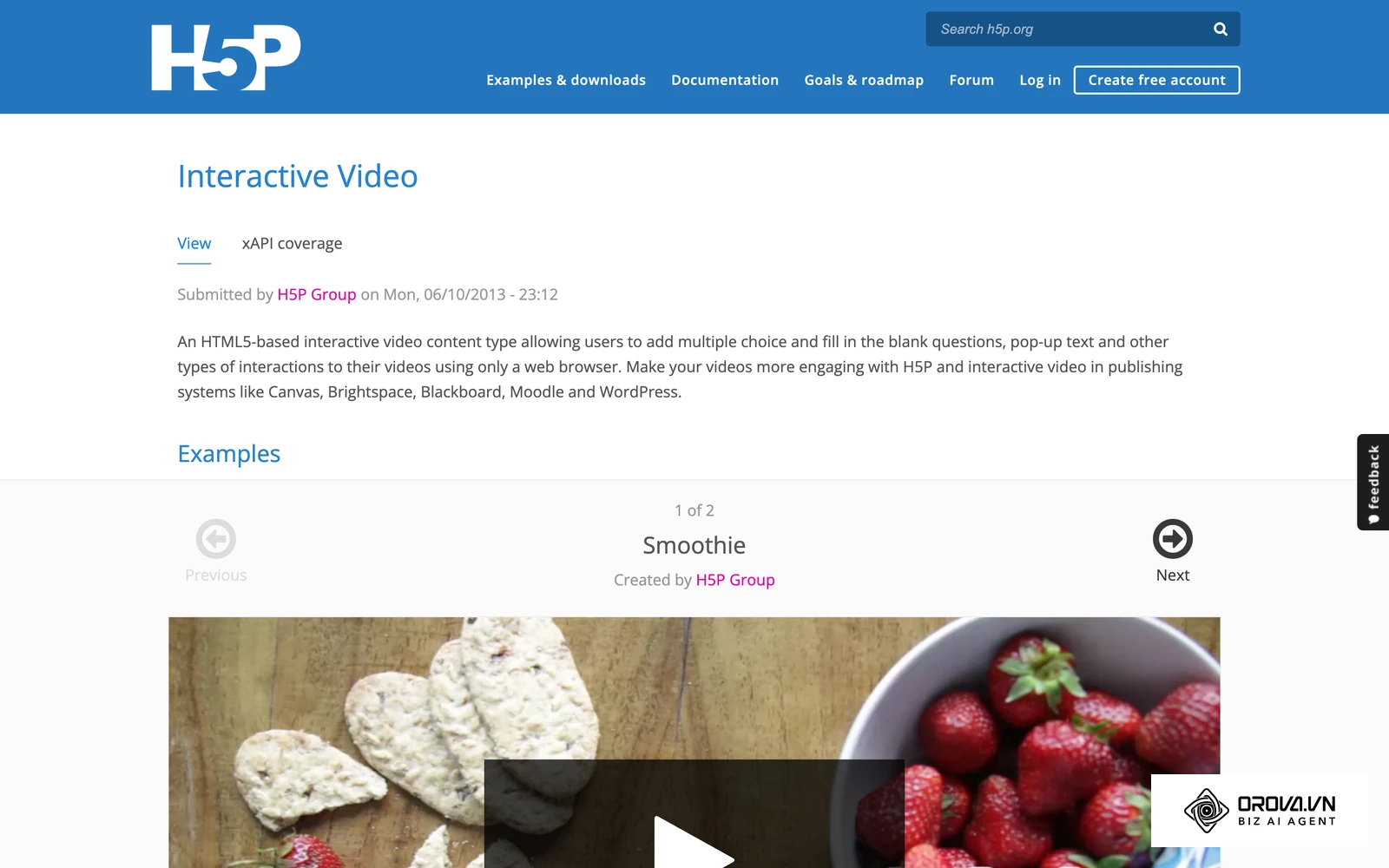
| H5P (h5p.org) | 0, dollars open source | You host it in Moodle, WordPress or Drupal | h5p.org |
Worked example for a team of 3 authors, license only, year one: iSpring Suite costs 3 x 970 dollars = 2,910 dollars; Articulate 360 AI costs 3 x 1,749 dollars = 5,247 dollars; Easygenerator has no 3-author tier on its public page, so you pay 1,499 dollars per single-author Pro plan or 7,495 dollars for Team. Then add the other rows of the cost table above: review hosting (included in Articulate 360 AI, per the plan comparison), stock assets, and author training hours.
Example scenario: A mid-sized healthcare compliance agency (15 instructional designers) needed to overhaul their annual certification program. They purchased 15 standalone licenses of a traditional desktop authoring tool, invested in external cloud hosting for reviews, and hired a consultant to build custom interaction templates. However, they soon discovered that the consultant's templates were hard-coded, meaning internal staff could not edit the text without breaking the layout. To fix this, the team transitioned to a cloud-native platform with built-in hosting and standardized, flexible blocks. As a result, they successfully launched the compliance course on time and eliminated the ongoing consultant retainer fees entirely.
If you are also rolling out applicant tracking software to scale hiring, budget for onboarding courses at the same time, because every new hire will need training soon after they sign.
The Learning Curve Reality Check
Vendors frequently claim their software is intuitive and requires zero coding experience. In reality, the interface architecture dictates exactly how many hours your team will waste trying to build a simple interactive quiz. The learning curve is the single biggest barrier to successful software adoption.
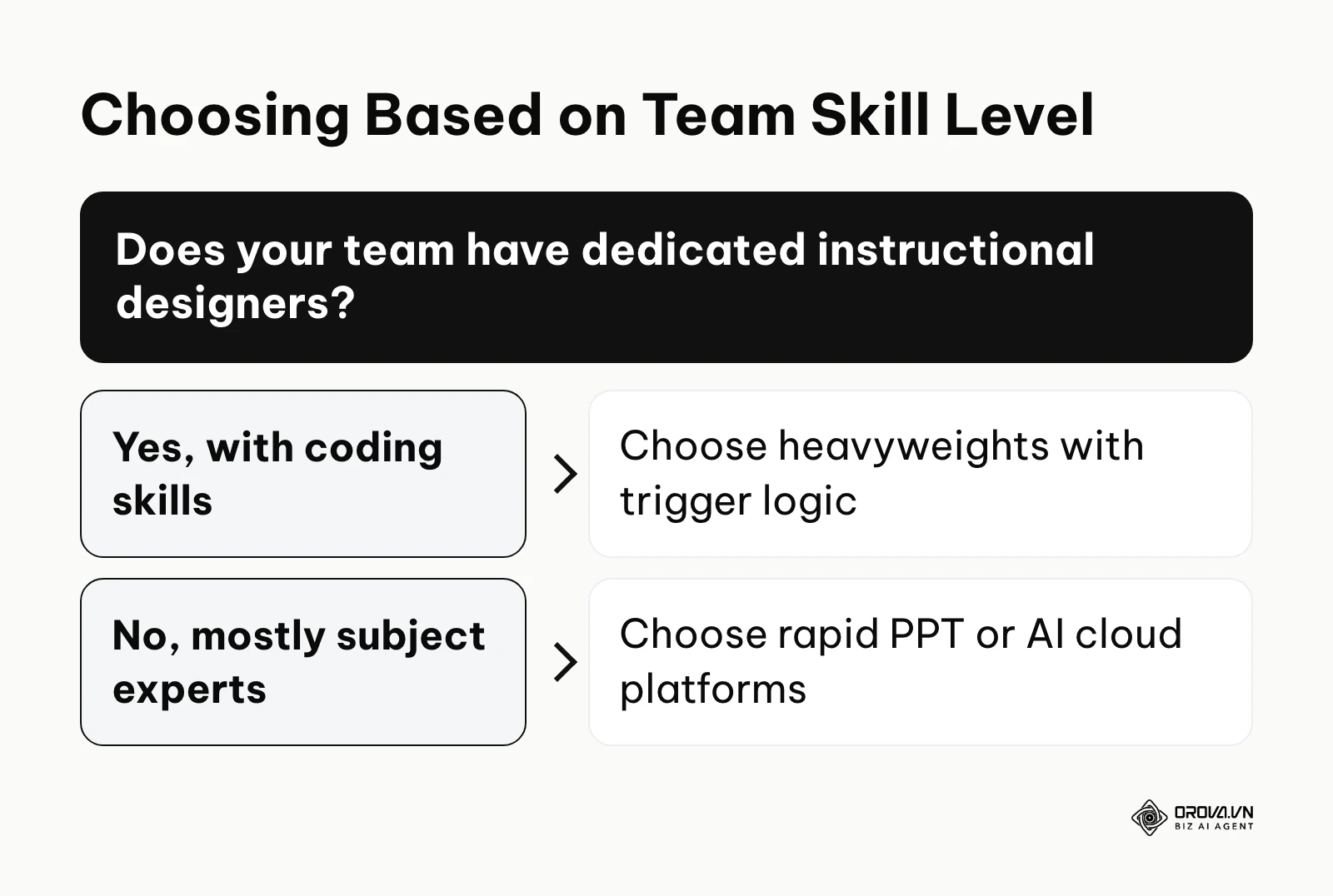
Authoring platforms generally fall into two interface paradigms. The first is trigger-based logic. These interfaces resemble video editing software, featuring complex timelines, layers, and variable triggers. They offer ultimate creative freedom but require a mindset similar to a software developer. The second paradigm is block-based authoring. These interfaces look like modern website builders, restricting you to pre-designed interactive blocks. They limit customization but allow anyone to build a course rapidly.
| Tool Type | UI Paradigm | Ramp-up Time | Best For |
|---|---|---|---|
| Heavyweights | Timeline & Triggers | Longest ramp-up | Dedicated L&D professionals |
| Rapid PPT | PowerPoint Ribbon | Short if authors know PowerPoint | Subject matter experts |
| Cloud/AI | Block-based & Prompts | Shortest for simple courses | Busy managers, non-designers |
Industry surveys have long shown that building one hour of custom interactive eLearning takes many hours of development time, and complex trigger-based work sits at the high end of that range. You must assess your team honestly. If your content creators are subject matter experts from sales or marketing, they do not have weeks to spare learning trigger variables.
Content Reuse: The PPT Import Reality
Every company has an archive of old training materials stuck in static presentation files or long documents. The promise of a seamless one-click import is a powerful selling point, but the reality is often messy and frustrating.
When you import legacy files, the software attempts to convert static elements into web-friendly code. Text usually imports cleanly, but complex animations, layered graphics, and custom corporate fonts frequently break. You will often spend more time fixing the broken layout of an imported presentation than you would have spent copying and pasting the text into a clean template.
| Source Format | Import Fidelity | Rework Required | Best Tool Approach |
|---|---|---|---|
| PowerPoint (.pptx) | High for layout, low for complex animations | Font adjustments, mobile responsiveness tweaks | Rapid PPT Converters |
| PDF Documents | Text extracts well, images often compress | Rebuilding interactivity from scratch | AI-Powered Platforms |
| Word (.docx) | Good for text hierarchy | Complete visual design needed | Cloud-Native Platforms |
Example scenario: A corporate trainer at a mid-sized logistics firm (500 employees) needed to digitize 30 legacy PowerPoint safety decks into trackable modules. They exported the raw slides and imported them directly into a rapid authoring plugin, mapping the existing animations to web formats. The stumbling block occurred when custom corporate fonts broke during the mobile render, causing text to overlap buttons. The trainer resolved this by batch-replacing the custom fonts with standard web-safe fonts in the master slides before running the import again. Consequently, the final modules rendered correctly on the drivers' tablets without text overlapping.
Real-World Mobile Performance on Low-End Devices
Your learners will not always take courses on high-end laptops connected to fiber internet. A significant portion of your workforce will access training via older smartphones on unstable cellular networks. How your software compiles its output dictates the learner experience in these harsh conditions.
Many desktop authoring platforms export content by wrapping it in heavy layers of JavaScript and CSS. While they market this output as mobile-friendly, the resulting files are bloated. When a learner on a three-year-old budget smartphone tries to open these files, the browser struggles to render the complex logic. The screen stutters, interactive drag-and-drop elements misalign, and the phone battery drains rapidly.
| Tool Architecture | Output File Size | Mobile Web Speed | Device Battery Impact |
|---|---|---|---|
| Traditional Desktop | Heavy (Large JS/CSS bloat) | Slower on 3G/4G networks | High drain |
| Responsive Block | Light (Clean HTML code) | Fast and adaptive | Low drain |
| Video-First | Extremely Heavy | Depends heavily on CDN | High drain |
True responsiveness means the layout fundamentally changes to fit the screen size, rather than simply shrinking a desktop view until the text becomes unreadable. If your primary audience consists of frontline workers using personal mobile devices, you must prioritize platforms that generate lightweight, natively responsive HTML output over platforms that produce pixel-perfect, heavy animations.
Summary of the 10 eLearning Authoring Tools in This Guide
This table categorizes the leading platforms based on their core strengths. We group them by their primary function to help you narrow down the field before diving into specific features.
| Tool Name | Group | Main Task | Value for User | Best Scale |
|---|---|---|---|---|
| Articulate Storyline 360 | Complex Interactive | Advanced trigger logic | Pixel-perfect control | Large Enterprise |
| Adobe Captivate | Complex Interactive | Software simulations | IT systems training | Large Enterprise |
| Lectora | Complex Interactive | Accessible compliance | Accessibility-focused authoring | Government / Agency |
| iSpring Suite | Rapid PPT Conversion | PowerPoint to SCORM | Familiar PowerPoint workflow | Mid-Market |
| DominKnow ONE | Rapid PPT Conversion | Responsive authoring | Reusable content libraries | Mid-Market |
| Easygenerator | AI-Powered Platforms | SME knowledge capture | Built for non-designers | Mid-Market |
| Articulate Rise 360 | AI-Powered Platforms | Scrolling web courses | Beautiful mobile experience | All Sizes |
| TechSmith Camtasia | Video-First Creators | Screen recording | High-end video editing | All Sizes |
| 7taps Microlearning | Video-First Creators | Text-message microlearning | Instant mobile delivery | Small Business |
| H5P | Video-First Creators | Interactive HTML5 widgets | Open-source flexibility | Education / Devs |
Struggling to build courses by hand? Orova Training helps you build courses, grade and certify with AI: it drafts lectures, slides, podcasts and narrated videos with subtitles, then awards PDF certificates with a public lookup code when learners pass.
Detailed Breakdown by Primary Use Case
To make an informed decision, you must look closely at how these platforms operate in a production environment. We have divided the top contenders into four distinct categories based on their architectural approach and ideal user profile.
Group 1: Complex Interactive Course Creation
This group represents the traditional heavyweights of the industry. They offer unparalleled power and customization, allowing you to build complex variables, branching scenarios, and custom game mechanics. However, they demand a steep learning curve and a dedicated production team.
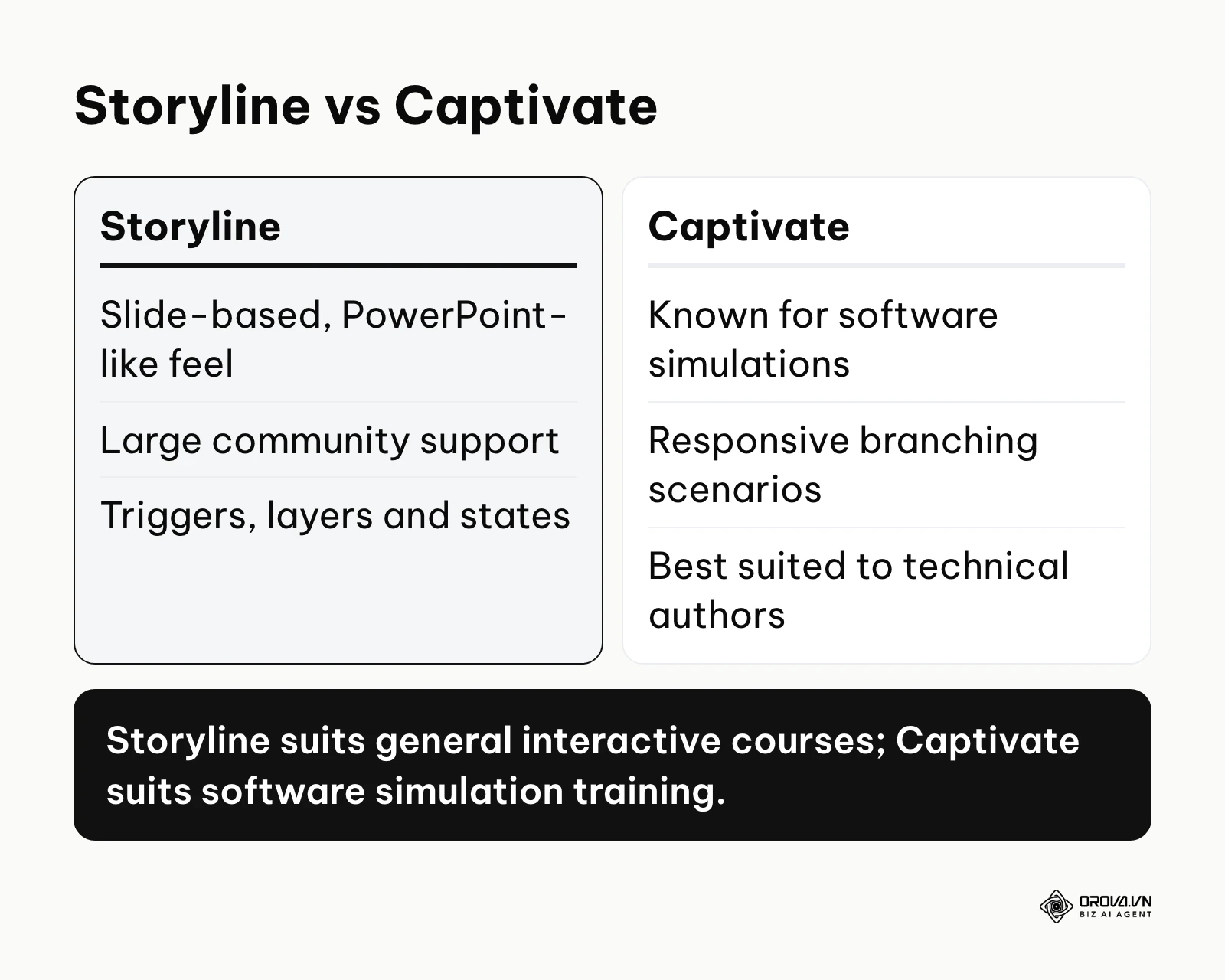
Articulate Storyline 360 Articulate Storyline 360 operates on a slide-based interface that feels deeply familiar to anyone who has used advanced presentation software. It allows you to build custom states, layers, and triggers to create highly interactive scenarios. Its primary value is the massive community support and the extensive library of pre-built character assets. It fits large enterprise teams equipped with dedicated instructional designers. To get started:
- Open a new project and set your custom slide dimensions.
- Insert standard objects and assign triggers to manage object states.
- Publish the final file to Review 360 for stakeholder feedback before exporting to your LMS.
Adobe Captivate Adobe Captivate is long known for software simulations and responsive branching scenarios. Authors record a workflow on screen and turn it into an interactive tutorial where learners practice the clicks themselves. The main value lies in its variable handling for detailed, step-by-step practice of software tasks. It fits IT departments and technical training teams with robust budgets. To get started:
- Record the software workflow you want learners to practice.
- Edit the generated interactions and captions.
- Preview the layout on desktop and mobile breakpoints before publishing.
Lectora Lectora, from ELB Learning, is an authoring environment known for producing accessible content. It allows developers to manipulate variables at a granular level and inject custom JavaScript directly into the course framework. The primary value is its focus on accessibility standards such as WCAG, so courses work well with screen readers. It fits government agencies and organizations with strict compliance requirements. To get started:
- Create a new title and establish the inheritance rules at the project level.
- Build your pages using the robust actions menu to dictate logic.
- Run the built-in accessibility checker to verify compliance before publishing.
| Tool | Best Feature | Trade-off |
|---|---|---|
| Articulate Storyline 360 | Complex variable management | Takes time to master triggers |
| Adobe Captivate | Software simulation | Best suited to technical authors |
| Lectora | Accessibility-focused authoring | Logic-heavy builder for beginners |
Group 2: Rapid PPT-to-SCORM Conversion
If your organization relies heavily on subject matter experts who refuse to learn new software, this group is your best option. These tools live directly inside familiar presentation environments or specialize in converting static slides into trackable modules instantly.
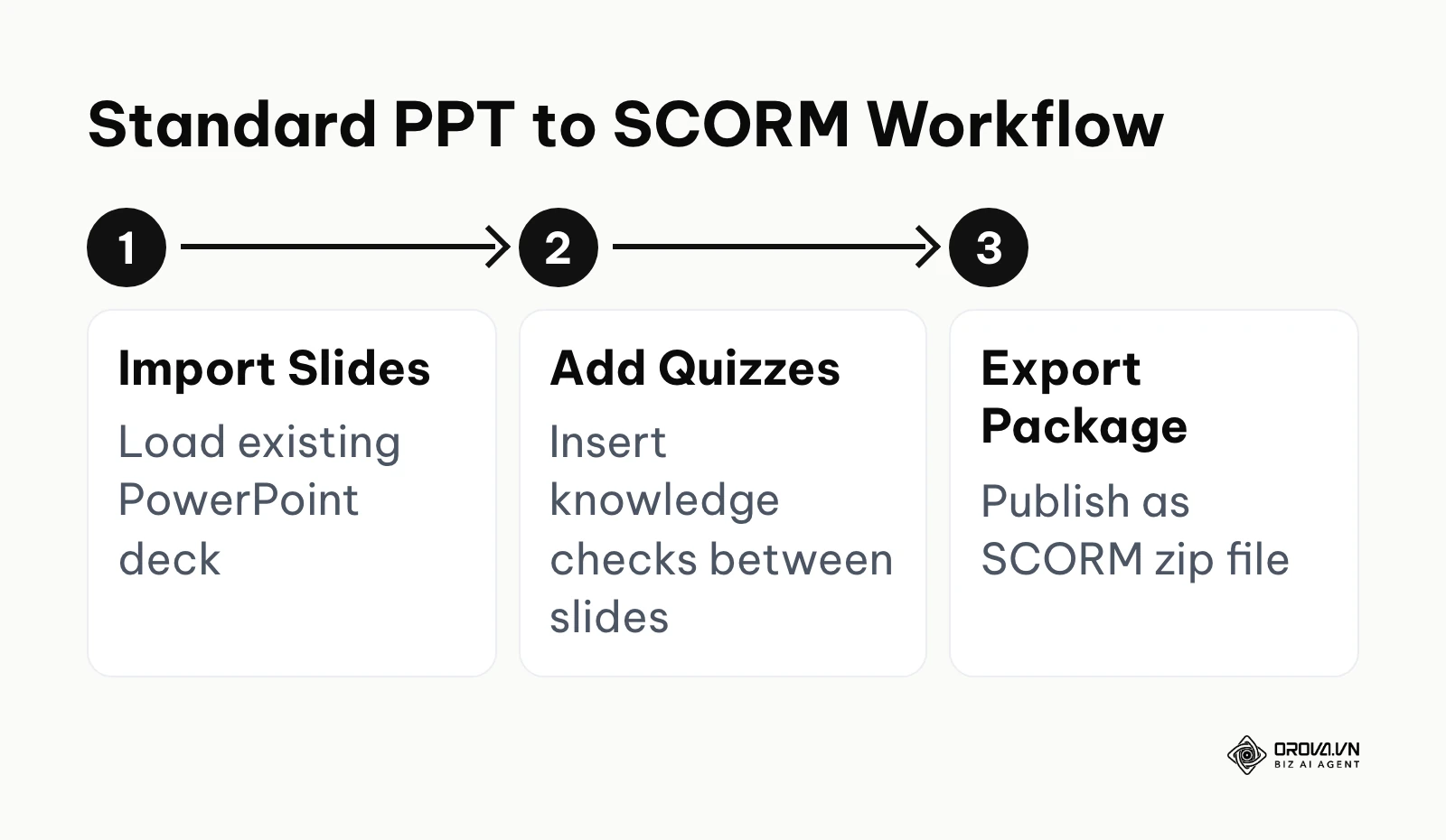
iSpring Suite iSpring Suite functions as a robust plugin that lives directly on the Microsoft PowerPoint ribbon. It processes standard PowerPoint animations and transitions and converts them into HTML5 packages. The core value is speed: if you can build a presentation, you can build a basic eLearning course. It fits mid-market companies relying on internal experts to draft content quickly. To get started:
- Open your existing presentation and click the iSpring tab on the ribbon.
- Insert a quiz slide using the dedicated quiz maker interface.
- Click publish to generate a compressed SCORM package ready for upload.
DominKnow ONE DominKnow ONE combines traditional slide-based authoring with responsive flow authoring in a single cloud environment. It allows you to build a central library of learning objects (like images or specific paragraphs) and reuse them dynamically across multiple courses. The value lies in its content management capabilities, saving time during annual compliance updates. It fits mid-market teams with large, interconnected catalogs. To get started:
- Choose between the traditional slide mode or the responsive flow mode.
- Build your interactions by pulling assets directly from the shared central library.
- Publish the course and track interactions down to the specific object level using xAPI.
| Tool | Best Feature | Trade-off |
|---|---|---|
| iSpring Suite | Familiar PowerPoint workflow | Built around PowerPoint for Windows |
| DominKnow ONE | Reusable object library | Library structure needs planning upfront |
Group 3: AI-Powered & Cloud-Native Platforms
Many newer platforms have moved toward cloud-based authoring with AI assistance. These tools prioritize speed, mobile responsiveness, and collaborative editing over complex trigger logic. They strip away the timeline in favor of block-based scrolling web experiences.
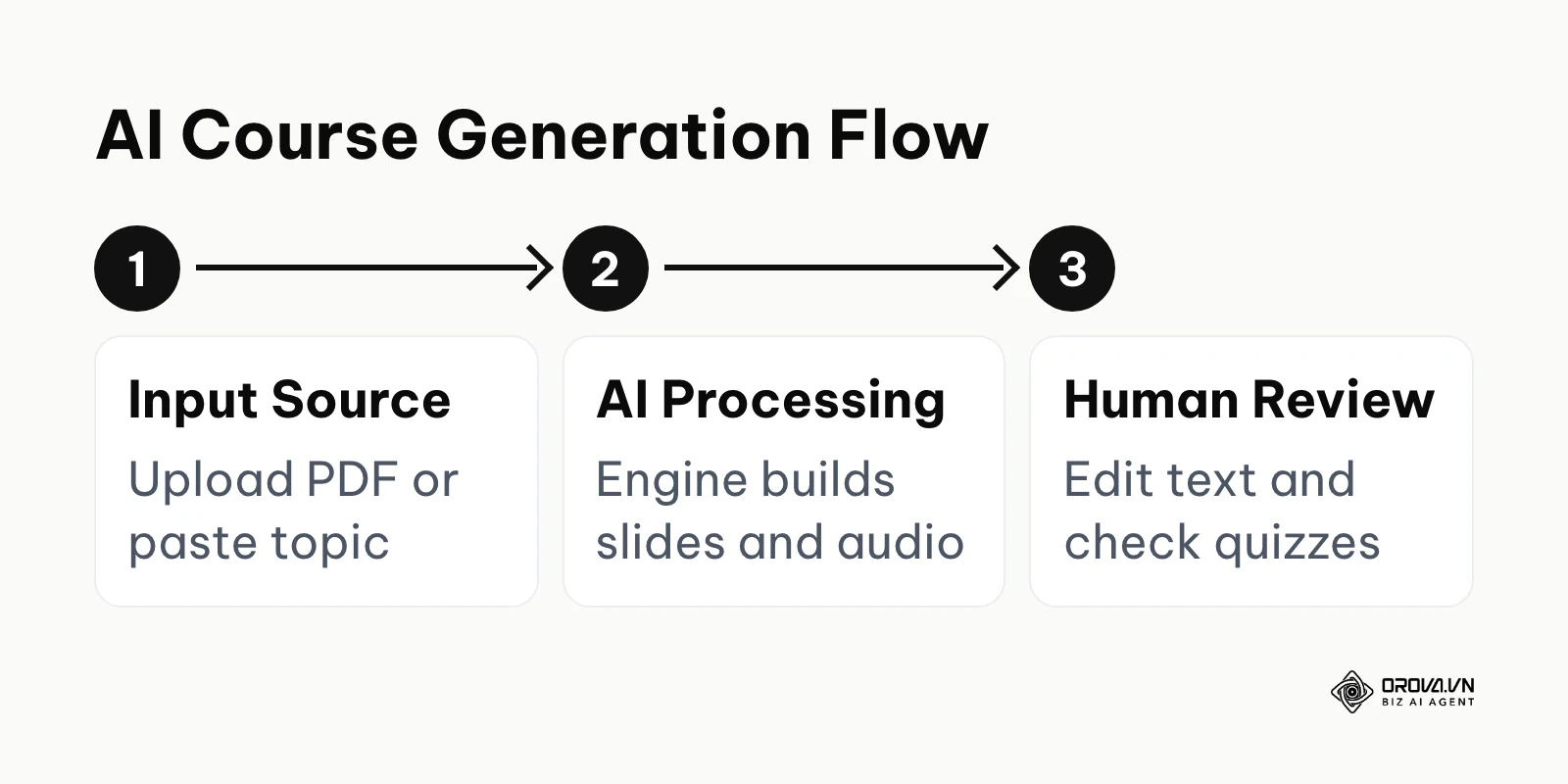
Orova Training, part of Orova's Biz AI Agent, takes a similar AI-first route: it drafts lectures, slides and quizzes, then exports SCORM 1.2.
Easygenerator Easygenerator focuses entirely on employee-generated learning. It features a simplified drag-and-drop interface intended specifically for subject matter experts with zero instructional design background. The core value is its structure around learning objectives, which nudges authors to tie each question to a clear goal. It fits mid-market organizations pushing toward a decentralized learning culture. To get started:
- Define your learning objectives using the built-in wizard.
- Drag and drop text and assessment blocks into the linear course structure.
- Share the private review link with stakeholders before finalizing the export.
Articulate Rise 360 Articulate Rise 360 is a web-based authoring tool included in the Articulate 360 suite. It builds fully responsive, scrolling courses that look and function like modern websites. The main value is the sheer speed of development and the beautiful, native mobile experience it delivers by default. It fits organizations of all sizes that prioritize modern aesthetics over complex gamification. To get started:
- Create a new course and begin adding lessons to the outline.
- Stack predefined interactive blocks (like accordions, timelines, and flashcards) to build the lesson.
- Customize the theme colors and export the package directly to your LMS.
| Tool | Best Feature | Trade-off |
|---|---|---|
| Easygenerator | Objective-based course structure | Fewer custom design options |
| Articulate Rise 360 | Scrolling, mobile-friendly web design | Comes as part of the Articulate 360 suite |
Group 4: Video-First & Microlearning
When your training requires deep technical demonstrations or highly condensed, mobile-first delivery, standard slide-based tools fall short. This group excels at creating engaging media that learners actually want to consume.
TechSmith Camtasia Camtasia is fundamentally a robust screen recording and video editing suite that includes basic eLearning capabilities. It allows you to capture high-quality screen flows, edit out mistakes, and insert interactive quizzes directly into the video timeline. The core value is its powerful yet accessible video editing engine. It fits any team tasked with producing software walkthroughs or product tutorials. To get started:
- Record your screen while narrating your technical workflow.
- Use the timeline editor to cut dead space, add callouts, and insert zoom animations.
- Drop a multiple-choice quiz onto the timeline and export the video as a trackable SCORM package.
7taps Microlearning 7taps focuses on microlearning delivered as short, card-based lessons that resemble social media stories. The primary value is low friction: learners can open a link, for example from a text message, and finish a lesson in a few minutes without logging into a heavy system. It fits small businesses training frontline retail or hospitality staff. To get started:
- Select a theme and begin typing text into the character-limited cards.
- Add a short video or a simple assessment card.
- Share the lesson link with learners.
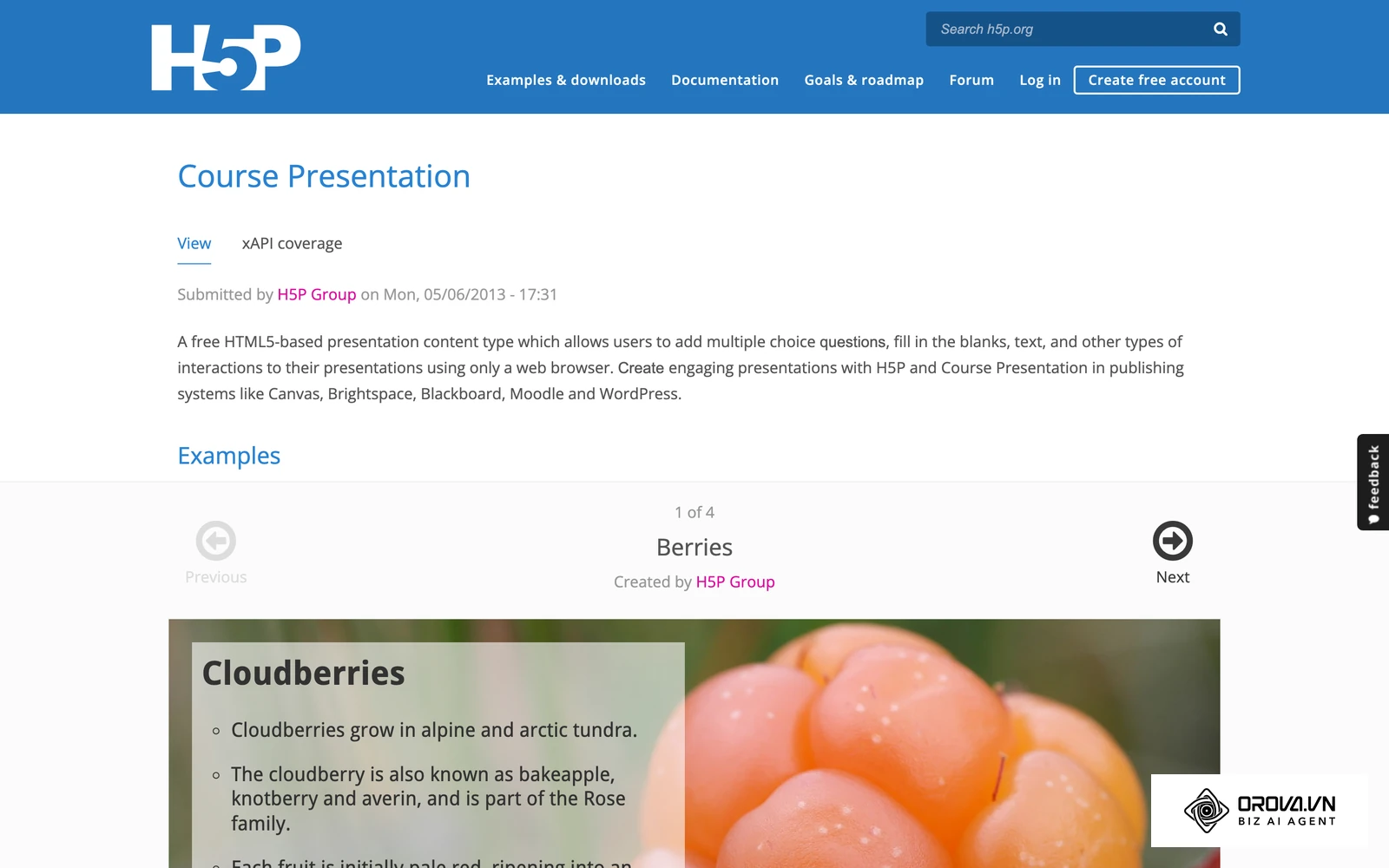
H5P H5P is an open-source framework that allows developers to create, share, and reuse interactive HTML5 content within existing platforms. It provides dozens of content types, from interactive videos to complex branching scenarios. The value lies in its flexibility and open-source license, assuming you have the technical infrastructure to host it. It fits educational institutions and development teams comfortable with open-source integration. To get started:
- Install the H5P plugin on your compatible platform (like WordPress or Moodle).
- Select a content type from the hub and populate the fields with your media.
- Embed the resulting widget directly into your web pages using shortcodes.
| Tool | Best Feature | Trade-off |
|---|---|---|
| TechSmith Camtasia | Screen recording plus video editing | Video-centered rather than a full course builder |
| 7taps Microlearning | Low-friction mobile delivery | Short card format by design |
| H5P | Open-source interactive widgets | Needs a host platform such as WordPress or Moodle |
Want to run your internal academy in one place? With Orova Training you assign courses by workspace, person or group, track each learner's progress, run live leaderboard exams and export SCORM 1.2 to Moodle or Canvas. Free until July 7, 2027.
The 15 Critical Questions to Ask Sales Before Buying
Do not let a polished sales demonstration blind you to the technical realities of an authoring tool. Before you commit to an annual enterprise contract, you must force the vendor to answer these specific, uncomfortable questions.
Technical Integration & Exporting
- Does this tool natively export to SCORM 1.2, SCORM 2004 (2nd, 3rd, 4th edition), and xAPI?
- If you rely on SCORM 2004 sequencing and navigation rules (defined by ADL, Advanced Distributed Learning), can your tool publish them cleanly?
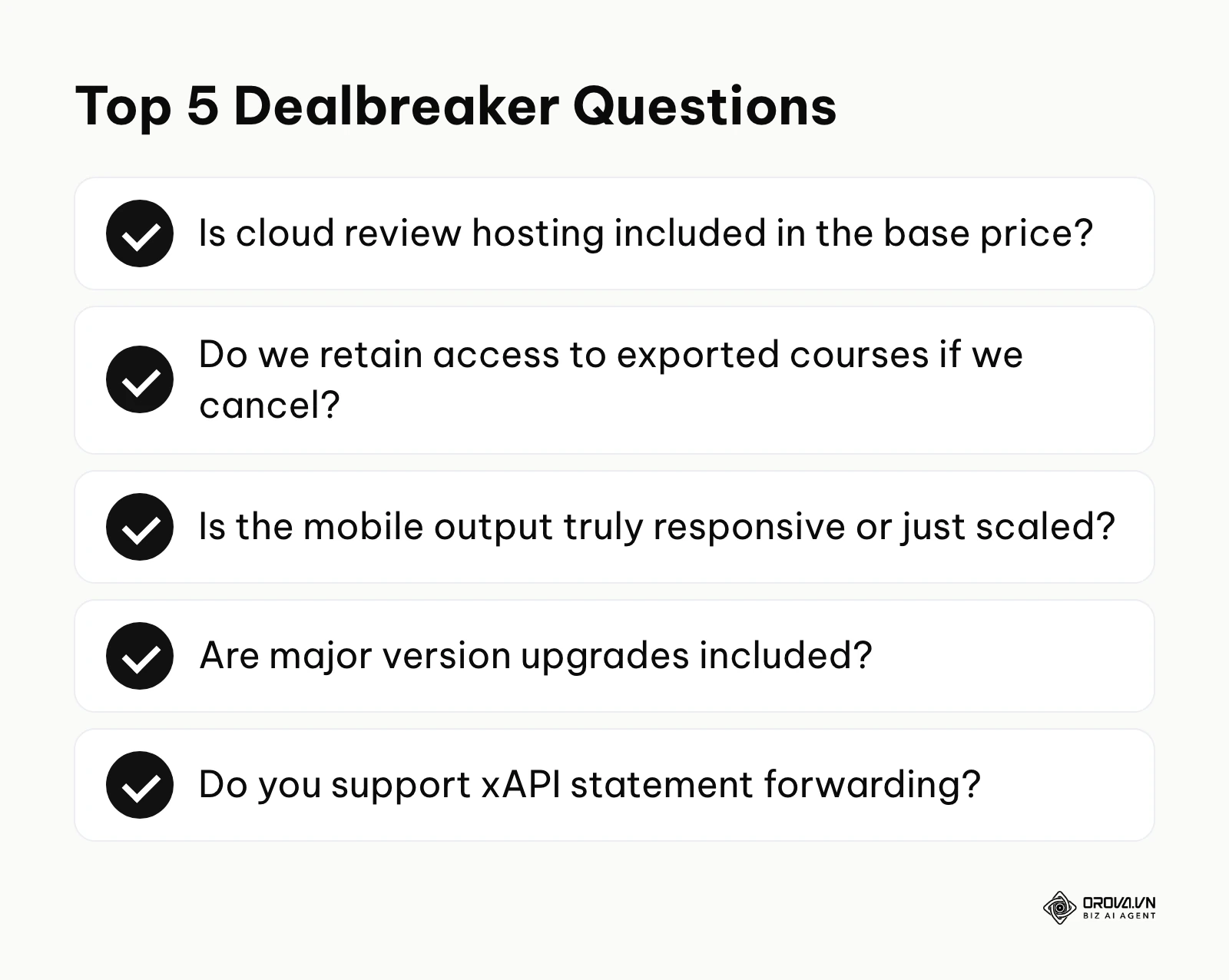
- Is the mobile output truly responsive (adjusting layout), or does it just shrink a static desktop view?
- Do you support xAPI statement forwarding to an external Learning Record Store?
- How exactly do you handle custom corporate fonts during the HTML5 publishing process?
Pricing & Hidden Fees
- Is cloud review hosting included in the base price, or is it a separate tier?
- Do we retain permanent access to our exported course files if we cancel our subscription?
- Are premium templates and stock assets included, or do they require a separate marketplace purchase?
- Does adding a "reviewer" (who does not author content) consume a paid license seat?
- Are software updates and major version upgrades included in the annual maintenance fee?
Support & Workflow
- Can multiple authors edit the same course file simultaneously without locking each other out?
- What is the guaranteed response time for technical support tickets during standard business hours?
- Can we export text strings for localization and re-import them without breaking the layout?
- Does the platform include an integrated accessibility checker for WCAG 2.1 AA compliance?
- If we need to migrate away from your platform in three years, what format can we export our raw assets in?
Choosing the Right Tool for Your Scale
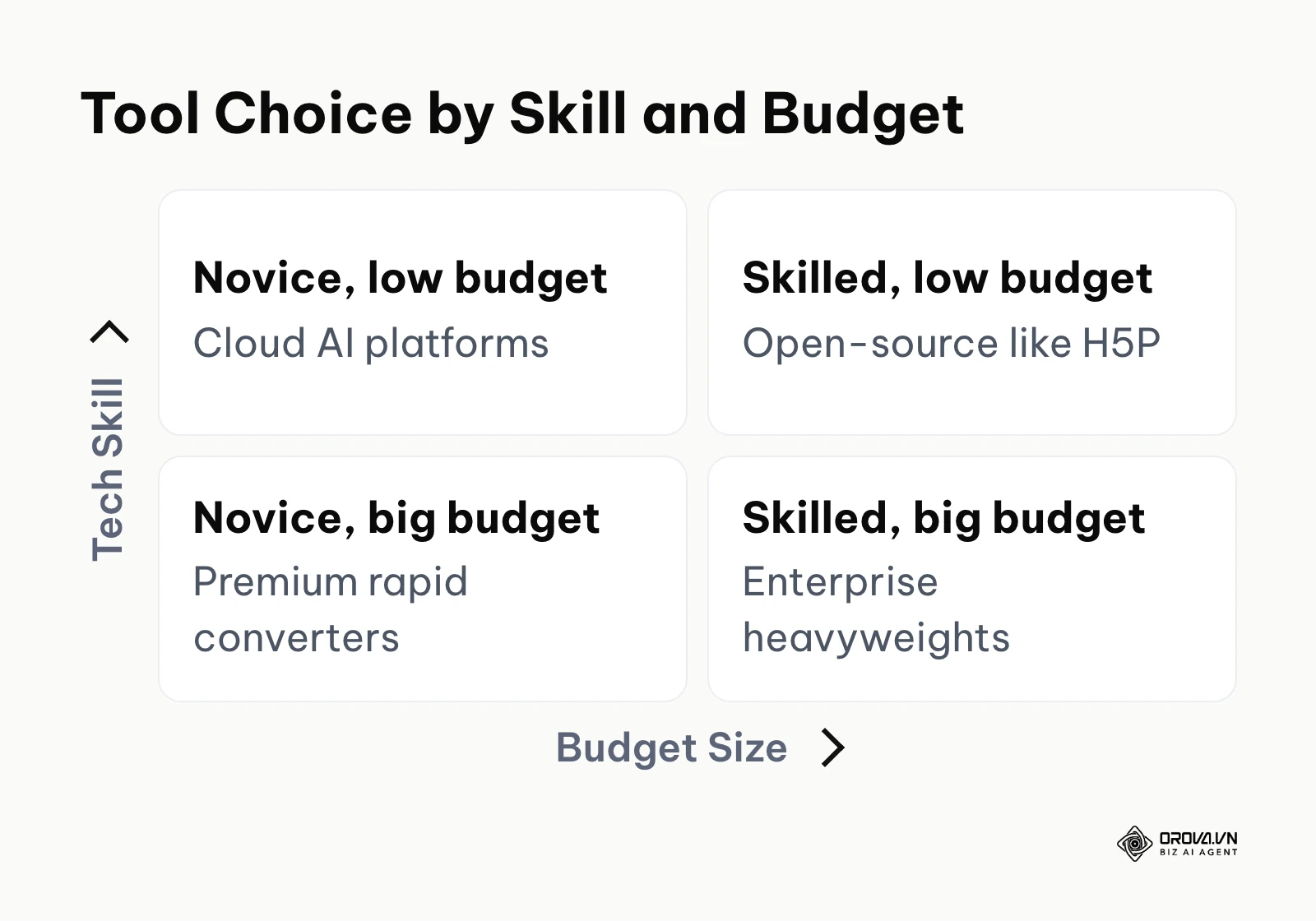
Your organization's size, budget, and internal skill set dictate which tool will succeed. Buying an enterprise heavyweight for a small team will result in shelfware, while buying a basic converter for a massive compliance catalog will cause logistical nightmares.
| Scale & Situation | Recommended Category | Core Reason |
|---|---|---|
| Sole Trainer / Small Business | AI-Powered or Microlearning | You need speed and automation above all else. |
| Mid-Sized Corporate Team | Rapid PPT Converters | You must leverage existing subject matter experts easily. |
| Large Enterprise L&D | Complex Interactive | You require strict control over custom variables and layout. |
| Global Agency / Govt | Cloud Tools with Translation | You need scalable localization and strict accessibility. |
Example scenario: An operations manager at a fast-growing retail chain (150 employees, no dedicated training team) needed to deploy customer service training rapidly. They mapped out the core concepts and selected an AI-powered cloud tool to generate flashcards and quizzes directly from their existing PDF manuals. Initially, floor staff simply clicked through the material without reading to finish quickly. The manager fixed this by enabling the "block skipping" feature and activating a live leaderboard for quiz scores. After the change, more staff finished the course properly, and some re-took quizzes to beat their colleagues' scores.
If you plan training rollouts the way marketers plan a content calendar, with fixed release dates, choose a tool that matches your team's real production speed so you hit those dates.
Where eLearning Authoring Tools Are Heading in the Next Few Years: The Author's Take
The Death of the Blank Page via Generative AI The days of staring at an empty slide canvas are ending rapidly. Right now, many tools offer AI writing assistance to rephrase paragraphs or generate simple quiz questions. I think that within two or three years, authoring tools will routinely take large, unstructured company documents and draft sequenced, multimodal courses—complete with synthetic voiceovers and adaptive assessments. The role of the instructional designer will shift from "creator" to "editor and auditor." You must prepare by establishing strict data governance rules now, ensuring your internal documents are clean and accurate before feeding them into these upcoming AI engines.
The Rise of Headless eLearning Architecture Currently, authoring tools output a rigid, packaged zip file that must live inside a traditional LMS. My read is that the market is moving toward a headless architecture, where the content data is decoupled from the presentation layer. Over the next few years, I expect more courses to stop being "launched" in a separate window; instead, training content will increasingly be injected directly into the workflow applications employees already use daily, via APIs. The xAPI specification from ADL already allows tracking learning events outside the browser, and this headless trend would put that capability to wider use. If you are buying software today, you must verify its API capabilities to ensure it can survive this transition.
Immersive Simulations on Standard Hardware Virtual reality training is currently blocked by the high cost of specialized headsets. However, I expect authoring platforms to bridge this gap by rendering highly complex, 3D immersive simulations directly in standard mobile web browsers using WebGL advancements. We will see tools capable of generating branching video scenarios that feel like high-end video games, but run smoothly on a standard smartphone. You should prepare your infrastructure by auditing your corporate network's bandwidth capabilities, as demand for streaming heavy, interactive 3D assets is likely to grow. Of course, if mobile hardware development stalls or bandwidth costs surge unexpectedly, this prediction could be delayed by several years.
Frequently Asked Questions About eLearning Authoring Tools
What is the best eLearning authoring tool for a small business?
For a small business without a dedicated design team, cloud-native and microlearning platforms like Easygenerator or 7taps are often a good fit. These tools eliminate the steep learning curve associated with heavy desktop software. They allow business owners to rapidly convert existing documents into mobile-friendly training modules, saving both time and upfront licensing costs.
How do Articulate Storyline and Adobe Captivate compare?
When evaluating articulate storyline vs adobe captivate, the decision comes down to your primary use case. Storyline offers a highly intuitive, PowerPoint-style interface and a massive library of templates, making it easier for general course creation. Captivate, however, excels specifically in creating complex, responsive software simulations and handling intricate IT training logic, though beginners usually need more time to get comfortable with it.
Can I migrate my old courses if I change authoring tools?
Generally, no. Once a course is built and exported as a SCORM package, it is essentially a compiled product. You cannot easily take a SCORM file exported from Captivate and open it in Storyline for editing. You must rebuild the interactivity from scratch, although you can often salvage the raw text and images. This vendor lock-in is a critical factor to consider before purchasing.
How is AI changing the course authoring process?
AI is fundamentally compressing the development timeline. Instead of manually writing scripts and recording voiceovers in a studio, creators can prompt AI engines to generate full lecture outlines, synthesize highly realistic audio using diverse voice models, and automatically generate relevant quiz questions. This shifts the human workload from drafting raw content to reviewing and refining the AI's output.
Do I need to know how to code to use these tools?
No, modern authoring tools are designed to be entirely visual. Even the heavyweights utilize a visual trigger system rather than requiring raw JavaScript programming. However, having a basic understanding of variable logic (if/then statements) will significantly improve your ability to create complex, personalized learning paths in advanced platforms.
Where to Start?
If you are overwhelmed by a massive backlog of legacy PowerPoint files, your immediate next step is to run a small pilot with a rapid conversion tool. Take just one typical presentation deck and run it through a plugin like iSpring Suite. Test the resulting output on your personal smartphone to verify if the fonts and animations hold up. This afternoon test will immediately tell you if simple conversion is viable or if you need to rebuild the content entirely.
If you have no existing materials and need to launch compliance training next week, you must bypass the traditional tools entirely. Start a trial of an AI-powered cloud platform today. Copy and paste your core compliance rules into the prompt engine, let the AI generate the initial draft and quiz, and spend your afternoon simply verifying the facts and adjusting the passing scores.
If your team is highly technical and demands complex simulations, do not buy software based on a glossy webinar. Request a sandbox environment from Adobe or Articulate, and challenge your lead developer to build a branching scenario using variables within three hours. If they struggle with the interface logic during that window, the tool is likely too heavy for your organization's realistic production pace.
About the author

Builder of Orova
Nguyễn Đỗ Trọng Ân has 8 years of experience in marketing, including 6 years managing market development across Asia. He builds Orova, a Biz AI Agent that never sleeps: it plans, runs and optimizes work for businesses.
Run your business with AI Agents
Orova is the always-on Biz AI Agent — it plans, runs, and optimizes the work for you.
Save time, unlock productivity.