
Applicant tracking software: 12 tools compared by hiring task, hidden costs and ROI

Many growing businesses reach a breaking point where their email inbox and shared spreadsheets can no longer handle the influx of job applications. Resumes get lost in long email threads, feedback from interviewers is scattered across direct messages, and excellent candidates are snapped up by competitors simply because your hiring process took too long. Finding the right applicant tracking software is the only sustainable way to fix these systemic bottlenecks. However, with hundreds of vendors on the market, selecting the correct platform is incredibly daunting. Most buyers end up overwhelmed by feature lists, completely ignoring the hidden costs of implementation and the massive friction of data migration. This guide compares 12 applicant tracking software options (Greenhouse, Workable, iCIMS, BambooHR, Breezy HR, JazzHR, Lever, Recruitee, Homerun, Eightfold AI, SeekOut and Orova Recruit), grouped by the hiring problem each one is built to solve, and adds a hidden-cost checklist, an ROI template and a simple framework to help you choose for your company's specific needs.
What is Applicant Tracking Software?
Applicant tracking software (often abbreviated as ATS) is a specialized recruiting tool designed to manage the entire hiring process from posting a job ad to onboarding a new employee. It acts as a central database where HR teams can collect applications, screen resumes, schedule interviews, and collaborate with hiring managers.
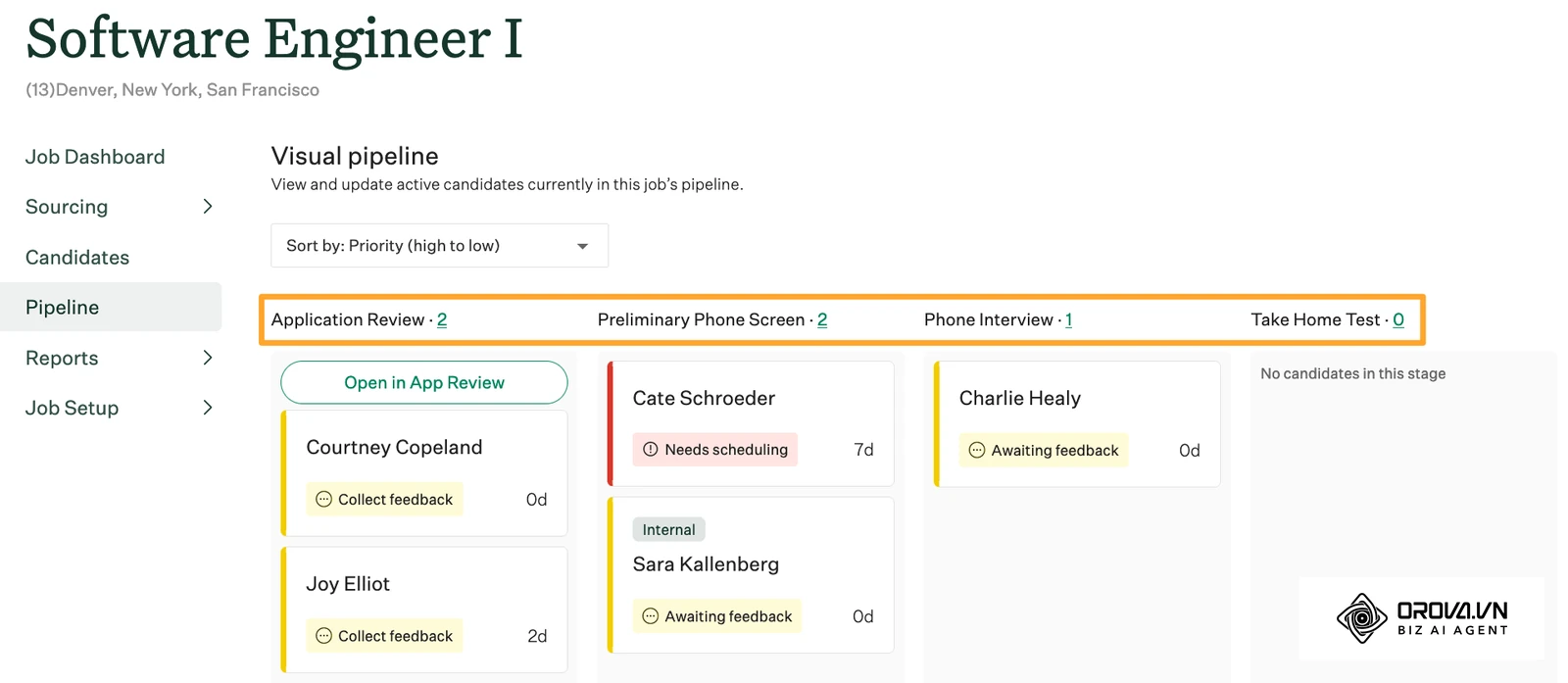
This type of software is essential for any organization scaling beyond a handful of hires per year. If your HR team spends more time coordinating calendars and manually copying data than actually speaking to candidates, you need an ATS. However, if you only hire one or two people annually, a simple spreadsheet might still suffice. The core value of an ATS lies in its ability to cut administrative busywork, reduce unconscious bias through structured grading, and provide a single source of truth for all candidate interactions.
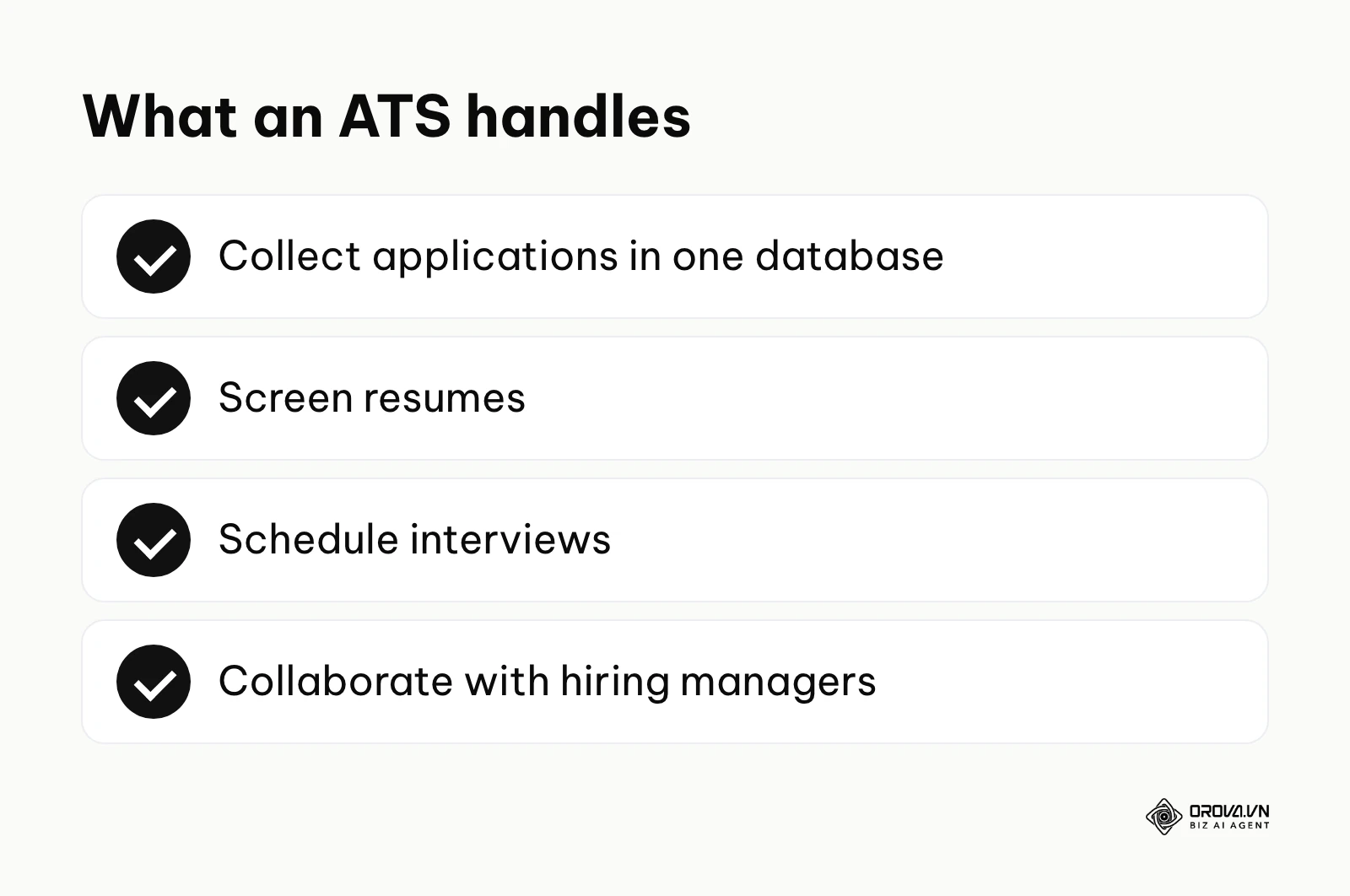
The Complete Applicant Tracking Software Summary
Before diving into the detailed features of each platform, it is crucial to understand the landscape. The market is highly segmented based on company size and the primary operational bottleneck you are trying to solve. The table below groups the 12 platforms covered in this guide, outlining their main function, the value they bring to users, and who each one tends to suit. It is not a ranking.
| Software Name | Category Group | Core Function | User Value | Who It Suits |
|---|---|---|---|---|
| Greenhouse | Sourcing & High-Volume | Structured interviewing | Reduces bias and creates uniform grading | Large Enterprise |
| Workable | Sourcing & High-Volume | Broad job distribution | Maximizes applicant volume quickly | Mid-Market to Enterprise |
| iCIMS | Sourcing & High-Volume | Complex pipeline tracking | Handles massive data sets and compliance | Global Enterprise |
| BambooHR | Startup & All-in-One SME | Core HR combined with ATS | Seamless transition from candidate to employee | Small to Medium Business |
| Breezy HR | Startup & All-in-One SME | Visual pipeline management | Intuitive drag-and-drop interface | Fast-growing Startups |
| JazzHR | Startup & All-in-One SME | Customizable hiring workflows | Affordable flexibility without bloat | Small Business |
| Lever | Collaborative & Remote | ATS blended with CRM | Excellent passive candidate nurturing | Mid-Market Tech |
| Recruitee (Tellent) | Collaborative & Remote | Team-focused hiring | Brings hiring managers into the process easily | Distributed Teams |
| Homerun | Collaborative & Remote | Employer branding | Beautiful, localized career pages | Boutique Agencies |
| Eightfold AI | AI Screening & Skills | Skill-based matching | Highlights potential over past job titles | Enterprise AI Adopters |
| SeekOut | AI Screening & Skills | Diversity and tech sourcing | Uncovers hidden talent pools | Tech Recruiting Teams |
| Orova Recruit | AI Screening & Skills | CV grading against your criteria | Quotes lines from each CV as evidence and suggests interview questions | Growing teams with many CVs per role |
Detailed Breakdown by Hiring Task
To make the right choice, you must align the software's strongest capabilities with your most pressing hiring pain point. Below is a closer look at each applicant tracking software platform, grouped by their primary operational strengths.
Sourcing & High-Volume Pipeline Management
When your organization processes thousands of applications across dozens of open roles, your primary concern is volume control and compliance. These platforms excel at casting a wide net and managing massive data flows without crashing.
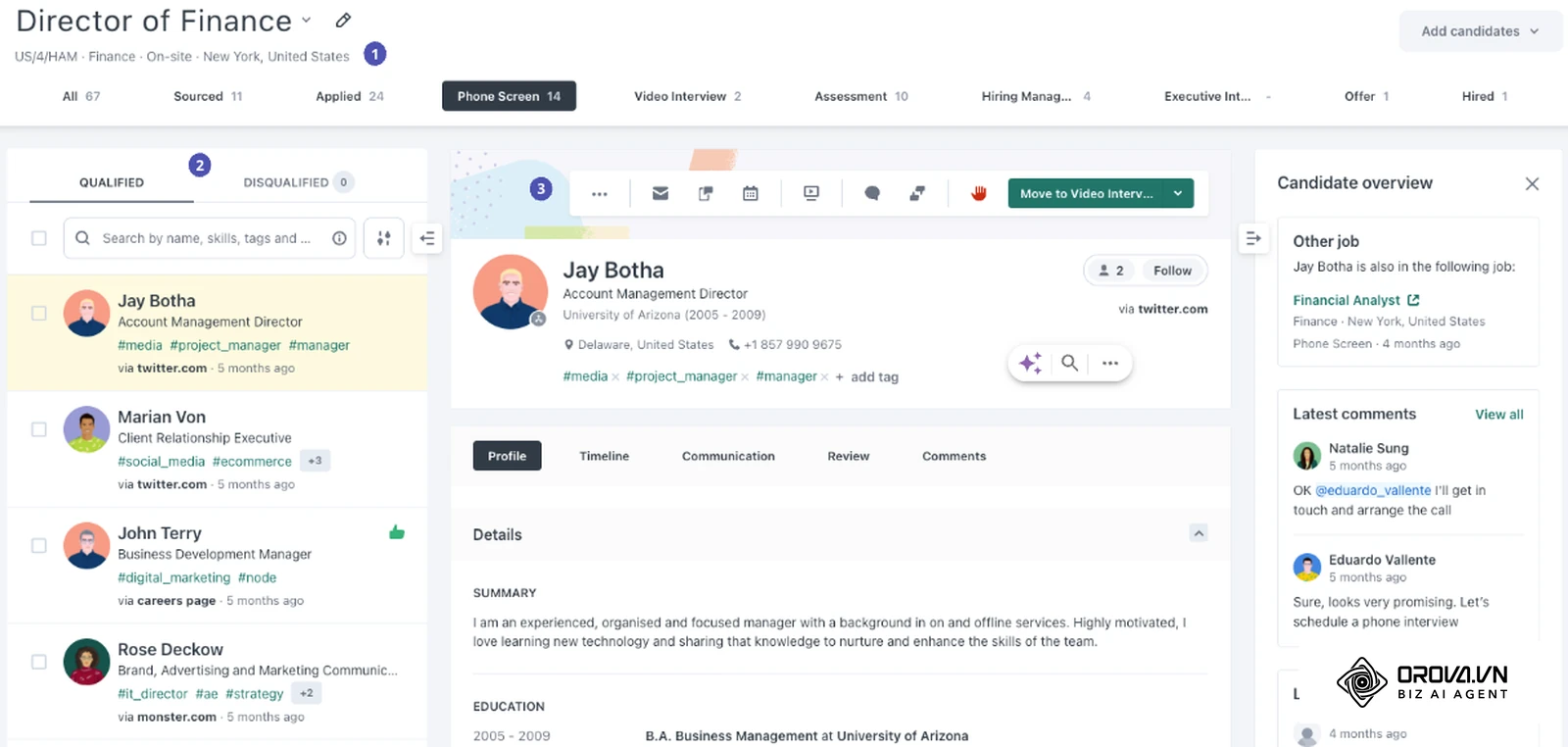
1. Greenhouse What it does: Greenhouse is built entirely around the concept of structured interviewing. It forces hiring teams to define the specific attributes they are looking for before a job is even posted. The system then guides interviewers with specific scorecards tailored to those attributes. Value for users: The primary value is the reduction of unconscious bias. By ensuring every candidate is asked the same questions and graded on the exact same scale, companies make fairer, more consistent hiring decisions. Who it suits: Large enterprise companies and rapidly scaling mid-market firms that require rigorous compliance and standardized processes across multiple global offices. How to start using it:
- Map out your company's core competencies and cultural values.
- Build standardized interview kits and scorecards within the platform.
- Train hiring managers on how to use the specific grading rubrics before conducting interviews.
2. Workable What it does: Workable acts as a distribution engine for your job postings, sending an open role to many job boards from one place. It also offers built-in sourcing tools to help you find passive candidates. Value for users: It reduces the time spent manually posting jobs on individual websites. Users gain immediate visibility and a rapid influx of candidates, ensuring the top of the hiring funnel is always full. Who it suits: Companies that struggle with low applicant volume and need to aggressively market their employer brand to attract active job seekers. How to start using it:
- Set up your company's careers page inside Workable.
- Create a job and choose the job boards you want it to appear on, including any you decide to sponsor.
- Set up automated knockout questions to instantly filter out applicants who lack mandatory qualifications like work visas.
Illustrative example: A 200-person logistics firm was struggling to fill warehouse positions, receiving only a trickle of resumes. The HR director decided to implement Workable to broaden their reach. First, they posted the roles to a wider set of local job boards. Next, they set up automated screening questions regarding shift availability. They stumbled initially because the automated rejection emails were sent instantly, making candidates feel ignored. They fixed this by adding a 12-hour delay to automated rejections. The result was a flooded pipeline where the warehouse managers could log in and instantly see a list of pre-vetted candidates ready for phone screens.
Greenhouse applicant tracking guide: setup, ROI and alternatives
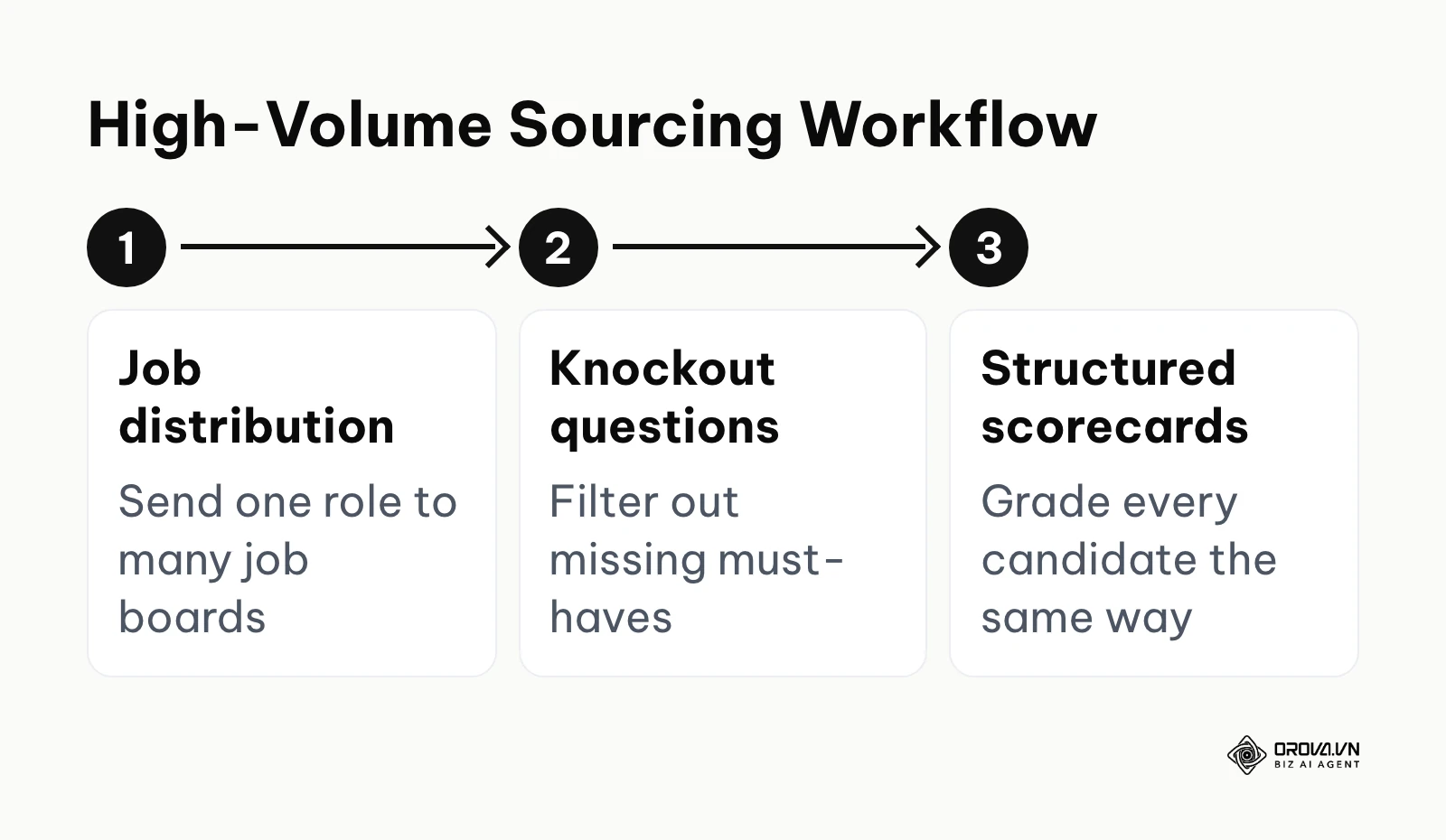
Before booking demos with tools in this group, it helps to know which question to ask each one.
| Tool | Where it helps most | Question to ask in a demo |
|---|---|---|
| Greenhouse | Structured interviews and scorecards | How do we build and enforce a scorecard for each role? |
| Workable | Posting jobs widely and filling the funnel | Which job boards can we post to from one place, and which ones cost extra? |
| iCIMS | Complex, multi-country enterprise hiring | Which integrations and compliance workflows are included in our setup? |
3. iCIMS What it does: iCIMS is a robust talent cloud designed for massive, complex organizations. It handles intricate workflows involving multiple background check vendors, complex compliance regulations across different countries, and internal mobility tracking. Value for users: It is built for the scale and data-governance needs of large organizations. The value lies in its marketplace of integrations, allowing large companies to plug in highly specialized assessment tools without leaving the primary interface. Who it suits: Global enterprises, staffing agencies, and heavily regulated industries like healthcare and finance where audit trails are legally mandated. How to start using it:
- Conduct a full audit of your current tech stack to identify required integrations.
- Work with an implementation specialist to map your complex compliance workflows into the system.
- Roll out the platform department by department to ensure proper adoption.
Startup & All-in-One SME Operations
For smaller companies, dealing with a fragmented software ecosystem is a nightmare. These platforms focus on combining applicant tracking with core HR functions, providing a seamless experience from the first interview to the first paycheck.
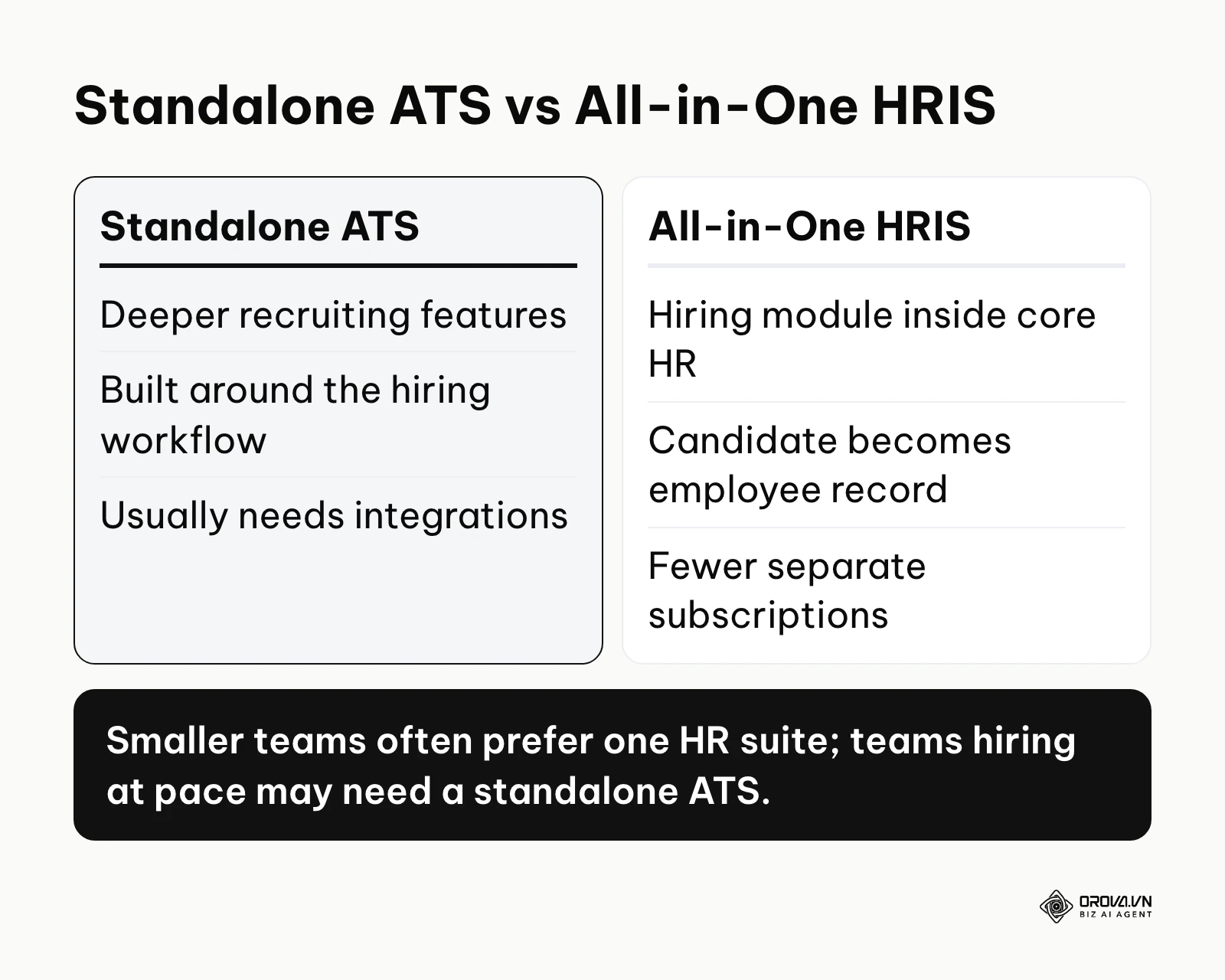
4. BambooHR What it does: BambooHR is primarily a Human Resources Information System (HRIS) that includes a highly capable built-in applicant tracking module. It handles everything from job postings and resume parsing to time-off requests, payroll integrations, and performance reviews. Value for users: The immense value is data continuity. When a candidate accepts a job offer, their profile can move straight into an employee record, eliminating the need to manually re-enter bank details, emergency contacts, and personal information. Who it suits: Small to medium-sized businesses that want to consolidate their software subscriptions and manage the entire employee lifecycle in one place. How to start using it:
- Import your existing employee data into the core HR system.
- Activate the hiring module and customize your offer letter templates.
- Set up the automated onboarding checklists that trigger the moment a candidate is moved to "Hired."
5. Breezy HR What it does: Breezy HR focuses heavily on user experience, utilizing a highly visual Kanban board interface. Users can drag and drop candidate cards from one column to the next, triggering automated actions like sending a calendar link or requesting a portfolio. Value for users: It needs very little training. Hiring managers who are resistant to learning new software generally adopt Breezy HR quickly because the interface mimics popular project management tools. Who it suits: Fast-growing startups and creative agencies where hiring managers are heavily involved in the process but have little patience for clunky enterprise software. How to start using it:
- Define the specific stages of your hiring process (e.g., Applied, Phone Screen, Tech Task, Final Interview).
- Create columns for each stage on the visual board.
- Attach automated email templates to specific columns so candidates are updated instantly when they are moved.
6. JazzHR What it does: JazzHR is a purely standalone applicant tracking system designed specifically for small businesses. It offers deep customization for hiring workflows without forcing users to pay for an entire HRIS suite they might not need. Value for users: It provides flexible workflows without the weight of a full HR suite. Users can create distinct hiring processes for different departments—a quick two-step process for retail staff, and a rigorous five-step process for software engineers. Who it suits: Small businesses that have outgrown spreadsheets but aren't ready to invest in a massive, company-wide HR software overhaul. How to start using it:
- Customize the application form to gather necessary specific details upfront.
- Build custom workflow templates for different types of roles.
- Sync your corporate email and calendar to centralize all candidate communications.
Collaborative Hiring & Remote Teams
In remote environments, hallway conversations about a candidate's performance don't happen. These platforms are designed to force collaboration, gather asynchronous feedback, and manage passive talent pools over long periods.
7. Lever What it does: Lever completely blurs the line between an Applicant Tracking System and a Candidate Relationship Management (CRM) tool. It treats passive candidates—people you want to hire in the future but aren't currently applying—with the same importance as active applicants. Value for users: It enables proactive recruitment. Instead of waiting for people to apply, recruitment teams can build long-term relationships with top talent, sending them nurture campaigns over months until they are ready to make a career move. Who it suits: Mid-market tech companies and organizations fighting for highly specialized, hard-to-find talent where outbound sourcing is the primary hiring strategy. How to start using it:
- Use Lever's sourcing tools to add promising profiles to your talent pool.
- Set up automated nurture campaigns to drip emails to passive talent every few weeks.
- Train your team on using @mentions to discuss candidate profiles asynchronously within the platform.
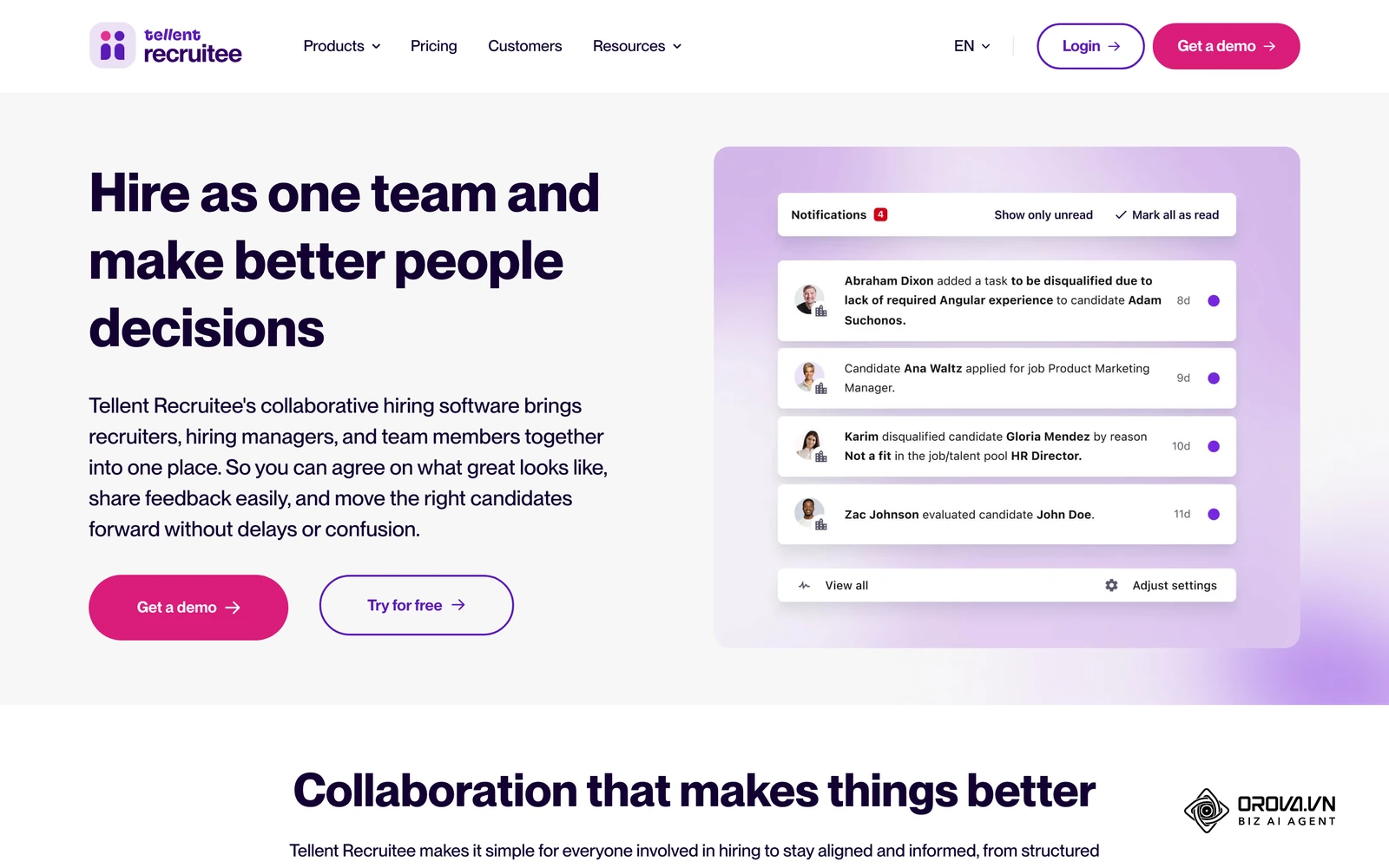
8. Recruitee What it does: Recruitee, now part of the Tellent product family, is built around the philosophy that hiring is a team sport. It focuses heavily on collaborative features, allowing various team members to easily leave notes, vote on candidates, and share candidate profiles securely with external stakeholders. Value for users: It breaks down the silo between HR and the rest of the company. By making the interface accessible and engaging, hiring managers are more likely to actively participate in the screening process rather than entirely delegating it. Who it suits: Distributed teams and companies with highly collaborative cultures where multiple peers are involved in interviewing a single candidate. How to start using it:
- Create user roles and set precise permissions to protect sensitive candidate data.
- Build an attractive, branded career site using their built-in drag-and-drop editor.
- Invite hiring managers to the platform and run a mock evaluation to familiarize them with the voting system.
9. Homerun What it does: Homerun takes a uniquely design-first approach to recruitment. While it has standard applicant tracking features, its standout capability is helping companies create stunning, highly localized job posts that look like modern magazine articles rather than boring text documents. Value for users: It strengthens the employer brand. The candidate experience starts with the job post itself, and Homerun helps companies look professional and show their culture clearly. Who it suits: Boutique design agencies, architecture firms, and culturally driven startups where aesthetic presentation and brand voice are critical to attracting the right talent. How to start using it:
- Gather high-quality photos and videos of your team and office environment.
- Use the visual editor to craft a rich, interactive job post.
- Configure the simplified application form to ensure a frictionless experience for mobile users.
AI Screening & Skill-Based Selection
The newest category in the market leverages artificial intelligence to do the heavy lifting of evaluating resumes. Rather than just matching keywords, these tools attempt to understand the context of a candidate's experience.
| Tool | What it looks at | What your team still checks |
|---|---|---|
| Eightfold AI | Career path and inferred skills | Whether the skill map matches the roles you plan to hire for |
| SeekOut | Public professional information, mainly technical profiles | That the shortlist is judged on skills, using one review rubric |
| Orova Recruit | Each CV against the criteria you set for the role, with quoted lines as evidence | The quoted evidence behind each score, and the final hiring decision |
10. Eightfold AI What it does: Eightfold AI uses AI models trained on large volumes of career data. It doesn't just read a resume; it looks at a candidate's career path to infer which skills they have or could build. Value for users: It unlocks hidden talent by shifting the focus from past job titles to underlying skills. It helps companies identify internal employees ready for promotion and external candidates who have the exact skills needed, even if their previous job title was entirely different. Who it suits: Large enterprise organizations committed to internal mobility and transitioning toward a skills-based hiring model. How to start using it:
- Ingest your company's historical hiring data to calibrate the AI model.
- Map out the specific skill taxonomy required for your future business goals.
- Run the AI matching engine against your existing talent pool before looking externally.
11. SeekOut What it does: SeekOut specializes in sourcing hard-to-find talent, especially technical profiles, and in helping teams build more diverse pipelines. It brings together public professional information to build fuller profiles of candidates who rarely update their standard resumes. Value for users: It gives technical recruiters more to search on than generic keywords on a standard job board, such as the kind of work an engineer has done in public. Who it suits: Technical recruiting teams and organizations with clear diversity sourcing goals. How to start using it:
- Define the specific technical skills you require.
- Use the platform's search and AI filters to build a shortlist.
- Agree on a consistent review rubric so the shortlist is judged on skills, not on names or photos.
12. Orova Recruit What it does: Orova Recruit uses AI to take on repetitive evaluation work. You write the job description and set grading criteria for each role; it then grades CVs (Word, PDF or scanned images) against those criteria and quotes the lines in each CV that serve as evidence. It also suggests interview questions based on the job description and the CV, takes voice or text interview notes with transcription, scores interviews, compares candidates and exports to PDF, schedules interviews, and sends step-by-step emails to candidates from your company inbox. Value for users: It reduces the manual work of reading every resume line by line, shows the evidence behind each score, and keeps interview notes and candidate emails in one place. The final hiring decision stays with your team. Who it suits: Growing companies that receive high volumes of applications but lack the recruiter headcount to screen them all manually and deeply. How to start using it:
- Paste your existing job description or write a new one, then set the grading criteria.
- Upload candidate CVs in PDF, Word or scanned form and let the system grade them against those criteria.
- Review the highest-scored candidates, check the quoted evidence yourself, then schedule interviews.
Tired of reading every resume line by line? Orova Recruit grades each CV against the criteria you set for the role and quotes the lines in the CV that back up every score, so you can check the evidence before you shortlist. It also suggests interview questions based on the job description and the CV.
The Hidden Costs of Applicant Tracking Software
A critical mistake many HR directors make is presenting only the baseline subscription cost to their finance team. Vendors often package core features in the base plan and sell other capabilities separately, so the first quote rarely shows the full cost. Many organizations overspend on HR tech simply because they did not account for implementation and integration fees.
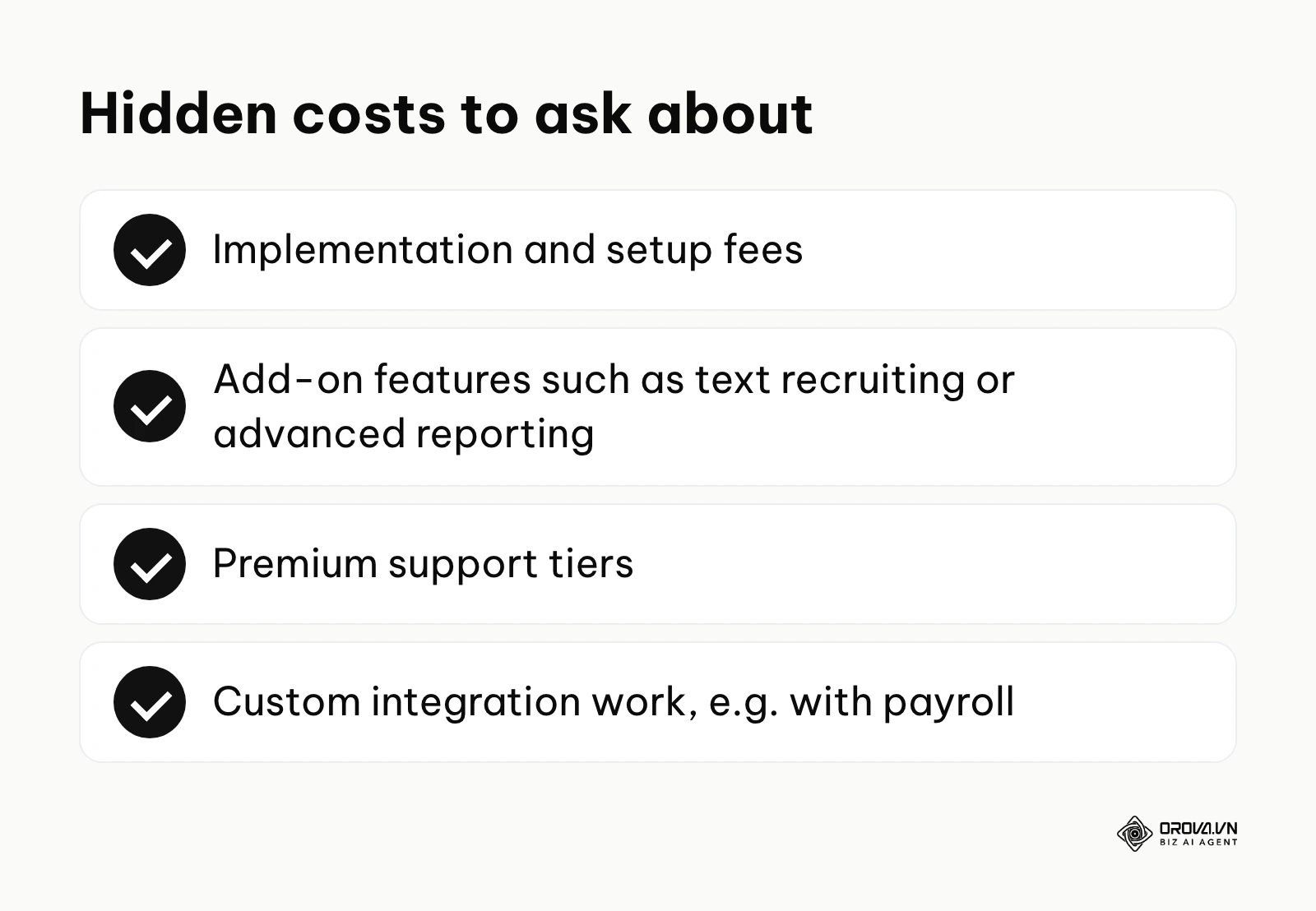
The first major hidden cost is implementation. Setting up an enterprise ATS is not a weekend project. Some vendors charge a separate implementation fee on top of the first-year license, so ask for it in writing. This fee covers the cost of their solutions architects who build your workflows, set up your permissions, and train your staff.
The second hidden cost involves add-on features and integrations. Many platforms charge extra for text-message recruiting, advanced reporting dashboards, or premium customer support tiers with guaranteed response times. Furthermore, if you need the ATS to talk to your proprietary payroll system, you might have to pay custom API development fees.
To successfully secure a budget, you must present a complete financial picture that contrasts these costs with the savings generated by the software. You need a simple ROI calculation for HR tech. Below is a template with example figures; replace them with your own numbers.
| Line item | Current process per year (example, your currency) | With an ATS per year (example, your currency) | How to calculate the difference |
|---|---|---|---|
| External agency fees | 80,000 | 20,000 | Current minus new: 60,000 |
| HR admin hours | 40 hours/week | 10 hours/week | 30 hours x 50 weeks = 1,500 hours |
| Job board subscriptions | 15,000 | 5,000 | Current minus new: 10,000 |
| ATS cost (license + implementation + training) | 0 | Your vendor quote | Subtract from total savings |
| Net result | Total savings minus ATS cost |
Illustrative example: A mid-sized retail chain's HR director was trying to get budget approval for a premium ATS. Initially, they presented just the subscription cost to the CFO. The request was denied because the CFO saw it merely as an expensive digital filing cabinet. To fix this, the HR director mapped out the actual hours spent scheduling interviews and the thousands of dollars wasted on external headhunters due to slow internal responses. They presented a revised business case using an ROI calculator, showing how the software would reduce agency spend by keeping a warm internal talent pool. The result was immediate budget approval and a clear mandate to measure the reduction in time-to-fill over the next two quarters.
When you are ready to approach leadership, use a structured request.
Budget Request Template
Subject: Request for ATS Investment to Reduce Agency Spend and Time-to-Hire
Context: Currently, our hiring process relies on manual spreadsheets, resulting in a [number]-day average time-to-hire and heavy reliance on expensive external agencies.
Solution: Implementing an ATS will speed up resume screening, centralize communications, and allow us to build a proprietary talent pool.
Financial Impact: While the total first-year cost is $X (including implementation), we project savings of $Y by reducing agency fees by [percent] and cutting HR admin time by [hours] a week. I have attached the full ROI calculation for your review.
Data Migration: The Biggest Fear When Switching ATS
Perhaps the most terrifying aspect of buying new applicant tracking software is the prospect of moving your historical data. Your current system holds years of candidate profiles, interview notes, and compliance records. Losing this data, or migrating it incorrectly, can result in severe legal liabilities and a massive loss of institutional knowledge.
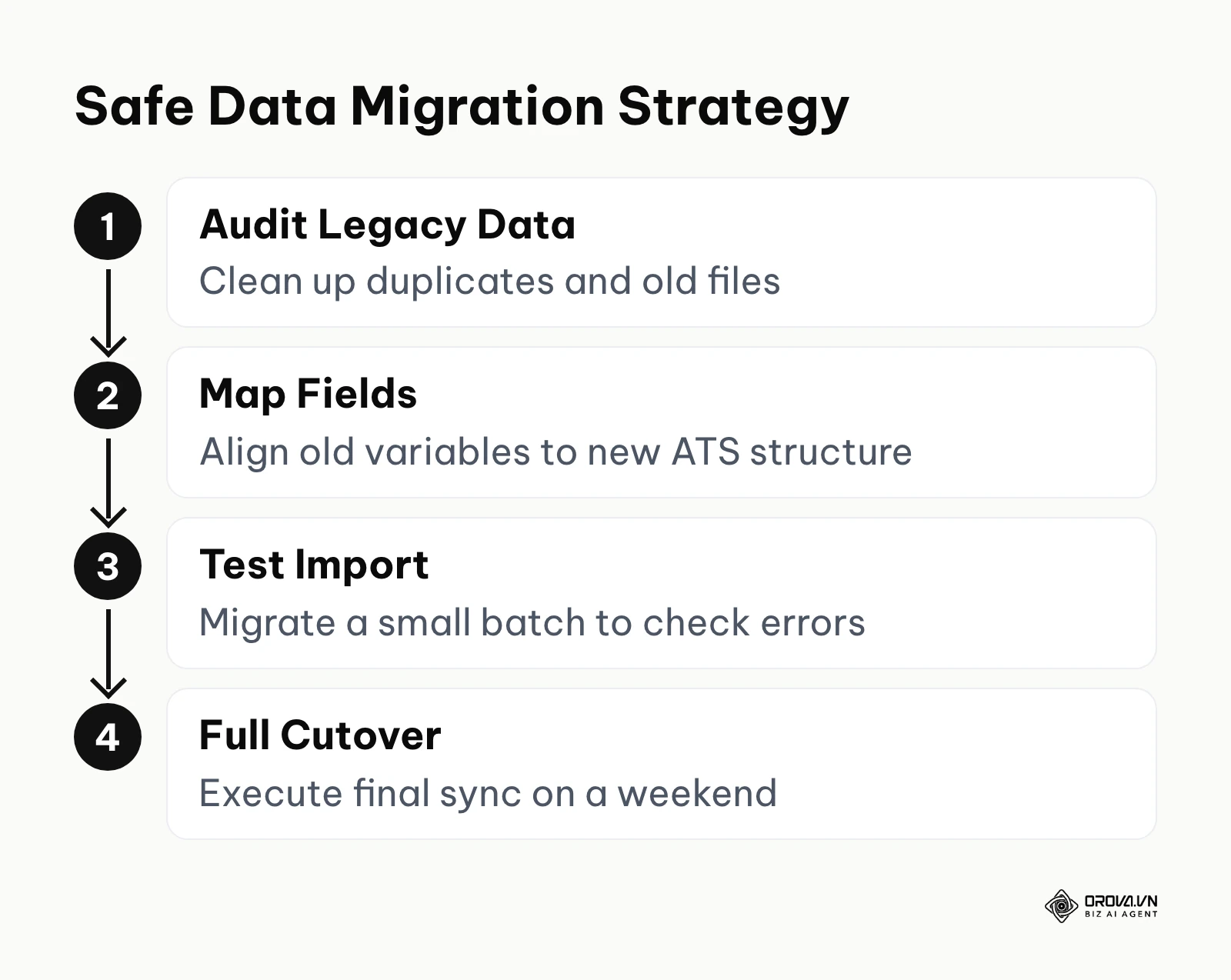
Data migration fails primarily because companies assume it is a simple copy-and-paste operation. In reality, the architecture of your old system rarely matches the architecture of your new one. For instance, your old system might use a free-text box for a candidate's "Skills," while the new system requires those skills to be selected from a predefined, standardized list. If you force the migration without mapping these fields correctly, the new system will simply reject the data or turn it into an unsearchable mess. You must audit your candidate data before attempting to migrate.
To evaluate a vendor's data migration capabilities, you must ask specific technical questions during the sales process. Do they use a flat CSV import, or do they offer a direct API connection to legacy systems? Do they provide a dedicated data migration specialist, or are you expected to map the fields yourself?
Illustrative example: A 300-person manufacturing company was upgrading from a legacy on-premise system to a modern cloud-based ATS. They needed to move 15,000 candidate profiles. First, they exported all data into raw CSV files. Second, they attempted to blindly import the files using the new system's default tool. They hit a massive roadblock when the system crashed because the old database used a different date format (DD/MM/YYYY) than the new system (MM/DD/YYYY). They resolved this by halting the import, running a quick script in Excel to standardize the date columns, and testing the import on a small batch of 100 profiles first. The result was a clean full migration over the weekend, ensuring recruiters could search historical candidates accurately on Monday morning.
Want screening, interview notes and scheduling in one place? With Orova Recruit you write the job description, grade CVs, take voice or text interview notes with transcription, compare candidates, schedule interviews and email candidates from your company inbox. Free until July 7, 2027. Sign up and try it on your next open role.
How to Choose Your Applicant Tracking Software
Selecting the right platform requires a disciplined approach. You must ignore the flashy sales presentations and focus strictly on your company's size, operational maturity, and primary bottlenecks. Assembling the right HR tech stack means matching the software to your specific growth stage.
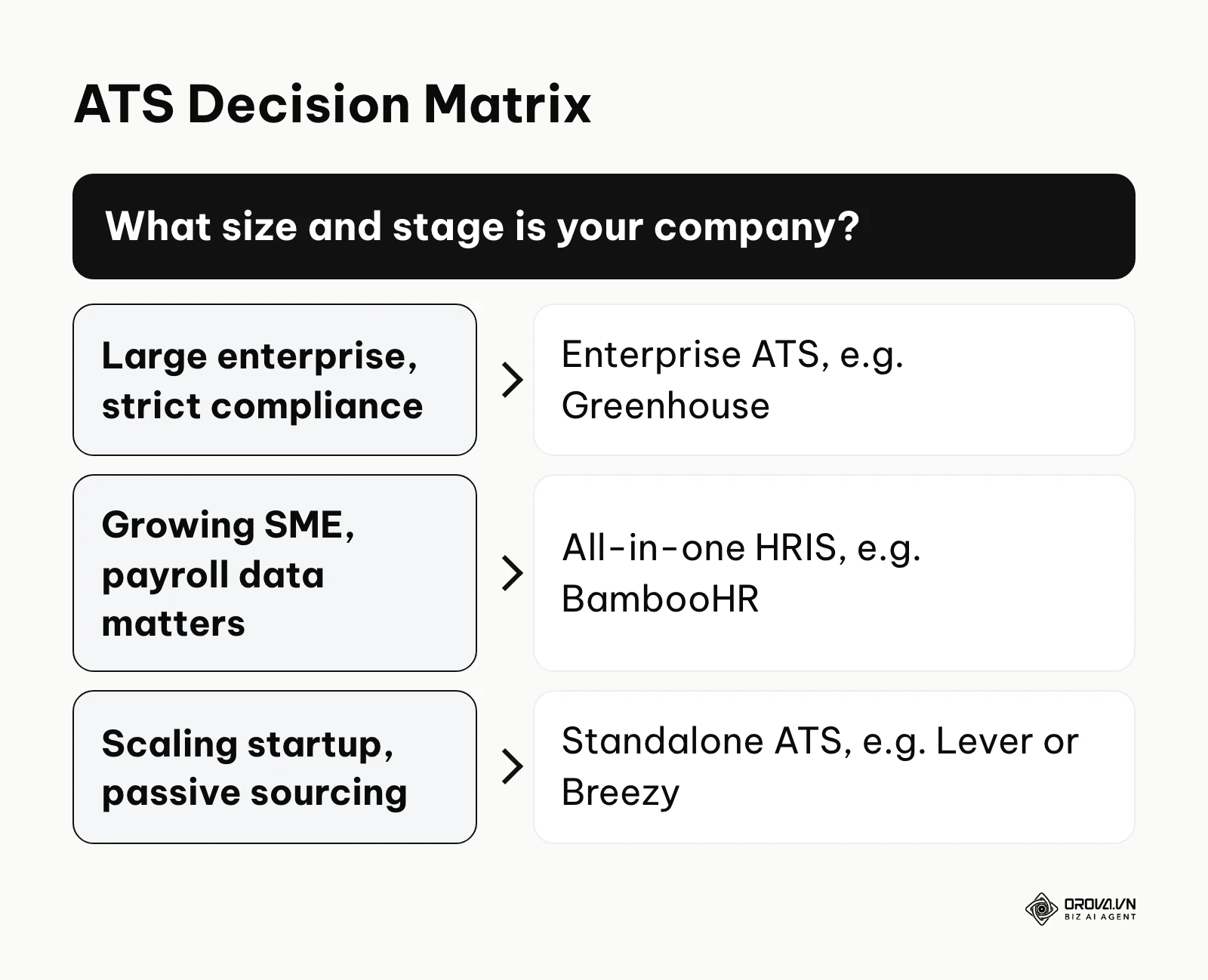
Below is a baseline recommendation matrix to help you orient your search based on company size.
| Company Size / Scenario | Recommended Approach | Primary Reason |
|---|---|---|
| Solopreneur / Micro (1-10) | Spreadsheets or Free Tools | Volume is too low to justify the cost and setup time. |
| Growing SME (11-100) | All-in-One HRIS (e.g., BambooHR) | Need seamless data flow to payroll more than advanced sourcing. |
| Scaling Tech Startup (50-200) | Standalone ATS (e.g., Lever, Breezy) | Need fast, collaborative interfaces and strong passive sourcing. |
| Large Enterprise (500+) | Enterprise ATS (e.g., Greenhouse) | Compliance, complex permissions, and structured bias reduction are mandatory. |
One of the biggest traps buyers fall into is buying software for the company they want to be in five years, rather than the company they are today. If you have 50 employees, buying a complex enterprise system will only result in low adoption rates because your team will find it too cumbersome to use.
To ensure you make the right choice, use this checklist of critical questions when interviewing vendors:
- [ ] Does the system allow for native two-way email syncing with our current provider (Google Workspace/Outlook)?
- [ ] What is the exact process and fee structure for historical data migration?
- [ ] Can we customize the interview scorecards for different departments?
- [ ] Does the platform support automated self-scheduling for candidates?
- [ ] Are there built-in compliance tools for local data privacy laws (e.g., GDPR, CCPA)?
- [ ] How exactly does your customer support operate? (Is it 24/7 phone support or just a ticketing system?)
- [ ] Can the system automatically parse resumes in various formats like PDF and Word?
- [ ] What native integrations exist for our current background check provider?
Where applicant tracking software is heading in the next few years: the author's take
The recruitment technology landscape is shifting quickly, and the balance between human judgment and automation keeps moving. These are opinions, not forecasts with numbers: here is what I believe is likely in this space.
The Shift from Screening to Predictive Retention
As of 2026, most AI features in applicant tracking software are focused strictly on top-of-funnel screening—parsing resumes and matching keywords. I believe that in the next two to three years, more of the focus will move toward retention. Tools will try to use historical hiring data to suggest not just who is qualified, but who is more likely to stay and grow at the company. HR leaders should start cleaning up their historical turnover data now, as these predictive models will require clean data sets to function accurately.
The Death of the Traditional Resume
We are currently seeing massive fatigue regarding traditional PDF resumes, largely because generative AI has made it incredibly easy for candidates to embellish their experience. My read is that ATS platforms will gradually give uploaded resumes less weight and lean more on skills evidence, such as work samples, assessments and verifiable credentials. You should prepare for this by transitioning your hiring rubrics from "years of experience" to strict "demonstrated skills" assessments.
Seamless Convergence of ATS and EOR
Today, hiring a global remote worker involves using an ATS to find them, and then a completely separate Employer of Record (EOR) platform to legally hire and pay them. I think these two steps will move closer together, through partnerships or acquisitions, so that a recruiter can move a candidate in another country from "Interview" to "Hired" and start the local contract process with far less switching between tools. Companies should favor ATS vendors with open, well-documented integrations to prepare for this globalized hiring future.
Frequently asked questions about applicant tracking software
What is the main purpose of applicant tracking software?
The primary purpose is to centralize and automate the recruitment process. It replaces messy email threads and spreadsheets by providing a single database where HR teams can post jobs, screen resumes, schedule interviews, and collaborate on candidate evaluations seamlessly.
Which ATS can actually combat candidates using AI to write CVs?
Most traditional keyword-matching ATS platforms are easily fooled by candidates who use AI to stuff their resumes with matching phrases. However, modern AI-driven platforms counter this by performing deeper contextual analysis. Instead of just checking for keywords, they analyze the semantic relationship of the skills and point to quoted evidence from the document. Furthermore, systems that generate highly specific, context-based interview questions derived directly from the AI-written CV help expose embellished resumes when the candidate is questioned during the interview.
How long does it take to implement an ATS?
Implementation time varies drastically based on the system's complexity. A lightweight platform for a small business can be deployed and customized in less than two weeks. However, an enterprise-grade system requiring complex data migration, custom API integrations with existing HRIS platforms, and extensive team training can take anywhere from three to six months to fully implement.
Can an ATS replace human recruiters?
No, an ATS cannot replace human recruiters, and it is not designed to do so. The software is built to handle the high-volume, low-value administrative tasks like scheduling, resume parsing, and sending rejection emails. This automation frees up human recruiters to focus on high-value tasks that software cannot perform: building relationships with candidates, negotiating offers, and assessing cultural alignment.
Do small businesses really need applicant tracking software?
If a small business hires only one or two people a year, they do not need an ATS. However, if a small business is in a rapid growth phase and plans to hire ten or more people in a year, the administrative burden of doing it manually will overwhelm their staff. In these cases, a lightweight, affordable ATS is highly recommended to maintain a professional candidate experience.
Where to Start?
Staring at a massive list of software features can lead to analysis paralysis. The best way forward is to take one immediate, practical step based on your current operational reality.
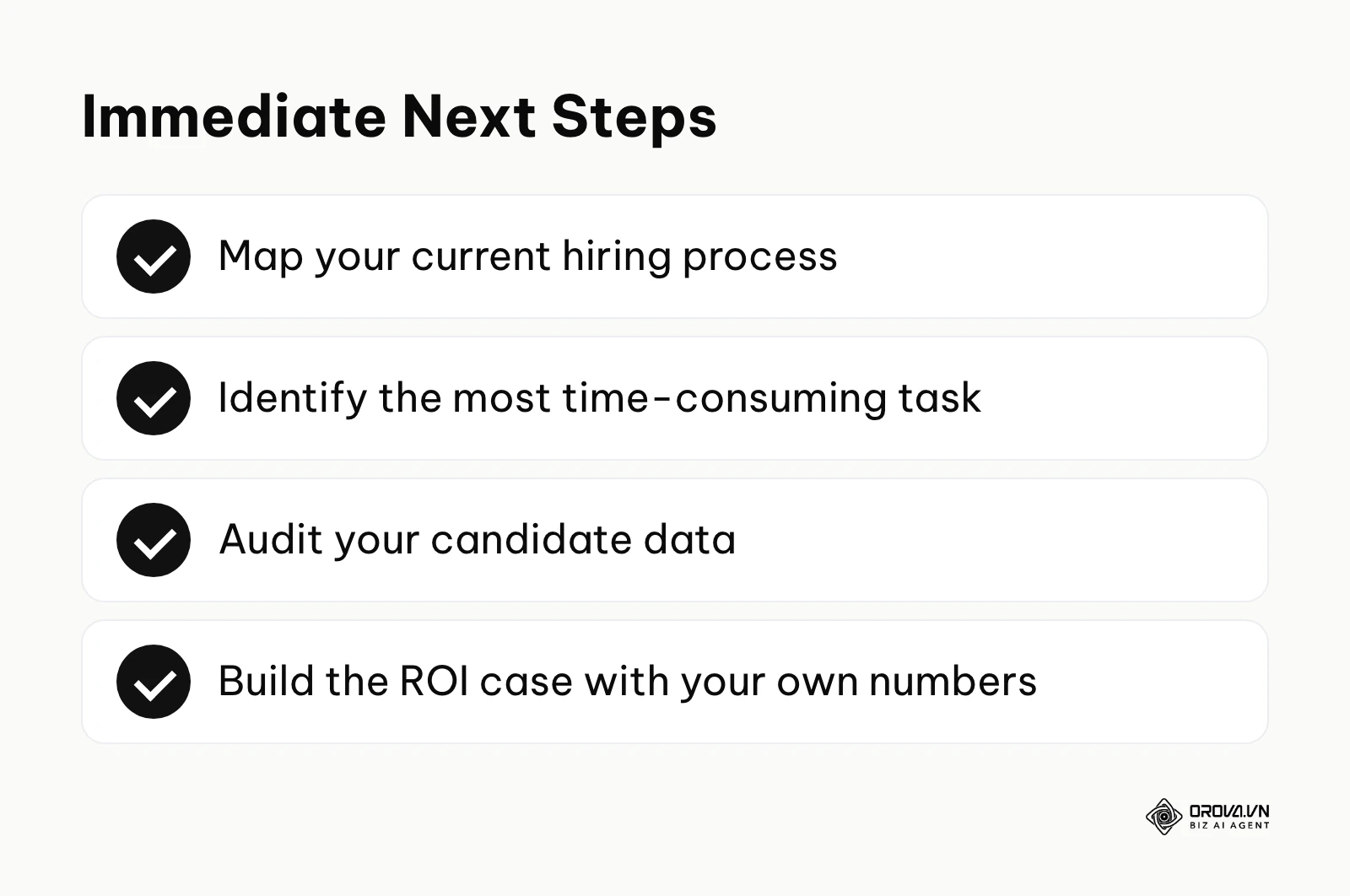
If your team is currently drowning in email threads and confusing spreadsheets, your first step has nothing to do with software. Schedule a one-hour meeting with your hiring managers and draw your exact hiring process on a physical whiteboard. Document every single step a candidate takes from clicking "Apply" to signing the offer letter. You cannot automate a process that you do not fully understand.
If you are already using an older, clunky ATS and are terrified of losing your data during a switch, your immediate step is a data audit. Spend one afternoon running a test export of your candidate database into a CSV file. Review the file to see how messy your data actually is—look for duplicate entries, inconsistent date formats, and missing fields. Knowing the state of your data will dictate which new vendor you choose based on their migration support.
If you know exactly which software you want but are facing resistance from the finance department, your next step is building the financial case. Use the ROI calculator template provided earlier in this article. Spend an hour gathering your current numbers on agency spend, job board subscriptions, and estimated HR admin hours. Presenting a clear financial argument is the only way to move a software purchase from a "nice to have" to a "business necessity."
About the author

Builder of Orova
Nguyễn Đỗ Trọng Ân has 8 years of experience in marketing, including 6 years managing market development across Asia. He builds Orova, a Biz AI Agent that never sleeps: it plans, runs and optimizes work for businesses.
Run your business with AI Agents
Orova is the always-on Biz AI Agent — it plans, runs, and optimizes the work for you.
Save time, unlock productivity.