
CRM for small business: 8 best tools in 2026 and how to choose

Selecting the right crm for small business is one of the most critical operational decisions an entrepreneur or sales director will make this year. When small teams adopt the wrong platform, the outcome is almost always shelfware, a scenario where paid software sits unused while sales reps abandon the system and retreat to chaotic spreadsheets. Lean businesses rarely need complicated enterprise suites that require technical consultants or months of custom onboarding. Instead, small teams need immediate pipeline visibility, minimal data entry friction, and predictable ownership costs that do not balloon when their contact list expands.
To help you cut through marketing claims and select a system your sales reps will actually update daily, this guide compares platforms against five practical criteria: onboarding speed, realistic three-year total cost of ownership including contact growth thresholds, visual deal management clarity, data migration reliability, and practical day-to-day communication workflows. Much like how specialized candidate relationship management systems organize talent pipelines, a sales CRM creates rigorous operational visibility around commercial revenue stages.
This guide provides an honest comparison of eight established platforms as of 2026, walks through a hypothetical three-year cost example that exposes hidden expenses, delivers a plug-and-play sales pipeline blueprint with stage exit criteria, and provides a 15-point data migration checklist to cleanly transfer your customer records.
CRM for Small Business Comparison Table: 2026 Overview
A dependable CRM functions as a centralized customer book for your commercial team, tracking prospective buyers from their initial touchpoint through to signed quotes and collected payments. The short answer: HubSpot Sales Hub, Pipedrive, Zoho CRM, Freshsales, Salesforce Starter Suite, Orova CRM, Copper, and Capsule cover most small business needs. The comparison table below outlines the core operational focus, pricing model, and practical trade-offs for these eight options as of 2026. Check each vendor's official pricing page for current rates.
| Tool Name | Best For | Key Strength | Pricing Model | Quick Verdict |
|---|---|---|---|---|
| HubSpot Sales Hub | Inbound marketing alignment | Polished interface and rich ecosystem | Free CRM plus paid per-user tiers | Excellent UX, but contact tier jumps get expensive |
| Pipedrive CRM | Deal-driven visual selling | Intuitive drag-and-drop activity stages | Paid per-user tiers | Pure sales focus, lacks built-in billing features |
| Zoho CRM | Customization on a budget | Vast ecosystem of modular business apps | Free edition plus paid per-user tiers | Highly versatile, but requires tedious admin setup |
| Freshsales CRM | Multi-channel communication | Integrated telephony and chat widgets | Paid per-user tiers | Built-in calling, advanced features sit on higher plans |
| Salesforce Starter Suite CRM | Scalable enterprise foundation | Unified sales and service foundations | Paid per-user tiers | Powerful backbone, steep interface learning curve |
| Orova CRM | Quote-to-cash pipeline tracking | Automated lead recall and quote generation | Free until July 7, 2027 | Great pipeline accountability, lacks native mobile app |
| Copper CRM | Google Workspace users | Native Gmail and Google Calendar sidebar | Paid per-user tiers | Seamless for Gmail, restrictive outside Google tools |
| Capsule CRM | Micro-teams and consultancies | Simple contact cards and task tracking | Paid per-user tiers | Clean and lightweight, lacks advanced workflow triggers |
HubSpot Sales Hub CRM
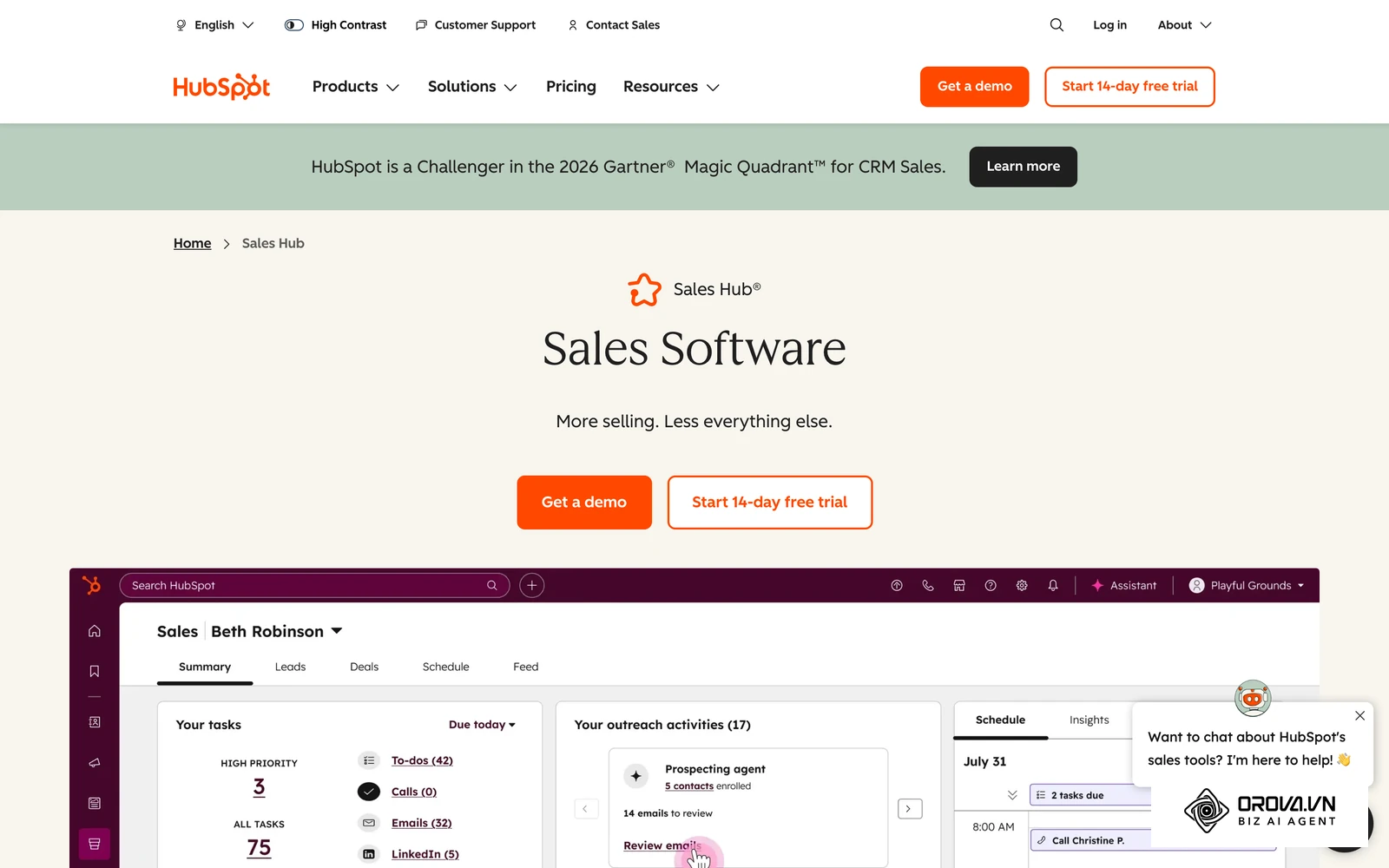
HubSpot Sales Hub is designed for growing small businesses that prioritize inbound marketing alignment and want a clean, unified interface where marketing leads flow directly into sales queues.
Best For
Small businesses with dedicated marketing functions that generate steady inbound web traffic and require cohesive email tracking, meeting scheduling, and deal logging in a single software ecosystem.
Key Strengths
- Frictionless user onboarding: New sales reps can configure email tracking, create custom deal stages, and book customer meetings via direct calendar links shortly after account creation.
- Unified contact history: The activity timeline automatically aggregates form submissions, marketing email opens, website page visits, and recorded phone notes on a single screen without manual logging.
- Extensive app marketplace: HubSpot runs a large app marketplace with connectors for third-party tools, including accounting platforms, form builders, and external communication channels.
Weaknesses
- Aggressive contact tier escalation: While entry plans appear accessible, growing your marketing contact volume can push you into higher packages that increase annual software bills.
- Restricted workflow automation on lower tiers: Advanced conditional routing, automated lead assignment rules, and cross-object reporting sit on higher tiers, which can pressure small budgets.
Pricing
HubSpot offers a free CRM edition with basic contact storage and email tracking, plus paid Starter, Professional, and Enterprise tiers billed per seat. Professional tiers can add onboarding fees, so confirm current rates on the official HubSpot pricing page.
When to Choose
Choose HubSpot Sales Hub if your small business relies heavily on content marketing and inbound website inquiries, and your team is prepared to audit contact lists frequently to prevent unexpected database tier increases.
Pipedrive CRM
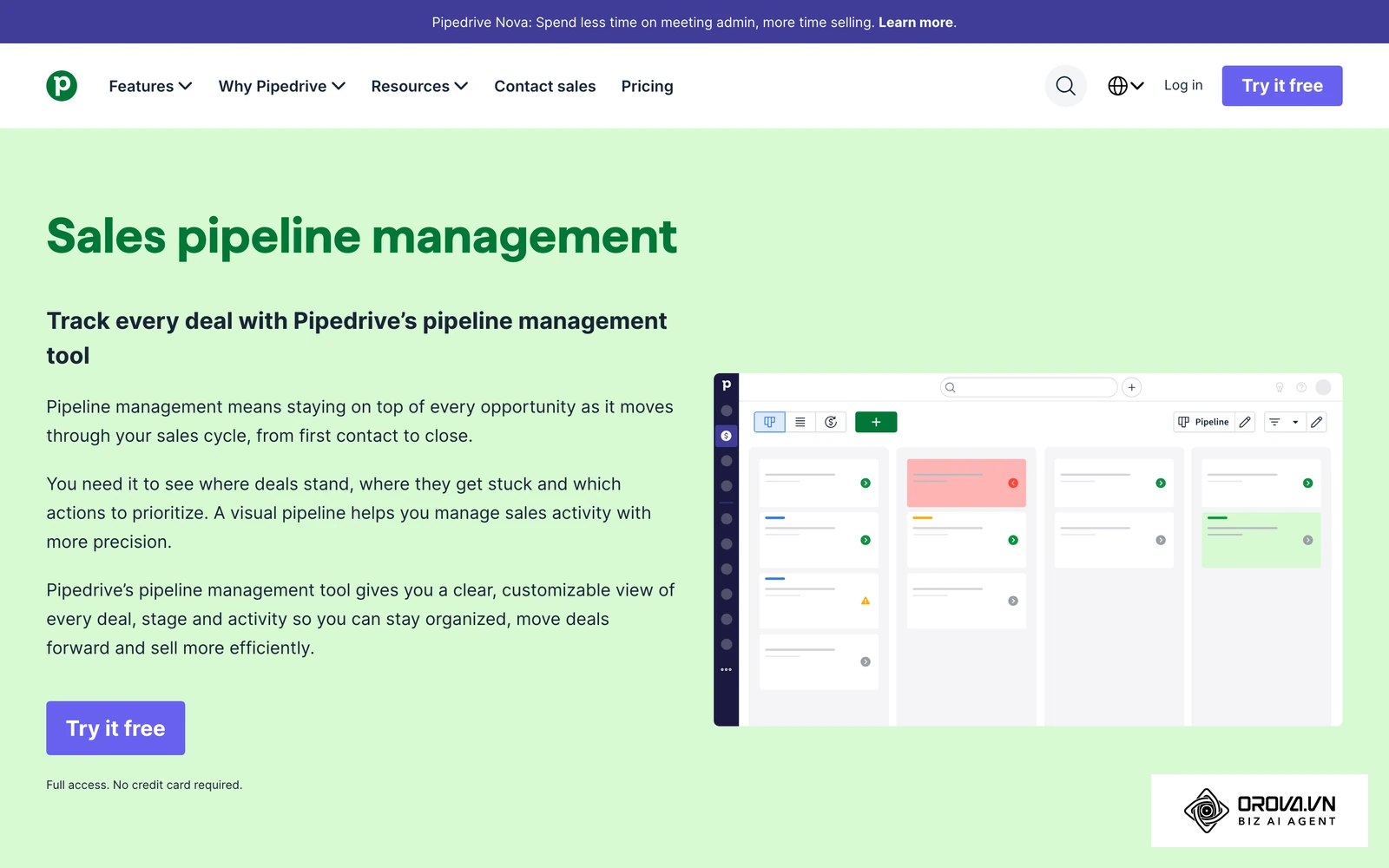
Pipedrive CRM was engineered by sales practitioners specifically to support visual deal pipelines and activity-based selling methodologies.
Best For
Outbound sales teams, B2B product distributors, and specialized agencies that handle multi-stage negotiations and require a focused sales pipeline management crm without peripheral marketing modules.
Key Strengths
- Tactile visual pipeline interface: The Kanban board displays deal progression clearly, allowing reps to drag opportunities across customized milestones while prominently highlighting overdue actions in amber and red.
- Disciplined activity scheduling: The system prompts sales reps to schedule an immediate subsequent activity whenever an existing task is checked off, preventing deals from falling into unmonitored stagnation.
- Granular sales reporting: Users can construct custom pipeline velocity reports, win-loss breakdown charts, and individual sales rep activity scorecards without writing database queries.
Weaknesses
- No native invoice or payment tracking: Pipedrive tracks commercial deal values through to the closed-won milestone, but generating legal invoices and tracking received payments requires third-party accounting integrations.
- Separated marketing email add-ons: Running outbound email nurturing campaigns requires purchasing separate add-on subscriptions (such as Campaigns by Pipedrive), which raises base user costs.
Pricing
Pipedrive sells several per-user plans, with features such as advanced automation and reporting unlocked on higher plans. Check the official Pipedrive pricing page for current rates.
When to Choose
Choose Pipedrive CRM when your core operational priority is coaching sales reps through multi-stage outbound deal cycles and maintaining strict visual pipeline accountability across every account.
Zoho CRM
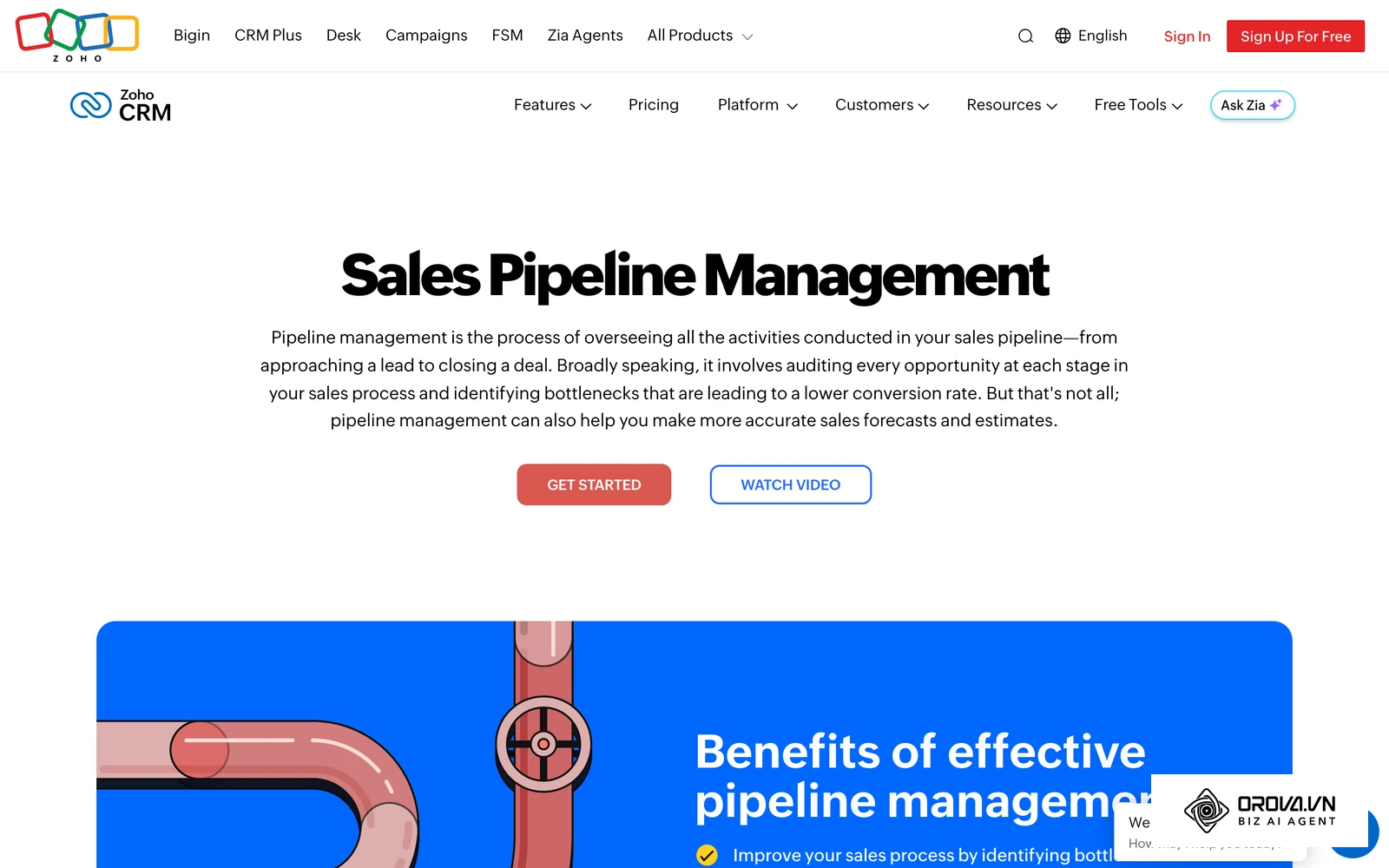
Zoho CRM is a flexible, highly customizable customer management platform that serves as the commercial hub within Zoho's expansive ecosystem of business applications.
Best For
Cost-conscious small businesses with technical administrators who want to build custom business workflows, define intricate custom fields, and connect back-office operations under a unified vendor.
Key Strengths
- High customization ceiling: Administrators can configure conditional page layouts, custom validation rules, formula fields, and tailored multi-stage pipelines to match non-standard industry processes.
- Deep ecosystem interoperability: The CRM integrates natively with Zoho Books for bookkeeping, Zoho Desk for customer support, and Zoho Sign for legal signatures without expensive third-party connector tools.
- Competitive feature-to-price ratio: Advanced automation tools, such as webhook triggers and multi-criteria lead scoring, are available on mid-level editions rather than only on top tiers.
Weaknesses
- Steep configuration curve: The extensive administrative settings panel can overwhelm non-technical business owners, often requiring careful setup time to remove unused default fields.
- Inconsistent interface design: Navigating between core CRM views and ancillary modular applications often presents disjointed user interfaces and subtle configuration variations.
Pricing
Zoho CRM offers a free edition for very small teams and paid Standard, Professional, and Enterprise editions billed per user. Check the official Zoho pricing page for current rates.
When to Choose
Choose Zoho CRM if your organization requires deep field customization, manages complex operational data, and already utilizes or plans to adopt ancillary Zoho business applications.
Freshsales CRM
Freshsales CRM (part of Freshworks) combines core deal management with built-in voice calling, text messaging, and modern customer engagement tracking.
Best For
High-volume inside sales teams and remote customer outreach representatives who need integrated telephony and multi-channel messaging directly from their CRM screen.
Key Strengths
- Native cloud telephony: Reps can purchase virtual regional phone numbers, place outbound calls directly from customer records, and automatically log audio recordings against contact timelines without third-party phone systems.
- Unified communication timeline: Contact cards display inbound website events, email exchanges, chat messages, and phone logs chronologically in a clean central panel.
- Straightforward team collaboration: Deal cards allow team members to leave internal tagged notes, assign sub-tasks, and share customer context across commercial roles.
Weaknesses
- Rigid data table layouts: Customizing summary tables and configuring advanced relationship lookups is less flexible than in dedicated data platforms like Zoho or Salesforce.
- Advanced features spread across plans: Some capabilities, such as advanced automation, sit on higher plans, so map your must-have features to a plan before committing.
Pricing
Freshsales sells Growth, Pro, and Enterprise plans billed per user, and telephony usage is typically billed on top. Check the official Freshworks pricing page for current rates.
When to Choose
Choose Freshsales CRM when your inside sales team makes dozens of outbound calls daily and prioritizes built-in phone dialing over complex back-office database customization.
Salesforce Starter Suite CRM
Salesforce Starter Suite CRM is an entry-level package designed by Salesforce to provide small businesses with essential sales, service, and marketing tools on an enterprise-grade infrastructure.
| If your team... | Does Starter Suite fit? |
|---|---|
| Expects to grow into many reps, territories, or custom integrations | Yes, this is the main reason to start here |
| Wants sales opportunities and basic service cases in one subscription | Yes |
| Has non-technical reps used to spreadsheets | Plan extra training time |
| Wants the lowest long-term software cost | Compare upgrade paths before committing |
Best For
Fast-growing startups and ambitious small businesses that anticipate rapid organizational expansion and want to avoid migrating platforms when enterprise requirements arise.
Key Strengths
- Unmatched platform scalability: Starting on the Salesforce platform guarantees that your customer data architecture can eventually scale to hundreds of reps, multi-national territories, and complex custom integrations.
- Unified sales and customer support: Starter Suite combines sales opportunity tracking with customer service ticketing cases in one subscription, eliminating the need for a separate help desk tool.
- Enterprise-grade reporting: Users can generate multi-variable matrix reports, cross-object revenue summaries, and executive dashboards with fine-grained security filters.
Weaknesses
- High operational complexity: Even the simplified Starter Suite presents a learning curve for non-technical sales reps accustomed to simple spreadsheets or lightweight visual boards.
- Expensive ecosystem path: Transitioning from Starter Suite to mainstream Salesforce editions (such as Enterprise) brings steep licensing price increases and frequently necessitates certified external administrators.
Pricing
Salesforce Starter Suite is billed per user, and moving up to Pro Suite or higher editions raises the per-user cost. Check the official Salesforce pricing page for current rates.
When to Choose
Choose Salesforce Starter Suite CRM if your leadership team is committed to long-term enterprise scalability and demands robust data security controls from day one.
Orova CRM
Orova CRM delivers a streamlined customer book and visual pipeline management module designed specifically to eliminate sales rep data entry fatigue, enforce follow-up accountability, and track revenue from initial inquiry to final cash collection.
| Area | What you get in Orova CRM | Limit to know |
|---|---|---|
| Pipeline | Drag-and-drop board, multiple pipelines, custom stages, lost reasons | No AI lead scoring or AI forecasting |
| Lead recall | Per-stage deadlines in minutes, reminder before the deadline, return to a shared pool | Recall scan runs every 10 minutes |
| Sales documents | Quotes, invoices, and payment requests from templates (English and Vietnamese), PDF, public link | Invoices are PDF documents, not tax e-invoices |
| Targets | Revenue targets for departments and individual reps, five period types | No company-only targets yet |
| Permissions | Separate View and Edit scopes based on your department tree | Owners and admins see everything |
| Contact buttons | 13 channels that open the rep's own apps | No automatic sending or call recording |
Best For
Lean B2B commercial teams, wholesale distributors, and field sales operations that need structured pipeline stages, automated neglected-lead reassignment, and built-in quote-to-payment tracking without software bloat.
Key Strengths
- Automated abandoned lead recall: Administrators can define exact time thresholds (measured in minutes) for each pipeline milestone; the rep gets a reminder before the deadline, and if the prospect is still neglected, the system (which scans every ten minutes) returns the contact to the shared team pool.
- End-to-end quote-to-cash workflow: Sales reps can generate structured price quotes, invoices, and payment requests from standardized templates (supporting English and Vietnamese), share public document links with buyers, record multiple payment installments, and monitor overdue accounts receivable directly on the main dashboard.
- Dual view and edit permission controls: The platform separates View and Edit access based on visual departmental organizational charts, allowing owners to scope customer lists by department (with or without sub-units), named people, or data filters while owners and admins keep full oversight.
- Built-in field routing and check-in: For teams visiting physical customer sites, the system supports daily route planning with check-in notes, one display photo per visit (up to 10 MB), GPS capture when the device allows it, and Google Maps or Apple MapKit visualization.
Weaknesses
- No standalone native mobile application: The CRM operates strictly via responsive web browsers with push notification support, meaning teams must access their workspace via mobile browser tabs rather than dedicated iOS or Android apps.
- External application trigger for quick contacts: The 13 one-click communication buttons (including phone calls, text messages, email, WhatsApp, Telegram, and Messenger) open the matching app on the user's computer or phone so the rep sends the message; Orova CRM does not send messages or record calls on your behalf.
- Import row limits: Bulk Excel file imports are capped at a maximum of 5,000 rows per file and 500 characters per cell, requiring larger historical databases to be split before migration.
Pricing
Orova CRM is free until the end of July 7, 2027, and every plan includes every feature across its seven core areas (Overview, Customers, Pipeline, Sales, Routes, Reminders, and email Follow-up sequences).
When to Choose
Choose Orova CRM if you manage a lean commercial or field sales team that needs a clean, browser-based sales pipeline, strict automated lead reassignment rules to prevent neglected follow-ups, and built-in quote and installment tracking without stitching together disconnected apps.
Struggling with reps forgetting follow-ups or leads going cold? Orova CRM returns neglected contacts to a shared pool after per-stage deadlines and routes new leads to reps by your own rules. Build visual deal pipelines and create quote PDFs with shareable links. Sign up free until the end of July 7, 2027, no credit card required.
Copper CRM
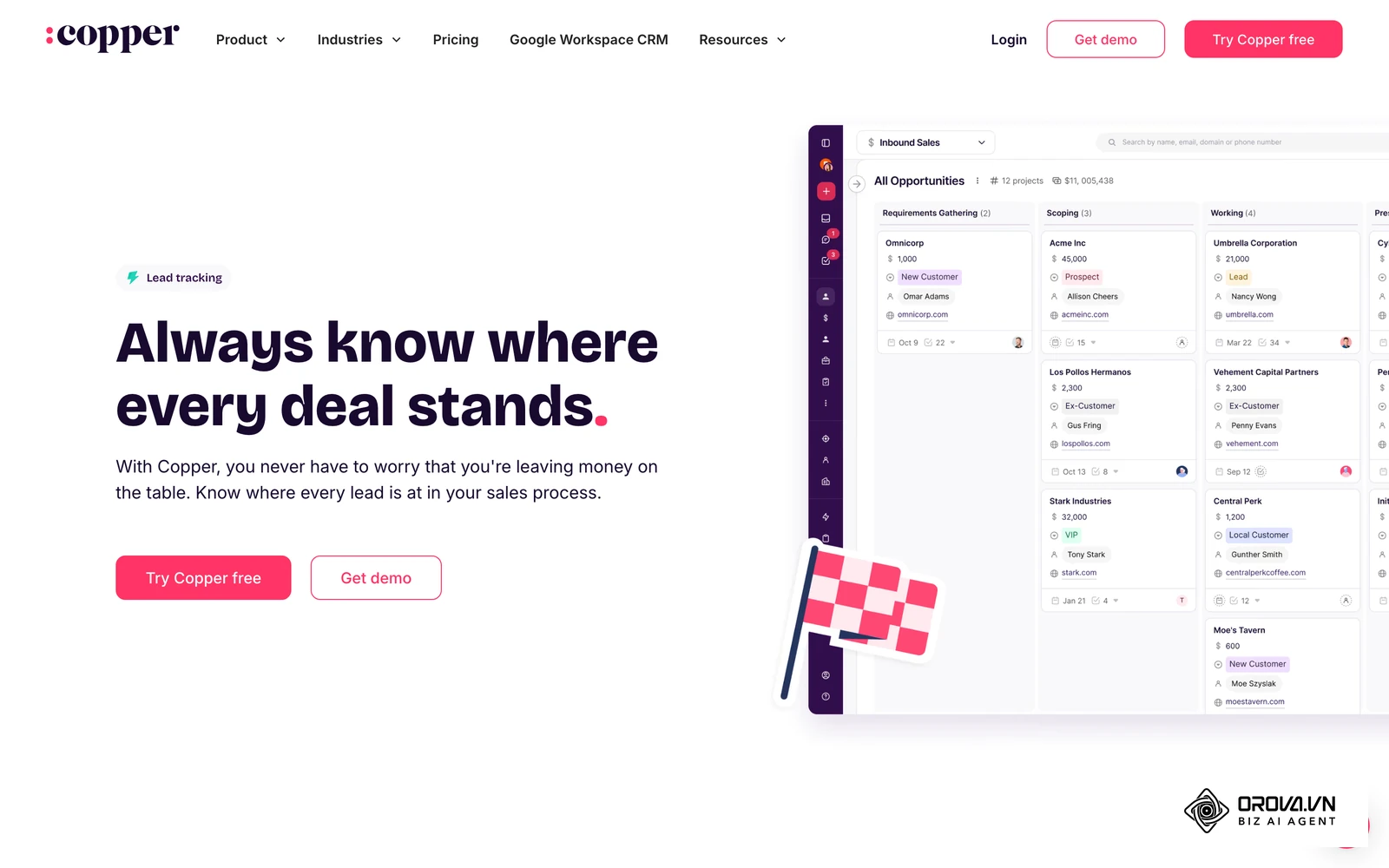
Copper CRM is built specifically to operate inside Google Workspace, embedding its user interface directly into the Gmail web client, Google Calendar, and Google Drive.
Best For
Consultancies, creative agencies, and professional service firms whose staff spend their entire workday inside Google Workspace and refuse to log into a separate browser tab for CRM data entry.
Key Strengths
- Zero-click Gmail data scraping: Copper automatically identifies email participants in Gmail, suggests creating new contact cards, and logs email threads, attachments, and calendar invitations without manual forwarding.
- Native Google Drive file association: Customer project proposals and shared documents stored in Google Drive link directly to corresponding deal cards with automatic permission synchronization.
- Clean, minimalist interface: The user experience mimics standard Google Material Design patterns, reducing training time to nearly zero for experienced Gmail users.
Weaknesses
- Strict Google ecosystem lock-in: The platform is ineffective for organizations using Microsoft Outlook, hybrid email servers, or non-Google business productivity suites.
- Limited advanced sales pipeline rules: Teams requiring complex lead distribution algorithms, or custom accounting triggers may outgrow Copper's simplified feature set.
Pricing
Copper sells several per-user plans, and lower plans cap the number of stored contacts. Check the official Copper pricing page for current rates.
When to Choose
Choose Copper CRM if your entire team runs on Google Workspace, values automatic email logging above all else, and wants a CRM interface that lives entirely inside their Gmail inbox.
Capsule CRM
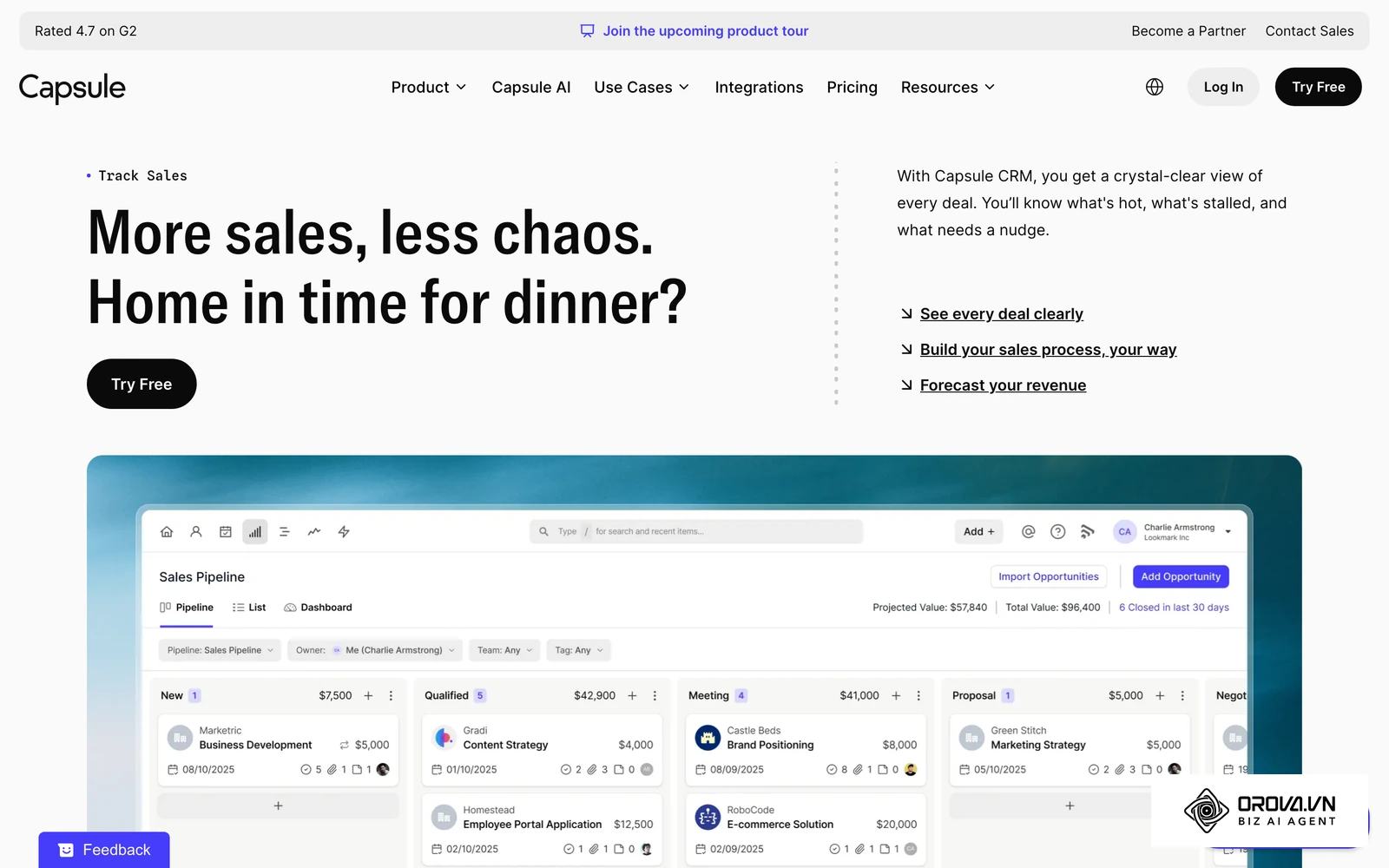
Capsule CRM focuses on core contact management and relationship tracking, intentionally omitting complex marketing engines to provide micro-businesses with a simple, reliable digital address book.
Best For
Freelance collectives, boutique accounting practices, and micro-teams (one to four members) that need an organized record of past client interactions without complex workflow configuration.
Key Strengths
- Straightforward contact history: Every contact record displays a chronological history of notes, uploaded document attachments, scheduled tasks, and linked opportunities on a clean, readable card.
- Gentle learning curve: The software can be configured quickly, making it practical for non-technical business founders who need basic order.
- Solid entry-level integrations: Capsule links easily with widely used small business tools such as Xero, QuickBooks Online, and Mailchimp for essential billing and newsletter synchronization.
Weaknesses
- Lighter sales automation: Capsule keeps automation simpler than pipeline-focused tools, so teams needing rule-based lead assignment or neglected-lead reassignment should test it carefully.
- Basic reporting capabilities: Pipeline reporting covers the essentials, while teams that need deep rep activity analytics may want a more sales-focused tool.
Pricing
Capsule sells several per-user plans that scale with features and contact limits. Check the official Capsule pricing page for current rates.
When to Choose
Choose Capsule CRM if your organization consists of fewer than five staff members, your sales cycle involves simple relationship management, and you want zero administrative complexity.
The Hidden 3-Year Total Cost of Ownership (TCO) of CRM Software for a 5-Person Team
The most common trap small business owners encounter is selecting a CRM based solely on the monthly per-user price advertised on vendor pricing tables. Vendors routinely present introductory rates while concealing mandatory expense escalators that surface as your customer list expands. The diagram below summarizes how traditional spreadsheet tracking compares with dedicated CRM infrastructure before factoring in multi-year costs.
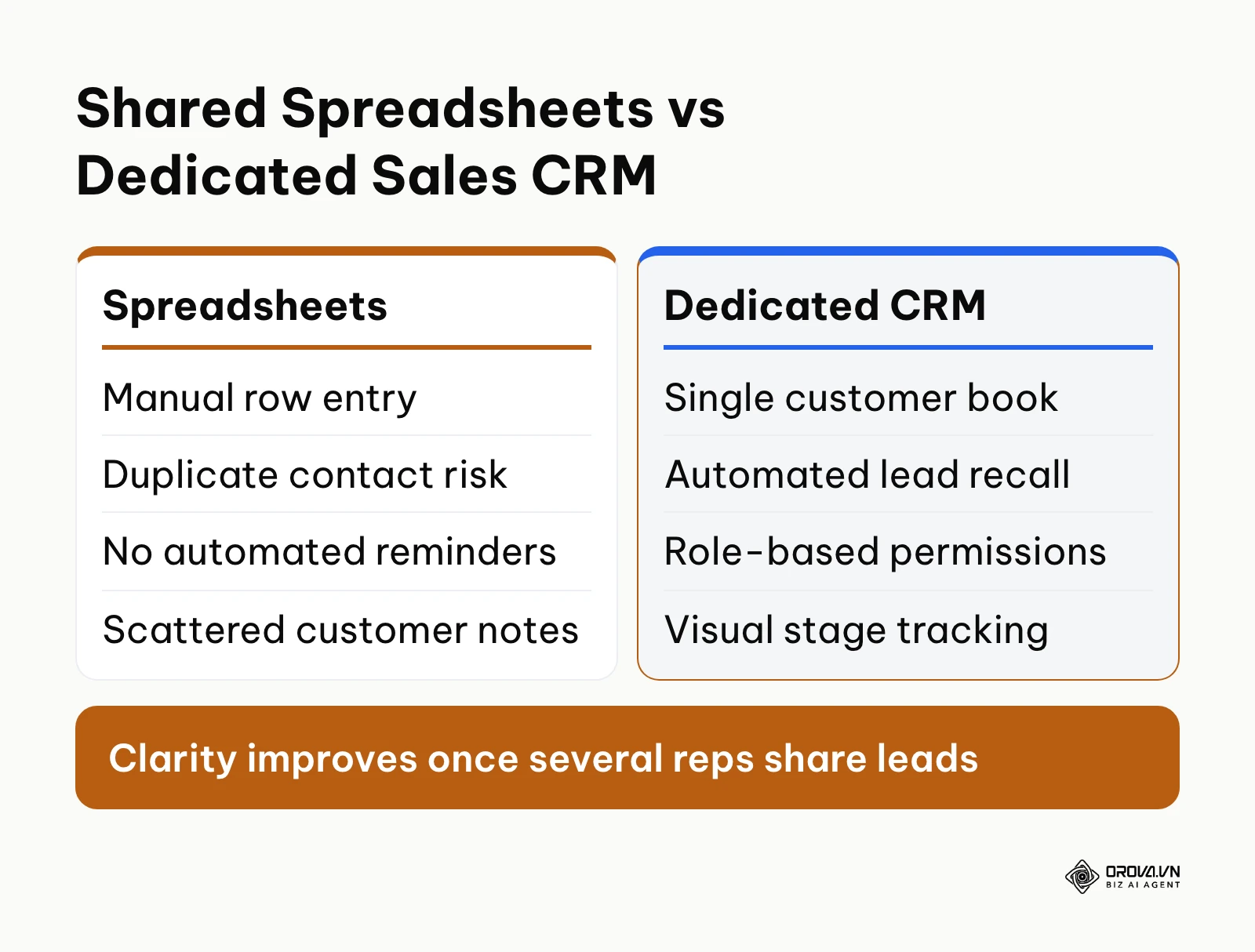
For lean teams, a simple interface that reps actually use usually matters more than deep custom development. When calculating the financial viability of a platform, leadership teams must calculate the three-year Total Cost of Ownership (TCO). This calculation must include:
- Base license fees: The cumulative cost of seats across thirty-six months.
- Contact threshold penalties: Automatic price tier increases triggered when your database crosses a vendor's contact limits.
- Mandatory feature add-ons: Supplementary charges required to unlock vital operational capabilities such as outbound email marketing, advanced reporting, or external API connectivity.
- Implementation and administrative maintenance: The hidden cost of internal labor or external consultants required to maintain the software.
The table below is a hypothetical example for a five-person team that starts with a modest contact list and grows it several times over thirty-six months. All amounts are in dollars and are illustrative, not vendor quotes; plug in the current rates from each vendor's pricing page to build your own version.
| Hypothetical Tool Type | Base Seats per Month (5 Users) | Extra Monthly Cost as Contacts Grow | Monthly Add-ons Needed | Illustrative 3-Year Total |
|---|---|---|---|---|
| All-in-one marketing and sales suite | 100 | +250 after the contact limit | 200 for workflow automation | 16,800 |
| Pipeline-focused sales tool | 150 | None (contacts not metered) | 40 for an email campaigns add-on | 6,840 |
| Modular suite with a broad app ecosystem | 90 | Minimal storage fees | 25 for API and portal access | 4,140 |
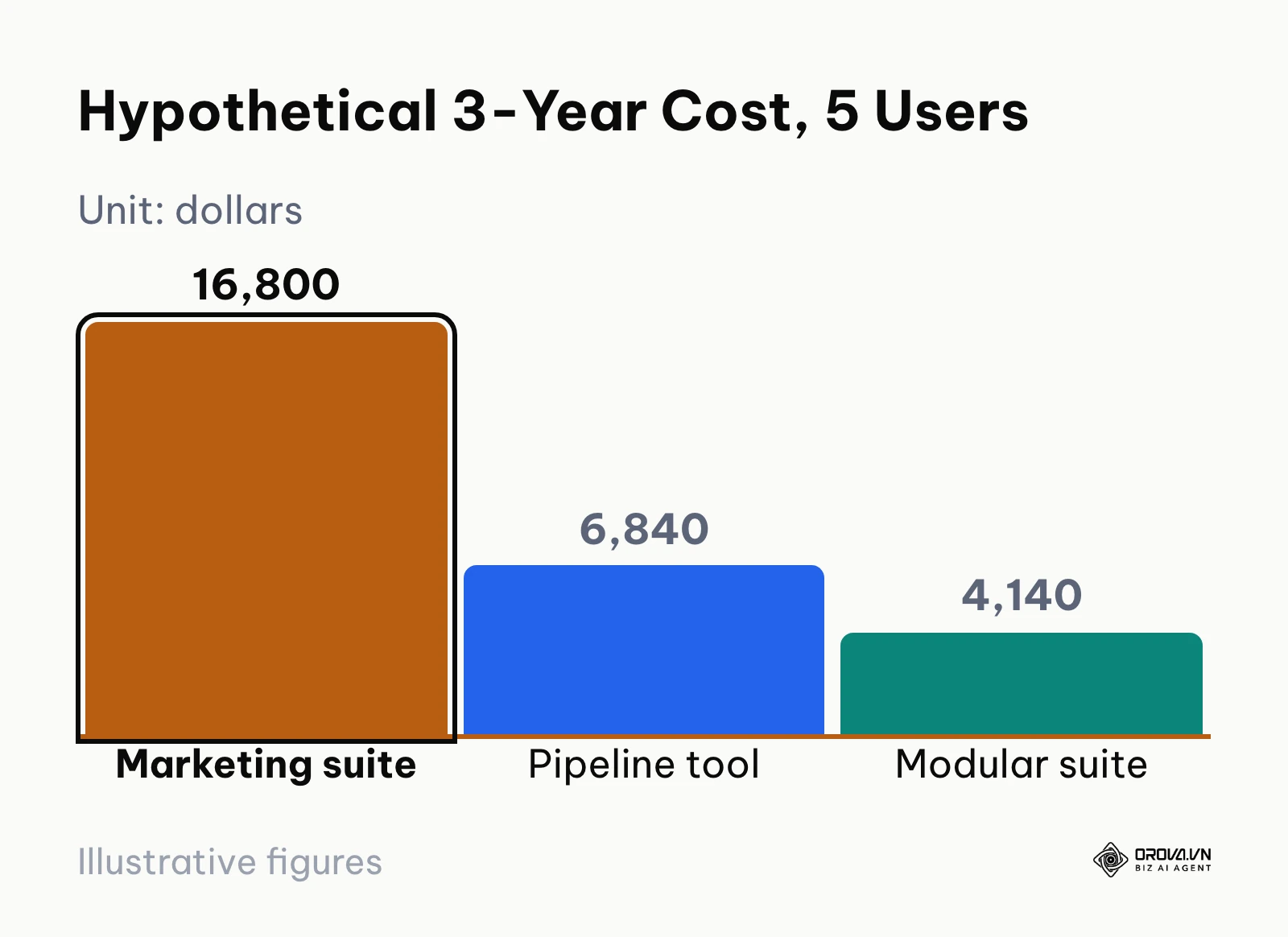
How the totals work: the suite pays 100 dollars for 36 months (3,600), 250 for an estimated 24 months after crossing the limit (6,000), and 200 for 36 months of automation (7,200), for 16,800 dollars. The pipeline tool pays (150 + 40) x 36 = 6,840 dollars. The modular suite pays (90 + 25) x 36 = 4,140 dollars.
Hypothetical example: A boutique digital marketing agency with five team members and 4,000 prospective leads moves from a legacy contact list to an entry-level marketing and sales platform. The operations manager signs up for a starter package at 50 dollars per month, maps standard contact properties, and imports the existing email subscriber base. Two months in, the contact count crosses 5,000, triggering a tier bump that raises the monthly bill to over 450 dollars with quarterly commitments.
To stop the budget drain, the team exports records with no engagement in six months, segments the remaining 3,200 engaged contacts into clean lists, and renegotiates the renewal tier. The agency ends up with 3,150 active contacts and no unexpected overage invoices.
The bar chart below shows how these hypothetical totals diverge over thirty-six months.
Building an Actionable Sales Pipeline Management CRM Blueprint with Stage Exit Criteria
A common reason small businesses fail to adopt CRM systems is ambiguous pipeline architecture. When deal stages are labeled with vague terms like "In Progress" or "Follow-Up," sales reps interpret milestones inconsistently. One rep marks a deal as "Negotiating" after leaving a voicemail, while another waits until a legal contract is drafted. This ambiguity renders sales forecasting useless.
Reps tend to abandon systems that force rigid, multi-screen data entry, and they keep updating systems with streamlined, single-screen contact records. To maintain data integrity without burdening your reps, every stage in your sales pipeline management crm must have clear Exit Criteria, which are objective, verifiable actions that must occur before an opportunity can advance to the next column.
When coordinating your CRM with a structured B2B lead generation workflow, each verified prospect should automatically populate stage one with clean contact details and source attribution tags. The matrix below provides an operational five-stage sales pipeline blueprint with verifiable completion rules.
| Pipeline Stage | Objective & Focus | Mandatory Rep Actions | Stage Exit Criteria (Completion Rules) | Example Conversion (Hypothetical) |
|---|---|---|---|---|
| 1. Lead Capture & Triage | Verify inbound lead viability and check for existing accounts | Log lead source, check contact phone/email validity | Contact verified, budget bracket confirmed, account owner assigned | 40% to 50% advance to Stage 2 |
| 2. Discovery & Qualification | Determine fit against your specific ICP criteria | Conduct 15-minute qualification call, document pain points | Written confirmation of timeline, decision-maker identified | 45% to 55% advance to Stage 3 |
| 3. Solution Presentation | Present tailored proposal or product demonstration | Complete live demonstration, record attendee questions | Prospect confirms technical fit via email, next evaluation date set | 50% to 60% advance to Stage 4 |
| 4. Proposal & Terms | Deliver commercial agreement and payment structure | Send itemized price quote, confirm receipt by phone | Formal quote delivered, procurement timeline verified | 40% to 50% advance to Stage 5 |
| 5. Closing & Verification | Secure signed agreement and log first payment | Obtain signed document, generate invoice, record deposit | Signed contract uploaded, initial payment installment logged | 70% to 80% mark as Won |
Hypothetical example: A B2B technical consulting firm with four full-time account executives struggled with bloated pipeline reports where deals remained stuck in the 'Negotiation' column for three to six months. The sales director introduced standardized column rules: first, creating a written qualification rubric with mandatory fields; second, requiring a verified budget confirmation document before moving deals from 'Discovery' to 'Proposal'; and third, establishing an automatic deal archiving rule for unresponsive prospects.
During the second week, sales reps pushed back against the documentation requirement, claiming it slowed down their initial outreach calls. The director resolved the bottleneck by condensing the mandatory criteria into three quick checkboxes directly on the deal card rather than requiring full text logs. As an observable result, the Kanban pipeline board shrank from 84 stagnating cards down to 26 actively moving opportunities, and every weekly sales review now finishes with every deal card having an updated next step scheduled.
How to Migrate from Spreadsheets to CRM: 15-Point Data Cleansing Checklist
Most small businesses maintain customer records across messy desktop spreadsheets before adopting a CRM. While tracking marketing campaigns or a content calendar template in Google Sheets works well for static planning, managing active sales opportunities across shared sheets quickly breaks down.
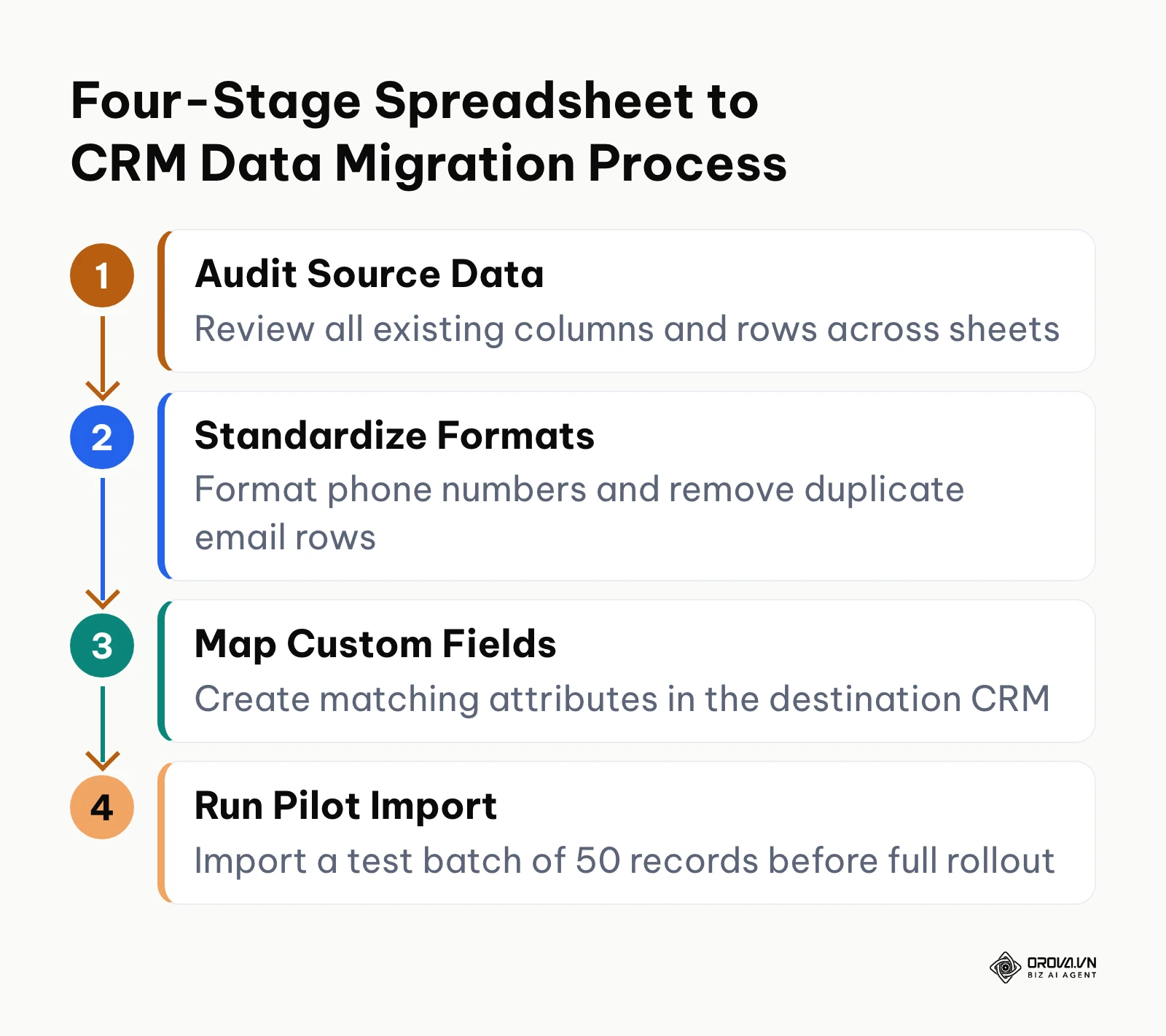
Data cleansing and integration work is one of the most commonly underbudgeted parts of a first CRM rollout. Importing dirty spreadsheet data into a clean CRM corrupts contact properties, creates duplicate accounts, and alienates your sales team during week one.
The workflow below illustrates the four essential phases of a structured data migration project.
To execute a clean transfer, run your existing spreadsheets through the following 15-point data cleansing checklist before executing your initial import.
| Step # | Data Field / Element | Cleansing Rule & Standard | CRM Mapping Destination | Common Error to Prevent |
|---|---|---|---|---|
| 1 | Full Name Separation | Split into distinct First Name and Last Name columns | First Name, Last Name fields | Importing full string into First Name field |
| 2 | Email Address Syntax | Strip trailing spaces, validate "@" and valid domain | Primary Contact Email | Typos like ".con" instead of ".com" |
| 3 | Phone Number Format | Convert to standardized E.164 digits without hyphens | Primary Phone Number | Internal extensions breaking auto-dialers |
| 4 | Company Domain URL | Strip "https://www." and trailing sub-pages | Organization Website | Inconsistent domains blocking auto-enrichment |
| 5 | Physical Address Lines | Separate Street, City, State/Province, and Postal Code | Organization Address Group | Putting full postal addresses into City field |
| 6 | Lead Source Tagging | Standardize into fixed options (e.g., Referral, Organic) | Lead Source (Dropdown select) | Inconsistent entries like "web" and "Website" |
| 7 | Deal Monetary Value | Remove currency symbols and commas; keep numeric | Deal Amount / Value | Currency symbols causing field import rejection |
| 8 | Historical Deal Stage | Map spreadsheet notes to standardized pipeline columns | Pipeline Stage (Dropdown) | Creating dozens of custom stages unnecessarily |
| 9 | Duplicate Phone De-duping | Identify duplicate phone numbers using conditional rules | Merge into Primary Record | Splitting deal history across duplicate contacts |
| 10 | Duplicate Email De-duping | Run unique identifier checks against email addresses | Unique Contact Identifier | Creating multiple contact cards for one person |
| 11 | Account Ownership | Replace informal initials with exact rep usernames | Assigned Account Owner | Contacts assigned to non-existent system users |
| 12 | Inactive Lead Purging | Archive contacts with zero touchpoints in 24 months | Cold Storage CSV (Do not import) | Bloating active database and raising license fees |
| 13 | Custom Industry Tags | Map miscellaneous notes into controlled industry tags | Industry Sector (Dropdown) | Free-text notes polluting reporting filters |
| 14 | Payment Status Flags | Isolate paid invoices from uncollected receivables | Order Payment Status | Mixing delivered quotes with collected cash |
| 15 | Customer Tax ID / VAT | Ensure numeric characters match government records | Organization Tax Identifier | Formatting errors causing billing validation failures |
Hypothetical example: A regional commercial equipment wholesale distributor with six territory sales representatives managed client orders and inquiry logs across three separate Google Sheets tabs containing over 3,000 combined rows. The general manager initiated a system consolidation by exporting all tabs into CSV files, removing 420 duplicate records based on matching tax IDs and company domains, and creating a unified dictionary of customer industry tags.
When uploading the file, the import tool failed repeatedly because phone numbers contained mixed formats, including international prefixes, punctuation marks, and internal office extensions. To fix the failure, the team used spreadsheet text-cleaning formulas to strip non-numeric characters into a standardized format and placed office extensions into a separate dedicated column before re-importing the batch. As an observable result, all six territory reps now access a single unified contact directory where clicking any customer account displays complete order history, assigned account owners, and valid phone links that launch directly into their dialing apps.
Track every deal from first inquiry to installment payments in one place. Orova CRM gives your team one customer book, department-based view and edit permissions, and revenue targets for departments and individual reps. Start building your pipeline today, free until the end of July 7, 2027, with no credit card required.
How to Choose a CRM for Small Business by Real Operational Scenario
Choosing the right software requires matching your primary operational constraint to a tool built specifically for that workflow. If your business acquires prospects through paid channels and you are scaling automated ads, tracking lead progression from ad click to signed invoice becomes essential.
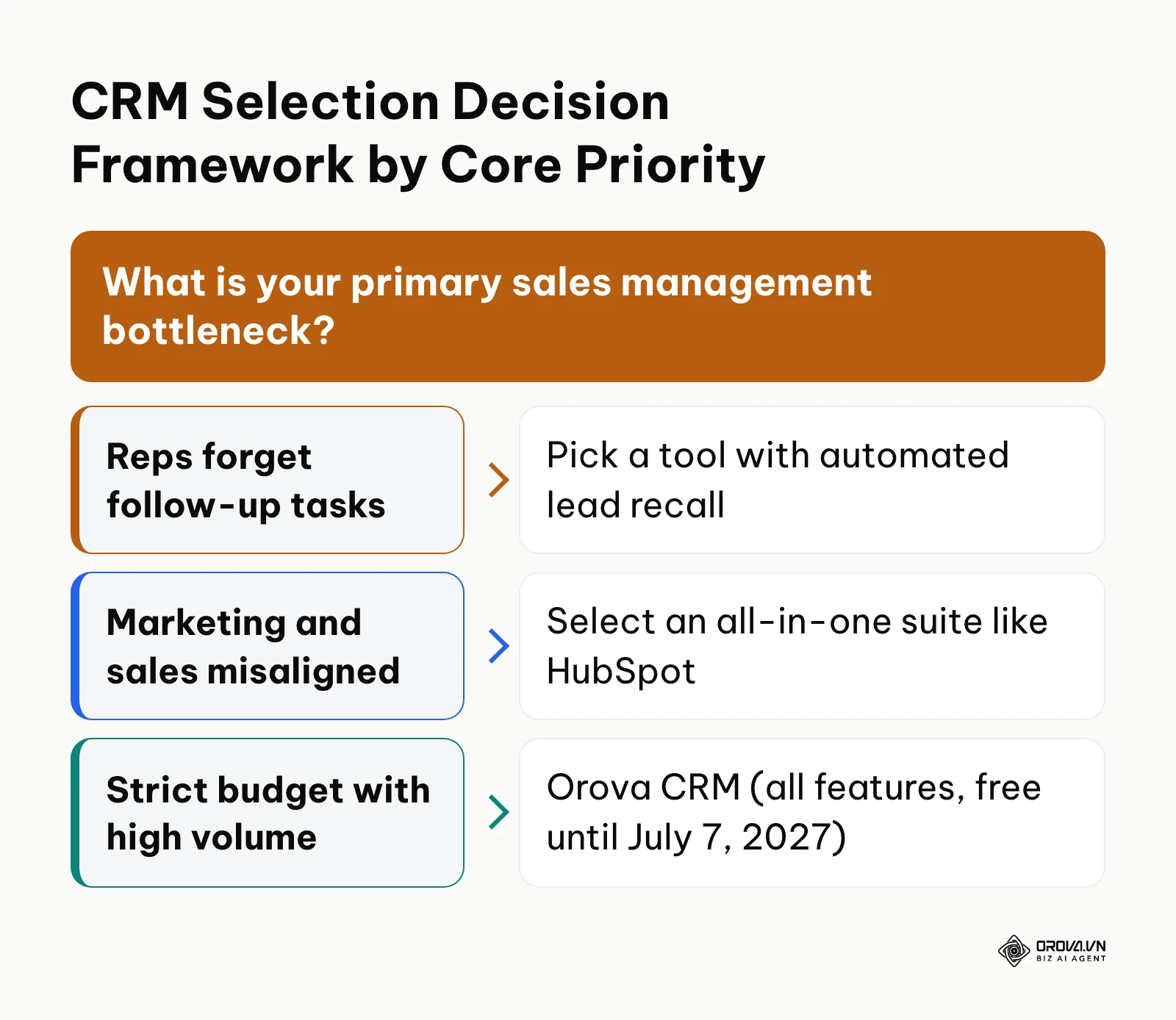
The decision matrix below maps practical small business operating scenarios to suitable software recommendations.
| Operational Scenario | Primary Constraint | Recommended CRM Choice | Strategic Rationale |
|---|---|---|---|
| Solo founder or micro consultancy (1-3 staff) | Zero administrative bandwidth | Capsule CRM or Copper | Requires virtually no setup time; lives inside existing email clients |
| Inbound marketing engine with active newsletter | Heavy website traffic generation | HubSpot Sales Hub | Natively connects web forms, email automation, and sales pipeline cards |
| Pure outbound B2B sales team (3-10 reps) | Complex multi-stage negotiations | Pipedrive CRM | Focuses entirely on deal velocity and daily rep activity scheduling |
| Multi-department operations on a strict budget | Back-office finance integration | Zoho CRM | Delivers deep customization and native billing apps from the same vendor |
| Inside sales team making many calls daily | Immediate call logging | Freshsales CRM | Provides integrated cloud telephony and call recording |
| Lean commercial team needing lead discipline | Quoting, payments, and lead neglect | Orova CRM | Returns neglected leads to a shared pool on per-stage deadlines and tracks quotes and installment payments |
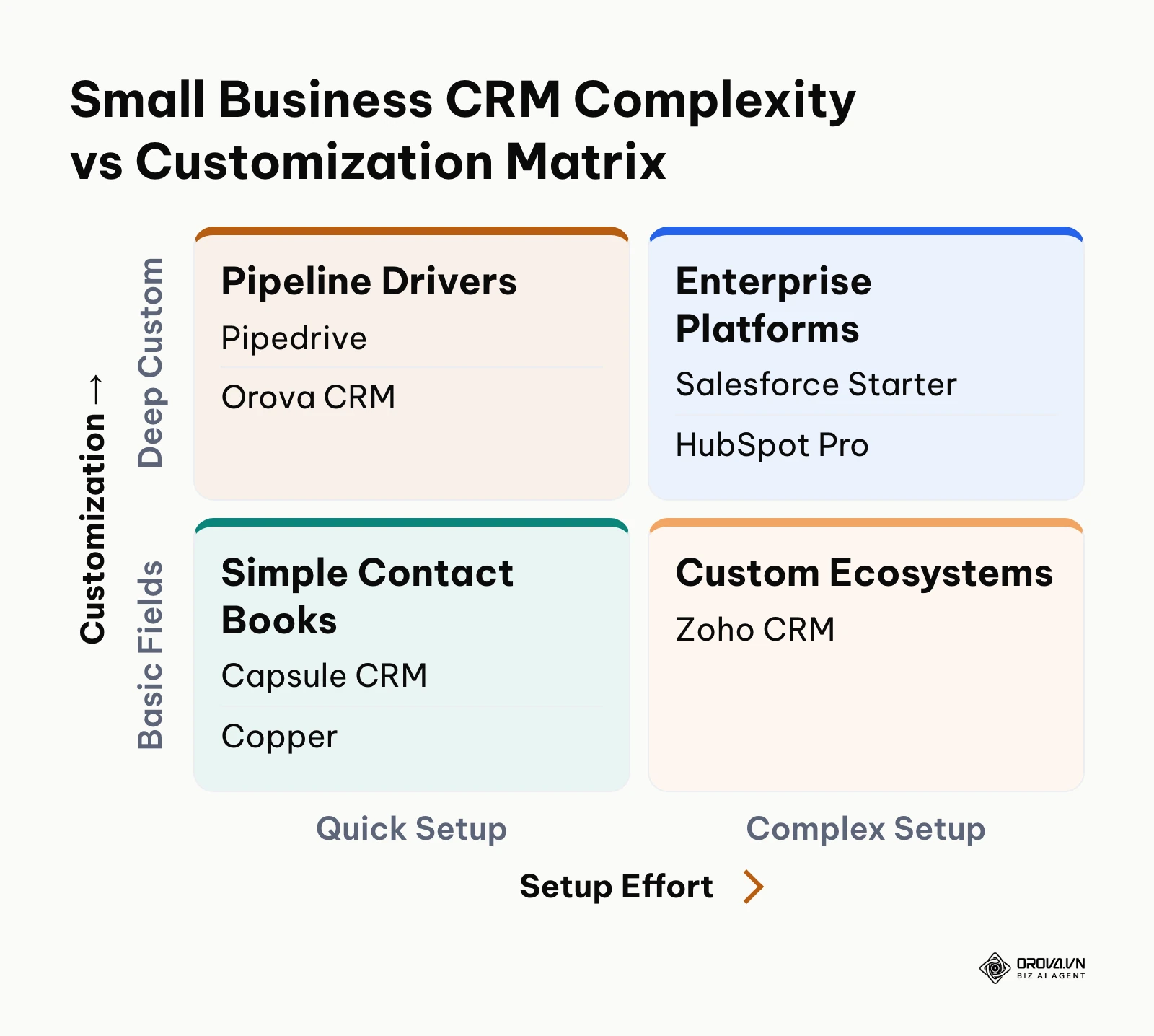
The matrix below illustrates how different platforms balance setup effort against customization depth.
Trends in CRM for Small Business in the Next Few Years: Author's Perspective
The small business CRM landscape is entering an era of structural consolidation as of 2026. Looking at current platform shifts, I believe three major operational trends will redefine how lean teams interact with customer databases over the next two to three years.
First, I anticipate the collapse of artificial per-contact pricing penalties. Today, vendors routinely penalize growing businesses by hiking monthly software bills as soon as contact databases cross arbitrary thresholds. In my view, competitive market pressures from lean modern architectures will force vendors to shift toward pricing models based on compute operations, storage volume, or active commercial pipelines rather than passive record counts. Small business leaders should prepare for this shift by aggressively purging cold, unengaged records today and refusing multi-year contracts that enforce punishing contact escalator clauses.
Second, I believe autonomous pipeline hygiene will replace manual end-of-day sales data entry. The most significant drag on sales productivity has always been requiring reps to manually log call summaries, update deal stages, and set calendar reminders. Current software signals indicate that background synchronization engines are beginning to parse email threads and call recordings to propose automatic stage changes. In the next few years, I expect sales management will focus entirely on reviewing automated deal summaries rather than nagging reps to log their activities. Small teams should prepare today by standardizing their pipeline exit criteria so that future automation engines operate on clear rules.
Third, I see the convergence of front-office deal tracking with back-office cash collection. Historically, businesses maintained a strict division between CRM deal tracking and accounting ledgers. I believe this separation will disappear for small businesses, as owners demand unified platforms that handle initial lead distribution, price quote generation, digital signature capture, and installment payment tracking in one place. What could prove my perspective wrong is if enterprise resource planning vendors acquire independent CRM tools and construct walled gardens that keep billing data locked away behind expensive enterprise connectors.
Frequently Asked Questions about CRM for Small Business
What are the earliest warning signs that a small business has outgrown Google Sheets?
A small business has outgrown spreadsheets when multiple team members overwrite customer notes simultaneously, leads sit uncontacted because there are no automated reminder notifications, or customer order histories are scattered across disparate tabs. When management cannot calculate an accurate conversion rate from inquiry to paid invoice without manual formula repairs, migrating to a dedicated CRM is overdue.
What is the realistic first-year implementation cost for a 5-person team?
It depends heavily on the vendor and plan, so build the number yourself: add base seat licenses for five users, any contact tier increases you expect in year one, required add-ons such as email or automation, and internal setup time. Enterprise suites can also add onboarding fees. The hypothetical three-year example above shows how to lay out the calculation.
How do you achieve 100% rep adoption in the first 30 days after rollout?
Achieving complete adoption requires simplifying initial data entry requirements. Mandate no more than three to five required fields per deal card, integrate the system directly with your reps' daily communication apps, and mandate that all weekly sales reviews are conducted exclusively from the CRM pipeline screen. When leadership refuses to discuss deals that do not exist inside the CRM, team compliance reaches full adoption rapidly.
How is artificial intelligence transforming CRM software for lean teams?
Artificial intelligence in small business CRM platforms is primarily shifting administrative burdens away from sales reps by transcribing client meetings, generating concise interaction summaries, and flagging neglected customer accounts before they churn. Rather than replacing human sales relationships, practical machine learning features assist lean teams by automating follow-up drafts and structuring unstructured customer notes into standardized database fields.
Is a free CRM tier sufficient for long-term small business growth?
Free CRM tiers are sufficient for solo founders and micro-teams validating product-market fit, but they quickly become restrictive once you hire additional sales reps. Most free tiers impose strict limits on custom pipeline stages, restrict workflow automation rules, and cap contact storage, making them temporary operational stepping stones rather than permanent solutions.
What is the difference between a CRM and sales pipeline management software?
A customer relationship management system serves as a comprehensive database storing all historical customer touchpoints, contact properties, invoices, and communication logs across the buyer lifecycle. Sales pipeline management software focuses specifically on the active, multi-stage commercial process, tracking prospective deals through visual milestones from initial proposal to signed contract. Most modern CRMs incorporate visual pipeline management directly into their broader contact architecture.
Where Should You Start with Your CRM Implementation?
Transitioning your sales operations to a dedicated system does not require weeks of downtime or complicated consulting projects. Depending on your current operational situation, commit to one concrete action this afternoon:
- If you currently track deals across personal inboxes and scattered paper notes: Open a document and sketch out your actual sales process from initial customer contact to final payment. Write down five clear stage names and establish exactly one non-negotiable exit criterion for each stage before evaluating software signups.
- If you are trapped in a bloated, multi-tab spreadsheet that is causing data collisions: Take an hour to audit your column headers, delete outdated contact rows that have not purchased in over two years, and standardize your phone number and country formatting so your data is ready for instant CSV export.
- If you are currently paying for a complex legacy CRM that your reps avoid: Log into your administrative dashboard, hide eighty percent of the unused default fields, and strip your pipeline down to a single drag-and-drop board that requires no more than two minutes of daily logging per rep.
By dedicating a single afternoon to establishing disciplined pipeline milestones, you will eliminate administrative drag, protect your commercial margins, and choose the ideal crm for small business.
About the author

Builder of Orova
Nguyễn Đỗ Trọng Ân has 8 years of experience in marketing, including 6 years managing market development across Asia. He builds Orova, a Biz AI Agent that never sleeps: it plans, runs and optimizes work for businesses.
Run your business with AI Agents
Orova is the always-on Biz AI Agent — it plans, runs, and optimizes the work for you.
Save time, unlock productivity.