
Social media scheduler guide: hidden costs and short-form video compared

A social media scheduler lets you plan, approve and publish posts to several networks from one dashboard, and the right choice depends less on the feature list than on two things most comparisons skip: how the bill grows when your team and profile count grow, and whether short-form video truly auto-publishes. Imagine you are managing social media for a rapidly growing brand. In the early days, you start by posting natively through the mobile apps. It feels manageable until you suddenly have five different platforms, three team members, and a demand for daily short-form videos. Your basic tool now charges noticeably more for every new team member, and half of your videos still require manual phone confirmation at inconvenient hours. This exact scenario is why choosing the right social media scheduler is no longer just about queuing posts. It is about deeply understanding API limitations, approval workflows, and hidden pricing traps. This guide compares 11 well-known schedulers by workflow, explains the scaling costs that pricing pages rarely spell out, and helps you find the right fit for your workflow without the marketing fluff.
What is a social media scheduler and who needs it?
A social media scheduler is a software application that allows you to plan, create, and automate the publishing of content across multiple platforms from a single centralized dashboard. It acts as a bridge between your content assets and the complex application programming interfaces (APIs) of networks like Facebook, Instagram, TikTok, and LinkedIn. Anyone managing more than two active social profiles or working within a team environment desperately needs one to maintain consistency and analyze performance without being glued to their screens around the clock.
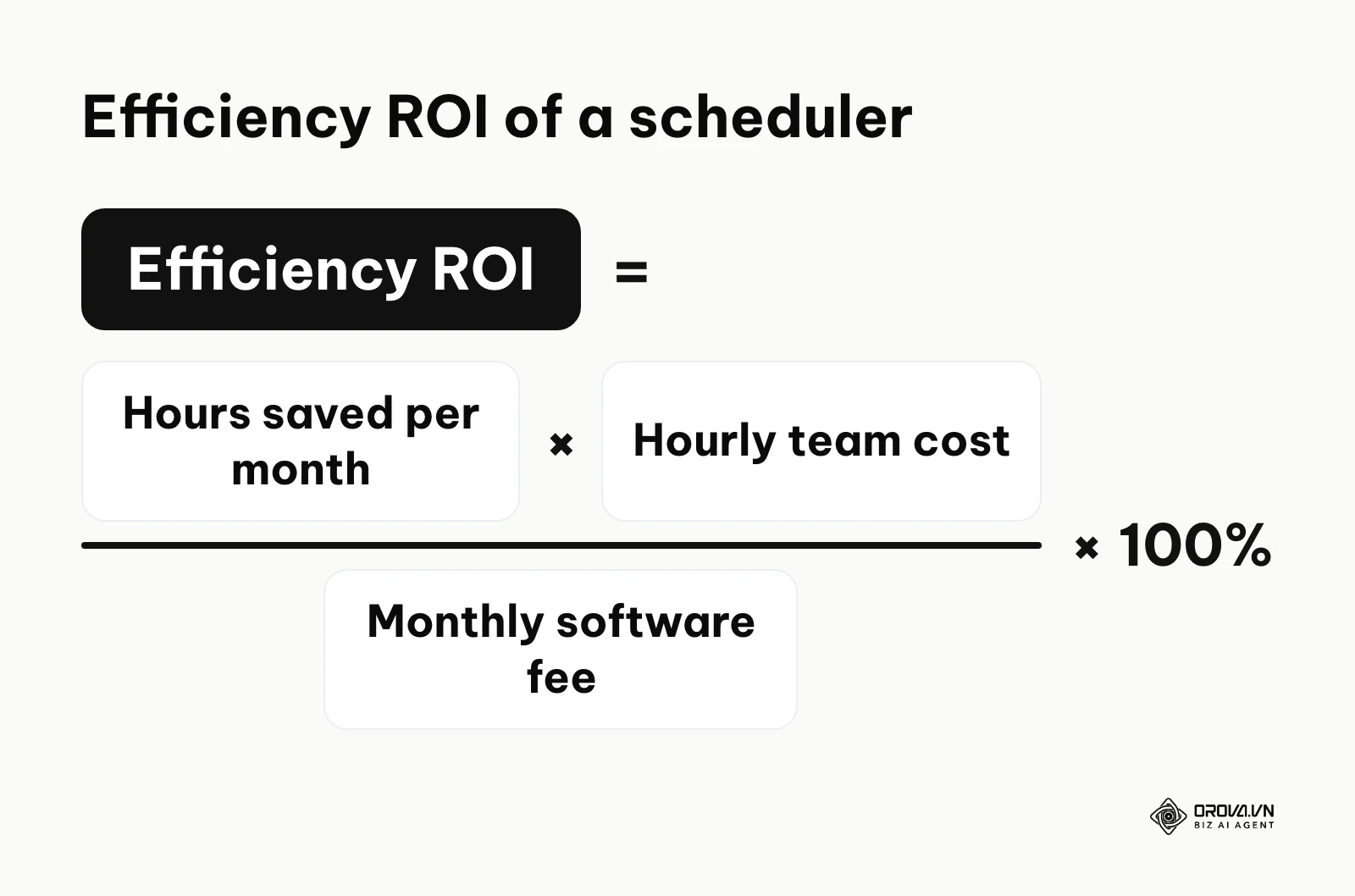
A simple way to judge the value: multiply the hours saved each month by your team's hourly cost, then divide by the monthly software fee. The diagram below shows this formula.
To truly understand the value, you must look beyond just posting. A modern social media scheduler handles media storage, team collaboration, client approvals, and deep analytics. Most internet users now split their attention across several social platforms every month. Trying to maintain a native presence on each of them manually is a logistical nightmare that inevitably leads to burnout, inconsistent posting schedules, and fragmented data tracking.
However, you should not use a scheduler if your entire strategy relies exclusively on real-time, highly reactive community engagement (like live-tweeting an event) or if you are a micro-influencer whose appeal relies entirely on raw, unedited, in-the-moment storytelling. For those specific use cases, the native apps often provide the necessary agility. For everyone else, including agencies, small businesses, and professional creators, a scheduler is the foundational operating system of their marketing strategy.
The 2026 Social Media Scheduler Landscape: A Complete Overview
The market is saturated with hundreds of tools claiming to do the exact same thing. To make sense of it, you must categorize them by their primary job-to-be-done.
The table below provides an overview of the 11 platforms covered in this guide, categorized by their distinct strengths, target audience, and primary use cases.
| Platform Name | Category / Group | Primary Job-to-be-Done | Core Value for User | Typical Fit |
|---|---|---|---|---|
| Later | Visual & Video First | Visual grid planning | Perfect Instagram aesthetics | Solo creators, visually driven brands |
| Metricool | Visual & Video First | Data-driven scheduling | Posting at peak historical times | Data-focused creators, small agencies |
| Planoly | Visual & Video First | E-commerce integration | Turning posts into storefronts | Retail brands, independent artists |
| Sprout Social | Agency & Enterprise | Deep analytics & CRM | Unified inbox and reporting | Large enterprises, major agencies |
| Agorapulse | Agency & Enterprise | Social ROI tracking | Proving revenue from social | ROI-driven B2B companies, agencies |
| Sendible | Agency & Enterprise | Client management | White-label reporting dashboards | Freelance managers, mid-size agencies |
| Buffer | Cost-Efficiency | Simple queue management | Zero learning curve scheduling | Solo founders, early-stage startups |
| Zoho Social | Cost-Efficiency | CRM integration | Linking social to sales funnels | B2B service providers, sales teams |
| MeetEdgar | AI & Curation | Evergreen recycling | Never running out of content | Bloggers, podcasters, publishers |
| Tailwind | AI & Curation | Pinterest & IG optimization | Rapid hashtag generation | Lifestyle brands, niche bloggers |
| Missinglettr | AI & Curation | Drip campaign creation | Turning one blog into 10 posts | Content marketers, B2B writers |
Understanding this landscape is the first step. You cannot compare a simple queue tool like Buffer directly against an enterprise powerhouse like Sprout Social. They are built for entirely different operational realities.
Deep Dive: Social Media Schedulers by Workflow
This is where we break down well-known platforms based on how you actually work. We will examine what they do, the unique value they bring, who they fit best, and how to start using them practically.
Group 1: Short-Form Video & Visual-First Tools
Short-form video is the dominant format today. If your strategy revolves around TikTok, Instagram Reels, and YouTube Shorts, you need tools built specifically to handle vertical video APIs, thumbnail selection, and trending audio tracking. The diagram below summarizes a critical technical distinction you must understand in this category.
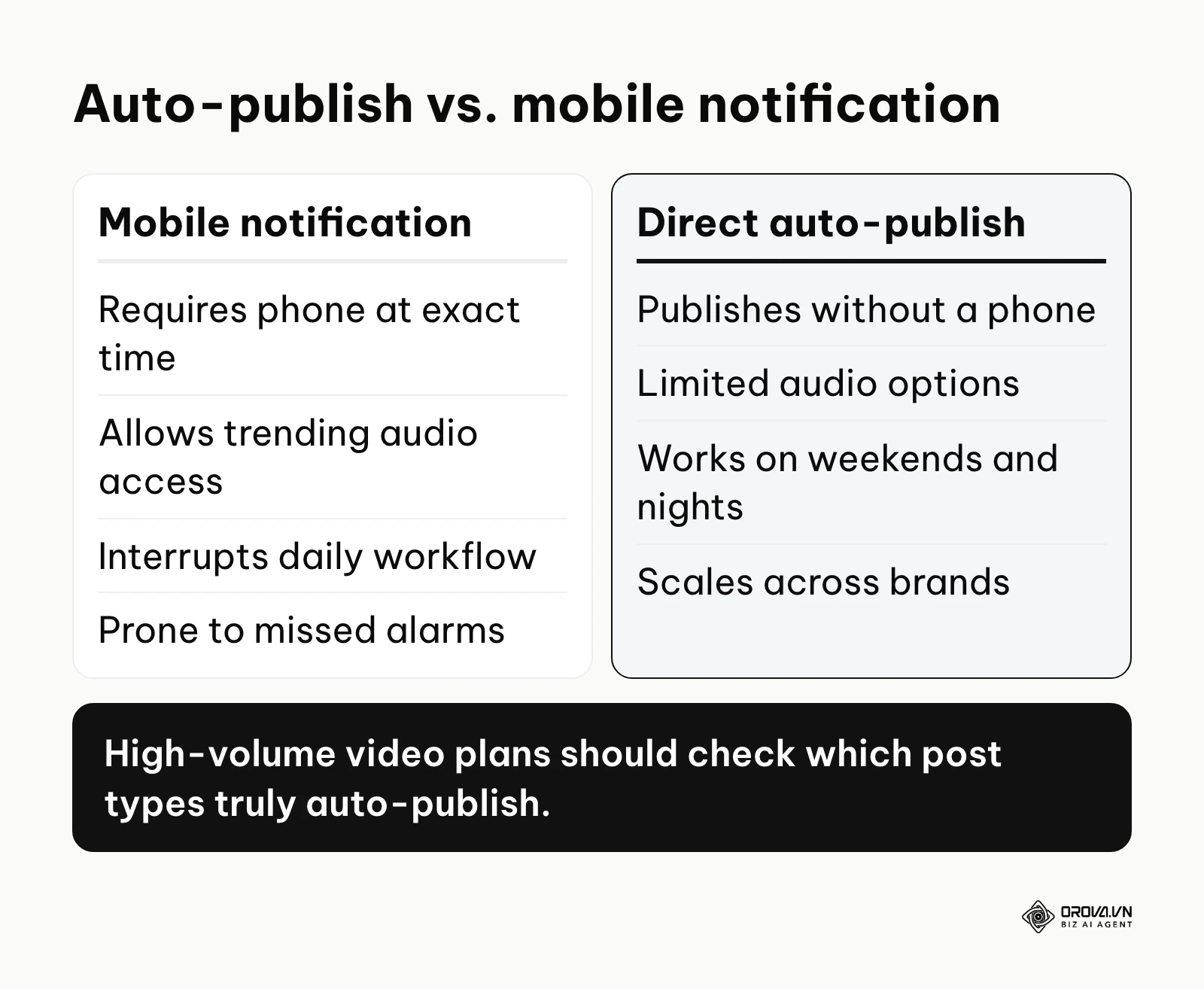
Later What it does: Later started as an Instagram-first visual planner but has expanded into short-form video and visual content across platforms. It offers a highly intuitive drag-and-drop calendar and a robust central media library. Value: The visual planner is its signature feature. You can see exactly how your Instagram grid will look before publishing. For video, it supports TikTok and Reels scheduling, and depending on the post type you may publish automatically or finish the post from a mobile notification. Who it fits: Content creators, visual fashion brands, e-commerce stores, and anyone heavily invested in Instagram and TikTok aesthetics. How to start:
- Connect your Instagram Business and TikTok accounts to the platform.
- Upload your raw assets (images, videos) directly to the Media Library.
- Drag the assets onto the calendar to create a draft, write your caption, and set the specific publishing time.
Metricool What it does: Metricool is a highly analytical scheduler that balances content publishing with deep performance tracking. It is known for its visual calendar that overlays a heatmap of your audience's active times. Value: The heatmap reduces guesswork in scheduling. Instead of reading generic blogs about the "best time to post," Metricool analyzes your specific audience data and color-codes your calendar, showing exactly when your followers are online. It also supports scheduling for short videos on the major platforms. Who it fits: Data-driven content creators, social media managers who report heavily on analytics, and small performance marketing agencies. How to start:
- Link your social profiles and give the system time to gather historical data.
- Open the planner and look for the darkest shaded areas on the calendar heatmap.
- Schedule your most important videos precisely during those dark-shaded peak activity windows.
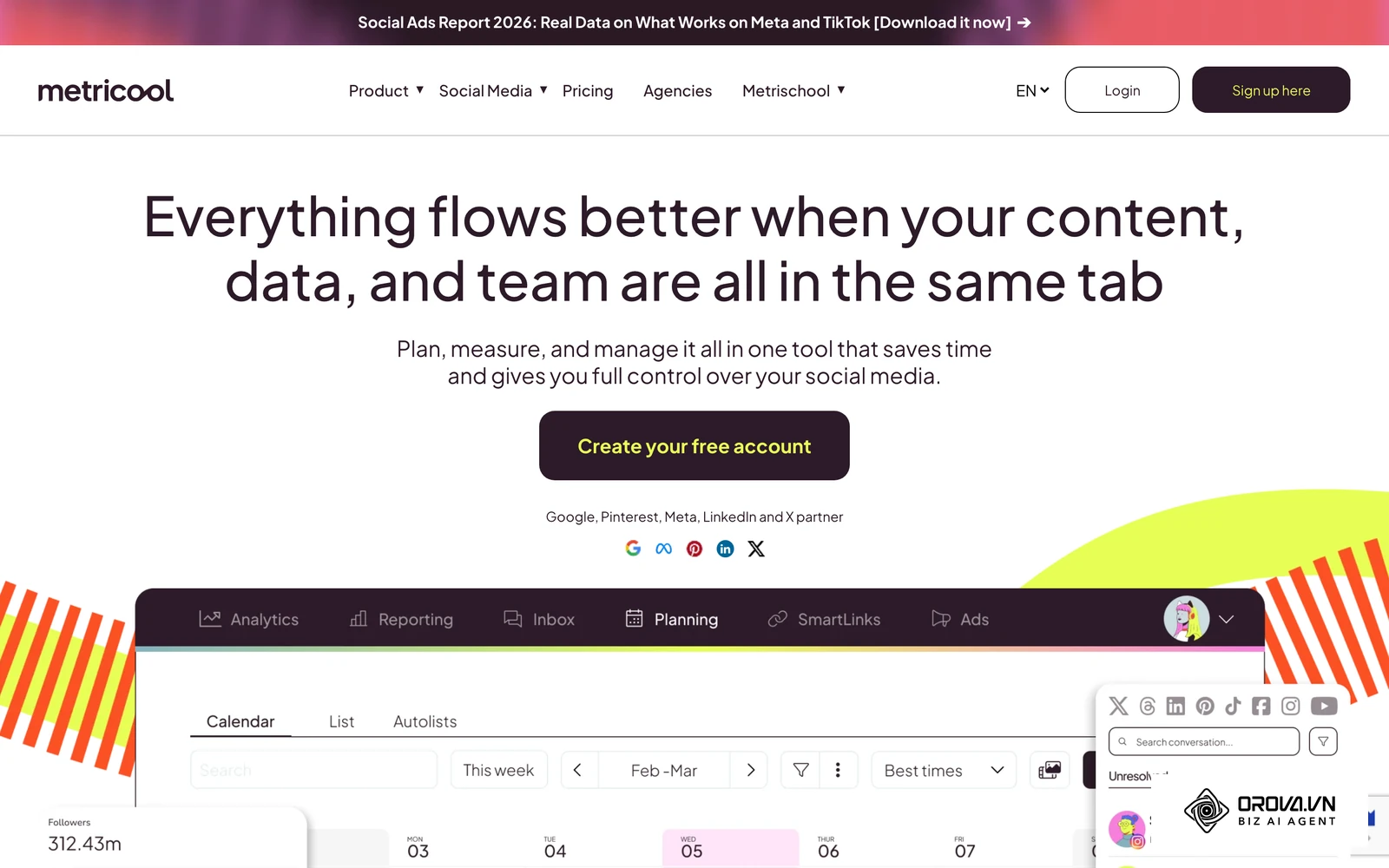
Illustrative example: Context: Acting as a solo social media manager for a boutique fitness brand with a heavy focus on Instagram Reels and TikTok. Steps taken: 1) Uploaded 20 raw video clips to Metricool's media library at the start of the month. 2) Analyzed the audience heatmap to identify the weekday evening window when followers were most active. 3) Scheduled auto-publishing for TikTok using the platform's API connection. Hurdles and fixes: The initial problem was that trending audio could not be auto-published via the official API due to copyright restrictions. The fix was scheduling the video with original audio and utilizing the platform's push notification feature to manually attach the trending audio on the phone at the exact time of posting. Results: The brand maintained a flawless daily publishing streak without requiring weekend manual work, and posting inside the peak window gave new videos a stronger start.
Planoly What it does: Planoly was originally built as a grid planner but has heavily pivoted toward empowering creators to monetize their social presence. It bridges the gap between social scheduling and digital storefronts. Value: It allows users to easily link products to their scheduled posts, creating a seamless shopping experience for followers. Its interface is highly visual, making it easy to design campaigns that look beautiful and drive direct sales. Who it fits: Independent artists, boutique retailers, and influencers who sell digital products or merchandise directly through social channels. How to start:
- Sync your social accounts and, if supported, your online store.
- Upload your visual assets and drag them into the grid view.
- Tag products in your drafts before scheduling them to go live.
Group 2: Tools for Agencies & Complex Workflows
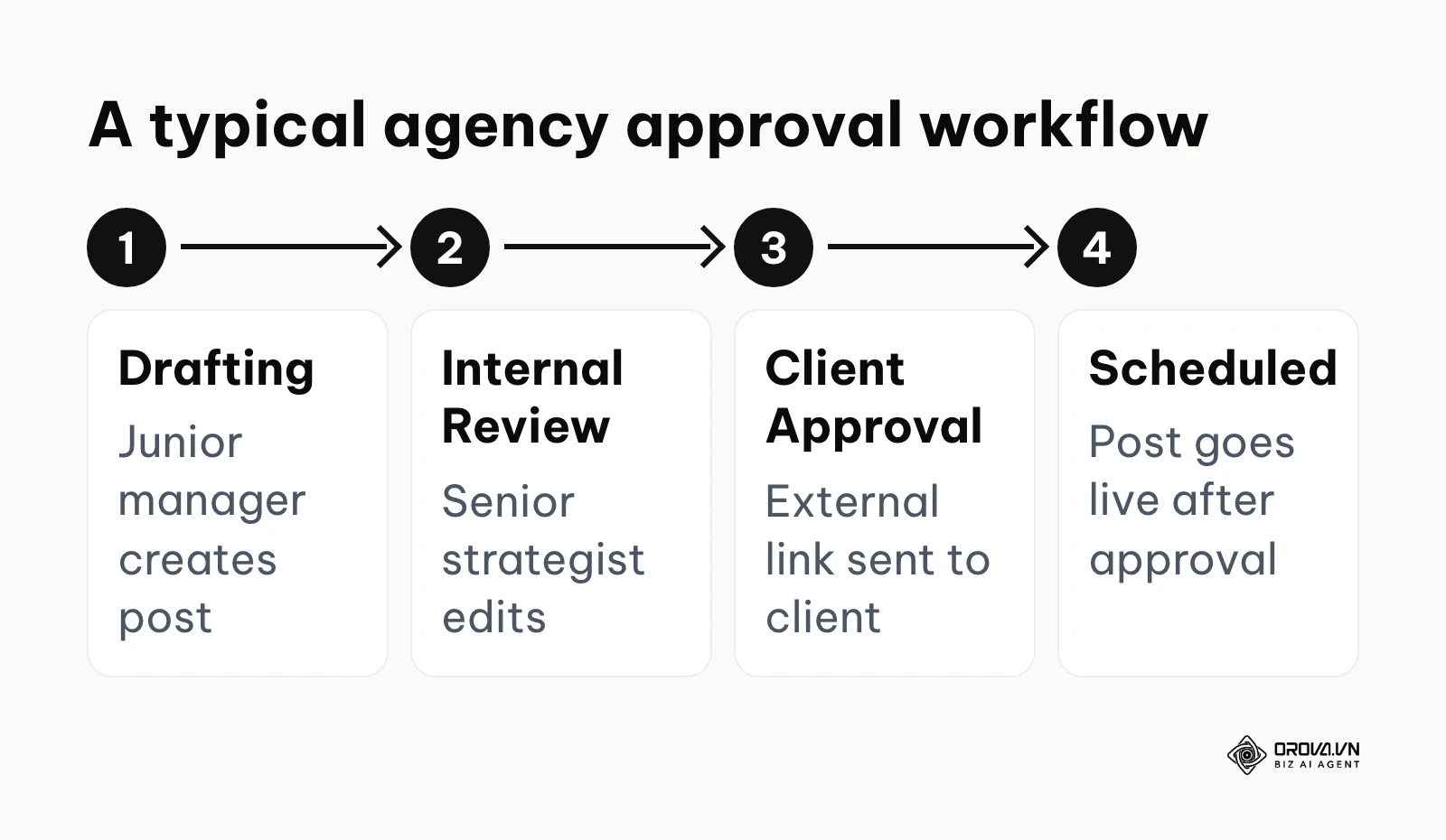
When you manage multiple brands, the biggest risk is not a missed post; it is posting the wrong content to the wrong client's account. Agencies require airtight approval workflows, unified communication, and robust client reporting. The diagram below summarizes the typical agency workflow these tools automate.
Sprout Social What it does: Sprout Social is one of the most established names in enterprise social media management. It combines scheduling with a massive unified inbox, social listening, and employee advocacy tools. Value: Its greatest strength is the Smart Inbox, which consolidates messages, comments, and mentions from every single platform into one stream. The approval workflows are detailed, allowing you to set up multi-tier sign-offs before anything goes public. Finding enough time to create content is a common struggle for social teams, and centralizing approvals removes a lot of operational friction. Who it fits: Large enterprises, multinational corporations, and major agencies with complex compliance requirements and dedicated community management teams. How to start:
- Create separate Client Groups to ensure data and assets are strictly siloed.
- Invite team members and assign specific roles (e.g., Draft Only, Approver, Publisher).
- Set up the automated report builder to send weekly PDF performance summaries directly to client stakeholders.
Agorapulse What it does: Agorapulse is a powerful alternative to Sprout Social, focusing heavily on proving the return on investment (ROI) of social media efforts. It features a robust CRM-style inbox that tracks interactions with individual users over time. Value: The built-in ROI reporting is its main draw. It can add UTM parameters to your scheduled links and connect with Google Analytics. This allows you to see exactly which scheduled post drove revenue, sign-ups, or website traffic. Who it fits: ROI-driven B2B companies, performance marketing agencies, and teams that must constantly justify their social media budget to executives. How to start:
- Connect your social accounts and your Google Analytics property.
- Turn on UTM tracking in the publishing settings.
- Use the unified inbox to label and categorize incoming messages, building a database of your most engaged followers.
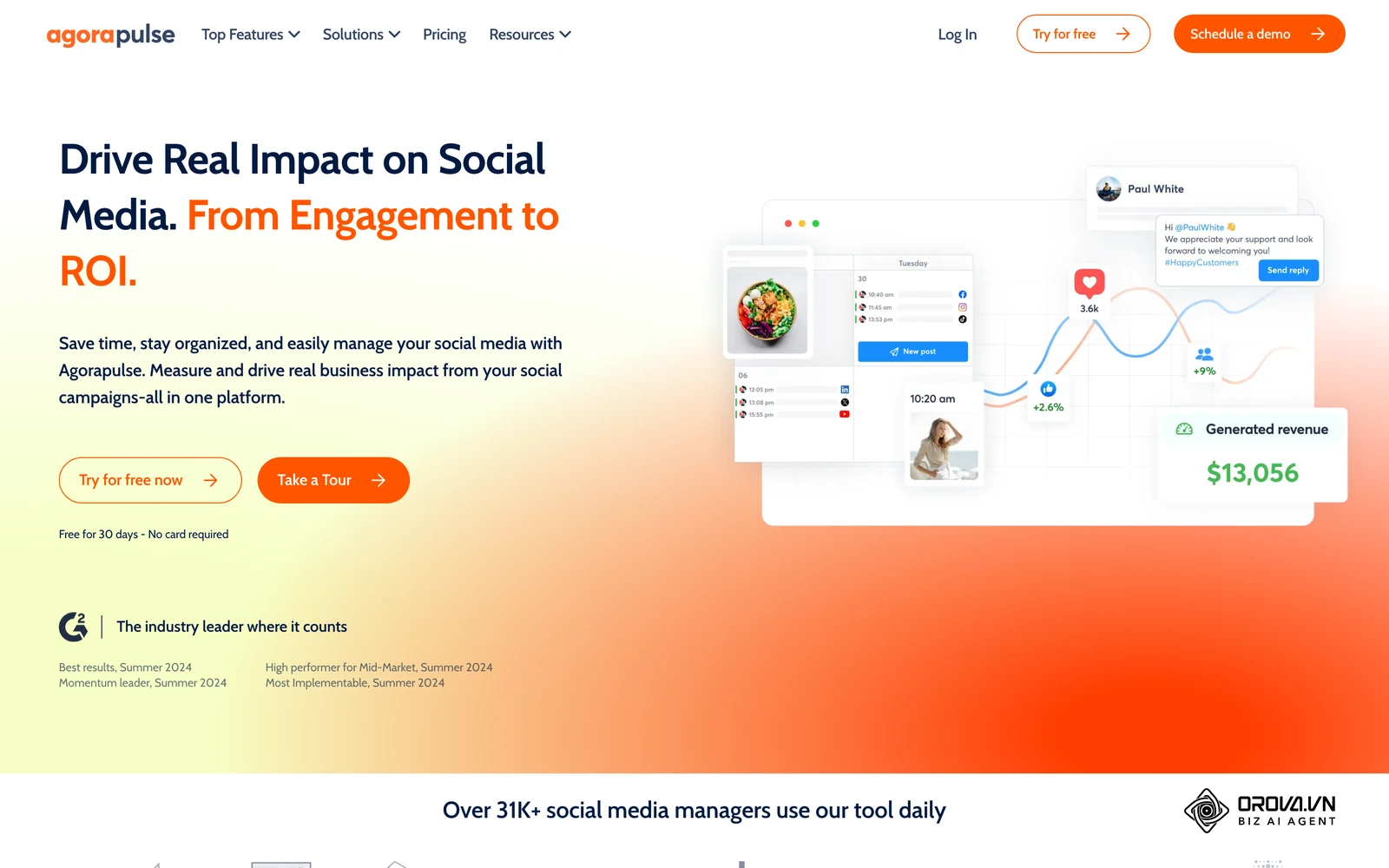
Illustrative example: Context: Acting as an account director at a mid-sized agency managing more than a dozen client brands, coordinating a team of four junior social media managers. Steps taken: 1) Set up strictly isolated client workspaces in Agorapulse to prevent any cross-posting disasters. 2) Established a multi-tier approval workflow where junior managers draft posts, and the director approves them before they are scheduled. 3) Configured automated weekly ROI reports linking social clicks to client website conversions. Hurdles and fixes: The team initially struggled with client feedback getting lost in endless email threads. The fix was moving all communication into the platform's internal commenting system directly on the drafted posts, forcing clients to approve or reject within the tool. Results: The internal approval turnaround time dropped significantly, and the agency could take on new clients more easily because the workflow was standardized.
Sendible What it does: Sendible is built with agencies in mind. It focuses heavily on white-labeling, allowing agencies to present the software as their own proprietary tool to clients. Value: The ability to create a custom-branded dashboard for clients is a major selling point. Clients can log in, view their scheduled calendar, and approve posts without ever knowing Sendible is powering the system. It also offers content suggestions to help fill empty calendar slots. Who it fits: Freelance social media managers, boutique marketing agencies, and consultants who want to present a highly professional, tech-forward image to their clients. How to start:
- Set up your agency branding (logo, colors, custom domain) in the white-label settings.
- Create client profiles and invite them with restricted 'View and Approve' access.
- Use the content suggestions to quickly draft industry-relevant articles for client approval.
Group 3: Tools for Small Businesses on a Budget
Small businesses do not need multi-tier approvals or deep CRM integrations. They need tools that are fast, intuitive, and, most importantly, stay affordable as they scale.
Buffer What it does: Buffer is one of the longest-running players in the space and is known for its queue-based publishing system. Instead of selecting a specific date and time for every single post, you establish a predefined schedule (e.g., weekdays at 9 AM and 5 PM), and simply dump content into your queue. Value: The primary value proposition of Buffer is its unyielding commitment to simplicity. While enterprise tools bombard you with complex features, Buffer keeps the interface incredibly minimalist. This dramatically reduces the learning curve for new team members. Who it fits: Solo entrepreneurs, early-stage startups, and small businesses that prioritize ease of use over deep enterprise analytics. It suits teams that need to get up and running quickly. How to start:
- Connect your primary social accounts (Facebook, LinkedIn, X).
- Navigate to the settings tab to define your weekly posting schedule slots.
- Install the browser extension to easily curate and add industry articles to your queue while browsing the web.
Zoho Social What it does: Zoho Social is part of the massive Zoho suite of business applications. It provides robust scheduling capabilities with a very strong emphasis on team collaboration and lead generation. Value: If you are already using Zoho CRM, Zoho Social is a natural fit. It lets you connect social interactions with your CRM so promising leads can move into your sales pipeline. Who it fits: B2B service providers, sales-driven organizations, and businesses already deeply embedded in the Zoho ecosystem. How to start:
- Integrate the tool with your existing Zoho CRM account.
- Set up keyword monitoring streams to track brand mentions and industry terms.
- Use the browser extension to draft posts from content you find online.
Group 4: AI-Driven Content & Curation Tools
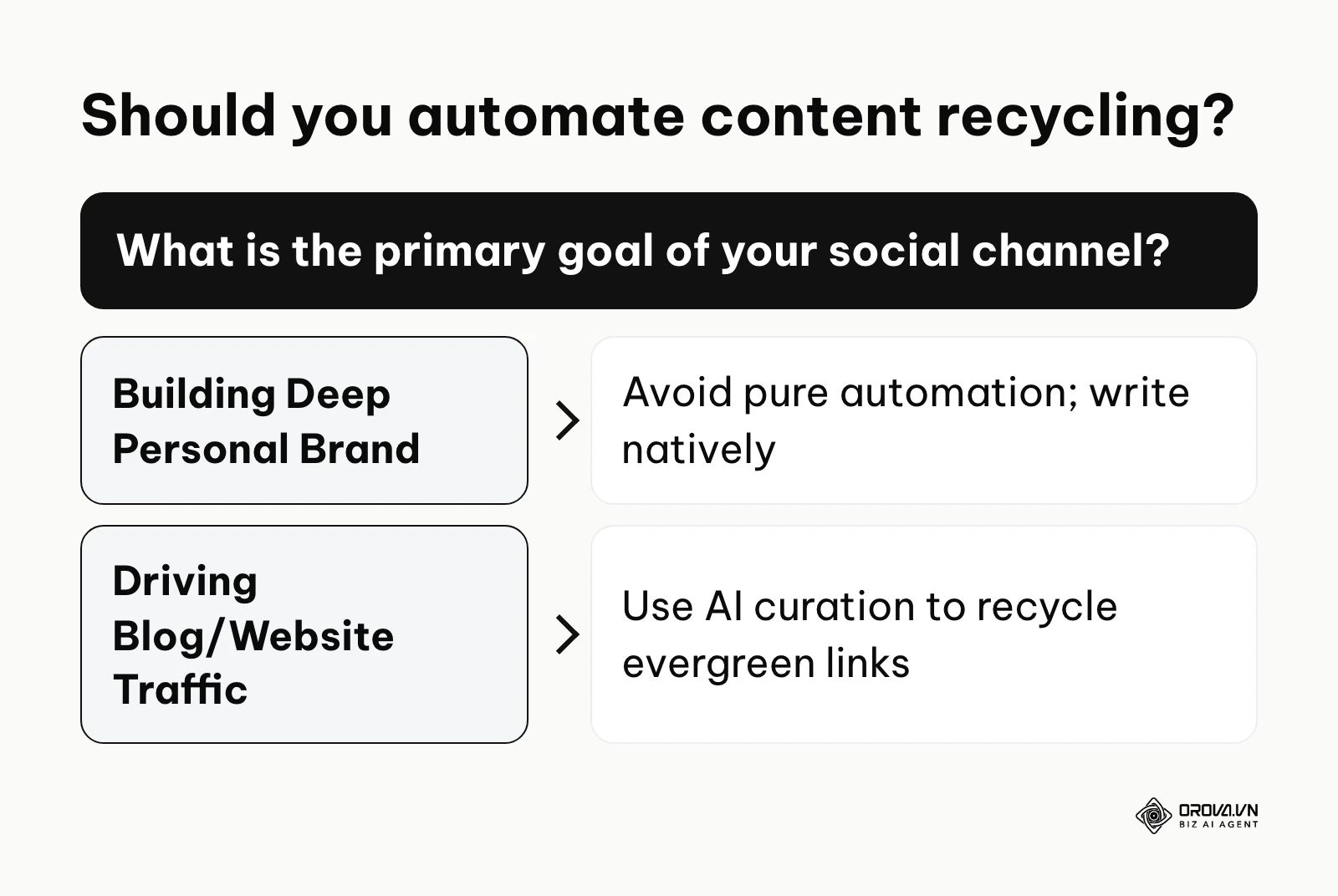
Creating fresh content daily is exhausting. This group of tools specializes in taking your existing content—like blog posts, podcasts, or old videos—and automatically recycling, remixing, and republishing it to keep your feeds active. The diagram below summarizes when you should rely on these tools.
MeetEdgar What it does: MeetEdgar operates on a category-based recycling system. You create categories (e.g., Blog Posts, Quotes, Promotional), fill them with content, and set a schedule for each category. When the queue runs out, it automatically starts recycling older posts. Value: It builds an evergreen content engine. If you have a library of timeless blog posts, MeetEdgar ensures they continually get traffic months or years after they were published. It is a classic "set it and forget it" approach for driving consistent website traffic. Who it fits: Bloggers, podcasters, publishers, and content-heavy businesses that want to maximize the lifespan of their long-form assets. How to start:
- Define your core content categories in the dashboard.
- Connect your blog's RSS feed so new articles are automatically imported as drafts.
- Build a weekly schedule dictating which category gets published on which day.
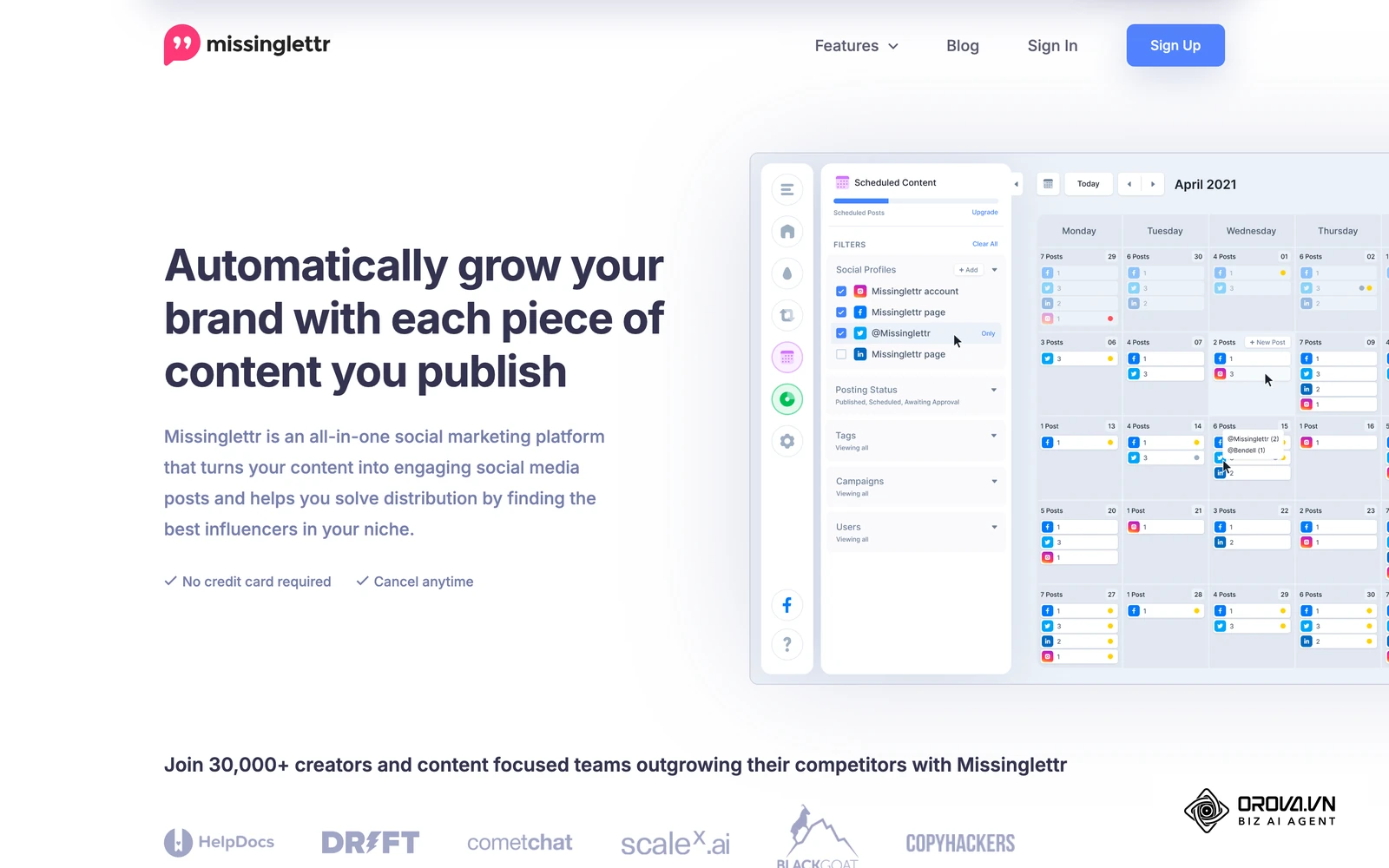
Tailwind What it does: Tailwind built its name as a Pinterest scheduling tool and has since expanded into Instagram. It focuses heavily on visual optimization and AI-driven content creation. Value: For Pinterest, its community features help with organic reach. For Instagram, its AI tools help suggest hashtags and draft captions. It essentially acts as an automated marketing assistant for highly visual platforms. Who it fits: Lifestyle brands, food bloggers, interior designers, and any business where Pinterest is a primary driver of website traffic. How to start:
- Connect your Pinterest and Instagram accounts.
- Install the Tailwind browser extension to easily save and schedule images from around the web.
- Use the built-in AI writing assistant to draft descriptions for your pins and posts.
Missinglettr What it does: Missinglettr is designed specifically to turn long-form blog content into extended social media drip campaigns. You plug in a blog URL, and its AI analyzes the text, extracts quotes, and builds a long-running social campaign from it. Value: It solves the problem of writing social copy for technical or long-form content. Instead of manually drafting ten different tweets to promote one article, Missinglettr drafts them for you, spacing out the promotion over many months to ensure maximum visibility without spamming your audience. Who it fits: B2B content marketers, technical writers, and SaaS companies that invest heavily in long-form SEO blog content. How to start:
- Connect your blog's RSS feed to the platform.
- Wait for the AI to analyze a new post and generate a proposed campaign.
- Review the AI-selected quotes and images, adjust if necessary, and approve the campaign.
Juggling several platforms and a pile of long videos? Orova Social lets you compose once and publish to 8 channels, writes captions in your brand voice in multiple languages, and cuts long videos into 9:16 vertical clips with subtitles and voiceover.
How to Choose: Hidden Costs, Workflows, and Traps
Selecting the right tool requires looking past the shiny landing pages. You must evaluate the software based on how your team operates and how the pricing model scales.
The Minimum Viable Stack by Scale
Do not overbuy software. The table below outlines the minimum feature set you should look for based on your current operational scale.
| Team Scale | Recommended Minimum Feature Set | Why This Matters |
|---|---|---|
| Solo Creator | Visual calendar, TikTok/Reels API, Basic analytics | Speed and aesthetic consistency are all that matter. |
| Small Business (1-2 users) | Multi-channel publishing, Simple queue, Reply inbox | Consolidating customer service and marketing saves time. |
| Growing Team (3-5 users) | Role-based access, Internal comments, Asset library | Preventing accidental posts and unifying brand assets. |
| Agency (Multiple Brands) | Multi-tier approvals, White-label reporting, CRM | Client security and proving concrete ROI are non-negotiable. |
The Hidden Cost Trap: Calculating the True Price of Scaling
Scaling your social media presence often reveals the dark side of Software as a Service (SaaS) pricing models.
The most common trap is the "per-user, per-profile" pricing matrix. A tool might advertise an attractive entry-level price. However, that price usually covers exactly one user and a handful of social profiles. What happens when your e-commerce business expands into three new countries, requiring separate Facebook and Instagram pages for each region? Suddenly, you have 15 social profiles. What happens when you hire a freelance designer and a junior community manager? You now have three users.
That entry-level tool can quickly become many times more expensive because you crossed a tier limit. Before committing, you must calculate the Total Cost of Ownership (TCO) for the next 12 to 18 months.
Illustrative example: Context: Managing digital marketing for a growing e-commerce startup that recently expanded from two to five international markets, requiring separate social accounts for each region. Steps taken: 1) Audited the current social media scheduler's pricing tier as the total account count passed twenty. 2) Created a Google Sheets matrix to calculate the 12-month total cost of ownership across three different platforms. 3) Migrated the entire operation to a tool that charged a flat fee per user rather than charging per individual social profile. Hurdles and fixes: The migration process threatened to lose all historical analytics data, which was crucial for year-over-year reporting. The fix was systematically exporting all past performance data into raw CSV files and storing them in a secure company database before officially canceling the old subscription. Results: The startup avoided a steep jump in its bill and maintained a unified dashboard for all five regional teams to collaborate seamlessly.
When analyzing your audience to justify these costs, combining your scheduler with a dedicated social listening tool gives you a complete picture of brand sentiment. Furthermore, if you are amplifying your top-performing scheduled videos, you might want to look into TikTok Spark Ads for wider reach.
The 10-Point Pre-Purchase Checklist
The diagram below pulls out five of the most important checks. Do not input your credit card details without explicitly verifying these ten criteria with the software vendor's documentation or support team.
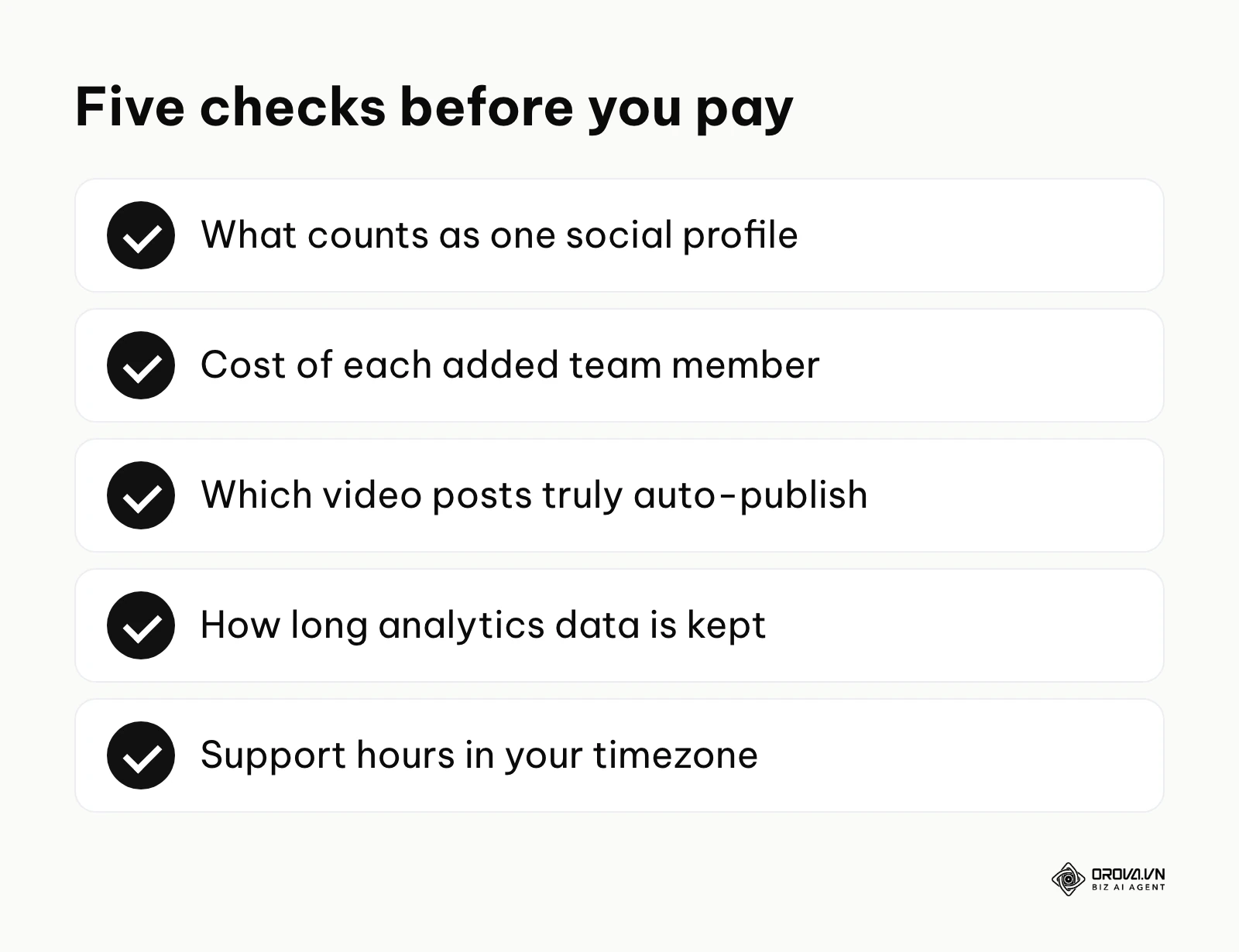
- Definition of a Profile: Does a Facebook Page and a Facebook Group count as one profile or two?
- User Scaling Costs: Exactly how much does it cost to add the second, third, and fourth team member?
- TikTok Auto-Publish: Does it genuinely auto-publish to TikTok via API, or does it just send a push notification to your phone?
- Instagram Carousel Limitations: Can you schedule multi-image carousels directly, and does the API allow tagging products within them?
- Historical Data Retention: Does the analytics dashboard hold your data forever, or does it delete older data on lower plans?
- Support SLA: Are their support teams operating in your timezone, and what is the guaranteed response time for critical API failures?
- Video Size Limits: What is the maximum file size (in MB) and length (in seconds) permitted for video uploads?
- Link Customization: Does the tool force you to use their branded link shortener, or can you integrate your own custom domain?
- Export Capabilities: Can you easily export the scheduled calendar and analytics reports into raw Excel or CSV formats for external processing?
- Data Residency: Where are the servers located, and are they compliant with your specific regional data privacy laws?
Common Traps to Avoid When Buying
Beyond hidden costs, there are operational traps. The most prevalent is misunderstanding the phrase "AI Integration." In 2026, almost every tool claims to have AI. However, many simply integrate a basic ChatGPT text box into the caption area. This is not highly useful. True AI integration means the system understands your historical data, learns your specific brand voice, and can manipulate media (like auto-editing videos or generating brand-compliant images). Before letting any AI draft captions for you, write down your brand tone of voice so you can judge whether the output really sounds like you. It also helps to plan themes in a content calendar first and use the scheduler only to execute it. Ultimately, proving the marketing ROI of your social efforts is what secures your budget, so avoid tools that obscure their tracking parameters.
Plan your content by day, week or month with Orova Social: schedule posts, let missed slots publish automatically, apply one brand profile to every post, and export your schedule to Excel for reporting. Free until July 7, 2027.
Where social media schedulers are heading in the next few years: the author's take
The landscape of social media automation is shifting rapidly. The diagram below summarizes how I view the evolution of this technology.
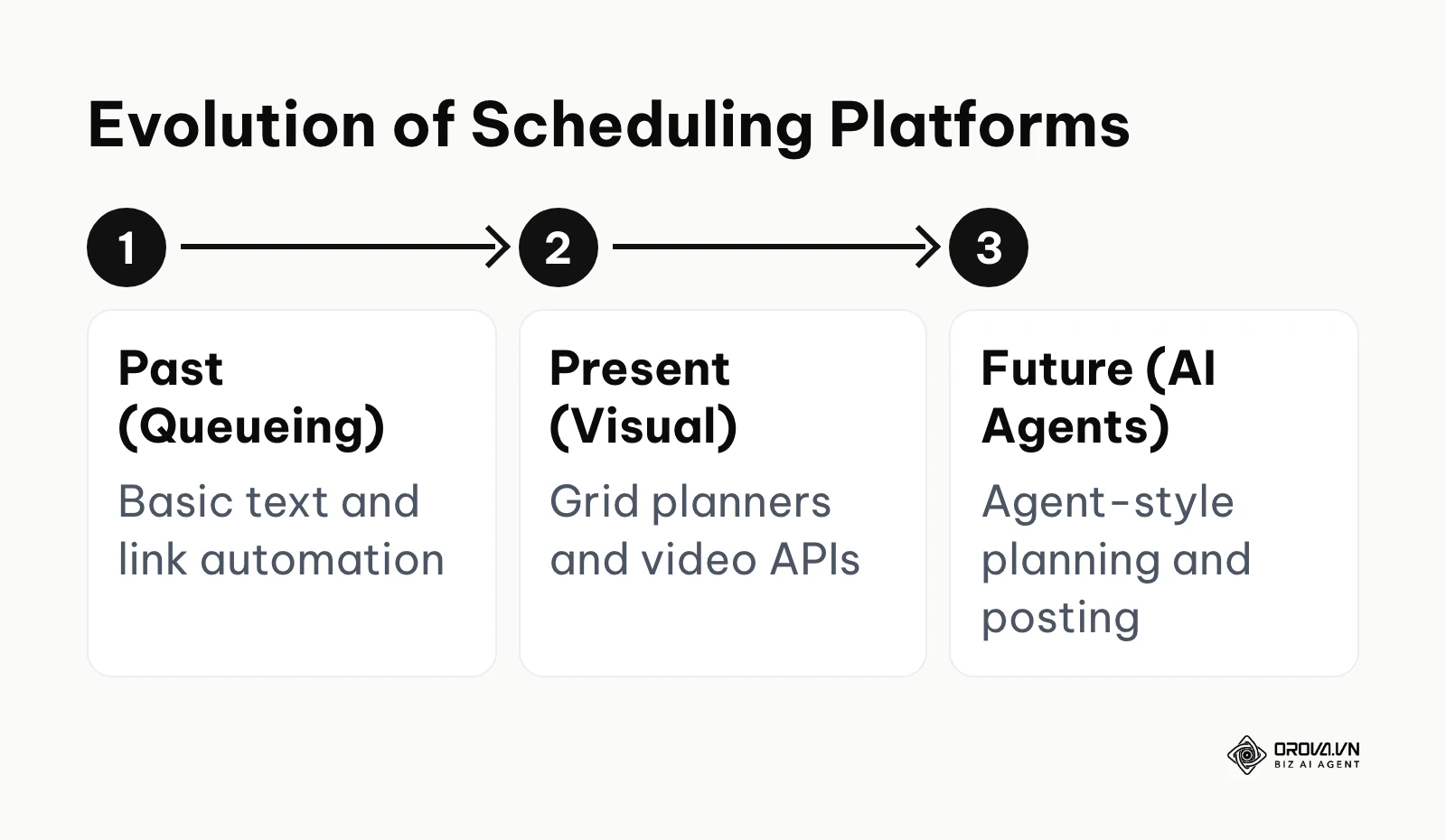
Based on my analysis of the current API developments and platform behaviors, here is where I see the industry heading in the next two to three years.
The Shift from Scheduling to Autonomous Agents
Right now, tools require you to explicitly tell them what to post and when. I think that over the next two to three years we are likely to see a shift toward agent-style workflows. You will provide a scheduler with a broad strategic goal (e.g., "Increase brand awareness among tech founders"), give it access to your content library, and the AI may propose the formats, the platforms, the times, and the engagement tactics without requiring manual calendar plotting. The scheduler will act less like a calendar and more like a junior employee making localized decisions. To prepare for this, you must start building highly organized, metadata-rich content libraries today, because AI agents need structured data to operate effectively.
Native Video Editing Merging with Schedulers
As of 2026, the friction between video editing software (like Premiere or CapCut) and scheduling software is still a pain point. My read is that the two will keep converging. Many schedulers will likely add timeline-based video editing capabilities built natively into the dashboard. Instead of only uploading a finished video, you may cut clips and add captions directly inside the scheduling tool. Tools without a plan for video may fall behind. You should start prioritizing tools that treat video as a native format rather than just an uploaded file type.
Decentralized Networks Demanding Custom Workflows
As platforms like Mastodon, Threads, and Bluesky fracture the traditional social media monopoly, the "post everywhere" approach will fail. I lean toward the idea that future schedulers will need highly customizable webhook integrations to connect to niche, decentralized platforms that do not have standard commercial APIs. The "big five" networks may not dominate attention as completely as before. To adapt, you should look for schedulers that offer open API access or Zapier integrations, ensuring you are not locked out of emerging networks just because the software vendor hasn't built an official integration yet. Of course, the platforms themselves could aggressively restrict API access to force native usage, which would invalidate this prediction entirely.
Frequently Asked Questions about Social Media Schedulers
Does using a social media scheduler reduce my reach or engagement?
Historically, there was a persistent myth that platforms like Facebook algorithmically penalized posts published via third-party tools. There is no public evidence that this happens today. Social networks provide official APIs specifically so these tools can exist and encourage more content creation on their platforms. If a scheduled post performs poorly, it is almost always due to the content quality, the timing, or a lack of native format optimization, not the tool itself.
Can a social media scheduler with AI completely replace a human writer?
No, it cannot replace the strategic empathy and nuance of a human writer. While AI can rapidly generate variations, format text, and ensure correct grammar, it lacks the ability to react to sudden cultural moments or deeply understand the emotional resonance of a specific community inside joke. AI is a powerful drafting assistant, but a human must remain the final editor to ensure authenticity.
Why do some schedulers still use push notifications for TikTok or Reels?
This is due to strict API limitations enforced by the platforms, usually related to copyright issues. Business accounts often cannot automatically publish videos containing mainstream trending music via an API. To bypass this legal restriction, schedulers send the video to your phone via a push notification, allowing you to manually apply the trending audio inside the native app just before publishing.
Is it better to use native scheduling tools provided by the platforms?
Native tools (like Meta's own business tools) are free and often get new platform features first. However, they are siloed. If you only care about Facebook and Instagram, the native tool is perfect. If you manage a broader ecosystem including LinkedIn, TikTok, and YouTube, jumping between multiple native dashboards is inefficient and makes unified reporting impossible.
How do API limitations affect social media schedulers?
APIs dictate exactly what a third-party tool can and cannot do. For example, an API limitation might prevent a scheduler from tagging personal profiles in a photo, or it might cap how many posts you can publish through the API each day. Whenever a scheduler lacks a feature that exists in the native app, it is usually because the social network has chosen not to open that specific capability in their public API.
Where to Start?
Feeling overwhelmed by the options is normal. Instead of trying to implement an enterprise-grade solution on day one, match your next step to your current reality.
If you are currently posting manually from your phone: Your first step is to establish a basic queue system. Choose a free or low-cost tool like Buffer, connect your two most important platforms, and spend exactly one hour this Friday loading up posts for the entire next week. Do not worry about advanced analytics or AI generation yet; simply experience the relief of not having to log in on a Saturday to publish a post.
If your team is growing and mistakes are happening: Your first step is to implement a strict approval workflow. Audit your current tool to see if it supports role-based access. If it does not, you must migrate to a platform like Sendible or Sprout Social. Set up a system where every post requires a "Drafted" and "Approved" status before it can be scheduled. This single structural change will immediately stop off-brand content from slipping through the cracks.
If you are drowning in long-form video content: Your first step is to find a scheduler that handles video processing natively. Stop manually transferring large video files between editing apps and scheduling tools. Look for a solution that allows you to upload the raw, long-form asset once, and use built-in tools to chop it into vertical clips directly within the publishing dashboard. This removes much of the friction of managing multiple file versions across your desktop and mobile devices. Orova, a Biz AI Agent, offers this inside its social module, cutting long videos into 9:16 clips with subtitles.
About the author

Builder of Orova
Nguyễn Đỗ Trọng Ân has 8 years of experience in marketing, including 6 years managing market development across Asia. He builds Orova, a Biz AI Agent that never sleeps: it plans, runs and optimizes work for businesses.
Run your business with AI Agents
Orova is the always-on Biz AI Agent — it plans, runs, and optimizes the work for you.
Save time, unlock productivity.