
8 best attendance tracking tools for 2026 and how to choose

Attendance tracking is the practice of recording who is present, late, absent or on approved leave, and how many hours each person actually worked, so that lateness patterns, absence trends and timesheets rest on records instead of memory. The quick answer: field and shift teams usually need a mobile or kiosk time clock (Jibble, When I Work, Deputy, Buddy Punch), project-billing teams lean toward Clockify, HR-suite buyers look at BambooHR, large multinationals at Replicon, and desk-based teams that want web clock-ins plus shift-based timesheets can consider Orova Timekeeping.
Choosing the right platform for employee attendance tracking means filtering marketing promises through your operational reality. This guide compares eight tools across five practical criteria: how staff clock in, how shifts and multipliers are handled, how forgotten clock-outs and other exceptions are resolved, how lateness and absence trends are reported, and how privacy is protected. Each tool has its own section below, followed by a scenario-based selection table and the attendance policies that make any tool work.
Overall Comparison: 8 Best Attendance Tracking Software Tools
Selecting attendance tracking software depends on whether your team works on physical job sites, runs rotational hospital shifts, or operates as remote knowledge workers. A field team needs mobile geofencing, while a remote engineering department requires transparent activity validation. The following comparison highlights the primary strengths, clock-in methods, and target operational environments across the eight platforms.
| Tool | Best For | Key Strength | How Staff Clock In | Short Verdict |
|---|---|---|---|---|
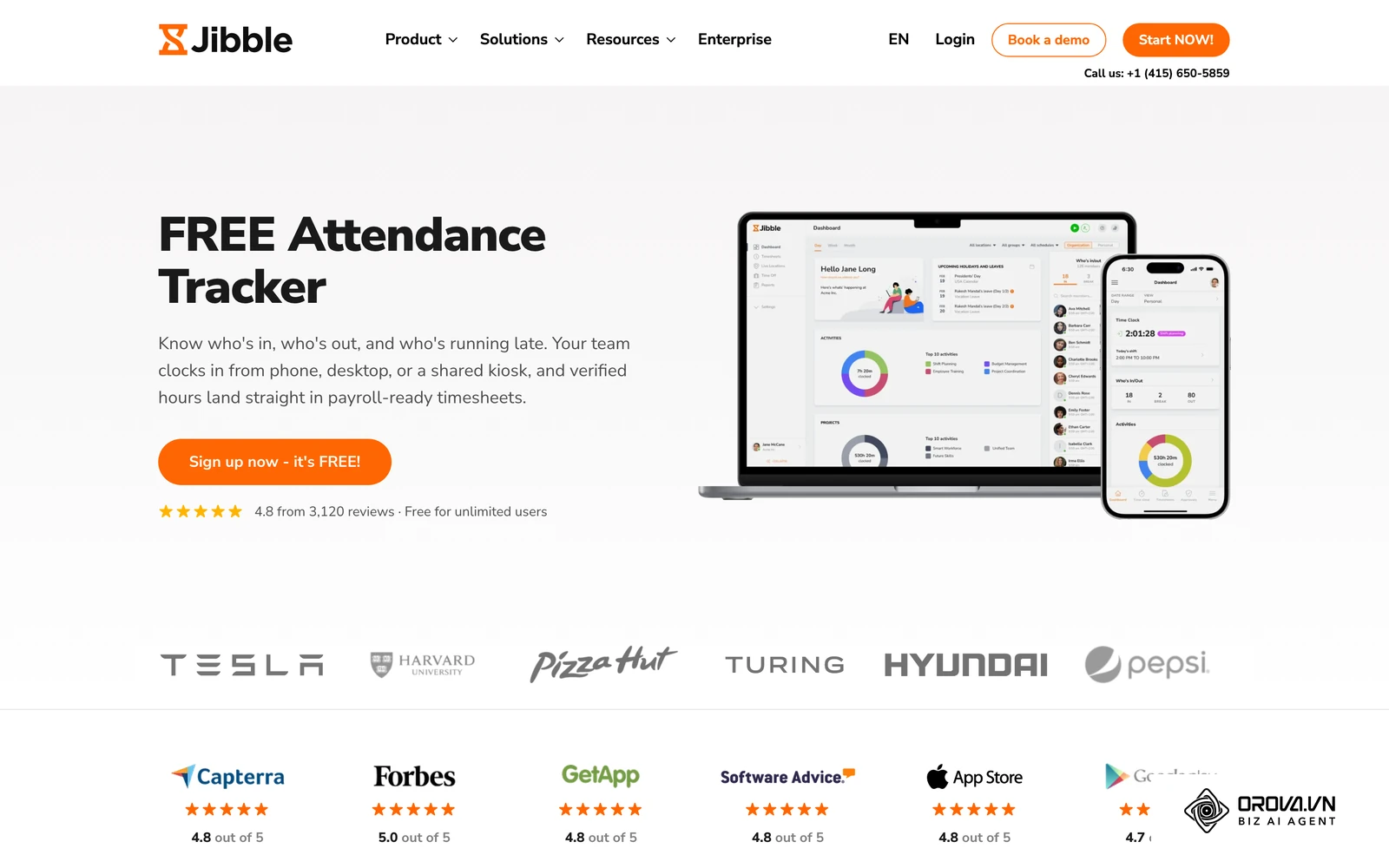
| Jibble | Field teams and storefronts | Shared kiosk with face check | Mobile app, web, shared kiosk | Strong fit for on-site hourly punching |
| BambooHR | Growing SMBs wanting an HRIS suite | Attendance tied to employee records and leave | Web and mobile app | Natural choice if you already run BambooHR |
| When I Work | Shift-based retail and hospitality | Scheduling and time clock in one place | Mobile app, web, kiosk | Built around hourly shift rosters |
| Clockify | Agencies and project teams | Project-based timesheets | Timer in browser, desktop, mobile | Best when billable hours matter most |
| Deputy | Shift work under strict wage rules | Scheduling with labor compliance rules | Mobile app, kiosk | Fits rostered teams in regulated sectors |
| Buddy Punch | Small businesses needing simple punches | Simple time cards | Web, mobile app, kiosk | Easy replacement for a paper punch card |
| Orova Timekeeping | Desk-based and hybrid teams | Shift and multiplier timesheets plus count-only desktop activity | One-button web clock-in (no phone app) | Fits office teams that want timesheets and real work hours in one place |
| Replicon | Global enterprise organizations | Multi-country configuration | Web and mobile app | Built for large, multi-entity governance |
Jibble
Jibble is designed primarily for field teams, retail shops, and small construction contractors who need an affordable attendance solution with location verification. It allows workers to clock in using mobile phones, desktop browsers, or a centralized shared tablet kiosk on site.
The platform provides a strong shared tablet kiosk mode that uses automated facial recognition to prevent coworkers from punching in for one another (buddy punching). Its GPS geofencing feature ensures staff can only log hours when they are physically inside a pre-approved geographic radius. Timesheets and attendance reports show who clocked in, who is late and who has not started, which helps supervisors on busy sites.
Its focus is the punch itself and location checks; teams that also want desktop activity measures for office work would look elsewhere.
Choose Jibble if your business operates physical job sites or storefronts and wants a kiosk-driven attendance system with face checks against buddy punching.
BambooHR
BambooHR targets growing small-to-midsize businesses that want their timekeeping, paid time off (PTO) requests, and employee records consolidated under a single administrative roof. It suits companies that prefer an integrated human resources information system (HRIS) rather than connecting multiple point solutions. If you are still deciding which HR systems your company needs, the ATS vs HRIS decision framework helps sort that out first.
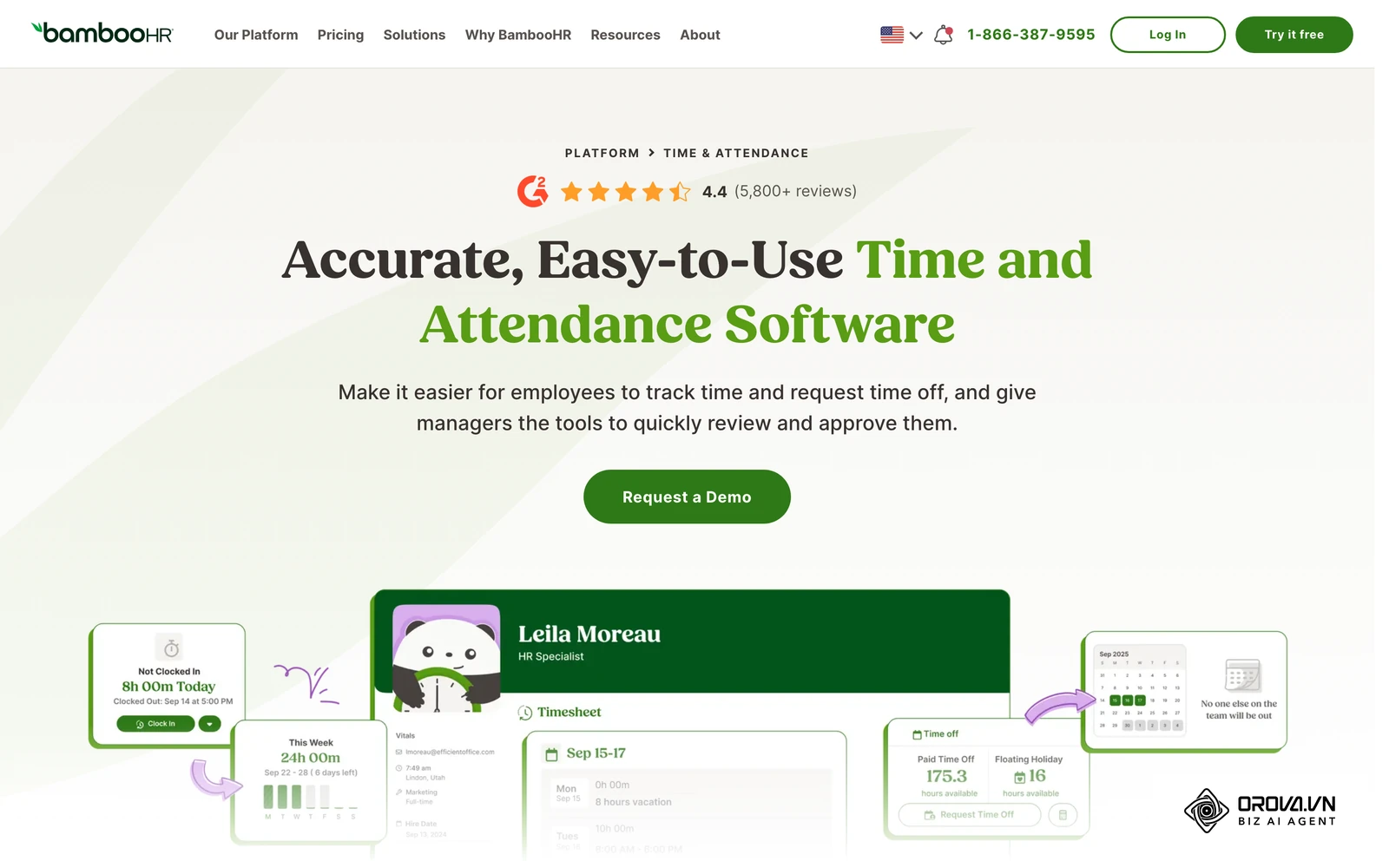
Its core advantage is native cohesion with broader human resource workflows. Hours, time-off requests and employee records live in the same system, so managers can review timesheets next to leave balances instead of switching between tools.
Its attendance features are designed as part of a wider HR suite, so it suits companies that want that suite more than a standalone time clock.
Choose BambooHR if you are already investing in a centralized HR suite and want attendance next to employee records.
When I Work
When I Work focuses on shift-based frontline operations, particularly restaurants, retail stores, and service franchises where team scheduling and attendance tracking are inextricably linked. It bridges the gap between dispatching weekly rosters and verifying actual hours worked.
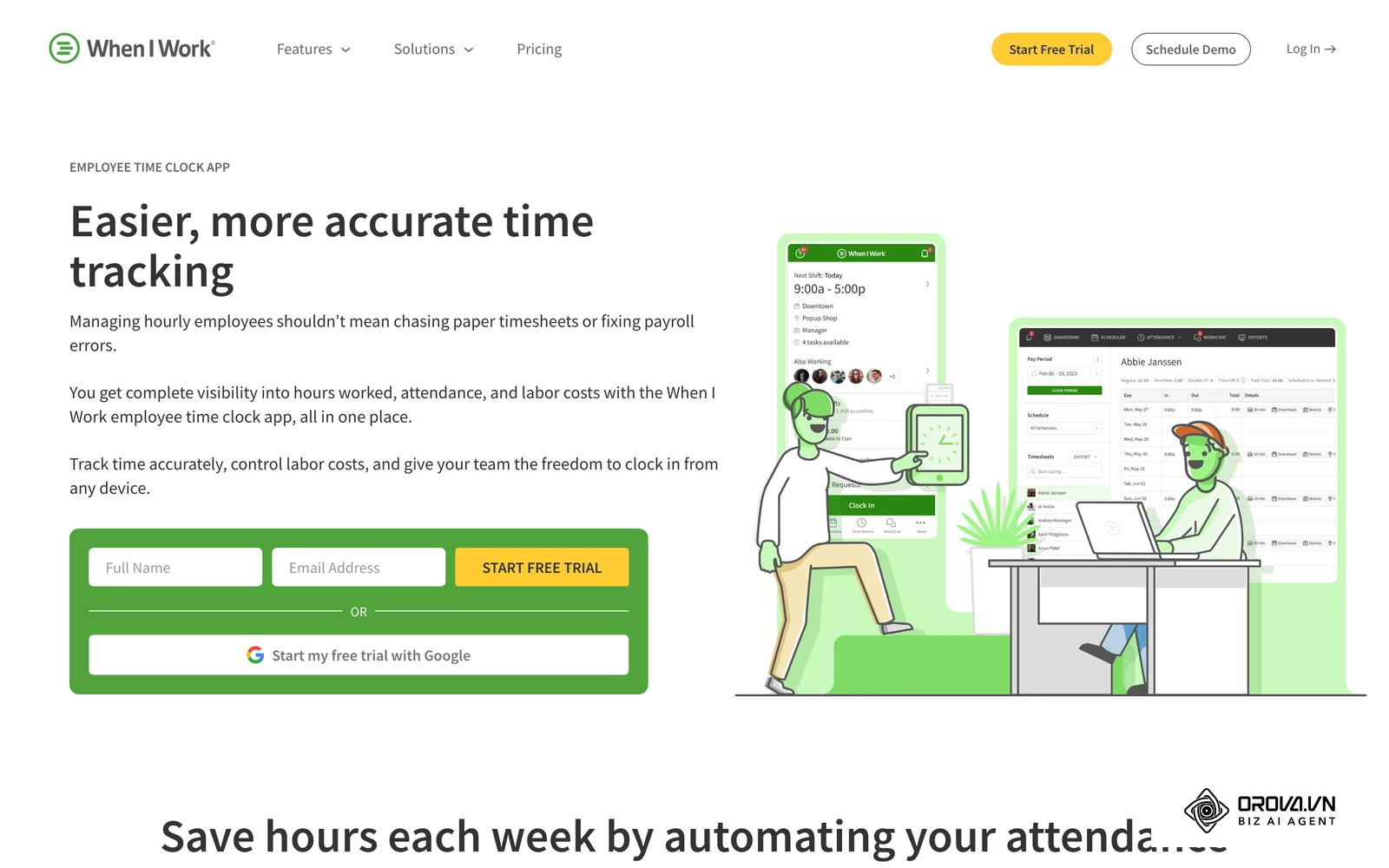
The system excels at keeping managers and hourly staff synchronized through mobile notifications. Managers can publish shift schedules, let employees swap shifts, and use a mobile time clock with location checks. Team messaging keeps shift communication next to the schedule.
It is built around shift rosters, so desk-based teams without fixed shifts get less from it.
Choose When I Work if your primary administrative headache is coordinating dynamic hourly shift rosters and stopping off-schedule employee clock-ins.
Clockify
Clockify serves digital agencies, professional service firms, and distributed remote teams that prioritize project-based tracking alongside daily employee attendance tracking. It functions as both a presence logger and a billable project billing tool.
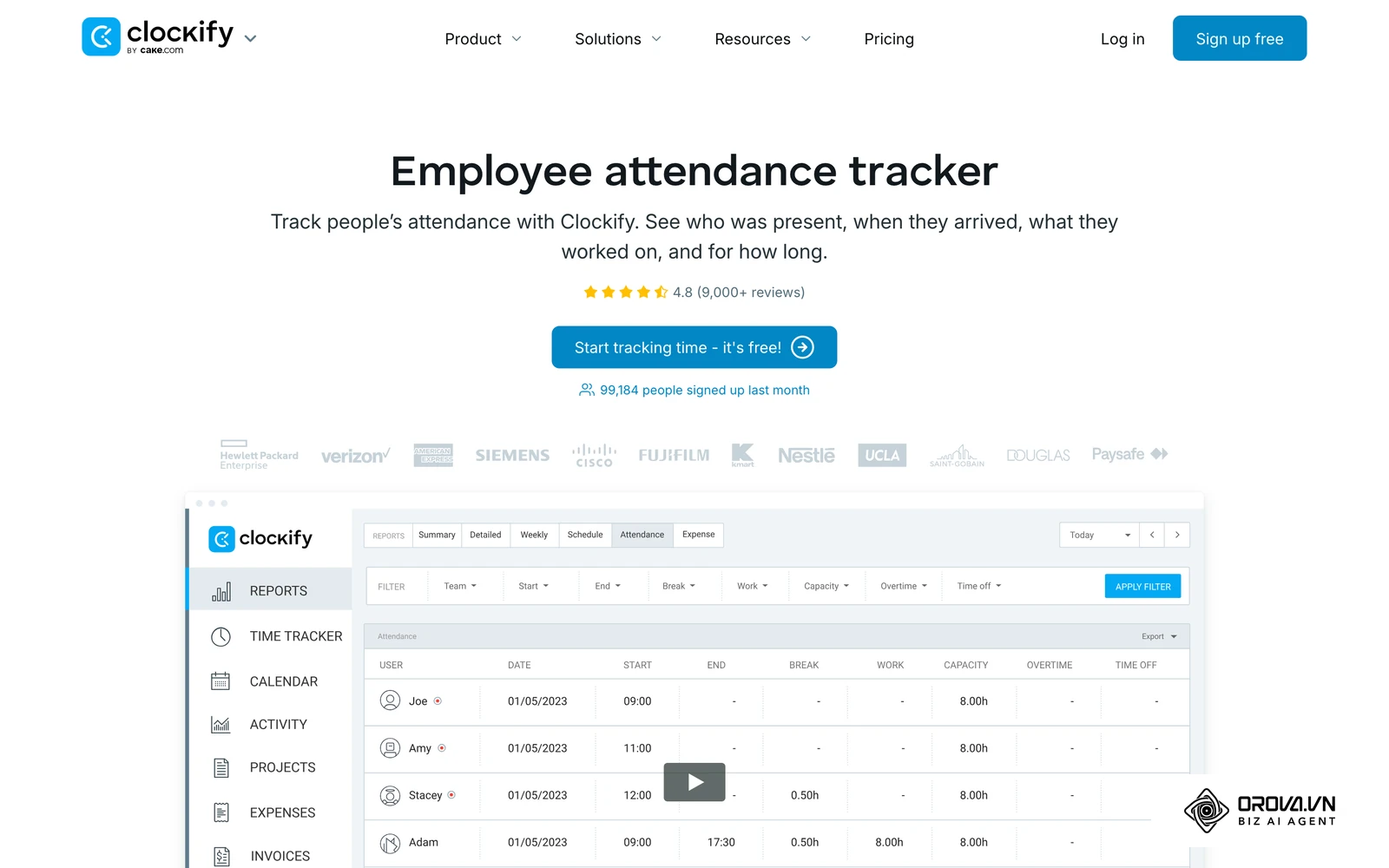
The platform stands out for its flexibility across operating systems, offering browser extensions, desktop widgets, and mobile apps. Workers can toggle a live timer when switching between tasks or enter total hours directly into a weekly timesheet grid. Administrators can configure lock dates to prevent staff from modifying historical attendance records once a pay period closes, maintaining data integrity for invoicing and payroll.
Its center of gravity is projects and tasks; teams whose main question is shift attendance, lateness and absence may need more shift-oriented features.
Choose Clockify if your business operates on client projects and billable hours where tracking specific tasks is more critical than managing rotational shift rosters.
Deputy
Deputy is tailored for enterprise shift workforces in healthcare, manufacturing, and hospitality operating under strict statutory labor compliance laws. It is built to navigate complex regional wage regulations, mandatory meal break laws, and overtime thresholds.
The software shines in its predictive scheduling and labor compliance engine. Deputy can warn managers when a planned shift conflicts with rest or overtime rules. Its kiosk clock-in can take a photo at punch-in, and actual hours are compared with rostered times.
Getting value from the compliance features means setting up your pay rules and break rules carefully at the start.
Choose Deputy if your organization operates in heavily regulated jurisdictions where meal break, fair workweek or overtime rules shape every roster.
Buddy Punch
Buddy Punch is tailored for small-to-midsize business owners who want a straightforward digital replacement for an old-fashioned physical punch card machine. It emphasizes ease of adoption for non-technical employees.
The system delivers an exceptionally clean user experience for daily clock-ins. Employees punch in via a web portal, mobile app, or tablet kiosk using a personal identification number (PIN), QR code, or facial photograph. Administrators can set geofences and restrict where punches come from. Managers see clear time cards and can correct errors.
Its focus is the time card; it is not positioned as a tool for measuring desktop activity after clock-in.
Choose Buddy Punch if your business wants a no-nonsense punch clock that non-technical frontline staff can learn quickly.
Orova Timekeeping
Orova Timekeeping is built for office, desk-based and hybrid teams that want attendance, shift-based timesheets and real work hours in one place. Employees clock in on the web; there is no separate mobile phone app.
On the Today page, each employee starts and ends the workday with one button (they can start again several times a day and the time adds up) and sees their start time, hours worked, workdays so far and late count for the month. Managers and team leads see six cards: Working, Finished, Not started, Late, Absent and On approved leave, plus trend charts for start times, lateness by day and by weekday, and rankings for most late, most overtime and most short hours over 7, 30 or 90 days. Each shift can carry its own multiplier (for example an evening shift at 1.3), a day off can be turned into a supplementary working day with its own multiplier (for example ×2), and the monthly timesheet calculates workdays, lateness, early leaves, overtime and attendance automatically. Requests come in three types (leave, attendance correction for a forgotten punch, and overtime) with multi-step approval. Offices can also mark allowed networks so that punches from other networks are flagged or blocked.
| What Orova Timekeeping includes | What it does not include |
|---|---|
| One-button web clock-in and a Today page for each employee | A mobile phone app for clocking in |
| Company-wide Today cards: working, late, absent, on leave | GPS location checks, face recognition or fingerprint scanners |
| Monthly timesheet calculated from shifts and multipliers, Excel export | Payroll calculation or payslips (the Excel file goes to your payroll step) |
| Desktop app for Windows 10+ 64-bit, macOS 12+ (Apple and Intel chips), Ubuntu 22.04+ (AppImage) that only counts | Screenshots, screen recording, typed content or window titles |
| 0–100 score from six weighted components and AI Review graded A–D | Automatic disciplinary decisions; AI Review is a prompt to review with the employee, not a verdict |
The optional desktop app only measures after the employee presses Start on the web, and it only counts active and idle seconds, keystrokes and mouse clicks. The score combines workdays, punctuality, full hours, coverage, keystroke pace and mouse pace, with weights and per-role benchmarks the company sets. AI Review reads department and role descriptions together with attendance and activity numbers and returns a grade with numeric evidence per criterion. If you shortlist Orova, the time clocking setup guide walks through configuring shifts, multipliers and exception approvals step by step.
Orova Timekeeping is free until the end of July 7, 2027. Clocking in, timesheets, requests, the desktop app and Excel export do not use quota; AI Review and AI-written role descriptions draw on workspace quota at actual AI cost, and you see an estimate before running a review.
Choose Orova Timekeeping if your team works mostly at computers and you want web clock-ins, multiplier-aware timesheets and count-only activity data without screenshots.
Replicon
Replicon, now part of Deltek, is an enterprise time platform aimed at large organizations and professional services firms that operate across several countries.
Its strength is configuration at scale: different pay rules, holiday calendars and compliance settings for different entities, plus connections to the ERP, project accounting and payroll systems that large companies already run.
That depth is designed for enterprise rollouts; a small business with one office and simple shifts will rarely need it.
Choose Replicon if you manage a multinational workforce and need attendance rules that differ by country or legal entity.
How to Choose Attendance Tracking Software by Operating Scenario
Organizations often fail with attendance software when they purchase a tool designed for a different operational profile. A creative agency forcing creatives onto a factory-style punch kiosk will face cultural backlash, while a construction company using an honor-system web timer will experience rampant payroll inflation.
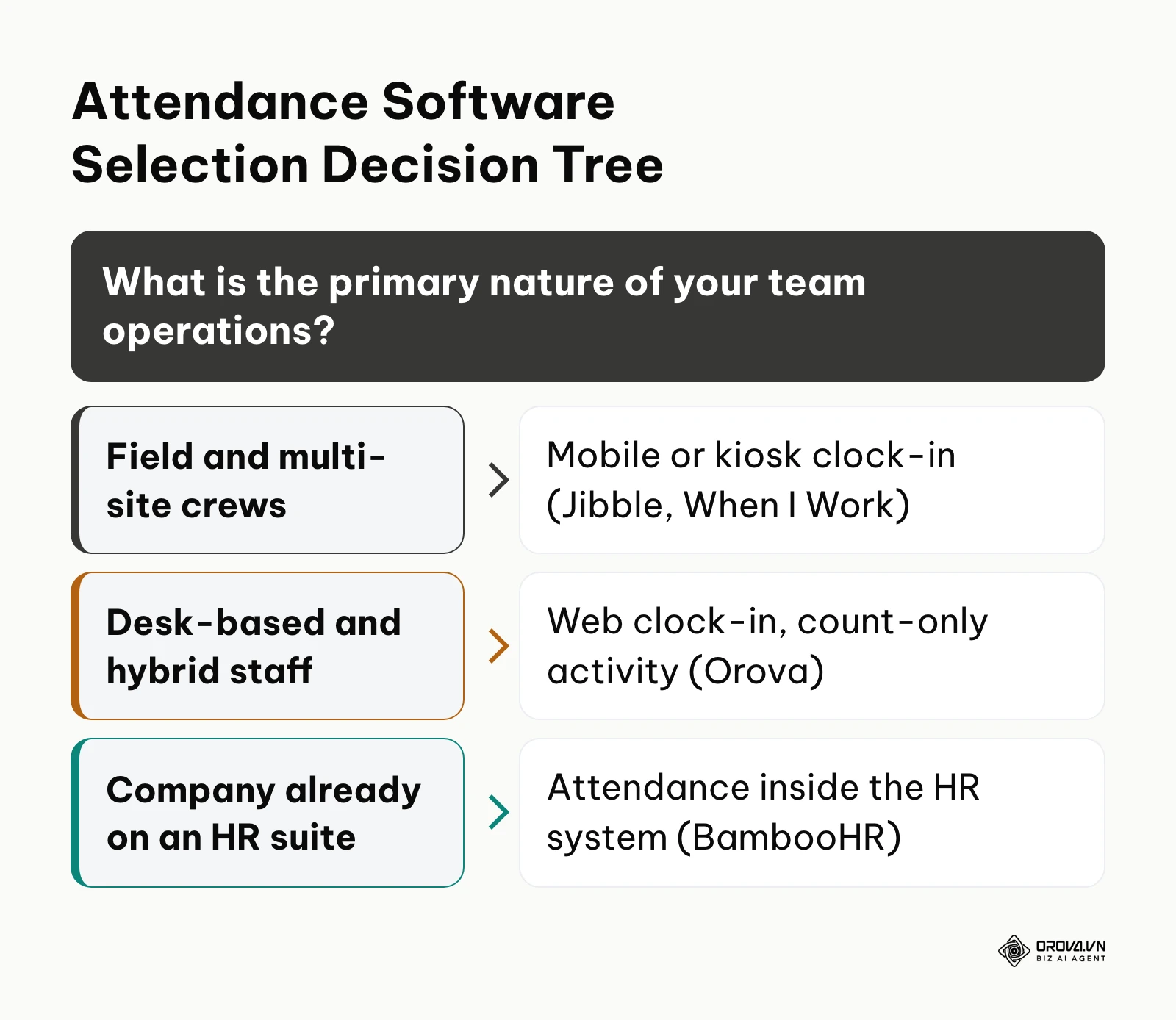
The table below outlines common operating situations and maps them to the most suitable system architecture.
| Operational Scenario | Recommended Tool | Key Selection Rationale |
|---|---|---|
| Distributed field service & construction | When I Work or Jibble | Mobile GPS verification and shared tablet kiosks stop off-site punches and buddy punching on job sites. |
| Hybrid knowledge work & remote teams | Orova Timekeeping | Web clock-in plus an optional desktop app that only counts activity, without screenshots. |
| Multi-location hospitality & retail | When I Work or Deputy | Dynamic shift roster scheduling, peer shift swapping, and automated meal break alerts prevent overtime penalties. |
| Client-billed professional services | Clockify | Detailed task categorization and project-level timesheet locking simplify client invoice generation. |
| Centralized corporate SMB | BambooHR | Keeps attendance, leave and employee records in one HR system. |
| Multinational corporate enterprise | Replicon | Multi-country configuration and connections to enterprise systems. |
Matching your software choice to your actual operational model ensures compliance without creating unnecessary administrative drag.
Tired of sorting spreadsheets and chasing punch corrections? Orova Timekeeping brings one-button web clock-ins, shift multipliers and multi-step request approvals into one workspace, with an optional desktop app that only counts active time, keystrokes and clicks, never screenshots.
Tracking Lateness, Absences, and Absence Trends
Clocking in is only the raw data. What managers usually need from employee attendance tracking is the answer to three questions: who is late or absent today, which patterns are repeating, and whether the written policy is being applied the same way to everyone. When you trial a tool, test it against these measures rather than against the clock-in screen alone.
| What to track | Simple way to measure it | What a pattern may tell you | What to check in the tool |
|---|---|---|---|
| Late arrivals | Count of clock-ins after shift start plus the grace period | Repeated lateness on the same shift may point to a schedule or commute problem | Grace minutes per shift, a monthly late count per person |
| Unplanned absences | Scheduled days with no clock-in and no approved leave | Clusters before or after weekends can signal fatigue or roster issues | A clear "absent" status separate from "on approved leave" |
| Absence by weekday | Absences or late arrivals grouped by day of the week | One weekday standing out is a cue to talk with the team, not proof of misconduct | Trend charts by weekday and by date range |
| Short hours and early leaves | Hours worked versus scheduled hours | Steady short days may mean workload or shift length needs a look | Short-hours and early-leave columns in the monthly timesheet |
| Forgotten clock-outs | Days closed automatically or corrected by request | Frequent misses suggest the clock-out step is too easy to skip | Auto-close for open days and a correction request with a reason |
A written attendance policy turns these numbers into fair decisions. At minimum it should state shift start times and the grace period, how lateness and absence are recorded, which request type covers which situation (leave, a forgotten punch, overtime), who approves at each step, and how often trends are reviewed with each team. Treat a spike in any row as a reason for a conversation with the employee first; the data shows where to look, not the reason behind it.
Presence vs. Real Productivity: Privacy-First Tracking vs. Invasive Monitoring
A central challenge in modern workforce management is distinguishing between superficial clock presence and genuine work output. With remote and hybrid work models, managers often worry that employees punch in on a web browser and abandon their workstations.
To counter this, some organizations install invasive surveillance tools that capture silent desktop screenshots, record video feeds, or log every keystroke sequence. This approach raises compliance questions. Under the GDPR in Europe, and under many other privacy laws, employers are generally expected to choose the least intrusive way to reach a legitimate purpose, and continuous screenshots or keystroke content are hard to justify when simpler measures exist. Keyloggers can also capture passwords, banking details and personal chats, which creates a data leak risk for the business.
The modern alternative is privacy-first activity verification. This methodology captures pure numeric counts: active seconds, idle seconds, keystroke frequency per minute, and mouse click counts. The system records how many inputs occurred during a block of time without recording what was typed or capturing what was displayed on the screen.
| Evaluation Dimension | Invasive Surveillance (Screenshots / Keyloggers) | Privacy-First Verification (Numeric Pace Counts) |
|---|---|---|
| Data Collected | Visual desktop images, window titles, full text sequences | Active/idle seconds, keystroke count, mouse click count |
| Legal & GDPR Exposure | High; easy to capture passwords and personal data | Lower; no typed content or screen images recorded |
| Workplace Trust | Often strained; staff feel watched | Easier to keep; both sides see the same numbers |
| Measurement Accuracy | Images show a moment, not sustained work | Shows active versus idle time across the shift |
| System Transparency | Often covert or poorly understood by employees | Clear metrics visible to both the employee and manager |
| Operational Recommendation | Strongly discouraged for professional operational teams | Recommended standard for remote and hybrid desk environments |
Evaluating active inputs numerically allows organizations to confirm active shift engagement objectively. Treat unusual numbers as a reason to talk with the employee, not as a conclusion.
Hypothetical example: A customer support team of 18 remote specialists experienced friction over perceived work disparities during peak queue hours. The operations manager initially tested employee monitoring software that captured random desktop screenshots every five minutes. Within two weeks, three senior agents resigned, citing privacy concerns regarding their personal computer environments, while others spent time actively dodging the camera intervals. The leadership team pivoted: they removed the screen-capture software and implemented a privacy-first desktop client that tallied only active minutes, keystroke rates, and mouse counts without capturing text or visual windows. The manager established a clear team baseline: an active engagement coverage rate of 65 percent during shift hours accounted for phone calls and system updates. Long stretches with no input for two agents became the starting point for one-to-one conversations about workload and tools, and the team accepted the baseline because everyone could see the same numbers.
Managing Shift Multipliers and Complex Work Schedules
Basic attendance tools treat all working hours identically: eight hours on a quiet Tuesday morning count the same as eight hours on a late evening shift or on a day that is normally off. When you compare tools, check whether shift weighting is built in or left to spreadsheets.
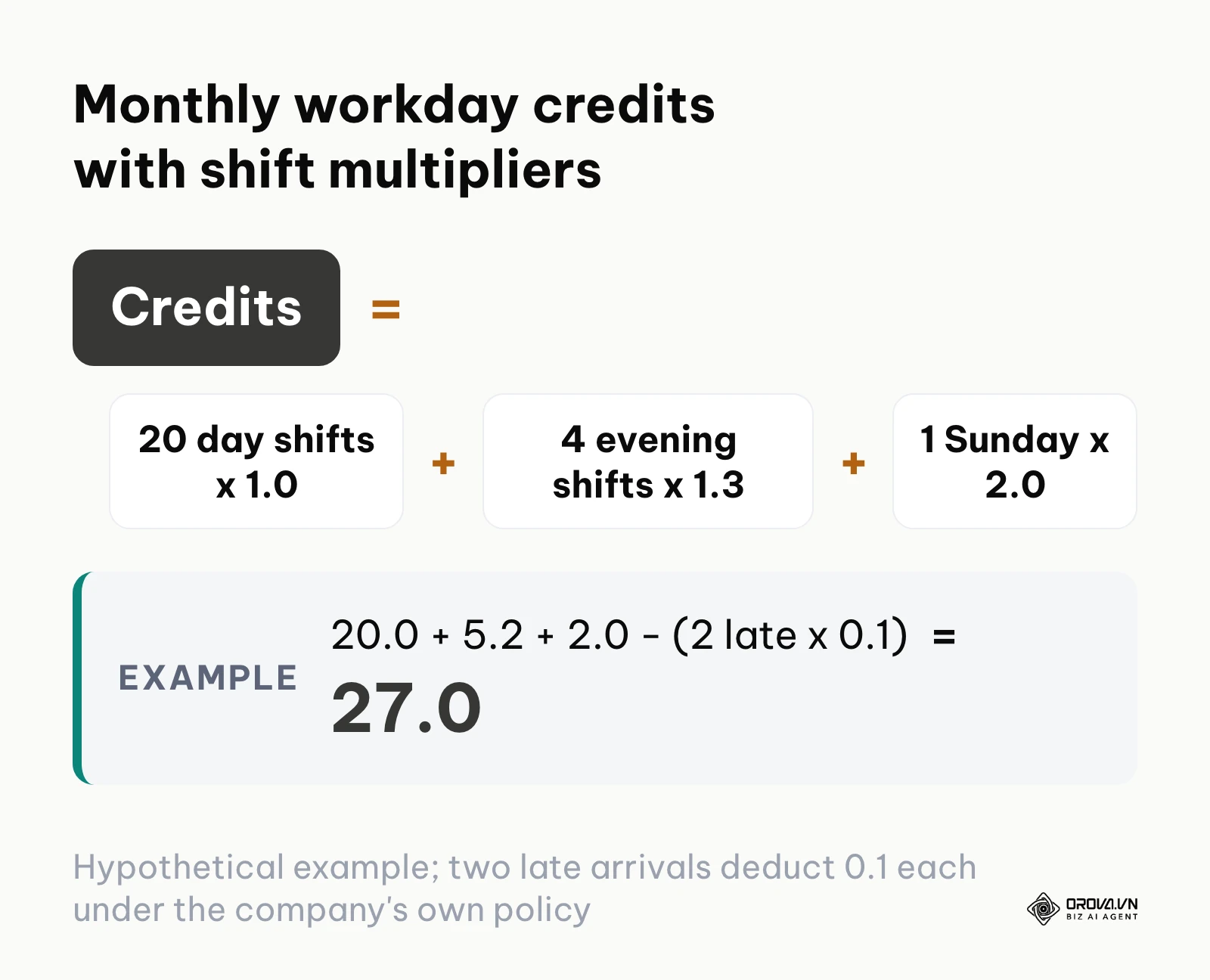
Industrial plants, healthcare facilities, customer service hubs, and hospitality venues frequently utilize shift multipliers. A standard daytime shift carries a base coefficient of 1.0. To attract staff for anti-social hours, evening shifts often carry a 1.3 multiplier, granting 1.3 shift credits for completing the scheduled window. Similarly, requesting an employee to work on an assigned rest day or Sunday might carry a 2.0 premium coefficient.
Calculating these variations by exporting raw timestamps into spreadsheets invites manual errors at month-end. A tool worth shortlisting should apply shift weights and subtract unpaid breaks on its own.
| Shift Classification | Base Multiplier | Scheduled Window | Break Deduction | Effective Shift Credit |
|---|---|---|---|---|
| Standard Day Shift | 1.0x | 08:30 – 17:30 (8 hrs) | 60 min unpaid lunch | 1.00 Shift Day |
| Evening Support Shift | 1.3x | 16:00 – 00:00 (8 hrs) | 30 min unpaid meal | 1.30 Shift Days |
| Weekend Supplementary Shift | 2.0x | 09:00 – 17:00 (8 hrs) | 60 min unpaid lunch | 2.00 Shift Days |
| Split Shift Morning Segment | 0.5x | 07:00 – 11:00 (4 hrs) | None | 0.50 Shift Day |
| Split Shift Afternoon Segment | 0.5x | 17:00 – 21:00 (4 hrs) | None | 0.50 Shift Day |
When these rules run inside the attendance system, managers can schedule mixed rotations without a month-end spreadsheet.
Hypothetical example: An omnichannel retail business employed 35 warehouse and fulfillment specialists running staggered operational shifts. The standard monthly baseline required 22 standard workdays (valued at 22.0 credits). One senior inventory coordinator worked an irregular schedule across the month: 20 standard daytime shifts (1.0 each), 4 evening fulfillment shifts carrying a designated 1.3 multiplier, and 1 emergency Sunday stock-take shift with an approved 2.0 supplementary multiplier. During the month, the employee incurred two unexcused late arrivals exceeding the company's 15-minute grace threshold, and the company's own policy deducts 0.1 credit per such late arrival. Instead of computing this manually in Excel, the attendance engine evaluated the formula:
(20 x 1.0) + (4 x 1.3) + (1 x 2.0) - (2 x 0.1) = 20.0 + 5.2 + 2.0 - 0.2 = 27.0 effective credits.
At month-end the operations manager exported the timesheet to the payroll step without rebuilding the formula by hand.
Handling Missed Punches and Attendance Exceptions in 5 Steps
Even the most disciplined workforces encounter attendance anomalies. An employee rushes out for a personal emergency and forgets to clock out; an internet outage prevents a web punch; or a team member works off-site without network access. Without a rule, these missed punches leave sessions open and distort totals.
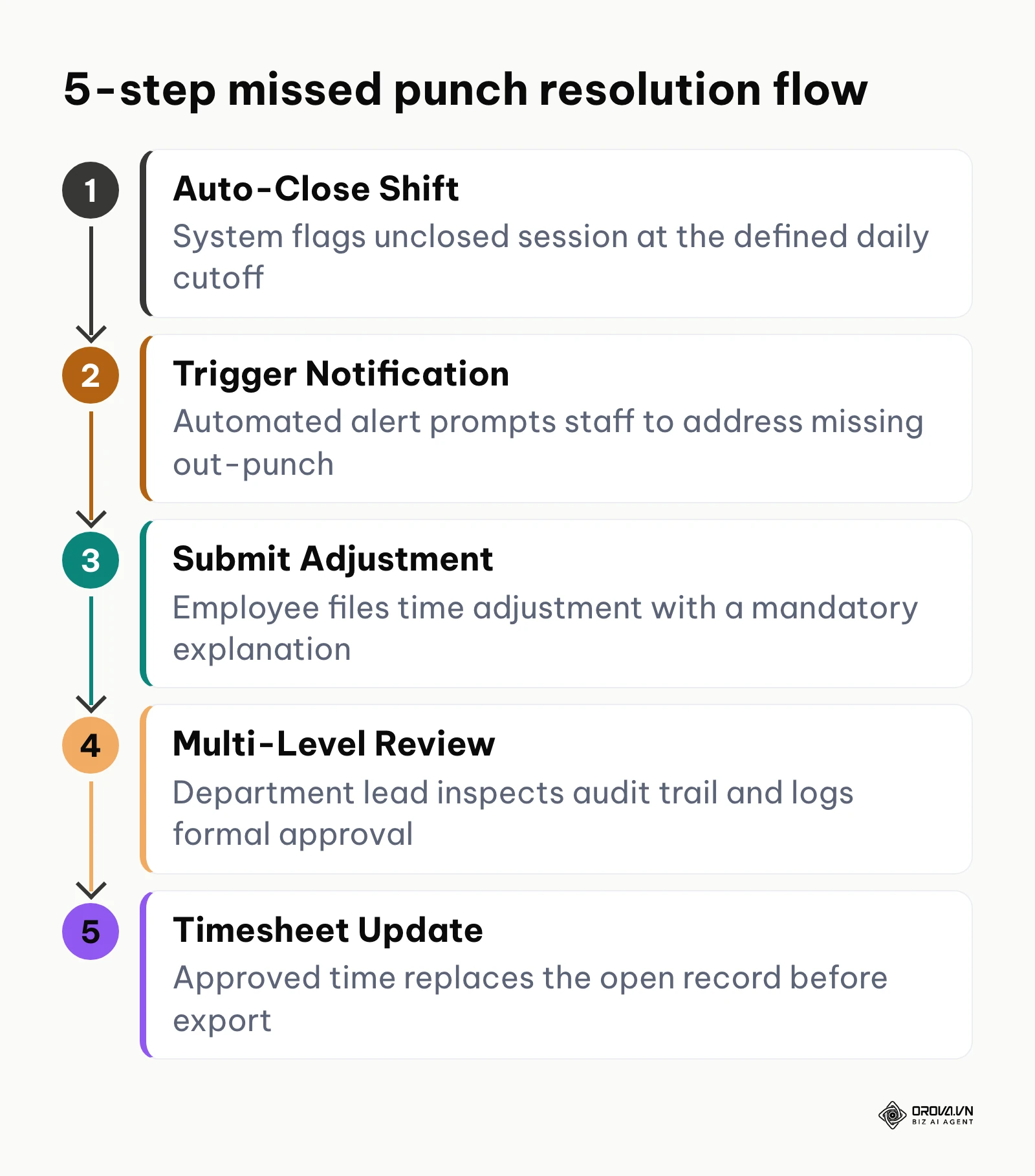
Fixing these exceptions cannot rely on informal chat messages or verbal requests to payroll administrators. When you evaluate tools, check that they support a five-step workflow with a clear edit history.
- Step 1: Automated shift closure at daily cutoff. When an active clock-in session remains open past a pre-configured cutoff threshold (for example, 12 hours after start or at midnight), the system automatically terminates the running timer and tags the day with a visible Missed Punch status flag.
- Step 2: Automated notification trigger. The system immediately dispatches an automated email notification to both the employee and their direct supervisor, indicating that an unclosed session requires formal reconciliation.
- Step 3: Formal adjustment request submission. The employee accesses an internal request portal to submit a formal punch amendment. The form requires entering the exact claimed departure time, selecting a predefined category (such as forgotten punch, hardware glitch, or off-site assignment), and submitting a mandatory written explanation.
- Step 4: Multi-level administrative approval with audit logging. The department lead reviews the request against physical building access logs, project deliverables, or supervisor confirmation. The manager approves or rejects the request with an explicit notation. The system logs the manager identity, timestamp, and previous raw values in a permanent audit history.
- Step 5: Timesheet synchronization and payroll lock. Once approved, the revised working hours override the incomplete record on the master monthly timesheet, recalculating total credits and removing the exception flag before the payroll export is compiled.
A documented exception process reduces disputes over hours. In the United States, the Fair Labor Standards Act (FLSA) requires covered employers to keep records of hours worked by non-exempt employees, and state rules can add more; a clear correction trail helps keep those records accurate. Check the rules that apply where your staff work.
| Exception type | Evidence to ask for | Who approves |
|---|---|---|
| Forgotten clock-out | Actual end time and a short reason | Direct team lead |
| Forgotten clock-in | Actual start time and what the person was working on | Direct team lead |
| Clock-in from an unexpected network or location | Reason, such as an approved off-site task | Team lead, then the attendance admin if required |
| Overtime beyond the schedule | Task or request that needed the extra time | Team lead, then the next approver in the chain |
Hypothetical example: At a digital engineering firm of 24 remote developers, an average of fifteen missed clock-outs occurred every pay cycle due to staff closing their laptops without opening the web portal. The administrative assistant previously spent a large part of month-end sending individual chat messages to manually clarify departure times. The agency activated an automated exception rule: any session running past 10:00 PM auto-closed and triggered an immediate alert. Developers were required to file an electronic adjustment ticket detailing their genuine log-off time and reason before the system would unlock subsequent weekly timesheets. By the next cycle, open exceptions were resolved through the request flow instead of chat threads, and the month-end export no longer waited on manual follow-ups.
Close the month without rebuilding timesheets by hand. Orova Timekeeping calculates shift multipliers into the monthly timesheet, routes forgotten-punch corrections through approval and exports to Excel for your payroll step. It is free until the end of July 7, 2027.
Multi-Dimensional Attendance Scoring Beyond Tardiness Penalties
Traditional attendance management is almost entirely punitive. Companies use attendance records primarily to identify who arrived ten minutes late, calculate deductions, and issue warnings. This negative focus overlooks broader patterns of consistency, schedule coverage, and sustained operational contribution.
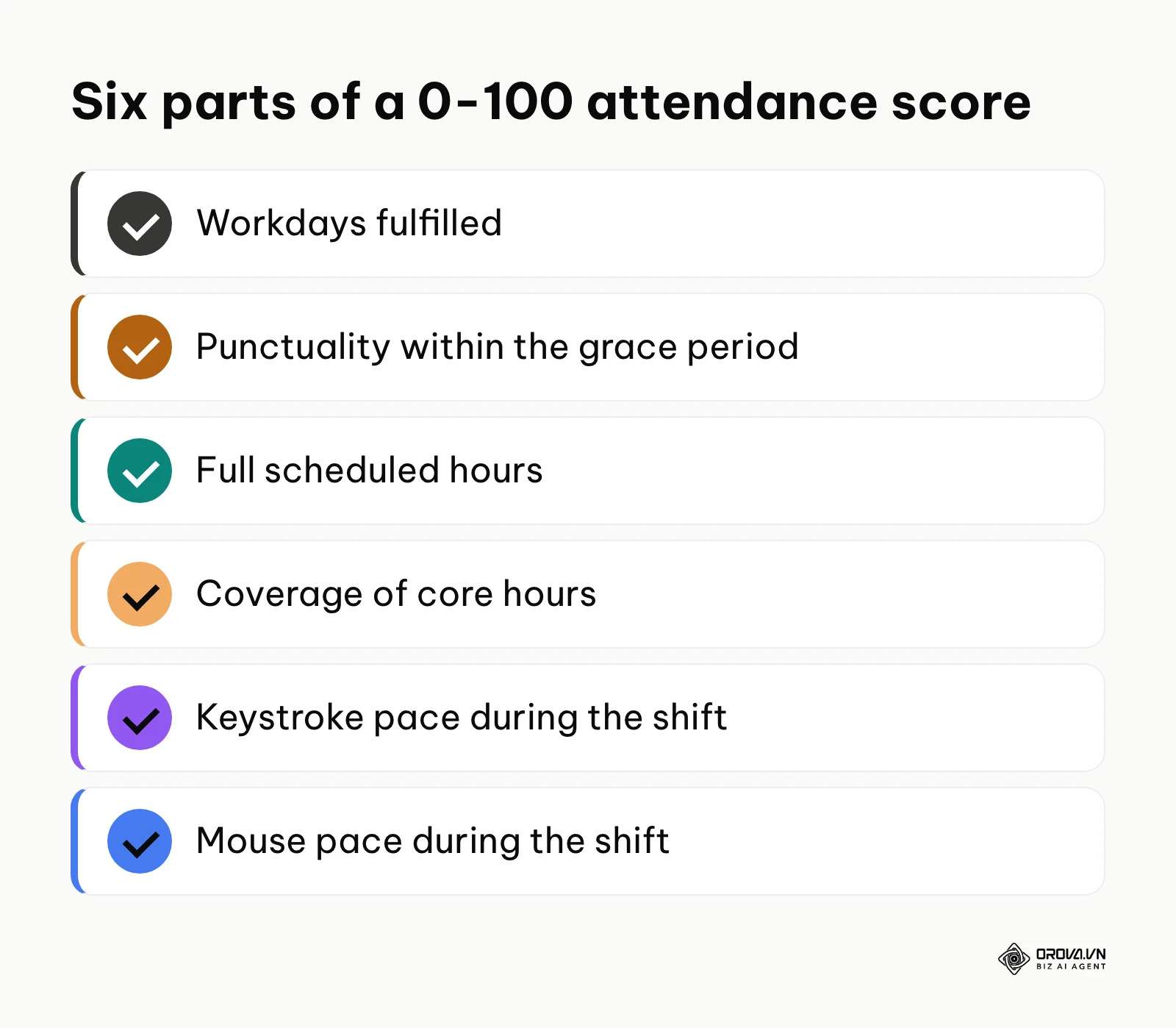
A forward-looking attendance system evaluates attendance through a multi-dimensional scoring framework. Instead of a binary present-or-late calculation, modern platforms can compile a comprehensive 0–100 score across six operational metrics:
- Workday fulfillment: Meeting the baseline required shift count for the monthly cycle.
- Schedule punctuality: Arriving within established grace windows without unexcused tardiness.
- Hour completion: Completing full scheduled shift durations without unauthorized early departures.
- Schedule coverage: Maintaining operational availability across designated core team hours.
- Keystroke pace: Demonstrating regular, sustained interaction during active desktop shift intervals.
- Mouse input frequency: Maintaining active navigation and operational workflow engagement.
| Role | Punctuality weight | Full hours and coverage weight | Activity pace weight | Why |
|---|---|---|---|---|
| Phone support agent | High | Medium | Low | Calls must be answered from the first minute of the shift |
| Software developer | Low | High | Medium | Flexible start, but core hours and steady focus matter |
| Accountant at month-end | Medium | High | Medium | Deadlines cluster, so full hours matter more than the exact start |
The table above is a hypothetical example of weights; set your own. This multi-dimensional model allows organizations to calibrate benchmarks according to departmental job descriptions. A software developer might be evaluated with high emphasis on sustained active focus and core hour coverage, with flexible start times. Conversely, a live telephone support agent requires strict punctuality scoring to ensure incoming customer calls are answered promptly. Pairing structured attendance scoring with a well-designed employee onboarding training plan ensures new hires understand these performance benchmarks from day one.
A shared scoring framework reduces the room for one-sided judgement. At review time, managers and employees look at the same record instead of relying on selective memory, and any low score is a starting point for a conversation rather than a verdict.
Future Trends in Attendance Tracking: Author Perspective
Workforce attendance tracking is changing, and I see three developments worth watching.
First, I think office teams will keep moving away from dedicated attendance hardware. Web clock-ins and lightweight desktop apps are easier to roll out and maintain than wall-mounted terminals, so for non-industrial offices I expect hardware to become the exception rather than the default, while factories and job sites keep their kiosks.
Second, I expect more of the exception work to be prepared by AI. Today, managers still spend time working out why an employee missed a clock-out. I think tools will increasingly propose a correction from the available records and leave the decision to the manager, which shortens the month-end clean-up. However, if enterprise data privacy regulations tighten further and restrict internal system cross-referencing, this autonomous reconciliation may face adoption delays in heavily unionized European markets.
Finally, the long-standing divide between attendance presence and performance evaluation will dissolve. Tracking mere physical or digital presence is an outdated management proxy. I believe attendance metrics will integrate directly into multi-dimensional role scoring models, where hours worked sit alongside deliverables and role expectations. Business leaders should prepare for this shift today by modernizing their operational policies: replace blunt tardiness deductions with multi-dimensional contribution metrics that reward consistent operational reliability.
Frequently Asked Questions About Attendance Tracking
What is the most effective way to track employee attendance for remote teams?
The most effective approach combines single-button web clocking with privacy-first desktop activity verification. Remote workers start their workday via a browser dashboard, while background software records active versus idle minutes and input frequency without capturing sensitive screen displays or reading private text. This gives managers a shared, verifiable picture of the workday without collecting personal content.
How should attendance tracking handle forgotten employee clock-outs?
Organizations should configure an automated cutoff rule that automatically closes any session left open past a specified daily threshold, such as twelve hours or midnight. Once auto-closed, the system flags the entry as an exception and prompts the employee to submit an electronic adjustment request with a mandatory reason. A supervisor reviews the audit log and approves the true departure time before payroll closes.
Can an attendance tracking system calculate different hourly pay multipliers automatically?
Yes, dedicated platforms allow administrators to attach specific coefficients to distinct shifts. For instance, a regular day shift operates at a standard 1.0 multiplier, while an evening shift carries a 1.3 multiplier and Sunday work carries a 2.0 premium. When employees clock into those designated shifts, the platform automatically factors the multiplier into the monthly workday credit sum exported to payroll.
Is taking periodic desktop screenshots legal for attendance verification?
While permissible in certain jurisdictions with explicit written employee consent, continuous screen capture carries severe legal and regulatory liabilities under global privacy frameworks like the General Data Protection Regulation (GDPR). Screenshots frequently capture private personal communications, medical records, and banking credentials. Many organizations prefer count-only activity metrics instead. Check local law before using any monitoring.
What role does artificial intelligence play in modern attendance tracking?
AI is starting to help with the reading of attendance data rather than the punch itself. Depending on the tool, AI can draft role descriptions or review monthly attendance and activity numbers against role benchmarks and point to evidence for each criterion. Treat the output as a prompt for a manager to review with the employee, not as an automatic decision.
Where Should You Start?
Deploying or upgrading an attendance management system does not require a chaotic company-wide overhaul. The most successful implementations follow a controlled, methodical path based on your current operational maturity.
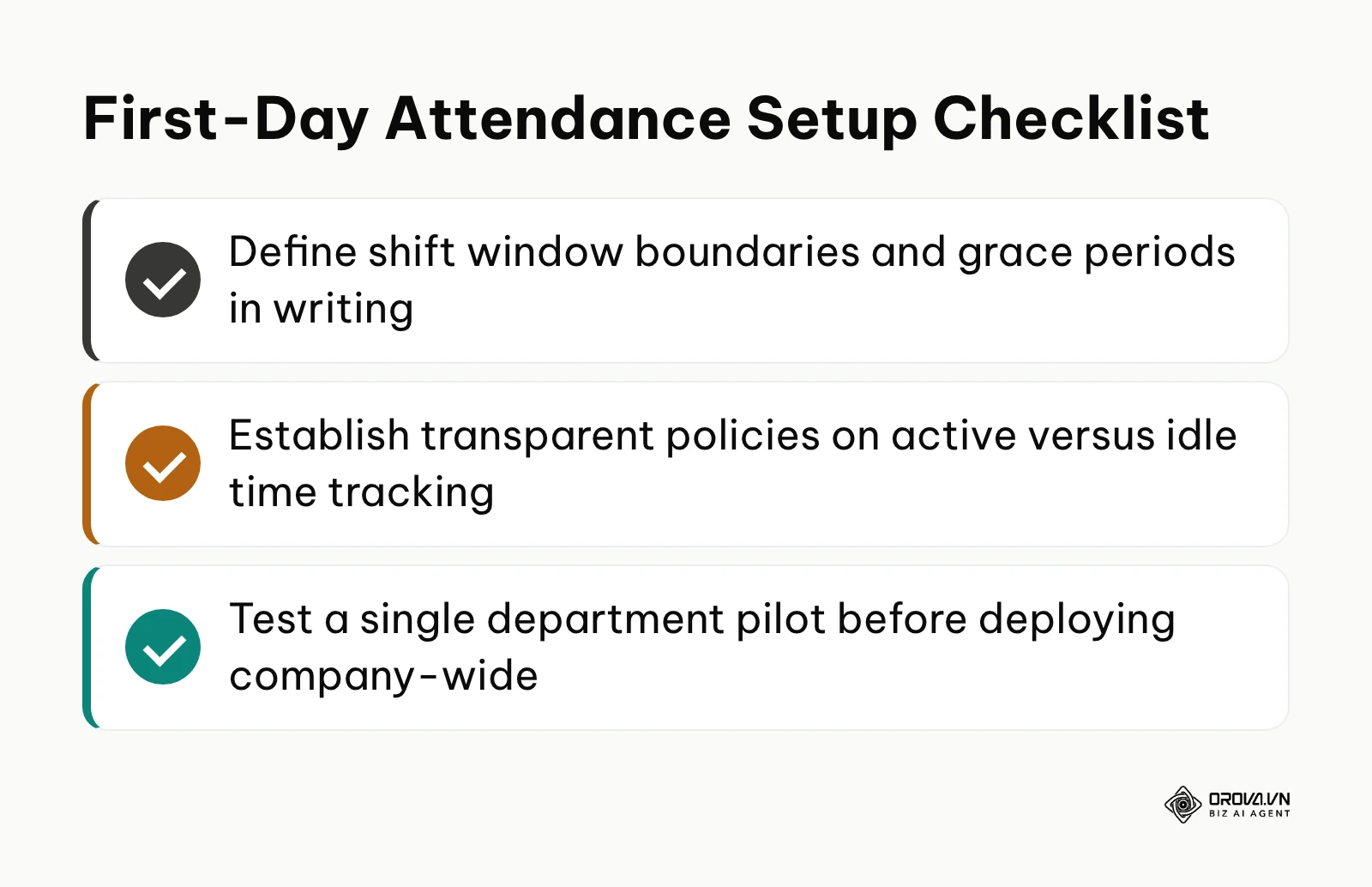
If you are currently tracking attendance on paper punch cards or disconnected spreadsheets, do not attempt to automate advanced performance scores immediately. Your immediate step for tomorrow morning is to audit your written attendance rules. Draft a concise, one-page policy defining exact shift boundaries, acceptable tardiness grace periods (such as ten minutes), and mandatory meal break deductions. Clear operational rules must exist on paper before software can enforce them accurately.
If you already use basic digital time clocks but waste days reconciling missed punches before payroll, focus your efforts entirely on exception governance. Spend one afternoon configuring automated shift cutoff thresholds and activating an electronic adjustment approval workflow. Require employees to submit formal explanations for forgotten punches directly through the system. Establishing this single workflow will eliminate the chaotic flood of last-minute timesheet correction emails before your next payroll run.
If your organization manages hybrid or remote desk workers and struggles to verify active productivity without infringing on privacy, review your desktop tracking methodology. Audit whether your current tools collect unnecessary personal data like screenshots or keystroke text. Transition your team to a privacy-first measurement framework that tallies pure numeric activity counts. By implementing clear shift multipliers, transparent exception handling, and respectful activity verification, you establish an equitable operational foundation for modern attendance tracking.
About the author

Builder of Orova
Nguyễn Đỗ Trọng Ân has 8 years of experience in marketing, including 6 years managing market development across Asia. He builds Orova, a Biz AI Agent that never sleeps: it plans, runs and optimizes work for businesses.
Run your business with AI Agents
Orova is the always-on Biz AI Agent — it plans, runs, and optimizes the work for you.
Save time, unlock productivity.