
How to create a staff schedule in 7 steps (2026)

Learning how to create a staff schedule transforms chaotic weekly shift rotations into a predictable roster that keeps your business fully staffed without inflating labor expenses. By following this seven-step guide, you will produce an actionable weekly shift timetable that balances customer demand, accounts for unpaid break intervals, applies custom shift compensation multipliers, and reconciles directly with payroll timesheets.
Before starting, ensure you have your team's updated availability records, historical sales or transaction volume for the upcoming cycle, an approved time-off calendar, a basic spreadsheet or staff scheduling software, and roughly 90 minutes of focused planning time. Sole proprietors, individual freelancers, and teams operating strictly on fixed 9-to-5 synchronous desk shifts without rotating coverage needs do not need to implement this multi-tier scheduling framework.
How to create a staff schedule: quick overview and workflow
To create an effective staff schedule, analyze peak customer demand, establish shift blocks with designated unpaid breaks, assign qualified personnel according to documented availability, apply shift compensation multipliers, and publish the roster early enough for people to plan their lives (two weeks is a common practice, and a legal minimum in some places). Expect the first build to take a couple of hours; later cycles are much faster because most of the inputs carry over.
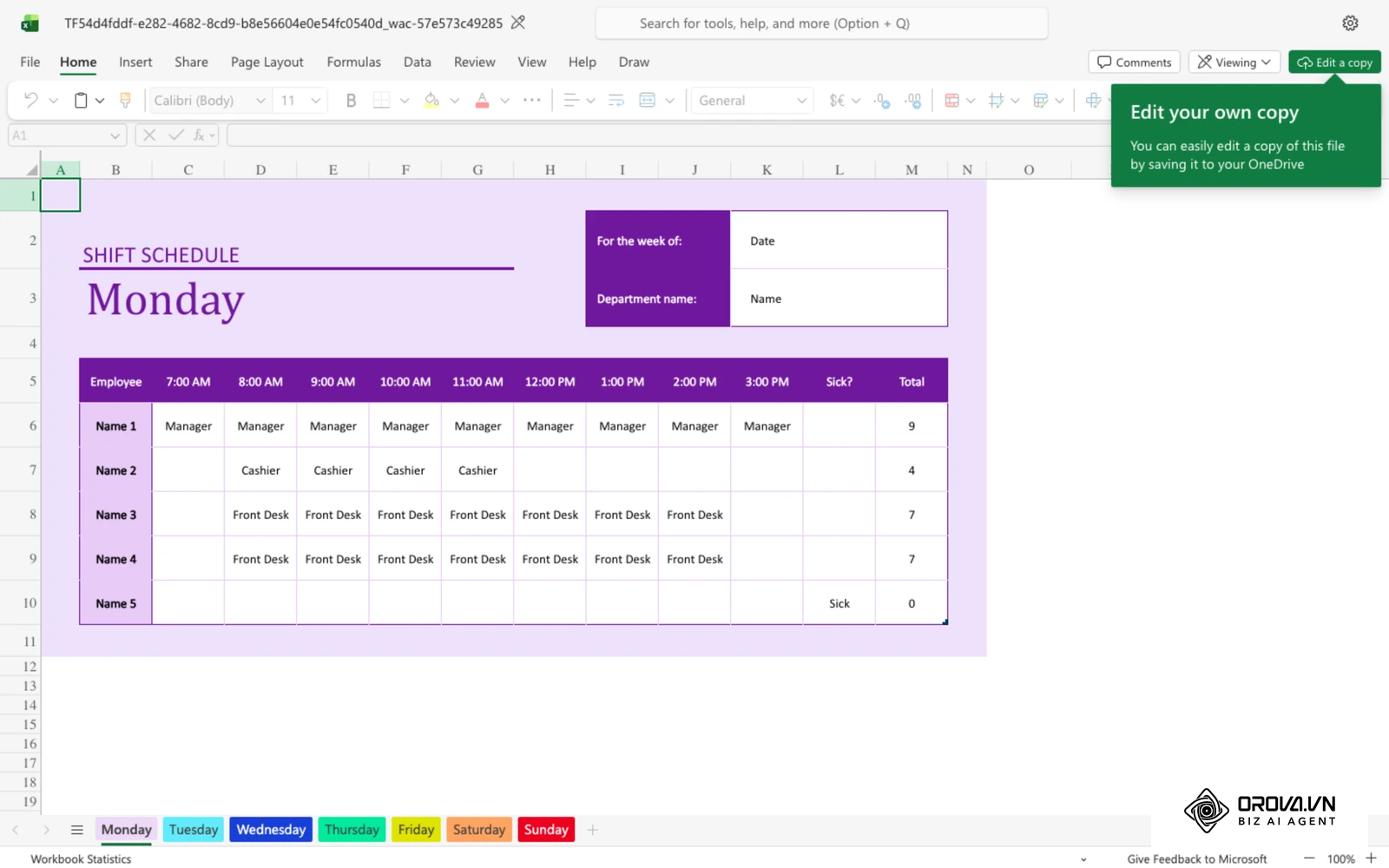
A modern staff schedule is an operational contract balancing business coverage, employee rest periods, and labor budgets. When configured correctly using modern staff scheduling software or standardized templates, it reduces understaffing during peak rushes while protecting margins against unbudgeted overtime.
Prerequisites to prepare before building your staff schedule
Attempting to build a roster without preliminary operating figures leads to immediate revisions, employee confusion, and compliance violations. Assemble the five prerequisites outlined below before plotting your first shift block.
| Resource Needed | Source Location | Estimated Gathering Time | Risk if Missing |
|---|---|---|---|
| Historical Demand Metrics | Point of Sale (POS) system, CRM ticketing volume, or foot-traffic logs | 30 minutes | Overstaffing quiet periods or understaffing peak customer rushes |
| Worker Availability & PTO Records | Approved leave requests, student schedules, and availability forms | 20 minutes | High absenteeism, last-minute call-outs, and scheduling conflicts |
| Applicable Labor Rules | Your national and local labor authority (e.g., US Department of Labor, EU Working Time rules, city fair-workweek offices) | 15 minutes | Penalties for breaking local rest, break, or advance-notice rules |
| Shift Classification Matrix | Operational handbook defining day, split, evening, and weekend tiers | 15 minutes | Inaccurate wage projections and payroll calculation errors |
| Scheduling Roster Template | Standard spreadsheet ledger or dedicated software dashboard | 10 minutes | Formatting delays, formula errors, and unreadable shift grids |
Step 1: Forecast labor demand and map shift coverage needs
The goal of this step is to calculate the exact headcount required for every operating hour across each department.
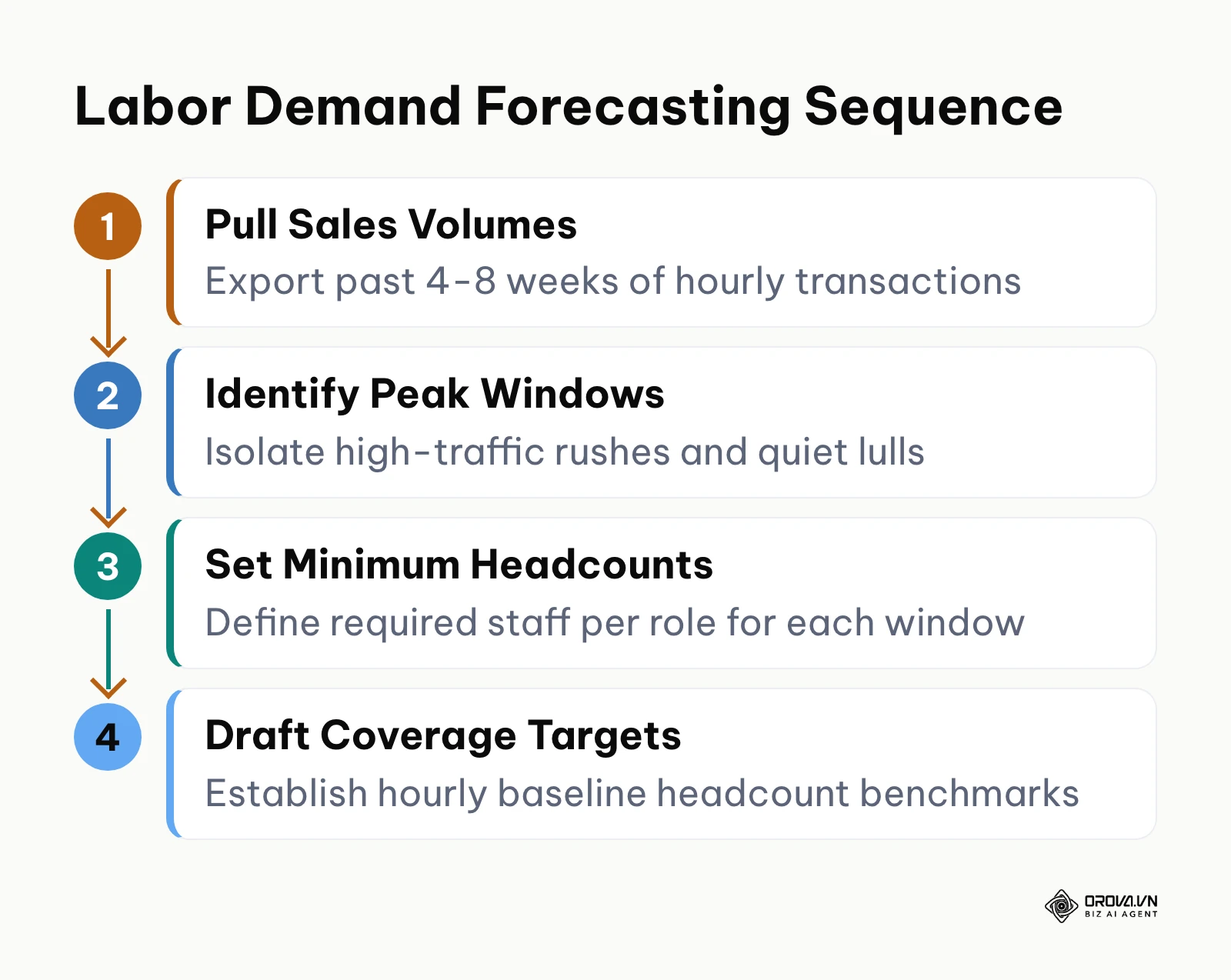
To begin, open your sales reporting software or operational management dashboard. Export hourly transaction counts, customer foot traffic, or support ticket volumes covering the previous four to eight weeks. Filter out irregular seasonal spikes or one-off events that could distort baseline demand. Next, plot your operating day into distinct service windows: opening preparation, morning peak, afternoon lull, evening rush, and closing cleanup. For each window, establish a minimum staffing threshold per role (for example, two line cooks and three cashiers from 11:30 AM to 1:30 PM). The workflow diagram below outlines the demand forecasting sequence.
You know this step is complete when you hold a consolidated hourly coverage map showing specific role headcounts required for every operating hour of the upcoming week.
A frequent mistake during demand forecasting is applying flat staffing levels across the entire operating day. This practice leaves teams understaffed during noon rushes and overstaffed during mid-afternoon lulls. To resolve this imbalance, review your hourly POS sales data and reduce mid-day staffing to minimum floor coverage while redistributing those labor hours to peak customer windows.
Step 2: Establish shift types and configure split shifts with unpaid breaks
The goal of this step is to define distinct shift templates, including opening, closing, and split shifts, while ensuring unpaid break segments are strictly separated from credited work hours.
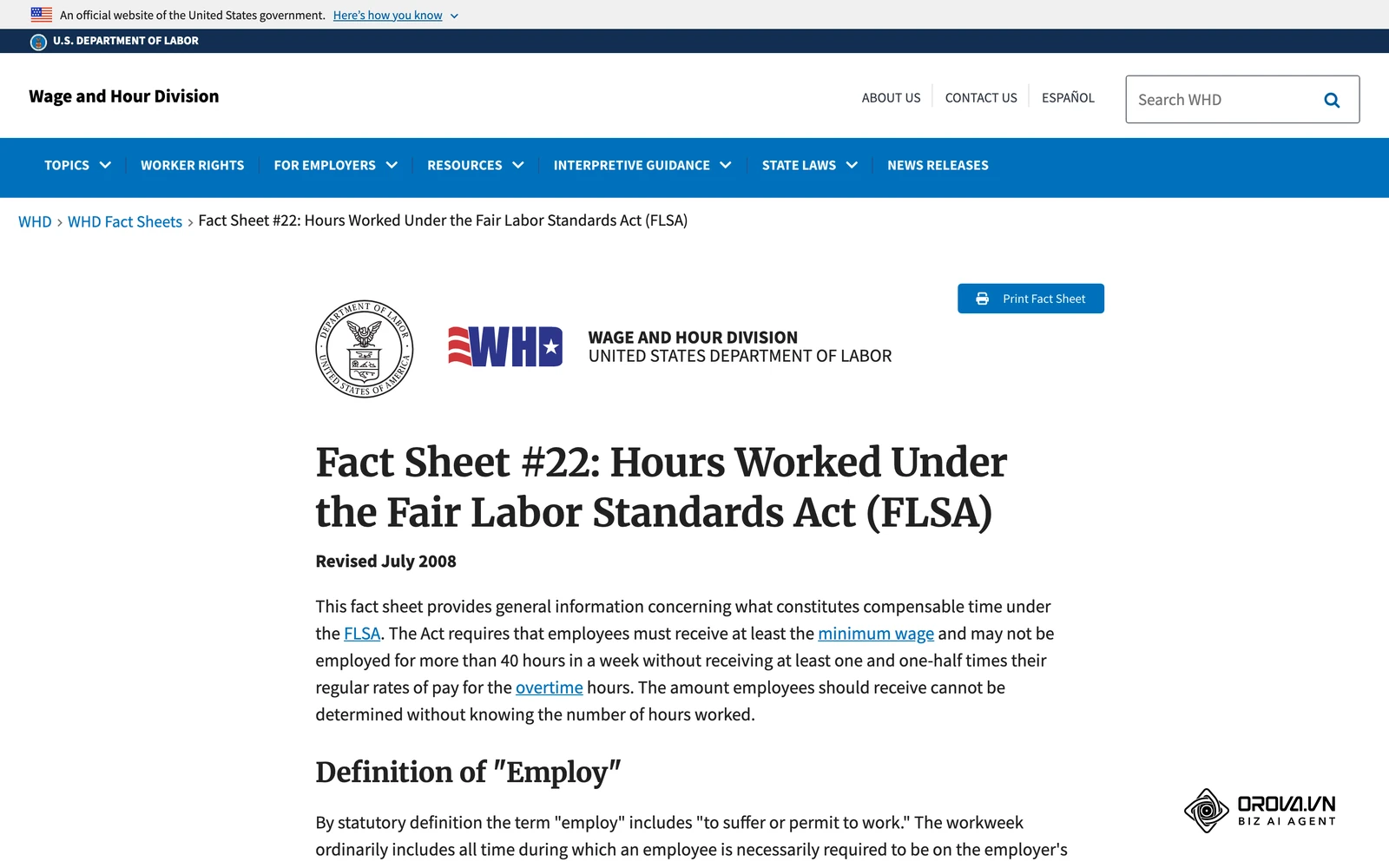
Navigate to your scheduling software settings or spreadsheet template configuration tab. Create standard continuous shifts (such as 8:00 AM to 4:30 PM with a 30-minute unpaid lunch) and split shifts designed for broken operational peaks. When configuring a split shift, create two separate working intervals separated by an unpaid intermission (for instance, Segment A running 10:30 AM to 2:00 PM and Segment B running 5:00 PM to 9:30 PM). Break rules differ by country. In the United States, for example, US Department of Labor guidance under the Fair Labor Standards Act (FLSA) treats bona fide meal periods (ordinarily 30 minutes or more) as non-work time only when the employee is completely relieved of duty; short rest breaks count as paid work time. Check your local rules, then label the unpaid intermissions clearly so they are not counted as working hours, and record and pay any time an employee is asked to work during a break.
| Split shift segment | Time | Duration | Counted as work? |
|---|---|---|---|
| Segment 1 | 10:30 - 14:00 | 3.5 hrs | Yes |
| Unpaid gap (fully off duty) | 14:00 - 17:00 | 3.0 hrs | No |
| Segment 2 | 17:00 - 21:30 | 4.5 hrs | Yes |
| Total | 10:30 - 21:30 | 11.0 hrs span | 8.0 credited hrs |
You know this step is completed correctly when your shift roster displays both the total span of the shift (e.g., 11 hours elapsed) and the net credited working time (e.g., 8 credited hours), with non-working intervals clearly distinguished on the calendar.
A recurring error is failing to formalize split-shift break boundaries. When employees linger on the premises during a three-hour unpaid afternoon gap without punching out, disputes arise about whether that time should be paid. Establish a written policy that employees are fully relieved of duty during scheduled split intermissions and clock out, and that any work requested during the gap is recorded and paid.
Hypothetical example: A general manager of a 14-person quick-service restaurant has more staff than needed during the afternoon lull. The manager sets up a split shift with two segments (10:30 AM to 2:00 PM and 5:30 PM to 9:30 PM) separated by a 3.5-hour unpaid intermission, and keeps continuous prep shifts for the kitchen leads. When two cashiers are found still handling POS tasks during the break, the manager pays that time, then clarifies the rule: during the gap nobody is asked to work, and anyone who is needed is clocked back in. The roster keeps coverage for both meal rushes, and break time stops blurring into unplanned hours.
Step 3: Define shift differential rates and compensation multipliers
The goal of this step is to codify shift differential rates for hard-to-fill evening or weekend shifts to incentivize coverage and maintain payroll accuracy.
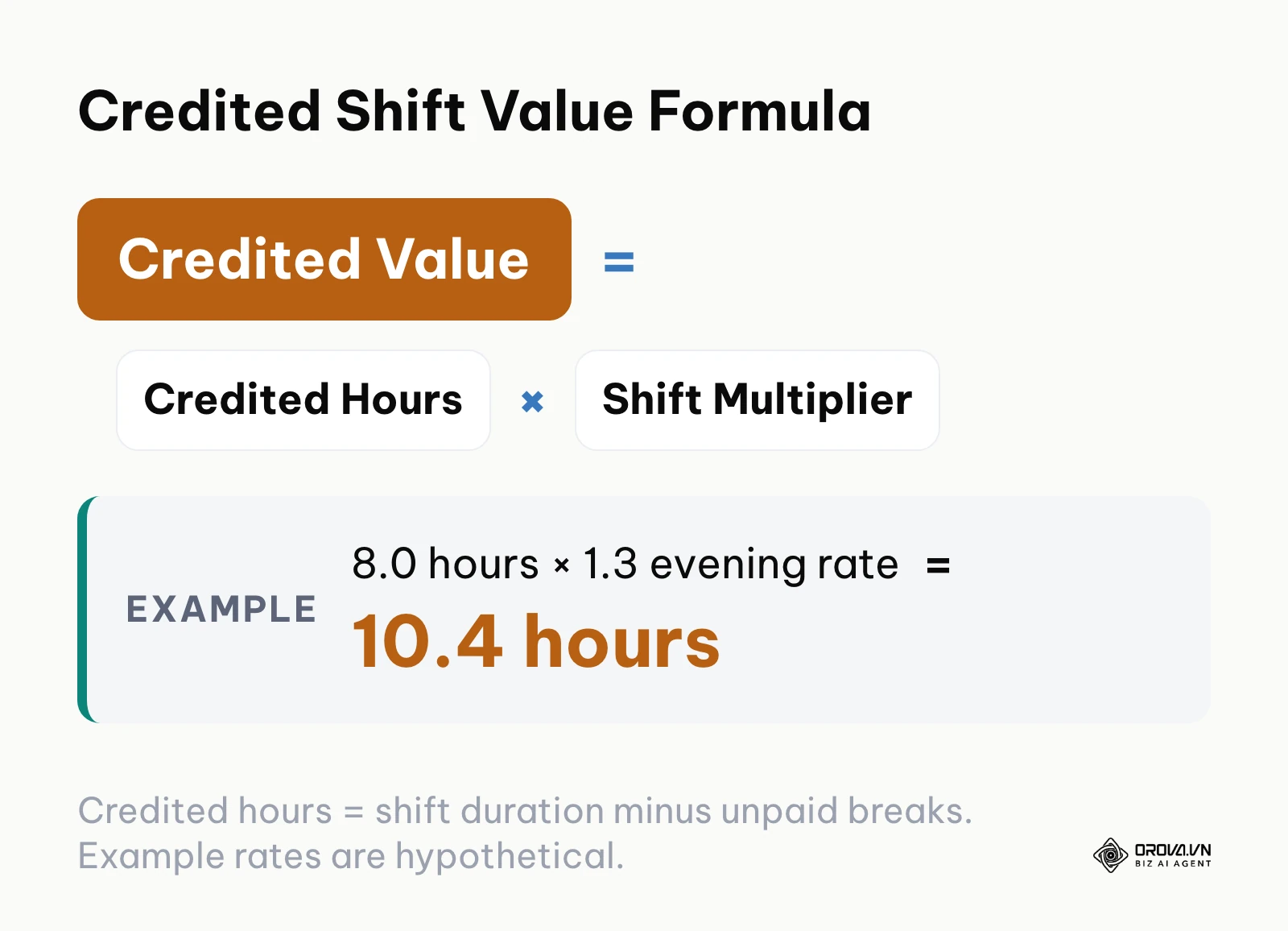
Open your shift configuration settings or payroll calculation ledger. Establish transparent compensation multipliers for hard-to-fill shifts. For example, assign a 1.3 multiplier for evening shifts (such as 2:00 PM to 10:30 PM) and a 2.0 multiplier for supplementary shifts worked on designated rest days or public holidays. These figures are examples; the right rates depend on your market, contracts, and local law. Set these multipliers to apply automatically to the employee's base shift credit calculation. The formula below illustrates how shift credits multiply based on the assigned shift rate.
Credited Shift Value = (Total Shift Duration − Unpaid Break Duration) × Shift Multiplier
Worked numerical example: monthly shift credit conversion
Hypothetical example: an employee earns 1.0 credit per standard 8-hour day shift. Over a monthly cycle, the employee completes:
| Shift type | Shifts | Hours each | Multiplier | Shift credits | Credited hours |
|---|---|---|---|---|---|
| Standard day shift | 20 | 8 | 1.0x | 20.0 | 160.0 |
| Evening shift | 4 | 8 | 1.3x | 5.2 | 41.6 |
| Supplementary Sunday shift | 1 | 8 | 2.0x | 2.0 | 16.0 |
| Total | 25 | 200 raw hours | 27.2 | 217.6 |
Instead of receiving unweighted pay for 25 raw shifts (200 hours), the employee receives compensation corresponding to 27.2 shift credits (217.6 credited hours), rewarding their participation in off-peak rotations without requiring manual spreadsheet adjustments.
You know this step is completed correctly when your scheduling ledger displays both raw physical hours worked and weighted shift credits for every employee assigned to non-standard hours.
A common pitfall is compounding overtime multipliers on top of shift differential multipliers without checking jurisdictional rules. In the United States, for example, the FLSA requires overtime at one and a half times the regular rate for non-exempt employees' hours over 40 in a workweek, and shift differentials are generally included in that regular rate. Other countries set their own overtime rules, so check the rules where you operate. Whatever the jurisdiction, never design shifts or multipliers to avoid paying overtime that is owed.
Hypothetical example: A director of nursing managing 18 nursing assistants at an assisted living facility struggles to fill evening rotations. The director keeps a base rate of 1.0 for morning shifts, sets a 1.3 multiplier for evening shifts (3:00 PM to 11:00 PM), and a 2.0 multiplier for supplementary rest-day shifts. When staff question their pay after a holiday weekend, the director writes down a precedence rule (the holiday rate replaces the evening rate instead of stacking) and checks it against local overtime rules. Because the rules are now written and predictable, more evening slots are claimed when the schedule is published instead of at the last minute.
Step 4: Collect employee availability and set PTO submission deadlines
The goal of this step is to gather verified staff availability, student class timetables, and approved paid time off (PTO) requests prior to populating the shift grid.
Establish a firm recurring deadline for availability updates and leave requests (for example, every alternate Tuesday at 5:00 PM for schedules covering the period starting 14 days later). Direct employees to submit their availability updates through your workforce management portal or a standardized digital form. Categorize submissions into full availability, recurring weekly constraints, and approved single-day leave. To build a reliable talent pool that can step into open shifts seamlessly, many organizations run structured pre-employment background check steps during hiring so temporary and part-time workers meet role requirements before their first shift.
You know this step is complete when you have a locked availability matrix where every active employee has a defined status (Available, Restricted, or On Leave) for each day of the upcoming schedule cycle.
A frequent operational mistake is accepting informal, verbal availability changes through corridor conversations or fragmented messaging apps. These informal requests inevitably get forgotten during roster assembly, leading to accidental scheduling conflicts. Enforce a single intake channel for all scheduling preferences and notify staff that verbal requests are not officially recognized.
Want the attendance side of your schedule in one place? Orova Timekeeping lets you set up shifts with work and unpaid break segments, give each shift its own coefficient, and route leave and missed-punch requests through multi-step approval, all with one-button clock-in on the web.
Step 5: Build the shift roster using a structured scheduling grid
The goal of this step is to populate your shift grid systematically, balancing operational coverage against employee contracted hours and rest rules.
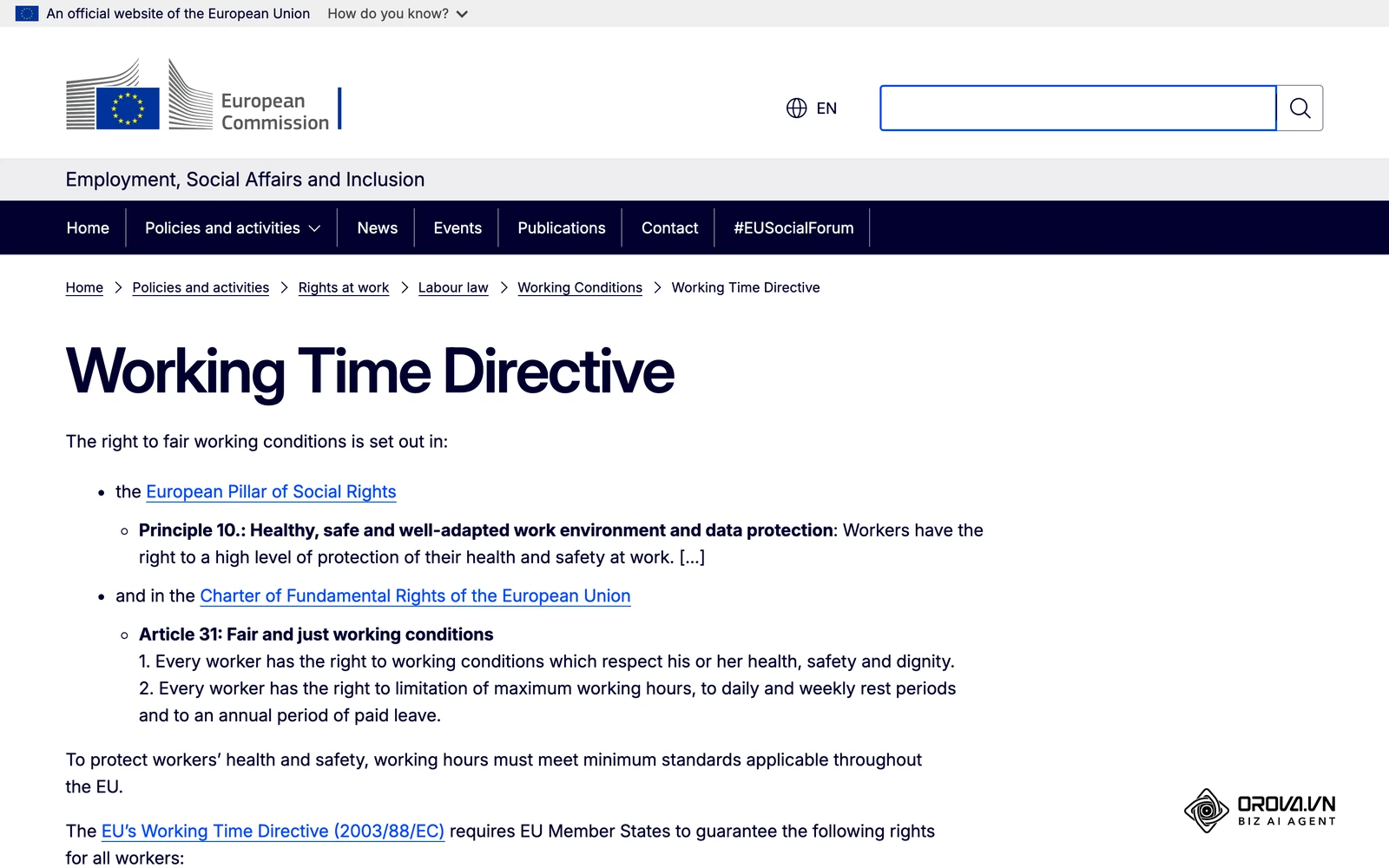
Open your staff scheduling software or spreadsheet master sheet. Populate shifts in three deliberate passes: first, assign specialized anchor roles (supervisors, licensed technicians, head chefs); second, fill primary core operational positions across opening and closing windows; third, allocate variable part-time staff to cover remaining mid-day rushes. Ensure you respect rest intervals between shifts, and check which rules apply where you operate. In the EU, the Working Time Directive sets a minimum of 11 consecutive hours of daily rest and an average limit of 48 working hours a week, including overtime. In some US jurisdictions with predictive scheduling (fair workweek) laws, such as Oregon, Seattle, and Chicago, covered employers must post schedules 14 days in advance and pay extra for many employer-initiated changes after posting; coverage depends on industry and employer size. Even where no such rule applies, avoid closing shifts followed immediately by opening shifts (known as "clopenings"). When building your core team, inclusive hiring practices can help you build a workforce with varied availability profiles suited for different shift rotations.
The table below is a 7-column scheduling grid template (hypothetical example data) covering split shifts, unpaid break deductions, and shift multipliers.
| Employee Name | Position | Shift Window | Work Segment | Break Segment | Shift Multiplier | Credited Hours |
|---|---|---|---|---|---|---|
| Marcus Vance | Kitchen Supervisor | 06:00 - 14:30 | 06:00 - 14:30 | 10:30 - 11:00 (30m unpaid) | 1.0x (Day) | 8.0 hrs |
| Elena Rostova | Line Cook (Split) | 10:30 - 21:30 | 10:30-14:00 & 17:00-21:30 | 14:00 - 17:00 (3h unpaid) | 1.0x (Day) | 8.0 hrs |
| David Chen | Evening Janitor | 14:00 - 22:30 | 14:00 - 22:30 | 18:00 - 18:30 (30m unpaid) | 1.3x (Evening) | 10.4 hrs (8h × 1.3) |
| Sarah Jenkins | Cashier (Morning) | 07:00 - 15:30 | 07:00 - 15:30 | 11:30 - 12:00 (30m unpaid) | 1.0x (Day) | 8.0 hrs |
| Carlos Gomez | Floor Associate | 12:00 - 20:30 | 12:00 - 20:30 | 16:00 - 16:30 (30m unpaid) | 1.0x (Day) | 8.0 hrs |
| Maya Patel | Sunday Support | 08:00 - 16:30 | 08:00 - 16:30 | 12:00 - 12:30 (30m unpaid) | 2.0x (Rest Day) | 16.0 hrs (8h × 2.0) |
| James Wilson | Closing Supervisor | 14:30 - 23:00 | 14:30 - 23:00 | 18:30 - 19:00 (30m unpaid) | 1.0x (Day) | 8.0 hrs |
Formula: Credited Hours = (Total Shift Window − Break Duration) × Shift Multiplier. For David Chen: (8.5 elapsed hours − 0.5 hour unpaid break) × 1.3 = 10.4 credited hours.
You know this step is completed successfully when every required shift block on the master calendar contains an assigned employee name, zero unassigned shifts remain, and total weekly hours per worker align with agreed contract caps.
A common error during schedule construction is scheduling key employees for excessive consecutive working days, leading to chronic fatigue and high turnover. Build an automatic alert into your spreadsheet or software that flags any employee scheduled for more than five consecutive days within a rolling seven-day cycle.
Step 6: Establish multi-step approval workflows for shift swaps and changes
The goal of this step is to create a structured governance workflow for shift exchanges, preventing unauthorized schedule modifications while preserving employee flexibility.
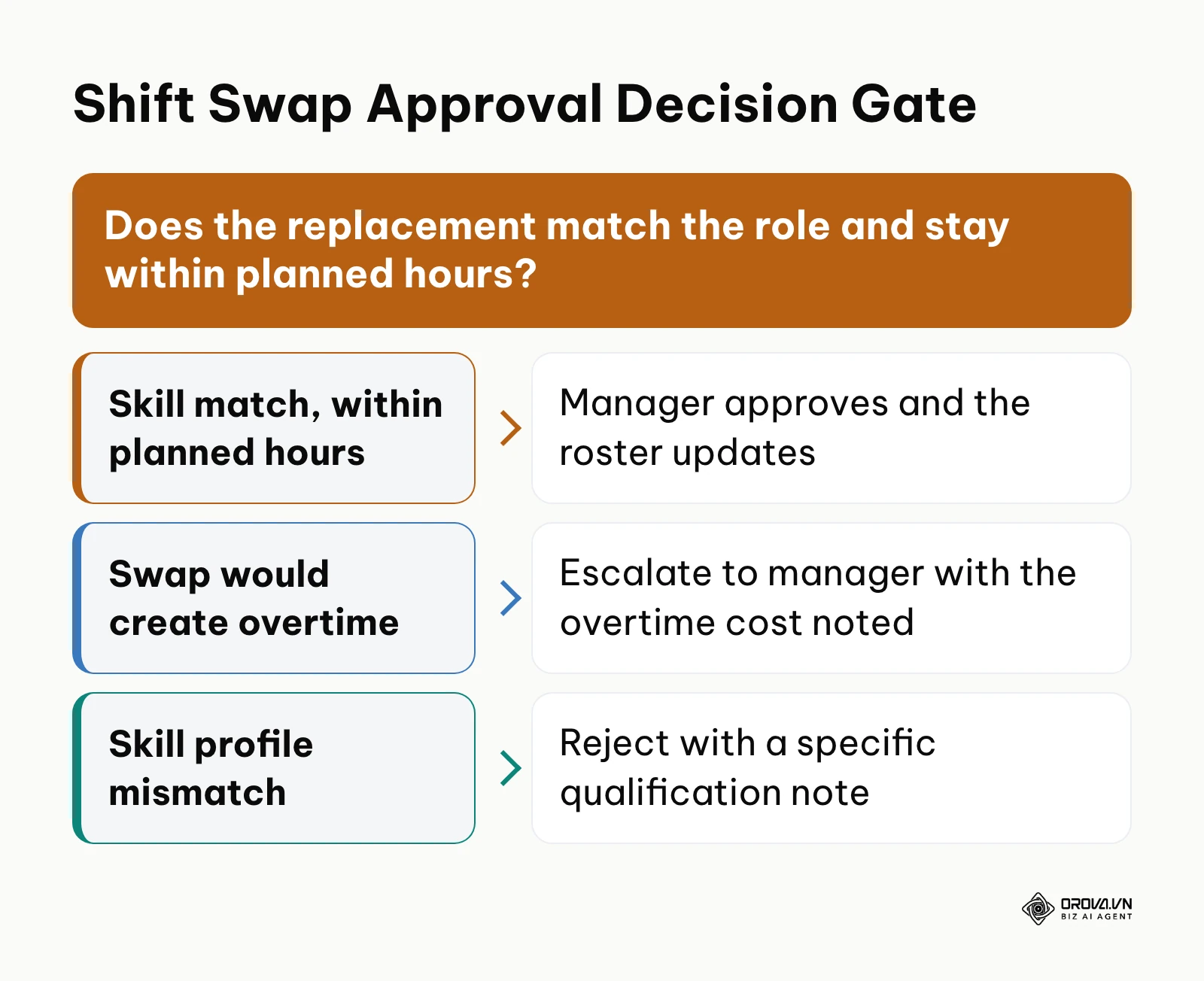
Access your scheduling system workflow settings or draft a formal shift change policy. Establish a three-tier approval workflow for peer-to-peer shift swaps:
- Initiation & Peer Acceptance: The initiating worker selects an assigned shift and nominates a qualified coworker, who must digitally accept the exchange within 24 hours.
- Direct Supervisor Review: The immediate department supervisor evaluates the proposed swap against skill requirements and checks whether the exchange pushes the replacement worker into unbudgeted overtime.
- Manager Final Authorization: The store or operations manager grants final approval, automatically committing the change to the live roster and logging an audit entry.
To prevent approval bottlenecks when managers take annual leave, configure temporary delegation rules. Assign a secondary approver with a defined expiration date (for instance, delegating supervisor approval rights to an assistant manager for exactly seven days). Additionally, set up automated notifications that remind pending approvers if a swap request remains unreviewed after 12 hours.
You know this step is operational when an employee can execute a shift swap request that routes through both peers and managers, producing an updated master schedule with an attached approval timestamp.
A frequent breakdown occurs when managers permit direct verbal shift swaps without updating the central roster. When an employee fails to show up for an informal swap, supervisors waste critical hours determining who was legally responsible for the shift. Mandate that any shift swap not approved through the formal multi-step workflow remains the sole attendance responsibility of the originally scheduled employee.
Step 7: Reconcile scheduled shifts against actual attendance records
The goal of this step is to execute a rigorous comparison between planned shift hours and actual electronic time records, resolving discrepancies prior to payroll submission.
Open your time tracking dashboard alongside your master weekly schedule. Compare planned clock-in and clock-out times against recorded punches. If you are still deciding how hours get recorded in the first place, our time clocking setup guide walks through that side. To prevent friction over tiny timing variances, set a grace period (such as five to seven minutes) within which a punch is not flagged as late or early. Use the grace period for attendance flags, not to trim paid time: hours actually worked still have to be paid (in the US, any rounding of time must be neutral over time).
Follow this five-step checklist to resolve attendance variances systematically:
| # | Reconciliation step | What to do | Why it matters |
|---|---|---|---|
| 1 | Configure grace period thresholds | Set a 5 to 7 minute tolerance window for lateness flags | Avoids disputes over tiny variances |
| 2 | Auto-close missing clock-outs | Close unclosed punches at the scheduled shift end and flag them for manager review | The real end time gets confirmed instead of guessed |
| 3 | Require written adjustment requests | Employees who missed a punch submit a request with the exact time and reason | Every change starts from the employee's own record |
| 4 | Use two-tier approval | Route punch adjustments through the direct supervisor and department head | No single person changes recorded hours alone |
| 5 | Lock monthly attendance records | Close timesheets at the end of the cycle and export approved data to payroll | Payroll works from one agreed version |
You know this step is completed correctly when every discrepancy between scheduled hours and recorded attendance contains an approved adjustment slip, a manager sign-off note, and a locked status tag.
A critical error is allowing managers to overwrite raw punch records manually without an audit trail. Unilateral adjustments expose businesses to wage-and-hour compliance lawsuits. Always maintain the original raw clock-in timestamp in your archive, recording adjustments as separate, annotated amendments approved by both the employee and management.
Hypothetical example: A warehouse supervisor managing 35 order selectors faces end-of-month disputes caused by missing evening punches. The supervisor sets an 8-minute grace threshold for lateness flags, auto-closes missing evening punches at the scheduled shift end for review, and asks selectors to submit an amendment request with a reason for any variance. When floor leads start approving missed punches verbally, the supervisor adds a second review by the warehouse director for every amendment. Month-end reconciliation becomes a short review of flagged records instead of a hunt through messages, and every change has a written trail.
Master staff scheduling checklist
Use this comprehensive operational checklist to track every stage of the staff scheduling cycle from initial forecasting to timesheet closure.
| Step Number | Key Task | Verification Indicator | Estimated Time Required |
|---|---|---|---|
| Step 1 | Forecast Labor Demand | Completed hourly coverage map based on past 4-8 weeks POS data | 30 minutes |
| Step 2 | Configure Shift Types | Shift templates separating active work from unpaid break intermissions | 20 minutes |
| Step 3 | Set Shift Multipliers | Defined rate tiers (e.g., 1.3x evening, 2.0x rest day) entered in ledger | 15 minutes |
| Step 4 | Collect Availability | Locked availability matrix with approved PTO and student hours | 25 minutes |
| Step 5 | Build the Shift Grid | Completed 7-column roster with zero unassigned shift gaps | 45 minutes |
| Step 6 | Configure Swap Workflows | Three-tier approval ladder with temporary delegation rules | 15 minutes |
| Step 7 | Reconcile Attendance | Five-step variance checklist verified and timesheets locked | 30 minutes |
Common scheduling mistakes and how to fix them
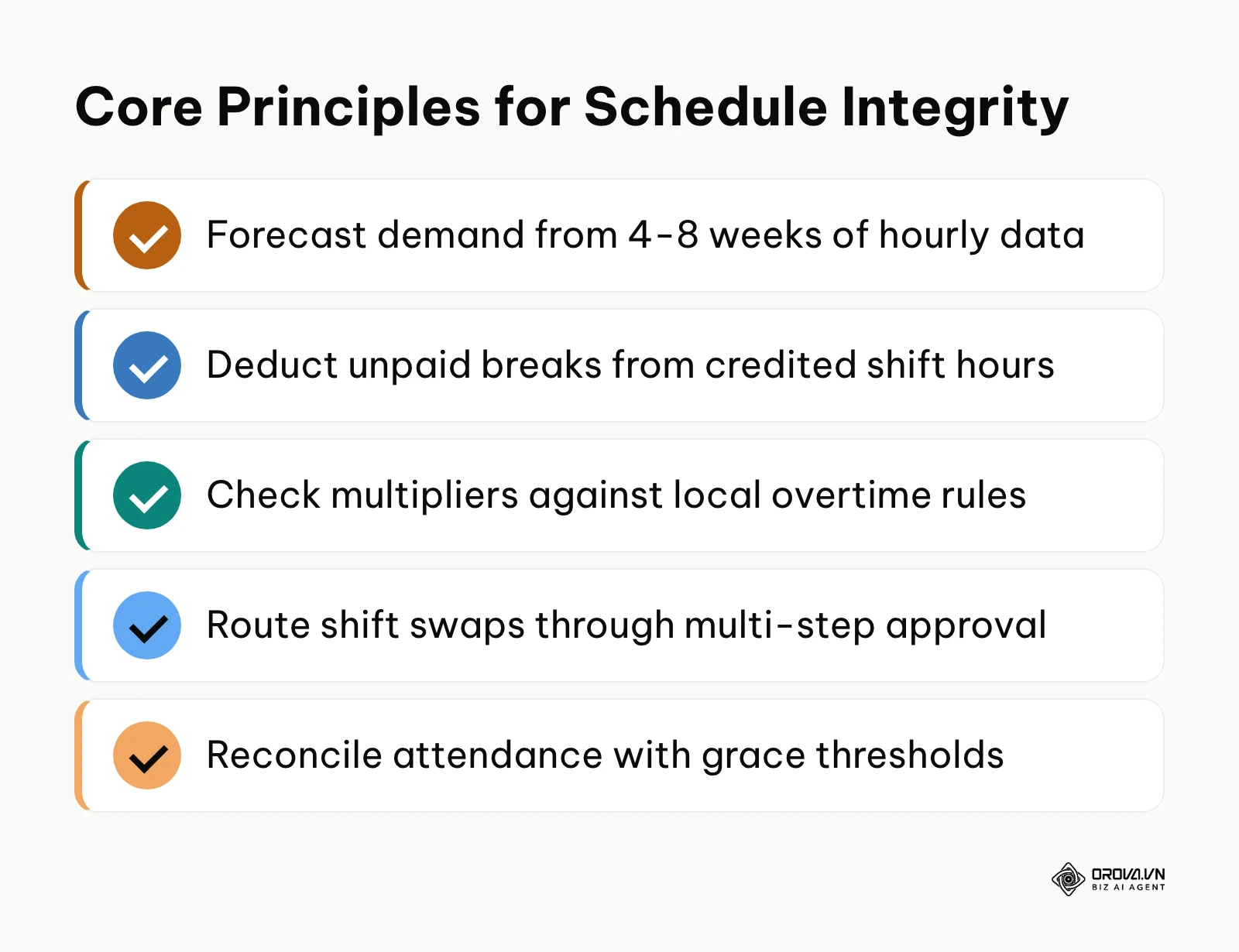
Even experienced managers run into friction when balancing business priorities against staff preferences. The table below outlines six common scheduling mistakes and practical ways to fix them.
| Common Mistake | Root Operational Cause | Corrective Action |
|---|---|---|
| Scheduling "Clopenings" (Late Close into Early Open) | Disorganized roster assembly that treats individual days as isolated silos | Set a minimum rest window between consecutive shifts (11 hours is the EU daily rest standard) and check it across rolling days |
| Miscounting Break Intermissions as Paid Time | Unclear shift boundary definitions in basic spreadsheet templates | Explicitly split shift blocks into distinct segments separated by non-compensable break intervals |
| Approving Shift Swaps Without Overtime Checks | Supervisors evaluating swap requests based solely on worker availability | Require automated calculation of cumulative weekly hours before granting shift swap approval |
| Manually Overwriting Timesheet Punch Errors | Attempting to expedite payroll closing without formal employee input | Require electronic amendment requests with mandatory employee reason codes and supervisor sign-offs |
| Ignoring Shift Multipliers During Budgeting | Estimating labor expenses using unweighted flat hourly wage averages | Apply shift differential multipliers directly to scheduled hours to project real payroll costs |
| Allowing Unclosed Punches to Linger into Payroll | Lack of automated punch monitoring at the end of daily operating shifts | Implement automated shift-end punch closures flagged for mandatory next-day supervisor review |
If you want the attendance side of this workflow in one place, Orova Timekeeping covers it on the web. Employees start and end their working day with one button; each shift can be split into work and break segments (lunch is not counted); each shift can carry its own coefficient (for example, an evening shift at 1.3); and a rest day can be turned into a supplementary working day with its own coefficient (for example, ×2). The monthly timesheet is calculated from those shifts and coefficients. Leave, missed-punch correction, and overtime requests go through multi-step approval with delegate approvers and reminders, forgotten clock-outs can be closed automatically, and the timesheet exports to Excel for your separate payroll process. It is a timekeeping tool, not a payroll system or a mobile clock-in app.
Turn planned shifts into a monthly timesheet calculated from shifts and coefficients, close forgotten clock-outs automatically, and export to Excel for payroll with Orova Timekeeping. Sign up and use all workspace features free until the end of July 7, 2027.
How to measure the effectiveness of your staff schedule
Evaluating your scheduling process requires tracking a few operational metrics rather than relying on gut feelings. Review the four indicators below regularly and compare each cycle with your own previous cycles; there is no universal target, so set yours from your own baseline.
| Metric | Formula | Direction to aim for | Review cadence |
|---|---|---|---|
| Schedule adherence rate | Actual worked hours in shift ÷ scheduled shift hours × 100% | Close to 100% and stable | Weekly |
| Unplanned overtime ratio | Unbudgeted overtime hours ÷ total scheduled labor hours × 100% | Low and falling | Every two weeks |
| Shift swap volatility | Requested swaps ÷ total scheduled shift blocks × 100% | Low and stable | Monthly |
| Open shift fill rate | Open shifts filled 48 hours ahead ÷ total open shifts × 100% | High | Monthly |
Measure these indicators right after each payroll close. If schedule adherence drops noticeably compared with previous cycles, check whether grace thresholds or shift boundaries conflict with how employees actually commute. If unplanned overtime keeps rising, audit your shift swap workflow to verify that supervisors check cumulative weekly hours before approving coverage changes. Unplanned overtime that was worked still has to be paid; the fix is better planning, not trimming hours.
Trends in staff scheduling over the next few years: author's take
Workforce scheduling is moving from manual planning toward rules and software that draft schedules for people to review. Here is my take on three shifts over the next few years.
First, I think advance-notice rules for schedules will keep spreading. Today, predictive scheduling laws in places like Oregon, Seattle, and Chicago already require covered employers to post schedules 14 days ahead and pay extra for many late changes. I expect more cities, states, and countries to adopt similar expectations, and even where they are not law, workers will increasingly treat two weeks' notice as the norm. To prepare, organizations should stop relying on last-minute weekly roster drafts and build operational buffers that allow them to publish schedules three to four weeks in advance. What could prove this wrong is pushback from small businesses seeking exemptions, which could keep such rules limited to large employers.
Second, I expect AI to take over more of the first draft of the schedule, moving managers from schedule builders toward reviewers of rules and exceptions. Many managers still arrange shift blocks by hand. I think tools will increasingly combine past demand, availability, and skills to propose a draft roster, while the manager approves exceptions and checks rest and overtime rules. However, this transition could stall if frontline workers resist algorithmic scheduling out of concern that automated tools lack empathy for personal scheduling emergencies.
Third, I lean toward the emergence of internal shift marketplaces where employees bid on open shifts dynamically. Frontline workers increasingly expect the schedule flexibility pioneered by gig-economy platforms. My view is that organizations letting qualified staff claim open shift blocks within a weekly budget will find it easier to keep people than those enforcing rigid, top-down schedules, though this only works if rest and overtime rules are still checked. Businesses should begin categorizing their shifts into fixed core anchors and open flexible slots to prepare for this operational transition.
Frequently asked questions about how to create a staff schedule
How far in advance should a staff schedule be published?
Two weeks before the start of the work cycle is a common practice. It gives employees time to arrange personal obligations and reduces last-minute swap requests. In some places it is also the legal minimum for covered employers (for example, under predictive scheduling laws in Oregon, Seattle, and Chicago), so check the rules where you operate.
How do you handle sudden call-outs without disrupting shift coverage?
Maintain a designated reserve list of cross-trained, on-call part-time employees who have declared availability for emergency fill-ins. When a call-out occurs, broadcast the open shift block simultaneously to qualified reserve staff using an automated notification system, offering the shift on a first-to-claim basis with an established supplementary wage multiplier.
What is the structural difference between continuous shifts and split shifts?
A continuous shift consists of a single unbroken block of working hours (typically 8 hours) interrupted only by a brief 30- to 60-minute meal break. A split shift divides the working day into two distinct operational blocks separated by an unpaid intermission of two or more hours, allowing businesses to staff peak morning and evening rushes without paying for unproductive downtime.
How does artificial intelligence assist in creating a staff schedule?
Artificial intelligence analyzes vast amounts of historical sales transactions, foot traffic patterns, and seasonal trends to generate precise labor demand forecasts. AI then matches those coverage requirements against employee availability, labor laws, and skill matrices to build optimized draft schedules, identifying potential overtime risks and compliance violations before publication.
Should meal breaks be counted as paid work hours on a staff schedule?
It depends on where you operate. In the United States, under the federal FLSA, bona fide meal periods (ordinarily 30 minutes or more) are not counted as work hours if the employee is completely relieved of duty, while short rest breaks of about 5 to 20 minutes count as paid work time. Other countries, and some US states, set their own break rules, so check your local requirements.
Where should you start?
Transforming your workforce scheduling process does not require overhauling your entire operational infrastructure overnight. Select the single implementation step below that matches your organization's current operational state.
If you currently manage schedules using paper forms, whiteboards, or informal messaging chats, your immediate priority is to centralize your scheduling records into a digital format. Spend your next planning session transferring your active staff list, basic hourly wage tiers, and standard operational shifts into a structured 7-column spreadsheet grid to eliminate lost records. When the spreadsheet stops keeping up, compare dedicated tools using our overview of attendance tracking software.
If you already use basic spreadsheets but struggle with chronic attendance discrepancies and unapproved overtime, focus entirely on your reconciliation procedures. Take one afternoon to define clear split-shift boundaries, establish an 8-minute attendance grace period threshold, and implement a mandatory written adjustment slip policy for any missing punches before your next payroll cycle closes.
If you manage a multi-department business with rotating evening and weekend shifts and complex wage rules, your starting point is to codify your shift multiplier matrix. Audit your historical timesheets, document your differential rates (such as evening shift 1.3 or rest-day supplementary rates at 2.0x), and establish a three-tier approval workflow for shift exchanges to eliminate managerial bottlenecks.
Taking that single focused action today establishes the foundation for mastering how to create a staff schedule that protects your labor margins and supports your frontline team.
About the author

Builder of Orova
Nguyễn Đỗ Trọng Ân has 8 years of experience in marketing, including 6 years managing market development across Asia. He builds Orova, a Biz AI Agent that never sleeps: it plans, runs and optimizes work for businesses.
Run your business with AI Agents
Orova is the always-on Biz AI Agent — it plans, runs, and optimizes the work for you.
Save time, unlock productivity.