
What is ecommerce SEO? A practical guide for large product catalogs

Ecommerce SEO is the work of making an online store's category pages, product pages and technical setup easy for search engines to crawl, understand and rank, so shoppers who are ready to buy find your products in organic results. It follows the same principles as regular search engine optimization, but a store has problems a blog or a company website rarely faces: thousands of near-identical product pages, filters that create endless URL variations, products that sell out or get discontinued, and structured data that decides whether price and availability show up in search. This guide first explains what ecommerce SEO is and how it differs from regular SEO, then moves into the harder part: controlling faceted navigation, handling out-of-stock products, marking up products correctly, and using AI to write product descriptions at scale without filling your site with thin, duplicate pages.
What is ecommerce SEO?
Ecommerce SEO is the systematic process of optimizing an online store's site architecture, category pages and product listings to earn higher rankings in organic search. Its main goal is to attract shoppers with transactional intent, and it differs from regular content-focused SEO because so much of the work is technical: deciding which of your many generated URLs deserve to be indexed, keeping product data accurate, and helping search engines spend their crawling effort on pages that actually sell.
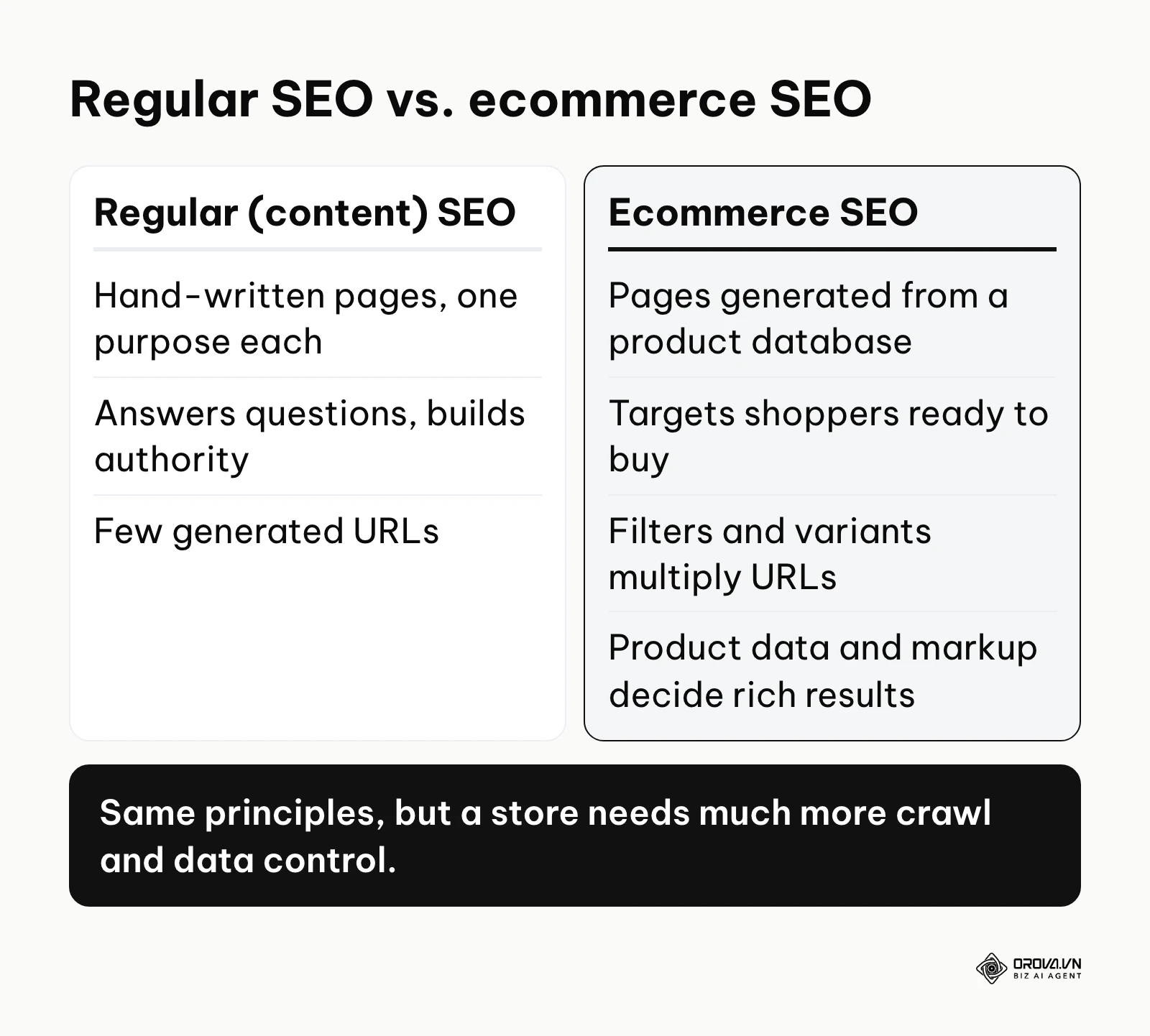
On a typical content site, each page is written by hand and has one clear purpose. On a store, pages are generated from a product database. One product can exist in five colors and eight sizes, sit in three categories, and appear under dozens of filter and sort combinations. Without clear signals, search engines see many pages that look almost the same and have to guess which one matters.
Here is how ecommerce SEO compares with two approaches it is often confused with:
| Approach | Main focus | Typical target query |
|---|---|---|
| Regular (content) SEO | Articles and guides that answer questions and build topical authority | "how to clean running shoes" |
| Local SEO | Visibility in map results and local listings for a physical location | "shoe store near me" |
| Ecommerce SEO | Category and product pages, crawl control, product structured data and shopping listings | "men's trail running shoes" |
The platform you sell on also shapes the work. Shopify, WooCommerce, Magento (now Adobe Commerce) and BigCommerce each generate URLs, canonical tags and filter pages in their own way, so before changing anything, check what your platform already produces by default.
Think of a large physical supermarket. If the aisles are badly organized, shoppers wander and leave without buying. A store website works the same way for search engine crawlers: if they get lost in endless filter pages, they may never reach your best products, and shoppers end up buying from a competitor whose digital shelves are easier to navigate.
The meaning and purpose of ecommerce SEO
The purpose of this practice is to connect people who already intend to buy with the specific products they are searching for. It solves the problem of invisibility for large catalogs. For a store owner or a marketing director, a beautiful website full of good products is of little use if those products do not appear when shoppers search for them.
In the bigger picture of digital marketing, organic search is a foundation for sustainable growth. Paid ads stop the moment you stop paying, while pages that rank keep bringing visits for months or years. Ignoring organic search makes a store fully dependent on renting its audience from ad platforms, and every increase in ad costs then hits margins directly.
When you do not need ecommerce SEO yet You can delay complex technical work if you sell a single, genuinely new product that nobody searches for yet. With no existing demand to capture, you first need to create awareness through social media, partnerships or ads. Likewise, if your catalog has fewer than 20 items and most sales happen at local pop-up events, heavy investment in site architecture is not the best use of your time. Cover the basics (clear titles, good product photos, a clean sitemap) and focus on building your brand first.
The value and benefits of ecommerce SEO
The main value of ecommerce SEO is a compounding revenue stream that reduces reliance on paid advertising. It lowers financial risk for the business and gives the team doing the work clearer, more manageable processes.
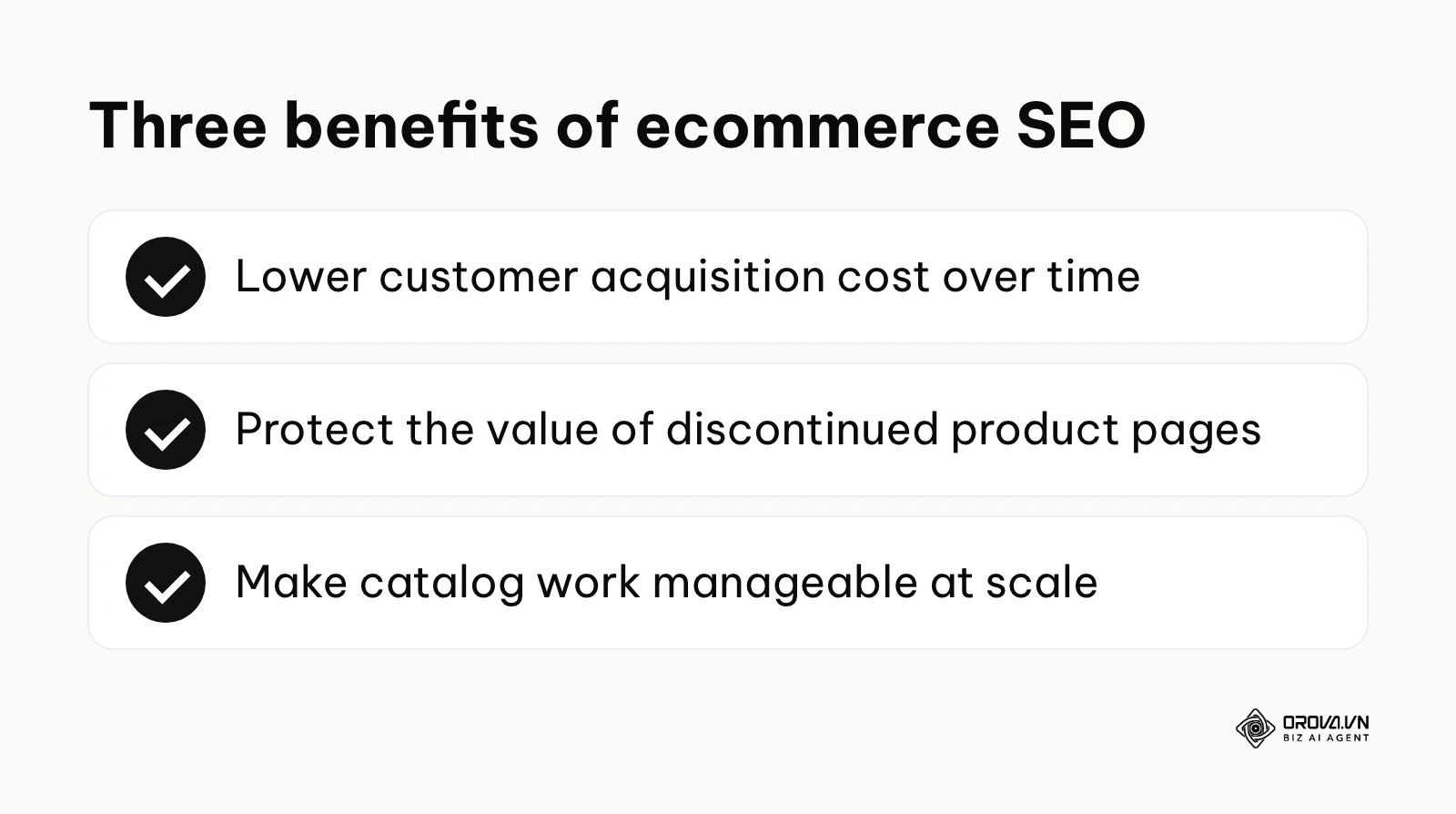
Lowering customer acquisition cost over time
When you rely only on paid ads, the cost of each new customer stays flat or rises as competition grows. Organic visibility needs upfront investment, but once pages rank, the clicks themselves cost nothing. As rankings stabilize, the average cost of acquiring a customer across all channels tends to fall, which protects margins.
Illustrative example: You are the marketing manager of a mid-sized online sporting goods retailer. You map your internal links to prioritize high-margin winter jackets and rewrite title tags around commercial search terms. At first Google struggles to crawl the new pages because of excessive tag pages, so you consolidate the tags and submit a clean sitemap. Over the following months, more of the targeted winter apparel category pages appear on the first page of results, and a larger share of jacket sales comes from organic visits.
Protecting the value of discontinued product pages
In retail, products sell out or get replaced by newer models all the time. Without a clear process, old pages turn into dead ends, frustrate visitors and throw away the links and rankings those pages earned. A clear process sends that value to relevant, active products instead.
Illustrative example: You run an independent electronics store where camera models are replaced every year. For a long time, the team simply deleted pages for discontinued cameras, which produced a growing list of 404 errors and lost rankings for model names people still searched. You introduce a rule: discontinued models with a direct successor are redirected with a 301 to that successor. Searches for the old model names now land on a relevant, buyable product.
Making catalog work manageable
For the person doing the work, writing and maintaining 10,000 product pages by hand is not realistic. Rule-based templates and AI drafting, combined with human review, make it possible to cover the whole catalog. The team spends less time on spreadsheet entry and more on merchandising and conversion rate optimization.
Illustrative example: You are the SEO specialist for a furniture distributor with 15,000 items. Thousands of product pages have only the manufacturer's two-line description, the same text used by every other retailer. You build a workflow in which an AI model drafts descriptions from each item's verified specifications, an editor reviews a sample from every batch, and high-revenue products get a full human edit. Within a few months, every product has a unique description, and more long-tail searches start reaching individual product pages.
| Benefit | Measured by | When you usually see it |
|---|---|---|
| Lower acquisition cost | Organic revenue share, blended cost per acquisition | Usually several months |
| Protected page value | Fewer 404 errors, retained organic visits to redirected URLs | A few weeks after redirects go live |
| Manageable catalog work | Hours saved, share of products with unique, indexed pages | As soon as the workflow runs |
Discover Orova.vn – a Biz AI Agent platform with OROVA SEO, a complete solution for every website. The system supports search engine optimization from A to Z with features including keyword research, writing new SEO-ready articles, optimizing existing content, rank tracking, plus competitor analysis and in-depth technical analysis. Sign up today to experience OROVA SEO completely free (offer valid through July 7, 2027).
How advanced ecommerce SEO works in practice
Running SEO for a large store means breaking the work into distinct technical components. This is less about publishing a few blog posts and more about building a structure that search engines can crawl, understand and trust.
Component 1: Site architecture and internal link planning
What to do: Build a logical hierarchy of categories and subcategories so that authority from your homepage and top categories flows down to product pages. A common rule of thumb is to keep important products within about three clicks of the homepage. Start from keyword research (a good set of keyword research tools helps here), map broad terms to parent categories and narrower terms to subcategories, then link between them deliberately. The same principles in this guide to internal and external linking strategies apply to category and product pages.
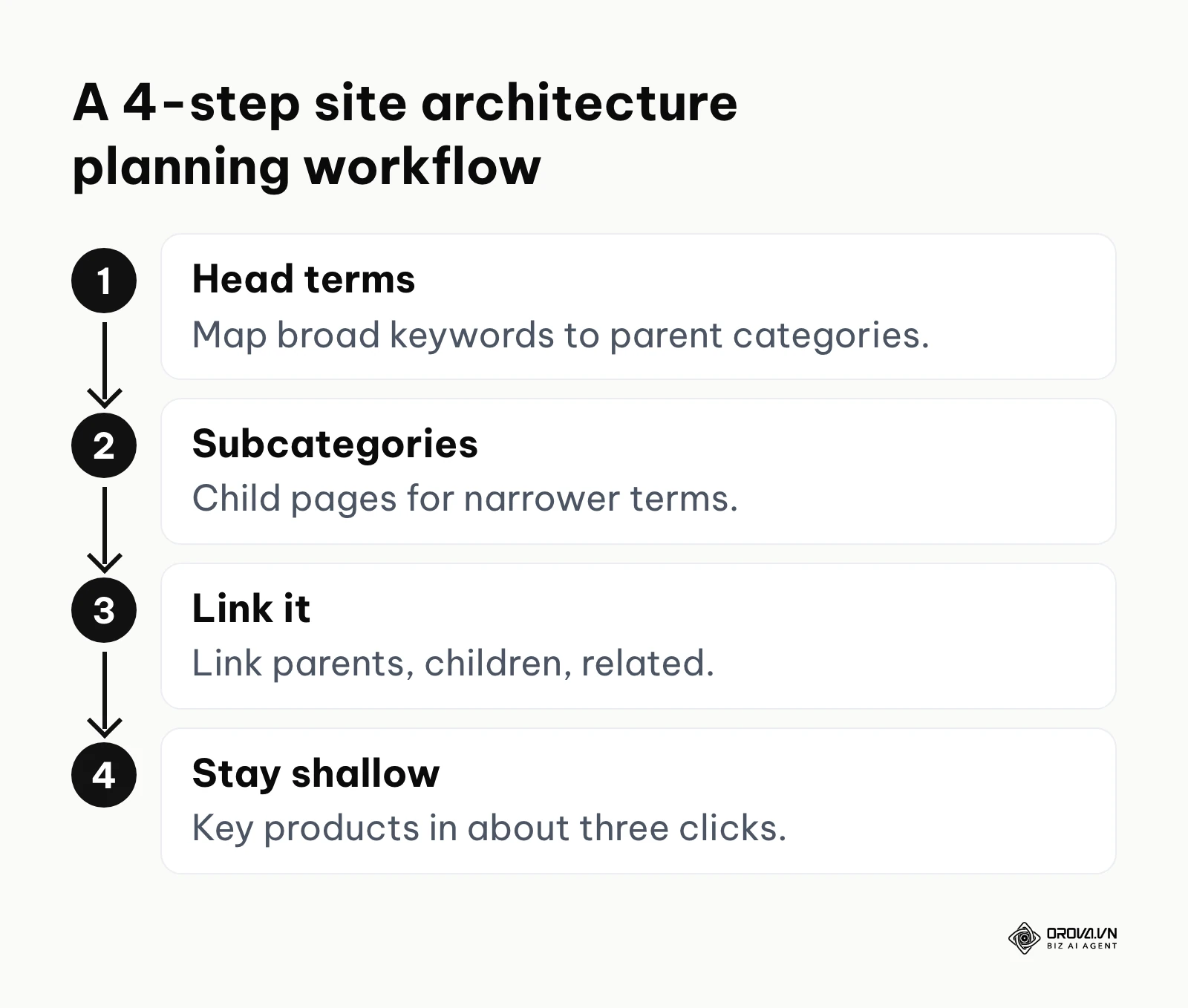
Input: A spreadsheet of your main keywords, their search volume, and the parent-child relationships of your inventory. Output: A clean, hierarchical URL structure, for example domain.com/category/sub-category/product-name. Common failure point: Orphan pages, meaning products that no category or other page links to, so crawlers rarely or never find them.
Use a simple URL planning sheet. Here is a shortened example:
| URL path | Target keyword | Page type | Parent | Canonical | Indexing |
|---|---|---|---|---|---|
| /shoes | men's shoes | Category | Home | Self-referencing | Index |
| /shoes/running | men's running shoes | Subcategory | /shoes | Self-referencing | Index |
| /shoes/running/red | red running shoes | Facet landing page | /shoes/running | Self-referencing | Index |
| /shoes/running/model-x | model x running shoe | Product | /shoes/running | Self-referencing | Index |
| /shoes/running?sort=price_asc | none | Sorted view | /shoes/running | Points to /shoes/running | Not indexed (canonical) |
Component 2: Controlling faceted navigation and crawl waste
What to do: Faceted navigation means the filters for size, color, brand, material and price. Every combination a shopper clicks can produce a new URL, so a store with 1,000 products can expose a huge number of filter URLs, most of them showing nearly the same products. Crawlers then spend time on those combinations instead of on your real category and product pages.
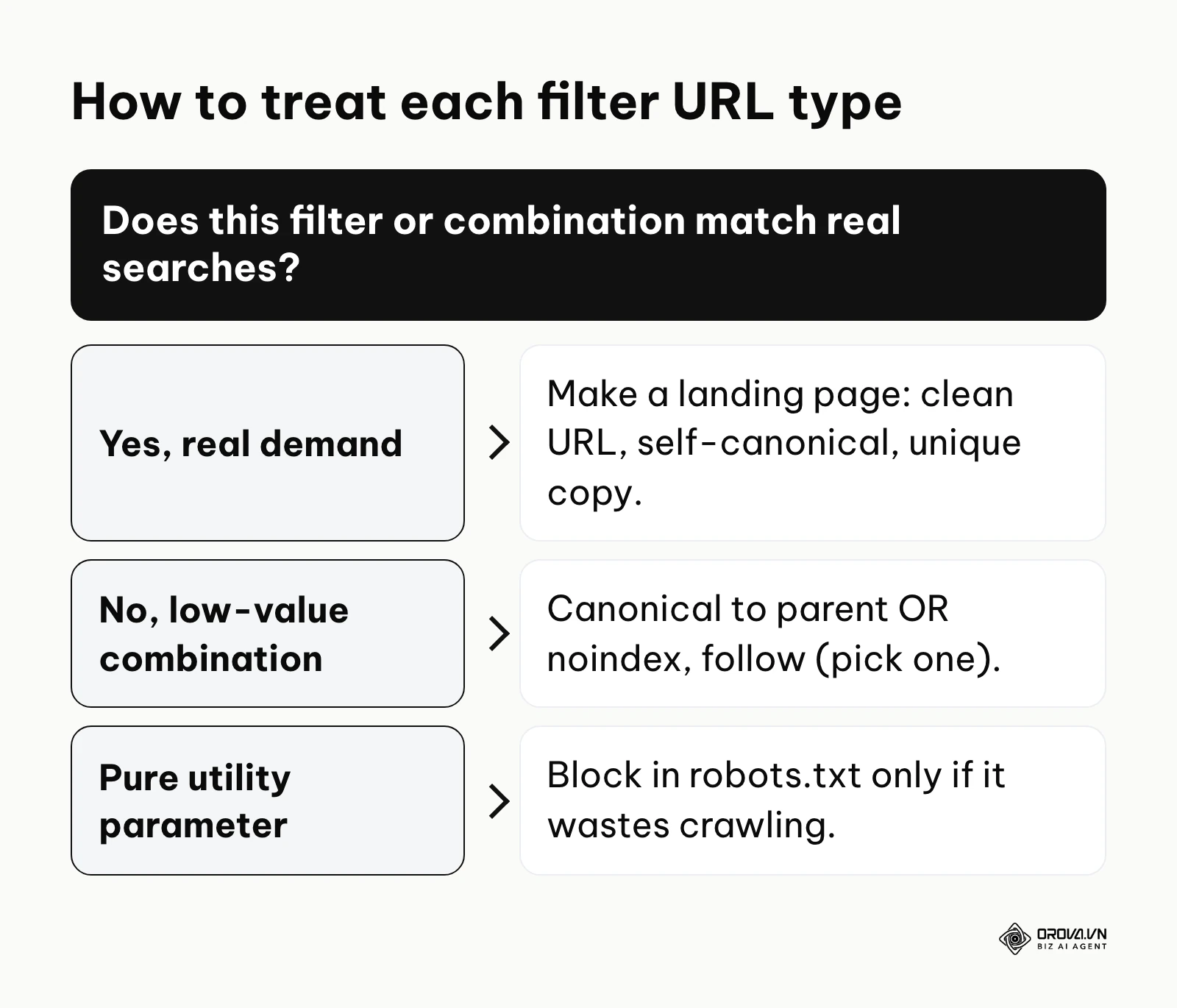
Decide filter by filter which of three treatments it gets:
- Filters with real search demand (for example "red running shoes" or a brand within a category): turn them into proper landing pages with a clean, stable URL, a self-referencing canonical tag, a unique title and a short piece of category copy. Link to them from the parent category.
- Low-value combinations that crawlers should still be able to read (for example color plus size plus material): either set the canonical to the parent category or add a noindex, follow robots meta tag. Choose one signal per URL type; do not mix a canonical pointing elsewhere with noindex on the same page.
- Pure utility parameters that multiply endlessly (sort order, view mode, price sliders, session IDs): if they waste a lot of crawling, block them with a Disallow rule in robots.txt.
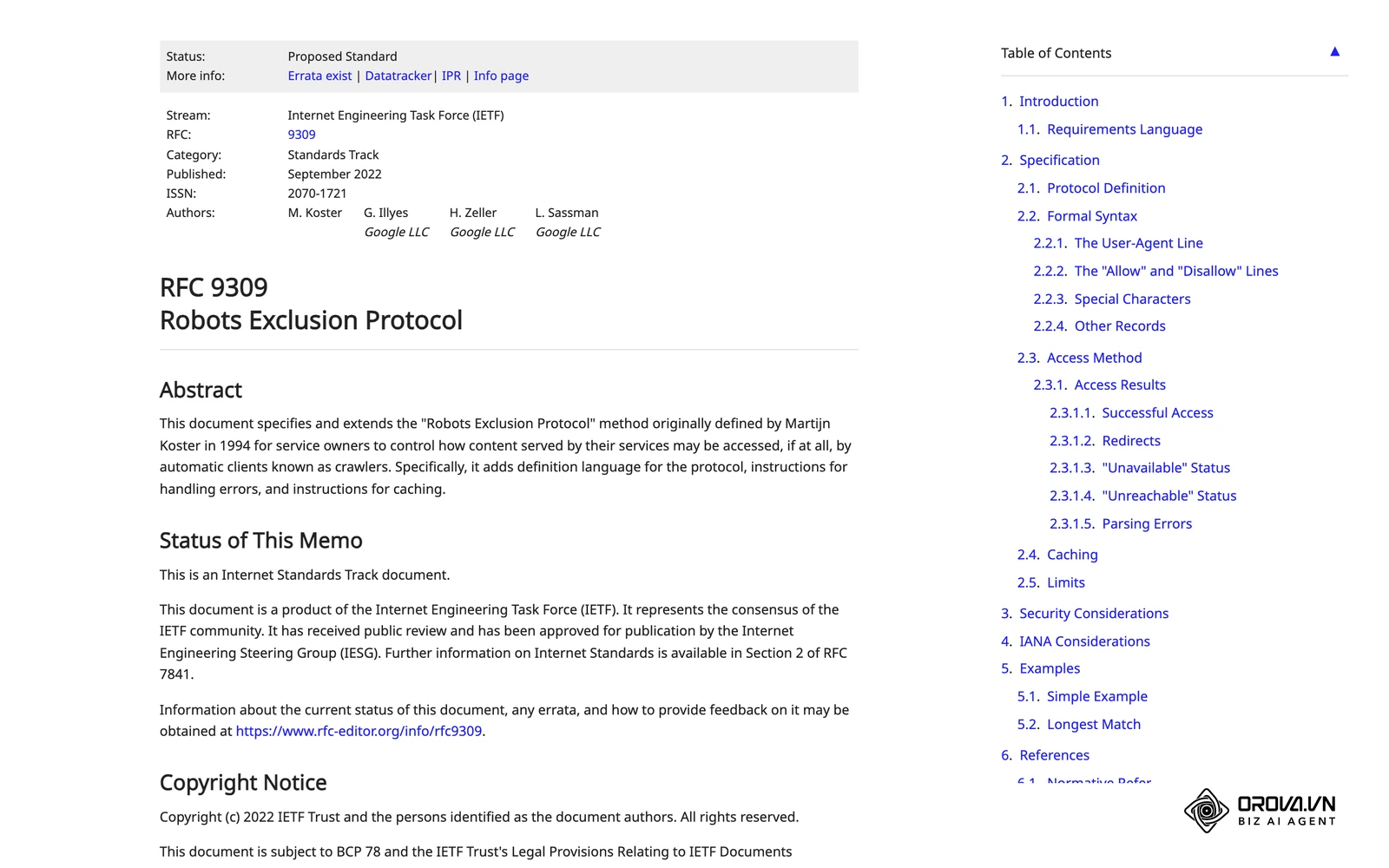
The key rule: robots.txt stops crawling, not indexing. If you block a URL in robots.txt, Google cannot see a noindex tag or canonical tag on that page. So do not block URLs and expect noindex to remove them. If filter URLs are already indexed and you want them gone, let them be crawled with noindex until they drop out, then decide whether to block them.
Input: A list of filter parameters, search demand for meaningful combinations, and crawl data from server logs or the Crawl stats report in Google Search Console. Output: A short list of indexable facet landing pages, consistent canonical or noindex rules for low-value combinations, and a robots.txt that blocks only utility parameters. Common failure point: A broad wildcard Disallow rule that accidentally blocks important category pages, or blocking parameters in robots.txt while expecting noindex tags on those same URLs to work.
Illustrative example: You manage SEO for a footwear store with filters for size, color and material. The team first set every filter URL to canonicalize to the main category, and long-tail pages like "red running shoes" stopped ranking. You change the approach: color filters with real demand become static landing pages with their own copy and self-referencing canonicals, size and material combinations keep a canonical to the parent, and sort parameters are blocked in robots.txt. The index becomes cleaner, and the color landing pages begin ranking for their own searches.
Component 3: Handling out-of-stock and discontinued products
What to do: Handling unavailable items badly loses traffic. Sort every change into one of three cases and apply the matching treatment.
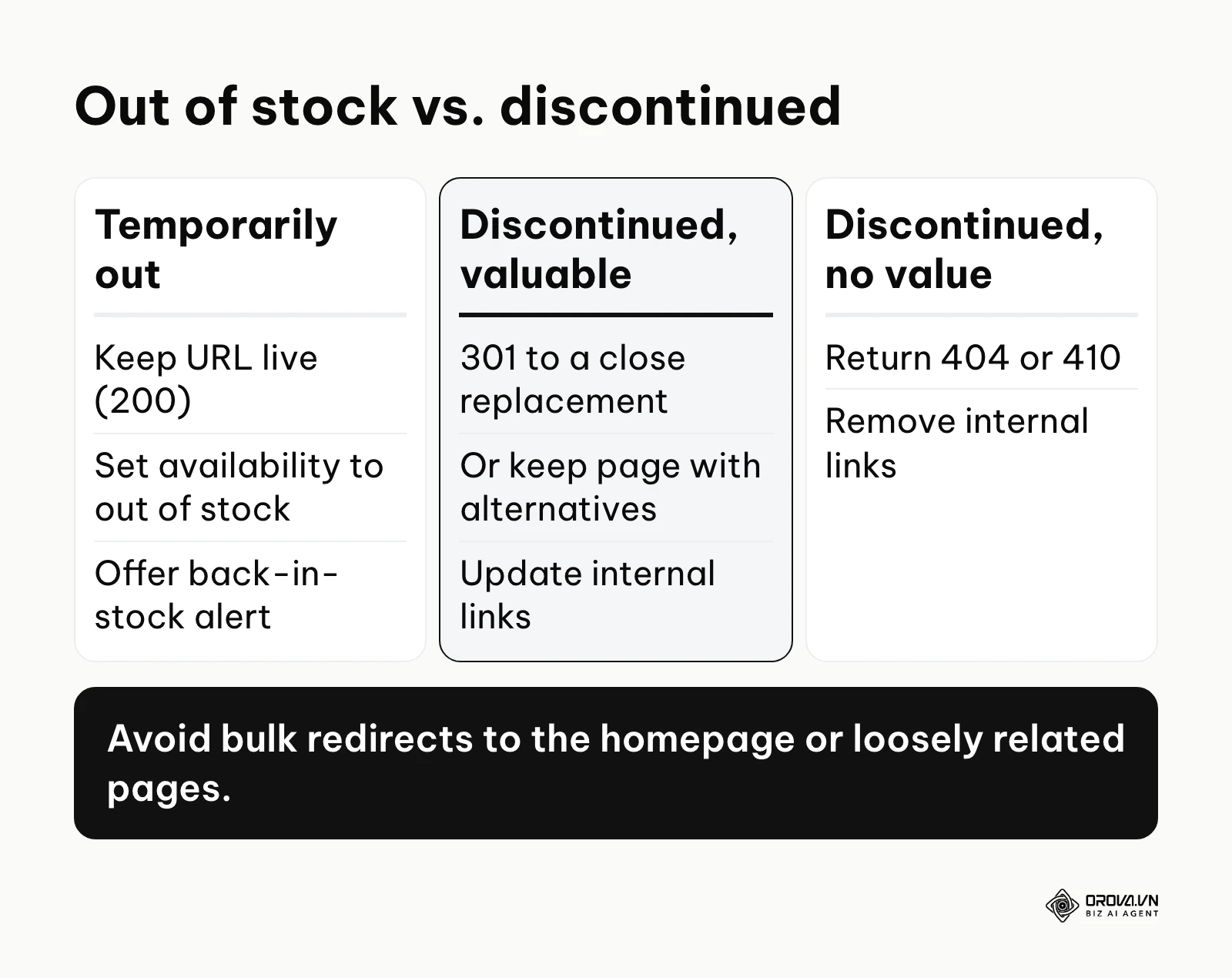
Case one, temporarily out of stock: leave the URL alone and keep it returning a 200 OK status. Update the availability in your structured data and product feed to out of stock, show an expected restock date if you know it, offer a "notify me when available" form, and link to similar products that are in stock.
Case two, permanently discontinued with no traffic, no links and no close replacement: let the URL return a 404 or 410 status and remove internal links to it. Search engines will drop it over time.
Case three, permanently discontinued but still earning traffic or links: if there is a close replacement, such as the newer version of the same model, use a 301 redirect to that product. If there is no close equivalent, keep the page live, mark the product as discontinued, and point visitors to the best alternatives. Avoid redirecting to a loosely related category or to the homepage, because search engines may treat an irrelevant redirect as a soft 404 and visitors feel misled.
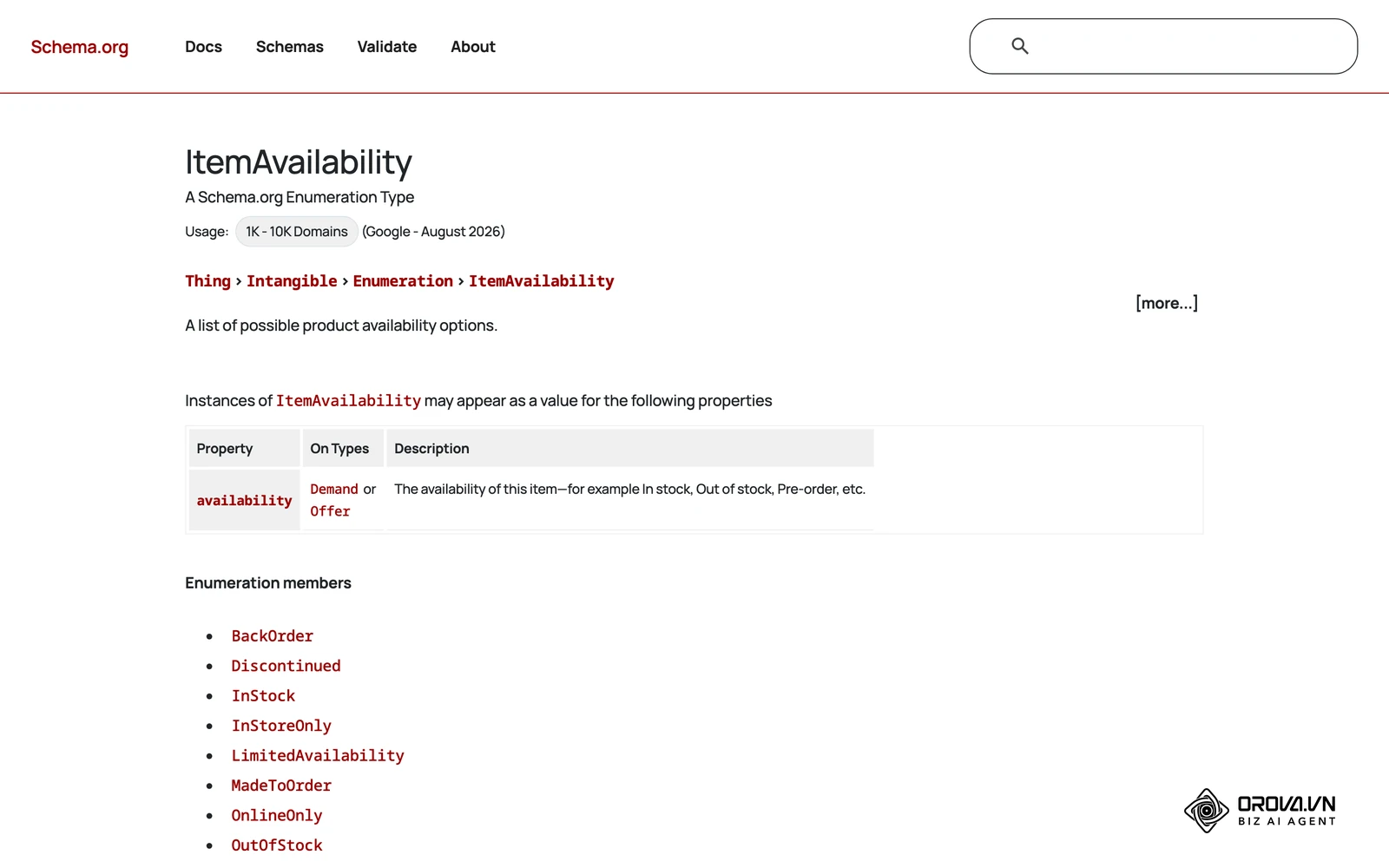
Input: Inventory data showing stock status, plus traffic and backlink data for each product URL. Output: The right status code (200, 301, 404 or 410) and the right on-page message for each product. Common failure point: Redirecting every discontinued product to the homepage in bulk, which loses the value of those pages and confuses shoppers.
Component 4: Using AI to write product content for 10,000+ SKUs
What to do: Writing unique descriptions for thousands of similar products by hand is not realistic for a small team. AI language models can draft them, but only inside a controlled process. If you simply ask a model to "write a description," you get generic, repetitive text. Google's spam policies treat content produced at scale mainly to manipulate rankings as scaled content abuse, whether a person or a machine writes it. The goal is useful, accurate descriptions, not more words.
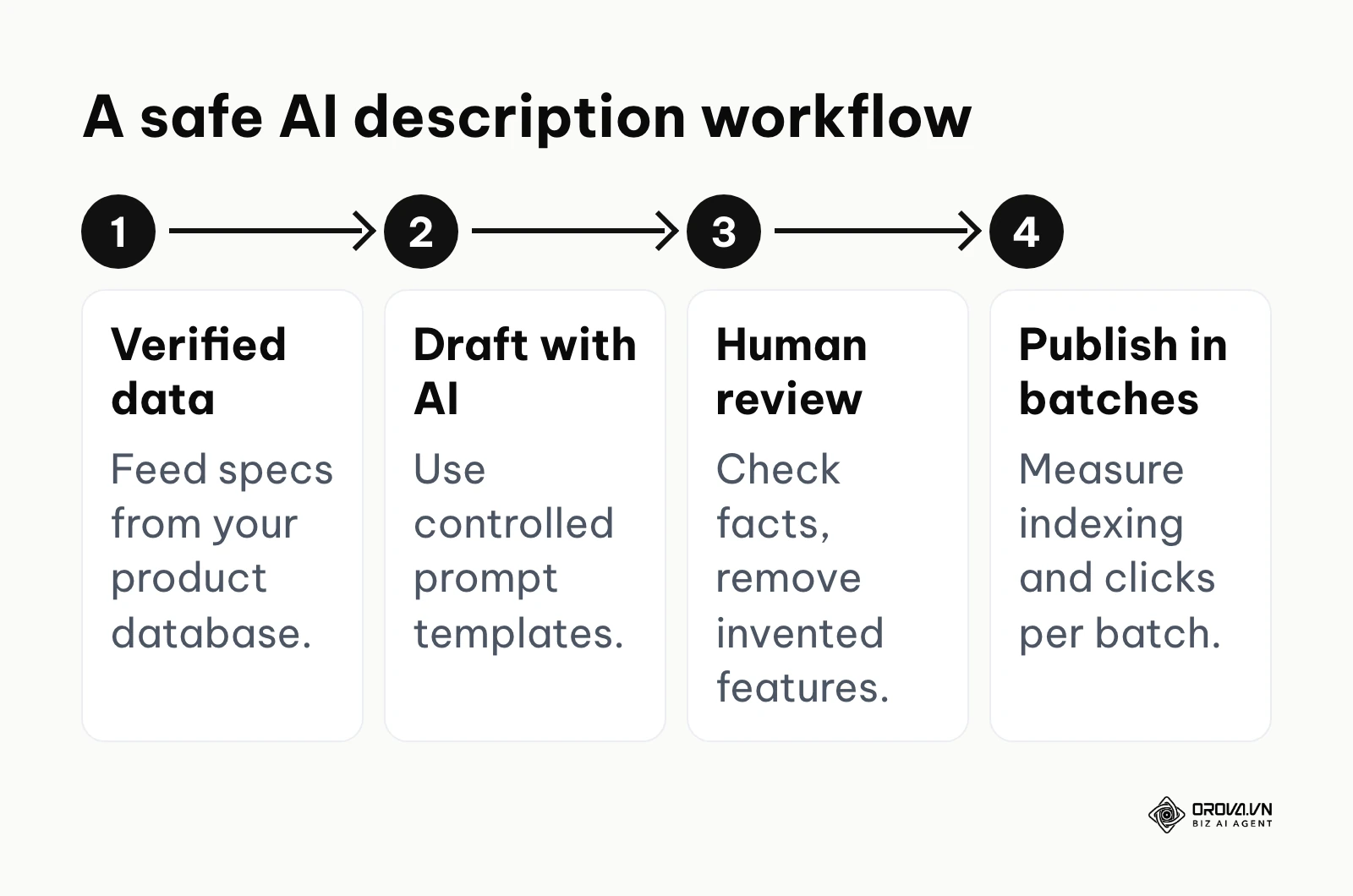
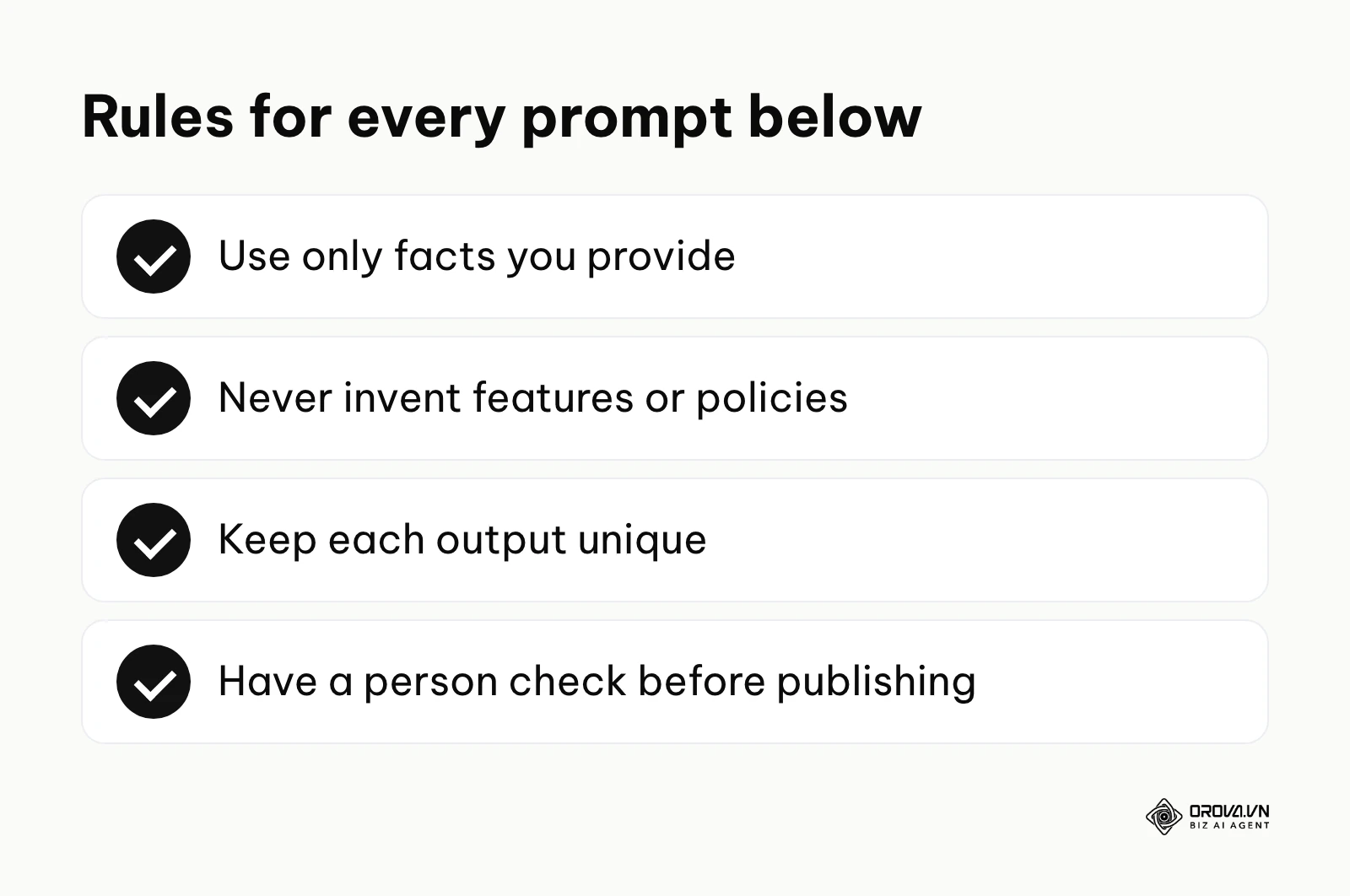
Build the workflow around four rules:
- Feed the model verified data only: specifications, materials, dimensions and care instructions from your product database, never guesses.
- Make each page genuinely different: variants of one product (five colors of the same shirt) usually work better as one page with selectable options, or one master description plus short, specific notes per variant, rather than five near-copies.
- Have a person review before publishing: check facts against the spec sheet, remove invented features, and read a sample from every batch. Fully edit your best-selling products by hand.
- Publish in batches and measure: watch indexing and organic clicks for each batch before rolling out to the whole catalog.
Input: Clean product specifications and a standard prompt library. Output: Unique, accurate product descriptions and meta tags, approved by an editor. Common failure point: Publishing without review, so the AI invents features, claims free shipping you do not offer, or produces thousands of pages that read the same.
Ten prompt templates for product content
Here are ten prompt templates you can copy and adapt. Replace the bracketed parts with your own data, and pair them with the principles in this SEO content writing guide:
- Bulk meta titles: "You are an ecommerce copywriter. Write one SEO title for each product variant below. Each title must be under 60 characters, start with the main product keyword, and be different from every other title in the list. Product data: [insert data]."
- Meta descriptions: "Write a meta description of about 150 characters for '[product name]'. Highlight the main benefit and end with a clear call to action. Mention shipping or returns only if this information is provided here: [insert store policies]."
- Feature-to-benefit descriptions: "Here are the technical specifications: [insert specs]. Write a 200 to 300 word product description. For each feature, explain the practical benefit for the buyer. Use only the facts provided and do not add features. Add a short bullet list of key specifications at the end."
- Product variants: "I sell the same t-shirt in five colors on one product page. Write one main description about the material and fit, then one sentence per color about styling ideas. Do not repeat the main description in the color notes."
- Category page FAQs: "For the category '[category name]', list the four questions buyers most often ask before purchasing, with short, accurate answers based only on this information: [insert facts]. Format as plain questions and answers for the page."
- Rewriting manufacturer text: "Here is the manufacturer's default description: [insert text]. Rewrite it in our brand voice: [describe voice]. Keep every factual specification exactly as written and do not add claims."
- Related terms for subcategories: "For the subcategory '[subcategory name]', list 15 related terms and buying phrases shoppers use, grouped by intent (research, comparison, purchase). I will check them against keyword data before using them."
- Back-in-stock messages: "Write a short message of about 40 words for an out-of-stock product page, inviting visitors to leave their email to be notified when '[product name]' is back. Be honest; do not invent scarcity or deadlines."
- Comparison tables: "Compare [product A] and [product B] in a table across five dimensions: durability, warranty, intended use, weight and key materials, using only the data provided: [insert data]. End with one sentence on which type of buyer each product suits."
- Clean specification lists: "Organize this unstructured product data into a bulleted list of plain facts: brand, model, material, dimensions, weight, compatibility. Remove marketing language. Data: [insert data]."
Component 5: Structured data, Merchant Center and AI Overviews
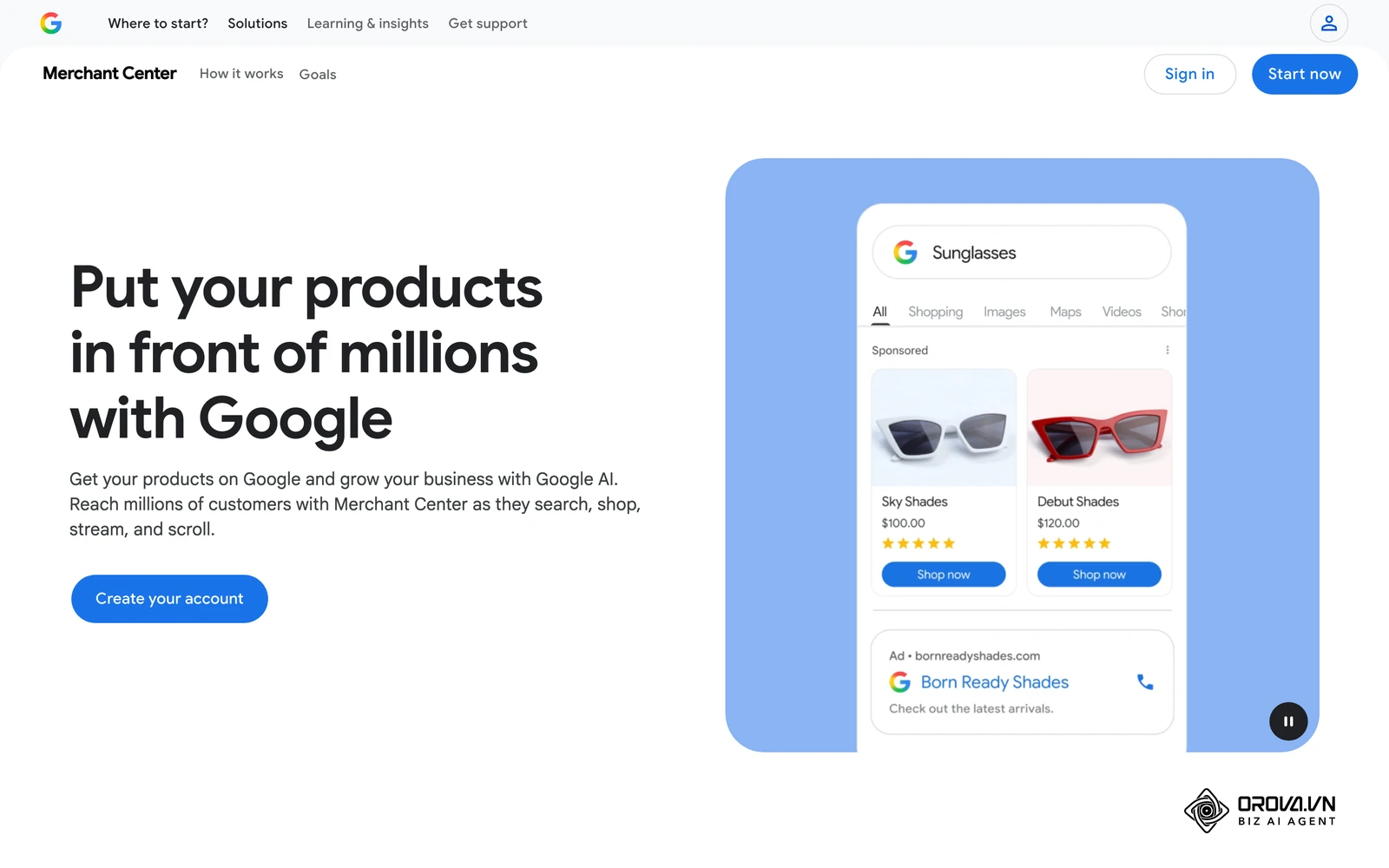
What to do: Search results now include AI Overviews, which summarize answers at the top of the page, alongside shopping results and rich product snippets. To give your products a fair chance in these formats, make sure search engines can read your product facts precisely, as explained in this overview of what AI SEO is.
- Product and Offer markup: use schema.org Product with a nested Offer that includes price, currency and availability, and keep these values identical to what the visible page shows.
- Review and rating markup: add AggregateRating or Review only when the reviews are genuine, collected from real customers and visible on the page. Never mark up made-up, copied or selectively edited reviews; this can lead to a manual action and loss of rich results.
- Google Merchant Center: submitting a product feed lets your items become eligible for free product listings on Google surfaces, in addition to Shopping ads if you run them. Eligibility depends on Google's policies and your data quality, so treat it as an opportunity, not a guarantee.
Input: Valid JSON-LD markup on product pages and an accurate product feed. Output: Products eligible for rich results and free listings, with price and stock status that match your site. Common failure point: A product feed that falls out of sync with the website, so prices or availability do not match. Merchant Center then disapproves the affected items and, if the problem persists, can issue account warnings.
With OROVA.VN and the OROVA SEO module, you put an end to the exhausting days of manual work for good. Instead of struggling for hours to write articles and compile reports, the entire process is now optimized and completed in just 5 minutes.
What to do to adapt your ecommerce SEO strategy
Your first steps depend on your role and resources. Use the Google Search Console reports to monitor every change below.
For small boutique owners
- Clean up your categories so each one has a clear purpose and no two compete for the same search.
- Standardize product names, for example brand, then model, then key feature.
- Turn on your platform's product structured data (or a reliable plugin) and check that price and availability are correct.
- Add a back-in-stock email form to products that sell out temporarily.
For in-house ecommerce managers
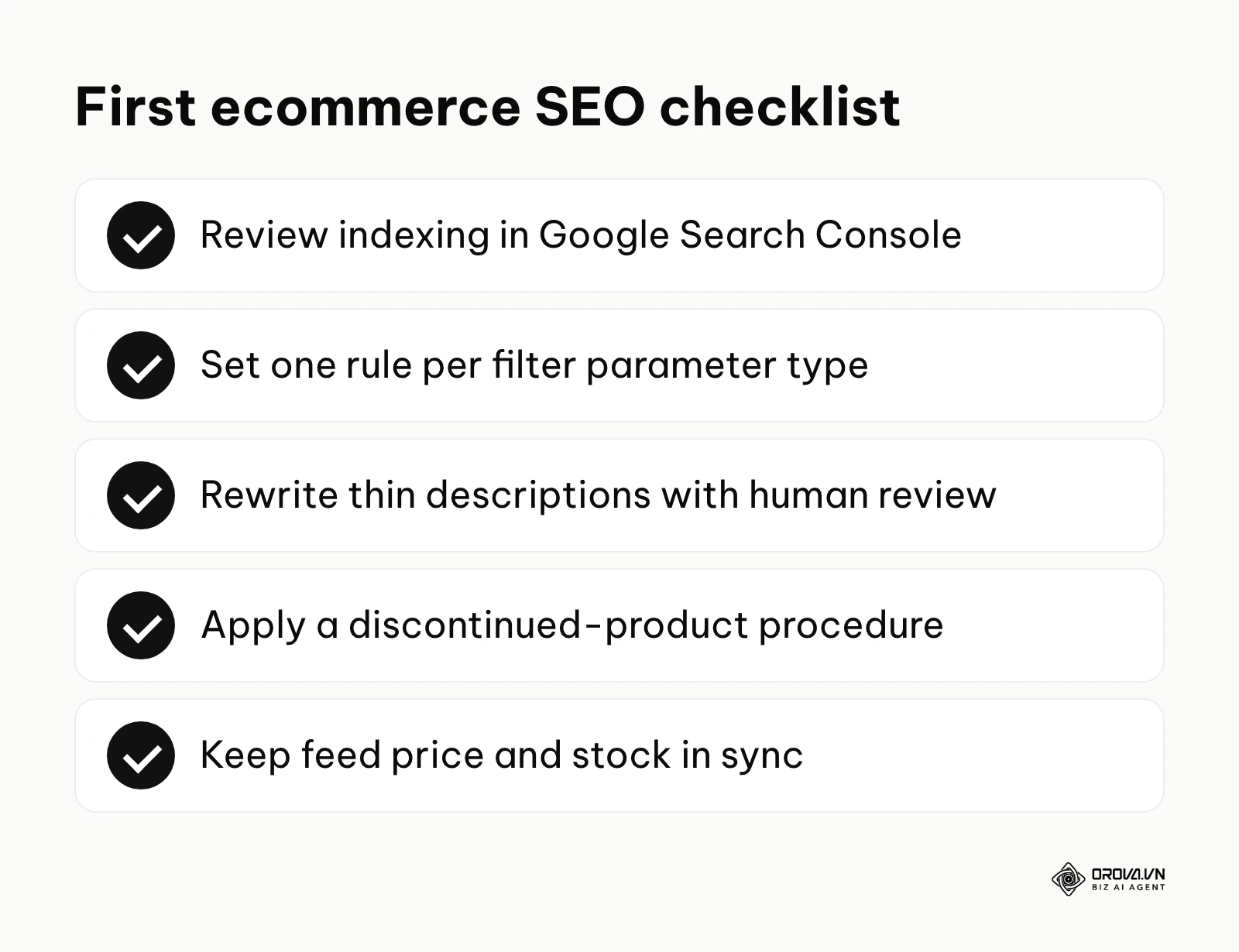
- Run a crawl audit to see how many filter and parameter URLs are being crawled and indexed.
- Agree on one rule per parameter type: indexable landing page, canonical or noindex, or blocked in robots.txt for pure utility parameters.
- Start an AI-assisted rewrite of thin manufacturer descriptions, beginning with your best-selling products and a human review step.
- Write a standard procedure for discontinued products: 301 to a close replacement, keep the page with alternatives, or 404 or 410.
For enterprise SEO agencies
- Map the internal link structure so high-margin categories and products receive enough internal links.
- Prefer server-side rendering for important content instead of relying on client-side JavaScript to show product details.
- Schedule frequent feed updates between the client's inventory system and Merchant Center so price and stock data stay accurate.
- Analyze server log files to see exactly how search engine bots move through faceted navigation.
| Common mistake | Consequence | How to avoid it |
|---|---|---|
| Deleting out-of-stock pages right away | Lost links and rankings, more 404 errors | Keep temporary items live; redirect or keep discontinued pages by case |
| Letting every filter combination be crawled and indexed | Crawl effort wasted, duplicate pages in the index | Landing pages for real demand, canonical or noindex for the rest, robots.txt for utility parameters |
| Copying manufacturer descriptions | Pages look the same as many other retailers and rarely stand out | Rewrite with verified data and human review |
| Marking up reviews that are not genuine | Loss of rich results, possible manual action | Mark up only real, visible customer reviews |
Where ecommerce SEO is heading in the next few years: the author's take
These are my personal views, not forecasts backed by data. Search changes quickly, and policy updates or new search formats could easily prove parts of them wrong.
Product data will matter as much as page copy
Today, stores still compete mostly through crawled pages, with product feeds as a side channel. I think the next two to three years will push feeds and structured data to the center, because AI-generated answers and shopping results both depend on clean, precise product facts. My suggestion is to treat your product database as an SEO asset now: consistent attributes, accurate availability and a feed that updates whenever prices or stock change, rather than once a week.
Category pages will need to earn their place
Many category pages today are just grids of products with a heading. My read is that as AI Overviews answer more general questions directly, category pages that only list products will struggle, while pages that help people choose (short buying guidance, clear filters, honest comparisons) will hold up better. To prepare, pick your most important categories and add a few genuinely useful paragraphs and well-structured facets to each.
Images will become a bigger entry point
Shoppers already search with their camera to find similar products. I believe image-based and multimodal search will take a larger share of product discovery over the next few years. That makes good original photos, descriptive file names, accurate alt text and consistent attributes more important. If you still rely on the same manufacturer photos as every other retailer, original photography is a sensible place to invest.
Frequently asked questions about ecommerce SEO
Is ecommerce SEO still needed now that AI search is growing?
Yes. AI-generated answers do not invent product data; they draw on pages and feeds that are technically sound and clearly structured. If your architecture is messy or your product markup is broken, those systems are more likely to rely on competitors whose data is easier to read.
How do I manage a store with over 10,000 SKUs on a small budget?
Prioritize. Identify the small group of products and categories that bring most of your revenue and optimize them by hand. For the rest of the catalog, use AI drafting from verified specifications with a sampled human review, and set clear technical rules (canonicals, noindex, robots.txt for utility parameters) so the structure manages itself.
What should I do with a discontinued product that still ranks first?
Do not delete the page. If there is a close replacement, such as the next version of the same model, redirect the old URL to it with a 301. If there is no close equivalent, keep the page live, state clearly that the product is discontinued, and link to the best alternatives. Both options keep the page's value and give visitors something useful.
How should I set up multi-level filters without wasting crawl budget?
Separate filters that match real searches (such as color or brand within a category) from utility filters (such as sort by price). Turn the first group into indexable landing pages with self-referencing canonicals. Give low-value combinations a canonical to the parent or a noindex tag, and block only pure utility parameters in robots.txt, remembering that blocked URLs cannot pass a noindex signal.
Does review markup improve click-through rates?
Star ratings in search results can make a listing more visible and may attract more clicks, but Google decides whether to show them. They are only allowed for genuine reviews that are visible on the page, so focus first on collecting real customer reviews.
Where to start with ecommerce SEO
Your first step depends on where your store is today.
If you are starting from scratch: Focus on your category hierarchy. Spend an afternoon in a spreadsheet listing every main category and subcategory you plan to have, and the main keyword for each. Make sure important products can be reached within a few clicks from the homepage. A clean foundation prevents most crawl problems later.
If your efforts are scattered: If you have thousands of pages but no clear plan, start with an indexing review. In Google Search Console, open the Pages report and look at the reasons pages are not indexed. If filter or sort parameters produce large numbers of duplicate URLs, decide on the right treatment for each parameter type as described above before changing robots.txt.
If you are doing the work but not measuring it: Link Google Search Console with Google Analytics 4 and set up purchase conversion events. You cannot scale an ecommerce SEO strategy without knowing which category and product pages actually bring revenue.
About the author

Builder of Orova
Nguyễn Đỗ Trọng Ân has 8 years of experience in marketing, including 6 years managing market development across Asia. He builds Orova, a Biz AI Agent that never sleeps: it plans, runs and optimizes work for businesses.
Run your business with AI Agents
Orova is the always-on Biz AI Agent — it plans, runs, and optimizes the work for you.
Save time, unlock productivity.