
Resume parser: how it works, how to test it and how to measure ROI

Every recruitment professional has experienced the sheer exhaustion of manually copying and pasting candidate information from a beautifully designed PDF into the rigid, unyielding fields of an internal database. This manual data entry is not just a tedious administrative chore; it introduces human error, severely slows down your hiring velocity, and ultimately damages the overall candidate experience when application reviews are delayed. A resume parser is software that reads a CV in any common format and turns it into structured fields such as name, contact details, work history, education and skills, ready to drop into your database. It is the standard fix for this operational nightmare. However, selecting and implementing the right technology goes far beyond simply purchasing a software tool that loudly claims high accuracy on its marketing page. As recruitment workflows become increasingly complex and globally distributed, understanding the underlying technical mechanics, the structured data outputs, and the rigorous evaluation frameworks of parsing technology is absolutely mandatory for modern HR leaders. This comprehensive guide will dissect exactly how these tools function under the hood, how to rigorously stress-test them against edge cases, and how to accurately measure their true financial impact on your organization's hiring efficiency.
What is a resume parser and why do you need one?
A resume parser is a sophisticated software application designed to intelligently analyze, extract, and convert unstructured candidate data from various document formats into a highly structured, machine-readable format. Instead of a recruiter reading a document to find a phone number, the parser automatically identifies the number, categorizes it, and feeds it directly into your database.
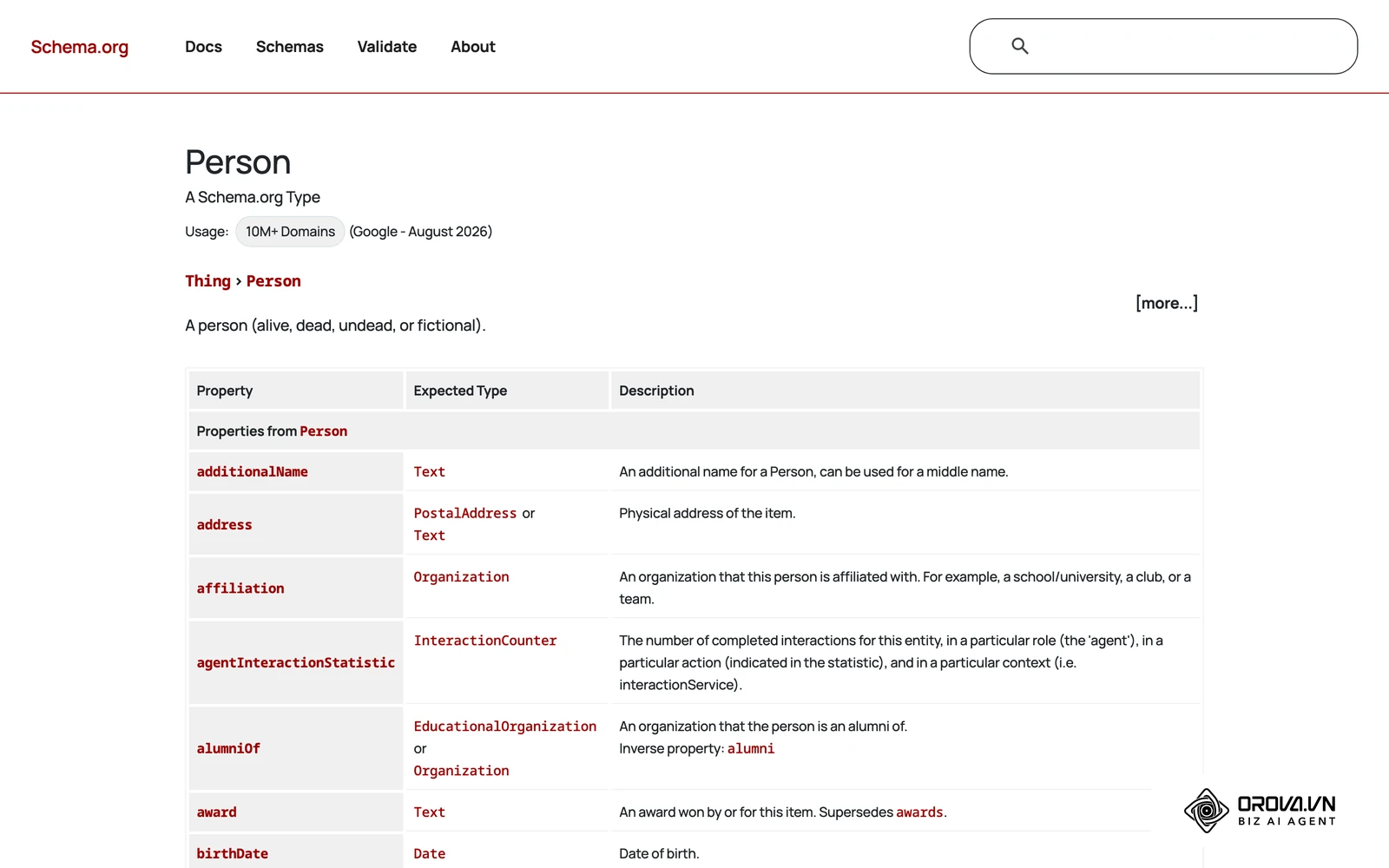
This technology is essential for enterprise human resources departments, high-volume staffing agencies, and rapidly growing startups that process hundreds or thousands of applications monthly. It eliminates the data entry bottleneck, standardizes candidate profiles for fair comparison, and makes your entire talent pool instantly searchable. Conversely, if you are a small local business hiring fewer than five people a year, the technical overhead of integrating and maintaining a parser will vastly outweigh the benefits, making manual review a perfectly acceptable and more cost-effective approach.
To fully grasp the mechanics, it helps to understand that parsing is not merely reading text. It involves complex Natural Language Processing (NLP) to understand context. For example, the parser must differentiate between "Java" the programming language in a skills section, and "Java" the geographic location in an address block. Teams that automate this extraction step spend noticeably less time on the first pass through applications. By automating this foundational step, recruiters can shift their focus from administrative data entry to strategic candidate engagement, relationship building, and deep behavioral interviewing.
Furthermore, a high-quality parser normalizes data. Candidates write dates in dozens of different formats, use varying terminology for identical job titles, and structure their educational history unpredictably. The parsing engine standardizes these chaotic inputs into clean, uniform data points that your systems can query effortlessly. This normalization is the bedrock upon which all other advanced HR automation, including AI-driven candidate matching and predictive analytics, is built.
Preparation: What you need before implementing a resume parser
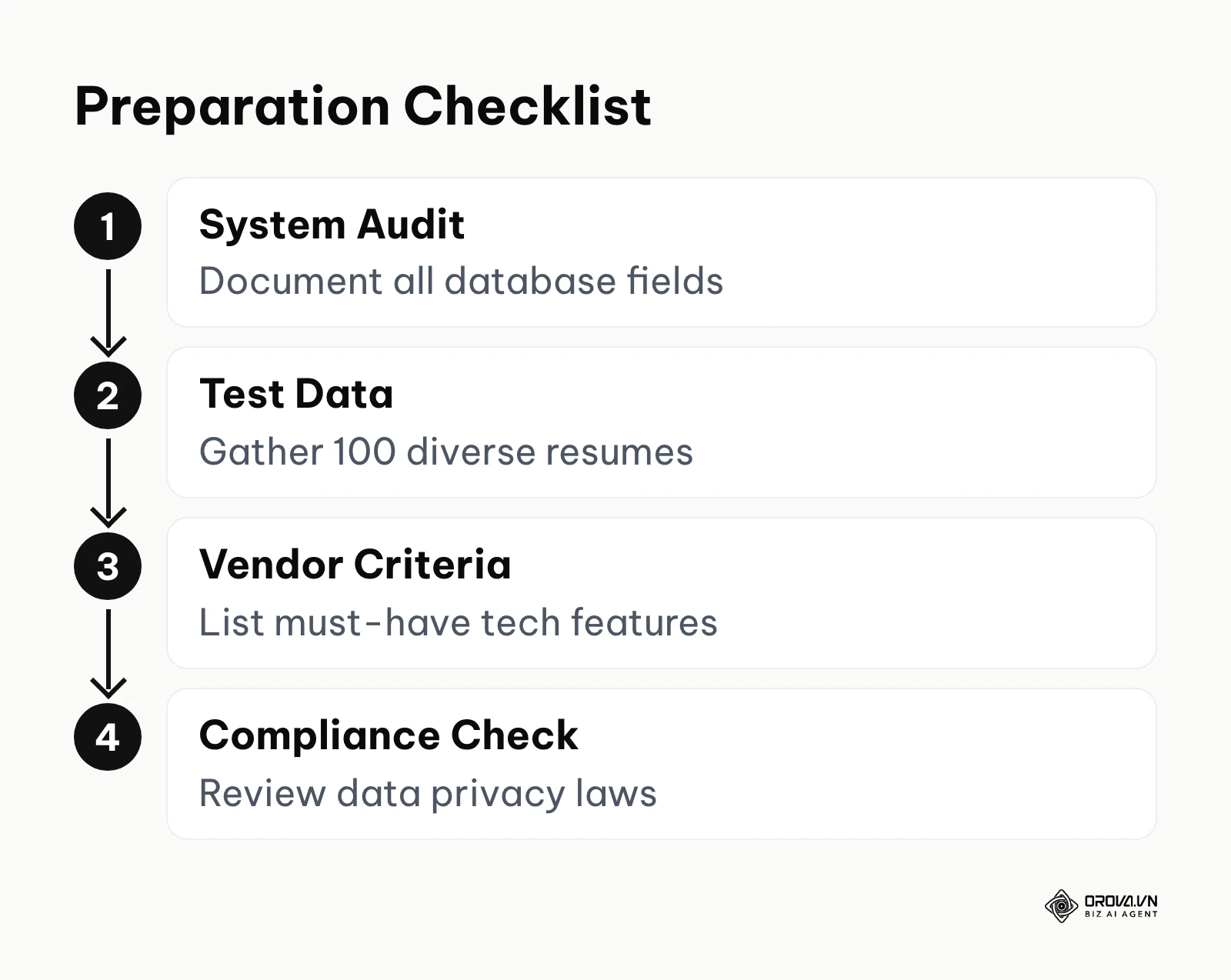
Before you even begin evaluating software vendors, writing integration code, or requesting budget approvals, significant preparatory work is required. Failing to meticulously prepare your data architecture leads to messy migrations, broken database fields, and deep frustration among your recruiting team. You must approach this as a critical data infrastructure project.
| Requirement | Where to get it | Time needed |
|---|---|---|
| Master Data Schema | Export from your current database | 2-4 days |
| Test Resume Portfolio | Historical applicant files | 1-2 weeks |
| API Authentication Keys | Your IT or Security department | 1-3 days |
| Privacy Compliance Review | Legal and Compliance team | 2-3 weeks |
| Integration Sandbox | Vendor provisioned environment | Immediate |
The foundation of preparation is the Master Data Schema. You must document exactly which fields exist in your current system. Are your name fields split into First, Middle, and Last? Does your database require dates in strict ISO 8601 format? Does it accept multiple phone numbers per profile? If you do not map these requirements clearly beforehand, the parser will extract data perfectly but fail to push it into your system, resulting in silent errors.
Next, you need to establish a comprehensive 10-point checklist for evaluating potential software vendors during your procurement phase.
- Format Support: Does it read PDF, DOCX, DOC, RTF, TXT, and HTML natively without third-party converters?
- Optical Character Recognition (OCR): Can it extract text from flattened images, scanned documents, and low-resolution JPEGs?
- Multi-language Capabilities: Does it natively support the primary languages of your candidate pool, and can it handle documents that mix two languages seamlessly?
- Data Normalization: Does it convert varying date formats and location strings into a single, standardized format required by your database?
- Taxonomy Customization: Can you teach the engine your specific industry jargon and internal job titles?
- API Reliability: What is the documented uptime of their parsing API, and what are their rate limits per minute?
- Security and Compliance: Is the system fully GDPR and CCPA compliant, and do they permanently delete the files after extraction?
- JSON Structure: Is the output payload logical, well-nested, and easy for your development team to parse?
- Processing Speed: Does it return the structured data within a reasonable timeframe (typically under 3 seconds per document)?
- Error Handling: Does the API return clear, descriptive error codes when a file is corrupted or password-protected?
Gathering your stakeholders is equally vital. Your talent acquisition team must define what data is actually valuable. Do they really need the candidate's hobbies extracted, or is that creating unnecessary database bloat? Your IT engineering team must review the API documentation to ensure it aligns with their current technology stack. Taking the time to align these departments before signing a contract will save countless hours of painful troubleshooting later.
How to test, implement, and audit a resume parser: 6 essential steps
Implementing this technology requires a methodical, step-by-step approach to guarantee data integrity and seamless workflow adoption. Skipping these steps often results in a tool that recruiters abandon due to missing or incorrect data.
Step 1: Define data mapping and integration requirements
The absolute first step is defining how the extracted data will flow into your existing ecosystem. You must perform a gap analysis between what the parser outputs and what your core applicant tracking software actually requires.
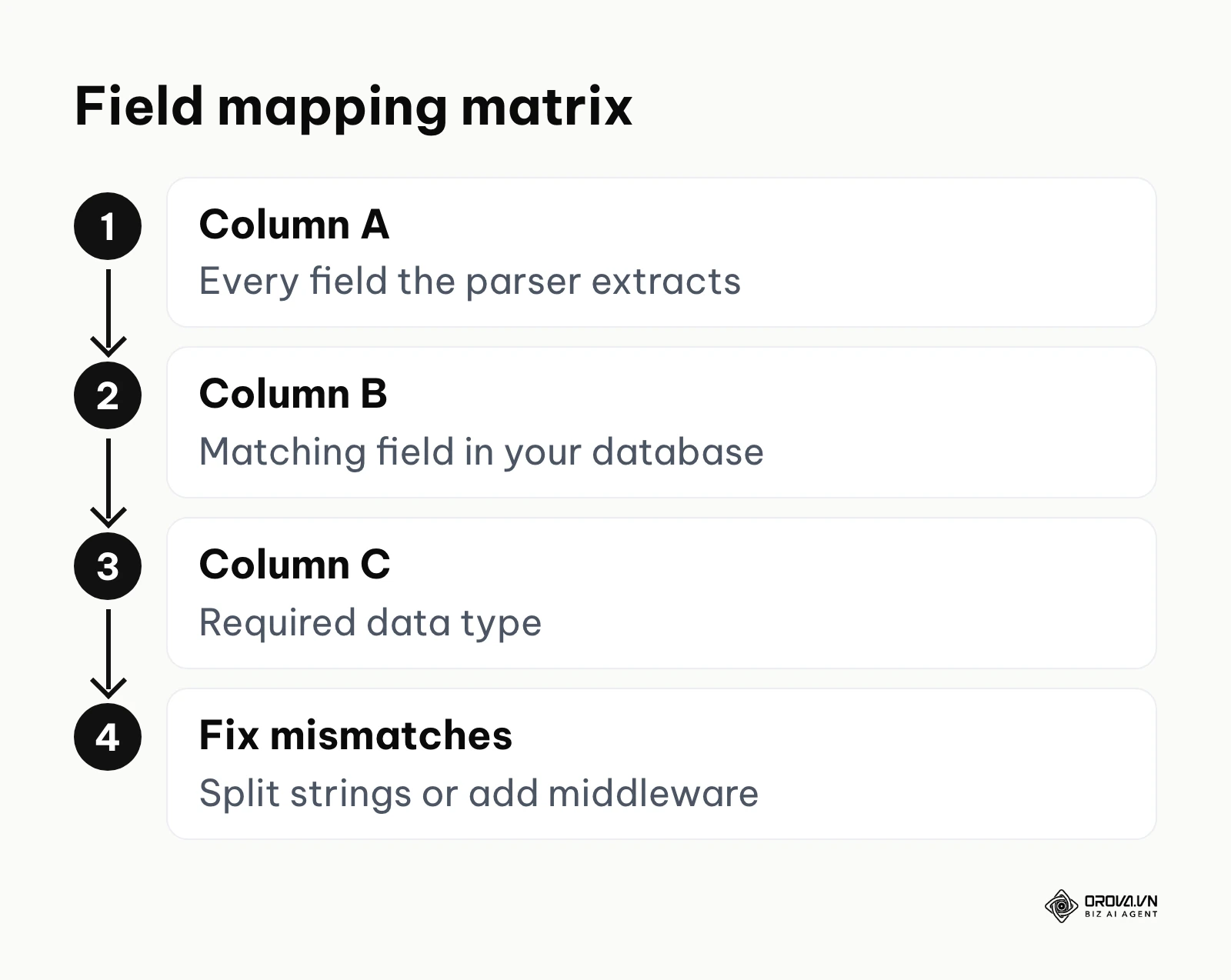
Create a comprehensive spreadsheet. In column A, list every field the parsing engine is capable of extracting. In column B, list the corresponding fields in your database. In column C, document the required data type (String, Boolean, Integer, Date). You will inevitably find mismatches. For instance, the parser might return a full string like "Senior Software Engineer at Google (2018 - 2022)", but your system requires distinct fields for Title, Company, Start Date, and End Date. You must ensure the parser you choose breaks down the data to the granular level your system demands, or you will need to build custom middleware to split those strings.
Illustrative example: An enterprise technology company needed to integrate a parser into their legacy HR system. The lead HR architect first documented all 45 custom fields in their database. Next, they created a mapping matrix to align the parser's standard JSON output with their legacy schema. Initially, the date formats clashed, causing import failures because the legacy system required DD-MM-YYYY while the parser outputted YYYY-MM-DD. By adding a simple middleware script to standardize the date formats before injection, the team achieved a seamless data flow. The result was a perfectly synchronized database where recruiter dashboards populated instantly without any manual corrections.
Step 2: Build a stress-test resume portfolio
You cannot trust a vendor's demo using their own perfectly formatted sample documents. You must build your own rigorous test portfolio consisting of at least 100 historical resumes from your own applicants. Within this portfolio, you must specifically include a "stress test" batch of highly complex documents that are known to break standard extraction engines.
Your stress-test batch should include these 5 tricky CV types:
- The Design-Heavy Template: Documents created in graphic design tools featuring massive blocks of color, sidebars, infographics for skills (e.g., five stars out of five for Photoshop), and multiple nested columns.
- The Dense Academic Curriculum Vitae: Documents spanning 15 pages with complex tables detailing dozens of research publications, conference speaking engagements, and co-authored papers.
- The Poorly Scanned Image: A document that was printed, signed, scanned at a low resolution, and saved slightly crooked as a PDF, introducing heavy visual noise.
- The Multi-Language Hybrid: A document where the candidate has written their summary in their native language but detailed their technical skills and job titles in English.
- The Functional Format: A document that focuses entirely on skills and achievements grouped by category, completely omitting chronological dates of employment, forcing the engine to infer context without a clear timeline.
When you run these specific files through the system, you will immediately expose the limitations of the technology and understand exactly where human intervention will still be required.
Step 3: Run OCR and multi-language accuracy tests
Optical Character Recognition (OCR) is the process of converting images of typed or handwritten text into machine-encoded text. If a candidate uploads a scanned JPEG instead of a native Word document, the parser must first run OCR before it can even begin to understand the content.
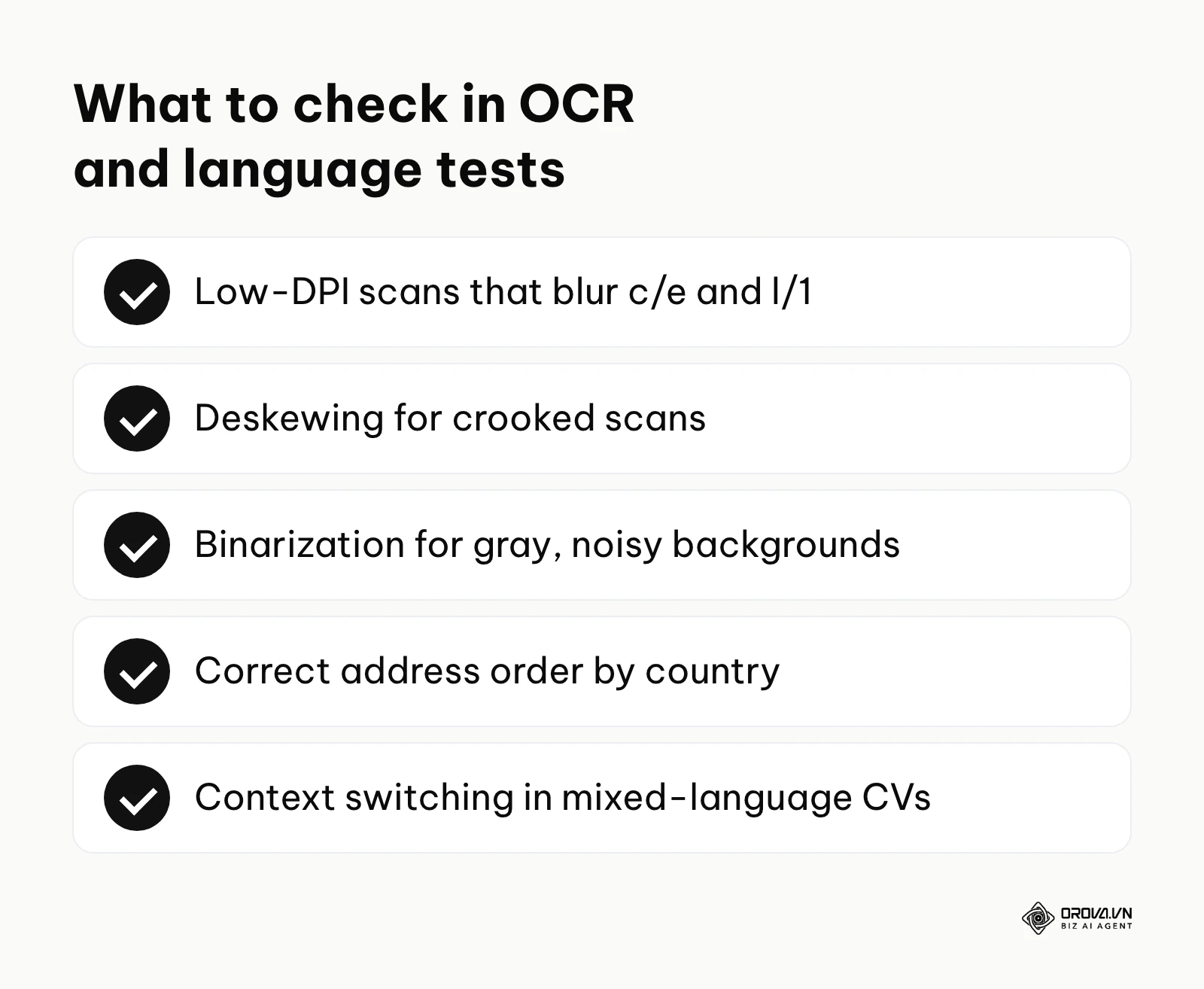
This is a notorious point of failure. Low DPI (dots per inch) scans cause letters like 'c' and 'e' or 'l' and '1' to blur together. You must test how the engine handles these artifacts. Does it employ deskewing algorithms to straighten crooked scans? Does it use binarization to separate dark text from a noisy, gray background?
Furthermore, test the multi-language capabilities rigorously. The engine must not only recognize the characters of a different language (which requires specific font encodings) but also apply the correct semantic rules for that language. For instance, the structure of an address in Japan is entirely reverse to the structure of an address in the United States. If the parser applies American geographical logic to a Japanese resume, the data will be hopelessly scrambled. Run your hybrid language test files and observe if the engine successfully switches its linguistic context mid-document.
Step 4: Evaluate extraction accuracy using JSON outputs
Once the text is extracted, the engine uses NLP to categorize it. The true test of a parser is examining the raw data payload it returns to your servers, typically in JSON (JavaScript Object Notation) format. You must involve your development team to inspect this payload.
A robust parser should return a highly nested, logical JSON structure. It should look something like this:
{
  "candidateInfo": {
    "name": {
      "first": "Jonathan",
      "last": "Doe"
    },
    "contact": {
      "email": "j.doe@example.com",
      "phone": "+1-555-019-8372",
      "address": {
        "city": "Seattle",
        "state": "WA",
        "country": "USA"
      }
    }
  },
  "experience": [
    {
      "jobTitle": "Senior Frontend Developer",
      "company": "Tech Innovations Inc.",
      "startDate": "2019-04-01",
      "endDate": null,
      "isCurrent": true,
      "description": "Led the migration of legacy monolithic architecture to React-based micro-frontends.",
      "skillsExtracted": ["React", "JavaScript", "Micro-frontends"]
    }
  ],
  "education": [
    {
      "degree": "Bachelor of Science",
      "major": "Computer Science",
      "institution": "University of Washington",
      "graduationYear": 2018
    }
  ]
}
Evaluate this output strictly. Did it correctly identify that "endDate" is null because the candidate wrote "2019 - Present"? Did it successfully extract the specific skills mentioned inside the dense paragraph of the experience description, or did it just look at a dedicated "Skills" section at the bottom? The granularity of this JSON structure determines how effectively you can search and filter your database later. If the JSON is flat and poorly organized, the parser is fundamentally weak, regardless of its marketing claims.
Step 5: Audit for AI bias and handle edge cases
Modern parsing engines rely heavily on artificial intelligence and machine learning models. Because these models are trained on historical data, they can inadvertently learn and perpetuate human biases. You must proactively audit the system for these issues.
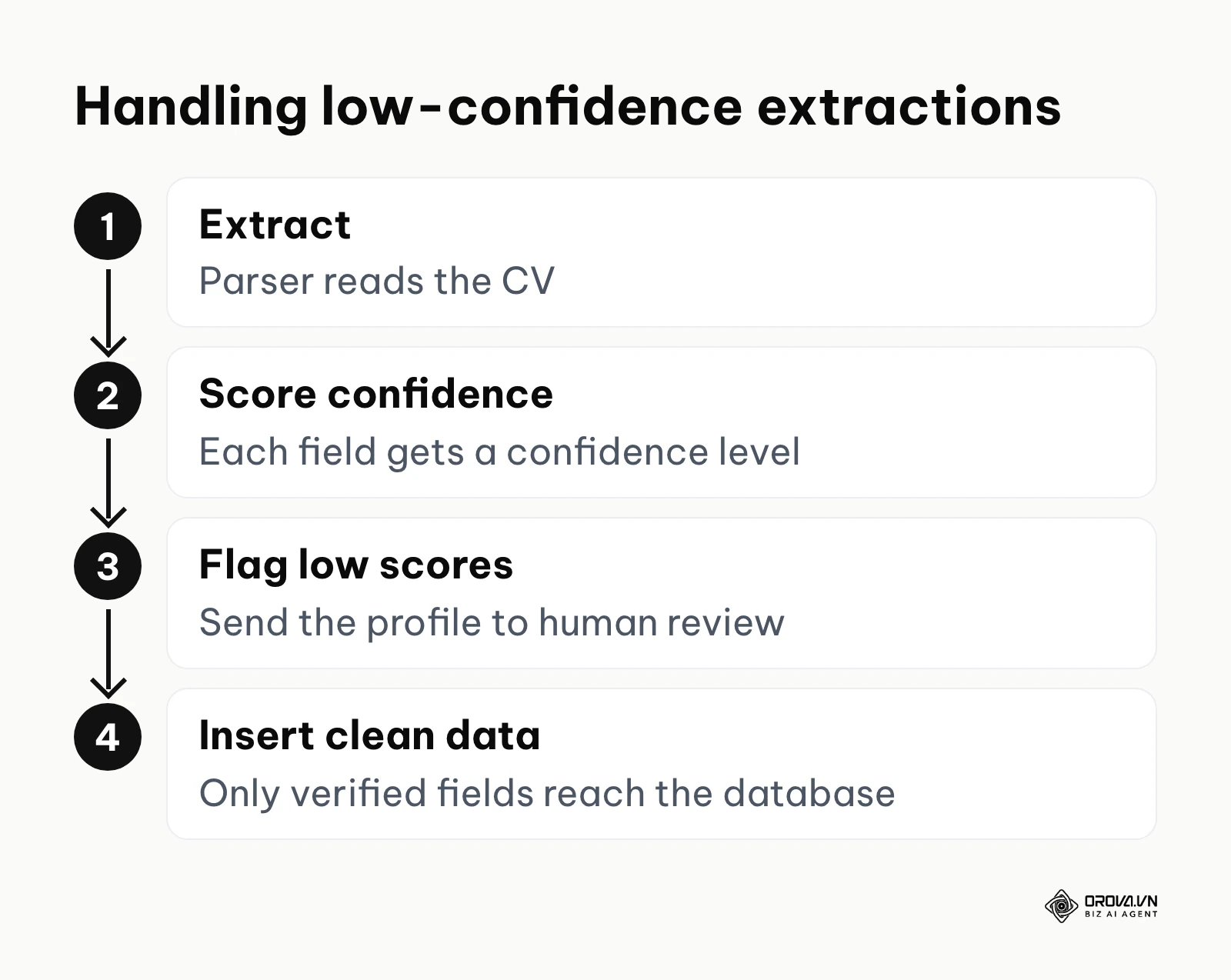
Does the parser struggle with names from specific ethnic backgrounds, mistakenly classifying a first name as a company name because it hasn't encountered it in its training data? Does it misinterpret military experience, discarding highly relevant leadership skills because the military jargon doesn't match standard corporate taxonomy?
You must establish a protocol for handling these edge cases. When the engine extracts data with a low confidence score, it should flag that specific profile for manual human review rather than silently inserting incorrect data into your database.
Illustrative example: A global logistics firm deployed a new semantic parsing engine to handle high-volume warehouse applications. The recruitment operations manager ran a pilot test and noticed the system was repeatedly misclassifying forklift certifications as generic, unrelated educational degrees. They intervened by updating the system's taxonomy dictionary to explicitly categorize specific alphanumeric license codes under the 'Technical Certifications' bucket. After this taxonomy adjustment, the system successfully categorized the licenses, resulting in a clean, easily filterable candidate pipeline for warehouse managers to review efficiently.
Step 6: Calculate ROI and organizational business impact
Finally, you must justify the investment by calculating the Return on Investment (ROI). This is critical for securing budget approvals from your executive team. The calculation must account for the time saved by recruiters, the cost of the software, and the indirect value of faster hiring.
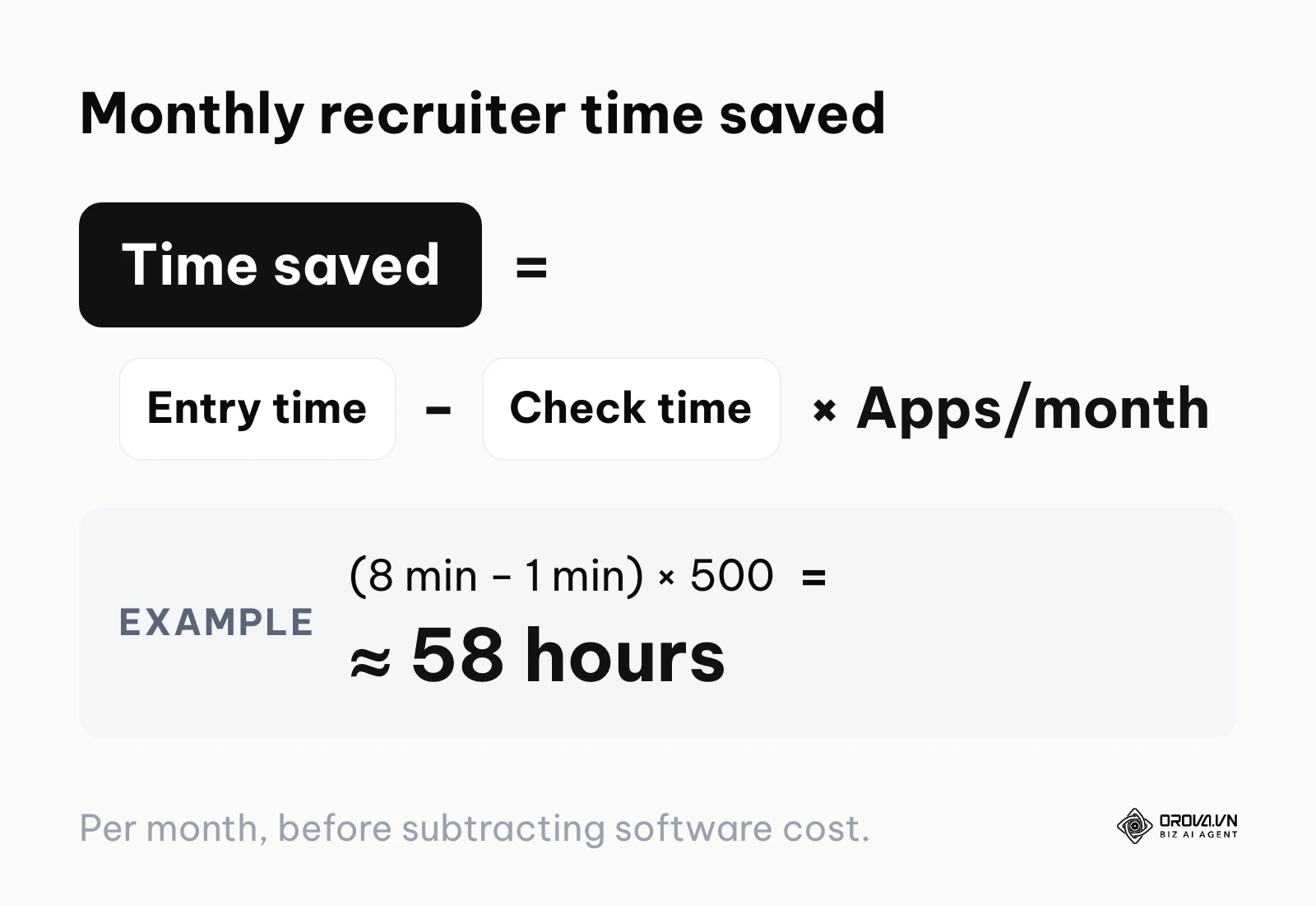
Use this foundational ROI framework to build your business case:
- Calculate Manual Cost: Multiply the average number of applications received monthly by the average time it takes a recruiter to manually enter one profile (typically 5 to 10 minutes). Multiply this total time by the recruiter's hourly wage.
- Calculate Automated Cost: Add the monthly software licensing cost of the parser to the vastly reduced time recruiters spend simply verifying the extracted data (typically 30 seconds to 1 minute per profile) multiplied by their hourly wage.
- Determine Savings: Subtract the Automated Cost from the Manual Cost.
Illustrative example: A team receives 500 applications a month. Manual entry takes 8 minutes per profile, while checking parsed data takes 1 minute. The time saved is (8 − 1) × 500 = 3,500 minutes, or roughly 58 hours of recruiter time every month, before you subtract the software cost.
Beyond the direct labor savings, consider the broader impact on the candidate experience. When data is parsed instantly, you can trigger automated workflows, supporting the conversion rate optimization of your career site. Candidates who don't have to manually retype their entire work history into clunky web forms are far less likely to abandon the application process midway.
Once your candidate data is clean, shortlisting is the next bottleneck. Orova Recruit lets you write the JD, set criteria for each role and score CVs against them, quoting the exact lines from each CV as evidence. It reads Word, PDF and scanned image files, so your shortlist starts from evidence rather than gut feel.
Deep analysis: Build vs. Buy and AI vs. Rule-Based parsing
When organizations decide to implement this technology, they face two massive architectural decisions. First, do they build their own extraction engine from scratch, or do they buy a ready-made commercial solution? Second, do they rely on traditional rule-based logic or advanced Artificial Intelligence?
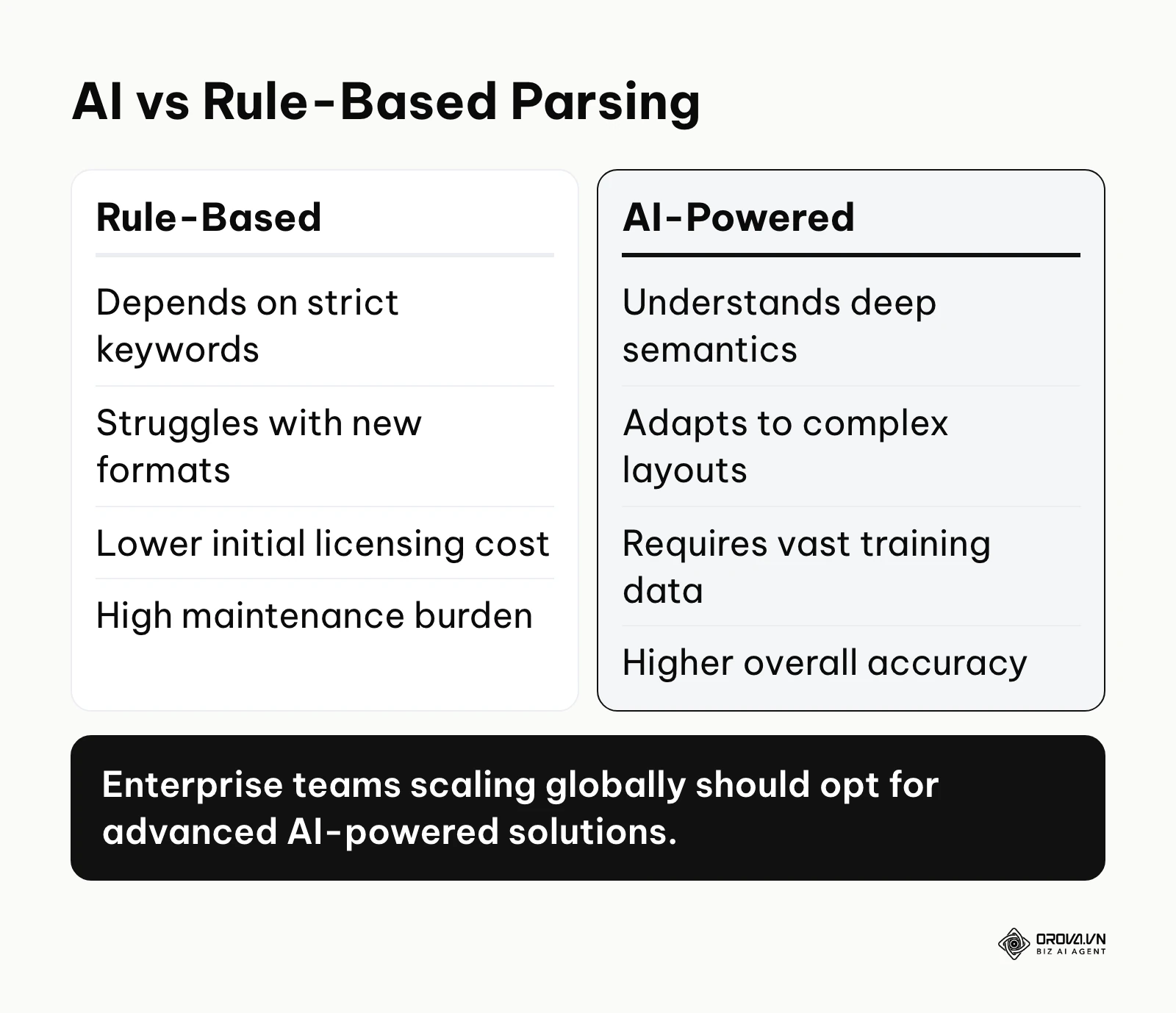
Let's address the underlying technology first. Historically, parsing relied on rule-based systems. These systems used rigid regular expressions (Regex) and hardcoded keyword lists. If the system was programmed to look for the word "Experience" to find job history, it would fail completely if the candidate wrote "Work History" or "Career Journey." Rule-based systems are extremely fast and computationally cheap, but they are incredibly fragile. They break instantly when faced with creative formatting, unexpected synonyms, or multi-column layouts.
In stark contrast, modern AI-powered systems utilize Deep Learning, specifically Named Entity Recognition (NER) and contextual semantic analysis. These engines understand the meaning of words based on their surrounding context. An AI engine knows that "Apple" located next to "Software Engineer" refers to the technology company, while "Apple" located next to "Farm Hand" refers to the fruit. This contextual approach has become the mainstream choice for teams that handle large and varied applicant pools.
| Approach | Best Suited For | Primary Weakness |
|---|---|---|
| Rule-Based (Legacy) | Legacy systems with highly standardized, predictable text inputs | Extremely fragile; breaks on modern, creative document designs |
| AI-Powered (Buy SaaS) | Fast-growing enterprises needing high accuracy and immediate deployment | Ongoing recurring subscription costs and vendor lock-in |
| AI-Powered (Build Internal) | Massive tech conglomerates with unique data security requirements | Prohibitive development costs and massive maintenance overhead |
The "Build vs. Buy" debate often tempts engineering-heavy organizations. Developers may argue that utilizing open-source NLP libraries can create a custom engine without subscription fees. However, building a parser is not a weekend project; it requires assembling massive, diverse datasets to train the models, constantly updating OCR libraries, and endlessly tweaking algorithms to handle the infinite variety of human formatting. For most organizations, buying a dedicated, commercial AI-powered SaaS solution is far more cost-effective and provides significantly higher accuracy from day one.
Measuring results: Key metrics for your resume parser
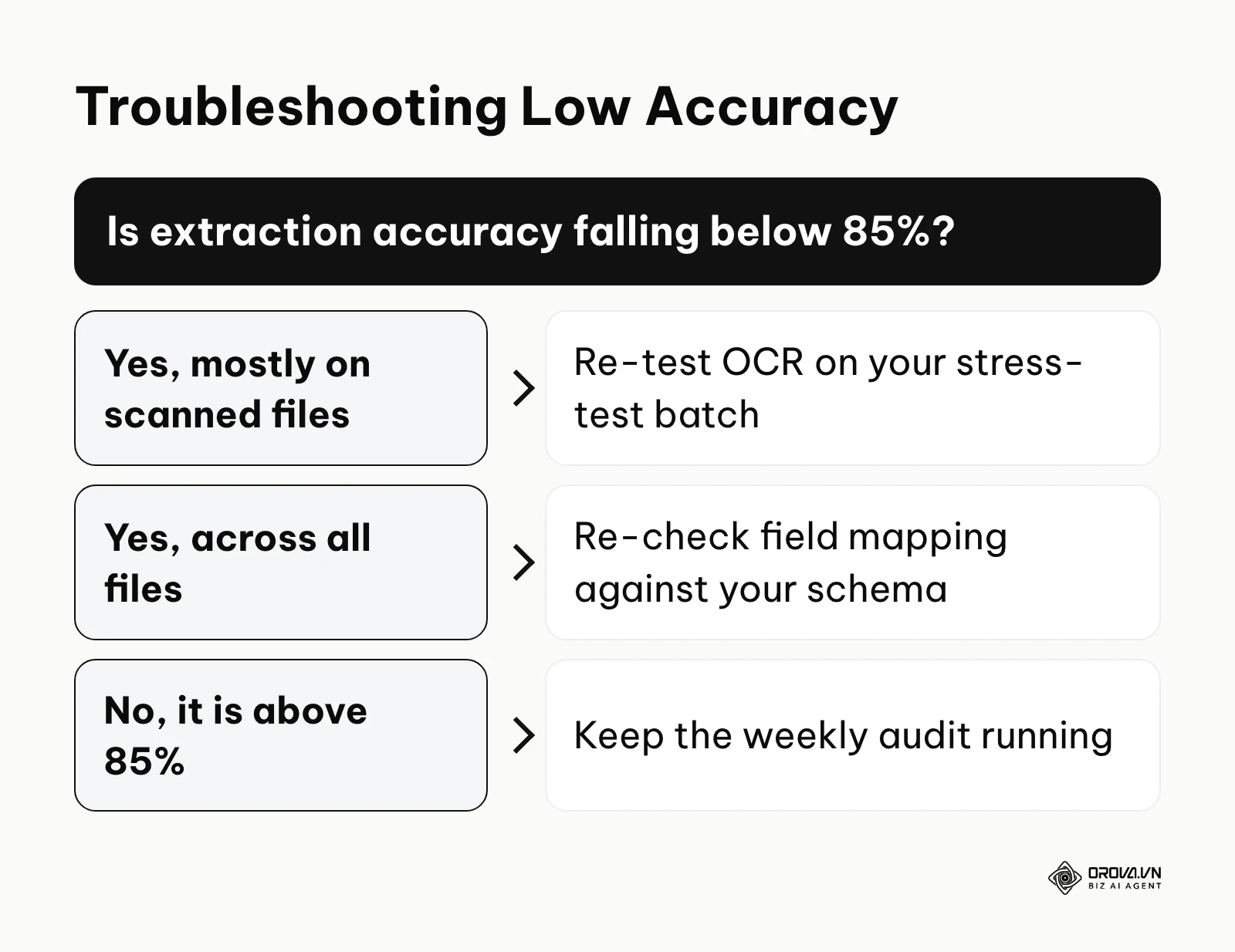
Implementing the software is not the end of the project; you must continuously monitor its performance to ensure it delivers the promised value. Without rigorous measurement, the system's accuracy could silently degrade over time as candidates adopt new design trends, leading to corrupted data downstream.
| Key Metric | What It Means | Warning Threshold |
|---|---|---|
| Extraction Accuracy Rate | The percentage of data fields correctly identified and populated without human edits | Consistently falling below 85% |
| Field Completion Rate | How many required fields in your database are successfully filled by the parser | Falling below 75% |
| Time-to-Parse | The average latency from file upload to data availability | Exceeding 5 seconds per file |
| Manual Override Rate | The frequency at which recruiters have to manually correct parsed data | Exceeding 20% of profiles |
The Manual Override Rate is perhaps the most telling metric of user adoption. If recruiters are spending just as much time correcting the parser's mistakes as they would have spent typing the data manually, the technology is failing its primary objective.
Illustrative example: A multinational retail chain rolled out an AI-based parsing tool across 50 regional branches. The talent acquisition director established a weekly audit process, specifically measuring the field completion percentage. During the second week, the audit revealed a massive drop in email extraction accuracy for candidates using a specific mobile job application platform. The team quickly traced the issue to an invisible watermark the mobile app placed over the contact header in the generated PDFs. By configuring the parsing OCR engine to specifically ignore that specific watermark layer, they restored data extraction integrity, resulting in fully populated candidate contact cards that allowed their automated interview scheduling to function correctly once again.
Want the rest of the hiring loop in one place? With Orova Recruit you can generate interview questions from the JD and CV, take voice or text interview notes, score and compare candidates, schedule interviews and send stage-based emails from your company inbox. Free until July 7, 2027.
Common mistakes when using a resume parser
Even with the best technology, poor implementation strategies can derail the entire initiative. Be highly vigilant against these frequent missteps that plague talent acquisition teams.
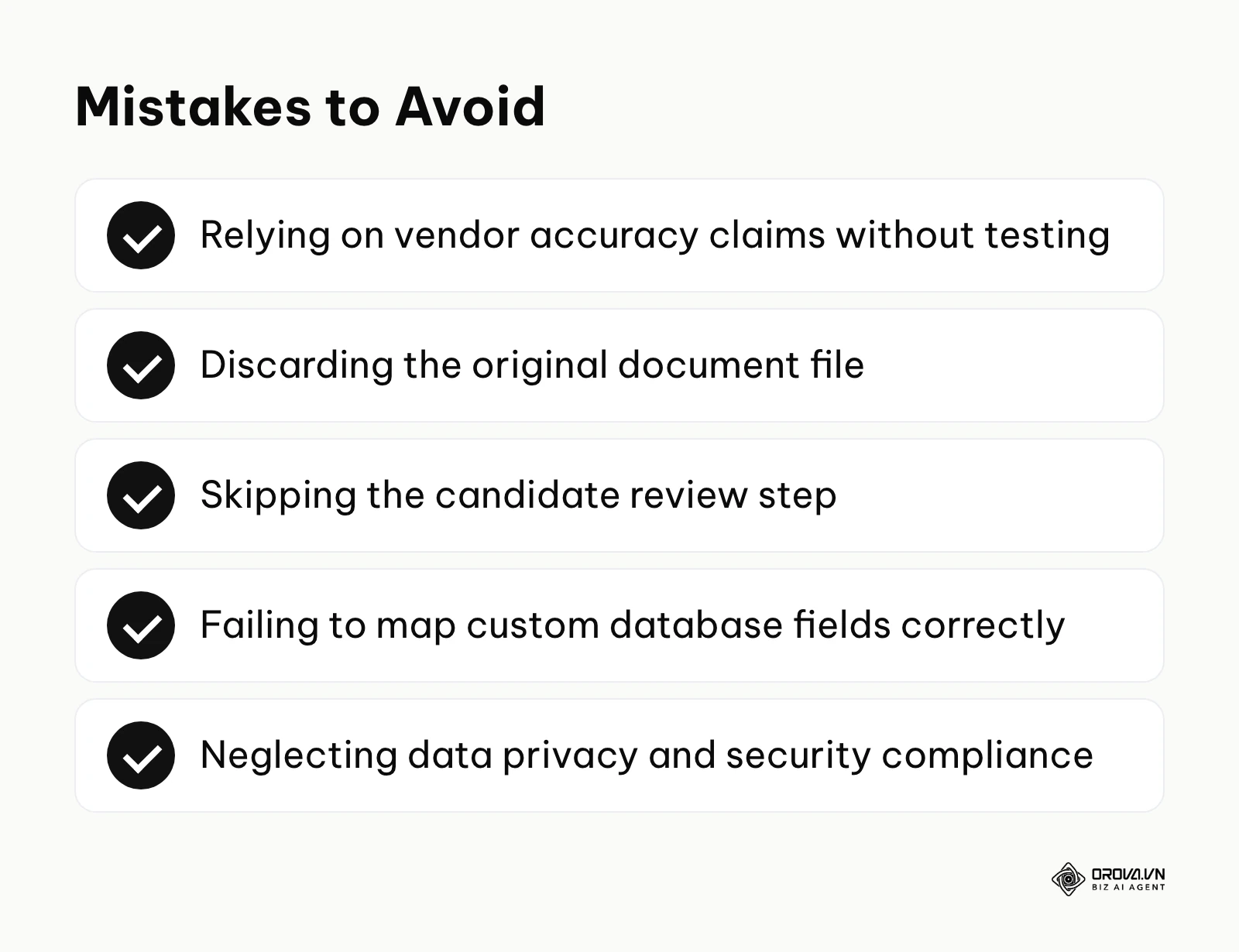
- Mistake 1: Relying solely on vendor accuracy claims without testing. Vendors test their software on highly sanitized datasets. If you do not test the engine against your own uniquely messy candidate files, you will be shocked by the drop in real-world performance. Fix this by demanding a proof-of-concept phase using your own historical data.
- Mistake 2: Discarding the original document file. A parser extracts data, but it often loses the candidate's unique formatting, personality, and subtle design choices. If you delete the original PDF and only save the JSON data, hiring managers lose crucial context. Always store the original file alongside the structured data profile.
- Mistake 3: Ignoring the candidate review step. Some systems parse the data and instantly submit the application without showing the candidate what was extracted. If the parser makes a mistake, the candidate has no opportunity to fix it, leading to instant rejection for false reasons. Always present the extracted data to the candidate in a confirmation screen so they can quickly verify and correct any errors before final submission.
- Mistake 4: Failing to map custom database fields correctly. If your database relies on a highly specific internal taxonomy (e.g., categorizing all sales roles under a unique internal code), and you fail to train the parser on this taxonomy, the extracted data will sit in a useless "Uncategorized" bucket.
- Mistake 5: Neglecting data privacy and security compliance. Resumes contain highly sensitive Personally Identifiable Information (PII). If you route candidate files through a third-party parsing API that logs and retains that data for their own model training without explicit candidate consent, you are exposing your organization to severe regulatory penalties. Careless handling of candidate data is a common route to compliance problems. Ensure your vendor offers strict data processing agreements and auto-deletion protocols.
Where resume parsing is heading in the next few years: the author's take
As of 2026, the landscape of recruitment technology is shifting rapidly. Based on the current trajectory of large language models and automation capabilities, here is where I believe parsing technology is decisively heading over the next few years.
The shift from keyword extraction to deep behavioral inference I believe that within two to three years, parsers will stop merely extracting lists of skills and will begin inferring a candidate's behavioral traits and problem-solving methodologies based on the semantic structure of their experience descriptions. Early experiments with language models that read the action verbs in a CV as hints about working style already point in this direction. Talent leaders should prepare by ensuring their teams understand how to interpret these inferred insights critically, rather than treating them as absolute truth.
Real-time parsing integrated at the edge My read is that parsing will become fast enough that candidates barely notice it, moving away from centralized batch processing toward real-time edge computing on the candidate's own device. As mobile application usage continues to dominate, the parsing engine will live directly within the browser or app, extracting and validating data instantly as the user types or uploads, providing immediate interactive feedback. Organizations should prepare by optimizing their career site architectures to support lightweight, asynchronous API calls.
Seamless data flow into post-hire systems I think the data extracted during the hiring phase will finally break out of the ATS silo and flow directly into post-hire development platforms. The granular skills extracted by the parser will automatically build the foundational profile within the organization's learning management system, instantly identifying skill gaps and recommending tailored onboarding training before the employee's first day. HR IT teams should begin mapping out unified data architectures now to support this continuous employee lifecycle data flow.
Frequently asked questions about resume parsing
How does AI impact parsing accuracy compared to older methods?
Artificial intelligence fundamentally transforms accuracy by introducing contextual understanding. Older rule-based methods relied on strict keyword matching, which failed miserably when a candidate used a synonym or a creative layout. AI, specifically Natural Language Processing (NLP), analyzes the surrounding words to understand intent. It knows the difference between a candidate who "managed a team using Python" versus one who simply listed "Python" in a massive block of unverified keywords.
Can a parsing engine handle unconventional formats like video resumes or personal websites?
Currently, standard parsing engines are heavily optimized for static text and image documents (PDF, DOCX, JPEG). While they cannot natively parse a video file, advanced platforms are beginning to integrate automated audio transcription services that convert the spoken words in a video resume into text, which is then fed into the standard parsing engine. Extracting data from personal websites requires web scraping technology, which operates on entirely different technical principles than document parsing.
Will using a parser introduce bias into my hiring process?
This is a critical concern. A parser itself is merely an extraction tool, but if it utilizes AI models trained on historically biased data, it might misinterpret or unfairly downrank candidates from diverse backgrounds (for example, failing to recognize degrees from international universities). The risk of bias primarily occurs when the parsed data is used by AI resume screening tools to auto-reject candidates, rather than simply structuring the data for a human recruiter to evaluate fairly.
Is it necessary to keep the original file after parsing the data?
Absolutely. While the parsed data is essential for database searchability and filtering, the original document provides invaluable context. A candidate's formatting choices, attention to detail, and design aesthetics provide a human element that structured JSON data simply cannot convey. Hiring managers almost universally prefer reviewing the original formatted document during the actual interview phase.
Where to start?
Navigating the complexities of data automation can feel overwhelming, but you can make immediate progress by taking one highly focused step based on your current situation.
If you currently process all applications manually: Do not immediately request budget for expensive software. Your first step this week should be to audit your current database schema. Open a blank spreadsheet and list every single data field your recruiters currently type by hand. Define which of those fields are absolutely mandatory for making a hiring decision and which are just noise. This document will become your foundational requirement list when you eventually evaluate vendors.
If your current parsing software is returning terrible data: Stop blaming the candidates for using bad templates. Your first step today should be to build a stress-test portfolio. Gather 20 of the most complex, broken, or incorrectly extracted resumes you have received this month. Sit down with your IT administrator and run these specific files through your vendor's support portal to identify if the root cause is a failing OCR engine, a mismatched date format, or a completely outdated rule-based backend.
If you are actively preparing a business case to buy a solution: Do not build your pitch around abstract concepts like "digital transformation." Your first step tomorrow should be to run a hard ROI calculation. Shadow a recruiter for one hour and strictly time exactly how many seconds it takes them to manually enter one candidate profile. Multiply that by your total monthly applicant volume. Presenting your executive team with a concrete number of hours wasted per month is the fastest way to secure budget approval.
About the author

Builder of Orova
Nguyễn Đỗ Trọng Ân has 8 years of experience in marketing, including 6 years managing market development across Asia. He builds Orova, a Biz AI Agent that never sleeps: it plans, runs and optimizes work for businesses.
Run your business with AI Agents
Orova is the always-on Biz AI Agent — it plans, runs, and optimizes the work for you.
Save time, unlock productivity.