
What is Facebook Ads Manager? A practical guide to Meta's ad platform

Facebook Ads Manager is Meta's main tool for creating, running and measuring paid ads across Facebook, Instagram, Messenger and the Audience Network. Meta now calls it Meta Ads Manager, but most people still search for it as facebook ads manager, and it is the same product. If clicking the blue Boost button on your page is not producing measurable sales, Ads Manager is where you get control over the objective, the audience, the placements and the conversion tracking that the algorithm learns from.
This guide will walk you through exactly how to master the backend advertising system to stop wasting money and start building scalable revenue streams. Whether you are searching for a basic facebook ads manager tutorial to launch your very first campaign or seeking a complex facebook ads manager strategy to overhaul your media buying department, this deep dive provides the exact framework you need. We will cover the granular mechanics of the platform, the inevitable transition to AI-driven automated campaigns, and the exact step-by-step protocols to build a bulletproof sales funnel.
What is Facebook Ads Manager?
Facebook Ads Manager (now officially named Meta Ads Manager) is the official backend advertising dashboard developed by Meta. It is used to build complex, multi-layered campaigns, define highly granular target audiences, and allocate budgets across Facebook, Instagram, Messenger, and the Audience Network. Unlike simpler front-end tools, it provides total programmatic control over ad delivery and deep data tracking.
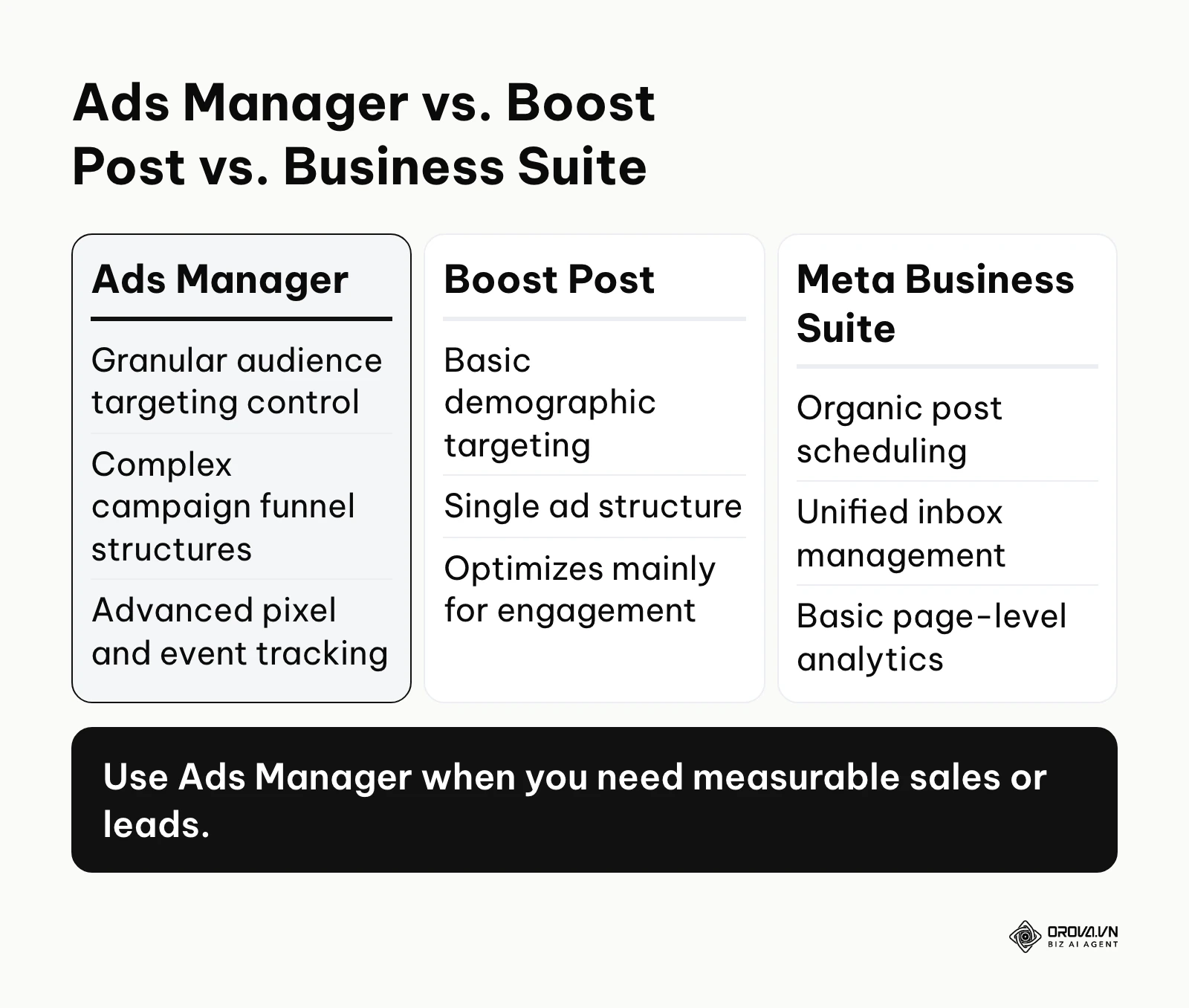
The platform started as a simple interface for buying ads on Facebook and has grown into a machine learning auction system that serves ads across all of Meta's apps. To understand its true utility, we must clarify how it differs from the other tools Meta provides to business owners, as this is a frequent point of confusion.
| Concept | How it differs from Ads Manager | Real-world example |
|---|---|---|
| Boost Post | A simplified front-end tool designed for quick engagement. It offers minimal audience controls, locks you into basic objectives, and cannot build sequential funnels. | A local bakery spending 20 dollars to get more "Likes" on a photo of a new cake, without tracking if anyone actually bought it. |
| Meta Business Suite | A management hub focused on organic social presence. It is used to schedule non-paid posts, reply to customer messages, and view basic page insights. | A community manager scheduling next week's organic content calendar and replying to customer service DMs. |
| Business Manager (now called a business portfolio) | The overarching administrative umbrella. It houses your Ads Manager, but also holds your Pages, Pixels, Catalogs, and manages employee billing permissions. | A marketing agency owner assigning different staff members access to different clients' ad accounts securely. |
The chart below summarizes the capabilities of these different interfaces.
Illustrative example: A boutique clothing brand was spending 500 dollars a month boosting posts directly from their Instagram profile. They received thousands of likes but saw zero increase in website sales. They were optimizing for vanity metrics. Once they transitioned into the Ads Manager backend, they created a specific Sales campaign targeting people who had added items to their cart but abandoned checkout. By showing these specific users a dynamic carousel of the exact products they left behind, they generated 3,500 dollars in revenue from that same 500-dollar ad spend in the first two weeks.
The Purpose and Meaning of Facebook Ads Manager
At its core, this platform exists to solve the fundamental business problem of unpredictable customer acquisition. Relying solely on organic reach, SEO, or viral content means your revenue is at the mercy of shifting algorithms that you cannot control. The platform provides a predictable, mathematical engine: you input capital, the machine learning algorithm identifies the users most likely to take your desired action, and it outputs a measurable return.
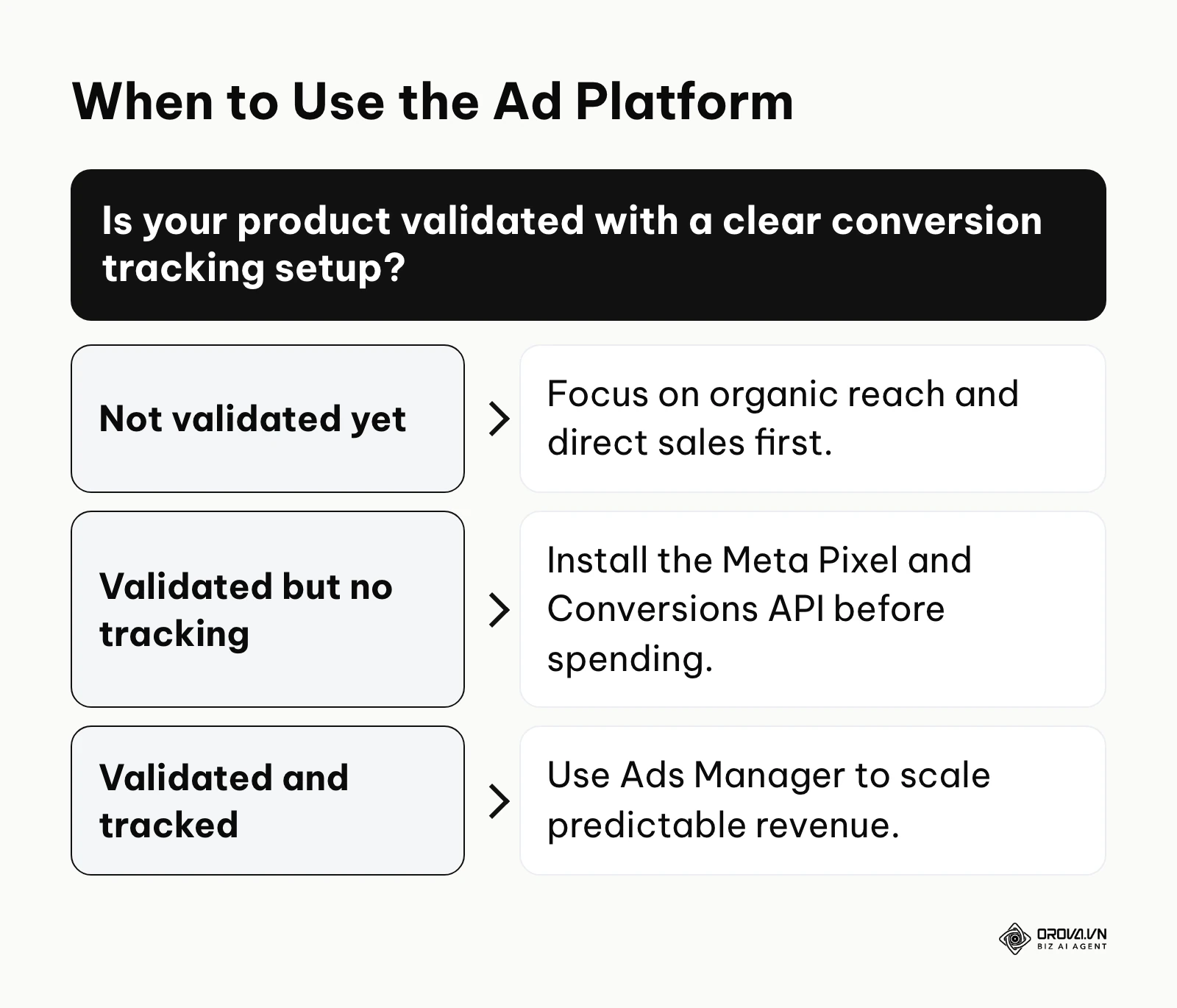
In the broader picture of digital marketing, this tool sits precisely at the intersection of traffic generation and data collection. It is the engine that feeds the top of your sales funnel, while simultaneously learning from the bottom of your funnel (via the Meta Pixel) to continuously refine its targeting.
If you ignore this platform, you lose the ability to scale on demand. You are effectively locking yourself out of accessing a database of billions of highly categorized users, allowing your competitors who understand media buying to aggressively capture your market share by simply outbidding you for the attention of your ideal customers.
However, it is not a magic solution for every scenario.
When you do not need Facebook Ads Manager: You should completely avoid this platform if your core product is unvalidated and you lack a minimum viable budget to acquire data. Furthermore, if you sell highly specialized B2B enterprise software with very long sales cycles, account-based marketing or direct outbound sales is often a better first channel. Using this tool in those scenarios is a waste of capital. Instead, validate your offer organically or utilize targeted cold email outreach before pouring money into algorithmic ad platforms.
Core Value and Benefits for Businesses and Marketers
The utility of this system can be divided into two distinct layers: the macro financial value it brings to the business entity, and the micro tactical benefits it provides to the practitioner running the daily operations.
Tangible Benefits for the Business
For business owners and executives, the platform transitions marketing from a vague expense into a measurable financial instrument. It removes the guesswork from growth.
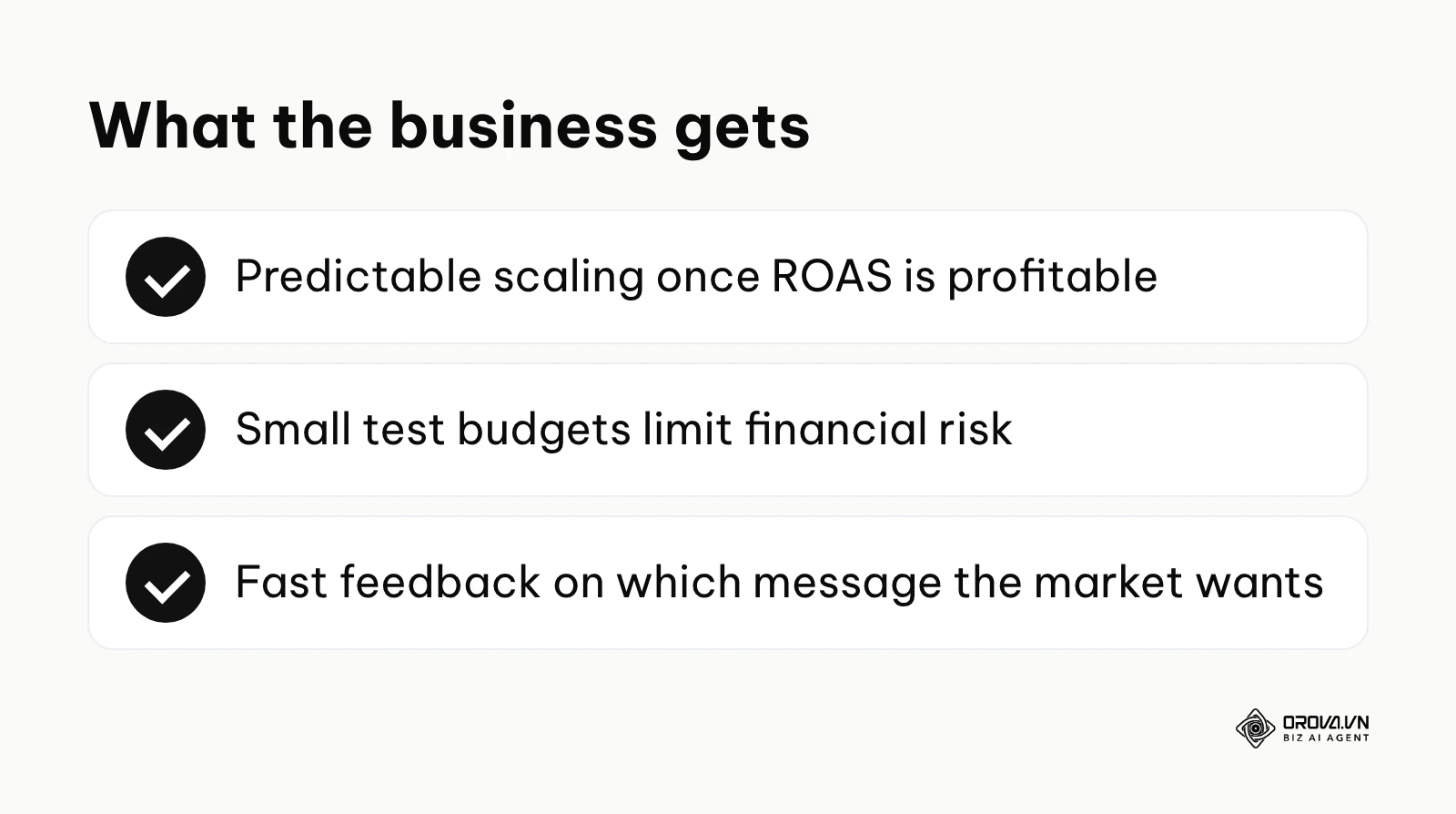
- Predictable Scalability: Once a campaign demonstrates a profitable Return on Ad Spend (ROAS), the business can theoretically increase the budget to acquire more customers at a known cost, allowing for accurate financial forecasting.
- Risk Mitigation through Data: Unlike traditional billboards or television commercials where you pay upfront and hope for the best, digital campaigns can be launched with small testing budgets. Unprofitable ads can be killed within hours, strictly limiting financial exposure.
- Accelerated Market Feedback: A business can test three different value propositions (e.g., "Save Time" vs. "Save Money" vs. "Increase Status") simultaneously to a cold audience and know definitively within 48 hours which message the market actually wants based on click-through rates.
Illustrative example: A regional plumbing company relied entirely on word-of-mouth and expensive local directory listings. They decided to run a targeted campaign offering a 50-dollar discount on water heater inspections before winter. Stumble: Their initial ads targeted the entire state, resulting in leads that were a 4-hour drive away. Fix: They refined the location targeting to a strict 15-mile radius around their dispatch center. Result: They secured 28 new high-ticket jobs in a month, fundamentally shifting their reliance away from unpredictable referrals to a tap they could turn on and off.
Tactical Benefits for the Marketer
For the media buyer or marketing manager, the platform provides an unparalleled toolkit for psychological targeting and creative testing.
- Granular Audience Construction: Marketers can build audiences not just on demographics, but on layered behaviors. You can target users who are interested in luxury travel, who are also frequent online buyers, and exclude anyone who already visited your website.
- Dynamic Creative Iteration: The system lets you supply several images, videos and headlines, and the algorithm can mix and match them, showing the optimal combination to each specific user based on their past engagement history.
- Advanced Attribution: Through the Meta Pixel and Conversions API, marketers can trace exactly which ad led to a purchase, even if the user clicked the ad on their phone on Tuesday but finally bought the product on their desktop computer on Friday.
| Benefit | Measured by which metric? | Visible after how long? |
|---|---|---|
| Creative resonance | Click-Through Rate (CTR) | 24 - 48 hours |
| Audience targeting accuracy | Cost Per Click (CPC) | 3 - 5 days |
| Overall funnel profitability | Return on Ad Spend (ROAS) | 7 - 14 days |
OROVA ADS applies AI Agent to automate and optimize ad performance on Google, Meta and TikTok. Scale your budget safely, monitor 24/7 and expand your business quickly.
Experience the solution at orova.vn/ads
How Facebook Ads Manager Works (The Anatomy of a Campaign)
This is the most critical section for mastering the platform. The system is built on a strict, three-tiered hierarchy. Understanding how these tiers interact is the difference between a profitable media buyer and someone who just burns budget.
The Campaign Level: Objectives and Budgeting Logic
The Campaign is the foundation. The single most important decision you make here is selecting your Objective. At the time of writing, Meta groups objectives into six outcome-based categories: Awareness, Traffic, Engagement, Leads, App Promotion, and Sales. Meta renames and regroups objectives from time to time, so check the labels in your own account.
- What you do: You tell the algorithm exactly what you want it to find. If you choose "Traffic," the AI will find people who love clicking links but rarely buy. If you want purchases, you must choose "Sales."
- Input: Your overall campaign goal and your overarching budgeting strategy.
- Output: The algorithm's fundamental optimization behavior across all ad sets within this campaign.
- Common failure point: Choosing "Traffic" when you actually want "Sales." Beginners think traffic is cheaper, but cheap clicks that do not convert will destroy your profit margins.
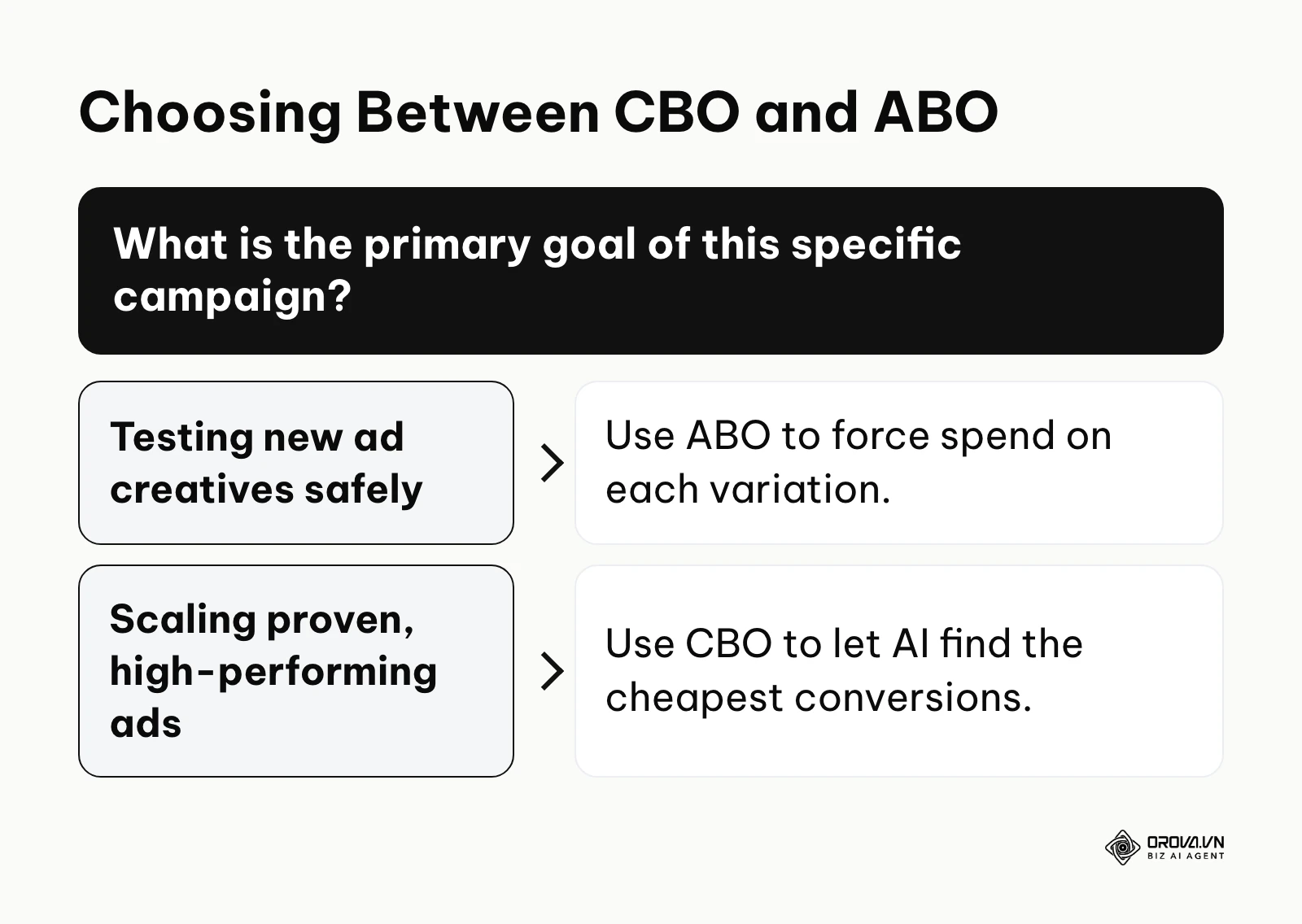
At this level, you must also choose your budgeting strategy. You can either set the budget at the Ad Set level (ABO - Ad Set Budget Optimization) or let the AI manage it at the Campaign level (CBO - Campaign Budget Optimization).
The chart below summarizes the decision-making process for budgeting.
The Ad Set Level: Targeting, Placements, and The Learning Phase
The Ad Set is where the technical heavy lifting occurs. This is where you define exactly who will see your ads, where they will see them, and how long the ads will run.
- What you do: You define the audience parameters (Core interests, Custom audiences, or Lookalike audiences). You also select placements (Instagram Stories, Facebook Feed, Reels) and define the specific conversion event you want to track.
- Input: Demographic data, geographic radii, behavioral interests, and scheduling parameters.
- Output: A defined pool of users that the algorithm will bid on in the auction.
- Common failure point: Over-constricting the audience. Layering too many interests (e.g., targeting men aged 25-30, who like golf, AND luxury cars, AND fine dining) creates an audience too small for the machine learning algorithm to operate efficiently.
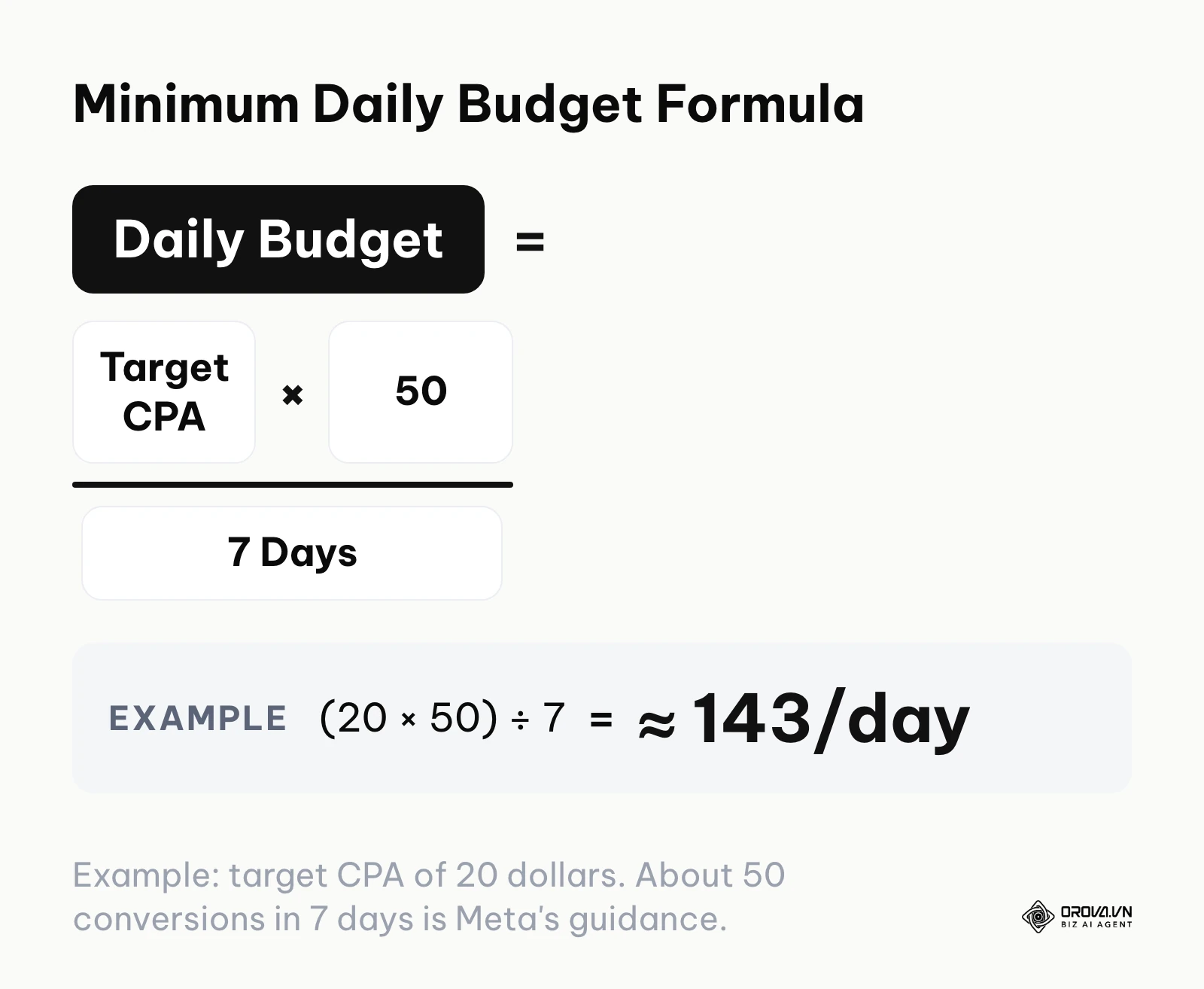
Understanding the Learning Phase: This is the most misunderstood concept by beginners. When you launch a new ad set, the algorithm enters the "Learning Phase." It is actively exploring the audience to find out who is most likely to convert. Meta's own guidance is that an ad set usually needs around 50 optimization events (conversions) within a 7-day window to exit this phase and stabilize.
If you do not give the system enough budget to achieve those 50 conversions, your campaign will get stuck in "Learning Limited," resulting in erratic performance and high costs. You can estimate the minimum budget with a simple formula: Daily Budget = (Target CPA × 50) ÷ 7.
The chart below summarizes the critical budget formula.
When setting up your tracking at this level, relying solely on the browser pixel is no longer sufficient due to modern privacy updates (like iOS 14). You must implement robust server-side tracking to ensure data fidelity; understanding how the Conversions API works and setting it up correctly is non-negotiable for accurate attribution in 2026.
The Ad Level: Creative, Copy, and Destination
The Ad is the actual visual asset the end-user sees in their feed. It is the only part of this complex infrastructure that your potential customer interacts with.
- What you do: You upload the creative (images, videos, carousels), write the primary text, write the headline, and insert the destination URL.
- Input: Your brand's visual assets, copywriting, and psychological hooks.
- Output: The rendered advertisement in the user's interface.
- Common failure point: Using highly polished, corporate-looking graphics. On social media, native-looking, user-generated content (UGC) shot on a smartphone vastly outperforms glossy studio production.
Monitoring Frequency: At the ad level, you must obsessively watch the Frequency metric. This number indicates the average number of times a single user has seen the exact same ad. There is no universal safe number, because it depends on audience size and how long the campaign runs, but when frequency keeps climbing within a short window and results drop at the same time, "ad fatigue" has usually set in. Your CTR will plummet, and your CPA will skyrocket. This is the definitive red alert signaling that you must turn off the current creative and launch fresh variations.
The Shift to Advantage+ Shopping Campaigns (ASC)
If you have read older tutorials, they will teach you to build dozens of complex ad sets with micro-targeted interests. Meta has been steering advertisers away from this with Advantage+ campaigns, starting with Advantage+ Shopping Campaigns (ASC) for e-commerce. In newer versions of the interface Meta has folded this into its broader Advantage+ sales campaign setup, and the exact names and options keep changing.
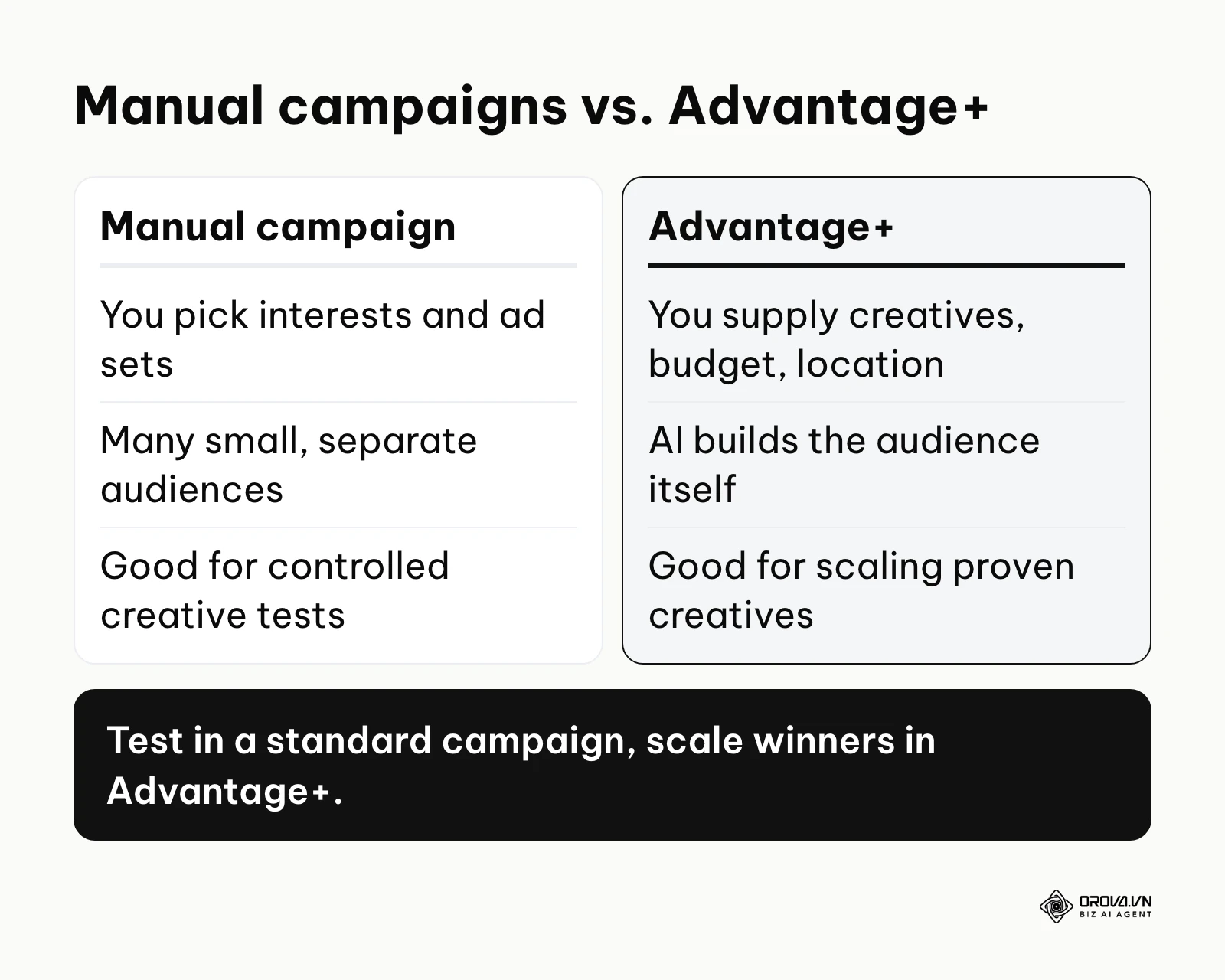
ASC represents a fundamental shift toward black-box AI automation. Instead of you telling the system who to target, you load a large set of creative assets into a single campaign, set a budget and a location, and (where the option is offered) control how much spend goes to existing customers. The AI then builds its own audiences and keeps shifting budget toward the best-performing creatives.
Illustrative example: An e-commerce brand selling athletic shoes was struggling to maintain profitability using complex ABO testing structures with dozens of overlapping interests. Stumble: They transitioned to Advantage+ but threw 40 untested, mediocre creatives into the ASC, causing the AI to waste thousands of dollars figuring out that all the videos were bad. Fix: They adopted a hybrid approach: using a standard campaign with strict budgeting to test new video concepts first, and then only migrating the proven, winning creatives into the heavily funded ASC campaign. Result: Their overall campaign ROAS increased from a volatile 1.8x to a stable 2.9x, and manual management time dropped by 15 hours a week. For a wider view of this shift, see our guide to how AI is changing ad buying.
Funnel Structures for Different Business Models
One size does not fit all. A local dentist cannot use the same campaign architecture as a global fast-fashion brand. You must architect your funnel based on your sales cycle.
1. The E-Commerce Retailer (Short Cycle): This model relies on immediate impulse purchases.
- Campaign 1: Advantage+ Shopping Campaign (Broad targeting, optimizing for Purchases).
- Campaign 2: Dynamic Product Ads (DPA) retargeting users who viewed a specific product but did not buy, showing them the exact item with a 10% discount code.
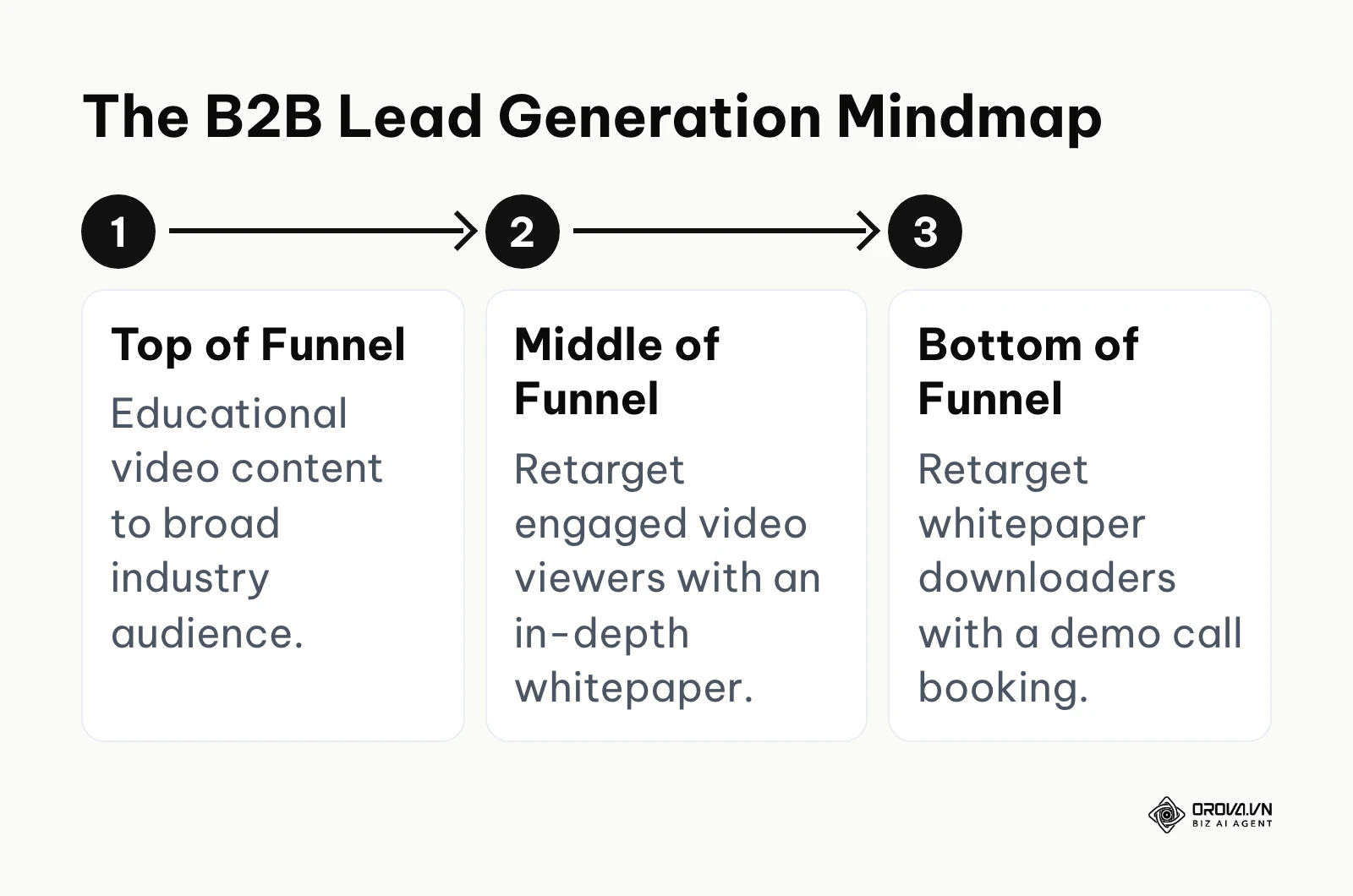
2. The B2B Service Provider (Long Cycle): This model requires building deep trust before asking for a high-ticket commitment. The structure is inherently sequential.
The chart below summarizes the B2B funnel progression.
3. The Local Brick-and-Mortar Business (Geo-Restricted): This model depends entirely on driving foot traffic within a tight radius.
- Campaign 1: Lead Generation objective offering a highly compelling, irresistible offer (e.g., "First week free at our new gym").
- Targeting: Strictly a 5-to-10-mile radius, completely open demographics (letting the local AI find the buyers).
- Follow-up: Call or text the lead as soon as the form is submitted.
| Types of Campaigns | Defining Characteristic | Best Suited For |
|---|---|---|
| Manual Sales Campaign | Total control over audience segments | Rigorous creative testing and niche targeting |
| Advantage+ Shopping | Pure AI-driven automation | Scaling proven e-commerce products |
| Lead Generation | Native forms without leaving the app | Local businesses and B2B list building |
What to Do to Start and Adapt
Transitioning from boosting posts to managing a professional media buying infrastructure requires a strategic shift, depending entirely on your role in the ecosystem.
For the Small Business Owner
Your priority is protecting cash flow while validating that the platform works for your specific offer.
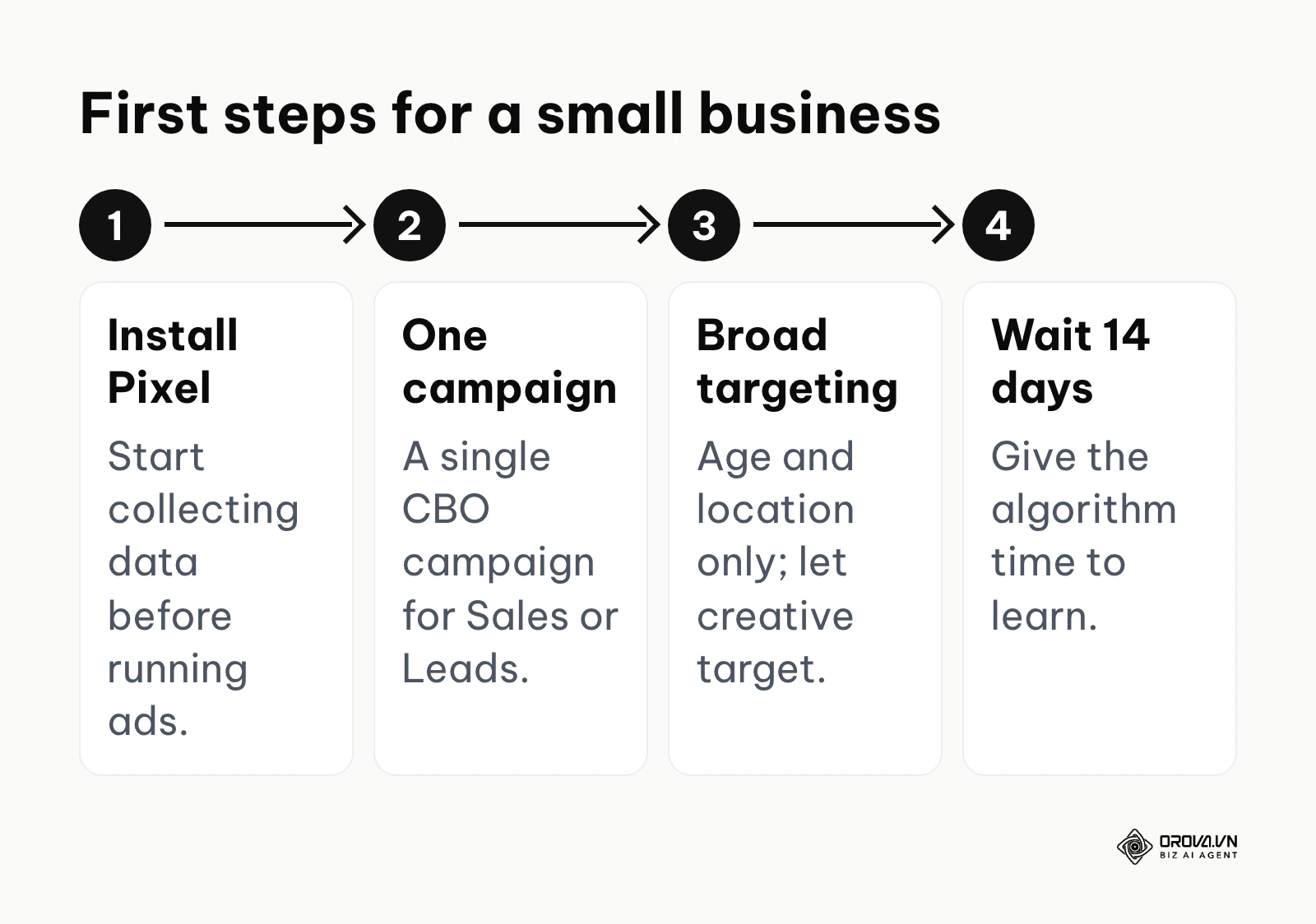
- Install the Meta Pixel on your website immediately to start building data pools, even if you are not running ads yet.
- Launch a single Campaign Budget Optimization (CBO) campaign optimized for Sales (or Leads).
- Do not restrict the targeting with interests; keep it broad (age and location only) and let your ad creative do the targeting.
- Set a daily budget you are comfortable losing entirely for 14 days without panicking, as the algorithm needs time to learn.
For the Marketing Manager
Your priority is establishing a scalable architecture and robust tracking systems for your team.
- Audit the existing account structure and pause all campaigns with overlapping audiences that are cannibalizing each other in the auction.
- Work with developers to implement the Conversions API to ensure you are not losing attribution data to ad blockers and privacy updates.
- Establish a strict creative testing protocol: always isolate variables (test one video with three different headlines, not three videos with three headlines simultaneously).
- Build custom reports in the dashboard and track ROAS daily, using the ROAS formula to set your break-even target.
For the Agency Media Buyer or Freelancer
Your priority is maximizing efficiency across multiple client accounts and adopting AI tools faster than your competitors.
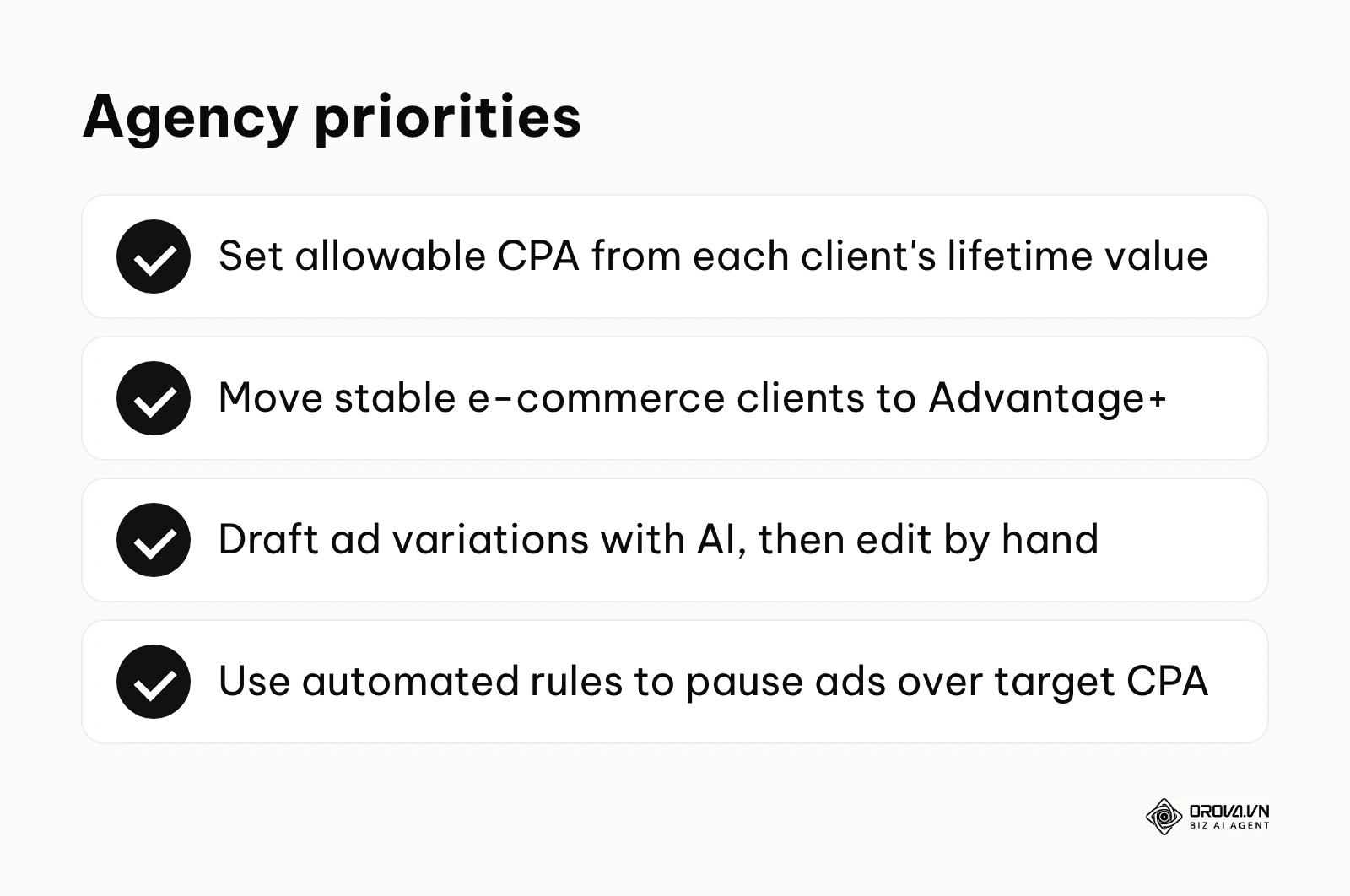
- Audit your clients' historical data to identify their true lifetime value (LTV) to accurately calculate allowable CPA thresholds.
- Transition stable e-commerce clients from complex manual structures to Advantage+ Shopping Campaigns to lower CPA through broader algorithmic reach.
- Stop writing every ad from scratch; use AI writing tools to draft hooks and variations, then edit them by hand so they still sound like the brand.
- Implement automated rules in the Ads Manager to automatically pause any ad that exceeds the target CPA by 20%, protecting client budgets while you sleep.
| Common Mistake | Immediate Consequence | How to Avoid It completely |
|---|---|---|
| Editing active ads frequently | Resets the Learning Phase | Duplicate the ad if you must change it, or wait 7 days. |
| Ignoring frequency metrics | CPA skyrockets due to ad fatigue | Implement an automated rule to pause ads when frequency hits 3.5. |
| Using "Traffic" objective | High click volume, zero sales | Always use the "Sales" objective if you want revenue. |
10-Step Pre-Flight QA Checklist (The Campaign Safety Net)
Beginners easily make rudimentary errors that can drain hundreds of dollars in hours. You must rigorously check these items before hitting the green publish button.
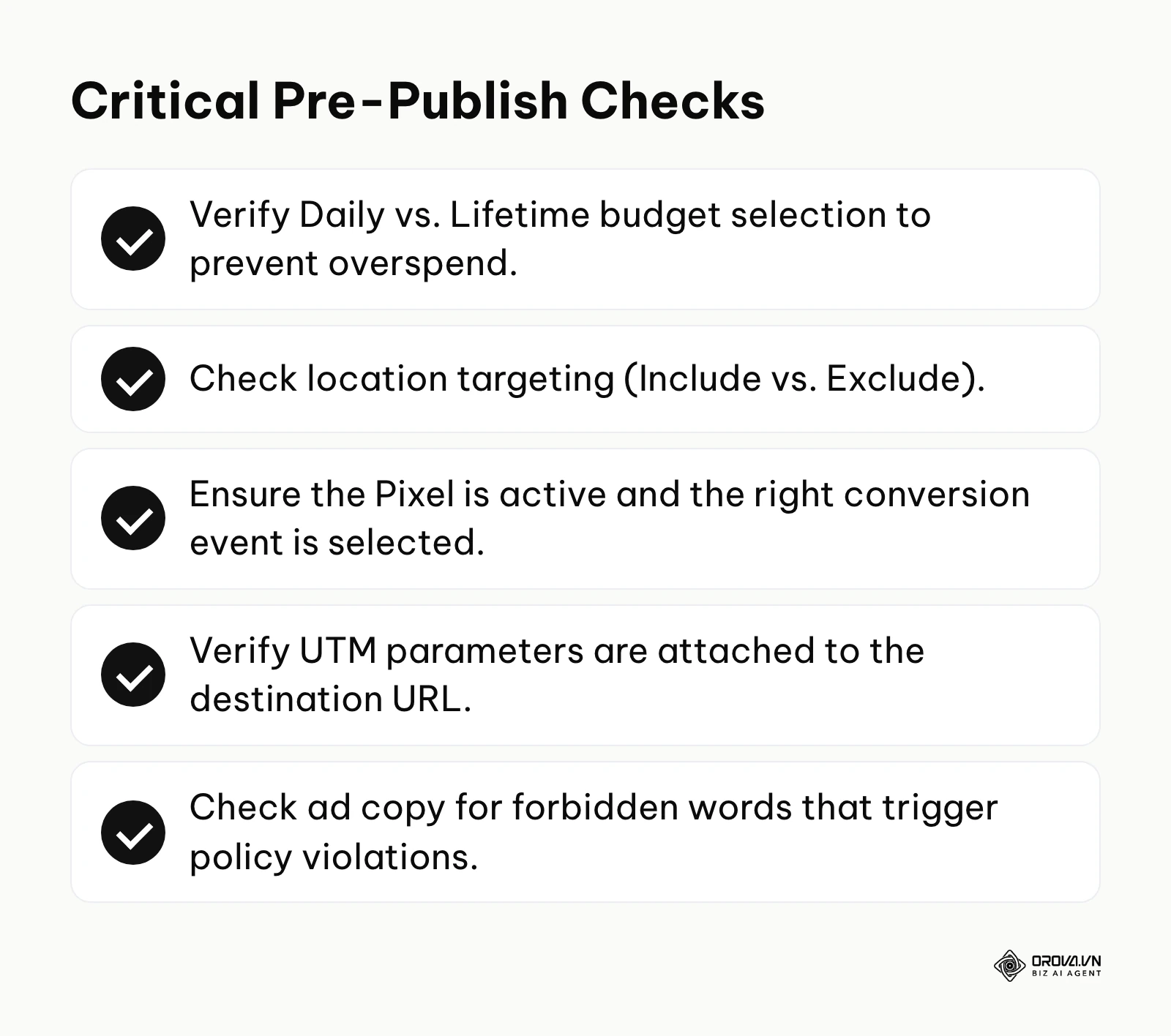
The chart below summarizes the critical items in this checklist.
- Budget Type: Did you accidentally select "Lifetime Budget" instead of "Daily Budget," or vice versa?
- Budget Amount: Did you type 1000 instead of 10.00 (an extra zero or a missing decimal point)?
- Audience Exclusions: Are you accidentally targeting your current customers with an acquisition offer?
- Location Settings: Are you targeting "People living in" or "People recently in" this location? (Usually, you want the former).
- Optimization Event: Is the ad set explicitly optimizing for "Purchases," or did it default to "Add to Cart" or "Link Clicks"?
- Pixel Status: Is the correct Pixel selected, and is the indicator light green?
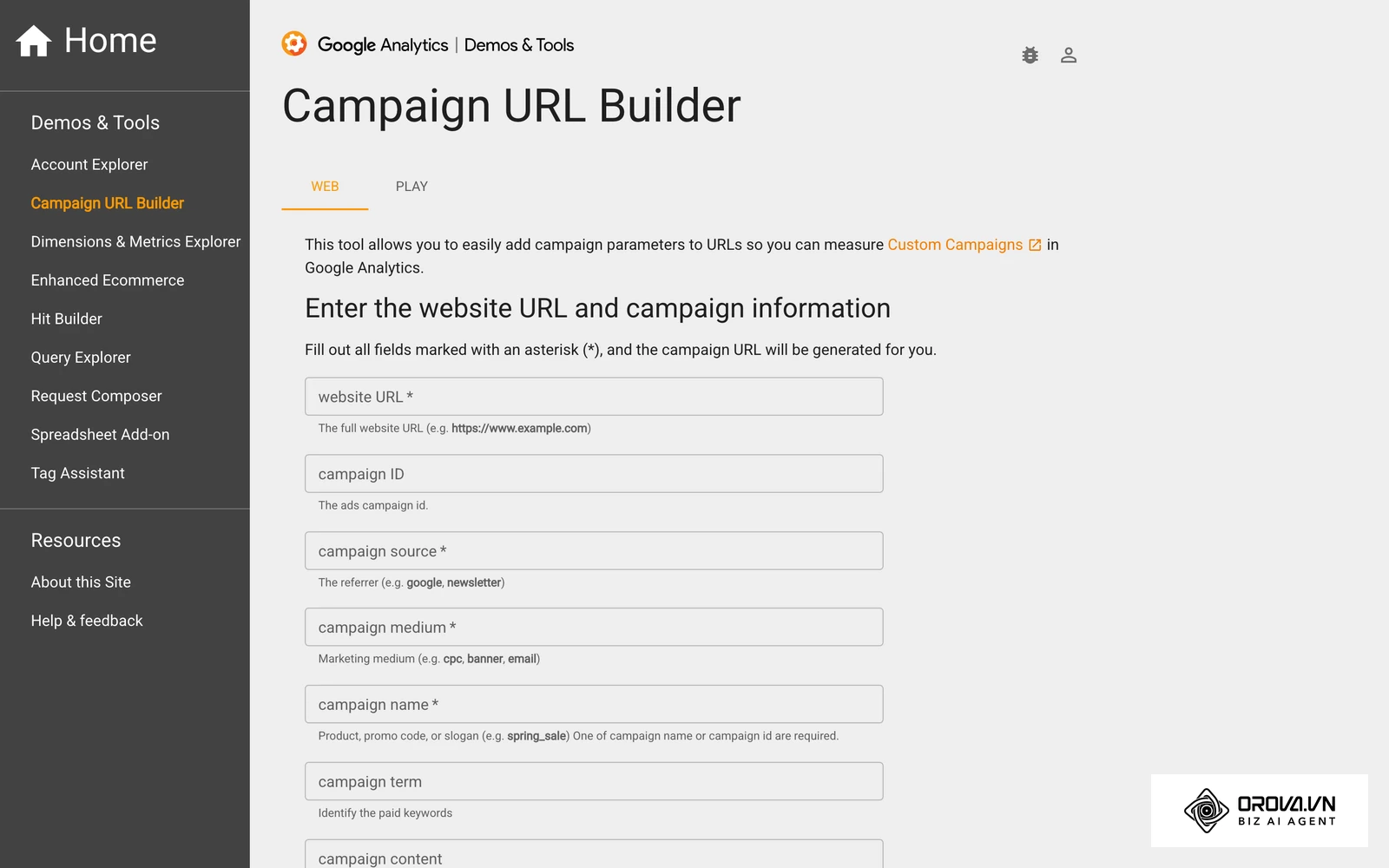
- URL Parameters: Are your UTM tags properly appended so you can track the traffic in Google Analytics?
- Destination Links: Have you physically clicked the link in the ad preview to ensure it does not lead to a 404 error page?
- Copy Formatting: Does the primary text truncate awkwardly on mobile feeds?
- Policy Review: Does the copy contain prohibited claims (e.g., "guaranteed weight loss") that will trigger an automatic ban?
Troubleshooting a Disabled Ad Account
The most terrifying moment for any advertiser is waking up to the red banner declaring: "Account Restricted." Meta's automated review systems sometimes restrict accounts that believe they followed the rules. Panicking and trying to get around the restriction is how a temporary problem becomes a permanent one.
Illustrative example: A B2B software company had their primary ad account suddenly disabled due to an alleged "circumventing systems" violation. Stumble: In a panic, the marketing manager immediately tried to create a brand-new ad account to keep the ads running. Meta's system treated this as an attempt to evade enforcement and restricted the whole Business Manager. Fix: They had to go through a long business verification process. If they had followed protocol, they would have realized a simple domain redirect on their landing page looked suspicious to Meta's bots. They should have removed the redirect and submitted a formal appeal via the Account Quality dashboard with documentation. Result: Because of the initial panic, they lost weeks of ad delivery and had to rebuild part of their tracking setup.
The Recovery Protocol:
- Stop: Do not delete the rejected ads. Do not create a new ad account.
- Review: Go to the Account Quality dashboard. Read the specific policy violation cited.
- Audit: Objectively review your landing page, not just the ad. Meta bots scan the destination URL. If your landing page has aggressive pop-ups, broken links, or misleading claims, the account will remain banned.
- Appeal: Submit an official review request. Be polite, concise, and state clearly that you believe this was an automated error, or acknowledge the mistake and state exactly how you fixed it.
- Secure: Ensure your Business Manager has Two-Factor Authentication (2FA) enabled for all admins, as suspicious logins can also trigger restrictions.
Warning: Ignore advice to buy or rent "aged" ad accounts, use cloaking on landing pages, or spin up new profiles to get around a ban. These shortcuts break Meta's policies and usually end with every linked asset, including your Page and pixel, being restricted.
The Media Buyer's Spreadsheet Toolkit
To succeed, you must run your campaigns based on mathematics, not emotion. You need a centralized spreadsheet to calculate your exact allowable metrics before launching.
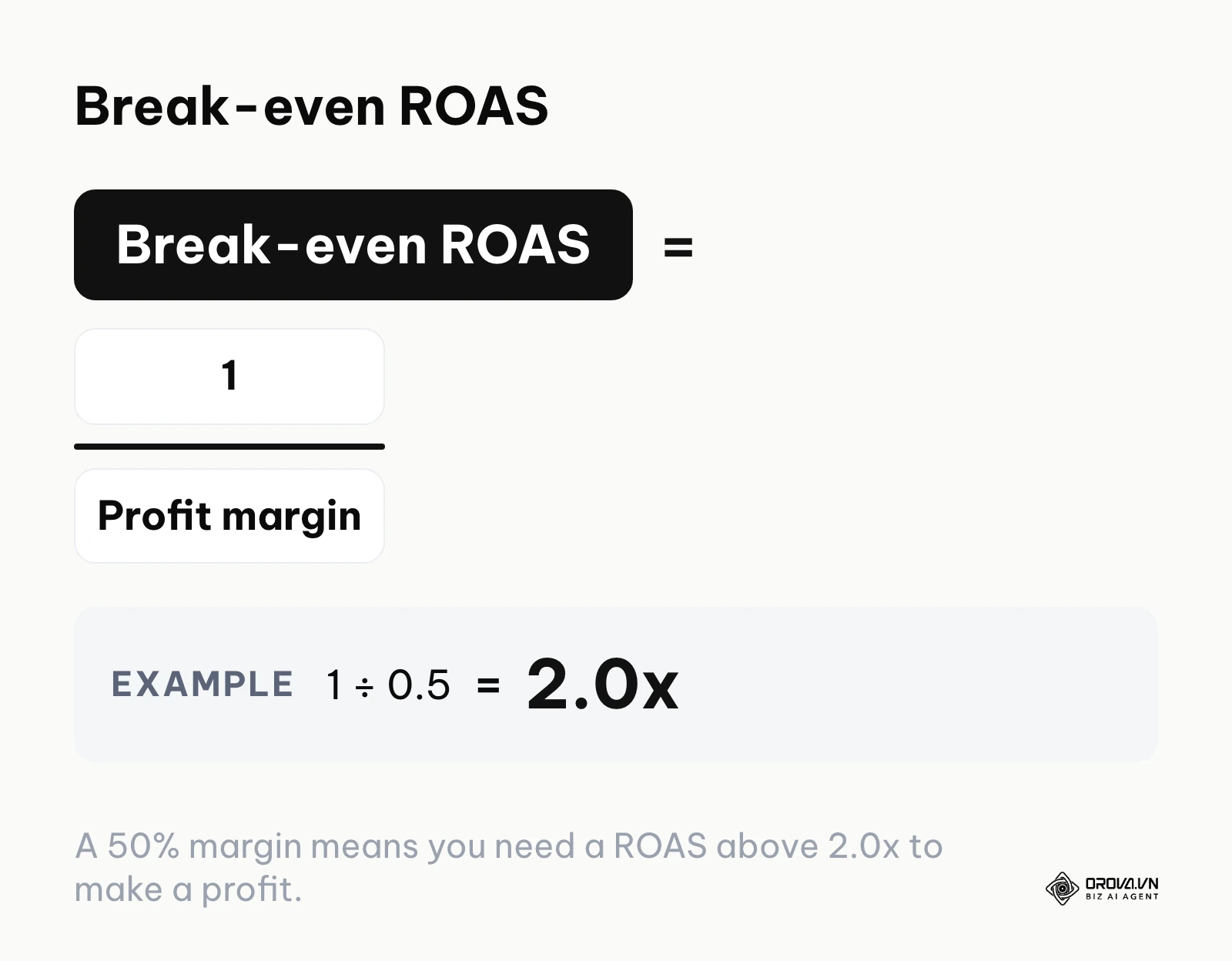
- Break-Even ROAS: If your product costs 50 dollars to manufacture and ship, and you sell it for 100 dollars, your profit margin is 50%. Your break-even ROAS formula is (1 / 0.5) = 2.0x. You must achieve a ROAS higher than 2.0x to make a profit.
- Target CPA (Cost Per Acquisition): If you sell a 100-dollar product and require 30 dollars in profit after the 50-dollar fulfillment cost, your maximum allowable CPA is 20 dollars.
- Learning Phase Daily Budget: Based on the formula discussed earlier, if your Target CPA is 20 dollars, your minimum budget to exit the learning phase in 7 days is (20 × 50) ÷ 7 ≈ 143 dollars per day.
If you run ads on Google and TikTok as well as Meta, Orova Ads can watch these numbers for you: by default it only suggests changes, and it touches your accounts only after you turn automation on.
Want to scale your budget but afraid of breaking performance? 📉
Integrate OROVA ADS now - an AI Agent that automatically monitors and optimizes Google, Meta, TikTok ads 24/7. Now, expanding and replicating your Performance Ads team is just one click away.
🚀 Try it now at: orova.vn/ads
Where Facebook Ads Manager is heading in the next few years: the author's take
Looking at how the platform has changed recently, I think three shifts will shape how media buying works over the next two to three years.
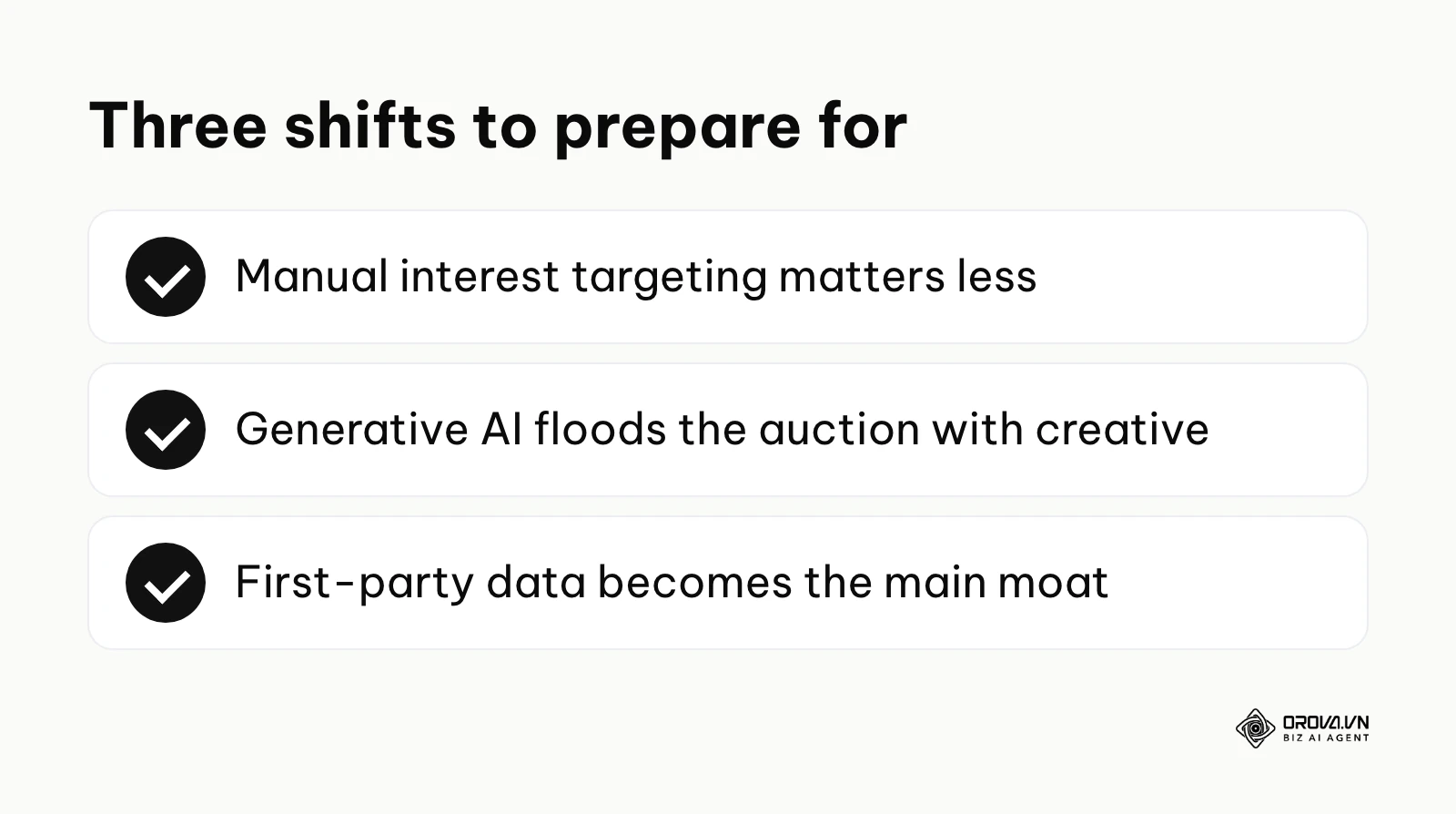
Manual interest targeting will matter less and less
The days of carefully selecting "People who like Yoga and Whole Foods" are rapidly ending. Today's signal is that Meta keeps defaulting new campaigns to broad, Advantage+ style audiences and treats manual interests more as suggestions. I think that over the next two to three years manual interest targeting will matter less and less, with algorithmic audience discovery doing most of the work. You should prepare by learning how to use your ad creative (the video and copy itself) as the primary targeting mechanism, relying on the algorithm to categorize who responds to the message.
Generative AI will flood the auction with creative
Currently, the biggest bottleneck for advertisers is producing enough high-quality video creative to feed the machine. Meta has already started adding generative AI tools into Ads Manager that create variations of images and text. My read is that this will flood the auction with similar-looking creative. When everyone can generate beautiful ads instantly, the strategic advantage will shift to those who possess deep customer empathy, unique brand positioning, and proprietary first-party data. You must start building a unique brand voice now, as generic AI-generated creative will soon become invisible to consumers.
First-party data becomes the main competitive moat
Because privacy updates are continually degrading the effectiveness of third-party tracking cookies, the platforms are losing visibility into what happens after a user leaves the social network. I think the advertisers who do well will be those who control reliable, server-side data pipelines. If you cannot feed accurate purchase data back into the Meta algorithm via the Conversions API, your campaigns will increasingly optimize on guesses. You must invest heavily in capturing email addresses, phone numbers, and direct server tracking today to train the AI effectively tomorrow.
Note: These are my personal assessments of the current trajectory of the technology as of 2026. Sudden regulatory changes by governments regarding data privacy or anti-trust actions against Meta could radically alter this timeline or invalidate these projections.
Frequently asked questions about Facebook Ads Manager
Is Facebook Ads Manager still needed with AI?
Yes, absolutely. While AI (like Advantage+) handles the micro-decisions of bidding and audience distribution, you still need the Ads Manager interface to define the macro business parameters. You must input the creative assets, establish the budget caps, define the conversion events, and analyze the overarching financial reporting. AI is the engine, but you still need the steering wheel.
How much money do I need to start?
You need enough capital to buy sufficient data for the algorithm to learn. If your target CPA is 30 dollars, spending 5 dollars a day is statistically useless because it will take weeks to get a single conversion, leaving the algorithm perpetually confused. You should allocate at least enough daily budget to generate 1 to 2 conversions per day during the initial testing phase.
Should I turn my ads off on the weekends?
Generally, no. The machine learning algorithm thrives on continuous, uninterrupted data flow. Pausing your campaigns on Friday night and restarting them on Monday morning disrupts the pacing and often throws the ad set back into the volatile learning phase, resulting in terrible performance on Monday and Tuesday while it attempts to recalibrate.
Why is my Cost Per Click (CPC) suddenly so high?
A sudden spike in CPC usually indicates severe ad fatigue. The audience has seen your creative too many times (check your Frequency metric), and they are no longer clicking. The algorithm interprets this low engagement as a sign of poor quality and penalizes you by charging more for the auction space. The immediate solution is to launch entirely new visual creatives.
What is a "good" Return on Ad Spend (ROAS)?
There is no universal benchmark because it depends entirely on your profit margins. A 2.5x ROAS might generate massive net profit for a digital software company with near-zero fulfillment costs, while that exact same 2.5x ROAS might bankrupt an e-commerce store that has high manufacturing and shipping overhead. Calculate your specific break-even point first.
Where to Start Building Your Facebook Ads Manager Strategy?
Reading about the platform is easy; executing profitably is difficult. Do not attempt to build a massive, 10-campaign architecture on day one. Your next step depends entirely on your current state of readiness.
- If you have nothing set up yet: Do not touch the ad creation interface. Your very first step is to create your Business Manager account, generate your Meta Pixel code, and install it on the header of your website. Spend an afternoon ensuring that when you visit your own site, the Pixel correctly registers a "PageView" event. Data collection must precede spending.
- If you are running ads but they feel disconnected: You likely have overlapping audiences or are optimizing for the wrong objective. Your immediate step is to pause everything and consolidate. Create one single Campaign Budget Optimization (CBO) campaign, utilizing the "Sales" objective, and input your top three best-performing videos into a broad-targeted ad set. Let the machine consolidate its learning.
- If you are generating sales but cannot track the source: You are operating blind and cannot scale safely. Your critical next step is to work with your developer or use a robust integration platform to implement the Conversions API. You must ensure that backend CRM data (actual paid invoices, not just front-end clicks) is being fed securely back into the Meta ecosystem to train the algorithm on what a high-quality customer actually looks like.
About the author

Builder of Orova
Nguyễn Đỗ Trọng Ân has 8 years of experience in marketing, including 6 years managing market development across Asia. He builds Orova, a Biz AI Agent that never sleeps: it plans, runs and optimizes work for businesses.
Run your business with AI Agents
Orova is the always-on Biz AI Agent — it plans, runs, and optimizes the work for you.
Save time, unlock productivity.