
Best crm software: all-in-one vs pipeline CRM (2026)

Choosing the best crm software in 2026 comes down to a decisive architectural trade-off: do you need an All-in-One customer platform that unifies marketing, sales, and service under one roof, or a dedicated Sales Pipeline CRM engineered for deal velocity and direct revenue tracking?
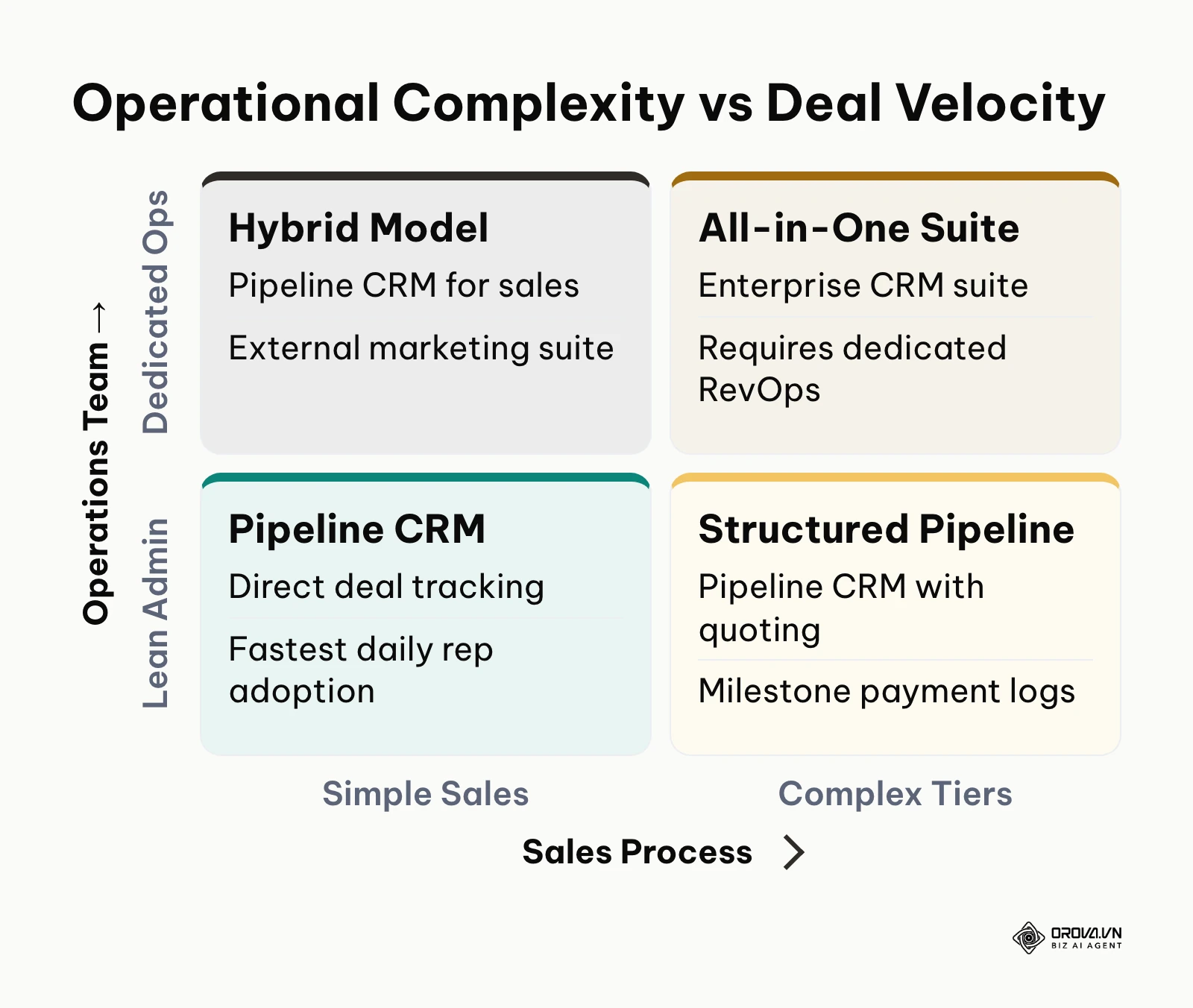
If your company operates dedicated marketing automation teams, manages multi-channel help desks, and employs full-time system administrators, an All-in-One CRM platform delivers centralized data across departments. Conversely, if your primary goal is empowering sales reps to follow up quickly, move deals through pipeline stages, issue quotes, and collect payments without administrative drag, a dedicated Sales Pipeline CRM is the superior choice.
To help you make the right investment, this evaluation cuts through vendor marketing claims. We assess both CRM architectures across six concrete operational benchmarks: 12-month total cost of ownership, automated lead reclamation service level agreements (SLAs), native lead-to-cash workflows, departmental permission security, day-to-day rep adoption, and field sales tracking.
Best CRM Software: All-in-One vs Sales Pipeline CRM Comparison
The core difference between these two categories lies in operational focus. All-in-One CRM platforms act as organizational databases connecting marketing campaigns, ticket queues, and contact records across an entire company. In contrast, dedicated Sales Pipeline CRMs function as execution engines designed specifically to help salespeople convert incoming inquiries into closed revenue.
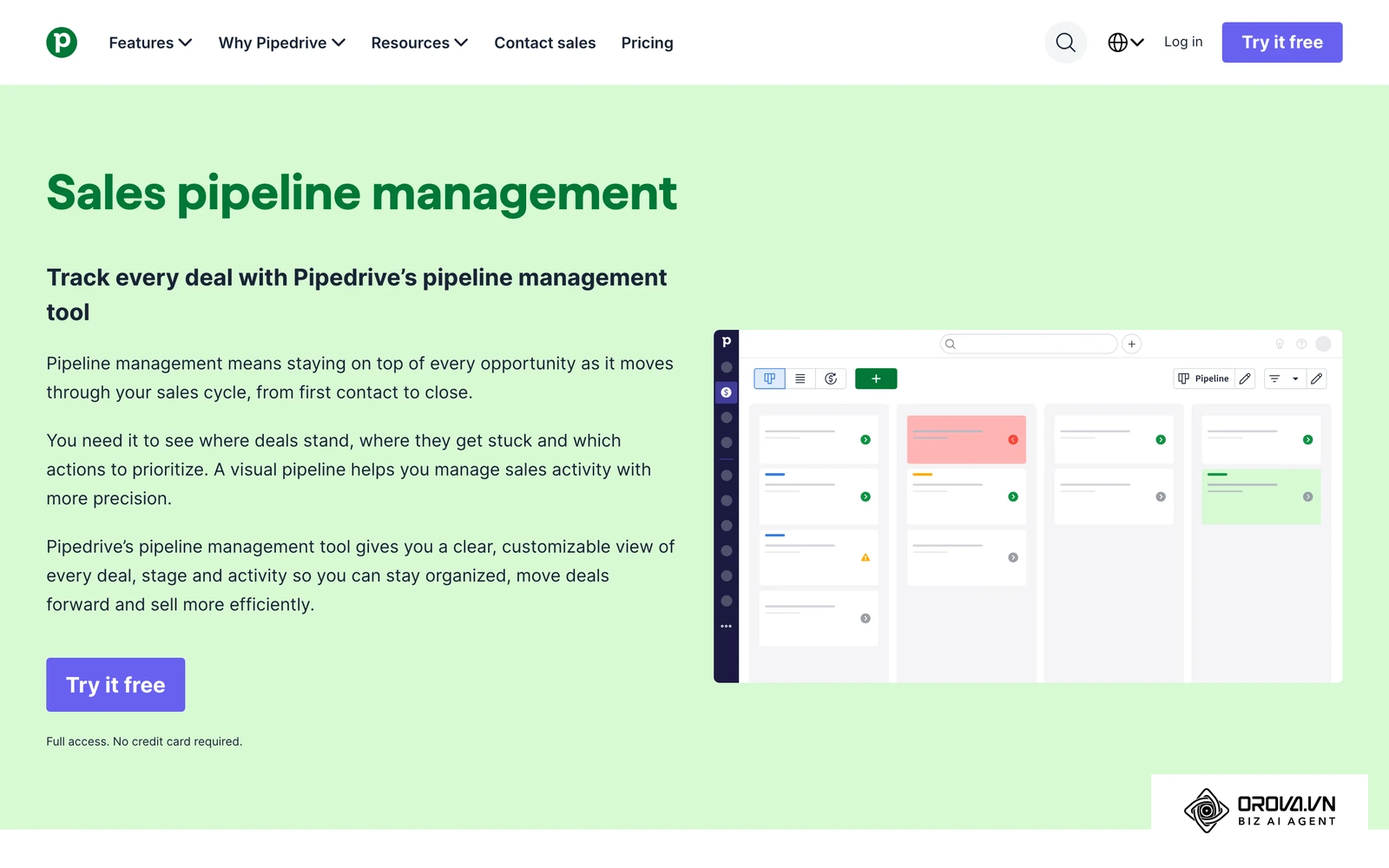
| Evaluation Criterion | All-in-One CRM Platform (e.g., HubSpot, Salesforce) | Sales Pipeline CRM (e.g., Pipedrive, Orova CRM) | Architectural Winner |
|---|---|---|---|
| Primary Design Goal | Unify cross-departmental customer records and touchpoints | Accelerate sales velocity and manage deal stage progression | Sales Pipeline CRM for sales speed |
| 12-Month Total Cost of Ownership (10 Reps) | High (18,000 to 30,000+ dollars due to contact tiers, seat minimums, and add-ons) | Low to Moderate (3,000 to 6,000 dollars with predictable licensing tiers) | Sales Pipeline CRM for cost transparency |
| Lead Routing and Reclaim SLAs | Robust routing rules; automated reclaim of neglected leads requires custom enterprise logic | Stage-based reclaim timers returning stale leads to a shared pool | Sales Pipeline CRM for revenue protection |
| Lead-to-Cash Capability | Advanced enterprise CPQ available as an expensive separate add-on module | Built-in quote templates, public review links, and milestone payment logs | Sales Pipeline CRM for mid-market deal closing |
| Data Permission Granularity | Enterprise-grade role matrices, often requiring certified administrator configuration | Independent View and Edit permissions mapped directly to departmental branch trees | Tie (Platform power vs practical administration) |
| Daily Sales Rep Adoption | Moderate to Low; complex data fields often induce logging friction | High; visual Kanban boards minimize daily click overhead | Sales Pipeline CRM for rep compliance |
| Marketing and Help Desk Capabilities | Native multi-channel email marketing, social listening, and customer service ticketing | Focused sales email sequences; relies on integrations for broad marketing suites | All-in-One CRM for cross-team alignment |
| Implementation Timeline | 6 to 24 weeks; often necessitates certified implementation agencies | 1 to 3 weeks; self-service setup with standardized spreadsheet imports | Sales Pipeline CRM for fast time-to-value |
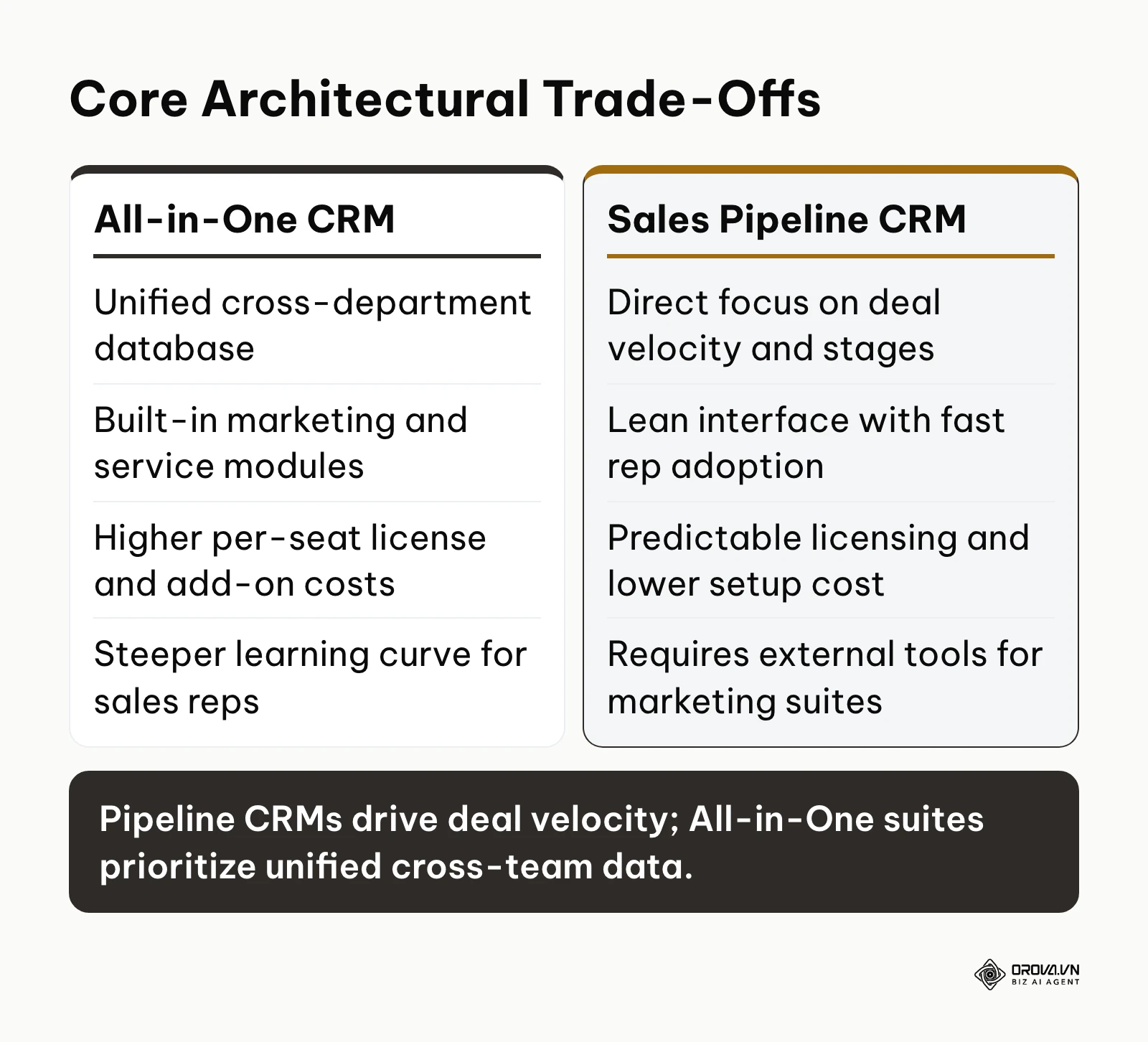
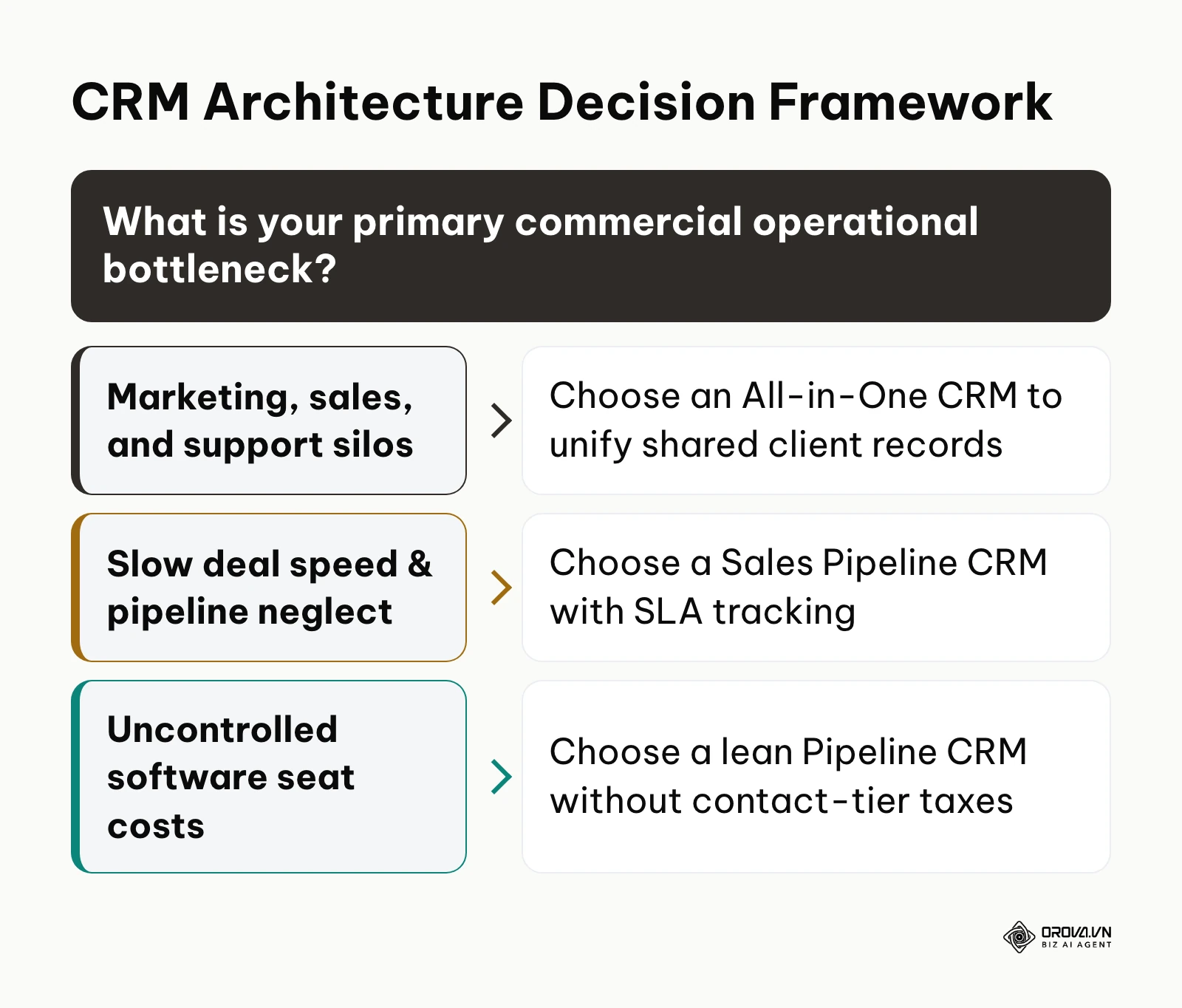
As highlighted in the comparison, your selection should reflect whether your operational bottleneck is cross-departmental record sharing or direct sales execution. The diagram below summarizes the fundamental trade-offs between both software models.
What Are All-in-One CRMs and Sales Pipeline CRMs?
Understanding these software models prevents costly procurement mistakes. Both categories store customer names and phone numbers, but they approach revenue operations from opposing design philosophies.
All-in-One CRM: The Multi-Department Operating System
An All-in-One CRM serves as an enterprise-wide system of record designed to break down information silos between marketing, sales, and customer success teams. These platforms combine inbound lead capture, email newsletter distribution, pipeline tracking, support ticketing, and knowledge base hosting in a shared architecture. While they provide comprehensive reporting across the entire customer lifecycle, they require substantial ongoing administration, complex user onboarding, and strict data governance to keep records clean.
Sales Pipeline CRM: The Deal Velocity Engine
A Sales Pipeline CRM is built specifically for commercial teams focused on converting prospects into paying accounts. Instead of managing marketing lists or customer support tickets, these systems prioritize visual deal stages, next-action reminders, rapid communication channels, and milestone revenue tracking. By stripping away extraneous non-sales features, they reduce daily administrative overhead and help sales reps focus on pipeline hygiene, prompt prospect outreach, and verified cash collection. For teams evaluating foundational data structures, reviewing our guide on client database software provides additional perspective on organizing customer records.
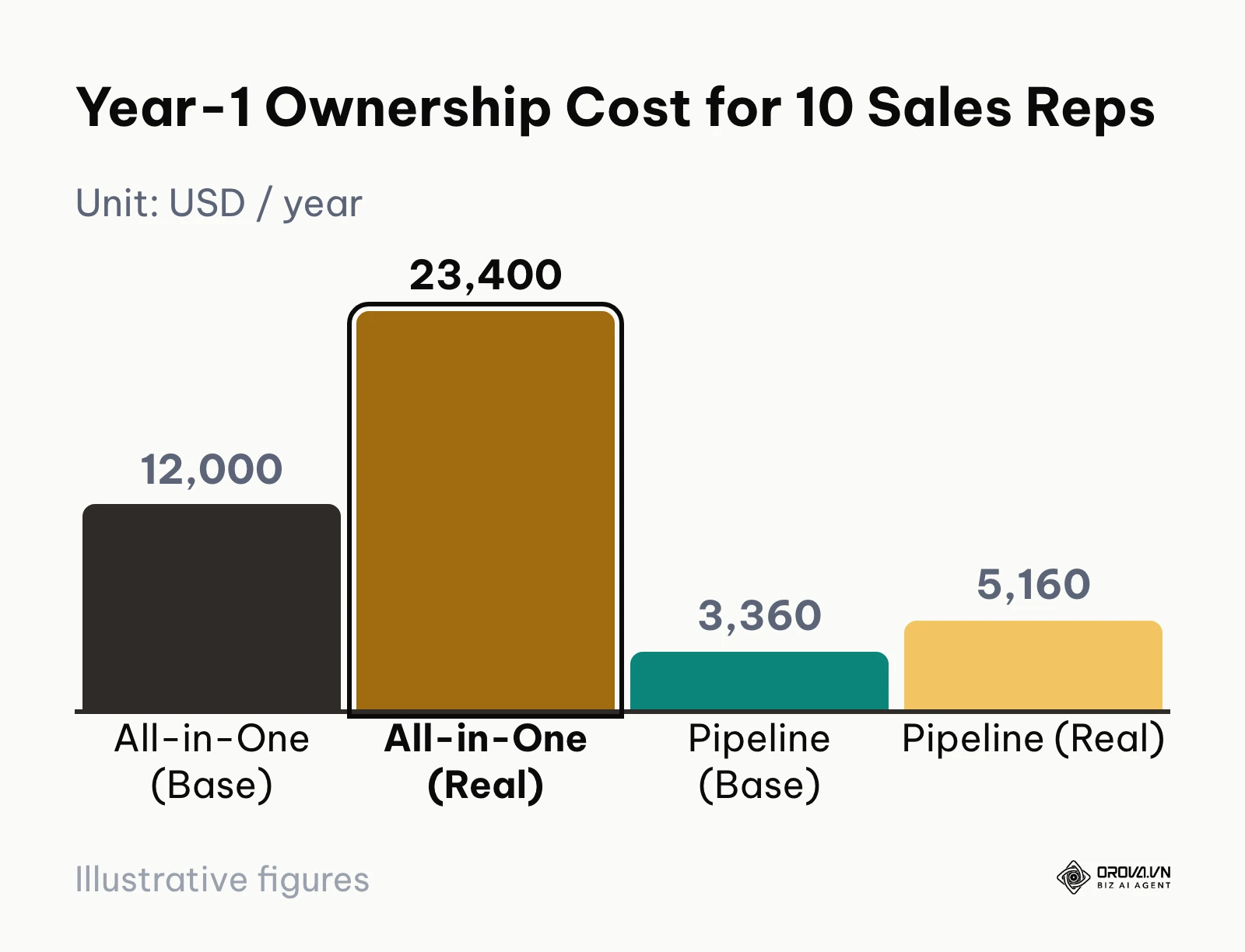
12-Month Total Cost of Ownership: All-in-One vs Sales Pipeline CRM
Most CRM comparison guides focus exclusively on entry-level subscription rates, citing figures like 20 or 50 dollars per user per month. In practice, these entry figures rarely represent the actual invoice an organization pays over a full year. Hidden expenses such as mandatory implementation packages, contact storage overages, minimum seat thresholds, and specialized quoting add-ons regularly inflate the true Total Cost of Ownership (TCO) by 200% to 400%.
According to Gartner in their Magic Quadrant for Sales Force Automation Platforms (2024), mid-market sales organizations frequently abandon complex CRM deployments within eighteen months due to feature bloat and misaligned daily workflows. The financial risk is driven primarily by recurring contact-tier inflation and operational friction.
To illustrate how these hidden costs manifest, the table below calculates the realistic 12-month financial commitment for an active commercial team of 10 sales reps managing a database of 25,000 contacts:
| Cost Component | Typical All-in-One CRM (Enterprise Tier) | Dedicated Sales Pipeline CRM (Business Tier) | Cost Mechanism Difference |
|---|---|---|---|
| Base User Licensing (10 Seats) | 1,000 dollars / month (100 dollars/rep/mo billed annually) = 12,000 dollars / year | 280 dollars / month (28 dollars/rep/mo billed annually) = 3,360 dollars / year | All-in-One platforms tie advanced workflow automations to premium licensing tiers. |
| Mandatory Onboarding & Setup | 3,500 dollars (One-time required vendor or partner fee) | 0 dollars (Self-service workflow with guided data mapping) | Enterprise suites often enforce non-negotiable kickoff and configuration packages. |
| Contact Database Tier Overages | 4,500 dollars / year (150 dollars/mo per extra 10,000 marketing contacts beyond the 5,000 base limit) | 0 dollars / year (Unlimited or high-ceiling operational contact storage) | All-in-One suites penalize customer database growth with compounding contact taxes. |
| Document Quoting & E-Signature Add-ons | 1,800 dollars / year (15 dollars/user/month for native CPQ proposal tools) | 0 dollars / year (Included native document templates and public web links) | Generating trackable proposals on enterprise platforms frequently demands add-on fees. |
| External Integration Connectors | 1,600 dollars / year (Premium API calls and enterprise synchronization keys) | 0 dollars / year (Standard webhook support and native Zapier/Make connectors) | Exporting data or connecting web forms often requires upgraded enterprise plans. |
| Realistic Year-1 Total Cost | 23,400 dollars | 3,360 - 5,160 dollars | Sales Pipeline CRMs deliver up to an 80% Year-1 cost reduction. |
Real Year-1 TCO Math for 10 Sales Reps
The cost difference becomes stark once your marketing lists expand. In an All-in-One CRM, marketing contacts who merely downloaded an educational guide are counted against your storage tiers, forcing you to pay premium CRM rates for passive subscribers who may never enter your sales pipeline.
Practical example: A 10-person industrial equipment distributor migrated to an All-in-One CRM on a promoted 50 dollars per user monthly rate, expecting an annual software cost of 6,000 dollars. The team imported their legacy database of 22,000 contacts, configured two automated email sequences, and requested branded quoting documents. Within sixty days, their monthly invoice jumped from 500 to 1,850 dollars because their contact count exceeded the base allotment, and their sales reps required professional document-generation add-ons. The sales operations manager resolved this budget shock by exporting passive newsletter subscribers into an inexpensive external email marketing tool and keeping only active sales prospects inside the CRM. The company stabilized its ongoing CRM software invoice at a predictable monthly figure, preventing unexpected budget overruns while maintaining focus on qualified sales opportunities.
Verdict on 12-Month TCO: Sales Pipeline CRMs win decisively for cost predictability. Unless your company has a dedicated operations budget and utilizes the full marketing and customer service stack, an All-in-One CRM imposes a significant seat and contact storage penalty.
Lead Routing and SLA Reclaim: All-in-One vs Sales Pipeline CRM
Every commercial team recognizes that inbound lead conversion drops sharply when response times drag from minutes into hours. Consequently, most CRM platforms advertise automated lead distribution rules, such as round-robin assignment by geographic territory or company size.
However, standard lead distribution only solves the first half of the problem. What happens after a lead is routed to a sales rep?
If a sales representative is busy, traveling, or neglecting new inquiries, routed leads sit idle inside personal pipelines. Standard All-in-One CRMs rarely offer automated lead reclamation out of the box. If a rep fails to make contact within a designated time window, the record remains locked under their name until a sales manager manually reviews the activity logs and reassigns it.
Data from the CSO Insights World-Class Sales Practices Report (2023) demonstrated that sales teams enforcing formal response time service level agreements achieve substantially higher quota attainment than teams relying on unmonitored lead assignment. Enforcing response discipline requires an automated lead reclaim system.
A true lead reclamation engine monitors customer response times at every pipeline stage using precise minute-based timers. For teams evaluating lead handling structures, understanding crm sales pipeline management is critical to maintaining deal velocity across the funnel.
Consider this concrete numerical example of automated lead reclamation in action:
- Initial Rule-Based Allocation: An inbound enterprise lead requests a demonstration via your website form. The CRM automatically parses the submission, verifies company size, and routes the deal into Rep Sarah's "First Contact Needed" pipeline stage at 09:00 AM.
- Stage-Level SLA Configuration: The business rules for the "First Contact Needed" stage enforce a strict 120-minute outreach SLA. A countdown timer begins immediately upon stage entry.
- Automated Proactive Alert: At 10:50 AM (110 minutes elapsed without a logged phone call, email touch, or scheduled calendar event), the CRM triggers a high-priority browser notification to Sarah: "Notice: Enterprise lead Acme Corp reaches SLA limit in 10 minutes."
- Automated Pool Reclamation: At 11:00 AM (120 minutes elapsed with zero recorded rep activity), the system revokes Sarah's ownership. The lead is automatically returned to the shared unassigned pool and instantly reassigned to the next available rep on duty, Rep David.
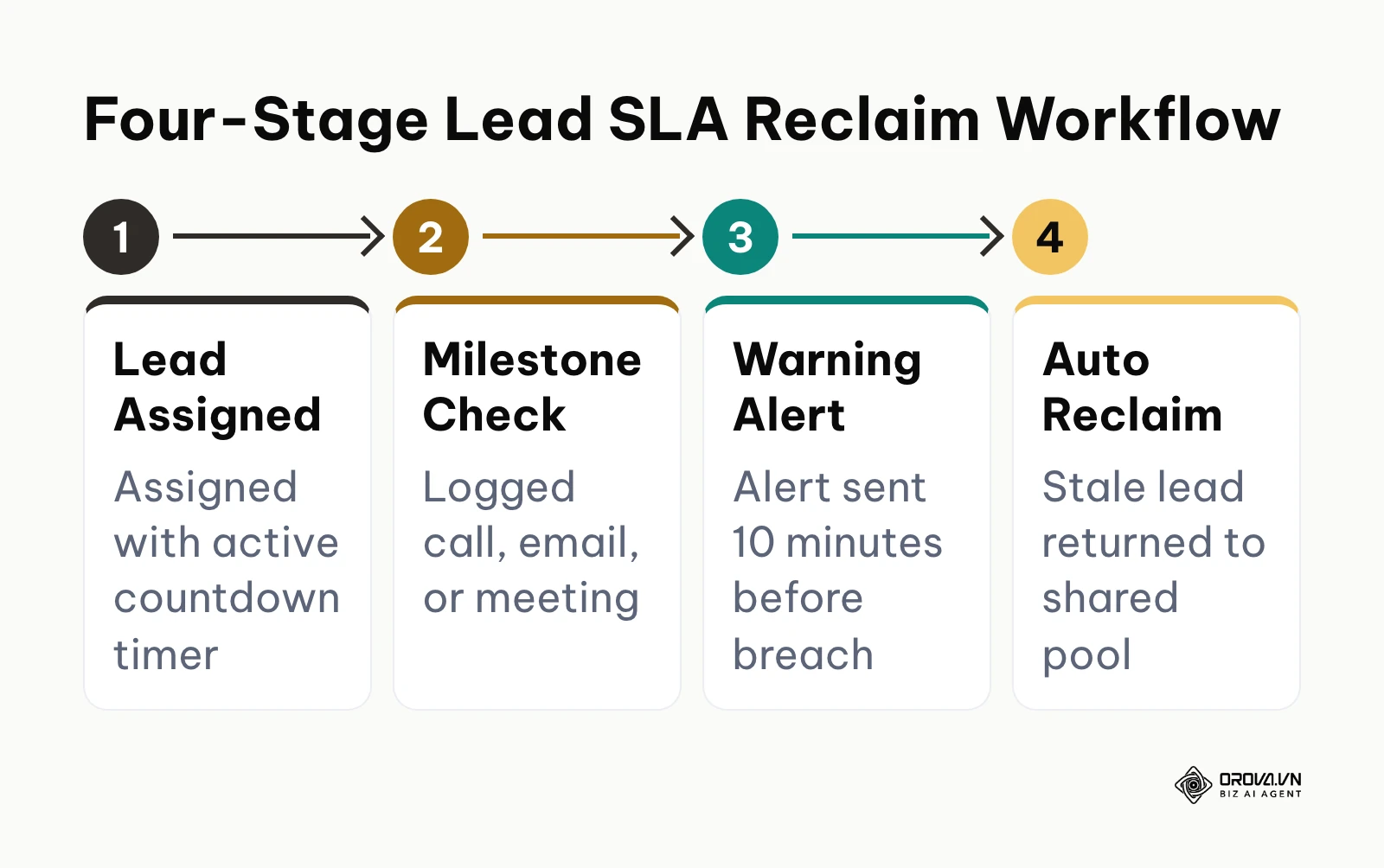
This automated reclaim cycle prevents marketing investments from decaying in neglected pipeline stages, removing the need for manual administrative audits.
While All-in-One CRMs can theoretically execute similar workflows, configuring them typically demands enterprise-tier plans, third-party automation apps, or custom development. In contrast, modern Sales Pipeline CRMs increasingly include native stage-level timers and reclaim parameters directly inside their visual pipeline settings.
Verdict on Lead SLA Reclaim: Sales Pipeline CRMs win for agile commercial teams. They provide straightforward, minute-by-minute lead reclamation rules that protect inbound marketing revenue without requiring complex enterprise automation scripts.
Quoting and Lead-to-Cash Workflows: All-in-One vs Sales Pipeline CRM
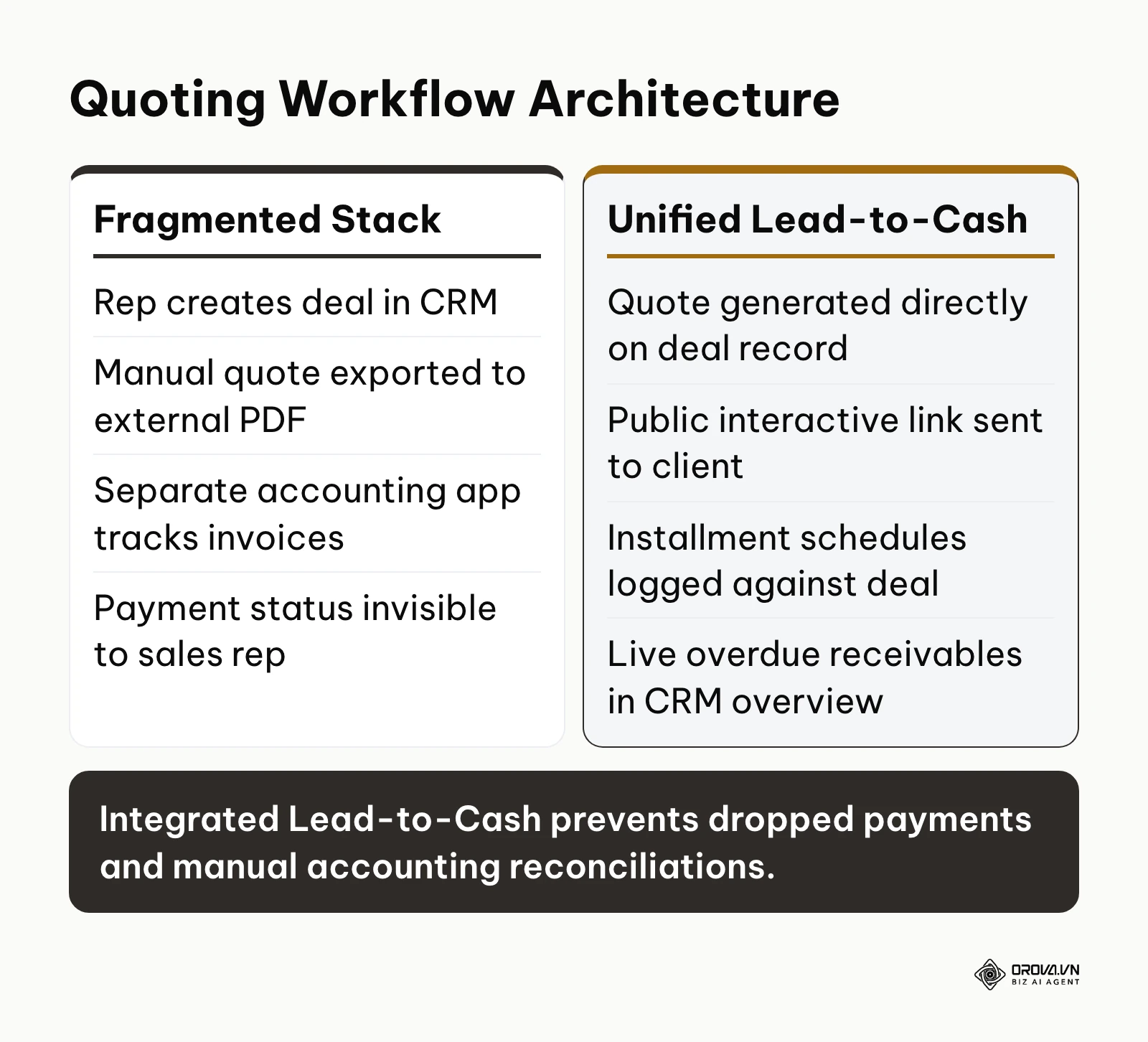
The traditional sales process breaks down most frequently at the handoff between winning a deal and securing the initial invoice deposit. In a fragmented software environment, closing a deal requires a sales rep to navigate multiple disconnected systems:
- Manage deal stages inside the CRM.
- Manually draft a pricing proposal in Microsoft Word or Google Docs.
- Export the quote to a PDF and email it to the prospect.
- Notify the finance department via Slack or email to issue an invoice from an accounting platform.
- Manually verify bank receipts to determine whether the customer paid their deposit before initiating fulfillment.
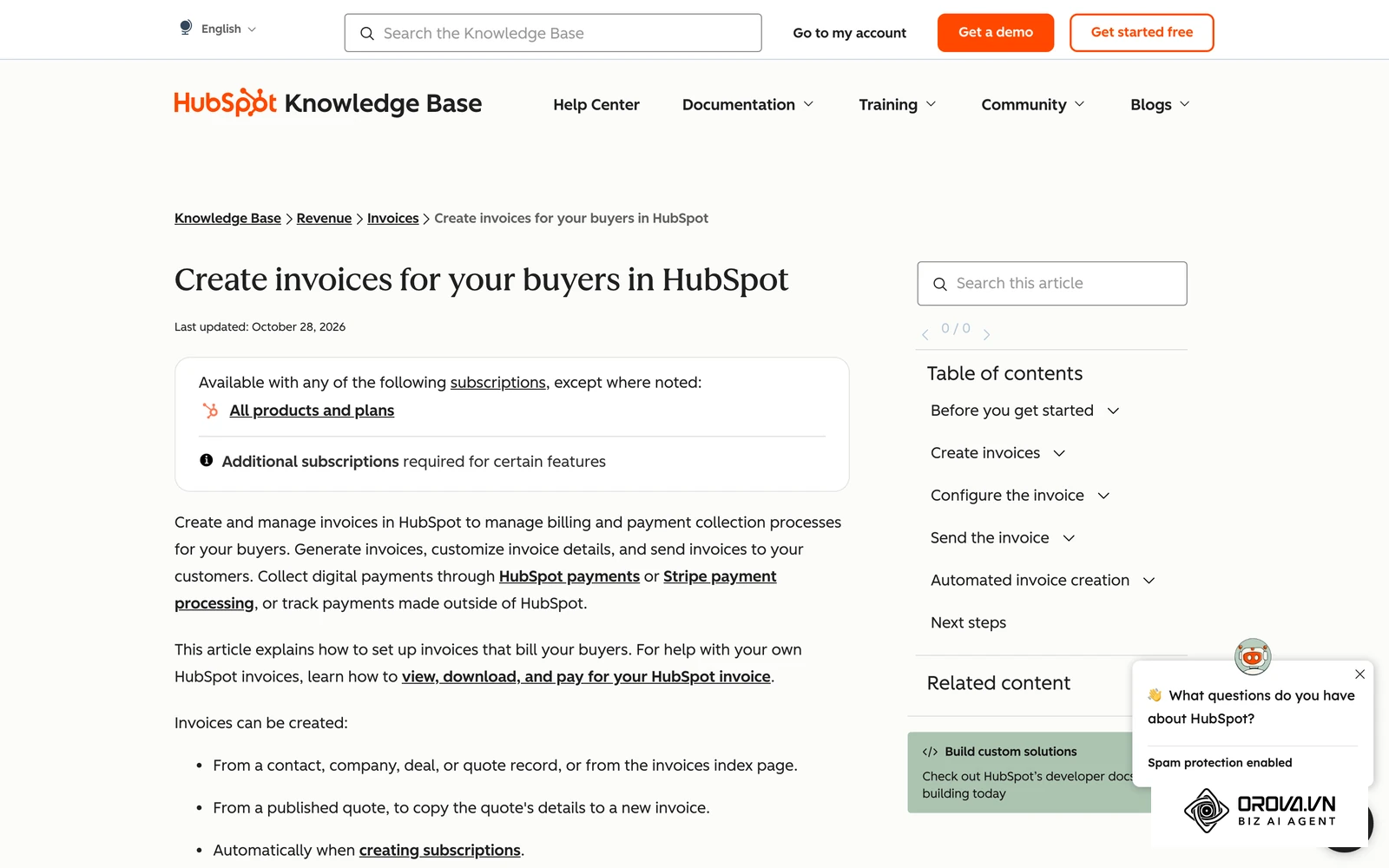
In The Forrester Wave: CRM Suites For Midsize Organizations (2024), analysts noted that integration complexity between disparate quoting, marketing, and sales tools accounts for a significant portion of unplanned CRM ownership expenses. Disconnected lead-to-cash workflows create administrative bottlenecks and obscure payment visibility for frontline sales reps.
All-in-One CRM platforms often address this workflow by offering dedicated Configure, Price, Quote (CPQ) modules. However, these tools are almost universally packaged as premium enterprise upgrades costing substantial extra fees per user per month. Consequently, growing teams are forced to rely on external quoting software or manual spreadsheets.
Conversely, a modern Sales Pipeline CRM built with integrated Lead-to-Cash capabilities handles the entire document and payment lifecycle directly within the deal card:
- Integrated Document Templates: Reps generate professional sales quotes, formal invoices, and payment requests directly from customer profile data using standardized corporate templates.
- Public Interactive Web Links: Prospects receive a clean, trackable URL to view their quote online from any mobile device, complete with formal terms, line items, and approval actions.
- Multi-Stage Payment Tracking: Complex commercial contracts rarely settle in a single payment. Modern pipeline tools allow reps to log staged milestone installments (such as a 30% initial deposit, 40% delivery progress payment, and 30% final acceptance) directly against the deal record.
- Overdue Accounts Receivable Visibility: Sales managers can review outstanding balances and overdue invoices directly on their executive dashboard, ensuring that sales compensation aligns with collected cash rather than unverified contract signatures.
Practical example: A 12-person commercial equipment distributor handled quoting through manual spreadsheet exports and tracked receivables in a disconnected accounting tool. Reps regularly negotiated non-standard payment splits across three or four milestones, tracking agreements in private email threads. Finance frequently overlooked final milestone invoices because deal records were marked as "Closed-Won" the moment the initial deposit cleared. The company resolved this issue by implementing a CRM with integrated quote templates and native milestone payment schedules. Sales reps began logging multi-stage installment terms directly on the deal card, enabling both sales leadership and accounting to track outstanding receivables without exchanging reconciliation emails.
Verdict on Lead-to-Cash Workflows: Dedicated Sales Pipeline CRMs with native quoting and payment tracking win for mid-market business-to-business transactions. They eliminate expensive third-party CPQ software and unify sales execution with actual cash collection.
If your sales team struggles with dropped leads and messy quoting handoffs, evaluate Orova CRM. You can configure automated lead reclaim timers down to the minute, manage deals across visual pipelines, and issue trackable quotes from a single workspace.
Permission Architecture and Data Security: All-in-One vs Sales Pipeline CRM
A primary concern for business owners adopting customer relationship management software is data protection. When sales representatives depart for a competitor, a major risk is the unauthorized export of the company's proprietary customer contact book.
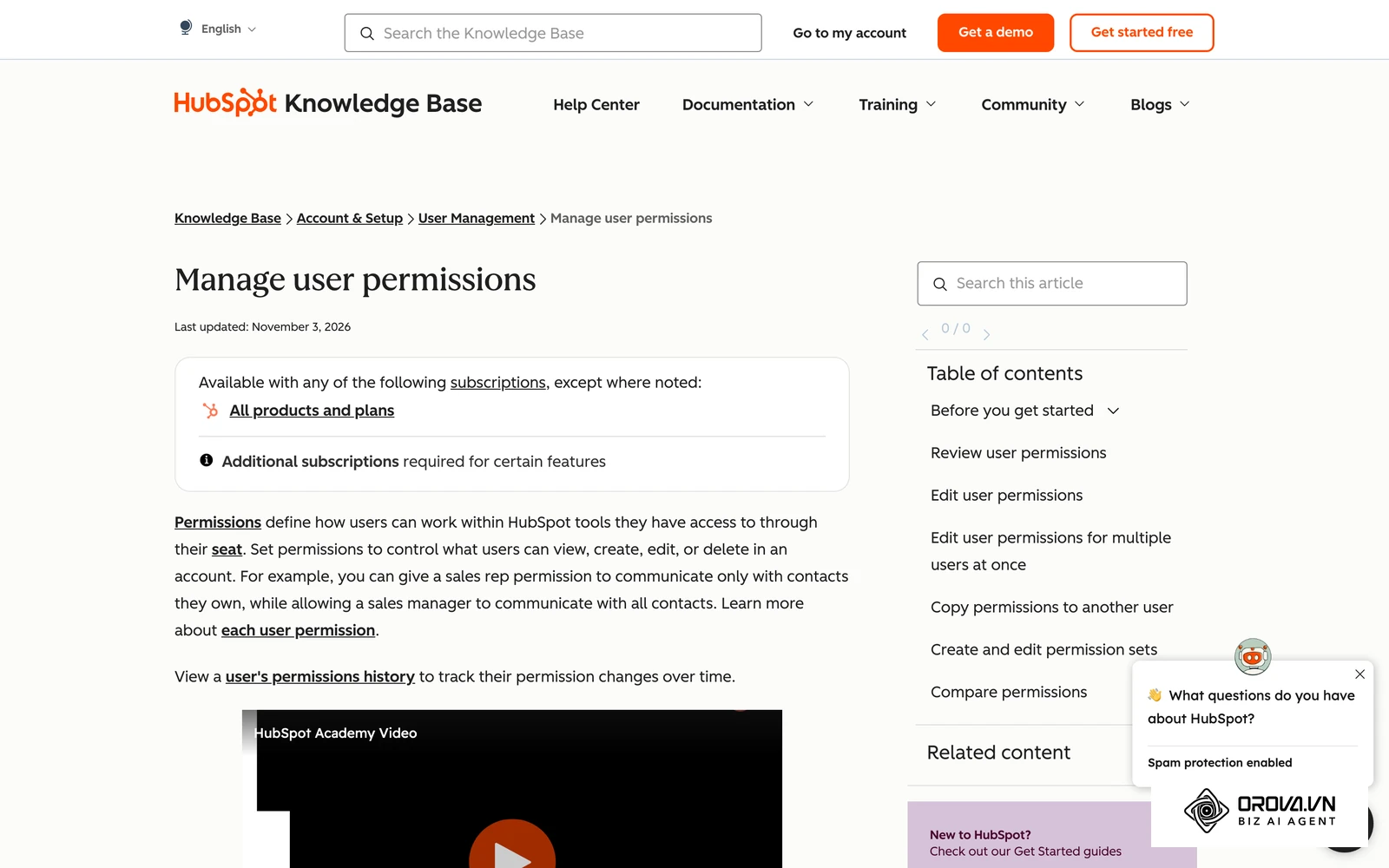
Top-ranking CRM review articles frequently dismiss this risk with a generic bullet point stating that software options provide "role-based access control." In reality, toggling user roles between simple "Admin" and "Standard User" presets fails to address real-world sales floor hierarchies.
True data security requires a two-tier permission matrix that strictly separates View Scope from Edit Scope across a multi-level organizational department tree:
- Independent View vs Edit Boundaries: A sales rep should be able to view customer dossiers across their regional branch to prevent duplicate outreach. However, they should only be permitted to edit records or alter deal discounts for prospects explicitly assigned to their personal pipeline.
- Departmental Node Inheritance: Regional branch directors must have complete visibility over their subordinate teams and territorial branches, while remaining restricted from viewing sensitive customer data owned by parallel regional divisions.
- High-Risk Action Safeguards: Destructive operational capabilities, such as bulk spreadsheet importing, bulk record exporting, merging duplicate contacts, and pipeline configuration changes, must be locked behind distinct administrative security permissions.
To evaluate whether a CRM meets commercial data governance standards, reference the 8-point permission checklist below.
| Security Permission Area | Operational Risk Addressed | Required Architectural Control |
|---|---|---|
| 1. View Scope by Department Tree | Sales reps viewing enterprise accounts outside their assigned operational region | View access must be configurable to: Only Assigned Leads, Department Branch Nodes, or Entire Company. |
| 2. Independent Edit Restrictions | Reps modifying negotiated pricing, payment terms, or custom fields on colleague records | Edit scope must be constrained as a strict subset of View scope, locking non-owned deals. |
| 3. High-Risk Data Exporting | Departing employees downloading the full customer database to a CSV file | Hard administrative lock restricting data exports exclusively to workspace owners and authorized directors. |
| 4. Customer Record Merging | Accidental overwriting of customer history during duplicate clean-up | Specific permission gate requiring supervisor review before executing multi-contact merges. |
| 5. Financial Document Editing | Sales reps altering approved payment schedules, quote discounts, or tax lines | Locked quote editing once a proposal link is delivered to the prospect. |
| 6. Staged Milestone Payment Logging | Unverified entry of customer payments masking overdue accounts receivable | Permission restricted to sales operations and billing managers to record verified bank deposits. |
| 7. Pipeline Workflow Alteration | Sales reps deleting deal stages or modifying mandatory field requirements | Pipeline architecture settings isolated entirely from general sales staff accounts. |
| 8. Automated Reclaim Configuration | Sales staff disabling stage-level SLA timers to hoard neglected inquiries | SLA parameters, inactivity alert thresholds, and pool redistribution rules locked to administrators. |
Practical example: A regional commercial wholesale distributor with 15 sales reps divided across two territories experienced data conflicts when reps began editing accounts belonging to parallel teams. The company restructured its access control policies, shifting from generic user seats to an organizational tree structure. Reps were granted View access to their regional department node so they could identify ongoing corporate relationships, but their Edit permissions were restricted solely to accounts they directly owned. Cross-territory editing stopped immediately, customer records were protected against unauthorized modifications, and management preserved data integrity across both branches.
For teams maintaining long-term data cleanliness, our guide on how to clean crm data outlines best practices for data governance and field standardization.
Verdict on Permission Architecture: All-in-One CRMs offer deep permission engines but often require expensive enterprise tiers and technical consulting to configure. Modern Sales Pipeline CRMs that incorporate native departmental tree matrices deliver equivalent practical protection with significantly simpler ongoing administration.
Pipeline Usability and Daily Rep Adoption: All-in-One vs Sales Pipeline CRM
A CRM software system delivers zero return on investment if sales representatives refuse to use it. System failure rarely stems from a lack of technical capability; it occurs because sales reps find the day-to-day user interface clunky and burdensome.
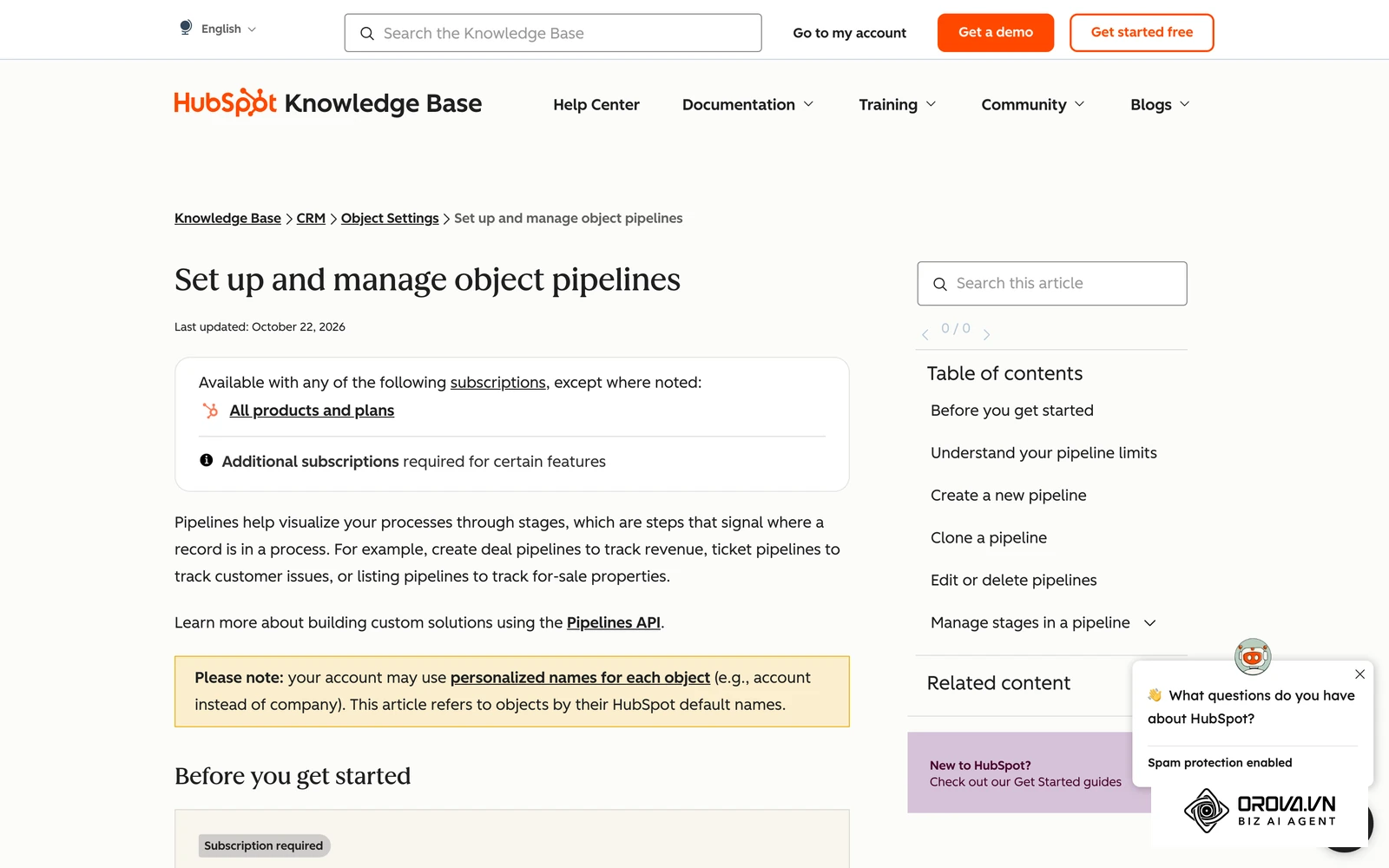
All-in-One CRM platforms inevitably suffer from feature density. Because their interface must support content marketers, SEO specialists, customer service agents, and executive analysts, their navigation menus are frequently cluttered. A sales rep attempting to log a two-minute prospect phone call must often navigate through marketing campaign attributes, ticket histories, and nested property groups. Over time, this administrative friction leads to incomplete data logging and outdated pipeline stages.
In contrast, dedicated Sales Pipeline CRMs are designed around visual Kanban boards and tactile deal movement. Reps can review their active deals, drag opportunities into advanced stages, schedule immediate follow-up tasks, and launch outreach apps with minimal clicking.
Key daily operational differences include:
- Visual Kanban Pipelines: Deals are displayed as visual cards organized by stage, featuring clear indicators for deal value, assigned owner, and inactivity warnings.
- Rapid Communication Channels: Rather than forcing reps to rely solely on internal web dialers, focused pipeline tools provide quick-contact shortcuts that trigger native desktop applications (such as email clients, WhatsApp, phone dialers, or business messaging tools) directly from the customer dossier.
- Task-Centric Daily Agendas: Reps start their day with an actionable task list highlighting overdue outreach, upcoming appointments, and stale deals requiring immediate engagement.
Verdict on Pipeline Usability: Sales Pipeline CRMs win easily on user adoption. By removing marketing and support clutter, they provide frontline sales reps with a clean workspace that encourages consistent daily usage.
Field Sales and Outside Rep Enablement: All-in-One vs Sales Pipeline CRM
While inside sales teams conduct business primarily via email and video calls, thousands of B2B distributors, field service providers, and commercial wholesale representatives operate on the road visiting retail outlets, construction job sites, and client offices.
Traditional All-in-One enterprise CRMs were architected for desk-bound office workers. When deployed to outside sales reps, field personnel frequently struggle with complex mobile forms that demand high-speed connectivity and extensive data entry.
A Sales Pipeline CRM equipped with field sales enablement addresses the physical reality of on-the-road sales visits:
| Field Sales Capability | Mobile Execution Workflow | Operational Revenue Impact |
|---|---|---|
| Daily Route Planning | Sales managers organize customer visits into structured daily itineraries | Maps geographic customer clusters to minimize driving and windshield time |
| GPS-Verified Check-Ins | Reps check in at client locations using their mobile browser, logging notes and photos | Records verified geolocation coordinates and field merchandising notes |
| Overdue Visit Tracking | Pipeline dashboards highlight client accounts exceeding standard visit intervals | Triggers proactive reminders to schedule visits before relationships cool |
Verdict on Field Sales Enablement: Dedicated Sales Pipeline CRMs with built-in route planning and mobile check-in capabilities provide far better support for mobile, on-the-ground sales teams than traditional desktop-centric enterprise suites.
When to Choose an All-in-One CRM
An All-in-One CRM platform represents a major strategic investment that delivers substantial returns under specific organizational conditions. Choose an All-in-One CRM if your company matches these operational profiles:
- You Have Fully Staffed Marketing, Sales, and Support Departments: If your business employs dedicated teams managing multi-channel digital ad campaigns, automated lead nurturing funnels, multi-tier customer service ticketing, and outbound sales, unifying these functions into a single system of record justifies the platform investment.
- You Require Unified Cross-Lifecycle Attribution Reporting: If your executive leadership needs to trace closed enterprise revenue directly back to the original blog post, digital advertisement, or live webinar touchpoint, an All-in-One platform provides native end-to-end multi-touch attribution without custom data warehouses.
- You Employ Dedicated System Administrators: Enterprise platforms like Salesforce or HubSpot Professional require continuous maintenance, workflow testing, and user permission management. If your budget accommodates certified RevOps professionals to govern the system, an All-in-One platform can scale across hundreds of employees.
- Your Commercial Model Relies on High-Volume Automated Inbound Nurturing: If your customer acquisition strategy involves capturing thousands of passive educational leads monthly and guiding them through automated, behavioral email nurture tracks before a sales rep ever initiates contact, an All-in-One marketing suite is essential.
When to Choose a Sales Pipeline CRM
A dedicated Sales Pipeline CRM is the ideal engine for companies that prioritize direct sales velocity, transparent ownership costs, and high rep adoption. Choose a Sales Pipeline CRM if your organization aligns with these criteria:
- Your Primary Objective Is Accelerating Deal Velocity: If your revenue growth depends on sales reps conducting prompt outreach, scheduling demonstrations, sending quotes, and closing deals without administrative friction, a focused pipeline tool provides the fastest workflow.
- You Want to Eliminate Hidden Software Taxes: If you refuse to pay compounding penalty fees for storing passive marketing contacts or purchase expensive add-ons simply to issue quotes and log payments, a focused pipeline CRM protects your operating budget. For smaller teams navigating these constraints, our guide on choosing a crm for small business covers additional budgeting frameworks.
- Your Sales Floor Needs Straightforward, High-Adoption Tools: If your team has previously abandoned complex enterprise software because sales reps found data entry overwhelming, a clean Kanban interface ensures daily compliance and reliable pipeline data.
- You Need Built-in Lead-to-Cash and SLA Protection: If your operations require stage-based lead reclamation to prevent neglected inquiries, native quoting proposals, and milestone installment tracking without integrating third-party CPQ tools, a modern Sales Pipeline CRM delivers immediate practical utility.
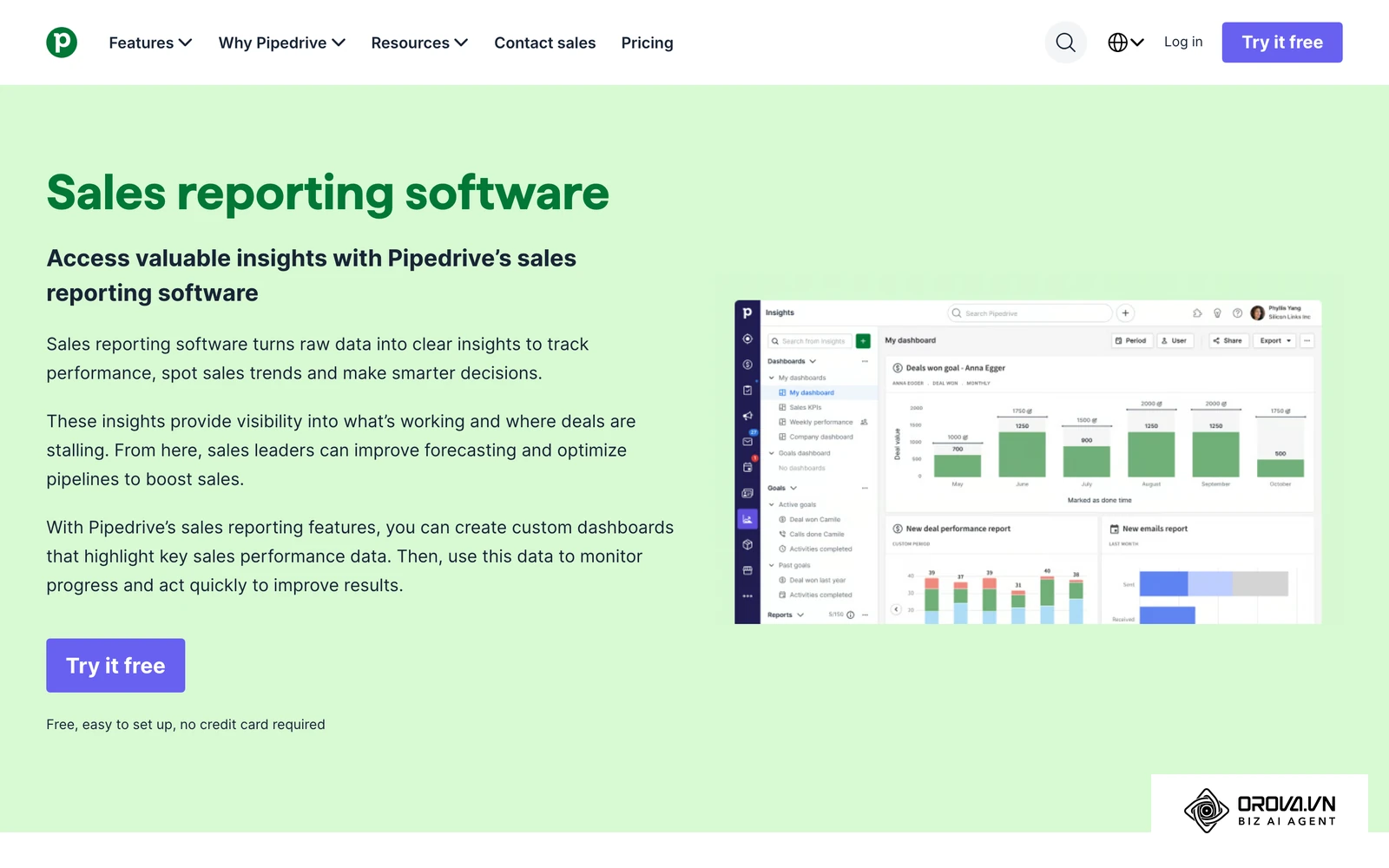
Eliminate seat-tax surprises and disconnected sales workflows today. Orova CRM gives your entire team unified pipeline management, granular departmental permissions, and multi-stage payment tracking, free until the end of July 7, 2027.
Can You Use Both CRM Approaches Together?
Many growing organizations ask whether they can run both CRM models concurrently. The answer is yes, but doing so requires a disciplined separation of responsibilities to prevent duplicate data entry and conflicting workflows.
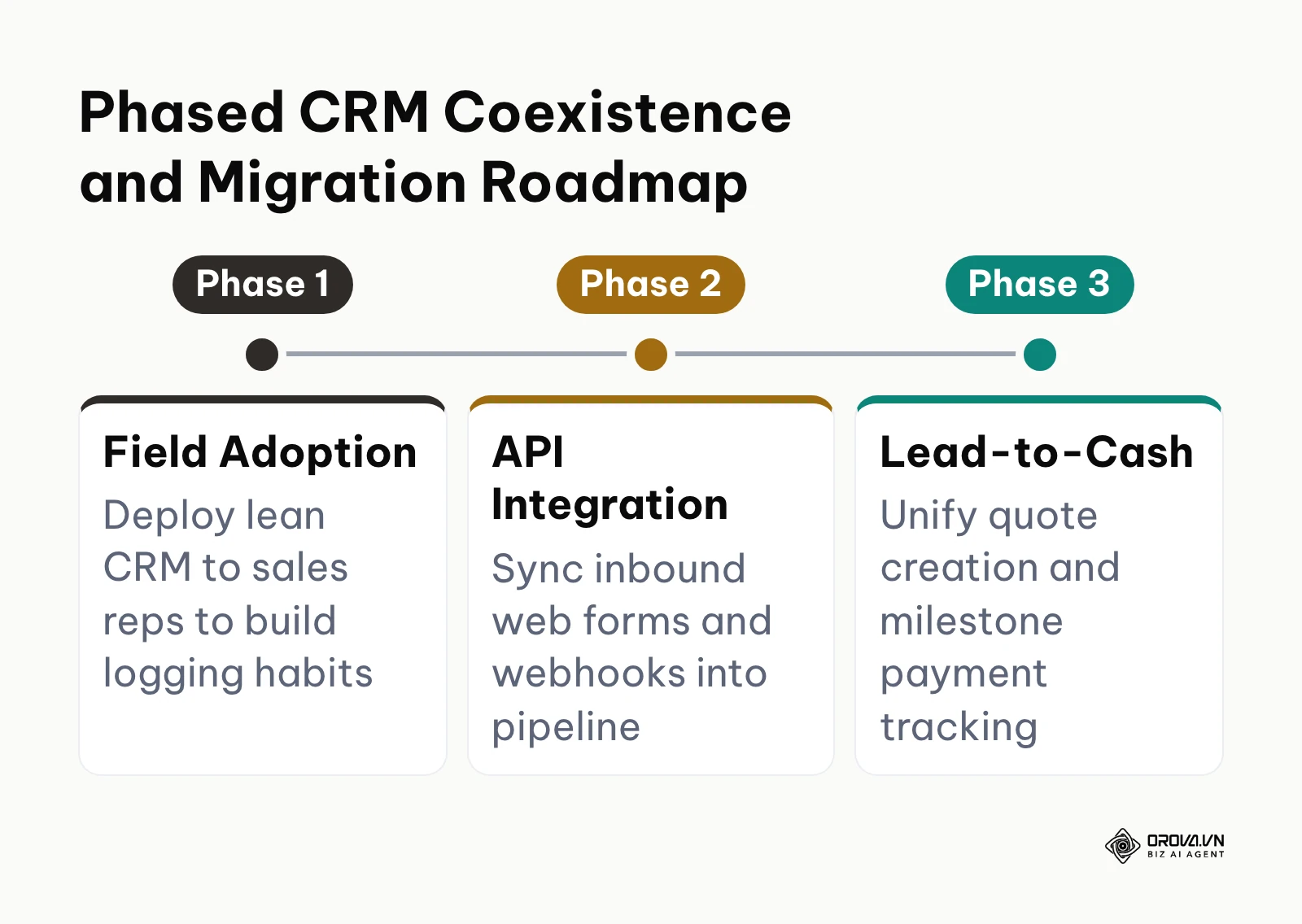
In a hybrid architecture, the All-in-One platform functions primarily as the marketing automation engine and historical contact archive, while the Sales Pipeline CRM operates as the execution workspace for active sales reps. Marketing teams use the All-in-One suite to run lead generation campaigns, distribute email newsletters, track website behavior, and score prospect engagement. The moment a prospect crosses an established qualification threshold, a webhook or REST API integration transfers the opportunity into the Sales Pipeline CRM.
From that handoff point onward, sales reps manage all qualification calls, deal stage progression, proposal quotes, and milestone payment collections inside the pipeline engine. Once the deal is won and payment is recorded, an automated webhook synchronizes customer status back to the central platform for long-term customer marketing and support ticketing.
While this two-tier model combines the best capabilities of both worlds, it introduces real operational risks:
| Coexistence Risk Area | Core Technical Challenge | Recommended Mitigation Strategy |
|---|---|---|
| Integration Maintenance Overhead | REST API endpoints change, webhook payloads fail, and custom field mappings break over time | Implement automated error alerting and schedule monthly data synchronization health audits |
| Customer Contact Discrepancies | Reps update phone numbers or emails in the pipeline CRM without automated bi-directional synchronization | Establish the central platform as the master database for contact attributes and sync deal stages via webhooks |
| Subscription Redundancy | Paying dual software subscription fees can erode projected operational cost savings | Restrict All-in-One seats strictly to marketing and service personnel, keeping sales reps on pipeline licenses |
Phased CRM Coexistence and Migration Roadmap
To safely bridge both platforms without risking operational chaos, deploy the phased integration roadmap outlined below.
CRM Software Trends Over the Next Few Years: Author's Perspective
Looking at the commercial software landscape as of 2026, the traditional software-as-a-service pricing model is experiencing clear structural strain. In my view, the CRM software market will undergo three fundamental shifts over the next two to three years:
First, I believe the traditional per-seat licensing model combined with aggressive contact-tier taxes will face widespread buyer resistance. Today, growing companies are increasingly frustrated by software bills that double simply because their passive marketing database expanded. Over the next two to three years, I expect commercial buyers to demand predictable licensing structures where software fees cover operational pipeline seats rather than indexing against stored database records. Forward-looking sales leaders should begin auditing their current database contracts today, separating active sales prospects from cold marketing archives to protect their long-term software budgets. However, if enterprise software giants successfully bundle proprietary cloud storage tools into unified contracts, this shift toward unbundled pricing could take longer to materialize.
Second, I anticipate that artificial intelligence inside CRM systems will transition away from generic marketing text generators toward deterministic operational oversight. Today, early AI features are dominated by tools that draft email replies or summarize notes, functions that many sales reps quickly disable. Over the next few years, I expect the true impact of machine intelligence to center on background administrative verification: auditing logged sales calls against actual pipeline criteria, verifying whether commercial terms on quotes match operational fulfillment margins, and flagging stale deals based on objective engagement metrics rather than subjective rep opinions. Sales organizations should prepare for this shift by standardizing their pipeline exit criteria today, because automated verification systems require structured, objective rules to function effectively. If natural language models continue to suffer from edge-case hallucinations when reading complex contract language, human sales managers will still need to manually audit commercial terms.
Third, I believe the historic divide between customer relationship management and basic accounting tracking will largely dissolve for mid-market businesses. Commercial teams are tired of celebrating "Closed-Won" deals only to discover weeks later that client deposits were never collected or that non-standard payment terms were quietly negotiated in email threads. In my view, the best sales platforms of the coming decade will treat a deal as incomplete until verified cash deposits are recorded against milestone schedules. Organizations should prepare today by training their frontline sales teams to think in terms of complete Lead-to-Cash workflows rather than stopping at signed proposal documents. If payment processing regulations and global tax compliance standards become significantly more fragmented, CRM vendors may hesitate to build native invoicing tools, keeping the boundary between sales software and accounting ledgers intact.
Frequently Asked Questions About Best CRM Software
How do you automatically reclaim neglected leads from inactive sales reps?
To automatically reclaim neglected leads, implement a CRM that supports minute-based service level agreement timers configured directly at specific pipeline stages. When a new inquiry enters an initial outreach stage, a countdown timer begins. If the assigned sales representative fails to log a qualifying touchpoint (such as a call record, email exchange, or meeting invite) before the timer expires, the system automatically revokes ownership, returns the lead to an unassigned pool, and immediately reallocates the opportunity to an active sales representative.
What is the realistic first-year cost to operate a CRM for a 10-person sales team?
While base entry-level subscription plans for 10 users are frequently marketed at 3,000 to 6,000 dollars annually, the realistic first-year Total Cost of Ownership for an All-in-One enterprise CRM platform typically ranges between 18,000 dollars and 30,000 dollars. This disparity occurs because enterprise platforms enforce mandatory implementation packages, charge compounding monthly fees for marketing contact tiers exceeding 5,000 records, and require premium add-on licenses for custom quoting tools and API integrations. Conversely, dedicated Sales Pipeline CRMs generally maintain predictable annual costs between 3,000 dollars and 5,000 dollars for the same team size.
How do you configure CRM user permissions so sales reps cannot export customer lists?
Securing your customer database requires an administrative permission engine that establishes independent View Scope and Edit Scope controls mapped to an organizational department tree. Sales representatives should be assigned View permissions restricted either to their personally owned leads or their specific departmental branch node. Concurrently, high-risk operational capabilities, specifically bulk data exporting, bulk record deletion, and field schema configuration, must be strictly isolated to designated workspace owners and administrative directors.
What role will artificial intelligence play in commercial CRM software over the coming years?
Rather than merely generating boilerplate sales emails or drafting conversational marketing text, the most valuable role of AI in commercial CRM software will be operational verification and process hygiene. Machine intelligence will increasingly monitor pipeline compliance in the background: cross-referencing meeting recordings against deal stage exit criteria, verifying whether discount levels on generated quotes comply with corporate margin rules, and calculating objective win probabilities based on verified prospect interactions rather than self-reported rep sentiment.
What is the difference between a CRM deal stage and a sales pipeline?
A sales pipeline represents the complete, structured sequence of operational phases a customer journey follows from initial lead capture to final contract execution and payment. A deal stage is an individual milestone step within that broader pipeline, such as "Initial Qualification," "Demo Completed," "Proposal Delivered," or "Contract Signed." Each deal stage should enforce specific objective criteria that a sales rep must fulfill before advancing an opportunity to subsequent stages.
Can a Sales Pipeline CRM replace traditional accounting software?
A Sales Pipeline CRM cannot replace a dedicated general ledger accounting system for corporate tax filings, balance sheet auditing, or payroll processing. However, a pipeline CRM equipped with native Lead-to-Cash capabilities successfully replaces external software for frontline sales quoting, formal invoice generation, milestone deposit tracking, and overdue receivables reporting, allowing sales and finance teams to maintain shared visibility over cash collections.
Where Should You Start with CRM Software?
Navigating the commercial CRM software landscape becomes straightforward once you align software capabilities with your immediate operational maturity. Review these three common organizational scenarios to determine your first step this afternoon:
| Current Operational Challenge | Immediate Organizational Priority | Single-Afternoon Action Step |
|---|---|---|
| Unstandardized spreadsheets and personal inboxes | Establish basic pipeline stage hygiene and consistent logging habits | Document your core pipeline stages on paper and import clean contacts with three mandatory fields (Name, Deal Value, Next Action Date) |
| Incoming leads neglected due to manual routing | Implement prompt follow-up discipline and response time enforcement | Define a strict outreach SLA (60 to 120 minutes) and configure an automated reclaim timer that reallocates stale leads |
| Exorbitant invoices driven by contact-tier bloat | Eliminate seat-tax premiums and unbundle passive database storage | Export passive newsletter subscribers with zero commercial activity over the past six months into an inexpensive standalone email tool |
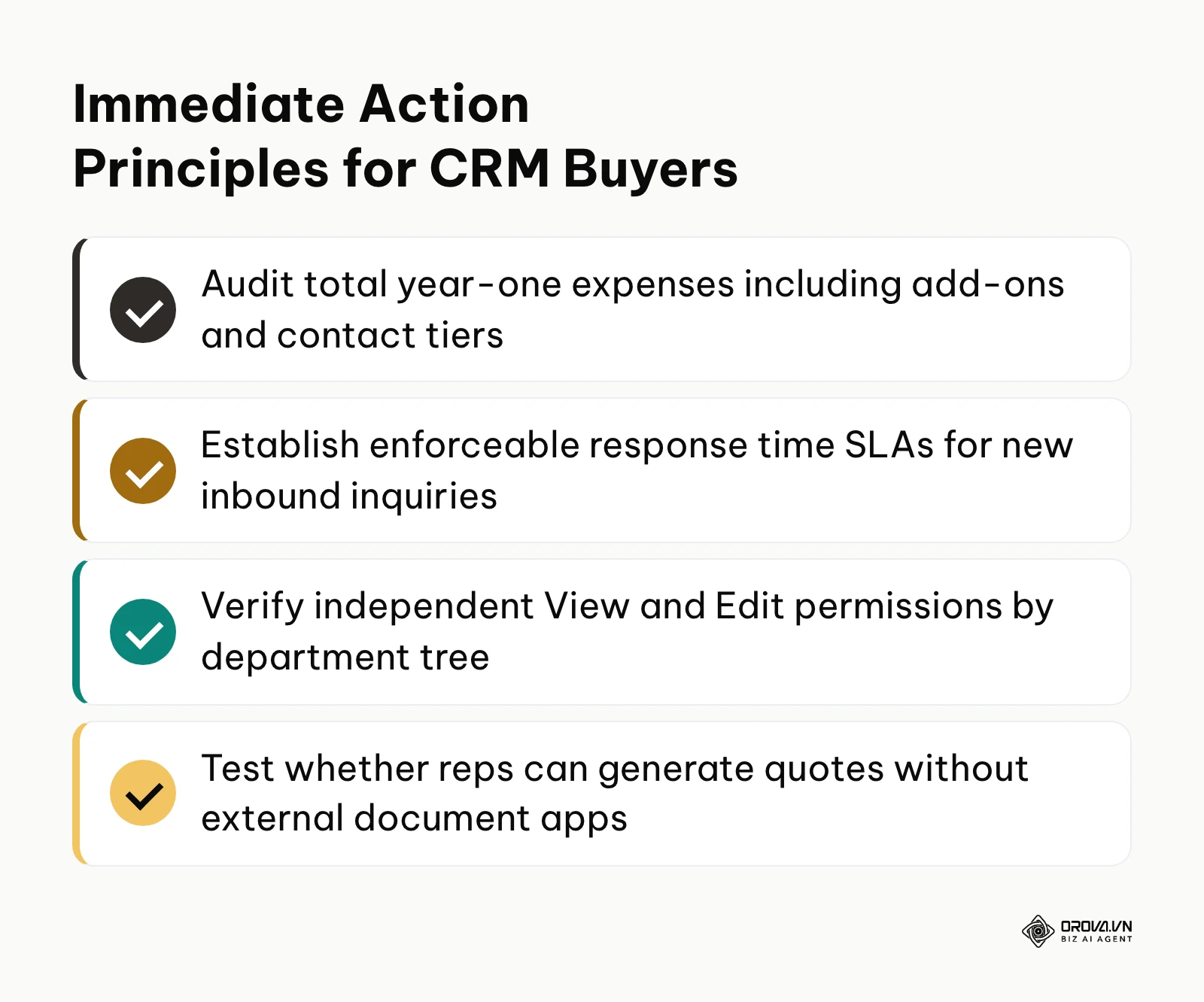
By focusing on direct sales velocity, enforced follow-up discipline, and transparent operational costs, you ensure that your investment in the best crm software drives sustainable revenue growth for your business.
About the author

Builder of Orova
Nguyễn Đỗ Trọng Ân has 8 years of experience in marketing, including 6 years managing market development across Asia. He builds Orova, a Biz AI Agent that never sleeps: it plans, runs and optimizes work for businesses.
Run your business with AI Agents
Orova is the always-on Biz AI Agent — it plans, runs, and optimizes the work for you.
Save time, unlock productivity.