
Local Service Ads Google: How to Launch in 7 Steps (2026)
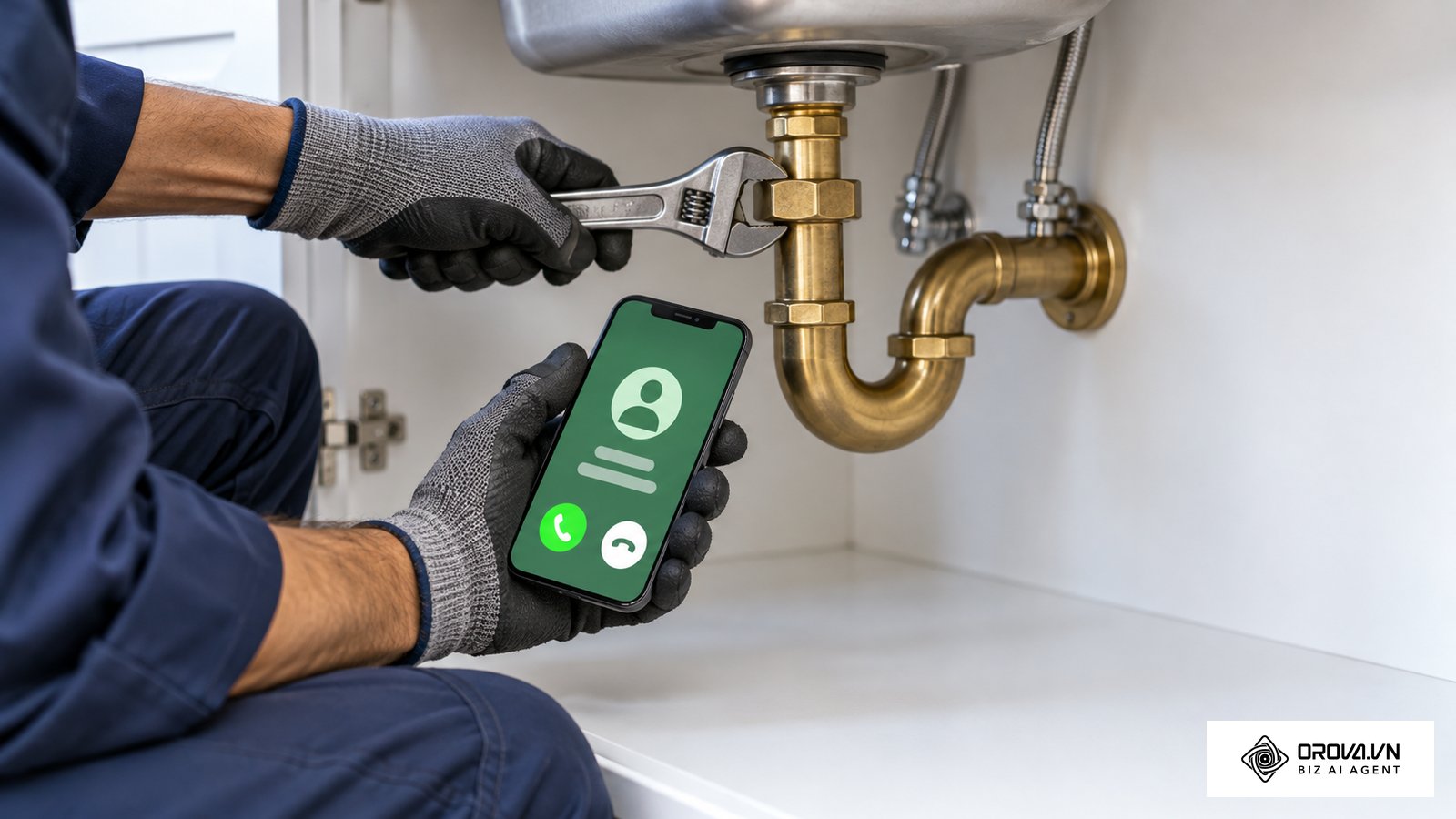
Mastering local service ads google allows local businesses to capture high-intent inbound calls directly from the top of the search engine results page. When you finish this guide, you will have an active profile working toward the Google Verified badge, customized service categories, a calibrated bidding setup, and a weekly lead review routine that keeps you from paying for calls you cannot serve. Before starting, prepare your business registration documents, active trade licenses, proof of insurance if your category asks for it, and identity details for company owners. Local Services Ads are available only in certain countries (including the United States, Canada, the United Kingdom and several European markets) and only for specific service categories, so check eligibility for your exact area first. Configuration takes a few hours; verification time depends on your category and region. National online retailers and service companies without physical dispatch areas should use standard search campaigns instead.
What is local service ads google and how does it work?
Local service ads google is a specialized pay-per-lead advertising format that positions verified local service businesses at the very top of Google Search, above conventional paid search ads and organic map packs. Implementing this channel requires a seven-step rollout: checking category eligibility, passing screening, defining service boundaries, synchronizing customer reviews, configuring call routing, reviewing leads and credits, and managing everything alongside Google Ads.
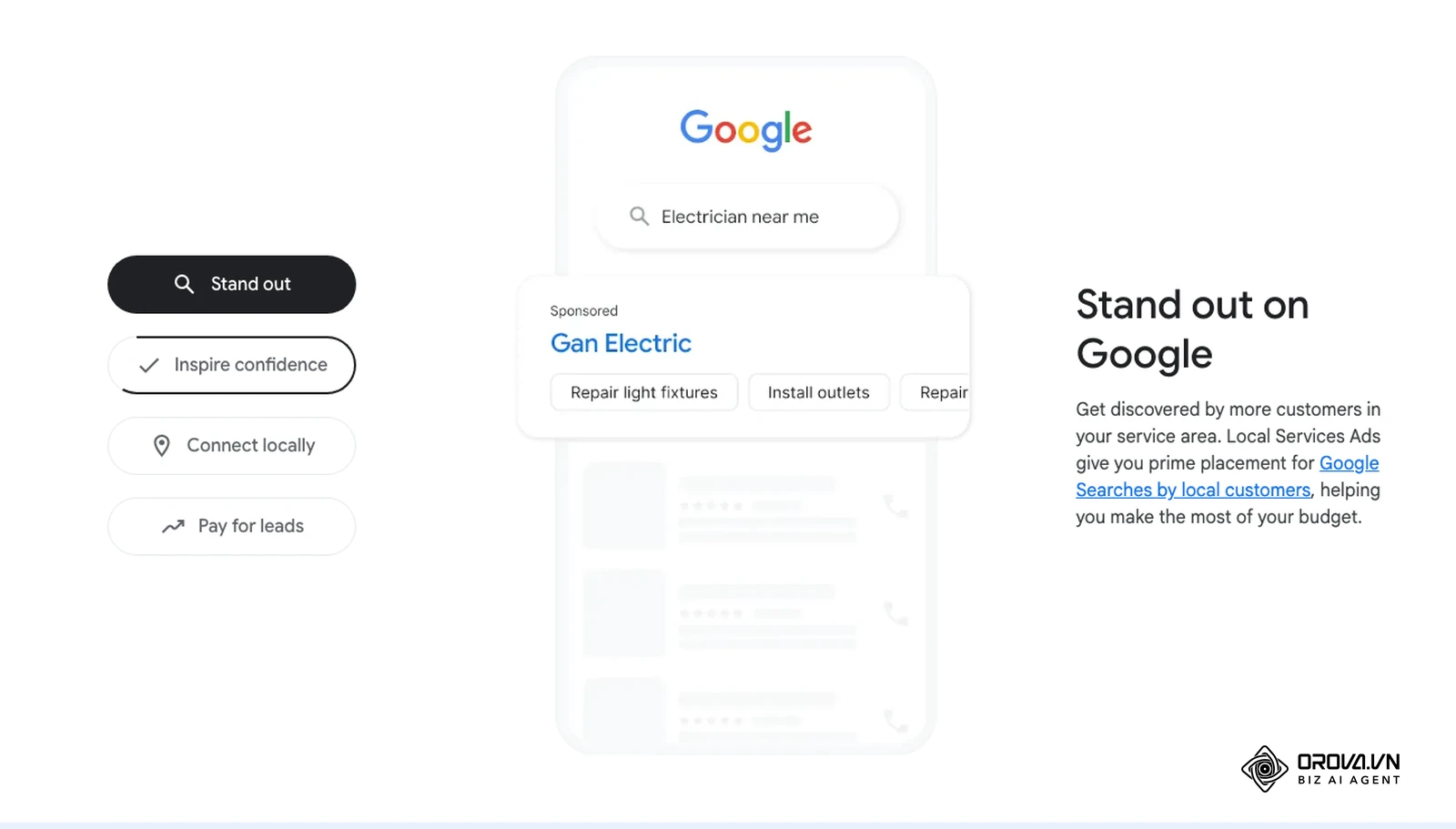
Unlike traditional pay-per-click advertising, where you pay every time an online searcher clicks on your headline, this platform operates on a pay-per-lead model. You are charged for leads, meaning calls, message requests or bookings that come from your ad and relate to the services you offer. According to Google's Local Services Help Center, businesses that pass Google's screening show the Google Verified badge (it replaced the older Google Guaranteed and Google Screened labels), and the badge is not available in some categories such as auto, beauty and dining. Google also offers pre-badge ads: once you pass the preliminary checks, you can receive leads while completing the remaining checks, but your listing appears below fully verified providers.
+-------------------------------------------------------------------+
|                        GOOGLE SEARCH ENGINE                       |
|  Query: "emergency plumber near me"                               |
+-------------------------------------------------------------------+
|  [ LOCAL SERVICES ADS BLOCK - Top Position on Page ]              |
|                                                                   |
|  +--------------------+  +--------------------+  +--------------+ |
|  | Apex Plumbing      |  | Metro Rooter       |  | City Flow    | |
|  | [V] Google Verif. |  | [V] Google Verif. |  | [V] Verified | |
|  | 4.9 ***** (184)    |  | 4.8 ***** (92)     |  | 4.9 (210)    | |
|  | Open 24/7          |  | 10+ yrs in biz     |  | Fast dispatch| |
|  | CALL: (555) 019-28 |  | CALL: (555) 014-99 |  | CALL: (555)..| |
|  +--------------------+  +--------------------+  +--------------+ |
+-------------------------------------------------------------------+
|  [ TRADITIONAL GOOGLE SEARCH ADS (Pay-Per-Click Text Ads) ]       |
+-------------------------------------------------------------------+
|  [ GOOGLE MAPS / LOCAL THREE-PACK ]                               |
+-------------------------------------------------------------------+
|  [ ORGANIC SEARCH RESULTS ]                                       |
+-------------------------------------------------------------------+
Requirements to prepare before setting up local service ads google
Launching your campaign without interruptions requires gathering legal, financial, and operational credentials before opening the setup wizard. Gathering these items in advance prevents compliance rejections during background verification.
| Requirement | Where to obtain | Time required | Impact if missing |
|---|---|---|---|
| State Trade License | State licensing board or department of consumer affairs | 1 business day | Complete rejection; cannot select regulated trade categories |
| Insurance proof (category-dependent) | Commercial insurance broker (declarations page) | 1 to 2 business days | Verified badge withheld until the document is accepted |
| Owner and field tech background checks (where required) | Google's background check partner, via email invitation | Varies by region | Badge cannot be issued until checks pass |
| Google Business Profile Verification | Google Business Profile administrative portal | 2 to 5 business days | Cannot import existing 5-star customer reviews |
| Business Registration Document | Secretary of State filing or county business registry | 1 business day | Entity identity verification rejected by automated system |
| Dedicated Phone Number | Business telecommunications carrier or call tracking provider | 1 hour | Cannot record, track, or audit inbound customer calls |
Step 1: Check eligibility and select job categories
Your first objective is establishing your geographic eligibility and choosing specific service categories to ensure you receive calls matching your company's operational scope.
To begin, open the Local Services Ads sign-up page from Google's Local Services Help Center and use the Check eligibility tool. Select your country, enter your business postal code, and pick your primary category. If your category or area is not listed, Local Services Ads is not an option for you yet; use standard Search campaigns instead. Once the system confirms availability in your territory, proceed to the Job Types screen. Review the sub-service checklist carefully. Check only the specific jobs your technicians perform daily. If you are an electrical contractor, check options such as panel upgrades, EV charger installation, and circuit breaker repair, while unchecking commercial high-voltage wiring if you handle only residential properties.
Local Services Ads Onboarding Portal
+------------------------------------------------------------------+
| Select Your Business Category: [ Electrical Contractor        v] |
| Enter Primary Business ZIP:    [ 80202                        ]  |
|                                                                  |
| Service Capabilities (Uncheck jobs you do not service):          |
| [X] EV Charger Installation        [X] Electrical Panel Upgrades |
| [X] Lighting Fixture Repair        [ ] Commercial High-Voltage   |
| [X] Ceiling Fan Installation       [ ] Industrial Generators     |
+------------------------------------------------------------------+
You can verify success visually when the interface presents a green confirmation checkmark stating your business is eligible, followed by an organized summary of your selected job types displayed in the Service Profile tab.
A common error at this stage is selecting broad industry categories that your team cannot service profitably. The symptom is paying for expensive customer calls requesting specialty repairs you cannot deliver. To fix this, open your Profile & Budget dashboard, expand Job Types, and disable low-margin sub-services.
Step 2: Clear business verification and background checks
Your objective in this step is submitting all corporate filings, insurance policies, and technician identities to pass Google's third-party safety screening.
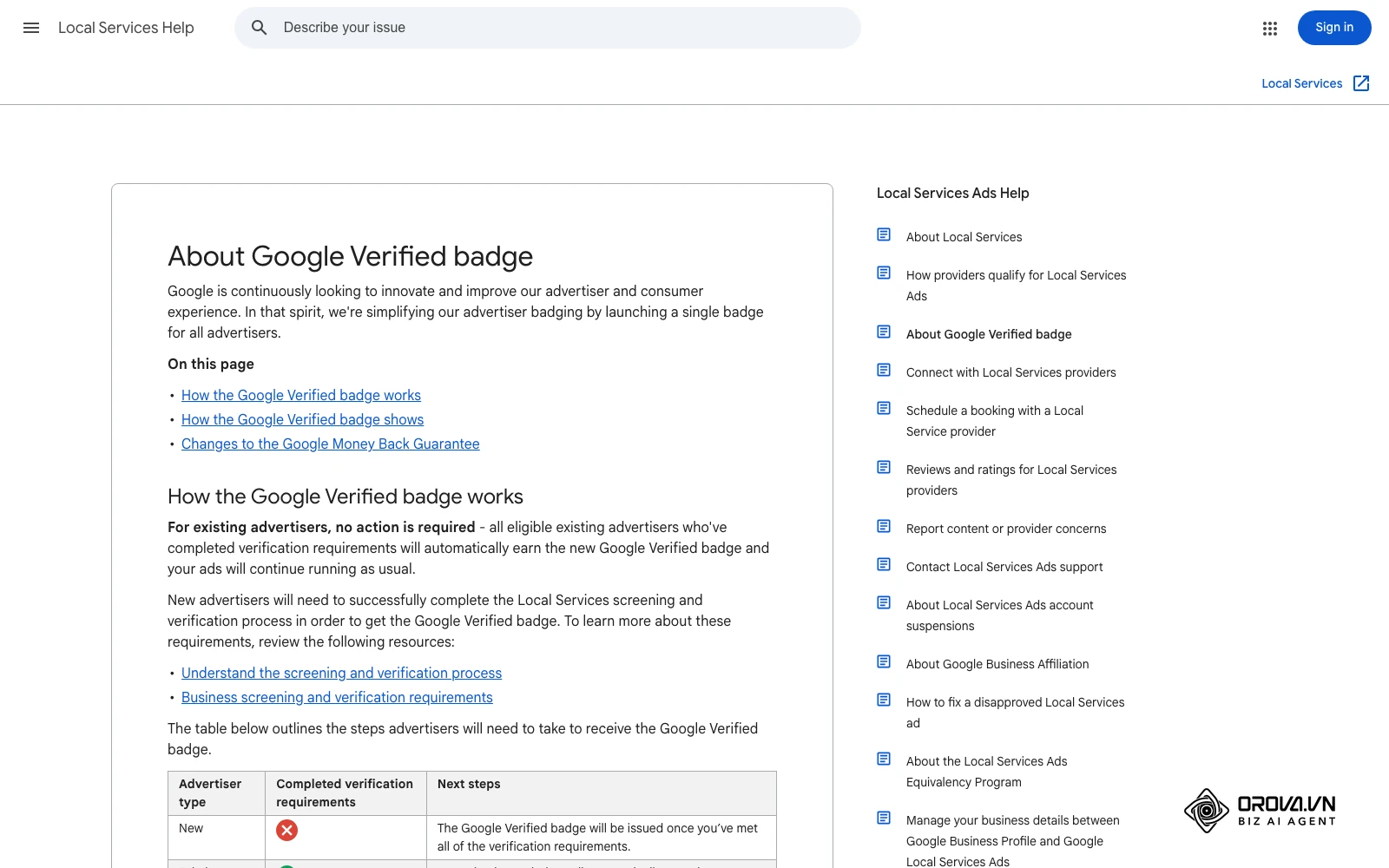
According to Google's Local Services Help Center (pages "Understand the screening and verification process" and "Business screening and verification requirements"), the checks you must pass depend on your category and country and can include business registration, license, insurance, background checks and reviews before you receive the Google Verified badge. In your onboarding dashboard, click the Business Verification section. Upload a digital copy of your Certificate of General Liability Insurance. Ensure the insured business name and physical street address match your legal filing character for character. Next, enter your active contractor license number and expiration date. Finally, submit the full names and professional email addresses of company owners and all field technicians who enter customer homes. Each individual receives an email link from Google's screening partner to complete their check.
To verify completion, check the Business Verification status screen. The status badges next to Insurance, License, and Background Checks must shift from "Pending Review" to green "Passed" indicators.
A frequent error during verification is uploading an insurance certificate where the corporate entity name differs from the trading name shown on your business registration. The symptom is an immediate "Document Mismatch" rejection notice. To resolve this issue, request an updated insurance certificate endorsements page from your broker that explicitly lists your primary trade name as a registered DBA (Doing Business As).
12-Step Verification Checklist for the Google Verified badge:
[ ] 1. Confirm legal business name matches IRS EIN confirmation letter.
[ ] 2. Verify physical street address (commercial unit or residential dispatch).
[ ] 3. Obtain proof of insurance if your category requires it.
[ ] 4. Check the insured name matches your business name exactly.
[ ] 5. Collect active state trade license numbers for regulated verticals.
[ ] 6. Collect municipal or county specialty licenses where required locally.
[ ] 7. Identify every owner Google asks to screen for your category.
[ ] 8. Send identity verification links to all in-home field service technicians.
[ ] 9. Track background check status for each invited person.
[ ] 10. Prepare headshots if you run a professional category.
[ ] 11. Complete Google Advertiser Identity Verification via corporate registry.
[ ] 12. Connect active, non-suspended Google Business Profile with matching data.
Hypothetical example: A residential plumbing business operating three service vans in Denver attempted to pass verification. The owner submitted a personal utility bill and an insurance declarations page showing a residential home address, while their state plumbing contractor license was filed under a formal corporate LLC address. The verification system rejected the filing. The owner contacted their insurance broker to issue an endorsement listing both the formal corporate entity and their trade DBA, then uploaded a stamped county trade registration matching their licensing board records. After the documents were accepted, the profile went on to receive the Google Verified badge.
Step 3: Define service areas and bidding strategies
This step focuses on defining your exact geographic dispatch zone and selecting a bidding model that generates profitable customer acquisitions.
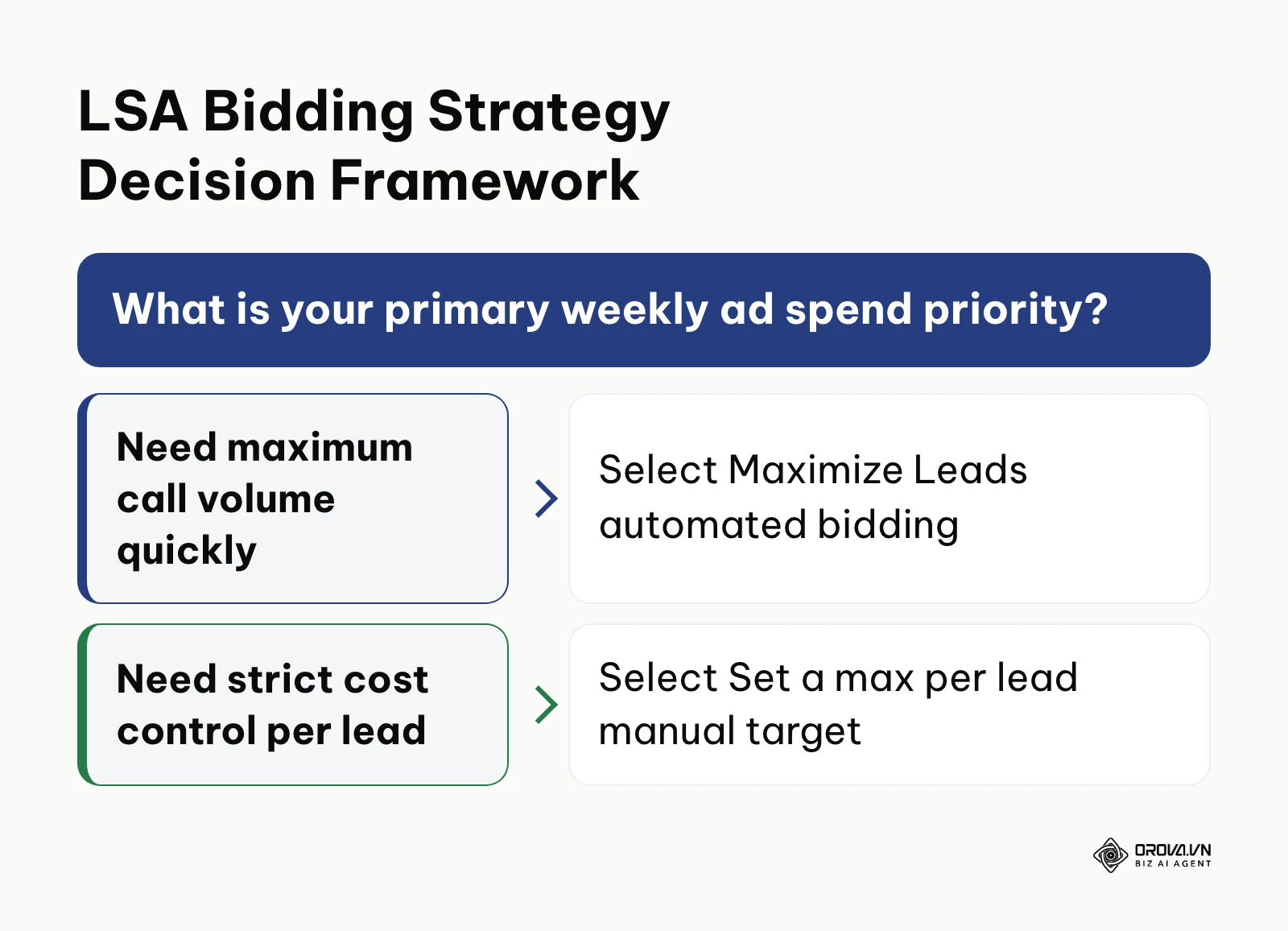
Open the Service Area screen inside the campaign manager. You can target by entire cities, specific postal codes, or radius perimeters around your dispatch address. For maximum profitability, exclude distant communities where travel times exceed 45 minutes, as slow response times diminish job closing rates. Next, navigate to the Budget screen. Depending on your region and category, you will typically choose between "Maximize Leads" (Google sets your bid dynamically to capture as many leads as possible within your budget) and "Set a max per lead" (you enter a cap per lead).
The diagram below provides a framework to determine which bidding model matches your immediate business requirements.
Service Area Targeting Matrix
+------------------------------------------------------------------+
| Dispatch Center: Denver, CO (80202)                              |
| Target Method: Selected ZIP Codes (High Margin / Fast Dispatch)  |
|                                                                  |
| Included Core Areas:          Excluded Unprofitable Outskirts:   |
| [X] 80202 (Downtown Core)     [ ] 80118 (Larkspur - 55 min trip) |
| [X] 80206 (Cherry Creek)      [ ] 80403 (Golden Remote Mountain) |
| [X] 80209 (Washington Park)   [ ] 80603 (Brighton Far Rural)     |
+------------------------------------------------------------------+
When considering overall budget allocations across paid search and local directories, studying Google Ads pricing provides helpful comparative context for setting sustainable customer acquisition benchmarks. You can verify your configuration visually in the Budget settings view, which displays your maximum weekly budget alongside an estimated weekly lead volume range.
Google does not publish a fixed price list: lead cost depends on your category, location, competition and bid settings, and the Budget screen shows an estimate for your own area. Instead of copying someone else's numbers, fill in this planning worksheet with your own figures before you choose a budget.
| Input | Where to find it | Hypothetical example (HVAC repair) | Your number |
|---|---|---|---|
| Average job invoice | Your invoicing or accounting software | 1,200 dollars | |
| Gross profit margin | Your accounting records | 35% | |
| Gross profit per job | Invoice x margin | 420 dollars | |
| Lead-to-job close rate | Your CRM or call log, last 90 days | 25% (1 job per 4 leads) | |
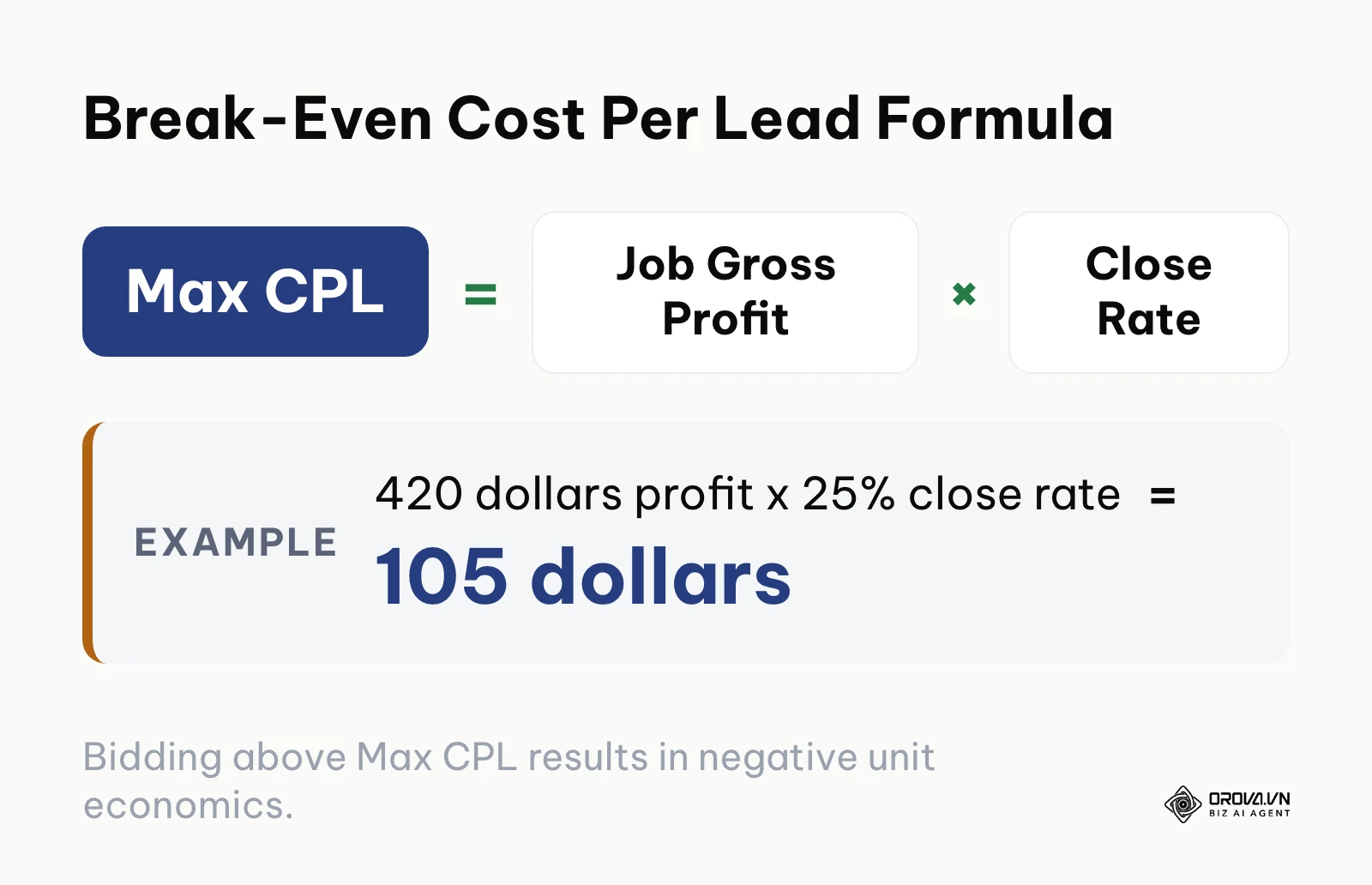
| Maximum affordable cost per lead | Gross profit per job x close rate | 105 dollars | |
| Estimated cost per lead in your area | Budget screen estimate in your Local Services account | 65 dollars (assumed) | |
| Monthly jobs you want | Your capacity plan | 20 |
Calculating your break-even threshold prevents setting unsustainable weekly budgets. Consider an HVAC contractor specializing in residential heat pump tune-ups and system repairs. The average service invoice is 1,200 dollars with an operating gross profit margin of 35%, yielding 420 dollars in gross profit per booked job. In this hypothetical example, the cost per lead is assumed to be 65, dollars and the company dispatcher converts 25% of incoming calls into scheduled field appointments (one closed job out of every four leads).
Acquiring one customer requires four leads at 65 dollars each, resulting in a customer acquisition cost of 260 dollars. Subtracting the 260 dollars acquisition cost from the 420 dollars gross margin leaves a net profit of 160 dollars per completed repair. If the contractor seeks 20 closed jobs monthly, they must capture 80 qualified inquiries. Multiplying 80 calls by the 65 dollars average CPL results in a required monthly budget of 5,200, dollars or 1,300 dollars per week.
The formula below summarizes the relationship between your gross margin and lead closing rate.
A frequent error is selecting automated bidding with an unrealistically small weekly budget, such as 100 dollars per week in a high-cost trade like HVAC. The symptom is a listing that barely shows because the budget cannot cover even two leads a week. To fix this, read the lead cost estimate on your Budget screen and set a weekly budget that covers several leads, not just one or two.
OROVA ADS applies AI Agent to automate and optimize ad performance on Google, Meta and TikTok. Scale your budget safely, monitor 24/7 and expand your business quickly.
Experience the solution at orova.vn/ads
Step 4: Optimize profile assets and link customer reviews
Your goal in this step is connecting your verified customer feedback and uploading relevant profile assets to build consumer trust on the search results page.
Navigate to the Profile & Details screen. Link your verified Google Business Profile to pull over your existing star rating and review count. The Federal Trade Commission's Guides Concerning the Use of Endorsements and Testimonials in Advertising (updated in 2023) treat fake or misleading reviews as deceptive advertising, so only ask real customers for reviews. Some categories also have a minimum review requirement before your ad can go live. Next, upload high-resolution photographs showing your branded dispatch vehicles, uniformed team members, and clean equipment. Select up to six profile highlights that reflect your operational capabilities, such as "Locally Owned," "24/7 Availability," "Upfront Pricing," or "Licensed and Insured."
| Profile element | What to do | Why it matters |
|---|---|---|
| Google Business Profile link | Connect the profile that matches your business name and address | Your reviews and rating can show on the ad |
| Photos | Upload real photos of your vehicles, team at work and equipment | Searchers compare providers side by side |
| Highlights | Pick only highlights that are true, such as 24/7 service or upfront estimates | Misleading claims hurt trust and can break ad policies |
| Business hours | Match the hours your phones are actually answered | Unanswered calls can affect your ad ranking |
You can verify success by viewing the public preview window on the right side of the profile editor. Your profile should display your linked Google review score, verified badges, and business operational highlights.
A common pitfall is failing to sync your Google Business Profile, leaving your listing with zero customer reviews. The symptom is a low click-to-call conversion rate because searchers choose competing businesses with established star ratings. To fix this, open the Account Linking tab, authenticate your Google Business Profile administrator account, and confirm the location name matches your advertising account.
Step 5: Set up call routing and live response workflows
This step establishes call forwarding protocols, call recording notifications, and after-hours response workflows to maintain high responsiveness scores.
Go to the Business Details screen and select the Phone Number section. Input a primary forwarding number that connects directly to your dispatch team. Avoid routing incoming ad calls to an interactive voice response phone tree with numerous options, as callers looking for urgent help tend to hang up when they hit long automated menus. Enable call recording and consent announcements to ensure calls comply with state recording laws and remain available for your weekly lead review. Next, configure your operating schedule. If your office staff handles calls from 7:00 AM to 6:00 PM, set your ad schedule to run during those exact hours.
You can verify this step by running a live test call to your tracking phone number. Your dispatch desk phone should ring immediately, display the call whisper notification stating "Local Services call from Google," and connect without static.
Use this call response protocol as a starting point and adjust the timings to your own team:
| Stage | Window | What the dispatcher does |
|---|---|---|
| Ringing | First few rings | Answer with a short greeting that names the company and the person answering |
| Qualification | First minute | Confirm the caller is in your service area and the job matches your selected job types; note the address and urgency |
| Overflow | If the main line is not picked up | Roll the call to a backup dispatcher or answering service |
| Missed call | Right after a missed call | Call or message the customer back as soon as possible |
An error here is leaving your ad schedule running overnight when no team members answer the phone. The symptom is an accumulation of missed call charges and a drop in search visibility. Google's Help Center states that if you regularly fail to answer calls or respond to messages, your ad ranking may be affected. To resolve this, navigate to the Business Hours tab and restrict ad delivery to hours when an in-house dispatcher or live answering service answers calls within three rings.
Hypothetical example: An air conditioning repair business in Atlanta experienced declining top-three search placements during peak summer months. An audit of their call logs revealed that their dispatchers missed 26% of incoming calls during lunch hours and late afternoons. The owner adjusted their phone system to ring three desk phones simultaneously, established a dedicated call whisper notification, and implemented a secondary failover line connecting to an answering service after four rings. Within two weeks, their call response rate improved to 97%, and their listing returned to the top position in their service area.
Step 6: Review leads, give feedback, and track automated credits
Your goal in this step is reviewing every lead each week, rating its quality, and checking which leads Google has credited, so you know what you actually paid for.
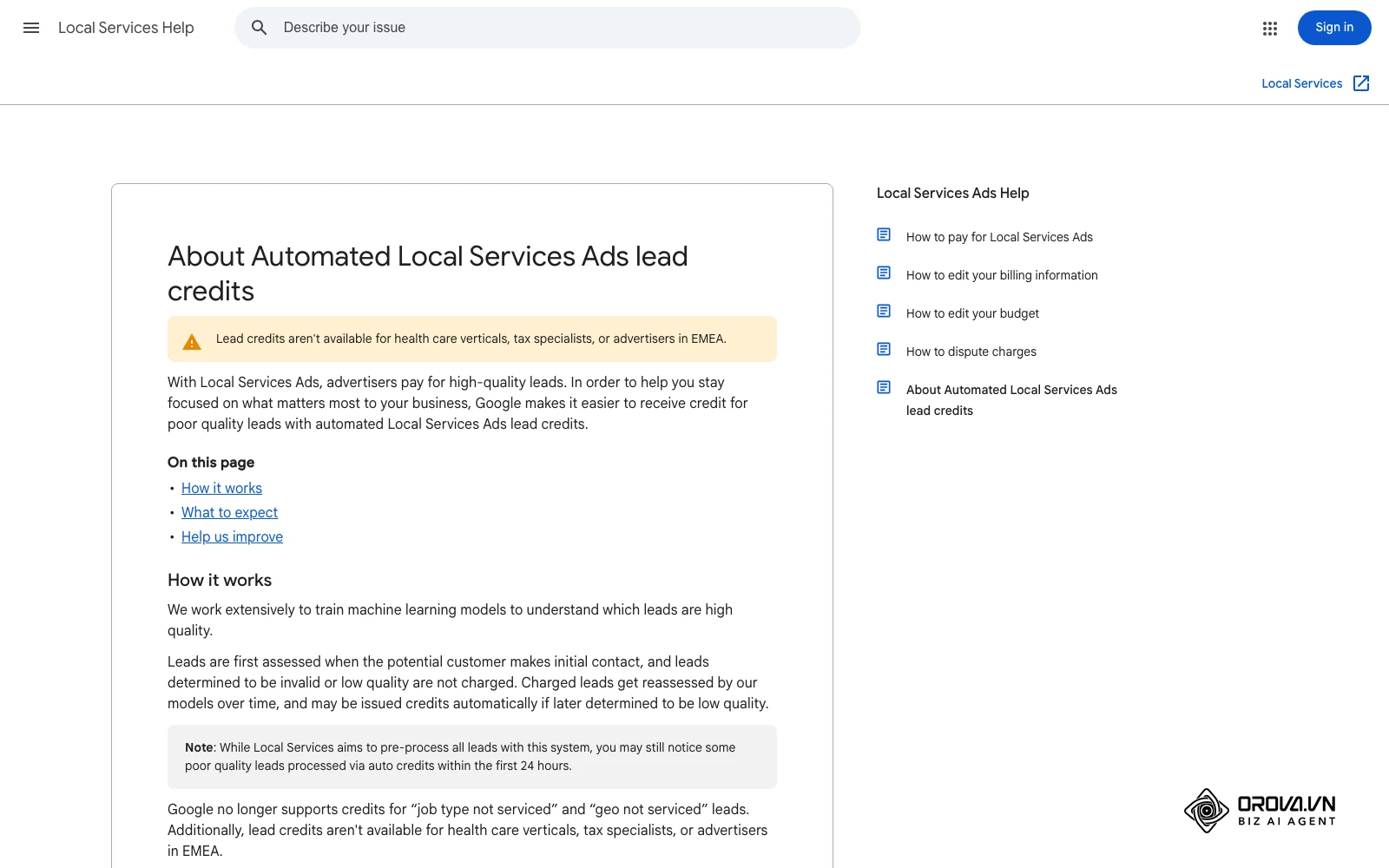
Older guides describe a manual "Dispute Lead" button. That process has changed. According to Google's Local Services Help Center page "About Automated Local Services Ads lead credits", Google's models assess each lead when the customer first makes contact, invalid or low-quality leads are not charged, and charged leads can be reassessed later and credited automatically. In most cases credits are applied to your account balance within 30 days, and the original charge still appears on your invoice. Two limits matter: Google no longer supports credits for "job type not serviced" and "geo not serviced" leads, and lead credits are not available for health care verticals, tax specialists, or advertisers in EMEA.
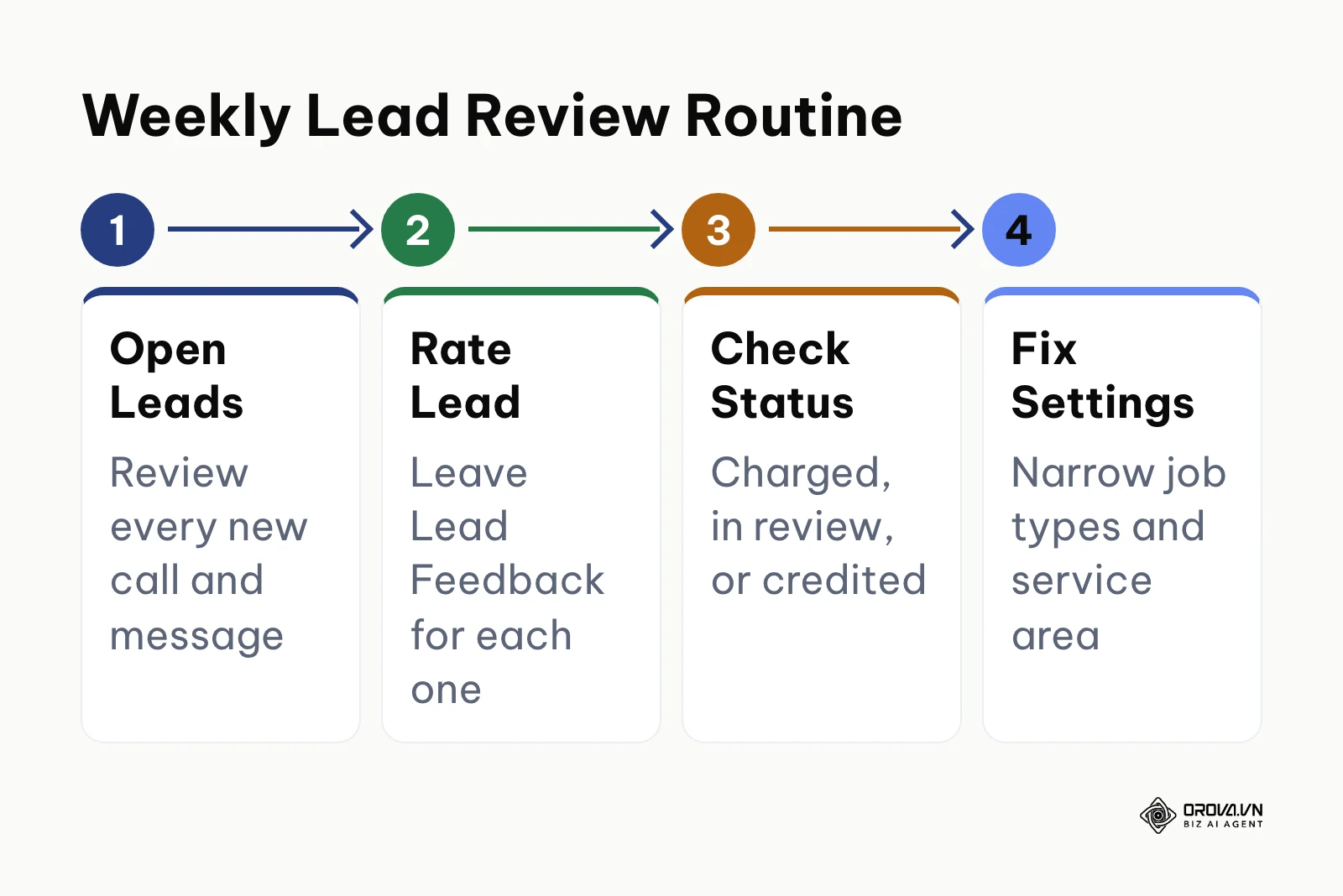
Open the Leads section of your Local Services account and work through the list. Listen to recorded calls where recording is enabled, rate each lead, and leave Lead Feedback; Google notes that leaving feedback can also earn a bonus credit. For marketers coordinating paid search accounts alongside lead generation, a structured Google Ads optimization SOP gives you a consistent weekly slot for reviewing call logs.
The diagram below outlines the weekly lead review routine.
The table below shows how each lead status in your reports should be read and what to do next.
| Lead status in reports | What it means | Your action |
|---|---|---|
| Not charged | Google judged the lead low quality or duplicate from the start | No action; check whether the pattern points to a profile problem |
| Charged | You paid for the lead | Rate it and follow up until it is booked or lost |
| In review | Google is reassessing the lead | Wait; a credit is applied if it is not a good match |
| Credited | You were charged, then credited (auto-credit or feedback bonus) | Confirm the balance change in Billing |
Because credits for wrong job types and areas outside your territory are no longer supported, prevention matters more than claims: keep your job types and service area tight (Steps 1 and 3) so you do not pay for those calls in the first place.
A major mistake is skipping the weekly review. The symptom is a growing list of unrated leads and no clear picture of which calls turned into jobs. To prevent this, block a fixed weekly slot, rate every lead, and log the outcome in your CRM.
Hypothetical example: A residential electrical contractor in Chicago noticed that many weekly calls asked for industrial wiring they do not offer. Instead of waiting for credits that Google no longer gives for unserviced job types, the manager unchecked the commercial job types, narrowed the service area to the core ZIP codes, and set a recurring Monday review to rate every lead. Over the following weeks, the share of off-target calls dropped and the remaining leads were easier to book.
Step 7: Connect your profile to the unified Google Ads manager
Your final setup step is linking your profile to the unified Google Ads interface to consolidate billing profiles, streamline cross-channel conversion reporting, and align your account with modern advertising features.
Google has been moving Local Services Ads management closer to the main Google Ads interface, so you can view Local Services results next to your Search campaigns. Log into Google Ads at ads.google.com, find your Local Services campaign or linked Local Services account (menu names change over time, so follow the current steps in Google's Help Center), and confirm which billing profile pays for leads. For advertisers looking to refine campaign architecture further, reviewing a detailed Google Ads campaign setup ensures your account structure and conversion actions are aligned.
You can verify the connection when your Local Services leads and spend appear inside Google Ads next to your other campaigns.
A common pitfall during this step is creating a new, duplicate billing profile during the linking process. This can cause payment declines if your bank flags multiple charges from separate Google billing profiles. To prevent this, select your existing Google Ads billing profile from the dropdown menu rather than creating a new profile.
Want to scale your budget but afraid of breaking performance?
Integrate OROVA ADS now - an AI Agent that automatically monitors and optimizes Google, Meta, TikTok ads 24/7. Now, expanding and replicating your Performance Ads team is just one click away.
Try it now at: orova.vn/ads
Master checklist: local service ads google rollout
Use this reference checklist to track your team's execution from initial setup through final review.
| Step | Core Task | Completion Sign | Estimated Time |
|---|---|---|---|
| 1 | Category and Job Type Selection | Green eligibility status with selected trade capabilities | 30 minutes |
| 2 | License and Background Audit | Every required check shows as passed | Varies by region |
| 3 | Geography and Bidding Setup | Weekly budget saved with selected target postal codes | 45 minutes |
| 4 | Review and Asset Integration | Google Business Profile synchronized with star rating | 30 minutes |
| 5 | Call Routing and Whisper Audio | Test call rings dispatch desk with whisper announcement | 30 minutes |
| 6 | Lead Review and Feedback | Weekly review set; every lead rated | 45 minutes/week |
| 7 | Google Ads Platform Linking | Local Services results visible in Google Ads | 20 minutes |
Common mistakes and how to fix them
Even experienced advertisers can encounter configuration errors that reduce call volume or waste budget. The table below lists the most common issues along with their root causes and corrective actions.
| Mistake | Common Cause | How to Fix |
|---|---|---|
| Disappearing from top search positions | Missed calls and unanswered messages | Restrict ad schedule to staffed hours; set up ring groups |
| High rate of invalid inquiries | Broad job categories selected in profile | Turn off unspecialized sub-services in Job Types |
| Verification process stalled | Address discrepancy across legal documents | Upload documents whose name and address match your license |
| Low click-to-call conversion rate | Outdated Google Business Profile reviews | Request reviews from completed customers; maintain recent ratings |
| Paying for off-target calls | Job types or areas you do not serve are still switched on | Narrow job types and service area; credits no longer cover these |
| Budget depleted with few calls | Bidding in high-cost metro with low targets | Switch from manual bid caps to Maximize Leads bidding |
Measuring performance after launching local service ads google
Evaluating performance requires tracking four core operational metrics inside your reporting dashboard rather than relying on vanity impressions. Review these key indicators weekly:
Core Performance Dashboard Metrics
+------------------------------------------------------------------+
| Metric                      Healthy Benchmark    Review Cadence  |
+------------------------------------------------------------------+
| 1. Cost Per Lead (CPL)      Below your max CPL   Weekly          |
| 2. Call Responsiveness Rate Answer every call    Daily           |
| 3. Lead-to-Booking Ratio    Your own baseline    Bi-Weekly       |
| 4. Credited Leads           Track the trend      Monthly         |
+------------------------------------------------------------------+
Review your Cost Per Lead weekly inside the Reports tab. Compare your actual CPL against the maximum affordable CPL from your worksheet in Step 3. If your CPL exceeds your target maximum by more than 25%, narrow your geographic targeting to your most profitable postal codes and remove low-margin job categories. Check your Call Responsiveness metric in the Business Details view. If you start missing calls, adjust your call routing or shorten your active ad schedule. Track your Lead-to-Booking ratio inside your internal CRM to verify that inbound calls convert into paying customers. Finally, review your Billing tab monthly to confirm automated credits appear on your account balance.
Trends in local service ads google over the next few years: author's perspective
Search is becoming more conversational, and people already describe home repair problems in full sentences. I believe that over the next two to three years, the traditional tap-to-call ad block will evolve into an interactive voice interface where consumer inquiries are pre-screened and transcribed before your phone rings. Advertisers should prepare today by building detailed service descriptions and maintaining positive customer reviews so AI systems can accurately match their listings with relevant consumer inquiries.
Another noticeable trend is the consolidation of independent local advertising portals into core search management platforms. Google continues to merge its standalone Local Services tools into the primary Google Ads interface, standardizing conversion tracking, audience attribution, and billing management. In my view, Local Services will keep moving closer to the rest of Google Ads, though I would not bet on the exact form it takes. Service businesses should prepare for this shift by standardizing customer record management, linking their Google Ads accounts, and tracking multi-channel customer acquisition costs.
Finally, platform compliance standards are becoming stricter across all local service categories. Following increased regulatory attention regarding consumer privacy and lead-generation quality, automated background screening services are auditing contractor licensing databases more frequently. I believe verification checks will become more frequent rather than one-off events. Service business owners should prepare by centralizing documentation for business licenses, insurance policies, and technician credentials to prevent sudden account suspensions.
Frequently asked questions about local service ads google
How does artificial intelligence affect ranking and lead distribution in local service ads google?
Google's Help Center lists factors such as your proximity to the customer, reviews and rating, responsiveness to customer inquiries, business hours, and whether you have serious or repeated complaints. Automated systems match customer search intent with your selected job categories, making accurate service selections and fast call answering critical to maintaining top positions.
Can I run local service ads google and traditional Google Search Ads simultaneously?
Yes, running both ad formats simultaneously allows your company to occupy two distinct placements on the same search results page. Your Local Services Ad appears at the very top of the page with trust badges, while your standard Search text ad appears directly below it, increasing your total visibility.
How long does Google take to credit low-quality leads?
Manual disputes have largely been replaced by automated lead credits. According to Google's Help Center, in most cases credits are applied to your account balance within 30 days, while the original charge still appears on your invoice. Lead credits are not available for health care verticals, tax specialists, or advertisers in EMEA.
Do I need insurance to run Local Services Ads?
It depends on your category and location. Google lists the exact screening requirements, including any insurance documents, during onboarding and in its Help Center page on business screening and verification requirements, so check the requirements shown for your own category.
Why did my profile lose its Google Verified badge?
A lost verification badge usually stems from an expired trade license, an outdated insurance certificate, an uncompleted technician background check, or a billing decline. Checking the Business Verification tab will identify the specific credential that requires an updated document.
Where should you start?
Your immediate next step depends on your company's current digital advertising setup.
If you are a sole proprietor launching local advertising for the first time, spend your first afternoon gathering your legal documentation. Locate your state trade license certificate, download your commercial liability insurance declarations page from your broker portal, and verify that the street address matches your state registration filings. Completing this organizational step prevents verification delays.
If you are an established contractor running standard search campaigns without local service ads, log into your Google Ads account this week and check eligibility with the Check eligibility tool in Google's Local Services Help Center. Link your Google Business Profile, select five high-margin job categories, and complete the business identity verification forms to establish your profile.
If you operate a regional service brand with multiple dispatch locations, conduct a complete audit of your inbound call routing workflows. Review your phone system to ensure incoming ad calls connect to live dispatchers in under four rings, verify that call whisper notifications are enabled, and set up a weekly recurring calendar reminder to review call logs and rate every lead. Establishing these foundational operational habits ensures your business extracts maximum value from local service ads google.
About the author

Builder of Orova
Nguyễn Đỗ Trọng Ân has 8 years of experience in marketing, including 6 years managing market development across Asia. He builds Orova, a Biz AI Agent that never sleeps: it plans, runs and optimizes work for businesses.
Run your business with AI Agents
Orova is the always-on Biz AI Agent — it plans, runs, and optimizes the work for you.
Save time, unlock productivity.