
What is ad retargeting? A practical guide to winning back lost visitors

Imagine pouring thousands of dollars into acquiring website traffic, only to watch most of those hard-earned visitors leave without buying anything. This is the harsh, expensive reality that most ecommerce and B2B marketing teams face on a daily basis. For years, the default solution was simply buying more top-of-funnel traffic, hoping that a tiny fraction would eventually convert. But this brute-force approach bleeds your marketing budget dry. Ad retargeting offers a better fix: it shows ads to people who already visited your site but left without converting, so you can bring them back.
This guide shows you exactly how ad retargeting fixes this leak in your sales funnel. You will learn the precise technical setups required to capture lost visitors, how to adapt your tracking methods to the new cookieless reality, and the exact budget allocation frameworks needed to turn hesitant browsers into highly profitable customers.
What is Ad Retargeting?
Ad retargeting is a digital advertising strategy that serves targeted ads to users who previously visited your website but left without converting. Unlike standard prospecting which targets cold audiences, retargeting utilizes tracking technologies like pixels to identify warm leads and re-engage them across different platforms to recover lost sales.
The logic is simple: people who already showed interest in your product are far more likely to respond to an ad than people who have never heard of you.
To fully grasp the concept, it helps to distinguish it from similar marketing tactics:
| Concept | How it differs | Example |
|---|---|---|
| Ad Retargeting | Uses display/social ads based on anonymous pixel data to reach people anywhere online. | Seeing a Facebook ad for a pair of shoes you viewed yesterday. |
| Remarketing | Traditionally relies on capturing direct contact info (email or text message) to send specific follow-up messages. | Receiving an email titled "You left something in your cart!" |
| Prospecting | Targets entirely cold audiences who have never interacted with your brand before based on interests. | Seeing an ad for a new coffee brand because you like Starbucks. |
Real-life example: You are researching project management software for your team. You visit a vendor's pricing page, compare the tiers, but close the tab because you need approval from your boss. The next morning, while reading a news article, you see a display banner offering a 14-day free trial for that exact software. That is ad retargeting in action.
The Core Purpose of Ad Retargeting
Ad retargeting exists to solve a fundamental problem in human psychology: most people are not ready to buy the first time they encounter a product. Modern consumer journeys are highly fragmented. A user might discover your brand on their phone during a morning commute, research competitors on a work laptop during lunch, and finally make a purchase on a tablet over the weekend.
Retargeting bridges the gap between initial interest and final action. In the grand scheme of a marketing funnel, it sits firmly in the middle and bottom stages (MOFU/BOFU). You must first generate awareness (top of funnel) through SEO, content marketing, or cold ads. Once that traffic lands on your site, retargeting takes over to nurture and convert them.
If you choose to ignore ad retargeting, you are essentially paying full price for customer acquisition but walking away before the deal is closed. You lose the opportunity to capitalize on the expensive traffic you already generated, allowing competitors to easily scoop up the users you warmed up.
When you don't need ad retargeting yet: If your website currently receives fewer than 1,000 unique visitors per month, implementing ad retargeting is premature and highly inefficient. The audience pool will simply be too small for advertising algorithms to deliver impressions reliably, resulting in stagnant campaigns. Similarly, if you sell a low-margin, one-time emergency service like emergency plumbing, retargeting wastes money because the customer's immediate need is already resolved. In these scenarios, you should focus your resources entirely on capturing high-intent search traffic and improving basic conversion rate optimization before attempting to build retargeting audiences.
The Business Value and Marketer Benefits of Ad Retargeting
Implementing a robust retargeting strategy provides distinct advantages that can be categorized into overarching business values and day-to-day benefits for the marketing team executing the campaigns.
Maximizing Return on Ad Spend (ROAS)
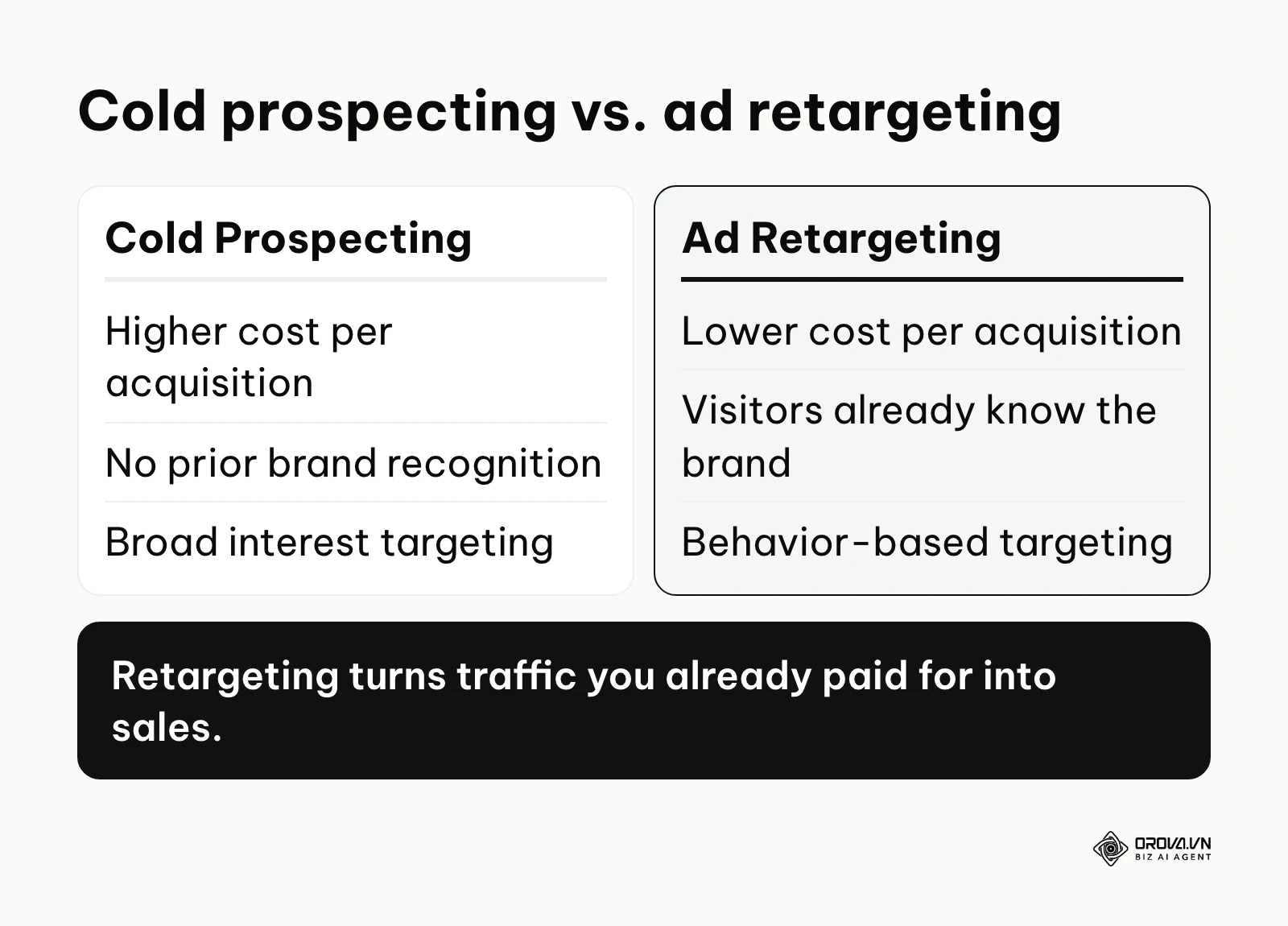
For the business, the most critical value is financial efficiency. Because you are advertising to people who already recognize your brand and have demonstrated interest, the likelihood of them clicking and converting is drastically higher than cold traffic. This naturally drives down the Cost Per Acquisition (CPA) and lifts your overall Return on Ad Spend (ROAS), making your entire marketing department look more profitable.
Mitigating Risk in Advertising Budgets
Testing new markets or new product lines with cold traffic is highly risky and expensive. Retargeting mitigates this risk by allowing businesses to test new offers, price drops, or feature announcements specifically on an audience that is already familiar with the brand. If a new offer fails to convert a warm retargeting audience, you immediately know it will fail with a cold audience, saving thousands of dollars in wasted spend.
Streamlining Audience Segmentation
For the individual marketer, retargeting platforms provide immense power to segment audiences based on precise behaviors. Instead of guessing what a user wants, a marketer can create explicit rules: "Show Ad A to people who read the blog, but show Ad B to people who abandoned the shopping cart." This takes the guesswork out of creative alignment.
Automating Creative Testing
Marketers benefit from the ability to run sequential creative tests. If a user doesn't click an image ad after three days, the retargeting setup can automatically switch to showing them a video testimonial. This automated rotation reduces manual campaign management time and prevents ad fatigue.
Illustrative example: Consider a mid-sized B2B software vendor facing a massive 90% drop-off rate on their pricing page. The marketing team decided to implement a 14-day ad retargeting sequence focusing exclusively on users who spent over two minutes on that specific page. Initially, the setup stalled because the tracking pixel miscategorized general blog readers as pricing page visitors due to a flawed URL rule. By adjusting the event logic in their tag manager to require an exact URL match, they isolated the high-intent audience. The result was a visible 40% increase in demo requests booked within three weeks, transforming passive readers into active sales pipeline prospects.
| Benefit | Measured By | Time to See Results |
|---|---|---|
| Increased Conversion Volume | Total purchases/leads | 7 to 14 days |
| Lower Acquisition Costs | CPA (Cost Per Acquisition) | 14 to 30 days |
| Improved Ad Engagement | CTR (Click-Through Rate) | 3 to 5 days |
| Automated Segmentation | Time spent managing audiences | Immediately |
OROVA ADS applies AI Agent to automate and optimize ad performance on Google, Meta and TikTok. Scale your budget safely, monitor 24/7 and expand your business quickly.
Experience the solution at orova.vn/ads
How Ad Retargeting Works in a Cookieless Era
Understanding the underlying mechanics of ad retargeting is non-negotiable. If you do not understand how data is collected and passed, your campaigns will fail before you spend a single dollar. This section breaks down exactly how the ecosystem functions, especially in light of modern privacy restrictions.
The Fundamental Mechanics: From Cookies to Server-Side Tracking
Historically, ad retargeting relied entirely on third-party cookies. When a user visited your site, a snippet of JavaScript (the pixel) placed a small text file (a cookie) in their web browser. When that user navigated to a different website, the ad network read that cookie and served your ad.
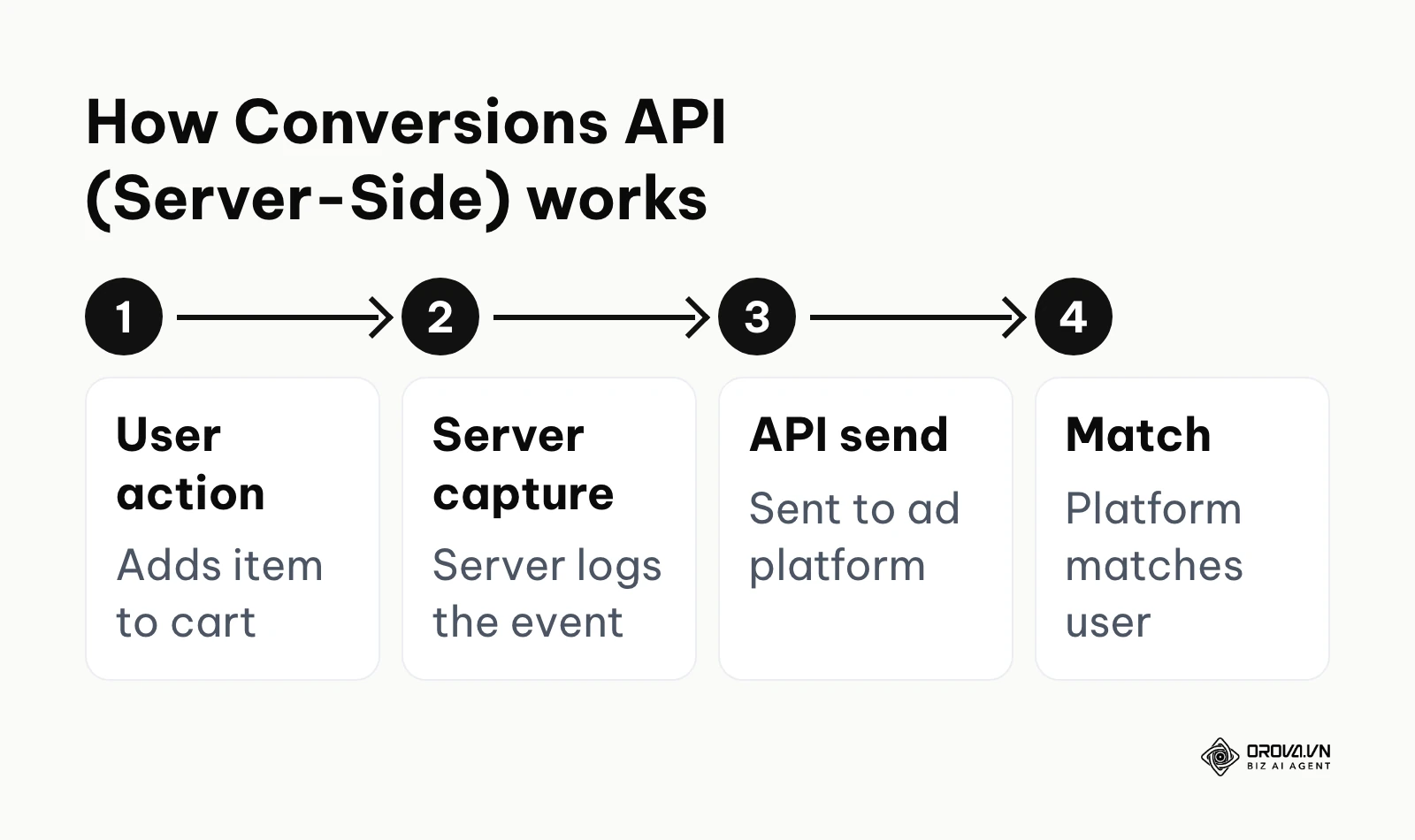
However, Apple's App Tracking Transparency framework (2021) now requires apps on iPhone and iPad to ask permission before tracking users across other companies' apps and websites, and many users say no. On the web, browsers like Safari and Firefox block third-party cookies by default. Together, these changes have made cookie-based tracking far less reliable.
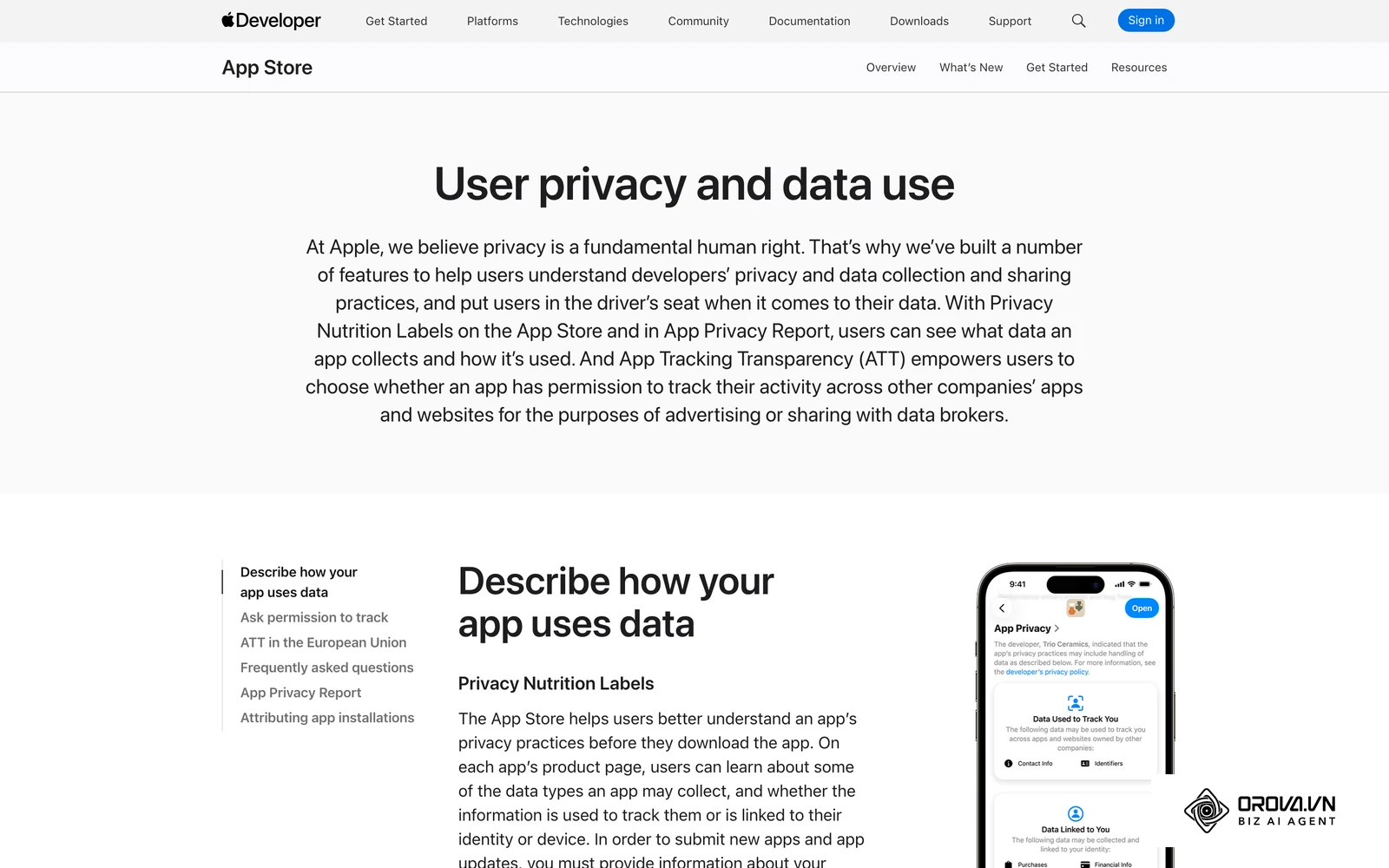
To adapt, the industry has shifted toward Server-Side Tracking (on Meta, this is the Conversions API). Instead of relying on the user's browser to send data back to Facebook or Google, your website's server captures the user's first-party data (like a hashed email address or a unique session ID) and transmits it directly to the ad platform's server via an API. This method is far less affected by browser restrictions and ad blockers, which helps keep your retargeting audiences populated.
Types of Ad Retargeting Campaigns
Before diving into the setup, you must determine which type of retargeting fits your business model.
| Type | Characteristics | Best Suited For |
|---|---|---|
| Static Retargeting | Displays the same pre-designed ad creative to everyone in the audience segment. | B2B lead generation, SaaS trials, single-product businesses. |
| Dynamic Retargeting | Automatically generates personalized ads showing the exact products a user viewed. | E-commerce stores with large inventories, travel booking sites. |
| Cross-Channel Retargeting | Capturing a user on Google Search, but retargeting them with a video ad on TikTok or Meta. | High-ticket items requiring multiple touchpoints to build trust. |
The 10-Step Technical Setup Checklist for Tracking Pixels
Before you can build an audience, your data collection infrastructure must be flawless. Follow this checklist before launching any campaign:
- Audit existing tags: Use tools like Google Tag Assistant or Meta Pixel Helper to identify legacy codes slowing down your site.
- Implement a Tag Management System: Always use Google Tag Manager (GTM) instead of hardcoding pixels directly into your website's header.
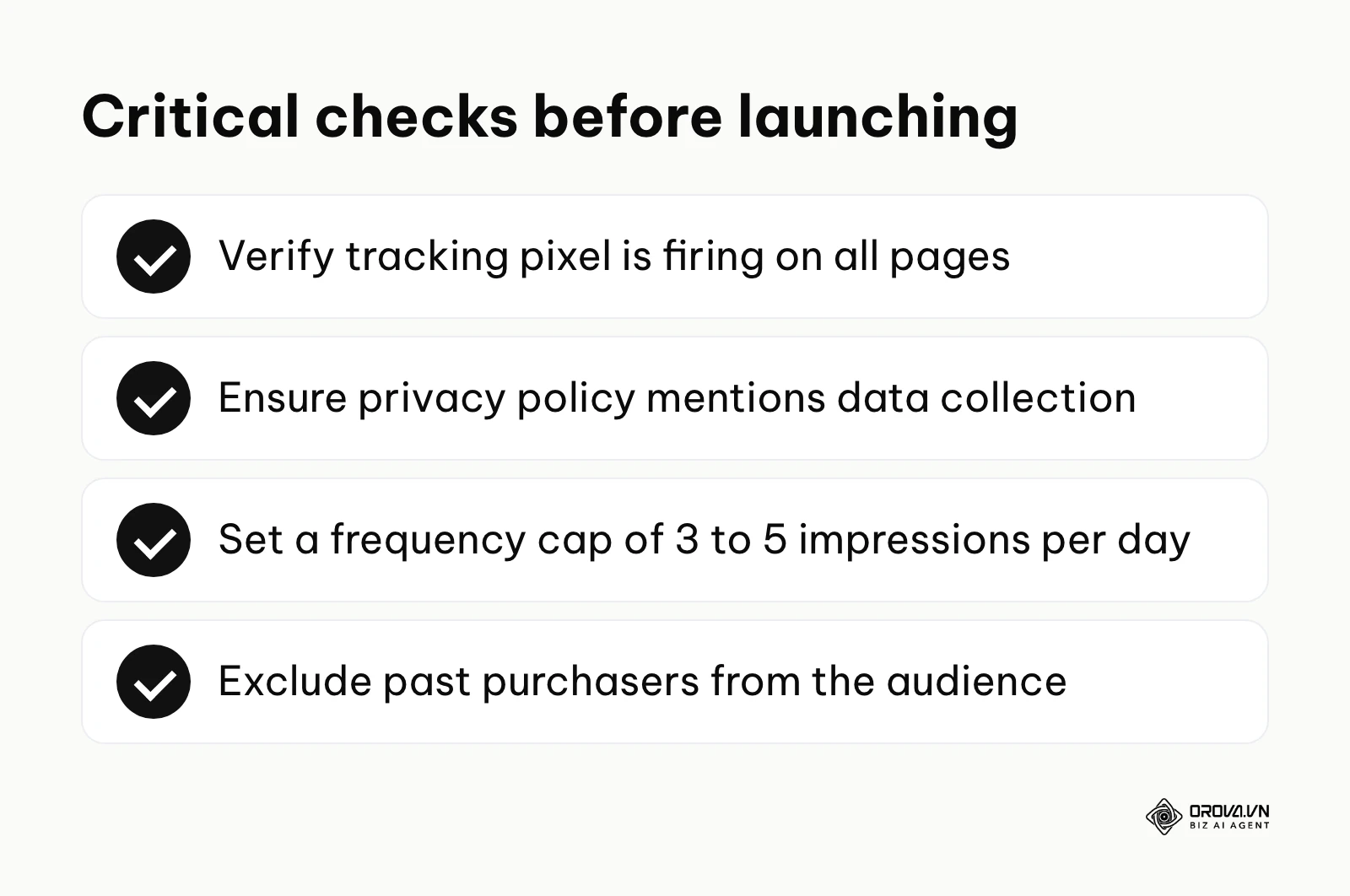
- Verify base pixel firing: Ensure the base tracking code fires successfully on every single page of your domain.
- Configure standard event triggers: Set up specific rules to fire events for crucial actions: ViewContent, AddToCart, InitiateCheckout, and Purchase.
- Map dynamic variables: If you run an e-commerce store, ensure your data layer passes dynamic variables like value, currency, and content_ids.
- Enable Advanced Matching: Turn on features that automatically hash and send first-party data (emails, phone numbers) to improve match rates.
- Establish a server-side container: Set up a server-side GTM container to enable API transmissions parallel to browser pixels.
- Deduplicate events: Configure Event IDs to ensure that if both the browser and the server send a Purchase event, the ad platform only counts it once.
- Perform test transactions: Run a dummy purchase through your website while monitoring the network tab to guarantee data flows correctly.
- Validate privacy policies: Ensure your website's privacy policy explicitly mentions data collection for advertising and integrates properly with a cookie consent banner.
Step-by-Step Meta Ads Setup for Custom Audiences
Meta (Facebook and Instagram) remains one of the most powerful platforms for retargeting due to its massive logged-in user base. Before diving into audience creation, make sure you understand how Facebook Ads Manager is structured.
- Navigate to Events Manager: In your Meta business account, open Events Manager and find your pixel or dataset.
- Verify Event Quality: Check the Event Match Quality score for your Conversions API setup. Aim for a score of 6/10 or higher for key events.
- Access the Audiences Dashboard: Click on 'Audiences' and select 'Create Custom Audience'.
- Select Website as the Source: Choose your configured Meta Pixel as the data source.
- Define Inclusion Logic: Choose specific events. For example, select users who triggered ViewContent in the past 14 days. You can narrow this further by refining by URL (e.g., URL contains /shoes).
- Define Exclusion Logic (Crucial): Always add an exclusion and remove users who triggered the Purchase event in the last 30 days to avoid wasting money on existing customers.
- Name the Audience: Use a strict naming convention, such as: RETARGETING - ViewContent - Shoes - 14 Days - Excl Purchasers.
Illustrative example: A boutique clothing retailer managed by a solo founder implemented the Meta pixel but noticed a 60% drop in their retargeting audience size over six months. The founder realized that iOS updates were blocking browser cookies from mobile shoppers. To fix this, they utilized their Shopify integration to activate the Meta Conversions API, shifting to server-side tracking. The technical friction involved mapping customer emails correctly to the API payload. Once resolved, the audience pool recovered by 85% within a month, stabilizing campaign delivery and restoring their expected ROAS.
Step-by-Step Google Ads Setup for Remarketing Segments
Google Ads allows you to retarget users across the Google Display Network, YouTube, and even standard Search results (RLSA).
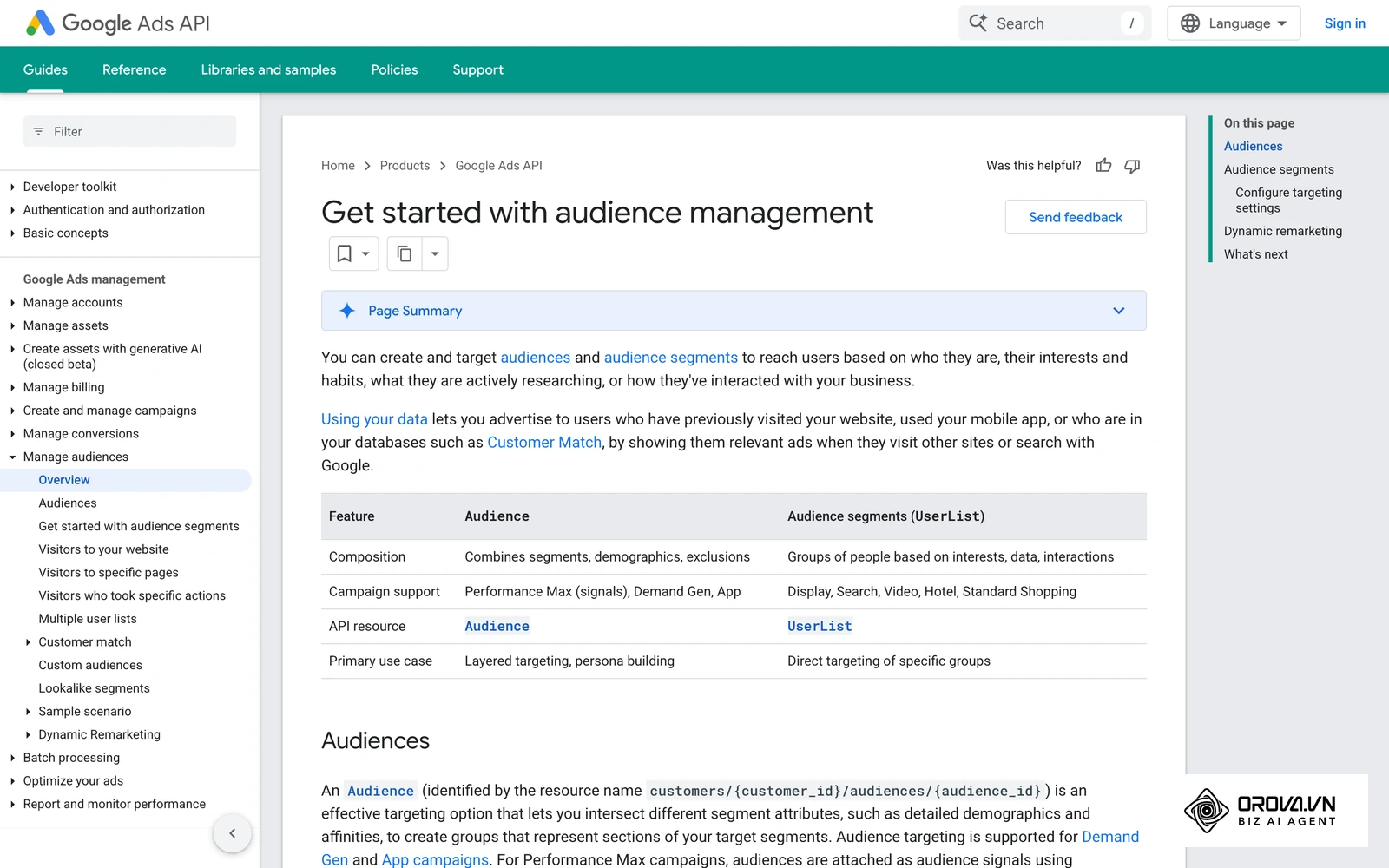
- Link Google Analytics 4 (GA4): The most effective way to build Google audiences is by linking your GA4 property directly to your Google Ads account.
- Navigate to Audience Manager: In Google Ads, open the Tools menu and find Audience manager under Shared library (Google moves menu items from time to time, so use the search bar if you cannot find it).
- Create a Website Visitor Segment: Add a new segment and choose website visitors as the source.
- Set Segment Members: Define the rules based on URL visits or specific events imported from GA4 (e.g., users who triggered a generate_lead event).
- Configure Pre-fill Options: Choose whether to pre-fill the segment with past users from the last 30 days (highly recommended for immediate scale).
- Determine Membership Duration: Set how long a user stays in this list. Google allows up to 540 days, but keeping it between 14 to 30 days is usually more effective.
- Apply to Campaigns: Once built, assign this audience segment to a Display or Performance Max campaign under the 'Audience Signals' or 'Targeting' settings.
For online stores with large product catalogs, setting up Dynamic Remarketing in Google requires an additional step: linking your Google Merchant Center product feed to the campaign so the platform knows exactly which product image to serve.
Mastering Frequency Capping (How many times is too many?)
One of the most destructive mistakes in ad retargeting is ignoring frequency caps. Frequency refers to the average number of times a single user sees your ad within a given timeframe.
If you set no limits, a user might see your banner 25 times in two days. This crosses the line from helpful reminder to aggressive stalking, leading to severe brand fatigue and banner blindness. The platform will continue to charge you for these useless impressions, destroying your ROI.
As a general rule, you should cap your ad frequency at 3 to 5 impressions per user, per day. For high-ticket B2B software, where the decision cycle is long and requires gentle nurturing, a cap of 2 impressions per day is safer. For fast-moving e-commerce flash sales, you might push it to 6 impressions per day for a very short 48-hour window. Always monitor your campaign's Click-Through Rate (CTR); if it begins to plummet while frequency rises, your cap is too loose.
Determining the Ideal Time Window (7 vs. 14 vs. 30 days)
The "time window" (or lookback window) dictates how long a user remains in your retargeting pool after their initial visit. Selecting the wrong window means either missing the opportunity entirely or wasting money on users who have already moved on.
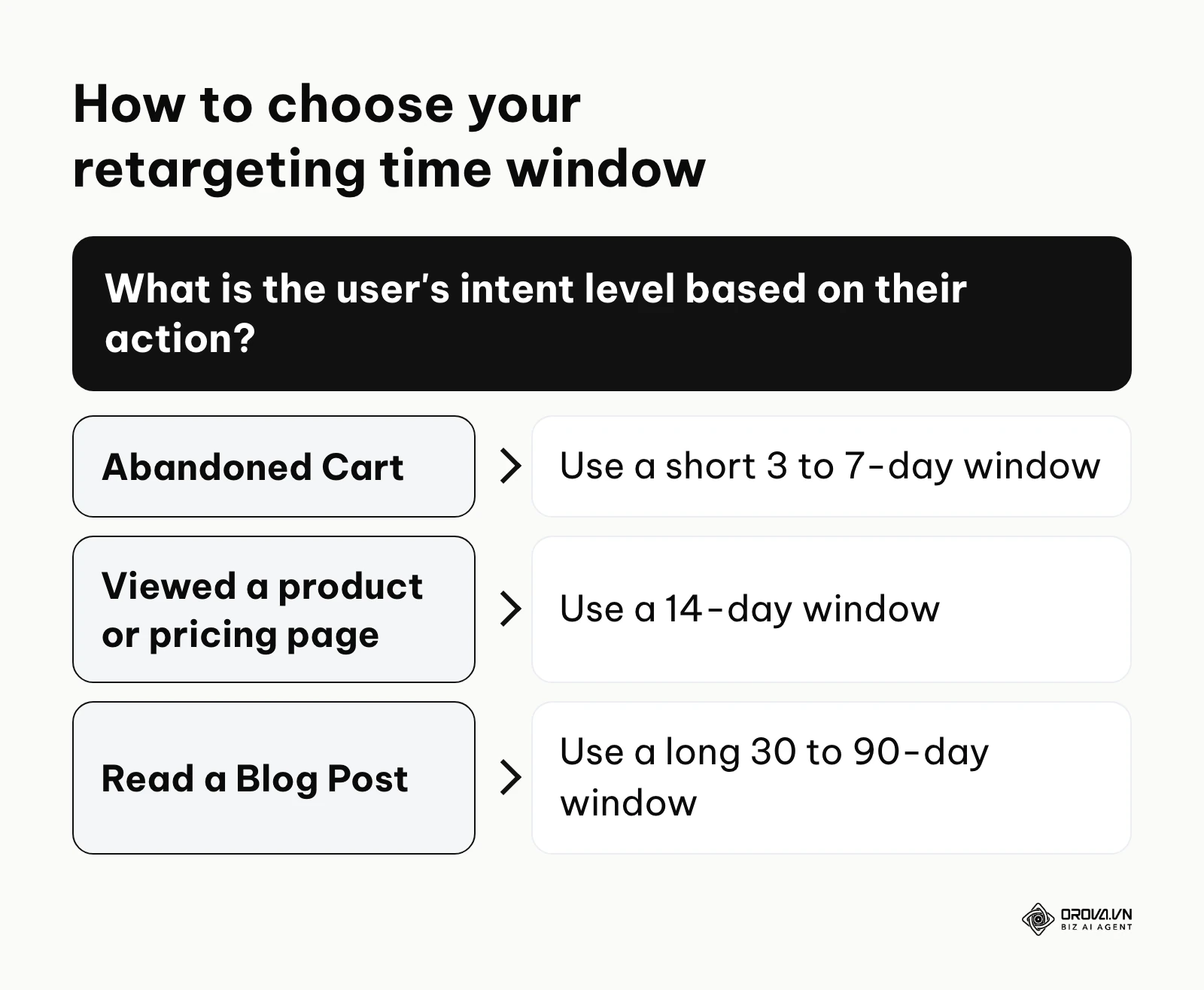
- 3 to 7-Day Window: Use this for extreme high-intent actions. If a user adds a product to their cart and abandons it, they are in a buying mindset right now. Hitting them with an aggressive discount code for the next 7 days is highly effective. After 7 days, they have likely purchased from a competitor.
- 14-Day Window: Ideal for middle-of-the-funnel actions, such as viewing a specific product page or checking a pricing tier. They are interested but might be waiting for payday or needing to consult a partner.
- 30 to 90-Day Window: Reserve this for top-of-funnel educational content. If someone reads a blog post about industry trends, they aren't ready to buy. Retarget them slowly over 30 to 90 days with webinars, case studies, or whitepapers to slowly build authority.
Data Privacy Compliance: Surviving GDPR and CCPA
Running ad retargeting without understanding privacy laws is a fast track to massive legal fines. In the European Union, the GDPR together with the ePrivacy rules on cookies means users generally must give consent before any non-essential tracking scripts run.
This means your website must feature a robust Cookie Consent Banner. If a user from Europe visits your site and clicks "Decline," your Tag Manager must block the Meta Pixel and Google tag from firing. You cannot collect their data, and you cannot retarget them. Period.
Similarly, the California Consumer Privacy Act (CCPA) (as amended by the CPRA) requires covered businesses to offer a clear "Do Not Sell or Share My Personal Information" option. While CCPA operates generally on an opt-out basis (unlike GDPR's strict opt-in), you must respect the user's choice immediately. To maintain compliance while preserving data quality, send only consented data server-side and hash personally identifiable information (PII) such as email addresses before it reaches ad networks. Hashing reduces exposure, but it does not replace consent.
How to Adapt and Start Your Ad Retargeting Strategy
Implementing retargeting looks vastly different depending on the size and structure of your organization. Here is how to adapt the strategy to your specific context.
For Small Business Owners
If you are running a lean operation, your primary constraint is cash flow. You cannot afford to waste money on massive 90-day educational retargeting windows. You must focus exclusively on recovering users who showed high buying intent.
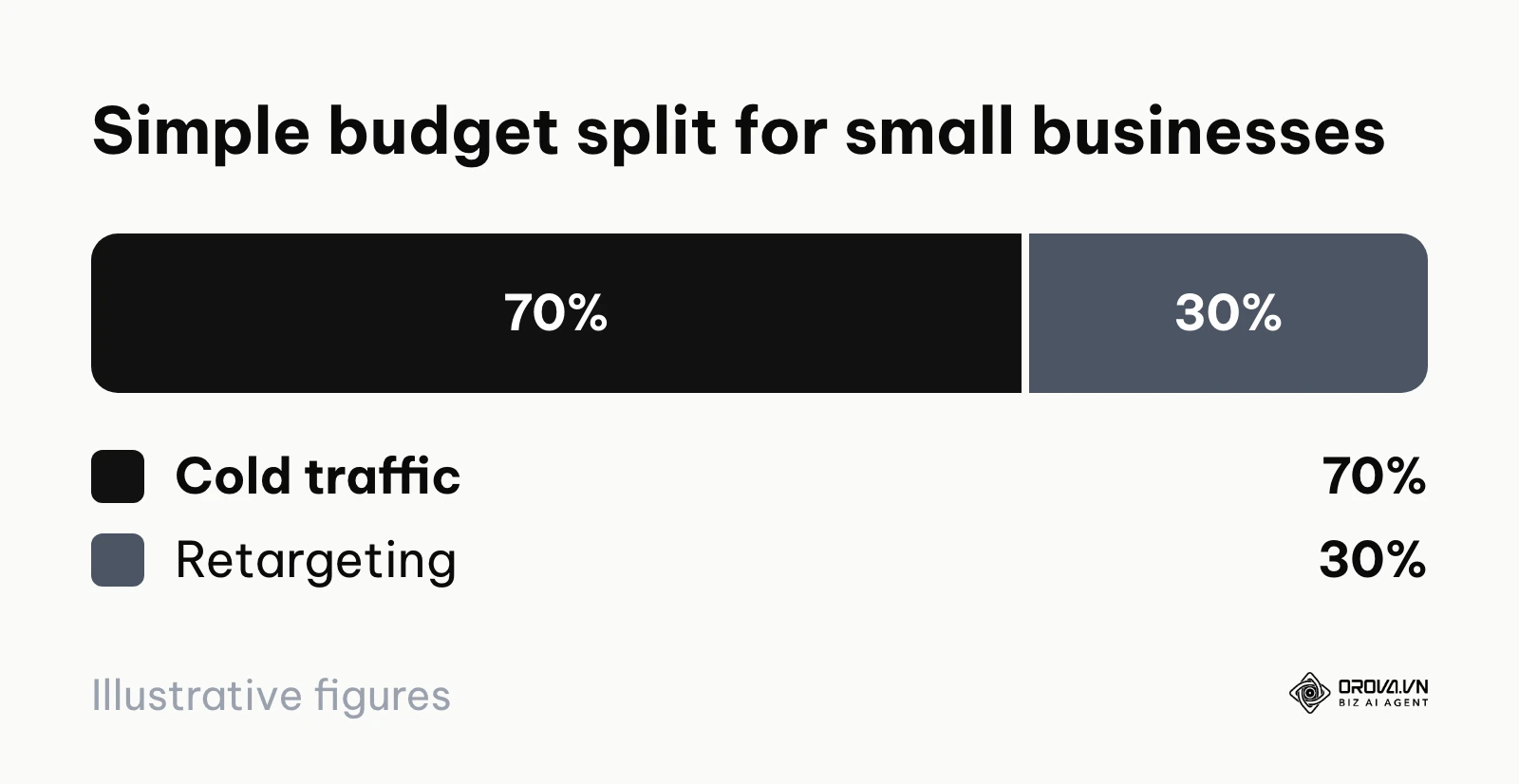
Understanding the ROAS formula is critical when dividing your limited budget. You should construct a simple spreadsheet to model your expected returns based on your current traffic volume.
| Traffic Volume | Base Budget (dollars) | Cold Traffic (70%) | Retargeting (30%) | Target ROAS | Expected Revenue (dollars) |
|---|---|---|---|---|---|
| 5,000 users/mo | 1,000 | 700 | 300 | 2.5x | 2,500 |
| 10,000 users/mo | 2,000 | 1,400 | 600 | 3.0x | 6,000 |
| 50,000 users/mo | 10,000 | 7,000 | 3,000 | 4.0x | 40,000 |
- Audit your website to ensure the base pixel is installed.
- Create just two audiences: "Viewed Product (14 days)" and "Abandoned Cart (7 days)".
- Allocate a strict budget of about 10 dollars a day to these audiences and monitor the cost per purchase.
- Set up an automated email sequence as a low-cost backup to your paid retargeting.
For In-House Marketing Managers
In-house teams usually have larger budgets but suffer from siloed data and corporate bureaucracy. Your goal is to map the retargeting strategy to the complex B2B or high-ticket B2C buyer journey.
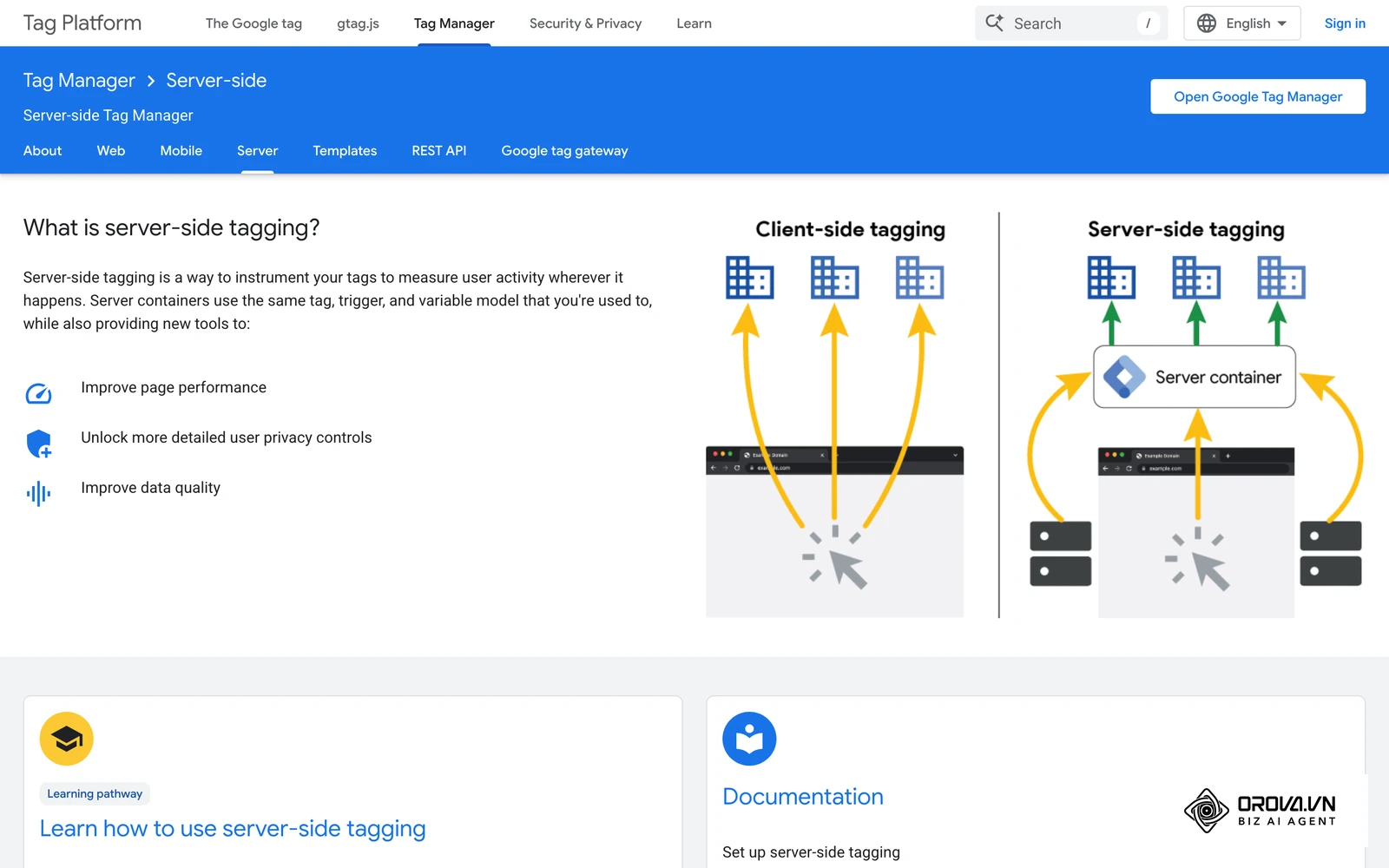
- Implement Server-Side Tagging to secure data collection against browser updates.
- Build segmented audiences based on content categories (e.g., separate audiences for the 'Enterprise' page vs. the 'Small Business' page).
- Design sequential creative campaigns: Week 1 shows a product demo, Week 2 shows a customer testimonial, Week 3 offers a discount.
- Establish cross-platform frequency caps to ensure users aren't bombarded simultaneously on LinkedIn, Meta, and Google.
Illustrative example: An enterprise software vendor had an ad manager running aggressive 30-day retargeting campaigns across every available network. The sales team began receiving complaints from prospects feeling "stalked" by the brand online. The marketer investigated and realized they had zero frequency controls in place. By implementing a strict 3-impression per day cap at the account level and rotating fresh creatives every week, they eliminated the ad fatigue. The result was that their overall click-through rate doubled, while their daily ad spend decreased by 20% due to cutting out wasted, annoying impressions.
For Freelancers and Agencies
Agencies must prove ROI quickly to retain clients. You need standardized processes that can be rolled out across multiple accounts rapidly without sacrificing quality.
- Create a master Google Tag Manager container template that includes all standard e-commerce events and API configurations.
- Always require clients to handle their own privacy policy compliance and consent banners before you launch campaigns.
- Utilize dynamic product ads (DPA) heavily for e-commerce clients to automate creative generation.
- Build custom reporting dashboards that separate cold acquisition CPA from retargeting CPA to prove your specific value.
| Common Mistakes | Consequence | How to Avoid |
|---|---|---|
| Forgetting to exclude purchasers | Wasting budget on people who already bought | Always add an exclusion rule for 'Purchase' events (30-180 days). |
| Leaving frequency uncapped | Severe ad fatigue and brand resentment | Hardcode a limit of 3-5 impressions per user per day. |
| Over-segmenting small traffic | Ads fail to deliver due to audience size limits | Group similar pages together until you have at least 1,000 users. |
| Ignoring mobile optimization | High bounce rates when retargeted users click | Test all landing pages on mobile devices before launching ads. |
Want to scale your budget but afraid of breaking performance? 📉
Integrate OROVA ADS now - an AI Agent that automatically monitors and optimizes Google, Meta, TikTok ads 24/7. Now, expanding and replicating your Performance Ads team is just one click away.
🚀 Try it now at: orova.vn/ads
Where ad retargeting is heading in the next few years: the author's take
As we look toward the future of digital advertising, the landscape is shifting dramatically. Based on what I see today, I think three changes will shape in how we execute ad retargeting.
Zero-Party Data Will Replace Passive Tracking
Currently, we rely heavily on tracking users passively in the background. I believe that over the next two to three years, privacy rules will push a shift toward "zero-party data"—information a customer intentionally and proactively shares with a brand. Instead of secretly tracking what pages a user visits, brands will need to offer gamified quizzes, interactive calculators, or useful discounts in exchange for direct data. Retargeting will become less about "we saw you looking" and more about "you told us you wanted this." Advertisers should start building infrastructure to collect and utilize this explicit data today.
AI-Driven Predictive Targeting
Many marketers are already shifting budgets toward first-party data strategies. My read is that simply collecting data isn't enough, and that AI will take over more and more of audience building. Instead of a human manually setting a "14-day abandoned cart" rule, AI agents will analyze thousands of micro-behaviors—like cursor hover time or scroll velocity—to predict which users are most likely to convert if shown an ad. The human marketer will shift from building audiences by hand toward supplying strong creative assets and clear business rules.
The Death of Universal Retargeting Windows
I suspect that rigid time windows (7, 14, 30 days) will matter less and less. As machine learning models improve, platforms will dynamically adjust the lookback window for every individual user based on their historical purchasing cadence. If the algorithm knows User A takes three weeks to decide on a purchase, but User B buys impulsively within hours, it will serve retargeting ads accordingly. Of course, this prediction could be proven wrong if global privacy laws completely outlaw algorithmic profiling, forcing us back to basic contextual advertising.
Frequently Asked Questions About Ad Retargeting
Is ad retargeting illegal under new privacy laws?
No, it is not illegal in itself, provided you comply with regulations like GDPR and CCPA. In the EU you generally need user consent (via a cookie banner) before firing tracking pixels, in California you must honor opt-out requests, and everywhere you must honor valid requests to delete personal data. Server-side tracking must also comply with these consent signals.
Will ad retargeting still be necessary when AI can optimize cold traffic?
Yes, absolutely. While AI improves the efficiency of finding cold prospects, human psychology remains unchanged: most people require multiple touchpoints to trust a brand. Even if an AI perfectly identifies a potential buyer, that buyer may still get distracted or need time to deliberate. Ad retargeting ensures you remain top-of-mind during that deliberation phase.
Why are my retargeting ads not spending any budget?
The most common reason is that your audience pool is too small. Advertising platforms require a minimum number of active users in an audience segment before they will serve ads, partly to protect user privacy (preventing you from targeting one specific person). The exact threshold differs by platform and network, so check the audience status in your ad account.
How much of my total marketing budget should go to retargeting?
While it varies by industry, a standard benchmark is allocating 20% to 30% of your total paid advertising budget to retargeting. If your organic traffic is massive, you might allocate up to 50% simply to capture the existing demand.
Can I retarget people who interact with my social media but don't visit my website?
Yes. Platforms like Meta and TikTok allow you to build "Engagement Audiences." You can retarget users who watched 50% of your video, liked a post, or opened a lead form directly on the social platform, completely bypassing the need for a website pixel.
Where to Start With Ad Retargeting?
Starting a retargeting strategy shouldn't be overwhelming. Your first move depends entirely on your current technical maturity. Before spending a dime, use Google Search Console to verify that your website is actually receiving high-intent organic traffic. If the traffic is there, identify which of these three situations applies to you:
Situation 1: You have no tracking installed at all. If your website is essentially a digital brochure with zero backend analytics, do not open an ad account yet. Your single step for today is to create a free Google Tag Manager account, install the base container snippet onto your website's header, and publish it. This creates the foundational plumbing required for all future tracking efforts.
Situation 2: You have tracking, but it is disconnected. If you have a Meta pixel or Google tag installed, but you aren't running any campaigns, you are sitting on a goldmine of unutilized data. Your step for this afternoon is to log into your ad platform and create an "All Website Visitors - 30 Days" audience. Even if you don't run ads today, the platform needs time to populate this list.
Situation 3: You are running campaigns but not measuring them. If you are already spending money on retargeting but can't definitively prove its ROAS, you have a data integrity problem. Your immediate step is to halt budget increases and implement Server-Side tracking (Conversions API). You must ensure that every purchase is accurately sent back to the ad platform, deduplicated against browser events, so you can confidently read your performance metrics.
About the author

Builder of Orova
Nguyễn Đỗ Trọng Ân has 8 years of experience in marketing, including 6 years managing market development across Asia. He builds Orova, a Biz AI Agent that never sleeps: it plans, runs and optimizes work for businesses.
Run your business with AI Agents
Orova is the always-on Biz AI Agent — it plans, runs, and optimizes the work for you.
Save time, unlock productivity.