
The ultimate TikTok ads guide (2026): frameworks, tracking and scaling

If you are reading this, you are probably exhausted from launching ad campaigns that look great on paper but burn cash the moment they go live. You might have watched countless videos on how to succeed on social media, yet your return on ad spend (ROAS) remains stagnant. The reality is that the methods that worked on Meta or Google a few years ago do not simply translate to modern short-form video platforms. Treating every platform the same is why so many marketers fail when trying to capture Gen Z and millennial audiences. This comprehensive tiktok ads guide is designed to change that. It walks you through practical frameworks, tracking setups, and scaling rules used in performance marketing. By the end of this deep-dive, you will know exactly how to structure your campaigns, write high-converting video scripts, and read your data like a seasoned media buyer.
What is TikTok Advertising? A High-Level TikTok Ads Guide
TikTok advertising refers to the process of creating, managing, and paying for promotional content—primarily short-form vertical videos—to appear within the TikTok application. The goal is to drive brand awareness, website traffic, lead generation, or direct sales. Unlike traditional banner ads or text-based search ads, TikTok ads require a highly engaging, native approach. Users expect content that entertains or educates them quickly. If an ad feels like a television commercial, users will swipe past it in less than a second.
This platform is ideal for e-commerce brands, mobile app developers, and service-based businesses that can visually demonstrate their value proposition. If you sell highly complex B2B enterprise software with a two-year sales cycle and no visual component, this platform might not be your best starting point. However, if you sell consumer goods, digital products, or scalable software solutions, learning how to advertise on TikTok is practically mandatory for growth. The platform utilizes a highly sophisticated machine learning algorithm that serves content based on user engagement patterns rather than just static demographic data. This means that a highly engaging creative can often outperform a massive budget.
Prerequisites: What You Need Before Starting
Before you launch the Ads Manager and start spending money, you must lay a solid foundation. Skipping these preparatory steps is a guaranteed way to encounter account suspensions or severe tracking inaccuracies later on. You cannot optimize a campaign if you do not have the right assets and tracking infrastructure in place.
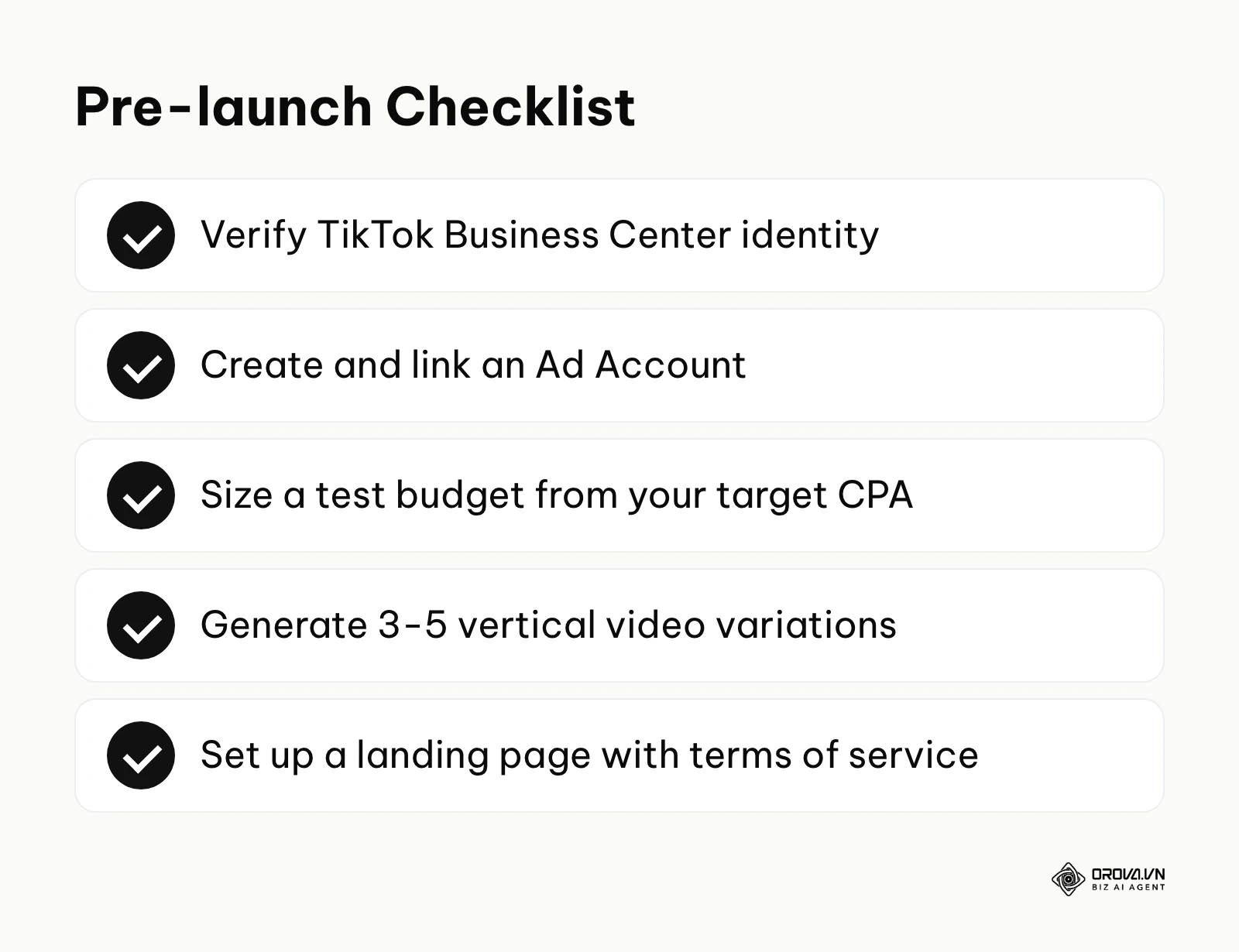
| Asset / Requirement | Where to get it | Estimated Time to Prepare |
|---|---|---|
| TikTok Business Center Account | Register at business.tiktok.com | 15 - 30 minutes |
| TikTok Ad Account | Created inside the Business Center | 5 - 10 minutes |
| Dedicated Landing Page | Your website builder (Shopify, WordPress, etc.) | 2 - 5 days |
| Privacy Policy & Terms of Service | Required on your landing page footer | 1 - 2 hours |
| Test Budget | Sized from your target CPA (see Step 5); check TikTok's current minimums in Ads Manager | Ongoing requirement |
| Initial Video Creatives | 3 to 5 unique vertical videos (9:16 aspect ratio) | 3 - 7 days |
| TikTok Pixel / Events API setup | Tag Manager or server-side integration | 2 - 4 hours |
Complete any business verification the Business Center asks for, using accurate company details, because incomplete account information can delay or limit your advertising. Furthermore, your landing page should clearly display a privacy policy, terms of service, and accurate contact information. Ads and their landing pages go through review, and pages missing these basics are a common reason for rejection. Do not attempt to bypass these requirements.
The Step-by-Step TikTok Ads Tutorial for Beginners
When you understand the mechanics, launching an ad is straightforward. However, the sequence in which you execute these steps dictates your campaign's long-term stability. This section serves as your definitive tiktok ads tutorial for beginners, breaking down the exact execution process from account creation to your final pre-launch checks.
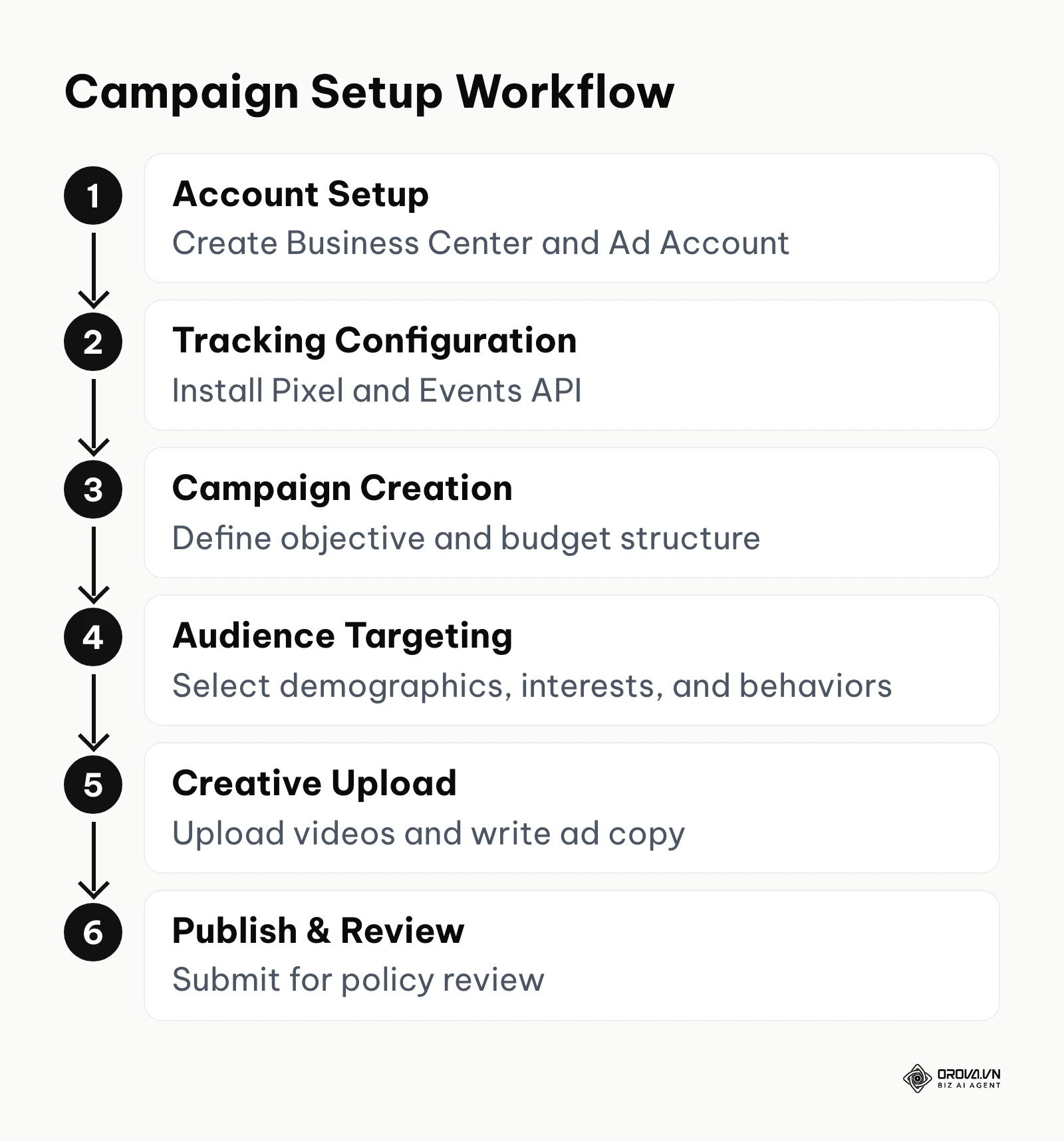
Step 1: Setting up TikTok Business Center and Ad Account
Setting up your infrastructure correctly is the first step to successful media buying.
- What to do: You need to create a central hub to manage your assets, billing, and team members.
- How to do it: Navigate to business.tiktok.com and sign up using your professional email. Follow the prompts to enter your business details. Once inside the Business Center, open the section that manages advertiser (ad) accounts and choose to create a new one. Enter your time zone and currency carefully (treat them as permanent, because changing them later is difficult or impossible), and input your billing information.
- Signs of success: You can access the Ads Manager dashboard without seeing any red warning banners asking for business verification or billing details.
- Common mistakes: Choosing the wrong time zone. If your business operates in New York but you select a European time zone, your daily budget resets will occur at awkward times, disrupting your daily optimization routine.
Step 2: Installing TikTok Pixel and Events API
Tracking is the nervous system of your advertising efforts. If the tracking is broken, the algorithm is blind.
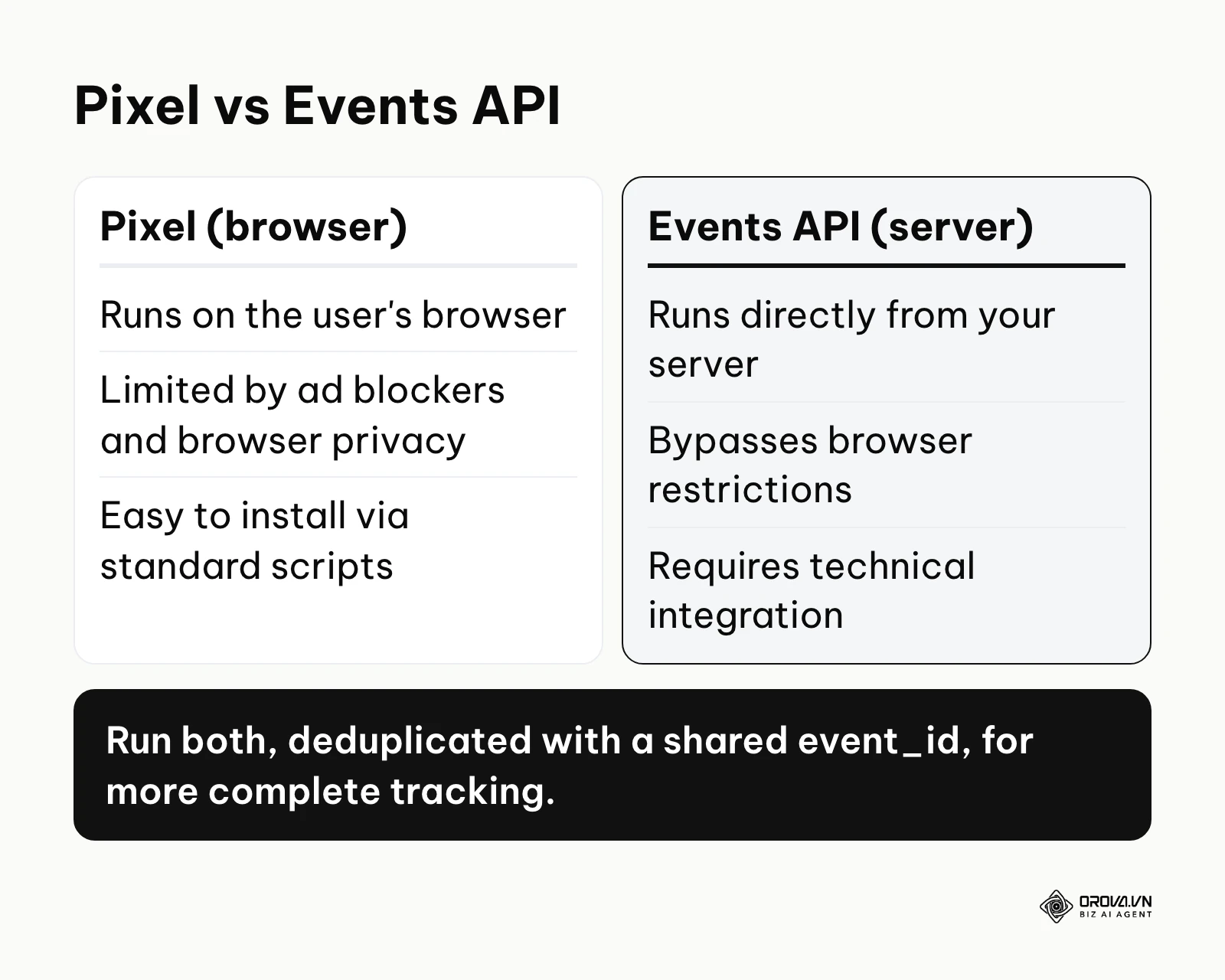
- What to do: You must deploy both the client-side Pixel and the server-side Events API to track user actions accurately. Running both client-side and server-side tracking gives the platform more complete event data than either one alone.
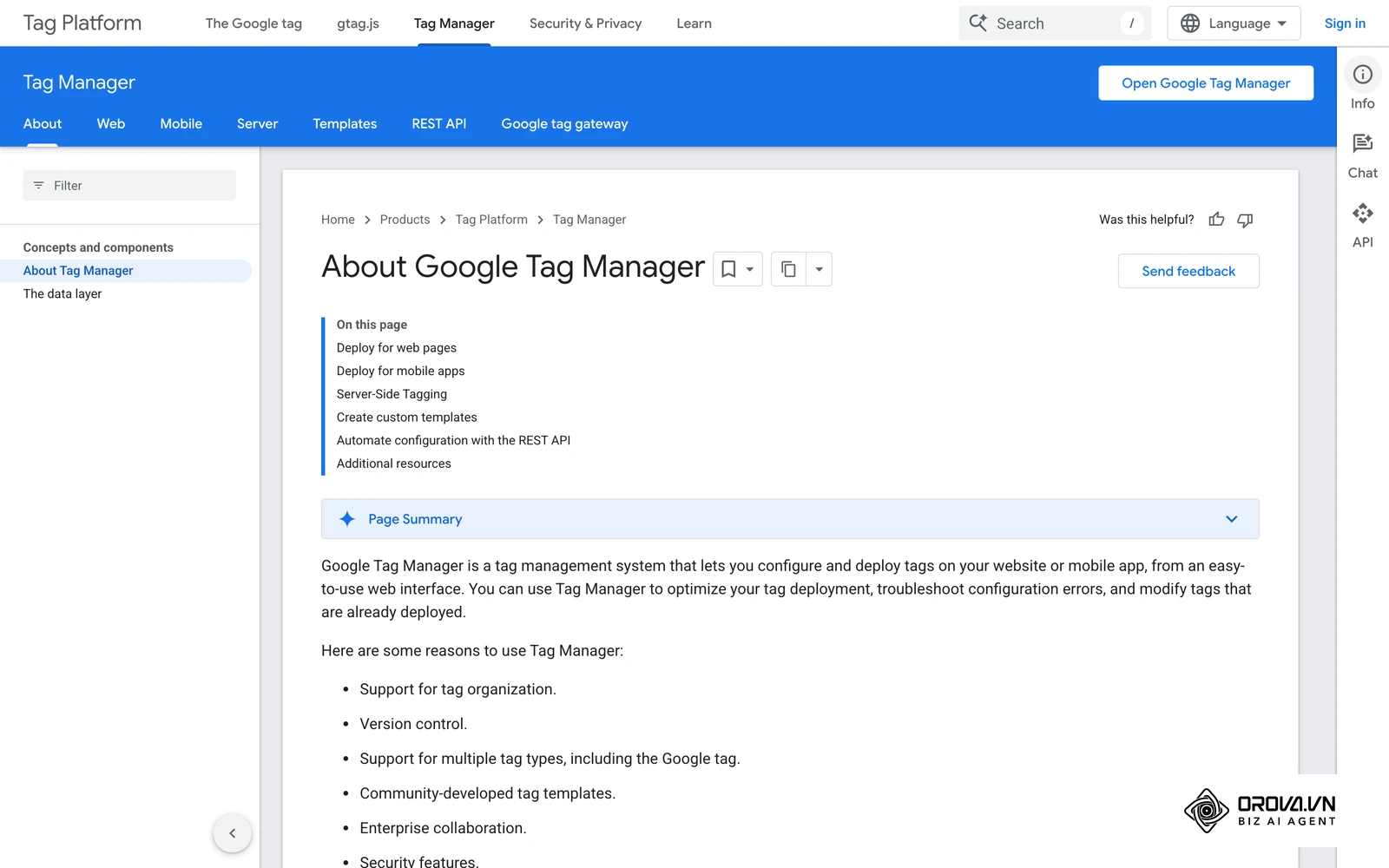
- How to do it: In Ads Manager, open the Events Manager (under the "Tools" menu) and create a new web Pixel. Select the option to set up via partner integration (like Shopify or Google Tag Manager) if available, as this often automatically configures both the Pixel and the Events API. If doing it manually, you must place the base Pixel code in the <head> of your website. Then, work with a developer to send server-side payloads to the Events API endpoint whenever a critical event (like a purchase) occurs. Ensure you send an event_id with both the Pixel and the API to deduplicate the data.
- Signs of success: Use the TikTok Pixel Helper Chrome extension. When you navigate your site and complete a test purchase, the extension should report the events firing properly. In your Events Manager, you should see events arriving from both the browser and the server, with no deduplication warnings in the diagnostics.
- Common mistakes: Failing to deduplicate events. If you fire a "Purchase" event from the browser and another "Purchase" event from the server for the exact same transaction without a matching event_id, the system will count two purchases, severely skewing your ROAS metrics and confusing the algorithm.
Step 3: Structuring Your Campaign
Campaign structure dictates how the algorithm allocates your budget and learns about your audience.
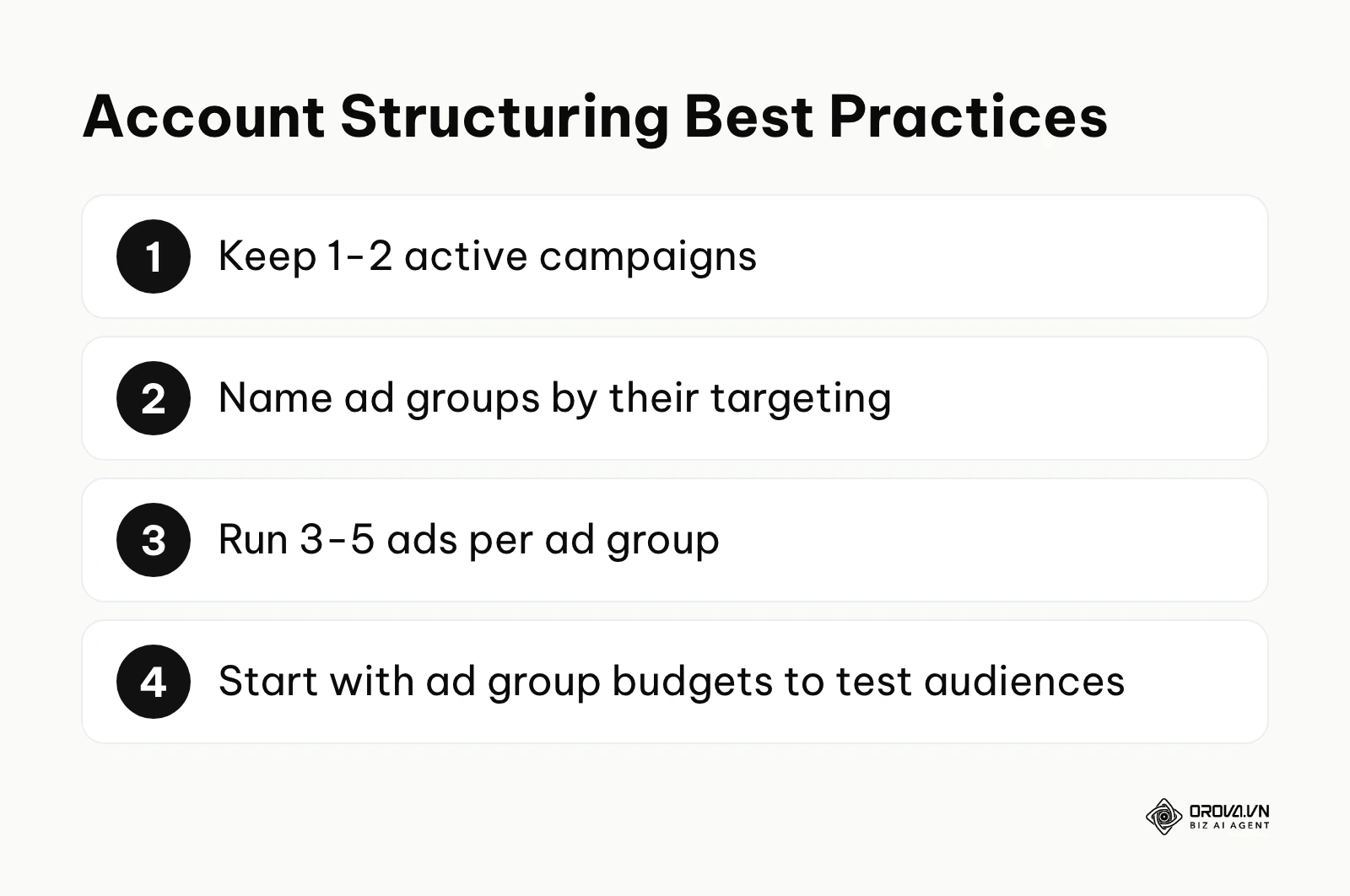
- What to do: You need to organize your campaigns by funnel stages or specific objectives rather than creating chaotic, overlapping ad groups.
- How to do it: Start by creating a campaign with a conversion-focused objective (sending people to your website to buy or sign up). For a standard setup, create one campaign dedicated to prospecting (finding new customers). Within this campaign, create 2 to 3 ad groups. Name them clearly based on the targeting (e.g., "Broad - 18-35 - US" or "Interests - Skincare"). Set a daily budget at the ad group level initially so you can force spending into specific audiences to test them.
- Signs of success: Your account has a clean hierarchy: 1-2 active campaigns, 3-5 distinct ad groups per campaign, and 3-5 ads per ad group. You should be able to look at the naming conventions and instantly know what each element is doing.
- Common mistakes: Creating too many campaigns or ad groups with tiny budgets (e.g., 20 ad groups with 10 dollars a day each). This fragments your data, preventing any single ad group from exiting the learning phase.
Step 4: Audience Targeting and Segmentation
Finding the right audience requires a balance between algorithmic freedom and manual guidance.
- What to do: Define who sees your ads using demographic, interest, and behavioral filters.
- How to do it: Inside your ad group settings, you will find the targeting section. For your first ad group, use "Broad Targeting"—select only the location, age (e.g., 18+), and gender, leaving interests and behaviors completely blank. This allows the algorithm to find the buyers based solely on who engages with your creative. For your second ad group, select 3-5 highly relevant interests or behaviors (e.g., users who interacted with beauty content in the last 7 days). Always exclude your recent purchasers using a Custom Audience to avoid wasting money on people who have already bought.
- Signs of success: The estimated audience size panel next to your settings does not flag the audience as too narrow.
- Common mistakes: Hyper-targeting. Narrowing your audience down to 100,000 people based on extremely specific niche interests tends to push your CPMs (Cost Per Mille) up sharply, making it much harder to acquire customers profitably.
Step 5: Bidding and Budget Allocation
How you spend your money is just as important as how much you spend.
- What to do: Set the financial constraints for your ad groups.
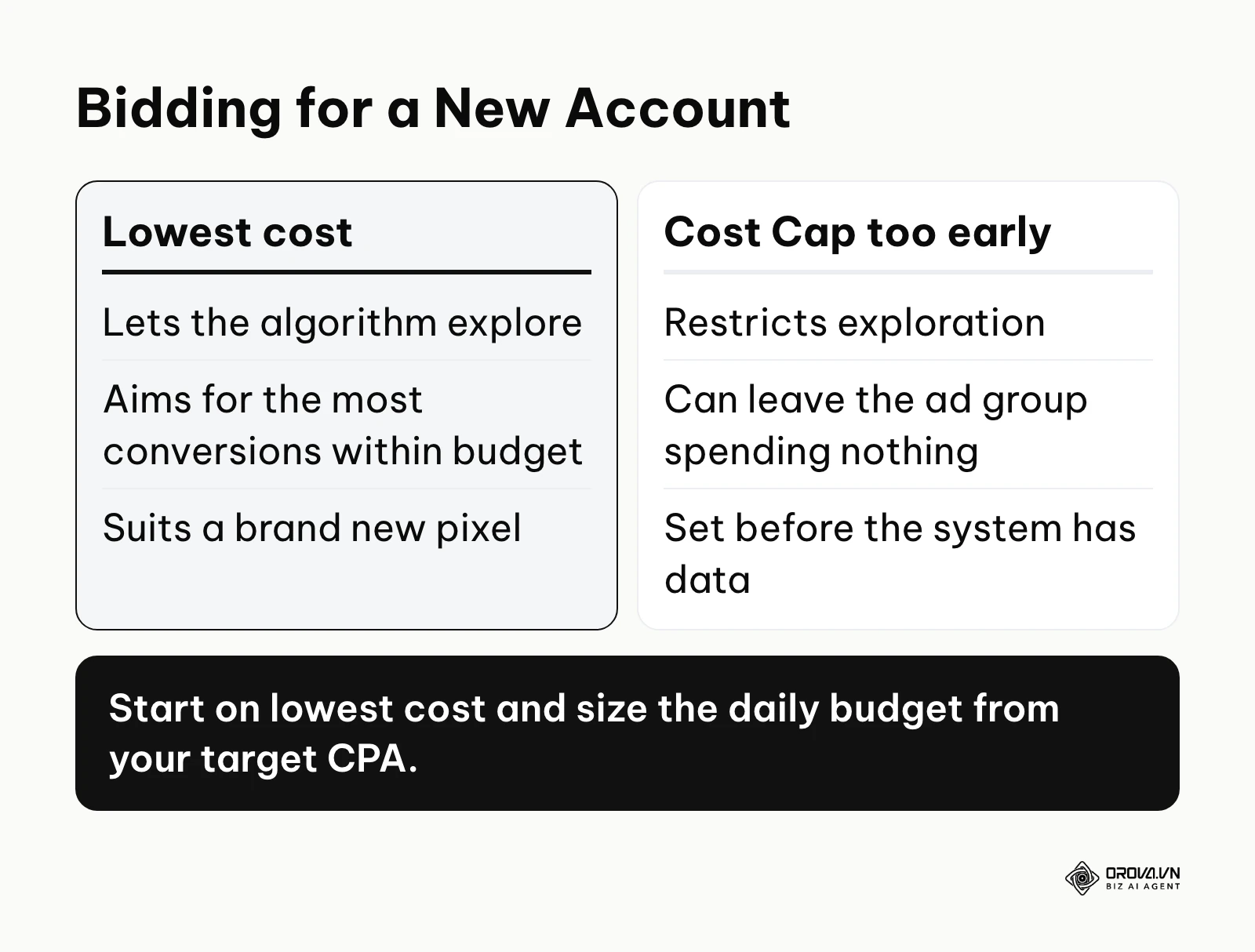
- How to do it: Scroll down to the "Bidding & Optimization" section of your ad group. Select "Conversion" as the optimization goal. For a new account, use the lowest-cost (maximum delivery) bidding option. This tells the system to get as many conversions as possible within your daily budget. Size the daily budget from your target Cost Per Acquisition (CPA) so the ad group can collect conversions every day. For example, with a target CPA of 20 dollars, a daily budget of 40 dollars buys at most 2 conversions a day, or about 14 a week, which is usually too slow to finish learning; budgeting for several conversions per day gets there faster. TikTok also sets its own minimum budgets, which can vary by currency and change over time, so check the current figures in Ads Manager.
- Signs of success: Your ad groups are spending their full daily budget smoothly throughout the day, rather than burning it all in the first two hours.
- Common mistakes: Setting a Cost Cap too early. Using strict cost caps on a brand new pixel restricts the algorithm from exploring, often resulting in the ad group spending zero dollars because the system cannot confidently predict it will hit your strict target.
Step 6: Creative Script Frameworks
The video is the most critical variable. If the video is poor, no amount of technical setup will save the campaign.
- What to do: Produce structured video content designed specifically for short-form consumption. Ads that look native to the feed, in a user-generated style, generally hold viewers better in the first three seconds than polished commercials.
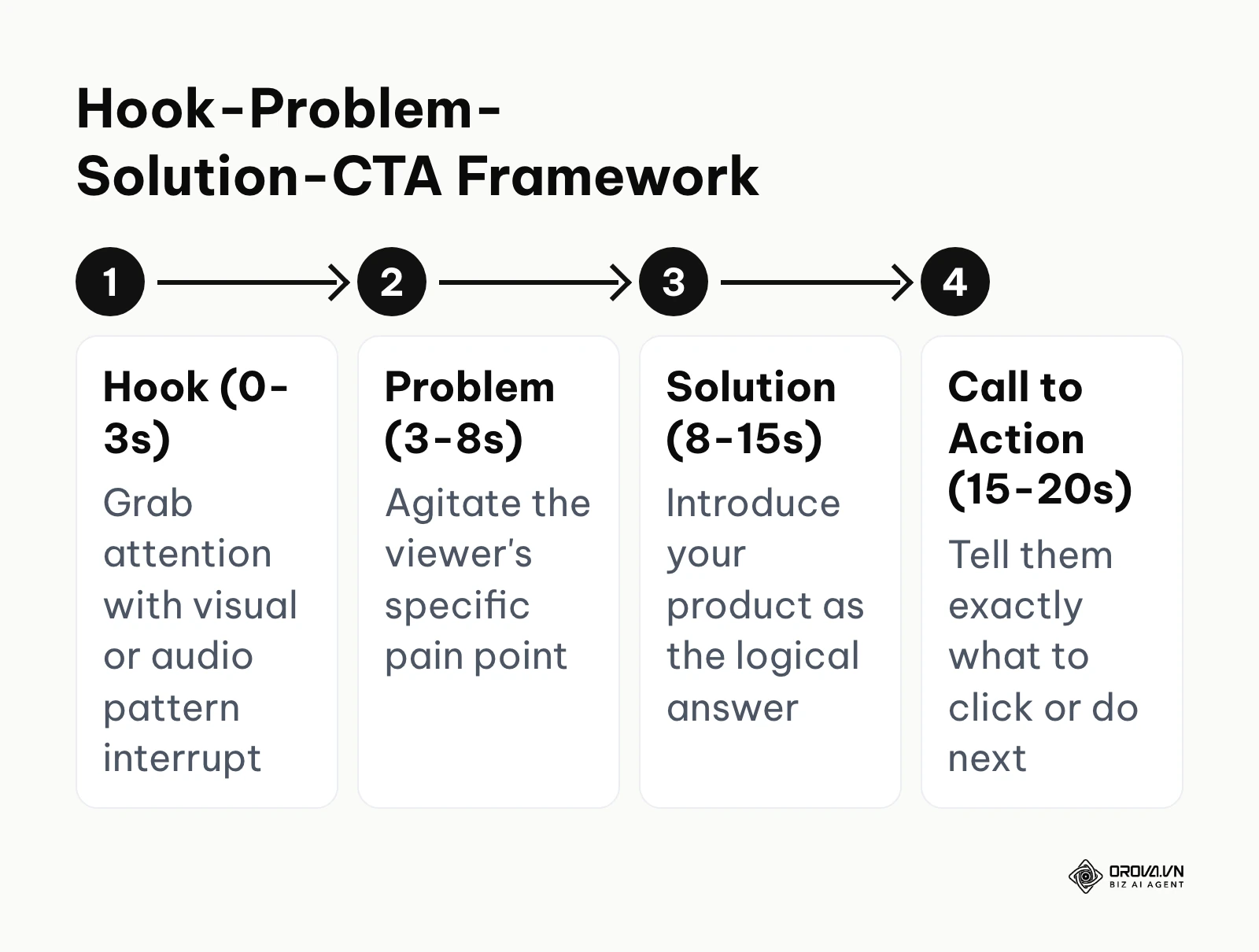
- How to do it: Do not just point a camera and talk. Use a simple fill-in-the-blank structure: Hook, Problem, Solution, CTA (a short-video version of the classic Problem-Agitate-Solution model).
- Hook (0-3s): Start with a bold statement or visual pattern interrupt. (e.g., "Stop wasting money on bad skincare.")
- Problem (3-8s): Highlight the specific pain point vividly. (e.g., "You buy expensive serums, but your skin is still breaking out every morning.")
- Solution (8-15s): Introduce your product as the logical hero. (e.g., "That is why I switched to this minimal ingredient clearing wash.")
- CTA (15-20s): Direct the user explicitly. (e.g., "Click the link below to get yours for 20% off today.")
- Signs of success: In your reporting, the share of impressions that turn into 2-second video views is rising and compares well against your other ads. This indicates your hook is strong enough to stop the scroll.
- Common mistakes: Burying the product or the point until the 15-second mark. Users have an incredibly short attention span; if you do not capture them immediately, they are gone forever. Ensure you explore What are TikTok Spark Ads? A practical setup guide to understand how to leverage existing organic content as ads.
Step 7: Publishing and Post-launch Checks
The final step before your money starts flowing.
- What to do: Review every setting, submit the campaign, and monitor the initial hours.
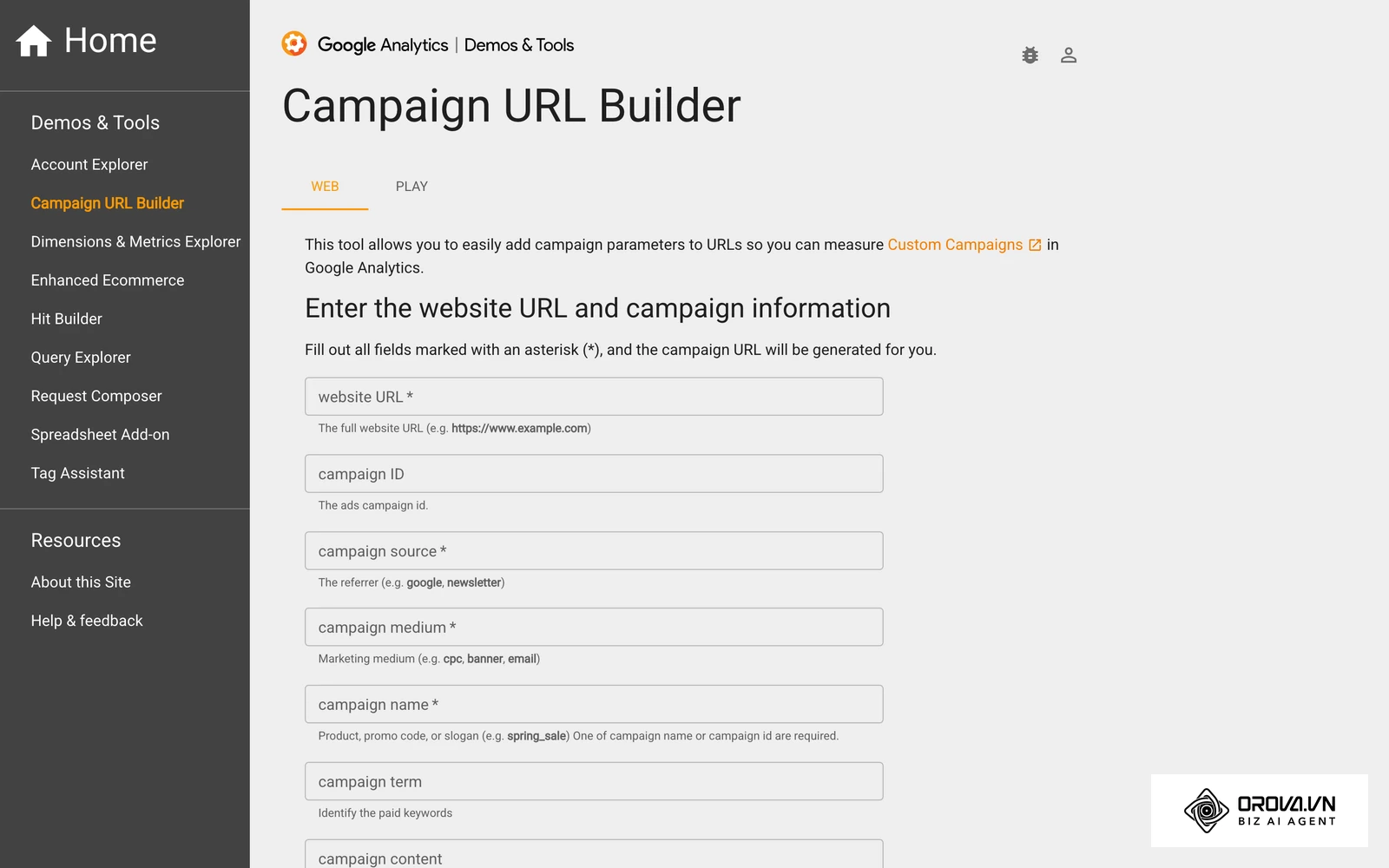
- How to do it: Double-check your landing page URL in the ad setup. Ensure the UTM parameters are attached correctly for tracking in Google Analytics or your CRM. Click "Submit." The ads will enter a review phase, which is often completed within a day.
- Signs of success: The status changes from "In Review" to "Active." You start seeing impressions and spend accumulating in the dashboard.
- Common mistakes: Making aggressive edits immediately after launch. Once the campaign is active, it enters a critical "Learning Phase." Any significant changes to the budget, targeting, or creative will reset this phase, severely hampering performance. Leave it alone for at least 3 to 4 days.
OROVA ADS applies AI Agent to automate and optimize ad performance on Google, Meta and TikTok. Scale your budget safely, monitor 24/7 and expand your business quickly.
Experience the solution at orova.vn/ads
Deep Dive: Campaign Structure and the Marketing Funnel
A robust tiktok ads campaign structure is the secret weapon of advanced media buyers. You cannot rely on a single ad group to carry your entire business. You must structure your account to address users at different stages of the awareness funnel.
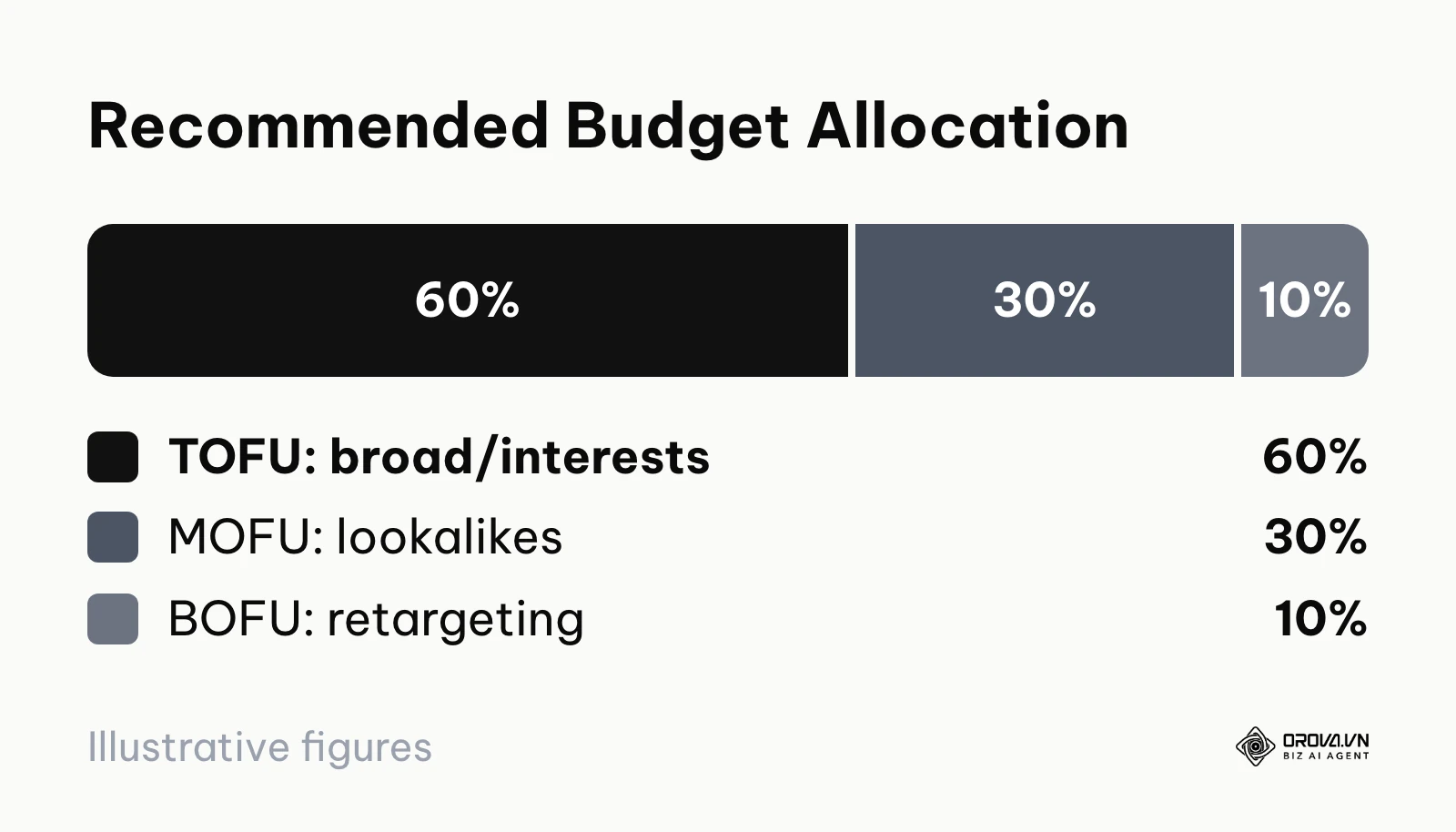
The funnel consists of three main stages: Top of Funnel (TOFU), Middle of Funnel (MOFU), and Bottom of Funnel (BOFU).
Top of Funnel (TOFU): This is prospecting. The goal is to reach people who have never heard of your brand. In your account, this translates to ad groups using Broad targeting or broad interest categories. This segment requires the most budget because you are casting a wide net to find new buyers. You should allocate roughly 60% to 70% of your total budget here. The creatives in TOFU must be highly educational, focusing heavily on the problem and the solution, assuming the viewer knows nothing about you.
Middle of Funnel (MOFU): This stage targets users who have shown some intent but have not engaged deeply. This includes Lookalike Audiences (e.g., a 1% lookalike of your past purchasers) or users who have watched 50% of your previous videos but have not visited the website. Allocate about 20% to 30% of your budget here. The creatives can be slightly more product-focused, highlighting features, unboxing experiences, or specific benefits, as the audience already has a basic awareness of the category.
Bottom of Funnel (BOFU): This is retargeting. These users have visited your website, added items to their cart, or initiated checkout, but abandoned the process. They are highly qualified. However, because this audience is small, you only need to allocate 5% to 10% of your budget here. If you allocate too much, you will bombard a small group of people with the same ad, leading to ad fatigue and skyrocketing frequencies. BOFU creatives should feature strong offers, urgency, discount codes, or powerful customer testimonials to push them over the edge.
Illustrative example: A direct-to-consumer apparel brand was struggling with high acquisition costs when trying to run all their ads in a single campaign. They restructured their account into the three-tiered funnel model. They placed their educational "how it's made" videos into a Broad TOFU ad group, their customer review compilations into a MOFU lookalike ad group, and a 15% discount offer into a BOFU retargeting group. Within a week, the clear segmentation allowed the algorithm to stabilize, and their blended CPA dropped from 45 dollars down to a highly profitable 22 dollars.
By segmenting your campaigns this way, you can control your messaging and budget dynamically. If you notice TOFU is generating cheap traffic but no sales, you know you need to adjust your prospecting creatives. If BOFU is highly profitable, you might slightly increase its budget, but you must ensure TOFU is constantly feeding new users into the BOFU pool. A healthy account maintains this delicate balance. If you want to see how this integrates with wider search strategies, reading the PPC ad management in 2026: The deep-dive execution guide will provide broader context.
Measuring Results and Scaling Budgets
Once your campaigns are running, your job shifts from creator to data analyst. Knowing how to read the numbers and when to scale is what separates profitable advertisers from those who merely burn cash.
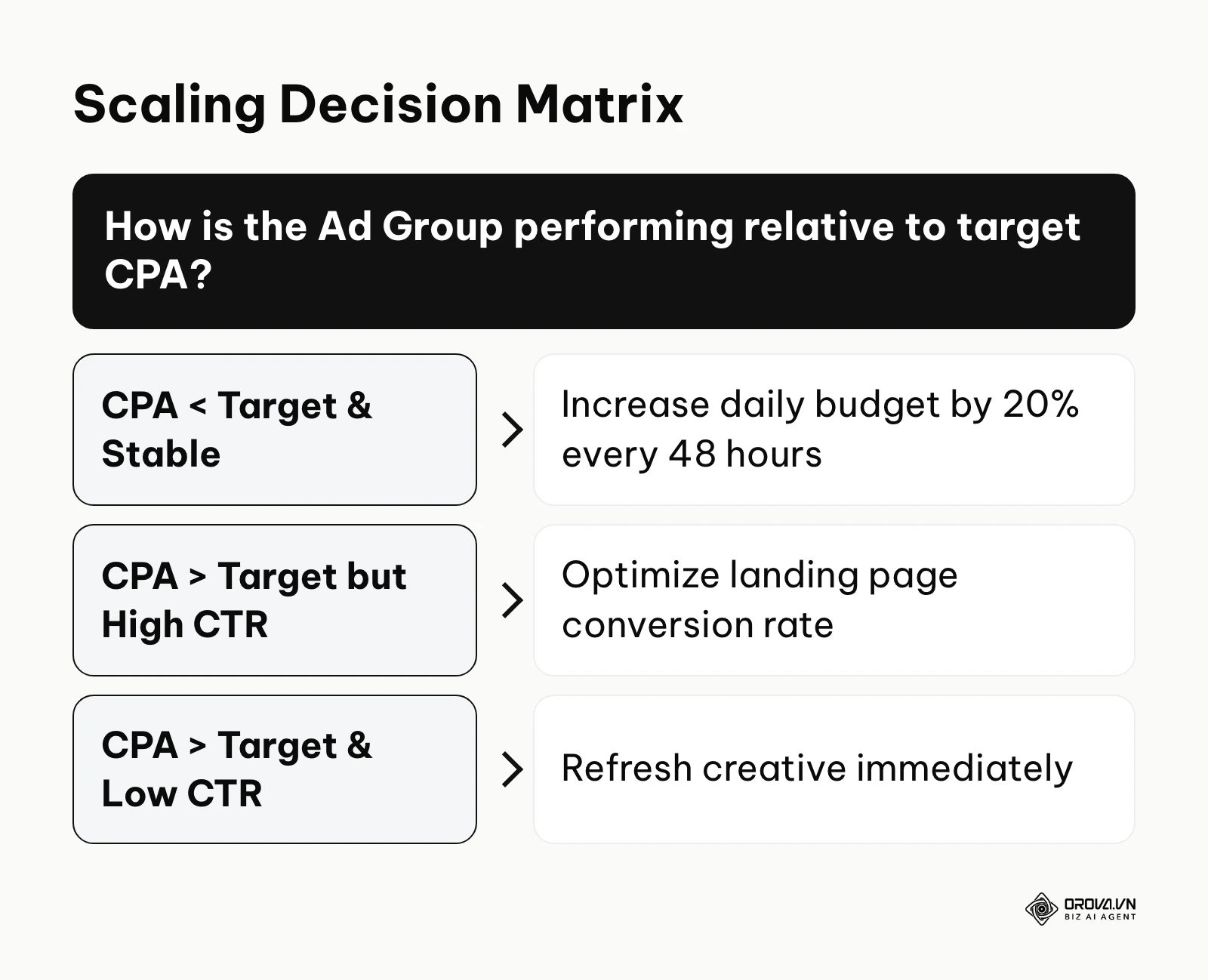
First, you must define your Break-Even ROAS. If your product sells for 100 dollars and your total cost of goods sold (including shipping and packaging) is 50 dollars, your profit margin is 50%. Your break-even ROAS is 1 divided by 0.50, which equals 2.0. Any ad group generating a ROAS above 2.0 is profitable; anything below is losing money.
When evaluating an ad group, look at three core metrics:
- CPA (Cost Per Acquisition): Is it below your target? If yes, the ad group is healthy.
- CTR (Click-Through Rate): A CTR below 0.8% usually indicates your creative is not engaging enough or the targeting is poor.
- CVR (Conversion Rate): If your CTR is high (people are clicking) but your CVR is low (under 2%), your landing page is likely the bottleneck. The ad did its job, but the website failed to close the sale. Relying solely on platform-reported metrics, without server-side or independent verification, can leave large gaps between what the platform reports and what actually happened. Always cross-reference your Ads Manager data with your backend sales data.
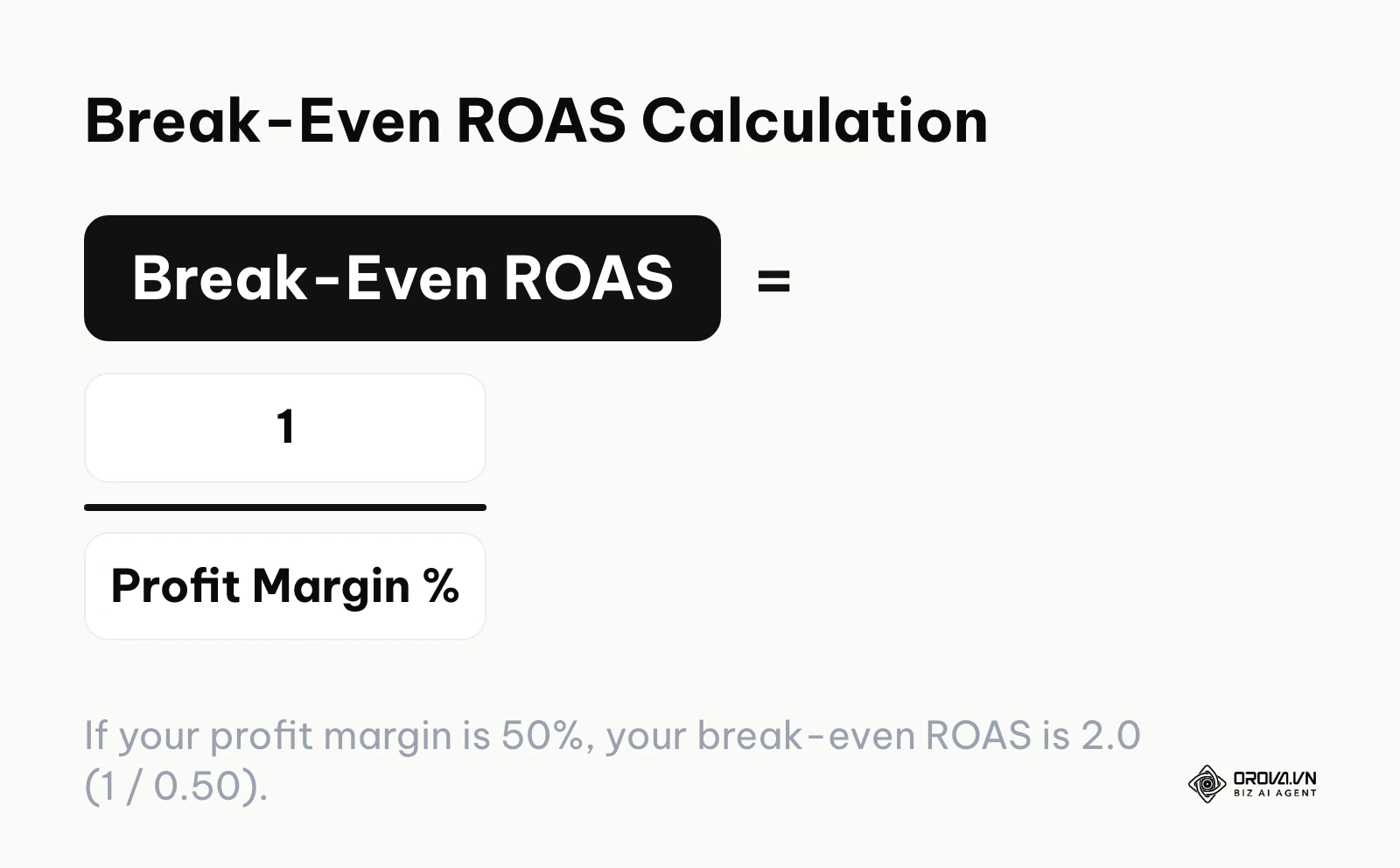
The Scaling Process: Scaling is dangerous if done recklessly. If an ad group is highly profitable (e.g., Target CPA is 30 dollars, actual CPA is 15 dollars), you want to spend more money on it. However, if you double the budget overnight, you risk pushing the ad group back into the learning phase, and performance can drop sharply.
Illustrative example: An online fitness coach found a winning video creative that was generating leads at 5 dollars each (target was 15 dollars). Excited, he increased the ad group's daily budget from 100 dollars directly to 1,000 dollars in a single day. The algorithm panicked, reset the learning phase, and the lead cost shot up to 35 dollars, forcing him to kill the campaign entirely. A better approach would have been vertical scaling: increase the daily budget by a maximum of 20% every 48 hours. This gradual increase allows the algorithm to find new pockets of the audience without resetting.
Alternatively, use horizontal scaling: duplicate the profitable ad group into a new campaign and assign it a significantly higher starting budget, or test it against new, slightly different audiences. This preserves the original, stable ad group while allowing you to aggressively hunt for more volume elsewhere. Understanding these scaling rules is crucial, and reviewing the Marketing campaign guide: 8 steps, a budget template, and KPIs will help you contextualize these metrics within your overall marketing plan.
Common Mistakes When You Advertise on TikTok
Even with the best frameworks, advertisers frequently stumble over a few predictable hurdles. Avoiding these mistakes will save you thousands of dollars and immense frustration.
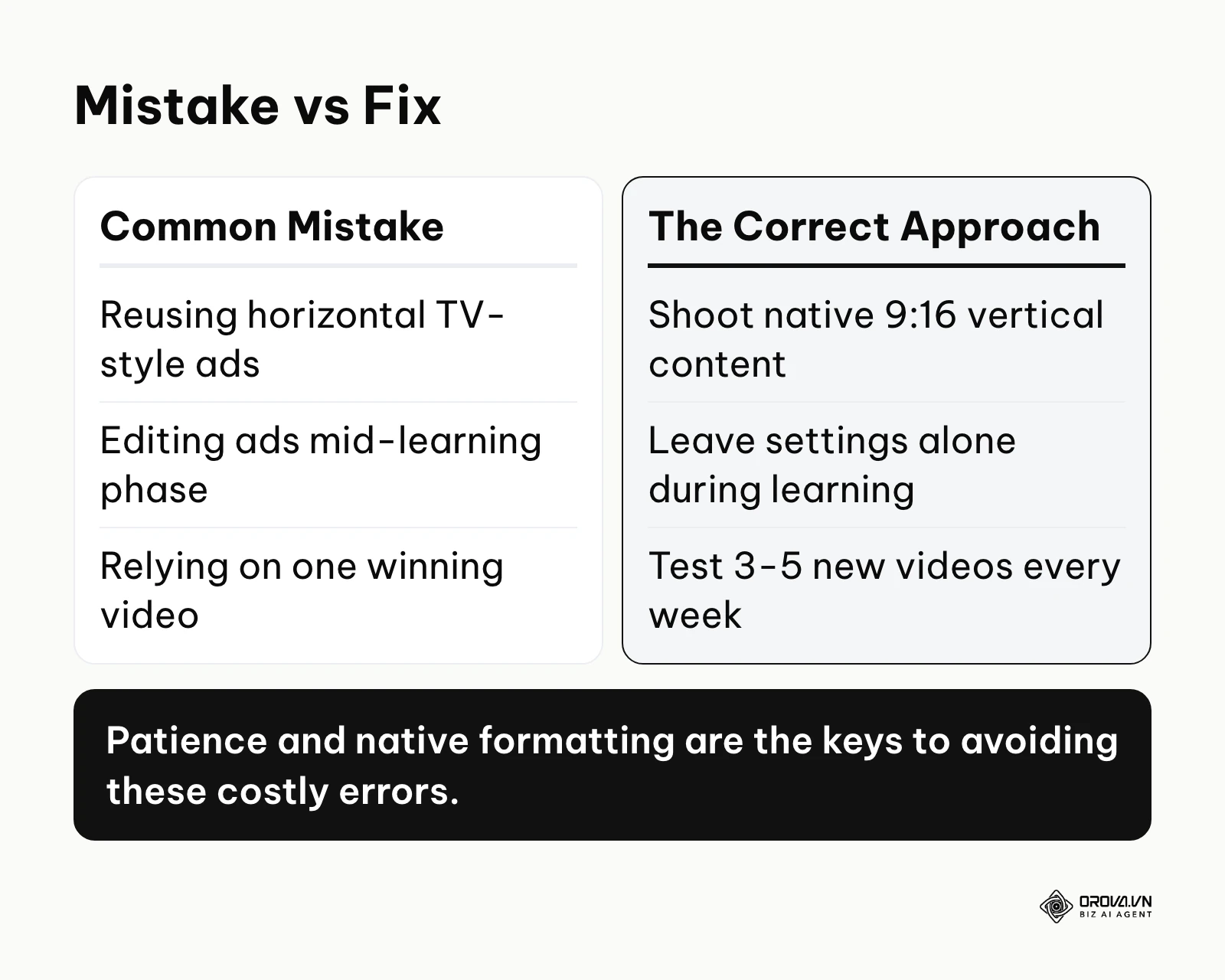
1. Treating TikTok like traditional display advertising. Many brands simply take their highly polished, horizontal television commercials, slap them onto a vertical canvas with massive black bars on the top and bottom, and run them as ads. This immediately signals to the user that they are watching an advertisement, prompting an instant swipe.
- The consequence: Extremely low watch times, terrible CTRs, and sky-high CPAs.
- The fix: You must shoot native 9:16 vertical content using smartphones. The content should look like organic user-generated posts. Use native text overlays, trending sounds, and raw, unpolished formats.
2. Extreme impatience during the learning phase. The machine learning algorithm needs a meaningful number of conversion events (a figure of around 50 is commonly cited; check TikTok's current guidance) before it understands who your ideal customer is. During this phase, performance will be highly volatile. A campaign might be unprofitable on day two and highly profitable on day four.
- The consequence: Advertisers panic on day two, turn off the campaign, or make massive edits to the budget and targeting. This resets the algorithm, ensuring it never actually learns.
- The fix: Set a budget you are comfortable losing for 3 to 4 days, launch the campaign, and literally do not touch it. Let the machine do its job.
3. Ad fatigue and creative exhaustion. On some platforms, a winning creative can run for months. On this fast-paced platform, a winning creative might burn out in two weeks. Users consume content so rapidly that they quickly become blind to videos they have seen before.
- The consequence: A profitable ad group suddenly sees its CPA double or triple over a few days as frequency metrics rise and CTR drops.
- The fix: You must have a relentless creative testing pipeline. You should be testing 3 to 5 new video variations every single week to constantly feed fresh content to the algorithm and replace dying creatives.
Illustrative example: A drop-shipping store launched a brilliant product demonstration video that generated over 200 sales in its first week. They stopped testing new videos, relying entirely on that single asset. By week three, the ad's frequency hit 4.0, users began ignoring it, and their CPA tripled. They managed to rescue the account only by shooting three new variations of the same script and rotating them in to combat the ad fatigue.
4. Ignoring backend tracking discrepancies. Relying entirely on the platform's reported numbers without verifying them against your own store data is a recipe for disaster. The platform might claim it generated 50 sales, but your Shopify backend only shows 30.
- The consequence: You scale a campaign thinking it is wildly profitable, only to realize at the end of the month that you lost a significant amount of money due to over-reporting or attribution window overlaps.
- The fix: Implement server-side tracking (Events API) meticulously. Use UTM parameters on every single ad and cross-reference your traffic in Google Analytics. Look at your blended metrics (Total Revenue divided by Total Marketing Spend) to gauge true business health.
Want to scale your budget but afraid of breaking performance? 📉
Integrate OROVA ADS now - an AI Agent that automatically monitors and optimizes Google, Meta, TikTok ads 24/7. Now, expanding and replicating your Performance Ads team is just one click away.
🚀 Try it now at: orova.vn/ads
The Future of TikTok Advertising: My Predictions for 2026 and Beyond
Platforms in this space change quickly. Based on the current trajectory in 2026, here is where I believe the ecosystem is likely heading over the next two to three years.
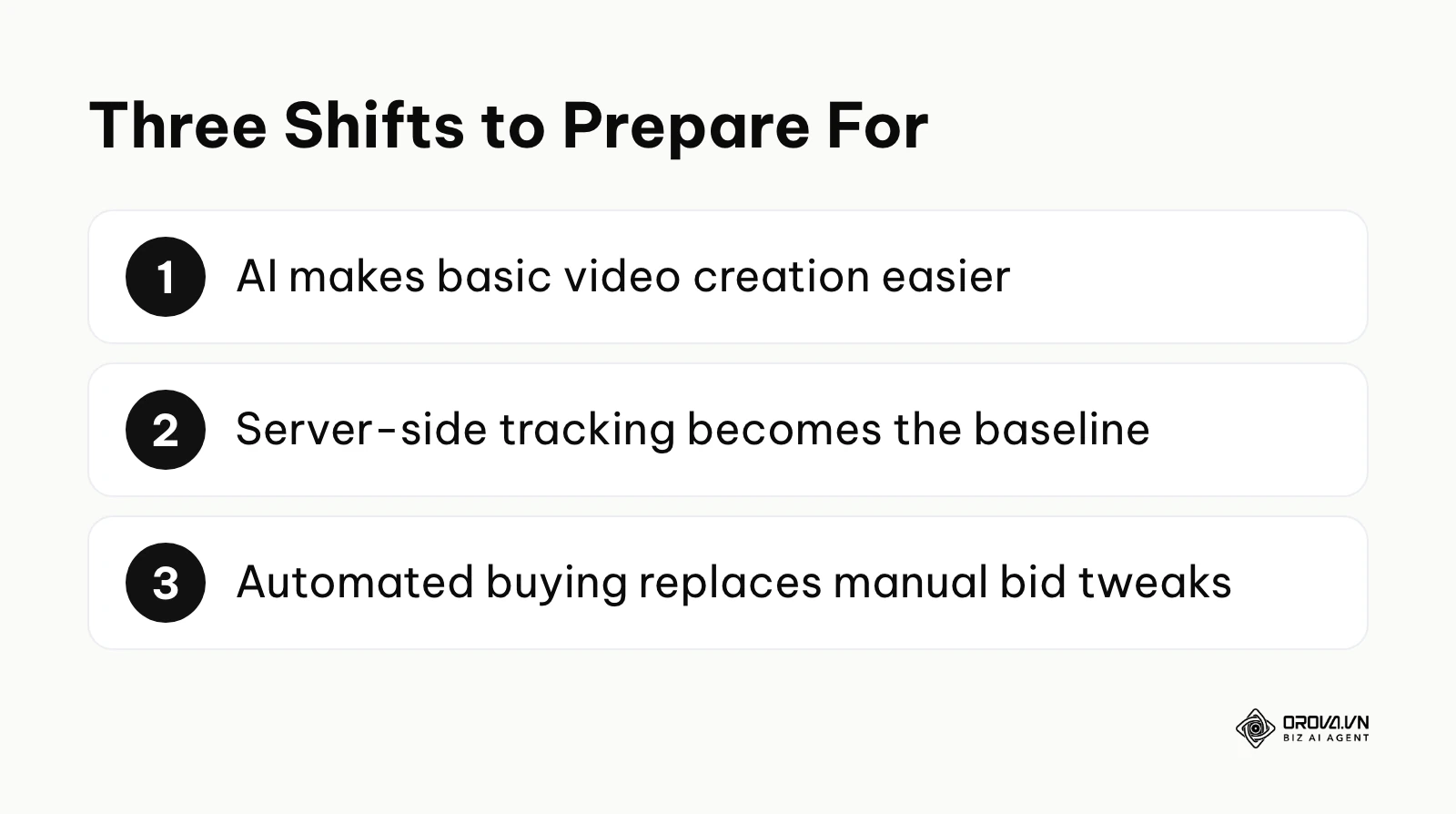
AI-Driven Creative Generation Will Become the Baseline
Currently, we spend hours writing scripts, shooting raw footage, and editing clips to find a winning combination. I expect built-in generative AI tools to get much better at stitching together variations of your product assets, applying trending audio, and generating native-looking voiceovers. The technical barrier to creating "good enough" content will keep falling. In my view, the differentiator will be less the ability to edit a video, but the strategic insight into consumer psychology. You should start focusing heavily on understanding your core customer avatars rather than just mastering video editing software, as the software is likely to take on more of the heavy lifting.
The Complete Death of Client-Side Tracking
We are already seeing the severe limitations of browser-based pixels due to privacy regulations and operating system updates. I believe that relying solely on client-side tracking will make campaign data steadily less reliable. Server-side integrations, like the Events API, are likely to shift from a "best practice" to something close to a baseline requirement. Businesses that cannot send clean, deduplicated, first-party data from their servers may find themselves at a disadvantage against competitors who feed the algorithm better data. You need to invest in your backend data infrastructure immediately.
Automation Will Overtake Manual Bidding Strategies
The days of manual bid adjustments and highly segmented, hyper-targeted ad groups are fading. I believe we are moving toward a more automated buying environment, similar in spirit to Google's Performance Max and TikTok's own Smart+ campaigns. Advertisers will increasingly supply a budget, a business objective, and a large library of creative assets, while the platform's AI assembles ads, finds audiences, and adjusts bids. In my view, the skill of media buying will shift from "pulling levers in a dashboard" to "managing creative pipelines and business economics." Marketers must let go of the desire for granular control and learn to steer the machine learning algorithms broadly. If you are curious about how this broader AI landscape is shaping up, reading the AI Ads: The Ultimate 2026 Master Guide to Scaling Google, Meta, and TikTok Campaigns is highly recommended.
Frequently Asked Questions about TikTok Ads
How much does it cost to start advertising on TikTok?
TikTok sets its own minimum budgets for campaigns and ad groups, and these can vary by currency and change over time, so check the current figures in Ads Manager or the TikTok Business Help Center. A more useful way to plan is to budget from your target CPA: give each ad group enough daily budget to buy several conversions per day, and plan for a testing period of at least a week. This initial spend buys data; it does not guarantee immediate profitability.
How long does the learning phase last?
It depends on how quickly the ad group collects conversions. A figure of around 50 conversions is commonly cited, but check TikTok's current guidance for your optimization goal. Once the ad group has enough conversion data, performance usually stabilizes. If conversions arrive too slowly, the ad group can stay in learning for a long time; the usual remedies are a larger budget, a broader audience, or fresh creatives.
Should I use Smart+ Campaigns or manual setups (ABO/CBO)?
For a completely new advertiser in 2026, starting with manual ad groups (ABO) is generally recommended for the first few weeks to understand which audiences and creatives actually resonate. Once you have a proven baseline of winning creatives and verified data tracking, migrating those winners into highly automated campaigns can help scale them more efficiently.
Will AI completely replace human media buyers?
AI is already taking over many of the manual, repetitive tasks of media buying—like adjusting bids by a few cents or duplicating ad sets. However, AI cannot yet develop deep empathetic understandings of human pain points or strategize a cohesive, multi-platform brand narrative. The human role shifts from a "dashboard operator" to a "creative strategist and data architect."
Where to Start Today?
Reading a comprehensive guide is only the beginning; execution is where the value is created. Depending on your current situation, here is the exact first step you should take today, taking no more than a few hours.
If you have never run a single ad on the platform: Stop worrying about complex structures or budgets. Your single task today is to set up your technical foundation. Go to the Business Center, create your account, and generate your Pixel. Work with your developer or use a partner integration to install the base code on your website and verify that it is firing correctly using the helper extension. Do not launch an ad until this is verified.
If you have run ads but they were highly unprofitable: Pause your current campaigns and audit your creative strategy. Your task today is to draft three new video scripts using the Hook-Problem-Solution-CTA structure outlined earlier. Do not use polished brand assets. Pick up a smartphone, write a compelling hook addressing a specific customer pain point, and record a raw, authentic video explaining how your product solves it.
If you have profitable ads but struggle to scale them without crashing performance: Your task today is to implement a strict, rules-based scaling protocol. Stop making emotional decisions based on hourly fluctuations. Create a simple spreadsheet documenting your Break-Even ROAS. Identify your top-performing ad group, ensure it has been stable for at least three days, and increase its daily budget by exactly 20%. Then, close the dashboard and wait another 48 hours before evaluating it again.
Ready to scale your winning creatives without breaking the learning phase? Orova Ads provides a dedicated agent where you can set your own rules and schedules for automated budget scaling and bid adjustments 24/7. Try it now—free until July 7, 2027. This level of systemization is what transforms a stressful advertising account into a predictable growth engine. Use this tiktok ads guide as your blueprint, build your assets meticulously, and let the data guide your decisions.
About the author

Builder of Orova
Nguyễn Đỗ Trọng Ân has 8 years of experience in marketing, including 6 years managing market development across Asia. He builds Orova, a Biz AI Agent that never sleeps: it plans, runs and optimizes work for businesses.
Run your business with AI Agents
Orova is the always-on Biz AI Agent — it plans, runs, and optimizes the work for you.
Save time, unlock productivity.