
Google Ads management tools: a 2026 buyer's guide to scaling

Running pay-per-click campaigns has shifted fundamentally from manual keyword bidding to managing complex data pipelines and AI algorithms. You might be struggling with a bloated account structure, wasting countless hours manually adjusting bids, or failing to consolidate reporting across multiple channels. The native advertising interface is undeniably powerful but often overwhelming, leaving many marketers guessing rather than executing strategic decisions. Finding the right google ads management tools is no longer just about convenience; it is a critical operational requirement for scaling your campaigns without exponentially increasing your headcount. This comprehensive guide breaks down the 2026 software landscape, categorizing the best platforms by their core jobs-to-be-done, such as e-commerce feed optimization and cross-channel AI automation. We will explain the common software pricing models, provide a clear framework for calculating your return on investment, and help you build a robust advertising tech stack that actually drives profitable growth.
What are google ads management tools and who needs them?
Google ads management tools are third-party software applications designed to automate, optimize, analyze, and report on pay-per-click advertising campaigns via API integrations. These platforms help marketers bypass the limitations of the native interface, saving time and dramatically improving performance. They are essential for agencies managing dozens of clients, e-commerce brands dealing with thousands of SKUs, or B2B companies navigating complex lead generation funnels. The tools listed in this directory were selected based on their proven ability to handle significant ad spend, their specialized feature sets for distinct industries, and their reliability in executing automated rules safely.
The 2026 Google Ads Management Tools Matrix
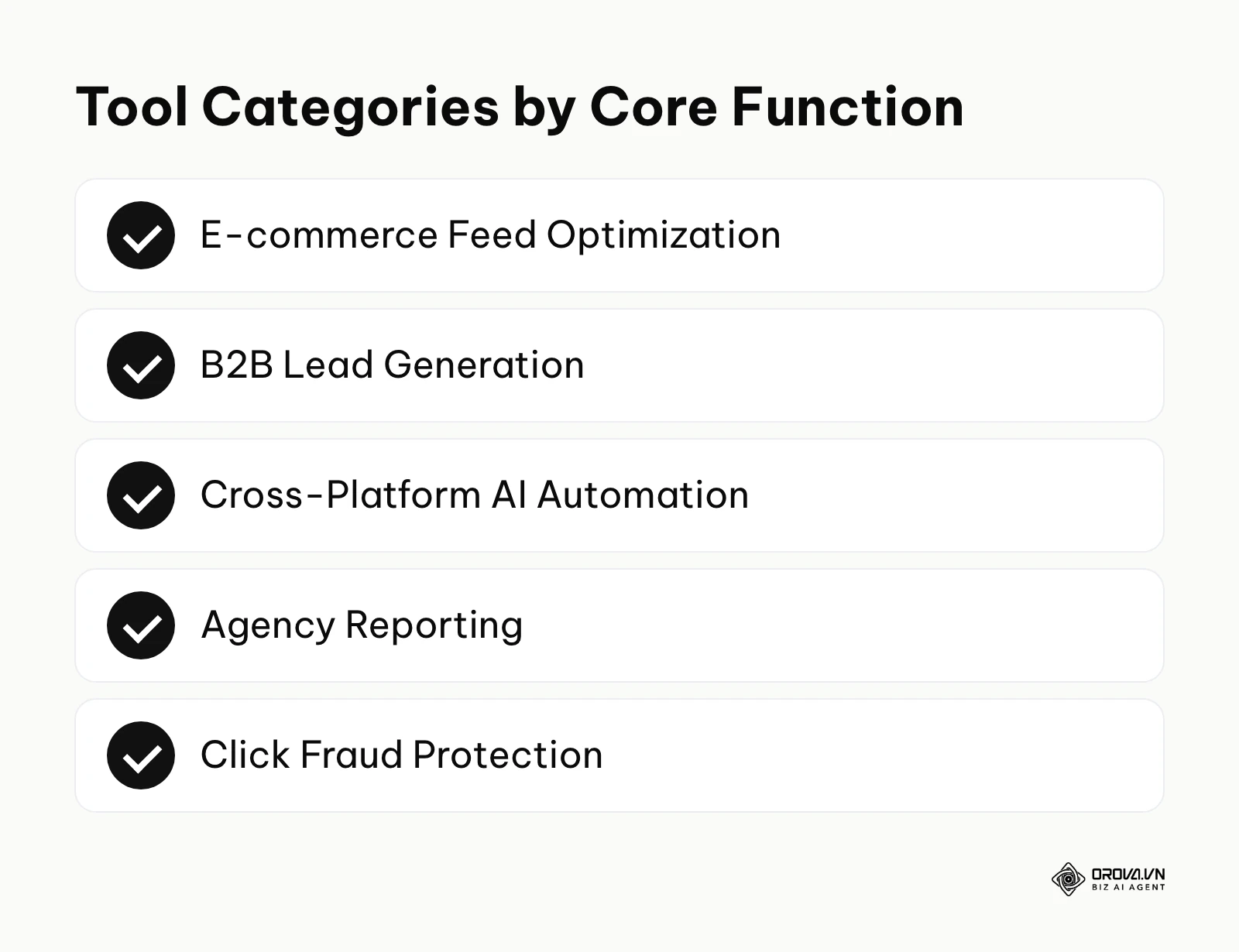
Before diving deep into the specific capabilities of individual platforms, it helps to see the software landscape from a high level. The matrix table below categorizes the leading software based on their primary function and the specific user value they deliver.
| Tool Name | Core Category | Primary Job to be Done | Main User Value | Best Suited For |
|---|---|---|---|---|
| DataFeedWatch | E-commerce | Feed mapping and syndication | Prevents Merchant Center errors | Stores with 1,000+ SKUs |
| Smarter Ecommerce | E-commerce | Shopping and PMax scaling | Maximizes product-level ROAS | High-volume E-com |
| Optmyzr | B2B & Search | Rule-based automation | Reduces wasted spend on bad terms | B2B Lead Gen & Agencies |
| Adalysis | B2B & Search | Ad testing and auditing | Identifies structural account flaws | Search-heavy accounts |
| TrueClicks | B2B & Search | Account health grading | Ensures best practice compliance | Quality assurance teams |
| Orova Ads | Cross-Platform | Omni-channel optimization | Syncs and automates across networks | Brands using Google/Meta/TikTok |
| Birch (formerly Revealbot) | Cross-Platform | Visual rule building | Scales winning ad variations | Performance marketers |
| Swydo | Agency Reporting | Client dashboards | Automates weekly/monthly reports | Mid-sized agencies |
| AgencyAnalytics | Agency Reporting | Multi-channel aggregation | White-labels client communications | Full-service agencies |
| ReportGarden | Agency Reporting | Reporting plus budgeting and invoicing | Links performance to billing | Agencies consolidating software |
| ClickCease | Fraud Protection | IP blocking and filtering | Shields budget from bot traffic | High-CPC competitive niches |
Top Tools for E-commerce & Shopping Campaign Optimization
Running retail campaigns effectively in 2026 requires absolutely flawless product data. Without clean, optimized feeds, even the smartest bidding algorithms will fail to deliver profitable results. This category focuses heavily on software that manipulates and enhances product feeds before they ever reach the advertising network.
DataFeedWatch
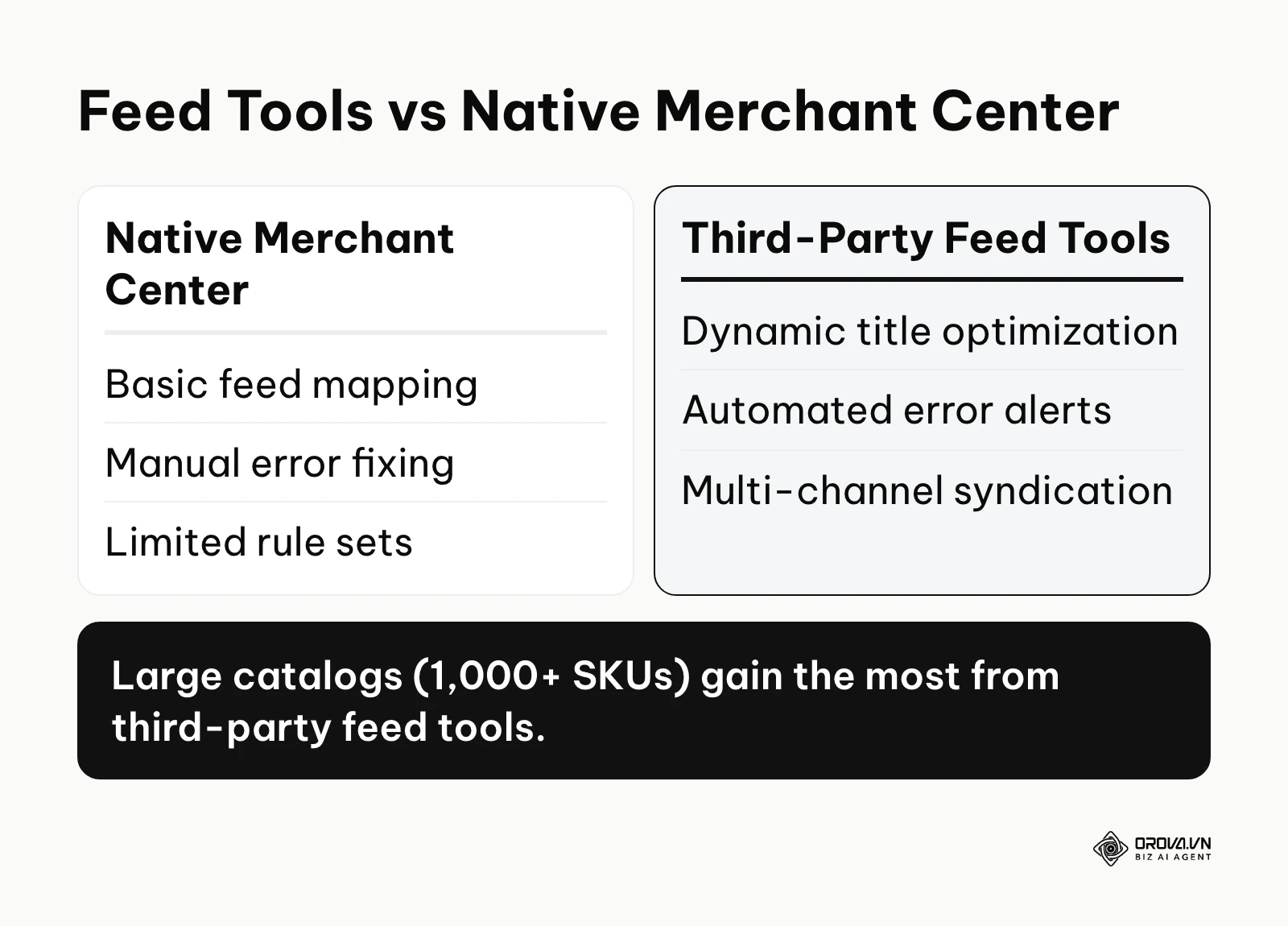
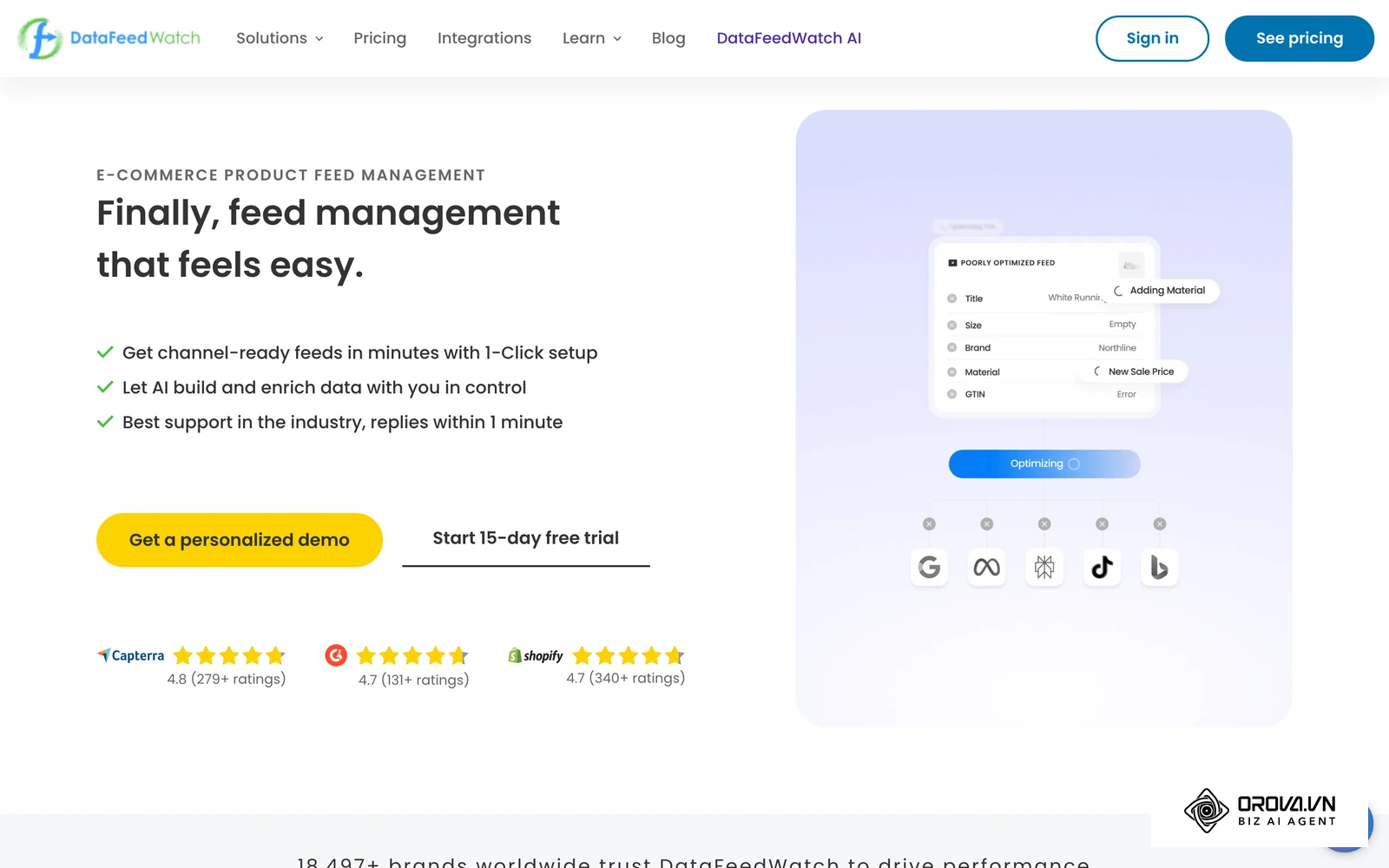
- What it does: DataFeedWatch acts as a powerful middleware layer between your e-commerce platform (such as Shopify, Magento, or WooCommerce) and Google Merchant Center. It utilizes regular expressions (regex) and sophisticated IF/THEN rules to dynamically rewrite product titles, map custom labels based on margins, and filter out out-of-stock items.
- Primary user value: By automatically injecting high-search-volume keywords into product titles and categorizing items accurately, this tool can help product listings match more relevant searches in Standard Shopping and Performance Max campaigns while reducing the risk of disapprovals due to feed data mismatches.
- Best suited for: E-commerce businesses managing catalogs ranging from 1,000 to over 100,000 SKUs that need granular control over their data architecture without relying on developers.
- How to start using it:
- Connect your native store API to import the raw product database into the platform.
- Create a specific "Google Shopping" output channel and apply standard mapping templates for required fields.
- Set up custom rules to append crucial attributes like color, size, and brand to the product titles before scheduling daily automated syncs.
- Illustrative example: A mid-sized DTC apparel brand managing 5,000 SKUs struggled with extremely low visibility on generic search terms. They connected their raw Shopify feed directly to Merchant Center. Initially, they tried to manually rewrite titles in a spreadsheet but quickly stumbled when inventory changed daily, leading to 404 errors and disapproved products. The fix was implementing dynamic string replacement rules in DataFeedWatch that automatically appended the "Brand + Gender + Item Type" to every single title. The visible result was a complete clearance of all Merchant Center errors within 48 hours and a noticeable expansion in the broad search terms triggering their product listing ads.
Smarter Ecommerce (smec)
- What it does: Smarter Ecommerce (smec) provides specialized, highly mathematical algorithms tailored explicitly for Performance Max and standard Shopping campaigns. It systematically segments products into distinct margin-based buckets, allowing marketers to bid aggressively on high-margin items and conservatively on low-margin loss leaders.
- Primary user value: It solves the frustrating "black box" problem of automated campaigns by forcing the algorithm to respect your actual business realities, so bidding decisions aim at profit rather than just top-line revenue.
- Best suited for: High-volume e-commerce enterprises that operate with razor-tight margins and require sophisticated, value-based bidding strategies to remain competitive.
- How to start using it:
- Integrate your conversion tracking and internal margin data deeply into the platform.
- Define your absolute profitability thresholds and allow the system to segment your catalog accordingly.
- Allow the software to continually restructure your asset groups and apply bid adjustments based on margin performance.
Top Tools for B2B Lead Generation & Search Intent
B2B advertising is fundamentally different from retail e-commerce. The focus shifts away from high-volume, low-value transactions to long sales cycles, complex lead qualification, and incredibly high costs-per-click. These tools excel at parsing search intent and ensuring you are not paying for irrelevant traffic. To fully leverage these platforms, you should first ensure you have a solid google ads campaign setup to protect your baseline budget from structural errors. When performance drops and you need to know which fix to apply first, our google ads optimization diagnostic blueprint walks through the checks in order.
Optmyzr
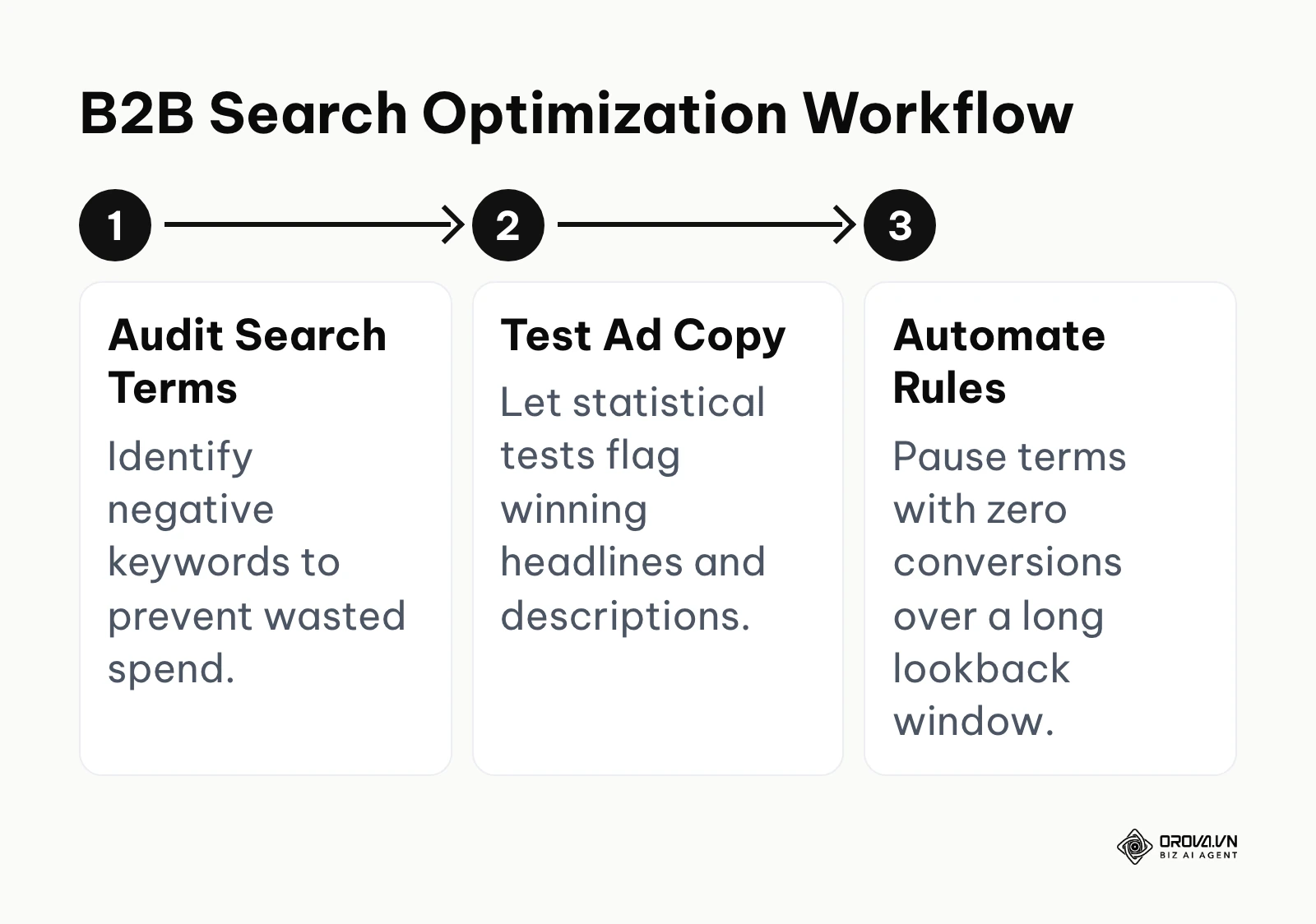
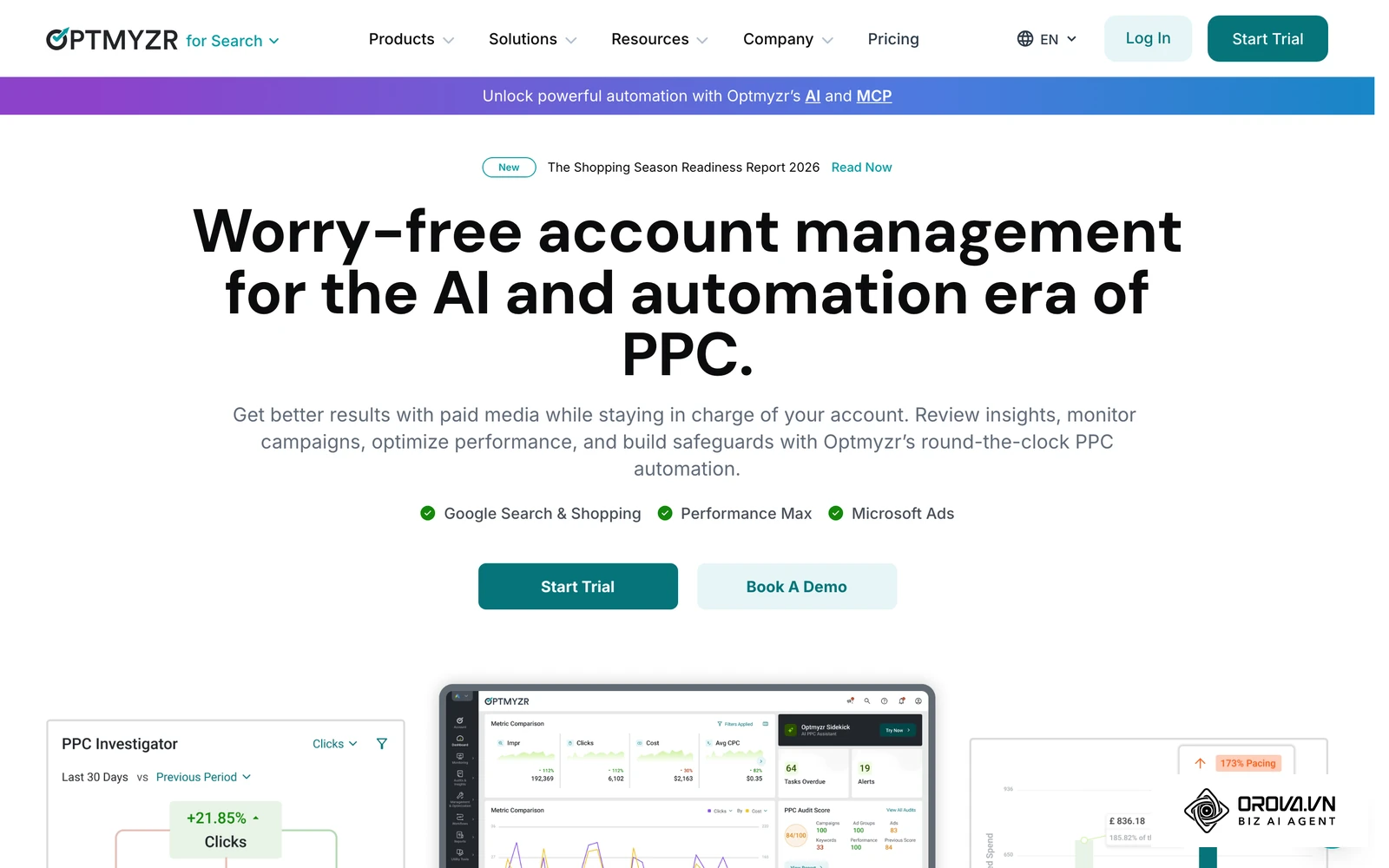
- What it does: Optmyzr is a comprehensive management suite built heavily around rule-based automation and deep data insights. It features advanced tools like the Rule Engine, which allows marketers to string together complex IF/THEN conditions (e.g., "If Cost > 150 and Conversions = 0, pause keyword") without writing a single line of code.
- Primary user value: It can save a great deal of time for repetitive, mind-numbing optimization tasks. The platform quickly highlights structural anomalies, such as duplicate keywords competing against each other across different ad groups, and offers one-click fixes, so wasted spend is easier to catch.
- Best suited for: B2B lead generation teams and specialized agencies that handle complex, search-heavy accounts requiring thousands of manual bid adjustments monthly.
- How to start using it:
- Link your advertising accounts and allow the system to fully ingest historical data.
- Navigate to the "One-Click Optimizations" dashboard to clear out obvious wasted spend immediately.
- Build your first custom automation rule tailored specifically to your target CPA (Cost Per Acquisition) goals.
- Illustrative example: A B2B software vendor was bleeding thousands of dollars on broad match search terms that triggered irrelevant consumer queries. They integrated an automation tool to process search term reports faster. At first, they set the rules too aggressively, automatically pausing keywords that actually had assisted conversions, which caused a sudden dip in their overall lead volume. They fixed this by refining the logic rule to only pause terms with zero conversions over a 90-day lookback window rather than a narrow 14-day window. The visible result was a much cleaner search term report with a higher density of enterprise-related queries, without sacrificing the total pipeline volume.
Adalysis
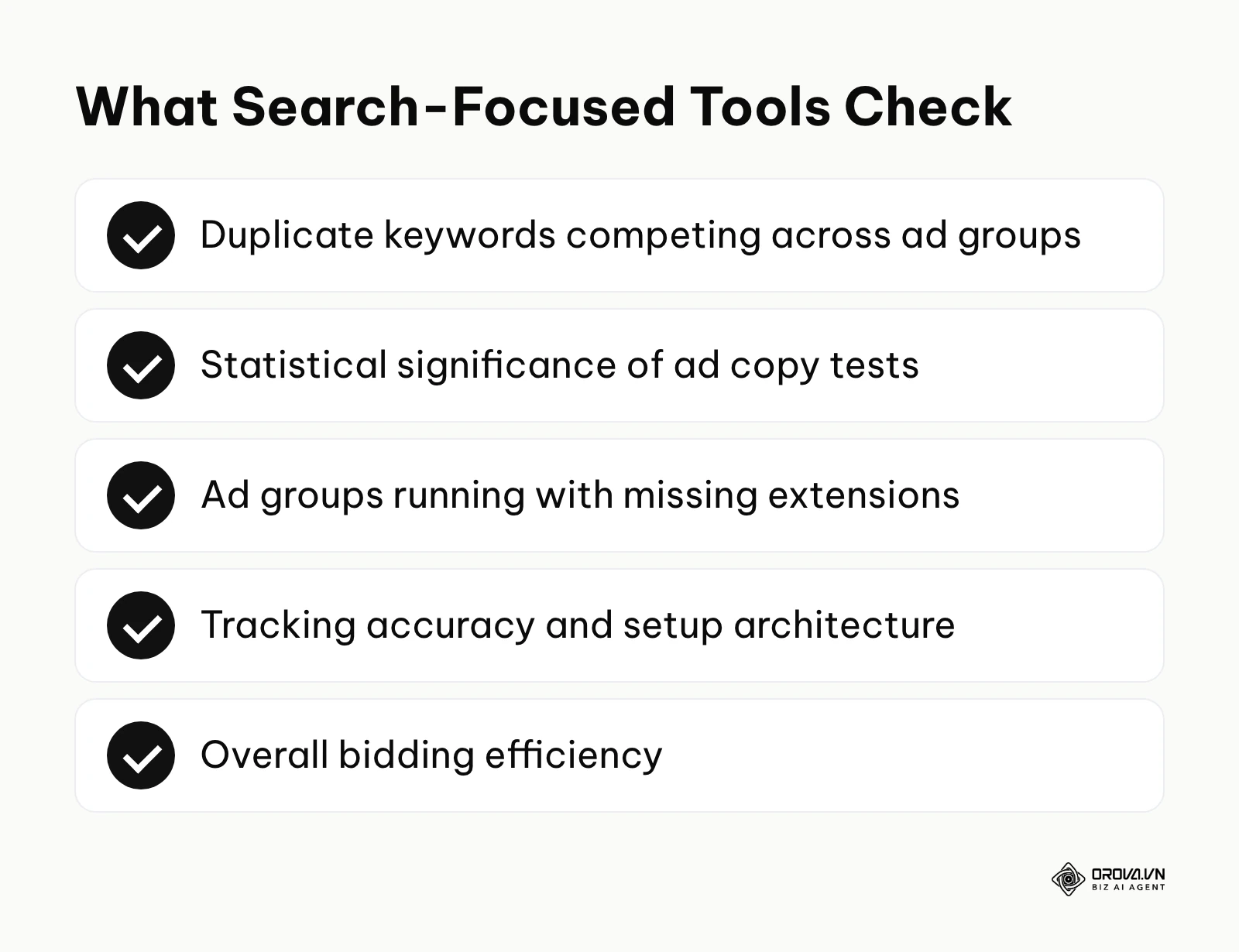
- What it does: Adalysis is an auditing and testing powerhouse. It continuously scans your entire account structure against a massive checklist of industry best practices. Furthermore, it automatically performs the complex statistical significance calculations required for A/B testing ad copy.
- Primary user value: It takes most of the manual math out of creative ad testing. Instead of manually exporting data to Excel to run t-tests, the software visually flags exactly which headlines or descriptions are statistically likely to drive better click-through rates (CTR) and conversion rates.
- Best suited for: Highly data-driven marketers who prioritize rigorous creative testing and demand absolute structural account integrity.
- How to start using it:
- Connect your accounts to initiate the initial comprehensive best-practice audit.
- Review the prioritized dashboard of critical alerts, such as ad groups running with missing extensions.
- Enable the automated ad testing feature to begin identifying winning creative variations without manual monitoring.
TrueClicks
- What it does: TrueClicks functions as an independent, objective grading system for your advertising accounts. It assigns a clear numerical score based on a variety of foundational pillars, including setup architecture, tracking accuracy, and overall bidding efficiency.
- Primary user value: It provides a consistent view of account quality at scale. For marketing directors overseeing multiple internal teams or external agencies, it offers a standardized metric to determine account health and ensures that everyone is adhering to strict operational protocols.
- Best suited for: Quality assurance teams, senior marketing directors, and large in-house teams that need a unified standard of excellence across multiple regional or brand accounts.
- How to start using it:
- Authorize secure access to the specific accounts you want to evaluate.
- Run the baseline grading report to establish your starting score and identify glaring weaknesses.
- Follow the prioritized recommendations to fix critical tracking or structural errors, systematically improving the score week over week.
OROVA ADS applies AI Agent to automate and optimize ad performance on Google, Meta and TikTok. Scale your budget safely, monitor 24/7 and expand your business quickly.
Experience the solution at orova.vn/ads
Top Tools for Cross-Platform AI Automation
Managing advertising campaigns in strict isolation is a recipe for severe inefficiency. Today’s consumer journeys bounce unpredictably between a search engine, a social media feed, and a short-form video app. Marketers need tools that act as a unified command center. If your stack also covers email, content and social, our guide to ai marketing automation tools shows how the wider stack fits together. If you want a deeper understanding of how these modern systems replace manual labor, check out our detailed comparison on what makes a true google ads agent.
Orova Ads
- What it does: Orova Ads is an AI that runs your ads on Google (including Performance Max), Meta, and TikTok from a single dashboard. It syncs performance data on a schedule you set and receives real conversions from your CRM, webhook or API through the Conversion API of all three platforms.
- Primary user value: It brings cross-platform management into one place and reduces fragmented workflows. By default the AI only advises; once you switch on automation, it can execute changes 24/7. It comes with 200+ built-in optimization actions covering budgets, bids and audiences. You can also set up a private agent with your own rules, a run schedule and a template library, and review every change in the optimization history and reports.
- Best suited for: Modern growth teams and aggressively scaling brands that actively allocate budgets across search, social, and video networks and need a centralized hub to monitor and optimize overall performance.
- How to start using it:
- Connect your Google, Meta, and TikTok ad accounts to the unified workspace.
- Connect real conversions from your CRM, webhook or API so each network optimizes toward actual results.
- Start in advisory mode, review the suggested actions, then define your private agent’s rules before switching on automatic execution.
Birch (formerly Revealbot)
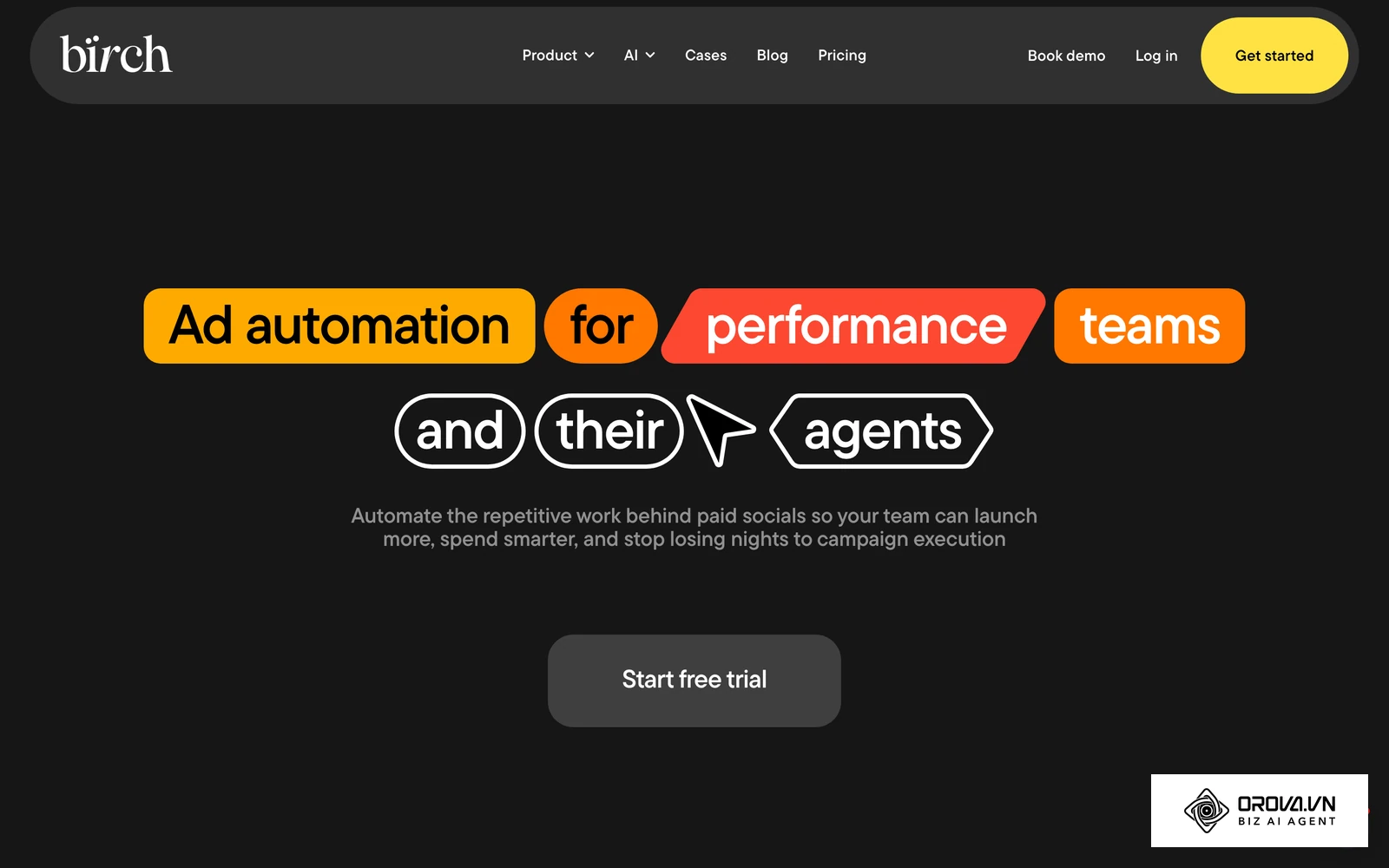
- What it does: Birch, the platform previously known as Revealbot, provides a visual interface for building automation rules across several ad networks, including Google and Meta. Its logic builder allows nested conditions and multi-metric evaluations.
- Primary user value: It empowers non-technical marketers to translate their complex strategic thinking into actionable, automated scripts without ever needing engineering support. If a specific campaign is performing well against your target, a rule can scale its budget automatically within limits you set.
- Best suited for: Advanced media buyers and technical performance marketers who operate with highly specific, mathematically rigorous optimization strategies.
- How to start using it:
- Link your desired ad networks securely via the integration tab.
- Use the visual builder canvas to create your first auto-pausing rule for underperforming creative assets.
- Set up automated Slack or email notifications to stay informed exactly when a rule is triggered.
- Illustrative example: An educational course creator was trying to balance a highly volatile budget between Google Search and Meta Ads during a launch week. They used a visual rule builder to manage the spending dynamically. Initially, they set a rule to aggressively scale Meta budgets if the CPA dropped below their target, but they stumbled when a tracking glitch caused a false spike in recorded conversions, leading the tool to overspend drastically in one hour. They fixed this by adding a secondary condition that cross-referenced the ad network data with their Stripe payment gateway via a webhook before allowing budget scaling. The visible result was a perfectly stabilized daily spend that automatically shifted funds to the most profitable platform without the risk of runaway budgets.
Top Tools for Agency Reporting & Client Management
Marketing agencies face entirely unique operational hurdles. Beyond just optimizing campaigns to hit KPIs, they must communicate their value clearly and consistently to their clients. Manual reporting is a massive drain on overall profitability. These tools are specifically designed to automate the aggregation of data into clear, digestible formats. For the reporting process itself (what to show and how to explain drops), see our ppc reporting guide.
Swydo
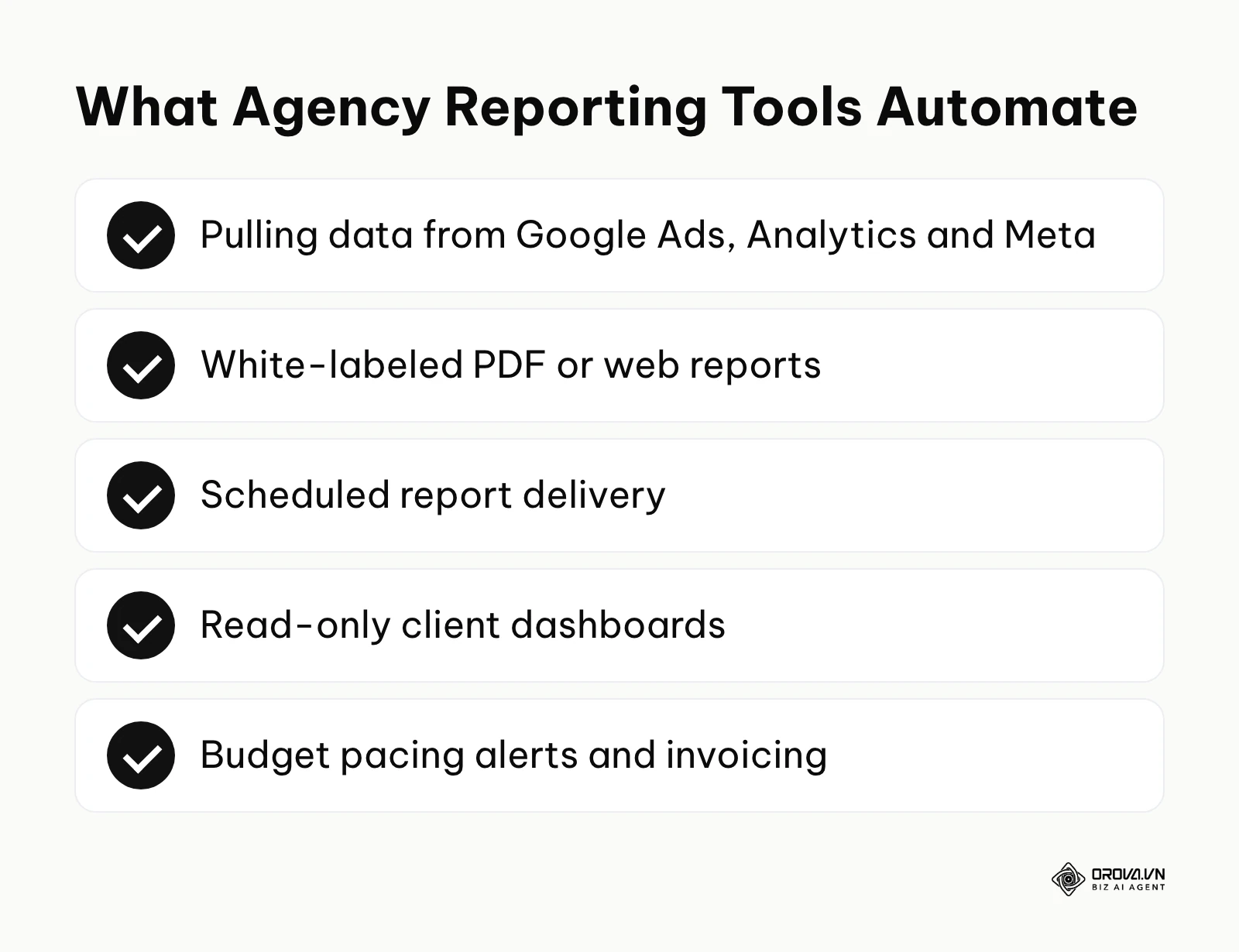
- What it does: Swydo is a dedicated reporting and monitoring platform that connects seamlessly to dozens of standard marketing APIs. It pulls raw data sets and automatically formats them into customizable, white-labeled PDF or interactive web reports based on pre-defined, visually appealing templates.
- Primary user value: It drastically reduces the non-billable administrative hours spent manually compiling data at the end of every month. The ability to schedule reports to send automatically ensures that clients are kept constantly in the loop without requiring any manual intervention from busy account managers.
- Best suited for: Small to mid-sized marketing agencies that require highly professional, scalable reporting solutions for a rapidly growing client roster.
- How to start using it:
- Connect your new client's various data sources (Google Ads, Analytics, Meta).
- Design a master template that includes your agency's branding guidelines and preferred KPI widgets.
- Schedule the finalized report to generate and email automatically on the first day of the month.
- Illustrative example: A boutique digital agency was spending roughly 20 hours a week manually copying and pasting metrics into PowerPoint presentations for their 15 diverse clients. They adopted a reporting tool to completely automate this process. Initially, they simply dumped all available metrics and charts into a massive 30-page document, which overwhelmed clients and led to confused, angry phone calls. They fixed this by ruthlessly paring down the templates to only highlight three core metrics: total spend, CPA, and total conversions, accompanied by a custom text box for the account manager's qualitative summary. The visible result was a drastic reduction in client confusion, faster approval on budget increases, and the reclaiming of 18 hours of staff time every single week.
AgencyAnalytics
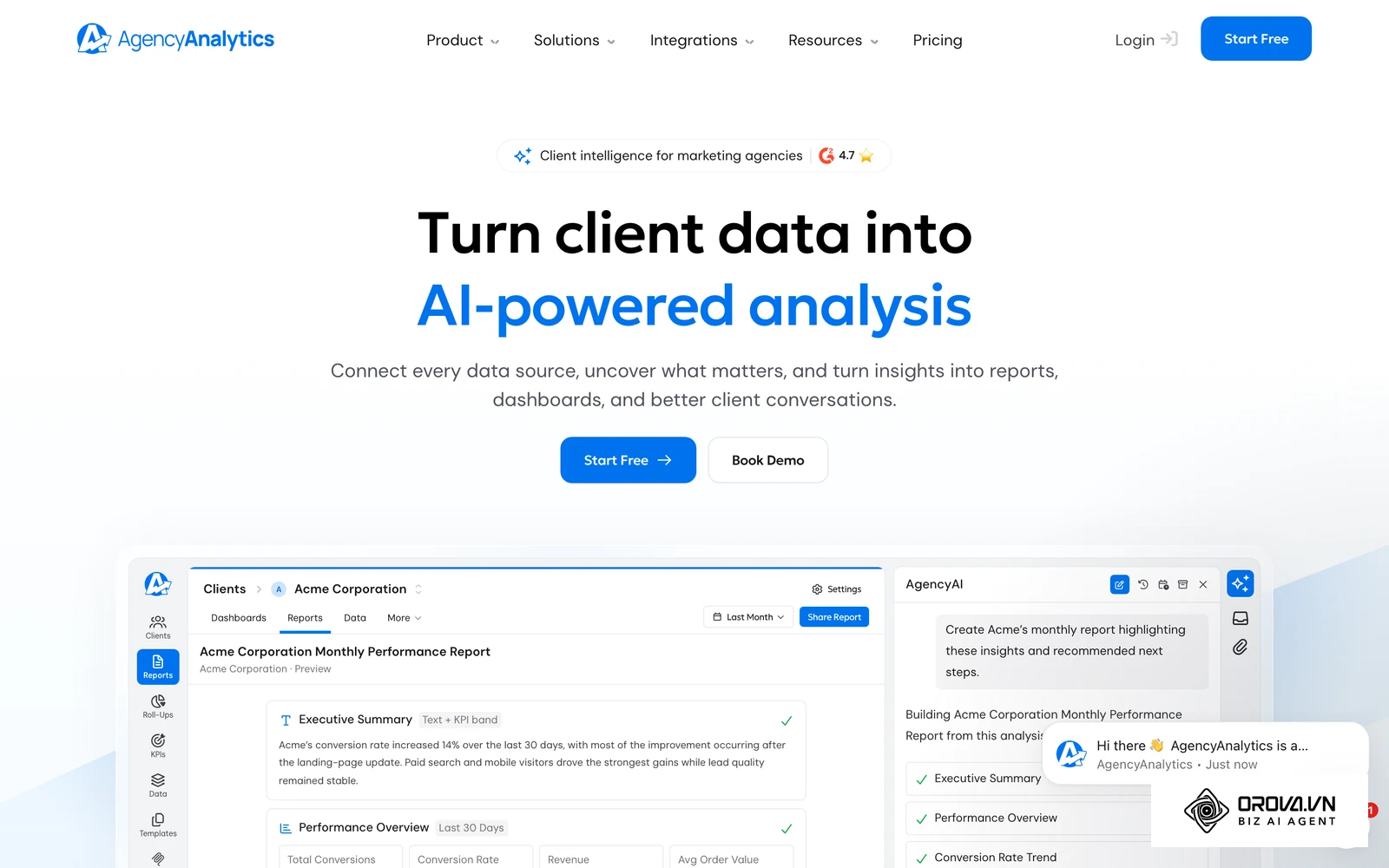
- What it does: AgencyAnalytics goes beyond simple PDF reporting to include custom, interactive client dashboards. It aggregates SEO rankings, organic social media metrics, and complex PPC data into a single, unified portal that clients can log into securely at any time.
- Primary user value: It supports client retention by giving clients transparent, always-available access to their numbers. The interactive dashboards empower clients to self-serve their curiosity, sharply reducing the volume of ad-hoc data requests sent to the agency team via email.
- Best suited for: Full-service agencies that manage massive omni-channel campaigns encompassing SEO, paid search, and organic social media simultaneously.
- How to start using it:
- Create a distinct, branded workspace profile for a specific client.
- Connect all relevant API integrations tailored strictly to that client's contracted service package.
- Configure a read-only login credential and send the secure invitation directly to the client's point of contact.
ReportGarden
- What it does: ReportGarden uniquely combines reporting capabilities with core agency management features like internal budgeting, invoicing, and complex proposal generation. It aims to centralize the entire client lifecycle strictly from the initial pitch to the monthly performance review.
- Primary user value: It vastly streamlines agency operations by linking performance data directly with financial billing data. You can easily track if a client is pacing correctly against their contracted budget and automatically generate an accurate invoice based on complex percentage-of-spend models.
- Best suited for: Agencies looking to consolidate their sprawling software stack by combining performance reporting and basic financial management into one robust platform.
- How to start using it:
- Set up your agency's master profile and define your standard service markup rates.
- Import your active client list and connect their respective data sources.
- Utilize the intuitive budgeting dashboard to set up automated alerts for under-pacing or rapidly over-pacing accounts.
ROI, Cost Analysis, and Tech Stack Building
Choosing software is never just about comparing features; it is fundamentally an exercise in financial modeling. Whatever a tool costs each month, it must consistently return more than that in either saved labor hours or improved campaign performance. Understanding exactly how to model your ads budget to effectively include software overhead is critical for long-term sustainability. Let's explore how to structure your tech stack and strictly analyze the associated costs.
When is Google Ads Editor Enough vs. Paid Tools?
Before aggressively purchasing any third-party software, you must rigorously evaluate the native capabilities. Google Ads Editor remains a robust, free desktop application designed explicitly for bulk offline changes. It is incredibly powerful for massive structural overhauls, such as duplicating entire campaigns, finding and replacing ad text across thousands of lines, and managing massive offline uploads via CSV files. However, Editor is purely structural and entirely static. It does not automate bids based on real-time market data, it does not intelligently analyze creative fatigue, and it does not monitor pacing dynamically. You should confidently stick with the free Editor if your primary operational bottleneck is merely the speed of account creation. Consider a paid tool when your bottleneck shifts from "creating the structure" to "optimizing performance continuously." As spend and account count grow, the cost of missed manual checks tends to grow with them, which is when automation is most likely to pay for itself.
Pricing Models: Percentage of Ad Spend vs. Flat Fee
The advertising software industry generally employs two distinct pricing models, and fully understanding them is crucial for forecasting your overhead accurately. To understand how the ad spend itself is priced, read our guide on google ads pricing.
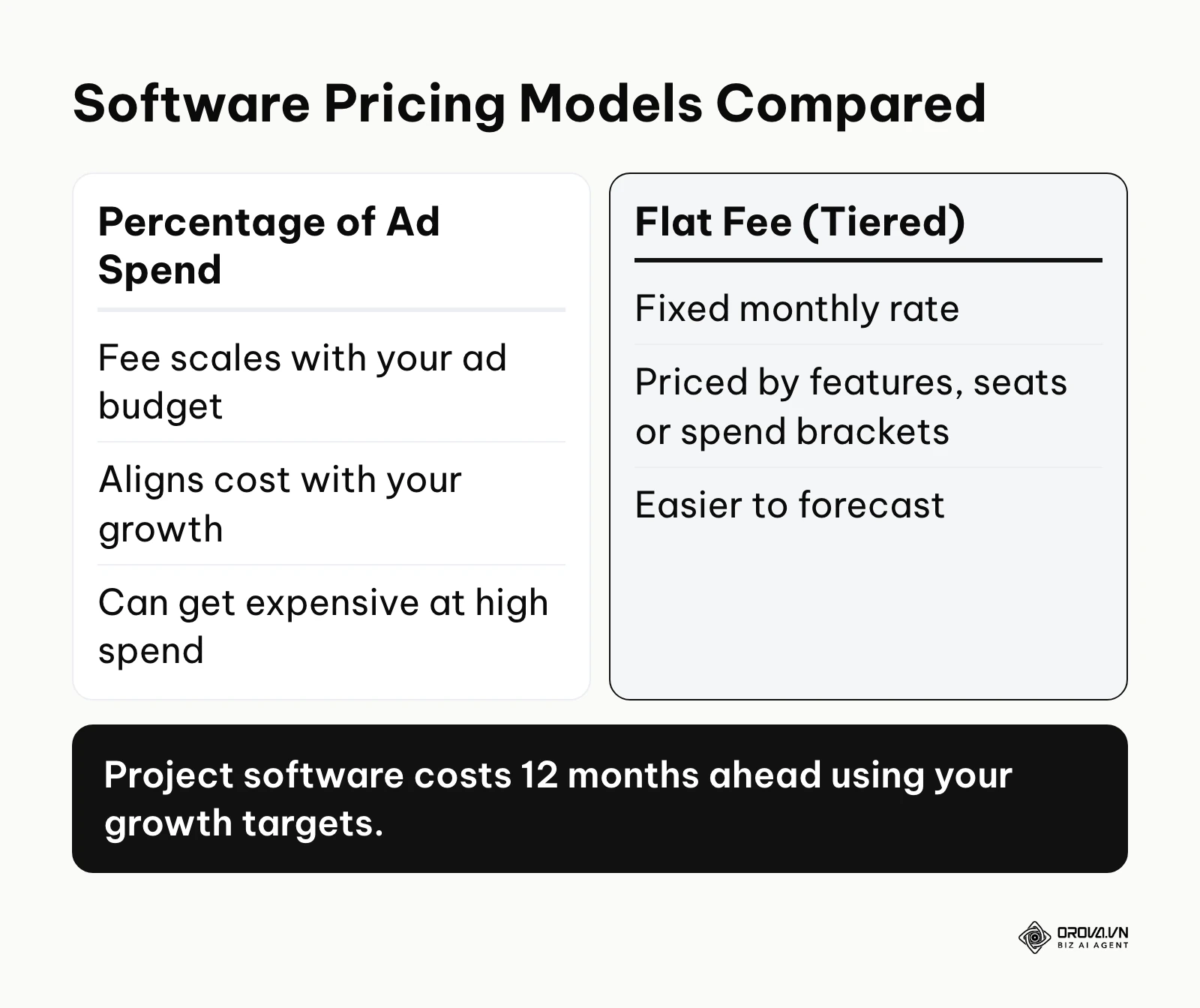
- Percentage of Ad Spend: Platforms using this model charge a variable fee based on the total advertising budget channeled through their system. This perfectly aligns the software's success with your scale, but it can quickly become prohibitively expensive for enterprise brands or agencies pushing millions of dollars in monthly ad spend.
- Flat Fee (Tiered): These platforms charge a fixed monthly rate based on feature access, user seats, or broad spend brackets. This model is predictable and is often more cost-effective for rapidly scaling businesses.
When evaluating tools, always project your exact software costs 12 months into the future based on your aggressive growth targets, not just your current historical spend.
How to Calculate Software ROI
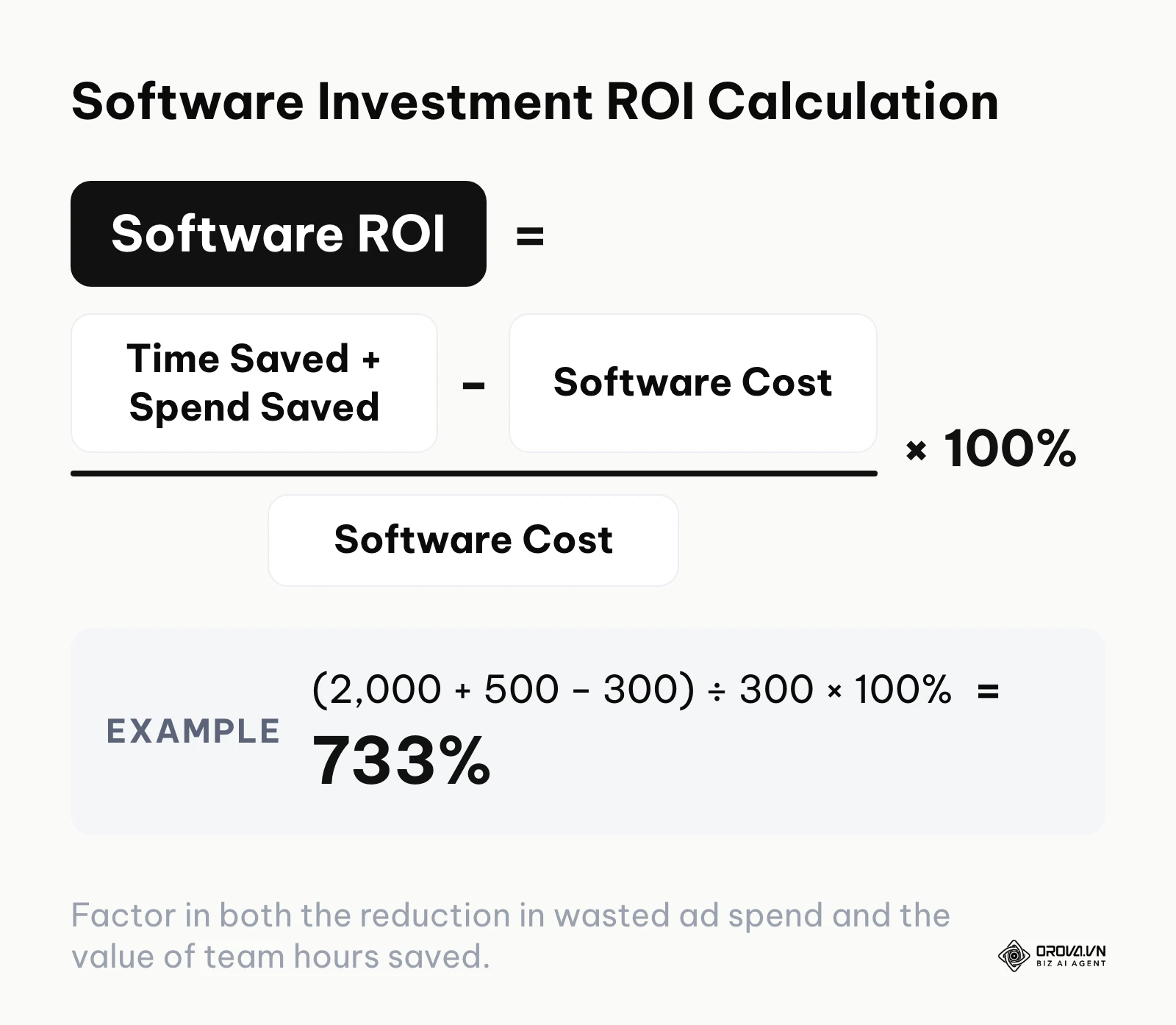
Investing in software requires a mathematically clear business case. You calculate the true ROI of an advertising management tool by rigorously quantifying two main variables: hours of labor saved and wasted spend eliminated. First, accurately track how many hours your team spends weekly on manual reporting, bid adjustments, and error checking. Multiply this by their fully loaded hourly wage. Second, audit your accounts to estimate exactly how much budget was wasted recently on poorly performing keywords or over-pacing that a tool would have automatically caught. Add the labor savings and the saved ad spend together, subtract the monthly cost of the software, and divide by the software cost, then multiply by 100%. Illustrative example: if a tool saves 2,000 of team time and 500 of wasted spend in a month (in your account currency) and costs 300, the ROI is (2,000 + 500 − 300) ÷ 300 × 100% ≈ 733%. If the software cannot definitively prove a positive ROI within the first 60 days of implementation, it is likely not the right fit for your operational scale.
Building Your Perfect Advertising Tech Stack
No single tool does absolutely everything perfectly. Mature marketing teams typically use a layered approach to their technology stack. A standard high-performance tech stack usually looks exactly like this:
- Base Layer (Data Integrity): Google Tag Manager and server-side Conversion APIs to ensure the data flowing into the platforms is perfectly accurate.
- Structural Layer: Google Ads Editor for rapid, offline account builds and massive structural taxonomy updates.
- Optimization Layer (The Engine): An AI automation platform that can run 24/7 to adjust bids, manage budgets, and execute complex cross-platform rules.
- Reporting Layer (The Output): A visual dashboard tool that cleanly aggregates the results for stakeholders or demanding clients.
This modular approach ensures that if one tool drastically increases its pricing or deprecates a critical feature, you can easily swap it out without completely disrupting your entire workflow.
Want to scale your budget but afraid of breaking performance? 📉
Integrate OROVA ADS now - an AI Agent that automatically monitors and optimizes Google, Meta, TikTok ads 24/7. Now, expanding and replicating your Performance Ads team is just one click away.
🚀 Try it now at: orova.vn/ads
How to Choose the Right Tool for Your Scale
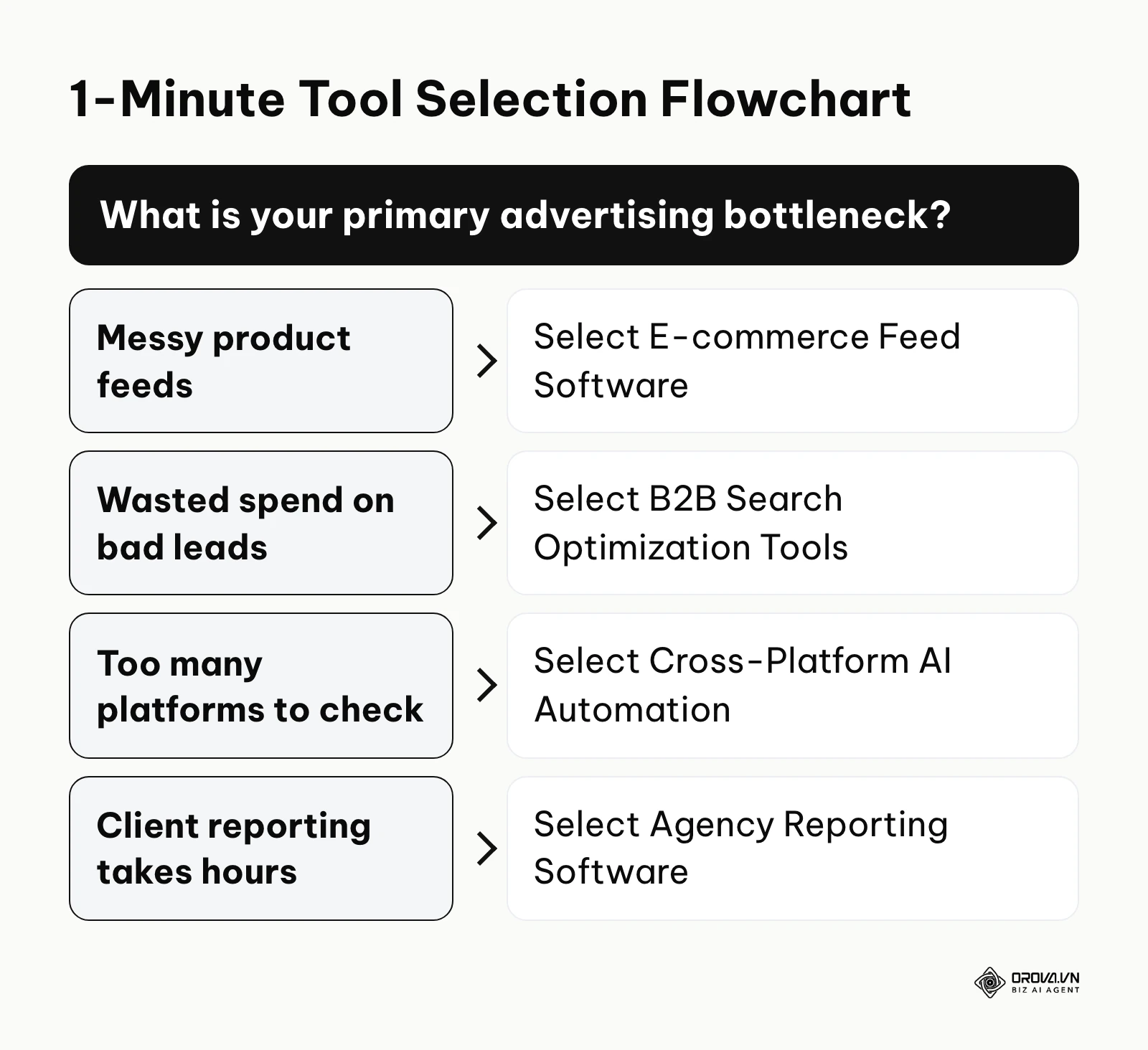
The sheer volume of available features can easily cause analysis paralysis. The absolute key is to map the software's capabilities directly against the current maturity and size of your team. Do not buy enterprise-grade machine learning software if you do not have the fundamental tracking configured correctly.
10 Essential Questions to Ask Sales Teams
Before committing to a restrictive annual contract or an expensive enterprise tier, use this exact checklist to thoroughly interrogate the software provider's sales team:
- Does your platform use a predictable flat-fee pricing model, or do you take a percentage of my total ad spend?
- How exactly does your software attribute conversions if the native platform strictly reports differently than my internal CRM?
- Can I set absolute, unbreakable hard caps on automated budget scaling to actively prevent runaway spend?
- Do your automated rules run continuously in real-time, or on a slow, batched hourly/daily schedule?
- How difficult is it to fully export my custom rules and templates if I decide to cancel my subscription?
- Does your platform support complex multi-currency and multi-timezone reporting natively out of the box?
- What specific level of customer support is explicitly guaranteed in the Service Level Agreement (SLA)?
- Are your AI optimization suggestions based solely on my private account data, or aggregate, anonymized industry data?
- Can I easily integrate offline conversion data via webhooks or API directly into your core optimization engine?
- Do you provide an isolated, safe sandbox environment to test complex rules before they impact live campaigns?
Minimum Toolset by Team Size
To avoid dangerously over-engineering your operations and burning cash, refer to the table below to strictly determine the baseline technology required for your specific organizational structure.
| Team Scale | Scenario Description | Required Minimum Toolset | Potential Trap to Avoid |
|---|---|---|---|
| Solo Marketer | Managing a single brand on a small monthly budget | Native UI + Google Ads Editor | Paying for complex AI tools before maximizing native automated bidding. |
| Small Business | In-house team of 2-3, mid-sized monthly budget | Native UI + 1 Cross-platform tool | Buying separate tools for Google and Meta instead of a unified platform. |
| Scaling E-commerce | Catalog over 5,000 SKUs, high transaction volume | Feed optimization tool + Advanced PMax software | Relying entirely on native Merchant Center rules, leading to severe feed errors. |
| Mid-Sized Agency | Managing 15+ clients, high reporting burden | Rule-based optimization suite + Automated reporting tool | Using percentage-of-spend pricing models that quickly destroy agency profit margins. |
Future Trends in Google Ads Management Tools for the Next Few Years: My Predictions
The landscape of digital advertising software is shifting incredibly rapidly as global privacy regulations tighten and basic machine learning becomes heavily commoditized. Based on current technological trajectories, here is exactly how I believe the software ecosystem will evolve over the next few years. For a broader, more philosophical look at the overall landscape, read our ultimate ai ads guide.
The Shift from Bid Management to Data Pipeline Management
I see signs today that native platforms are becoming increasingly proficient at automated bidding. As of 2026, the algorithmic engines inside the native interfaces are highly capable. Therefore, I believe that over the next few years, third-party management tools will gradually pivot away from focusing on "better bidding algorithms" and focus almost entirely on data pipeline management. The true competitive battleground will be exactly how efficiently software can clean, format, and push massive amounts of first-party CRM data back into the ad networks. Marketers urgently need to prepare for this by focusing heavily on server-side tracking and ensuring their internal databases are absolutely immaculate, rather than obsessing over manual, penny-pinching CPC adjustments.
The Rise of Multi-Modal Generative Creative Tools
We are already seeing the early integration of basic generative AI for simple text and image creation directly within native ad platforms. I expect that the next generation of management tools will offer fully integrated, hyper-advanced multi-modal generative engines. Instead of just manually A/B testing two images you uploaded, the software will automatically generate hundreds of subtle variations of video, audio, and text, deploying them dynamically based on real-time audience feedback loops. To properly prepare, teams should focus intensely on developing strict brand guidelines and visual rule sets today, so that powerful generative tools do not accidentally dilute the brand identity when operating autonomously.
Consolidation and the End of Niche Point Solutions
Currently, the market is highly fragmented with highly specialized point solutions (e.g., a tool just for ad testing, another just for budget pacing). I believe we are heading toward a period of consolidation. Larger software players are likely to acquire some of these niche tools to build comprehensive, all-in-one operating systems for media buyers. Over the next few years, many marketers will likely consolidate sprawling tech stacks into fewer, more unified platforms to reduce integration friction. You should start comprehensively evaluating your current stack now to identify redundancies and plan for potential strategic migrations to more robust, centralized solutions.
Frequently Asked Questions about Google Ads Management Tools
When rigorously evaluating new software, marketers frequently encounter similar operational roadblocks and technical concerns. Here are the clear answers to the most common inquiries.
Do third-party tools conflict with Google's native Smart Bidding?
Generally, no, but they absolutely must be configured correctly. Third-party tools often act as an overarching management layer rather than a direct competitor to native AI. For example, while Google's Smart Bidding controls the exact auction-level CPC micro-adjustments, a third-party tool can intelligently adjust the overall Target CPA goal or shift daily budgets based on external factors like warehouse inventory levels or CRM data. It is highly crucial to ensure your custom rules do not aggressively restrict the native algorithms, which strictly require immense data fluidity to function properly.
How do I thoroughly protect my data privacy when using these platforms?
Absolute security is paramount. Always meticulously verify that the software is ISO certified or strictly SOC 2 compliant. Furthermore, ensure you are granting access via secure API OAuth tokens rather than dangerously sharing direct login credentials. It is also good practice to audit connected apps regularly and remove access for any software you are no longer using in your stack.
Will AI completely replace the need for human ad managers?
AI is fundamentally altering the role, but definitely not eliminating it entirely. Tools excel at pattern recognition, rapid mathematical adjustments, and scaling operations flawlessly. However, AI completely lacks deep business context, strategic foresight, and the nuanced ability to aggressively negotiate cross-departmental budgets. The crucial role of the human manager is rapidly evolving from a tactical "button clicker" to a strategic "system architect," directly responsible for setting the complex parameters and overarching goals that the AI will relentlessly pursue.
How long does it usually take to implement enterprise management software?
Implementation timelines vary wildly based on account complexity, historical baggage, and tracking maturity. A basic reporting tool can usually be connected and functioning perfectly in a few hours. Conversely, a highly comprehensive optimization suite that requires deep CRM integration and complex custom rule building can easily take anywhere from 3 to 8 weeks to fully deploy, test safely in a sandbox environment, and roll out to live campaigns without causing disruptions.
Where to Start?
Choosing and fully implementing a brand new software platform can be incredibly daunting and politically risky. Instead of trying to overhaul your entire operation overnight, accurately identify your current situation and take one immediate, highly practical step today.
If you are currently overwhelmed by manual reporting and endless client communication, your first step should be to audit your current workflow. Spend one afternoon mapping out exactly how many hours your team spends downloading CSVs and building slide decks. Once you have that number, trial a dedicated reporting tool and connect a single, complex client account. Build one automated dashboard to clearly prove the time-saving concept before attempting to roll it out agency-wide.
If your primary issue is massive wasted budget and poor account structure, start by fully utilizing the free resources available. Download Google Ads Editor and use it to perform a massive offline audit of your entire account. Filter aggressively for duplicate keywords, identify ad groups with dangerously low ad relevance, and rebuild your baseline foundation. You must clean house manually before applying complex automation rules, or the software will simply automate your mistakes much faster. Our ppc ad management execution guide covers that groundwork step by step.
If you are struggling to mathematically manage budgets fluidly across multiple channels, your immediate action should be mapping your cross-platform strategy visually on paper. Define the exact business logic you want to apply (e.g., "Shift 10% of Google budget to Meta if Google CPA suddenly exceeds your target"). Once the logic is crystal clear, actively evaluate a unified platform that allows you to accurately build these specific cross-channel rules without requiring manual daily intervention.
About the author

Builder of Orova
Nguyễn Đỗ Trọng Ân has 8 years of experience in marketing, including 6 years managing market development across Asia. He builds Orova, a Biz AI Agent that never sleeps: it plans, runs and optimizes work for businesses.
Run your business with AI Agents
Orova is the always-on Biz AI Agent — it plans, runs, and optimizes the work for you.
Save time, unlock productivity.