
AI marketing automation tools: How to build a stack that scales

You are likely reading this because your browser currently has 20 tabs open, your team's data is disjointed across different platforms, and the generic AI features you recently purchased are just generating robotic copy instead of actually streamlining your operations. The landscape of marketing software has exploded, but simply buying subscriptions will not fix broken processes. You need to understand how to build a unified system. Finding the right ai marketing automation tools requires looking past the flashy landing pages to evaluate hidden costs, integration capabilities, and technical limitations.
Most guides on the internet simply list generic software names and regurgitate their marketing claims. This article takes a different approach. We are going to look at the exact frameworks, workflows, and reality checks needed to construct a highly efficient marketing machine. By understanding where these systems fail and how they truly scale, you can build a resilient infrastructure that drives genuine business growth.
What are AI marketing automation tools and why do traditional stacks fail?
AI marketing automation tools are software platforms that utilize machine learning models to execute, optimize, and scale marketing tasks with minimal human intervention. Unlike traditional automation—which relies on rigid "If X, then Y" rules—these modern tools analyze massive datasets to predict the best possible action dynamically.
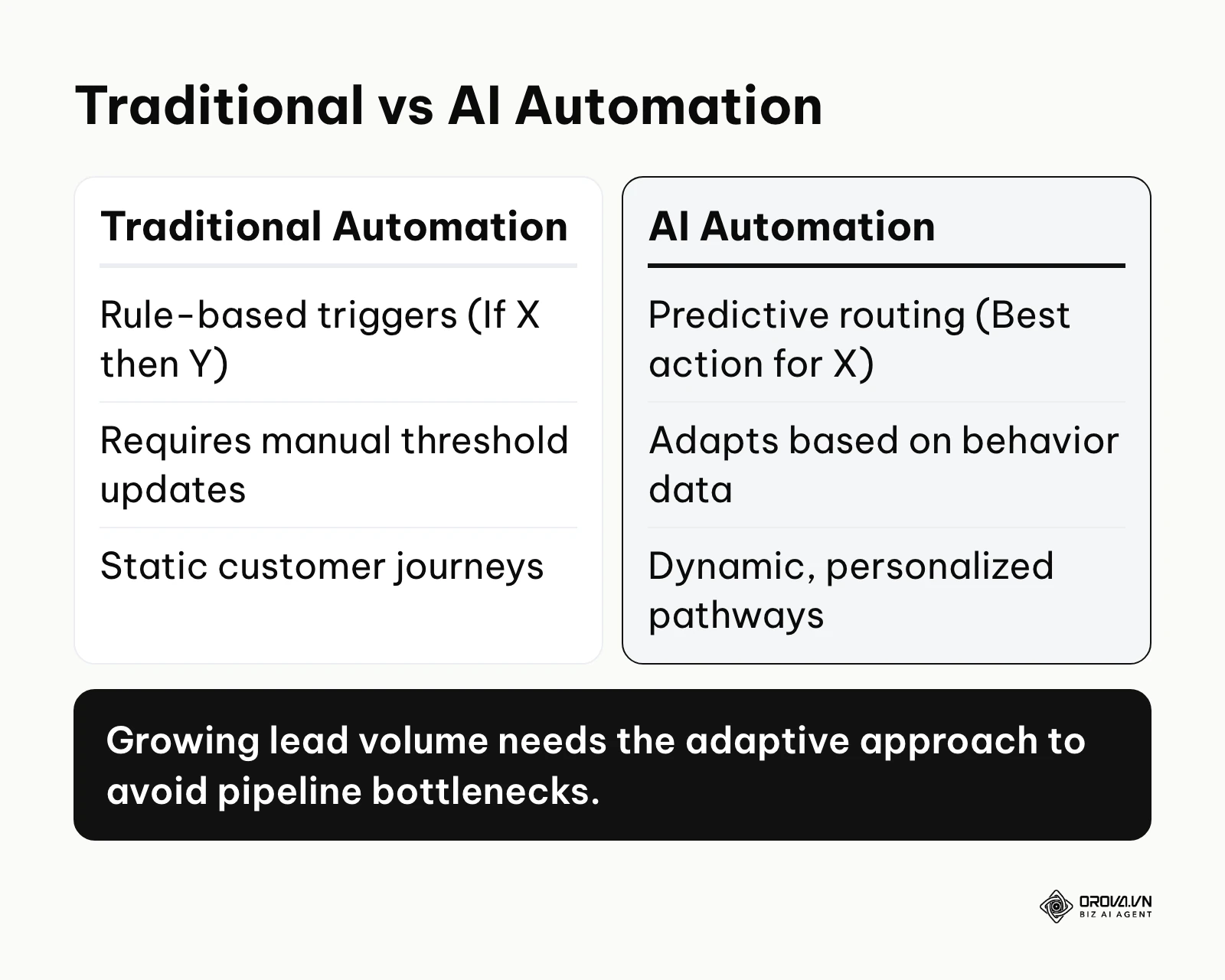
Across the industry, teams are moving away from purely linear rule sets toward routing that adapts to customer behavior. Traditional stacks fail because they require constant manual updates; if a user deviates slightly from the pre-programmed path, the automation breaks. AI-driven platforms excel by recognizing patterns, adapting to unpredictable user behavior, and optimizing delivery times without needing a human to manually adjust the thresholds every week. These tools are built for growth teams, performance marketers, and operations managers who need to scale their output without linearly scaling their headcount. However, you should avoid deploying them if your underlying data architecture is messy or if you lack a clear strategy, as AI will simply execute flawed logic faster.
The 2026 tool directory: 10 platforms categorized by workflow
Before we dive into the technical nuances and configuration steps, you need a high-level view of the landscape. The market is highly fragmented, so categorizing tools by their primary workflow is the most effective way to evaluate them. This table provides a snapshot of the major players, focusing on what they actually do rather than their marketing jargon.
| Tool Name | Workflow Category | Main Task | Primary User Value | Best for Scale |
|---|---|---|---|---|
| HubSpot | CRM & Email | Centralizes customer data and orchestrates complex journeys | Unified visibility across sales and marketing | Small to Enterprise |
| ActiveCampaign | CRM & Email | Triggers highly specific behavioral emails | Deep segmentation without enterprise costs | Small to Mid-market |
| Orova Ads | Ad Management | AI that runs your ads on Google · Meta · TikTok | Manages all three ad networks in one dashboard | Teams advertising on several networks |
| Madgicx | Ad Management | Optimizes Facebook and Instagram ad budgets | Rapid creative testing and bid scaling | E-commerce teams |
| Jasper | Content & SEO | Generates brand-aligned copy and blog posts | Scales content output while maintaining voice | Content teams of any size |
| Copy.ai | Content & SEO | Drafts sales emails, product descriptions, and ads | Speeds up the initial drafting phase | Solo to Small teams |
| Zapier | System Logic | Connects different apps via simple triggers | Democratizes API integrations for non-coders | Solo to Mid-market |
| Clearbit (now part of HubSpot) | Data Enrichment | Appends firmographic data to records | Shortens lead forms while keeping data rich | B2B Mid-market |
| Sprout Social | Social & Analytics | Manages publishing and analyzes sentiment | Streamlines community management | Mid-market to Enterprise |
| Brandwatch | Social & Analytics | Monitors web-wide brand mentions deeply | Provides enterprise-grade consumer intelligence | Enterprise brands |
Deep dive: AI marketing automation tools by category
Understanding a tool's category is only the first step. To truly build a robust tech stack, you must understand the mechanical application of each platform, how to start using it, and—most importantly—where it falls short. A tool is only as strong as its weakest integration point.
CRM and Email Automation
The Customer Relationship Management (CRM) system is the foundational database of your entire stack. If the CRM is flawed, every other tool that connects to it will inherit those flaws.
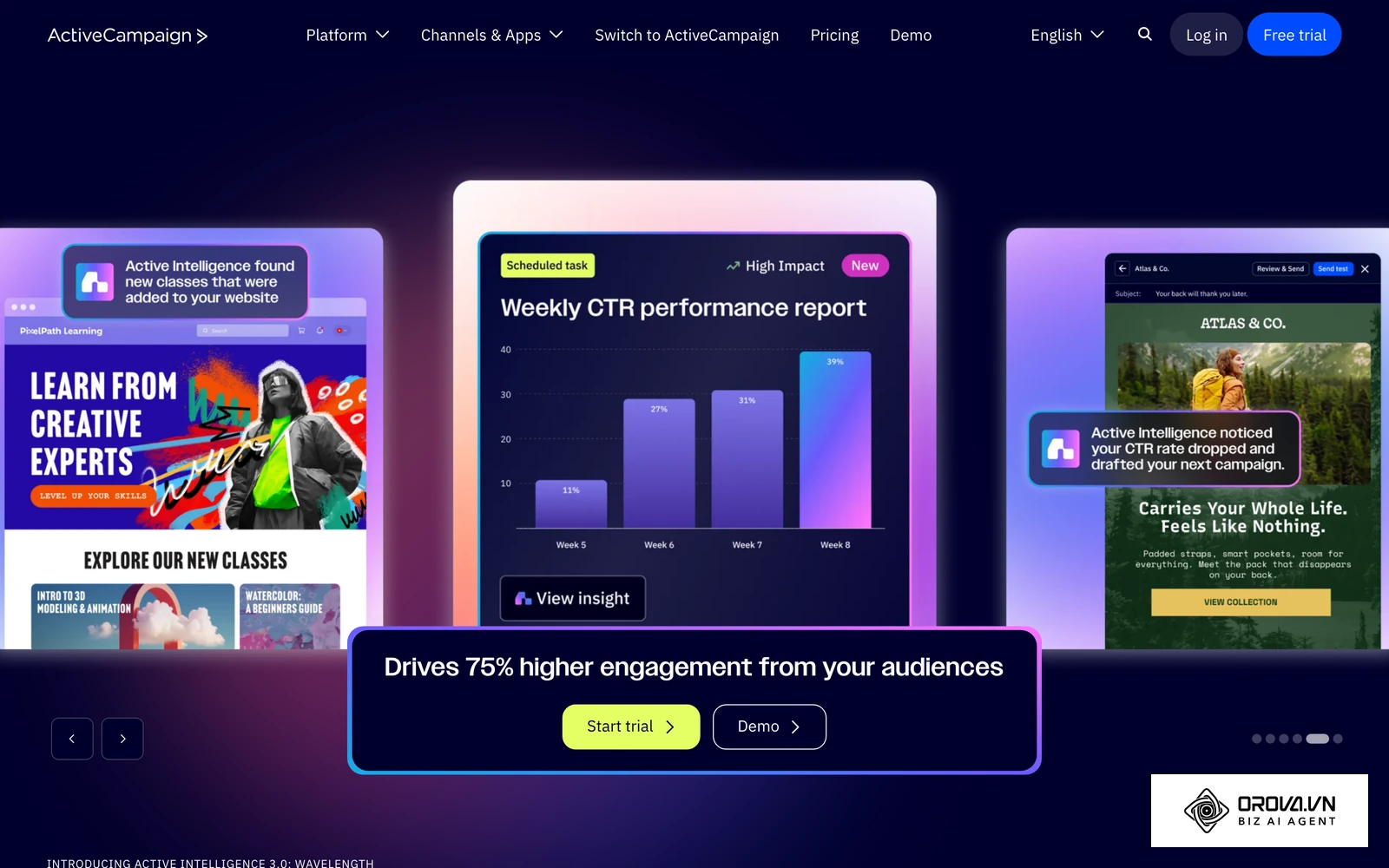
What they do: Platforms like HubSpot and ActiveCampaign store contact records, track user behavior on your website, and trigger automated email sequences based on specific criteria (e.g., viewing a pricing page twice in one week). Modern iterations use AI to optimize send times and predict lead quality.
User value: They provide a single source of truth. Instead of sales teams guessing what marketing is doing, every touchpoint is logged chronologically in a contact's timeline.
Who it fits: Every business needs a CRM. HubSpot often serves teams that need an all-in-one suite encompassing marketing, sales, and service. ActiveCampaign is typically preferred by businesses heavily focused on complex email marketing workflows and deep segmentation.
How to start:
- Import your existing contacts using a clean CSV file, mapping columns accurately to default properties.
- Embed the platform's tracking code into your website's header to begin logging visitor behavior.
- Build a simple welcome sequence triggered when a user submits your primary newsletter form.
Drawbacks & Limitations: AI features in CRMs can sometimes hallucinate when generating automated follow-up emails, creating awkward or factually incorrect messages. Furthermore, data storage gets exceptionally expensive. If you use AI to scrape and create thousands of low-quality contacts, your CRM subscription costs will skyrocket unnecessarily.
Advertising and Campaign Management
Running cross-platform ad campaigns manually is practically impossible at scale. You cannot monitor ROAS (Return on Ad Spend) across three networks simultaneously while adjusting bids every hour.
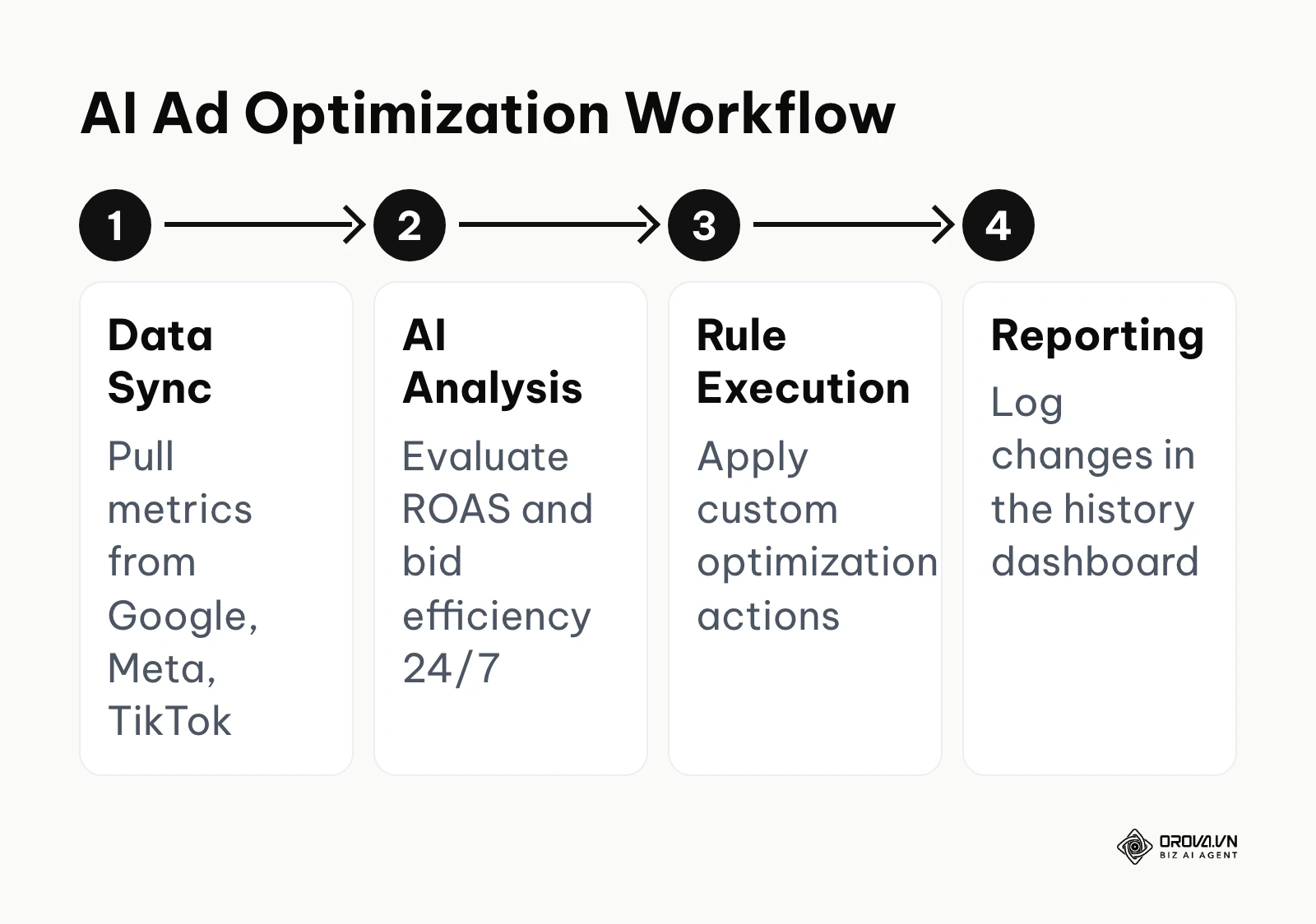
What they do: Tools in this category consolidate your ad accounts. Orova Ads serves as an AI that runs your ads on Google · Meta · TikTok. It allows you to manage all three platforms in a single dashboard and synchronizes your metrics based on a schedule you define. You can receive real conversions through CRM, Webhook, or API (including the Conversion API for all three networks). The system acts as a 24/7 advisor, offering over 200 built-in optimization actions regarding budgets, bids, and audiences. It defaults to offering suggestions, but you can toggle it to execute changes automatically. You can also build a custom Agent with your own rules and schedules using their template library, while maintaining a full optimization history. Madgicx is built mainly around Meta ads, with creative analytics and budget automation for ad sets.
User value: They eliminate the emotional bias of manual bidding and prevent budget exhaustion during off-hours. A well-planned marketing campaign requires strict execution, and these platforms ensure your strategy is adhered to mathematically.
Who it fits: E-commerce brands, performance marketing agencies, and any team running paid acquisition on more than one network.
How to start:
- Connect your ad accounts via native OAuth integrations.
- Set up your Conversion API to ensure the platform receives accurate, post-click purchase data.
- Start by running the tool in "advisor mode" for a week to review its suggestions before granting it automatic execution rights.
Drawbacks & Limitations: If you deploy a google ads agent or similar tool with aggressive auto-execution settings and flawed conversion tracking, the AI will confidently optimize toward the wrong metric, potentially burning through your budget rapidly. AI lacks business context; it only knows the numbers it is fed.
Illustrative example:
- Context: A mid-sized e-commerce retailer (15 people, performance marketer) wanted to scale their holiday sales across multiple networks without working weekends.
- Steps taken: They connected their ad accounts to an automated management tool, set up the Conversion API, and created a rule to increase daily budgets by 10% on ad sets showing a ROAS above 3.0.
- Stumbling block & fix: The rule triggered too frequently due to natural hourly fluctuations, exhausting the daily budget by noon. The marketer fixed this by adjusting the rule to only evaluate ROAS over a rolling 3-day window rather than every hour.
- Visible result: The dashboards showed stable ad delivery curves throughout the afternoon and evening, with campaigns remaining active during peak buying hours without requiring manual intervention.
Content and SEO Generation
Content creation is historically the slowest part of the marketing workflow. AI writing tools aim to solve the blank page problem.
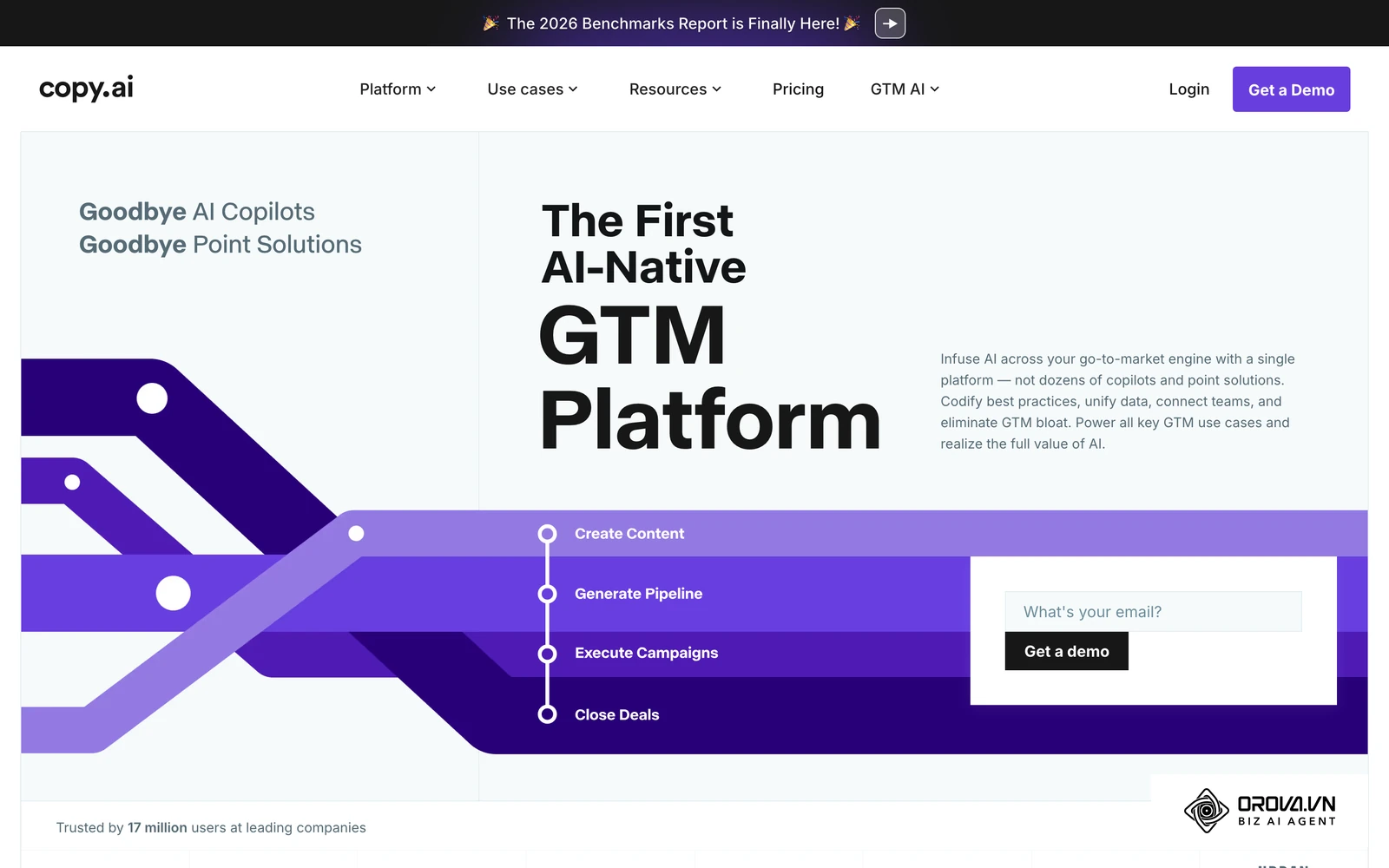
What they do: Jasper and Copy.ai utilize large language models (LLMs) to generate text based on prompts. They can output blog outlines, ad copy variations, and social media captions. Advanced platforms allow you to upload your brand voice guidelines so the output sounds less robotic.
User value: They drastically reduce the time it takes to produce first drafts and allow teams to test dozens of ad copy variations quickly.
Who it fits: Content marketers, SEO specialists, and agencies needing to produce high volumes of text. When evaluating ai writing tools, teams often look for deep SEO integration capabilities.
How to start:
- Create a "Brand Voice" document outlining your tone, forbidden words, and target audience.
- Feed this document into the platform's settings.
- Use a structured template (like the AIDA framework) rather than open-ended prompts to generate your first batch of copy.
Drawbacks & Limitations: AI content generators are notorious for creating "fluff"—lengthy paragraphs that say very little. They also frequently hallucinate facts and statistics. If published without aggressive human editing and fact-checking, AI-generated content can damage your brand's credibility and weaken how search engines judge the page's helpfulness.
System Integration and Logic
Your tools must talk to each other. When a lead is captured on Facebook, it needs to instantly appear in your CRM and trigger a welcome email.
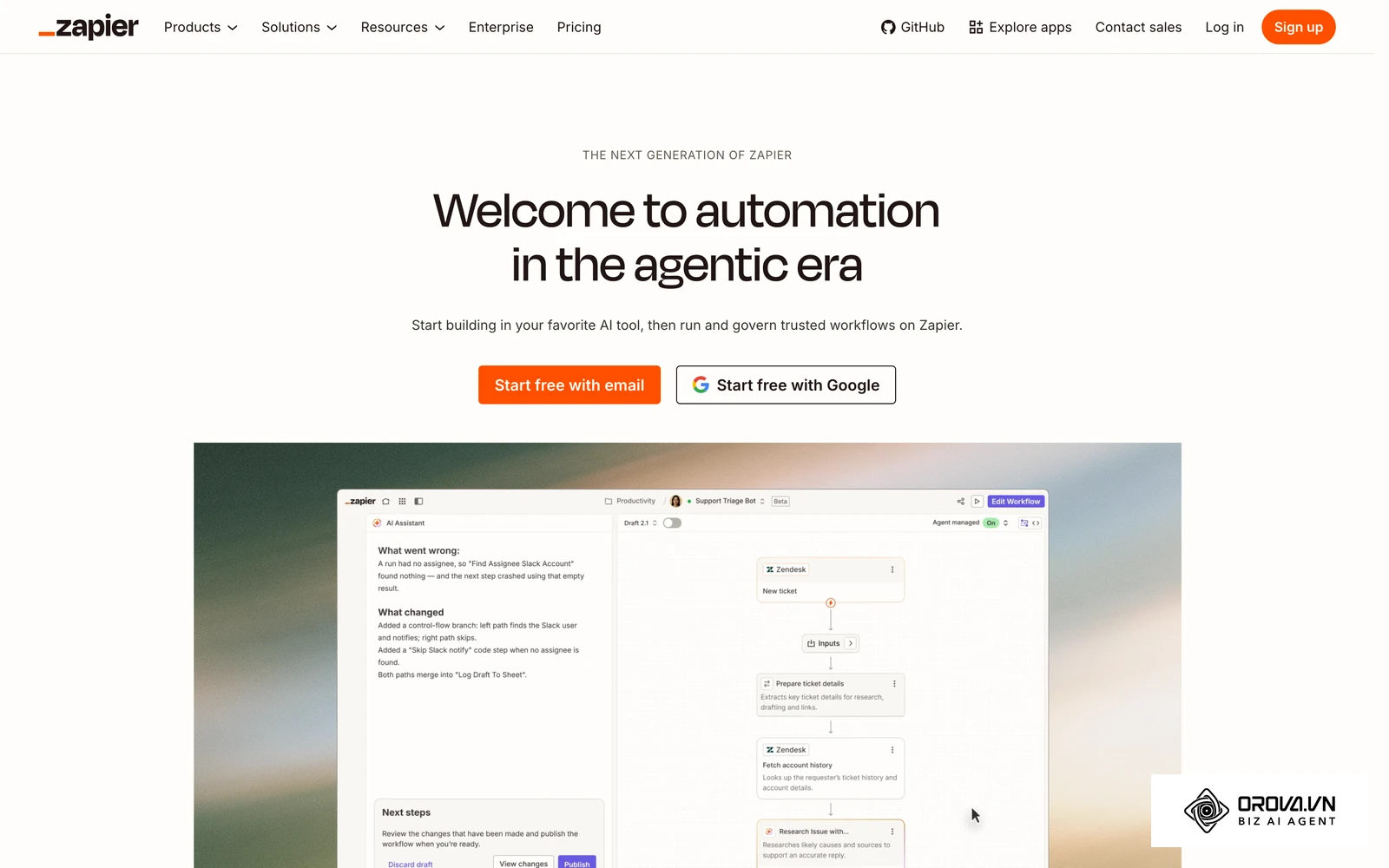
What they do: Integration platforms such as Zapier act as the digital plumbing between your applications. A simple workflow follows a linear "When this happens, do that" model, while more advanced setups add branching paths, delays, and conditional logic (e.g., if the lead is from the US, send to Salesforce; if from Europe, send to a GDPR-compliant database).
User value: They empower marketers to build complex API integrations without needing to write a single line of code or wait for the engineering team.
Who it fits: Simple linear workflows suit general marketers who need quick connections. Branching, multi-step workflows suit technical marketers and operations managers who need intricate pipelines.
How to start:
- Audit your current manual data entry tasks.
- Select a simple trigger, such as a new row being added to a Google Sheet.
- Map the fields from that sheet to create a new contact in your CRM, and turn the integration on.
Drawbacks & Limitations: Integration platforms typically meter usage by the number of tasks or operations executed. On plans that count every scheduled check, a polling integration (where the system checks for updates every 5 minutes) instead of a webhook (where data is pushed only when an event occurs) can burn through your monthly allowance in days, leading to paused automations or extra usage charges. Furthermore, if an endpoint API changes its structure, your connections will silently break, resulting in lost data.
Data Enrichment and Lead Scoring
Not all leads are created equal. Treating a student downloading a whitepaper the same as a VP of Engineering requesting a demo will waste your sales team's time.
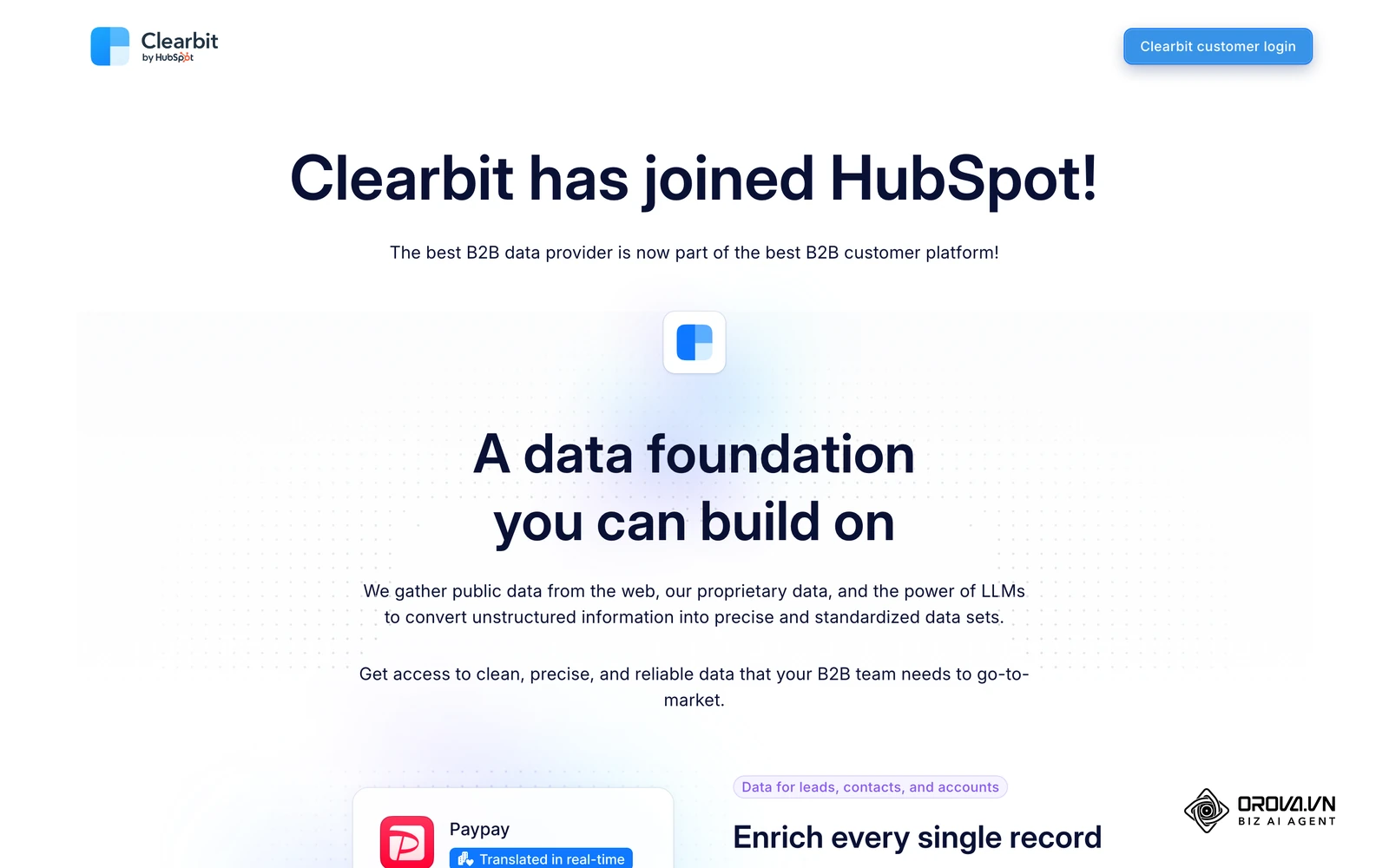
What they do: Enrichment tools such as Clearbit, now a HubSpot data provider, take a simple input (like an email address) and append data points such as company size, industry, and revenue. Many enrichment and intent-data platforms then apply predictive models to score the lead's likelihood to purchase based on historical conversion data.
User value: They allow marketing teams to use very short forms (increasing conversion rates) while still providing the sales team with deeply profiled leads.
Who it fits: B2B companies with enterprise sales motions where identifying the right stakeholders within a target account is critical.
How to start:
- Integrate the enrichment tool with your primary lead capture forms.
- Map the newly enriched data fields (e.g., 'Employee Count') to custom properties in your CRM.
- Build a routing rule that assigns leads with an employee count over 500 directly to senior account executives.
Drawbacks & Limitations: B2B data decays rapidly. People change jobs, companies get acquired, and email formats change. Enrichment tools frequently return false positives or outdated information. If your automated lead scoring relies entirely on this external data without secondary verification, you risk routing high-value prospects to the wrong workflows or discarding them entirely.
Illustrative example:
- Context: A B2B SaaS startup (5 people, marketing lead) needed a system to qualify inbound trial signups quickly.
- Steps taken: They connected their web forms to their CRM and integrated an enrichment tool to score leads based on job title and company size.
- Stumbling block & fix: The initial setup scored generic email addresses (like Gmail) too high because the AI couldn't read firmographic data, flooding the sales team with unqualified leads. The fix involved adding a conditional step to cross-reference domain validity and automatically assign a low score to any non-business domain.
- Visible result: The pipeline dashboard reflected a cleaner view, showing only accounts with verified business domains in the "Ready for Outreach" column.
Social Media and Analytics
Managing brand presence across five different platforms natively is highly inefficient and makes consolidated reporting impossible.
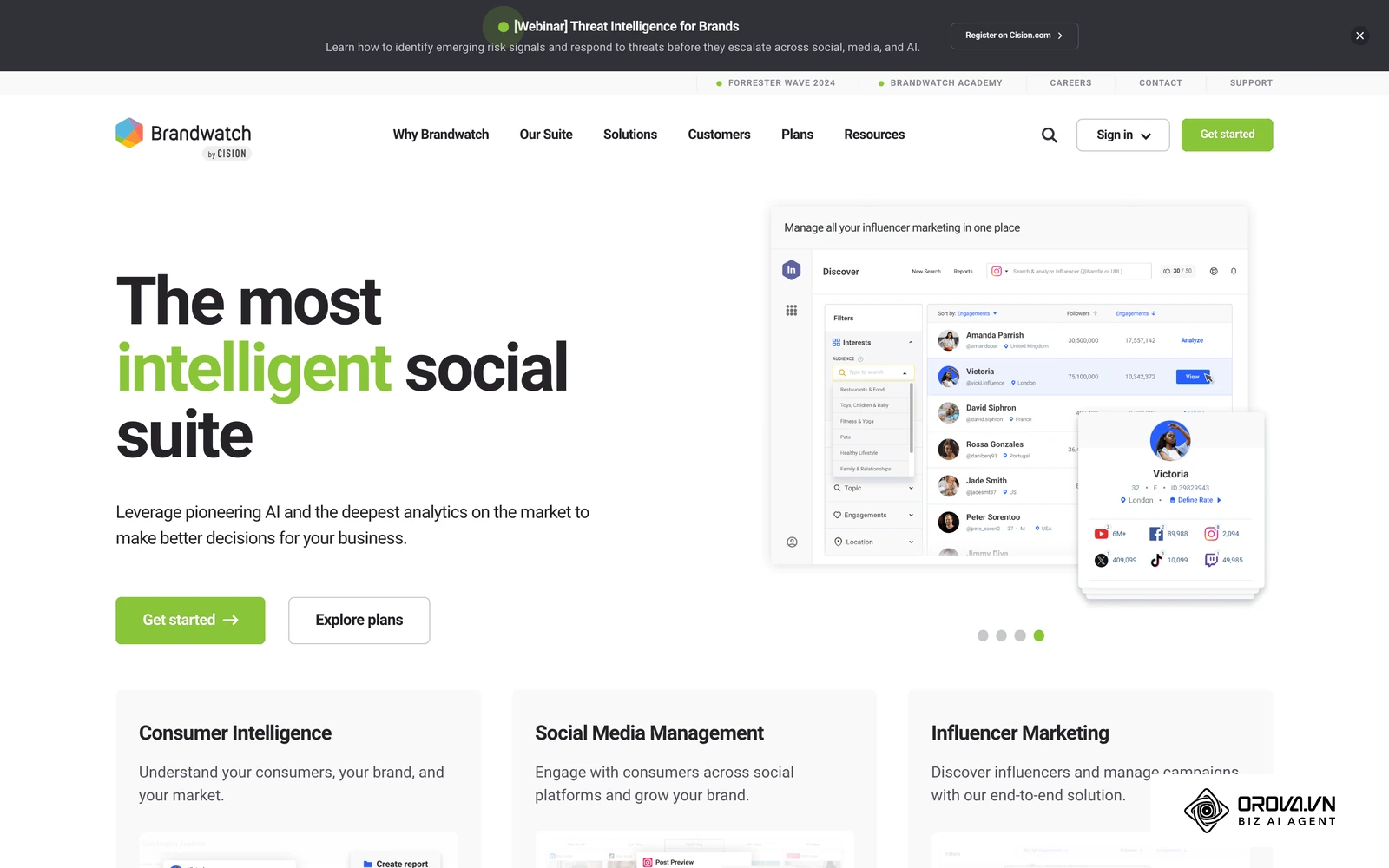
What they do: Sprout Social and Brandwatch centralize your social media scheduling, inbox management, and brand monitoring. They use AI to analyze the sentiment (positive, neutral, negative) of incoming messages and brand mentions across the web, identifying trending topics before they go viral.
User value: They save hours of logging in and out of different apps and provide a unified view of your brand's overall health and engagement rates.
Who it fits: Social media managers, PR teams, and customer support departments handling high volumes of public inquiries. Choosing the right social analytics tools is crucial for large consumer brands.
How to start:
- Connect all your corporate social profiles to the platform's central dashboard.
- Set up keyword listening streams for your brand name, common misspellings, and key competitors.
- Create automated rules to tag incoming messages based on keywords (e.g., tagging messages containing "broken" as urgent support tickets).
Drawbacks & Limitations: AI sentiment analysis heavily struggles with human nuance, particularly sarcasm and regional slang. A customer jokingly tweeting "Your new feature is sick!" might be flagged as a negative health complaint by the AI, skewing your reporting metrics and triggering the wrong automated response protocols.
OROVA ADS applies AI Agent to automate and optimize ad performance on Google, Meta and TikTok. Scale your budget safely, monitor 24/7 and expand your business quickly.
Experience the solution at orova.vn/ads
The hidden costs of scale: How usage limits catch growing teams out
A common trap in marketing software is the attractive entry tier. Entry-level plans are designed for easy onboarding, but AI marketing automation tools rarely scale in a straight line. Once you cross certain thresholds, usually tied to database size, seats, or the number of automated operations, the bill can change sharply from one month to the next.
Audit your projected growth against each vendor's published pricing tiers before committing to a platform. Many CRMs price by the number of contacts stored, not the number of contacts who actually engage. As your inbound marketing machine starts working, a database that grows tenfold can push you into a higher tier even if most of those new contacts are dormant.
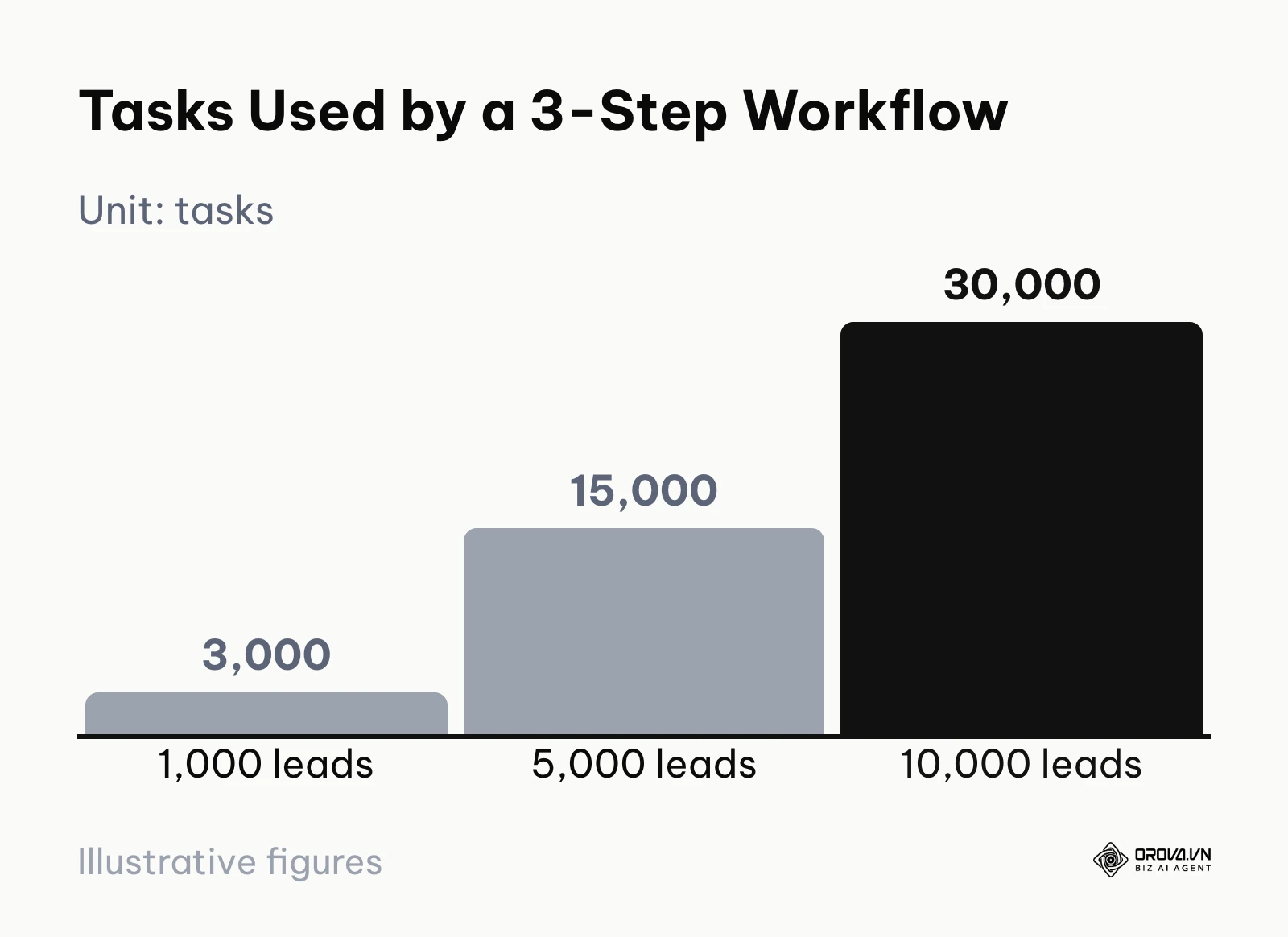
Integration platforms usually meter usage by the task or operation. If you build an automation that syncs Facebook leads to your CRM, sends a Slack notification, and updates a Google Sheet, a single lead consumes three tasks. That means 1,000 leads consume 3,000 tasks, 5,000 leads consume 15,000 tasks, and 10,000 leads consume 30,000 tasks. If a viral campaign pushes you past your plan's allowance, automations may pause or extra usage charges may apply until you upgrade.
A simple way to forecast this before you buy: multiply the number of steps in each workflow by your expected monthly lead volume, then compare the result with the allowance in the plan you are considering. To protect your budget, implement aggressive data hygiene practices as well. Automatically purge inactive email subscribers every 90 days and transition high-volume polling integrations to more efficient webhooks.
Workflow blueprints: 3 automation setups you can build today
Knowing what the tools do is helpful, but seeing how they connect is where the real value lies. Here are three practical automation blueprints you can implement using the categories discussed above.
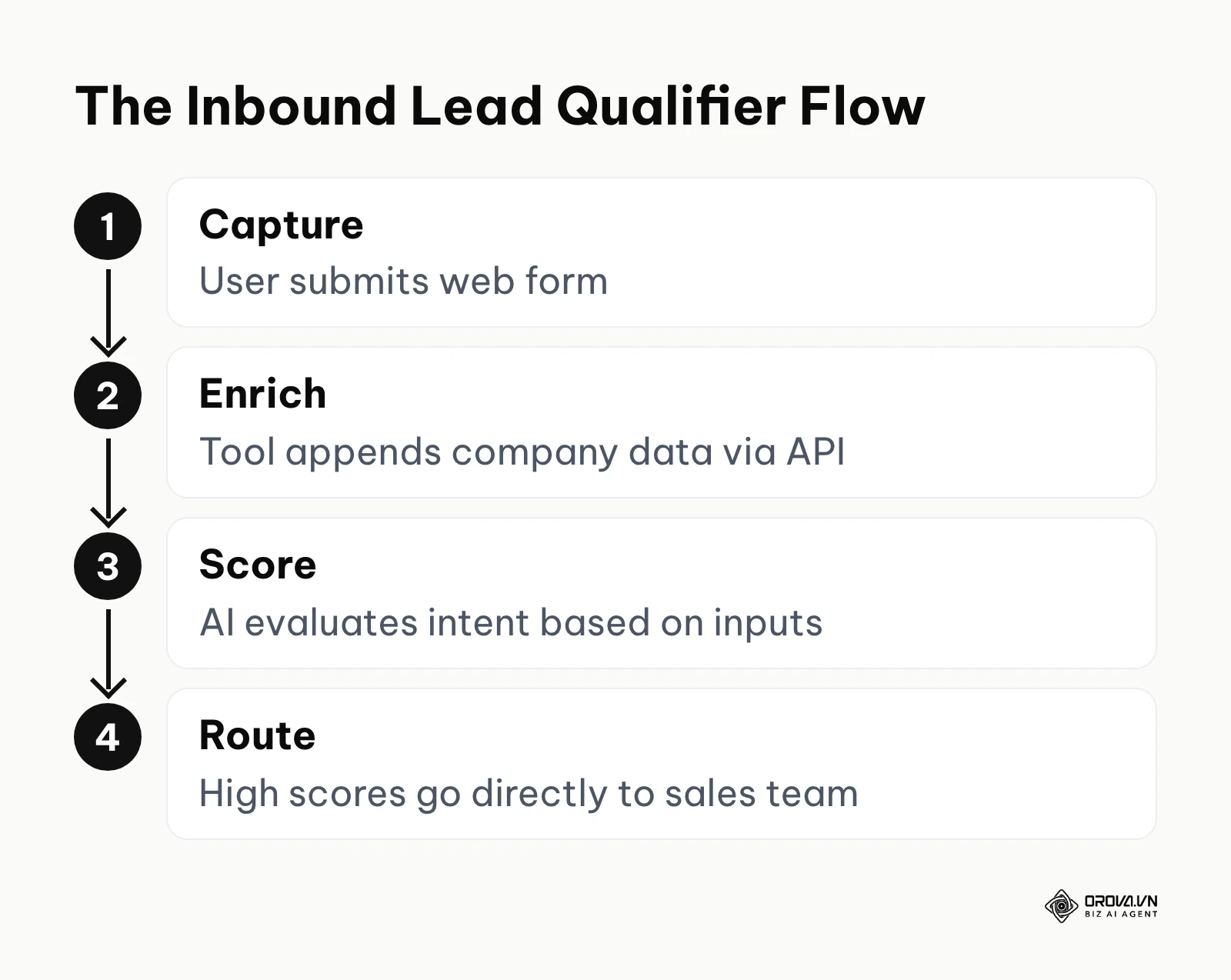
Blueprint 1: The AI Lead Qualifier This workflow ensures your sales team only speaks to prospects who fit your ideal customer profile, removing the need for manual research.
- A visitor submits a simple email-only form to download a whitepaper.
- A webhook triggers an integration platform (like Zapier) to send that email to an enrichment tool (like Clearbit).
- The enrichment tool returns data (company size, industry, revenue) and passes it to your CRM.
- The CRM's internal AI scoring model evaluates the data. If the score exceeds 80, it assigns the lead to a sales rep and triggers an automated Slack alert. If below 80, the lead is placed into a long-term email nurturing sequence.
Blueprint 2: The Omnichannel Ad Optimizer This setup ensures your budget is strictly managed across networks without requiring weekend check-ins.
- You launch parallel campaigns on Meta, Google, and TikTok.
- A centralized management platform syncs the performance data on a schedule you set.
- You define one of your automated rules: "If ROAS drops below 2.0 over a 48-hour window on any ad set, decrease the daily budget by 15%."
- The system monitors the metrics. When the condition is met on a TikTok ad, it executes the budget reduction automatically and logs the action in your history dashboard for your Monday review.
Blueprint 3: The Dynamic Content Engine This process accelerates the creation of personalized outreach at scale.
- Your CRM detects that a prospect has visited your enterprise pricing page three times but hasn't booked a meeting.
- This triggers a webhook to an AI writing tool (like Copy.ai), sending over the prospect's industry and company name.
- The AI drafts a highly personalized email referencing their specific industry challenges based on a prompt template you designed.
- The draft is pushed back into the CRM as a task for the sales rep to quickly review, edit, and send, saving drafting time on every prospect.
Illustrative example:
- Context: An enterprise software agency (50 people, operations manager) needed to route leads from a specialized LinkedIn campaign into their legacy on-premise CRM system.
- Steps taken: They built a workflow in an integration platform to catch the LinkedIn lead data, map the form fields to match their internal naming conventions, and push the data via a REST API call.
- Stumbling block & fix: The legacy CRM rejected the data during peak hours because it couldn't handle more than two API calls per second, resulting in lost leads. The operations manager fixed this by adding a "Sleep/Delay" module in the workflow, buffering the requests to process exactly one lead every two seconds.
- Visible result: Error logs in the integration dashboard dropped to zero, and the sales team saw 100% of the campaign leads populating correctly in their CRM views without manual export/import tasks.
Security and integration: Connecting AI tools to legacy systems
Poorly integrated software stacks are a common cause of data decay in large organizations. When connecting modern, cloud-based AI platforms to legacy CRM systems, data security and system integrity must be your primary concerns.
Many new AI tools operate in a legal gray area regarding data usage. If you feed customer personally identifiable information (PII) into a public AI model to generate an email, you might be inadvertently allowing that vendor to train their models on your proprietary data. Under privacy rules such as the GDPR, processing customer personal data through external AI services without a lawful basis and appropriate safeguards can lead to serious regulatory penalties.
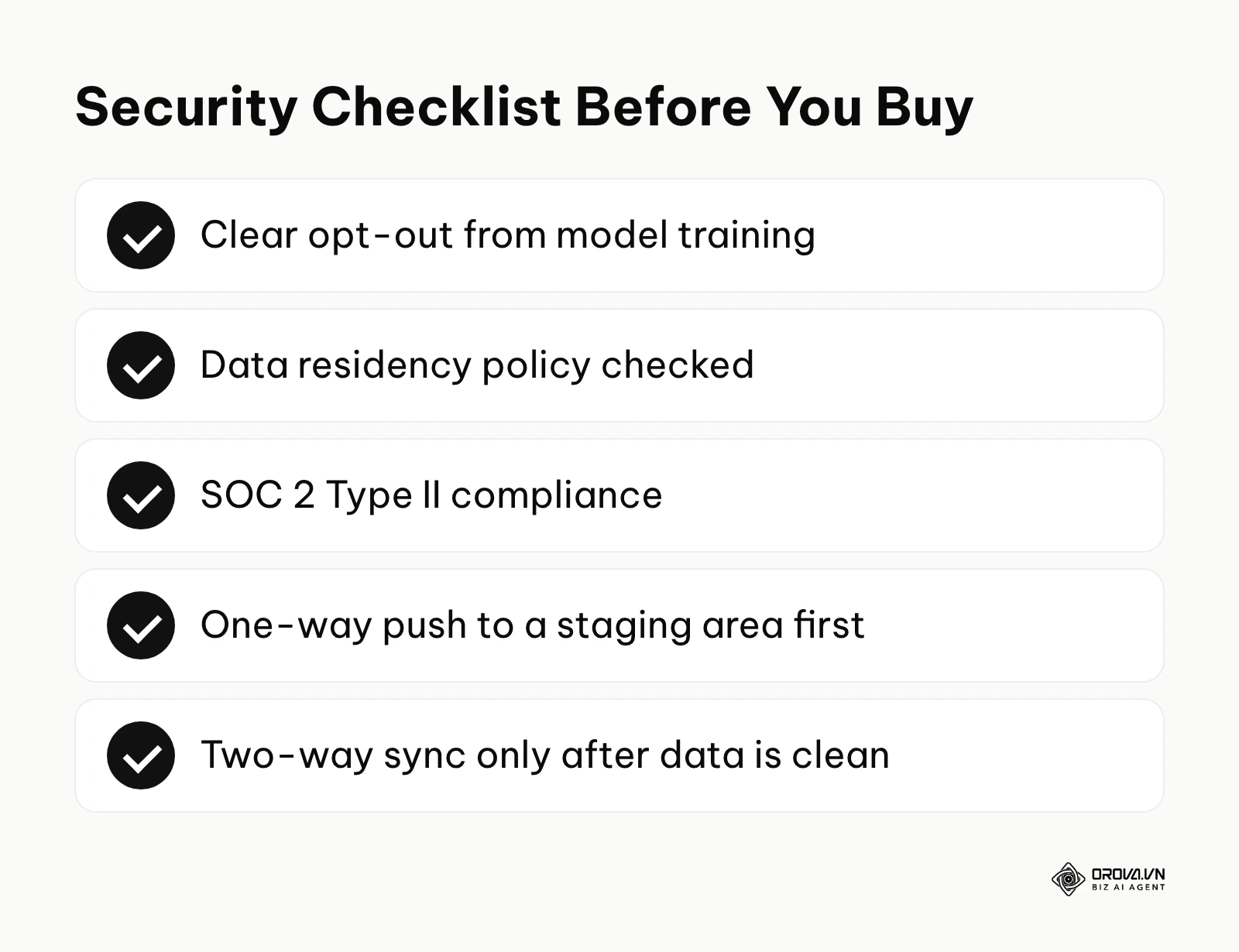
Before finalizing any software purchase, you must run it through a strict security checklist. Ensure that the vendor provides a clear opt-out mechanism for model training. Verify their data residency policies to confirm that customer information is not being routed through servers in non-compliant regions. Check for SOC 2 Type II compliance, which demonstrates that the company follows strict information security protocols.
When executing the actual integration with a legacy system, never build a two-way sync on day one. Always start with a one-way data push from the new AI tool into a staging environment or custom object within your legacy CRM. This allows you to monitor how the data formats behave (for instance, how dates and phone numbers are normalized) before allowing the integration to overwrite core contact records. Once you confirm the data is clean, you can cautiously open two-way communication.
Want to scale your budget but afraid of breaking performance? 📉
Integrate OROVA ADS now - an AI Agent that automatically monitors and optimizes Google, Meta, TikTok ads 24/7. Now, expanding and replicating your Performance Ads team is just one click away.
🚀 Try it now at: orova.vn/ads
Decision framework: Choosing your stack by team size
Selecting the right tools is an exercise in balancing budget against technical capability. Purchasing an enterprise-grade AI suite for a two-person team will result in low adoption and wasted money, while running a massive agency on basic automation tools will create operational chaos. Sometimes, the right decision is knowing when to adopt software and when to consult an ai marketing agency to handle the complex setups for you.
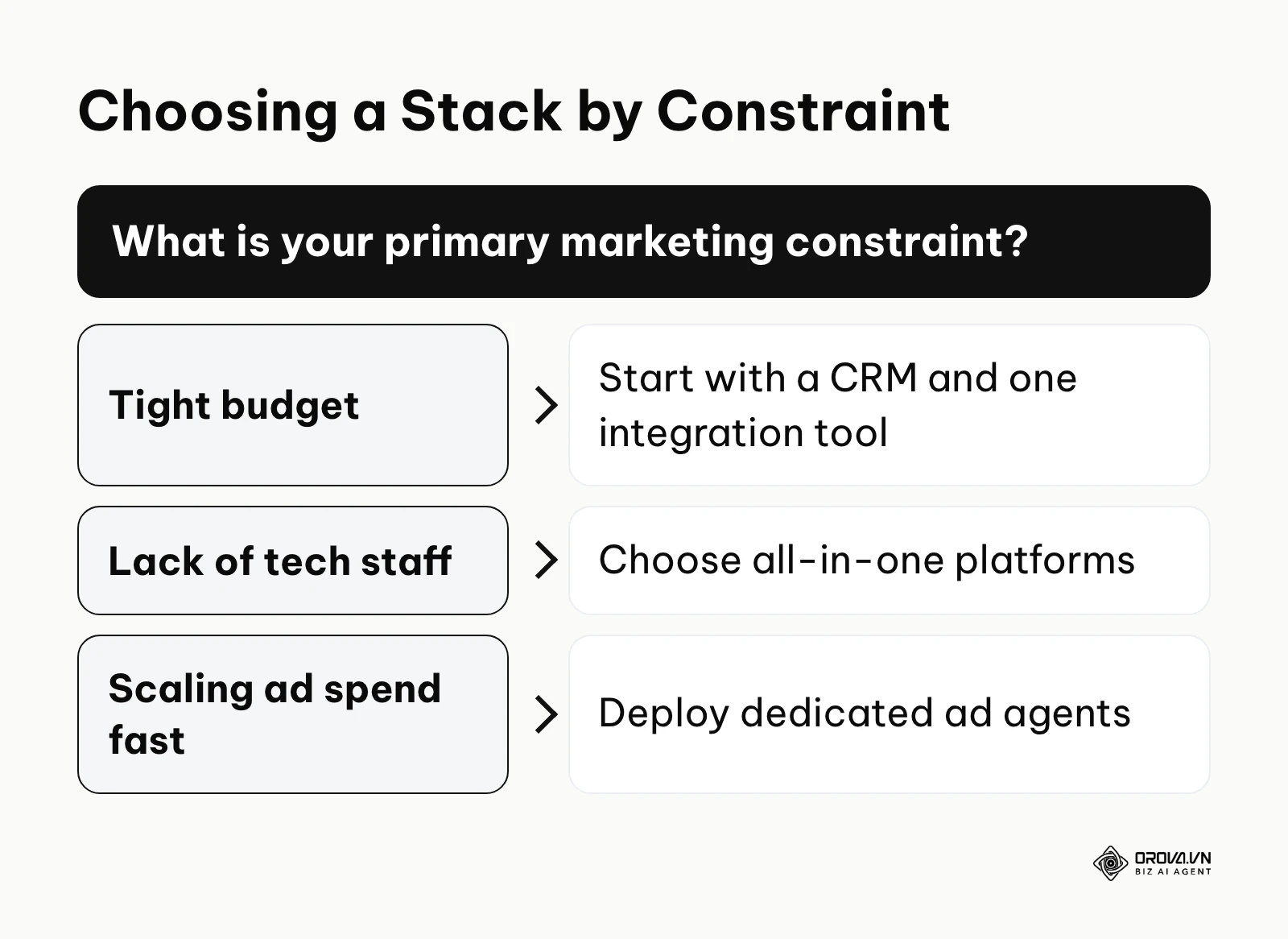
For solopreneurs and early-stage startups working with a tight budget, the focus should be on establishing a robust foundational layer. You need an active CRM tier that includes basic email automation and a standard Zapier account to handle data transfer between your lead forms and your database. Avoid expensive predictive scoring tools; at this stage, you simply do not have enough data volume for the AI to model accurately.
Small to mid-sized teams (5-15 people) should prioritize efficiency tools that amplify their existing headcount. This is the stage to introduce centralized ad management platforms, content generation assistants, and data enrichment tools. The goal here is to remove manual drafting and reporting tasks so the team can focus entirely on strategy and creative direction.
Enterprise teams and large agencies face different challenges. Their primary constraints are usually data silos and compliance. These organizations should invest in integration platforms that support complex branching for custom pipelines, predictive intent-data models for account-based marketing, and enterprise social listening platforms (like Brandwatch). The software stack at this level must support granular user permissions, strict API governance, and complex multi-touch attribution modeling.
AI marketing automation trends in the next few years: My perspective
Agentic AI will replace static playbooks The current state of automation still heavily relies on humans building the initial pathways. However, I believe that over the next few years we will see a major shift toward "Agentic AI"—systems that do not just follow a playbook, but write the playbook themselves based on a stated goal. Instead of manually designing an onboarding email sequence, you will simply tell the AI, "Maximize user activation within 14 days." The system will autonomously draft the emails, test delivery times, and restructure the sequence continuously. To prepare, marketers must get comfortable acting as editors and strategists, focusing on defining clear business constraints rather than pushing buttons.
First-party data will become your only moat As AI content generation becomes ubiquitous and essentially free, the internet will be flooded with parity content. I strongly suspect that the only way to differentiate your brand's AI output in the next few years will be the quality of the unique data you feed into it. If everyone has access to the same LLMs, the competitive advantage shifts to who has the best proprietary customer data. You must start aggressively collecting zero-party and first-party data today through surveys, highly interactive tools, and community engagement, ensuring your databases are pristine so your AI models have unique context to draw from.
Consolidation of single-feature point solutions We are currently in a highly fragmented era where a company might use six different AI tools for six micro-tasks (one for summarizing meetings, one for writing subject lines, one for editing images). I anticipate a strong wave of consolidation in the market over the next few years. Major platform suites will absorb these niche functionalities natively into their core offerings. Therefore, I advise against signing long-term enterprise contracts for highly specialized, single-feature AI tools today. Keep your stack modular and be prepared to migrate those workflows back into your core CRM or operating system as those platforms roll out native AI updates.
Frequently asked questions about AI marketing automation tools
Will AI marketing automation tools replace my marketing team?
No, but they will significantly change the required skill sets. AI tools are exceptional at executing repetitive tasks, analyzing large datasets, and generating initial drafts. However, they lack strategic intuition, empathy, and the ability to understand nuanced brand identity. Your team will transition from "doers" of manual tasks to "managers" of AI systems, focusing on strategy, creative direction, and quality control.
What should a small business include in its first AI marketing stack?
A functional entry-level stack usually needs only three layers: a reliable CRM with built-in automation, one integration tool account (like Zapier), and a generative AI writing assistant (like Jasper or Copy.ai). The key is to start small and only move up a tier when your data volume explicitly demands it, avoiding the trap of paying for enterprise features you don't yet have the traffic to use.
How do I prevent AI from sending incorrect emails to my customers?
The safest approach is to keep a "human in the loop" during your initial deployment phases. Instead of allowing the AI to send emails automatically, configure your workflows so the AI generates a draft and creates a task for a team member to review it. Once you have audited the AI's output over a few weeks and refined your prompts and guardrails, you can cautiously enable auto-sending for low-risk communications.
What role does AI play in improving marketing ROI?
AI improves ROI primarily by reducing wasted spend and operational friction. For example, predictive AI can score leads so your sales team only spends time on high-probability targets, while algorithmic ad tools can automatically pause underperforming campaigns in the middle of the night. By shifting budget away from losing tactics instantly and reducing the labor hours required to execute campaigns, the overall return on investment typically increases.
Can I integrate new AI tools if my company uses a very old, custom CRM?
Yes, but it requires careful middleware configuration. You typically cannot connect modern AI tools directly to heavily outdated systems natively. You will need to use an API integration platform (like Zapier) to act as a translator, catching the modern JSON payloads from your AI tools and formatting them into the specific structure your legacy system requires. Always test these connections in a sandbox environment first.
Where to start?
If your current marketing data is scattered across spreadsheets and legacy software, your first step should be an aggressive audit of your data hygiene. Do not purchase any advanced AI predictive scoring tools until you have consolidated your leads into a single CRM and standardized your formatting (e.g., ensuring all phone numbers use the same country code structure). Clean data is the prerequisite for any effective AI automation.
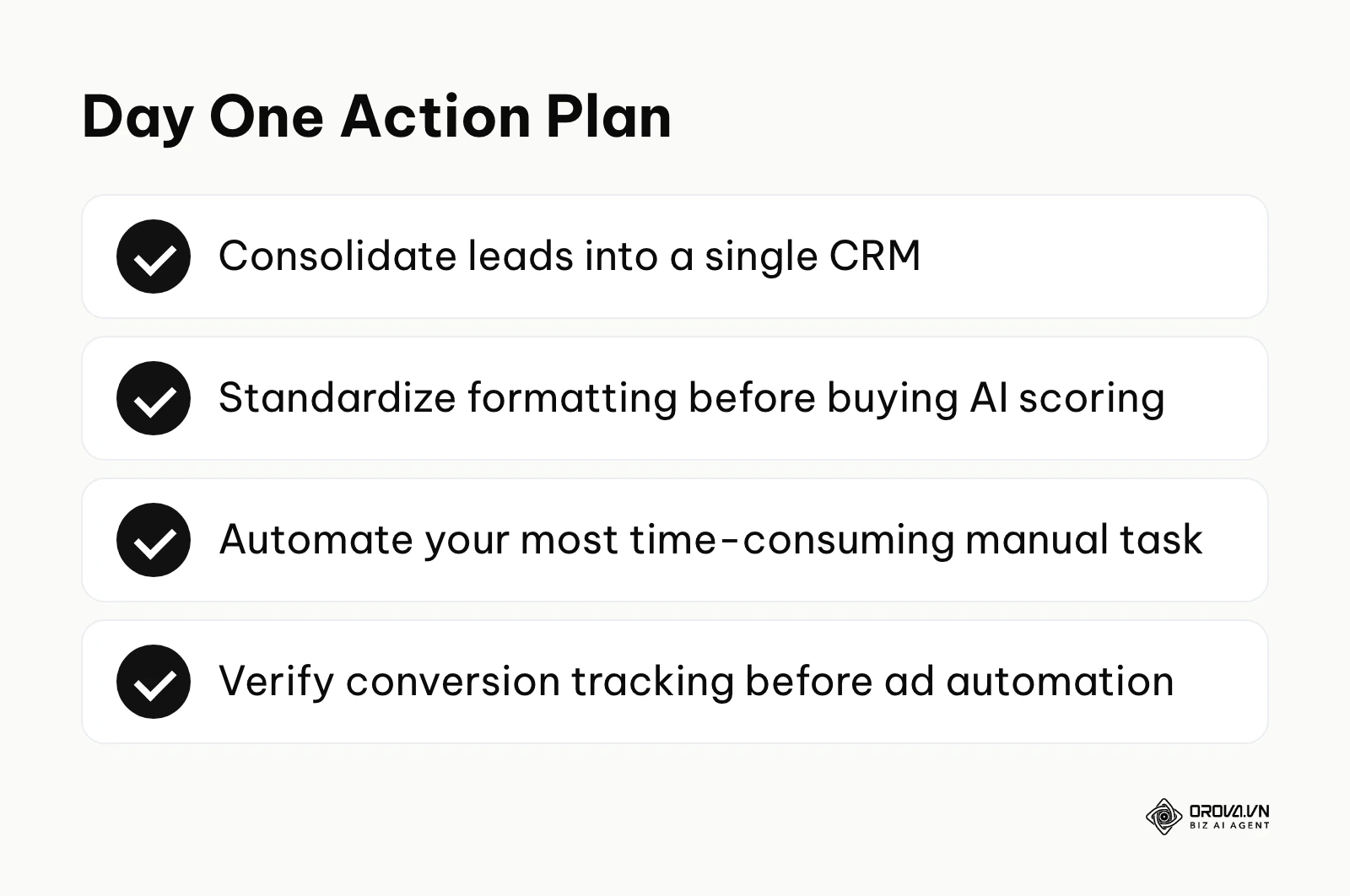
If you have virtually no budget but need to scale your output, focus your immediate efforts on mastering basic generative AI prompts and free integration tiers. Spend one afternoon mapping out the single most time-consuming manual task you perform every week—such as moving lead data from an email inbox into a tracking sheet. Build a simple Zapier connection on an entry tier to automate that specific task. Securing one small, visible victory builds the momentum needed to justify future software investments.
If you are a rapidly scaling business struggling to manage increasing ad spend, your priority should be deploying optimization agents. Your first step should be auditing your current conversion tracking to ensure your pixel or API setups are flawlessly passing purchase data back to the ad networks. Once the data pipeline is verified, deploy a centralized ad management platform in "advisor mode" to monitor how the AI interprets your campaigns before allowing it to take the wheel.
About the author

Builder of Orova
Nguyễn Đỗ Trọng Ân has 8 years of experience in marketing, including 6 years managing market development across Asia. He builds Orova, a Biz AI Agent that never sleeps: it plans, runs and optimizes work for businesses.
Run your business with AI Agents
Orova is the always-on Biz AI Agent — it plans, runs, and optimizes the work for you.
Save time, unlock productivity.