
HR and recruitment software: how to build the right stack for your company size

The search for HR and recruitment software often begins when a company realizes its current spreadsheet system is collapsing under the weight of growing headcount. You might be struggling to keep track of interview schedules across different time zones, losing top-tier candidates to faster competitors, or slowly drowning in mandatory compliance paperwork. The standard advice in the industry is to immediately purchase a popular enterprise platform or a broad human resources suite. However, this reactionary approach often leads to bloated technology budgets, fragmented data, and complicated tools that your internal team simply refuses to adopt. This guide is built differently. We will dissect the absolute reality of purchasing these systems today, uncover the hidden implementation costs that sales representatives rarely advertise, and provide a framework to decide which pieces of the stack (HRIS, applicant tracking, AI screening, payroll) your organization actually needs at its current size. By the end of this deep dive, you will be fully equipped to choose a digital solution that genuinely aligns with your hiring workflow without falling into the common traps of enterprise software procurement.
What is HR and recruitment software?
HR and recruitment software represents a broad category of specialized digital platforms designed to manage the entire lifecycle of an employee, from the exact moment they submit an application to their daily management and eventual departure. Human Resources teams, specialized recruiters, and company founders rely heavily on these tools to organize candidate data, automate repetitive administrative tasks like email scheduling, and ensure strict compliance with constantly changing labor laws. The criteria for the list and categories below focus on practical functionality, system integration capability, and transparent value generation for the end user.
Hidden costs and Total Cost of Ownership
When you evaluate HR software, the initial price tag displayed on the vendor's pricing page represents only a fraction of what you will actually pay over the lifespan of the tool. Buyers frequently make the critical mistake of simply multiplying the monthly user license fee by their total number of employees and assuming that equals their entire technology budget. In reality, the Total Cost of Ownership (TCO) encompasses several invisible layers of expense that emerge only after the long-term contract is signed.
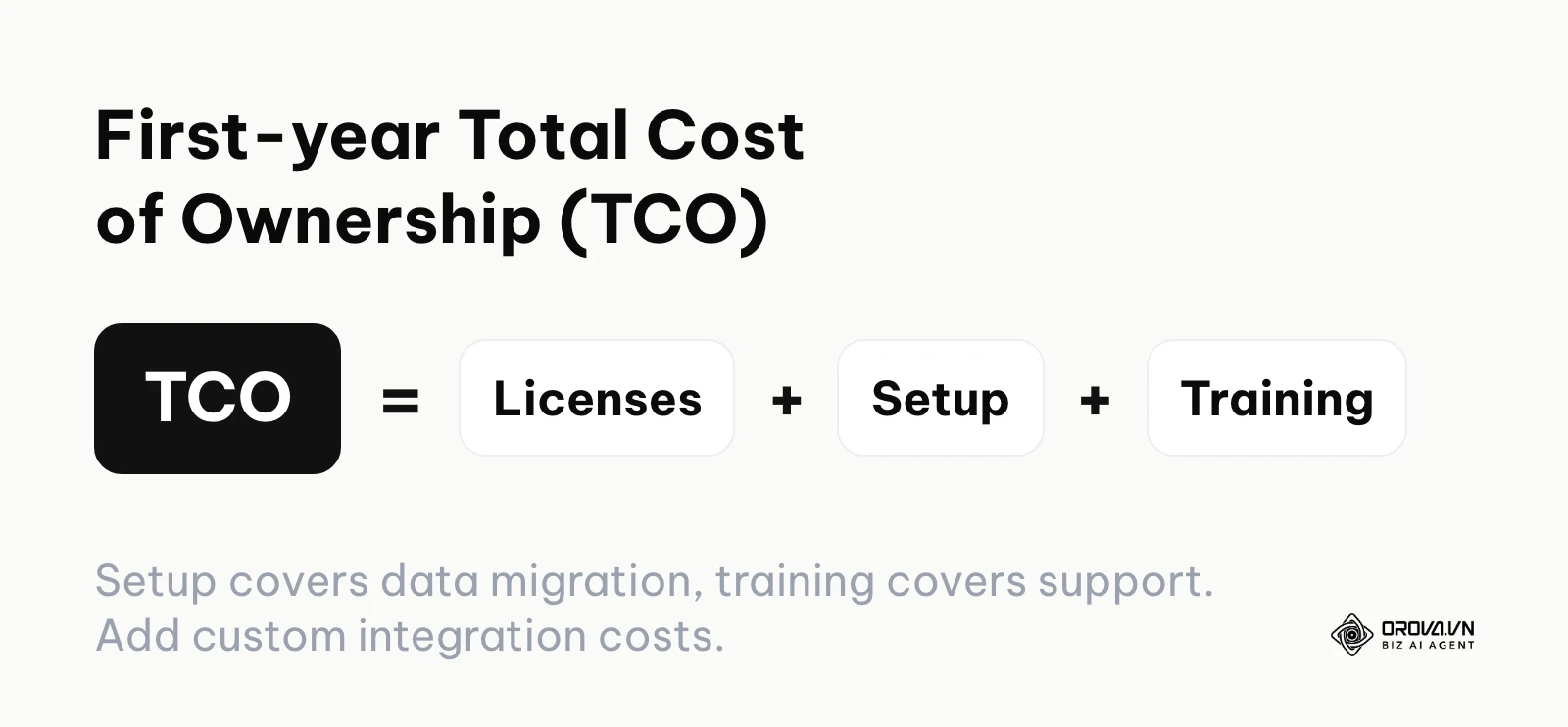
First, you must consider the heavy implementation and setup fees. Many complex enterprise platforms require you to hire a certified third-party consultant or pay the vendor's professional services team just to configure the system architecture to match your company's internal reporting hierarchy. This configuration process can take several weeks and add a significant cost before you even log in. Second, historical data migration is rarely a simple drag-and-drop operation. Moving years of legacy employee records, complex tax forms, and active applicant pipelines from an old system into a brand new database requires rigorous formatting, data cleansing, and field mapping. If you lack an in-house database administrator to handle this manually, the vendor will charge a significant premium for this data transformation service.
Furthermore, ongoing training and system support represent continuous financial leaks that are rarely factored into the initial pitch. A sophisticated system is entirely useless if the hiring managers on the ground do not know how to navigate it. You will need to factor in the hidden cost of operational downtime while your entire staff attends mandatory training workshops. Additionally, premium customer support, which guarantees a technical response time of under two hours during a crisis, is almost always an expensive upsell separated from the base license.
Illustrative example: A mid-sized logistics company with 200 employees needed to replace their aging HR database. The HR Director purchased a highly-rated platform with a seemingly affordable per-user license. They began by exporting their existing employee spreadsheets to standard CSV files, planning to upload them directly into the new dashboard. However, the new system entirely rejected the files due to inconsistent date formats and missing mandatory compliance fields. The rollout project stalled completely for a month. The company ultimately had to pay an external data consultant a substantial hourly fee to clean the legacy data and map the fields correctly. The visible result was a clean, functioning dashboard where managers could finally view organizational charts without errors, but the actual first-year expenditure was nearly double the initial software quote.
Understanding these hidden layers is absolutely crucial for your financial planning. When calculating your budget, you must build a comprehensive TCO model that accounts for every phase of ownership.
| Cost Category | Typical Source | Estimated Time to Incur | Budget Impact Level |
|---|---|---|---|
| Base Subscription | Annual user licenses | Immediately upon contract signing | Baseline |
| Implementation | Vendor consultants | First 30 to 90 days of rollout | High |
| Data Migration | Formatting legacy data | First 30 days of rollout | Medium |
| Premium Support | Guaranteed response SLAs | Ongoing throughout contract | Low to Medium |
| Third-party Integrations | Custom API development | Month 2 onwards | High (highly variable based on complexity) |
| Training Hours | Staff operational downtime | First 60 days of rollout | Medium (hidden within standard payroll) |
The HR and recruitment software landscape
Before diving deep into specific technical features, it is vital to map out the current technology ecosystem. The tools available in the market generally fall into specific categories based on the primary operational problem they are designed to solve. The landscape is vast, ranging from massive platforms that try to do everything to highly focused applications that execute one specific task perfectly. Below is a comprehensive list of major tools you might encounter during your research, grouped systematically by their core business function.
| Tool Name | Category | Main Job | Value for User | Suitable Size |
|---|---|---|---|---|
| Workday | Core HRIS | Master employee data management | Single source of truth for global workforces | Enterprise |
| BambooHR | Core HRIS | Centralized basic HR records | Streamlined onboarding and time-off tracking | Small to Mid-market |
| Rippling | IT & HRIS | Unified HR and IT provisioning | HR, IT and payroll handled in one system | Mid-market |
| Greenhouse | ATS & Sourcing | Structured hiring workflow | Structured interviews and shared scorecards | Mid-market to Enterprise |
| Lever | ATS & Sourcing | Candidate relationship CRM | Nurtures passive talent pipelines over time | Mid-market |
| SmartRecruiters | ATS & Sourcing | Global enterprise hiring | Highly configurable and compliant hiring processes | Enterprise |
| Orova Recruit | AI Evaluation | CV scoring against your criteria | Faster first-pass screening with quoted evidence from each CV | Small to Mid-market |
| Deel | Global Payroll | Employer of Record services | Legal compliance across international borders | All sizes |
| Ashby | ATS & Analytics | Data-driven recruiting | Deep visibility into hiring metrics and funnel conversion | Mid-market |
| Pinpoint | ATS | In-house recruitment branding | Engaging candidate experience and career pages | Small to Mid-market |
| Workable | ATS | Job board syndication | Posting one opening to many job boards from one place | Small to Mid-market |
Detailed analysis by software category
Understanding the broad landscape is only the very first step in your procurement journey. To build a highly effective technology stack that actually improves your daily operations, you must understand the deep nuances of each software category and exactly how the tools within them operate in a daily workflow.
Core HR Information Systems (HRIS)
An HRIS serves as the central nervous system of your entire company. It acts as the definitive, secure database for every single employee, holding highly sensitive information such as social security numbers, emergency contacts, detailed compensation history, and historical performance reviews. These heavy systems, like Workday, BambooHR, and Rippling, are specifically designed to replace scattered physical filing cabinets and disjointed digital folders on local hard drives. They often feature employee self-service portals where staff can log in to request time off, download tax documents, or update their direct deposit information without bothering the HR team.
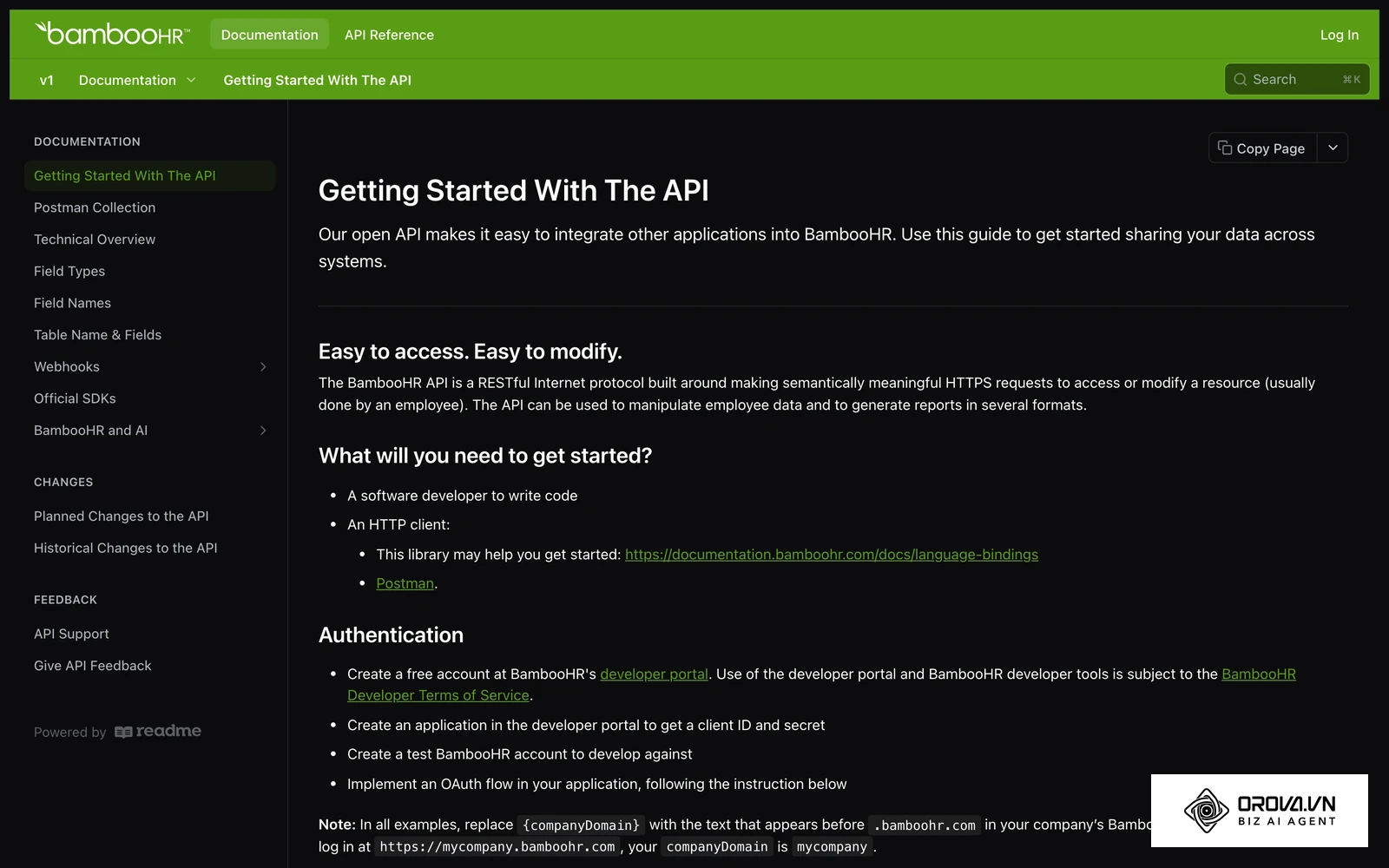
The primary, undeniable value of an HRIS lies in establishing a single source of truth for the organization. When an employee moves to a new physical address, they update it once in the HRIS, and that change theoretically ripples out to all other connected systems automatically. This category of software is absolutely essential for any company that has outgrown basic spreadsheets, which often happens once a company passes its first few dozen employees and compliance tracking becomes too complex for manual entry.
To successfully start using an HRIS, you generally follow a strict sequence of steps. First, map out your company's exact organizational chart and reporting lines on a physical whiteboard. Second, gather all existing employee data from various sources into a standardized, clean CSV template provided directly by the vendor. Finally, run a quiet pilot test with a single small department to ensure permissions, salary visibility rules, and approval workflows are correctly configured before rolling it out company-wide.
Applicant Tracking and Sourcing
While an HRIS manages current, active employees, an Applicant Tracking System (ATS) manages the massive volume of people actively trying to get in. Tools like Greenhouse, Lever, and SmartRecruiters are built specifically to handle the absolute chaos of the top-of-funnel recruitment process. They distribute your job postings across multiple external job boards with a single click, collect thousands of incoming applications into a unified dashboard, and provide robust tools for your team to leave internal feedback, schedule interviews, and move candidates smoothly through different hiring stages. Note that understanding the technical nuances between an ATS and proactive candidate sourcing tools is critical for scaling teams; for deeper strategic insights, you can review the fundamental differences between recruitment CRM systems and standard tracking software.
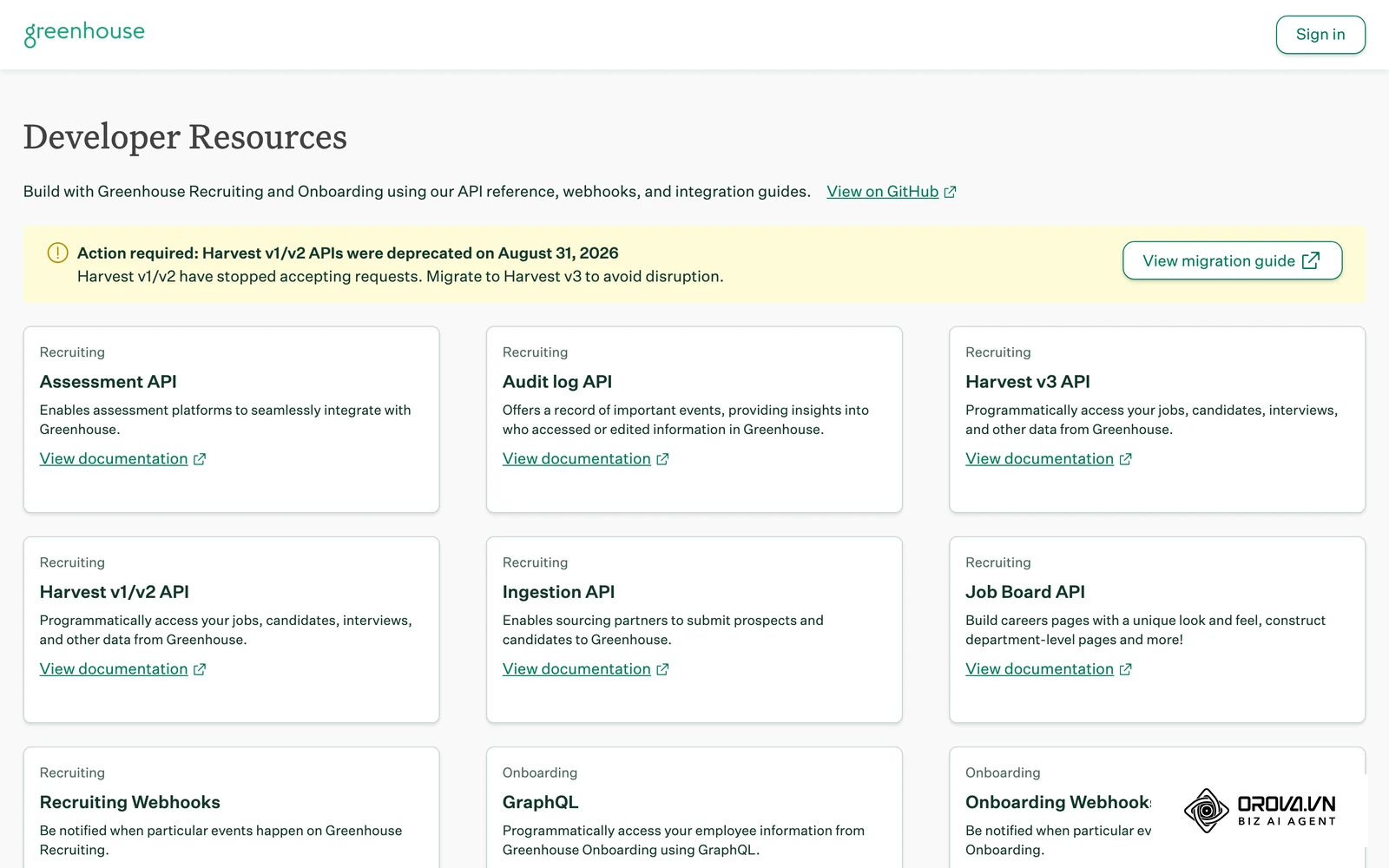
The immense value of a dedicated ATS is rigorous workflow standardization. Instead of recruiters forwarding massive PDF resumes via email threads and asking hiring managers for their scattered thoughts, everything happens within a centralized platform. Interviewers submit standardized scorecards immediately after speaking with a candidate, ensuring every single applicant is evaluated on the exact same technical criteria. This category is highly suitable for growing teams that need to hire multiple complex roles simultaneously and require deep reporting on where candidates drop off in the funnel.
Getting started with an ATS requires heavy operational preparation. First, sit down with hiring managers to define the exact, non-negotiable stages of your standard interview process (e.g., Initial Phone Screen, Take-home Technical Task, Final Cultural Fit). Second, create standardized, branded email templates for candidate rejections, offer letters, and interview invitations to ensure a consistent tone of voice. Third, connect the ATS securely to your company's primary calendar system to enable automated, conflict-free scheduling.
AI Screening and Evaluation
The single most significant bottleneck in any high-volume recruitment drive is the initial, manual resume review phase. AI Screening and Evaluation tools directly address this massive time sink by analyzing incoming applications against predefined, objective job requirements in seconds. Orova Recruit is a prime example of this highly specialized category. It speeds up the hiring process by acting as a consistent first-pass filter for your recruitment team, while the final decision stays with your recruiters.
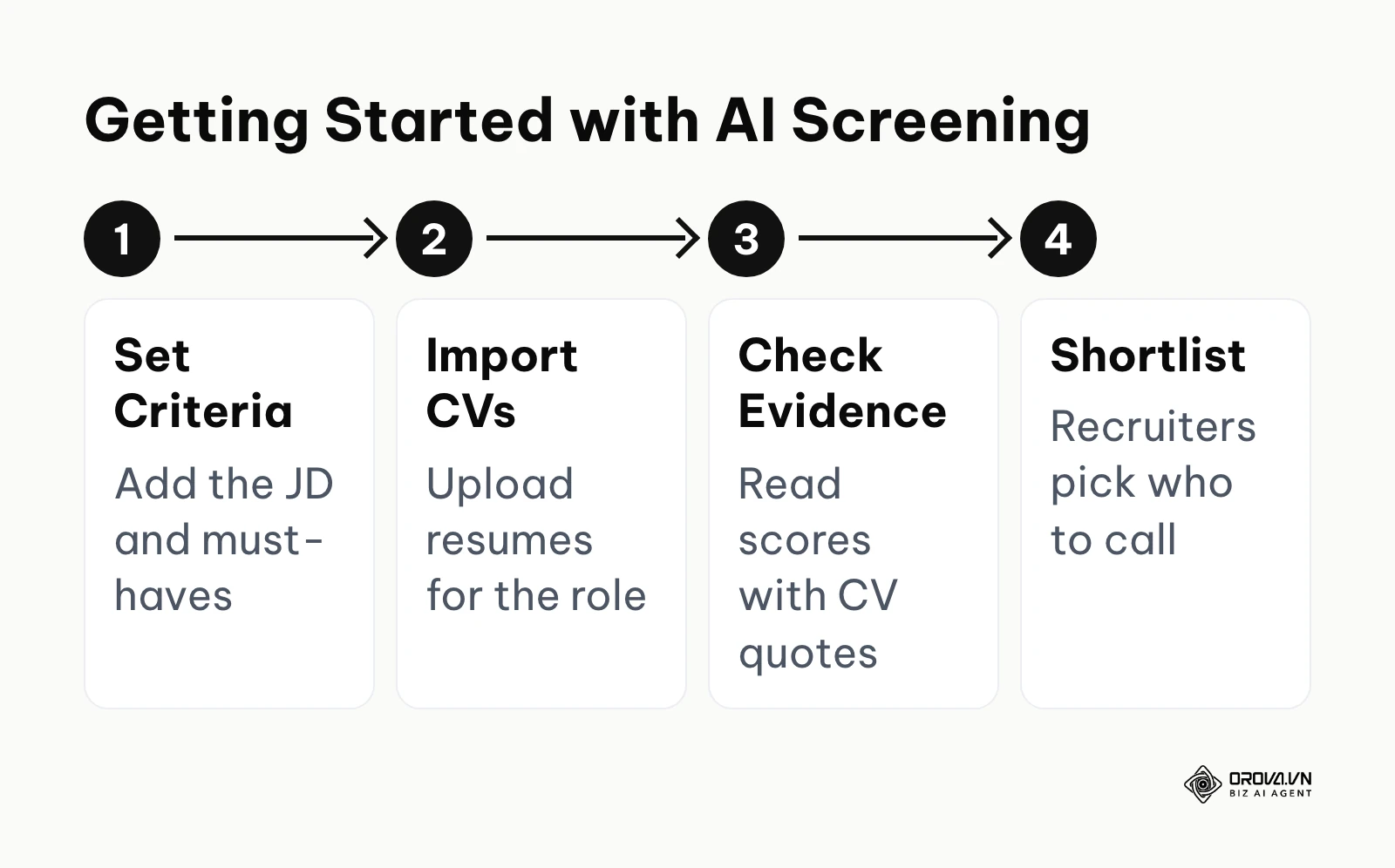
The core function of Orova Recruit is to read applicant documents and grade them against the criteria you set. You can use the platform to write a detailed job description and set specific criteria for an open role. The software then systematically grades up to 500 CVs per position, seamlessly reading standard Word documents, PDFs, and even challenging scanned image files. Crucially, it does not just output a mysterious score; it extracts exact, relevant quotes directly from the CV to serve as concrete evidence for its grading, ensuring human recruiters understand exactly why a specific score was given. Furthermore, it intelligently generates tailored interview questions based strictly on the candidate's specific background and the job description. During the interview stage, it allows for seamless voice or text interview notes with built-in transcription capabilities, and provides a structured framework to grade interviews and compare candidates objectively, complete with PDF exports for the hiring committee. It can also schedule interviews and send stage-by-stage emails to candidates from your company mailbox. Keep its scope in mind when planning your stack: Orova Recruit is not an HRIS or a payroll tool, it does not manage employee records, time tracking or salaries, and it does not post openings to job boards.
This category of software is invaluable for small to mid-market companies that are constantly overwhelmed by high-volume application pipelines but lack the headcount to review every file manually. To begin using a tool like Orova Recruit, you first upload your highly detailed job description and clearly define the absolute non-negotiable requirements for the role. Next, you import a large batch of resumes for that specific open position. Finally, you carefully review the AI-generated scores alongside the extracted textual evidence to confidently select the top candidates for immediate human contact. For a broader, strategic look at balancing heavy automation with essential human insight, our comprehensive candidate screening framework provides excellent baseline guidelines.
Global Payroll and Compliance
As remote work becomes the permanent norm for many industries, companies are increasingly hiring top talent across different states, regions, and sovereign countries. This expansion introduces an absolute nightmare of varied local tax laws, complex labor regulations, and shifting currency conversions. Specialized tools like Deel address this headache by acting as an Employer of Record (EOR) or a localized payroll processor.
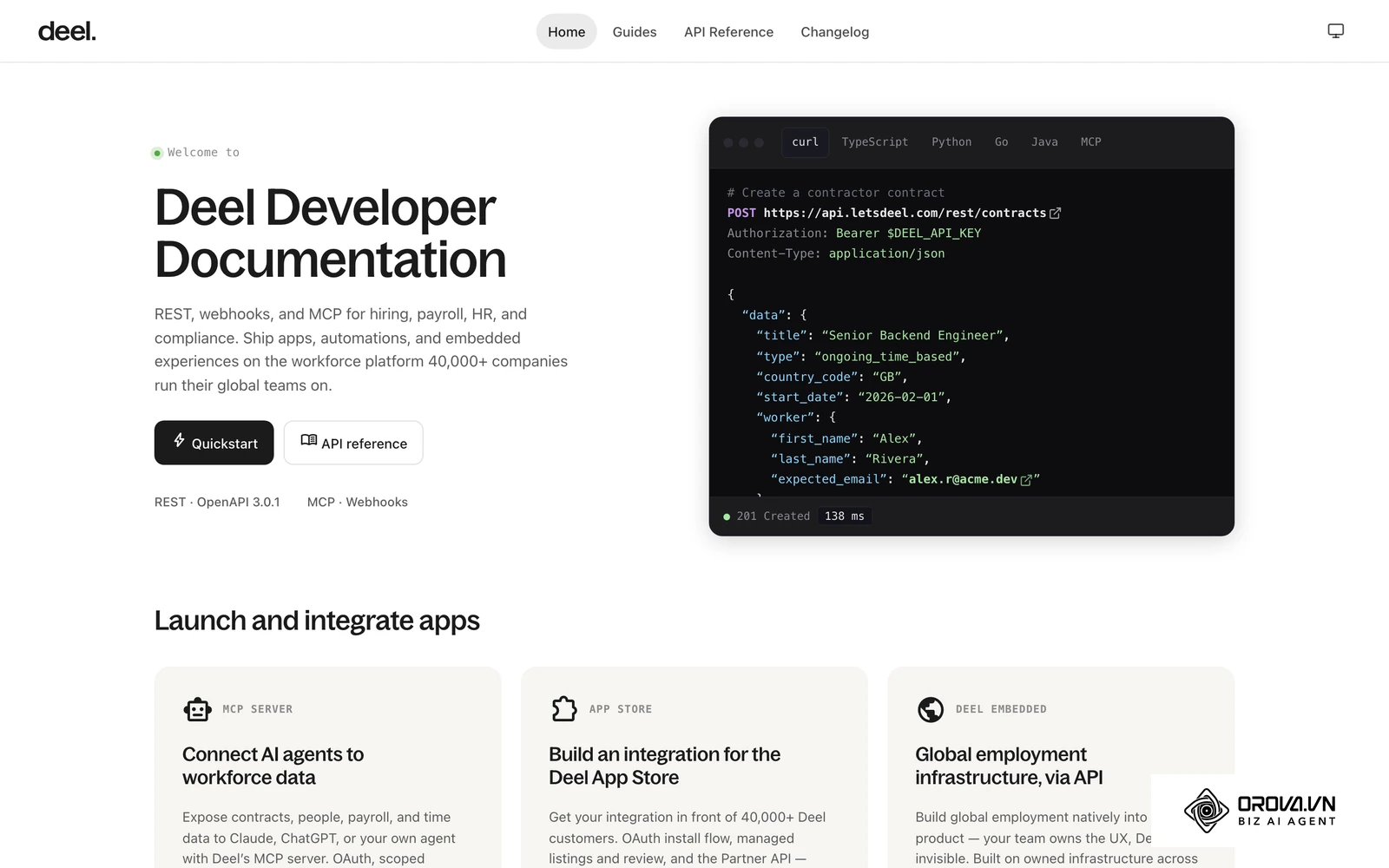
These platforms essentially take on the heavy legal liability of employing individuals in jurisdictions where your company does not currently have a registered, active legal entity. They automatically calculate the correct local taxes, handle mandatory local benefits administration, and ensure remote workers are paid strictly in their local currency on time, every time. This specialized functionality is absolutely critical for any modern company, regardless of their total size, that employs a highly distributed workforce and wants to avoid severe international legal penalties.
To properly implement global payroll software, the necessary steps are highly rigorous and unforgiving of errors. First, conduct a thorough, legally binding audit of where all your current contractors and full-time employees legally reside for tax purposes. Second, securely upload their current employment contracts, tax identification numbers, and compensation details into the platform for a compliance review. Third, set up the primary funding source to ensure the platform has the necessary capital reserves to disburse international payroll correctly each cycle without delays.
Are you tired of reading through hundreds of resumes manually? Orova Recruit lets you grade CVs against your own criteria and extract exact quotes as evidence. It handles up to 500 resumes per role from Word, PDF, or scanned images.
Integration risks and APIs
A major, costly pitfall in purchasing HR and recruitment software is assuming that all modern digital tools will naturally and seamlessly communicate with one another out of the box. Software vendors often boast heavily in marketing materials about their "open APIs" and extensive integration marketplaces, but the harsh reality of enterprise systems integration is fraught with deep technical risks and massive hidden expenses.
When evaluating any software suite, you must carefully distinguish between pre-built native integrations and custom API connections. A native integration means the two respective software companies have collaboratively built, rigorously tested, and actively maintain the data connection. You usually just click an authorization button, log in to both systems, and the data begins flowing securely. A custom API connection, however, simply means the software merely has digital doors available; you must hire an expensive external developer to build the fragile bridge between them.
The risks associated with custom integrations are substantial and ongoing. First, APIs change constantly. If your ATS slightly updates its underlying data structure, your custom bridge will instantly break, and vital candidate data will suddenly stop flowing into your HRIS. Second, strict API rate limits exist. If you try to sync thousands of employee records simultaneously during an end-of-year review, the API might block the transfer entirely to prevent server overload, resulting in silent, unnoticed data loss.
Illustrative example: A rapidly growing retail chain chose a highly specialized ATS to handle massive seasonal hiring and a separate legacy HRIS for processing payroll. They assumed the two platforms could be connected easily because both advertised "open APIs." The internal IT manager spent three agonizing weeks writing a custom Python script to automatically push successful hired candidates from the ATS over to the HRIS. During the absolute peak holiday hiring week, the ATS vendor silently updated their backend security protocols. The custom script failed silently without triggering any error alerts. For four consecutive days, newly hired floor staff were not officially registered in the HRIS, meaning they could not legally clock in or get paid. The IT team had to manually halt all automated backend processes, urgently export raw CSV files, and run night shifts to manually input the massive backlog. The visible result was the HR team permanently abandoning the custom automation entirely and relying strictly on daily manual spreadsheet exports to ensure absolute certainty in payroll.
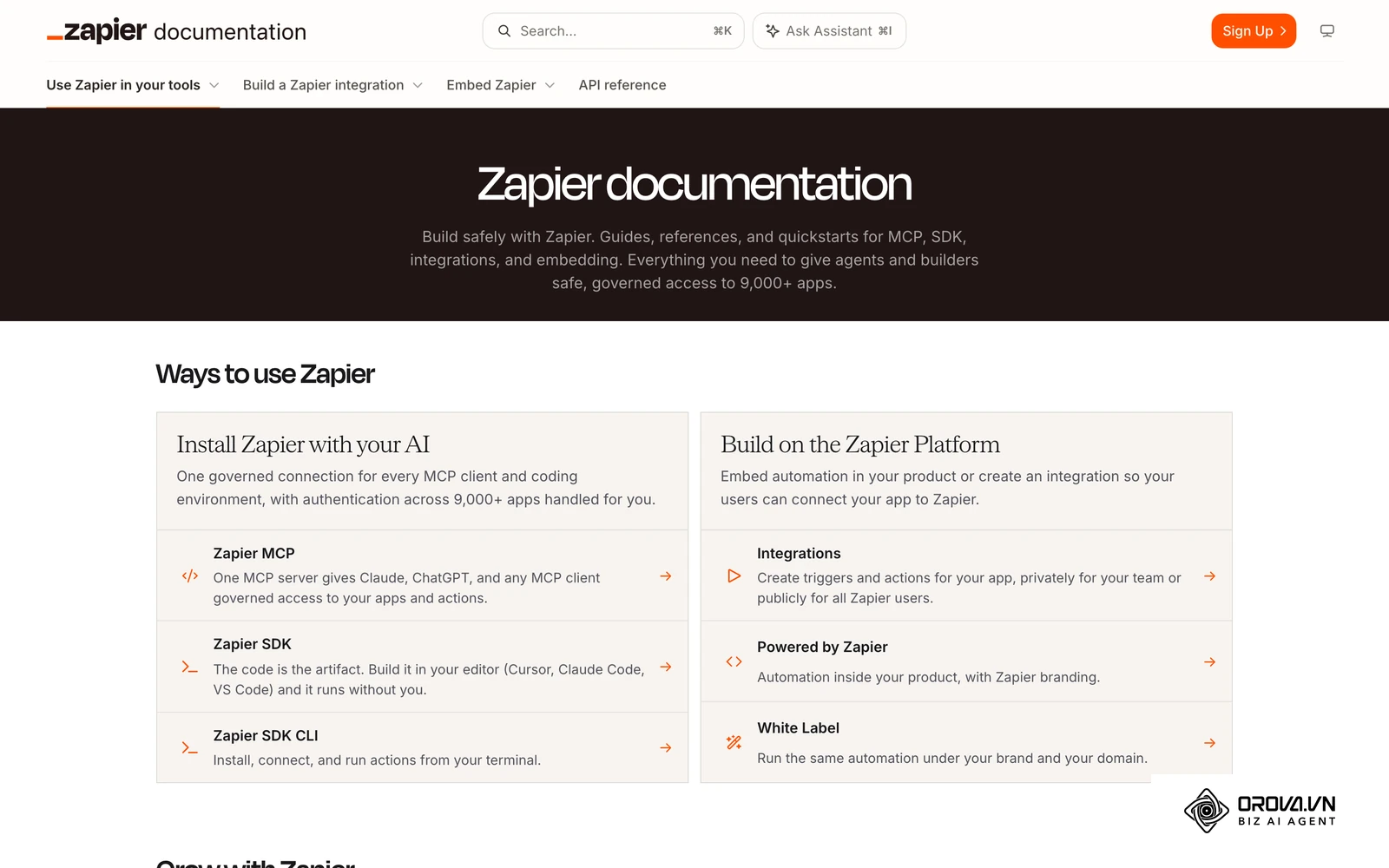
To heavily mitigate these technical risks, always demand a live, unscripted demonstration of the exact integration you need during the sales process, using dummy data that mimics your actual complex workflows.
| Integration Characteristic | Native Pre-built Integration | Custom API Connection | Third-Party Middleware (e.g., Zapier) |
|---|---|---|---|
| Setup Complexity | Very Low (Click to authorize connection) | Very High (Requires writing backend code) | Medium (Requires careful logical mapping) |
| Maintenance Burden | Handled entirely by the software vendors | High (Your IT team's permanent responsibility) | Medium (Requires active workflow monitoring) |
| Risk of Silent Breakage | Low | High (Highly vulnerable to unannounced updates) | Medium |
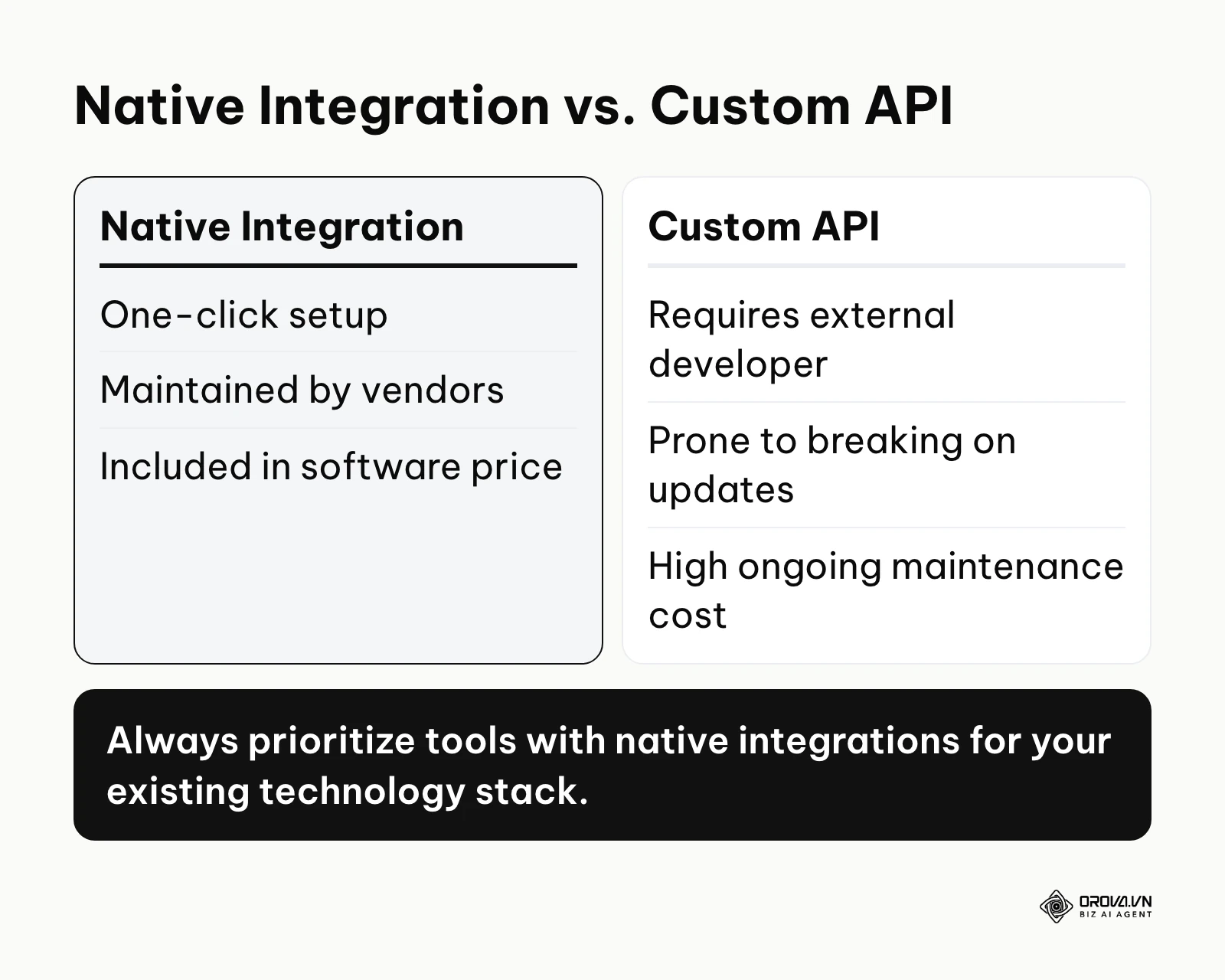
| Financial Cost | Usually included in the base subscription | High developer consultation fees | Monthly ongoing subscription fee |
AI in hiring and bias mitigation
The direct integration of Artificial Intelligence into recruitment software is no longer a futuristic, experimental concept; it is the absolute current reality of the market. However, relying on black-box AI models to screen candidates introduces severe ethical and legal risks that careful buyers must rigorously evaluate before deployment. The primary, overriding concern is algorithmic bias, where an AI system inadvertently discriminates against certain protected demographics simply because it was trained on historical company data that contained those exact same human biases.
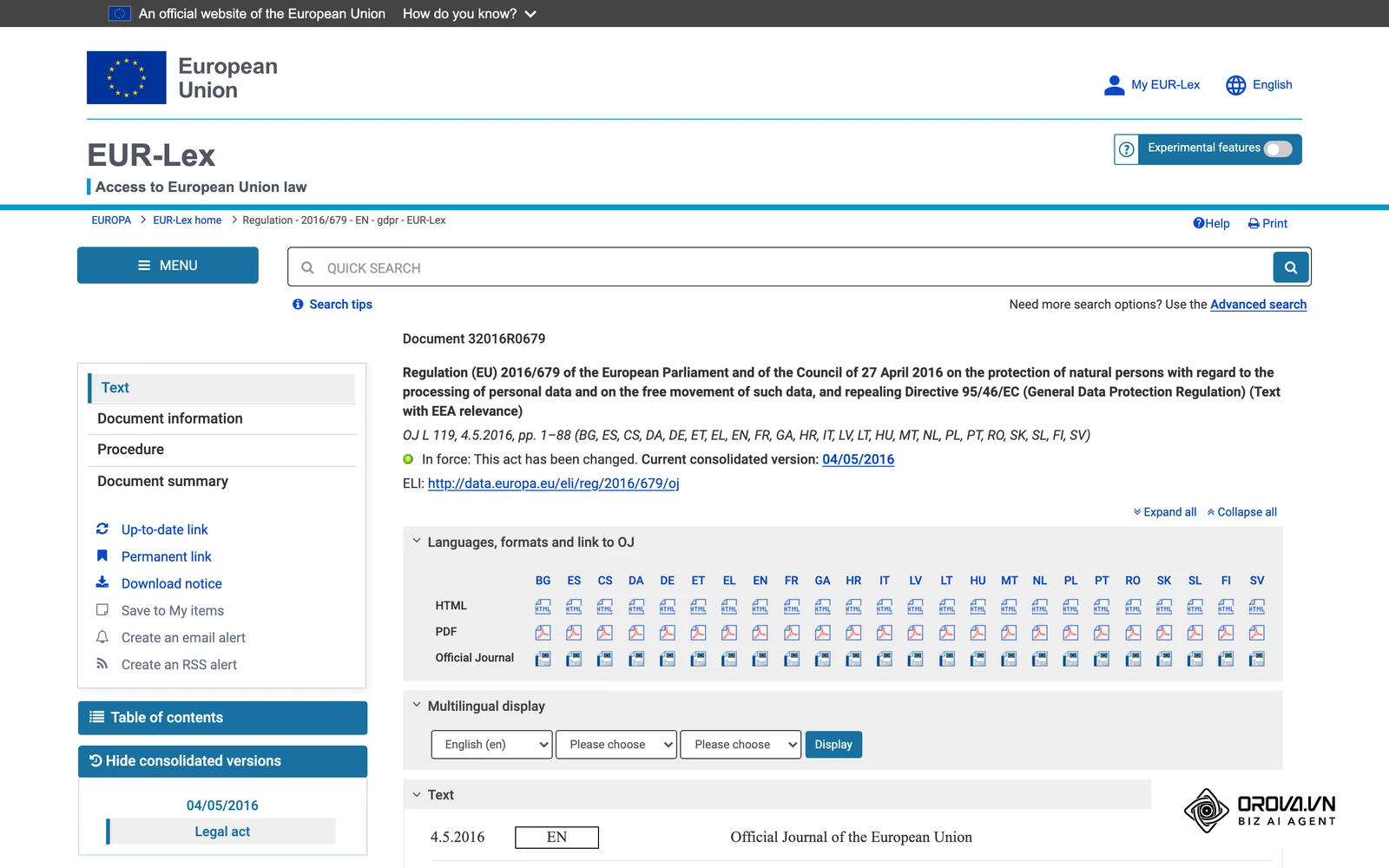
When aggressively evaluating AI features, the most critical key concept to demand from vendors is "Explainable AI." If a software vendor confidently claims their advanced algorithm can identify the absolute best candidates for your company, you must heavily question how it makes that determination. Black-box algorithms that simply output an arbitrary score of 95/100 without any justification are incredibly dangerous. If a rejected candidate challenges your hiring decision legally, stating "the computer model said so" is unlikely to hold up. Under Article 22 of the EU General Data Protection Regulation (GDPR, 2016), individuals have the right not to be subject to a decision based solely on automated processing that significantly affects them.
You must specifically look for tools that provide highly transparent reasoning for every action. For example, if an AI screens a dense resume, it should explicitly highlight the exact phrases, relevant experiences, or missing hard skills that directly led to its final conclusion. This vital transparency allows a human recruiter to verify the AI's core logic and instantly catch potential systemic biases. Furthermore, be extremely wary of AI tools that analyze video interviews to assess personality traits or "culture fit" based on facial micro-expressions or vocal tone; these experimental systems are highly controversial, often lack scientific consensus, and are frequently deeply flawed across different cultures and neurotypes.
| AI Feature | High Risk Implementation | Lower Risk / Preferred Approach |
|---|---|---|
| Resume Screening | Black-box scoring without any textual explanation | Strict keyword and skill matching with extracted evidence |
| Candidate Sourcing | Predicting "cultural fit" based on scraping social media | Matching documented hard skills to explicit job requirements |
| Interview Analysis | Analyzing facial micro-expressions and eye contact | Accurately transcribing audio and extracting factual answers |
| Candidate Communication | Chatbots pretending to be human recruiters | Chatbots clearly identified as automated virtual assistants |
Buy-in strategy and onboarding
Purchasing the absolute perfect software suite is entirely irrelevant if your internal team flatly refuses to use it. Many new HR tech implementations stall, usually not because the software is fundamentally broken, but because the internal change management strategy was completely non-existent. Securing financial buy-in from executive leadership and carefully managing the long-term onboarding process for end-users are arguably the most critical phases of modern software procurement.
Securing initial budget approval from leadership requires building a highly solid Business Case Framework. Executives typically do not care about sleek user interfaces or trendy features; they care deeply about risk mitigation and hard return on investment (ROI). Your pitch must articulate exactly how much hard currency the current manual process is wasting every month. Calculate the total hours spent by recruiters doing redundant data entry, multiply it by their fully loaded hourly rate, and present that stark number as the exact cost of doing nothing.
Once the software is finally purchased, the internal onboarding plan must be heavily phased. Never execute a massive "big bang" launch where the entire company switches over to a new system on a Monday morning. This approach guarantees total operational chaos.
Illustrative example: A busy marketing agency with 80 employees decided to implement a highly comprehensive performance management platform. The eager HR lead activated the software and sent a brief company-wide email mandating that all managers complete complex quarterly reviews in the new system by Friday. The managers, already overwhelmed with demanding client work, found the new interface highly confusing and the required evaluation forms far too long. They quietly revolted, submitting entirely blank forms just to clear the aggressive system notifications from their inboxes. The HR lead had to immediately pause the entire rollout, schedule 1-on-1 intensive sessions with department heads to customize the review templates to their specific departmental needs, and designate trained "super users" in each team to help guide their peers. The visible result was a much slower, careful three-month rollout process, but one that eventually achieved a 100% completion rate with highly meaningful, detailed feedback submitted.
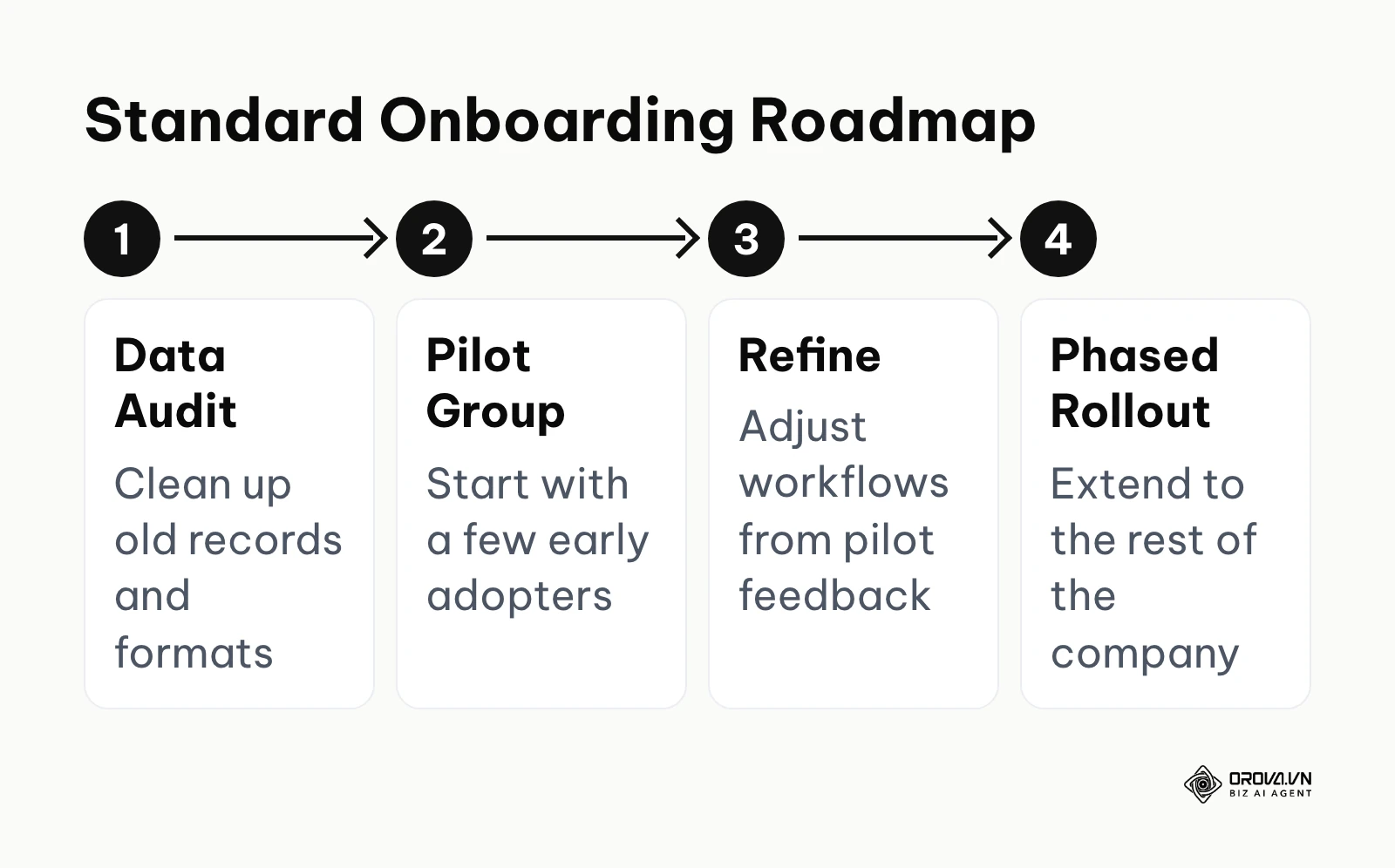
To completely avoid this scenario, build a highly structured onboarding roadmap. Start with a deep data audit, followed closely by a small pilot group of enthusiastic early adopters. Use their harsh feedback to quietly refine the workflows before slowly rolling it out to the rest of the company. If you are struggling with creating a structured evaluation matrix for different tools before this deployment stage, reviewing comprehensive applicant tracking software guides can help clearly define your baseline operational requirements.
Buy vs. Build: All-in-one or Best-of-breed
When heavily constructing your HR technology stack from the ground up, you face a fundamental, critical architectural choice: do you buy a single, massive All-in-one platform that handles everything moderately well, or do you strategically build a Best-of-breed stack by connecting highly specialized tools that excel at specific, niche tasks?
The All-in-one approach strongly appeals to finance departments and IT security teams. It means dealing with only one vendor, negotiating one overarching contract, and managing one highly secure central database. The data theoretically flows seamlessly because it never actually leaves the vendor's closed ecosystem. However, the heavy trade-off is almost always functionality and user experience. The recruitment module deeply embedded inside a massive HRIS is rarely as powerful, agile, or user-friendly as a dedicated, standalone ATS. Recruiters may find themselves deeply frustrated by clunky interfaces, rigid workflows, and missing modern features.
The Best-of-breed approach strongly appeals to the end-users on the front lines. Your recruitment team gets the absolute best ATS on the market, your payroll team gets the absolute best automated payroll software, and your training team gets the absolute best Learning Management System (LMS). If you are currently actively evaluating complex learning platforms to securely add to this stack, understanding exactly how to choose an LMS is a vital, totally separate step. The primary, overriding risk of the Best-of-breed model is catastrophic integration failure. Your internal IT team becomes solely responsible for ensuring that critical data maps correctly and consistently across multiple fragile APIs.
| Key Decision Factor | All-in-one Platform Approach | Best-of-breed Stack Approach |
|---|---|---|
| Data Consistency | Excellent (Operates on a single database) | Highly dependent on the quality of integrations |
| Feature Depth | Moderate (Acts as a Jack of all trades) | Exceptional (Built as highly specialized tools) |
| Vendor Management | Simple (One single point of contact) | Complex (Multiple contracts, renewals, and support teams) |
| User Adoption | Can be much lower if the interface is clunky | Usually very high due to purpose-built UX |
| Financial Cost Structure | High upfront cost, lower long-term maintenance | Lower initial upfront cost, high integration maintenance cost |
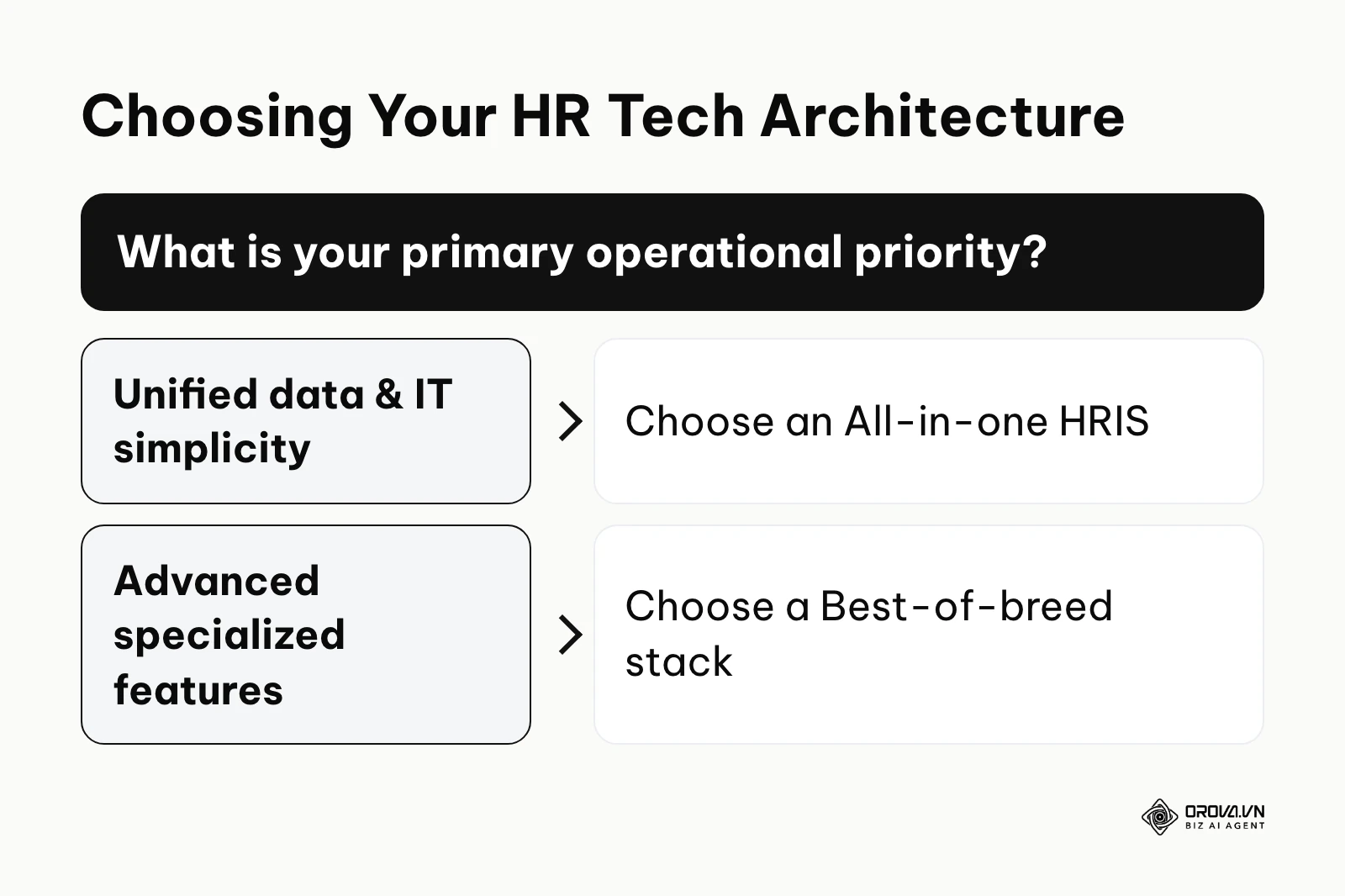
Choose an All-in-one suite if your organization strictly prioritizes absolute data uniformity and has a very low tolerance for IT complexity. Choose a Best-of-breed stack if your specialized departments operate in a highly competitive environment where cutting-edge, niche features provide a direct, measurable business advantage.
How to choose your tech stack
Building the absolutely right combination of digital tools depends entirely on your specific company size and operational maturity. Selecting heavy enterprise software for a small team will completely cripple your agility, while attempting to use basic entry-level tools for an enterprise will cause catastrophic system crashes.
| Company Profile | Recommended Minimum Tech Stack | Critical Operational Priority | Common Trap to Avoid |
|---|---|---|---|
| Individual / Founder | Spreadsheets + Basic job board accounts | High speed and zero financial cost | Buying expensive software before hiring the first 5 employees |
| Small Business (10-50) | Core HRIS + Local Payroll software | Centralizing fragmented employee records | Paying for a premium ATS when overall hiring volume is very low |
| Growing Team (50-250) | Core HRIS + Dedicated ATS + AI Screening | Strict workflow standardization | Ignoring massive data migration costs from old systems |
| Mid-market to Enterprise (250+) | Enterprise HRIS + Global ATS + EOR | Deep compliance and tight data security | Relying on custom APIs instead of robust native integrations |
If your immediate question is narrower, namely whether to buy an applicant tracking system or a core HR system first, the dedicated ATS vs HRIS decision framework walks through that single choice in depth. This guide stays at the level of the whole stack.
When making your final selection, beware of the dangerous feature-creep trap. Software vendors will confidently showcase hundreds of minor, flashy features during lengthy demos. Do not buy a massive platform simply because it has a beautiful organizational chart visualizer if its core payroll engine is difficult to use. Always forcefully anchor your final decision to the primary operational goal you identified before starting the search.
Ready to standardize your hiring workflow? Orova Recruit generates targeted interview questions from the job description and each candidate's CV, and helps you schedule interviews. Sign up and try it free until July 7, 2027.
20 essential questions to ask software vendors
When you engage directly with a software sales representative, their singular goal is to demonstrate the features that look absolute best in a highly controlled environment. Your exact goal is to aggressively uncover what happens when things go wrong in the real world. Do not rely on glossy marketing brochures. Bring this rigorous, technical checklist to your next demo and demand highly specific answers.
Data Security and Deep Compliance
- Where exactly is our highly sensitive employee data hosted physically, and who strictly owns the encryption keys? (Ensures you maintain sovereignty over your data).
- How do you technically handle complex data deletion requests to strictly comply with privacy regulations like GDPR? (Tests their compliance infrastructure).
- What is your exact protocol and legally guaranteed notification timeframe in the event of a severe data breach? (Prevents you from being the last to know if data is stolen).
- Can you provide your latest, unmodified SOC 2 Type II compliance audit report today? (Verifies their security claims are audited by a third party).
- How does the system cleanly handle widely different data retention legal requirements across multiple international countries? (Crucial for global teams).
System Implementation and Support
- What is the historical, proven average implementation time for a company of our exact size and complexity? (Cuts through overly optimistic sales timelines).
- Will we have a dedicated, named implementation manager, or will we be routed through a general ticketing queue? (Determines the quality of your onboarding).
- Are data migration and complex formatting services included in the setup fee, or billed aggressively by the hour? (Uncovers hidden implementation costs).
- What are the specific Service Level Agreement (SLA) response times for critical, system-wide outages? (Ensures you get help when payroll is down).
- If we decide to legally leave your platform in two years, in what exact, usable format will our data be exported? (Prevents vendor lock-in).
Technical Integrations and Architecture
- Show me the live, working native integration with our specific existing tools, not just a static logo on a presentation slide. (Proves the integration actually exists).
- If a native integration suddenly breaks due to an update, whose exact responsibility is it to fix it, and what is the SLA? (Clarifies maintenance boundaries).
- Are there hidden API rate limits that will severely throttle our data transfers during peak usage? (Prevents silent data loss).
- Is your core platform built on a modern multi-tenant architecture? (Ensures you get seamless, automatic updates).
- How frequently do you push major system updates, and can we strictly opt to delay them if they conflict with our busy season? (Gives you control over system changes).
Pricing Structure and Hidden Costs
- Does the per-user pricing apply strictly only to active employees, or also to external contractors and archived historical records? (Clarifies billing metrics).
- What specific, highly desirable features are strictly locked behind the next highest pricing tier? (Uncovers bait-and-switch tactics).
- Are there any hidden overage charges for exceeding a certain number of applicants, data storage limits, or API calls? (Prevents surprise bills).
- Does the standard contract include an automatic, non-negotiable annual price escalation clause? (Protects your future budgets).
- How much does a mandatory administrator training certification cost for our internal IT team? (Reveals hidden training fees).
Where HR and recruitment software is heading in the next few years: the author's take
AI shifts from screening to real-time coaching
Looking closely at the rapid deployment of advanced language models today, I believe that over the next few years, AI in recruitment is likely to move beyond merely acting as a passive gatekeeper. Currently, AI is heavily used to simply screen people out. I think it may evolve into an active coach for both candidates and interviewers. We may see systems that listen to live video interviews and silently prompt the hiring manager with highly relevant follow-up questions based on the candidate's previous, nuanced answers. To prepare for this massive shift, HR teams should start deeply focusing on training their interviewers to adapt to highly dynamic conversations rather than sticking to rigid, outdated scripts.
Hyper-personalization of the candidate experience
The current, exhausting "apply and wait in absolute silence" model is fundamentally breaking down. Given the incredibly slick, consumer-grade experiences people expect from everyday consumer apps, I think recruitment software will increasingly need to treat candidates exactly like high-value customers. We are seeing early signs of this today with simple automated status updates. Over time, I expect career portals to dynamically change their entire content on the fly, showing vastly different employee testimonials and benefits packages based on the specific, inferred profile of the person browsing the site. Companies should immediately begin auditing their employer branding assets now, ensuring they have incredibly diverse content ready to constantly feed these personalization engines.
Consolidation of the fragmented HR tech stack
As of 2026, the HR technology market is incredibly saturated with thousands of highly niche micro-tools that solve one tiny problem. I lean toward the view that further market consolidation is likely. Large, cash-rich platforms may acquire these specialized startups simply to quickly build comprehensive ecosystems. For buyers, this means the trendy, standalone tool you buy today might be absorbed and completely sunsetted by a giant corporation tomorrow. I strongly advise organizations to prioritize vendors with very strong balance sheets and incredibly clear paths to profitability, rather than just recklessly adopting the newest tool with the flashiest interface.
Frequently asked questions about HR and recruitment software
What is the main difference between an HRIS and an ATS?
An HRIS (Human Resources Information System) securely manages the deep, complex data of people who are already legally employed by your company, handling critical tasks like payroll, local benefits, and performance reviews. An ATS (Applicant Tracking System) strictly manages the highly volatile data of people who are actively trying to get hired, handling massive job postings, resume parsing, and complex interview schedules. They serve entirely different, but equally critical, stages of the overall employee lifecycle.
Can small businesses survive with just spreadsheets instead of HR software?
Yes, but strictly only up to a certain point. Spreadsheets are highly flexible and cost absolutely nothing upfront, but they totally lack automation, secure version control, and data security. Once a growing company passes its first few dozen employees, the sheer time spent manually updating multiple fragile spreadsheets and the massive risk of compliance errors usually vastly outweigh the actual cost of purchasing basic, entry-level HR software.
How does AI impact compliance and discrimination in HR?
AI can simultaneously both mitigate and heavily exacerbate discrimination. If an AI model is carelessly trained on highly biased historical hiring data, it will instantly automate and scale that bias across thousands of applicants. However, if configured correctly using strict explainable AI principles—where it matches specific, highly objective skills rather than vague characteristics—it can actually reduce the human unconscious bias that often naturally occurs during rapid, manual resume screening.
How long does data migration usually take?
For a typical mid-sized company smoothly moving from one highly structured system to another, basic data migration typically takes several weeks. However, this timeline can stretch significantly to several months if you are moving from messy, unstructured data sources (like scattered paper files or highly inconsistent spreadsheets), as the data must be heavily cleaned and standardized before the new software can safely accept it.
Where to start?
Choosing the absolutely right software can feel entirely paralyzing given the sheer volume of options. Depending closely on your current operational situation, here is the absolute first strategic step you should take today, which can easily be completed in a single afternoon.
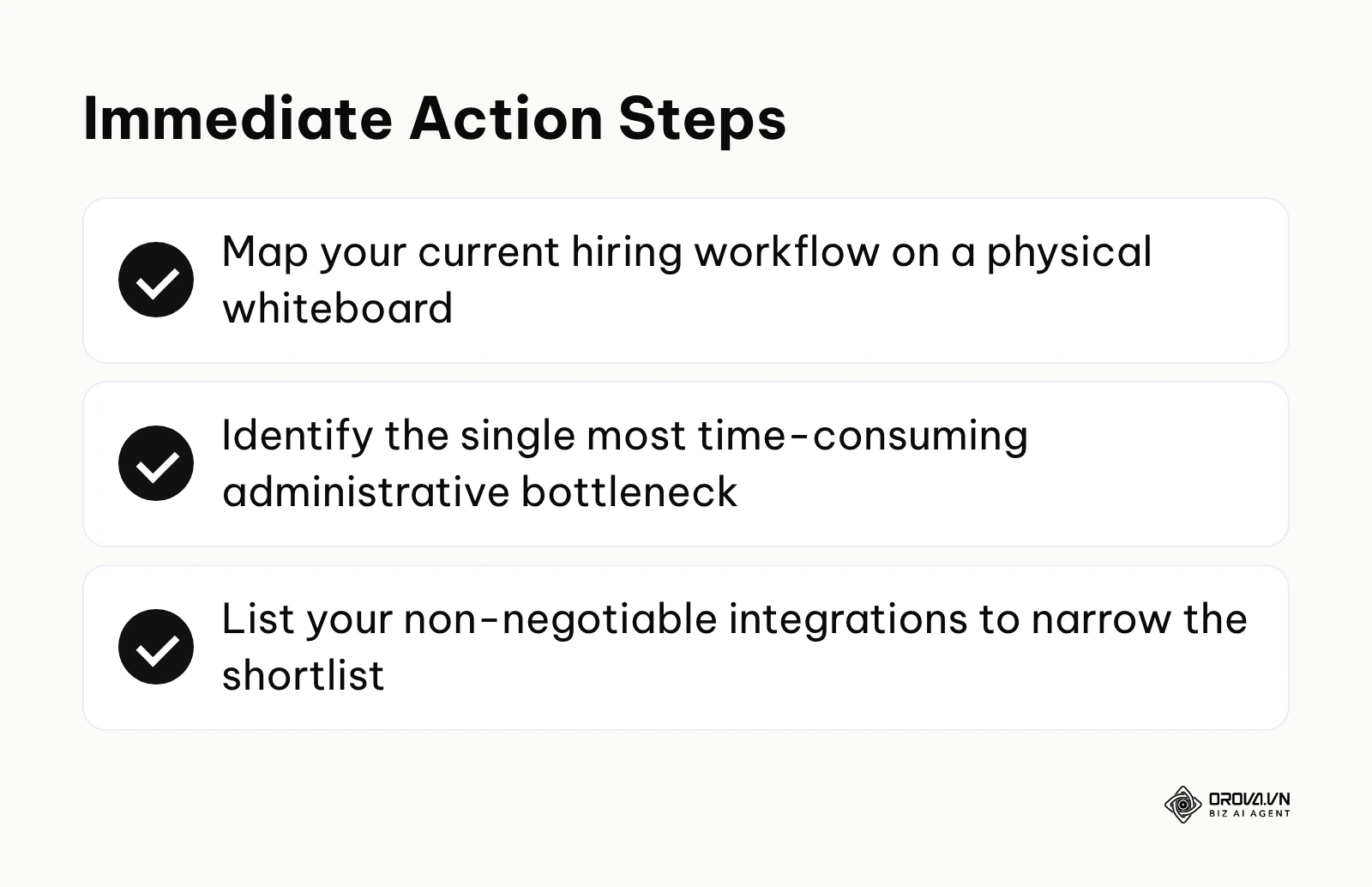
If you are currently drowning in manual tasks but have absolutely no budget approved yet: Do not even look at software vendors. Grab a large physical whiteboard and map out your exact, current hiring workflow, step-by-step. Identify the single most heavily time-consuming administrative bottleneck (e.g., manually scheduling interviews across time zones, or formatting offer letters). You absolutely cannot build a strong business case for budget without first clearly identifying exactly where the operational bleed is happening.
If you have an approved budget but are totally overwhelmed by the options: Write down your absolute non-negotiable integrations on a single piece of paper. If you absolutely must use a specific, legacy payroll provider or a certain IT provisioning tool, this strict constraint will immediately eliminate a large part of the HR software market that does not offer native integrations with those critical systems, drastically narrowing your shortlist to a manageable size.
If you are fully ready to reach out to vendors for live demos: Create a highly standardized grading rubric for the demonstrations. Do not let the sales representative lead the agenda with their standard pitch. Send them a highly specific, complex use case in advance—for example, "Show me exactly how a hiring manager requests a new headcount and how that specific request flows into the ATS"—and heavily grade every vendor on how well they execute that exact, real-world scenario.
About the author

Builder of Orova
Nguyễn Đỗ Trọng Ân has 8 years of experience in marketing, including 6 years managing market development across Asia. He builds Orova, a Biz AI Agent that never sleeps: it plans, runs and optimizes work for businesses.
Run your business with AI Agents
Orova is the always-on Biz AI Agent — it plans, runs, and optimizes the work for you.
Save time, unlock productivity.