
How to choose an LMS: evaluate vendors and avoid hidden costs

Many human resources professionals and corporate trainers eventually hit a breaking point. You start your program by tracking employee progress on manual spreadsheets, sending out individual calendar invites, and emailing massive presentation files. This works fine for a dozen people, but when your company grows, the system shatters. The compliance audits become a terrifying nightmare of missing records, and your new hires are overwhelmed by disorganized onboarding folders. You realize you need a dedicated system, but figuring out how to choose an LMS (Learning Management System) feels like navigating a minefield. The software market is heavily saturated with hundreds of vendors, and their marketing materials all sound exactly the same. If you select the wrong platform, you risk locking your organization into an expensive piece of shelfware that administrators hate managing and employees refuse to use. This comprehensive guide strips away the marketing jargon. We will examine the exact frameworks, expose the hidden pricing traps, and provide the technical evaluation criteria you need to make a bulletproof software decision that genuinely supports your organizational growth. In short: define must-have user stories, calculate a three-year total cost of ownership, test the admin backend yourself, run a scripted vendor demo, pilot your data migration, and score every finalist on a weighted scorecard.
How to choose an LMS and why you need a strict process
If you still need the basics of what this software does, start with our explainer on what a learning management system is. This guide assumes you already know you want one and focuses on the decision itself: which criteria to weigh, how to run the evaluation, and which questions expose a vendor's real limits. You need a strict evaluation framework to cut through sales tactics, align technical features with actual business goals, and avoid disastrous hidden costs. This guide is built specifically for human resources leaders, learning directors, and technical administrators.
Preparation: What you need before evaluating vendors
Before you even agree to schedule a single vendor demonstration, you must prepare your internal requirements. A common trap is letting the software vendor dictate your strategy by dazzling you with shiny features you will never actually use. You need a firm grasp of your own landscape before entering the marketplace. Teams that tie their platform requirements directly to business objectives also find it far easier to justify the investment later.
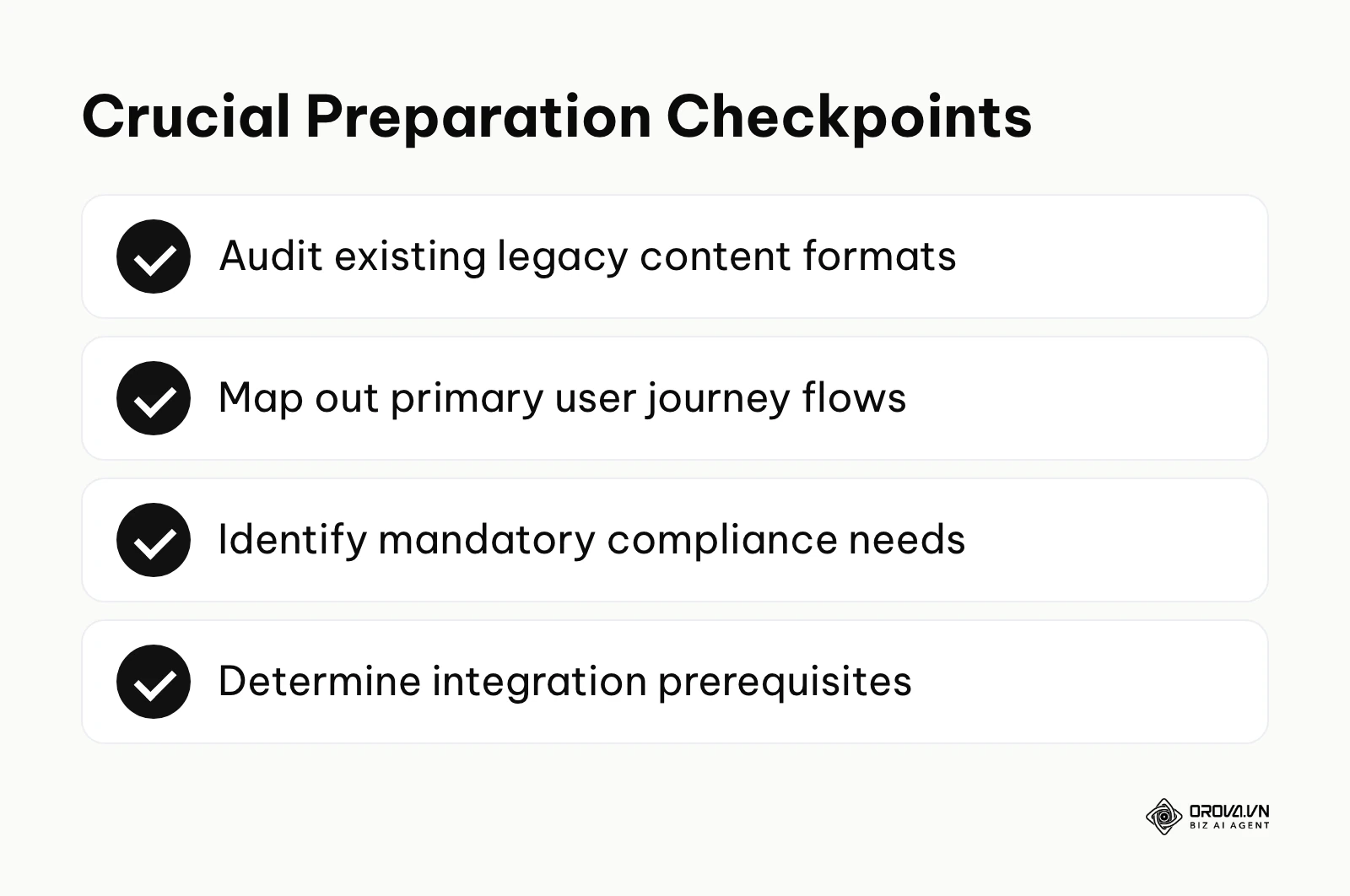
First, you must gather your key stakeholders. This is not just a human resources decision. You need the information technology (IT) department involved immediately to discuss data security and system integrations. You need the legal or compliance team to define exactly what records must be retained in the event of an industry audit. You also need input from frontline managers who will actually be requesting the training. Once your committee is formed, you must map out the learner journey. Document exactly what a user experiences from their very first day on the job to their annual recertification.
Next, you need to conduct a brutal inventory of your existing training content. Software does not magically create good training; it only delivers it. Do you currently have terabytes of high-definition video? Do you rely on interactive modules built in eLearning authoring tools such as Articulate Storyline or Adobe Captivate? Are your materials mostly static text documents and slide decks? Knowing your current content format is essential because not every platform supports every file type efficiently.
| Preparation Item | Where to Source the Information | Suggested Time Box |
|---|---|---|
| Stakeholder Requirements | Interviews with IT, Legal, and Department Heads | 2 to 3 weeks |
| Legacy Content Inventory | Shared drives, legacy systems, local hard drives | 1 to 2 weeks |
| Technical Prerequisites | IT department (SSO protocols, HRIS API capabilities) | 1 week |
| Compliance Standards | Legal department and industry regulatory bodies | 1 to 2 weeks |
| Budget Allocation | Finance department and executive sponsors | Ongoing |
Illustrative example: A mid-sized healthcare company human resources manager was tasked with selecting an educational platform for 300 nurses. First, they gathered strict regulatory compliance requirements from the legal team, mapped out the complex annual recertification journey, and thoroughly inventoried their existing training materials. During the initial vendor demonstrations, they stumbled badly because various stakeholders suddenly demanded high-end gamification features that distracted entirely from the core requirement of compliance tracking. To fix this dangerous scope creep, the manager immediately halted the demonstrations, created a strict internal requirements document prioritizing audit trails, and forced vendors to only showcase compliance workflows. As a result, the final chosen system produced instant, flawless audit reports during their next regulatory inspection, completely eliminating the chaotic manual tracking they previously relied on.
6 essential steps: How to choose an LMS without overpaying
Entering the procurement phase without a structured plan guarantees you will overspend. These six detailed steps will guide you through the noise, helping you identify exactly what you need, how to price it accurately, and how to verify the vendor's claims before you sign a binding contract.
Step 1: Align LMS features with your actual training goals
The foundation of your search relies on defining your primary use case. Software built for external customer education looks and functions very differently from software built for internal regulatory compliance.
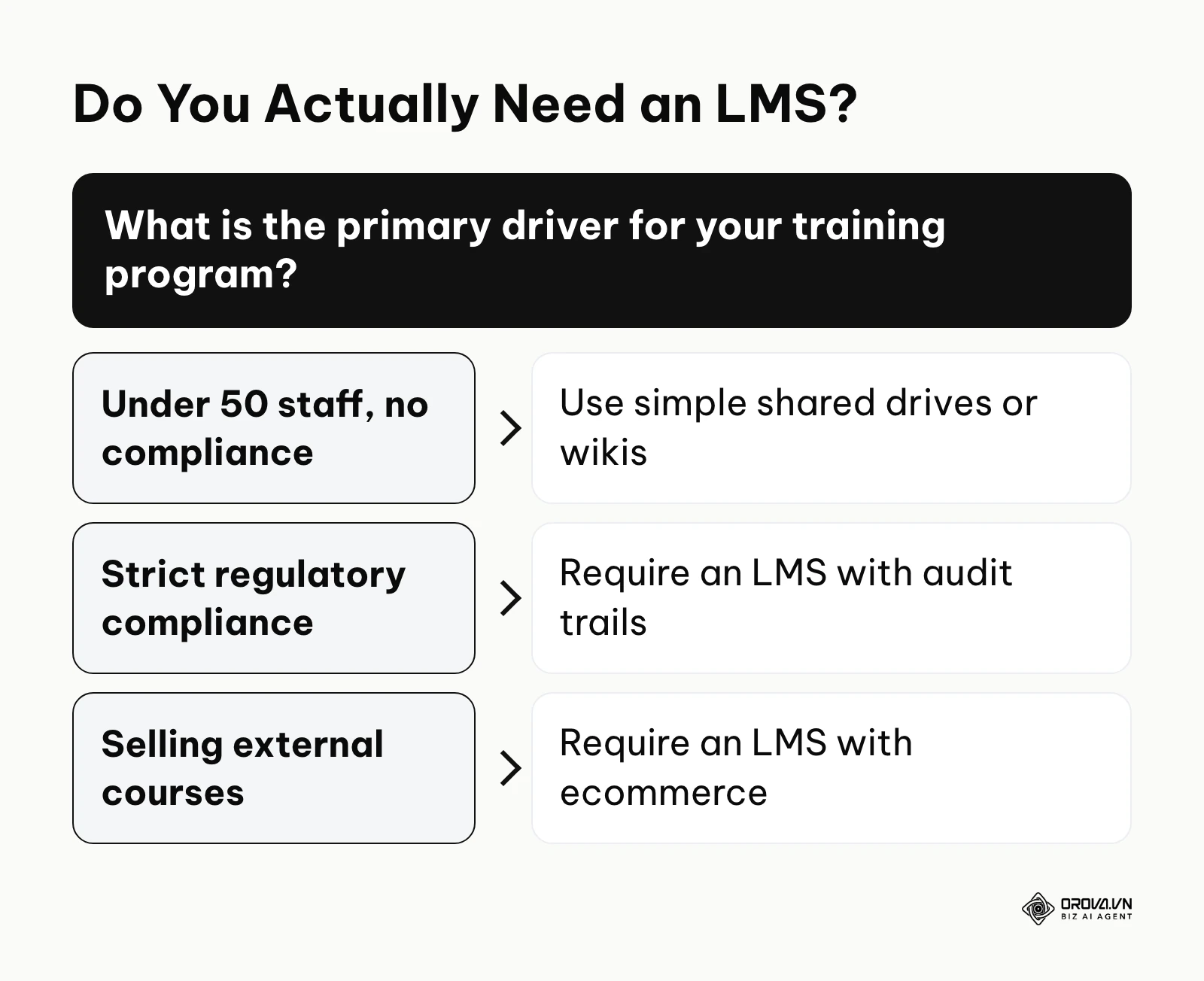
You must write explicit user stories to define your goals. A user story is a simple sentence structuring a requirement: "As a [role], I need to [action], so that [outcome]." For instance, "As a compliance officer, I need to generate a report of all employees who failed their safety test, so that I can automatically re-enroll them." If a vendor cannot demonstrate how to fulfill your primary user stories, you eliminate them from the running. This focus helps significantly when you try to optimize your new hire training by ensuring the platform handles onboarding workflows seamlessly.
You also need to ask a critical question: do you actually need this software? For example, a micro-business with under 50 employees often does not need a dedicated system. If your goal is simply sharing a few orientation videos and a company handbook, tools like Google Workspace, Notion, or basic forms are entirely sufficient. The trigger point for purchasing dedicated software usually occurs when you fail a compliance audit, when manual tracking consumes more than ten hours a week, or when you begin selling courses externally.
Signs of success at this stage include having a rigid, prioritized list separating absolute must-have features from minor nice-to-have features. A common error is buying a platform based on futuristic features—like virtual reality integrations or complex artificial intelligence skill mapping—while ignoring the fact that the system struggles to generate a basic monthly attendance report.
Step 2: Uncover hidden costs in SaaS pricing models
The software-as-a-service (SaaS) market is notorious for complex and opaque pricing structures. The price listed on the website is rarely the final amount you will pay. You must demand the total cost of ownership (TCO) calculated over a full three-year period.
You need to analyze the underlying pricing model. The "pay-per-registered-user" model charges you for every account in the system, regardless of whether they log in. This is dangerous for companies with high turnover, as you end up paying for dormant accounts. The "pay-per-active-user" model only charges you for users who log in during a specific billing cycle, which is much safer for seasonal businesses. Finally, there are flat-fee models, which offer the most predictability but often come with high upfront costs.
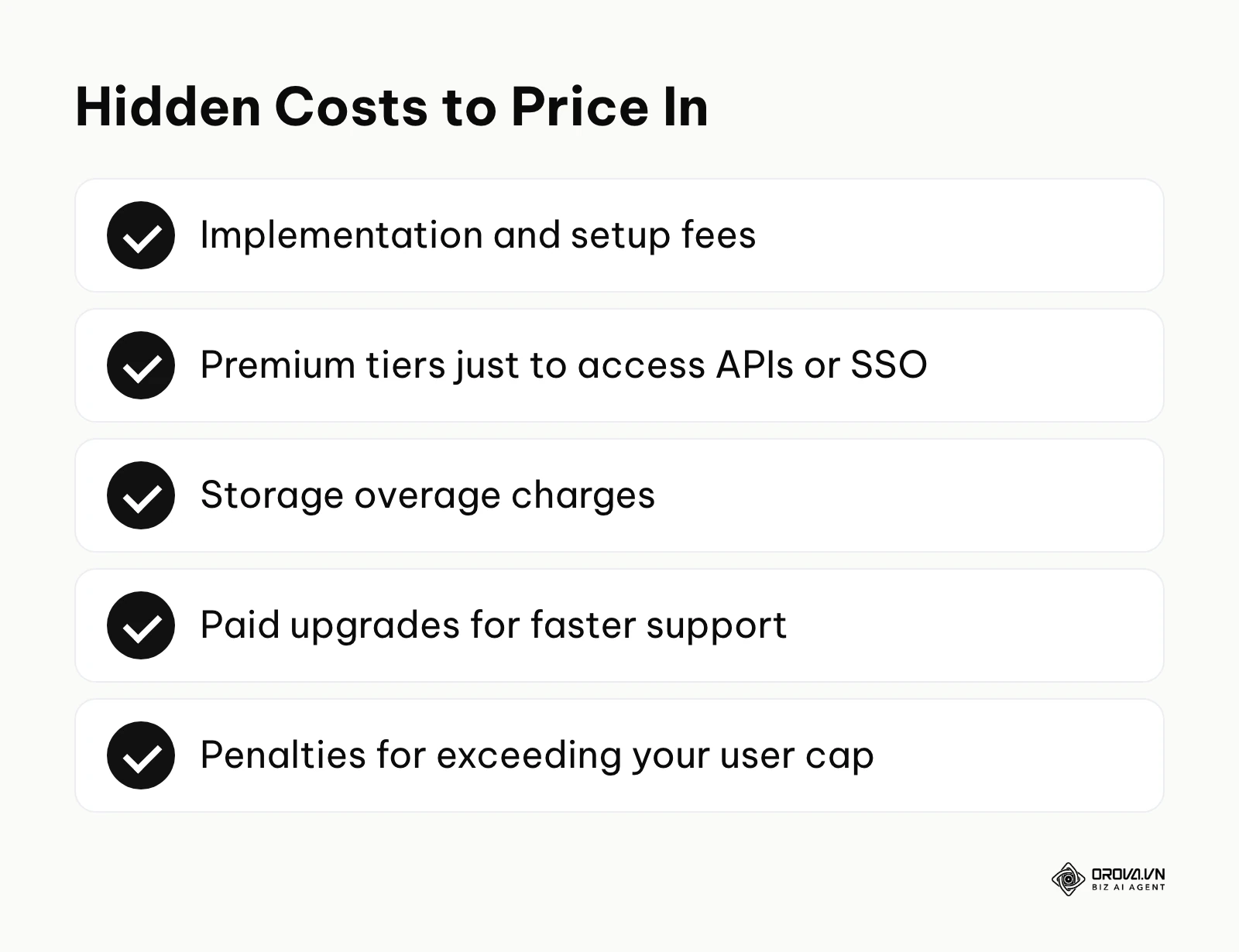
Beyond the basic license, you must hunt for hidden fees. Many vendors charge a massive "implementation fee" simply for turning the software on and handing you the manuals. Others impose an "integration tax," charging you extra to connect the system to your existing single sign-on (SSO) provider.
| Hidden Cost Category | Typical SaaS Pricing Trap | How to Negotiate or Avoid It |
|---|---|---|
| Implementation Setup | Mandatory one-time fees just to switch the platform on and hand over documentation. | Demand a detailed breakdown of hours. Negotiate for self-guided onboarding if you have internal IT. |
| API and Integrations | Charging premium tiers just to access standard APIs or webhooks. | Insist that basic HRIS and SSO integrations are included in the foundational contract. |
| Storage Overages | Low base storage limits with exorbitant fees per extra gigabyte. | Host your heavy video files externally on a secure AWS server and embed them. |
| Premium Support | Basic support is slow by default; faster responses are sold as a paid add-on tier. | Define strict Service Level Agreements (SLAs) with financial penalties for slow responses. |
| Overage Penalties | Harsh automatic billing when you exceed your active user cap. | Negotiate a 10% grace buffer before penalty tiers are activated during usage spikes. |
A clear sign of success is a budget forecast that includes a 20% contingency buffer for unexpected technical overages. A devastating common error is assuming that data extraction or API access is inherently included in the base subscription tier, only to discover you are locked out of your own data without paying a ransom.
Step 3: Evaluate the admin and backend experience
Buyers obsess over the learner interface, demanding beautiful dashboards and gamified badges. However, the learner only logs in occasionally; your administrators will live inside this software every single day. If the backend is a clunky nightmare, your training program will stall. A clunky administrative experience is also one of the most common reasons teams give for wanting to replace a platform they already own.
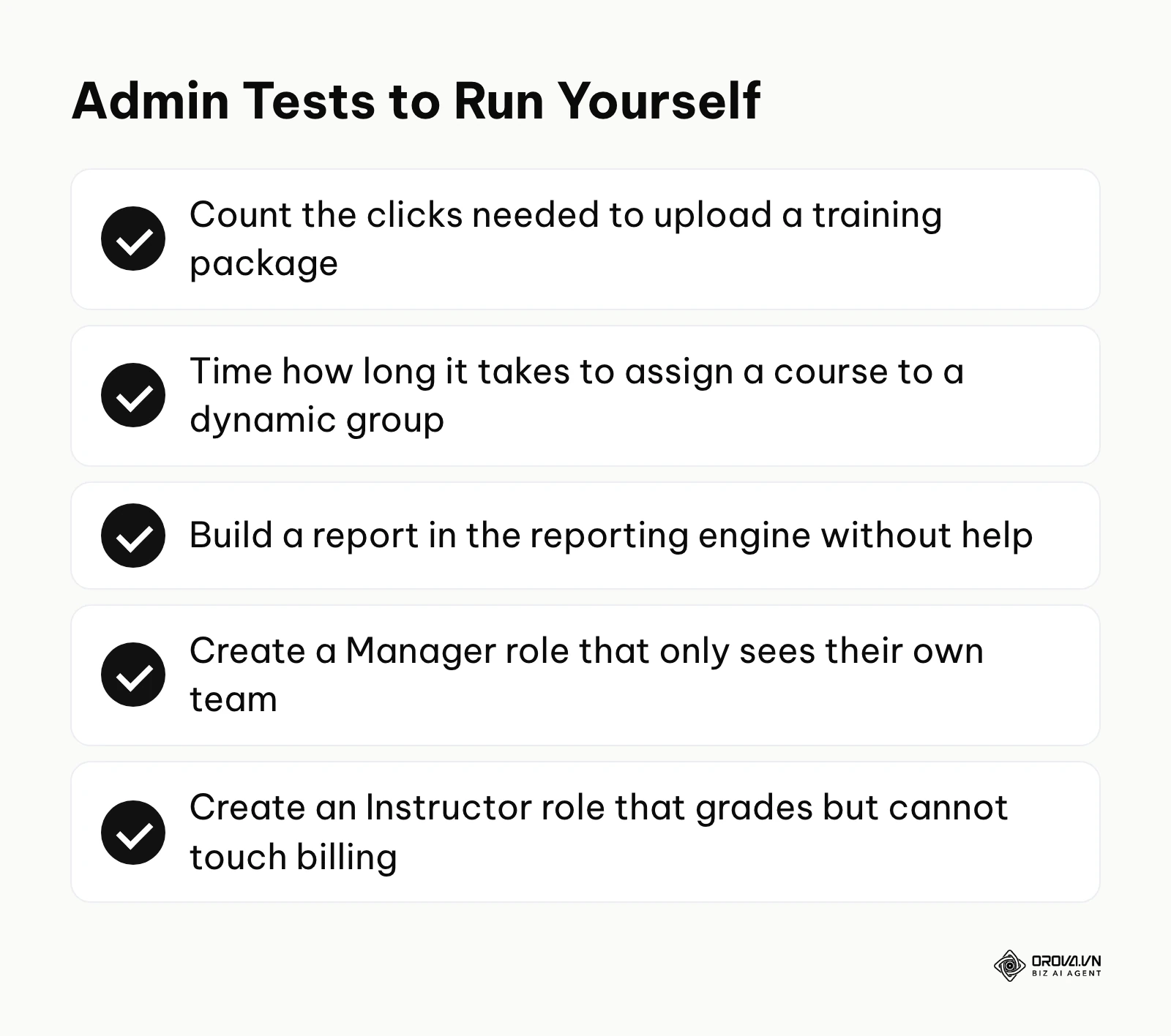
During your evaluation, you must physically test the administrative workflows. Do not let the salesperson drive the mouse. You need to count the exact number of clicks required to execute routine tasks. How many clicks does it take to upload a training package? How long does it take to assign that package to a dynamic group of users based on their department location? How complex is the reporting engine? A system with a beautiful, modern frontend often hides a legacy backend built two decades ago.
You must deeply investigate the roles and permissions hierarchy. Can you create a custom "Manager" role that can only view reports for their specific team, but cannot alter the course content? Can you create an "Instructor" role that can grade assignments but cannot access global billing settings? Granular role-based access control (RBAC) is non-negotiable for growing organizations.
Signs of success emerge when a brand new administrator can intuitively navigate the backend, onboard a new cohort, and assign learning paths in under five minutes without consulting a manual. The most frequent error is dedicating the entire trial period to testing the mobile learner view while completely ignoring the administrative data management workflows.
Step 4: Grill the sales rep with 15 trap questions for the demo
The software demonstration is a highly choreographed performance. The sales representative will guide you down a carefully manicured "happy path," showing you only the features that work perfectly while skillfully avoiding the fragile parts of the system. You must break their script. You need an LMS selection criteria checklist of aggressive questions designed to uncover the platform's actual limitations.
Here are fifteen critical trap questions you must ask during the live demonstration:
- Is your platform a multi-tenant or single-tenant cloud environment? Multi-tenant means sharing infrastructure with other clients: cheaper and faster to update, but less customizable. Single-tenant isolates your data but often lags in updates.
- How exactly is a user classified as 'active' for billing purposes? If a user logs in only to check an old certificate, does that trigger a full active-user fee for the month?
- Can you show me the exact workflow to create a custom report joining user demographic data and specific course completion times right now? Do not accept a verbal "yes." Many systems only offer rigid, pre-built reports.
- What specifically happens to historical user data if we choose to downgrade our subscription plan? Some vendors remove historical completion records when you drop to a lower tier.
- Are there any rate limits imposed on your API endpoints? Heavy HR database syncs fail under throttling, so get the calls-per-minute threshold in writing.
- Do you charge extra for standard security integrations like SAML 2.0 Single Sign-On? SSO is a basic security requirement, yet it is often sold as an upsell.
- What is your guaranteed Service Level Agreement (SLA) for uptime, and what are the financial penalties if you miss it? A 99% uptime still allows over three days of downtime a year, so ask for 99.9% and account credits for misses.
- Can we export all of our historical data in a flat, non-proprietary format (like CSV) if we ever decide to leave your platform? Plan your exit before you sign, and make sure data extraction carries no extra fee.
- Show me how an administrator assigns a specific compliance training module to a dynamic, rule-based group of users. If every new hire must be enrolled by hand, the system will not scale.
- Does your built-in authoring tool support exporting content to standard formats? Courses you cannot export keep you locked into their ecosystem.
- How does the system handle version control when a course package is updated? If you update a safety video, must past completers retake it, and are historical records overwritten?
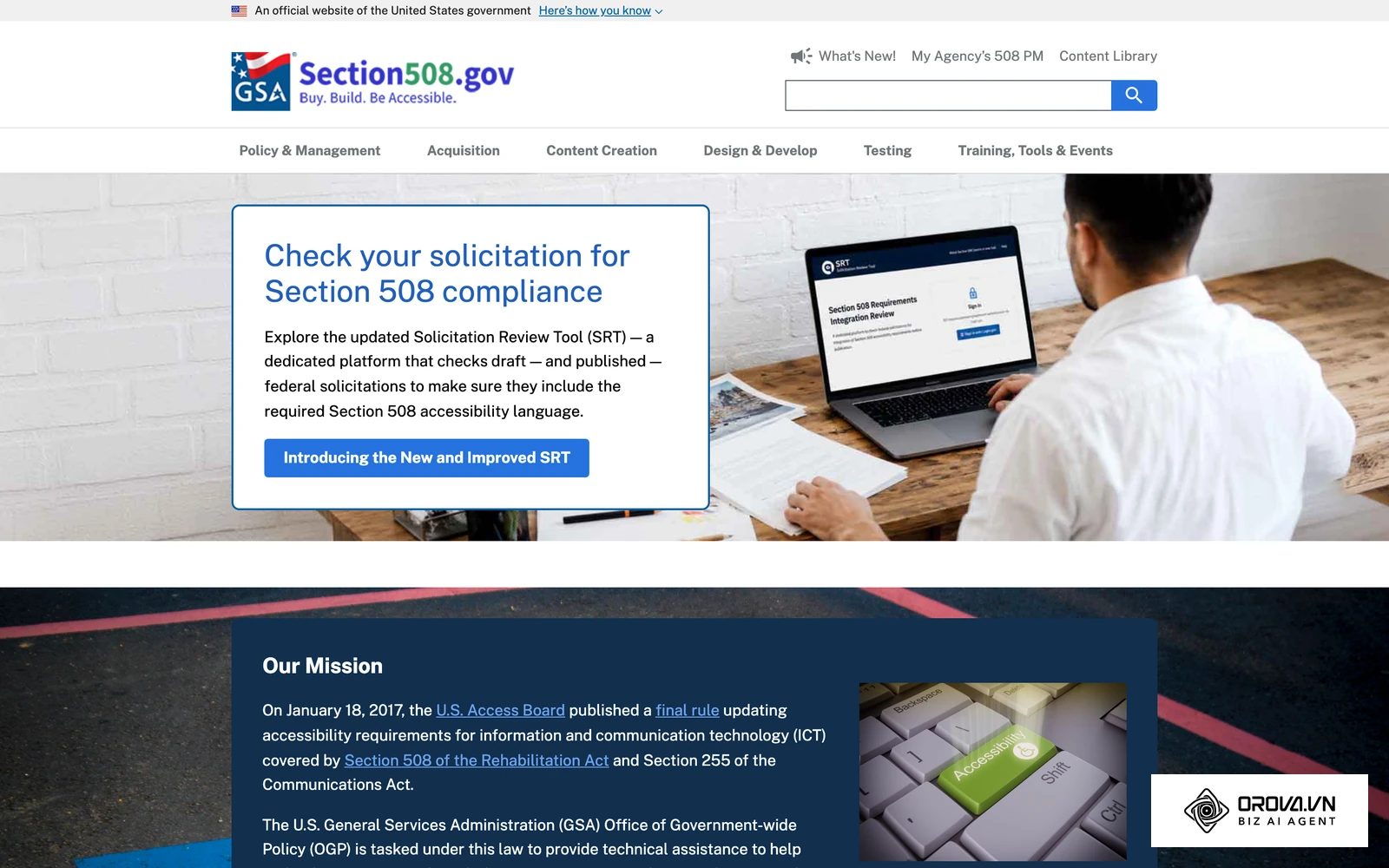
- What specific technical features ensure WCAG 2.1 AA accessibility compliance? Ask to see screen readers working with their quizzes, plus high-contrast mode and keyboard navigation.
- Is content storage truly unlimited, or do we pay overages for hosting large media files? "Unlimited" often hides a fair-use clause; ask what happens when you upload a large video library.
- What level of technical support is included in the base price, and what is your average first-response time for critical tickets? Find out whether you get a named contact or a generic ticket queue.
- Tell me about your product roadmap: what specific legacy features are being deprecated this year? Vendors rarely volunteer which old features they plan to retire.
A successful demonstration ends with the sales representative needing to bring in a technical sales engineer to answer your deeply probing questions. The worst error you can make is nodding along to the polished slide deck without demanding to see the live software perform under edge-case scenarios.
Step 5: Plan for data migration and implementation timelines
Software does not magically implement itself. You must map out exactly how you will transition from your old system, or your manual spreadsheets, to the new platform. This phase requires immense technical coordination and is where most projects fail.
You need to set realistic expectations regarding timelines. How long does it actually take to implement? There is no universal number, because timelines scale with the volume of data you migrate and the number of integrations you need. A mid-sized business with standard requirements usually measures the project in weeks, while complex enterprise deployments involving custom API integrations and large data migrations usually measure it in months. Ask each vendor for a written project plan with named milestones rather than a single headline estimate.
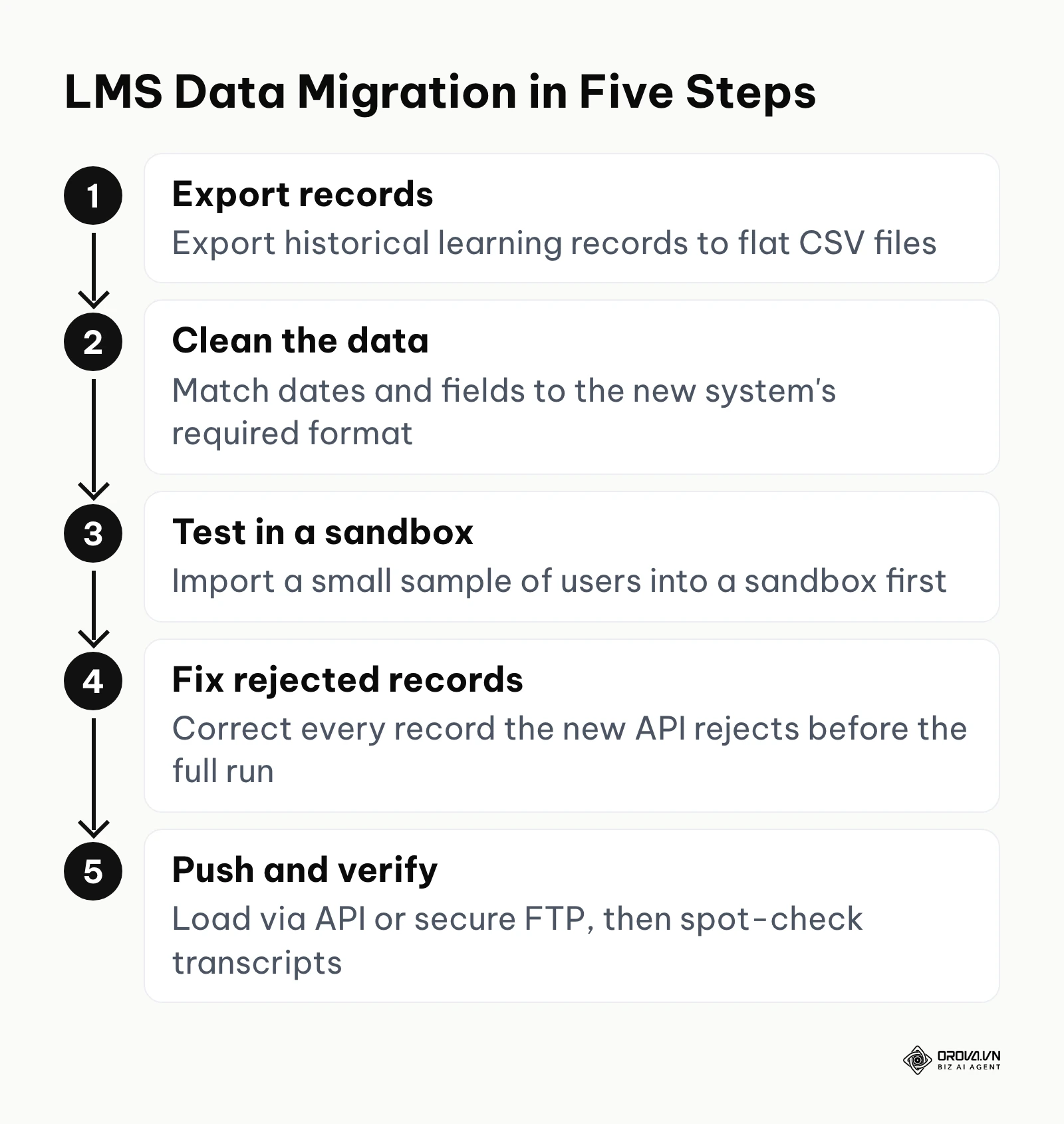
Data migration is the most dangerous hurdle. It is often the most expensive part of the project because historical learning records must be flawlessly mapped to the new database architecture. You cannot simply drag and drop files. You must usually export flat CSV files from your old system, clean the data to match the new system's required fields, and then push it via API or secure FTP.
Illustrative example: An IT administrator at a 500-employee manufacturing firm needed to rapidly migrate from a legacy, on-premise system to a modern cloud SaaS solution. They started the project by exporting the last five years of learning records into massive CSV files, requested a sandbox testing environment from the new vendor, and ran a preliminary test import of 50 users. The major hurdle quickly appeared when the legacy system's archaic date format and custom department fields caused the new system's API to reject a large share of the historical records. The administrator creatively solved this by writing a custom Python script to systematically clean, parse, and reformat the flat files before pushing them through the API. The result was a smooth weekend deployment where employees logged in on Monday morning and found their historical training transcripts intact.
Success in this phase means you have a fully configured sandbox environment containing a significant sample of your actual migrated data before you sign the final contract. The most common error is vastly underestimating the intense data cleanup and deduplication required before the migration can even begin.
Step 6: Use an objective LMS evaluation scorecard
You cannot rely on gut feelings or which salesperson brought the best donuts. You need a mathematical, objective method to compare vendors, effectively eliminating emotional bias. You achieve this by scoring each vendor using a standardized template.
To build an evaluation scorecard, you should create a comprehensive Google Sheets document featuring weighted criteria. Not every feature is equally important. Single Sign-On integration might be a critical priority (Weight 5), while the ability to award digital badges might be trivial (Weight 1).
Below is a foundational LMS Evaluation Scorecard you can copy into your own spreadsheet. Score each vendor from 1 to 10 on each criteria, then multiply by the weight to get the weighted score.
| Evaluation Criteria | Weight (1 to 5) | Vendor A Score (1-10) | Vendor A Weighted | Vendor B Score (1-10) | Vendor B Weighted |
|---|---|---|---|---|---|
| Administrative UI/UX: Ease of assigning courses, managing users, and navigating the backend. | 5 | ||||
| Reporting & Analytics: Ability to generate custom reports, schedule emails, and track compliance. | 5 | ||||
| Data Security & Privacy: Compliance with GDPR, robust password policies, and data encryption. | 5 | ||||
| Technical Integrations: Quality of API, webhooks, SSO capabilities, and HRIS syncing. | 4 | ||||
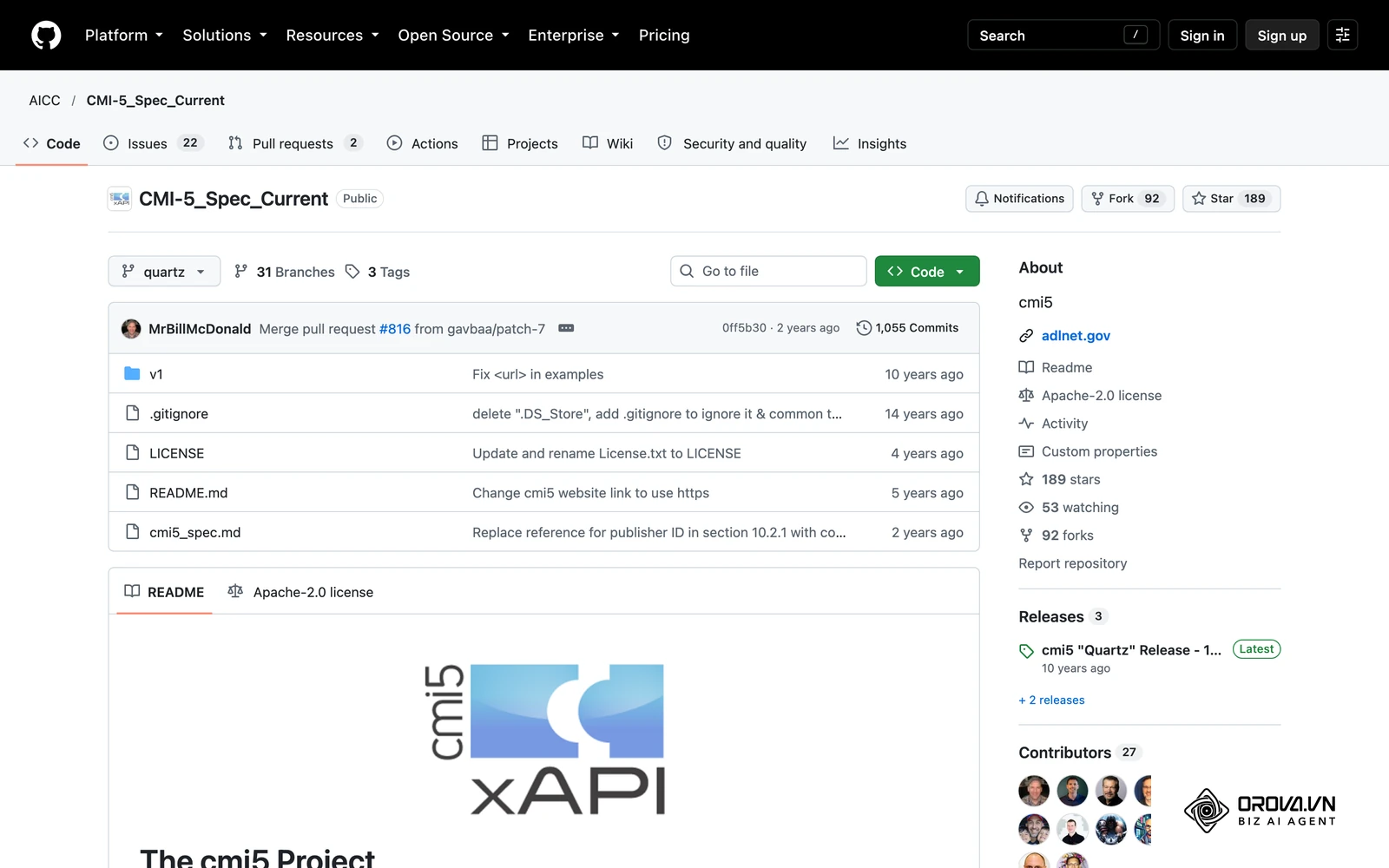
| Content Interoperability: Support for major standards like SCORM, xAPI, and cmi5. | 4 | ||||
| Total Cost of Ownership: Transparency in pricing, avoiding hidden fees and storage overages. | 4 | ||||
| Customer Support SLA: Dedicated account managers, rapid response times, and quality documentation. | 3 | ||||
| Learner Experience: Mobile responsiveness, intuitive navigation, and accessibility compliance. | 3 | ||||
| Migration Assistance: Vendor support for importing historical data and mapping legacy fields. | 3 | ||||
| Assessment Engine: Capability to create complex quizzes with randomized question banks. | 2 |
Signs of success are clear when the winning vendor is chosen based entirely on a mathematically calculated final score that directly aligns with your initial business goals. The most fatal error is letting a charismatic sales representative win the contract despite their product mathematically failing to meet your core technical criteria.
Choosing a learning platform can drain your resources before you even launch. If you want a lighter start, try Orova Training to build courses, grade and certify with AI. You can assign courses to your whole workspace, specific people or groups, and track each learner's progress.
Deep analysis: Architectural trade-offs and deployment methods
To make a truly informed decision, you must understand the technical foundations upon which learning systems are built. The architecture you choose dictates your ongoing maintenance burden, security posture, and ability to scale.
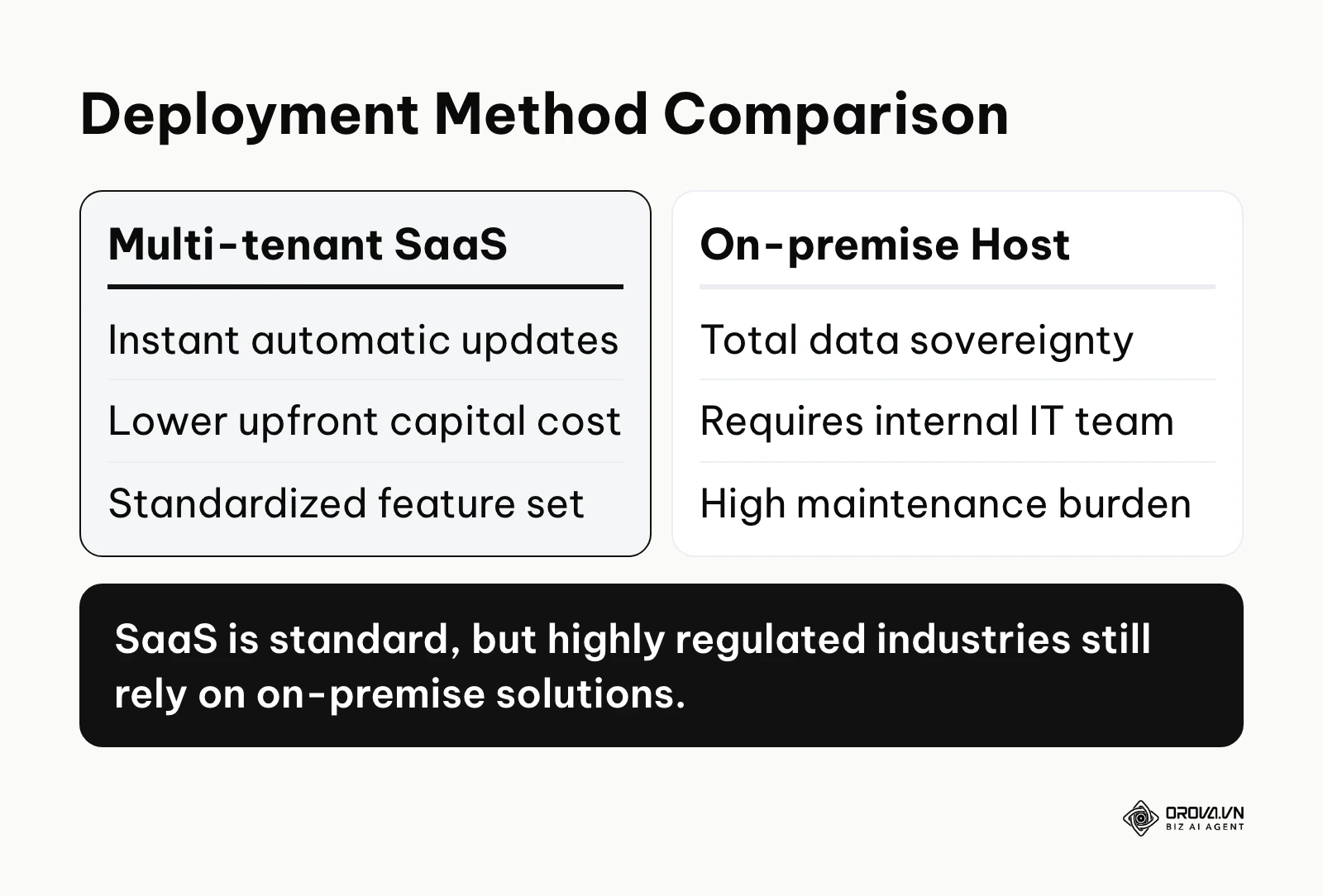
The first major decision is the deployment method. The vast majority of modern platforms operate on a multi-tenant cloud SaaS model. This means your data lives on a server (often AWS or Google Cloud) alongside other customers, separated by software logic. This is highly cost-effective and ensures you always have the latest feature updates. However, it means you have very little control over when those updates occur. Single-tenant cloud hosting gives you your own isolated instance, providing better security and control over update schedules, but at a significantly higher cost. Finally, on-premise hosting means you install the software physically on your own company servers. While extremely rare today, it is still utilized by highly secure sectors like the military or major financial institutions who demand total data sovereignty.
Next, you must evaluate integration capabilities. A learning platform cannot exist in a vacuum. It must communicate with your Human Resources Information System (HRIS). This connection automates user provisioning, meaning when a new hire is added to your HRIS, an account is automatically created in the learning system. You also need to integrate Single Sign-On (SSO). Whether utilizing SAML 2.0 or OAuth, SSO allows users to log in using their existing company credentials, drastically reducing the volume of password reset support tickets. If hiring and training are closely linked in your organization, also check whether the platform can import role or skills data from the systems your recruiters already use.
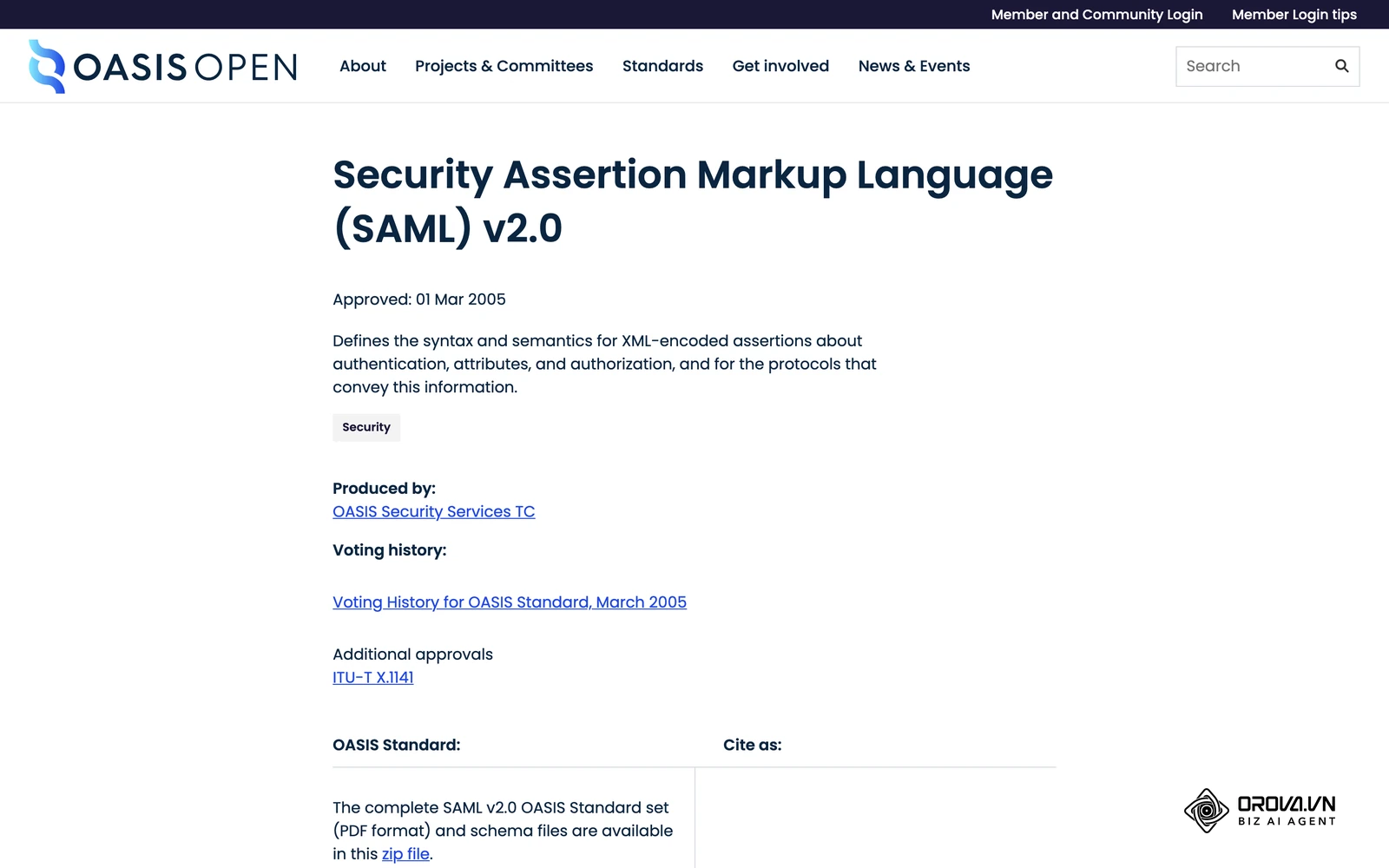
Content interoperability standards are another critical technical layer. Based on the SCORM 2004 4th Edition Specification released by the Advanced Distributed Learning (ADL) Initiative in 2009, standardizing content packaging ensures that courses remain interoperable regardless of the underlying platform. SCORM (Sharable Content Object Reference Model) remains the industry standard for tracking basic course completions. However, the modern standard is the Experience API (xAPI), which utilizes a Learning Record Store (LRS) to track learning experiences that happen anywhere, not just inside the platform—such as reading an article or attending a physical seminar. Understanding these technical nuances is vital, especially when training external partners or customers, because a smooth technical experience speeds up their onboarding.
| Deployment Architecture | Best Suited For | Primary Technical Weakness |
|---|---|---|
| Multi-tenant Cloud SaaS | Fast-scaling businesses seeking low maintenance. | Forced updates can occasionally break existing custom integrations. |
| Single-tenant Cloud | Regulated industries needing predictable upgrade cycles. | Higher baseline subscription costs and slower deployment times. |
| On-premise Hosting | High-security government or financial institutions. | Requires massive internal IT resources for server maintenance and patching. |
| Headless Architecture | Companies wanting total control over the user interface. | Requires a dedicated software development team to build the frontend experience. |
Measuring results: How to know you made the right choice
Implementing the software is only the beginning. You must relentlessly measure its impact to justify the massive financial investment. Looking solely at vanity metrics, like the total number of user logins, will give you a false sense of security. You must track metrics that reflect genuine business value and operational efficiency.
The most critical metric for corporate environments is Time-to-Competency. This measures exactly how many days it takes for a brand new employee to reach full, measurable productivity in their role. If your new software is effective, this timeframe should noticeably decrease. You must also monitor the compliance completion rate. This is the percentage of enrolled users who finish mandatory training prior to the legal deadline.
From an IT perspective, you must monitor system uptime and the volume of support tickets generated. If implementing the new system causes a massive spike in support requests regarding navigation confusion or password issues, the software has fundamentally failed the usability test, regardless of how many features it possesses.
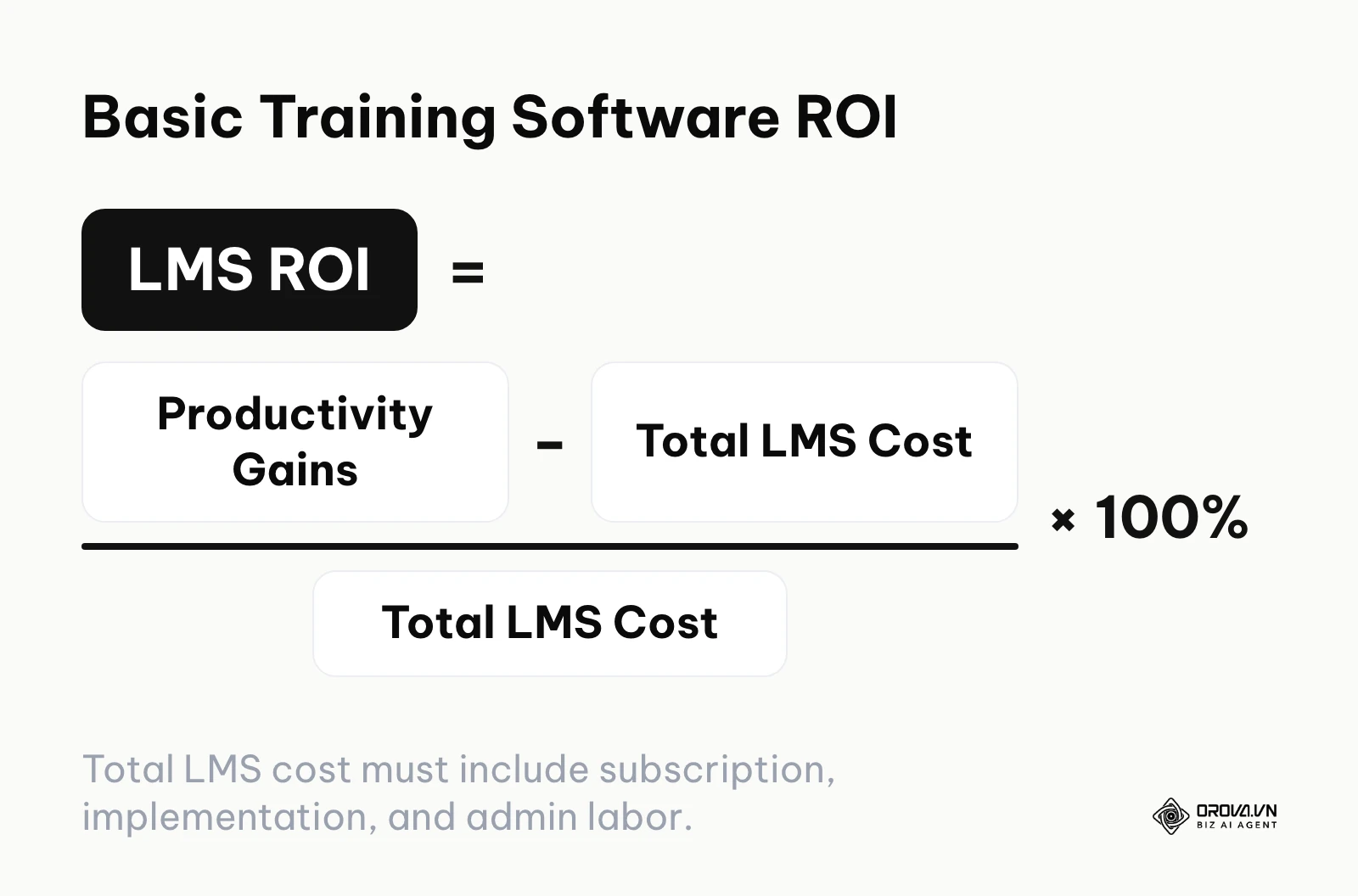
Finally, you must calculate your software ROI. This requires balancing the tangible productivity gains against the total cost of ownership, which includes the subscription, the implementation fees, and the internal labor hours spent administrating the platform. A simple way to express it: LMS ROI = (productivity gains − total LMS cost) ÷ total LMS cost × 100%.
| Key Metric | Business Meaning | Warning Threshold |
|---|---|---|
| Time-to-Competency | Speed of employee onboarding and readiness. | Increasing average duration compared to pre-implementation baselines. |
| Compliance Completion | Adherence to legal and regulatory training mandates. | Falling below 95% completion before the designated legal deadline. |
| System Uptime | The reliability and availability of the cloud infrastructure. | Dropping below 99.9%, indicating significant server instability. |
| Support Ticket Volume | The intuitive nature of the user and administrative interfaces. | Exceeding 10 support tickets per 100 active users per month. |
You do not need a long procurement cycle to see what a modern learning tool should do. With Orova Training you can generate lectures, slides and narrated videos with subtitles using AI, award certificates automatically when learners pass, and export SCORM 1.2 packages. It is free until the end of July 7, 2027, and no credit card is required.
Common mistakes when buying learning management systems
Even with thorough preparation, organizations frequently fall into predictable, costly traps during the procurement process. Recognizing these pitfalls in advance is your best defense against buyer's remorse.
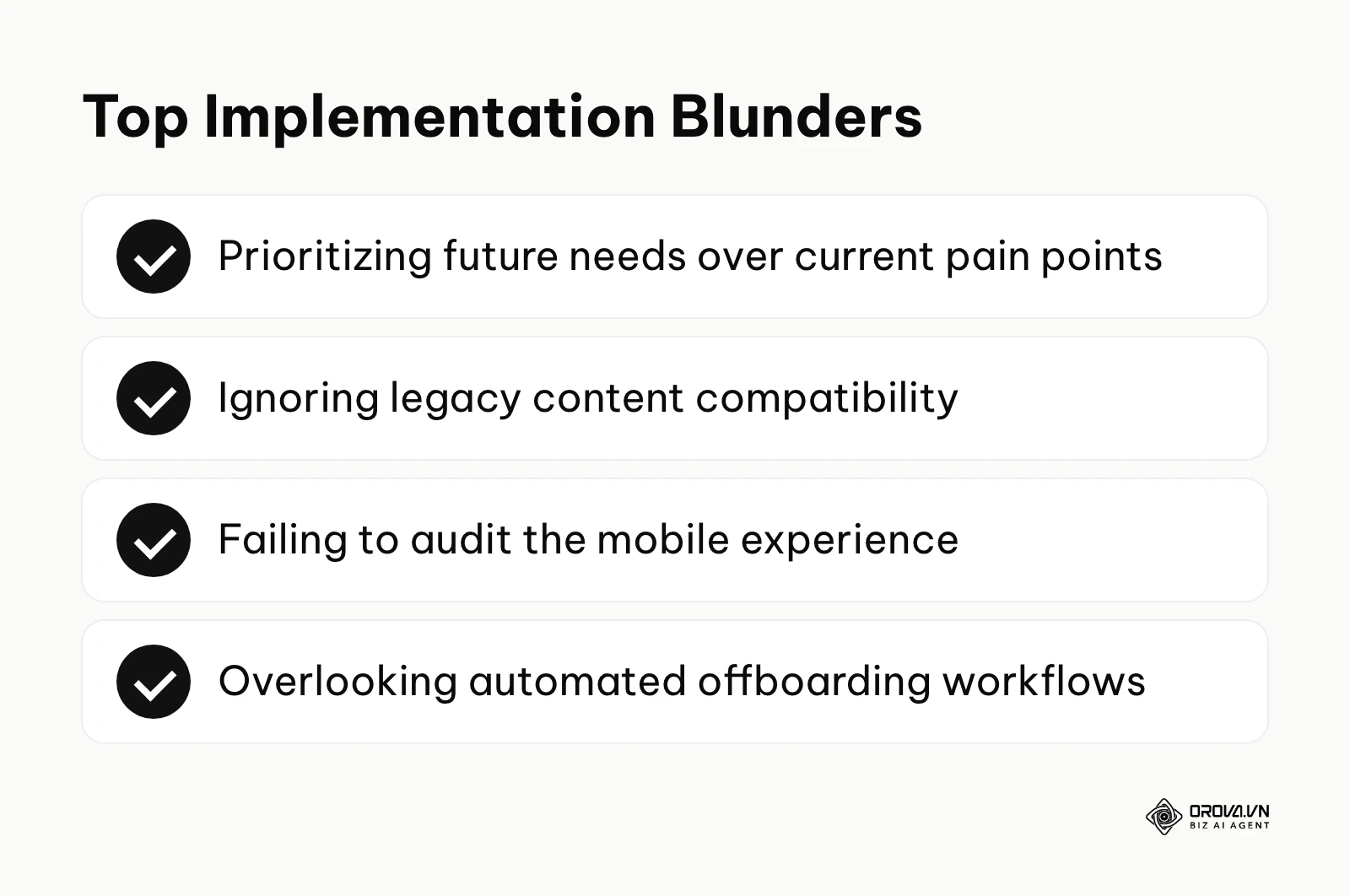
- Buying exclusively for a hypothetical future. Companies often purchase massive enterprise platforms because they plan to sell courses globally in five years, ignoring the fact that their immediate need is simply tracking internal safety training. This results in overwhelming complexity and immediate user rejection. You should buy software that solves your current pain points while offering a reasonable upgrade path, rather than buying a system you have to grow into.
- Ignoring legacy content compatibility. You might select a cutting-edge platform that focuses heavily on microlearning and social feeds, only to discover it fundamentally rejects the gigabytes of legacy SCORM 1.2 files your company relies on. Always force the vendor to import a sample of your oldest, ugliest training files during the trial phase.
- Forgetting to audit the mobile experience. Vendors will claim they are "mobile-friendly," but this often just means their website shrinks down clumsily on a phone screen. If your workforce is largely deskless (retail, manufacturing, construction), you must test the mobile experience thoroughly. Check if the platform offers a native application with offline synchronization capabilities so workers can learn without a stable internet connection.
- Neglecting digital accessibility standards. Implementing a system that is not compliant with WCAG (Web Content Accessibility Guidelines) exposes your organization to significant legal liabilities and alienates employees. You must mandate that the platform supports screen readers, high-contrast modes, and comprehensive keyboard navigation.
- Overlooking the automated offboarding process. Companies focus intensely on how to get users into the system, but forget to plan how to get them out. If the system does not automatically deactivate users based on HRIS triggers, you will bleed money paying for accounts belonging to former employees.
Illustrative example: A learning and development director at a fast-growing technology startup aggressively purchased a budget-friendly platform utilizing a "pay-per-registered-user" pricing model for their 150 employees. They quickly launched the software company-wide, proudly integrating the system with their human resources database to auto-provision accounts for every single new hire. The hidden financial trap surfaced six months later when the startup doubled in size and the vendor billed them a staggering amount for hundreds of inactive accounts belonging to former contractors and terminated employees who had never even logged in. The panicked director had to urgently renegotiate the contract to a "pay-per-active-user" model and implemented a strict automated offboarding script to forcefully deactivate dormant accounts. The result was a stabilized, predictable monthly invoice and a clean database containing only genuinely active learners.
LMS trends in the next few years: My perspective
These are my own views on where corporate learning software is heading. The market is going through a structural shift, and based on the signals visible today, here are my three predictions for the next few years.
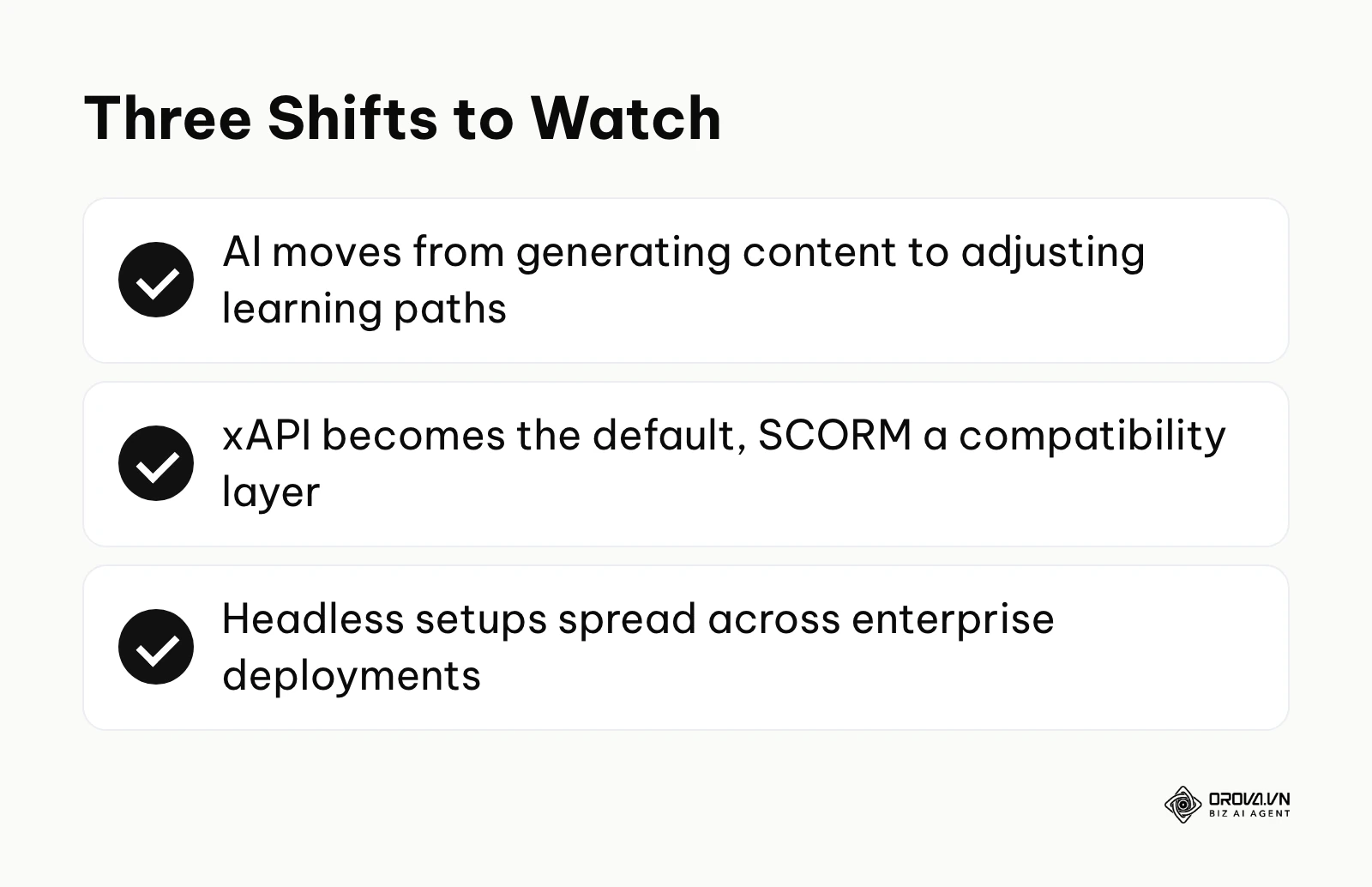
Artificial intelligence will transition from content generation to dynamic pathway alteration
As of 2026, artificial intelligence in the learning sector is primarily used as a blunt content creation tool—generating multiple-choice quizzes, summarizing text, or producing synthetic voiceovers. While efficient, this is not transformative. I believe that over the next few years, AI will shift toward dynamic pathway alteration. These systems would monitor how a learner interacts with each module. If an employee struggles with a specific concept in module two, the AI could adjust the syllabus for module three and add remedial content before the learner falls behind. Organizations need to prepare for this by ensuring their current data structures are impeccably clean, as AI cannot dynamically route learners if the underlying skill taxonomies are chaotic.
The Experience API (xAPI) will push SCORM toward legacy status
The industry has clung desperately to SCORM for two decades simply because it is a known quantity, despite its massive technical limitations. However, I think the pressure to move on is building. Modern corporate learning no longer happens exclusively inside a web browser; it happens in Slack channels, on factory floors using mobile devices, and within specialized software environments. SCORM cannot track these external actions. I expect growing demand for holistic performance data to push more vendors toward xAPI as their default, with SCORM gradually becoming a compatibility layer for older content. Buyers should keep SCORM support for their existing library, but also ask every vendor about native xAPI support.
Headless architecture will become far more common in enterprise deployments
Currently, when you buy a platform, you are forced to accept the vendor's frontend user interface. I think this monolithic approach is losing ground in the enterprise space, and I expect more buyers to move toward headless architecture, where the backend database and logic (the LMS) are completely decoupled from the frontend presentation layer via robust APIs. This allows a company to build a highly customized, branded learning interface that lives natively inside their own proprietary applications or intranet portals, while the vendor's software silently handles the heavy lifting in the background. If you are an enterprise buyer, you should prioritize platforms that offer exhaustive, well-documented API endpoints over platforms that only offer rigid, unchangeable graphical interfaces.
Frequently asked questions about how to choose an LMS
Navigating this procurement process generates immense confusion. Here are the most common questions buyers face when attempting to finalize their software selection.
What is the fundamental difference between an LMS and an LXP?
An LMS (Learning Management System) is fundamentally designed for compliance, administrative control, and pushing mandatory training from the top down. An LXP (Learning Experience Platform) is designed for self-directed learning, focusing on content discovery, peer-to-peer sharing, and pulling content from various external sources. Many modern platforms attempt to blend these functionalities, but you must identify which core philosophy your organization truly needs.
What drives the cost of an LMS?
Cost depends far more on the pricing model and contract terms than on the headline license. The main drivers are the number of registered or active users, one-time implementation and migration work, integrations such as SSO and HRIS sync, storage and bandwidth, and the support tier you choose. Ask every finalist for a written three-year total cost of ownership that itemizes each of these lines so you can compare like with like.
What is the role of AI in modern learning platforms?
AI is rapidly evolving from a novelty to a core infrastructure component. Currently, AI assists administrators by auto-generating quiz questions from uploaded documents, translating content into multiple languages instantly, and providing chatbots to answer basic learner queries. In the near future, its primary role will be predictive analytics—identifying exactly which employees are at risk of failing compliance standards before the deadline occurs.
Can I host my own heavy video files directly on the platform?
While most platforms allow you to upload MP4 video files directly, it is rarely a wise financial decision. Vendors often charge exorbitant overage fees for high storage consumption and bandwidth usage. A much more efficient strategy is hosting your heavy video files on a dedicated, cost-effective server like AWS S3 or a secure enterprise video platform, and seamlessly embedding those video links directly into your courses.
How secure is highly sensitive employee data in a multi-tenant cloud environment?
Data security in the cloud is highly dependent on the vendor's specific architecture. Reputable vendors utilize stringent encryption protocols (like AES-256 for data at rest and TLS 1.3 for data in transit), conduct regular third-party penetration testing, and maintain compliance with strict frameworks like SOC 2 Type II and GDPR. However, because you share a database architecture with other companies, a critical software vulnerability could theoretically expose data across tenants, making vendor security audits essential.
Where to start?
Reading an exhaustive guide can leave you feeling paralyzed by the sheer volume of technical requirements. The best way to break this paralysis is to take one immediate, highly specific action based entirely on your current situation.
If you are entirely new to this process and your organization currently relies on manual spreadsheets, your very first step should not be looking at vendor websites. Instead, spend one hour mapping out your current training workflow on a physical whiteboard. Document exactly how a new hire receives training today. Identifying your current bottlenecks will immediately highlight the exact features you actually need, preventing you from being distracted by flashy marketing during future demonstrations.
If you are actively suffering through the process of replacing a legacy, outdated system, your immediate priority is data preservation. Do not schedule new demos yet. Instead, log into your current system today and attempt to export a comprehensive sample of your user data and historical completion records. Analyze that CSV file closely to understand exactly how chaotic and disorganized your legacy data is, as this will determine the complexity of your upcoming migration project.
Finally, if you are already in the trenches, actively evaluating vendors and suffering from demo fatigue, you need to enforce objectivity immediately. Copy the comprehensive evaluation scorecard provided earlier in this guide into a fresh spreadsheet today. Take the top two vendors you are currently considering, strip away your emotional preferences, and rigorously score them based strictly on their mathematical ability to fulfill your core technical requirements. This is the only definitive way to master how to choose an LMS.
About the author

Builder of Orova
Nguyễn Đỗ Trọng Ân has 8 years of experience in marketing, including 6 years managing market development across Asia. He builds Orova, a Biz AI Agent that never sleeps: it plans, runs and optimizes work for businesses.
Run your business with AI Agents
Orova is the always-on Biz AI Agent — it plans, runs, and optimizes the work for you.
Save time, unlock productivity.