
Create dynamic QR code: avoid hidden fees and own your links
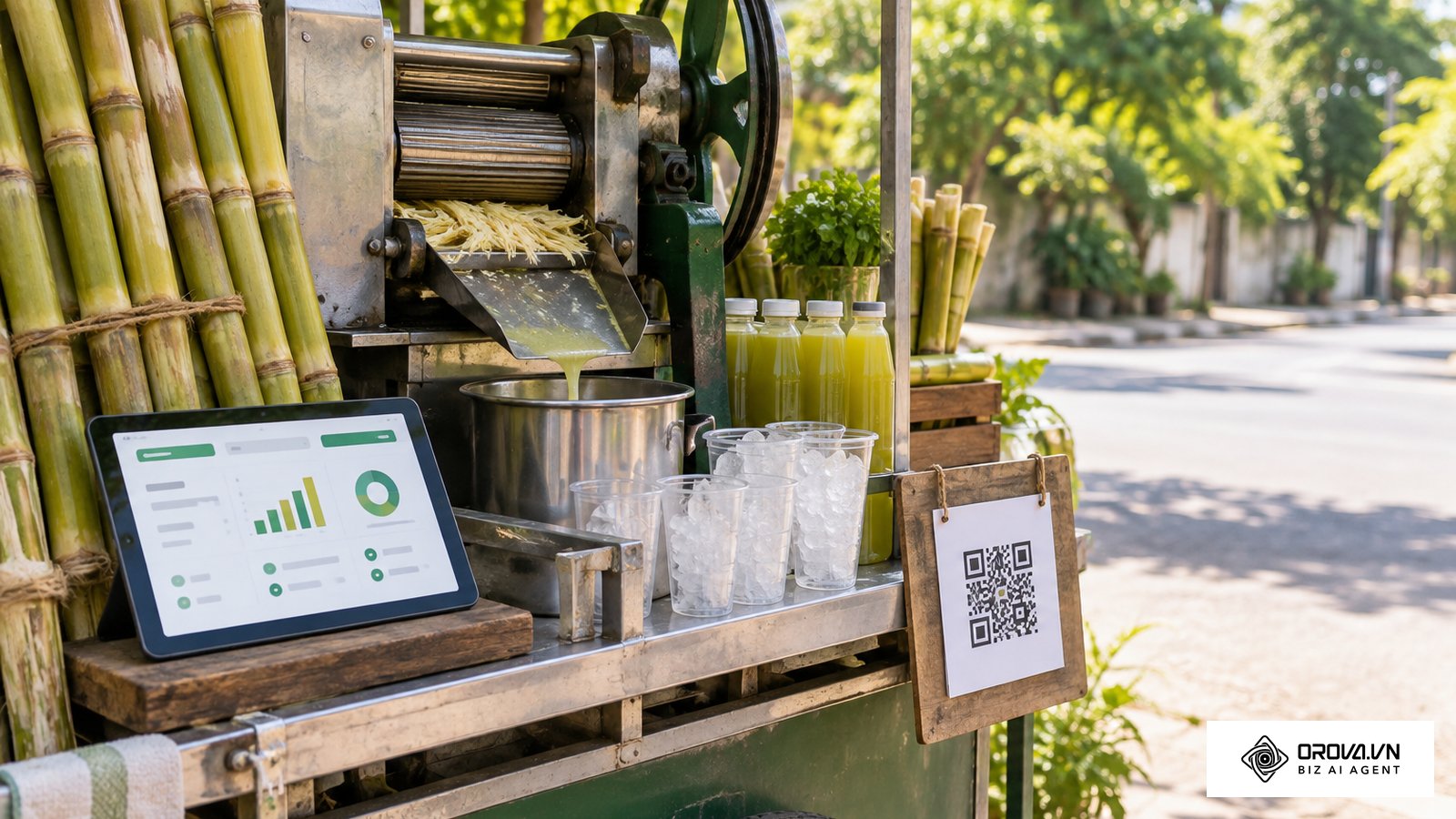
You spend weeks finalizing the perfect product packaging design, send it to the printer, and distribute thousands of boxes to retail stores nationwide. A few weeks later, a customer scans the square matrix on the back of the box and is greeted by an error page asking the brand to upgrade a software plan before the link will work again. This scenario happens to businesses that do not understand the underlying mechanics of link routing. If you want to protect your physical marketing assets, you must learn how to create dynamic QR code setups that you fully control.
The short answer: a dynamic QR code is a normal QR code that stores a short URL instead of your final web address. You create one by choosing who runs that short URL (a SaaS tool or your own domain), pointing the short URL at your landing page with a temporary redirect, generating the code from the short URL, and testing it before you print. Whenever you need a new destination, you change the redirect, not the printed code.
When you generate codes without understanding this infrastructure, you are essentially renting space on someone else's server. If the vendor changes its terms or you stop paying, your printed materials can stop working. This in-depth guide walks through the subscription traps of popular generators, explains the network protocols involved in link redirection, and shows you how to build a robust, self-hosted routing system. By the end of this analysis, you will know how to manage your offline-to-online traffic for the long term, so that every scan keeps delivering a working page regardless of software vendor changes.
What does it mean to create a dynamic QR code?
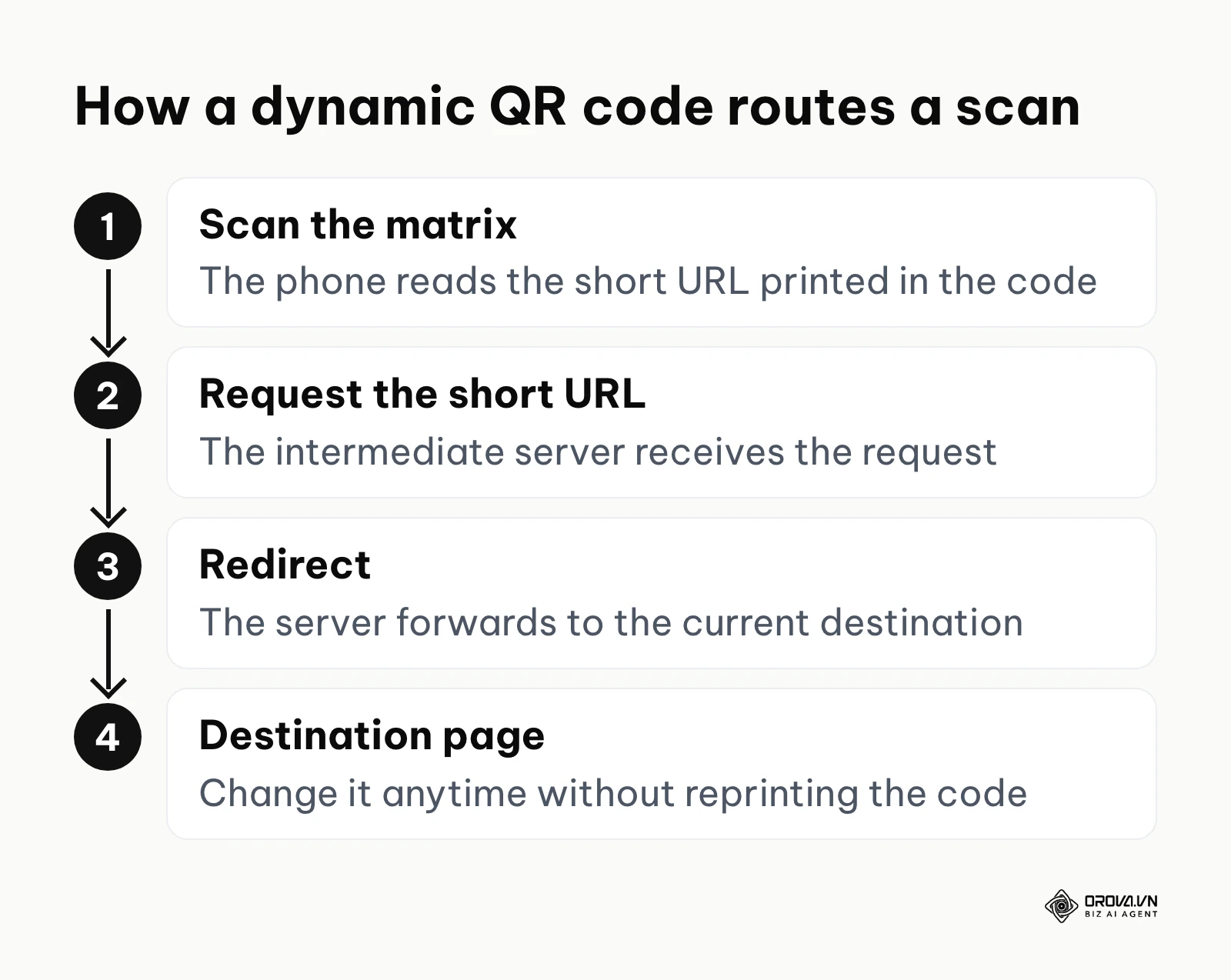
To create a dynamic QR code means generating a static visual matrix that points to an intermediate short URL, which then redirects the scanner to a final destination URL. Unlike static codes that hardcode the final web address directly into the black-and-white squares, this approach allows you to update the final destination as often as you like without ever changing the printed pattern.
You should use this routing strategy whenever you are printing on physical materials that are expensive to replace, such as product packaging, billboard advertisements, business cards, or restaurant table tents. The ability to change your marketing message after the ink has dried is valuable. Conversely, you should avoid this method for sensitive, one-time use cases like boarding passes or security authentication tokens, where the slight latency of a server redirect could cause issues and where the data needs to be read entirely offline by dedicated scanning hardware.
Preparation: what you need before you create a dynamic QR code
Before you even open a generation tool, you must establish the technical foundation for your routing architecture. A common mistake is jumping straight into design without securing the infrastructure first. If you want to own your traffic, you need to prepare the right assets.
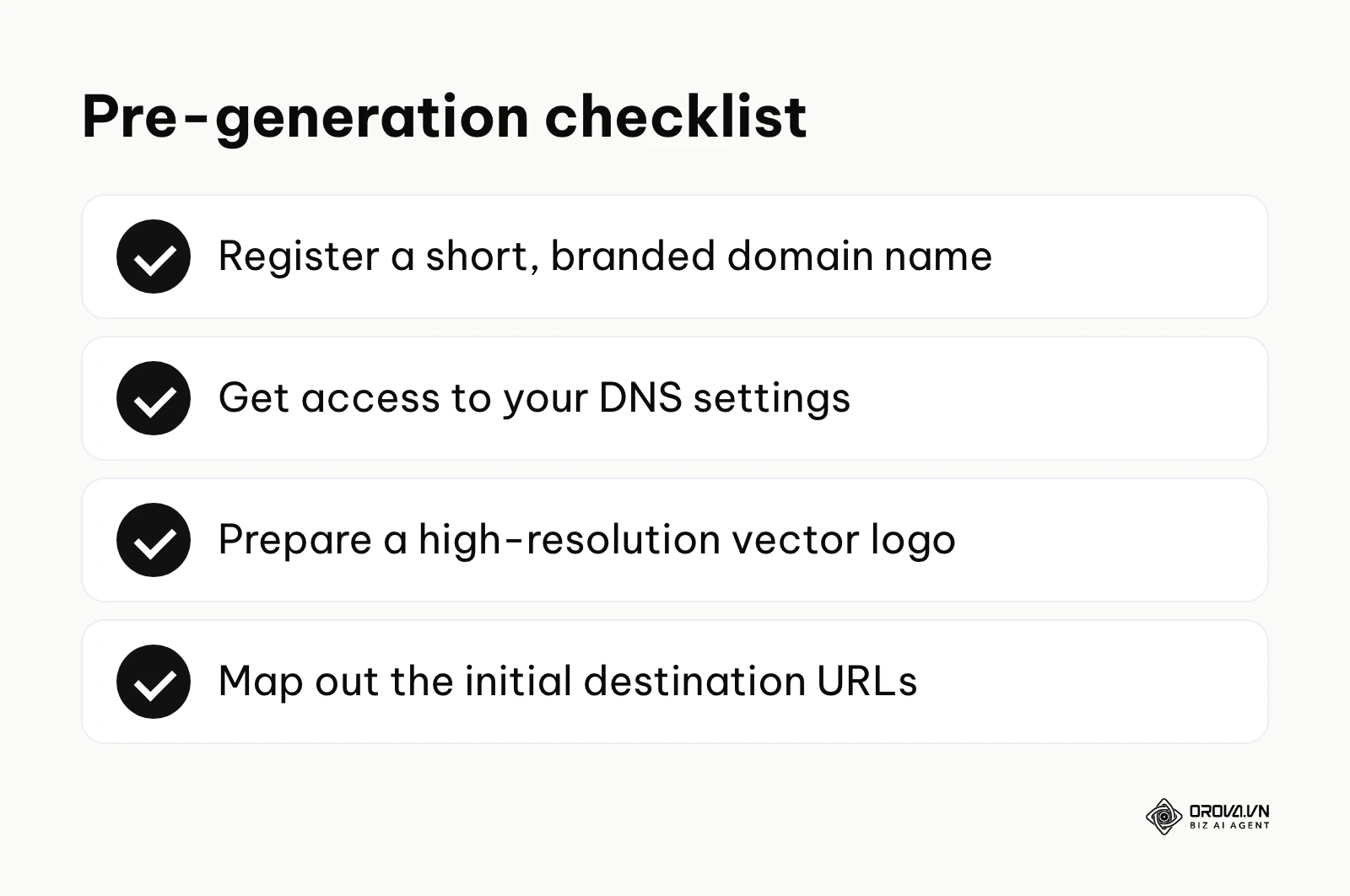
You will need a dedicated short domain name. This is crucial. If your main website is verylongcompanyname.com, you could register something like vlcn.link or a short subdomain such as go.verylongcompanyname.com. This keeps the matrix pattern simple and ensures you own the intermediate step. You will also need access to your domain registrar's DNS settings and a clear mapping plan for where these links will point initially.
| What to prepare | Where to get it | Time required |
|---|---|---|
| Custom short domain name | A domain registrar | 15 minutes |
| DNS management access | Cloudflare, Amazon Route 53, or your registrar | 10 minutes |
| High-resolution brand logo | Your internal design team (SVG or EPS format) | 5 minutes |
| Initial destination URL spreadsheet | Marketing team campaign plans | 30 minutes |
Setting up these components in advance means you are never locked into a single vendor's ecosystem, and you can move your routing logic elsewhere in the future.
6 steps to create a dynamic QR code (SaaS or self-hosted)
Building a future-proof tracking link requires technical precision. Follow these six steps carefully to make sure your printed materials never suffer from broken redirects.
Step 1: Choose between a third-party SaaS and a self-hosted redirect
The very first decision you make shapes your offline marketing for years. You must choose between renting a redirection service from a Software as a Service (SaaS) provider or building a self-hosted redirect environment.
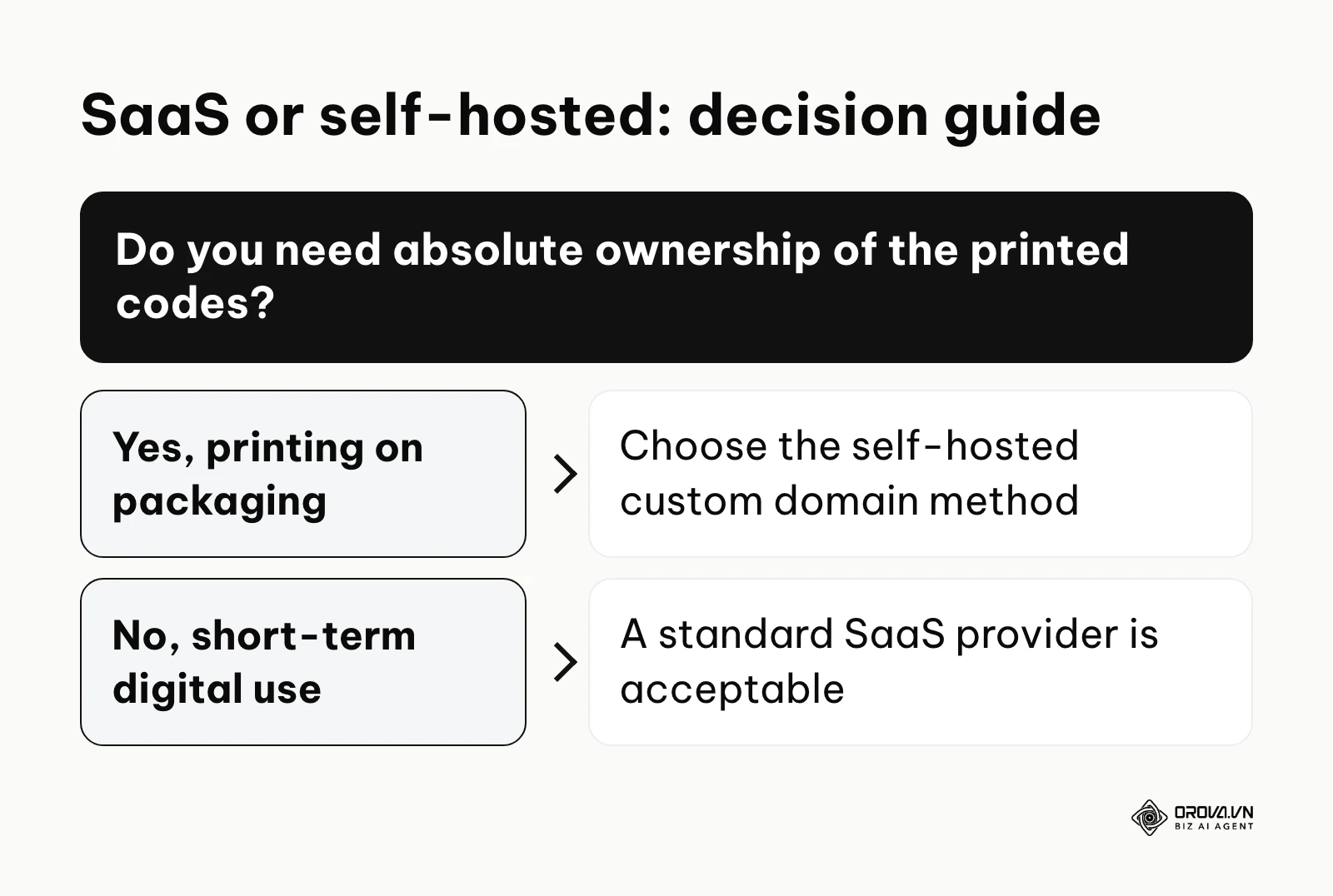
A SaaS platform gives you immediate access to analytics, design tools, and easy URL management, but many of them default to their own generic routing domains (like qr.creator-xyz.com). If they raise their prices or shut down, your printed codes can stop working. A self-hosted redirect means you buy your own domain, point it to a lightweight routing server or a redirect rule at your DNS provider, and keep full ownership. If you decide to use a SaaS platform later, you can route your custom domain through their system, so you can always leave and take your traffic with you.
Illustrative example:
- Context: A regional hardware store chain with 12 locations needed to route customers to weekly digital flyers via permanent in-store acrylic signage.
- What they did: They registered a dedicated short domain, connected it to a free DNS management service, and mapped the root URL directly to their weekly promotional PDF hosted on their main server.
- Where it got stuck and the fix: Initially, they configured the server to send a permanent redirect, which caused returning customers' mobile browsers to cache the old flyer; they fixed this by switching the routing rule to a temporary redirect and setting the edge cache for that rule to expire immediately.
- Result: The stores now display the same permanent acrylic signs at the entrance year-round, while the digital flyer updates every Monday morning without browser caching errors and without a separate subscription for the routing.
Step 2: Set up your custom redirect domain (white-labeling)
If you chose to use a SaaS platform for convenience, look for its white-labeling or custom domain feature. Avoid letting a vendor print its generic domain into your matrix whenever the code will live on long-term printed materials.
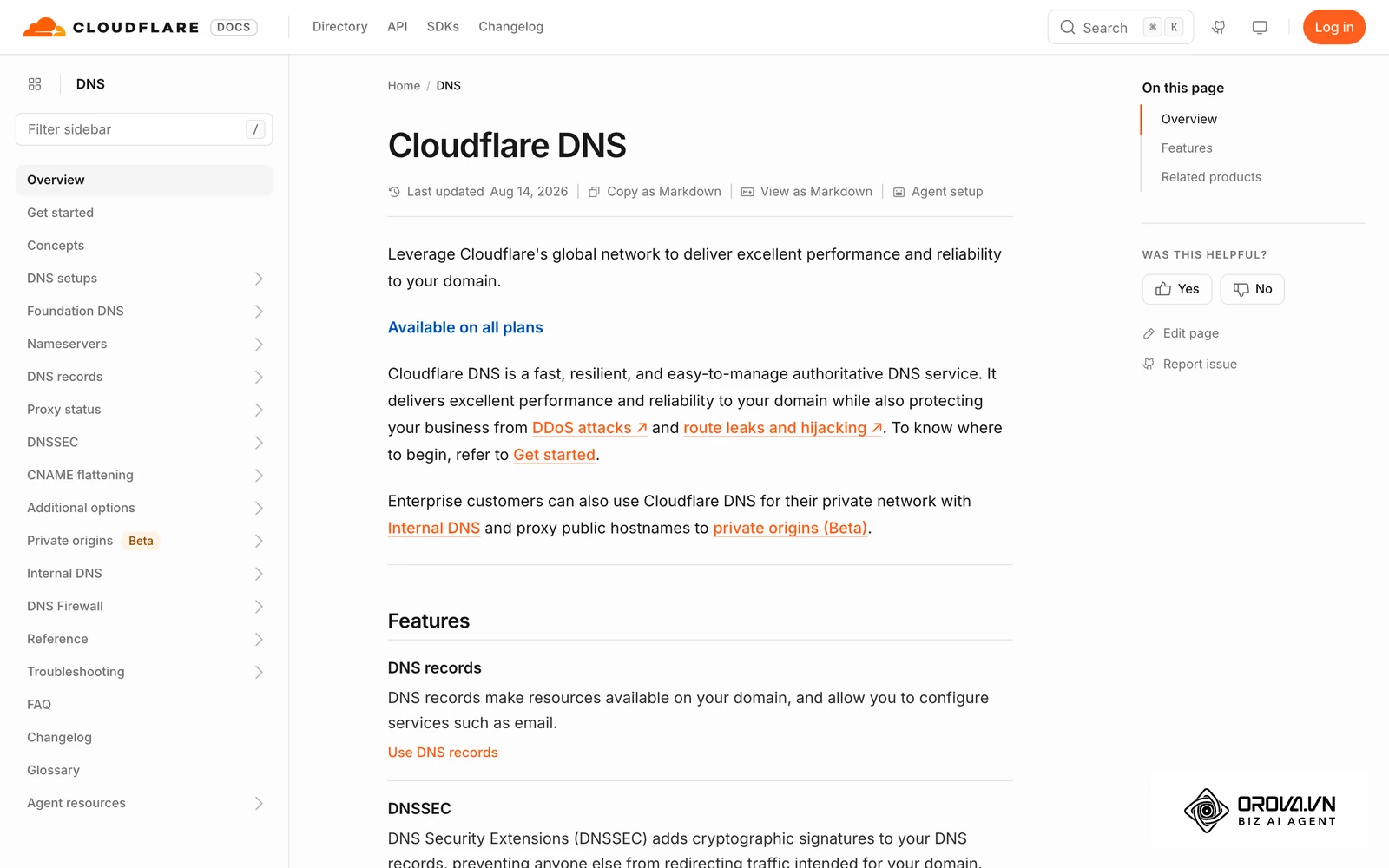
To configure this, you log into your domain registrar and navigate to the DNS (Domain Name System) settings. You create a CNAME (Canonical Name) record. For example, you might create a subdomain called scan.yourbrand.com and point the CNAME record to client-routing.saasprovider.com. This tells resolvers that anyone visiting your custom subdomain should be sent to the vendor's server for the redirect instructions. The beauty of this setup is that if you ever want to leave the vendor, you change the CNAME record to point to a different server, and all your printed codes follow.
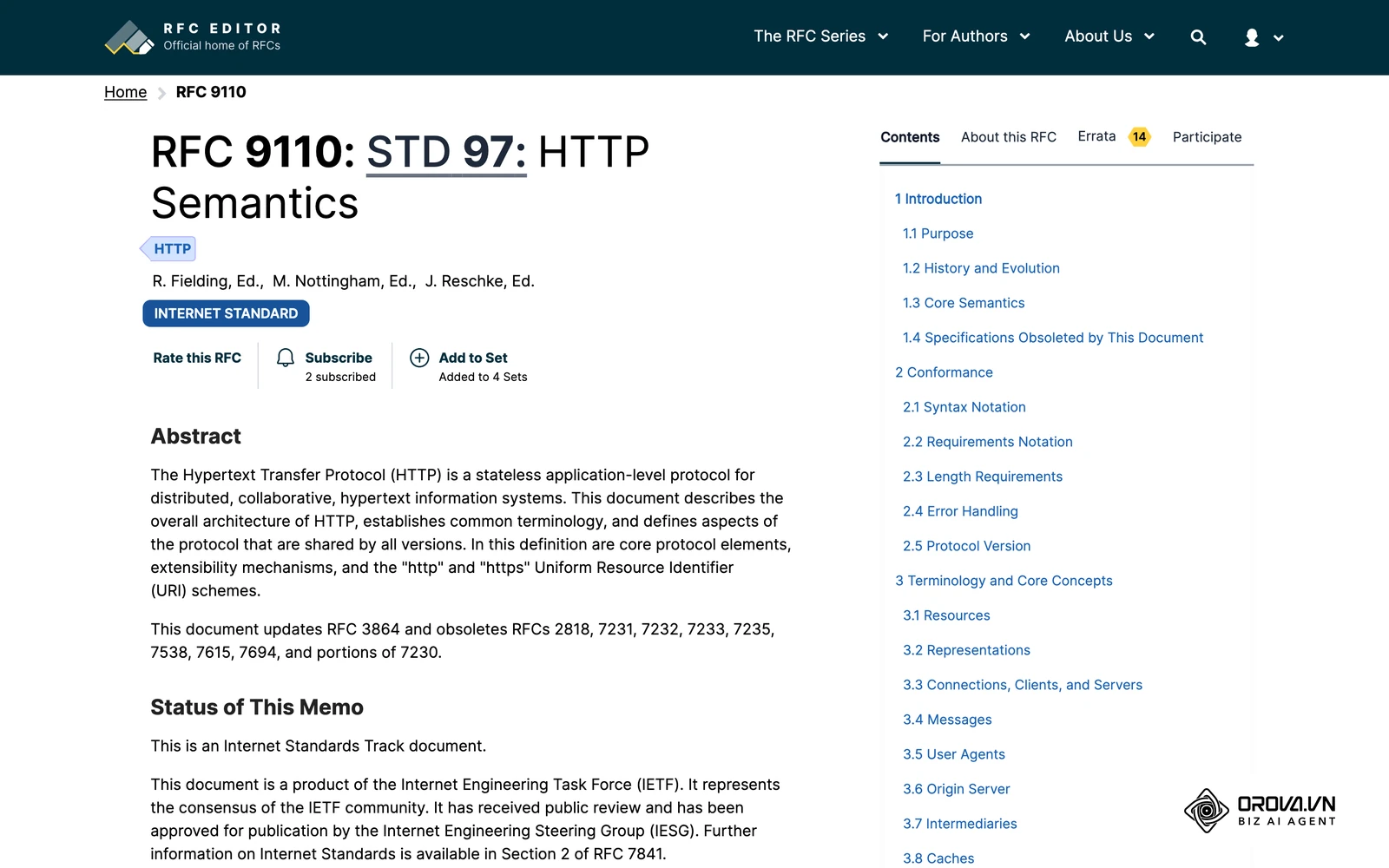
When configuring these servers yourself, pay attention to the HTTP status codes. Based on the RFC 9110 HTTP Semantics 2022 by IETF, a 302 Found status code is the technically correct method for a temporary redirect. A 301 Moved Permanently response may be cached by browsers, which works against the whole purpose of a dynamic setup.
Step 3: Configure the destination URL and fallback strategy
The destination URL is the final webpage your user sees. While setting this is easy, planning for what happens when this webpage stops existing is what separates professionals from amateurs. Campaigns end, products get discontinued, and seasonal menus change. You need a fallback strategy.
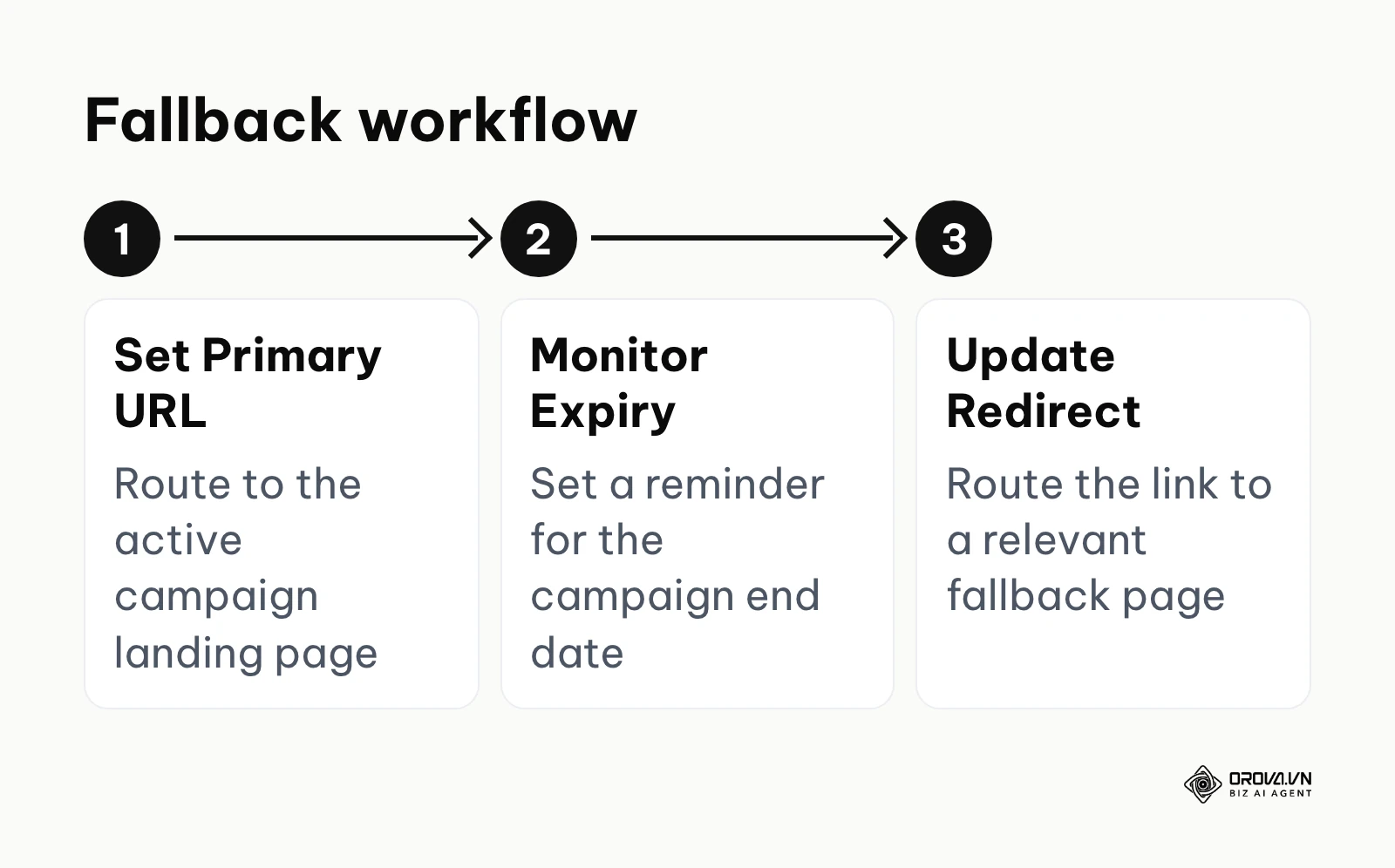
A fallback URL is a default safety net. If a user scans a code pointing to go.yourbrand.com/summer-promo, and the summer promotion has ended, your routing rules should send the user to a general fallback page, such as your main homepage or a relevant product category page, instead of a dead page.
Illustrative example:
- Context: A boutique hotel introducing contactless room service menus across 80 guest rooms to reduce printing costs.
- What they did: They generated the matrix linking to a seasonal winter dining page, printed the codes on high-quality table tents, and set a calendar alert for the upcoming spring menu transition.
- Where it got stuck and the fix: When the winter menu ended, the web team deleted the old URL before the redirect was updated, leaving guests looking at a 404 error page; the IT manager resolved this by configuring a wildcard fallback rule on the web server to redirect any broken menu links to the hotel's main dining page.
- Result: Guests scanning out-of-date table tents during transition periods now land on the active restaurant page, and room service orders are no longer lost to a dead link.
Step 4: Generate the QR code matrix and customize the design
Now that the routing infrastructure is locked down, you can generate the actual square pattern. Take your custom short URL (for example, https://go.yourbrand.com/123) and enter it into a generation tool.
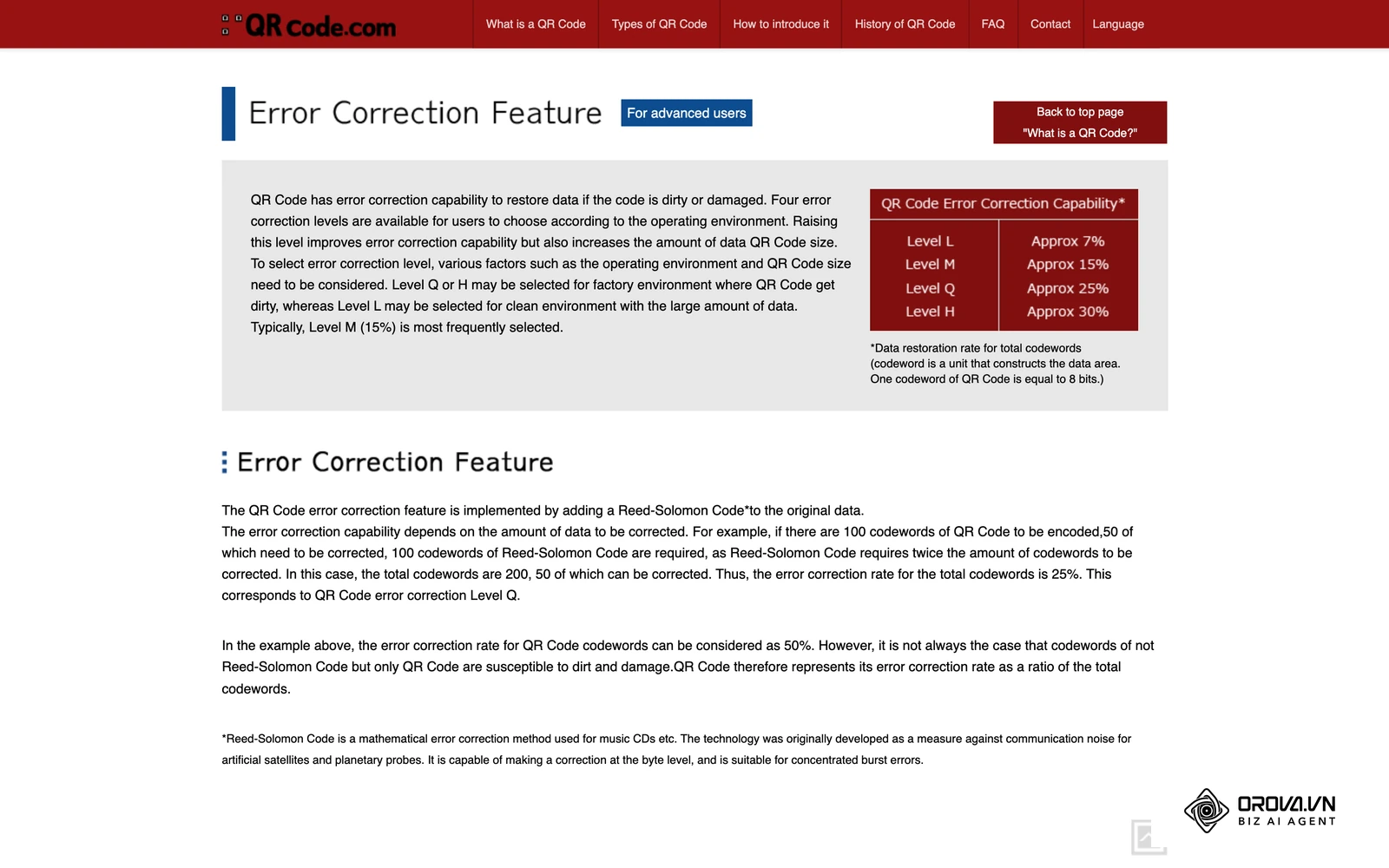
The most important technical setting during generation is the error correction level. This algorithm adds redundant data to the matrix, allowing it to remain scannable even if parts of it are obscured, damaged, or covered by a central logo. There are four levels: L (restores about 7%), M (about 15%), Q (about 25%), and H (about 30%). According to the QR Code Model 2 standard ISO/IEC 18004:2015 by ISO, setting the error correction to level H allows up to 30% of the data to be restored, which is strongly recommended if you intend to place your company logo in the center of the design.
When customizing colors, always keep high contrast. The background should be light (preferably white), and the foreground pattern should be dark (black, deep navy, or dark green). Avoid inverting these colors, as some older camera apps and scanners struggle to decode light patterns on dark backgrounds. Finally, export the final design as a vector graphic (SVG, EPS, or PDF) whenever possible. Raster formats like PNG or JPG can pixelate when scaled up for large banners or packaging, which hurts scannability.
Step 5: Run the 5-point pre-print checklist
Sending a broken matrix to a commercial printer is an expensive mistake. You must run a strict testing routine before approving any proofs. Once ink hits paper, mistakes are permanent.
Run this exact 5-point checklist on the final digital proof:
- Scan the screen using the native iOS camera app.
- Scan the screen using Google Lens on an Android device, since Android devices may handle the link preview differently.
- Look at the decoded link shown on the screen before tapping it. Does it show your custom domain, or a generic vendor domain?
- Verify that the UTM tracking parameters arrive correctly on the final destination URL.
- Test the fallback by temporarily pausing the destination URL and checking that the scanner lands on the default page.
If any of these tests fail, stop the printing process and fix the routing before you continue. For a broader look at printing checks and what to do when an expired code is already in circulation, see the companion guide linked in the cost analysis below.
Step 6: Deploy, track, and maintain the link
After the materials are printed and distributed, your focus shifts to maintenance and analytics. Because you are using an intermediate routing layer, your server (or your SaaS provider) logs a hit every time a device requests the short URL.
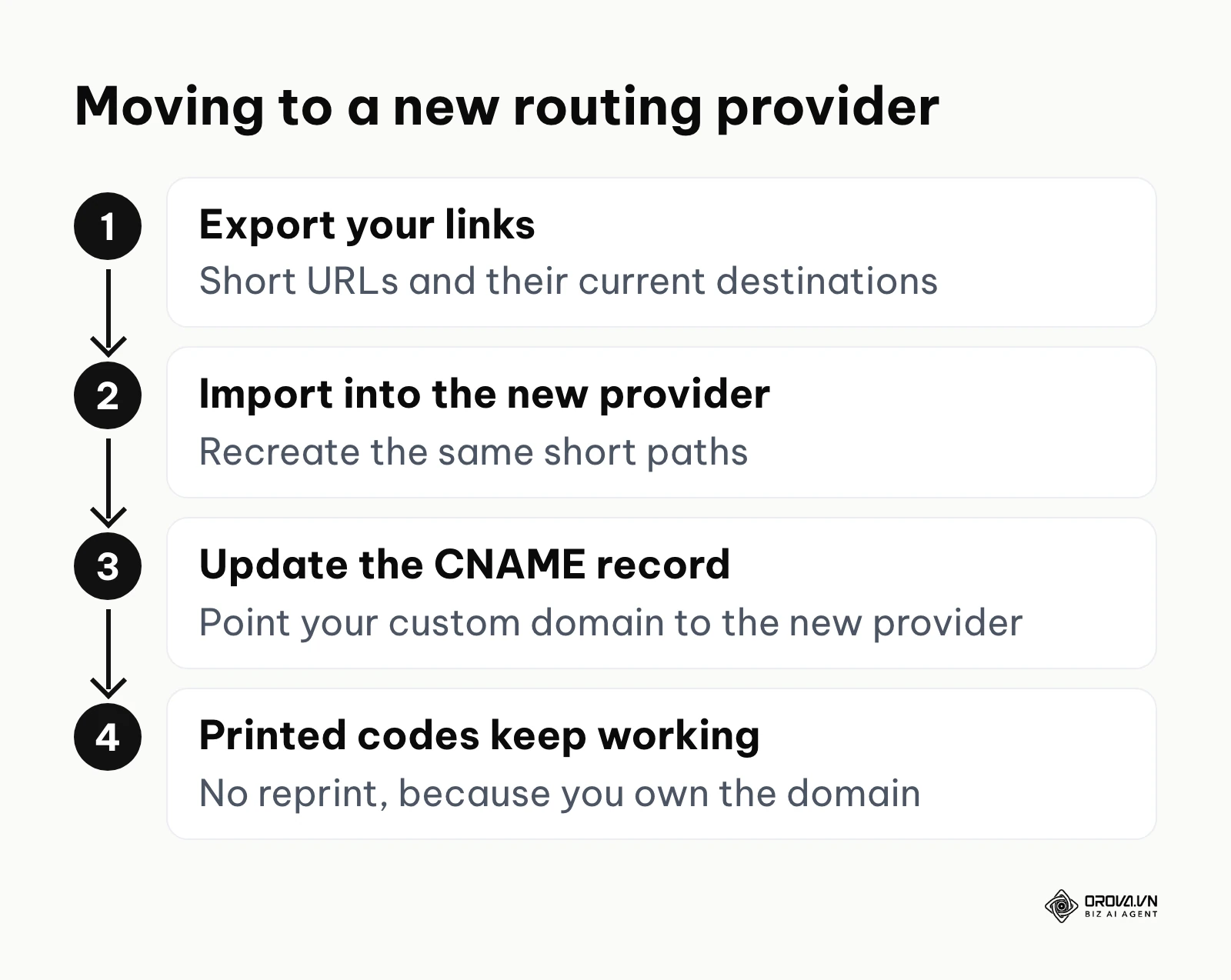
Organize your links using a strict naming convention. Do not just name your link "Campaign 1." Name it using a standard pattern like YYYY_MM_Platform_Medium_Campaign. This makes it much easier to search through thousands of links three years from now. Furthermore, schedule quarterly audits of your active links. Identify which physical assets are still in circulation and verify that their destination URLs are still serving valid content. If you eventually decide to migrate to a different routing provider, the process is simple: you export your list of short URLs and their destinations, import them into the new provider, and then update your custom domain's DNS CNAME record to point to the new provider. Because you followed Step 2, the printed codes never need to change.
Want a printed code whose destination you can still change? With Orova Link & QR you can create dynamic QR codes that point to a new page after printing, customize colors, logo and frame, and track scans by day, device, country and source.
Deep analysis: total cost of ownership, hidden traps, and the self-hosted advantage
Many marketing teams search the web for a free QR code generator without first asking whether free QR codes are permanent. Some SaaS companies offer free generation because they know that once you print their short link on 10,000 product boxes, moving away becomes very costly. This is known as vendor lock-in.
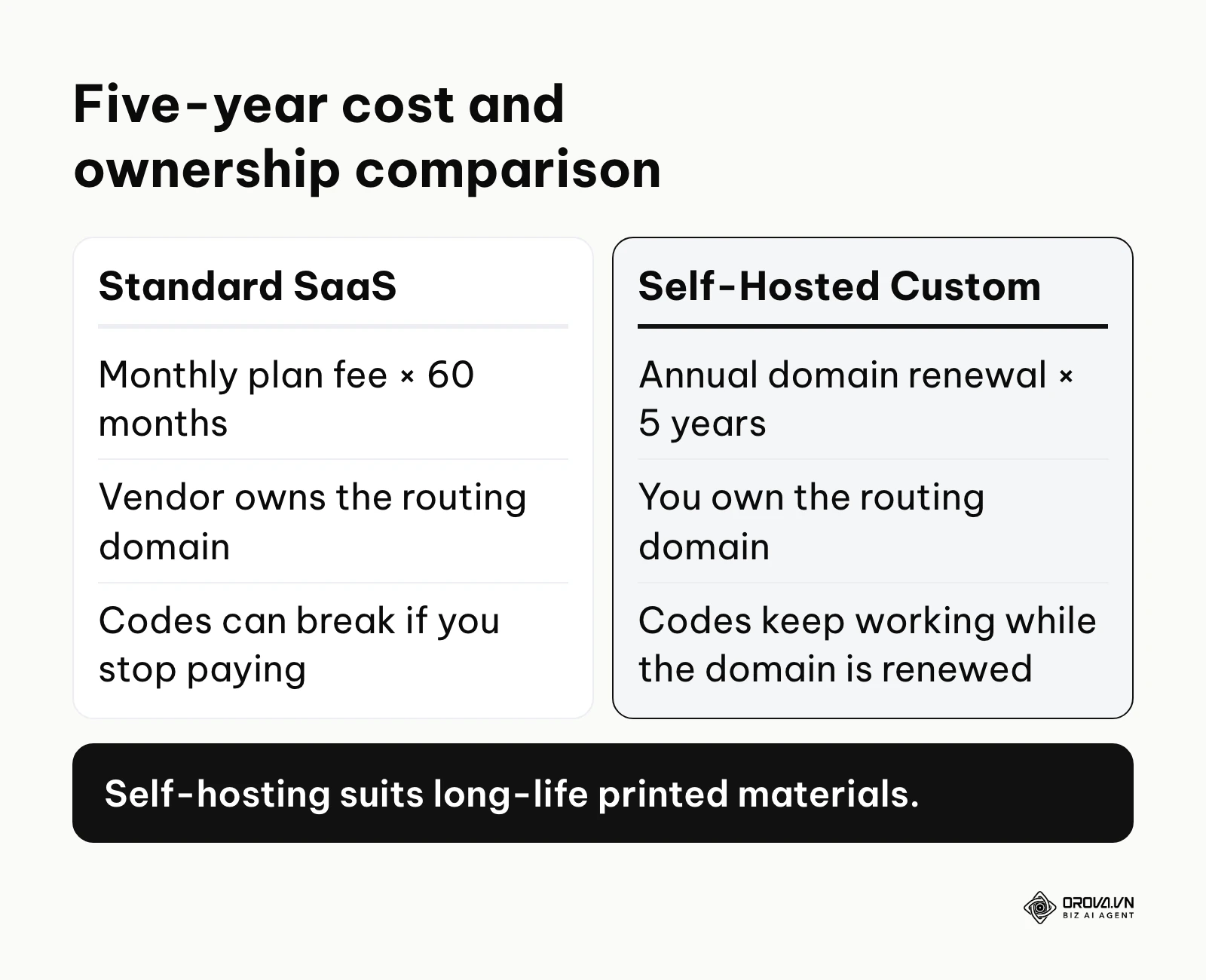
To analyze the total cost of ownership (TCO), compare the two setups over the same five-year period instead of looking only at the first month. The table below shows what each option actually requires you to pay for and who owns the critical piece.
| Cost item over five years | SaaS on the vendor's domain | Self-hosted on your own domain |
|---|---|---|
| Recurring fee | Monthly plan fee × 60 months | Annual domain renewal × 5 years |
| Redirect hosting | Included in the plan | Free DNS redirect rules or a small server |
| HTTPS certificate | Included in the plan | Often included free by DNS and edge providers |
| Who owns the short domain | The vendor | You |
| What happens if you stop paying | Codes can break or show a vendor page | Codes keep working while the domain is renewed |
Run the math with your own numbers: multiply the monthly plan fee by 60, then compare it with five annual domain renewals. For most teams the self-hosted line is a small fraction of the SaaS line. More importantly, ownership is different. If a payment fails on a SaaS plan, the vendor may switch off the redirect, and boxes on shelves can start scanning to a renewal or error page, which damages brand trust.
With the self-hosted custom domain approach, you register a domain, use a DNS provider to manage the routing rules, and rely on the free HTTPS certificates that many edge networks provide. You keep control over your routing architecture. No vendor can hold your physical assets hostage.
Illustrative example:
- Context: A direct-to-consumer beverage brand printing 200,000 aluminum cans for a nationwide summer music festival promotion.
- What they did: They audited their marketing software costs, found they were paying a monthly fee for a basic routing tool, and decided to move their routing to a self-hosted setup before the large print run.
- Where it got stuck and the fix: They realized they could not transfer their previously printed codes because the old vendor owned the intermediate domain; they handled the transition by keeping the old account on a smaller plan just to support the old cans, while routing all new packaging through their own custom domain.
- Result: The beverage brand now owns the routing for all new product lines, so future packaging runs no longer depend on an outside subscription.
If you are only running a two-week digital campaign on a local billboard, the SaaS trap matters less because the physical asset has a short lifespan. But if you are printing on hardware, packaging, or permanent signage, giving up infrastructure ownership to save thirty minutes of setup time is a poor business decision.
Measuring results: scan analytics and user behavior
A major advantage of intermediate routing is the ability to collect scan data before the user ever reaches your website. When a smartphone requests your short URL, the server receives useful metadata.
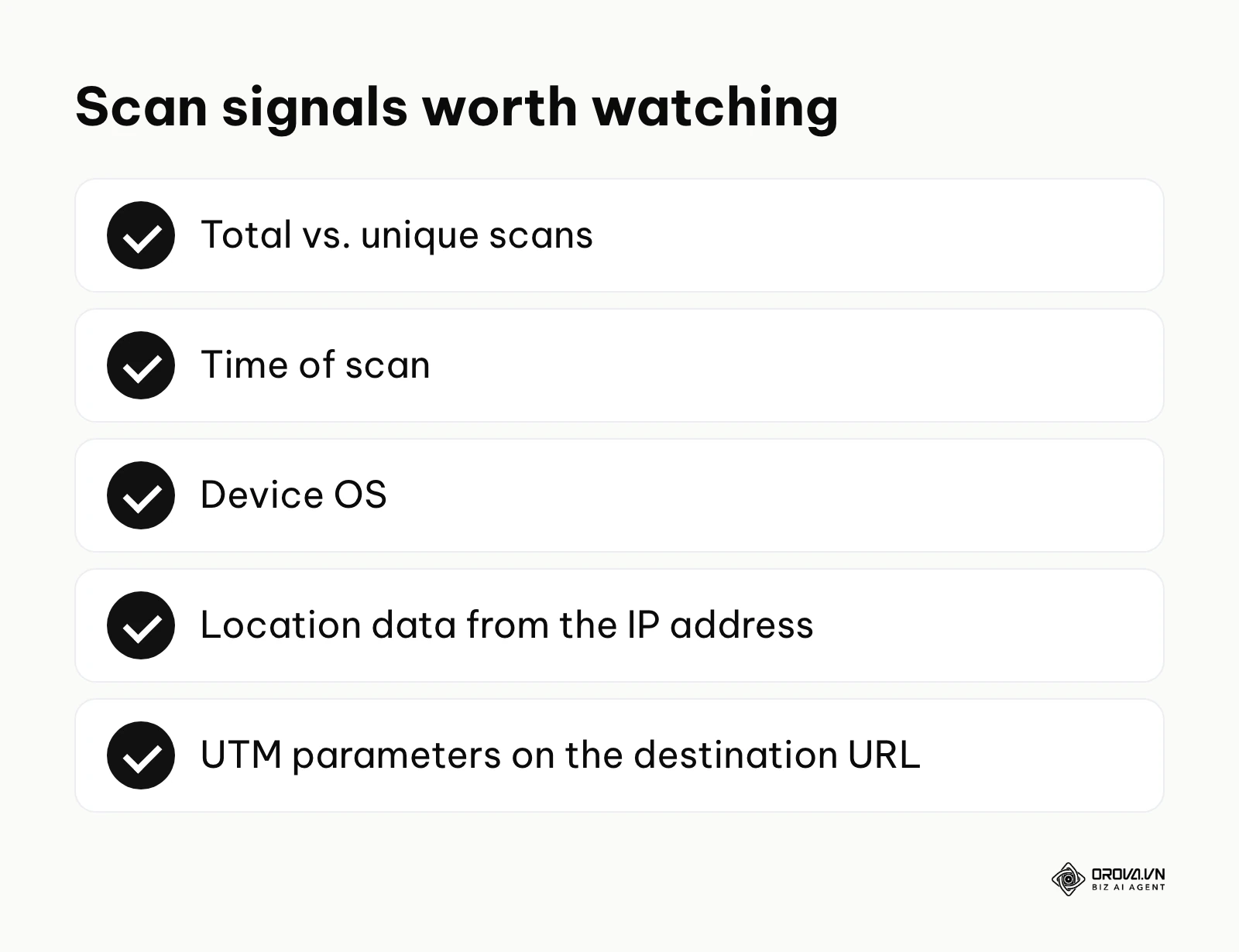
| Metric | Meaning | Worrying sign |
|---|---|---|
| Total vs. unique scans | Total includes repeat scans; unique counts individual devices. | Unique scans are a very small share of total scans (often internal testing or bots hitting the link repeatedly). |
| Time of scan | The hour and minute the request hits the server. | High volume during closed business hours with a fast bounce rate. |
| Device OS | Whether the scanner uses iOS, Android, or another system. | A noticeable share of hits from desktop agents (often crawlers, not people scanning). |
| Location data | The approximate region derived from the device's IP address. | Scans from countries where your product is not physically sold. |
To make this data actionable, connect your routing server to your main website analytics platform. You do this by appending UTM (Urchin Tracking Module) parameters to the final destination URL. When the routing server forwards the user, it should pass along parameters like utm_source=qr and utm_medium=packaging. This lets your web analytics tool attribute conversions to the printed piece, helping you calculate your overall marketing ROI. Without UTMs, traffic from physical scans will often be grouped as "Direct" traffic, hiding the real performance of your offline campaigns. If printed codes are only one of several touchpoints before a purchase, a multi-touch attribution model helps you decide how much credit the scan deserves.
7 common mistakes to avoid when you create a dynamic QR code
Even experienced marketing teams make errors when bridging the physical and digital worlds. Avoiding these seven mistakes will save you from printing disasters and corrupted data.
First, relying on generic intermediate domains is the most dangerous error. As discussed, this takes ownership away from you and exposes your brand to the vendor's pricing decisions. For long-life printed materials, insist on white-labeling.
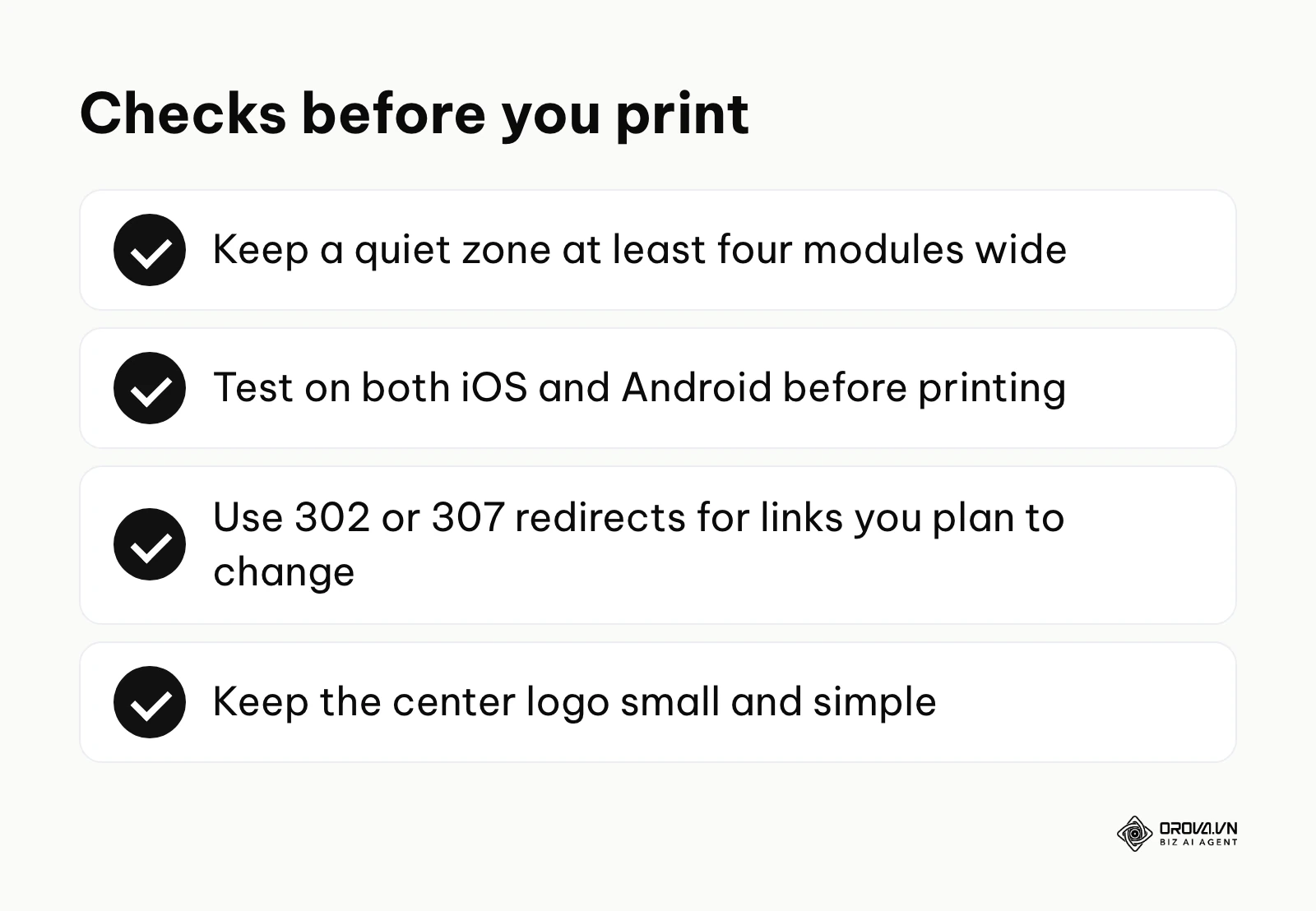
Second, ignoring the quiet zone can make your matrix unreadable. The quiet zone is the blank, high-contrast margin surrounding the square pattern. Scanners rely on this blank space to separate the matrix from the surrounding packaging artwork. The standard rule is that the quiet zone must be at least four modules (the tiny black squares) wide on all sides. If you crop the pattern too tightly, scanners may fail to lock on.
Third, using inverted color schemes is a gamble. While many modern smartphones can decode a white pattern on a black background, older devices and some point-of-sale scanners fail. Always make sure the background is clearly lighter than the pattern.
Fourth, failing to plan an end-of-life route for the destination URL creates a poor user experience. Marketing campaigns end, but physical materials stay in circulation for years. Set a standard procedure for routing old links to a relevant, evergreen fallback page rather than letting them hit a 404 dead end.
Fifth, overcomplicating the center logo can break the error correction. While adding a brand logo looks professional, making the logo too large can cover more than the roughly 30% of data that level H can restore. Keep logos simple, square or circular, and centered.
Sixth, configuring permanent 301 redirects instead of temporary 302 redirects can break your ability to change the link later. Browsers may cache 301 redirects. If a user scans a 301 link, their phone may remember the destination, and if you change the destination tomorrow, that phone can keep loading the old cached page. Use 302 or 307 temporary redirects for links you plan to change.
Seventh, rushing to the printer without cross-platform testing is risky. A matrix might scan perfectly on the designer's large monitor using a recent iPhone, but fail when printed on glossy, reflective paper and scanned by an older budget Android phone under harsh fluorescent store lighting. Always print a physical proof and test it in real-world conditions.
Ready to manage printed codes and short links in one place? Orova Link & QR offers 59 QR code types, short links with click counts, a UTM link builder and PNG/SVG downloads. Free until July 7, 2027.
Dynamic QR code trends in the next few years: the author's perspective
The way printed codes connect to digital content keeps evolving. Here are three shifts I expect teams who create dynamic QR code campaigns to deal with.
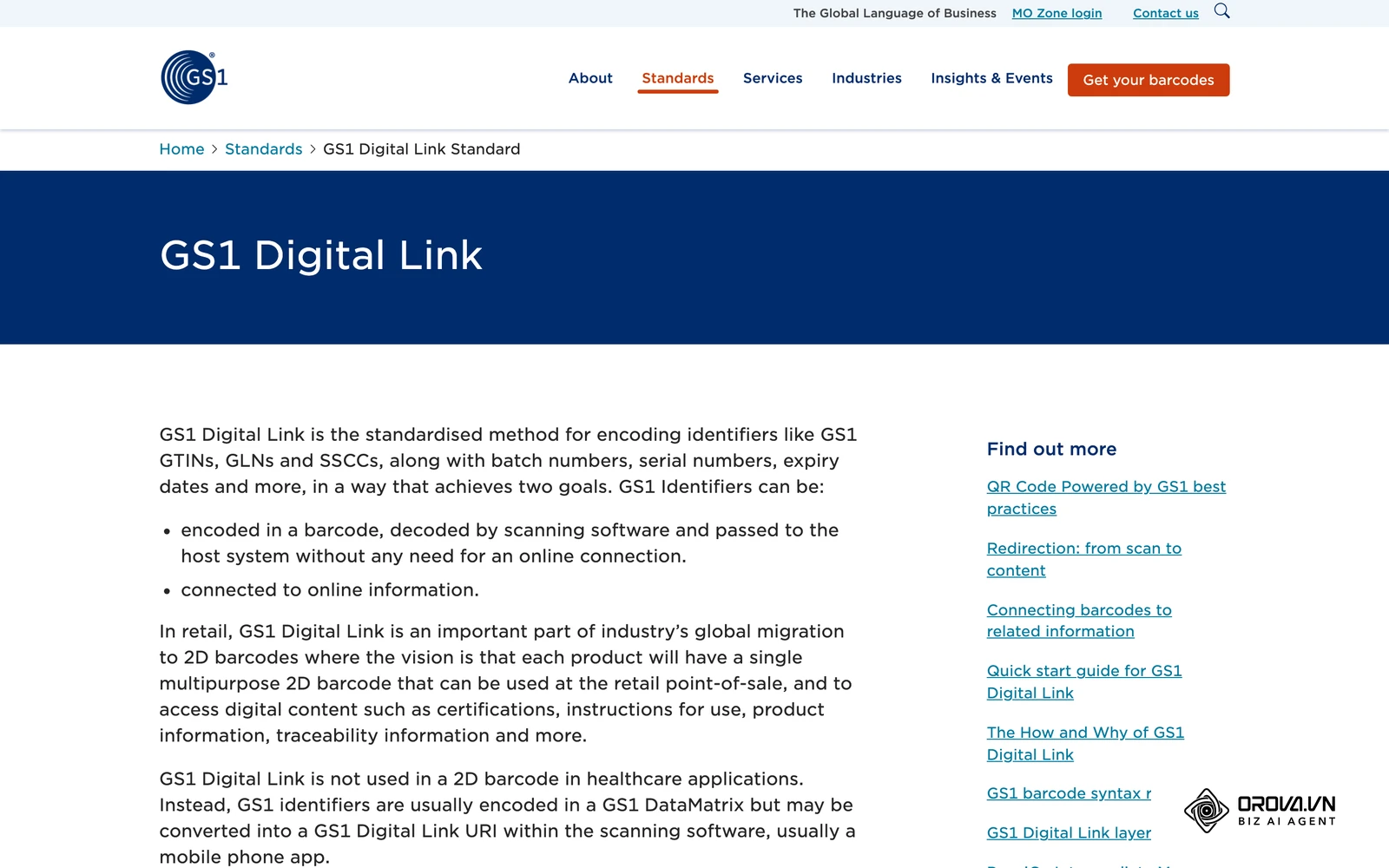
From standard QR to GS1 Digital Link
According to the GS1 Digital Link Standard 2024 by GS1, the retail industry is moving toward a shared format where one 2D code on a product can serve both checkout scanning and consumer smartphone engagement. I believe the old parallel-line barcodes will gradually give way to these 2D codes on consumer packaged goods over the coming years, though the pace will differ by retailer and country. This means marketing teams and supply chain teams will have to collaborate on a single routing setup. My suggestion is to start mapping your product SKUs to routing tables now, so your infrastructure can serve different content depending on whether a cashier or a customer scans the code.
Generative AI in QR code art
The way these matrices are integrated into packaging design is changing. Today, many designers simply place a black-and-white square onto a poster, disrupting the visual harmony. I think AI tools will increasingly produce brand-integrated codes that blend into the packaging artwork, using the error correction margin to form images, shadows, and textures while staying scannable. If you experiment with this, my view is that testing matters even more, because artistic codes leave less room for printing errors. Plain black squares may start to look dated next to these designs.
Context-aware redirects
Today, when you create dynamic QR code setups, the routing logic is usually simple: it routes to URL A, or if the campaign is over, it routes to URL B. I expect routing logic to become more context-aware. A dynamic code may route based on signals such as time of day, approximate location, or inventory levels to serve more relevant content. For instance, scanning a coffee cup on a cold morning could open a hot latte promotion, while scanning the same cup on a hot afternoon could open an iced coffee offer. If this direction interests you, prepare by moving away from single static landing pages and toward content systems that can render pages based on the parameters passed by your routing server.
Frequently asked questions about dynamic QR codes
How do I create a dynamic QR code for free that never expires?
Use a self-hosted redirect instead of a vendor's short domain. Register an inexpensive custom domain, connect it to a DNS service that offers redirect rules (Cloudflare is one example), and create a rule that forwards the short URL to your destination. Then generate a standard QR code that contains your short URL. Because you control the DNS, the code keeps working as long as you renew the domain each year.
What happens to my printed codes if I cancel my software subscription?
If you used the vendor's generic short domain (for example, qr.theirsite.com/123), canceling your subscription can break your printed codes, depending on the vendor's terms. Some vendors redirect expired links to an error page or a page promoting their own software. This is why setting up a white-labeled custom domain before printing is the most important step in protecting your physical assets.
Can I transfer a dynamic QR code from one provider to another?
You can transfer your routing smoothly only if you initially configured a custom domain (white-labeling). If you own the intermediate domain, you export your destination URL mapping, import it into the new provider, and update your DNS records. The printed codes keep working. If you used the provider's generic domain, the old codes stay tied to that provider, and you will usually need to reprint or cover them.
How does AI affect the way we create dynamic QR code campaigns?
AI is affecting both design and analysis. On the design side, generative AI models can create artistic matrix patterns that look like illustrations or brand imagery while remaining scannable, by working within the error correction margin. On the analysis side, AI tools can help spot unusual patterns in scan data, such as sudden spikes from one region, so you can decide when a destination URL needs to change.
What is the difference between static and dynamic codes?
A static code encodes the exact final destination URL directly into the visual pattern of black and white squares. If the web address changes, the pattern must be regenerated and reprinted. A dynamic code encodes a short, intermediate URL that points to a routing server. The routing server then forwards the user to the final destination. This allows you to change the final destination on the server as often as you need without altering the printed pattern.
Where to start?
Intermediate routing can feel overwhelming, but taking the first step is straightforward once you identify your current situation.
If you need a quick, trackable link for a short-term digital flyer or a weekend promotional banner, you do not need a complex self-hosted setup. Start by using a reputable generator to create your code, focusing on applying the correct UTM parameters to your destination URL. Your immediate goal should be testing the code on at least two different mobile operating systems to make sure the redirect works before the weekend event begins.
If you are preparing to print codes on permanent product packaging or hardware, prioritize infrastructure ownership. Your first step should be logging into a domain registrar today and securing a short, branded domain name. Do not open a matrix generator until you have mapped this new domain to a DNS management tool and verified that you can control its routing rules yourself.
If you already have thousands of old static links printed in the wild and are struggling to manage them, you need an auditing plan. Begin by creating a central URL redirection spreadsheet. Map every known printed asset to its current destination, identify which campaigns are dead, and work with your IT team to set up fallback rules on your main web server to catch any traffic hitting those broken links.
About the author

Builder of Orova
Nguyễn Đỗ Trọng Ân has 8 years of experience in marketing, including 6 years managing market development across Asia. He builds Orova, a Biz AI Agent that never sleeps: it plans, runs and optimizes work for businesses.
Run your business with AI Agents
Orova is the always-on Biz AI Agent — it plans, runs, and optimizes the work for you.
Save time, unlock productivity.