
What are automated rules? Put your business processes on reliable autopilot

Imagine waking up to find that your digital advertising campaigns have optimized themselves, your new business leads were perfectly routed to the correct sales representatives, and your daily performance reporting was compiled and emailed to the executive team while you slept. Automated rules are the simple IF/THEN instructions that make this possible: you define a trigger, a condition, and an action, and the software carries it out every time the condition is met. If you are currently logging into software platforms multiple times a day just to pause underperforming campaigns, update ticket statuses, or manually copy data between spreadsheets, you are effectively acting as a human bot. The traditional approach to scaling a business operation often involved hiring more personnel to handle these repetitive, low-value tasks. However, this strategy inherently multiplied human error, bloated payroll costs, and created massive operational bottlenecks. This comprehensive guide will deeply explore how automated rules can fundamentally change your workflow architecture. We will dissect exactly what these logic sequences are, examine their core technical components, provide actionable templates for immediate implementation, and analyze the dangerous pitfalls that could potentially break your business systems. By shifting your focus from manual execution to strategic oversight, you can reclaim your valuable time and finally put your routine business processes on a highly reliable autopilot. Let us delve into the mechanics of automated rules.
What are automated rules?
Automated rules are predefined conditional logic instructions within software systems designed to automatically execute specific actions when exact criteria are met. They are primarily used to eliminate repetitive manual tasks and differ fundamentally from artificial intelligence by relying entirely on strict, human-coded parameters rather than autonomous learning capabilities.
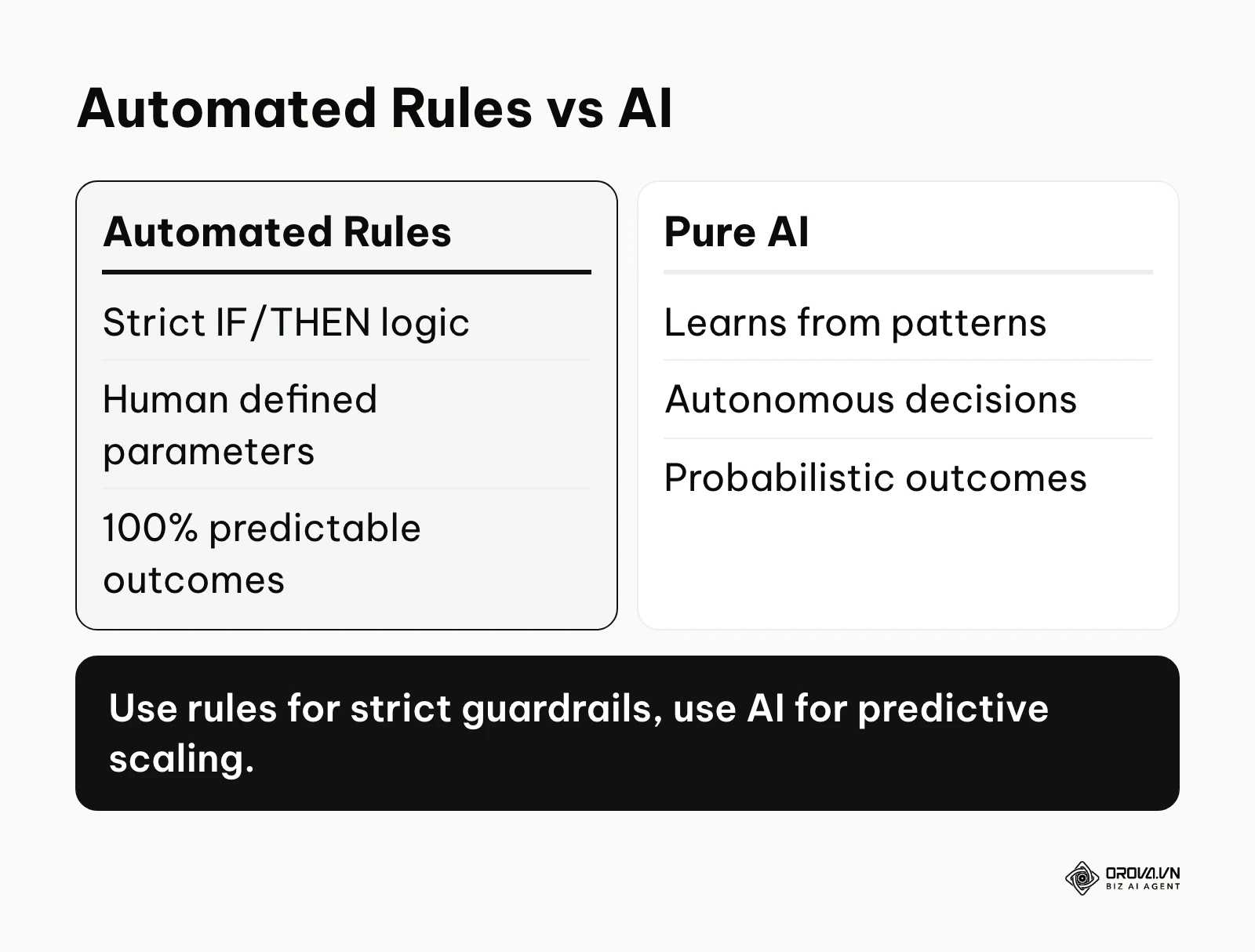
The terminology originated from early computer programming and database management systems, where rigid "business rules" were hard-coded by developers to govern data validation and maintain system integrity. Over the decades, as graphical user interfaces evolved to become more accessible, these complex logical statements were translated into visual builders, allowing non-programmers to deploy sophisticated logic.
Understanding the clear distinction between automated rules and other overlapping technological concepts is crucial for building a scalable, predictable tech stack.
| Concept | How it differs from automated rules | Real-world Example |
|---|---|---|
| Automated Rules | Follows strict, static "If X, then Y" logic defined explicitly by the user. It never deviates. | Pause a marketing campaign immediately if the Cost Per Click exceeds 2 dollars. |
| Artificial Intelligence | Learns from historical data patterns to make predictive, probabilistic decisions without explicit instructions. | Dynamically adjusting keyword bids based on predicting a specific user's likelihood to purchase. |
| Macros | Records and blindly replays a linear sequence of human actions, such as keystrokes or mouse clicks. | Pressing a hotkey combination to automatically format a raw spreadsheet export into a pivot table. |
Consider a very common everyday example: a programmable digital thermostat in your living room. You configure a specific rule stating, "If the room temperature drops below 68 degrees Fahrenheit (the condition), then turn on the central heating system (the action)." The thermostat does not learn your personal comfort preferences or predict the weather outside; it simply executes your established rule flawlessly and tirelessly every single time the condition is met.
The Meaning Behind Automated Rules
Automated rules exist to solve the fundamental problem of human bandwidth limitation for modern knowledge workers, campaign managers, and system administrators. As digital businesses scale, the sheer volume of data points, customer interactions, and platform metrics grows exponentially. In the grand picture of digital transformation, automated rules sit right in the middle, bridging the gap between entirely manual data entry and fully autonomous artificial intelligence. They act as the highly reliable connective tissue and the frontline defense mechanism in your overarching operational architecture.
Before automated rules are configured to execute, you typically have raw data generation and manual strategy formulation. A human decides the strategy. After the rules execute, you have clean, streamlined workflows, optimized performance metrics, and standardized outputs that are ready for higher-level human review. If you choose to ignore the implementation of automated rules, your organization ultimately loses its ability to scale efficiently. Your most talented and highly paid employees will spend their expensive cognitive energy on clicking buttons, continuously monitoring static dashboards, and moving data points from one screen to another. These are tasks that a logic-based machine can execute millions of times faster, with perfect accuracy, and without any operational fatigue. Consequently, business growth becomes severely bottlenecked by how fast your human team can type and process information.
When you do not need automated rules yet
Despite their immense power, there are specific scenarios where deploying automated rules is premature or actively detrimental. First, if a business process is brand new and has not yet been proven manually, automating it will only serve to scale a broken, inefficient system; you should perform the task by hand until the steps are highly consistent. Second, if the task involves handling delicate customer escalations, personalized apologies, or high-ticket sales negotiations, relying on rigid rules can severely damage client trust; you should mandate human intervention instead. Finally, if your raw data inputs are notoriously unstructured, inaccurate, or unreliable, logic rules will frequently trigger false positives and execute the wrong actions; you absolutely must clean your data collection methods and ensure integrity before applying any automation layers.
Value and Benefits of Automated Rules
The organizational impact of implementing a robust, well-architected framework of rules spans across both the tangible corporate bottom line and the psychological well-being of the workforce. By standardizing execution protocols, companies aggressively mitigate operational risk, while individual employees find significantly more meaning and strategic value in their daily responsibilities.
Business Value: Protecting the Bottom Line and Scaling Output
Reducing manual intervention in routine data work is one of the most direct ways to help a team move faster. The business value is categorized into distinct, measurable areas.
Illustrative example: A mid-sized ecommerce retailer was simultaneously managing 500 different digital advertising campaigns across multiple geographic regions. The junior marketing team manually checked daily spend every four hours to prevent severe budget overruns. The director identified this manual checking as a massive operational bottleneck and implemented a strict daily spend cap rule within their platform. Initially, they set the rule's conditions far too strictly, causing highly profitable, high-performing campaigns to automatically shut down at noon. After auditing the failure, they adjusted the rule to instead automatically increase the budget by 10% if the return on ad spend (ROAS) remained robustly above 3.0. The visible result was a perfectly stabilized profit margin, zero budget overspend incidents over a continuous six-month period, and the marketing team successfully launching three new product lines with their newly freed time.
Financial Efficiency and Precision Resource Allocation Automated rules directly and immediately impact profitability by ensuring that marketing budgets and operational resources are spent strictly on high-performing, verified assets. When you utilize logic to pause losing initiatives instantly—often in the middle of the night—you effectively stop the financial bleeding that typically occurs during the blind spots between manual human reporting cycles.
Error Reduction and Strict Risk Management Human beings inherently make typographical errors, forget to check crucial configuration boxes, and overlook glaring system alerts when experiencing cognitive fatigue. Automated rules sharply reduce these human oversights. By enforcing strict operational boundaries and parameters, you ensure total compliance and prevent catastrophic, costly mistakes, such as emailing the wrong promotional segment or overbidding massively on a highly competitive keyword.
Employee Benefits: Elevating the Nature of Work
Automation is not merely about replacing human effort; it is about elevating the quality of the work humans are asked to perform.
Illustrative example: A corporate human resources department manually reviewed approximately 1,000 incoming resumes weekly, specifically looking for mandatory industry certifications. The recruitment lead decided to set up an automated rule in their applicant tracking system to instantly auto-archive any applications lacking the required license text. At first, the rule accidentally archived highly qualified candidates possessing equivalent international licenses because the exact text matching condition was far too narrow. After carefully adding alternative keyword conditions and boolean OR logic, the team completely stopped reading unqualified resumes. The concrete result was a 40% faster hiring cycle, with recruiters spending their valuable hours actually conducting deep interviews with top-tier candidates instead of merely sorting PDF documents. For a more comprehensive strategy on evaluating applicants and balancing software with human insight, refer to this detailed candidate screening resource.
Cognitive Load Reduction and Focus Decision fatigue is a widely discussed effect in which the quality of choices can slip as the workday goes on. When employees do not have to constantly remember to execute routine, mundane tasks at specific hours, their overall cognitive load decreases dramatically. This newfound mental space is organically reallocated to deep strategic planning, creative problem-solving, and relationship building.
Continuous Workflow Momentum Employees no longer have to wait idly for a middle manager to manually approve a standard request or for a colleague in another time zone to pass along a vital file. Rules can seamlessly auto-approve requests that fall under certain safe thresholds or automatically route documents to the next logical stage, keeping the project momentum alive around the clock.
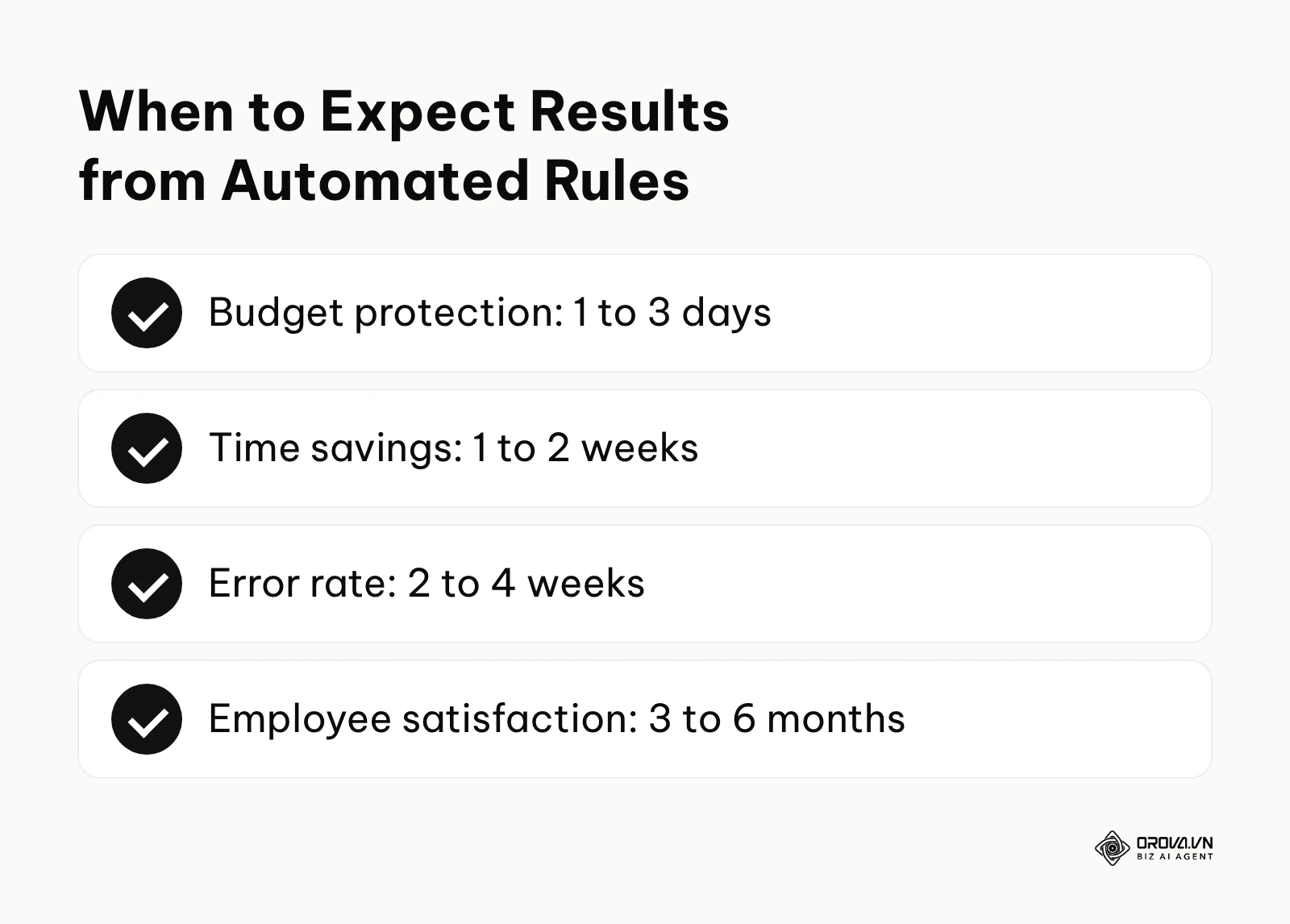
| Benefit Category | Measured By Which Metric | Expected Time to See Results |
|---|---|---|
| Budget Protection | Percentage decrease in wasted ad spend | 1 to 3 days |
| Time Savings | Total hours logged manually generating routine reports | 1 to 2 weeks |
| Error Rate | Number of compliance breaches or data entry mistakes | 2 to 4 weeks |
| Employee Satisfaction | eNPS (Employee Net Promoter Score) and retention rates | 3 to 6 months |
OROVA ADS applies AI Agent to automate and optimize ad performance on Google, Meta and TikTok. Scale your budget safely, monitor 24/7 and expand your business quickly.
Experience the solution at orova.vn/ads
How Automated Rules Work
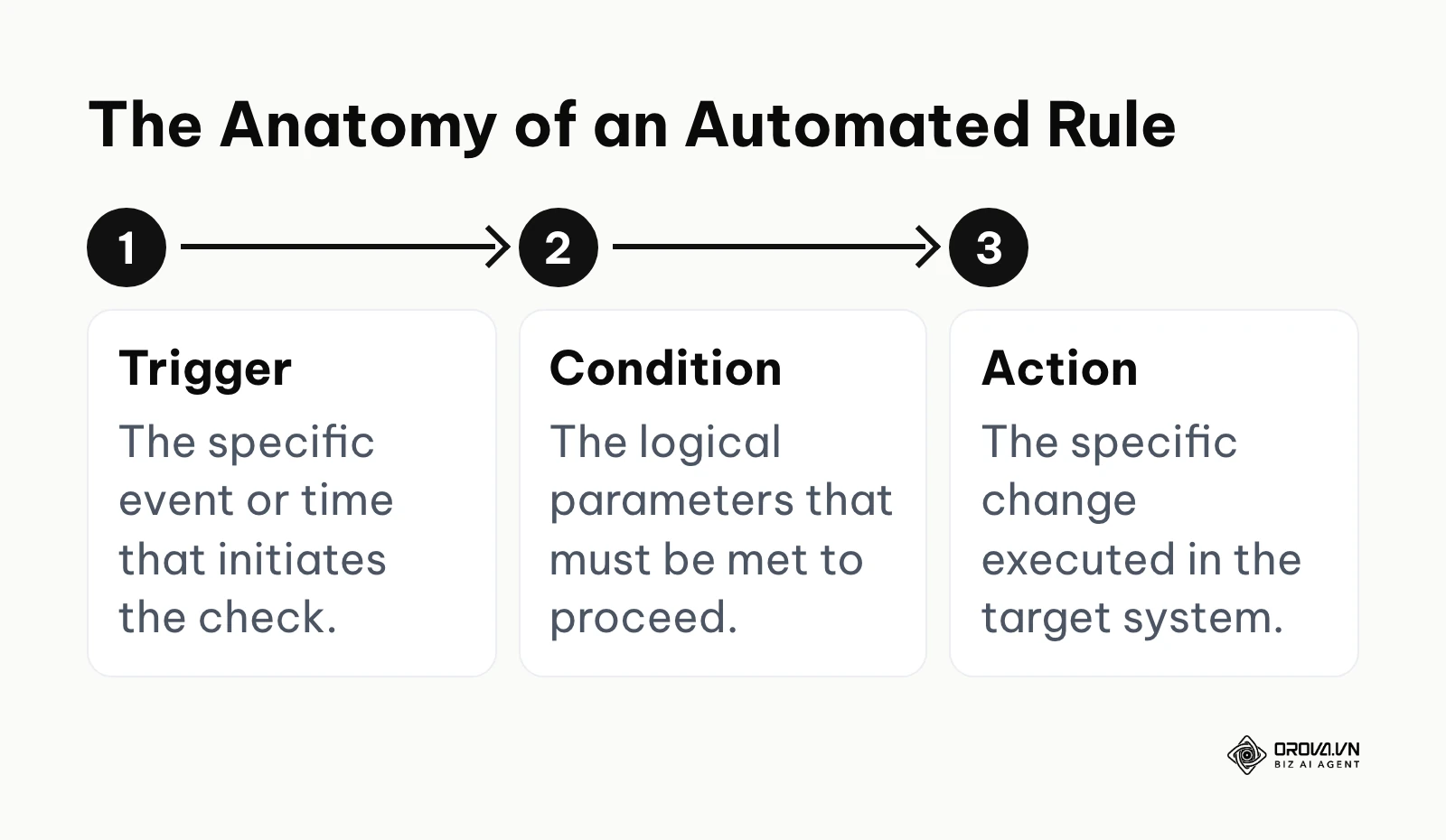
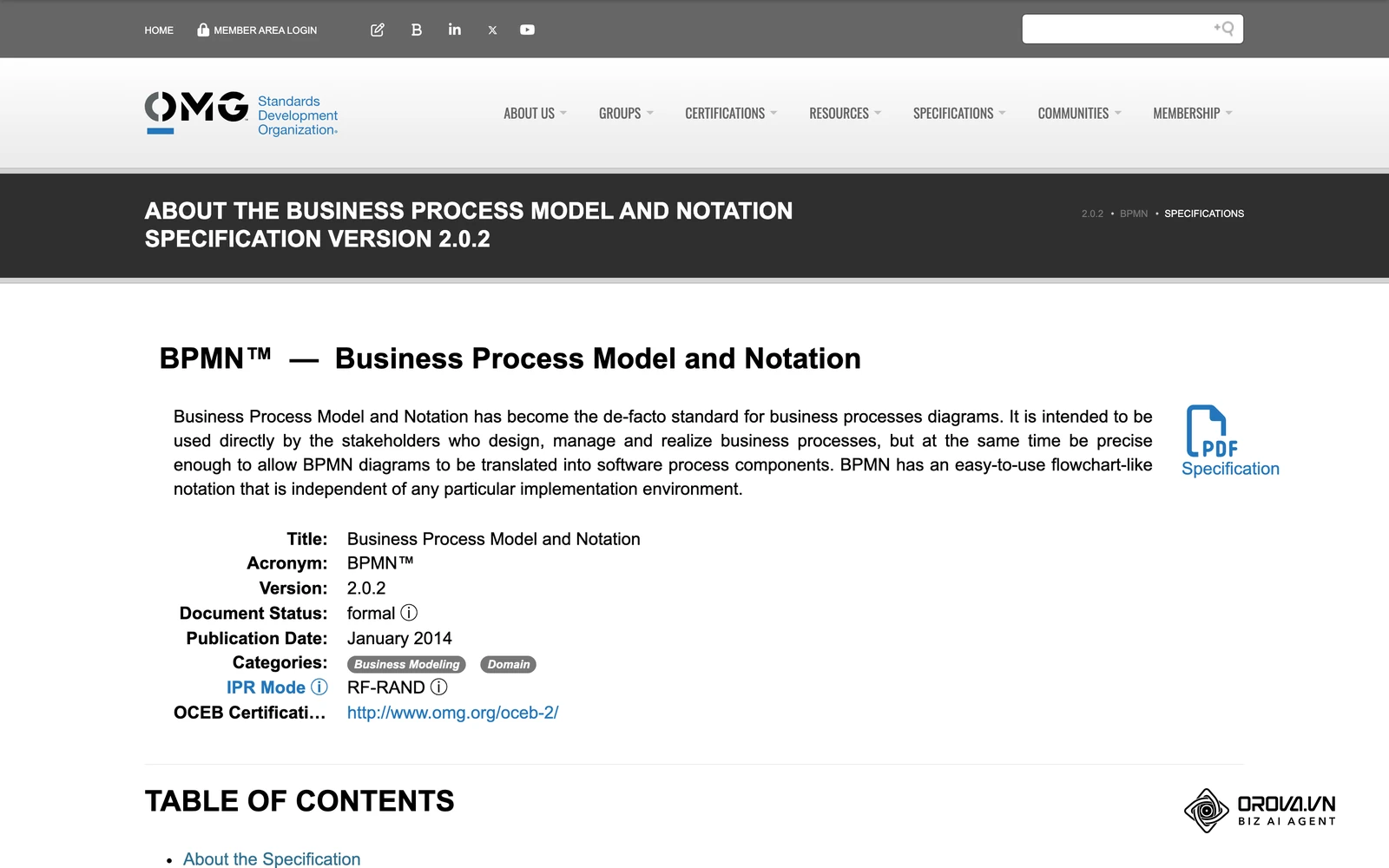
To truly master and scale automation within your organization, you must thoroughly dissect its technical anatomy. The Business Process Model and Notation (BPMN) 2.0.2 specification published by the Object Management Group describes processes in terms of events, gateways (decision points), and activities. Every reliable automated rule, regardless of the software platform hosting it, is built entirely upon a universal, inescapable three-part framework: Trigger, Condition, and Action. If any of these three core components are misconfigured, misunderstood, or poorly defined, the rule will either fail to fire entirely or execute disastrously incorrect actions.
The Trigger: The Initiating Event
What it does: The trigger functions as the sensory nervous system of the automated rule. It is the specific, verifiable event or chronological moment that tells the dormant system to wake up and begin evaluating the current situation. Triggers generally fall into two categories: time-based (e.g., executing a check every Monday exactly at 8:00 AM) or event-based (e.g., executing a check the exact millisecond a new lead form is submitted into the CRM database). Input required: A explicitly defined chronological schedule or a specific software system event listening hook (like an API webhook). Output generated: A digital signal sent instantly to the condition engine, prompting it to review the current state of the data. Where it often breaks: Time zone mismatches and synchronization delays are the most common and frustrating failure points. If your central server runs on Coordinated Universal Time (UTC) and your local business operates in Eastern Standard Time (EST), a daily reporting rule meant to fire precisely at midnight might actually execute in the middle of the afternoon, pulling incomplete daily data.
The Condition: The Gatekeeper Logic
What it does: Once the system is awakened by the trigger, the condition acts as the strict, unforgiving logical filter. It rigorously evaluates the current data state against your predefined parameters using mathematical or textual operators such as "is strictly greater than," "contains the exact phrase," or "does not equal." A trigger might fire thousands of times a day, but if the specific condition is not perfectly met, the process halts immediately and does nothing. Input required: Specific, measurable metric thresholds, exact text strings, or definitive boolean status flags to evaluate. Output generated: A simple, binary boolean response back to the system: True (proceed to the action) or False (stop immediately). Where it often breaks: Conflicting conditions or overly narrow, impossible parameters frequently cause silent failures where the user assumes the rule is running but it never actually executes. For instance, requiring an advertising campaign to simultaneously have exactly zero impressions and greater than ten clicks is a logical impossibility; the condition will never return True.
The Action: The Executed Outcome
What it does: If the condition successfully returns a "True" status, the action is the actual operational payload delivered by the system. This is the physical, recorded change made to the target database, the automated email physically dispatched from the server, or the specific marketing campaign definitively paused. Input required: The exact, granular parameters of the desired change, such as the specific new financial bid amount, the destination email address, or the exact status label text to apply to a ticket. Output generated: A permanently modified state within the target software system, usually accompanied by a system log entry recording the exact timestamp of the change. Where it often breaks: The most dangerous failure point is the infinite loop. If an action inadvertently alters a data point that immediately triggers its own rule's condition all over again, the system can loop endlessly. This can crash internal servers, burn through API quotas in minutes, or send thousands of duplicate spam emails to a single client.
Types of Automated Rules Frameworks
Automated rules do not exist in a vacuum; they live within specific architectural frameworks depending on the software you choose.
| Type of Automated Rule Framework | Key Technical Characteristics | Best Suited For |
|---|---|---|
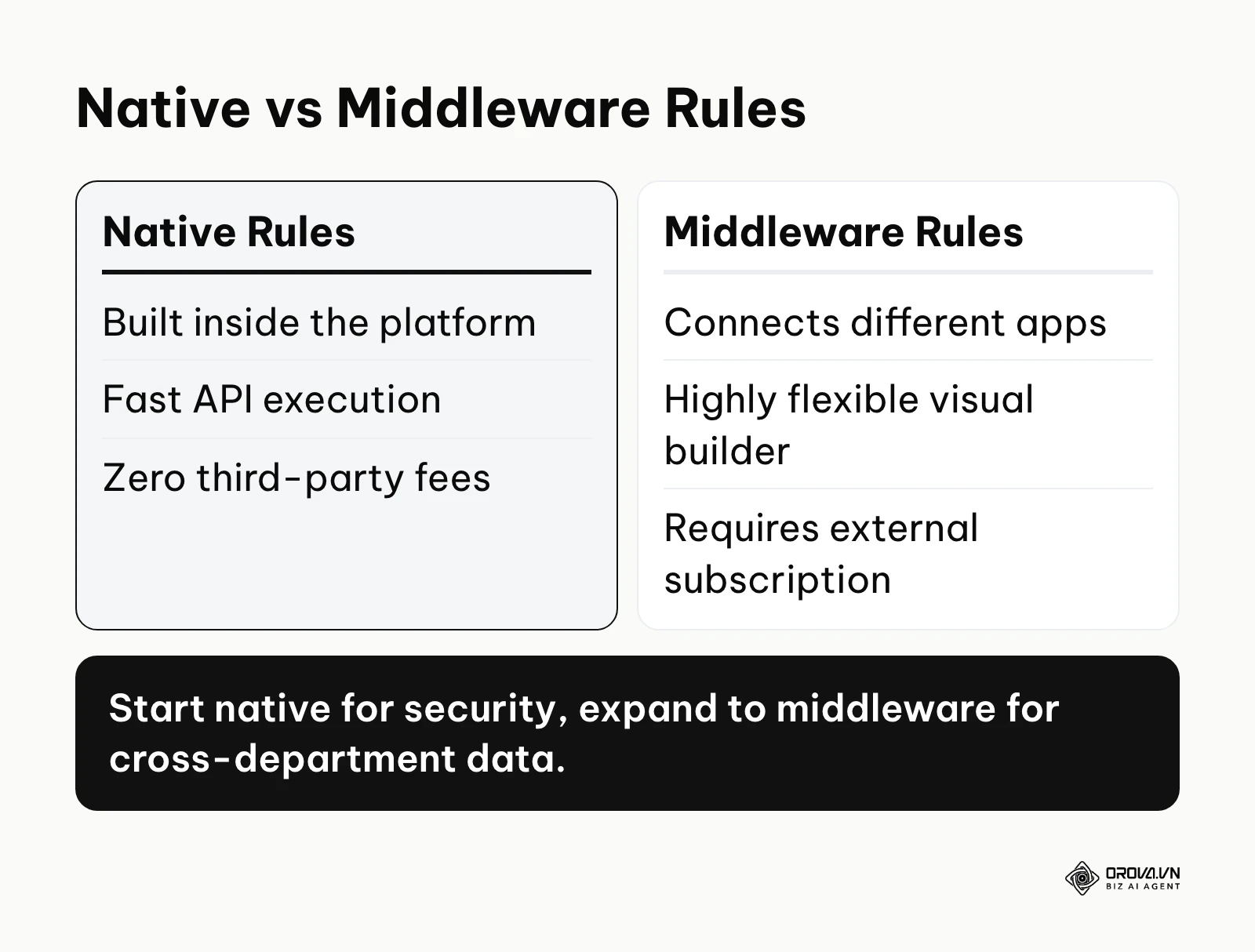
| Native Rules | Built directly inside a specific platform (e.g., Google Ads or Meta Ads Manager). Offers extremely fast execution, high security, and requires zero third-party subscription fees. | Single-platform tasks, high-frequency internal updates, strict data privacy and security requirements. |
| Middleware Rules | Utilizes third-party API connectors like Zapier or Make. Highly flexible with visual drag-and-drop builders, connecting disparate systems. | Cross-platform workflows, moving raw data between entirely different departmental software suites. |
| Custom Script Rules | Written directly in code (Python, JavaScript, or Google Apps Script) via open APIs. Offers infinite, unbounded customization but requires software engineering skills. | Highly complex mathematical algorithmic changes, deeply proprietary internal business systems. |
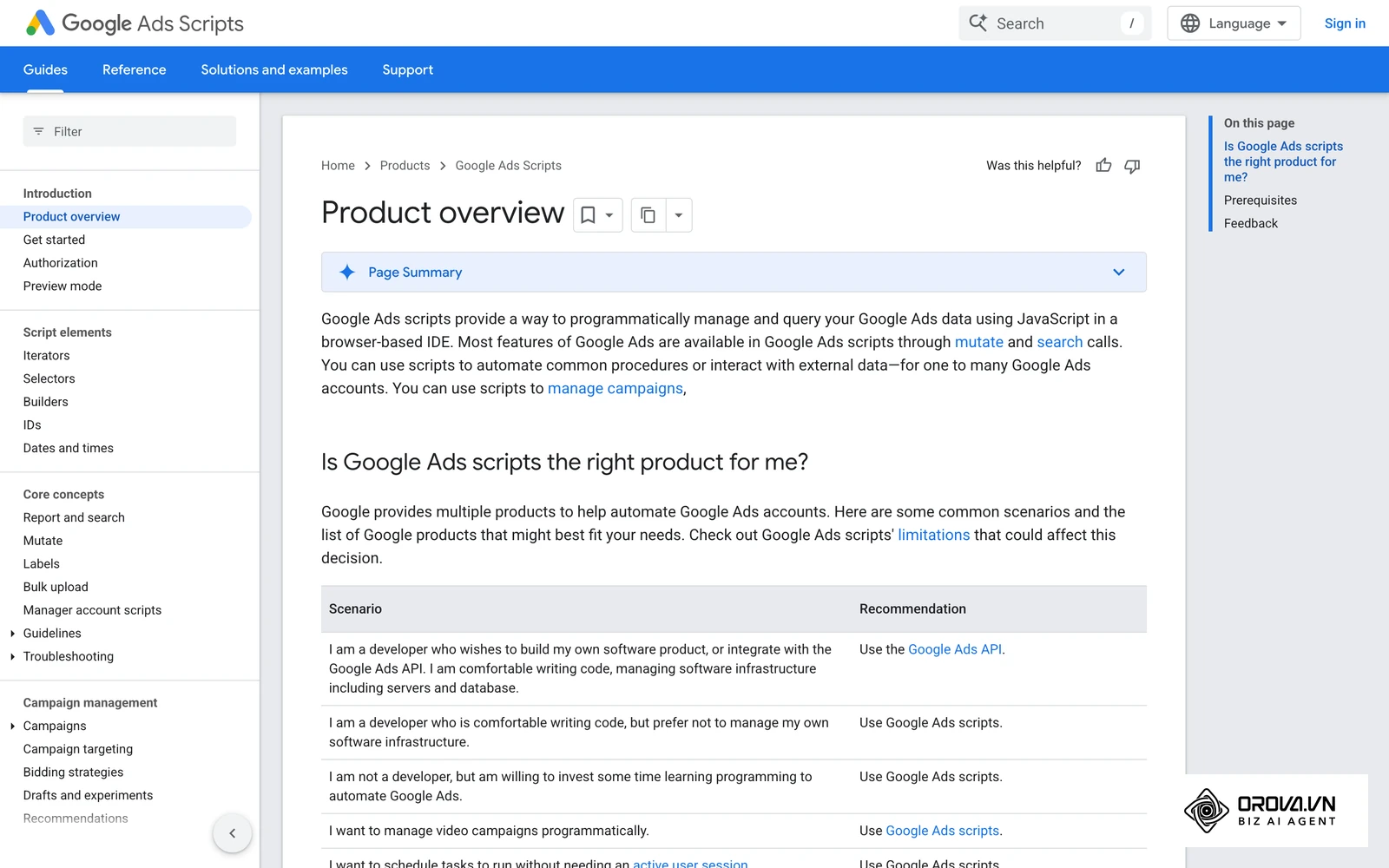
In advertising, native rules are the most common starting point. Google Ads describes its automated rules in its public help center as a way to make automatic account changes based on conditions you choose, such as changing ad status, budgets, or bids, or sending you an email when a condition occurs. Meta Ads Manager also offers automated rules that check your campaigns, ad sets, or ads and can turn them off, adjust budgets or bids, or notify you. Menus and available conditions change over time, so check each platform's current help documentation before you build a rule; if you are new to Meta's interface, start with this overview of Facebook Ads Manager.
The Ultimate Cheat Sheet: 10 Ready-to-Use Automated Rule Templates
To transition rapidly from theoretical understanding to highly profitable practical application, here is a meticulously curated list of highly effective automated rule templates across different core business functions. You can adapt the exact numbers to fit your specific operational baseline.
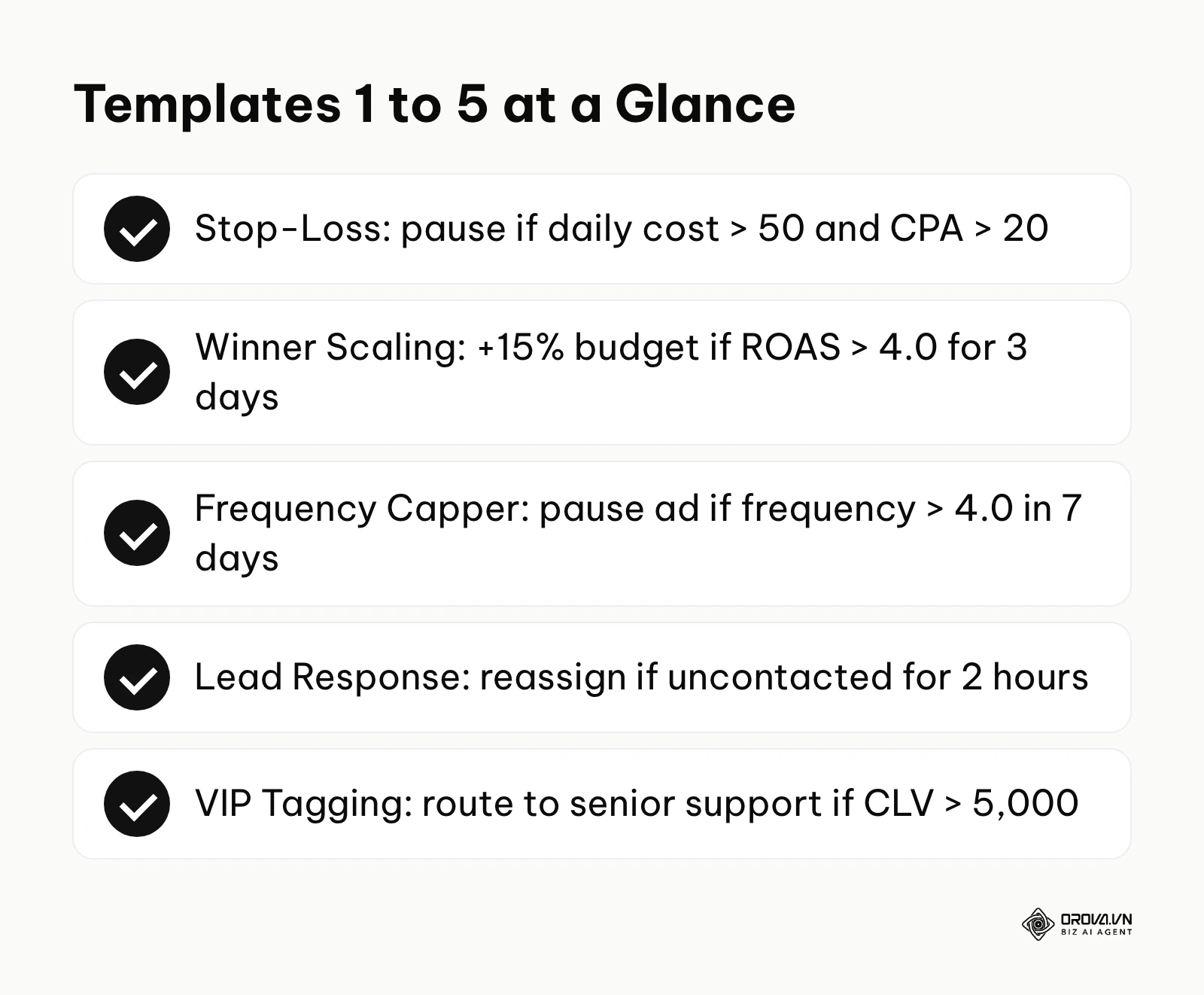
1. The Stop-Loss Ad Protector (Marketing) This rule prevents you from waking up to a drained bank account due to an algorithm malfunction. Trigger: Scheduled check every hour. Condition: Campaign Daily Cost > 50 dollars AND Cost Per Acquisition (CPA) > 20 dollars. Action: Immediately Pause Campaign and send an urgent Slack alert to the media buyer.
2. The Winner Scaling Rule (Marketing) This automatically capitalizes on sudden viral trends or highly profitable audience segments without waiting for a human to approve a budget increase. Trigger: Scheduled check daily at 8:00 AM. Condition: Total Conversions > 5 AND Return on Ad Spend (ROAS) > 4.0 consistently over the last 3 days. Action: Increase daily campaign budget precisely by 15%.
3. The Audience Frequency Capper (Marketing) This prevents brand fatigue and ad blindness by ensuring the same user does not see your creative too many times. Trigger: Continuous active monitoring. Condition: Ad Frequency metric > 4.0 impressions per user in the trailing 7 days. Action: Pause the ad and send an alert to the creative team so a fresh creative can be rotated in.
4. The Lead Response Enforcer (Sales) Speed to lead is critical; this ensures no potential client is left waiting due to a distracted sales representative. Trigger: A new lead record is created in the CRM. Condition: Lead Status remains labeled as "Uncontacted" for more than exactly 2 hours during business operations. Action: Send an escalating alert email directly to the Regional Sales Manager and forcefully reassign the lead to the next available representative in the round-robin queue.
5. The VIP Customer Tagging Engine (Support) This ensures your most valuable accounts always receive white-glove treatment immediately upon reaching out. Trigger: A new customer support ticket is created in the helpdesk software. Condition: The associated customer's historical Customer Lifetime Value (CLV) > 5,000 dollars. Action: Automatically tag the ticket as "VIP", escalate the priority level to "Urgent", and route it bypassing Tier 1 directly to the Senior Support Tier.
Templates 6 to 10: Ecommerce, Operations, Finance, and Analytics
6. The Abandoned Cart Nudge (Ecommerce) This captures highly intent-driven revenue that would otherwise be permanently lost to distraction. Trigger: A digital shopping cart is marked as abandoned. Condition: Time elapsed since abandonment > 4 hours AND Total Cart Value > 100 dollars. Action: Dispatch automated email sequence number 1 containing a dynamic 5% incentive discount code.
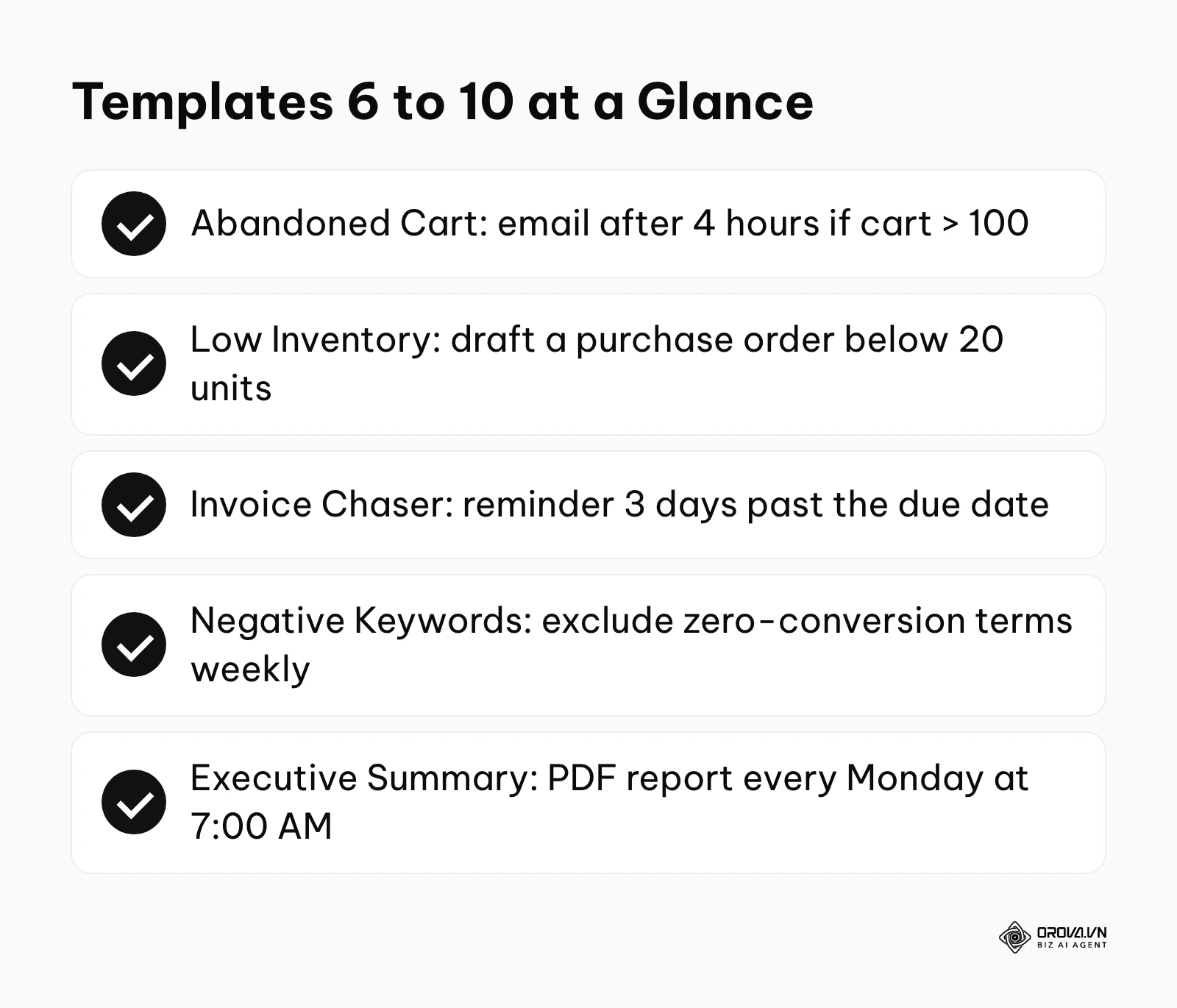
7. The Inventory Low Alert (Operations) This completely eliminates stockouts of your best-selling items, ensuring continuous retail revenue. Trigger: Scheduled daily database sync between the warehouse and the storefront. Condition: Current Physical Stock Level < 20 units AND Average Daily Sales Velocity > 5 units. Action: Automatically generate a preliminary purchase order draft and send a high-priority notification to the Procurement Lead.
8. The Polite Invoice Chaser (Finance) This drastically improves cash flow without requiring an accountant to spend hours making awkward phone calls. Trigger: Scheduled daily financial ledger check. Condition: Invoice Status equals "Unpaid" AND Current Date is exactly 3 days past the defined Due Date. Action: Dispatch an automated, politely worded reminder email template directly to the designated client billing contact.
9. The Negative Keyword Automator (SEO/SEM) This ruthlessly prunes your search campaigns, ensuring you never pay for clicks from people seeking free information. Trigger: Scheduled weekly search term report review. Condition: The actual User Search Term contains the exact words "free", "cheap", or "torrent" AND Total Conversions = 0. Action: Instantly add the exact term to the global Negative Keyword List across all active campaigns.
10. The Weekly Executive Summary (Analytics) This removes the dreaded Monday morning reporting scramble, ensuring leadership always has the data they need. Trigger: Chronological trigger every Monday exactly at 7:00 AM. Condition: Always true (no specific threshold required). Action: Automatically compile pre-selected key performance metrics from the previous trailing 7 days, generate a formatted PDF dashboard, and email it to the executive distribution list. Leveraging robust social analytics tools can make compiling cross-channel data highly dependable.
What to Do to Start or Adapt to Automated Rules
The organizational transition from purely manual operations to sophisticated, rule-based execution requires a highly structured, deliberate approach tailored specifically to your exact role and responsibilities. Simply logging into a platform and arbitrarily turning on dozens of rules without a cohesive strategy always leads to operational chaos and conflicting actions.
For Small Business Owners
As an owner or founder, your absolute priority is protecting limited cash flow and ensuring vital tasks do not fall through the cracks while you manage multiple operational hats. You cannot afford to spend hours configuring complex logic.
- Audit your weekly calendar aggressively: Document the exact, specific administrative tasks you repeat every single week without fail, such as sending reminder invoices or manually checking raw inventory counts.
- Implement one singular safety net rule this week: Do not attempt optimization yet. Create a very simple native rule that sends you a text or email alert if your total daily advertising spend unexpectedly exceeds a specific financial threshold. This is easily doable immediately and builds confidence in the system.
- Map the exact customer journey: Visually document every single touchpoint a new customer has with your business to identify precisely where communication frequently drops off due to manual delays.
- Choose a centralized platform carefully: Avoid buying a fragmented dozen disconnected tools; instead, actively select comprehensive software suites that offer robust, natively integrated rules for your primary core operations to avoid integration headaches.
For Operations Managers
Your primary corporate role is to optimize team efficiency, aggressively eliminate bottlenecks, and ensure absolute data integrity across multiple warring departments.
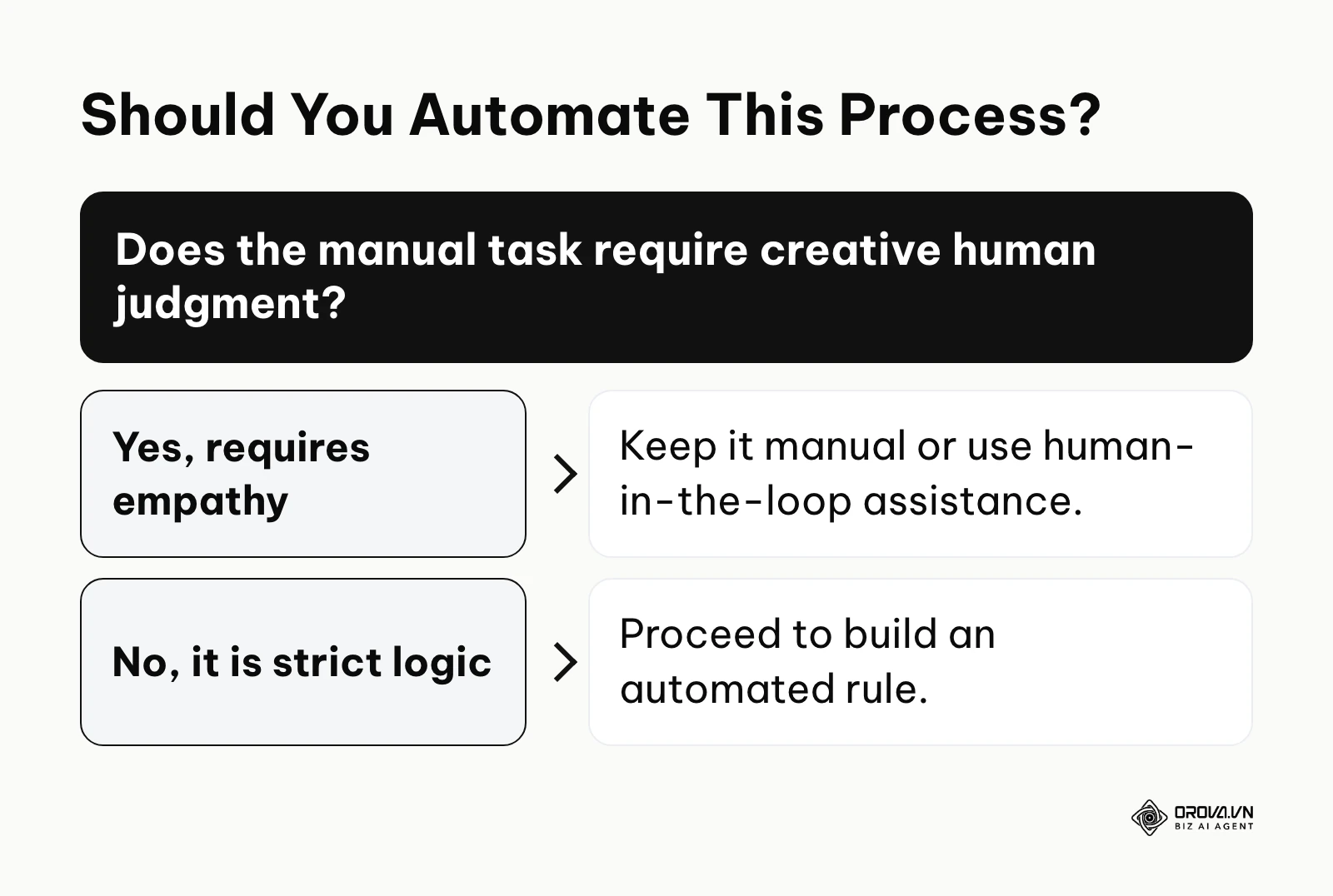
- Apply the 5-Question Automation Checklist: Before attempting to automate any manual process, rigorously ask: Is the process currently fully documented step-by-step? Does it occur more than 5 times a week? Are all the data inputs perfectly standardized? Does the task require zero creative human judgment? Is the financial or operational cost of human error high? If the answer is yes to all five, aggressively automate it.
- Build a comprehensive rule directory: Create and maintain a central, highly visible spreadsheet documenting every single active rule across the company, its exact purpose, its specific trigger conditions, and the designated human owner responsible for its upkeep.
- Establish a strict sandbox testing protocol: Never, under any circumstances, deploy a complex new rule directly to a live production environment. Test it thoroughly on dummy data or a highly restricted, low-value segment first to observe its actual behavior.
- Schedule recurring monthly rule audits: Dedicate time to review system performance logs to ensure older rules are still firing correctly and update hard-coded conditions based on new, evolving business realities (like changing product prices).
- Implement logic conflict resolution: Visually map out your automated logic to ensure Rule A does not accidentally undo or fight the actions of Rule B, creating an endless loop of API calls.
For Marketing Agencies and Freelancers
Agencies must constantly manage multiple, disparate client accounts simultaneously, making highly scalable rules the absolute key to maintaining profit margins without constantly expanding the human headcount.
- Standardize all naming conventions immediately: Automated rules rely heavily on exact text matching. If your campaign or ad group names are inconsistent across clients, your global rules will fail completely. Fix and standardize your naming structure this week.
- Deploy master cross-account templates: Develop a master set of baseline, defensive optimization rules (such as immediately pausing highly expensive keywords with zero conversions) that can be instantly cloned and deployed across all new client accounts during onboarding. Implementing a robust google ads agent framework can dramatically elevate this capability across large portfolios.
- Set up critical client anomaly alerts: Create defensive rules that notify your internal account management team immediately if a client's website tracking pixel goes offline or if conversion tracking completely breaks, allowing you to proactively fix the issue before the client notices.
- Use rules for reporting aggregation, not just action: Actively automate the gathering of weekly performance metrics into a raw draft report, saving your team dozens of hours of manual data extraction every single month.
Common Implementation Mistakes to Avoid
| Common Implementation Mistake | Severe Operational Consequence | How to Safely Avoid It |
|---|---|---|
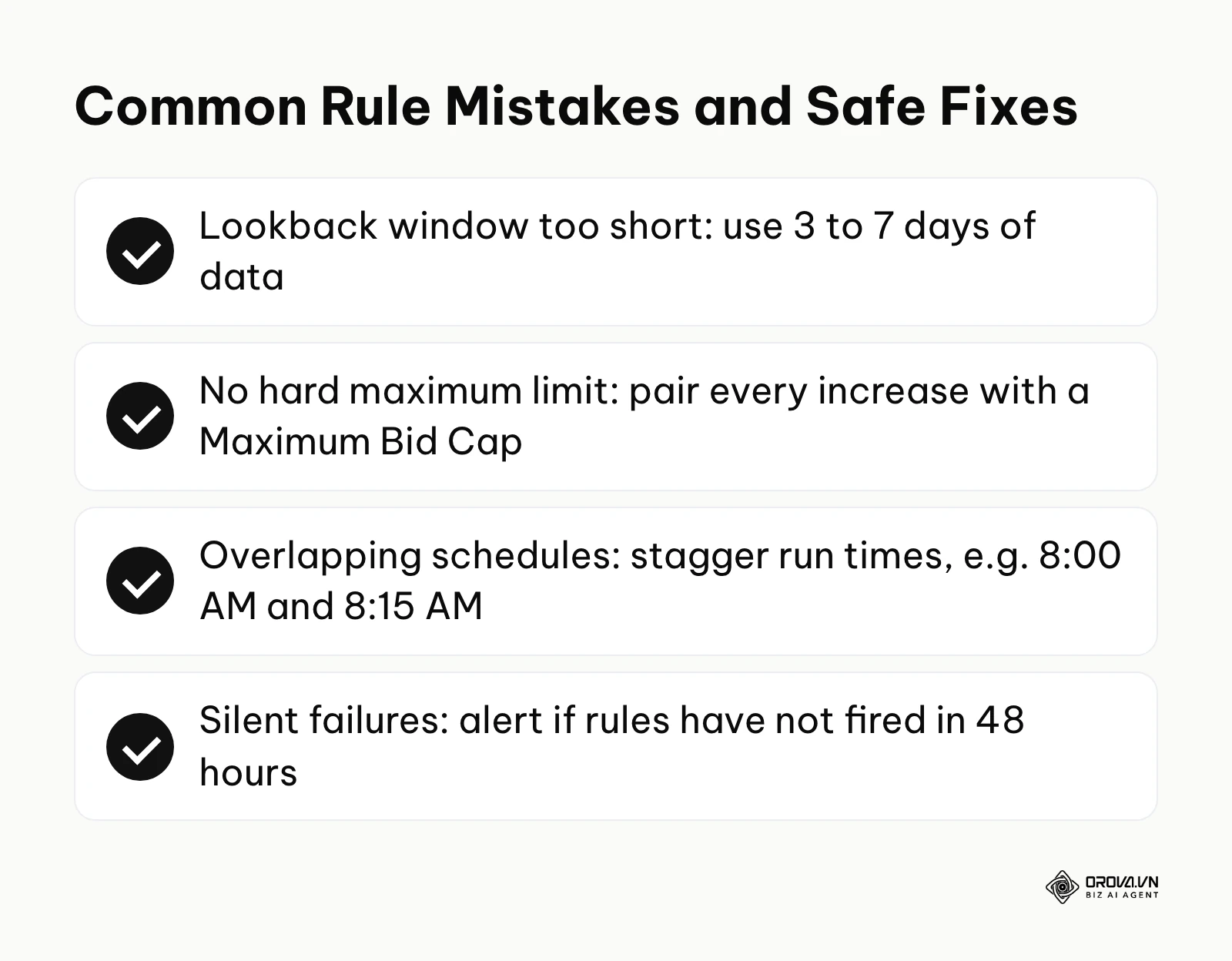
| Setting "lookback windows" too short | Pausing highly profitable, good ads simply because of a temporary 2-hour performance dip caused by external factors. | Always use at least 3 to 7 days of aggregated historical data for any rule that executes a destructive action. |
| Forgetting to set a hard maximum limit | An aggressive bid increase rule triggers daily, inflating bids exponentially and draining the entire monthly budget in a single week. | Always firmly pair any "increase" action with a hard, non-negotiable "Maximum Bid Cap" condition. |
| Overlapping rule execution schedules | Two different rules attempt to edit the exact same campaign at the exact same minute, causing API errors and complete failure. | Carefully stagger execution times (e.g., Rule A runs at 8:00 AM, Rule B runs at 8:15 AM). |
| Ignoring silent system failures | A rule silently breaks due to a password change, and the entire team falsely assumes optimization is still running perfectly. | Set up a meta-rule: an alert that actively triggers to warn you if the main rules have not fired at all in the last 48 hours. |
Illustrative example: A freelance media buyer managed 15 demanding client accounts. They routinely manually adjusted hundreds of bids every single morning based purely on yesterday's performance metrics. The buyer wisely identified the repetitive, grueling nature of this task and created automated rules to automatically increase bids by 10% for any keywords with a cost per acquisition consistently below the client's target. Initially, they carelessly set no maximum financial limit, and one client's keyword bid artificially inflated to an absurd 50 dollars per click over an unmonitored weekend. After aggressively auditing the error and adding a strict "Max Bid = 15 dollars" condition to the logic rule, the automation ran safely and effectively. The concrete result was a consistent 20% improvement in overall account efficiency, while the freelancer successfully saved 15 grueling hours a week.
When dealing with large-scale digital advertising operations, relying purely on manual intervention is no longer a viable competitive strategy. Orova Ads provides a comprehensive, centralized solution for managing Google Ads, Meta, and TikTok Ads within a single, unified interface. The system synchronizes data according to your defined schedule and can receive actual conversions from your CRM, a webhook, or an API (including the Conversion APIs of all three platforms). You can set up your own rules using the dedicated Agent feature, which supports run schedules and a library of templates, or you can draw on more than 200 pre-built optimization actions covering budget, bidding, and audience adjustments. By default, the AI only recommends changes; it acts on your ad accounts only after you switch on automatic execution.
Want to scale your budget but afraid of breaking performance? 📉
Integrate OROVA ADS now - an AI Agent that automatically monitors and optimizes Google, Meta, TikTok ads 24/7. Now, expanding and replicating your Performance Ads team is just one click away.
🚀 Try it now at: orova.vn/ads
Future Trends of Automated Rules in the Next Few Years: Author's Perspective
As of 2026, business automation appears to be shifting away from rigid, developer-centric syntax toward more conversational interfaces. Here are three trends that I believe are likely to shape the next era of process management.
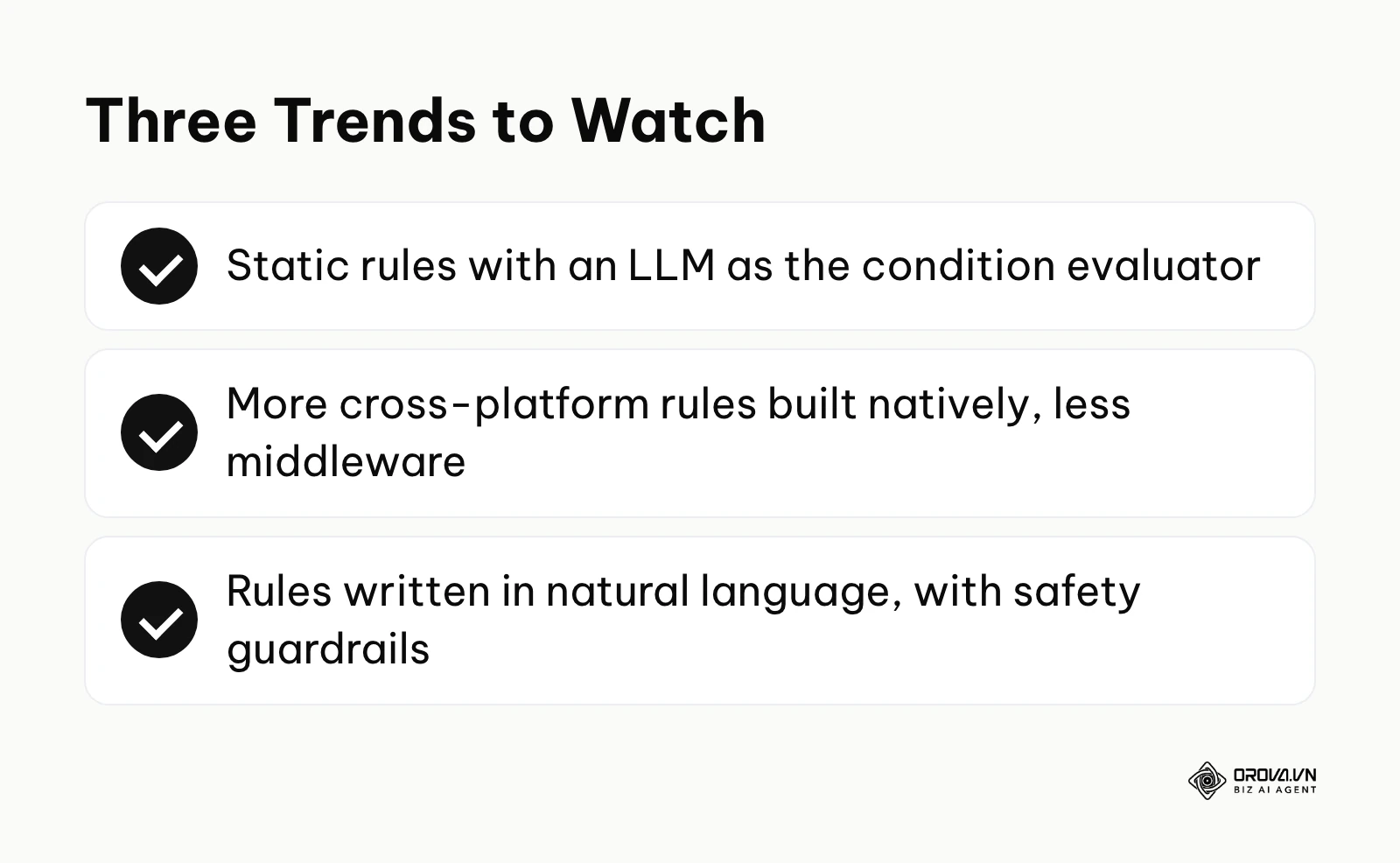
The Blending of Static Rules and LLM Logic
Currently, we see a very strict, binary divide in the industry: you either use hard-coded, deterministic rules, or you rely entirely on opaque, black-box AI algorithms. I believe these two paradigms will increasingly blend together. Instead of being forced to choose one over the other, platforms will natively allow us to utilize Large Language Models (LLMs) as the specific "Condition" evaluator within a standard rule framework. For example, the trigger will remain static and highly reliable (e.g., "when an email arrives"), but the condition will be dynamically evaluated by an LLM ("if the tone of the email is highly frustrated and references cancellation"). This means we will bring the extreme nuance of human interpretation directly into the absolute reliability of automated rule execution. You should prepare your teams now by learning how to write highly precise AI prompts that consistently yield predictable boolean (true/false) outputs.
Cross-Platform Native Ecosystems
Right now, to successfully make a rule interact with three completely different marketing or sales platforms, you almost certainly need to pay for a third-party middleware tool. I anticipate that major software suites will expand their native integration capabilities, allowing you to build highly complex cross-platform rules directly within their own interfaces without constantly paying extra API middleware taxes. Software vendors are finally realizing that deep workflow lock-in is significantly more valuable to their valuation than mere feature lock-in. You must start proactively prioritizing software vendors that offer fully open APIs and extensive native partner integrations to avoid massive future migration headaches.
Natural Language Rule Generation
I expect the tedious work of dragging and dropping flowchart nodes to matter less over time. I lean toward a future where we simply describe our intentions to the machine. You might type or speak, "Pause any campaign that spends more than 100 dollars without generating a verified sale in the last 48 hours," and the system would translate that natural language into a robust, structured automated rule, complete with suggested safety guardrails. While this drastically lowers the technical barrier to entry, it also significantly increases the risk of poorly thought-out, logically flawed instructions being deployed rapidly at scale. Therefore, your professional focus must shift entirely from learning specific software interface clicks to mastering strict logical thinking and overall system design architecture.
Frequently Asked Questions about Automated Rules
Are automated rules still necessary when we have AI?
Yes, absolutely. While modern AI excels beautifully at finding hidden data patterns and making highly educated probabilistic guesses, it inherently lacks the strict predictability required for critical, high-stakes business guardrails. Automated rules provide absolute certainty. You use AI to suggest the best optimal path or draft content, but you rigorously use automated rules to enforce strict financial budget caps, ensure total legal compliance, and execute definitive actions that absolutely cannot tolerate any margin of error.
What is the exact difference between native rules and middleware platforms like Zapier?
Native rules are built directly into the core code of a specific application, offering exponentially faster execution speeds, vastly better security compliance, and zero additional monthly subscription costs. Middleware platforms act as separate, external bridges between entirely different software ecosystems. You should always utilize native rules for actions entirely contained within one single app, and only rely on middleware when you absolutely need data to trigger an action in a completely separate department's software suite.
What is an "infinite loop" and how do I prevent it?
An infinite loop is a catastrophic failure that occurs when Rule A triggers an action that perfectly satisfies the condition for Rule B, which in turn triggers an action that satisfies the condition for Rule A, causing the system to run in endless circles. To effectively prevent this, always map out your rules visually on a whiteboard before digital deployment, and utilize "status tags." Ensure a rule only fires if an object is tagged as "unprocessed," and mandate that the very first action of the rule is changing the tag to "processed" immediately.
How can I safely test a rule without ruining my live operational data?
Ideally, test in a staging or sandbox environment before any logic touches a live budget. If your specific platform lacks a dedicated sandbox, set your new rule's action to merely "Send an Email Notification" or "Add a specific Tag" instead of making a destructive change like deleting data or altering bids. Let it run continuously for a week, meticulously monitor the execution logs, and once you confirm it is targeting the correct data precisely, switch the action to the real, intended execution command.
How do I know if a manual process qualifies for automated rules?
If a manual task primarily involves a human looking at a static number, mathematically comparing it to a predefined threshold, and clicking a button based entirely on that rigid comparison, it perfectly qualifies for automation. Conversely, if the task requires interpreting emotional nuance, actively negotiating with a vendor, or producing highly original creative assets, it should remain entirely manual or rely heavily on human-in-the-loop AI assistance.
Where to Start?
Jumping headfirst into the world of automation can feel incredibly overwhelming if you attempt to completely overhaul your entire business infrastructure in one day. Your very first step should not be a massive project, but rather a small, highly targeted action dictated entirely by the current state of your operations.
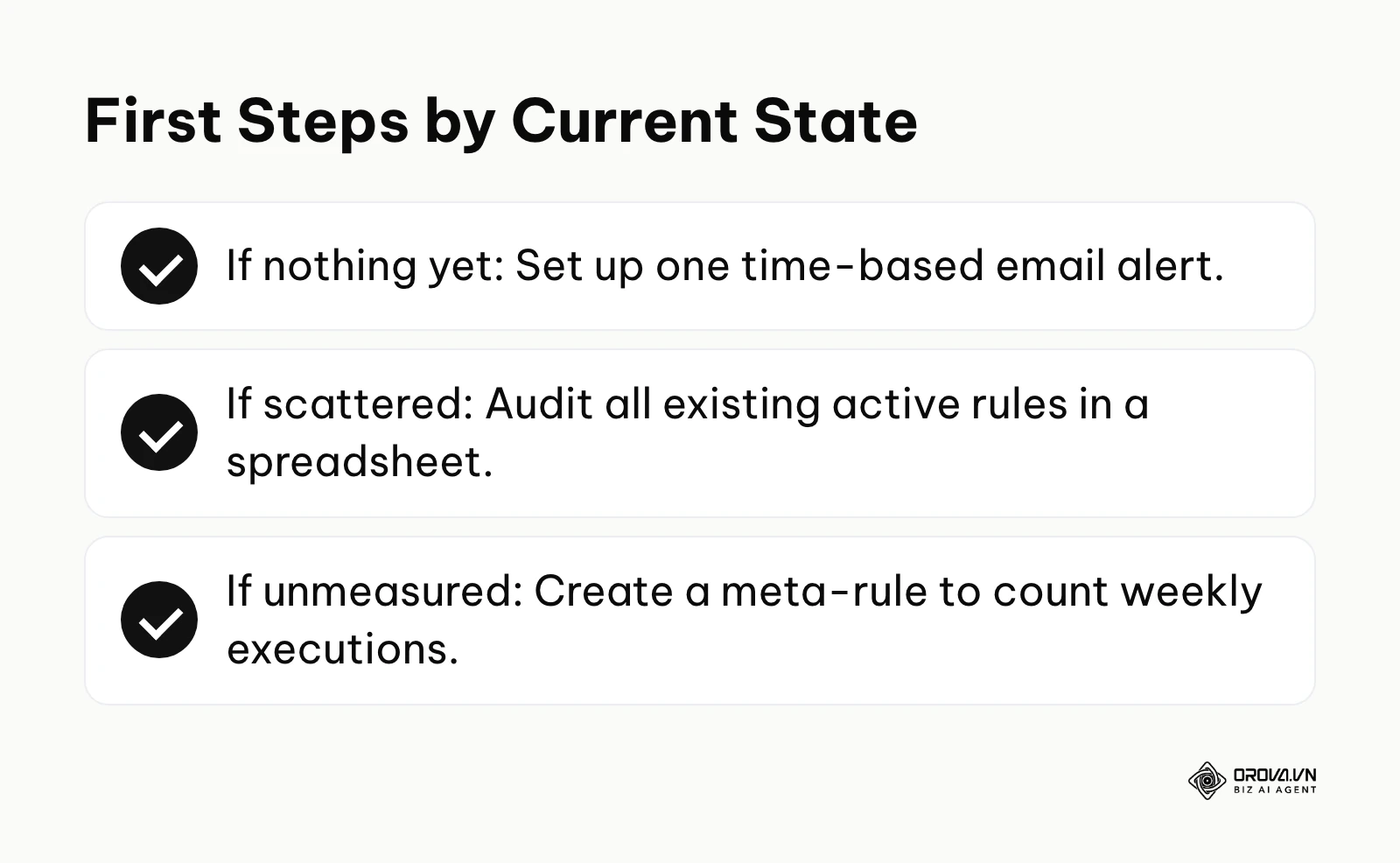
If you have Nothing Yet (you literally do everything manually): Your absolute immediate goal is to establish a basic safety net, not aggressive optimization. In your next scheduled work session, simply log into your most expensive software platform (usually an advertising network or a large CRM account) and set up a single, simple time-based alert rule. Configure it to only send you an email notification if your total daily expenditure unexpectedly exceeds your normal running average by 20%. This takes exactly five minutes to configure and introduces you to the platform's logic interface without risking any actual, destructive changes to your live campaigns.
If you are Scattered (you have a few rules built by different people, but no central strategy): Your current workflow is likely highly fragile and extremely prone to hidden, conflicting actions. Your very first step is to perform a rigorous rule audit. Open a completely blank spreadsheet and create specific columns for the rule name, the platform it lives on, the exact trigger condition, and the final action. Spend one highly focused hour rigorously documenting every single active automation you currently have running across all tools. You will almost certainly discover redundant rules or entirely forgotten automations that are silently skewing your daily data.
If you are Unmeasured (you have complex rules running, but do not actively track their financial impact): You are currently flying blind, dangerously assuming the machine is doing its job perfectly without verification. Your very next step is to implement a "Notification Meta-Rule." Create a new rule designed solely to fire once a week to automatically summarize the historical activity logs of all your other active rules. Have it email you a precise count of exactly how many times each rule executed. This crucial visibility ensures you actually know whether your automations are actively saving you thousands of hours or failing silently in the background.
By systematically and carefully applying these logic principles, you effectively move from being a stressed operator of manual tasks to a strategic architect of highly reliable systems. Automated rules are the foundational, non-negotiable building blocks of that critical transition.
About the author

Builder of Orova
Nguyễn Đỗ Trọng Ân has 8 years of experience in marketing, including 6 years managing market development across Asia. He builds Orova, a Biz AI Agent that never sleeps: it plans, runs and optimizes work for businesses.
Run your business with AI Agents
Orova is the always-on Biz AI Agent — it plans, runs, and optimizes the work for you.
Save time, unlock productivity.