
What is a Google Business Profile post? A practical playbook for local businesses

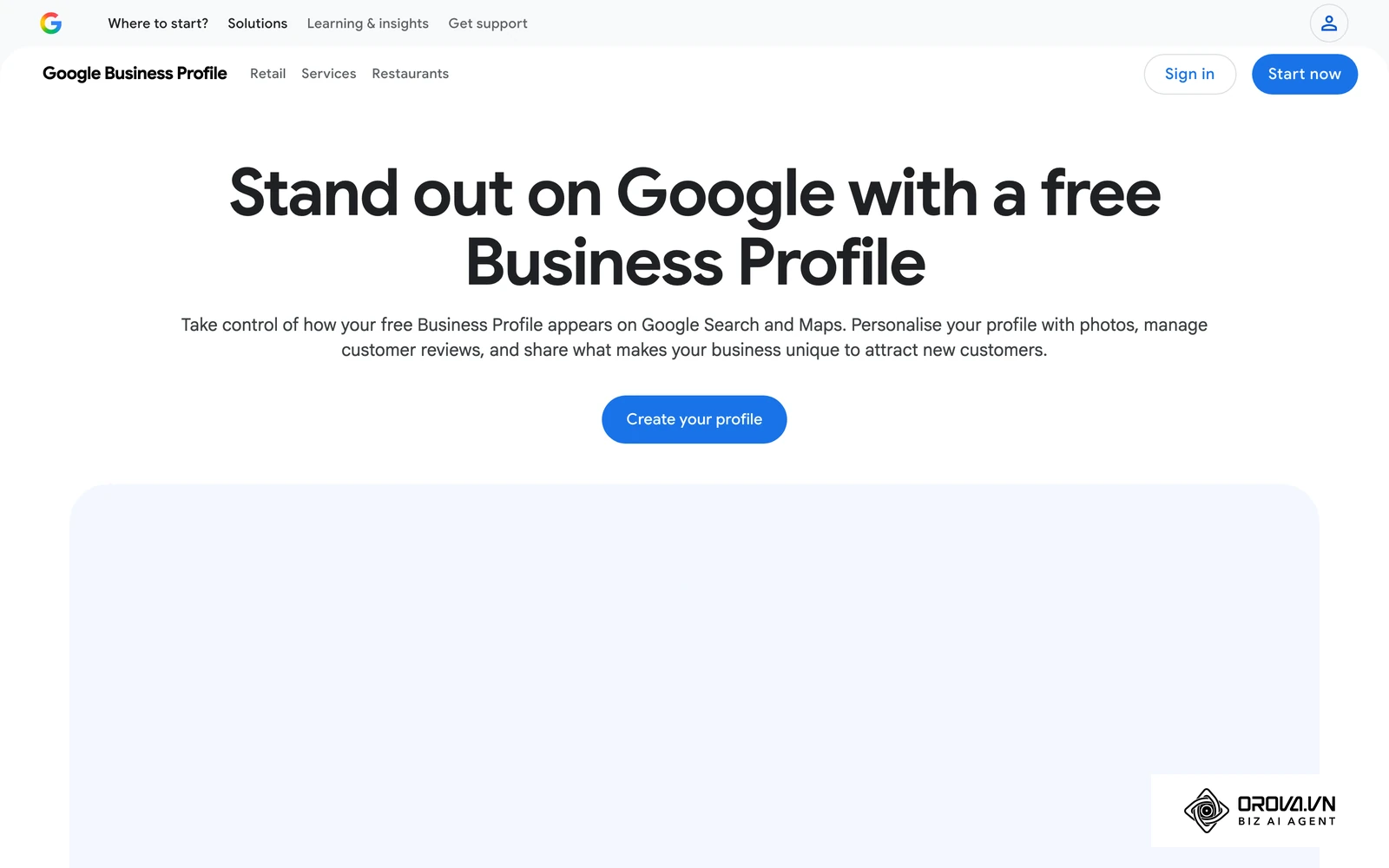
A Google Business Profile post is a short update that a business publishes on its Business Profile so customers see it on Google Search and Maps: a piece of news, an offer with dates, or an event. Local business owners often stare at the map results wondering why a competitor with lower ratings seems to win more calls. You might have filled out every basic field, uploaded a logo and verified your address, yet the phone stays quiet. Treating the listing as a static phonebook wastes one of the few places where you can speak directly to people who are already searching nearby. This guide shows how a planned Google Business Profile post routine turns a static listing into an active acquisition channel, with a 30-day calendar, copywriting formulas and AI prompts you can reuse.
What is a Google Business Profile post?
A Google Business Profile post is a dynamic update feature allowing local businesses to share offers, events, and news directly on Google Search and Maps. It serves to capture high-intent local traffic with timely information, and it differs from static profile details because it works as a channel for fresh announcements. According to Google's Business Profile Help, posts can show text, photos or videos, and customers find them in the "Updates" or "Overview" tabs of the profile on mobile and in the "From the owner" section on a computer.
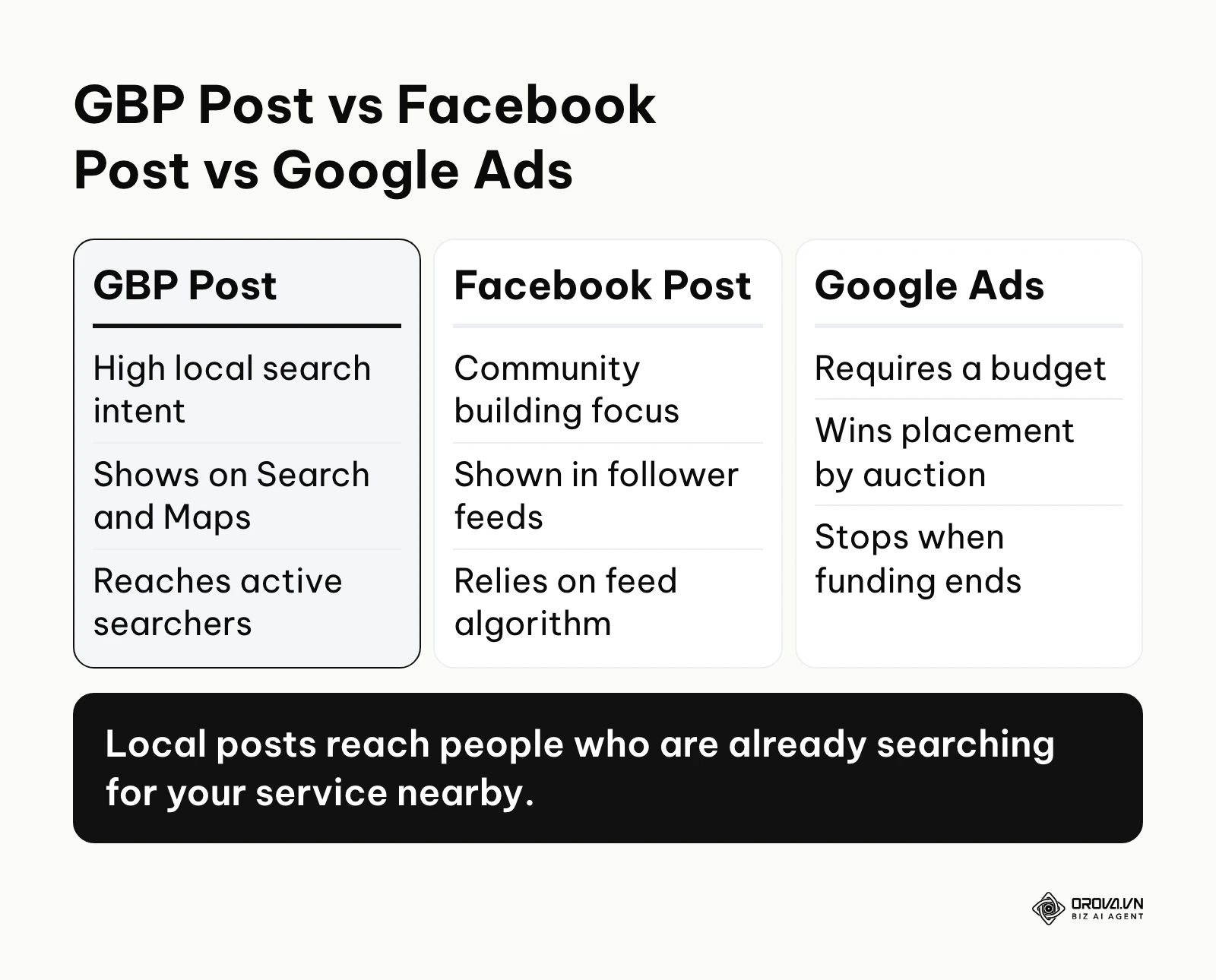
In practice, posts turn the profile from a simple directory entry into a small notice board for local commerce. Unlike social media platforms where your content competes with personal updates and entertainment, these local updates appear precisely when a user is actively looking for a service you provide.
To understand its unique position, we must compare it to other common marketing channels you might already be using.
| Concept | Key Difference | Practical Example |
|---|---|---|
| Local Update (The focus here) | Reaches users with high local search intent right on the map interface. | A local bakery posting a "50% off all croissants today" offer that appears when someone searches "bakery near me". |
| Social Media Update | Focuses on community building and relies on algorithmic feed placement. | The same bakery posting a behind-the-scenes video of dough preparation for their existing followers. |
| Paid Search Advertisement | Requires a budget and wins placement for specific queries through an ad auction. | The bakery paying for each click on an ad shown for "wedding cakes". |
Consider a daily life scenario: You are driving in a new city and get a flat tire. You search for a mechanic on your phone's map application. You see two shops nearby. Both have four stars. However, one shop has a recent update stating, "We have dedicated bays for emergency tire repairs today, walk-ins welcome!" The other shop has no recent updates. You will almost certainly choose the shop that provided the immediate, relevant information, proving they are active and ready for your business.
The strategic meaning of publishing locally
The fundamental purpose of this publishing feature is to intercept local consumers at the very bottom of the sales funnel. When a user is browsing a map application, they are rarely doing casual research; they are usually looking for a place to go right now or a service to hire today. This feature exists to give business owners a voice precisely at that critical moment of decision-making.
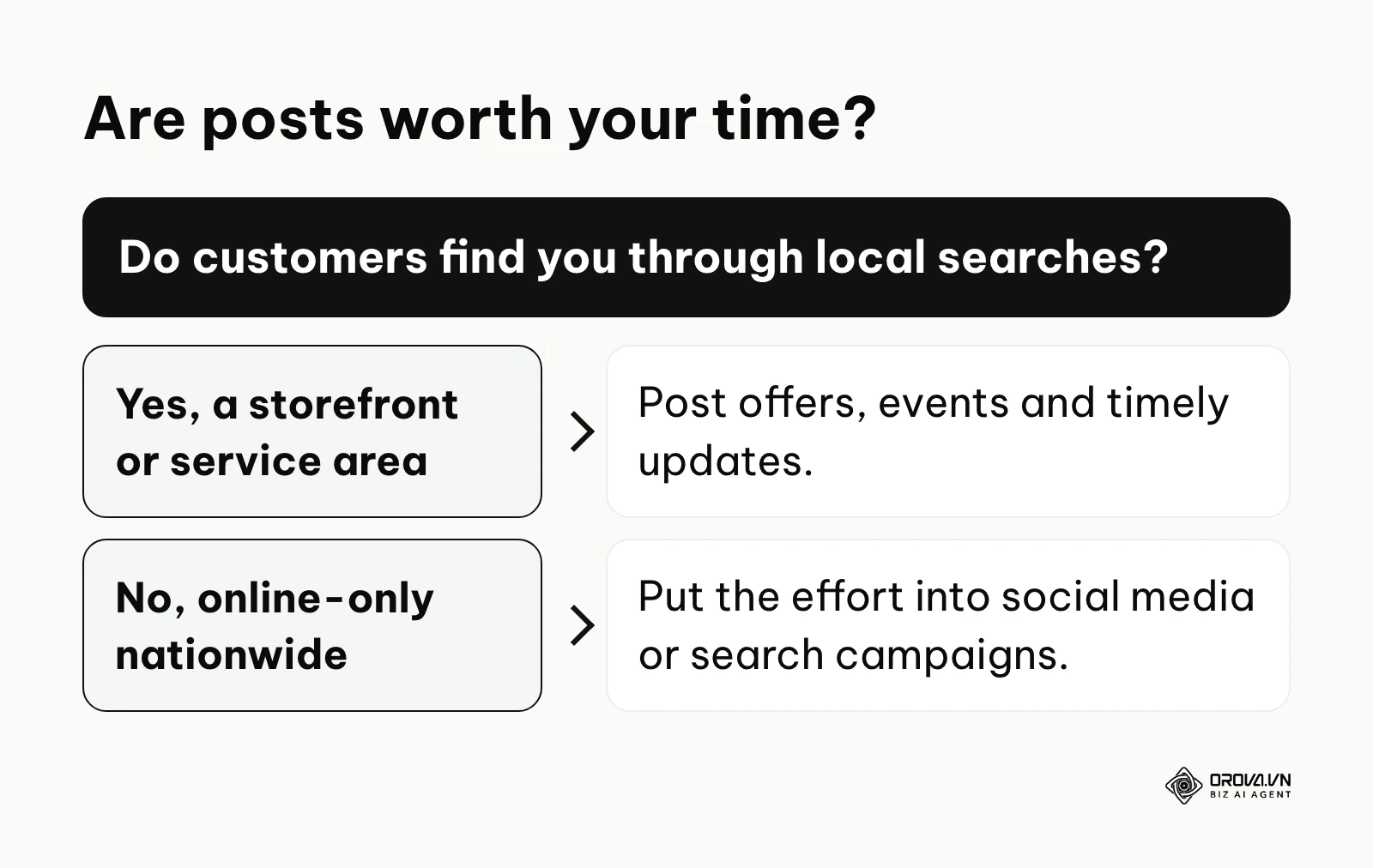
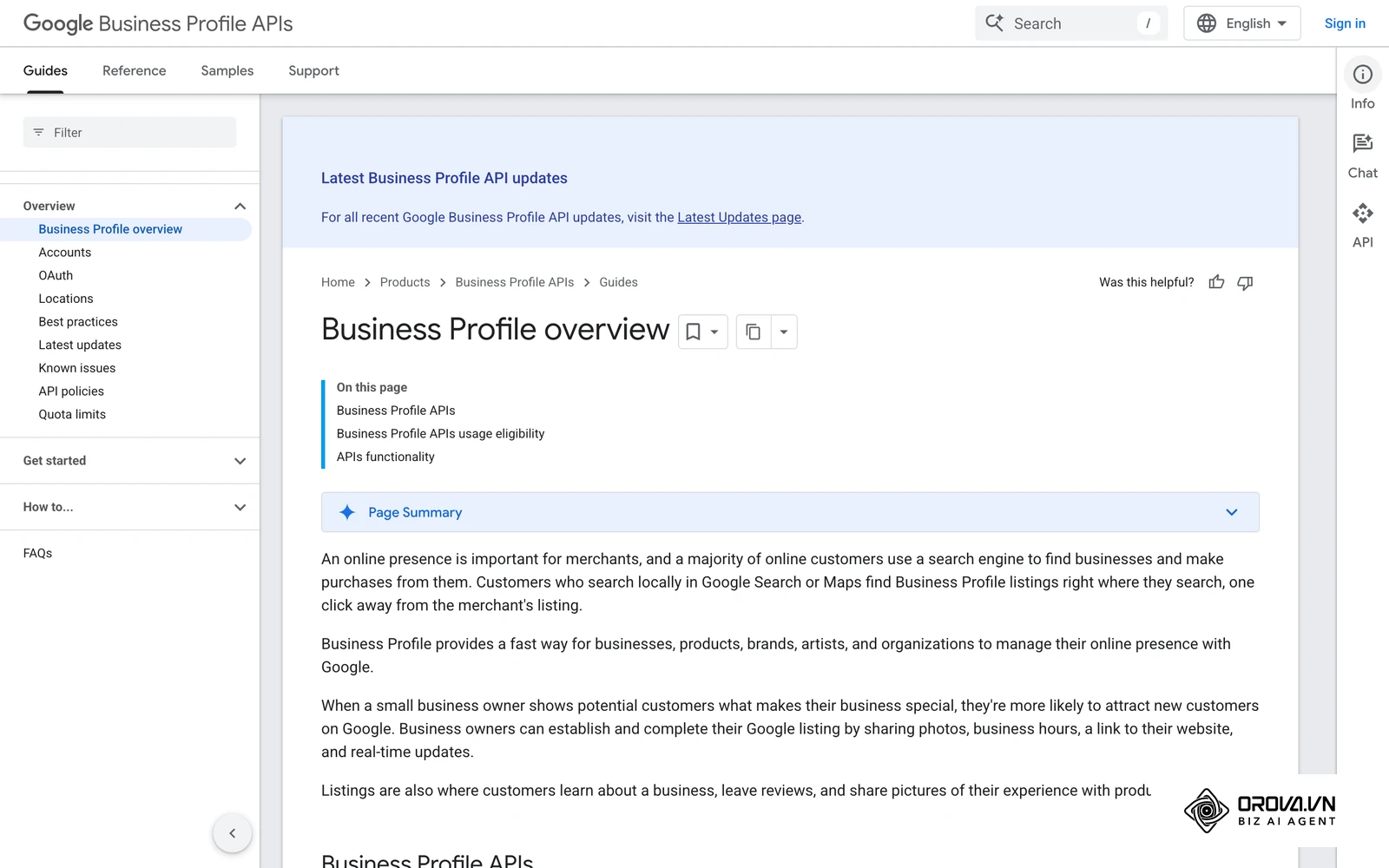
In the broader context of a holistic SEO strategy, these updates are one small, controllable piece of local visibility. If you need the bigger picture first, read what local SEO is and how it works; this guide stays focused on the posts themselves. Before a user sees your updates, your profile must be properly categorized and verified. After they see your updates, the goal is to drive them to your website or physical location. The updates act as the bridge between discovering your business name and actually deciding to transact with you. Google reviews every post against its posts content policy, and a post marked "Not approved" does not show on Search or Maps at all.
If you choose to ignore this feature, you are essentially leaving your digital storefront completely dark. You lose the ability to control the narrative when potential customers are actively evaluating you against the shop down the street. You miss out on the opportunity to highlight temporary promotions, seasonal inventory, or unique selling propositions that might sway a hesitant buyer.
When you should not use this feature: You should completely avoid this tactic if your business operates strictly as a national e-commerce store without a physical storefront, as local visibility will not yield relevant traffic. Furthermore, using this tool for purely conversational engagement, sharing viral internet humor, or posting highly abstract brand philosophy is a waste of effort. In these specific scenarios, allocating your resources to organic social media platforms or running targeted search campaigns is a much more effective strategy. Hotels also face a specific limit: Google's posts content policy says hotel businesses cannot create Offer posts or any post that mentions deals, promotions or discounts.
Direct value and local SEO benefits
The advantages of consistently pushing content to your local listing can be divided into direct commercial value for the business entity and operational benefits for the person executing the marketing strategy. Understanding both layers is crucial for securing budget and maintaining motivation.
Commercial value: Foot traffic and conversion rates
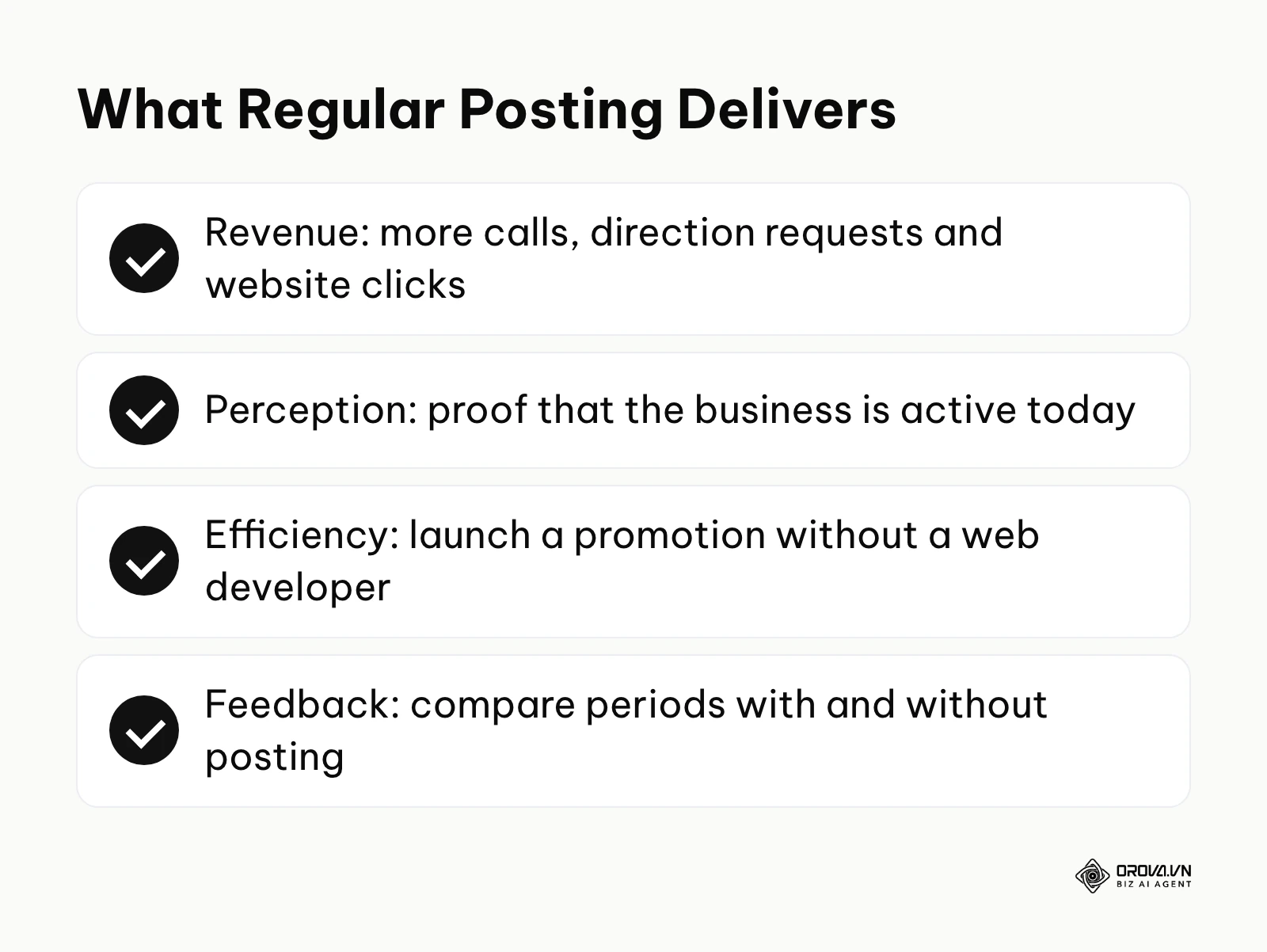
For the business itself, the primary value lies in conversion rate optimization on the search engine results page. When a user sees a compelling offer or an update that directly answers their immediate need, they are far more likely to click the call-to-action button, request directions, or initiate a phone call. A profile with recent posts also tells shoppers that someone is running the business today. Google does not list posting as a ranking factor, so treat any ranking lift as a possible side effect, not the main reason to post.
Illustrative example: A mid-sized regional plumbing company wanted to increase emergency call volume during winter. They created a series of promotional updates highlighting frozen pipe repair services. The team scheduled these updates twice a week, ensuring every post carried a Call now button tied to their verified business number. Initially, they noticed the images looked cropped awkwardly on mobile devices, leading to lower engagement. They fixed this by adjusting the image dimensions to center the crucial text within the safe zone. Consequently, they saw a noticeable increase in direct phone calls originating from their maps listing during the first major frost.
Operational benefits: Execution speed and clarity
For the marketer or business owner executing the strategy, this platform offers a streamlined, low-friction environment. Unlike long-form blog writing or complex video production, these updates are designed to be short, punchy, and highly tactical. You do not need a massive production budget; a clear photograph from a smartphone and three sentences of sharp copywriting are entirely sufficient. Furthermore, the profile's performance reports let you watch calls, direction requests and website clicks over time, so you can compare periods with and without regular posting and test different messages.
| Benefit Category | Specific Value Delivered | Measurement Metric | Expected Timeframe to See Results |
|---|---|---|---|
| Business Revenue | Increased direct inquiries and foot traffic from local searchers. | Phone calls, direction requests, website clicks. | Judge over several weeks of consistent posting, not single days. |
| Brand Perception | Building trust by demonstrating active management and recent activity. | Increased overall profile views and higher click-through rates. | Starts as soon as recent posts appear on the profile. |
| Operational Efficiency | Rapid deployment of promotional material without website developer bottlenecks. | Time saved per campaign launch. | Immediate upon adopting the workflow. |
Your Google Business Profile post reaches people searching nearby, but your followers live on social feeds. Orova Social lets you compose once and publish to 8 channels, including Facebook, Instagram, TikTok, YouTube and LinkedIn, with AI captions written in your brand voice.
How it works: Anatomy, formats, and execution
This is the most critical phase of your local marketing strategy. Understanding the technical boundaries, the psychological triggers in the copywriting, and the visual constraints will dictate whether your efforts generate revenue or simply waste time. We will break down every component required to build a sustainable and high-converting publishing engine.
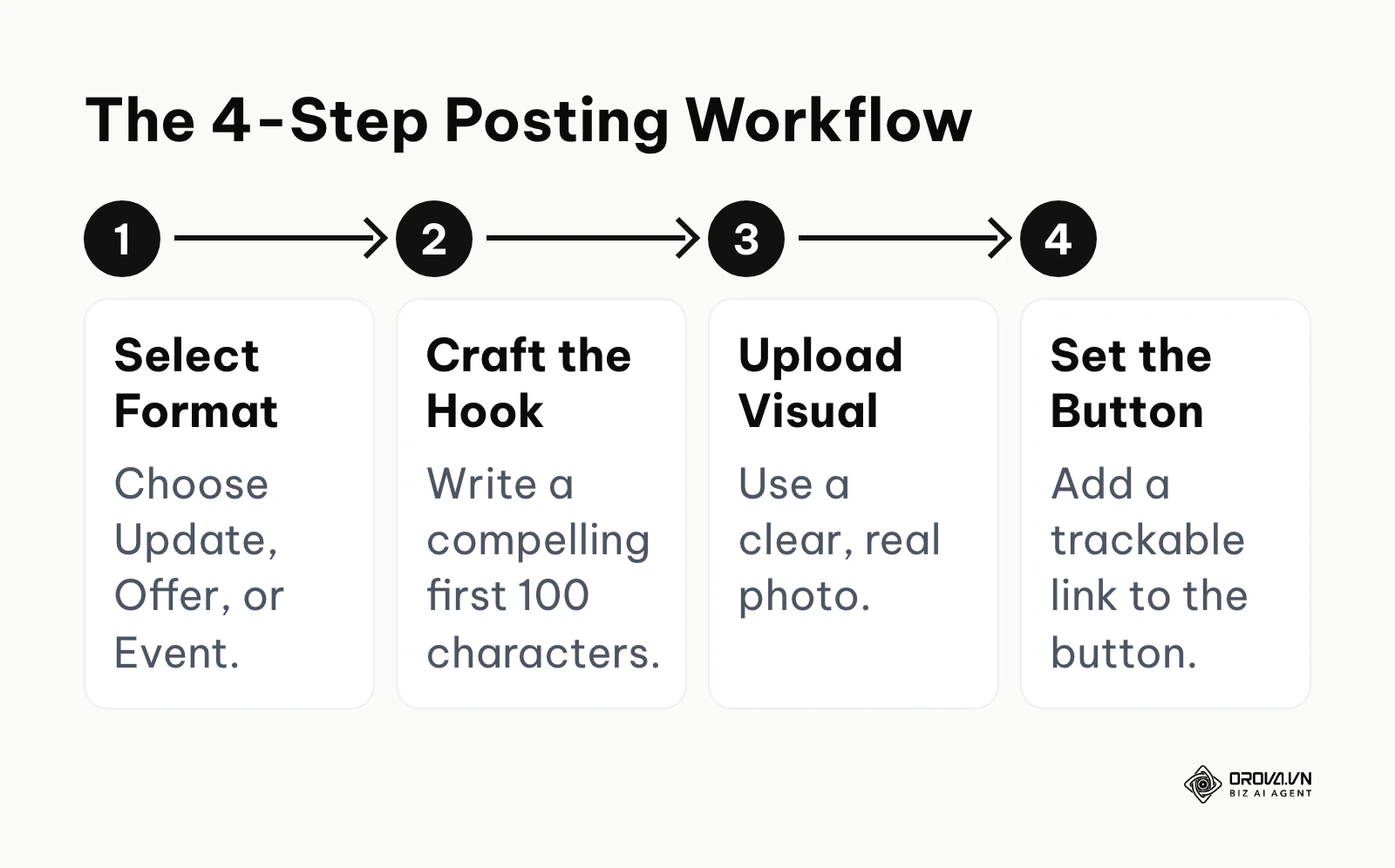
The anatomy of a high-converting post
Every single update you publish on this platform is constructed from three non-negotiable components: the visual asset, the text copy, and the call-to-action button. The visual asset acts as the immediate pattern interrupt. When a user is swiping rapidly through search results, a strong image is the only thing that will make their thumb stop.
The text copy provides the necessary context. The description field allows far more text than most people will read, and the preview usually shows only the opening line or two before a 'read more' link. A practical working rule is to treat the first 100 characters or so as your headline. Therefore, treating this text box like a long blog article is a severe tactical error.
Finally, the call-to-action button is the actual conversion mechanism. Update and Event posts let you add an action button, such as 'Book', 'Order online', 'Learn more' or 'Call now', while Offer posts get a 'View offer' button automatically. If your image is engaging and your hook is brilliant, but you forget to include a button linking to a relevant landing page, the entire exercise is economically useless.
Post types and strategic deployment
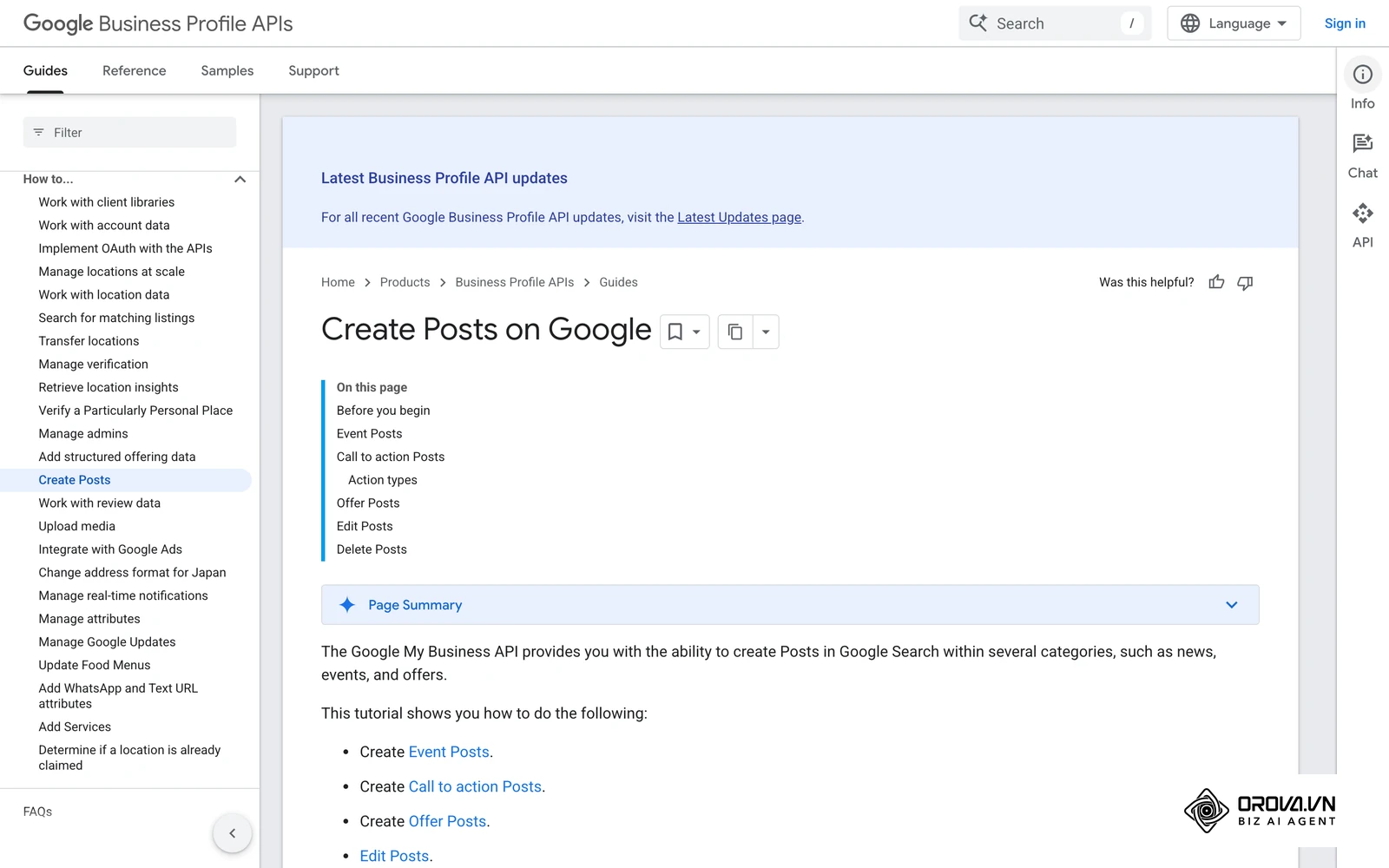
Google's help page lists three post types: Update, Offer and Event. You select one when creating your content, and each serves a different stage of the local customer journey. Older guides may also tell you to answer customers through Business Profile chat; Google has retired that messaging feature, so do not build your plan around it.
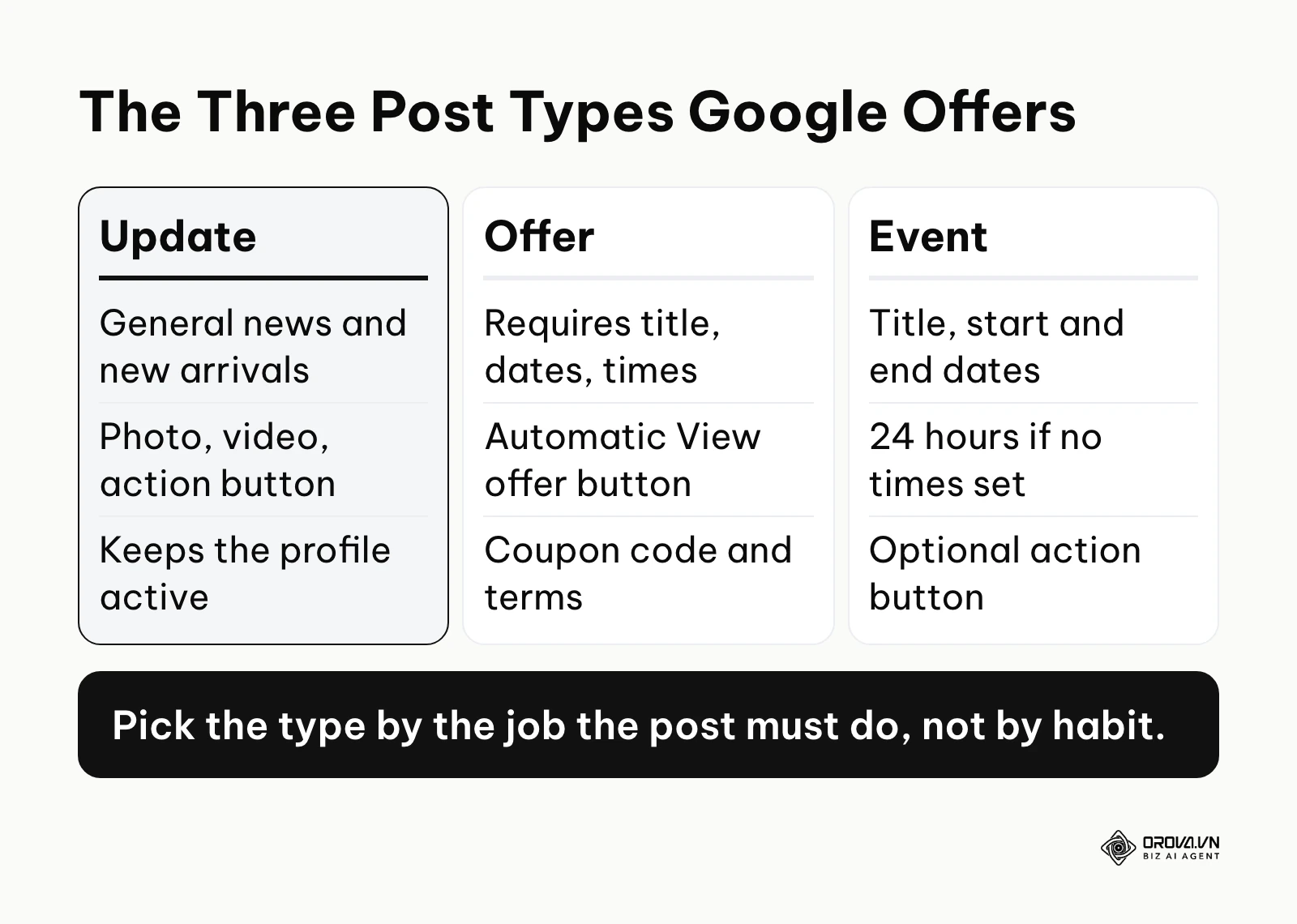
Update posts These are the standard, everyday format for sharing general news, new product arrivals or a specific staff member. You can add a description, photo, video and an action button with a link. They are excellent for keeping your digital storefront looking active: if a user sees an update from three days ago about a new coffee blend, they have a fresh reason to believe the shop is open and operating normally.
Offer posts Offer posts are explicitly designed for direct response marketing. They require a title plus dates and times, which gives the offer natural urgency. You can also add a description, photo, video, coupon code, link and terms and conditions. These posts are highly effective for driving immediate conversions, especially for users who are sitting on the fence and actively comparing your pricing against a competitor visible in the same local map pack.
Event posts Event posts need a title plus start and end dates and times; if you leave out the times, the event shows as lasting 24 hours on its dates. Google also archives posts older than six months unless a date range is set. They are ideal for promoting in-store gatherings, local community sponsorships, online webinars, or special holiday hours. They help build local authority and can drive physical foot traffic to a specific location at a specific, predictable time.
How to create a post step by step
Google's help page describes the same short flow for every post type:
- Go to your Business Profile, select Posts, then Add post.
- Pick the post type: Update, Offer or Event.
- Add the elements you need, such as a photo, video, button or coupon code, and fill in the details.
- To publish later, turn on Schedule this post and choose the date and time. The Repeats menu lets a post go out weekly, monthly or on a custom schedule.
- Select Post. If you manage several profiles, you can choose which of them should receive the same post.
- Check the status afterwards: Live, Pending (still processing, or the profile is unverified) or Not approved (it breaks a content policy).
The 100-character hook formula
Because the preview shows only the opening of your text, your opening sentence is arguably the most critical piece of copywriting you will produce. If you bury the lead, nobody will ever click to read the rest. You must immediately address a problem, state a clear benefit, or create intense curiosity within the first 100 characters. Here are five tested formulas you can use to craft compelling hooks immediately.
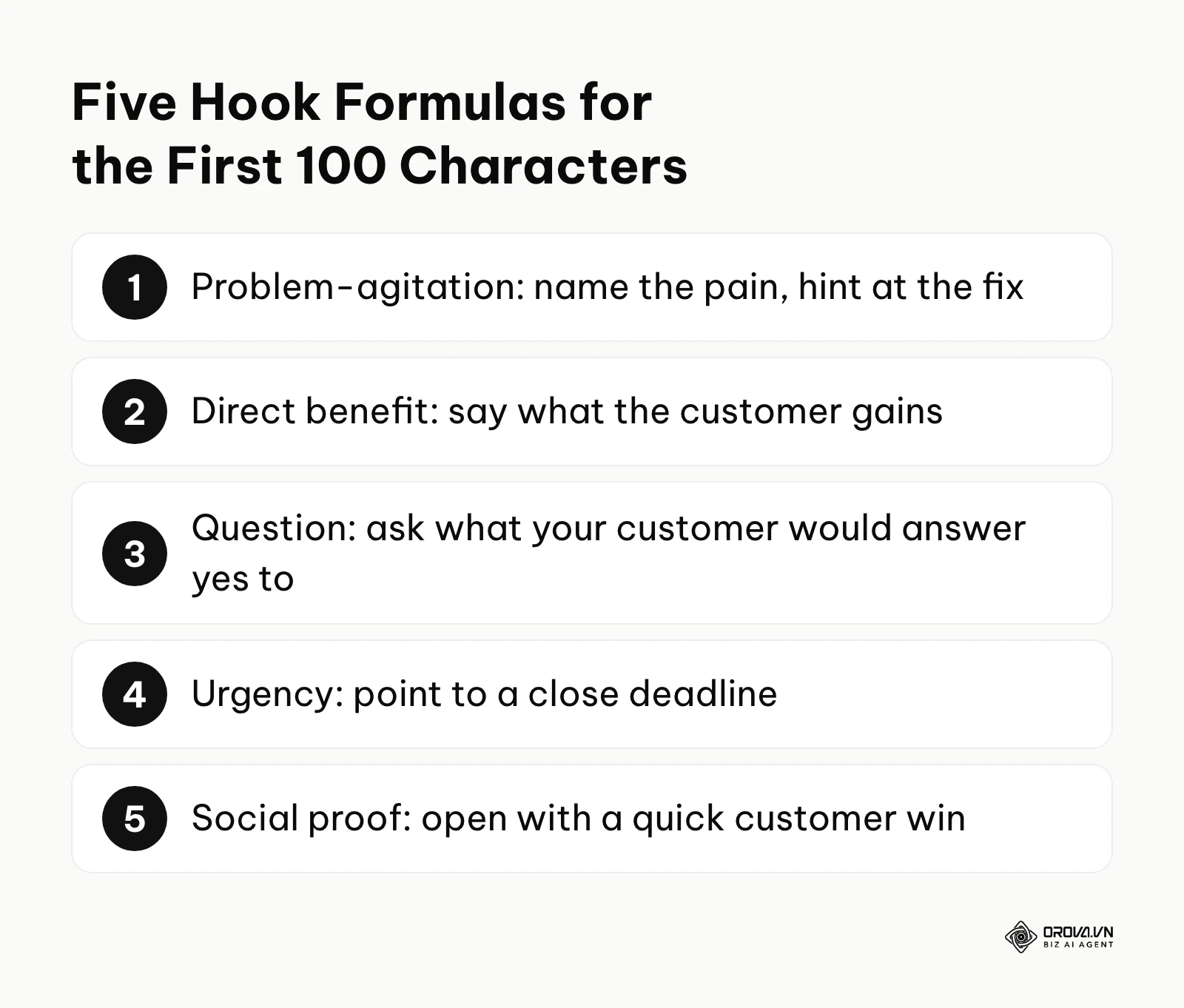
- The Problem-Agitation Hook: Start by calling out a highly specific pain point your target audience experiences, followed immediately by a hint at your solution. Example: Tired of waking up with a sore back? Our new ergonomic mattresses just arrived in store today.
- The Direct Benefit Hook: State exactly what the customer stands to gain if they read the rest of the text or click the button. Example: Get your car's oil changed in under 20 minutes, or your next service is completely free.
- The Question Hook: Ask a highly relevant, localized question that your ideal customer would mentally answer with a strong 'yes'. Example: Looking for a quiet coffee shop in downtown Seattle with reliable Wi-Fi and plenty of outlets?
- The Urgency Hook: Highlight a strictly limited-time opportunity or a fast-approaching deadline to prompt immediate attention. Example: Only 48 hours left to claim 30% off all winter plumbing inspections before the freeze hits.
- The Social Proof Hook: Begin with a brief, punchy statement about how many local people you have helped or a quick customer win. Example: Over 500 local families trust our security systems. See why neighbors keep coming back.
Navigating the image size and visual requirements
Visual presentation matters in local search. Google's posts help page does not set one fixed post size, so many marketers work with a landscape 4:3 photo, for example 1200 by 900 pixels, which stays sharp on large screens. Knowing the dimensions is only half the battle: the visible crop can differ between devices and between Search and Maps.
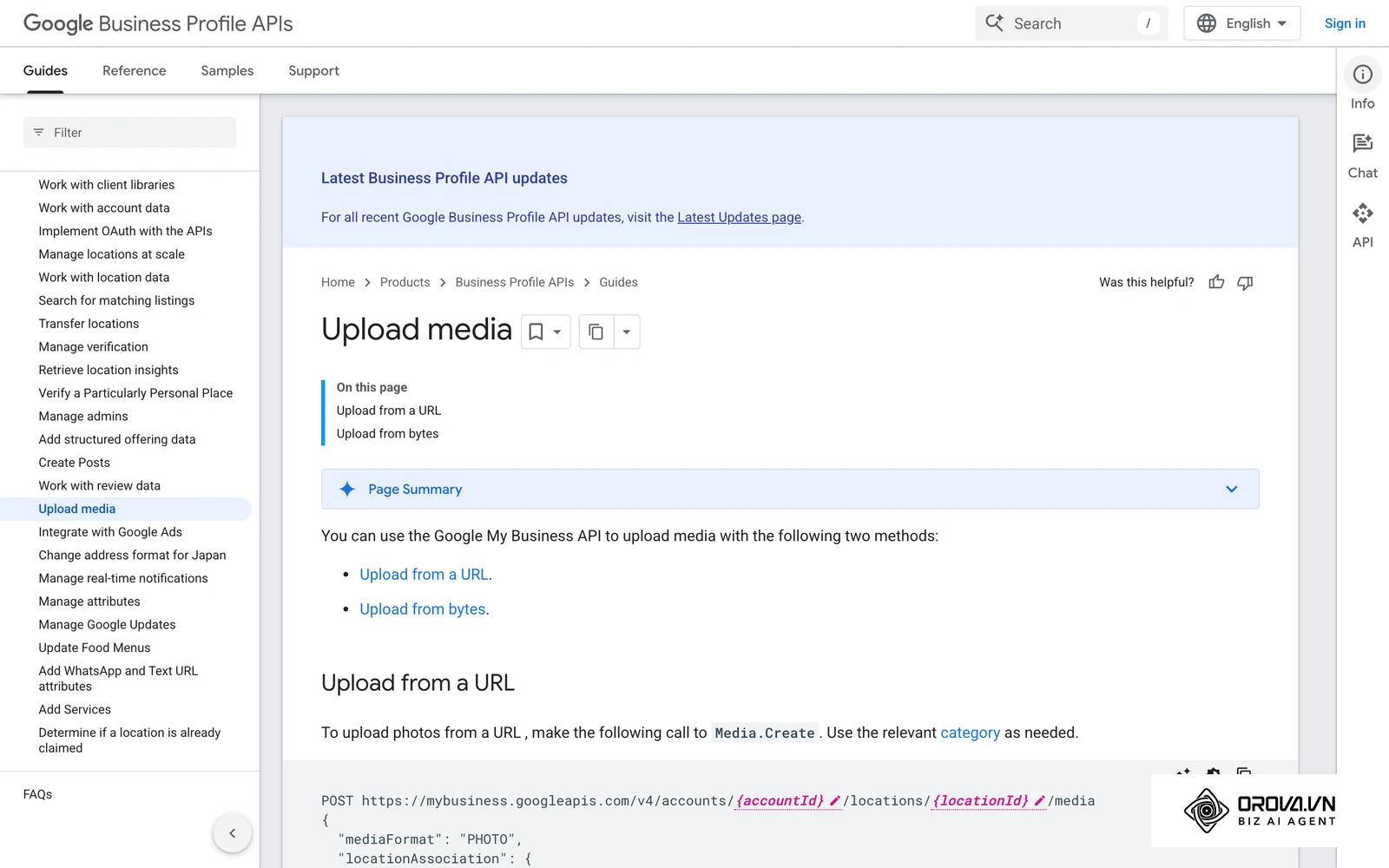
When viewing on a large desktop computer monitor, the image might be cropped horizontally to fit a wider panel. Conversely, on a mobile device utilizing the Maps application, the crop might focus much more tightly on the dead center of the image. To mitigate this severe risk of visual cutoff, you must employ a strict 'safe zone' strategy.
Keep all critical visual elements, such as any small text overlays or the primary subject of the photograph, tightly centered within the middle 70 percent of the frame. Avoid placing any important details near the outer edges, as they will inevitably be sliced off on certain devices, making your business look unprofessional. Furthermore, you should severely limit the use of heavy text overlays on your images. Natural, well-lit photographs of the real business usually earn more trust than graphic banners crowded with marketing text.
Leveraging AI for rapid content creation
Maintaining consistency is often the hardest part of local marketing. Small business owners are busy running their operations. Artificial intelligence tools can bridge the massive gap between knowing you need to post consistently and actually having the drafted content ready to publish. With a structured, tightly constrained prompt, you can draft weeks of posts in one sitting. Google's own tips ask you to avoid auto-generated or distracting content, so treat AI output as a first draft and edit in real details from your business. If you want to dive deeper into this, you can explore how to write Instagram captions with AI to understand the underlying principles of AI text generation.
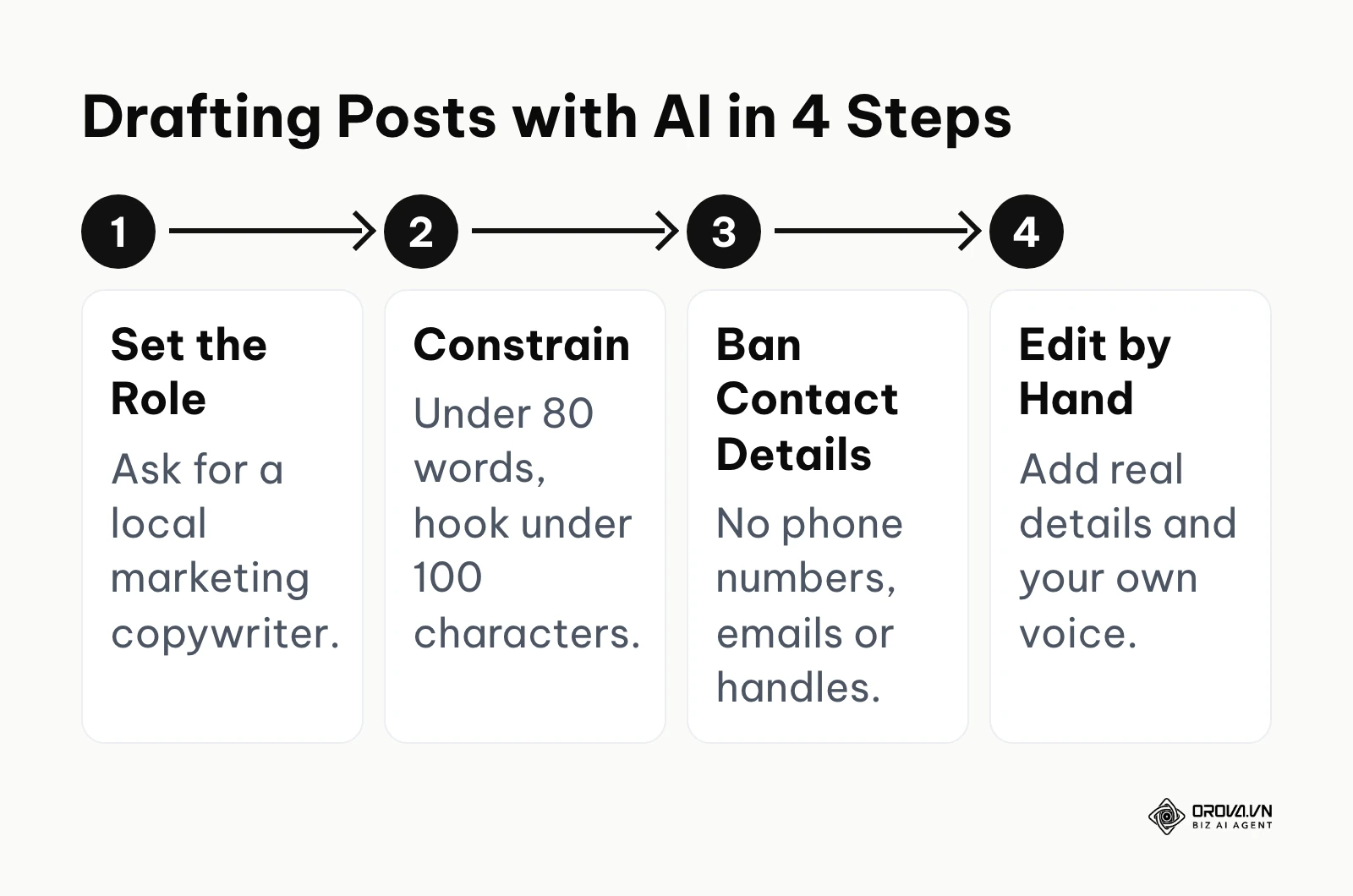
The absolute key to using AI effectively for this specific platform is severely constraining its output. Left to its own devices, an AI will naturally write lengthy, overly formal, and highly academic paragraphs that do not fit the concise, punchy nature of local map updates. You must explicitly instruct the AI to act as a local marketing expert, to respect the strict character limits, and to write in a conversational, highly accessible tone.
Here is a tested prompt template you can copy and paste into tools like ChatGPT or Claude right now:
Role: You are an expert local SEO copywriter specializing in driving foot traffic.
Task: Write three short 'Update' posts for a [Insert Business Type, e.g., Dental Clinic] located in [Insert City/Neighborhood].
Constraints:
- Each individual update must be strictly under 80 words in total length.
- The very first sentence of each update must be a compelling hook that is strictly under 100 characters.
- Do not use any hashtags, emojis, or overly promotional buzzwords.
- Do not include phone numbers, email addresses, or social media handles.
- End each update with a clear, one-sentence call to action directing users to [Insert Desired Action, e.g., Book a free consultation today].
Tone: Friendly, highly professional, localized, and direct.
Illustrative example: A local landscaping service owner had absolutely no time for marketing during the busy spring season. They used the provided AI prompt to generate four weeks of standard update posts in one sitting. Initially, the hurdle they faced was that the AI sounded entirely too formal, using words like 'furthermore' and 'therefore'. The owner fixed this by adding the constraint "speak like a friendly blue-collar neighborhood worker" to the prompt. As a result, the owner spent noticeably less time writing each week while maintaining a highly consistent local presence that accurately reflected their brand voice.
Building a 30-day content calendar
Relying on daily inspiration is a guaranteed path to marketing failure. When you sit down at your computer wondering "what should I post today?", you have already lost the battle. You need a structured rotation that balances promotional material with valuable, educational updates. A 30-day calendar removes the decision fatigue entirely from the process.
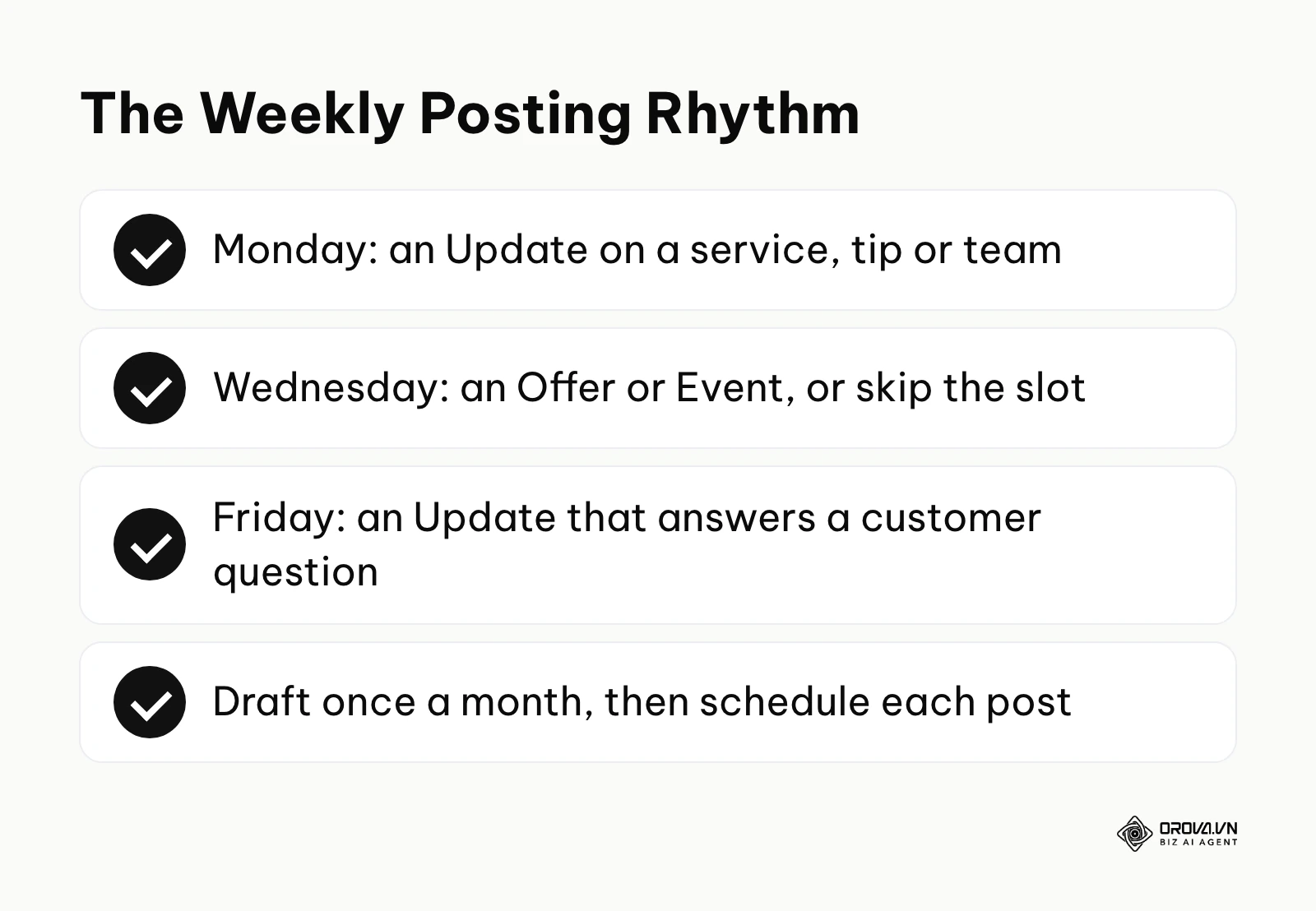
By categorizing your updates and scheduling them well in advance, you ensure a diverse mix of content that appeals to users at very different stages of the buying cycle. Some users are ready to buy immediately and need a strong offer. Others are just doing preliminary research and need an educational update that builds trust. A well-planned calendar addresses both needs systematically. Once the posts are drafted, the Schedule this post option described above lets each one go live on its planned day.
Here is a plug-and-play 30-day template you can adapt immediately:
| Week | Monday (Format: Update) | Wednesday (Format: Offer or Event) | Friday (Format: Update) |
|---|---|---|---|
| Week 1 | Highlight a specific, popular service you provide. | Introduce a 10% discount for first-time customers. | Share a quick tip related to your industry. |
| Week 2 | Introduce a key staff member or team behind the scenes. | (Skip posting to avoid overwhelming the feed) | Answer the most common question your customers ask. |
| Week 3 | Showcase a recent successful project or happy customer. | Announce an upcoming holiday special or local event. | Highlight a secondary, lesser-known service you offer. |
| Week 4 | Share a quick update about changes in the local area. | (Skip posting to maintain quality over quantity) | Remind users why they should choose local over corporate. |
Plan the rest of your channels in one content calendar by day, week or month, schedule posts that publish on time, and create on-brand images with AI. Orova Social is free until July 7, 2027, with no card required.
How to adapt and start your local engine
Different roles require different approaches to mastering this platform. Whether you are running the shop floor or managing a portfolio of clients, the tactical execution steps must align with your available resources.
For the small business owner
Your primary constraint is time. You cannot afford to spend hours tweaking images.
- Batch your content creation: Dedicate exactly one hour on the last Sunday of the month to write all your updates for the upcoming four weeks using the AI prompt provided earlier.
- Rely on real photos: Stop searching for stock images. Take out your smartphone, wipe the lens, and take genuine photos of your storefront, your tools, or your team working.
- Keep the links simple: Always direct the call-to-action button to your primary booking page or contact form. Do not send traffic to a generic homepage where they have to hunt for the phone number.
For the in-house marketer
Your primary constraint is proving return on investment to your leadership team.
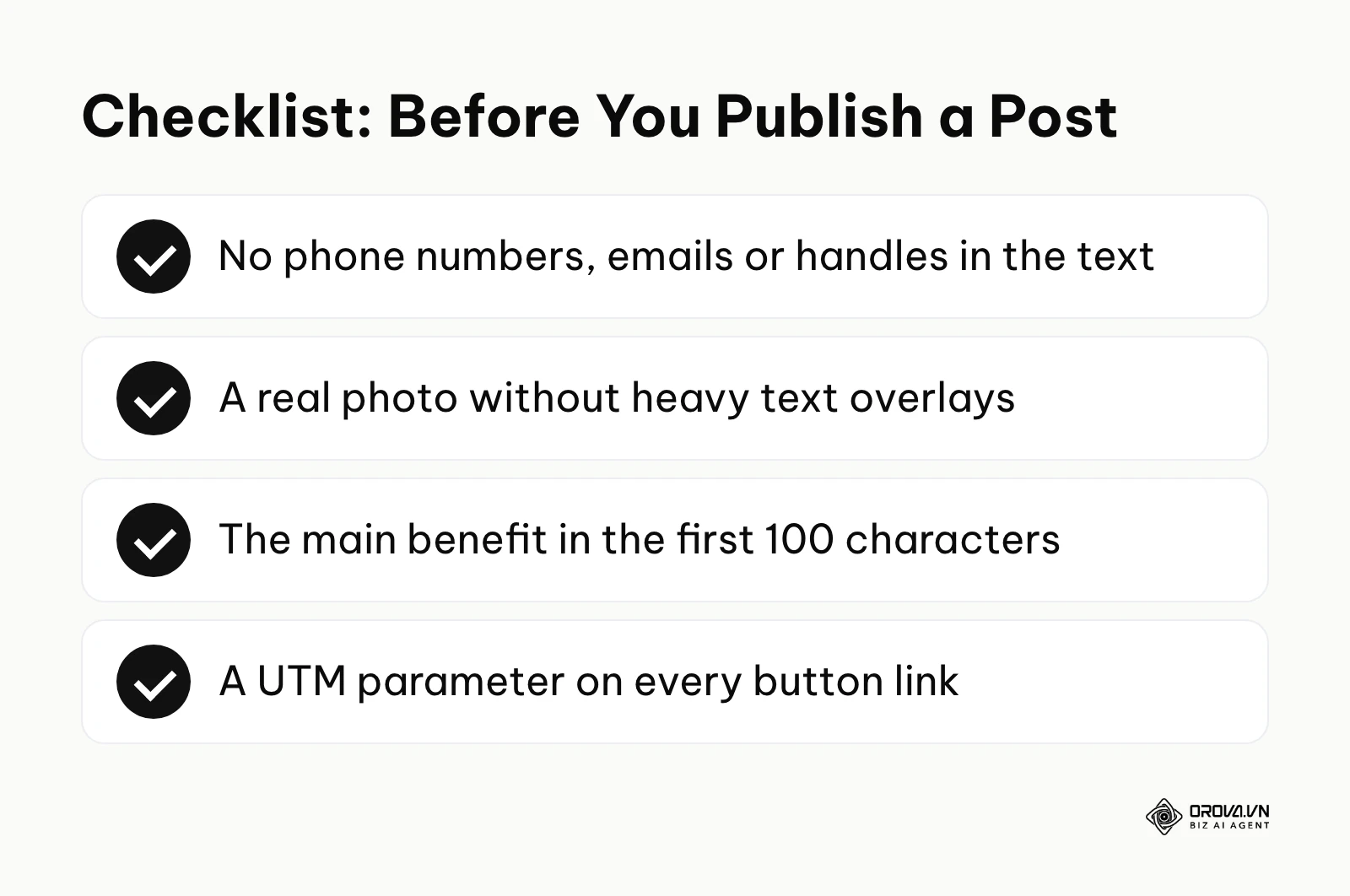
- Implement tracking parameters: Never publish a button without a UTM parameter attached. This is the clearest way to prove in your analytics software that your local efforts are driving actual website sessions.
- Establish a clear troubleshooting protocol: When an update gets rejected, you need to know exactly how to fix it quickly. A frequent cause is contact details in the text: Google's posts content policy says it may remove posts with unverified phone numbers, email addresses or social media handles, and suggests attaching a Call now button instead.
- Align with broader campaigns: Ensure your local map updates perfectly mirror the messaging being sent out in your email newsletters and main social media channels for a unified brand experience.
For the agency professional
Your primary constraint is scale and client approval workflows.
- Centralize the calendar: Keep one calendar for every location. Business Profile lets you send the same post to several profiles you manage in one step, which beats copying it by hand into each listing.
- Standardize the copywriting rules: Create a strict internal guideline for your junior writers enforcing the 100-character hook rule and the rule of keeping phone numbers out of the text body to minimize rejections.
- Report on leading indicators: When reporting to clients, focus heavily on the increase in direction requests and direct profile phone calls, rather than just raw impression numbers which can be vanity metrics.
| Common Mistake | Immediate Consequence | How to Avoid It |
|---|---|---|
| Putting a phone number in the text body. | The post may be removed or marked Not approved. | Rely entirely on the built-in "Call now" button functionality instead. |
| Uploading images with heavy text overlays. | The image will look like spam and may be cropped poorly on mobile devices. | Use clear, high-quality photographs of real people or actual products. |
| Treating the text box like a long blog post. | Users will not click "read more" and your core message will be completely lost. | Front-load your most important benefit into the first 100 characters. |
Illustrative example: A marketing agency manager was tasked with handling local visibility for a franchise with twelve restaurant locations. The manager used the multi-profile posting option to push out synchronized weekly promotional updates for seasonal menu items across all locations. A significant problem arose when several submissions were marked Not approved because phone numbers had been typed into the text body. By standardizing the copywriting process to strictly exclude phone numbers in the text and rely entirely on the built-in buttons, the manager resolved the rejections. The outcome was a streamlined approval workflow and consistent promotional visibility across all twelve franchise areas.
Future trends in local posting: Author's perspective
As we look toward the evolution of local search ecosystems, the landscape is shifting rapidly from manual curation to algorithmic automation. Based on the current trajectory of search engine updates and user behavior patterns, I see three shifts worth preparing for.
The rise of AI-driven hyper-personalization
I expect search to lean further into personalization. Today, every user sees the same text when they view a business profile, but I would not be surprised if AI summaries began to surface different parts of your posts for different searchers, for example the price detail for someone who keeps searching "budget-friendly". That would reward clear, modular writing where each sentence makes sense on its own, the same thinking behind AI-assisted ad creation.
Video gaining weight on local profiles
I expect short vertical video to matter more on local profiles. Posts already accept video, and customers used to short-form apps increasingly expect a quick look inside a restaurant or a short clip of a mechanic at work. In my view, businesses that rely on static photos alone may find their posts easier to scroll past.
Stricter automated review of posts
I think automated review of posts will keep getting stricter. Today a post that breaks the rules is simply marked Not approved. I can imagine repeated small infractions, such as slightly misleading promotional language, starting to weigh on how much trust a profile earns, so I would treat local post compliance with the same care as paid advertising policies.
Frequently asked questions about Google Business Profile post
Does posting every single day improve my map ranking faster than posting once a week?
There is no evidence from Google that daily publishing boosts ranking faster, and it can be counterproductive. Google does not publish a recommended posting frequency, so aim for consistency and relevance over sheer volume. Publishing one highly relevant, engaging update per week that generates clicks and interactions is far better for your local SEO signals than spamming your profile with low-quality daily updates that users completely ignore.
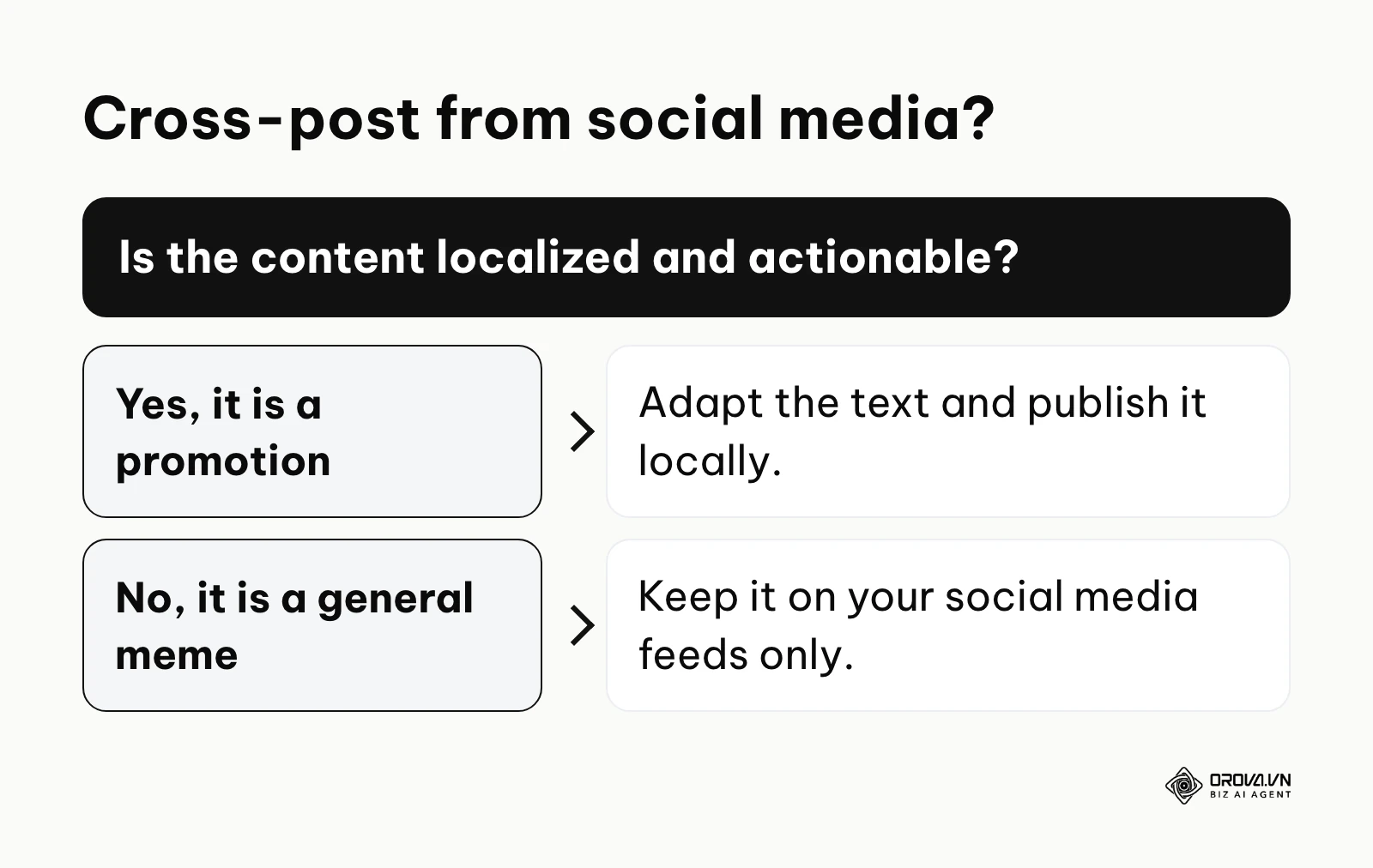
Will I get penalized for duplicate content if I copy my Facebook updates exactly?
Google does not describe a duplicate-content penalty for posts, and its help page even notes that, for some single-location food and drink businesses in English-speaking markets, featured posts can be pulled from Facebook and Instagram. Still, copying social media updates word for word is usually a weak strategy. Social media audiences are browsing for entertainment; map users are searching with immediate transactional intent. If you must cross-post, you should always rewrite the first 100 characters to be highly direct and ensure the call-to-action button matches the specific local intent of the searcher.
Why was my update rejected when it contains absolutely no sensitive content?
A common cause is contact information in the text body: Google's posts content policy says it may remove posts with unverified phone numbers, email addresses or social media handles, and recommends a Call now button instead. Other causes listed in Google's help include content about regulated goods, links to unsafe websites and, for hotels, any offer or discount. Remove the problem detail, check the image, and post again.
Is this feature still relevant now that AI search overviews are answering user questions directly?
Yes. Whatever form search results take, a person deciding where to go still checks the profile, and recent posts are the part of it you control directly. Google has not published exactly which profile details its AI features draw on, so keeping posts accurate and current is the safe choice for both human searchers and AI summaries.
Where to start?
If you are staring at a completely blank slate and have never published anything on your listing, your very first step is to claim your profile and publish a single, evergreen Update post. This post should simply introduce your core service and include a high-quality photograph of your storefront or team. Do not worry about calendars or advanced strategies yet; just get one piece of active content live to signal to the search engine that the business is operational.
If you have a history of sporadic posting where you only remember to update the profile once every few months, your immediate action is to adopt the structured thirty-day calendar template discussed earlier. Sit down for one dedicated hour this week, map out two weeks of alternating update and offer formats, and schedule them. Moving from chaotic posting to a predictable rhythm is the highest leverage action you can take right now.
If you are already publishing consistently but have no idea if it is actually working, your next step is to implement strict measurement protocols. You must append specific tracking parameters to every single call-to-action button you publish moving forward. To see how your website performs in Google Search overall, pair this with Google Search Console for SEO. Without isolating this traffic in your analytics platform, you are flying blind and cannot justify the effort. By taking this step, you will finally see exactly how a Google Business Profile post contributes to your bottom line.
About the author

Builder of Orova
Nguyễn Đỗ Trọng Ân has 8 years of experience in marketing, including 6 years managing market development across Asia. He builds Orova, a Biz AI Agent that never sleeps: it plans, runs and optimizes work for businesses.
Run your business with AI Agents
Orova is the always-on Biz AI Agent — it plans, runs, and optimizes the work for you.
Save time, unlock productivity.