
What is Google Customer Match? A practical 2026 guide

Google Customer Match is the Google Ads feature that lets you upload consented first-party contact data, such as emails, phone numbers and mailing addresses, so you can reach or exclude those same customers on Search, Shopping, Gmail, YouTube and Display. You have spent years collecting customer emails, phone numbers, and purchase histories in your CRM. However, when you launch your digital advertising campaigns, you likely still rely on broad demographic targeting or pixel-based tracking that increasingly fails due to modern privacy restrictions. This creates a deeply frustrating disconnect. You own incredibly valuable first-party data, but your advertising platforms are acting as if these loyal customers are complete strangers. By understanding and mastering google customer match, you can completely transform your static CRM database into a dynamic, highly targeted engine for revenue growth. This comprehensive guide covers everything from foundational concepts to advanced data formatting and strategic troubleshooting, ensuring your marketing dollars are strictly spent on the audiences that matter most to your business.
What is Google Customer Match?
Google Customer Match is an advanced advertising tool within Google Ads that allows businesses to upload their first-party data, such as emails and phone numbers. It securely matches this information against Google's user base, enabling you to target or exclude specific audiences across Search, Shopping, YouTube, Gmail, and Display.
Originally introduced to help advertisers move beyond cookie-based targeting, this tool represents a massive paradigm shift in how audience segmentation is handled. It places the power of targeting squarely in the hands of the business owner rather than relying solely on black-box algorithms analyzing web traffic. Because it bridges the gap between offline interactions (like in-store purchases) and online advertising, it is a foundational pillar of modern digital strategy.
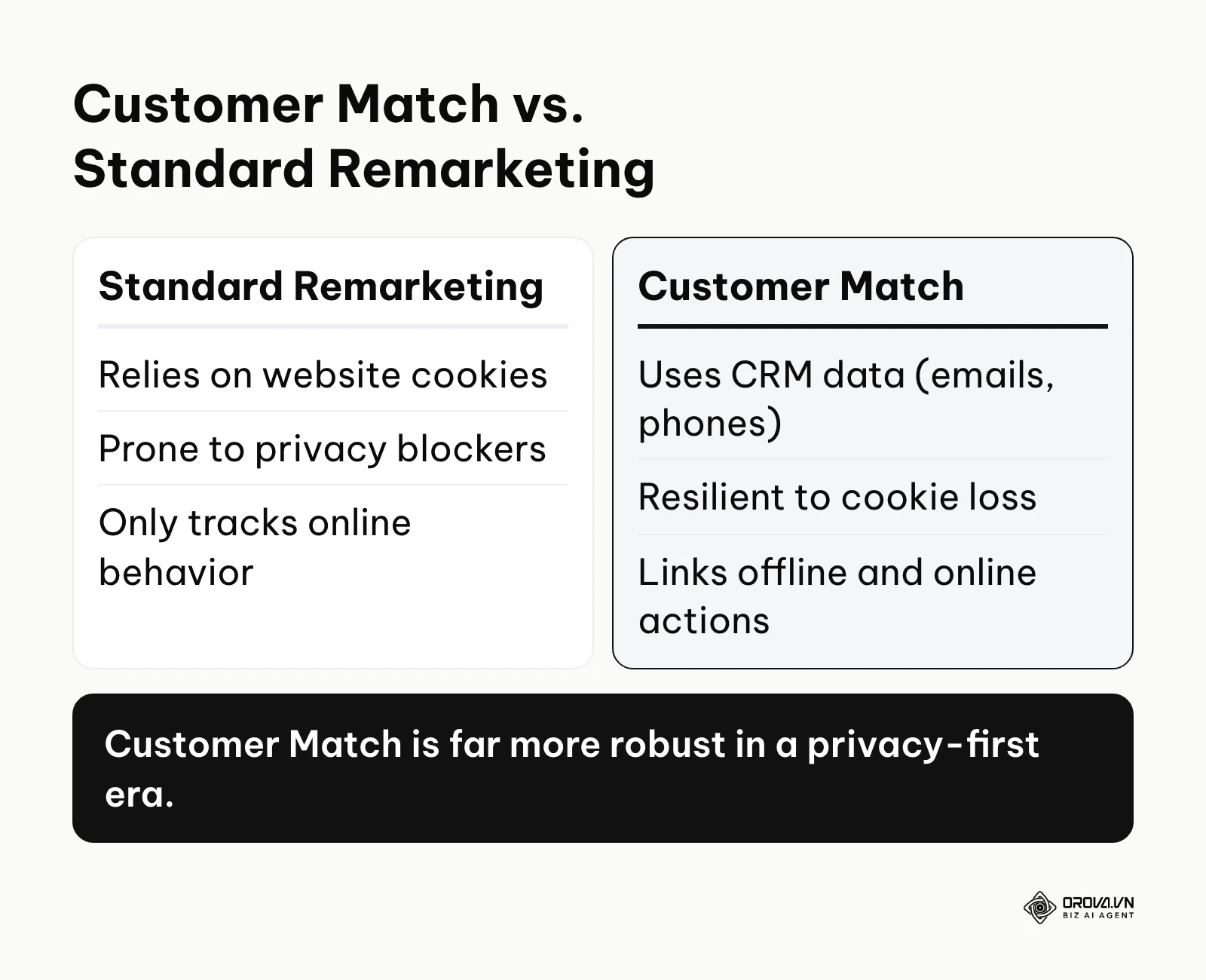
To truly grasp its utility, it helps to see how it differs from other familiar targeting concepts you might already be using:
| Concept | Key Difference | Real-Life Example |
|---|---|---|
| Google Customer Match | Uses your own CRM and offline data | Uploading a list of past webinar attendees for a new campaign |
| Standard Remarketing | Uses website cookies and pixel tags | Retargeting an anonymous user who clicked a product page |
| Similar Audiences (Legacy) | Finds new users mathematically similar to seed lists | Finding net-new prospects who act like your best buyers |
Consider a simple, everyday example to illustrate this concept. Imagine you run a local premium fitness center. A standard remarketing campaign would show ads to anyone who merely visited your website's pricing page, regardless of whether they actually joined. However, by utilizing Google Customer Match, you can upload the specific email addresses of members whose annual subscriptions expired last month. You can then serve a highly specific, tailored advertisement offering them a special "welcome back" discount whenever they search for fitness topics on Google or watch workout videos on YouTube. This level of precision is impossible with standard tracking pixels.
The Meaning Behind Google Customer Match
At its core, Google Customer Match exists to solve a massive inefficiency in digital advertising: the severe fragmentation of customer identity. In the past, advertisers relied heavily on third-party cookies to track users across the internet. However, as privacy regulations have tightened and browsers have aggressively blocked these tracking methods, advertisers found themselves suddenly flying blind. They could no longer reliably tell if the person searching for a product was a brand-new prospect or a loyal customer who bought from them yesterday.
This feature sits perfectly at the intersection of privacy compliance and hyper-personalized marketing. In the broader picture of digital advertising, it represents the vital transition from rented audiences to owned audiences. Instead of paying platforms repeatedly to find people interested in your niche, you are utilizing the first-party data you have already legally collected to dictate exactly who sees your message. According to the 'State of Data Report' by the Interactive Advertising Bureau (2024), a vast majority of advertisers are pivoting rapidly toward first-party data strategies to combat signal loss.
If you choose to ignore this functionality, the consequences are largely financial. You will inevitably waste a significant portion of your acquisition budget showing "first-time buyer" discount ads to people who are already active customers. You will also completely miss out on highly lucrative cross-selling opportunities because you have no reliable mechanism to target past buyers with complementary products. By ignoring this tool, you are essentially treating every single user on the internet as a cold prospect, forcing your campaigns to work significantly harder and cost noticeably more to achieve the same return on investment.
When you don't need Google Customer Match: If your business is newly established and your database is still very small, this feature will struggle to deliver: Google only uses a list for targeting once it reaches a minimum threshold of active matched users, and its developer documentation recommends uploading at least 5,000 members to improve the chance of reaching that threshold. Furthermore, if you are running broad brand awareness campaigns where reaching a massive, untargeted audience is your only goal, uploading specific client lists wastes effort. Finally, for products with zero repeat purchase potential and no cross-sell catalog, building complex retention lists will not yield meaningful returns. In these specific scenarios, you should focus your efforts entirely on standard search intent targeting or broad prospecting instead.
Values and Benefits of Google Customer Match
The advantages of implementing this tool can be broadly categorized into two distinct layers: the macro-level value it drives for the business as a whole, and the micro-level benefits it provides to the marketers executing the campaigns daily.
For the overall business, this tool represents deep financial protection. It insulates the company's advertising efficiency against sudden changes in browser privacy policies. For the direct user—the media buyer or marketing manager—it provides unparalleled control, allowing them to dictate campaign delivery with surgical precision rather than hoping the algorithm makes the right choice.
Drastically Reducing Wasted Advertising Spend
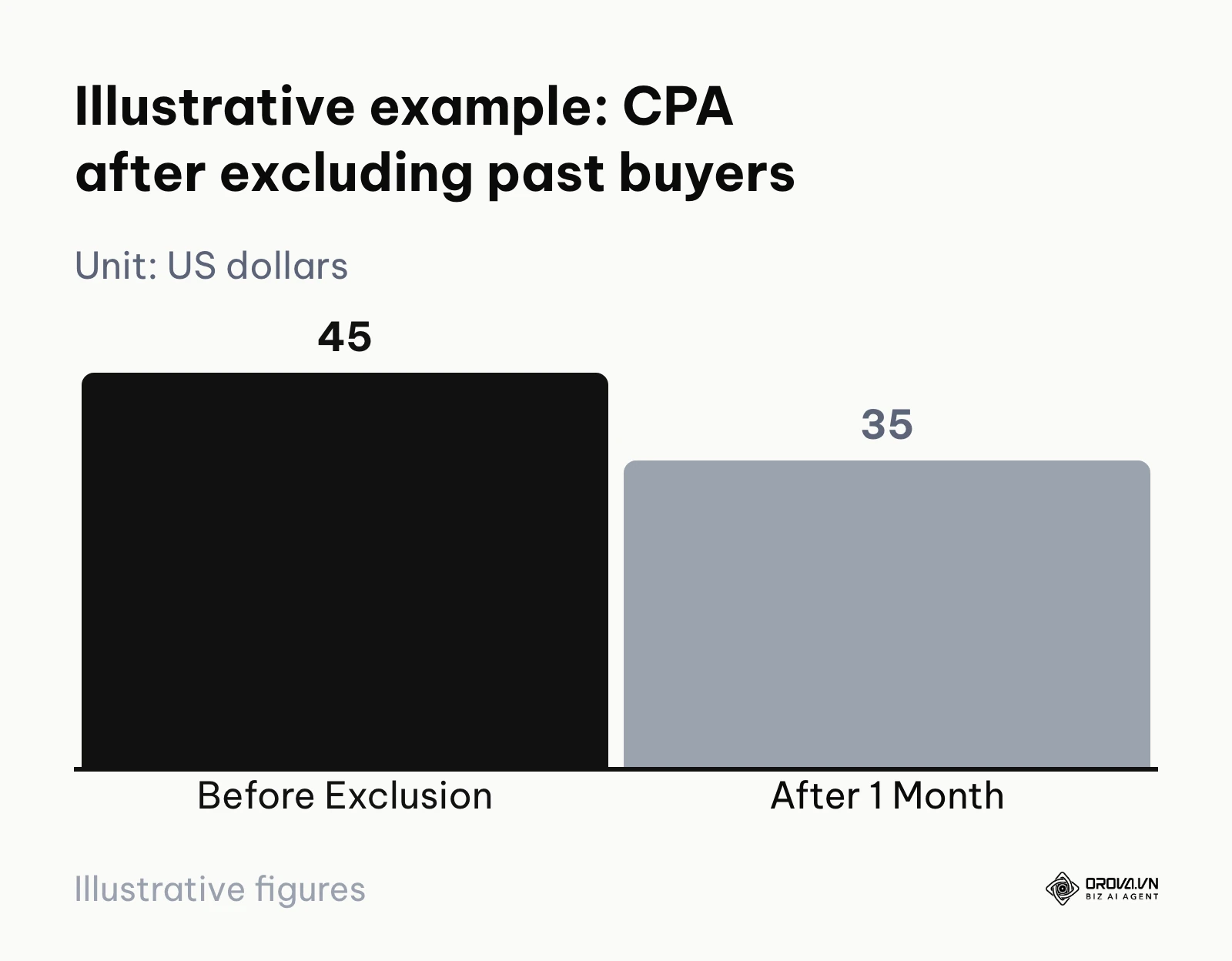
One of the most immediate financial benefits is the ability to categorically exclude existing customers from costly acquisition campaigns. Before implementing this strategy, many businesses pay for clicks from current clients who are simply using Google as a navigational shortcut to log in. After implementing these exclusion lists, that budget is instantly redirected toward purely net-new prospects, driving down the overall cost of acquisition.
Maximizing Retention and Customer Lifetime Value
Acquiring a new customer is universally recognized as being far more expensive than retaining an existing one. Before using this tool, re-engaging past buyers relied heavily on generic email blasts, which often suffer from dismal open rates. After uploading these lists into Google Ads, marketers can passively re-engage these users across the web. Whether the past buyer is checking their Gmail promotions tab or watching a YouTube review, a highly relevant cross-sell offer can be placed directly in their line of sight, drastically increasing their lifetime value to the brand.
Bridging the Gap Between Offline and Online Data
For businesses with physical storefronts or lengthy B2B sales cycles, tracking online conversions is notoriously difficult. Before using this feature, an in-store purchase could not easily inform digital bidding strategies. After uploading the contact information of in-store buyers, the advertising platform finally understands which search clicks actually led to real-world revenue, allowing it to optimize future bids with significantly greater accuracy.
| Benefit | Measurement Metric | What to Compare |
|---|---|---|
| Reduced Wasted Ad Spend | Cost Per Acquisition (CPA) | Non-brand campaign CPA before vs. after excluding current customers |
| Higher Cross-Sell Revenue | Return on Ad Spend (ROAS) | ROAS of past-buyer segments vs. all other users |
| Improved Lead Quality | Sales Qualified Leads (SQLs) | Share of leads that reach sales qualification, by list |
Illustrative example: A mid-sized retail e-commerce company with a large monthly Search budget was struggling with alarmingly high Customer Acquisition Costs (CAC). To address this, they exported a list of 50,000 past buyers directly from their CRM system. Next, they formatted the data according to Google's strict hashing rules and uploaded it. Finally, they applied this entire list as a negative exclusion audience across all their non-branded acquisition campaigns. Initially, the file was rejected entirely due to incorrect column headers. They quickly fixed this hurdle by renaming the columns to exactly match Google's required template (specifically 'Email' and 'Phone'). By ensuring their ads were only shown to net-new users going forward, their CPA for new customer acquisition dropped from 45 to 35 US dollars, about 22%, within the first month of implementation.
How Google Customer Match Works
Understanding the mechanical execution of this feature is paramount. It is not simply a matter of dragging and dropping a raw spreadsheet into an interface; it requires a systematic approach to data handling, strict formatting, and strategic campaign application. If any single component in this sequence is mishandled, the entire process will fail, resulting in microscopic match rates or outright account suspensions.
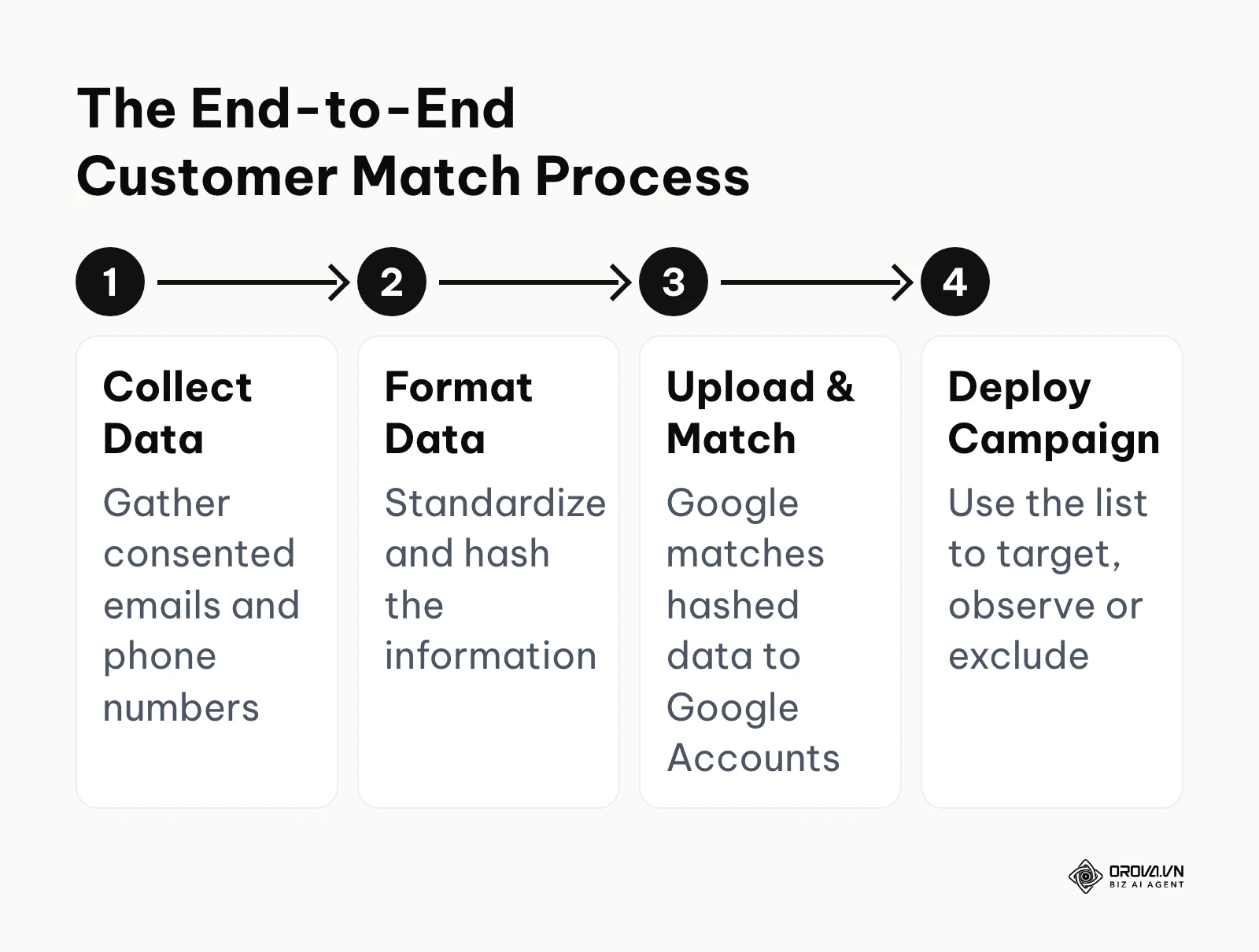
The architecture of this system can be dissected into four fundamental components, each requiring specific inputs and producing distinct outputs.
Step 1: Data Collection and Extraction
The very first action you must take is gathering valid, legally compliant first-party data from your existing infrastructure. This involves exporting lists from your Customer Relationship Management (CRM) software, your point-of-sale systems, or your e-commerce platforms.
- Input: Raw customer data including email addresses, phone numbers, first names, last names, and zip codes.
- Output: A comprehensive, raw CSV file containing all collected customer records.
- Potential Failure Point: Extracting data that was purchased from third-party vendors or scraped from the internet. Google's Customer Match policy only allows data you collected in a first-party context. It also requires that your privacy policy discloses that you share customer data with third parties to perform services on your behalf, and that you obtain consent for that sharing where required by law or by Google's policies, including the EU User Consent Policy. Violating the policy can lead to account penalties.
Step 2: Data Formatting and Standardization
This is arguably the most critical and frequently mishandled step in the entire workflow. According to the 'Google Ads Help: About Customer Match' documentation by Google (2025), advertisers must stringently adhere to specific formatting rules to achieve optimal match rates. The platform requires this data to be standardized so its hashing algorithms can securely match it against user accounts.
- Input: The raw CSV file generated in Step 1.
- Output: A meticulously cleaned and standardized spreadsheet ready for upload.
- Potential Failure Point: Leaving trailing spaces, using capital letters in email addresses, or failing to include international dialing codes for phone numbers. If the data is not formatted perfectly, Google's system will not recognize it, resulting in a disastrously low match rate.
To ensure your data is processed correctly, you must follow these exact formatting rules:
| Data Type | Formatting Rule | Example Before | Example After |
|---|---|---|---|
| Email Address | Lowercase, remove leading/trailing spaces; for gmail.com and googlemail.com also remove periods and any plus suffix in the username | " John.Doe+news@Gmail.com " | johndoe@gmail.com |
| Phone Number | E.164 format: plus sign, country code, no spaces or dashes | 0912-345-678 (Vietnam) | +84912345678 |
| First Name | Lowercase, remove leading/trailing spaces | " Mary " | mary |
| Zip Code | Send together with first name, last name and country code | 10001 (no country) | 10001 + US |
Step 3: The Upload and Hashing Process
Once your file is perfectly formatted, you initiate the upload process through the Google Ads Audience Manager. Emails, names and phone numbers are hashed with SHA-256 before they reach Google: the Google Ads interface handles this during upload, while API integrations must hash the values themselves after normalizing them.
- Input: The perfectly formatted CSV file.
- Output: A functional audience segment populated with matched users within your Google Ads account.
- Potential Failure Point: Uploading a file that is too small. Google only uses a Customer Match list for targeting once it meets a minimum threshold of active users (people on your list who are active on Gmail, Search, YouTube, or Display). Google's developer documentation recommends uploading at least 5,000 members to increase the chance of reaching it.
Step 4: Campaign Integration and Bid Adjustments
The final mechanical step is actually applying this newly generated audience to your active advertising campaigns. You can apply these lists to Search, Shopping, YouTube, Gmail, or Display campaigns as targets, observation audiences, or exclusions, depending on your account's eligibility (covered below).
- Input: The successfully populated audience list.
- Output: Adjusted bids or restricted ad delivery based on the audience parameters you set.
- Potential Failure Point: Applying the list as an "Observation" rather than "Targeting" when you intend to restrict the audience. Observation merely monitors the data without restricting ad delivery, meaning your budget will still be spent on users outside of your uploaded list.
Critical 2024-2025 Updates: Consent Mode v2 and the End of Similar Audiences
It is impossible to discuss the mechanics of this tool without addressing recent systemic changes. Firstly, Google officially deprecated the "Similar Audiences" feature, which historically used your uploaded customer lists to automatically find new, lookalike users. Google now points advertisers toward "Optimized Targeting" and "Audience Expansion," which rely on Google's own machine learning signals rather than static seed lists. Meta still offers list-based expansion; if you also run Meta campaigns, our guide on scaling Meta lookalike audiences covers that side.
Secondly, consent signals now travel with your data. Consent Mode v2 covers the tags on your website; for Customer Match uploads, the Google Ads API documentation asks you to populate the consent fields (ad user data and ad personalization) when you create upload jobs, and it rejects a job when either field is set to "denied". Google's EU User Consent Policy governs users in the European Economic Area, so make sure your consent records support what you send.
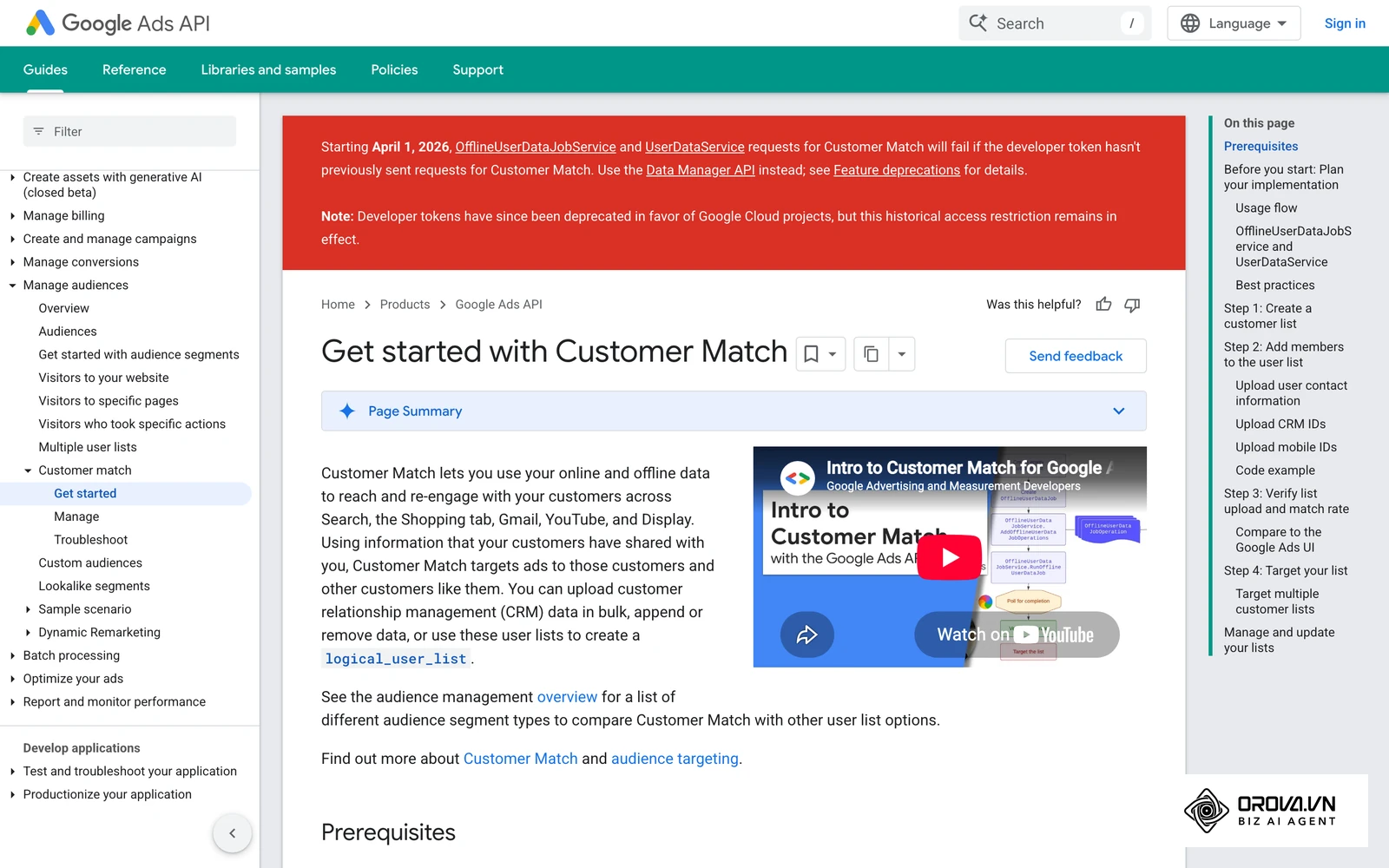
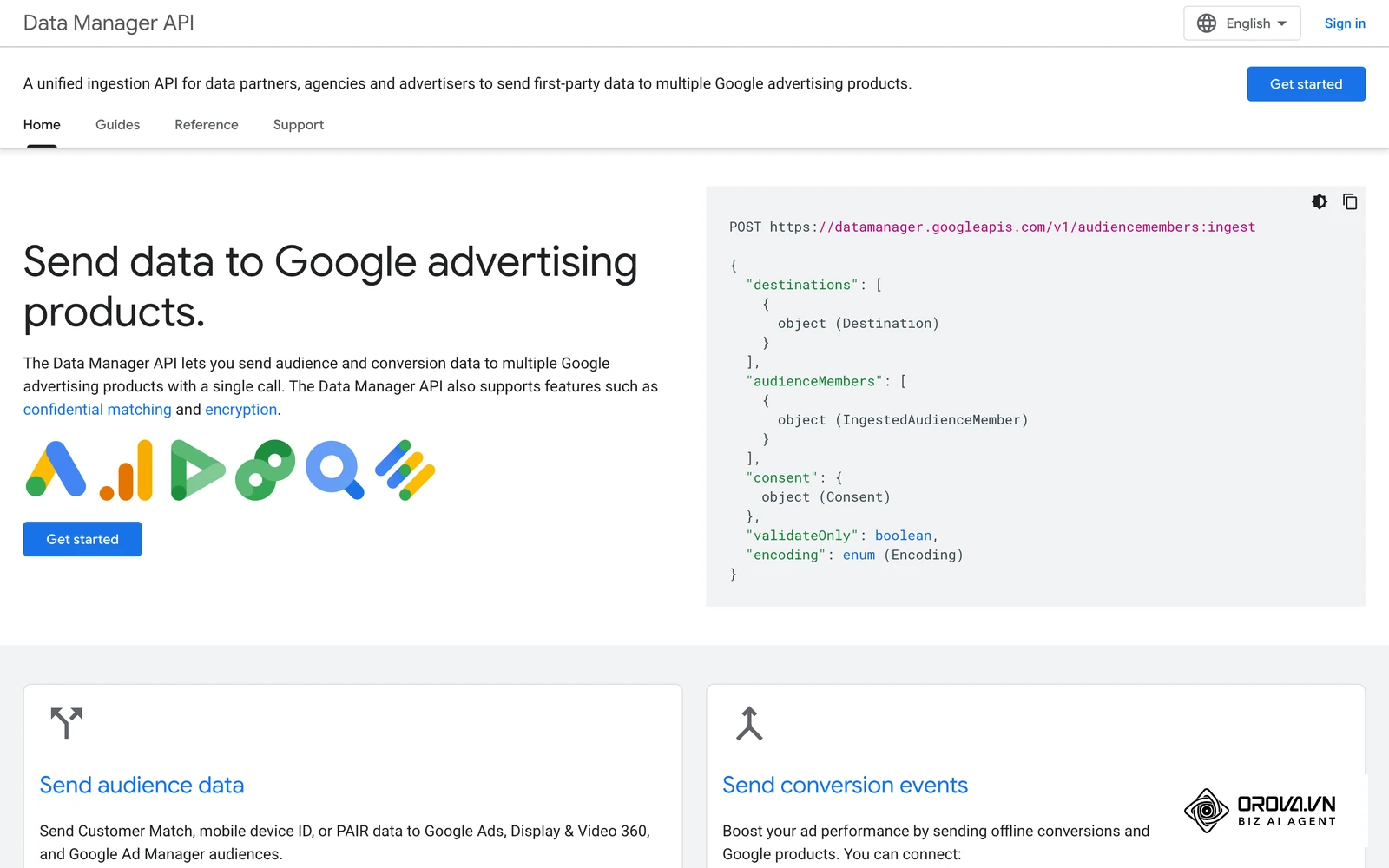
Thirdly, the upload path itself is changing. Google now recommends Data Manager or the Data Manager API for Customer Match workflows. Starting April 1, 2026, Google Ads API Customer Match upload requests fail if the developer token had not previously sent Customer Match requests, so new integrations should be built on Data Manager.
OROVA ADS applies AI Agent to automate and optimize ad performance on Google, Meta and TikTok. Scale your budget safely, monitor 24/7 and expand your business quickly.
Experience the solution at orova.vn/ads
Google Customer Match Troubleshooting and Requirements
Even seasoned marketing professionals frequently encounter deeply frustrating roadblocks when attempting to utilize this feature. Often, a list is uploaded perfectly, yet the system reports that it is ineligible to serve, or the total matched audience size is alarmingly small. Navigating these hurdles requires a clear understanding of Google's strict account prerequisites and a methodical approach to data diagnosis.
Demystifying the Eligibility Requirements
The most common point of confusion for new advertisers is discovering that some Customer Match options are greyed out in their dashboard. Google ties access to an account's track record, which helps prevent disposable accounts from misusing customer data.
According to Google's Customer Match policy, your account (or manager account) needs a good history of policy compliance and a good payment history to access Customer Match at all. What you can do next depends on your account history:
| Account Status | What You Can Use |
|---|---|
| Policy-compliant, good payment history | Customer Match lists in the "Observation" setting and as exclusions |
| Also 90 days of Google Ads history and more than 50,000 US dollars total lifetime spend | "Targeting" and "Observation" settings, manual bid adjustments, and exclusions |
Accounts managed in other currencies have their spend converted to US dollars for this check. In practice, a smaller account can still exclude existing customers and observe how they behave, even before it qualifies to target them directly.
Diagnosing and Fixing Low Match Rates
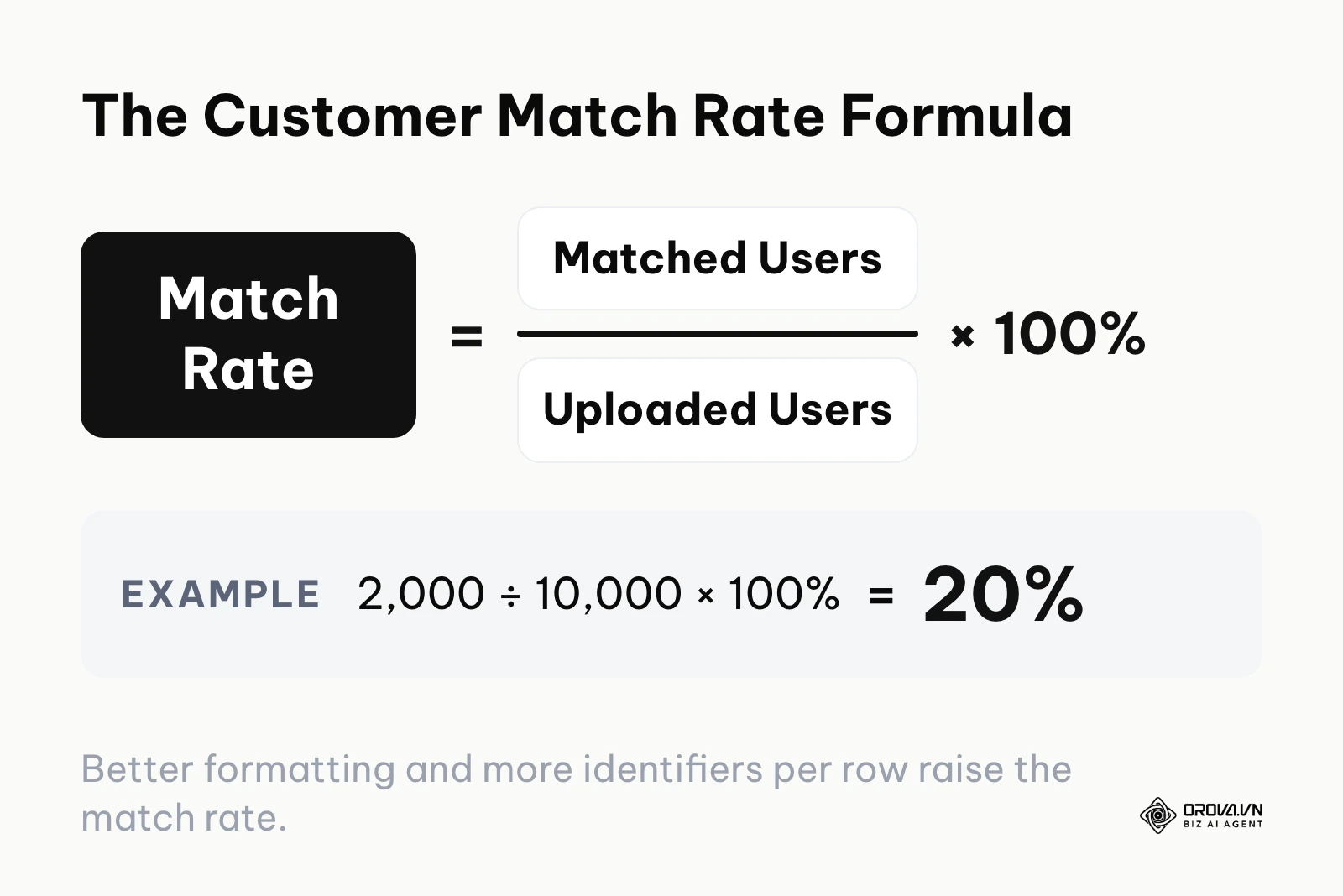
When you upload a list of 10,000 customers and Google reports that only 2,000 users matched, you have a 20% match rate. This severely limits your campaign's reach and effectiveness. A low match rate usually stems from two primary issues: poor data hygiene or identifiers that are not tied to a Google Account. Google's developer documentation notes that contact information must be associated with a Google Account to match, and that corporate accounts such as Google Workspace cannot be targeted, which hits B2B lists hardest. If you want to understand how these audiences fit into broader automation, reading about scaling AI ad campaigns can provide excellent foundational context.
To systematically improve a poor match rate, you should follow a rigorous diagnostic process. First, ensure you are utilizing multiple identifiers. Do not just upload email addresses; include phone numbers, first names, last names, and physical addresses in the same row. Google's algorithm will attempt to match any of these data points, significantly increasing the probability of finding the user. Second, implement strict CRM data validation at the point of entry to prevent users from submitting fake or misspelled contact information.
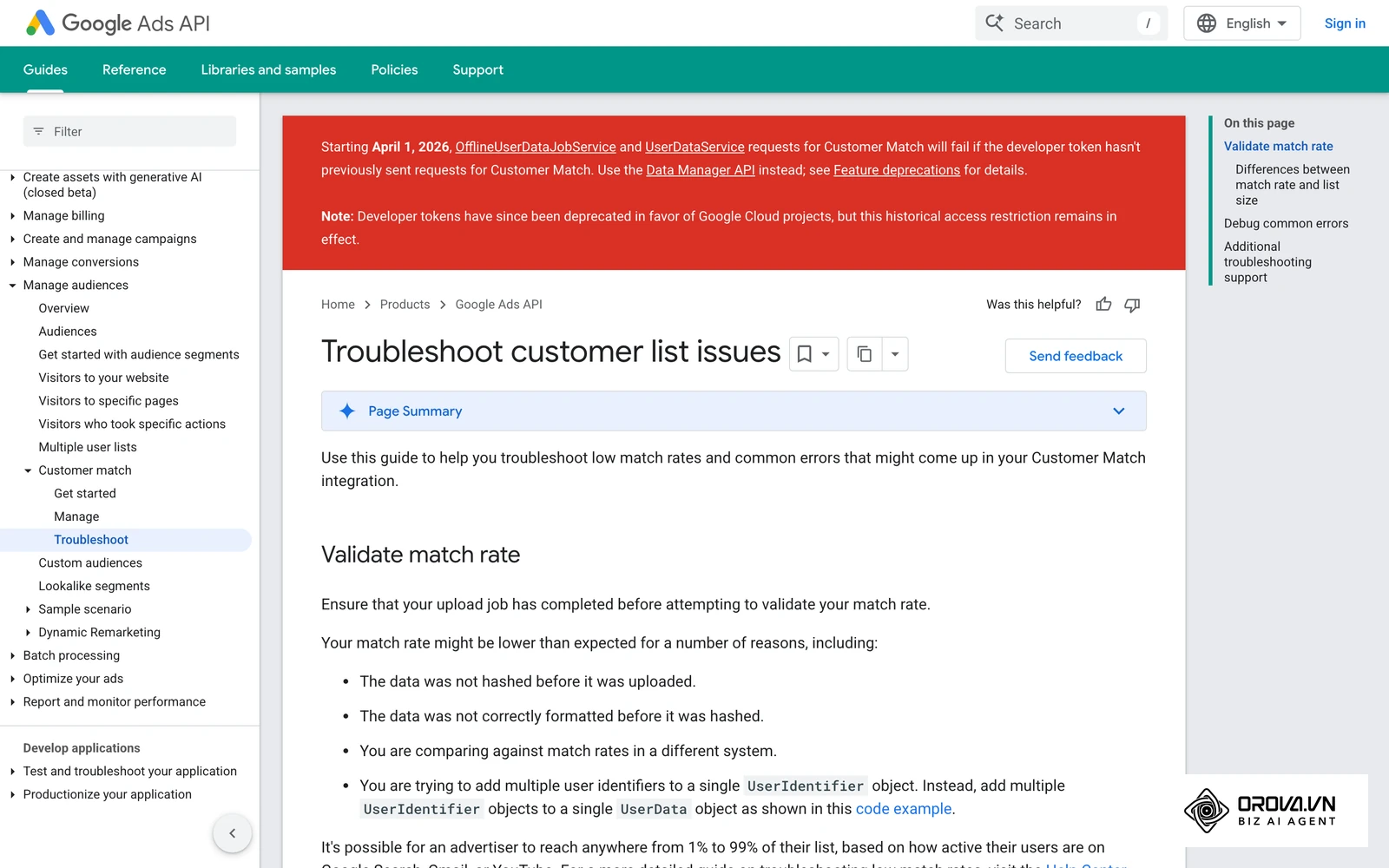
Illustrative example: The performance marketing lead at a B2B SaaS startup urgently needed to re-engage past webinar attendees but faced incredibly low audience sizes that prevented their campaigns from running. They initially downloaded the webinar attendee list (which consisted almost entirely of corporate emails) and uploaded it via the Google Ads audience manager. They then created a specialized display campaign targeting this exact list. However, the initial match rate was barely 18%, making the list far too small to serve any ads. Since corporate business emails often aren't linked to personal Google accounts, they updated their CRM process to actively collect mobile phone numbers during the initial registration phase. They subsequently re-uploaded the list with the newly collected phone numbers included alongside the emails. As a direct result, the match rate surged past 45%, allowing the retargeting campaign to activate immediately and successfully generate 15 highly qualified sales calls the very next week.
Google Customer Match Playbooks by Industry
Understanding the technical mechanics of uploading a list is only half the battle; knowing exactly which lists to build and how to deploy them strategically is what actually drives revenue. The way an online retailer utilizes this feature is vastly different from how a corporate software provider should approach it. By implementing industry-specific playbooks, you can tailor your segmentation logic to match the unique purchasing behaviors of your target demographic.
The E-commerce Segmentation Framework
For e-commerce brands, the primary objective is maximizing transaction volume and increasing the average order value. Your CRM database is a goldmine of behavioral data that can dictate highly aggressive bidding strategies.
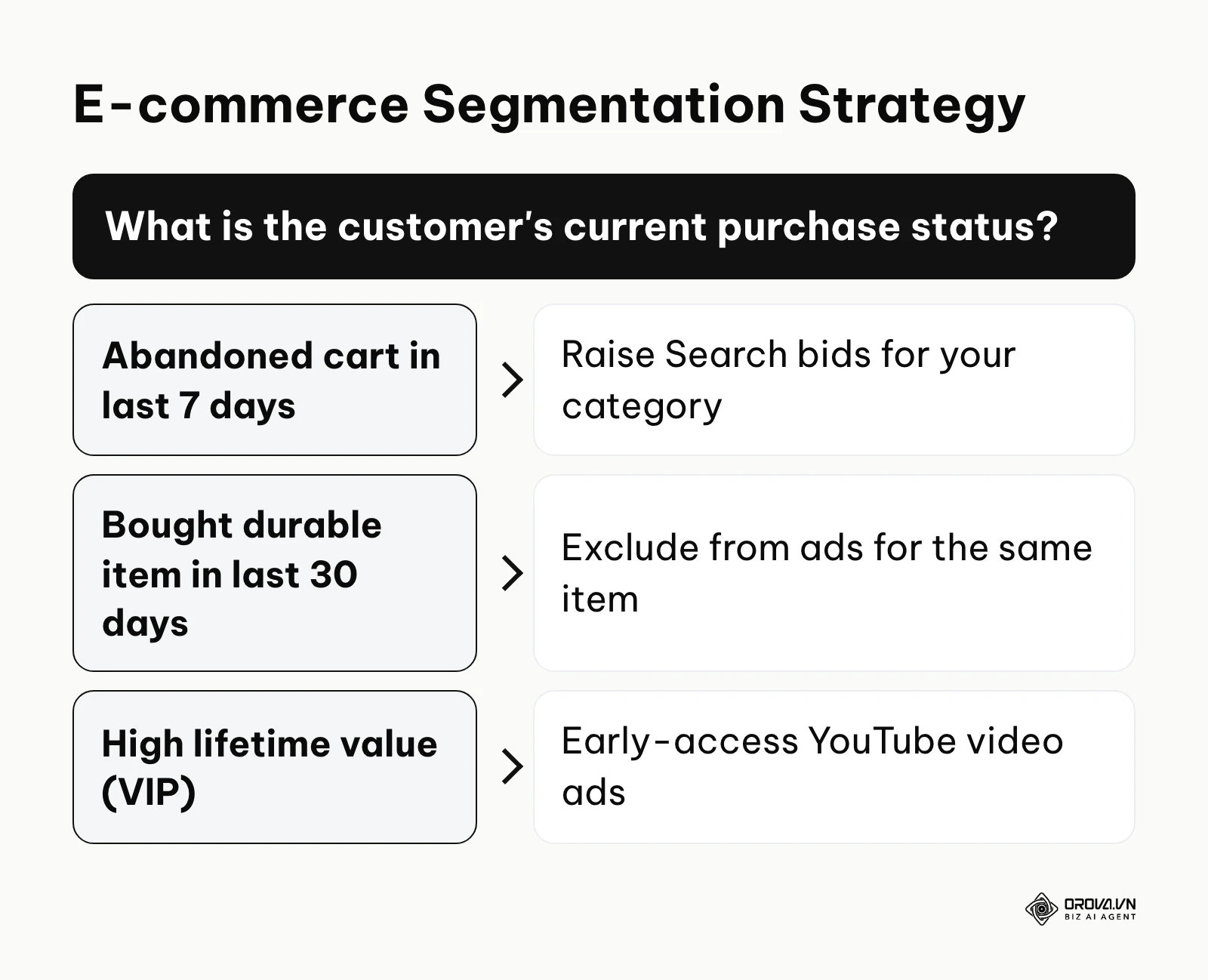
You should segment your database into distinct purchasing cohorts. Create a specific list for "Cart Abandoners" who left the site within the last seven days; apply this list to a Search campaign with a heavily increased bid modifier to ensure your ad appears at the very top of the page when they search for your product category again. Create another list for your "VIP Customers" (those with the highest lifetime value) and target them with exclusive, unlisted YouTube video ads showcasing early access to new product lines. Conversely, create an exclusion list of people who purchased a specific non-consumable item (like a mattress) in the last 30 days, ensuring you completely stop wasting budget trying to sell them the exact same item again.
The B2B Lead Nurturing Strategy
In the Business-to-Business sector, the sales cycle is notoriously long, often involving multiple decision-makers and spanning several months. Here, the goal is not immediate transactions, but rather consistent, high-value lead nurturing.
B2B marketers should build lists based on the lead's current stage in the sales pipeline. Upload a list of Marketing Qualified Leads (MQLs) who have downloaded a whitepaper but haven't booked a demo. Target this specific audience across the Google Display Network with case study advertisements designed to build authority. Additionally, create a list of your actively churning or recently lost clients. You can target this specialized segment with targeted Search ads offering aggressive "win-back" incentives, ensuring that when they begin searching for a new vendor, your brand is the first alternative they see. Because B2B targeting is complex, relying on a dedicated Google Ads agent can help automate these nuanced bid adjustments.
Illustrative example: A high-end furniture retailer wanted to aggressively clear out excess seasonal inventory without discounting the brand publicly on their main website. The marketing team carefully segmented their CRM to isolate customers who had purchased outdoor furniture more than two years ago, assuming they might be ready for an upgrade. They created an exclusive VIP customer match list and launched an unlisted YouTube video campaign offering an upgrade trade-in deal, restricted entirely to this specific audience. The campaign initially stalled entirely because the bid strategy was set to Target ROAS with zero historical conversion data for this specific new offer. They wisely switched the campaign to Maximize Clicks for the first five days to gather initial traffic data before reverting back to smart bidding. This highly targeted approach effectively cleared the excess inventory without broad public discounting, yielding a strong return from a previously dormant customer segment.
Want to scale your budget but afraid of breaking performance? 📉
Integrate OROVA ADS now - an AI Agent that automatically monitors and optimizes Google, Meta, TikTok ads 24/7. Now, expanding and replicating your Performance Ads team is just one click away.
🚀 Try it now at: orova.vn/ads
How to Get Started and Adapt to Google Customer Match
Transitioning from broad demographic targeting to precise first-party data strategies requires a methodical shift in operations. Depending on your role within the organization, the steps you must take to implement this technology will differ significantly. The key is to start small, validate your data hygiene, and gradually scale your audience integration.
Action Plan for Small Business Owners
For founders and small business owners, the immediate priority is consolidating data and verifying eligibility. You do not need complex API integrations on day one.
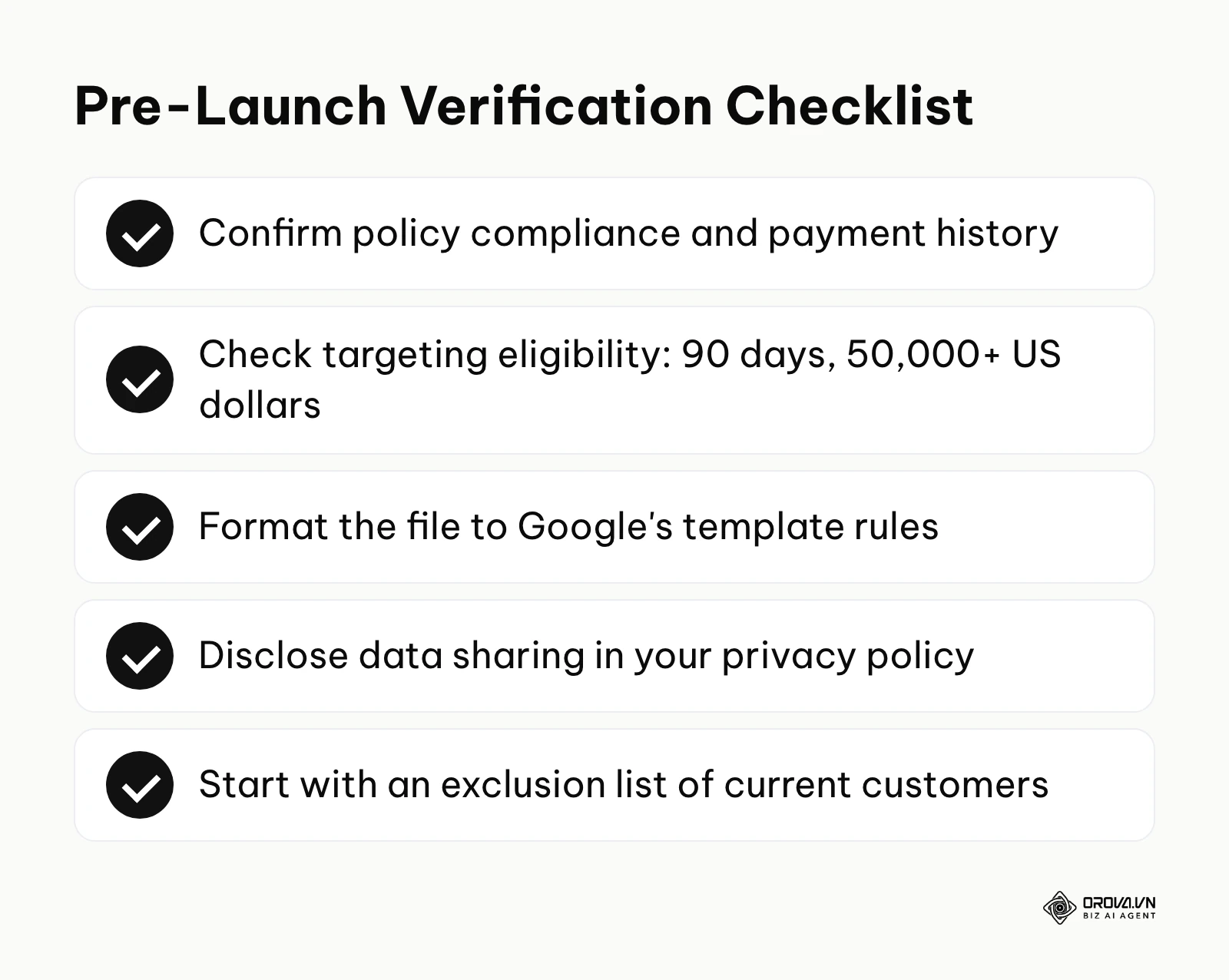
- Confirm your account has a good history of policy compliance and payment, then check whether it also has 90 days of history and more than 50,000 US dollars in lifetime spend, which you need for targeting and manual bid adjustments.
- Export your primary customer list from your basic CRM or billing software and manually format it using Google's exact template rules.
- Upload this single list as an exclusion audience on your non-brand acquisition campaigns so you stop paying for clicks from existing customers. Exclusions are open to any policy-compliant account, and the setup can be done within a single afternoon.
Action Plan for Marketing Managers
Marketing managers must focus on segmentation strategy and ongoing data hygiene to ensure campaigns remain effective as the database grows.
- Audit your current lead generation forms to ensure you are explicitly requesting and documenting user consent for advertising purposes.
- Develop a three-tiered segmentation strategy (e.g., past 30-day buyers, dormant leads, high-value clients) and upload these as distinct lists.
- Apply these lists as "Observation" audiences across all your active campaigns to gather baseline data on how these specific segments perform compared to the general public.
Action Plan for Agency Professionals
Agency professionals managing multiple client accounts must prioritize automation and scalable implementation to avoid drowning in manual spreadsheet uploads.
- Educate your clients on the critical necessity of first-party data collection and help them update their privacy policies to disclose that customer data is shared with third parties to perform services on their behalf.
- Set up scheduled syncs through Google's Data Manager or a CRM connector so customer lists refresh without manual CSV uploads. Google's policy recommends refreshing lists regularly, since list memberships older than 540 days stop being eligible.
- Utilize these highly qualified lists to inform advanced PPC ad management techniques, aggressively modifying bids based on the lead scoring data passed from the client's CRM.
| Common Mistake | Consequence | How to Avoid |
|---|---|---|
| Uploading poorly formatted data | Complete file rejection or extremely low match rate | Use the exact Google template and clean data first |
| Planning targeting campaigns before checking eligibility | The list can only be used for observation and exclusions | Check the 90-day and 50,000-US-dollar criteria before planning campaigns |
| Failing to update lists regularly | Ad fatigue and targeting outdated audiences | Implement API syncing for continuous list updates |
Google Customer Match Trends in the Next Few Years: Author's Perspective
As I analyze the rapidly evolving landscape of digital advertising, I see clear indicators that the reliance on first-party data is not just a passing phase. By looking at the current privacy shifts taking place as of 2026, I believe the next few years will bring structural changes to how we use audience matching. The days of easily tracking anonymous users across the web are over, and our strategies must adapt accordingly. Here are my three main predictions for the future of this technology.
The Decline of Third-Party Signals Will Make CRM Data the Only Reliable Currency
Safari and Firefox already block third-party cookies by default, and Chrome's own plans have shifted more than once, which leaves advertisers who rely on legacy tracking tags on uncertain ground. Because of this, I believe a company's CRM database will become its most reliable currency for digital targeting. If you do not own the direct relationship with the customer, you simply will not be able to target them effectively. Marketers must urgently prepare by completely overhauling their lead generation strategies to prioritize capturing emails and phone numbers over simply driving anonymous website clicks. If you are struggling with measurement, implementing rigorous click tracking mechanisms on your owned assets is a vital first step.
Integration Speeds Will Shift from Batch Uploads to Real-Time API Streams
Right now, many advertisers still rely on manually downloading spreadsheets at the end of the month and uploading them into the advertising interface. I consider this practice highly inefficient. I expect advertising platforms to keep pushing advertisers toward automated, API-based integrations; Google's move to Data Manager is one sign of it. As user consent states change, platforms are likely to expect faster updates to stay compliant. You should prepare for this by investing in marketing operations infrastructure that connects your sales database directly to your advertising platforms, completely removing human intervention from the data transfer process. Improving your Google Ads Quality Score is essential, but it means nothing if your targeting data is a month out of date.
AI Will Automatically Build and Refresh Match Lists Without Human Intervention
Currently, marketing managers must manually conceptualize and build specific audience segments, such as "users who bought shoes but not socks." I think AI will take over a growing share of this segmentation work. Advertising algorithms are likely to analyze your connected CRM data, autonomously identify hidden purchasing patterns, and dynamically generate custom match lists on the fly to capitalize on fleeting micro-trends. To prepare, you must ensure your data is meticulously clean and standardized today, as AI models will simply amplify any inaccuracies present in your foundational database. Note that while AI will handle the heavy lifting, human strategic oversight will still be necessary to prevent runaway budgets.
Common Questions About Google Customer Match
Navigating the intricacies of audience targeting naturally raises numerous specific questions. Below are the most frequent inquiries from marketers attempting to master this tool.
Is Google Customer Match still necessary when we have AI?
Yes, it is absolutely essential. While AI excels at optimizing bids and predicting trends, it requires high-quality foundational data to function correctly. AI cannot magically invent your past customers; you must feed it accurate, consented first-party data to point the machine learning algorithms in the correct direction.
Does it work for brand new Google Ads accounts?
Partly. Under Google's Customer Match policy, an account with a good history of policy compliance and payment can use Customer Match lists for observation and exclusions. Targeting and manual bid adjustments require 90 days of Google Ads history and more than 50,000 US dollars in total lifetime spend.
How is it different from Facebook Custom Audiences?
Conceptually, they serve the exact same purpose: matching your offline CRM data to the platform's user base. The primary difference lies in the matching pool and formatting rules. Google matches against Gmail, YouTube, and Search users, while Meta matches against Facebook and Instagram profiles.
Are uploaded email addresses stored permanently by Google?
Contact details are hashed with SHA-256 before upload, so Google receives hashed values rather than readable email addresses. For how long Google keeps uploaded data and how it is used, check Google's current Customer Match help pages, since that is the source your privacy policy should rely on.
What is a good match rate to aim for?
Google does not publish an official benchmark, and match rates vary with your industry and data quality. Compare each upload with your own previous uploads instead. Lists built on personal emails and phone numbers usually match better than B2B lists, because corporate accounts such as Google Workspace cannot be targeted.
Where Should You Begin?
Determining the very first step to take depends entirely on the current maturity of your marketing operations. Instead of attempting a massive overhaul immediately, identify your current situation and execute the single most impactful action relevant to your state.
If you are starting completely from scratch and have never uploaded a list before, your first step is purely administrative. Do not touch the advertising dashboard yet. Spend one focused afternoon exporting your master client list and manually formatting it exactly to Google's template specifications. Run it through a simple checklist to ensure every email is lowercase and every phone number has a country code.
If you already have data but it is heavily disjointed across multiple platforms—perhaps some in an email tool and some in a billing software—your immediate priority is consolidation. Dedicate a session to setting up a basic automated rule in a connector your tools support that pushes all new customer emails from your various software tools into one single, centralized Google Sheet. This single sheet will become your source of truth for future uploads.
If you have already uploaded lists but are not measuring their impact, your single action step is to apply these existing lists as "Observation" audiences across your most expensive Search campaigns. Let them run passively for one week. This will instantly show you exactly how much of your current budget is being spent on existing customers versus new prospects, providing the stark financial clarity needed to refine your bidding strategy.
By systematically applying the principles outlined in this guide, you will move from relying on fading third-party cookies to dominating your market through precise, owned audience targeting. Mastering google customer match is no longer an optional tactic; it is a fundamental requirement for sustainable advertising success.
About the author

Builder of Orova
Nguyễn Đỗ Trọng Ân has 8 years of experience in marketing, including 6 years managing market development across Asia. He builds Orova, a Biz AI Agent that never sleeps: it plans, runs and optimizes work for businesses.
Run your business with AI Agents
Orova is the always-on Biz AI Agent — it plans, runs, and optimizes the work for you.
Save time, unlock productivity.