
Interview scheduling tool comparison (2026): a practical guide for talent ops

Managing the hiring process is incredibly complex. You have likely noticed that coordinating times between candidates and hiring managers takes up a massive portion of your week. When a team scales, the back-and-forth emails to find a 30-minute window can easily cause you to lose top talent to faster competitors. An interview scheduling tool solves this specific bottleneck by automating the coordination process entirely. These platforms allow candidates to select available times directly from a live calendar. Whether you are a solo recruiter or managing a global talent acquisition team, finding the right interview scheduling software for Greenhouse, Workday, or a standalone setup is a critical step in modernizing your workflow. The short answer: universal calendar tools suit solo recruiters, dedicated scheduling software suits high-volume and panel-heavy teams, and the built-in module of a modern ATS is often enough for teams that already use one. In this guide, we will explore the core differences between basic calendar syncs and enterprise platforms, analyze the true depth of ATS integrations, and provide a practical framework to evaluate which solution fits your exact needs.
What is an interview scheduling tool and why do you need one?
An interview scheduling tool is a software application designed to automate the process of finding mutually agreeable meeting times between job candidates and interviewers. Instead of sending multiple emails suggesting different dates and times, recruiters use these tools to generate a dynamic link. This link displays the real-time availability of the hiring team. The candidate simply clicks the link, selects a time slot that works for them, and the software automatically sends calendar invitations to all parties involved.
The primary audience for this software includes Talent Acquisition (TA) Operations managers, full-cycle recruiters, and HR administrators. If your organization is growing rapidly and you are conducting dozens of interviews per week, you need a robust solution. The goal is not just to save time, but to create a frictionless experience for the candidate. A clunky scheduling process often reflects poorly on the company culture.
However, you should avoid investing in complex enterprise scheduling software if you are only hiring one or two people a quarter. In such cases, a basic calendar application is sufficient. The decision to implement an advanced platform should be driven by a high volume of applicants and the complexity of your interview panels. If your hiring managers are constantly complaining about double bookings, it is time to upgrade.
The true cost of manual scheduling: ROI calculation for Talent Ops
Before you request a budget for new software, you must build a solid business case. Many TA leaders fail to secure funding because they cannot quantify the financial impact of their current manual processes. To persuade your Chief Financial Officer, you need a concrete Return on Investment (ROI) calculation. The formula is straightforward but requires you to gather accurate baseline data.
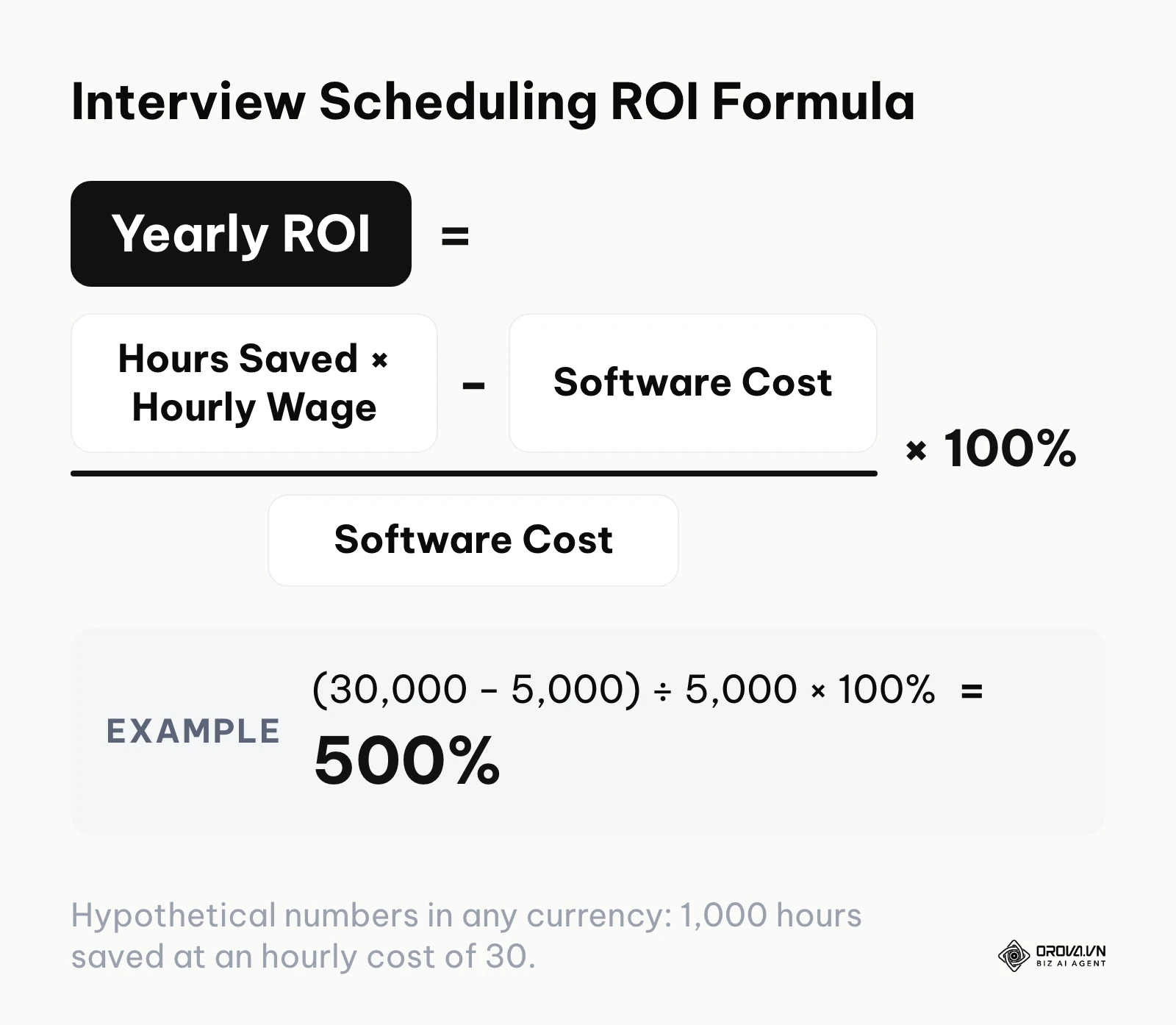
You must calculate the total hours spent on scheduling tasks across your entire team. This includes drafting emails, checking calendars, handling rescheduling requests, and sending reminders. Once you have this number, multiply it by the average hourly wage of your recruiters and recruiting coordinators. Subtract the annual cost of the software from this total, and you have your net savings. Divide the net savings by the software cost and multiply by 100% to get your ROI. With hypothetical numbers in any currency: if a tool saves your team 1,000 hours a year at an hourly cost of 30 (30,000 in total) and the tool costs 5,000 a year, the ROI is (30,000 − 5,000) ÷ 5,000 × 100% = 500%.
Illustrative example: A mid-sized tech company with five recruiters is looking to adopt a new system. First, the TA Operations lead surveys the team to understand their baseline workload. They discover that each recruiter spends roughly ten hours per week purely on scheduling logistics. Second, the lead sets up a tracking spreadsheet to log every scheduling-related task over a two-week period. They multiply these hours by the team's average hourly cost. Third, the team realizes they are losing candidates because manual scheduling takes three days on average. To fix this, they implement a dedicated interview scheduling tool to automate the process. Finally, the team reviews their metrics after one month. The recruiters now spend their time sourcing passive candidates instead of managing calendars, and the candidate pipeline moves noticeably faster.
To build your own business case, use this simple framework to estimate your costs and savings.
| Metric | How to source the data | Time required to calculate |
|---|---|---|
| Weekly scheduling hours | Survey your team or use time-tracking software | 1 week |
| Average hourly wage | Consult with your payroll or HR department | 1 day |
| Annual software cost | Request vendor pricing or use public tiers | 3 days |
| Candidate drop-off rate | Analyze your ATS pipeline reports | 2 days |
When presenting this to leadership, focus on the opportunity cost. Every hour spent on administrative coordination is an hour not spent building relationships with highly qualified candidates.
Navigating ATS integrations: Native vs. Zapier
One of the biggest pitfalls when purchasing an interview scheduling tool is misunderstanding how it integrates with your existing Applicant Tracking System. Many vendors claim to integrate with popular platforms, but the depth of that integration varies wildly. You must understand the difference between a native API connection and a middleware solution like Zapier.
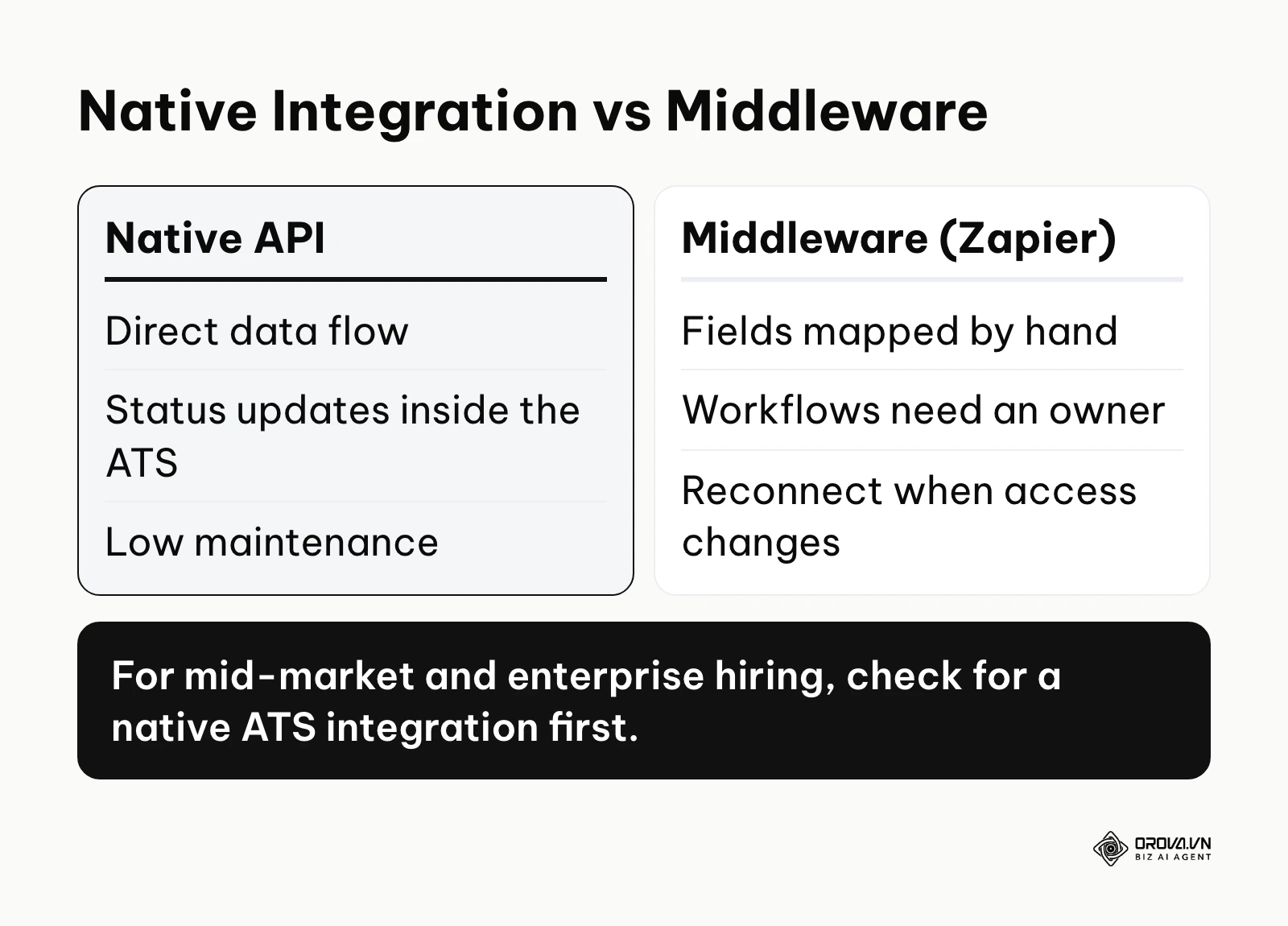
A native integration means the software vendors have built a direct bridge between their databases. Data flows seamlessly and in real-time. When a candidate selects a time slot, the scheduling tool communicates directly with the ATS to update the candidate's status, attach the calendar event to their profile, and log all communication history. This is robust, secure, and requires very little maintenance from your IT team.
In contrast, relying on Zapier or other middleware means you are using a third-party service to connect the two tools. Middleware like Zapier is flexible, but it adds one more link in the chain that someone has to look after. Data moves through triggers and actions you set up yourself, fields have to be mapped by hand, and if the account that authorized the connection changes its access, the workflow may need to be reconnected. Assign an owner to check these workflows regularly so a paused step does not go unnoticed until a candidate asks where their invitation is.
Illustrative example: A rapidly growing marketing agency decides to connect their new scheduling app to their ATS. First, the IT team reviews the API documentation to understand the data structure. Second, they attempt to set up a Zapier workflow because the scheduling tool lacks a direct connection to their specific ATS version. Third, they notice that interview status updates arrive later than recruiters expect, so recruiters start checking the calendar by hand. They decide to rebuild the workflow using a custom webhook. Finally, the system stabilizes. Recruiters can view all scheduled events directly inside the ATS interface, and data consistency is maintained across both platforms without manual intervention.
When evaluating vendors, ask explicitly about the architecture of their integrations. Every day a candidate waits for an invitation adds to your time to fill, and integration gaps are a quiet source of that delay.
| Integration Type | Best fit for | Major downside |
|---|---|---|
| Native API | Mid-market and Enterprise companies | May be limited to specific ATS vendors |
| Middleware (e.g. Zapier) | Small businesses with low volume | Needs an owner to monitor and maintain each workflow |
| Custom Webhooks | Companies with proprietary HR tech | Requires significant developer resources |
Conquering panel interviews and time zones
Arranging a one-on-one meeting is relatively simple. The real nightmare for TA Operations begins when you need to use panel interview scheduling software involving three or four different stakeholders. This process is further complicated when those stakeholders are distributed across multiple time zones. An advanced interview scheduling tool must possess robust panel pooling and load balancing capabilities.
Panel pooling allows you to create groups of interchangeable interviewers. Instead of requiring a specific senior engineer to attend every technical screen, you create a pool of five eligible engineers. When the candidate selects a time, the software scans the calendars of everyone in the pool and automatically assigns the interviewer who is available. This prevents interviewer burnout and dramatically expands the available time slots for the candidate.
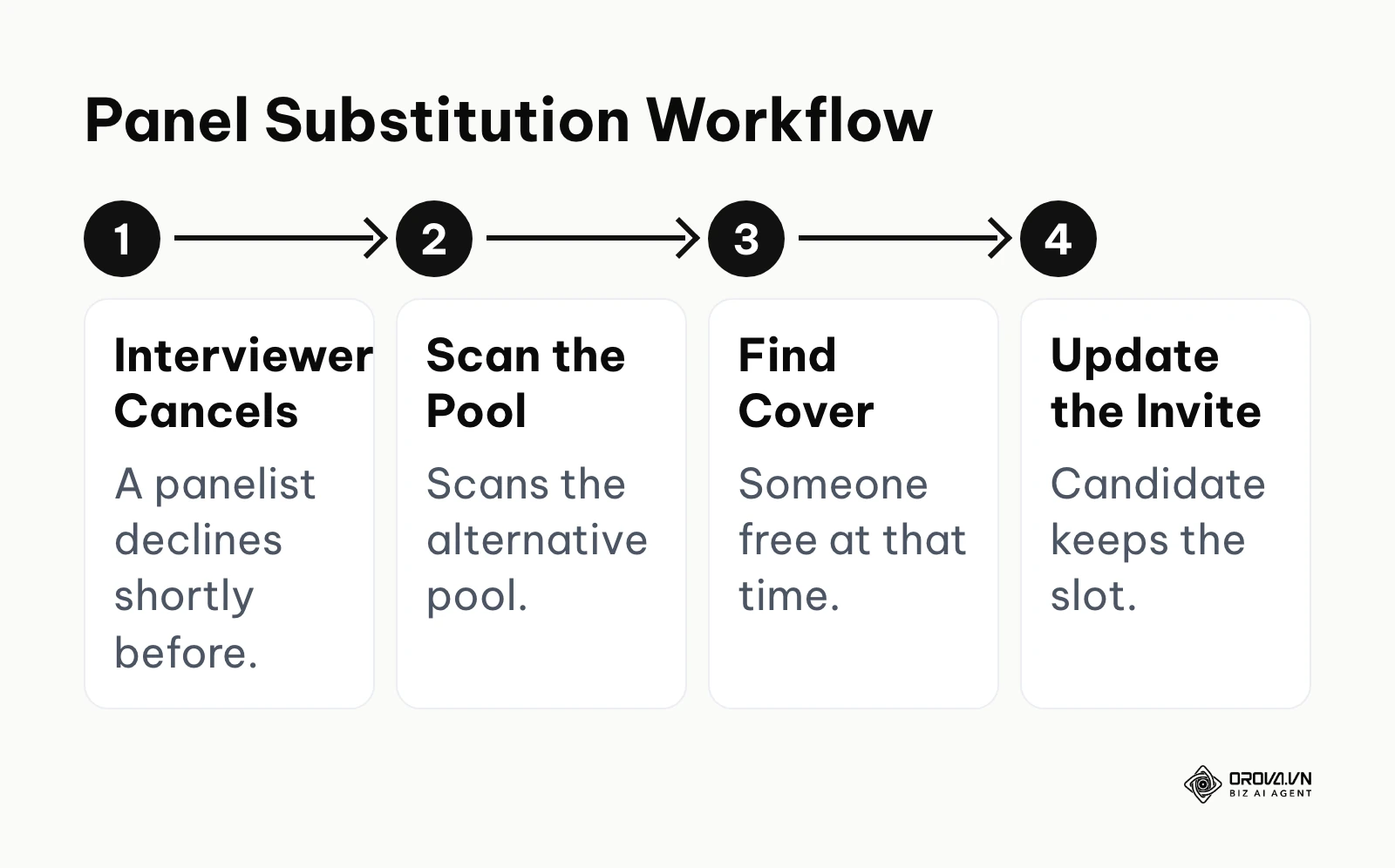
Another critical feature is the ability to handle last-minute cancellations. If an interviewer declines a meeting 15 minutes before it begins, manual rescheduling is chaotic. A sophisticated tool will automatically detect the cancellation, scan the designated alternative pool, find a replacement who is available at that exact moment, and seamlessly update the calendar invitation. The candidate often does not even notice the change.
Furthermore, timezone intelligence is non-negotiable. The software must automatically detect the candidate's local timezone based on their IP address or browser settings. It should display available times in their local context while keeping the internal calendars synced to the interviewers' respective timezones. This eliminates the risk of missed meetings due to miscalculated time differences.
Illustrative example: A global software firm is organizing a final-round panel for an engineering manager role. First, the recruiting coordinator creates a complex interview template requiring a product manager, an engineering lead, and a culture fit assessor. Second, they configure the software to use panel pooling, assigning three potential employees to each required role. Third, one of the assigned engineering leads has a sudden client emergency and cancels their participation two hours before the call. The coordinator relies on the system's automated replacement feature to instantly swap in an alternate lead. Finally, the panel proceeds smoothly without any disruption to the candidate's experience. All participants join the video call at the correct time in their local regions.
If your organization conducts panel interviews frequently, do not compromise on these advanced features. A basic calendar sync tool will not solve this specific pain point.
12 interview scheduling tools compared by use case
To help you navigate the crowded market, we have categorized 12 distinct tools based on their primary use case. This comprehensive table will help you identify which platforms align with your current operational maturity. We have excluded pricing as it varies wildly based on custom enterprise quotes. We do not rank tools as the "best" because your unique infrastructure dictates the right choice.
| Tool Name | Category | Primary Function | Value for User | Best Fit For |
|---|---|---|---|---|
| Calendly | Universal Sync | Individual calendar sharing | Quick setup and widespread familiarity | Solo recruiters, small teams |
| YouCanBookMe | Universal Sync | Customizable booking pages | High control over visual branding | Agencies, independent consultants |
| Acuity Scheduling | Universal Sync | Appointment management | Integrated payment and intake forms | Freelance recruiters |
| GoodTime | Dedicated Software | Advanced panel routing | Prevents interviewer burnout | High-growth tech companies |
| Paradox | Dedicated Software | Conversational AI scheduling | Text-message candidate interaction | High-volume retail and hospitality |
| HireVue | Dedicated Software | Video interview coordination | Unified video and scheduling platform | Large enterprise organizations |
| Greenhouse | Built-in ATS Module | Native ATS workflow | Single source of truth for data | Mid-market modern teams |
| Lever | Built-in ATS Module | Integrated scheduling links | Seamless pipeline management | Fast-scaling startups |
| Workday | Built-in ATS Module | Enterprise resource planning | Deep connection to core HR data | Fortune 500 companies |
| Orova Recruit | AI Platform | CV screening plus interview scheduling | Scores CVs against your criteria and schedules interviews in one place | Teams that want screening and scheduling together |
| Fetcher | AI Platform | Outbound sourcing sync | Automates initial outreach meetings | Sourcing-heavy departments |
| hireEZ | AI Platform | Talent CRM integration | Centralized candidate engagement | Teams migrating to CRM models |
Do not assume that a specialized tool is always better than a universal one. The right choice depends entirely on your existing technology stack and the volume of roles you are actively managing.
Tired of playing email ping-pong with candidates? Orova Recruit lets you set criteria for each role, score CVs against them, schedule interviews, and send step-by-step candidate emails from your company inbox. It is free until July 7, 2027.
Universal calendar sync tools for individual recruiters
For small teams or independent headhunters, implementing a massive enterprise system is overkill. Universal calendar sync tools are lightweight, easy to deploy, and solve the fundamental problem of finding a mutual time. They sit on top of your existing Google Workspace or Microsoft Outlook setup.
Calendly
Calendly is arguably the most recognized name in the scheduling space. When comparing Calendly vs Goodtime, Calendly represents the straightforward, universal approach. It allows you to create multiple event types, set buffer times between meetings, and generate personalized links.
- What it does: Syncs with your primary calendar to display open slots to external guests.
- Value: It is incredibly intuitive. Most candidates are already familiar with the interface, reducing friction.
- Best fit for: Individual recruiters, small agency owners, and startup founders handling their own hiring.
- How to start:
- Create an account and connect your Google or Outlook calendar.
- Define your typical interview duration.
- Share your unique link in your email signature or LinkedIn messages.
YouCanBookMe
YouCanBookMe offers a slightly different approach, focusing heavily on customization and branding. It provides a grid-based view of your availability.
- What it does: Creates highly customized booking pages that embed directly into your website.
- Value: You have granular control over the look and feel of the booking experience, ensuring it matches your corporate identity.
- Best fit for: Boutique recruitment agencies and professional services firms.
- How to start:
- Connect your calendar and customize the booking grid colors.
- Set up automated confirmation emails with your custom branding.
- Embed the scheduling widget directly onto your careers page.
Acuity Scheduling
Acuity Scheduling is a robust appointment management tool. While popular in wellness and consulting, it has strong applications in recruiting.
- What it does: Manages complex appointment types and allows for custom intake forms upon booking.
- Value: You can ask candidates to upload a portfolio link or answer a specific screening question exactly when they book their time.
- Best fit for: Freelance recruiters who need to collect documents prior to the initial screening call.
- How to start:
- Define your meeting types and build a custom intake form.
- Configure your working hours and buffer zones.
- Send the booking link to candidates via your standard communication channels.
If you are looking to scale your candidate evaluation process, you should also read our comprehensive candidate screening framework to ensure you are only scheduling time with the most qualified individuals.
Dedicated interview scheduling software for high-volume hiring
When you transition from hiring ten people a year to ten people a week, universal tools start to strain. Our guide to high-volume recruiting covers the wider process changes that come with that jump. You need dedicated software designed specifically to handle the nuances of corporate recruitment, complex panel rotations, and strict compliance requirements.
GoodTime
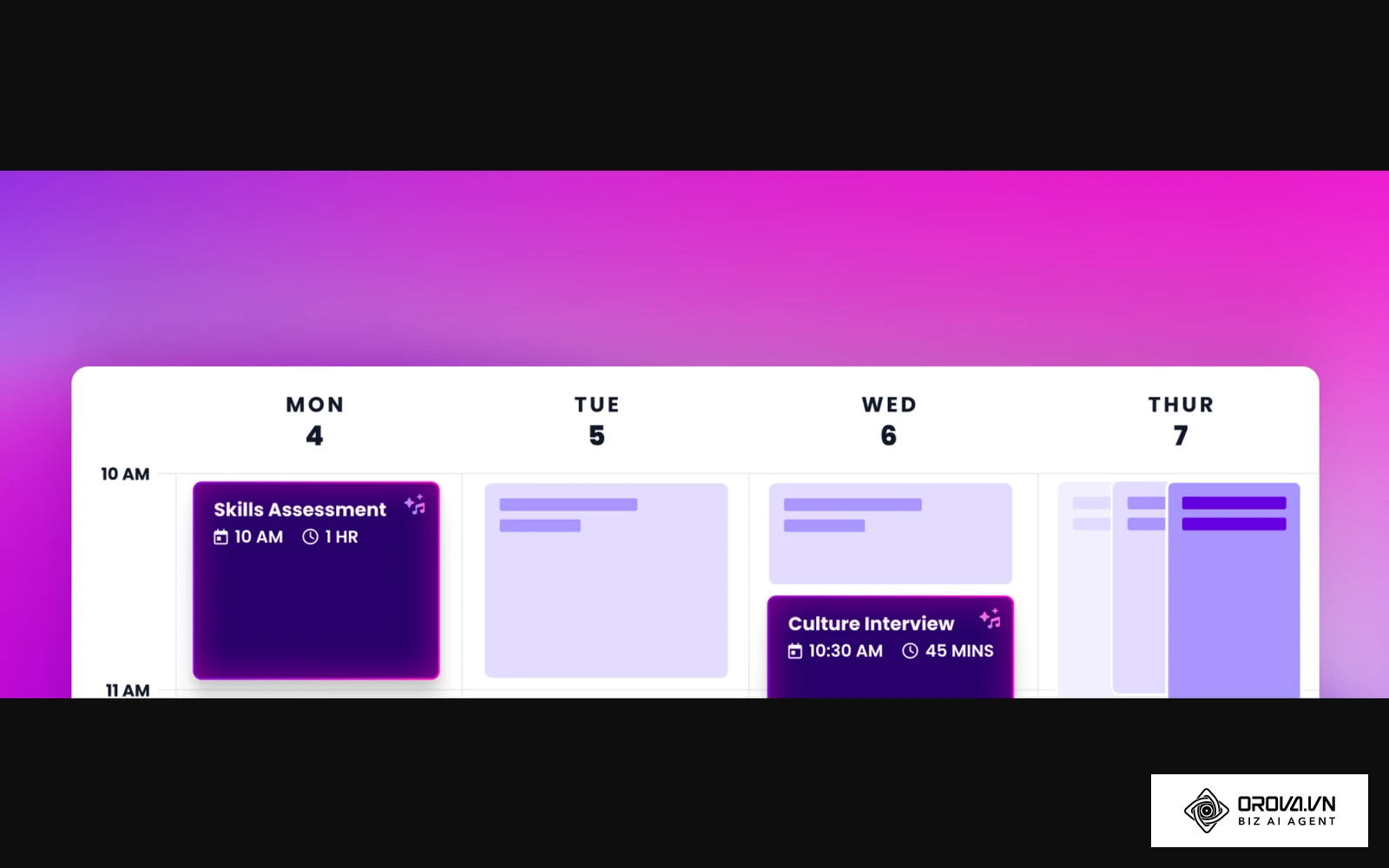
GoodTime is explicitly built to solve the most painful aspects of enterprise interview scheduling. It treats interviewers as a dynamic resource rather than static calendar blocks.
- What it does: Utilizes tag-based routing to automatically assemble interview panels based on skillsets and load balancing rules.
- Value: It drastically reduces the administrative burden on coordinators and prevents your best engineers from spending half their week conducting interviews.
- Best fit for: High-growth technology companies scaling their engineering and product teams rapidly.
- How to start:
- Integrate the platform with your existing ATS and calendar system.
- Create tags for all employees.
- Build interview templates that automatically pull from these tagged pools.
Paradox
Paradox takes a conversational approach to scheduling. Their AI assistant interacts with candidates via text message or web chat.
- What it does: Conducts initial screening chats and schedules interviews entirely through text messages.
- Value: It meets hourly and frontline workers where they are, eliminating the need for them to check emails or log into portals.
- Best fit for: High-volume retail, hospitality, and healthcare organizations hiring hourly staff.
- How to start:
- Map out your standard screening questions and conversational flow.
- Connect the conversational assistant to your hiring managers' calendars.
- Deploy the chat widget on your career site or via text-to-apply codes.
HireVue
HireVue is best known for its video interviewing capabilities, and it also offers scheduling for large-scale operations.
- What it does: Combines live video coordination, on-demand video screening, and automated scheduling into a single platform.
- Value: It provides a unified experience for the candidate, keeping all interactions, assessments, and scheduling tasks within one secure environment.
- Best fit for: Large enterprise organizations, banks, and graduate recruitment programs.
- How to start:
- Configure your video interview templates and scoring rubrics.
- Set up automated triggers to send scheduling links once a candidate passes a pre-screening assessment.
- Train your hiring managers on the unified video and assessment dashboard.
Understanding how these platforms interact with your broader HR tech stack is vital. Review our guide on ATS vs HRIS to clarify the boundaries between these foundational systems.
Built-in ATS interview scheduling modules
Many modern Applicant Tracking Systems have realized that scheduling is a core feature, not an edge case. They have built robust scheduling modules directly into their core platforms. Leveraging these built-in tools is often the cleanest solution from a data architecture perspective.
Greenhouse
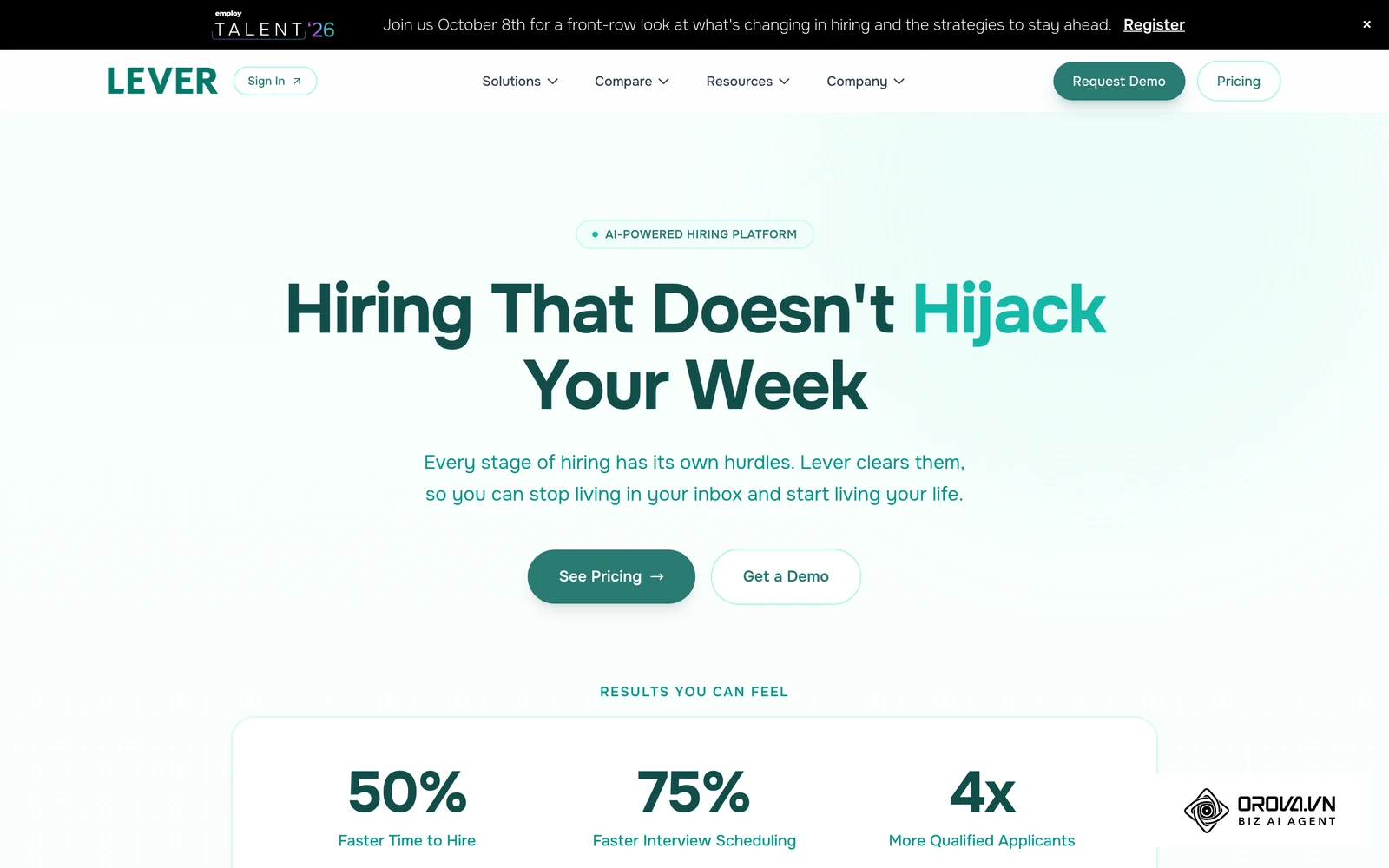
Greenhouse is a widely used ATS with a native scheduling module. It is designed to keep recruiters working within a single tab.
- What it does: Allows you to request candidate availability, send booking links, and manage calendar invitations directly from the candidate profile.
- Value: All communication history, interview scorecards, and scheduling data reside in one place, providing a single source of truth.
- Best fit for: Mid-market companies that have already invested heavily in the Greenhouse ecosystem.
- How to start:
- Authenticate your company's Google Workspace environment within the Greenhouse settings.
- Set up your default interview stages and link them to specific scorecard templates.
- Use the internal email tools to send scheduling requests to candidates.
Lever
Lever approaches scheduling with a focus on speed and pipeline visibility. Their scheduling links are tightly integrated into their CRM capabilities.
- What it does: Provides individual and team scheduling links that sync seamlessly with candidate stages.
- Value: It streamlines the process of moving a candidate from a passive sourced lead to an active scheduled interview without leaving the platform.
- Best fit for: Fast-scaling startups that rely heavily on proactive candidate sourcing.
- How to start:
- Enable the calendar integration in your personal settings.
- Configure your personal booking link with your preferred buffer times.
- Insert the link directly into your automated nurture campaigns.
Workday
Workday Recruiting is part of a massive enterprise resource planning suite. Its scheduling tools are built for scale and deep integration with core employee data.
- What it does: Coordinates interviews while referencing complex internal data like employee locations, reporting structures, and organizational hierarchies.
- Value: It keeps scheduling inside the same system that holds core employee data, which helps large organizations apply one set of security and access rules.
- Best fit for: Fortune 500 companies and large multinational corporations using Workday as their primary HRIS.
- How to start:
- Work with your internal HRIS administration team to configure the security permissions for the scheduling module.
- Map out the complex approval workflows required for different interview stages.
- Train recruiters on how to navigate the scheduling interface within the broader Workday ecosystem.
AI-driven recruiting platforms with integrated scheduling
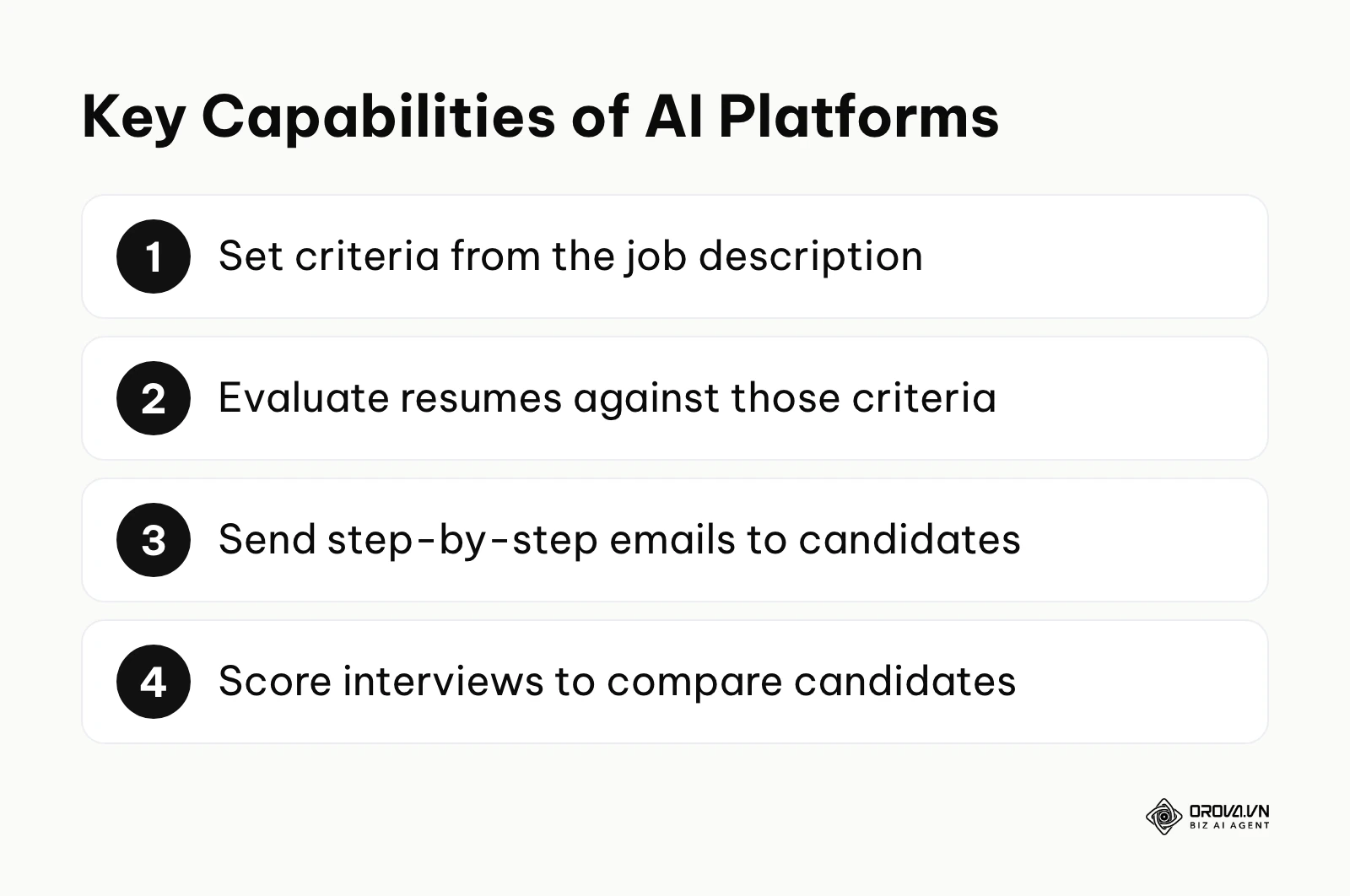
The newest category of tools goes beyond simple calendar coordination. These AI-driven platforms aim to automate entire chunks of the recruitment lifecycle. They do not just schedule the interview; they also help you judge which candidates are worth interviewing, while the final decision stays with your team. Typical capabilities include setting criteria from the job description, evaluating resumes against those criteria, sending step-by-step emails to candidates, and scoring interviews to compare candidates.
Orova Recruit
Orova Recruit is an AI recruiting tool that keeps CV screening, interview preparation, and interview scheduling in one place.
- What it does: You write the job description and set criteria for each role. It scores CVs against those criteria and quotes the lines in each CV as evidence, for up to 500 CVs per position, reading Word, PDF, and scanned images. You can schedule interviews, send step-by-step emails to candidates from your company inbox, generate interview questions from the JD and CV, take interview notes by voice or text, score interviews, compare candidates, and export a PDF.
- Value: Screening, candidate emails, and interview scheduling sit in the same workspace, so recruiters switch between fewer tools.
- Best fit for: Teams that want screening and scheduling together.
- How to start:
- Input your job description and define the criteria required for the role.
- Upload your batch of candidate CVs and review the scores and quoted evidence.
- Schedule interviews with the candidates you shortlist and set up the email steps from your company inbox.
Fetcher
Fetcher focuses heavily on automating the outbound sourcing process and integrating the subsequent scheduling seamlessly.
- What it does: Uses AI to find passive candidates, sends automated outreach sequences, and includes scheduling links for interested prospects.
- Value: It acts as an automated sourcing assistant, keeping your calendar full of high-quality introductory calls without manual searching.
- Best fit for: Recruiting teams that struggle to build top-of-funnel pipeline for niche technical roles.
- How to start:
- Define your ideal candidate profile and calibrate the AI search parameters.
- Craft your personalized email outreach templates.
- Monitor your calendar as the system automatically books initial screening calls.
hireEZ
hireEZ is an AI-powered talent CRM that centralizes outbound sourcing, engagement, and scheduling.
- What it does: Aggregates data from across the web to build candidate profiles and manages the entire engagement lifecycle, including interview booking.
- Value: It provides deep market intelligence and a unified dashboard for tracking all interactions with passive talent.
- Best fit for: Teams transitioning from reactive inbound recruiting to proactive outbound sourcing models.
- How to start:
- Integrate your email and calendar to ensure all communication is tracked.
- Build targeted talent pools based on the platform's AI recommendations.
- Launch automated campaigns that drive candidates toward your scheduling links.
Bring screening and scheduling into one place. With Orova Recruit you can generate interview questions from the JD and CV, take notes by voice or text, score interviews, and export a PDF to compare candidates. Free until July 7, 2027, no card required.
How to choose the right interview scheduling software
Selecting the appropriate tool requires a systematic approach. You must look past the flashy marketing materials and focus on how the software will actually function within your specific technical environment. A platform that works flawlessly for a massive enterprise might be completely unusable for a nimble startup. To figure out how to automate interview scheduling effectively, you have to assess your own resources first.
The 15-question checklist for vendor demos
When you finally sit down for a demonstration with a software vendor, you must ask piercing questions. Sales representatives will naturally highlight the best features, but you need to uncover the limitations. Use this checklist to guide your evaluation.
| Category | Question to ask the vendor | Red flag answer |
|---|---|---|
| Integration | Is your ATS integration native or via a third-party connector? | "Only through a connector; there is no direct sync." |
| Data | How frequently does your system poll our calendars for updates? | "Every few hours." (This causes double bookings). |
| Panel | If a panelist cancels 10 minutes prior, exactly what happens? | "The recruiter gets an email alert to fix it." |
| Security | Can you provide your latest SOC2 Type II report? | "We follow standard security practices." |
| Usability | Can we see the exact candidate view on a mobile device right now? | "I don't have that screen queued up." |
| Integration | Which ATS fields does the sync write back, and can we map custom fields? | "Just the interview time." |
| Integration | What happens in the ATS when a candidate reschedules? | "The recruiter updates it by hand." |
| Panel | Can we build interviewer pools and set a weekly interview limit per person? | "Each interviewer is picked manually." |
| Panel | How do you find a slot for four interviewers across three time zones? | "The coordinator compares calendars." |
| Time zones | How does the candidate's booking page detect and show their local time zone? | "Candidates convert the time themselves." |
| Candidate | Can candidates reschedule or cancel on their own from the confirmation email? | "They need to email the recruiter." |
| Candidate | Which reminder channels do you support, and can we edit the templates? | "Reminders cannot be customized." |
| Security | What calendar permissions do you request, and do you read event details or only free/busy? | "We need full access to every calendar." |
| Reporting | Can we report on time to schedule and interviewer load? | "You can export raw data and build it yourself." |
| Rollout | What does setup involve on our side, and who owns it? | "It just works out of the box." |
Do not sign a contract until you have satisfactory answers to these technical questions. If scheduling is one piece of a wider HR software review, our HR and recruitment software guide maps how the rest of the stack fits together.
Decision matrix based on your ATS
Your current Applicant Tracking System is the center of gravity for your recruiting operations. Your scheduling tool must orbit this system perfectly.
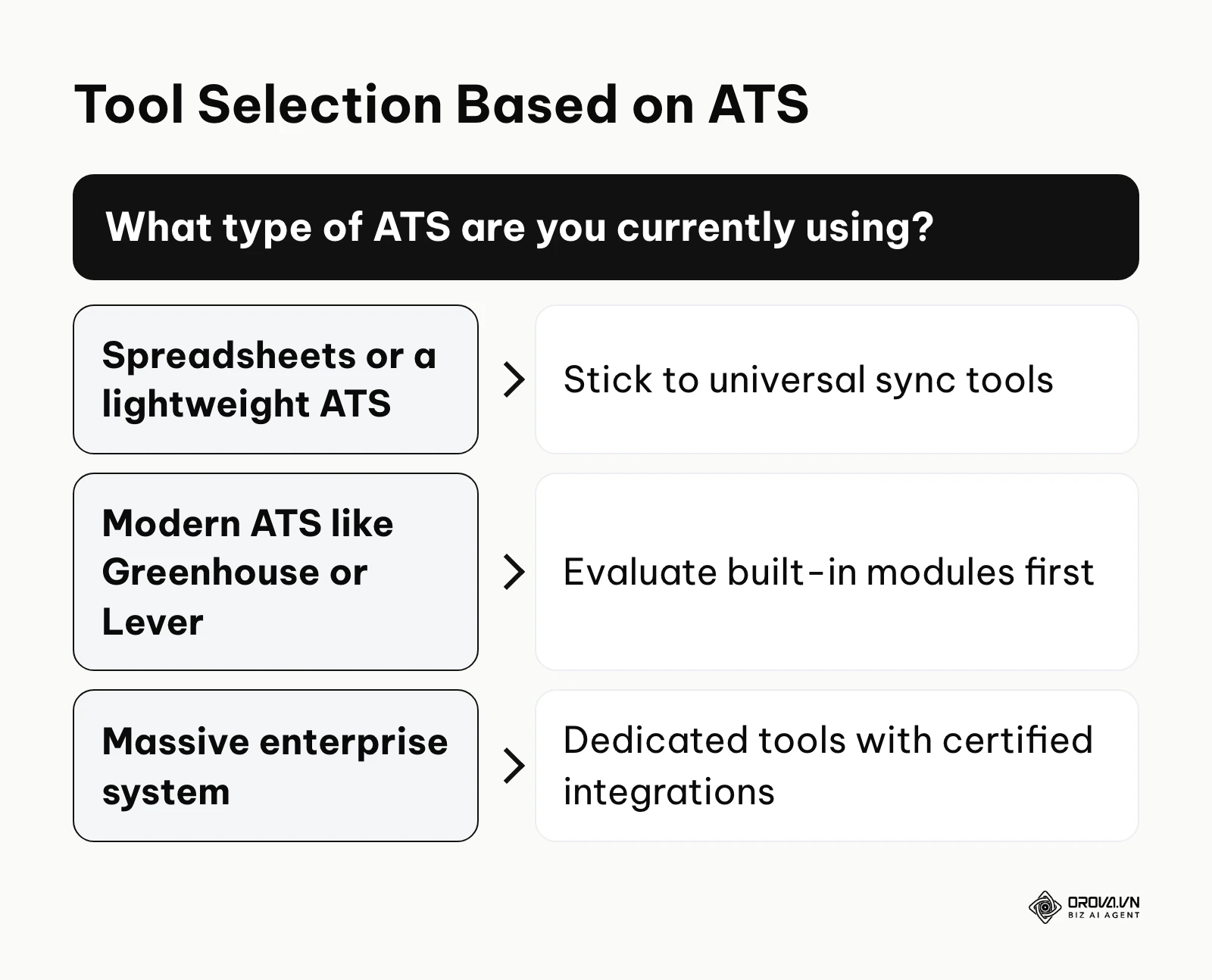
If you are using basic spreadsheets or a lightweight ATS, do not purchase a complex scheduling platform. Stick to universal sync tools. The implementation overhead of an enterprise tool will cripple your small team.
If you are using a modern ATS like Greenhouse or Lever, evaluate their built-in scheduling modules first. Often, you are already paying for these features. Only look externally if you hit a hard limitation regarding panel complexity or load balancing.
If you are on a massive enterprise system, you must prioritize security and data compliance over slick user interfaces. Look for dedicated enterprise tools that have proven, certified integrations with these specific platforms.
Interview scheduling tool trends in the next few years: author's perspective
The recruitment technology landscape is shifting rapidly. Based on the current trajectory of product updates and market demands, I foresee several significant changes in how we handle scheduling by the end of the decade.
Automated load balancing will become standard
Today, advanced load balancing is mostly found in tools built for enterprise teams. I think this capability will become a baseline expectation for scheduling software in the coming years. Burnout among hiring managers is a massive hidden cost. Startups and mid-market companies will demand this functionality, forcing lower-tier vendors to build it into their core offerings. You should start auditing your interview distribution manually now, so you are prepared to configure these automated rules when the technology becomes accessible.
AI will predict candidate availability
Currently, we rely on candidates to open a link and manually select a time. I believe that artificial intelligence could gradually reverse this dynamic. Future systems will analyze a candidate's digital footprint, professional status, and typical industry working hours to predict their most likely windows of availability. The software will proactively suggest two optimal times directly in the initial outreach, skipping the link-clicking step entirely. To prepare for this, TA teams must focus on maintaining pristine data hygiene within their CRMs.
Candidates will demand instant booking from job boards
We are moving toward a frictionless application process. I expect that the traditional step of applying, waiting for a recruiter to review the CV, and then receiving a scheduling link will shrink for many roles. Instead, verified candidates will be able to book an initial screening call directly from the job advertisement on platforms like LinkedIn or Indeed. The scheduling tool will sit at the very front of the funnel, acting as the primary gatekeeper. You must begin aligning your employer branding strategy with your technical infrastructure to ensure this instant booking experience feels seamless.
Frequently asked questions about interview scheduling tools
Implementing new software always raises concerns among security, IT, and HR teams. Here are the most common questions regarding scheduling technology.
How do these tools handle data privacy and GDPR?
Ask each vendor directly how they handle regulations like the General Data Protection Regulation (GDPR) and whether they can share a SOC2 report. Many tools connect to calendars through OAuth, so they do not need to store user passwords, and some only need free/busy status rather than the details of your internal meetings. Confirm which permissions the tool requests before you connect company calendars.
What happens when a candidate needs to reschedule?
A core benefit of these platforms is self-service rescheduling. The initial confirmation email contains a secure link that allows the candidate to cancel or select a new time. When they do, the software instantly removes the old event from the interviewers' calendars, frees up the slot for other candidates, and sends updated invitations. In most cases, the recruiter does not need to step in.
Does an interview scheduling tool replace a human coordinator?
No, it elevates them. Instead of acting as administrative assistants copying and pasting times across spreadsheets, recruiting coordinators evolve into candidate experience managers. They focus on greeting candidates upon arrival, ensuring technical setups work for video calls, and managing complex travel logistics for executive hires.
How does AI improve the scheduling process?
Faster scheduling means candidates wait less between steps, which lowers the chance they drop out. Some tools use AI to suggest meeting times based on past booking patterns. It also powers natural language processing in conversational chatbots, allowing candidates to schedule interviews via text message using normal human phrasing.
Where to start?
Choosing and implementing a new tool can feel overwhelming. Do not try to solve every problem at once. Identify your current situation below and take one concrete step today to improve your workflow.
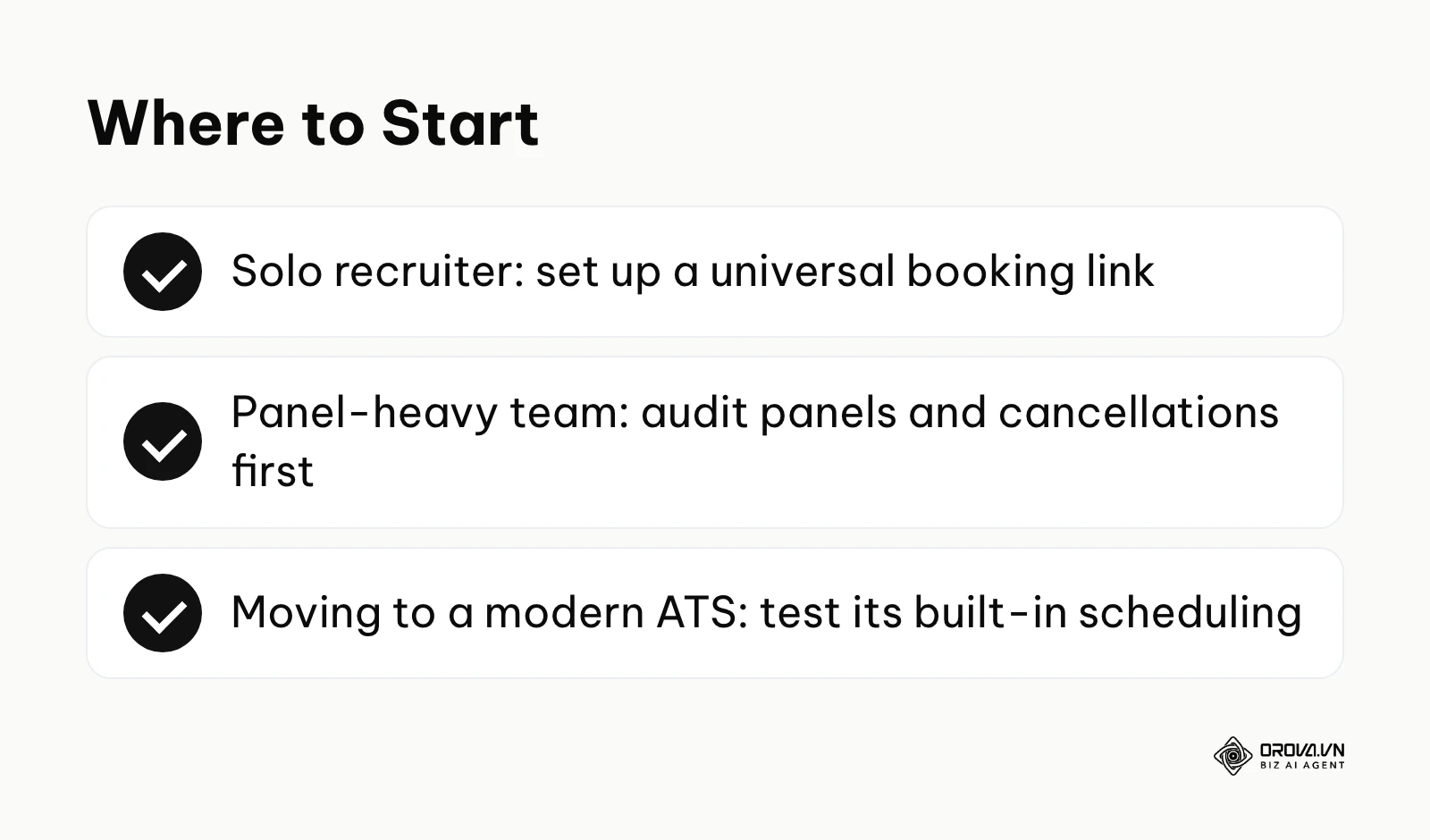
If you are a solo recruiter drowning in emails, stop researching enterprise platforms immediately. Sign up for a free trial of a universal calendar sync tool. Connect your primary email account, define your 30-minute screening block, and put the link in your email signature. You can complete this setup in under twenty minutes and start saving time today.
If your team is struggling with complex panel interviews, audit your current process before buying software. Map out exactly how many unique panel combinations you use and how frequently they change. Calculate the hours your team wastes on last-minute cancellations. You need this hard data to justify the cost of a dedicated enterprise platform to your leadership team.
If you are migrating to a modern ATS, pause your search for third-party scheduling tools. Dedicate a full afternoon to exploring the built-in scheduling features of your new system. Configure the native integration with your company's calendar environment and run a test workflow. You may discover that the built-in module solves the vast majority of your problems without requiring an additional software subscription or a new interview scheduling tool.
About the author

Builder of Orova
Nguyễn Đỗ Trọng Ân has 8 years of experience in marketing, including 6 years managing market development across Asia. He builds Orova, a Biz AI Agent that never sleeps: it plans, runs and optimizes work for businesses.
Run your business with AI Agents
Orova is the always-on Biz AI Agent — it plans, runs, and optimizes the work for you.
Save time, unlock productivity.