
How to write Instagram captions with AI that sound like you

You sit down with a stunning photo, ready to share it with your audience, but the words simply will not come. You open a generative tool, type in a quick request, and it spits back a dense paragraph filled with words like "elevate," "unlock," and "game-changer." This is the frustrating reality for most marketers today. The text is grammatically flawless, yet it lacks a soul, and your followers can spot it instantly.
Learning how to write instagram captions with ai is no longer just about generating a block of text to fill space. It is about engineering a precise process that makes the machine sound exactly like you, while simultaneously optimizing for search visibility. If you rely on basic commands, you will alienate your community. This guide will walk you through the advanced frameworks required to train these tools, strip out the robotic jargon, and produce copy that actually sounds human.
Understanding how to write instagram captions with ai
Writing Instagram captions with AI involves using large language models to draft, refine, and structure the text accompanying your visual posts. You execute this process to overcome writer's block, scale your content production, and systematically include target keywords without spending hours staring at a blinking cursor.
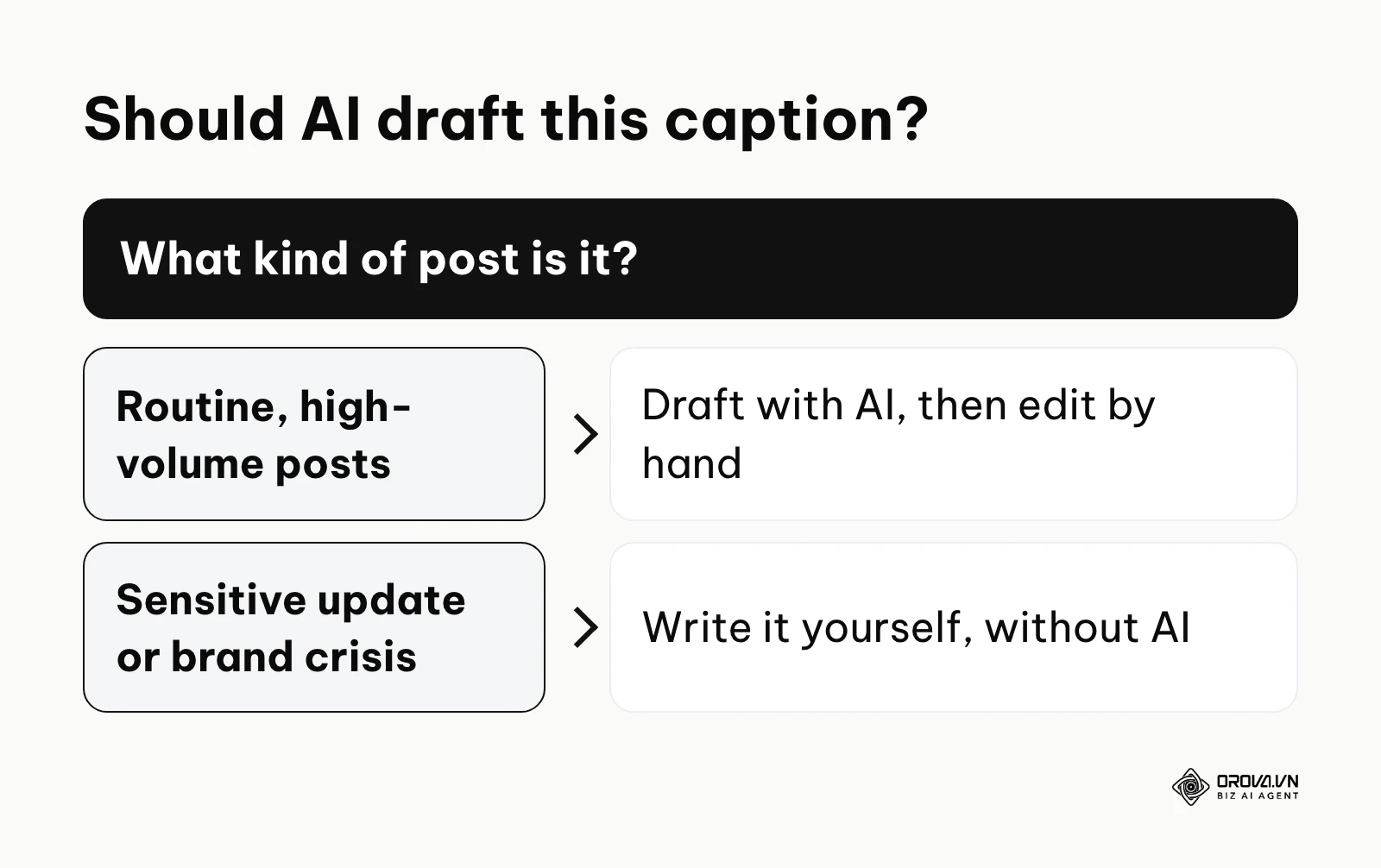
This approach is highly beneficial for social media managers, agency owners, and busy founders who need to maintain a consistent posting schedule. However, you should avoid using these tools when sharing deeply personal, sensitive life updates or addressing a brand crisis, as those situations demand raw, unedited human empathy that a machine simply cannot replicate.
Preparation for AI caption generation
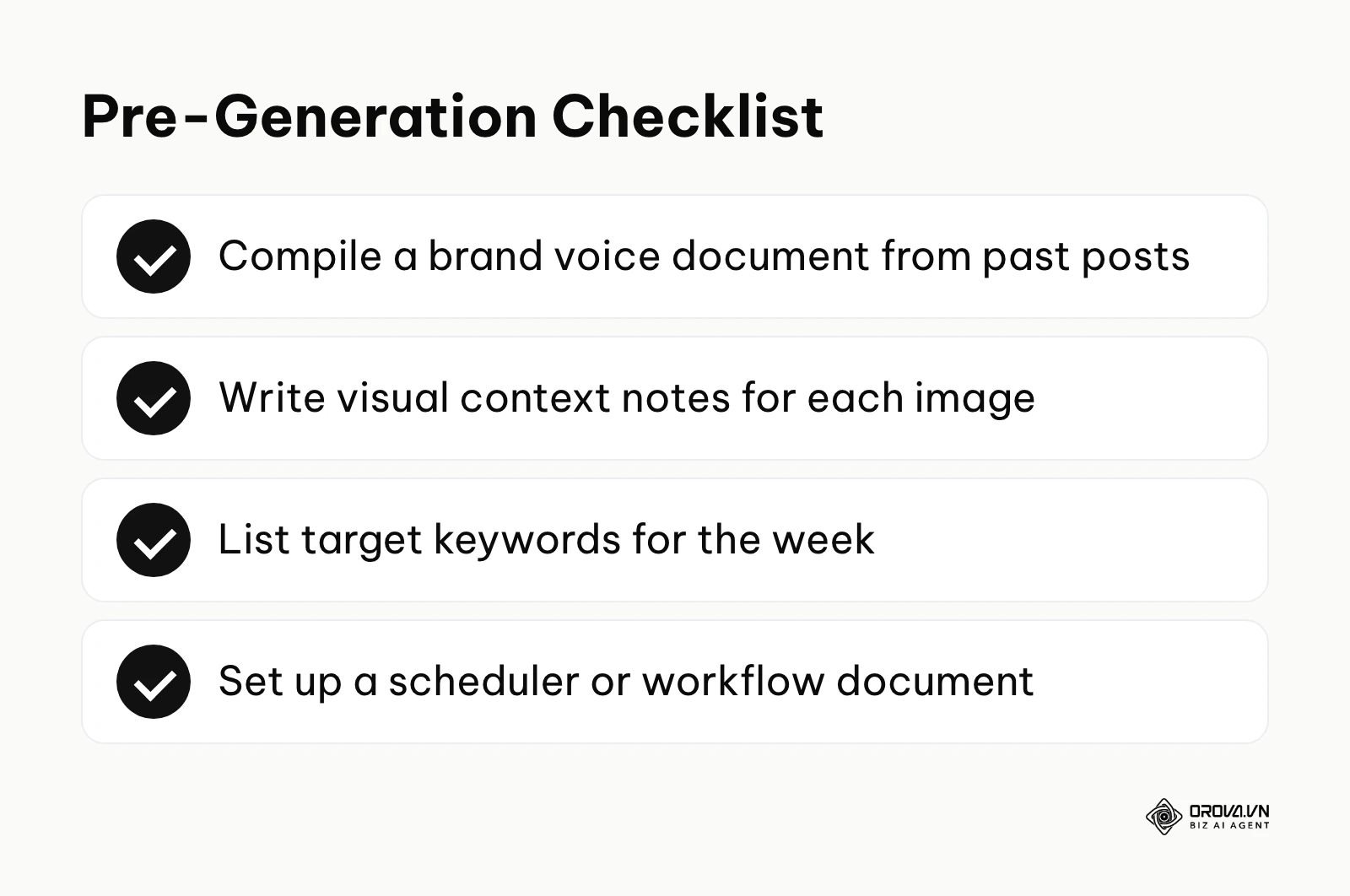
Before you even open a chat window to generate text, you must build a foundational toolkit. AI acts as an amplifier for your instructions. If you provide vague inputs, you receive generic outputs. Proper preparation prevents the tool from hallucinating details or defaulting to a corporate tone.
| Asset required | Where to get it | Time required |
|---|---|---|
| Brand voice document | Compiled from your past high-performing posts | 30 minutes |
| Visual context notes | Observations of the specific image or video being posted | 2 minutes per post |
| Target keyword list | Native search bar suggestions and SEO tools | 15 minutes per week |
| Workflow system | A dedicated scheduler or shared document | 10 minutes |
Setting up these assets ensures that every prompt you write is grounded in your actual business reality. Without a brand voice document, the system will guess your personality. Without visual context notes, the generated text will often contradict the image you are posting. If you plan to queue captions ahead of time, this guide on how to use an instagram post scheduler covers the setup.
The 6-Step Process for perfect captions
Writing excellent copy requires a systematic approach. If you follow these six steps, you will transition from generic outputs to highly tailored, engaging text.
Step 1: Training the AI on your brand voice
The biggest complaint about generative text is that it sounds like a robot. To fix this, you must explicitly teach the system how you speak. You do this by feeding it examples of your past successful work.
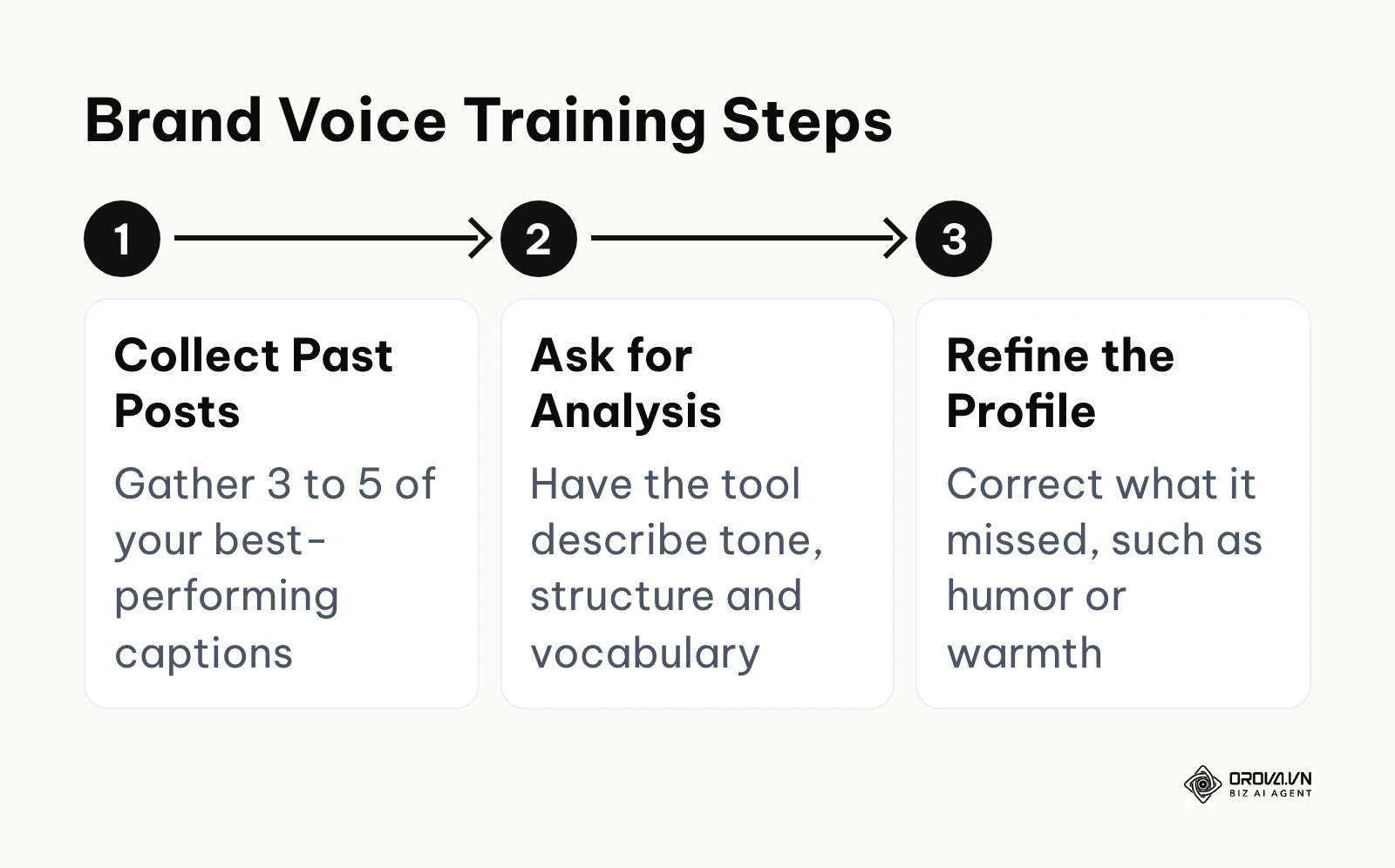
Gather three to five of your best-performing posts. Open your tool and use a calibration command: "Analyze the following captions. Identify the tone, sentence structure, common vocabulary, and formatting habits. Create a brand voice profile based strictly on these examples." Paste your text below this instruction. The system will process your style and output a detailed profile. You know this step is successful when the summary accurately describes nuances you did not explicitly mention, such as your tendency to use short sentences or self-deprecating humor. A common error here is feeding the system posts written by different team members, which creates a confused, contradictory voice profile.
Example scenario: A small bakery owner handling their own marketing. Context: The owner was tired of spending an hour a day writing posts, but AI tools always made her shop sound like a corporate franchise. Steps: She gathered five captions from her most liked posts, which heavily featured local slang and warm, casual jokes. She pasted them into the chat and asked for a tone analysis. Obstacle: The initial analysis concluded her tone was "professional and informative," completely missing the humor. Fix: She refined the instruction, telling the system to specifically analyze the humor and emotional warmth in the text, and to ignore standard formatting. Result: The tool recalibrated and correctly identified her voice as "witty, neighborly, and enthusiastic." Subsequent drafts matched her style so well that she only had to change a few words per post.
Step 2: The 4-part prompt framework
Once the tool understands your voice, you must structure your daily requests using a rigid framework. The four parts are Role, Context, Tone, and Constraint.
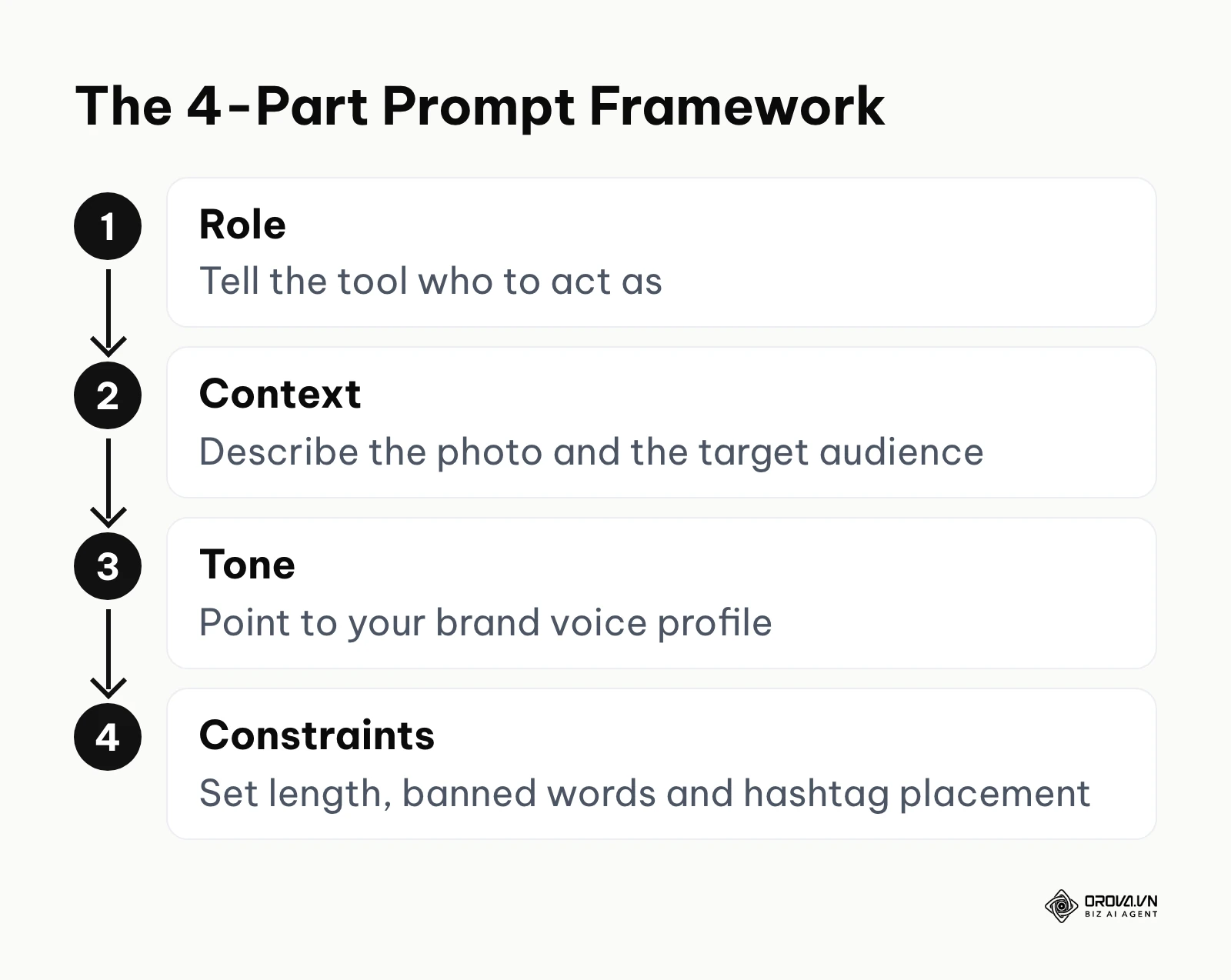
First, assign a Role ("Act as an expert social media manager"). Second, provide Context by explaining exactly what the photo shows and who the target audience is. Third, define the Tone by referencing the brand profile you created in step one. Finally, apply Constraints. Constraints are the most critical part. You must tell the system what not to do. For example, instruct it to keep the text under 150 words, to avoid specific buzzwords, and to place any hashtags at the very bottom. You will know you have succeeded when the first draft requires less than twenty percent modification. A frequent mistake is omitting the constraints, which inevitably results in a massive wall of text that nobody will read on a mobile screen.
Step 3: Merging Social SEO with AI generation
Instagram has evolved from a simple chronological feed into a complex search engine. To maximize reach, your text must include relevant keywords seamlessly.
Start by identifying the terms your audience searches for within the app. Then, within your prompt, explicitly command the system to weave these specific keywords into the first two sentences. Do not just ask it to add hashtags. The text itself must contain the terms naturally. A successful output will read conversationally, yet clearly signal to the algorithm what the post is about. The most common error in this step is keyword stuffing. If you force too many terms, the text becomes unreadable and people scroll past it.
Example scenario: A freelance fitness coach trying to attract local clients. Context: The coach wanted to rank higher in search results for specific local workout terms, rather than competing globally. Steps: He identified three secondary keywords related to local kettlebell training. He instructed the system to write a motivational story while incorporating those exact three phrases naturally into the body text. Obstacle: The system clumped all three keywords into one clunky, unnatural sentence right at the beginning. Fix: He adjusted his constraints, demanding that the keywords be spread out, with one appearing in the opening hook and the others naturally integrated into the closing advice. Result: The caption read like a normal coaching tip, the local terms appeared where a person would naturally say them, and he reused the same constraint for the rest of his local posts.
Step 4: The 10 Fill-in-the-blank Prompts Library
To truly master this process, you need a repository of specific commands for different situations. This library provides exactly what you need when searching for chatgpt prompts for instagram captions.
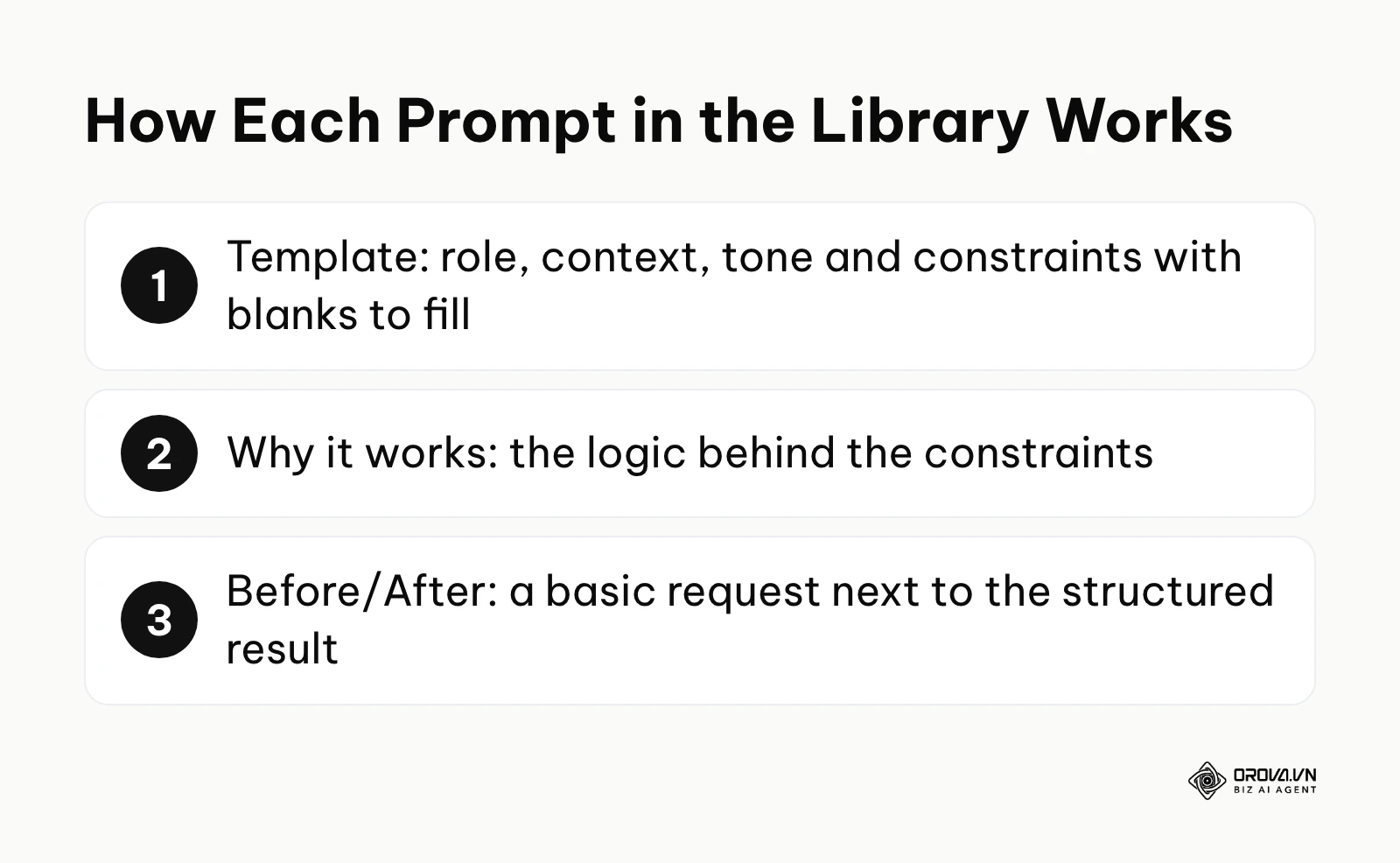
1. The Storytelling Prompt (Overcoming a Challenge) Stories build deep connections. When you share a struggle, your audience relates to you. Generative tools tend to summarize struggles rather than show them. You must force a narrative structure. Template: "Act as an expert brand storyteller. I need an Instagram caption about a challenge I faced. Role: Vulnerable but professional founder. Context: [Insert your specific factual struggle here, e.g., We almost ran out of money because we ordered too much inventory]. Tone: Honest and reflective. Constraints: Use a 'Hook, Conflict, Resolution, Lesson' structure. The hook must immediately state the failure. Do not use the words 'journey' or 'hustle'. Keep it under 150 words." Why it works: By banning cliché words and demanding a specific structural flow, the system is forced to turn your raw facts into a compelling narrative rather than a generic summary. Before/After: A basic request yields: "The entrepreneurial journey is a hustle. We faced challenges but elevated our game." The structured prompt yields: "I almost bankrupted this company in year two. We ordered triple the inventory we needed. I spent three months selling premium products at a painful loss just to keep the lights on. It was a brutal lesson, but it forced us to become lean."
2. The Direct Sales Prompt (Feature to Benefit) Selling without sounding like a sleazy infomercial requires finesse. Template: "Act as a high-end copywriter. Context: Selling [Insert product] to [Insert target audience]. Tone: Luxurious and confident. Constraints: Focus entirely on the transition from the product feature ([Insert feature]) to the customer benefit ([Insert benefit]). Limit to 100 words. Do not use the words 'buy now', 'sale', or 'discount'. End with a gentle call to action." Why it works: It strips away aggressive sales language and forces the text to focus on how the product improves the customer's life. Before/After: Basic: "Buy our new shirts! They are breathable and great for summer. On sale now!" Structured: "Summer commutes usually mean compromising between looking sharp and staying cool. We spun our new organic cotton line to breathe effortlessly, so you arrive at the office feeling exactly as fresh as when you left. Explore the collection via the link in our bio."
Prompts 3 to 5: engagement, education and behind the scenes
3. The Minigame Prompt (Engagement Driver) Engagement is often driven by simple gamification. Template: "Act as a community manager. Context: We are a [Insert business type]. We want followers to comment their favorite [Insert topic]. Tone: Playful and energetic. Constraints: Structure the caption as a quick 'Fill in the blank' or 'This or That' game. Keep it under 50 words. Absolutely no corporate jargon." Why it works: It provides a frictionless way for followers to interact, boosting your comment metrics rapidly. Before/After: Basic: "We love coffee. What do you like? Comment below." Structured: "Morning survival check. You can only pick one forever: Iced oat latte or a double shot of espresso? Drop your lifeline in the comments below."
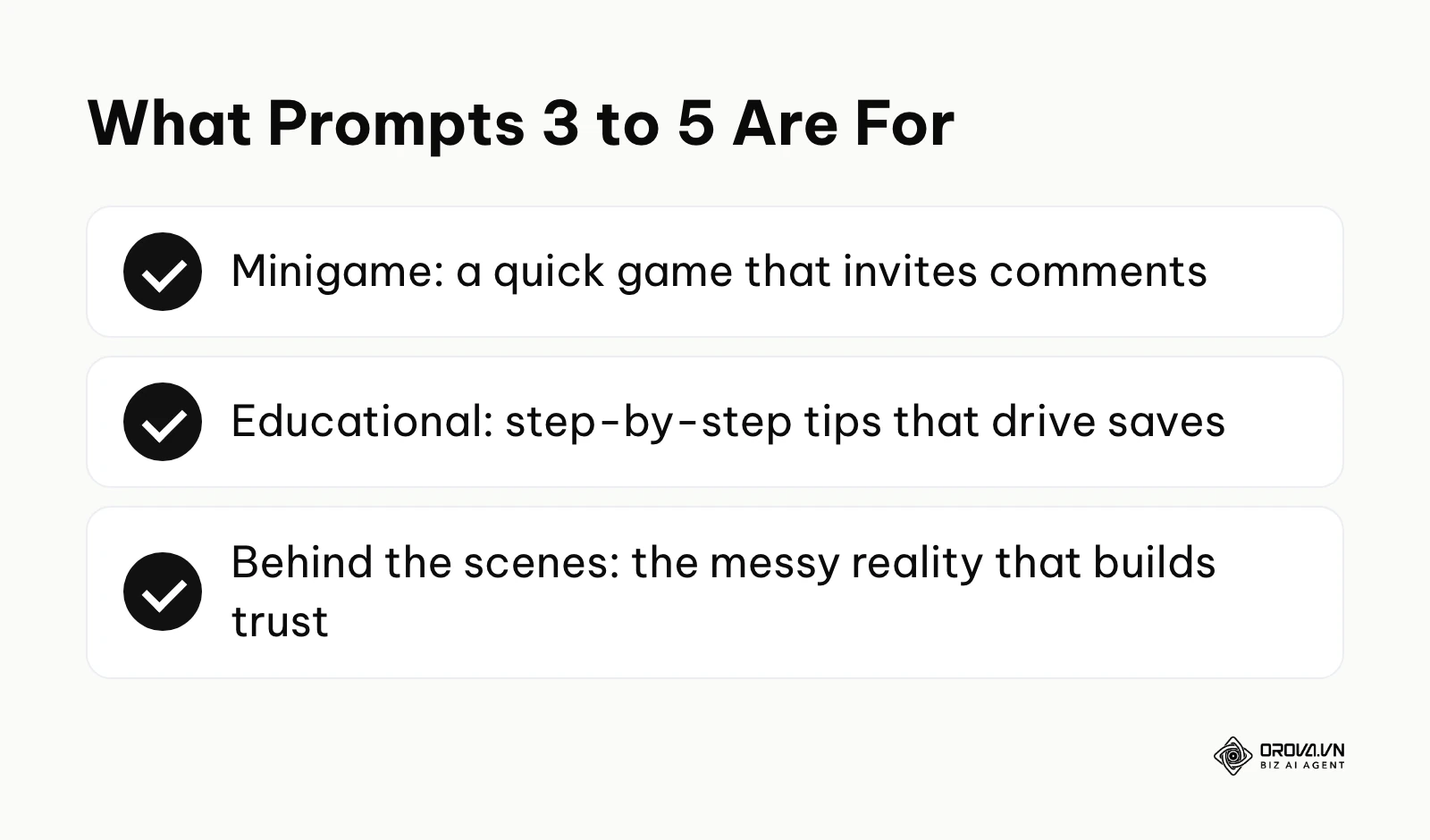
4. The Educational Prompt (Step-by-Step) Educational content drives saves, which is a powerful algorithm signal. Template: "Act as a knowledgeable industry expert. Context: Explaining how to [Insert task]. Tone: Helpful and encouraging. Constraints: Format as a 3-step numbered list. Keep each step under two sentences. Start with a hook that addresses the common frustration of failing at this task." Why it works: It breaks down complex information into highly scannable, bite-sized pieces perfect for mobile reading. Before/After: Basic: "Here is how to water plants. First check the soil. Then pour water. Then wait." Structured: "Tired of watching your expensive indoor plants turn yellow? Stop guessing and follow the 3-step soak method. 1. Check the soil two inches deep. 2. Water until it drains out the bottom. 3. Empty the saucer after ten minutes to prevent root rot. Save this for your next watering day."
5. The Behind-the-Scenes Prompt (The Messy Reality) Showing the unpolished side of your business builds immense trust. Template: "Act as an authentic creator. Context: Showing our [Insert behind the scenes situation, e.g., messy warehouse during a launch]. Tone: Exhausted but deeply grateful. Constraints: Highlight the stark contrast between our polished website and this chaotic reality. Keep it under 150 words. End with a note of sincere gratitude to the customers." Why it works: It humanizes your brand by admitting imperfection, which resonates strongly with users tired of hyper-curated feeds. Before/After: Basic: "We are working hard in the warehouse today sending out your orders. Thanks for buying!" Structured: "If you look at our website right now, everything looks perfectly minimal and calm. If you look at our warehouse floor, it is a mountain of cardboard boxes, tape dispensers, and half-empty coffee cups. The holiday rush is chaotic, but seeing your names on these shipping labels makes every late night worth it. Thank you."
Prompts 6 to 8: customers, launches and team introductions
6. The User-Generated Content Spotlight Praising your customers publicly creates fierce brand loyalty. Template: "Act as a brand ambassador. Context: Reposting a photo from a customer who used our [Insert product] at [Insert location]. Tone: Amazed and appreciative. Constraints: Make the customer the absolute hero of the story, not our product. Mention their specific location. Keep it brief and ask the audience where they are exploring next." Why it works: It shifts the spotlight away from you and onto the community, making others want to be featured. Before/After: Basic: "Look at our great boots in the mountains. Buy them today." Structured: "Sarah just took our trail boots to the summit of Yosemite, but honestly, we are just impressed she made that climb before sunrise. Seeing our gear out in the wild on your adventures is why we design them. Where are you heading this weekend?"
7. The Product Launch Teaser Building anticipation is crucial for day-one sales. Template: "Act as a PR specialist. Context: We are launching [Insert vague description of product] in three days. Tone: Mysterious but informative. Constraints: Hint heavily at the specific problem this new release solves, but do not name the product itself. Use short, punchy sentences. End by telling them exactly when to check back." Why it works: It hooks the reader's curiosity by focusing on their pain point rather than just announcing a feature. Before/After: Basic: "New software is on the way. It will be great. Stay tuned." Structured: "You know that repetitive task that takes up three hours of your Friday afternoon? We finally built a way to automate it. We are not sharing the details just yet, but your weekends are about to get much longer. Check back here on Tuesday at 9 AM."
8. The Team Introduction Prompt People buy from people, so highlighting your staff is highly effective. Template: "Act as an internal culture manager. Context: Introducing [Insert name], our [Insert job title] who loves [Insert personal hobby]. Tone: Warm and professional. Constraints: Share one impressive professional achievement and one quirky personal fact. Connect how their personal hobby influences their great work ethic." Why it works: It creates a multi-dimensional portrait of a staff member, making the brand feel more approachable. Before/After: Basic: "Meet John, our developer. He is good at coding and likes baking." Structured: "Meet John, our lead developer. When he is not writing the code that keeps our app running smoothly, he is obsessively perfecting his sourdough bread recipe. It turns out that the intense patience required to bake the perfect loaf translates perfectly to hunting down complex software bugs. Say hi to John below."
Prompts 9 and 10: events and contrarian takes
9. The Event Promotion Prompt Getting people to register requires extreme clarity and a sense of urgency. Template: "Act as an event coordinator. Context: Hosting a live session on [Insert topic] next [Insert day]. Tone: Urgent but entirely helpful, not pushy. Constraints: Clearly format the Date, Time, and exactly what the user will learn in bullet points. Do not use the word 'webinar'. Keep it highly scannable." Why it works: It respects the reader's time by providing the logistical details immediately, removing friction from the sign-up process. Before/After: Basic: "Join our webinar on marketing next week. It will be very helpful. Link in bio." Structured: "Stop guessing what works. Join our live strategy session next Tuesday where we will break down the exact frameworks that actually convert. \n\n📅 Tuesday, 4 PM EST\n✅ Learn the 3-step hook structure\n✅ See real breakdown examples\n\nSeats are limited. Secure your spot via the link in our bio."
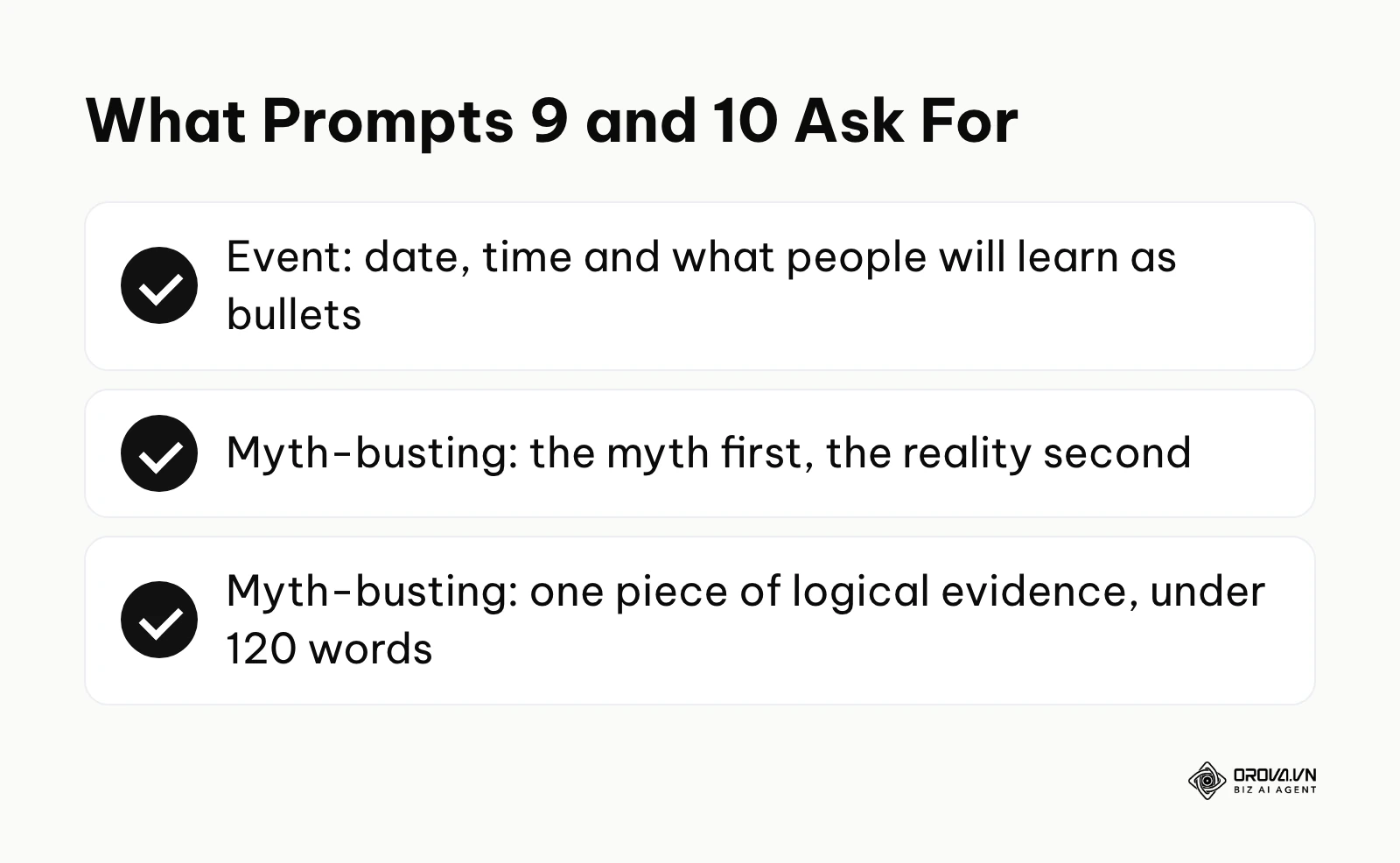
10. The Myth-Busting Prompt Contrarian takes generate massive amounts of shares and comments. Template: "Act as a bold industry thought leader. Context: Busting the myth that [Insert industry myth]. Tone: Confident, data-backed, and slightly rebellious. Constraints: State the myth clearly in the first sentence. State the harsh reality in the second. Provide one piece of logical evidence. Keep it under 120 words." Why it works: It immediately disrupts the reader's scrolling pattern by challenging a deeply held belief in your industry. Before/After: Basic: "You do not need to post every day. Quality is better than quantity." Structured: "The biggest lie in social media is that you must post every single day to grow. The reality is that posting mediocre content daily trains the algorithm to ignore you. One highly researched, deeply valuable post per week will consistently outperform seven rushed updates. Stop feeding the machine and start serving your audience."
Step 5: Giving context without rambling
A common pitfall is expecting the system to write about an image it cannot see. You must describe the visual asset accurately so the text aligns perfectly with the media.
Focus your description on four elements: foreground, background, action, and mood. For example, instead of writing "a picture of me," write "me holding a coffee cup, looking stressed, sitting in a messy office, with a chaotic mood." This specific context prevents the system from hallucinating details. If the text directly references a physical element in the photo, you know you have provided excellent context. Failing to do this often results in text that feels completely disconnected from the accompanying image.
Step 6: The human-in-the-loop editing process
No matter how advanced your prompts are, you must never publish raw output. You need a rigorous review system to figure out how to make ai captions sound human.
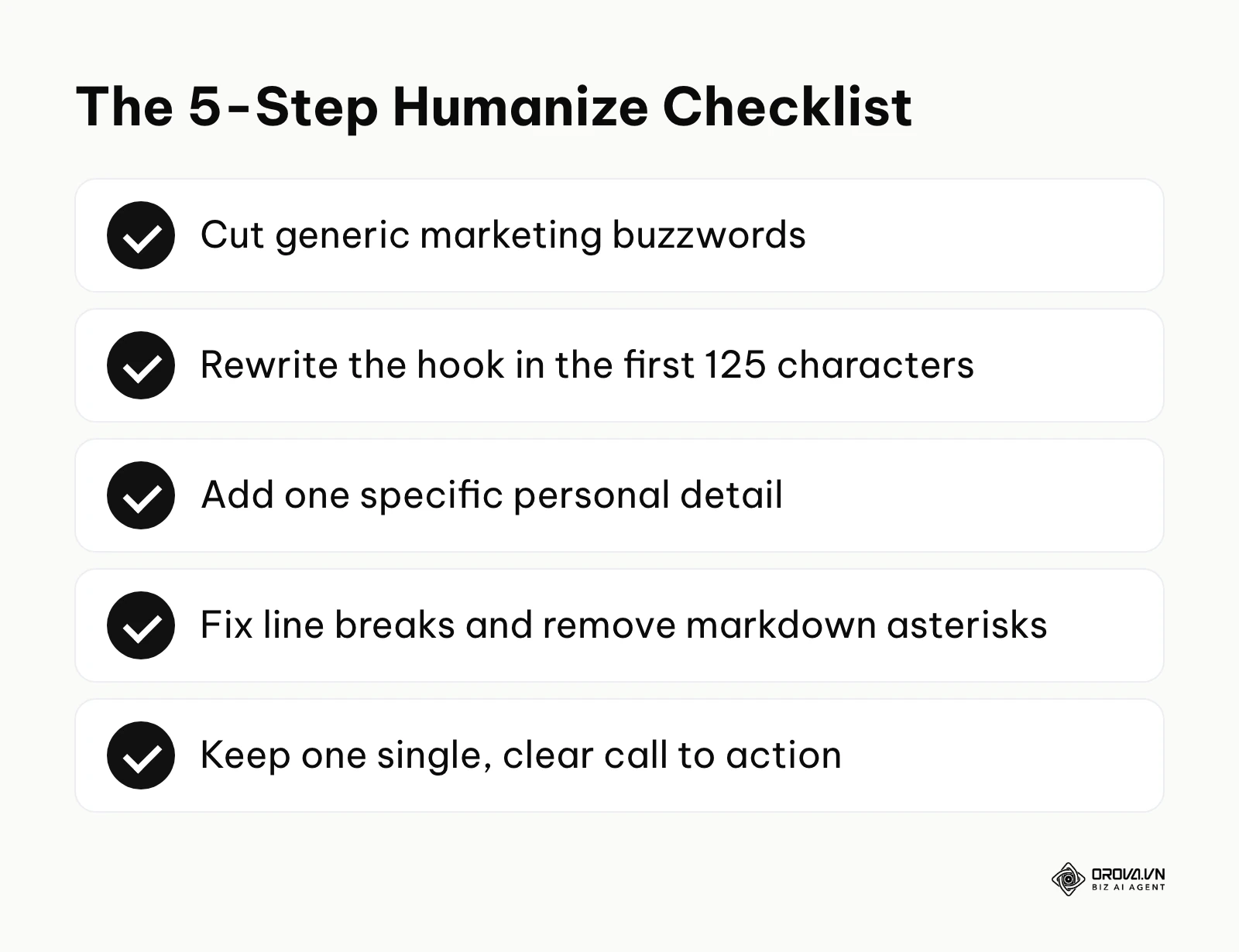
Follow this five-step checklist every single time: First, hunt down and aggressively cut all marketing buzzwords. You can train the system to avoid these by including a negative constraint like "Do not use words like unlock, elevate, delve, or game-changer," but you still must check manually. Second, rewrite the hook. The first 125 characters dictate whether the user clicks "more," so inject your own personality there. Third, add one highly specific personal detail that the system could not possibly know. Fourth, fix the formatting, ensuring there are clean line breaks without weird markdown asterisks. Finally, ensure the call to action is singular and clear. If the text passes the test of being read aloud without sounding awkward, it is ready.
Once you have engineered the perfect text, you need a reliable system to distribute it. With Orova Social, you can publish to social channels, schedule posts and write captions with AI directly within the platform. By applying your saved brand profile automatically, you ensure your tone remains consistent across all 8 supported networks without manual copying and pasting.
Deep analysis: Free vs Paid vs Built-in AI tools
The market is flooded with generative tools, leaving many wondering if they should invest in specialized software or stick to free options. Understanding the nuances of these platforms is crucial for maintaining quality.
| Criteria | Basic Chatbots (Free) | Premium AI Writing Tools | Native Built-in AI |
|---|---|---|---|
| Tone matching | Often struggles, reverts to generic | Excellent, allows saved brand personas | Good, but limited customization |
| Workflow speed | Slow, requires manual copy-pasting | Fast, often integrates directly | Fastest, happens inside the app |
| Cost | Free | Monthly subscription | Usually free with platform |
| Output control | Requires heavy prompt engineering | Pre-built templates reduce effort | Limited control over structure |
| Risk of errors | High, prone to hallucinations | Medium, relies on your inputs | Lower, but output stays generic |
| Ideal user | Solo beginners with zero budget | Agencies and scaling brands | Casual users needing quick fixes |
Analyzing free chatbots for everyday use
Free, generalized chatbots are capable general-purpose writers; the GPT-4 Technical Report 2023 by OpenAI describes the broad range of tasks such models handle. However, because they are built to answer everything from coding questions to historical facts, they are not inherently optimized for social media marketing. You have to work significantly harder with prompt engineering to force them out of their default, slightly robotic tone.
The advantage of specialized tools
Specialized writing platforms, often discussed when searching for the best ai writing tools for instagram captions, are built specifically for marketers. They often allow you to save your brand voice once and apply it to every generation. This eliminates the need to write massive, complex prompts every single time you need a short post. For a wider look at where machine-written text helps and where it hurts, see this guide to AI generated content.
The convenience of native built-in AI
Social platforms are increasingly building generative capabilities directly into their publishing interfaces. These are highly convenient because you do not need to switch tabs or manage formatting. However, they are generally locked into a very safe, corporate tone. They are excellent for quickly describing a product, but they struggle heavily with nuanced storytelling or brand-specific humor.
Choosing the right tool based on situations
Selecting the right approach depends entirely on your current operational bottleneck.
| Your Situation | Recommended Approach | Reason for choice |
|---|---|---|
| Deep, vulnerable storytelling | Manual writing with light AI editing | AI cannot authentically invent personal pain or empathy. |
| High volume, daily product updates | Premium AI Writing Tools | You need saved brand voices to scale without losing quality. |
| Repurposing a blog post into a caption | Basic Chatbots (Free) | Generalized tools excel at summarizing large text blocks. |
| You forgot to post and need text in 30 seconds | Native Built-in AI | Speed is the priority over deep brand alignment. |
Are you ready to streamline your content pipeline while keeping your authentic voice? Orova Social lets you plan posts on a daily, weekly or monthly content calendar, automatically publish posts that missed their scheduled time, and cut long videos into vertical 9:16 clips with subtitles for Instagram Reels. It is free until the end of July 7, 2027.
Measurement: Tracking the success of AI captions
If you change your writing process, you must measure the impact. Do not assume that faster generation equals better performance. You must monitor specific metrics, either in the app's own insights or in one of the social analytics tools built for this, to ensure your new workflow is actually resonating with the audience.
| Metric | Meaning | Warning threshold |
|---|---|---|
| Save rate | Indicates the content is highly valuable or educational. | Drops by more than 20% compared to manual writing. |
| Comment volume | Shows that the text successfully provoked a human response. | Lots of bot comments but zero genuine human replies. |
| Profile visits | Proves that the caption convinced them to learn more. | Consistently zero visits from the home feed. |
| Editing time | The minutes spent fixing the generated text before posting. | Taking longer than 10 minutes to fix an AI draft. |
If your save rates drop immediately after implementing generative text, it usually means your outputs are too fluffy and lack concrete value. If editing time remains high, your initial prompts are likely missing crucial constraints.
Common mistakes and how to fix them
Even with the best prompts, the transition to an automated workflow is rarely seamless. Marketers frequently stumble into logistical traps that harm their reach and reputation.
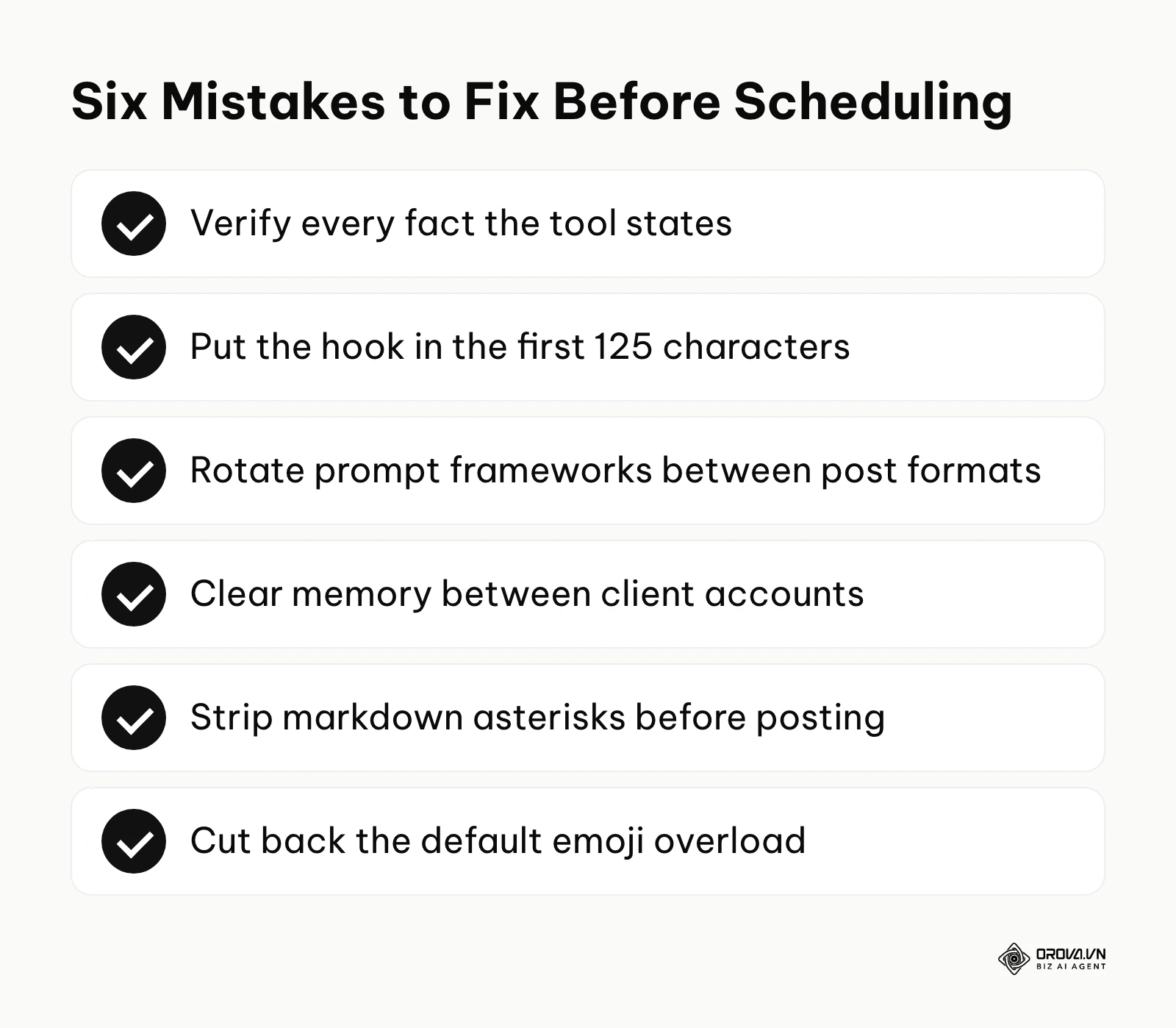
First, trusting AI facts blindly is dangerous. The system will confidently invent statistics or historical anecdotes to make a story sound better. Always verify claims before publishing. Second, ignoring the character cutoff limit is a massive error. Instagram hides text behind a "more" button after about 125 characters. If your generative tool puts the hook in the third sentence, nobody will click to read it. Third, using the exact same prompt for every single post format creates a monotonous, predictable feed. You must rotate through different frameworks.
Fourth, forgetting to clear the system's memory between different client accounts leads to mixed brand voices. Fifth, simply copy-pasting the output often brings along unwanted markdown artifacts, like asterisks meant for bold text, which look highly unprofessional on Instagram. Finally, relying heavily on emojis to convey emotion, which AI tends to do by default, makes the text look juvenile.
Example scenario: A boutique clothing store owner preparing for a seasonal sale. Context: The owner needed to generate a month of promotional content quickly and decided to automate the writing process. Steps: She used a single, basic prompt for thirty different product photos, copied the outputs directly into her scheduling calendar, and set them to publish automatically. Obstacle: Every single caption started with the exact phrase "Step into style this season" and included markdown asterisks that Instagram did not render as bold text. Fix: She paused the automated queue, created a checklist to manually review the first sentence of every generated block, and instituted a strict rule to strip out all markdown symbols before approving the post. Result: The repetitive nature of the feed was broken, reach stabilized, and her genuine comment rates returned to normal levels within a week.
Trends in Instagram captions in the next few years: the author's opinion
The shift towards micro-blogging inside the app
I see more brands writing longer, story-style captions under carousel posts instead of sending people to a link in bio. I believe that over the next few years, the caption will essentially become a micro-blog format. Generative tools will not just be used for clever one-liners; they will be tasked with structuring mini-essays. You should prepare for this by training your models to handle longer, thesis-driven arguments rather than just short promotional hooks.
Native visual recognition will eliminate descriptive prompting
Right now, you have to describe your image meticulously so the text matches the visual. Multimodal models can already read an uploaded photo, so I expect this step to shrink a lot as publishing tools start to "look" at your image or video before drafting. You should prepare by shifting your focus away from describing the image, and instead focus entirely on mastering the strategic tone and emotional angle of your prompts.
Unpolished human errors will become a premium status symbol
Because machine-generated text is almost always grammatically flawless and structurally perfect, perfection is becoming cheap. I believe that slight imperfections, unique slang, and loose, stream-of-consciousness writing will increasingly read as a sign that a real person is behind the account. Brands that allow their copy to remain slightly messy and raw may earn more trust than those with perfectly polished, AI-scrubbed feeds. You should prepare by intentionally leaving some of your own human quirks in the final edit, rather than letting the machine sanitize everything.
Frequently asked questions about how to write instagram captions with ai
Can Instagram detect and penalize AI-generated captions?
Instagram has not published a rule that lowers reach for a caption simply because AI helped draft it. What decides performance is how people react: if the text is boring, repetitive, or stuffed with irrelevant keywords, people ignore it and the post performs poorly. If the text is engaging and holds attention, it does well, whoever wrote the first draft.
How do I stop the tool from using words like 'Unlock' and 'Elevate'?
You must use negative constraints in your prompt framework. Explicitly write a sentence that says: "Do not use the following words: unlock, elevate, delve, game-changer, or seamless." This forces the system to find alternative, more natural vocabulary.
Does AI play a role in optimizing the caption for search?
Yes, an AI tool is helpful for executing a search-friendly caption strategy on social platforms. You can instruct the system to seamlessly blend your target keywords into the natural flow of the story, ensuring the post ranks in native search without looking like it was written strictly for an algorithm.
Should I buy specialized writing tools or just use free chatbots?
If you are managing a single personal brand and have time to tweak prompts daily, free chatbots are perfectly sufficient. However, if you manage multiple client accounts or require high-volume output with strict brand voice consistency, specialized platforms save enough time to justify their cost.
How to make ai captions sound human without spending hours editing?
The secret is heavy upfront preparation. Spend thirty minutes training the system on your historical brand voice and establishing rigid constraints. When the initial output is eighty percent aligned with your style, the human editing process drops from hours to mere minutes per post.
Where to start?
If you have never used these tools for your social media before, your first step should be to simply test the waters. Open any free generative chat platform and use the Storytelling prompt from the library above. Do not worry about publishing it yet. Just observe how applying a rigid framework dramatically changes the quality of the output compared to a basic request.
If you are already using these systems but find yourself constantly frustrated by their robotic, corporate tone, you need to establish a baseline. Your immediate next step is to gather five of your best, most authentic past captions. Feed them into the tool and ask for a detailed tone analysis. Save this analysis in a document; it will become the foundation of every prompt you write moving forward.
If you have successfully dialed in your brand voice but struggle with the logistics of high-volume posting, your focus must shift to distribution. Your next step is to integrate your refined prompts into a centralized social media scheduler where you can draft, edit, and schedule across multiple channels, removing the friction of manual copying and pasting.
About the author

Builder of Orova
Nguyễn Đỗ Trọng Ân has 8 years of experience in marketing, including 6 years managing market development across Asia. He builds Orova, a Biz AI Agent that never sleeps: it plans, runs and optimizes work for businesses.
Run your business with AI Agents
Orova is the always-on Biz AI Agent — it plans, runs, and optimizes the work for you.
Save time, unlock productivity.