
Are free QR code readers safe? What scanner apps can really access
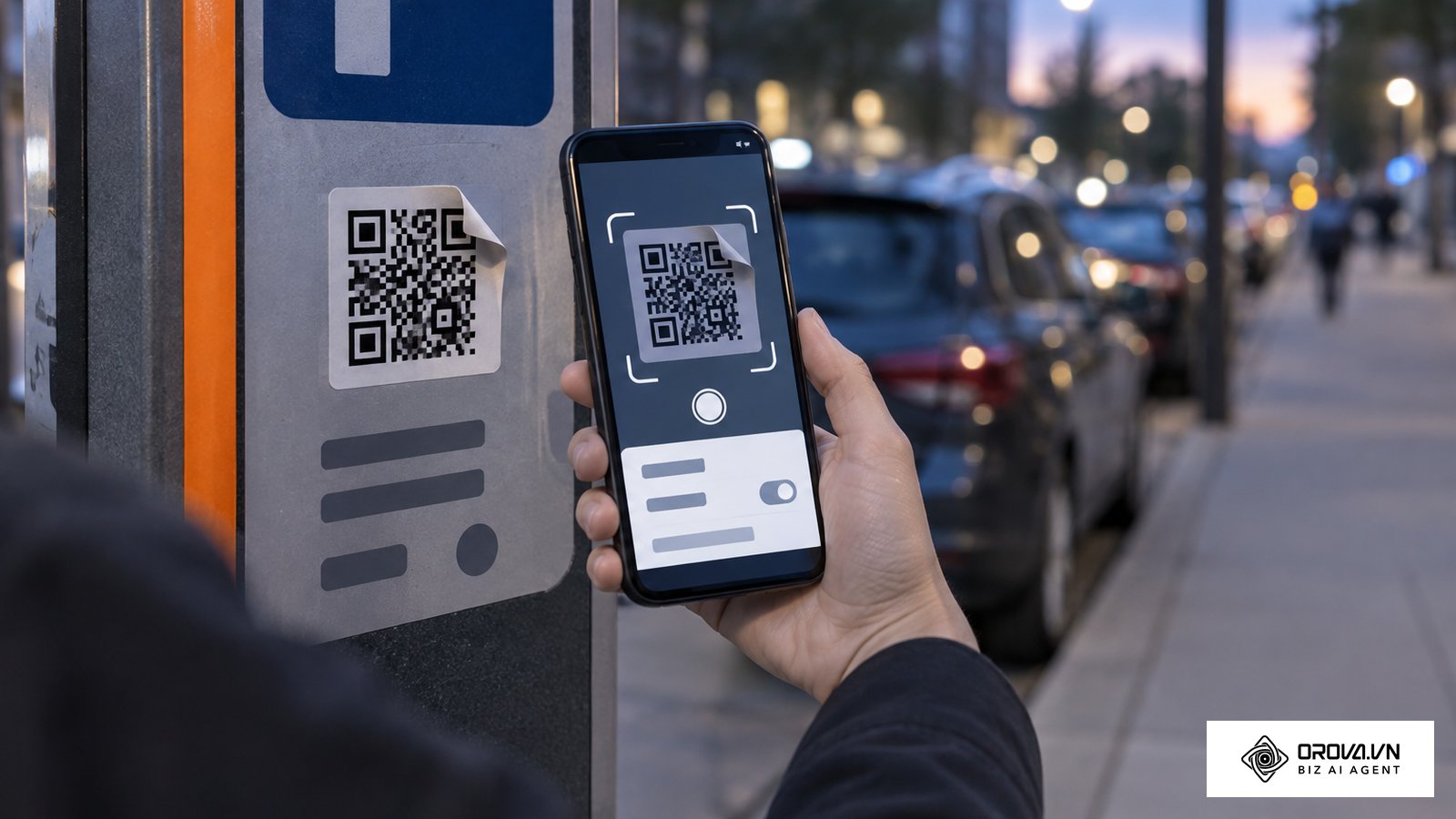
You are standing in a crowded restaurant, pointing your smartphone at a pixelated square on the table, and suddenly wondering: are free qr code readers safe to use for everyday tasks? Many people reflexively open their device's app store and download the first highly-rated utility they see, assuming these incredibly simple tools are harmless. However, this common habit can expose your device to intrusive adware and privacy problems that run quietly in the background. If you accept every permission prompt, you might give an unknown developer access to your contacts, precise location, or microphone without realizing it. This comprehensive analytical guide will deconstruct the exact risks associated with third-party scanning applications, deeply compare them with built-in native solutions, and provide a definitive, step-by-step framework for securing your mobile device against all modern QR-related threats.
Are free QR code readers safe? The reality of third-party scanner apps
Answering the core question directly: not automatically. Some free third-party QR code readers are harmless, but many are ad-supported and ask for far more access than scanning needs, and on a modern phone you usually do not need one at all because the built-in camera already reads QR codes. The barcode itself is only an optical label containing text; the risk comes from two places: the app that reads it and the link the code points to.
If you are downloading a dedicated application just to scan a restaurant menu, validate a parking ticket, or open a promotional link, you are taking monumental and entirely unnecessary risks with your digital privacy. This comprehensive analysis is specifically designed for everyday smartphone users, corporate IT administrators, and small business owners who urgently want to eliminate structural vulnerabilities on their mobile fleets. You should absolutely not proceed with downloading or retaining any new scanner applications until you fundamentally understand the critical differences between secure hardware-level system scanning and ad-supported, externally developed software. Many "free" utilities are paid for with advertising and data collection, so the trade-off deserves a close look.
Prerequisites for secure scanning: What you need before your next scan
Before we deeply audit your mobile device and establish a permanent, secure scanning protocol, you need to deliberately gather a few essential elements and pieces of knowledge. Securing your smartphone environment does not require purchasing expensive enterprise software suites; rather, it requires heightened situational awareness and a crystal-clear understanding of your device's existing native capabilities.
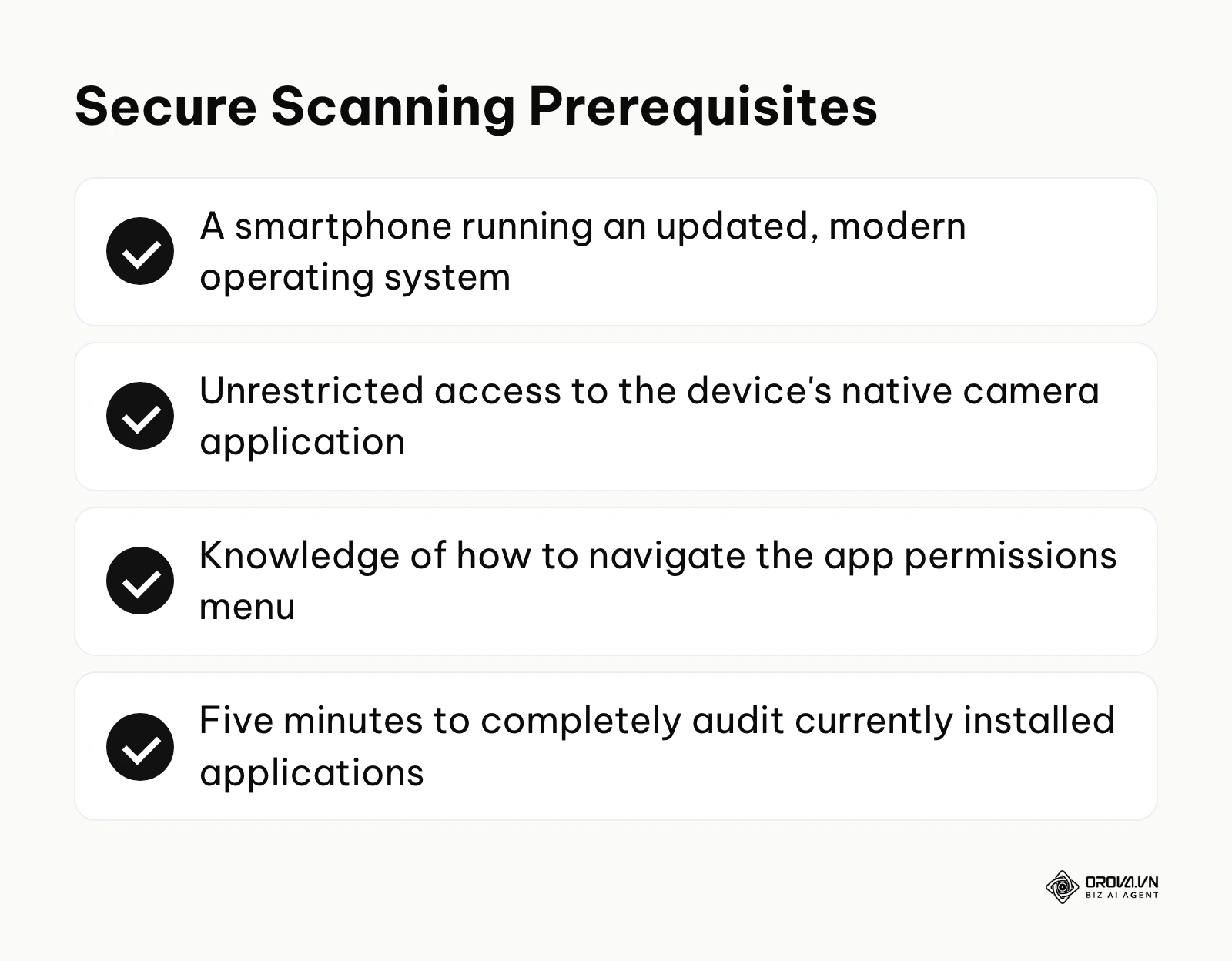
| Prerequisite Item | Where to Source It | Time Required |
|---|---|---|
| Updated Operating System | Navigate to Settings > General > Software Update (iOS) or Settings > System > System Update (Android). | 15–30 minutes (if an update is pending) |
| Native Camera Access | Locate the default camera icon on your primary home screen. | Instant |
| Permissions Knowledge | Familiarize yourself with the Settings > Apps menu on your specific device architecture. | 2–3 minutes |
| List of Installed Scanners | Scroll through your app drawer and physically write down the names of any apps containing "QR," "Scan," or "Barcode." | 5 minutes |
Having these prerequisites ready ensures that as we move through the upcoming audit framework, you can immediately execute the necessary technical remediations without stalling. The goal here is complete eradication of unnecessary attack vectors from your daily digital life.
The 6-step framework to audit and secure your QR scanning habits
To completely neutralize the immense risks posed by predatory applications, you must systemically audit your device and fundamentally alter how you interact with matrix barcodes in public spaces. This comprehensive six-step methodology will guide you from initial vulnerability assessment to establishing a permanent, impenetrable scanning routine.
Step 1: Determine if you actually need a QR code reader app
The most critical realization in mobile security is understanding that almost no modern smartphone requires dedicated software to decode these matrices. The fundamental technology was seamlessly integrated directly into the core operating systems of major manufacturers years ago.
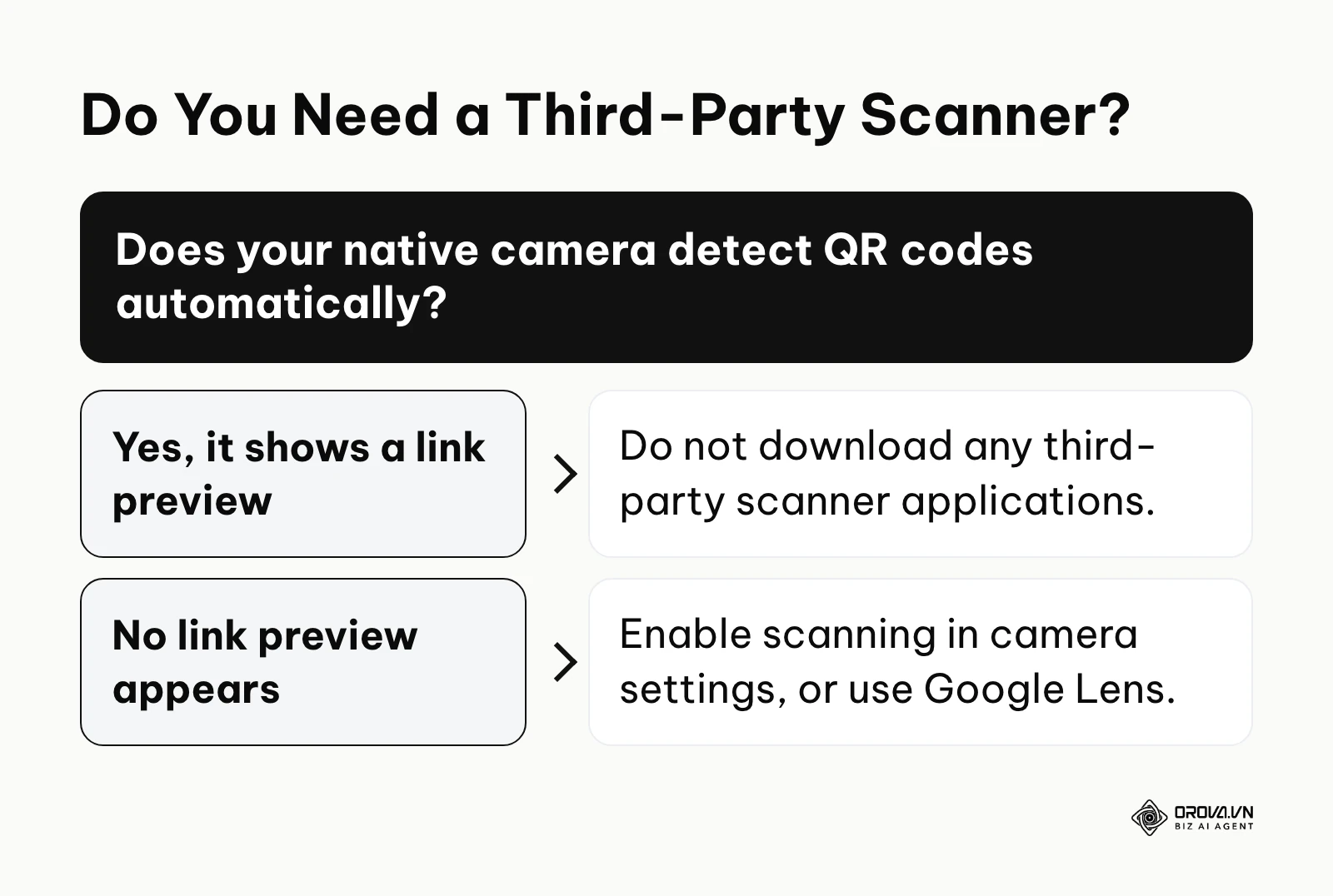
To definitively test this, simply open your device's default, native camera application. Ensure you are currently set to standard "Photo" mode, not video or portrait. Point the optical lens squarely at any QR code you can find (even one on your computer screen). Within milliseconds, a distinct yellow, white, or differently colored link preview bubble should dynamically appear superimposed on the screen near the code. If this link successfully appears, your device possesses native scanning capabilities, and you absolutely do not need, nor should you ever download, a third-party application.
For users operating significantly older Android devices where this instantaneous popup does not occur, you still do not need a rogue app. Simply invoke Google Assistant and tap the "Search screen" or Google Lens icon, which utilizes the exact same secure infrastructure. The definitive sign that you have done this correctly is seeing a clean, system-level URL preview without any flashing banner advertisements or loading screens. A remarkably common mistake users make at this stage is incorrectly assuming that a lack of an instant scanning popup means their phone is incapable, when in reality, the "Scan QR Codes" toggle has simply been accidentally switched off deep within their camera's specific settings menu.
Step 2: Audit existing third-party scanner permissions
If you have previously fallen into the trap of installing a free scanner utility, you must immediately and aggressively audit exactly what parts of your phone's architecture it currently has permission to access. These applications are notorious for requesting sweeping system privileges that are completely disjointed from their stated purpose.
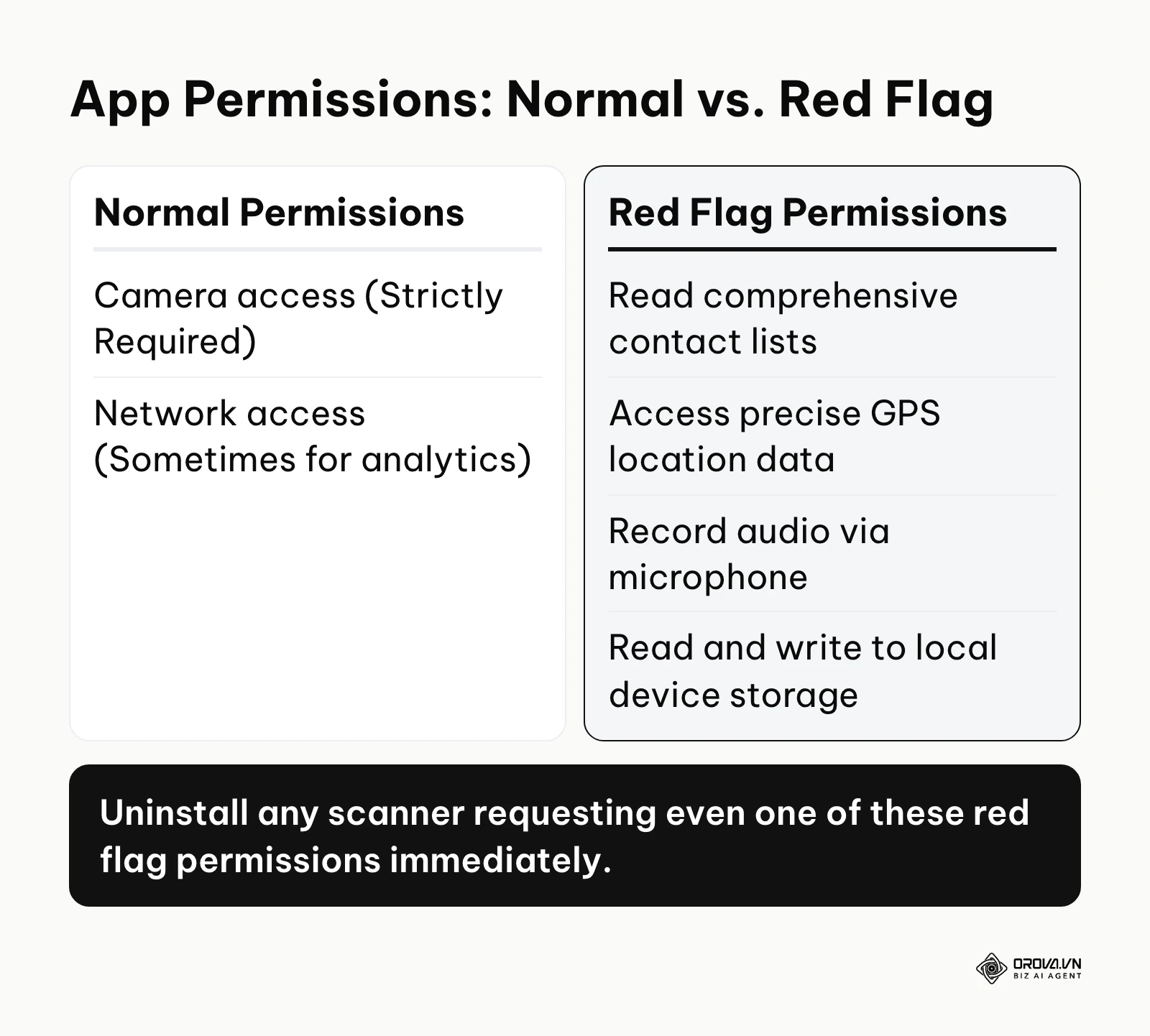
On iOS devices, navigate to Settings, scroll all the way down to the specific application's name in the list, tap it, and meticulously review the active toggles. On Android devices, the path is slightly deeper: navigate to Settings, select "Apps" or "App Management," locate the scanner, and tap "Permissions."
When auditing, a genuinely secure application (assuming you have a niche, enterprise reason to use one) should strictly and only request access to your "Camera." That is the sole hardware component required to read an optical code. If you see active permissions granted for your Contact List, Precise GPS Location, Microphone, or Local Storage, you have identified a massive red flag. These invasive permissions allow the developers to silently scrape your entire address book, track your daily physical commute, and potentially record audio to build a highly lucrative advertising profile. The sign of a successful audit is systematically revoking every single permission, followed swiftly by full uninstallation of the offending software. The most fatal mistake users commit here is blindly clicking "Allow All" upon initial installation simply to clear the pop-up dialogues faster, unknowingly handing over the keys to their digital identity.
Illustrative example: Context: Sarah, a small retail owner, was actively auditing her store's digital devices used strictly for inventory management. Steps: She meticulously checked the four Android tablets utilized daily by her floor staff. She quickly discovered a highly-rated "Free QR Scanner Pro" application installed on all of them. She navigated directly to Settings > Apps > Permissions and was shocked to find it had active, unrestricted access to the tablets' precise location, contact books, and microphones. She immediately uninstalled the application and spent ten minutes training her staff to utilize the built-in Google Lens feature via the native camera instead. Stumbling block: One specific, older tablet was running an outdated OS version that failed to support Google Lens natively. She effectively resolved this by intentionally seeking out and installing a strictly open-source, tracker-free optical reader from the F-Droid repository. Result: Background data usage on the store's Wi-Fi network dropped noticeably, and the tablets stopped displaying random full-screen video advertisements during customer checkout.
Step 3: Master the native link preview feature
Securing the scanning mechanism is only half the battle; you must also secure the actual destination. The most potent defense against sophisticated phishing campaigns is mastering the system-level URL preview feature before the web browser is ever allowed to execute the code.
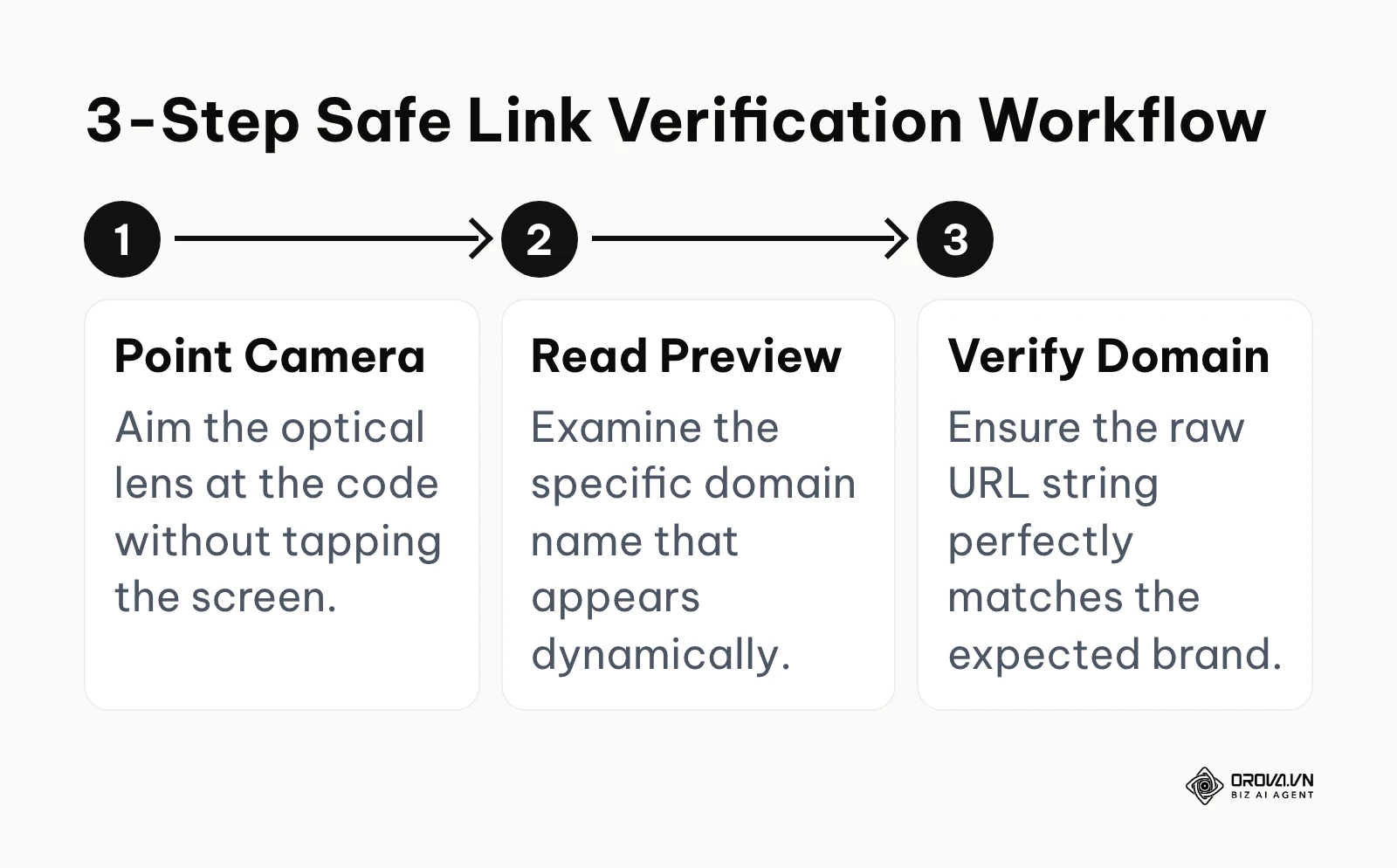
When your default camera successfully detects the matrix, it displays the encoded domain name. The critical instruction here is: do not tap it immediately out of pure reflex. Instead, force yourself to read the text string carefully. On current versions of iOS and Android, the preview shows the destination before anything opens, so you can inspect the exact domain (for example, confirming it is yourbank.com and not a lookalike such as y0urbank-login.com).
If the displayed domain looks exceptionally long, utilizes strange character sets, or attempts to spoof a well-known banking institution using a generic URL shortener, you should immediately back away and close the camera. The undeniable sign of executing this step correctly is your ability to confidently identify and abandon a suspicious scan before any payload is downloaded or any fake login screen is rendered. The single most prevalent mistake users make is treating the QR code as a magical, inherently trustworthy portal, violently tapping the yellow link the very millisecond it appears without ever registering the text, thereby bypassing the OS's final line of psychological defense.
Step 4: Identify and safely eradicate malicious adware disguised as scanners
Many users are completely unaware that their device is currently infected because modern adware is incredibly sophisticated at hiding its true origins. These rogue applications operate silently in the background, aggressively consuming system resources and injecting advertisements into unrelated experiences.
To proactively identify these stealthy culprits, you must look for applications occupying your app drawer that feature incredibly generic, highly optimized names like "QR Scanner & Barcode Reader Pro." Some of these apps show large download counts alongside one-star written reviews complaining about spam. If your device frequently runs hot, drains its battery quickly, or suddenly displays full-screen pop-up advertisements even when you are just checking your email, a recently installed utility app is a likely suspect.
To eradicate the threat safely, you must completely uninstall the application from the deepest settings menu, not just remove the graphical icon from your home screen. On Android, if the ads are so aggressive they prevent uninstallation, you must reboot the device into "Safe Mode" (usually by holding the power button and long-pressing the "Power Off" on-screen option), which temporarily disables all third-party software, allowing you to peacefully remove the malware. The definitive sign of success is an immediate, noticeable improvement in device thermal performance and the sudden, complete cessation of random pop-ups. The dangerous mistake is merely deleting the home screen shortcut, incorrectly believing the underlying background services have been terminated.
Step 5: Implement open-source alternatives if native scanning is unavailable
In highly specific, constrained scenarios—such as operating heavily restricted corporate devices or utilizing extremely old legacy smartphones that genuinely lack any native camera integration or Google services—you must have a safe fallback option that does not involve the commercial app store lotteries.
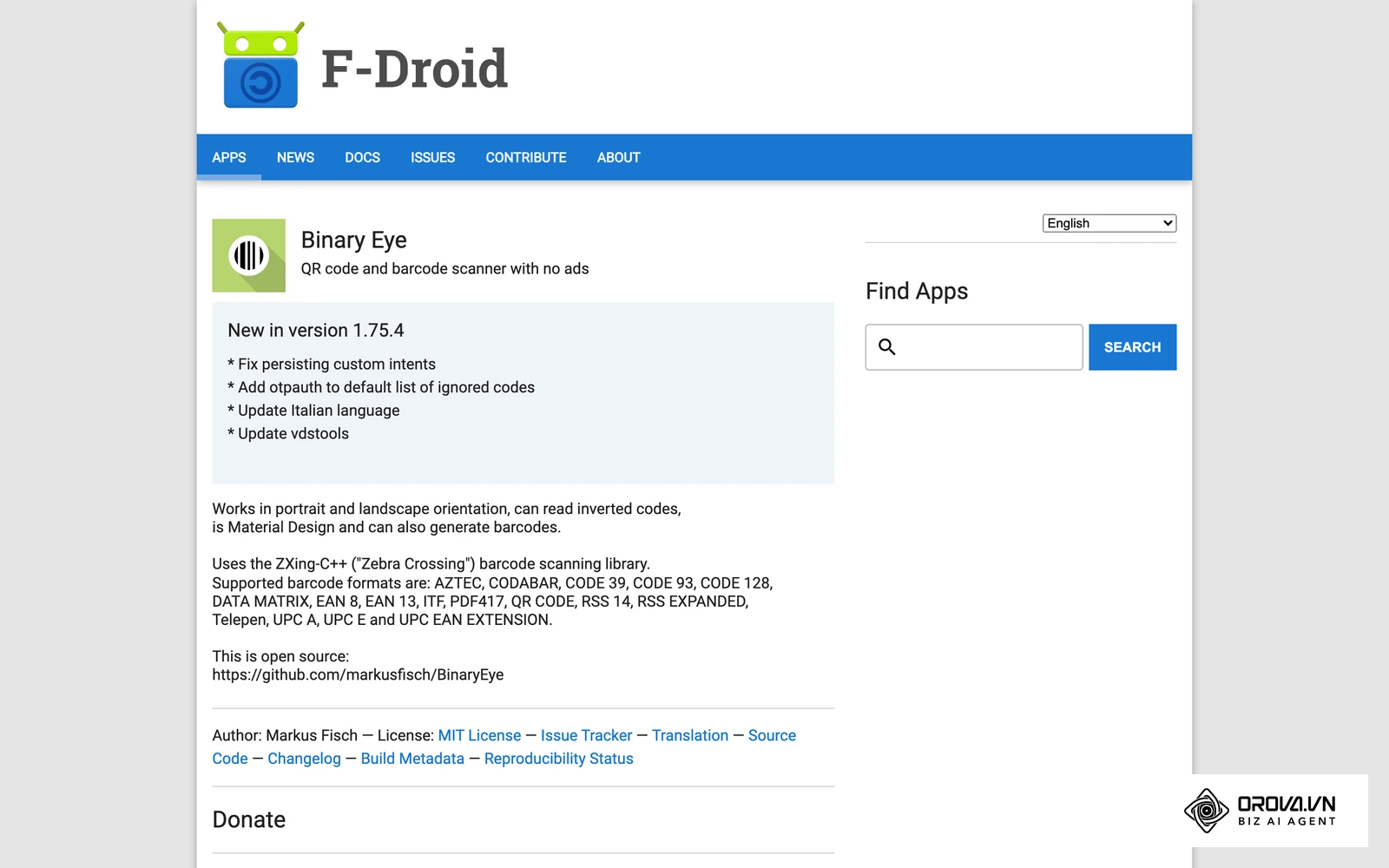
The safest methodology is to completely bypass the ad-supported ecosystem and implement open-source alternatives. Open-source software provides transparent codebases that independent security researchers can actively audit for malicious trackers. To execute this, you should navigate to reputable open-source repositories like F-Droid or seek out specific projects hosted on GitHub that explicitly and proudly state they contain absolutely zero third-party trackers or advertising SDKs. Applications like "Binary Eye" serve as excellent, highly functional examples of robust, tracker-free software.
When you install these alternatives, the process involves downloading an APK file directly and granting the device permission to install from unknown sources—a step that requires caution and should only be done from a repository you trust, such as F-Droid itself. The sign you have chosen correctly is an application interface that is entirely devoid of banner ads, pop-ups, or requests to rate the app, alongside a permission manifest that strictly requests camera access and nothing else. The critical mistake to avoid is downloading an application that fraudulently claims to be "Open Source" in its promotional description on a standard app store, but is in reality just a repackaged adware client designed to exploit privacy-conscious search terms.
Step 6: Establish a routine for verifying dynamic QR codes in public spaces
The final step in securing your daily workflow involves recognizing that the physical environment is just as vulnerable as your digital device. Physical QR codes placed dynamically in public spaces—such as those on municipal parking meters, shared electric scooters, or outdoor cafe tables—are incredibly prime targets for physical tampering.
You must establish a strict personal routine of physical verification. Before raising your camera, physically inspect the surface of the matrix. Is the code clearly printed directly onto the underlying material, or is it a slightly raised, glossy sticker maliciously placed precisely over the original, legitimate code? Attempt to gently scratch the edge of the square; if it easily peels away, it is likely a fraudulent overlay designed to redirect your payment. Furthermore, when utilizing a free qr code generator for your own business, you must educate your customers on what domain they should expect to see.
When you scan a physical code, you must ruthlessly verify the digital link preview against the physical establishment's known, expected digital footprint. The sign of a secure interaction is a seamless match: the physical material is untampered, and the digital URL perfectly aligns with the brand's verified domain. The most dangerous, pervasive mistake is placing blind trust in a code simply because it is printed on a professional-looking, laminated flyer or permanently affixed to a heavy piece of municipal infrastructure.
Creating QR codes for your own customers? With Orova Link & QR you can generate 59 types of codes, including Wi-Fi and vCard, customize colors, logo and frame, and track scans, while your audience simply scans with their phone camera instead of installing an extra app.
Deep analysis: The anatomy of QR threats (App risks vs. Code risks)
To truly achieve comprehensive mobile security, it is fundamentally crucial to intellectually distinguish between the distinct risks inherent to the optical code itself versus the cascading risks introduced by the third-party software reading it. Confusing the delivery mechanism (the code) with what actually runs on your phone (the app or the website) is a common reason people protect the wrong thing. Public warnings, such as the FBI's 2022 public service announcement about tampered QR codes and the FTC's 2023 consumer alert on QR code scams, focus on the code side: the link hidden behind the pattern.
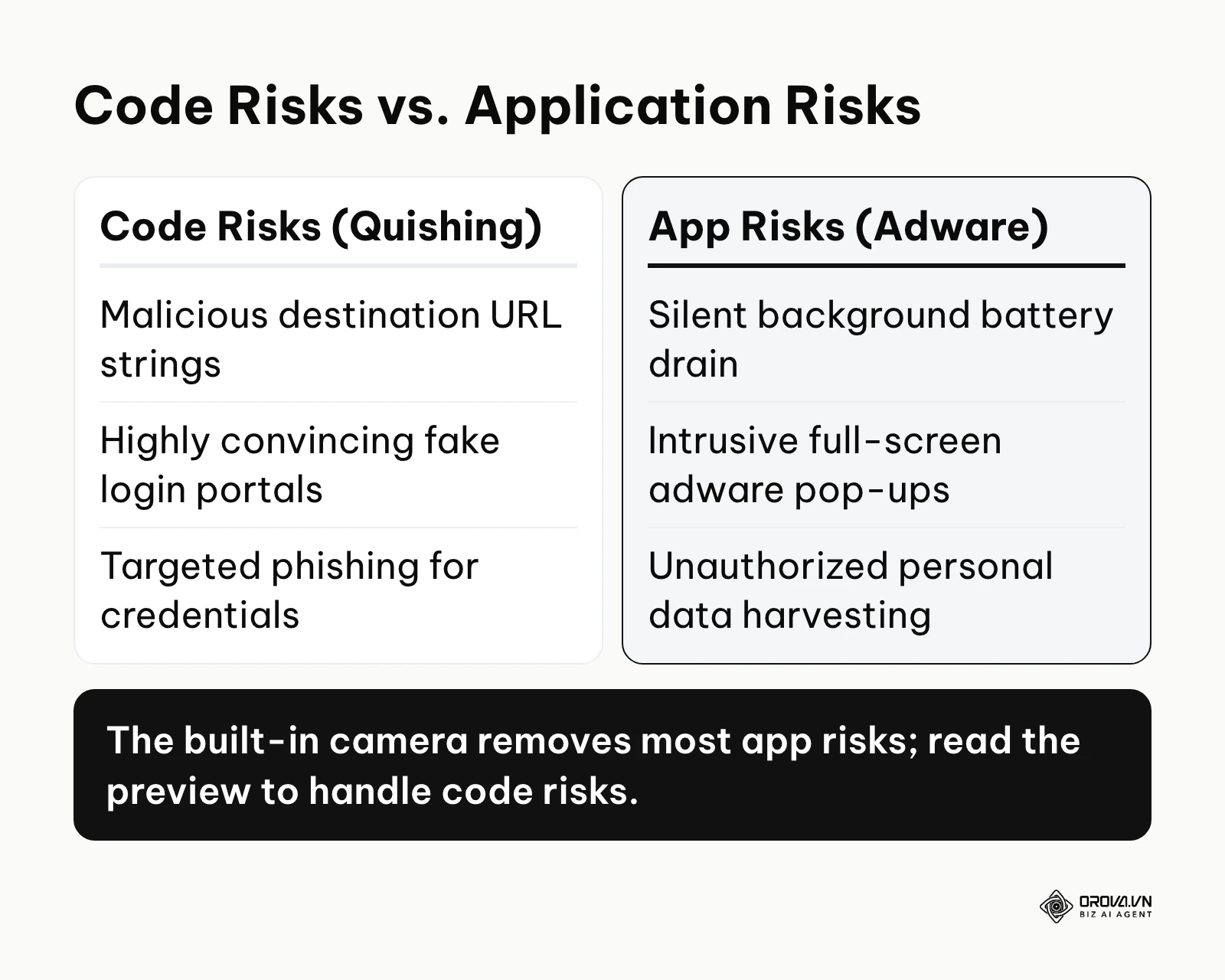
| Threat Vector | Mechanism of Attack | Primary Consequence | Mitigation Strategy |
|---|---|---|---|
| App Risks (Malware) | Malicious code embedded within the scanner utility itself. | System-wide background data harvesting, persistent adware pop-ups, and severe battery drain. | Exclusively utilize the operating system's native camera; never install utility apps. |
| Code Risks (Quishing) | The physical matrix encodes a deceptive, malicious URL string. | Phishing for banking credentials via fake login portals, or triggering drive-by downloads. | Meticulously verify the URL preview text before execution; keep your browser's built-in safe browsing protection switched on. |
| Physical Tampering | Fraudulent stickers overlaid on legitimate payment terminals. | Direct financial theft by routing funds to the attacker's wallet. | Physically inspect the surface; confirm the merchant name directly within the payment app. |
The fundamental architecture of a Quick Response code is mathematically incapable of containing an executable virus. The matrix is merely a complex visual representation of a text string, almost universally a Uniform Resource Identifier (URI). The true danger manifests entirely in how your specific device handles that text string.
If you use an ad-supported application (App Risk), the app may open links in its own in-app browser, load advertising and analytics code, or keep a history of what you scanned, and you have little visibility into where that data goes. Combined with broad permissions, this can turn a simple scanning tool into a data collection channel and a drain on your battery and data plan.
Conversely, the threat of Quishing—QR Phishing—relies entirely on social engineering (Code Risk). In this scenario, the scanner operates perfectly safely, but the destination URL itself is a meticulously crafted trap. Attackers generate codes that direct users to pixel-perfect replicas of popular banking portals, corporate Microsoft 365 login screens, or localized transit authority payment gateways. Because mobile web browsers inherently display less URL information than their desktop counterparts, and because users are often scanning while distracted or in a rush, they readily input their highly sensitive credentials directly into the attacker's database.
Illustrative example: Context: David, an experienced event manager, was actively handling the complex ticketing logistics for a massive regional technology conference. Steps: He deployed a sophisticated create dynamic qr code strategy for printing individual attendee badges to allow seamless session tracking. During the chaotic first morning, he acutely noticed dozens of attendees using random, free scanner apps from their app stores, who were subsequently getting permanently stuck on aggressive ad screens instead of loading the official check-in page. He rapidly updated the pre-event confirmation email template to explicitly and boldly instruct all users to strictly use their native iOS or Android cameras. Stumbling block: Several older attendees had manually disabled native scanning in their iPhone settings years ago and were thoroughly confused. David efficiently resolved this by creating a highly visible, quick-reference graphic at the registration desk showing precisely how to toggle the feature back on via Settings > Camera. Result: The check-in queue moved noticeably faster that morning, and complaints about ad screens at the door stopped.
Measuring your mobile security: Key indicators of a compromised device
How do you definitively know if a seemingly harmless free QR code reader has already successfully compromised your device's structural integrity? You cannot rely on visible error messages; you need to proactively monitor specific, quantitative system metrics that betray the presence of parasitic background processes.
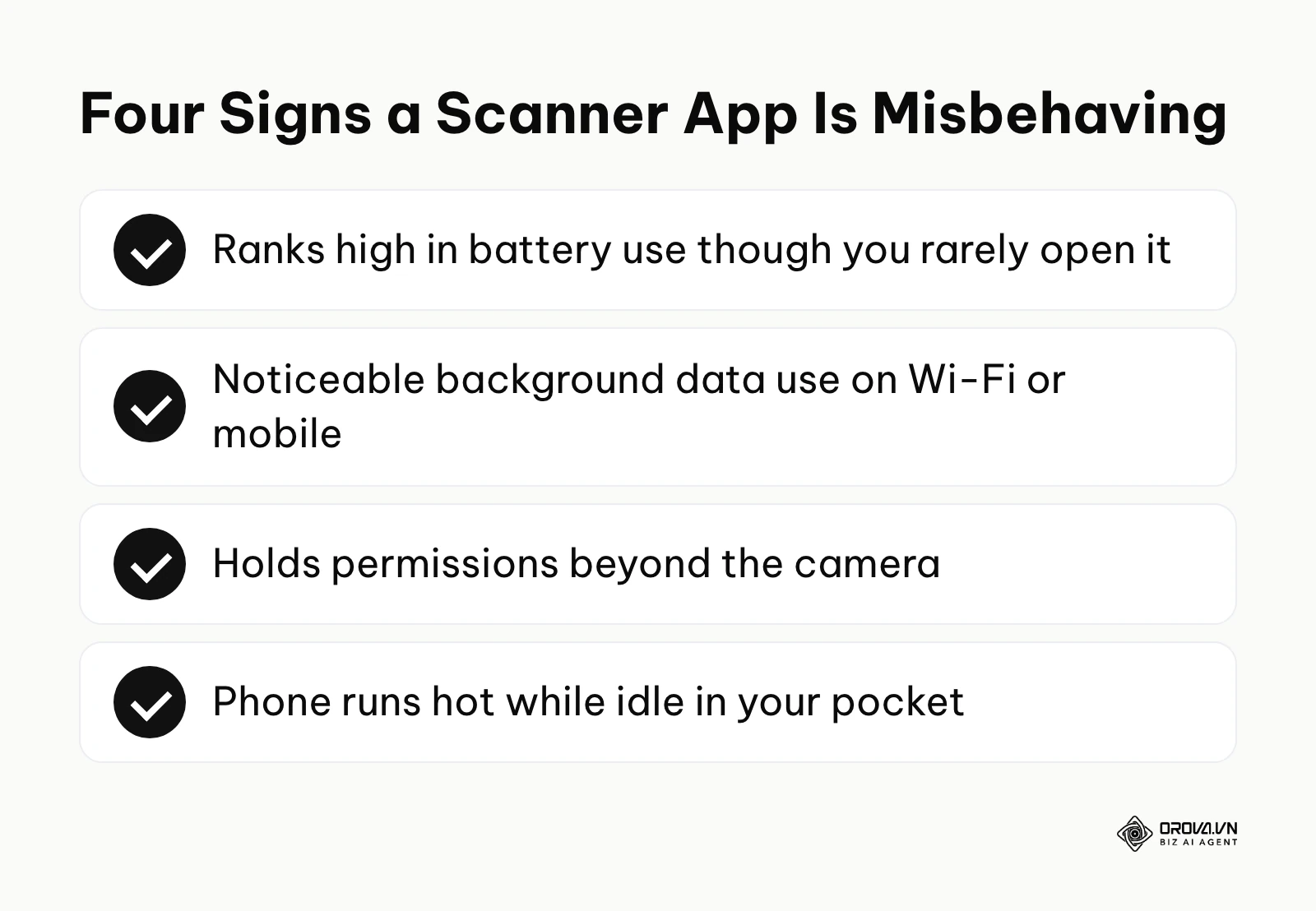
| Security Metric | Meaning of the Metric | Critical Threshold / Red Flag |
|---|---|---|
| Unexplained Battery Drain | Rogue apps run persistent background processes to mine data or execute ad fraud. | The scanner app ranks high in the battery list even though you rarely open it. |
| Spikes in Data Usage | The app is actively uploading your harvested personal data or downloading massive video ads. | The utility app shows noticeable background data use while you are not using it. |
| Permission Breadth | The scope of system access the application has successfully demanded. | The app holds active permissions for anything beyond the physical Camera hardware. |
| Thermal Output | Excessive CPU utilization caused by poorly optimized, hidden malicious scripts. | The device becomes noticeably physically hot to the touch while the device is supposedly idle in your pocket. |
To effectively measure these critical indicators, you must utilize your device's built-in diagnostic tools. On iOS, navigate deeply into Settings > Battery to meticulously review the exact percentage of power consumed by every installed application over the past 24 hours and 10 days. If a simple optical scanner utility is ranking anywhere near your primary web browser or heavily used social media platforms, something is running in the background that should not be, and the app is a clear candidate for removal.
Similarly, on Android, access Settings > Network & Internet > Internet, and review the specific App Data Usage statistics. Background activity can happen over Wi-Fi as well as mobile data, so check both usage views. Tracking these metrics turns a vague worry into something you can actually check.
7 critical mistakes users make with free QR code scanners
Even when users understand the broad concepts of digital security, highly specific behavioral patterns often lead to catastrophic compromises. Avoiding these specific, ingrained mistakes is essential for maintaining a hardened mobile posture.
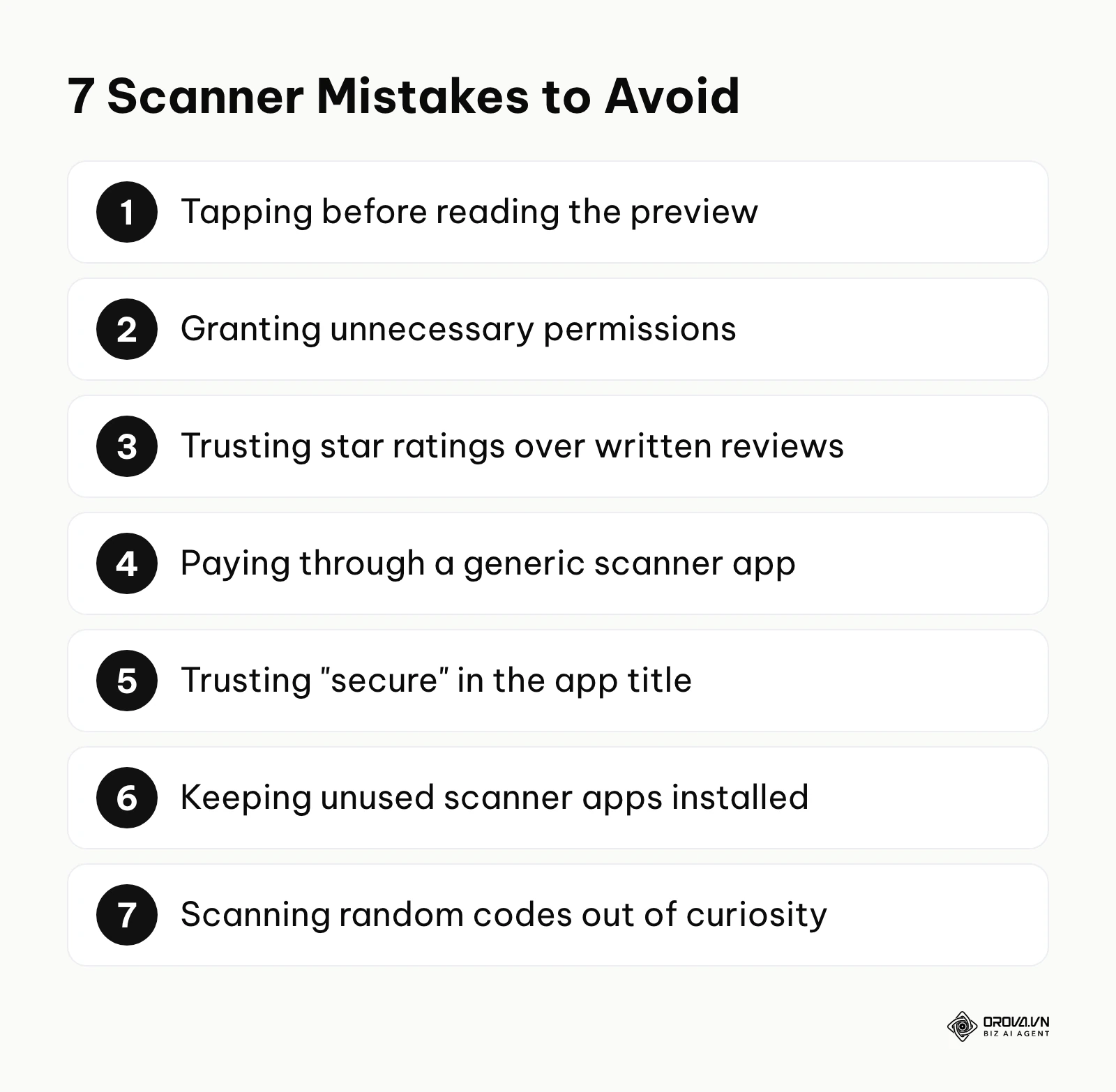
- Blindly tapping without reading the preview string: This is the most pervasive behavioral failure. Operating systems display the destination URL for a crucial reason. When you violently tap the yellow link bubble the millisecond it renders, you entirely bypass the only opportunity to critically evaluate whether the domain is legitimate or a deceptive homoglyph. Always pause for two seconds to read the text.
- Granting sweeping, unnecessary system permissions: When a newly installed application aggressively demands access to your photo gallery, microphone, or precise GPS location simply to read a barcode, treat it as a red flag. Users frequently click "Allow" rapidly just to reach the app's core functionality, handing personal data to a developer they know nothing about.
- Ignoring poor written reviews among fake 5-star ratings: Star ratings can be inflated, and a high average says little about how an app behaves today. Users mistakenly trust the aggregate star rating instead of scrolling down to read the recent 1-star written reviews, which often describe aggressive ads or battery drain.
- Using generic apps for sensitive financial transactions: Users frequently make the critical error of utilizing a random utility app to scan a highly sensitive qr pay code placed at a merchant's counter. You should never route financial data through a third-party intermediary. Always initiate payment scans directly from within your securely authenticated, official banking application.
- Trusting the explicit words "Secure" or "Antivirus" in the app title: Words like "secure" or "safe" in an app title are marketing, not proof. A trustworthy name does not change what permissions the app requests or what its ad libraries do, so judge the app by its permissions and reviews instead.
- Leaving entirely unused scanner apps installed indefinitely: Digital hoarding is a profound security vulnerability. Users often download a scanner for a single specific event, use it once, and leave it installed on their device for years. These dormant applications keep receiving updates in the background, and an app can change owners or behavior after you installed it, so something that was harmless last year may not be harmless today.
- Scanning random, contextless codes purely out of curiosity: Curiosity is a severe liability in the modern physical environment. Users often scan highly ambiguous codes printed on cryptic urban stickers or random lampposts just to see where they lead. This can lead straight to phishing pages or unwanted downloads, and at minimum tells an unknown server that someone scanned the code.
Case in practice: removing a scanner app from a delivery fleet
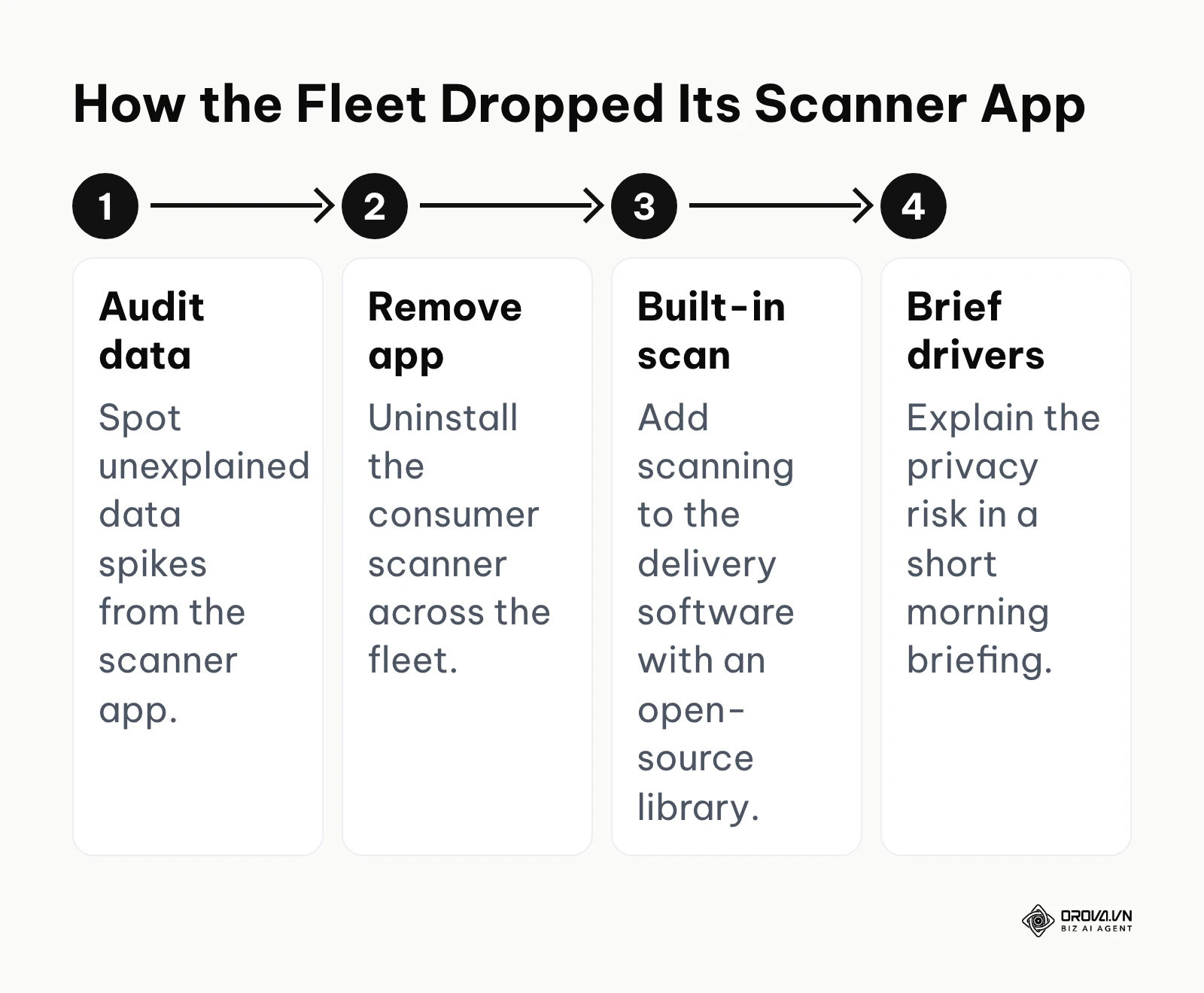
Illustrative example: Context: Michael, a senior logistics coordinator, was actively managing a massive, distributed fleet of regional delivery drivers. Steps: The drivers were routinely scanning external package routing barcodes using a wildly popular, free, ad-supported scanner downloaded from the public app store. Michael proactively audited the corporate cellular data plans and was alarmed to find massive, unexplained data spikes originating from the scanner app. He immediately mandated the absolute removal of the consumer application across the entire fleet and efficiently integrated the core scanning function directly into their proprietary delivery software using a clean, open-source library. Stumbling block: The drivers initially complained loudly about the new, integrated workflow interface being slightly different and requiring retraining. Michael efficiently held a focused 15-minute morning briefing to clearly, starkly explain the severe privacy risks and corporate data liabilities associated with the old adware application. Result: The company entirely eliminated the massive risk of third-party data harvesting of their proprietary delivery routes, and the drivers' device battery life during grueling 8-hour shifts improved visibly, significantly reducing downtime.
If you are on the business side creating these codes, you also carry part of the responsibility: print a short, recognizable domain near the code and tell customers to scan it with their phone camera, so nobody needs an extra app.
Start creating trackable QR codes and short links today. Orova Link & QR is free until July 7, 2027, with dynamic codes you can redirect after printing and scan statistics by day, device, country and source.
Future trends in QR code security: My predictions for the next few years
The landscape of mobile security is rapidly evolving. Based on the current trajectory of operating system architecture and the escalating sophistication of threat actors, I believe the way we interact with these codes will keep shifting over the next few years. Here are my predictions.
Phones will check scanned links before you tap them
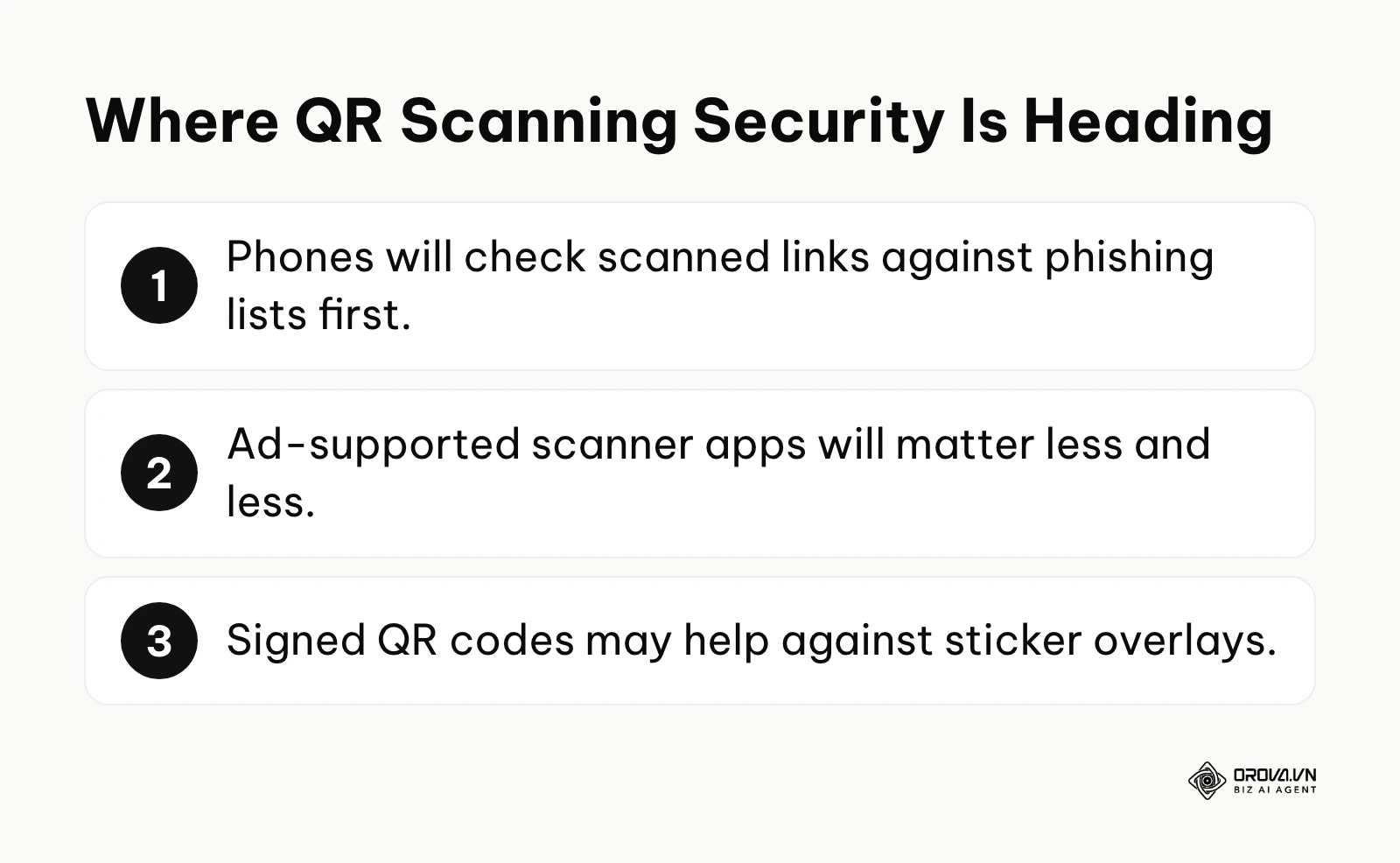
Currently, the burden of verifying a suspicious URL preview rests almost entirely on the human user's visual acuity. I expect operating systems to do more of this work at the camera level, checking a decoded link against lists of known phishing domains and lookalike names before the browser opens it, and warning the user when something looks wrong. That will not end quishing, but it should make the lazy attacks less effective. You should prepare for this by ensuring your corporate domains are properly verified and never utilize shady, blacklisted URL shorteners that might trigger these future AI defense mechanisms.
Standalone scanner apps will matter less and less
I think the standalone, ad-supported scanning utility will keep losing relevance. As general consumer awareness regarding native camera capabilities finally reaches a critical mass, and as tech giants like Apple and Google continue to aggressively lock down background permission architectures to preserve battery life, there is less and less reason to install one. I would not be surprised to see app stores apply stricter review to simple utilities that request irrelevant permissions like contact access. Fewer people will accept an app that drains their battery simply to perform a function their phone already does natively.
The widespread adoption of cryptographically signed physical codes
The physical vulnerability of sticker overlays currently represents the most difficult vector to secure. I expect more interest in signed or verifiable QR codes, particularly in the high-stakes municipal parking and transit payment sectors. Such codes could carry a digital signature that lets a trusted app confirm who created them. When scanned by a secure banking or transit app, the software will cryptographically verify the signature; if a fraudulent sticker has been placed over the terminal, the signature would fail to validate and the app could stop the payment. Adoption will likely be slow and uneven, so physical checks will stay important for a long time.
Frequently asked questions about QR code scanners
What is the safest free QR code scanner available today?
The absolute safest scanner is undeniably the native, built-in camera application that shipped with your modern smartphone's operating system (iOS or Android). Because this software is developed directly by Apple or Google, it requires zero additional downloads, operates entirely without intrusive advertisements, and crucially, does not harvest or route your personal scan data through opaque third-party servers. If your device is exceptionally old, a tracker-free open-source option from a repository like F-Droid is the only acceptable alternative.
Are QR code scanner apps dangerous to my personal data?
They can be. Not every scanner app is harmful, but many free ones are funded by advertising and some request permissions that scanning does not need, such as precise location, microphone, or your contact list. Once granted, you have little control over how that data is used, which is why the built-in camera is the safer default.
Do I need a QR code reader app on a brand new smartphone?
Usually not. Most smartphones released in recent years can read QR codes directly from the default camera app. Downloading a dedicated application on a modern device is not only entirely redundant but actively introduces severe, unnecessary security vulnerabilities and background resource drain into an otherwise clean operating system.
Can AI protect me from malicious QR code links?
Partly. Modern mobile browsers and security tools check links against reputation lists, and some use machine learning, so a known phishing page may trigger a warning before it loads. Treat this as a safety net, not a guarantee: new phishing domains are not always on those lists yet, so reading the URL preview still matters.
How do I know if my phone has a built-in scanner?
You can verify this instantly by opening your primary, default camera app and pointing it directly at any visible QR code while ensuring you are in standard "Photo" mode. If a clickable link bubble, yellow box, or notification dynamically appears on your screen offering to open a web page, your device has a built-in scanner. If nothing happens, navigate deeply into your camera's specific settings menu and look for a toggle labeled "Scan QR Codes" or utilize the Google Lens icon.
Where should you start today?
Securing your mobile environment against these pervasive threats is not a complex, multi-day project; it is a rapid shift in digital hygiene. Depending on your current technological habits, here is the exact, single most impactful action you should take within the next five minutes.
If you currently have any third-party scanner applications installed on your device right now, your immediate action is to navigate directly to your system's deeply embedded App Settings menu and execute a full, permanent uninstallation. Do not merely delete the icon from your home screen. Ruthlessly eradicate the software to instantly terminate any hidden, parasitic background processes and permanently revoke their invasive access to your device's camera and location data.
If you are standing in a restaurant or transit station and are about to scan a code, your immediate action is to deliberately open your native, default camera app. Point it at the matrix, and force yourself to pause for three full seconds to meticulously read the URL preview string that appears on the screen. Confirm that the domain perfectly matches the physical establishment before you allow your thumb to tap the link and execute the browser.
If you are a business owner or marketer who urgently needs a reliable free qr code generator for your upcoming print campaigns, your immediate action is to pick a generator that lets customers scan with their normal camera and shows a clear domain. Our comparison of the best qr code generator options lists what to check before you print.
About the author

Builder of Orova
Nguyễn Đỗ Trọng Ân has 8 years of experience in marketing, including 6 years managing market development across Asia. He builds Orova, a Biz AI Agent that never sleeps: it plans, runs and optimizes work for businesses.
Run your business with AI Agents
Orova is the always-on Biz AI Agent — it plans, runs, and optimizes the work for you.
Save time, unlock productivity.