
JSON LD schema examples for SEO: valid templates and GSC fixes

Good json ld schema examples for seo are small, valid <script type="application/ld+json"> blocks that describe the real entities on a page (an article, a product, an organization, a video) using the Schema.org vocabulary, in the format Google recommends for structured data. When developers and technical marketers attempt to implement structured data, they often rely on copying static snippets from generic tutorials found across the web. While this manual approach might suffice for a single homepage or a one-off landing page, it completely falls apart when applied at scale. If you are managing hundreds of blog articles, thousands of product pages, or complex directory listings, manually editing static code is an unsustainable workflow that inevitably leads to critical syntax errors and missed opportunities for enhanced visibility. What you actually need are robust, dynamic templates that integrate directly with your content management system's native variables. This comprehensive guide will walk you through the entire process of moving from basic static implementations to advanced, deeply nested structures. We will explore how to inject these data templates into popular platforms like WordPress and Shopify, and crucially, how to troubleshoot and permanently resolve the frustrating parsing errors that frequently appear in your search console dashboards.
What Are JSON-LD Schema Examples For SEO?
JSON-LD (JavaScript Object Notation for Linked Data) is a lightweight Linked Data format that allows you to embed structured data into your web pages without cluttering the visible HTML document. These examples serve as the standardized blueprints that search engines use to understand the exact entities on your page—whether that entity is a person, an organization, a local business, or a product. By providing explicit context, this semantic vocabulary helps search engines display rich results, such as review stars, recipe cards, or product prices directly in the search results.
Not every schema type still earns a visual enhancement, so it pays to check Google's current list before you build anything. Google retired HowTo rich results in 2023 and, in the same year, limited FAQ rich results to well-known, authoritative government and health websites; in 2025 it also announced it was phasing out several less-used result types. You can still mark up a genuine FAQ section, but you should not expect the expandable question dropdowns to appear for a typical business site. If your goal is visibility for questions, writing clear question-and-answer content on the page itself is a better bet for appearing in Google's People Also Ask box. The examples in this guide therefore focus on types that remain supported: Article, Organization, BreadcrumbList, Product with merchant listing details, LocalBusiness, and VideoObject with key moments.
Any website owner, technical SEO specialist, or web developer who wants to control how their site's information is interpreted by search engine algorithms should implement this markup. However, you should avoid deploying complex schema if your page content is thin, inaccurate, or if the markup describes entities that are not visibly present to the human reader, as this can trigger a manual action for spammy structured markup.
Preparation: What You Need Before Implementing Structured Data JSON-LD
Before you start writing code or editing your theme files, you must gather the necessary resources and establish a clear plan. Implementing structured data JSON-LD directly impacts how crawlers parse your site, meaning that a small syntax mistake can break your rich result eligibility site-wide.
You need to ensure you have full administrative access to your Content Management System (CMS) or the ability to deploy tags via a container management system. Furthermore, you must understand your site's underlying data architecture. For example, if you want to output dynamic author data, you must confirm that your CMS actually stores author biographies and social links in queryable database fields.
| Requirement | Source / Tool | Estimated Preparation Time |
|---|---|---|
| Access to Theme Files or Tag Manager | CMS Dashboard / Google Tag Manager | 10 minutes |
| Base Schema Vocabulary Definitions | Schema.org Documentation | 30 minutes |
| Google-Specific Required Properties | Google Search Central Guidelines | 45 minutes |
| CMS Variable Documentation (PHP/Liquid) | WordPress Developer Resources / Shopify Dev Docs | 1 hour |
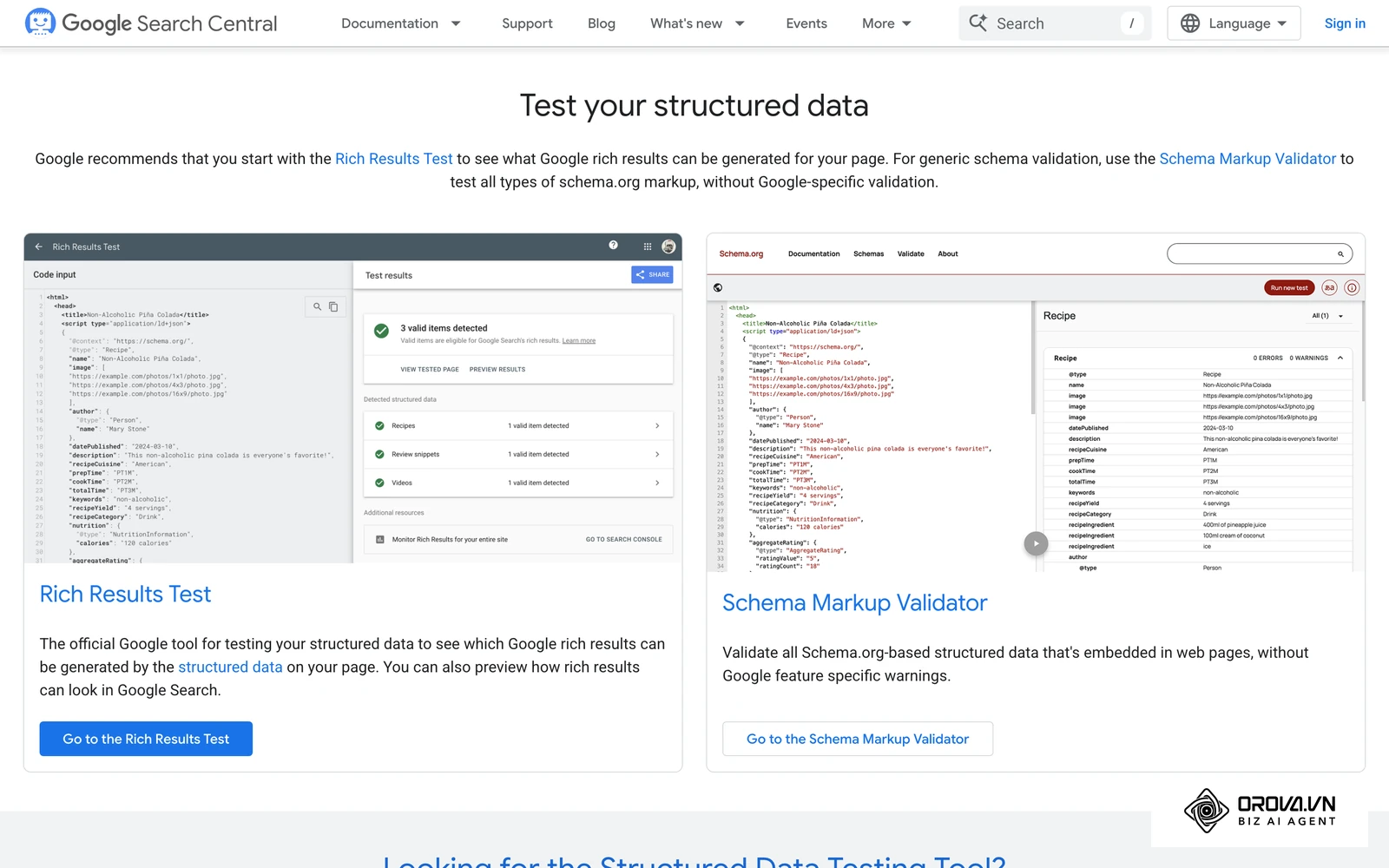
| Code Validation Environment | Google Rich Results Test | 5 minutes |
Understanding the distinction between Schema.org's broad vocabulary and Google's specific requirements is critical. Schema.org defines thousands of properties, but Google only requires a very specific subset of them to award a rich snippet. Always prioritize Google's required and recommended properties over optional Schema.org fields.
Step-by-Step Guide: Deploying Dynamic JSON-LD Templates
Deploying schema dynamically means writing a template once and allowing your server or client-side scripts to populate the specific data fields automatically based on the page being requested. This section breaks down the entire process from conceptual mapping to final validation.
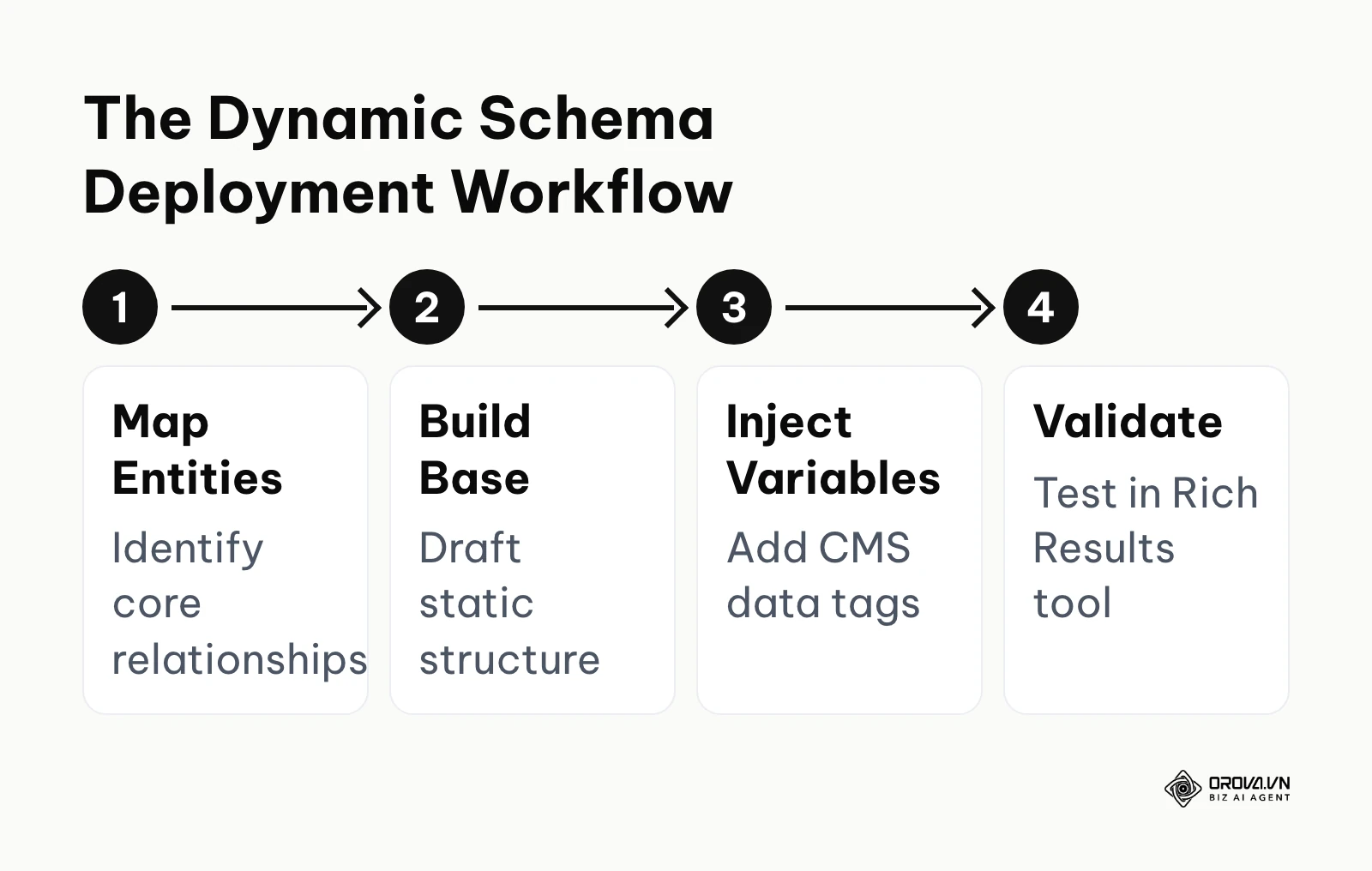
Step 1: Mapping Entity Relationships for the Page
Before writing any JSON, you must conceptualize the page not as a collection of text, but as a network of connected entities. This is the foundation of semantic search optimization. Ask yourself: what is the primary "thing" this page is about?
If it is a blog post, the primary entity is an Article or BlogPosting. However, that article does not exist in a vacuum. It is published by an Organization (your company), written by a Person (the author), and belongs to a broader WebSite. Mapping these relationships on a whiteboard or a simple spreadsheet helps you understand which data points you need to pull from your database. If you fail to map these relationships, you will end up with isolated, disconnected code blocks that force the search engine to guess how the entities interact, diminishing your overall on page seo effectiveness.
Step 2: Drafting the Base JSON-LD Structure
Once your entities are mapped, you begin by drafting a static skeleton of your JSON-LD. Every valid snippet must sit inside a <script> tag declaring the application/ld+json type, followed by the @context and @type declarations.
Here is what a foundational skeleton looks like before any dynamic variables are introduced:
<script type="application/ld+json">
{
  "@context": "https://schema.org",
  "@type": "Article",
  "headline": "Static Title Placeholder",
  "image": ["https://example.com/images/static-placeholder.jpg"],
  "datePublished": "2026-10-08T08:00:00+00:00",
  "dateModified": "2026-10-08T08:00:00+00:00",
  "author": {
    "@type": "Person",
    "name": "Author Name Placeholder",
    "url": "https://example.com/author/placeholder/"
  }
}
</script>
The @context tells the parser that you are using the Schema.org vocabulary. The @type defines the specific entity being described. The properties that follow (headline, datePublished, author) must match the exact casing and naming conventions defined in the documentation. This static draft serves as your testing ground to ensure the basic hierarchical syntax is correct before you introduce the complexity of server-side programming languages.
Step 3: Injecting Dynamic CMS Variables (WordPress & Shopify)
This is the most critical step for scalability. You must replace the static text strings with dynamic variables pulled directly from your CMS database. Google's structured data guidelines require the markup to describe content that is actually visible on the page, and generating it from the same database fields that render the page is the simplest way to keep the two in sync.
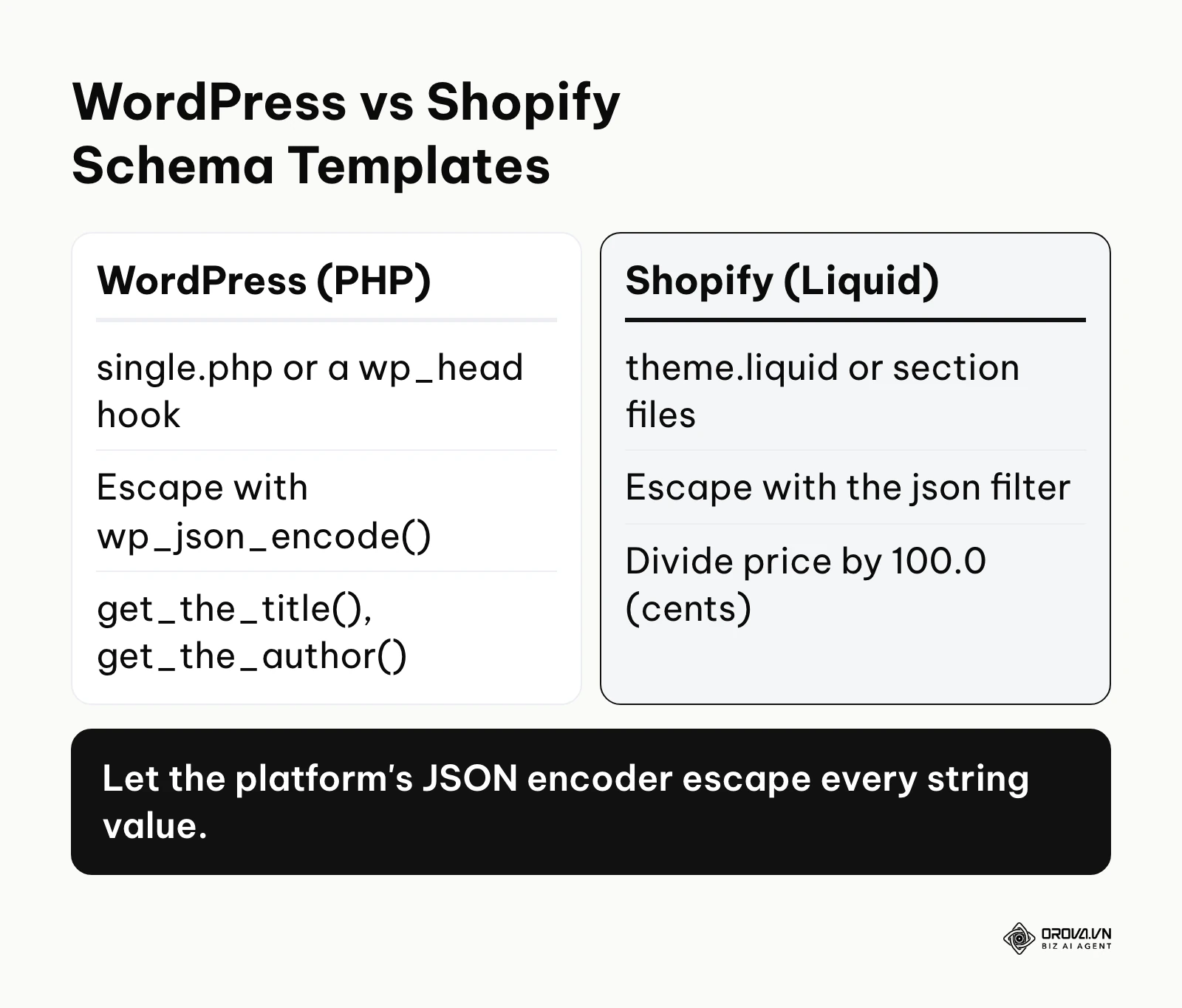
If you are using WordPress, you will utilize PHP functions to fetch data within your theme's single.php template (inside the loop) or through a function hooked to wp_head in functions.php.
<script type="application/ld+json">
{
  "@context": "https://schema.org",
  "@type": "Article",
  "headline": <?php echo wp_json_encode( get_the_title() ); ?>,
  "datePublished": <?php echo wp_json_encode( get_the_time('c') ); ?>,
  "author": {
    "@type": "Person",
    "name": <?php echo wp_json_encode( get_the_author() ); ?>
  }
}
</script>
Notice the use of wp_json_encode(). JSON-LD is plain JSON, so every string value must be properly encoded to keep the block parseable. If an author's name contains a special character or a quotation mark (e.g., John "The Expert" Doe), failing to encode it will break the JSON string entirely, rendering the entire block unreadable by crawlers.
Illustrative example:
- Context: A mid-sized publishing site with over 500 articles managed by a two-person SEO team.
- Steps taken: They initially pasted static schema into custom fields for their top 50 articles. Realizing this was unscalable, they switched to a custom PHP function in their WordPress theme to pull the post title and author metadata dynamically.
- Snag and fix: Articles with double quotes in the headline immediately broke the JSON syntax, causing validation failures. They fixed this by wrapping all output variables in the wp_json_encode() function to safely escape the characters.
- Result: The Rich Results Test showed valid Article markup on the sampled templates, and the parsing errors in Search Console stopped growing as Google recrawled the 500 articles.
For Shopify environments, you will use the Liquid templating language within your theme.liquid or specific section files.
<script type="application/ld+json">
{
  "@context": "https://schema.org/",
  "@type": "Product",
  "name": {{ product.title | json }},
  "image": [
    {{ product.featured_image | image_url: width: 1200 | prepend: "https:" | json }}
  ],
  "description": {{ product.description | strip_html | json }},
  "sku": {{ product.selected_or_first_available_variant.sku | json }},
  "brand": {
    "@type": "Brand",
    "name": {{ product.vendor | json }}
  },
  "offers": {
    "@type": "Offer",
    "url": {{ shop.url | append: product.url | json }},
    "priceCurrency": {{ cart.currency.iso_code | json }},
    "price": {{ product.selected_or_first_available_variant.price | divided_by: 100.0 | json }},
    "availability": "https://schema.org/InStock"
  }
}
</script>
In the Liquid example, the json filter handles the necessary escaping automatically, and image_url returns a protocol-relative address, which is why https: is prepended. Pay special attention to how the price is handled: Shopify stores prices in cents, so we must use divided_by: 100.0 to convert it to a standard decimal format expected by search engines.
Step 4: Building Nested Schemas Using @graph
When a single page contains multiple distinct entities—such as a recipe, an instructional video, and the organization that publishes them—you should not output several separate, disconnected script blocks. Instead, you should connect them using the @graph array. In JSON-LD, the @graph keyword lets you list several nodes side by side in one block and link them by referencing their unique @id values.
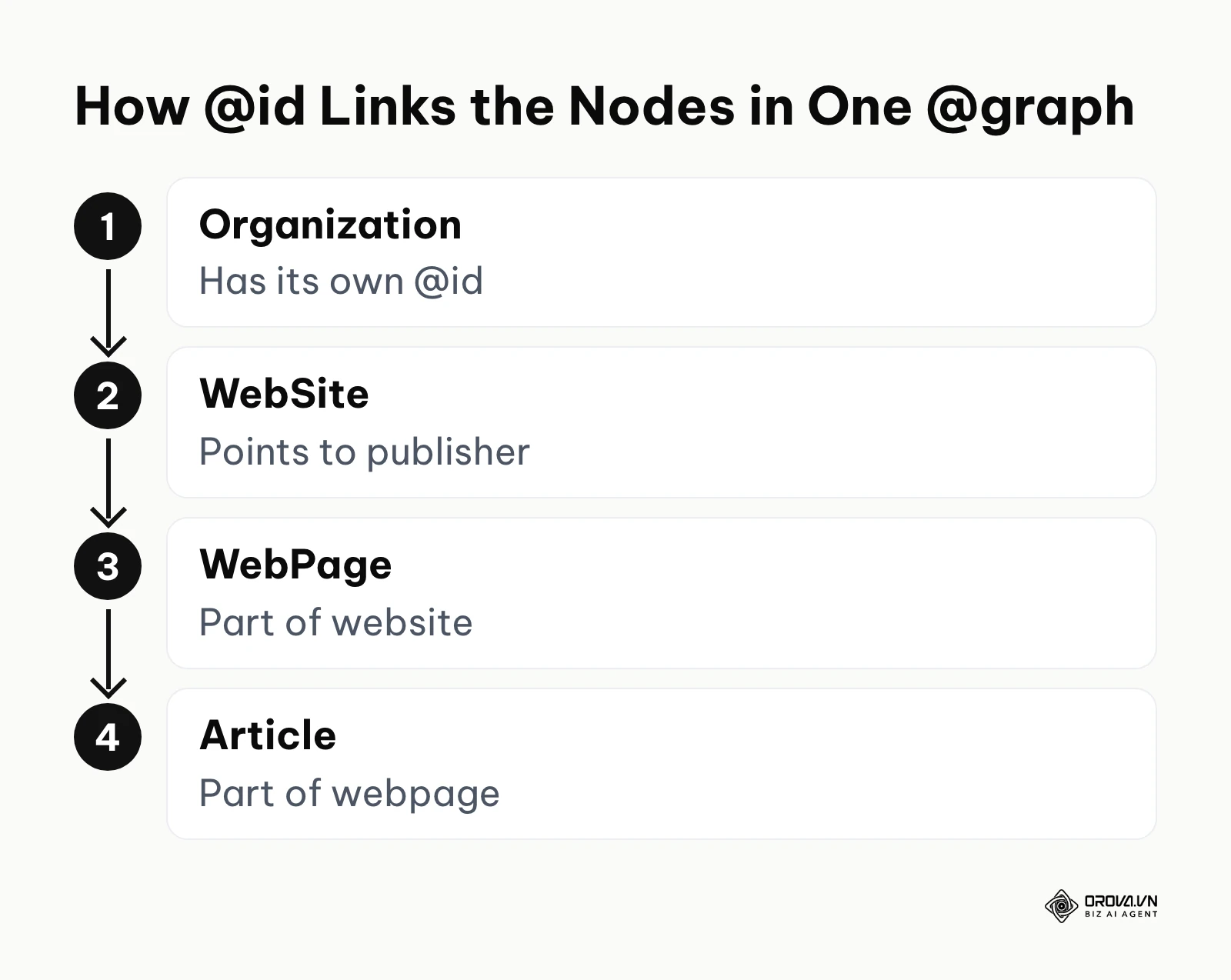
The @id property acts similarly to a primary key in a relational database. It assigns a unique, global identifier (usually a URL appended with a hash fragment) to an entity, allowing other entities to reference it without duplicating all of its internal data.
<script type="application/ld+json">
{
  "@context": "https://schema.org",
  "@graph": [
    {
      "@type": "Organization",
      "@id": "https://example.com/#organization",
      "name": "Tech Insights Inc.",
      "url": "https://example.com/",
      "logo": "https://example.com/images/logo.png"
    },
    {
      "@type": "WebSite",
      "@id": "https://example.com/#website",
      "url": "https://example.com/",
      "publisher": {
        "@id": "https://example.com/#organization"
      }
    },
    {
      "@type": "WebPage",
      "@id": "https://example.com/blog/ai-trends/#webpage",
      "url": "https://example.com/blog/ai-trends/",
      "isPartOf": {
        "@id": "https://example.com/#website"
      }
    },
    {
      "@type": "Article",
      "@id": "https://example.com/blog/ai-trends/#article",
      "headline": "AI Trends for Small Publishers",
      "datePublished": "2026-09-30T09:00:00+00:00",
      "isPartOf": {
        "@id": "https://example.com/blog/ai-trends/#webpage"
      },
      "author": {
        "@type": "Person",
        "@id": "https://example.com/author/jane-doe/#person",
        "name": "Jane Doe"
      },
      "publisher": {
        "@id": "https://example.com/#organization"
      }
    }
  ]
}
</script>
In this structure, the Article explicitly declares that its publisher is the entity located at https://example.com/#organization. The crawler reads the @graph array, finds that exact @id, and understands the complete context of the publisher without you having to retype the logo, URL, and corporate details inside the article block. This creates a deeply semantic, localized knowledge graph that provides search algorithms with maximum confidence regarding your content relationships.
Step 5: Implementing Niche Schemas (Merchant Listing & VideoObject)
Basic article and local business schemas are common, but competitive advantage often lies in implementing advanced, highly specific vocabularies. For instance, if you are focusing on ecommerce seo, a bare product snippet leaves useful information on the table. Google's merchant listing documentation supports the hasMerchantReturnPolicy and shippingDetails properties inside the Offer, which can feed return and shipping information into shopping experiences.
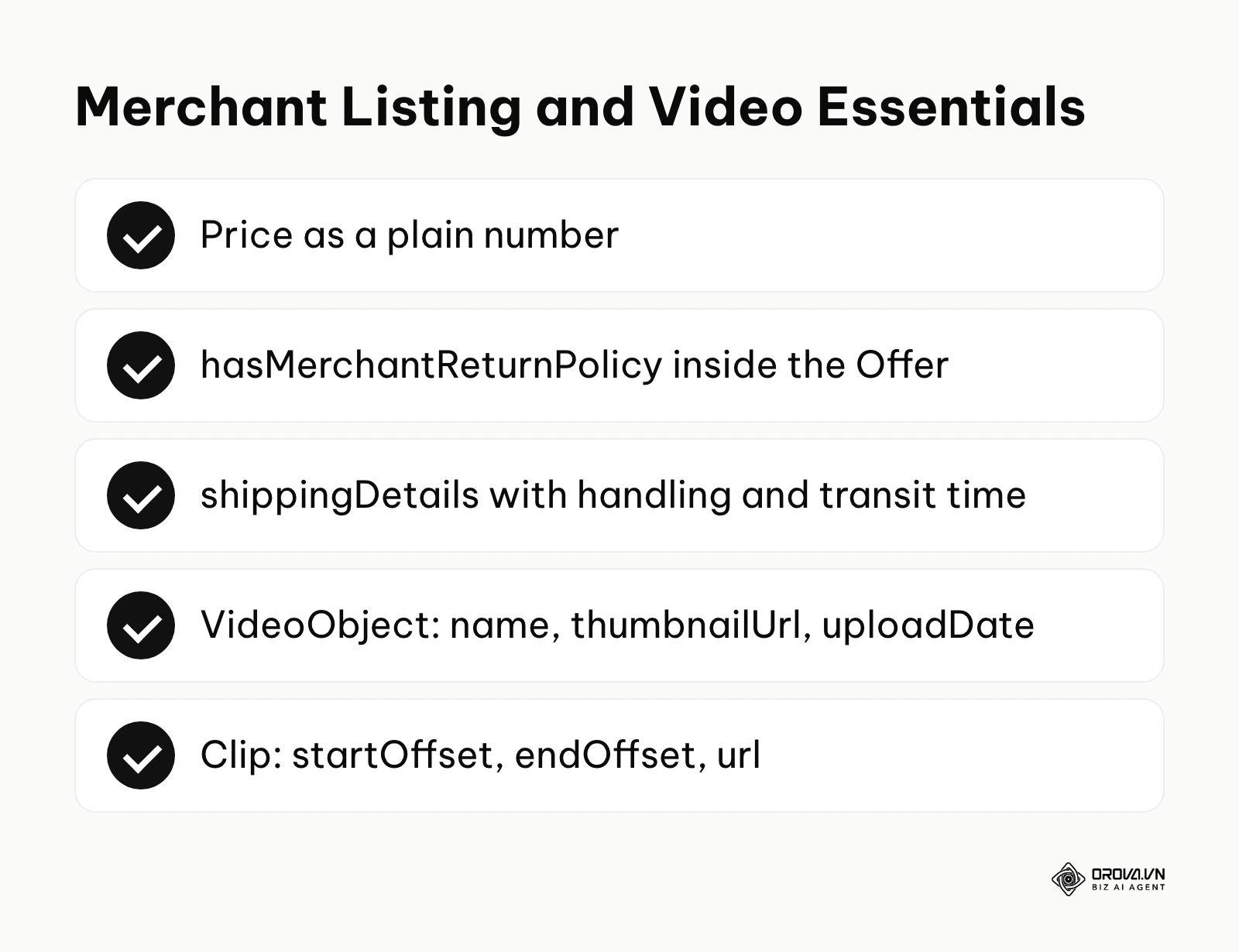
Merchant listing markup needs precise data regarding how long a user has to return an item, who pays for the return, and what shipping costs and delivery times apply to each destination. Implementing this dynamically requires your CMS to output your store-wide policies into the JSON-LD payload for every product page. Here is a complete Offer example you can adapt:
{
  "@context": "https://schema.org",
  "@type": "Product",
  "name": "Merino Wool Hiking Socks",
  "image": ["https://example.com/images/merino-socks.jpg"],
  "sku": "SOCK-MER-01",
  "brand": {
    "@type": "Brand",
    "name": "Trailhead"
  },
  "offers": {
    "@type": "Offer",
    "url": "https://example.com/products/merino-socks",
    "priceCurrency": "EUR",
    "price": 18.50,
    "availability": "https://schema.org/InStock",
    "itemCondition": "https://schema.org/NewCondition",
    "hasMerchantReturnPolicy": {
      "@type": "MerchantReturnPolicy",
      "applicableCountry": "DE",
      "returnPolicyCategory": "https://schema.org/MerchantReturnFiniteReturnWindow",
      "merchantReturnDays": 30,
      "returnMethod": "https://schema.org/ReturnByMail",
      "returnFees": "https://schema.org/FreeReturn"
    },
    "shippingDetails": {
      "@type": "OfferShippingDetails",
      "shippingRate": {
        "@type": "MonetaryAmount",
        "value": 4.95,
        "currency": "EUR"
      },
      "shippingDestination": {
        "@type": "DefinedRegion",
        "addressCountry": "DE"
      },
      "deliveryTime": {
        "@type": "ShippingDeliveryTime",
        "handlingTime": {
          "@type": "QuantitativeValue",
          "minValue": 0,
          "maxValue": 1,
          "unitCode": "DAY"
        },
        "transitTime": {
          "@type": "QuantitativeValue",
          "minValue": 2,
          "maxValue": 5,
          "unitCode": "DAY"
        }
      }
    }
  }
}
Note that price is a plain number with a period as the decimal separator, enumeration values such as availability are full Schema.org URLs, and the delivery window is split into handling time and transit time. In a CMS template, only the product-level fields change per page; the return and shipping objects usually come from a single store-wide setting.
Similarly, if your site relies heavily on video content, the VideoObject schema combined with hasPart allows you to define specific Clip segments.
{
  "@context": "https://schema.org",
  "@type": "VideoObject",
  "name": "Using Variables in JSON-LD Templates",
  "description": "A walkthrough of replacing static values with CMS variables.",
  "thumbnailUrl": ["https://example.com/thumbs/variables.jpg"],
  "uploadDate": "2026-09-15T08:00:00+00:00",
  "duration": "PT6M30S",
  "contentUrl": "https://example.com/media/variables.mp4",
  "hasPart": [
    {
      "@type": "Clip",
      "name": "Introduction to Variables",
      "startOffset": 30,
      "endOffset": 120,
      "url": "https://example.com/video/variables?t=30"
    },
    {
      "@type": "Clip",
      "name": "Escaping Special Characters",
      "startOffset": 120,
      "endOffset": 260,
      "url": "https://example.com/video/variables?t=120"
    }
  ]
}
By defining the exact start and end offsets in seconds, and a url that opens the video at each start time, you make the video eligible for "Key Moments" in the search results, allowing users to jump straight to the exact piece of information they are looking for. This requires extracting timestamp metadata from your video hosting provider and injecting it into your template logic.
Step 6: Validating Output Before Production Deployment
Never push dynamic schema modifications directly to a live production environment without rigorous testing. A single misplaced comma in your PHP or Liquid logic can invalidate the entire block. First, generate the HTML output locally or on a staging server. Copy the rendered source code—not the PHP/Liquid template itself, but the final HTML that the browser receives.
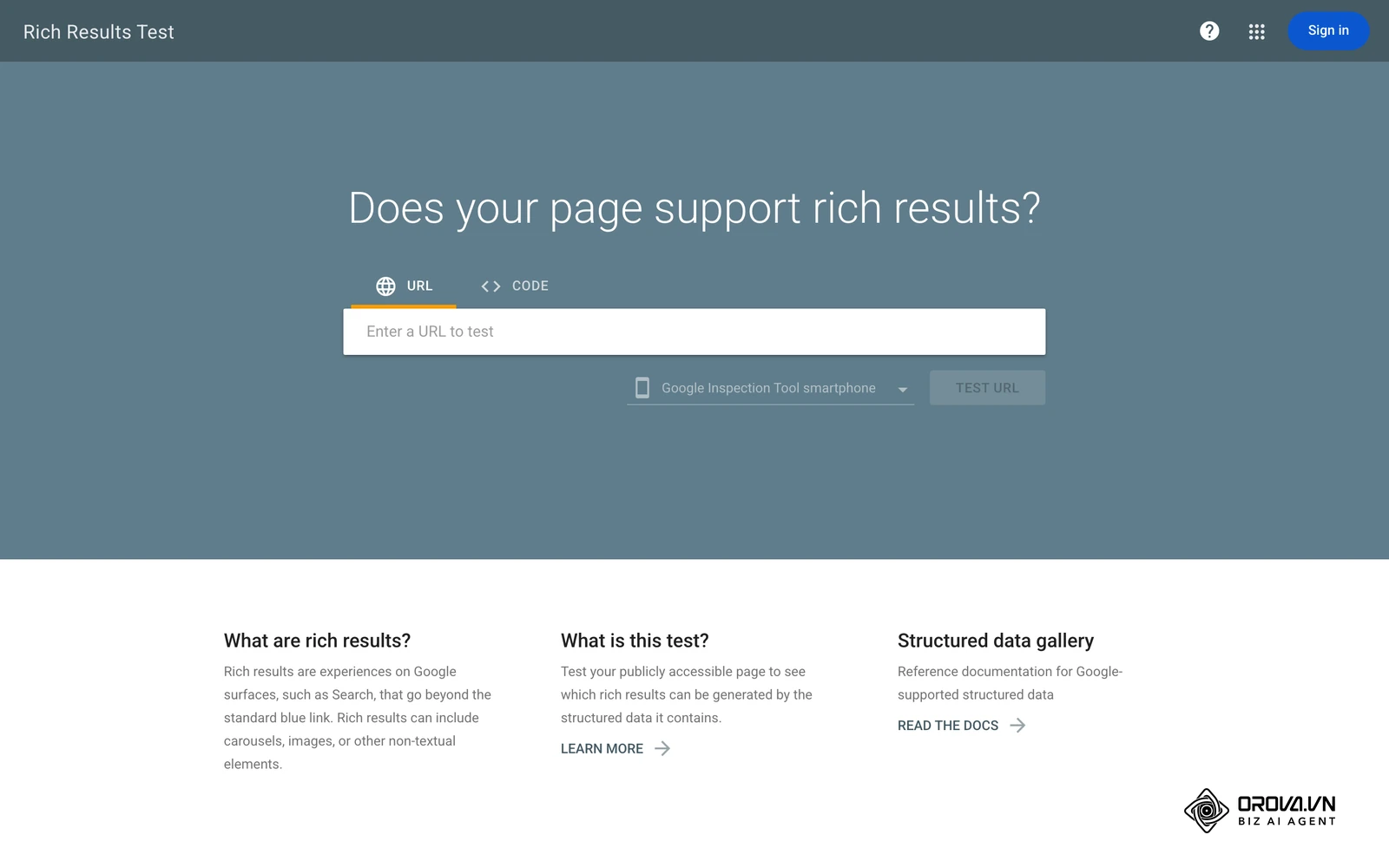
Paste this raw HTML code into the Google Rich Results Test tool. This tool specifically checks if your code meets Google's proprietary requirements for displaying enhanced SERP features. It will flag missing required properties (like a missing name for a product) and critical syntax errors.
Additionally, you should run the code through the Schema Markup Validator at schema.org. While Google's tool focuses on SERP eligibility, the Schema.org validator checks your code against the broader ontological vocabulary, helping you identify logical inconsistencies in your @graph nesting that Google might ignore but other search engines or data consumers might rely upon. Make both checks a fixed line item in your SEO checklist so that no template change ships without them.
Discover Orova.vn – a Biz AI Agent platform with OROVA SEO, a complete solution for every website. The system supports search engine optimization from A to Z with features including keyword research, writing new SEO-ready articles, optimizing existing content, rank tracking, plus competitor analysis and in-depth technical analysis. Sign up today to experience OROVA SEO completely free (offer valid through July 7, 2027).
Deep Analysis: Static Code, CMS Integration, and Google Tag Manager
When deciding how to deploy structured data JSON-LD across a large website, you generally have three distinct architectural paths: hardcoding static HTML, building dynamic CMS templates, or injecting code via Google Tag Manager (GTM). Each approach carries significant trade-offs regarding scalability, page speed, and reliance on developer resources.
The Limitations of Static HTML Injection
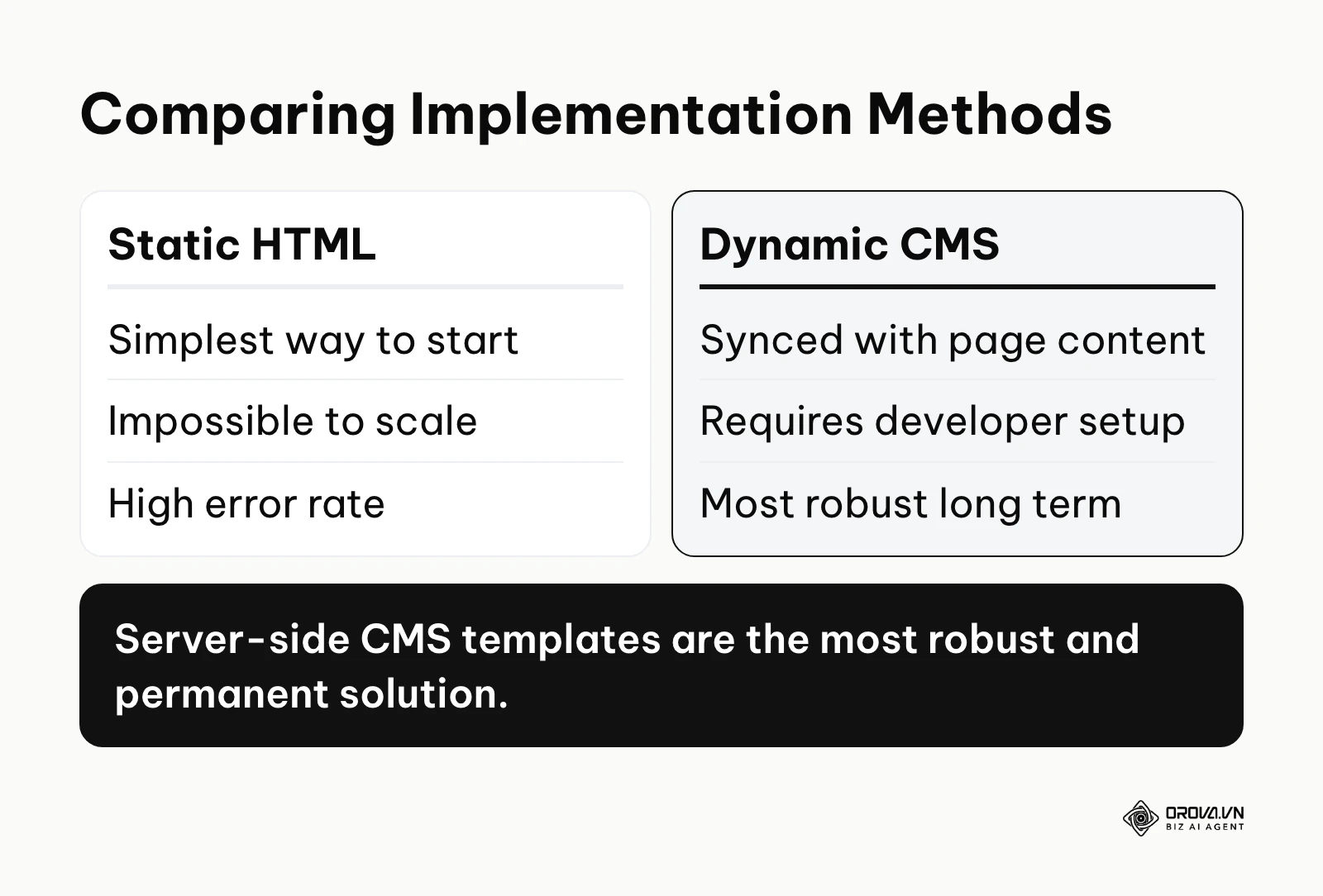
Hardcoding schema directly into individual HTML files or using basic plugin fields to manually type out JSON strings is the simplest way to start. It requires zero programming knowledge. However, it is fundamentally unscalable. If your company updates its logo or changes its primary support phone number, you would have to manually edit hundreds or thousands of static code blocks to reflect the change. This method is highly prone to human error, often resulting in typos or mismatched data between what the user reads on the page and what the crawler reads in the code.
The Power and Complexity of CMS Dynamic Templates
Integrating schema generation directly into your CMS architecture (as demonstrated in the WordPress and Shopify examples above) is the most robust and permanent solution. Because the code is executed server-side before the HTML is sent to the browser, the data is guaranteed to be perfectly synchronized with the page content. If a product's price updates in the database, the JSON-LD updates instantly. The primary drawback is that this method requires technical expertise. Marketers must rely on developers to write, test, and deploy the PHP, Python, or Node.js scripts required to generate the payload, which can create bottlenecks in fast-paced marketing teams.
Using Google Tag Manager for Client-Side Rendering
Google Tag Manager offers a middle ground. It allows marketers to deploy scripts without directly editing server-side theme files. Using GTM, you can write custom HTML tags that read variables from the Data Layer or scrape the Document Object Model (DOM) to populate the JSON-LD dynamically.
| Implementation Method | Best Suited For | Primary Weakness |
|---|---|---|
| Static HTML Injection | Single landing pages, micro-sites | Impossible to scale, high error rate |
| CMS Server-Side Templates | E-commerce, large blogs, enterprise | Requires dedicated developer resources |
| Google Tag Manager (GTM) | Marketers lacking backend access | Relies on client-side JavaScript execution |
Illustrative example:
- Context: A regional plumbing company managing 45 local service pages with a solo marketing manager.
- Steps taken: The manager lacked backend developer access to their proprietary corporate CMS. They configured Google Tag Manager to read existing data layer variables containing the specific address and phone number for each location branch. They then created a custom HTML tag in GTM to output the JSON-LD based on those specific variables.
- Snag and fix: Googlebot was rendering the HTML before the GTM container fully fired, leading to sporadic missing schema reports. They resolved this by adjusting the GTM firing trigger from the default 'Window Loaded' to the earlier 'DOM Ready' event and optimizing the container size.
- Result: The URL Inspection tool began detecting LocalBusiness markup on the location pages, giving every branch consistent address and phone data to support its local seo presence. Because GTM output depends on JavaScript rendering, the manager still planned to move the markup server-side once backend access became available.
Measuring Results: Tracking Rich Snippets Performance
Deploying structured data is not a set-it-and-forget-it task. You must actively monitor how search engines are interacting with your code and whether it is actually driving meaningful business outcomes. The primary tool for this is your search console interface.
In Google Search Console, you should regularly monitor the Enhancement reports (e.g., Products, Review snippets, Breadcrumbs). These reports will tell you exactly how many URLs have valid schema, how many have warnings (non-critical missing fields), and how many have errors (critical issues preventing rich results).
However, validation is only half the battle. To measure the actual impact of your json ld schema examples for seo, you must analyze your organic performance. Navigate to the Performance report and utilize the "Search Appearance" filter. This allows you to isolate traffic that specifically originated from a rich result, such as product snippets, review snippets, or videos.
| Metric | What It Indicates | Warning Threshold |
|---|---|---|
| Rich Result Impressions | How often your enhanced snippet is seen by users. | A sudden drop indicates a broken template or algorithm update. |
| Rich Result CTR (Click-Through Rate) | The percentage of impressions that result in a click. | Consistently below your standard blue-link CTR. |
| Valid Items (Enhancement Report) | The raw count of URLs successfully parsed without errors. | A growing gap between indexed pages and valid items. |
| Error Count (Enhancement Report) | The number of URLs where critical syntax issues block processing. | Any number above zero requires immediate technical investigation. |
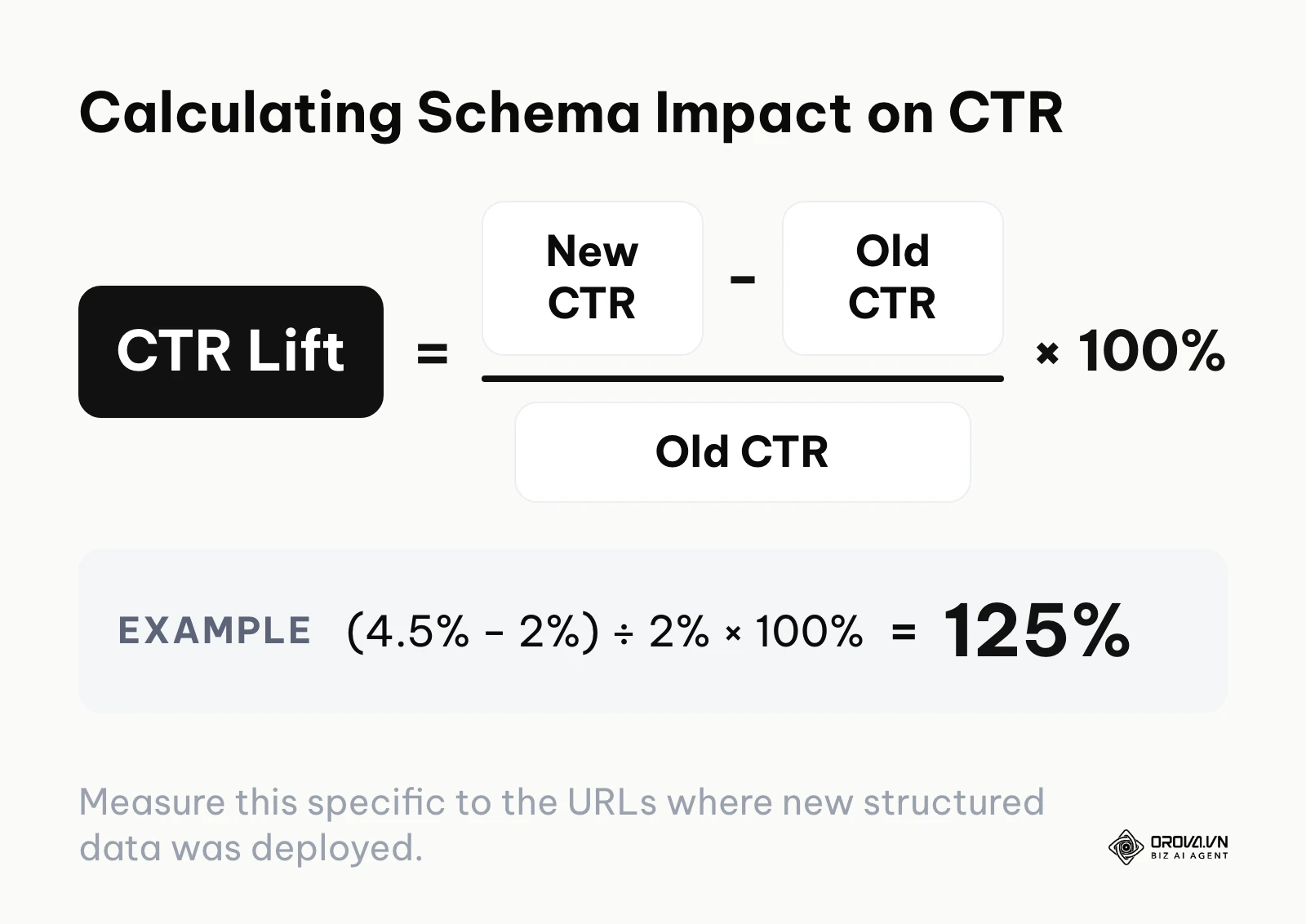
By tracking these specific metrics, you can show the return on your technical SEO work. Calculate the lift as (new CTR − old CTR) ÷ old CTR × 100%. For example, if you add valid Product markup with review ratings and the CTR of those pages moves from 2% to 4.5% while your average position stays unchanged, the lift is (4.5% − 2%) ÷ 2% × 100% = 125%, and you have successfully isolated the positive impact of your semantic markup, proving its value to your broader website ranking strategy.
Troubleshooting GSC Errors: Fixing Unparsable Structured Data JSON-LD
Even with dynamic templates, errors will inevitably surface in your google search console for seo dashboard. The most frustrating of these is the dreaded "Unparsable structured data" error. This error means that the search engine crawler encountered a fatal syntax flaw that prevented it from reading the code block entirely. It is usually caused by simple formatting mistakes that break the strict rules of JSON.
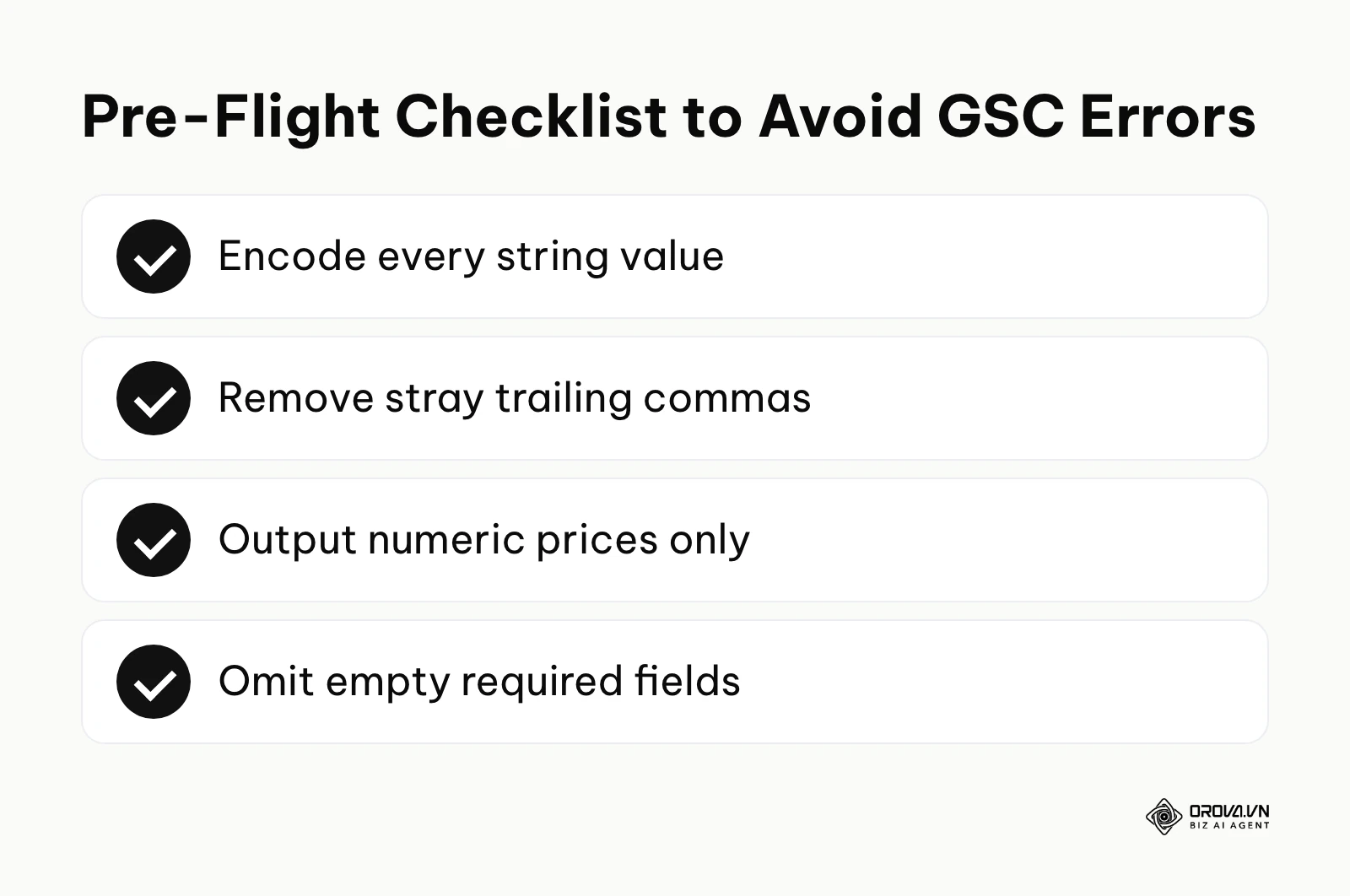
Here are the most common errors and exactly how to fix them:
Unparsable Structured Data: Unescaped Quotation Marks
If a product title or blog post headline contains a double quotation mark (e.g., 24" Monitor or The "Best" Guide), and you output that directly into your template without escaping it, the JSON string terminates prematurely. The crawler sees "name": "24" Monitor" and crashes because the syntax expects a comma or a closing brace after the second quote. Fix: Always use your CMS's native JSON encoding function (like wp_json_encode() in PHP or the json filter in Liquid) which automatically escapes the inner quote as \".
Missing Field 'name' or 'image'
This error occurs when your template demands a variable, but the database field for a specific page is empty. For instance, if an article does not have a featured image uploaded, your dynamic template might output an empty string or a null value for the required image property, triggering an error. Fix: Implement conditional logic (if/else statements) in your template. If the primary image is missing, the code should fallback to a default corporate logo or omit the specific block entirely if the property is not strictly required.
Invalid Value in Field 'price'
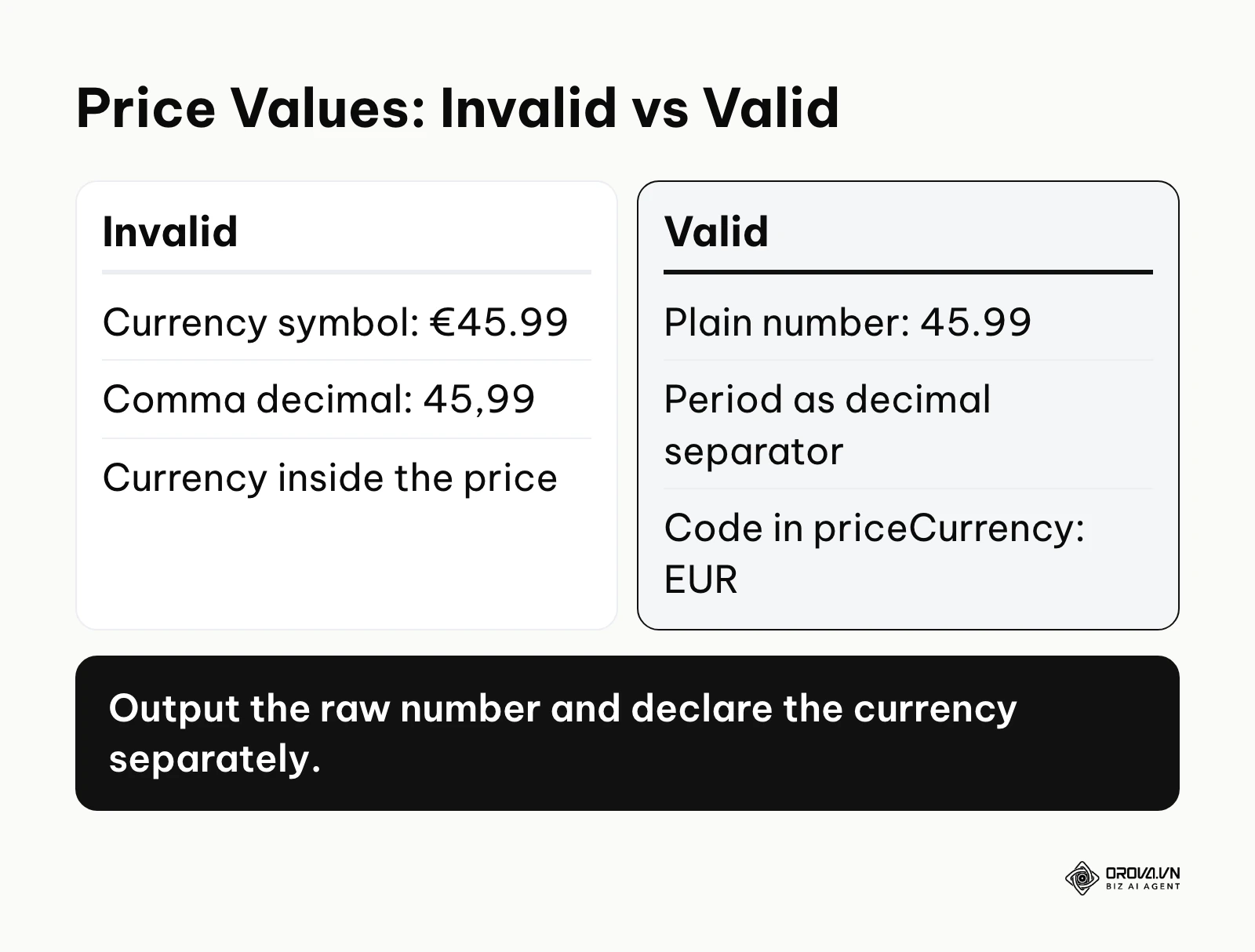
Schema.org's documentation for price asks for a plain number that uses a period as the decimal separator and no currency symbol (e.g., 45.99). If your dynamic variable pulls the formatted string including the currency symbol (e.g., €45.99 or 45,99 €), Google will flag it as an invalid value type. Fix: Ensure your template outputs the raw numeric value. The currency itself must be defined separately in the priceCurrency property using the standard 3-letter ISO 4217 format (e.g., EUR, GBP).
Invalid Object Type for Field 'brand'
Many beginners provide a simple text string for the brand property: "brand": "Nike". However, Google's Product documentation specifies the brand as an object of type Brand or Organization with a name. Fix: Change the string output to a nested object: "brand": { "@type": "Brand", "name": "Nike" }.
Missing Field 'ratingCount' or 'reviewCount' in aggregateRating
An aggregateRating object needs a ratingValue plus either a ratingCount or a reviewCount. Templates often output the average score but forget the count, or output a count of zero for products with no reviews yet. Fix: Ensure your review plugin or custom database query calculates the average and the total count, and wrap the whole aggregateRating object in a condition so it is omitted when a product has no reviews. Also remember that Google does not show review stars for reviews a business writes about itself on its own LocalBusiness or Organization markup.
Illustrative example:
- Context: An independent e-commerce retailer managing a complex catalog of 2,000 SKUs on a custom-built platform.
- Steps taken: They deployed standard Product schema across all category and product pages. They mapped their CMS price output variables directly into the JSON-LD template and submitted the sitemap for recrawling.
- Snag and fix: Search Console flooded with 'Invalid value in field price' errors because the raw CMS output included the localized currency symbol and commas instead of decimals (e.g., "€4,500.00"). They modified their backend logic to strip all non-numeric characters and enforce a standard decimal format, while defining the currency code separately in the priceCurrency field.
- Result: After they clicked "Validate fix" in Search Console, the price errors cleared as Google recrawled the affected pages, and the products became eligible for product snippets showing price and availability.
With OROVA.VN and the OROVA SEO module, you put an end to the exhausting days of manual work for good. Instead of struggling for hours to write articles and compile reports, the entire process is now optimized and completed in just 5 minutes.
Future Trends in JSON-LD Schema: Author's Perspective
AI-Generated Dynamic Ontologies Search engines increasingly use large language models to understand unstructured body text, and markup that contradicts the visible page content is already ignored. I believe that over the next few years, static schema templates may matter less for basic content types. AI models will dynamically generate and update knowledge graphs on the edge, interpreting the semantic relationships of entities in real-time as they crawl. Search engines may come to trust their own entity extraction more than publisher-provided markup that can be manipulated. You should prepare for this by focusing heavily on establishing clear, unambiguous entity relationships within your actual body content formatting (using clear headings, lists, and semantic HTML5), not just hiding it in your scripts. This prediction could be wrong if the computational cost of edge-based AI entity extraction remains too high for search engines to run effectively on every single crawl across the entire web.
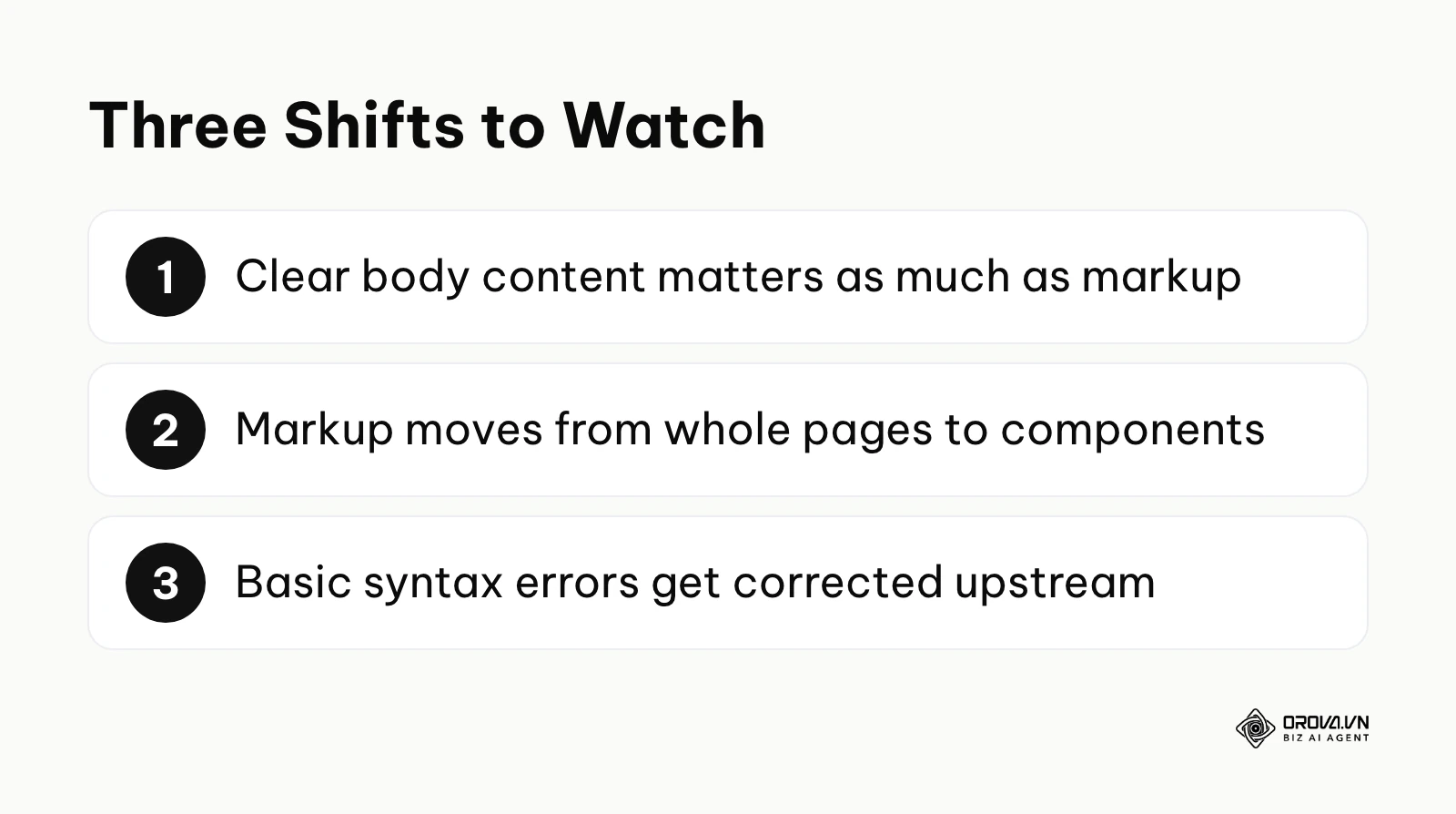
The Shift from Page-Level to Component-Level Markup Google has been trimming broad, easily abused result types such as HowTo and most FAQ rich results, while keeping highly specific ones—such as video Clip segments, product variants, and merchant return policies. I predict that semantic markup will become hyper-granular, focusing on defining individual components within a page (e.g., marking up a specific table row containing a dataset, or a single interactive element within a carousel) rather than attempting to summarize the document as a whole. To prepare, you need to modularize your content management systems today, ensuring that every distinct piece of content (an author bio, a single FAQ, a specific product variant) can carry its own distinct semantic metadata. I might be incorrect if search engines decide that overly granular component markup is too easily manipulated by spammers, causing them to revert to evaluating broad, document-level signals.
The Decline of Manual Syntax Troubleshooting The sheer volume of "Unparsable structured data" errors in Search Console remains a massive, frustrating time sink for technical SEO teams. I expect that in the near future, browsers, CMS platforms, or intermediary CDN networks (like Cloudflare workers) will auto-correct basic JSON syntax errors—such as stray trailing commas or unescaped quotes—before the search engine crawler even processes the payload. You should start shifting your team's focus away from obsessing over minor syntax formatting and invest that valuable time into defining more complex, nested @graph relationships that accurately reflect your unique business ontology. This may not happen if standardization bodies like the W3C decide to enforce strict failure protocols to force developers to write cleaner underlying code from the start.
Frequently Asked Questions About Structured Data JSON-LD
Where should I place the JSON-LD script tag?
You can place the JSON-LD <script> tag in either the <head> or the <body> of your HTML document. Unlike render-blocking JavaScript, JSON-LD is a data payload that does not affect the visual rendering path of the page. Most technical SEOs prefer placing it in the <head> for organizational clarity, but placing it near the footer in the <body> is perfectly valid and is often easier when using certain CMS plugins.
Can I use both JSON-LD and Microdata on the same page?
While it is technically possible to use both formats on a single page, it is highly discouraged. Mixing JSON-LD scripts with inline HTML Microdata creates redundant information and significantly increases the risk of conflicting data. If your Microdata says a product costs 10 euros and your JSON-LD says it costs 15 euros, search engines will likely ignore the markup entirely due to the conflict. You should standardize on JSON-LD exclusively.
How is AI changing the way we write structured data?
AI tools and large language models are currently being used by developers to auto-generate complex, nested JSON-LD structures much faster than manual coding. Furthermore, search engines are using their own AI to cross-reference your JSON-LD against your visible content to detect spam. If you use AI to generate your code, you must ensure the output matches the human-readable text on the page; markup that misrepresents the page can lose rich result eligibility or trigger a manual action.
Will implementing schema guarantee rich snippets?
No. Implementing perfectly valid, error-free structured data does not guarantee that your page will receive a rich snippet in the search results. Schema is a prerequisite for eligibility, not a guarantee of display. Search engines evaluate your site's overall authority, the quality of the content, and the user's specific search intent before deciding whether to enhance your snippet on the SERP.
How long does it take for Search Console to recognize new schema?
Once you deploy new structured data, it typically takes between a few days to a few weeks for Google Search Console to crawl the URLs and update the Enhancement reports. You can expedite this process slightly by submitting the specific URL to the URL Inspection tool and requesting indexing, but bulk updates across thousands of pages will require patience as the crawler works through your site architecture.
Where to Start?
If you manage a small, static website with fewer than 20 pages and no complex CMS logic, your first step should be manual validation. Use the Google Rich Results Test tool to manually construct and validate a basic LocalBusiness or Organization schema snippet. Once you achieve a green checkmark indicating the syntax is error-free, copy that exact code block and paste it directly into the <head> section of your homepage HTML file.
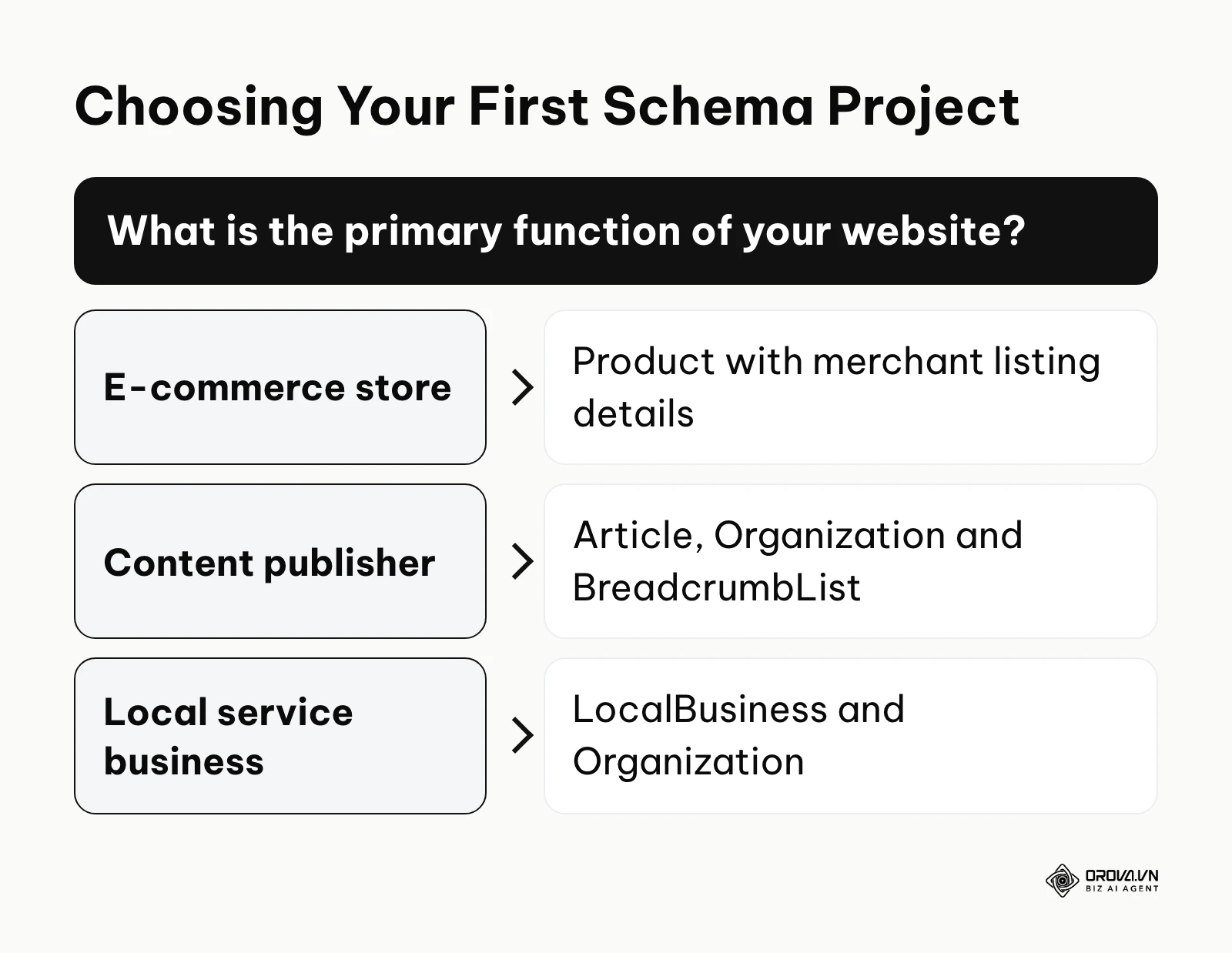
If you run a WordPress blog that currently relies on overly rigid, hardcoded plugin settings, your first step requires moving into the backend. Open your theme's functions.php file within a secure staging environment. Write a basic PHP function that dynamically pulls the get_the_title() and get_the_author() variables, wraps them in wp_json_encode(), and echoes them into a simple Article JSON array. Test this on a single draft post to confirm the variables output correctly before rolling it out to your live template files.
If you are an e-commerce manager dealing with thousands of products and constant syntax warnings, your first step is triage. Export a complete list of your most frequent structured data errors directly from the Google Search Console Enhancement report. Then, audit your CMS's primary product template (e.g., your Shopify product.liquid file) to ensure that formatting artifacts—like localized currency symbols or HTML tags hidden in the product description—are actively being stripped from the raw variables before they are injected into the JSON-LD payload.
About the author

Builder of Orova
Nguyễn Đỗ Trọng Ân has 8 years of experience in marketing, including 6 years managing market development across Asia. He builds Orova, a Biz AI Agent that never sleeps: it plans, runs and optimizes work for businesses.
Run your business with AI Agents
Orova is the always-on Biz AI Agent — it plans, runs, and optimizes the work for you.
Save time, unlock productivity.