
People also ask: what it is and how to win a spot in it

People Also Ask (PAA) is the expandable box of related questions that Google shows in its search results, where each question opens a short answer pulled from a web page. You pour hours into crafting the perfect article. It finally hits page one. But when you check the actual search results, your link is buried halfway down the page. Above you sits a massive, expandable box of related questions that seems to answer everything the user ever wanted to know. If you are wondering why your organic click-through rates are plummeting despite high rankings, that dynamic accordion box is the culprit. You need a targeted strategy for people also ask if you want to reclaim that attention. Old-school advice tells you to just slap an FAQ section at the bottom of your post and hope for the best. That is no longer enough in a landscape dominated by zero-click searches and AI overviews. This guide explains how the feature works, then gives you copy-paste answer templates, free ways to collect the questions, and a simple way to measure the results in Search Console.
What is People Also Ask?
People Also Ask is a dynamic Google search feature that displays a list of related questions based on the user's initial query. It is used to provide quick answers directly within the search results page, differing from standard organic links by offering an expandable accordion format that pulls short text snippets from various authoritative websites.
Google began showing this box around 2015, and it has since become one of the most familiar elements on the results page. If you are new to how search rankings work in general, start with what SEO is and how it works. It is designed to mimic the natural train of thought a user might have, preemptively answering the follow-up questions they haven't even typed yet.
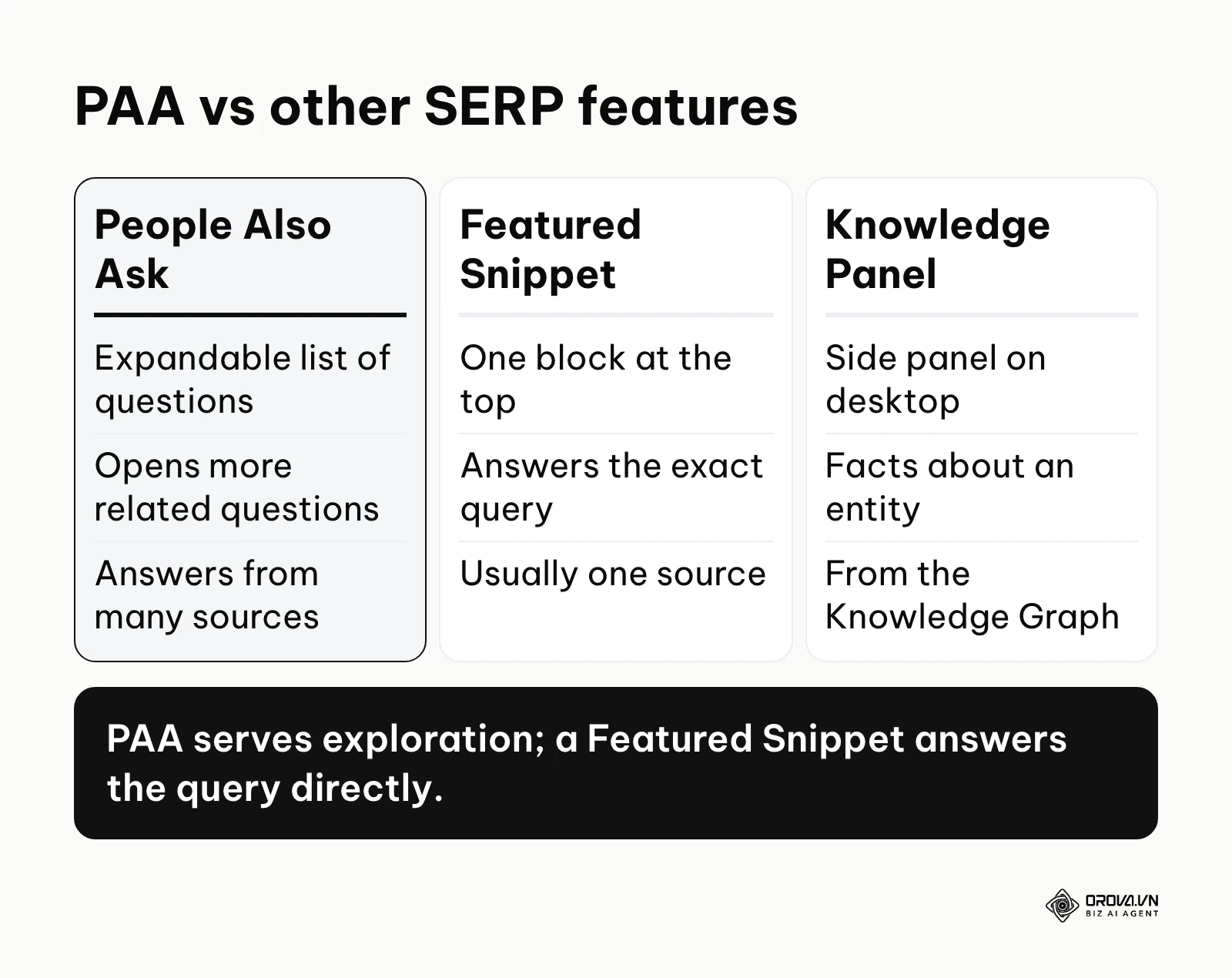
Many beginners confuse this feature with other top-of-page SERP elements. Here is how they differ:
| Concept | How it Differs | Example |
|---|---|---|
| People Also Ask (PAA) | An expandable list of multiple related questions. Clicks open a short snippet and trigger more questions. | A box showing "How much does it cost?", "How long does it take?" under a main query. |
| Featured Snippet | A single, prominent answer block at the very top of the results for the exact query typed. | A bold paragraph defining "Inbound Marketing" right at position zero. |
| Knowledge Panel | An informational box (on the right side on desktop) that shows facts about an entity from Google's Knowledge Graph. | A sidebar showing the CEO, founded date, and headquarters of a tech company. |
Practical example: Imagine you search for "how to fix a leaky faucet." The first result might be a long tutorial article. But right below it, you see a box asking "Can I use duct tape on a leaking pipe?" You click it, get a quick "No" with a short explanation, and immediately two more questions appear asking about plumber tape and pipe sealants. That expanding, interactive box is the feature in action.
The Significance of People Also Ask in Modern SEO
The primary reason this feature exists is to solve a fundamental problem for both users and search engines: intent refinement. Often, a user's first search query is broad and unformed. They do not know exactly what they are looking for until they see the results. Google wants to keep users engaged and satisfied without making them manually type five different search queries. By presenting related questions, the search engine acts as a conversational guide, nudging the user down the research funnel seamlessly.
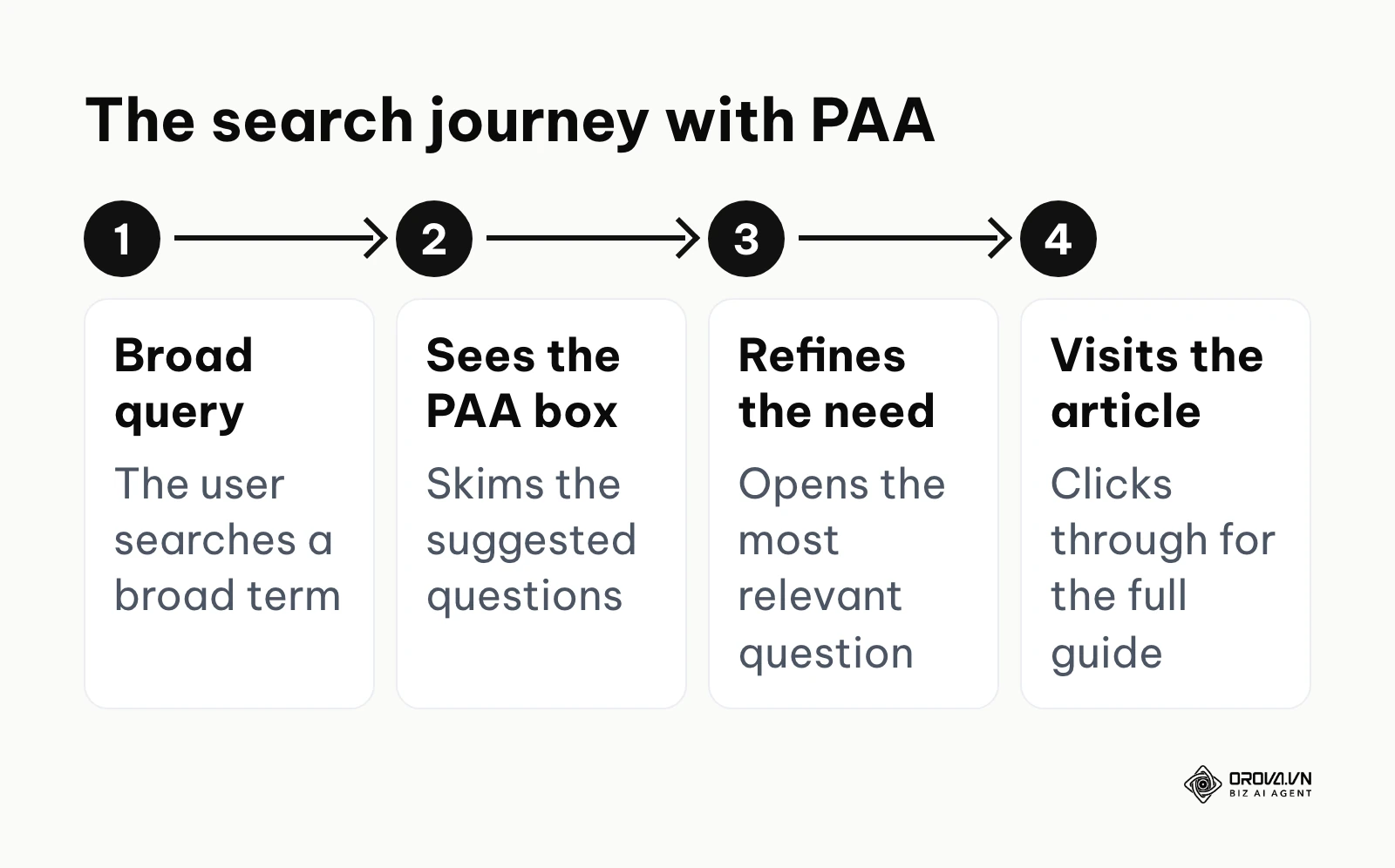
In the larger picture of a search journey, the question box sits squarely in the middle of the discovery phase. A user starts with a broad concept (the initial query), encounters the expandable box, and uses those suggested questions to refine their understanding before finally clicking through to a comprehensive long-form article. If your website is the one providing those intermediate answers, you position your brand as the ultimate authority throughout their entire research process.
If you choose to ignore this feature, you are essentially forfeiting prime real estate on page one. Traditional organic rankings (the blue links) are being pushed further down the page, often sitting entirely below the fold on mobile devices. A top-three organic ranking is worth less when a large accordion box sits above you and answers the user's questions before they even reach your link. You lose visibility, you lose clicks, and you lose the critical opportunity to intercept competitors' traffic before they do.
When not to target People Also Ask: While powerful, optimizing for these snippets isn't always the right move. First, for highly transactional, bottom-of-the-funnel queries (e.g., "buy iPhone 15 pro max online"), users want product pages, not informational definitions. Second, for direct navigational queries (e.g., "Facebook login"), users just want the destination immediately. Finally, if the questions surrounding a topic require deep, complex, multi-page explanations that simply cannot be condensed into 50 words, forcing a snippet will result in a frustrating user experience. In these cases, focus your resources elsewhere.
The Value and Benefits of Ranking in PAA
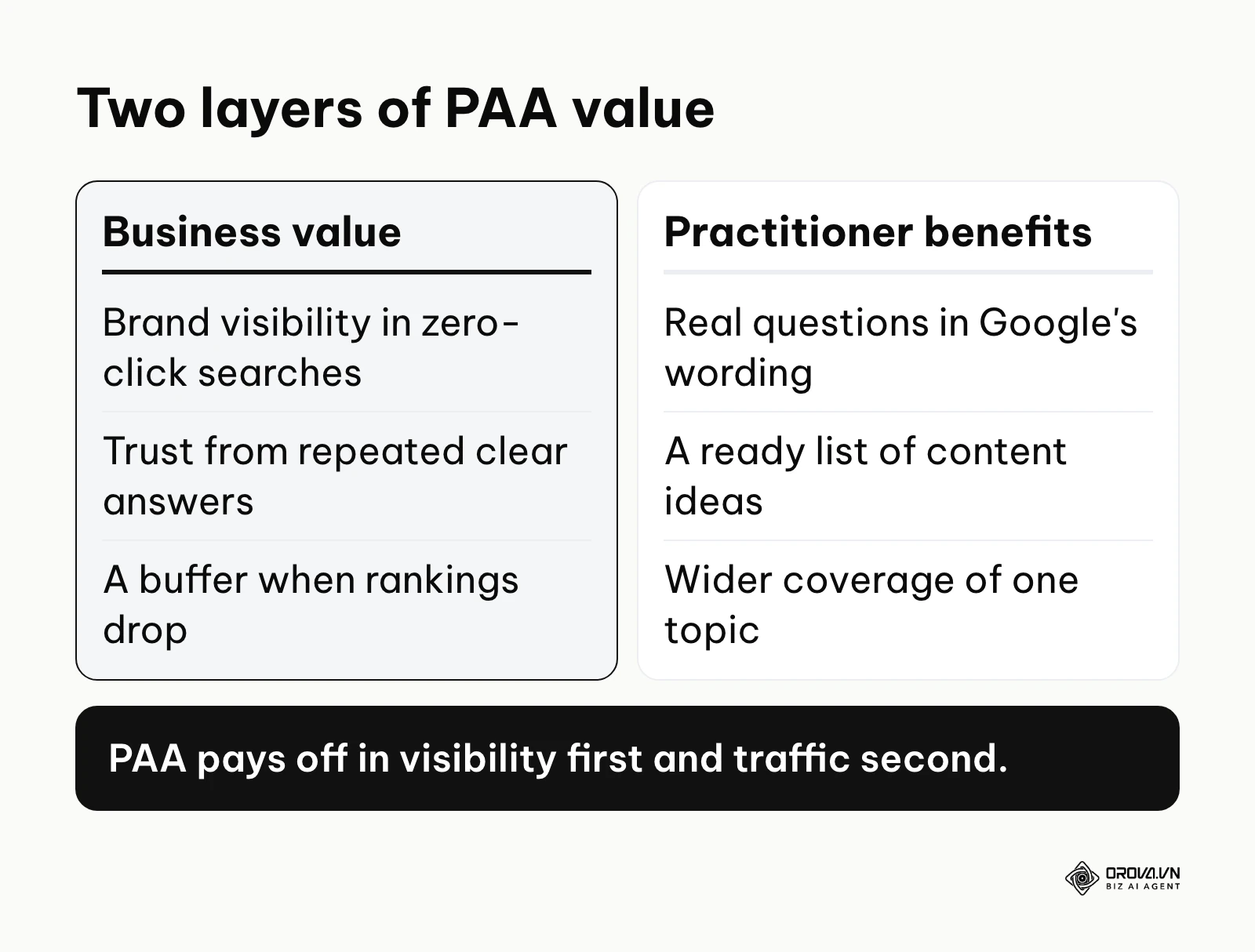
Securing real estate inside these expandable boxes offers distinct advantages that traditional blue links cannot match. We can separate these benefits into two layers: the overarching value for the business's bottom line and the practical advantages for the SEO practitioner executing the campaign.
Business Value: Zero-Click Brand Authority and Risk Mitigation
For a business, the most immediate value is brand visibility in a zero-click environment. Users often read the answer inside the search results without ever clicking through to the website. While this sounds bad for traffic, it is incredible for brand authority. When a potential customer consistently sees your company name providing clear, concise answers to their most pressing questions right on Google, it builds immense, subconscious trust.
Furthermore, this provides a powerful buffer against algorithmic volatility. If your main service page drops from position 2 to position 5 due to an update, but you still own the targeted snippets for that query, your brand maintains high visibility. You mitigate the risk of completely vanishing from the search landscape during turbulent core updates.
Practitioner Benefits: Infinite Content Ideation and SERP Domination
For the person actually doing the work, these boxes are an absolute goldmine of data. They represent exactly what the target audience wants to know, categorized in Google's exact phrasing. Instead of guessing what to write about, you have a prioritized, algorithmic list of user intent. By targeting these questions, practitioners can build a comprehensive SEO strategy that blanket-covers a topic, capturing users at multiple stages of awareness and dominating the available search space.
Illustrative example:
- Context: A boutique family law firm with three attorneys needed to increase local visibility for divorce consultation queries against much larger, heavily funded corporate firms.
- Steps: They mapped out 15 common client questions using search results, created a dedicated Q&A section on their main service pages, and formatted the answers using concise 45-word paragraphs directly beneath semantic H3 tags.
- Hurdles: Initially, their answers were too legally complex and filled with heavy jargon, which the search engine bypassed in favor of simpler competitors. They had to rewrite the snippets to an 8th-grade reading level to make them easily readable for the machine.
- Results: Within two months, you could visibly see their firm's name appearing in the top question boxes for queries like "how to file for divorce in our city", leading to a noticeable and measurable increase in phone inquiries for initial consultations.
| Benefit | Metric to Track | What It Tells You |
|---|---|---|
| Brand Visibility | Search Console impressions | Whether your answers are being shown for question queries |
| Qualified Traffic | Click-through rate (CTR) | Whether people who see your answer want to read more |
| Content Relevance | Number of ranked question queries | Whether your topic coverage is growing over time |
Discover Orova.vn – a Biz AI Agent platform with OROVA SEO, a complete solution for every website. The system supports search engine optimization from A to Z with features including keyword research, writing new SEO-ready articles, optimizing existing content, rank tracking, plus competitor analysis and in-depth technical analysis. Sign up today to experience OROVA SEO completely free (offer valid through July 7, 2027).
How People Also Ask Works: Deconstructing the Algorithm
To successfully capture these positions, you must deeply understand the mechanics of how Google selects and displays this information. This is the most technical phase of optimization, requiring a complete shift from traditional keyword stuffing to rigid, structural formatting.
The Triggering and Selection Mechanism
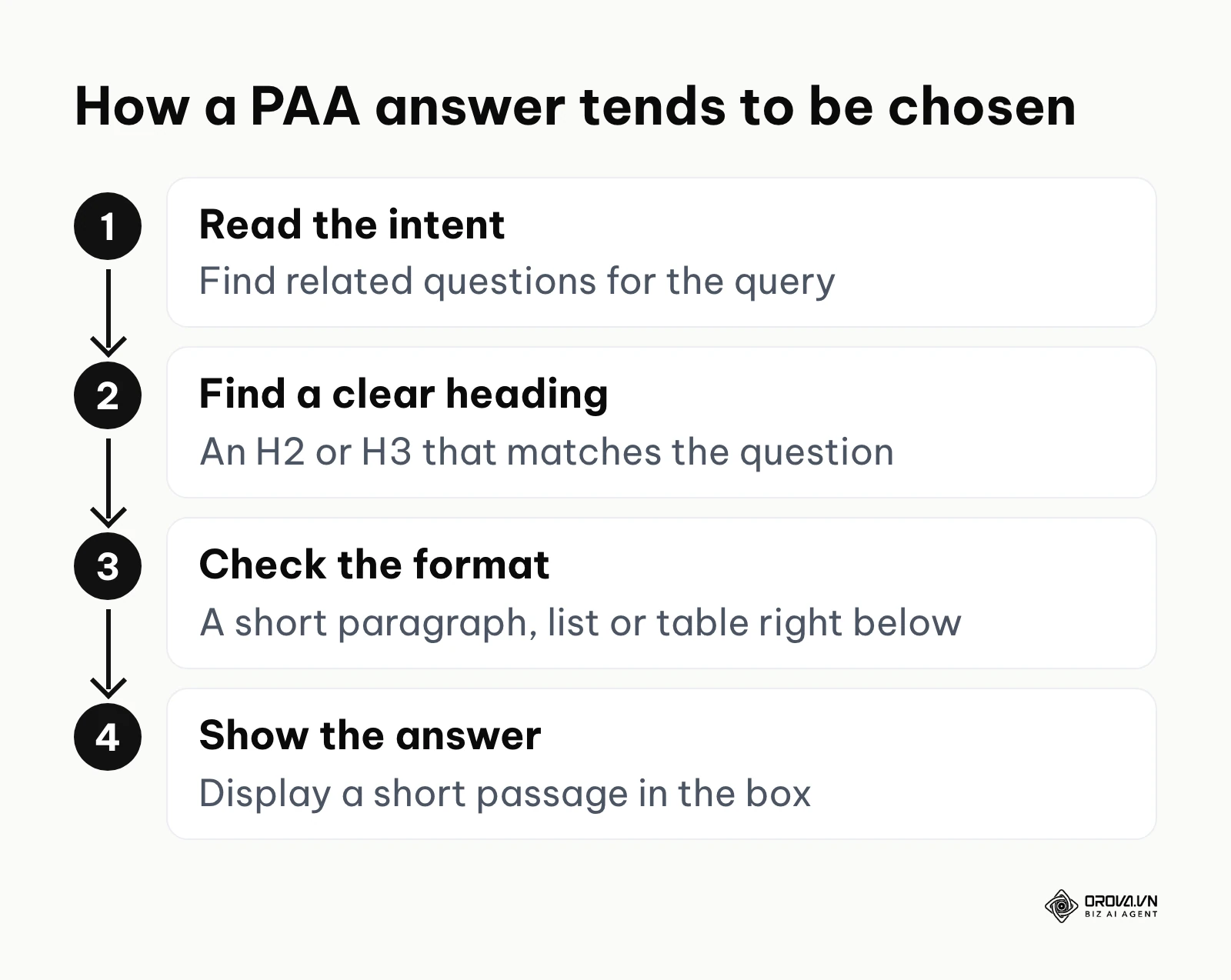
When a user inputs a query, Google's algorithm evaluates the core intent. If the intent is informational or exploratory, the system queries its Knowledge Graph and historical search data to find related entities and frequent follow-up searches. For informational topics, the box now shows up on a large share of results pages, which is why it deserves its own place in your content plan.
Google does not publish the exact selection rules, but the answers it shows tend to be concise, clearly structured, and hosted on trustworthy pages. In practice, the passages that win usually sit right under a clear signal (like H2 or H3 tags) followed immediately by a self-contained block of text, a list, or a table. If your answer contains fluff, introductory transitions, or requires the user to read the surrounding paragraphs for context, the algorithm will skip it and choose a competitor's clearer, more isolated answer.
Free Methods to Extract Questions
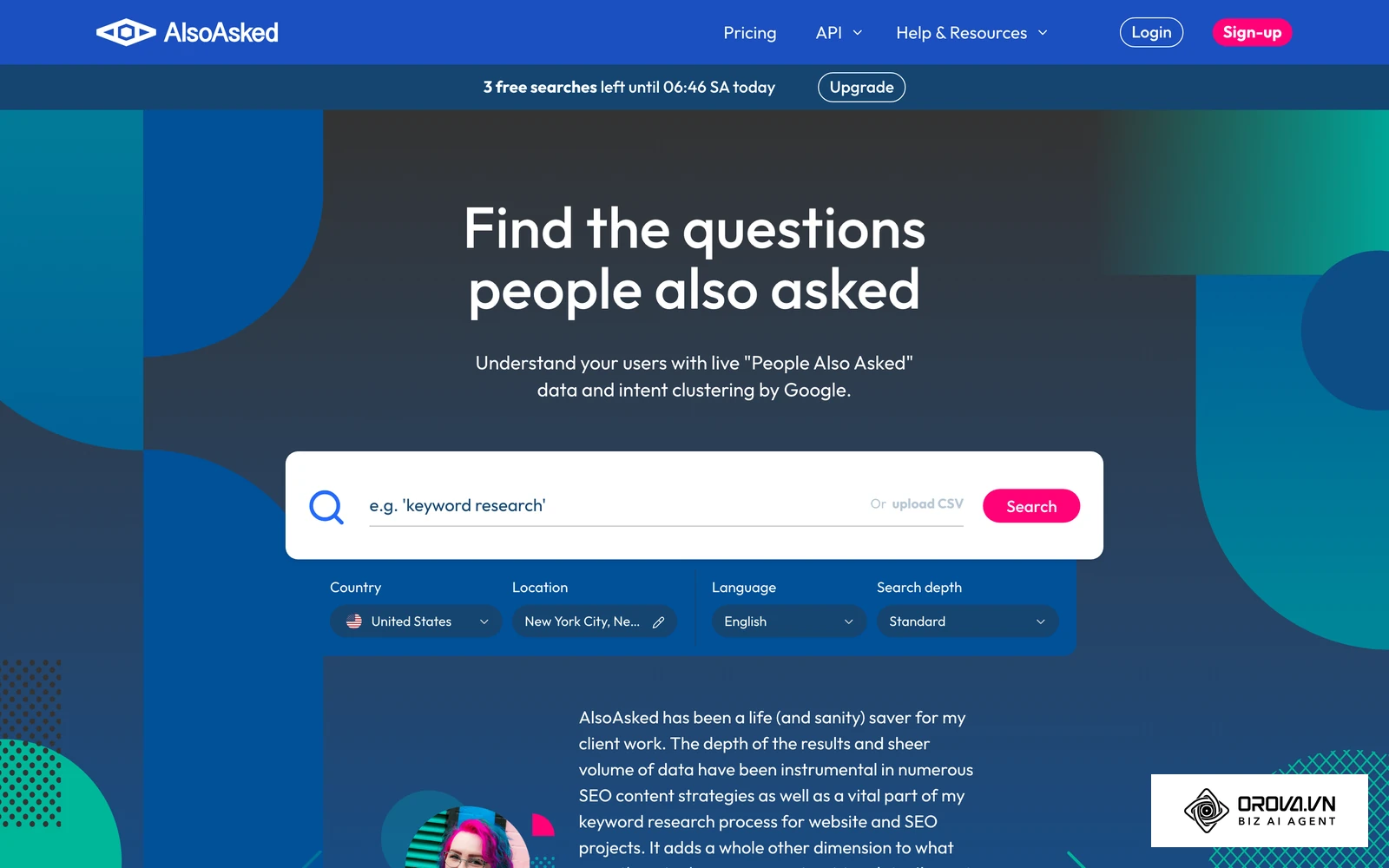
Many practitioners rely on paid keyword research tools to find these questions. However, you can collect most of this data for free, straight from the search results. Dedicated question tools such as AlsoAsked and AnswerThePublic can also speed up the job once you outgrow the manual method, and our overview of SEO tools covers where they fit in a wider stack.
The simplest manual method is the "Infinite Expansion Technique." Go to Google, search your target keyword, and find the question box. Click to open the first question, then close it. Doing this triggers Google to dynamically load two or three more related questions at the bottom of the list. By repeating this process for a few minutes, you can map out a large tree of related questions that Google itself treats as connected to your topic.
For a faster free approach, you can use a small JavaScript bookmarklet to copy the questions off the page. Create a new bookmark in your browser and paste the following code into the URL field:
javascript:(function(){
  const seen = new Set();
  document.querySelectorAll('span, div').forEach(el => {
    if (el.children.length) return;
    const t = (el.innerText || '').trim();
    if (t.length > 10 && t.length < 160 && t.endsWith('?')) seen.add(t);
  });
  const list = [...seen].join('\n');
  console.log(list);
  prompt('Found ' + seen.size + ' questions. Copy them below:', list);
})();
Expand a few questions first, then click the bookmark while you are on a Google results page. It collects every visible line of text that ends in a question mark, so skim the output and delete anything that is not a PAA question. Google changes its page code often, which is why the script looks for question text instead of specific class names.
The Exact Templates to Claim Your Snippet
This is the absolute core of optimization. Knowing the question is only half the battle; formatting the answer so that a machine can easily parse it is where most writers fail. There are three primary formats that Google extracts. You must choose the right template based on the exact nature of the question.
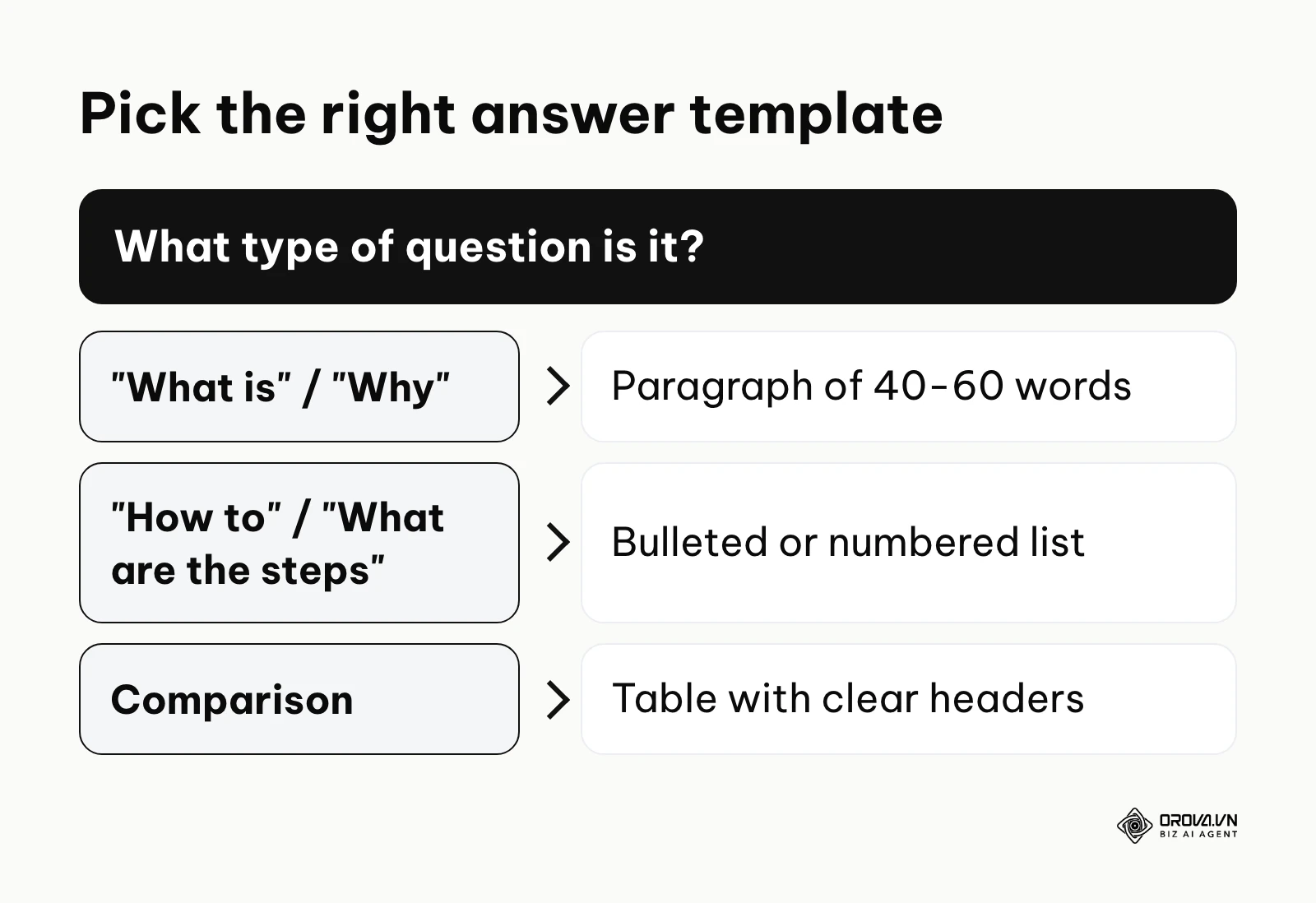
Template 1: The Paragraph Snippet Use this for questions asking "What is," "Why does," or "Who is." The answer must be a single, contiguous paragraph of exactly 40 to 60 words.
- Structure: <h3>[Exact Match Question]</h3> followed immediately by <p>[Direct Answer Formulation]. [Supporting Context]. [Concluding Detail].</p>.
- Fill-in-the-blank Example: <h3>What is technical SEO?</h3> <p>Technical SEO is the process of optimizing a website's infrastructure so search engines can easily crawl and index its pages. It involves improving site speed, fixing broken links, and implementing structured data. These optimizations ensure the site meets the technical requirements of modern search algorithms.</p>
Template 2: The List Snippet Use this for questions asking "How to," "What are the steps," or "What are the types." Google loves extracting clean <ul> (unordered) or <ol> (ordered) HTML tags.
- Structure: <h3>[Exact Match Question]</h3> followed by a brief introductory sentence ending in a colon, then the HTML list.
- Fill-in-the-blank Example: <h3>How to optimize a blog post?</h3> <p>To properly format your content, follow these core steps:</p> <ul> <li>Conduct comprehensive keyword research.</li> <li>Write compelling, descriptive title tags.</li> <li>Structure the page using semantic heading tags.</li> <li>Add alt text to all descriptive images.</li> </ul>
Template 3: The Table Snippet Use this for questions involving comparisons or structured data sets (e.g., "What is the difference between X and Y?").
- Structure: <h3>[Exact Match Question]</h3> followed by a standard HTML <table> with clear <th> headers.
- Fill-in-the-blank Example: <h3>What is the difference between SEO and PPC?</h3> <table> <tr><th>Factor</th><th>SEO</th><th>PPC</th></tr> <tr><td>Cost per click</td><td>None</td><td>You pay for each click</td></tr> <tr><td>Time to results</td><td>Months</td><td>Immediately after launch</td></tr> </table>
Illustrative example:
- Context: An in-house marketing manager at a mid-sized SaaS company needed to prove that their informational blog posts were driving top-of-funnel traffic, not just vanity impressions.
- Steps: They exported Google Search Console data, filtered for queries that start with question words such as how, what and why, and cross-referenced the high-impression, low-click queries with manual SERP checks to identify snippet placements.
- Hurdles: The native GSC interface limits data exports to 1,000 rows, completely obscuring their crucial long-tail question queries. They worked around this limit by pulling the full dataset through the Search Console API into a reporting dashboard.
- Results: The customized dashboard clearly displayed a new segment of "Question Queries," allowing the team to accurately measure the traffic from these specific snippets and secure approval for a larger content budget for the next quarter.
Measuring and Maintaining PAA Traffic
Measuring the exact traffic from these snippets is notoriously difficult because Google Analytics does not provide a specific "PAA referral" source tag. Everything is lumped into standard organic traffic. To isolate this data, you must rely heavily on Google Search Console.
Filter your GSC performance report by queries containing question modifiers (who, what, where, when, why, how, is, can, do). Look for queries with large impression spikes but relatively low click-through rates. Because people often expand an answer and read it without visiting the site, this pattern is a useful hint of a PAA placement; confirm it with a manual search before you report it.
Furthermore, these positions are highly volatile. Google changes the questions and the chosen answers often. A snippet you perfectly claim today might be lost in three months. Therefore, you must establish a strict six-month refresh cycle. Review your targeted queries twice a year. If you have lost the snippet, check the current winner, analyze how their formatting or conciseness improved upon yours, and surgically update your content accordingly to win it back.
| PAA Query Type | Best Template to Use | Example Query |
|---|---|---|
| Definitional | Paragraph Template | What is bounce rate? |
| Procedural | List Template | How to fix a flat tire? |
| Comparative | Table Template | SEO vs SEM differences? |
What to Do to Adapt Your SEO Strategy for PAA
Adapting to this search feature requires fundamentally different workflows depending on your resources and organizational role. Here is exactly what you need to do to start capturing these snippets based on your current position.
For Small Business Owners
As a small business owner, your unfair advantage is niche expertise. You interact with customers daily and know exactly what they ask before making a purchase.
- Document Customer Conversations: Keep a notepad by the phone or monitor your email inbox carefully. Write down the exact, verbatim questions customers ask you. These raw sentences are your target keywords.
- Create a Dedicated Q&A Page: Build a single, highly structured page on your website dedicated entirely to answering these specific questions.
- Use the Paragraph Template: For each question on the page, use an H3 tag for the question and write a strict 50-word answer directly below it.
- Link to Core Service Pages: Below the short answer, add a natural text link to your main service page for users who want to read more comprehensive details.
For In-house Content Managers
Content managers must systematize this entire process across dozens of writers and hundreds of pages, seamlessly integrating it into their standard seo content writing workflow.
- Mandate Snippet Blocks: Update your editorial guidelines to strictly require at least three targeted question blocks per new article submitted by writers.
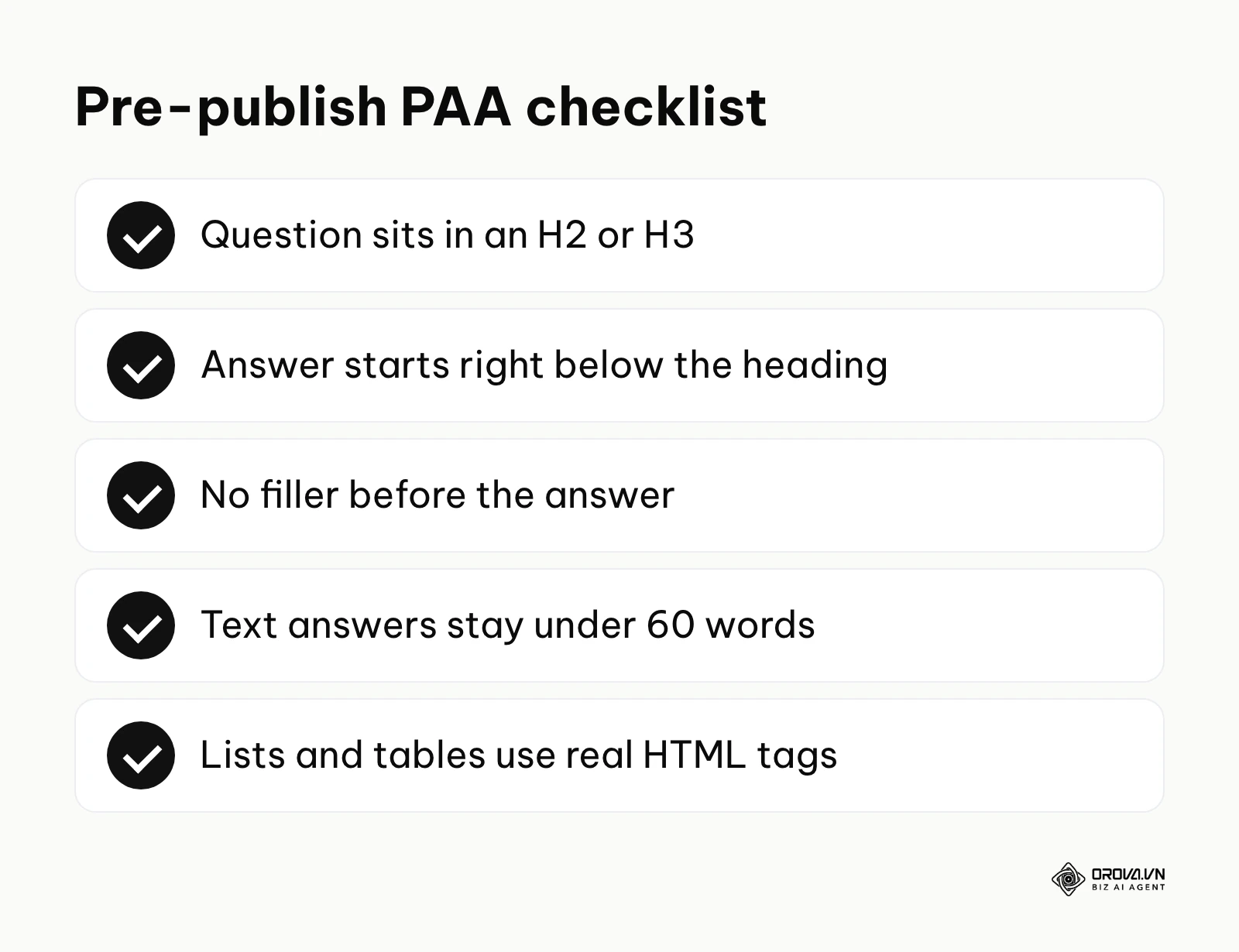
- Enforce Formatting Strictness: Do not allow writers to start answers with conversational fluff like "Well, that depends..." or "In today's fast-paced digital world...". Train them to answer the prompt immediately in the very first sentence.
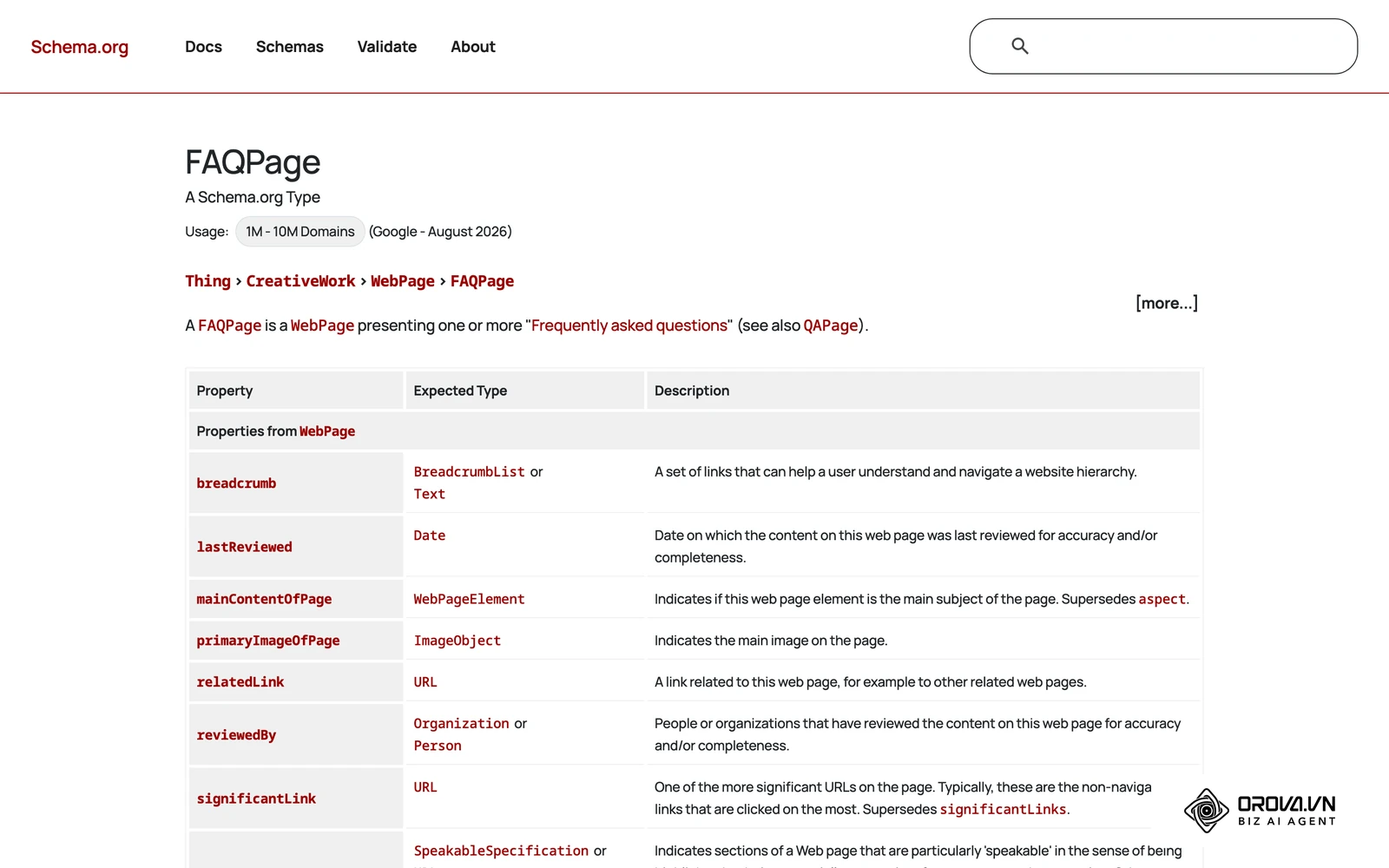
- Use FAQ Schema With Realistic Expectations: You can add FAQPage structured data (JSON-LD) to pages with genuine question-and-answer content to describe it clearly. Since 2023, however, Google shows FAQ rich results mainly for well-known, authoritative government and health websites, so do not expect the markup alone to create a rich result or a PAA placement.
- Conduct Quarterly Audits: Set a recurring calendar reminder to review search console data and refresh answers that have visibly slipped in rankings.
For Freelance SEO Consultants
Consultants need to prove rapid value to their clients. Optimizing existing content for these boxes is one of the fastest ways to show quick wins without billing for entirely new articles.
- Identify Striking Distance Pages: Run an audit to find client pages currently ranking between positions 5 and 15 for high-volume keywords.
- Extract Competitor Questions: Use the manual expansion technique to find the exact questions appearing on page one for those target keywords.
- Inject H2/H3 Sections: Retrofit the client's existing pages by adding 2-3 specific sections that perfectly answer those extracted questions using the correct templates.
- Request Indexing: Use the URL Inspection tool in Google Search Console to request a recrawl of the updated URLs. It does not guarantee faster results, but it tells Google the page has changed.
Illustrative example:
- Context: A freelance consultant took over a 4-year-old financial blog that had lost a large share of its traffic due to outdated content and lost snippets.
- Steps: They ran a site audit to find articles ranking on page 2, extracted the current questions for those target keywords, and inserted targeted H2s with bulleted list answers directly into the existing articles.
- Hurdles: Simply adding the text wasn't enough; the client's outdated CMS was automatically stripping out the HTML list tags, breaking the necessary formatting. The consultant had to manually edit the source code module to ensure proper <ul> and <li> rendering.
- Results: After requesting indexing, the updated pages began capturing spots within three weeks, pushing the articles back onto page 1 and visibly increasing daily organic sessions on the analytics dashboard.
| Common Mistake | Consequence | How to Avoid |
|---|---|---|
| Fluffy Introductions | Google skips the text to find a direct answer elsewhere. | Start the answer immediately. No transition sentences. |
| Overly Long Paragraphs | The snippet gets truncated, lowering user satisfaction. | Strictly cap your targeted answer block at 50 to 60 words. |
| Mismatched Formatting | A list question answered with a paragraph is ignored. | Match the template directly to the intent (List for "how-to"). |
With OROVA.VN and the OROVA SEO module, you put an end to the exhausting days of manual work for good. Instead of struggling for hours to write articles and compile reports, the entire process is now optimized and completed in just 5 minutes.
Where People Also Ask is heading in the next few years: the author's take
Search results look very different today than they did a few years ago, and the question box is changing with them. These are opinions, not forecasts, but they shape how I would plan content around this feature.
Follow-up questions will blend into AI answers
My read is that the question box and AI-generated summaries will keep moving closer together. Today, AI Overviews often sit at the top of the page while the question accordion sits further down. Over the next two to three years, I think clicking a follow-up question will more often lead to a generated answer that cites several sources, rather than one quoted passage from a single page. To prepare, put accurate facts and genuinely original details in your answers, not just neat formatting, so your page is a source worth citing. If you want the bigger picture, see how teams are unifying SEO, AEO and GEO into one plan.
Questions will feel more personal
I think the questions people see will depend more on their recent searches and context. Two people searching the same broad term may increasingly see different follow-up questions. The practical response is to write for clearly defined audiences and cover narrower, specific questions instead of only broad, generic ones.
Answers will need to work when read aloud
I also believe that short answers built for the question box are good practice for voice and chat-style search. A tight answer that makes sense without a chart or a table is easy for any assistant to reuse. During editing, read your target answers out loud; if they sound stiff or depend on visuals, rewrite them in plain, spoken language.
All three views assume people keep adopting AI-driven search. If that slows down, the classic question box may stay as it is for longer than I expect.
Frequently Asked Questions about People Also Ask
Understanding the fine nuances of snippet optimization often brings up highly specific, tactical questions. Here are the most common inquiries practitioners face when trying to refine their strategy.
Do I have to copy the question exactly into an H2, or can I rewrite it naturally?
You should aim for an exact match whenever possible. While Google's natural language processing is advanced enough to understand semantic variations, an exact match heading provides the clearest possible algorithmic signal that the following text directly answers that specific query. If the exact question from the search results is grammatically awkward, you can adjust it slightly for human readability, but keep the core keyword sequence firmly intact.
Is answering questions in a bottom FAQ as effective as natural distribution in the body?
Distributing questions naturally throughout the core body of the article is generally more effective. When you answer a question within the context of a broader section, you provide better flow for the human reader and deeper topical relevance for the search engine crawler. Bottom-of-page FAQ sections are highly useful for catching miscellaneous, loosely related queries, but your core intent questions should be seamlessly integrated into your main H2 and H3 structure.
What is the average click-through rate (CTR) of a PAA question compared to a Featured Snippet?
There is no reliable public benchmark for this, and Google does not report PAA clicks separately. In general, an expanded question sends fewer clicks to the website than a Featured Snippet, because many people read the short answer and move on. The primary value here is brand visibility and dominating digital SERP space, rather than driving massive volumes of direct traffic. It is an awareness play, not a hard conversion tactic.
Will People Also Ask still be relevant when AI search takes over completely?
Yes, but its physical form will change. Even as AI systems generate direct answers, they rely heavily on structuring and synthesizing information from authoritative sources. By structuring your content to answer specific, granular questions clearly, you make it easier for those systems to understand and cite your page. Whether the user sees a traditional expanding box or a conversational AI prompt, the underlying requirement—providing concise, accurate answers to specific intents—remains the absolute foundation of visibility.
How often should I audit and refresh my PAA content?
You should establish a strict bi-annual review cycle. The questions Google displays for a given topic shift constantly based on trending news, seasonality, and rapidly shifting user behavior. A snippet you firmly own in January might be replaced by a newly trending question by July. Check your targeted queries every six months; if the questions have changed, update your headings and answers to perfectly match the new intent.
Where to Start with People Also Ask Optimization?
Jumping into snippet optimization can feel overwhelming if you try to overhaul your entire website all at once. The best approach depends entirely on your current setup or overall digital maturity. Here is exactly what you should do next based on your current state to avoid wasting time and budget.
If you have no strategy in place yet
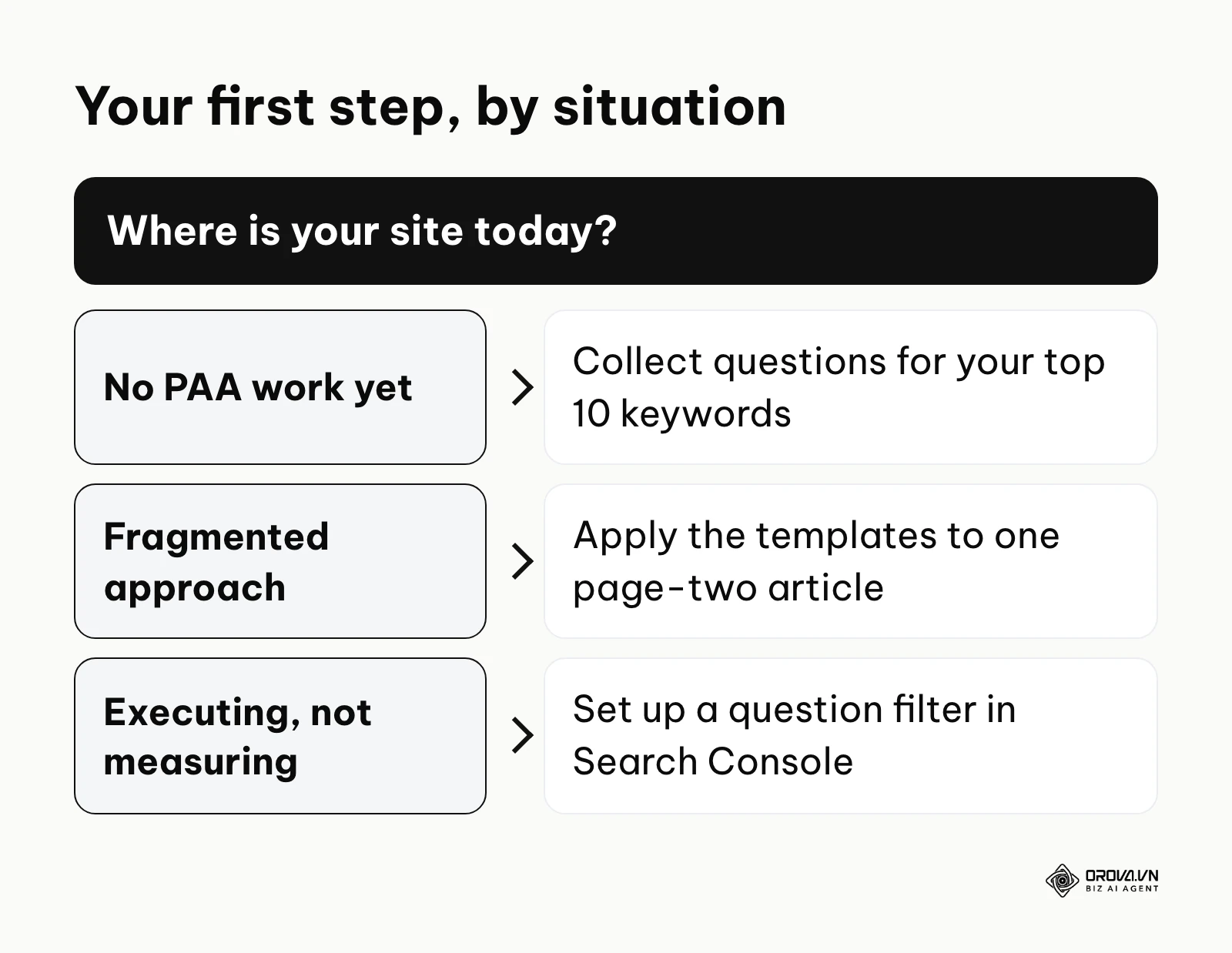
If you have never actively optimized for snippets, your first step is to simply find the questions. Dedicate one single afternoon to taking your top 10 most profitable service or product keywords and plugging them into a standard Google search. Write down every single question that appears in the expandable boxes for those 10 keywords. You now have a prioritized roadmap of exactly what your target audience wants to know. You can use these to build your first FAQ page or update your core service descriptions.
If you have a fragmented approach
If you occasionally answer questions but lack any real consistency, your next step is rigid template enforcement. Choose one core article that is currently ranking on page two. Extract three relevant questions from the search results, and completely rewrite the content using the strict 50-word Paragraph Template or the List Template discussed earlier. Do not worry about advanced schema markup or complex tracking yet; just focus entirely on forcing your writers to adopt the strict formatting constraints. Submit the page for indexing and watch the results over the next month.
If you are executing but not measuring
If your content team is already formatting everything perfectly but you cannot prove the return on investment to leadership, your immediate task is measurement setup. Stop guessing. Go directly into Google Search Console today, set up a Regex filter for question modifiers, and export the raw data. Build a simple baseline report showing impressions and clicks for these specific queries. This single step transforms your optimization efforts from a theoretical best practice into a quantifiable business asset, so you can show leadership the real value of people also ask.
About the author

Builder of Orova
Nguyễn Đỗ Trọng Ân has 8 years of experience in marketing, including 6 years managing market development across Asia. He builds Orova, a Biz AI Agent that never sleeps: it plans, runs and optimizes work for businesses.
Run your business with AI Agents
Orova is the always-on Biz AI Agent — it plans, runs, and optimizes the work for you.
Save time, unlock productivity.